
INFORM 6 2 NEW FEATURES DELTA TRAINING July



- Slides: 15
INFORM 6. 2 NEW FEATURES DELTA TRAINING July 2019 Dawson-Amoah, James Buddharaju, Swathi
Content: The purpose of this e. Learning is to introduce In. Form 6. 2 new features from investigative Site Functionality The feature highlights of this presentation are: v Browser Compatibility v New Features 2
BROWSER COMPATIBILITY 3
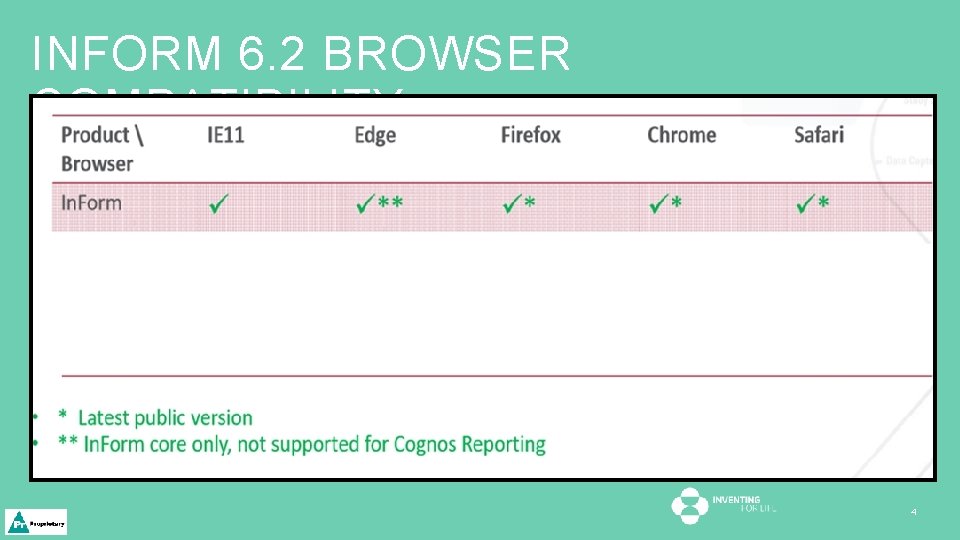
INFORM 6. 2 BROWSER COMPATIBILITY 4
INFORM 6. 2 NEW FEATURES 5
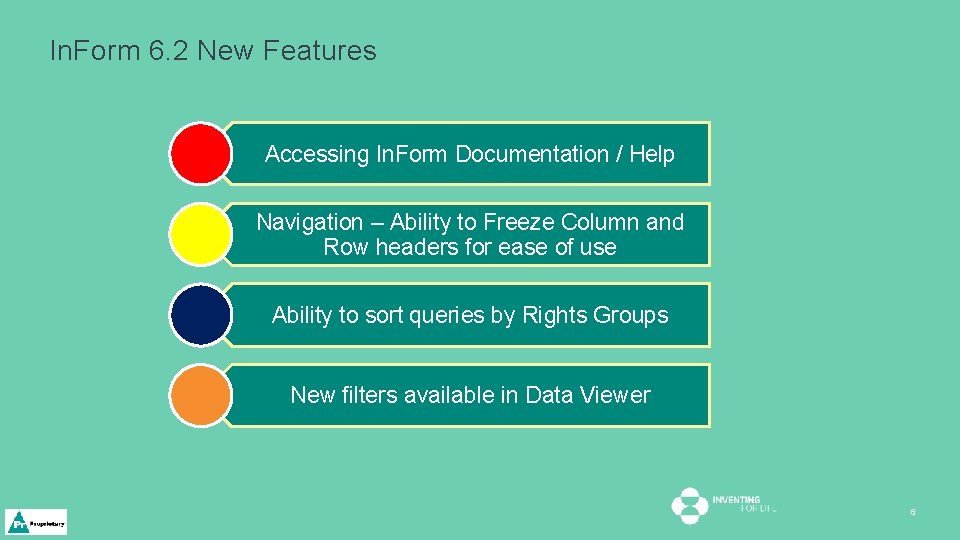
In. Form 6. 2 New Features Accessing In. Form Documentation / Help Navigation – Ability to Freeze Column and Row headers for ease of use Ability to sort queries by Rights Groups New filters available in Data Viewer 6
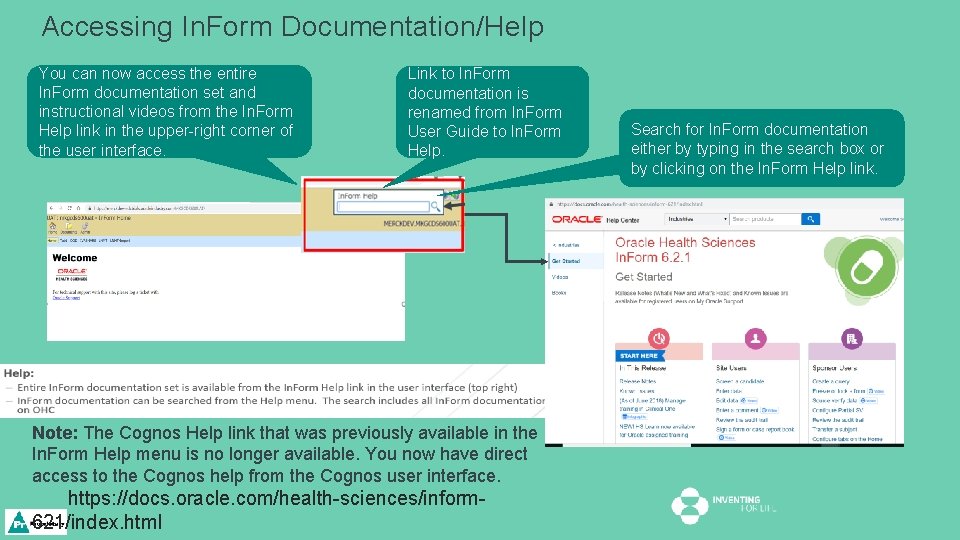
Accessing In. Form Documentation/Help You can now access the entire In. Form documentation set and instructional videos from the In. Form Help link in the upper-right corner of the user interface. Link to In. Form documentation is renamed from In. Form User Guide to In. Form Help. Note: The Cognos Help link that was previously available in the In. Form Help menu is no longer available. You now have direct access to the Cognos help from the Cognos user interface. https: //docs. oracle. com/health-sciences/inform 621/index. html Search for In. Form documentation either by typing in the search box or by clicking on the In. Form Help link.
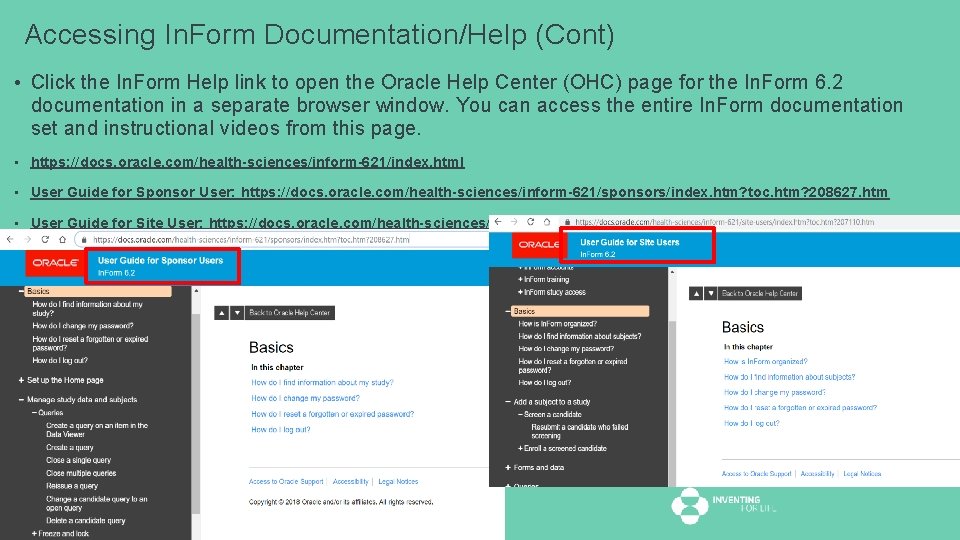
Accessing In. Form Documentation/Help (Cont) • Click the In. Form Help link to open the Oracle Help Center (OHC) page for the In. Form 6. 2 documentation in a separate browser window. You can access the entire In. Form documentation set and instructional videos from this page. • https: //docs. oracle. com/health-sciences/inform-621/index. html • User Guide for Sponsor User: https: //docs. oracle. com/health-sciences/inform-621/sponsors/index. htm? toc. htm? 208627. htm • User Guide for Site User: https: //docs. oracle. com/health-sciences/inform-621/site-users/index. htm? toc. htm? 207110. htm
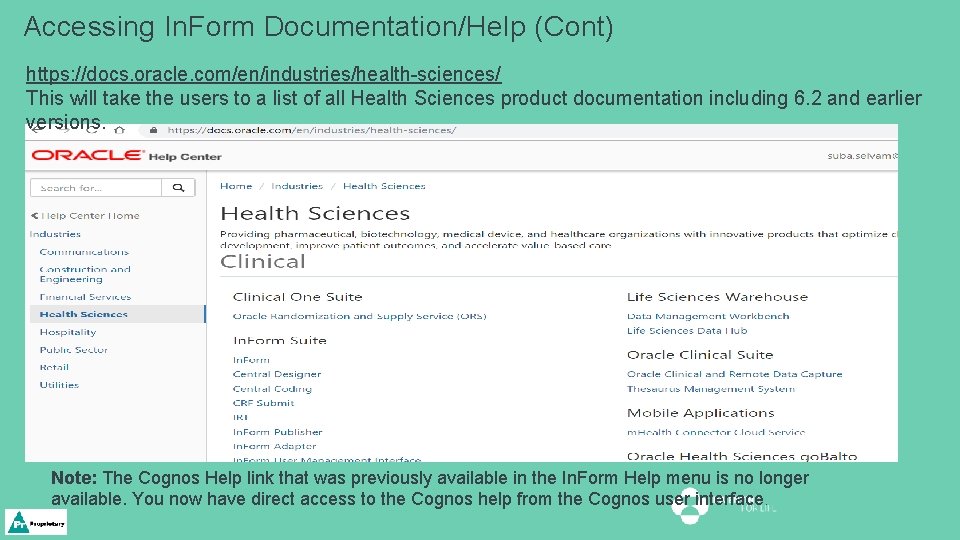
Accessing In. Form Documentation/Help (Cont) https: //docs. oracle. com/en/industries/health-sciences/ This will take the users to a list of all Health Sciences product documentation including 6. 2 and earlier versions. Note: The Cognos Help link that was previously available in the In. Form Help menu is no longer available. You now have direct access to the Cognos help from the Cognos user interface.
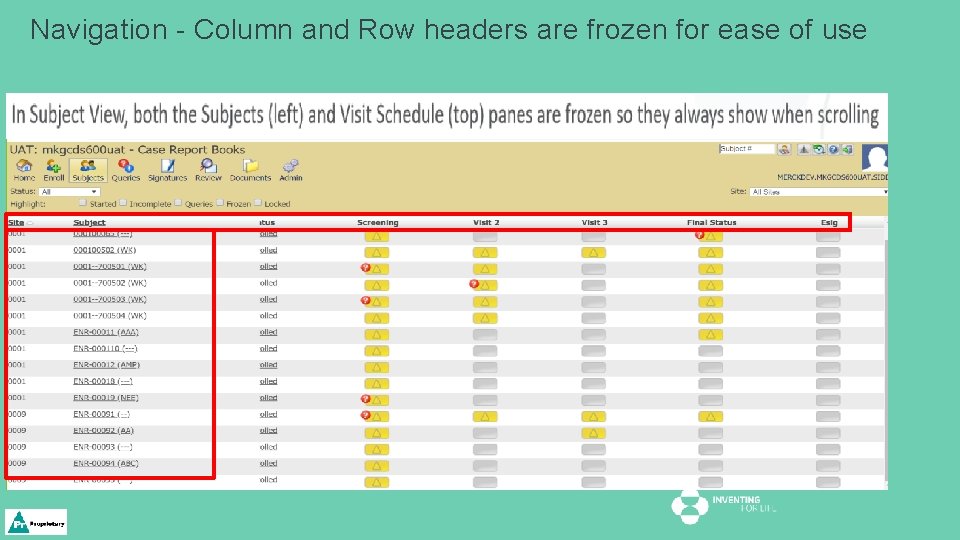
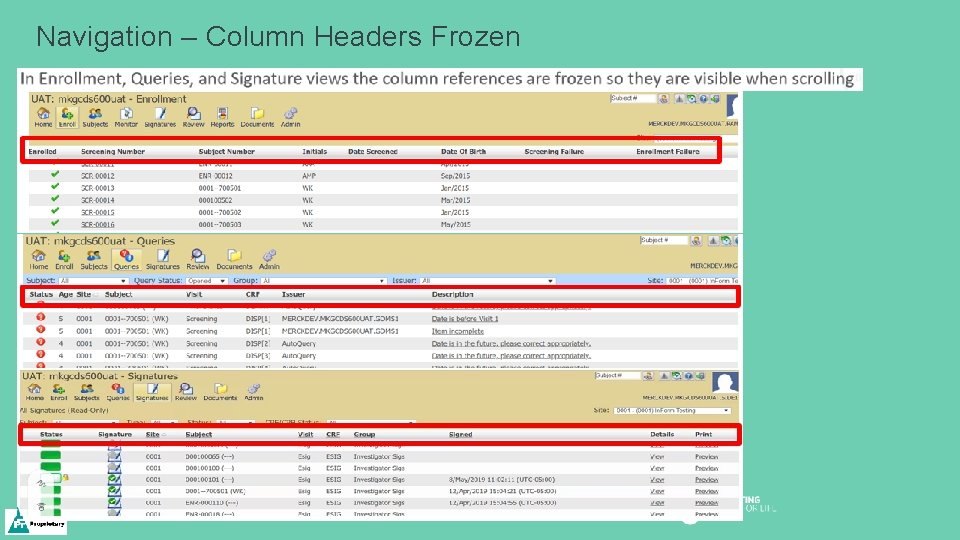
Navigation - Column and Row headers are frozen for ease of use
Navigation – Column Headers Frozen
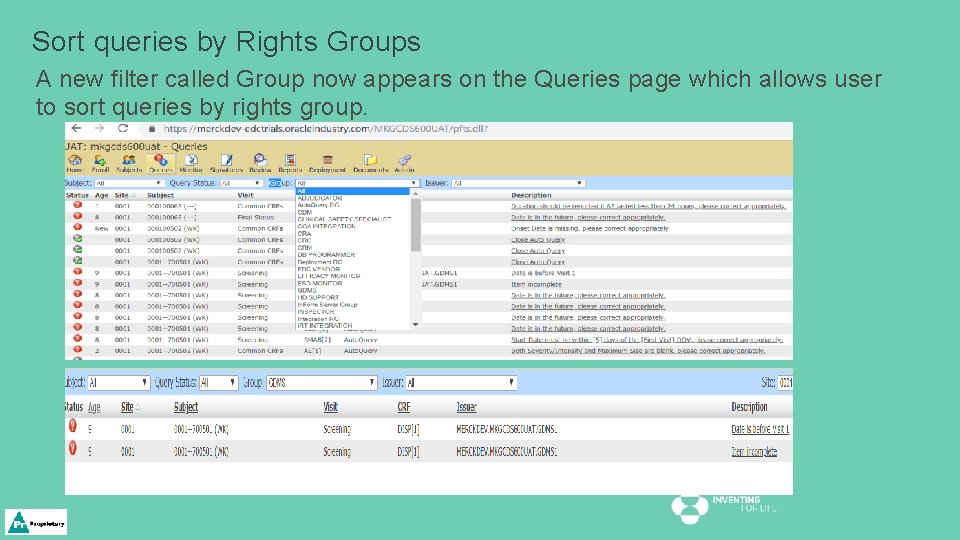
Sort queries by Rights Groups A new filter called Group now appears on the Queries page which allows user to sort queries by rights group.
Data Viewer The Data Viewer includes filters and columns that allow you to view the frozen and locked status of forms. Forms can have the following additional statuses: • Frozen • Unfrozen • Never Frozen • Locked • Unlocked • Never Locked
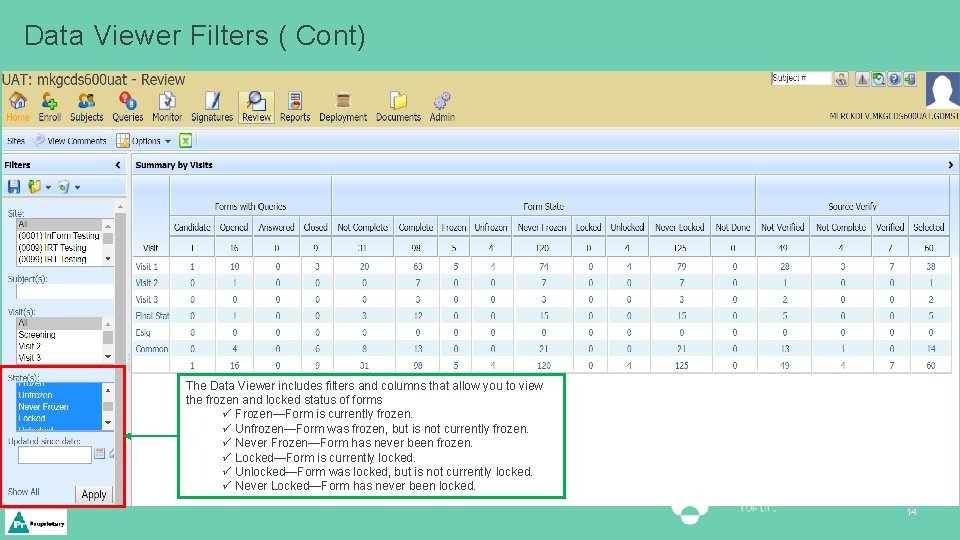
Data Viewer Filters ( Cont) The Data Viewer includes filters and columns that allow you to view the frozen and locked status of forms ü Frozen—Form is currently frozen. ü Unfrozen—Form was frozen, but is not currently frozen. ü Never Frozen—Form has never been frozen. ü Locked—Form is currently locked. ü Unlocked—Form was locked, but is not currently locked. ü Never Locked—Form has never been locked. 14
THANK YOU