
Industrial Engineering Drawing Chapter 3 Arc Command Circle
- Slides: 36
Industrial Engineering Drawing Chapter 3 Arc Command , Circle Command , Rectangle Command , Polygon Command , Ellipse Command
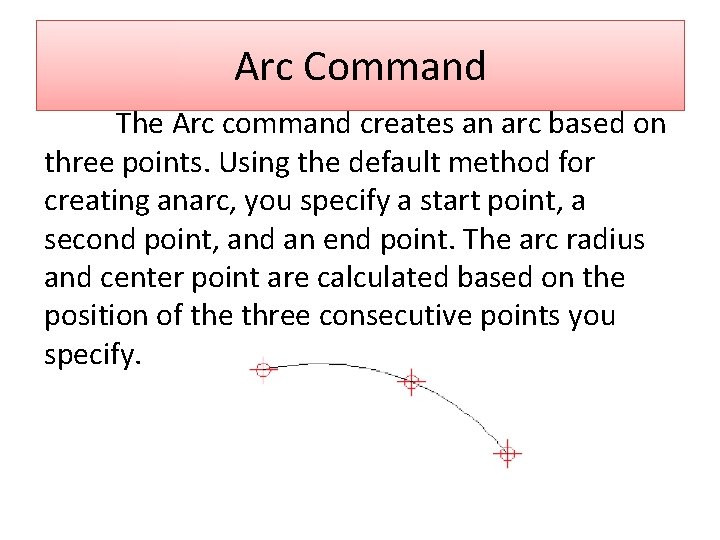
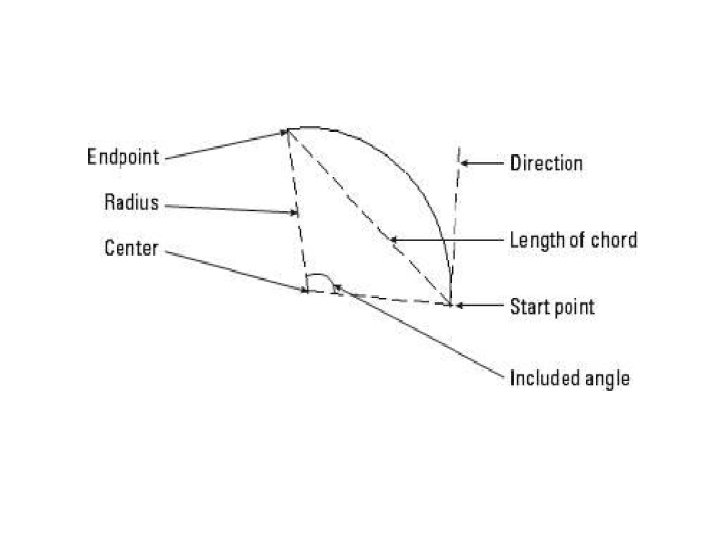
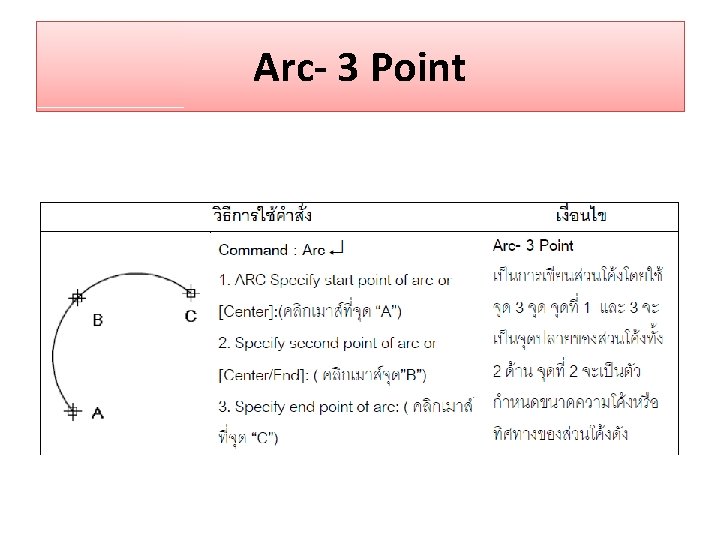
Arc Command The Arc command creates an arc based on three points. Using the default method for creating anarc, you specify a start point, a second point, and an end point. The arc radius and center point are calculated based on the position of the three consecutive points you specify.
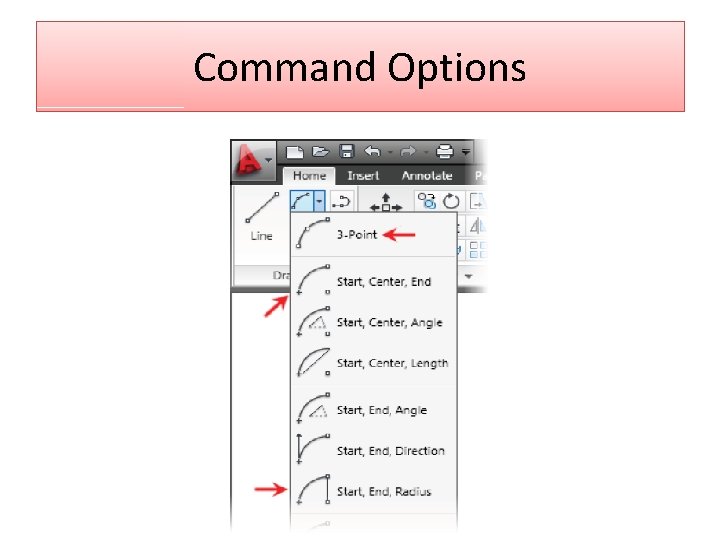
Command Options
Arc- 3 Point
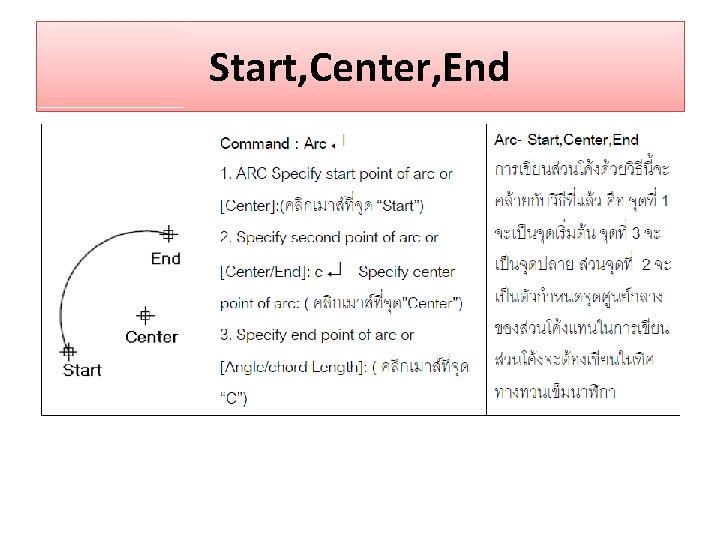
Start, Center, End
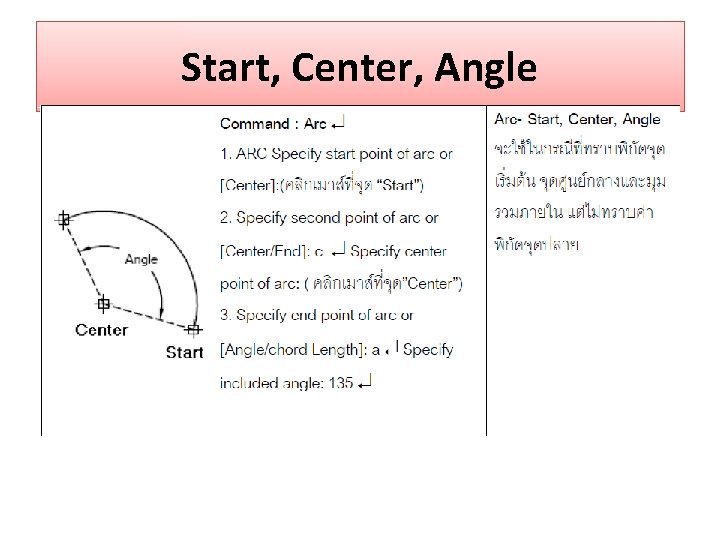
Start, Center, Angle
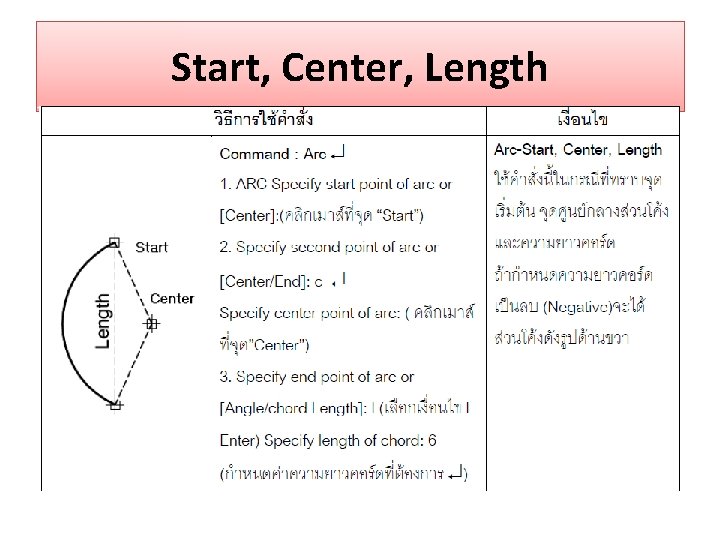
Start, Center, Length
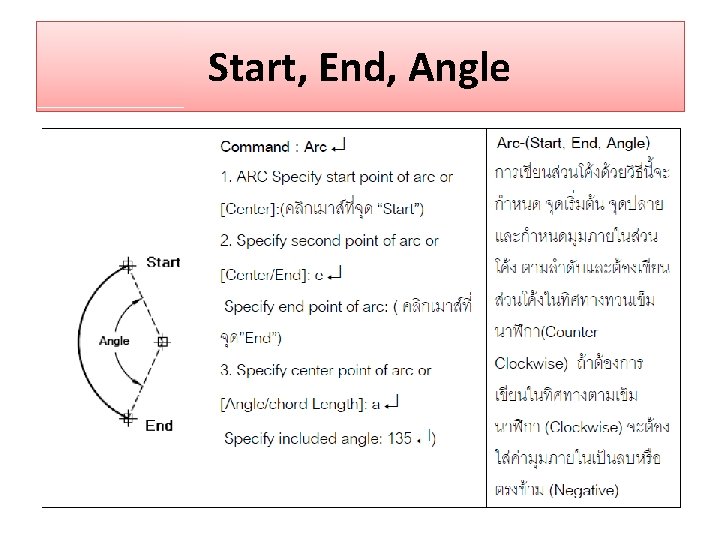
Start, End, Angle
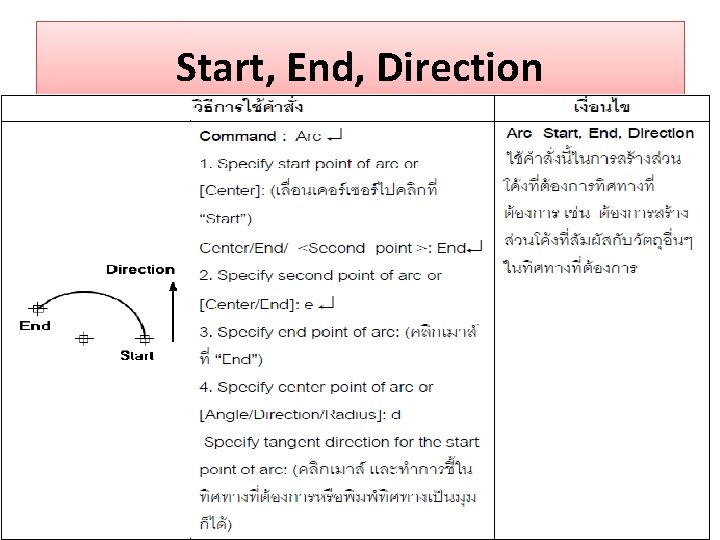
Start, End, Direction
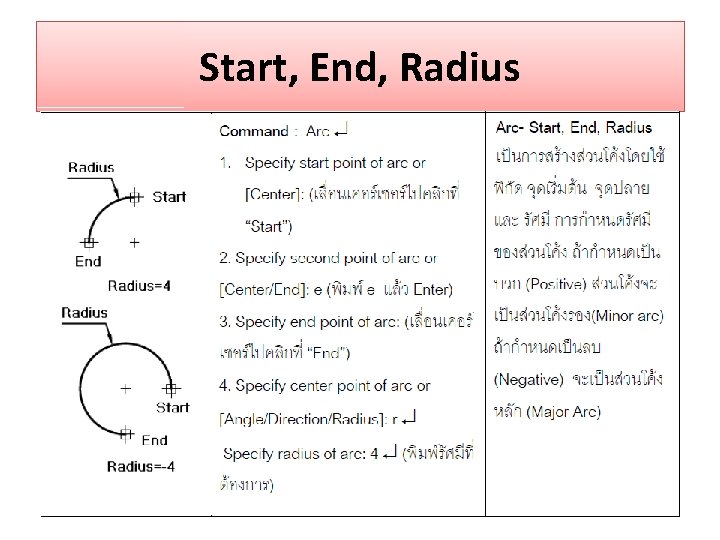
Start, End, Radius
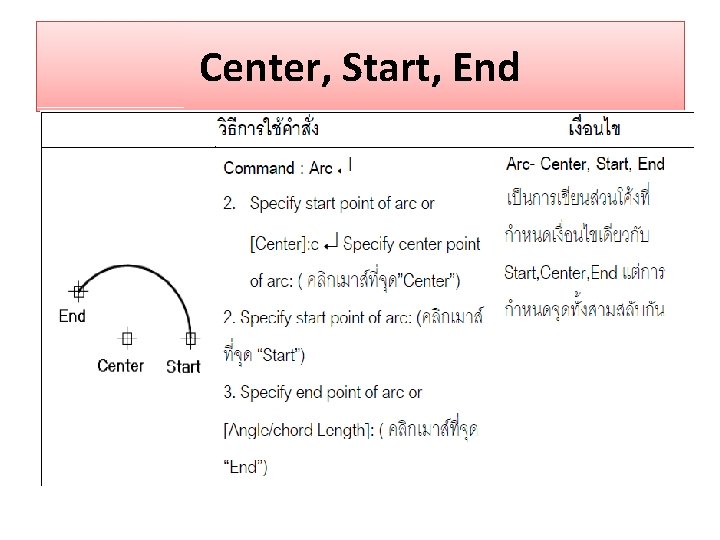
Center, Start, End
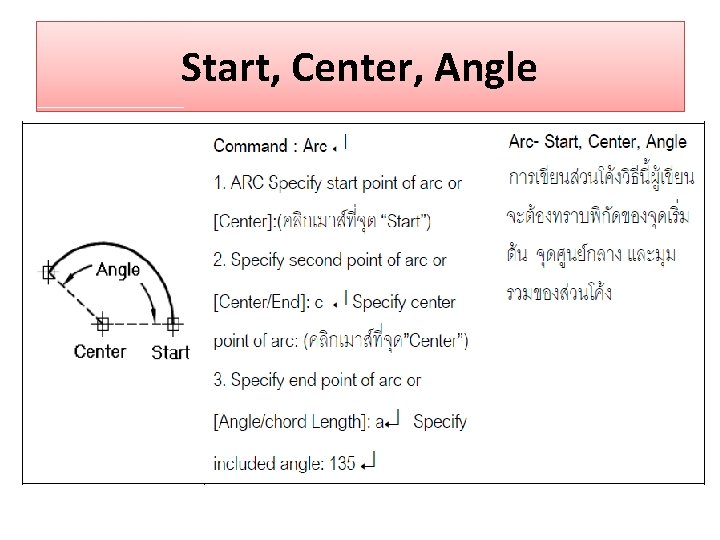
Start, Center, Angle
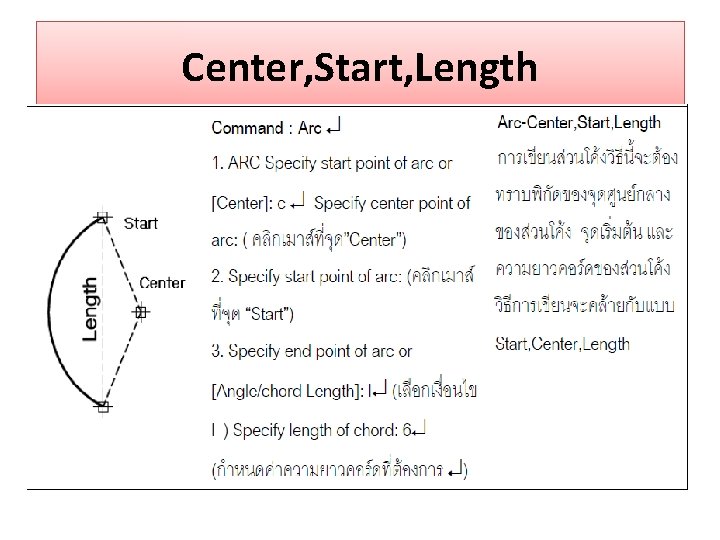
Center, Start, Length
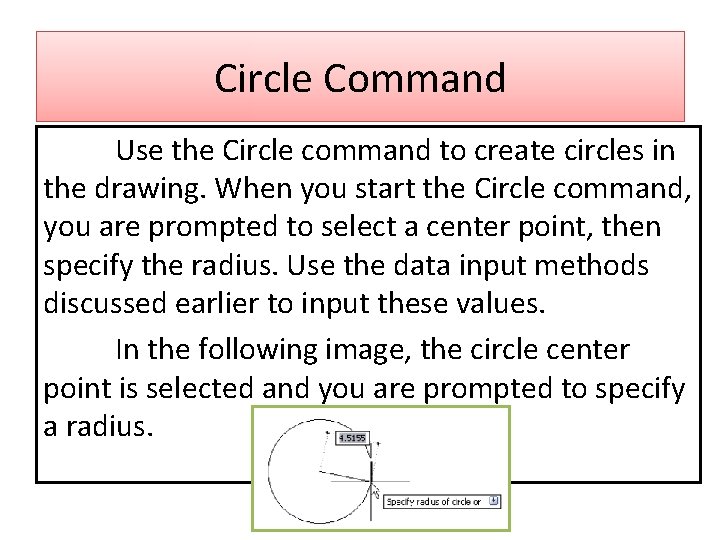
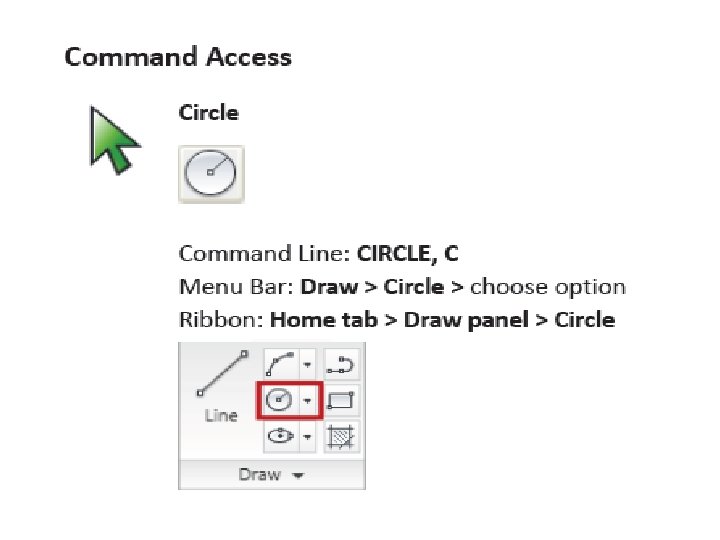
Circle Command Use the Circle command to create circles in the drawing. When you start the Circle command, you are prompted to select a center point, then specify the radius. Use the data input methods discussed earlier to input these values. In the following image, the circle center point is selected and you are prompted to specify a radius.
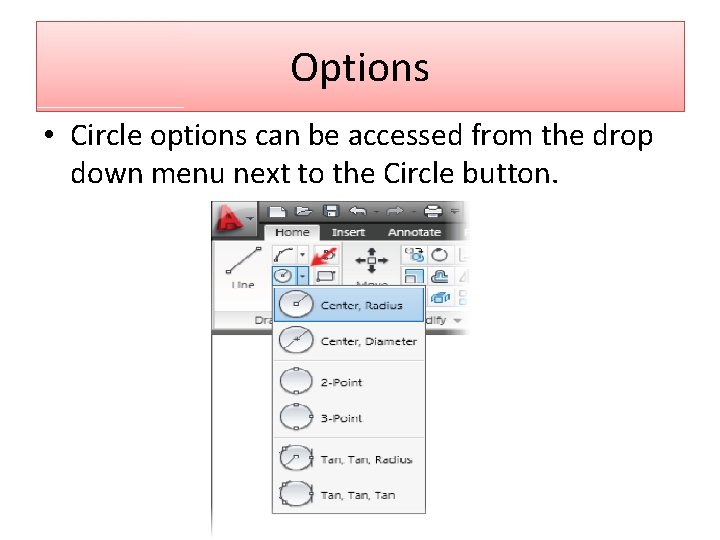
Options • Circle options can be accessed from the drop down menu next to the Circle button.
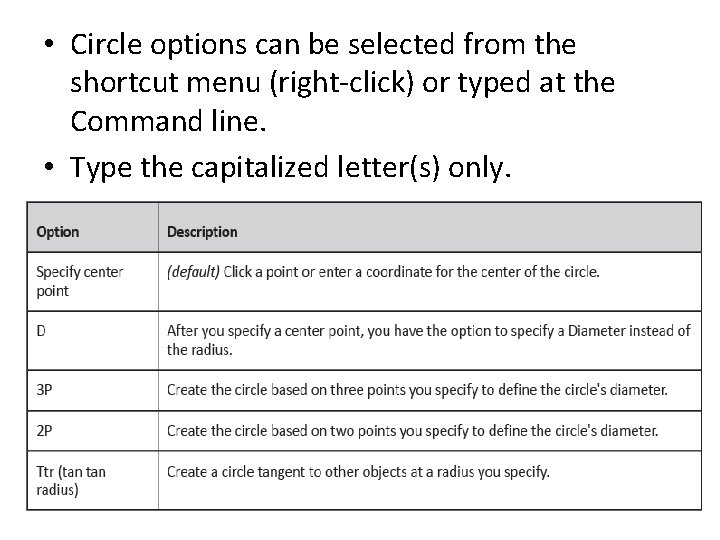
• Circle options can be selected from the shortcut menu (right-click) or typed at the Command line. • Type the capitalized letter(s) only.
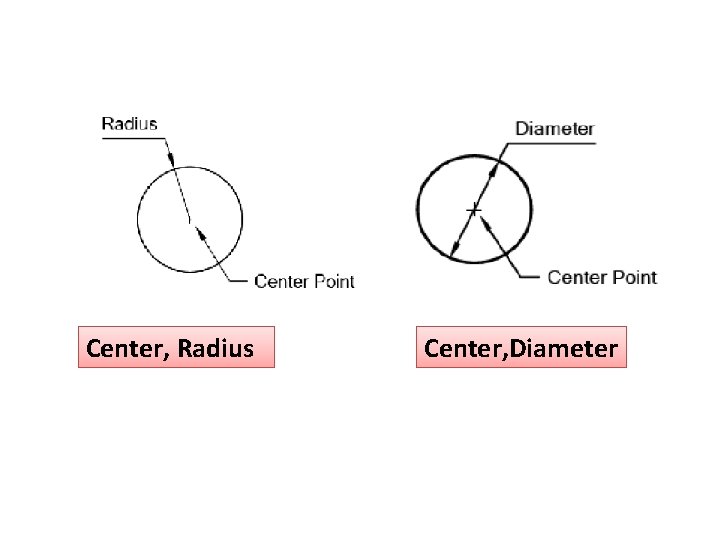
Center, Radius Center, Diameter
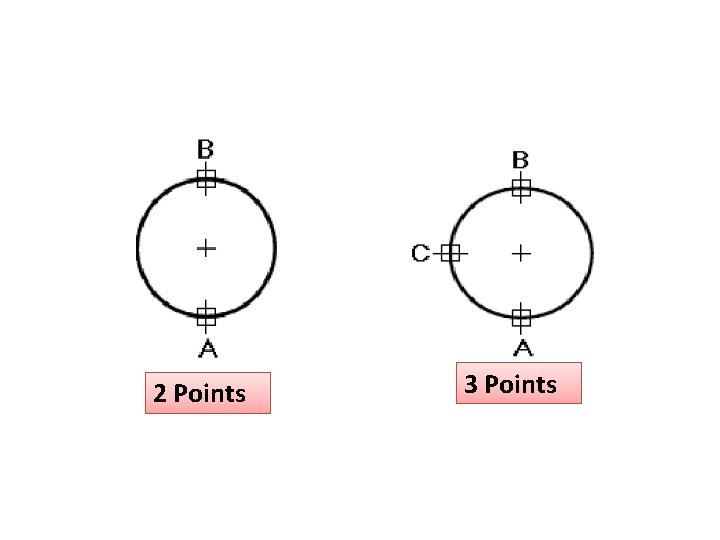
2 Points 3 Points
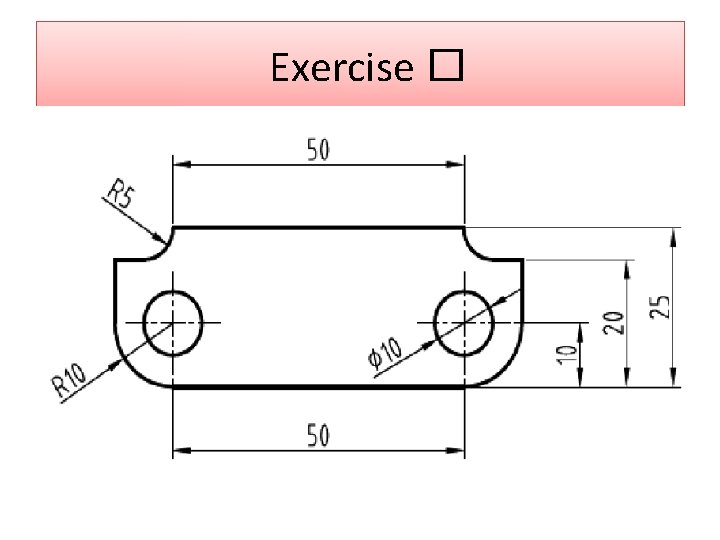
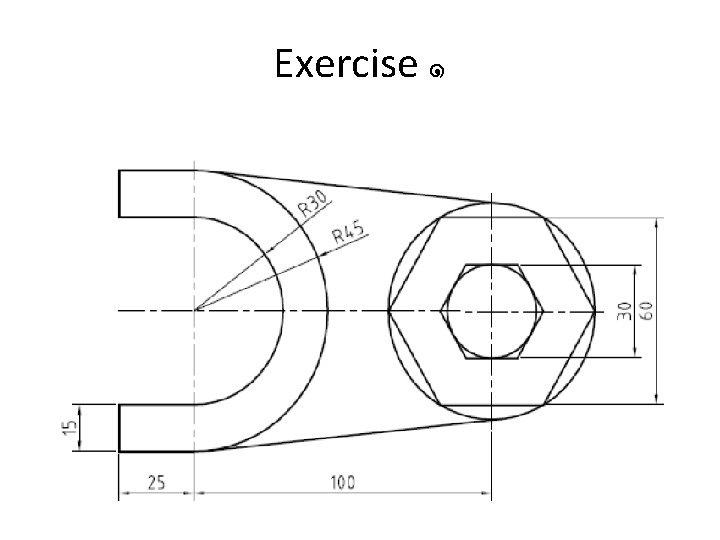
Exercise �
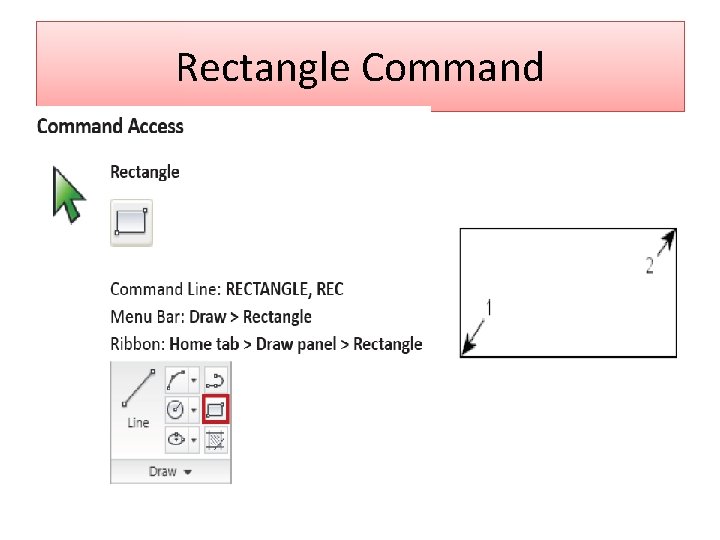
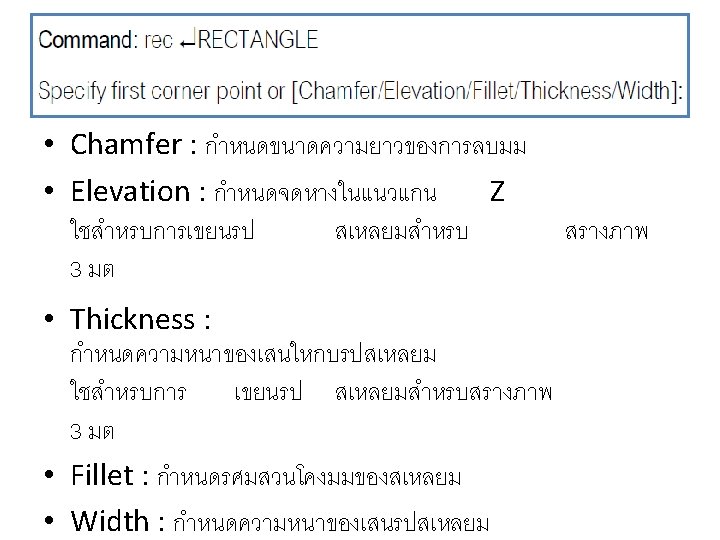
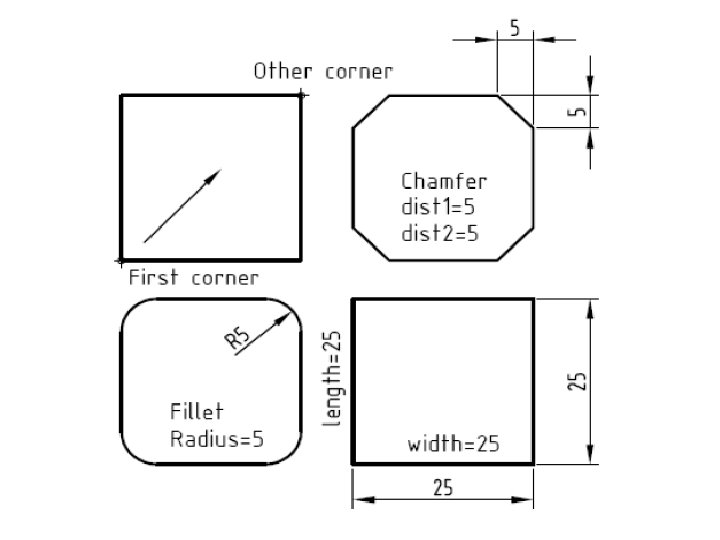
Rectangle Command
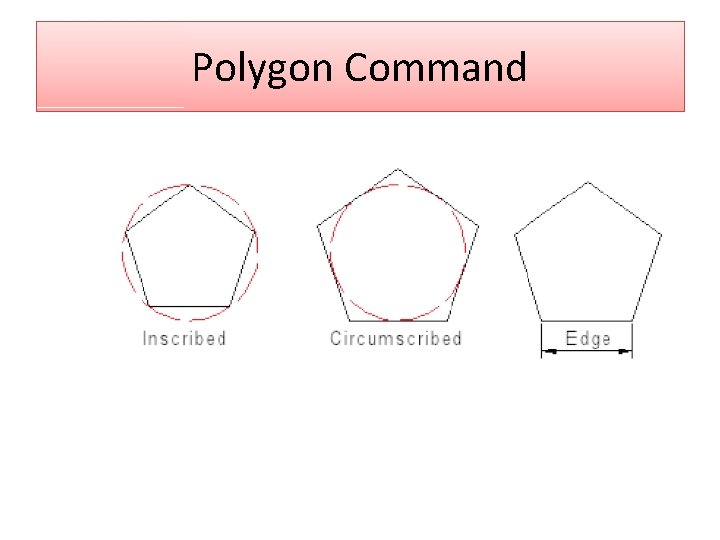
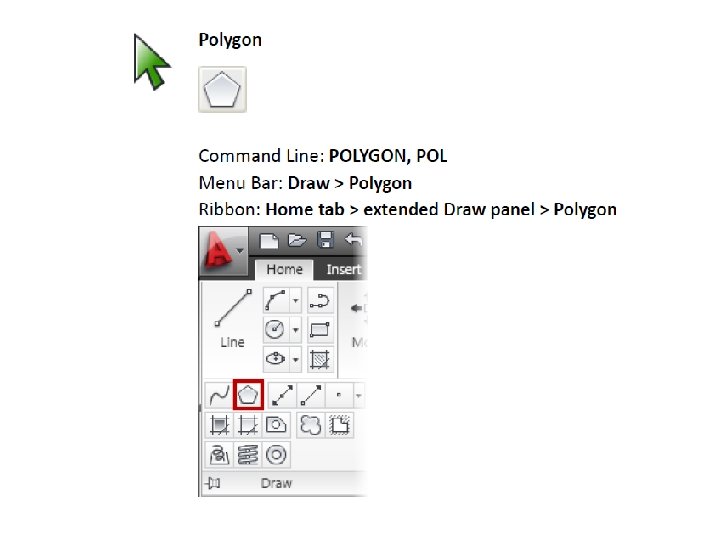
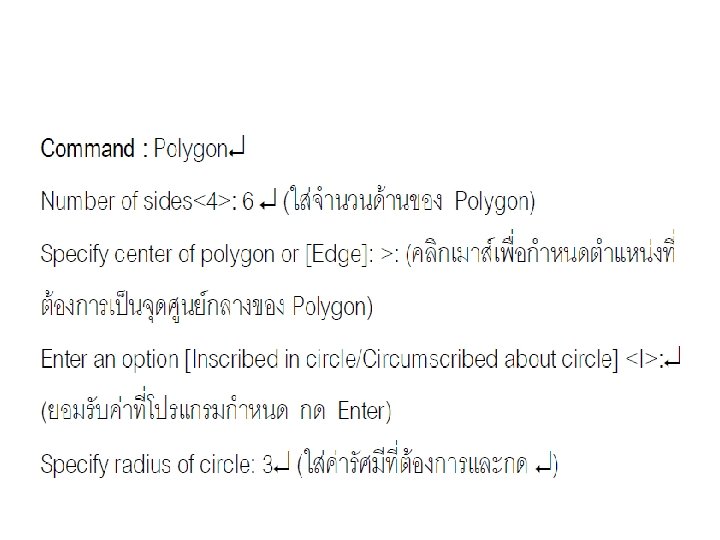
Polygon Command
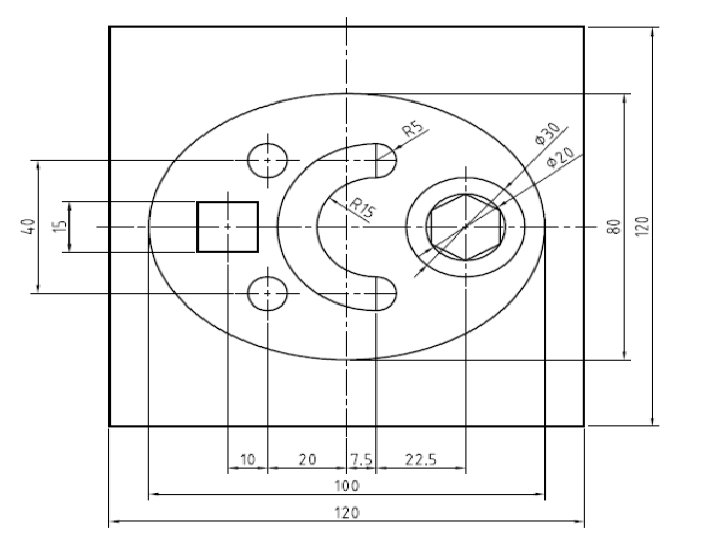
Exercise ๑
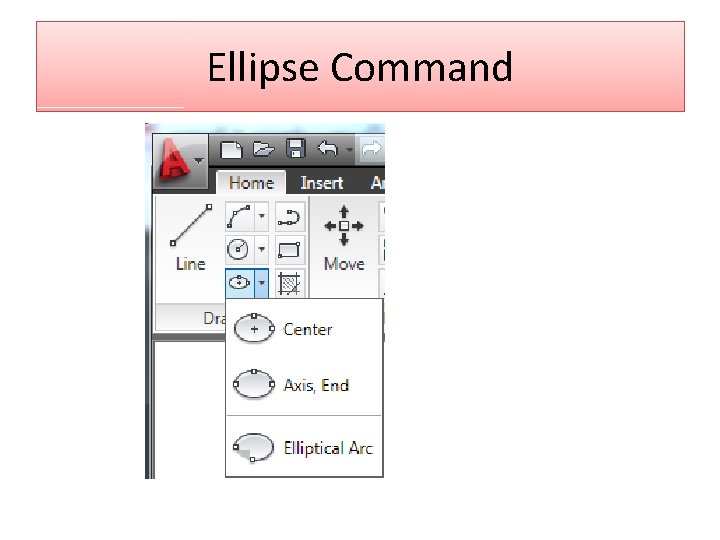
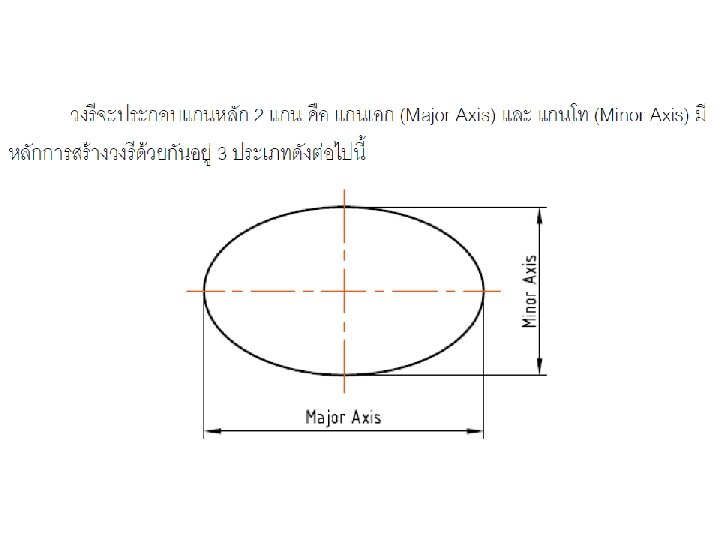
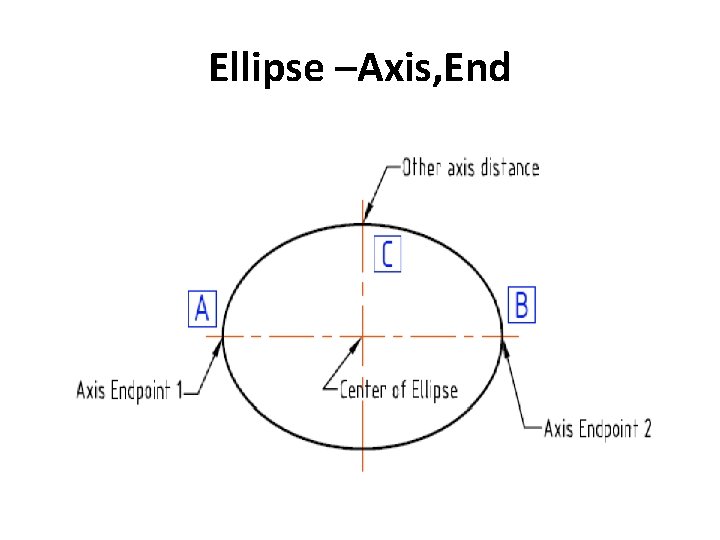
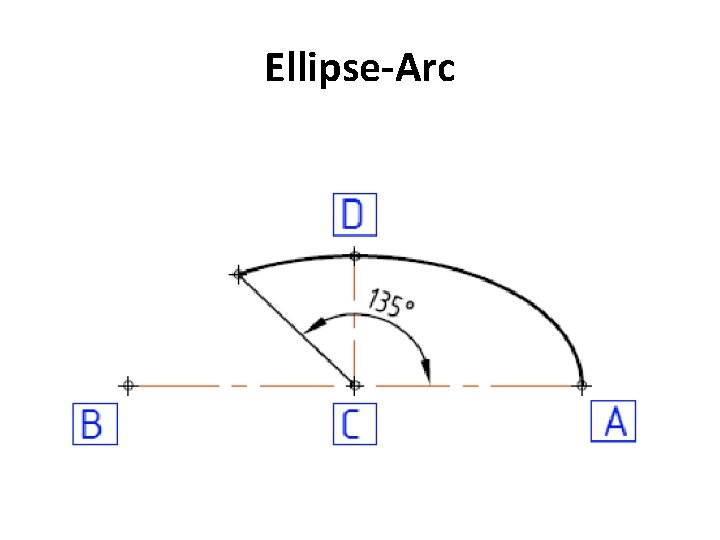
Ellipse Command
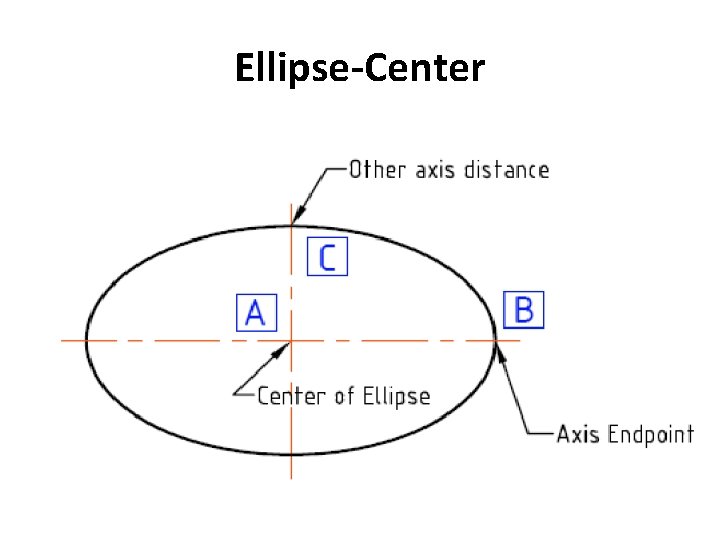
Ellipse-Center
Ellipse –Axis, End
Ellipse-Arc