
Index Introduction to OOPS Oops Concept Introduction to
![Foreach Statement Using System; Class foreachstate { static void Main() { int[] number={0, 1,](https://slidetodoc.com/presentation_image/be204289faddeb5669aa169954ad0f98/image-68.jpg "Foreach Statement Using System; Class foreachstate { static void Main() { int[] number={0, 1,")


![Single Array class simplearray { static void Main() { int[] intarray = new int[4];](https://slidetodoc.com/presentation_image/be204289faddeb5669aa169954ad0f98/image-129.jpg "Single Array class simplearray { static void Main() { int[] intarray = new int[4];")
![Multi Array class multiarray { static void Main() { string[, ] namearray = new](https://slidetodoc.com/presentation_image/be204289faddeb5669aa169954ad0f98/image-131.jpg "Multi Array class multiarray { static void Main() { string[, ] namearray = new")
![• We can access individual array elements like in the following way: int[][]](https://slidetodoc.com/presentation_image/be204289faddeb5669aa169954ad0f98/image-135.jpg "• We can access individual array elements like in the following way: int[][]")
![Jagged Array class Jagged { int[][] x = new int[2][]; void set() { x[0]](https://slidetodoc.com/presentation_image/be204289faddeb5669aa169954ad0f98/image-136.jpg "Jagged Array class Jagged { int[][] x = new int[2][]; void set() { x[0]")
![Using array properties using System; Class Program { static void Main() { int[]num={99, 24,](https://slidetodoc.com/presentation_image/be204289faddeb5669aa169954ad0f98/image-139.jpg "Using array properties using System; Class Program { static void Main() { int[]num={99, 24,")
![Multiple Catch Block class Multicatch { static void Main() { int[] a ={ 5,](https://slidetodoc.com/presentation_image/be204289faddeb5669aa169954ad0f98/image-149.jpg "Multiple Catch Block class Multicatch { static void Main() { int[] a ={ 5,")
![Example class Class 1 { static void Main(string[] args) { Seal. Class Cls =](https://slidetodoc.com/presentation_image/be204289faddeb5669aa169954ad0f98/image-154.jpg "Example class Class 1 { static void Main(string[] args) { Seal. Class Cls =")
![Normal Code class Class 1 { static void Main() { int[] intarrey ={ 1,](https://slidetodoc.com/presentation_image/be204289faddeb5669aa169954ad0f98/image-170.jpg "Normal Code class Class 1 { static void Main() { int[] intarrey ={ 1,")
![Generics Methods class Class 2 { static void Main() { int[] intarrey ={0, 0,](https://slidetodoc.com/presentation_image/be204289faddeb5669aa169954ad0f98/image-172.jpg "Generics Methods class Class 2 { static void Main() { int[] intarrey ={0, 0,")
- Slides: 181
Index • • • • • Introduction to OOPS Oops Concept Introduction to C# Dot Net Framework Literals and Data Types Branching and Looping Constructor Inheritance Abstract Class Interface Delegates Events Structure Arrays Enumerator Collections Exception Handling Sealed Class Files Generics
Contents: • Introduction • Classes And Object • OOPS Concepts • Advantages
INTRODUCTION • Object-Oriented Programming allows programmers to use the same terminology to explain the business domain and the program. • OOP enables users to model real-world objects. Modeling means representing real-world objects as components.
Explanation • Before OOP, programmers used to creating computer applications using procedural-programming (or structure-programming) • In procedural- programming all the program functionality written in a few modules of code or maybe one module (depending on the program). • These modules depend on one another and maybe if you change a line of code you will have to rewrite the whole module again and maybe the whole program. • The introduction of OOP, solved lots of problems of procedural programming. • In oops codes are written in independent parts called ‘classes’. Each program functionality is divided into classes. The assembly combines these classes to form a single program. • Now if any changes has to be made then that particular or specific class is taken and necessary changes is to be made.
CLASS & OBJECT • The single entity holding the data and methods is called a “class”. An “Object” is an instance of a class. Eg: Car is a class and engine is an object. • People is a class and Mary is an object. • A class is a plan from which many objects can be created.
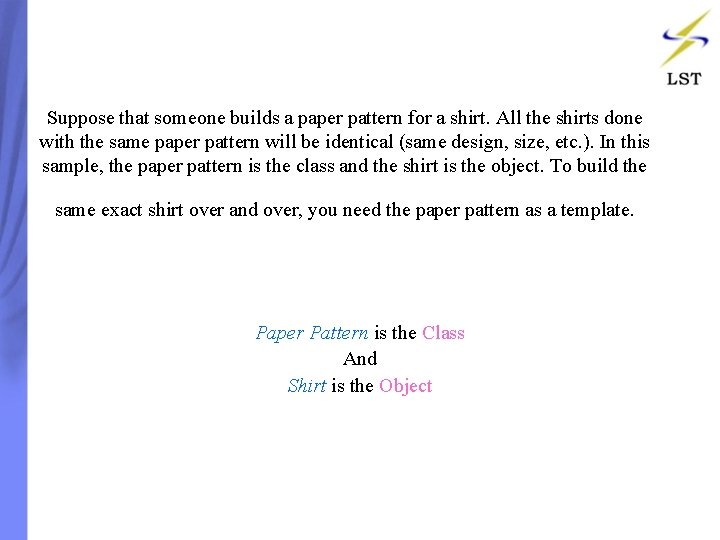
Suppose that someone builds a paper pattern for a shirt. All the shirts done with the same paper pattern will be identical (same design, size, etc. ). In this sample, the paper pattern is the class and the shirt is the object. To build the same exact shirt over and over, you need the paper pattern as a template. Paper Pattern is the Class And Shirt is the Object
OOPS CONCEPTS Polymorphism Encapsulation Abstraction Inheritance
INHERITANCE • Inheritance creates a hierarchy of classes and helps you reuse the code of a parent class in a child class. • A Class inherits the attributes and behavior of its parent class or superclass. • Superclass: Base class: Parent class. Subclass: Derived class: Child class. • The mechanism of constructing one class from an other class is called “Inheritance”.
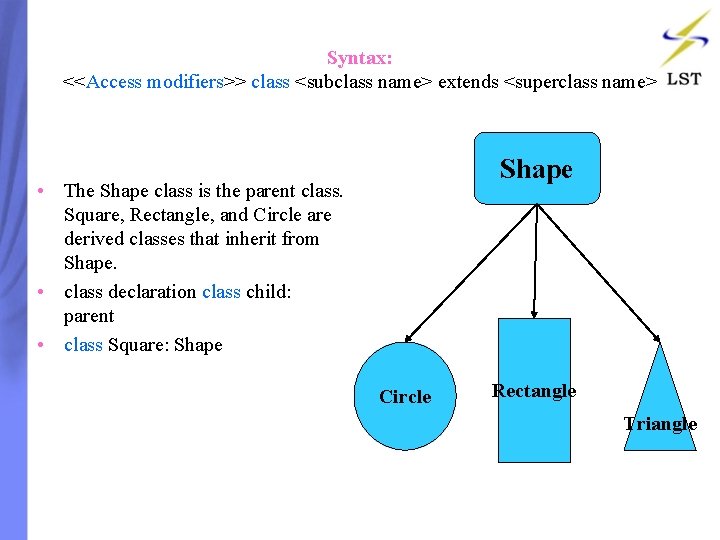
Syntax: <<Access modifiers>> class <subclass name> extends <superclass name> Shape • The Shape class is the parent class. Square, Rectangle, and Circle are derived classes that inherit from Shape. • class declaration class child: parent • class Square: Shape Circle Rectangle Triangle
ENCAPSULATION • Encapsulation hides internal implementation details from users. • Internal details, such as data representation should not be accessible externally, this protects outside users from making internal changes. • There is visibility to the functionalities offered by an object, and no visibility to its data. • Encapsulation means hiding of non-essential details.
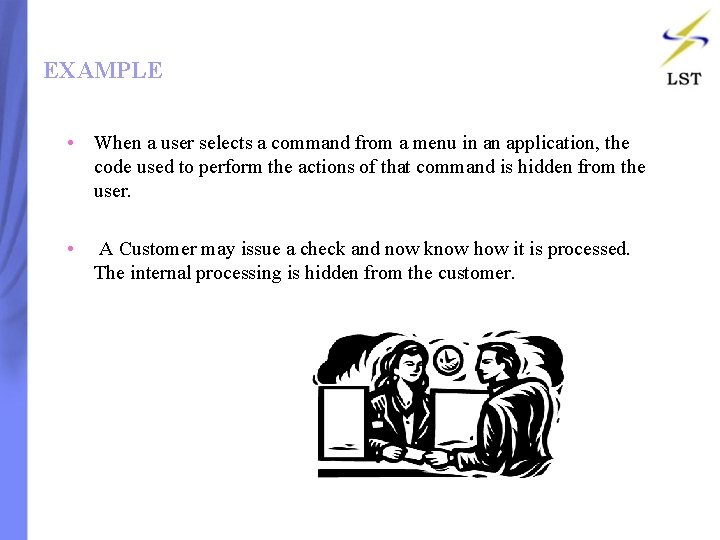
EXAMPLE • When a user selects a command from a menu in an application, the code used to perform the actions of that command is hidden from the user. • A Customer may issue a check and now know how it is processed. The internal processing is hidden from the customer.
ABSTRACTION • Abstraction means representing of essential details. • An abstract class is a parent class that allows inheritance but can never be instantiated. • Abstract classes contain one or more abstract methods that do not have implementation.
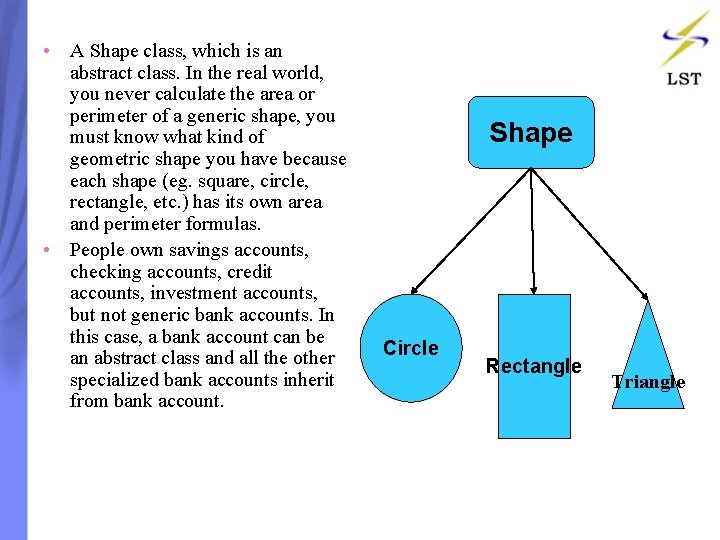
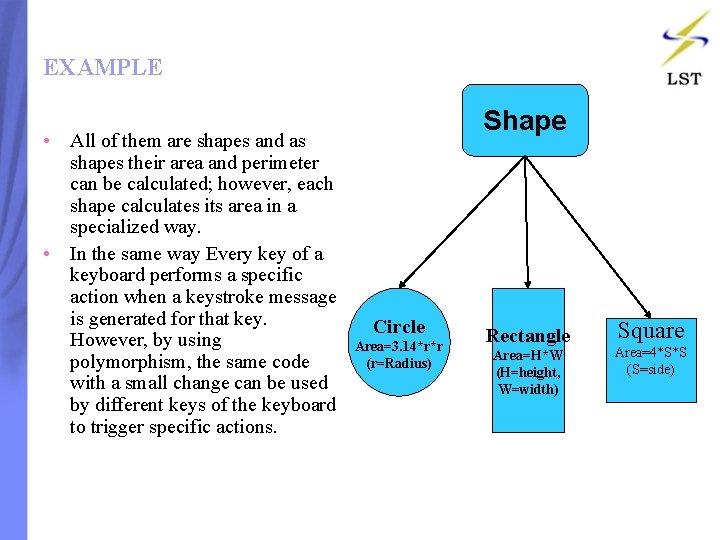
• A Shape class, which is an abstract class. In the real world, you never calculate the area or perimeter of a generic shape, you must know what kind of geometric shape you have because each shape (eg. square, circle, rectangle, etc. ) has its own area and perimeter formulas. • People own savings accounts, checking accounts, credit accounts, investment accounts, but not generic bank accounts. In this case, a bank account can be an abstract class and all the other specialized bank accounts inherit from bank account. Shape Circle Rectangle Triangle
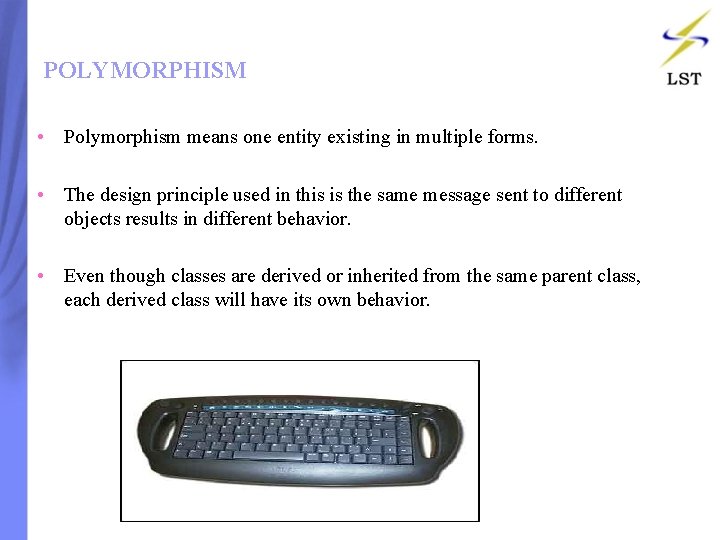
POLYMORPHISM • Polymorphism means one entity existing in multiple forms. • The design principle used in this is the same message sent to different objects results in different behavior. • Even though classes are derived or inherited from the same parent class, each derived class will have its own behavior.
EXAMPLE • All of them are shapes and as shapes their area and perimeter can be calculated; however, each shape calculates its area in a specialized way. • In the same way Every key of a keyboard performs a specific action when a keystroke message is generated for that key. However, by using polymorphism, the same code with a small change can be used by different keys of the keyboard to trigger specific actions. Shape Circle Area=3. 14*r*r (r=Radius) Rectangle Area=H*W (H=height, W=width) Square Area=4*S*S (S=side)
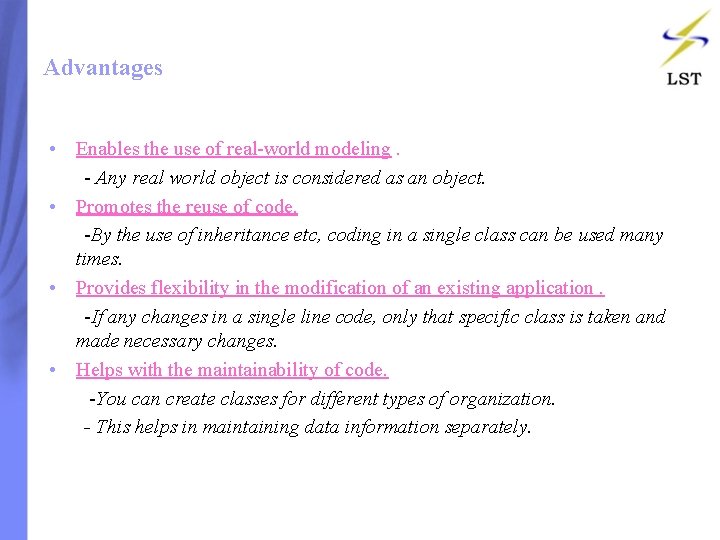
Advantages • Enables the use of real-world modeling. - Any real world object is considered as an object. • Promotes the reuse of code. -By the use of inheritance etc, coding in a single class can be used many times. • Provides flexibility in the modification of an existing application. -If any changes in a single line code, only that specific class is taken and made necessary changes. • Helps with the maintainability of code. -You can create classes for different types of organization. - This helps in maintaining data information separately.
Contents: • Introduction • What Lead to C# • Features in C# • Characteristics in C#
C# • C# (pronounced "C sharp") is a programming language that is designed for building a variety of applications that run on the. NET Framework. • C# is simple, powerful, type-safe, and object-oriented. • Delegates, Interface, Foreach Statements, Enumerations are few features in C# which lag in C++. • The first component oriented language in the C/C++ family
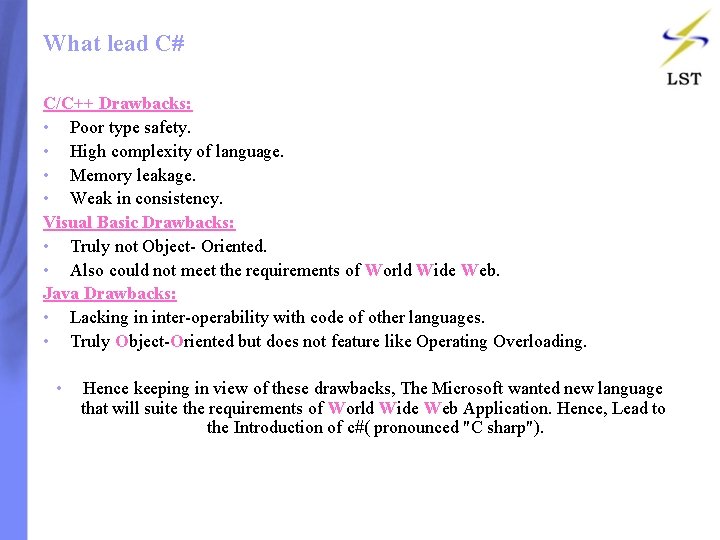
What lead C# C/C++ Drawbacks: • Poor type safety. • High complexity of language. • Memory leakage. • Weak in consistency. Visual Basic Drawbacks: • Truly not Object- Oriented. • Also could not meet the requirements of World Wide Web. Java Drawbacks: • Lacking in inter-operability with code of other languages. • Truly Object-Oriented but does not feature like Operating Overloading. • Hence keeping in view of these drawbacks, The Microsoft wanted new language that will suite the requirements of World Wide Web Application. Hence, Lead to the Introduction of c#( pronounced "C sharp").
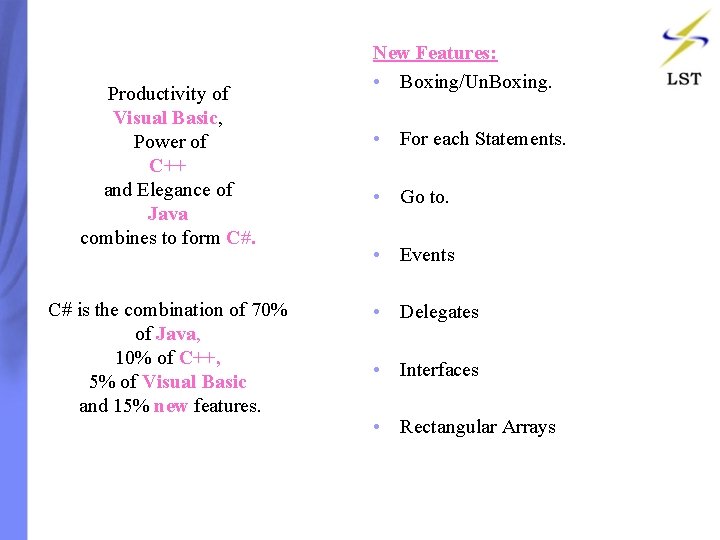
Productivity of Visual Basic, Power of C++ and Elegance of Java combines to form C#. C# is the combination of 70% of Java, 10% of C++, 5% of Visual Basic and 15% new features. New Features: • Boxing/Un. Boxing. • For each Statements. • Go to. • Events • Delegates • Interfaces • Rectangular Arrays
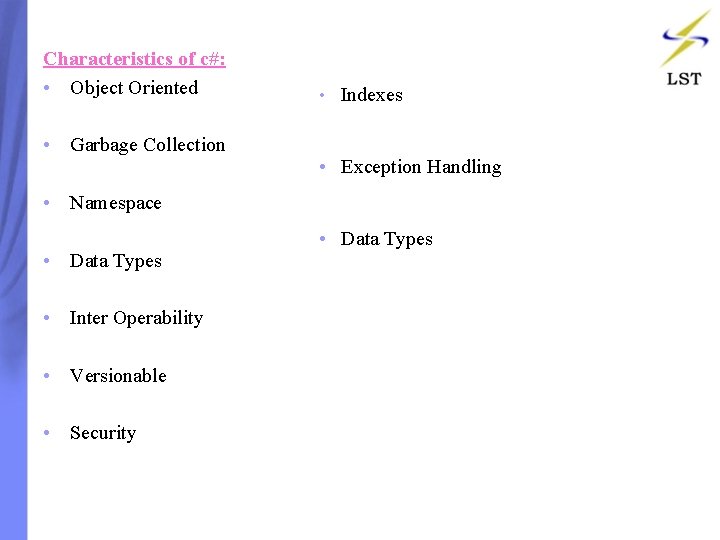
Characteristics of c#: • Object Oriented • Garbage Collection • Indexes • Exception Handling • Namespace • Data Types • Inter Operability • Versionable • Security • Data Types
Contents: • Introduction • Dot. Net Architecture • Common Language Runtime • Base Class Library • Dot. Net Framework Services • Dot. Net Execution Model • C# and Dot. Net
Dot Net Framework • C# is mainly dependent for supporting the key features of dot net framework. • The dot net framework provides an environment for building, deploying and running web services and other applications. • This is the working platform for applications.
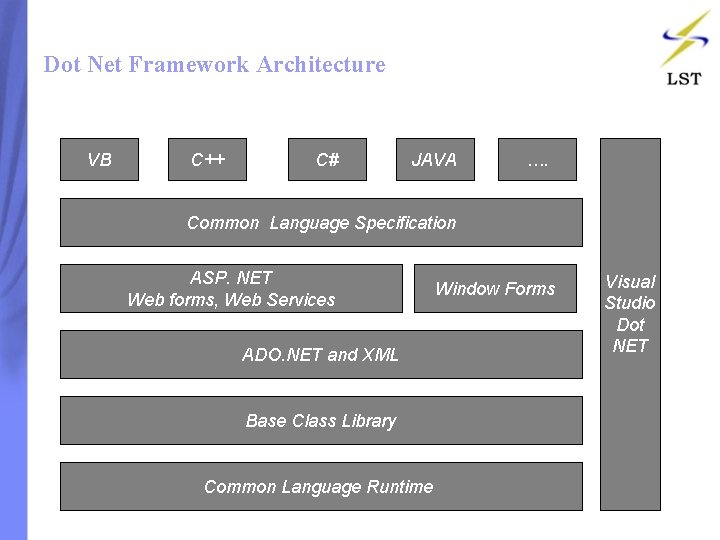
Dot Net Framework Architecture VB C++ C# JAVA …. Common Language Specification ASP. NET Web forms, Web Services ADO. NET and XML Base Class Library Common Language Runtime Window Forms Visual Studio Dot NET
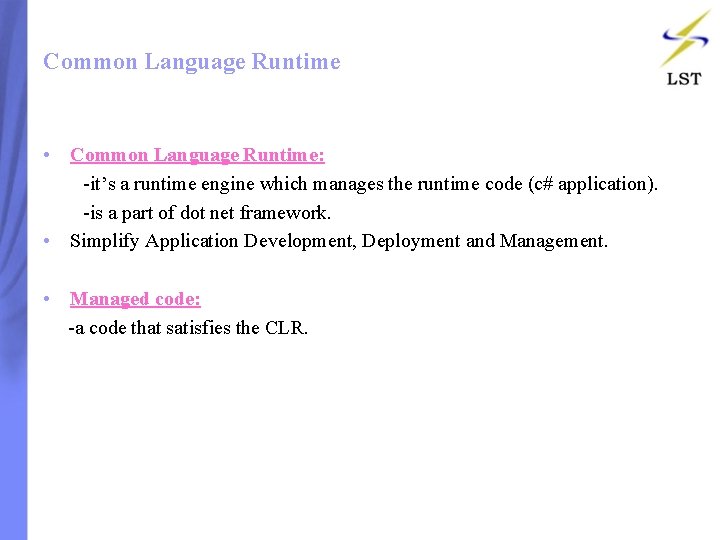
Common Language Runtime • Common Language Runtime: -it’s a runtime engine which manages the runtime code (c# application). -is a part of dot net framework. • Simplify Application Development, Deployment and Management. • Managed code: -a code that satisfies the CLR.
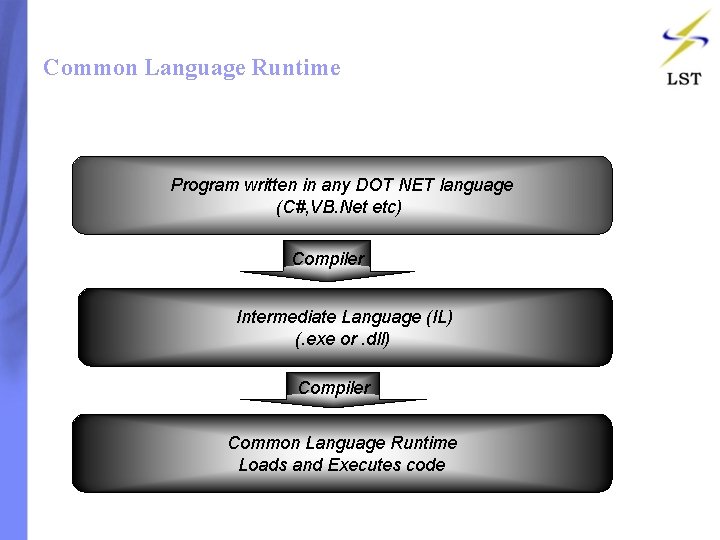
Common Language Runtime Program written in any DOT NET language (C#, VB. Net etc) Compiler Intermediate Language (IL) (. exe or. dll) Compiler Common Language Runtime Loads and Executes code
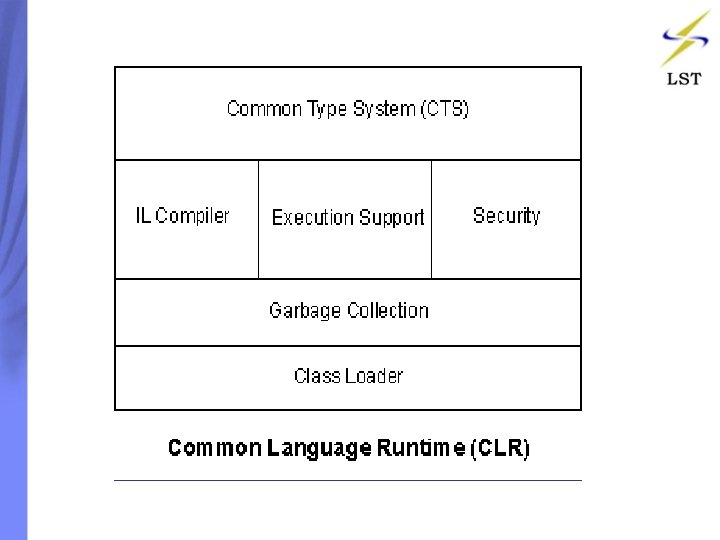
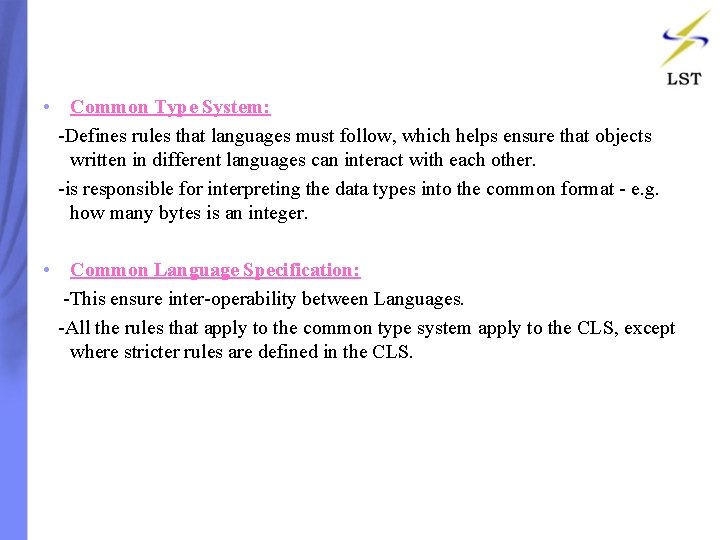
• Common Type System: -Defines rules that languages must follow, which helps ensure that objects written in different languages can interact with each other. -is responsible for interpreting the data types into the common format - e. g. how many bytes is an integer. • Common Language Specification: -This ensure inter-operability between Languages. -All the rules that apply to the common type system apply to the CLS, except where stricter rules are defined in the CLS.
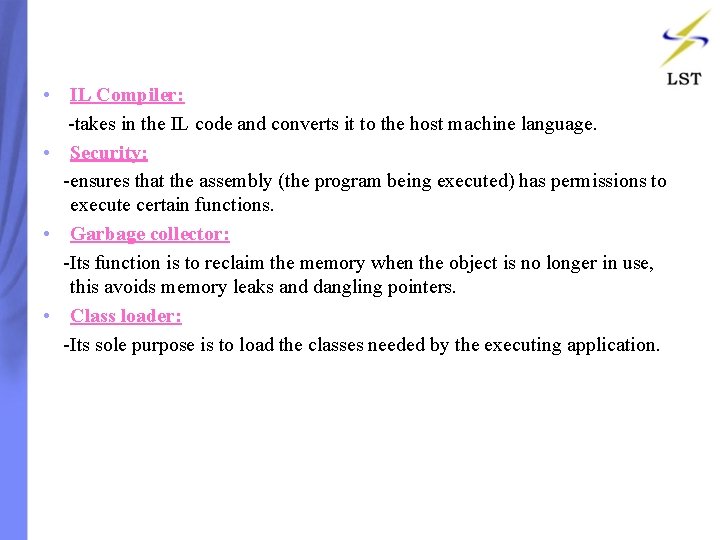
• IL Compiler: -takes in the IL code and converts it to the host machine language. • Security: -ensures that the assembly (the program being executed) has permissions to execute certain functions. • Garbage collector: -Its function is to reclaim the memory when the object is no longer in use, this avoids memory leaks and dangling pointers. • Class loader: -Its sole purpose is to load the classes needed by the executing application.
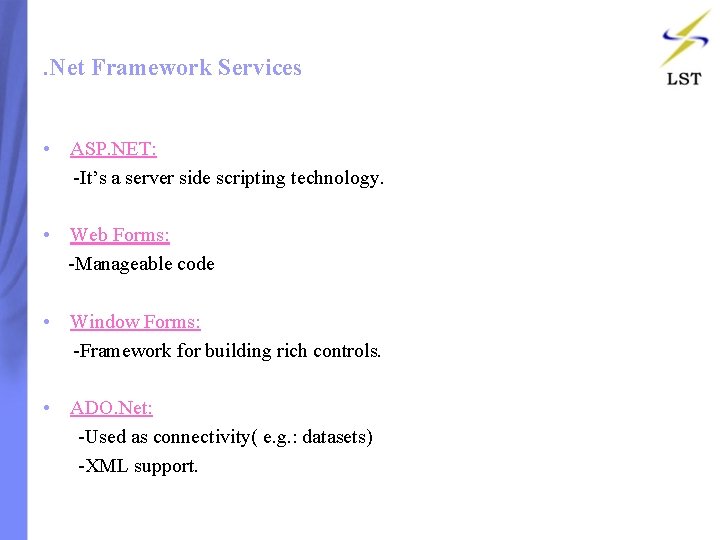
. Net Framework Services • ASP. NET: -It’s a server side scripting technology. • Web Forms: -Manageable code • Window Forms: -Framework for building rich controls. • ADO. Net: -Used as connectivity( e. g. : datasets) -XML support.
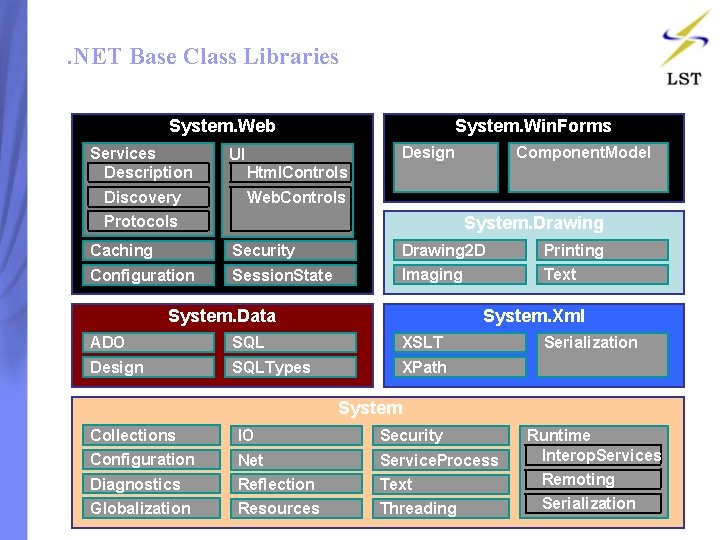
. NET Base Class Libraries System. Web Services Description Discovery System. Win. Forms Design UI Component. Model Html. Controls Web. Controls Protocols System. Drawing Caching Security Drawing 2 D Printing Configuration Session. State Imaging Text System. Data System. Xml ADO SQL XSLT Design SQLTypes XPath Serialization System Collections IO Security Configuration Service. Process Diagnostics Net Reflection Text Remoting Globalization Resources Threading Serialization Runtime Interop. Services
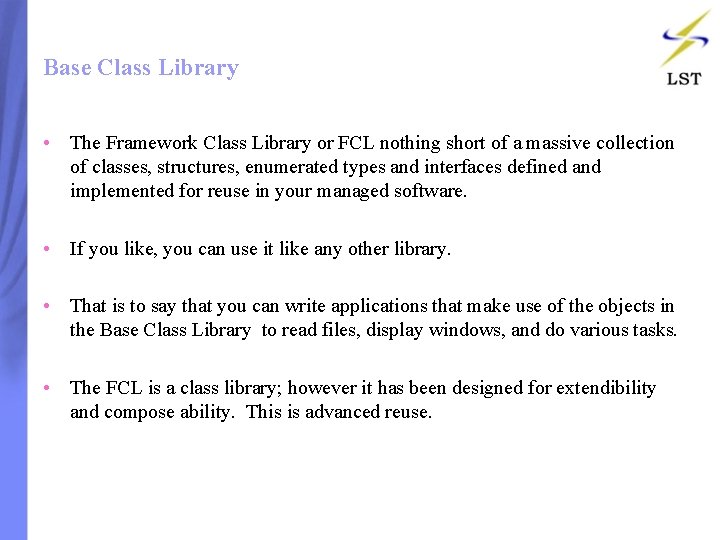
Base Class Library • The Framework Class Library or FCL nothing short of a massive collection of classes, structures, enumerated types and interfaces defined and implemented for reuse in your managed software. • If you like, you can use it like any other library. • That is to say that you can write applications that make use of the objects in the Base Class Library to read files, display windows, and do various tasks. • The FCL is a class library; however it has been designed for extendibility and compose ability. This is advanced reuse.
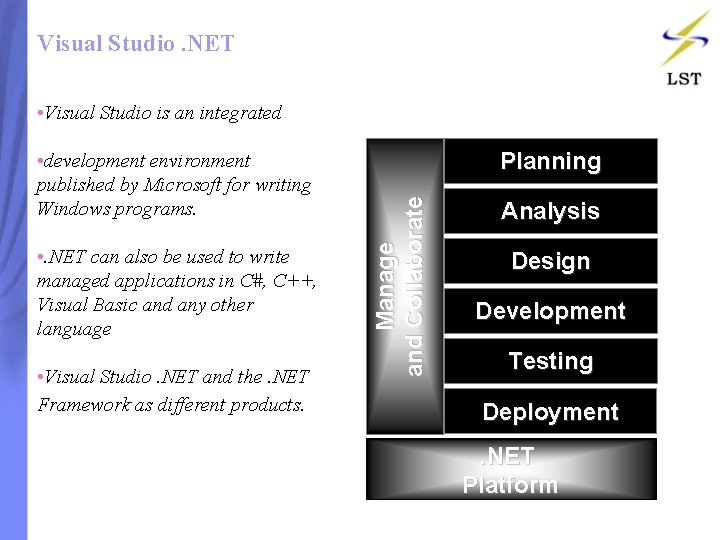
Visual Studio. NET • Visual Studio is an integrated • . NET can also be used to write managed applications in C#, C++, Visual Basic and any other language • Visual Studio. NET and the. NET Framework as different products. Planning Manage and Collaborate • development environment published by Microsoft for writing Windows programs. Analysis Design Development Testing Deployment. NET Platform
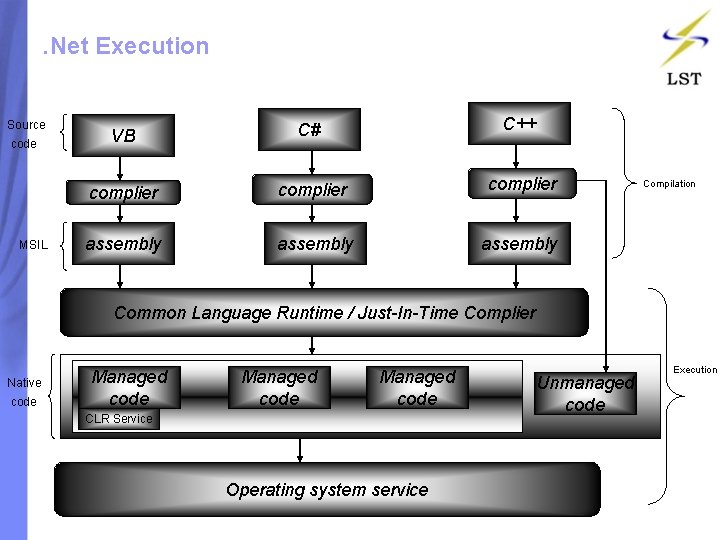
. Net Execution Source code MSIL VB C# C++ complier assembly Compilation Common Language Runtime / Just-In-Time Complier Native code Managed code CLR Service Operating system service Unmanaged code Execution
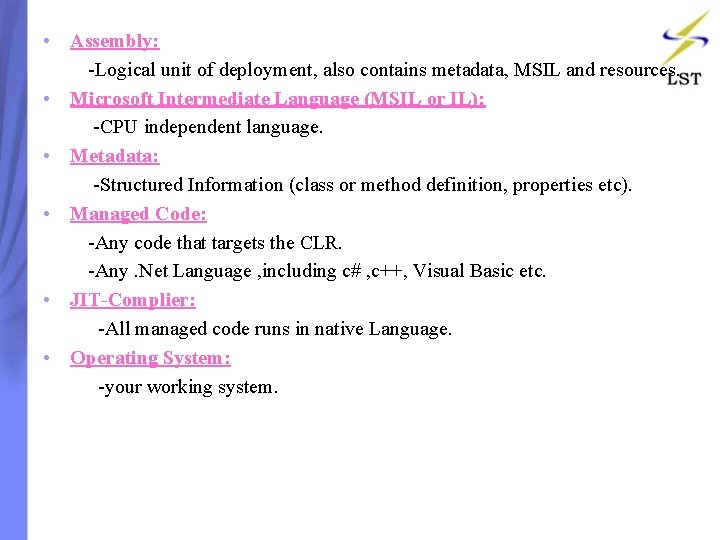
• Assembly: -Logical unit of deployment, also contains metadata, MSIL and resources. • Microsoft Intermediate Language (MSIL or IL): -CPU independent language. • Metadata: -Structured Information (class or method definition, properties etc). • Managed Code: -Any code that targets the CLR. -Any. Net Language , including c# , c++, Visual Basic etc. • JIT-Complier: -All managed code runs in native Language. • Operating System: -your working system.
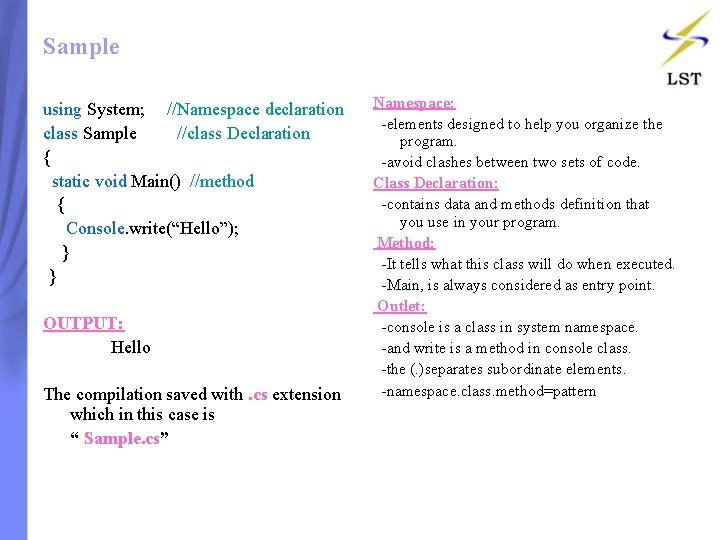
Sample using System; //Namespace declaration class Sample //class Declaration { static void Main() //method { Console. write(“Hello”); } } OUTPUT: Hello The compilation saved with. cs extension which in this case is “ Sample. cs” Namespace: -elements designed to help you organize the program. -avoid clashes between two sets of code. Class Declaration: -contains data and methods definition that you use in your program. Method: -It tells what this class will do when executed. -Main, is always considered as entry point. Outlet: -console is a class in system namespace. -and write is a method in console class. -the (. )separates subordinate elements. -namespace. class. method=pattern
Contents: • Literals • Data Types • Reference And Value Type • Boxing And Unboxing
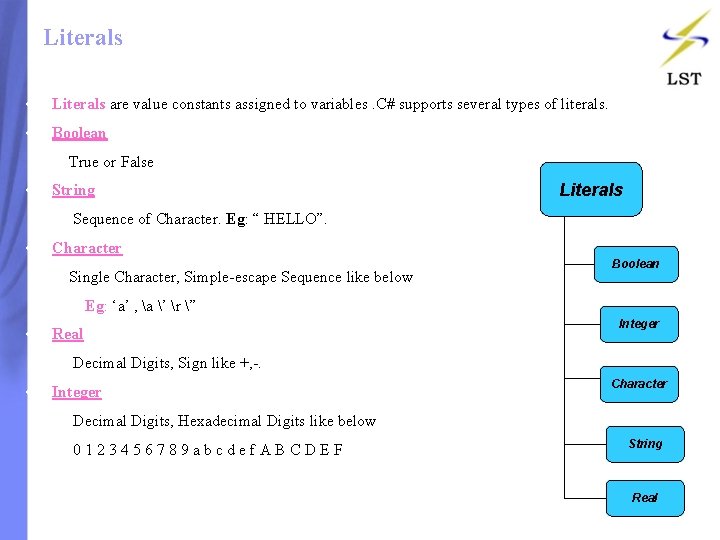
Literals • Literals are value constants assigned to variables. C# supports several types of literals. • Boolean True or False • String Literals Sequence of Character. Eg: “ HELLO”. • Character Single Character, Simple-escape Sequence like below Boolean Eg: ‘a’ , a ’ r ” • Real Integer Decimal Digits, Sign like +, -. • Integer Character Decimal Digits, Hexadecimal Digits like below 0 1 2 3 4 5 6 7 8 9 a b c d e f A B C D E F String Real
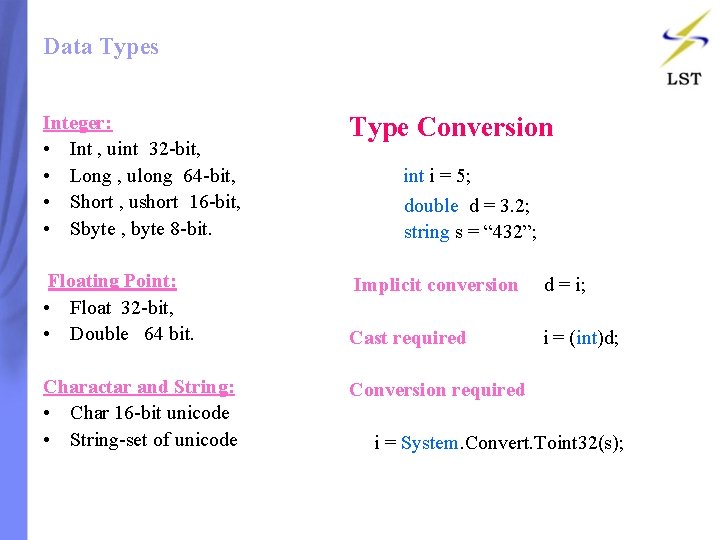
Data Types Integer: • Int , uint 32 -bit, • Long , ulong 64 -bit, • Short , ushort 16 -bit, • Sbyte , byte 8 -bit. Type Conversion Floating Point: • Float 32 -bit, • Double 64 bit. Implicit conversion d = i; Charactar and String: • Char 16 -bit unicode • String-set of unicode Conversion required i = System. Convert. Toint 32(s); int i = 5; double d = 3. 2; string s = “ 432”; Cast required i = (int)d;
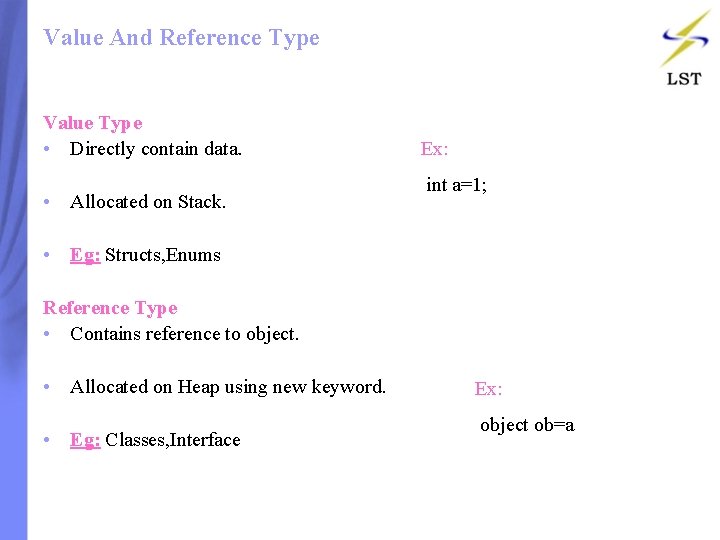
Value And Reference Type Value Type • Directly contain data. • Allocated on Stack. Ex: int a=1; • Eg: Structs, Enums Reference Type • Contains reference to object. • Allocated on Heap using new keyword. • Eg: Classes, Interface Ex: object ob=a
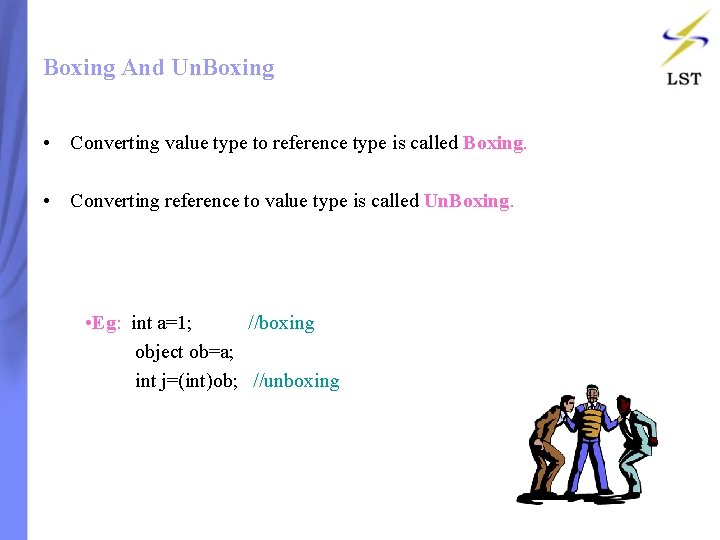
Boxing And Un. Boxing • Converting value type to reference type is called Boxing. • Converting reference to value type is called Un. Boxing. • Eg: int a=1; //boxing object ob=a; int j=(int)ob; //unboxing
Contents: • Methods • Kinds of Methods • Properties
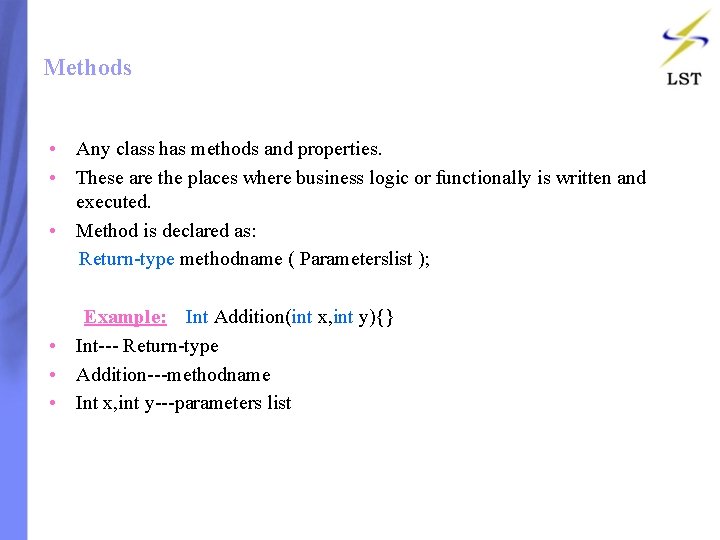
Methods • Any class has methods and properties. • These are the places where business logic or functionally is written and executed. • Method is declared as: Return-type methodname ( Parameterslist ); Example: Int Addition(int x, int y){} • Int--- Return-type • Addition---methodname • Int x, int y---parameters list
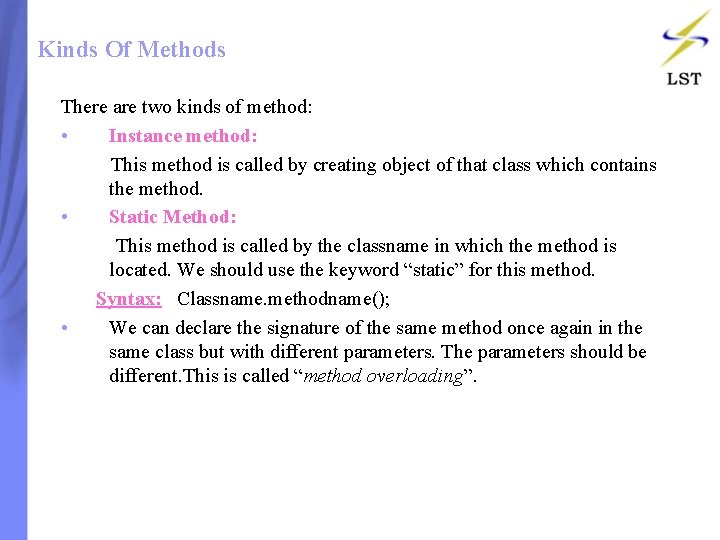
Kinds Of Methods There are two kinds of method: • Instance method: This method is called by creating object of that class which contains the method. • Static Method: This method is called by the classname in which the method is located. We should use the keyword “static” for this method. Syntax: Classname. methodname(); • We can declare the signature of the same method once again in the same class but with different parameters. The parameters should be different. This is called “method overloading”.
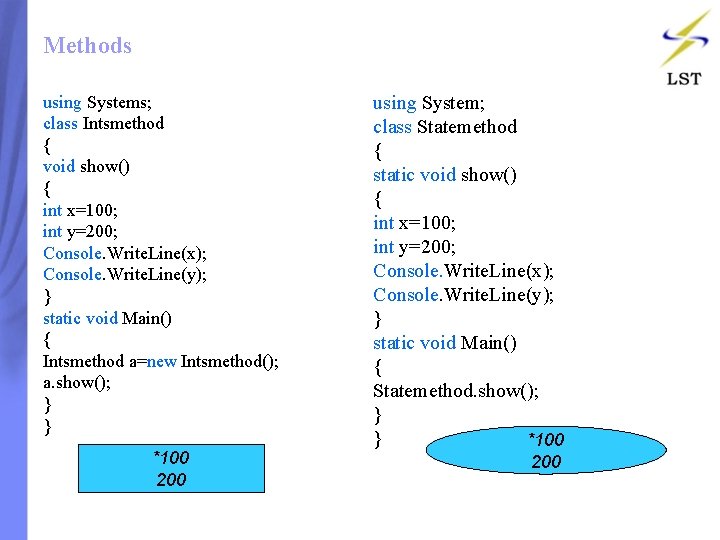
Methods using Systems; class Intsmethod { void show() { int x=100; int y=200; Console. Write. Line(x); Console. Write. Line(y); } static void Main() { Intsmethod a=new Intsmethod(); a. show(); } } *100 200 using System; class Statemethod { static void show() { int x=100; int y=200; Console. Write. Line(x); Console. Write. Line(y); } static void Main() { Statemethod. show(); } } *100 200
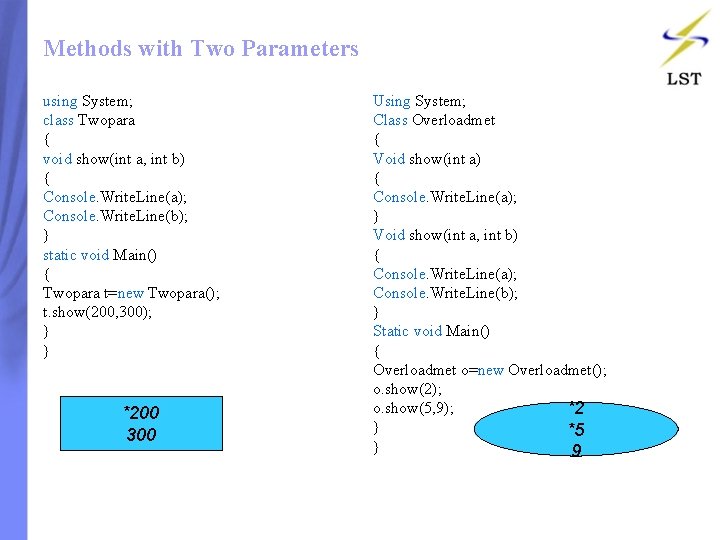
Methods with Two Parameters using System; class Twopara { void show(int a, int b) { Console. Write. Line(a); Console. Write. Line(b); } static void Main() { Twopara t=new Twopara(); t. show(200, 300); } } *200 300 Using System; Class Overloadmet { Void show(int a) { Console. Write. Line(a); } Void show(int a, int b) { Console. Write. Line(a); Console. Write. Line(b); } Static void Main() { Overloadmet o=new Overloadmet(); o. show(2); o. show(5, 9); *2 } *5 } 9
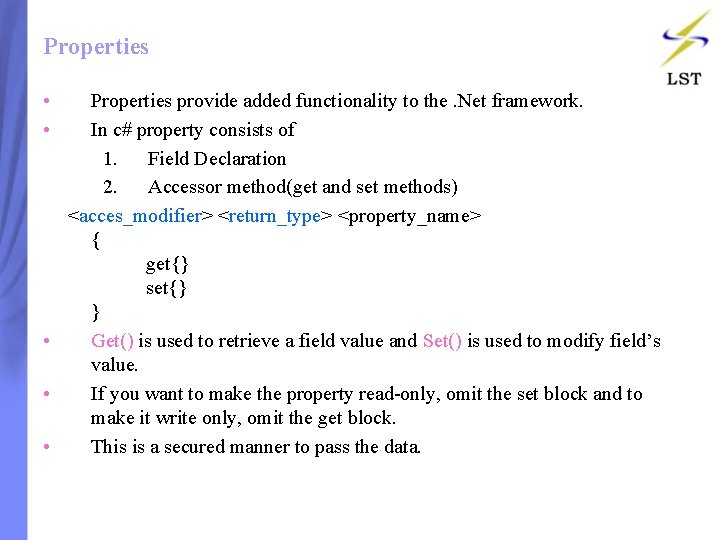
Properties • Properties provide added functionality to the. Net framework. • In c# property consists of 1. Field Declaration 2. Accessor method(get and set methods) <acces_modifier> <return_type> <property_name> { get{} set{} } • Get() is used to retrieve a field value and Set() is used to modify field’s value. • If you want to make the property read-only, omit the set block and to make it write only, omit the get block. • This is a secured manner to pass the data.
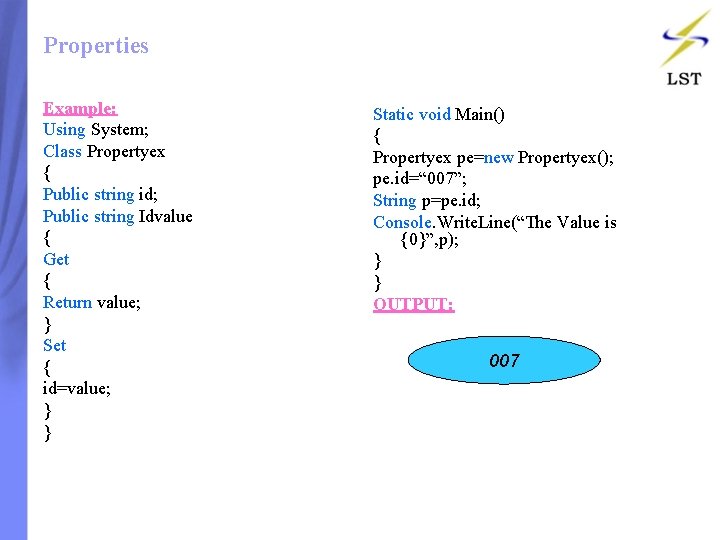
Properties Example: Using System; Class Propertyex { Public string id; Public string Idvalue { Get { Return value; } Set { id=value; } } Static void Main() { Propertyex pe=new Propertyex(); pe. id=“ 007”; String p=pe. id; Console. Write. Line(“The Value is {0}”, p); } } OUTPUT: 007
0 7 1 6 2 5 3 4
Contents: • If-Else Statements • Switch Statements • While Statements • Do-While Statements • Foreach Statements
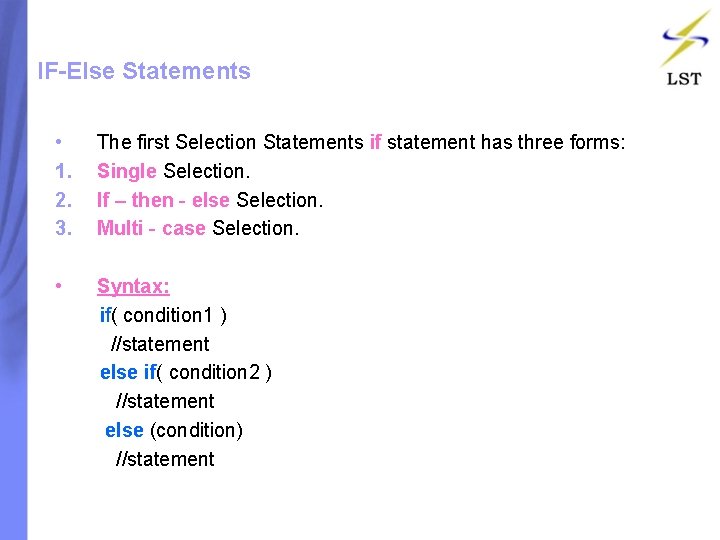
IF-Else Statements • 1. 2. 3. The first Selection Statements if statement has three forms: Single Selection. If – then - else Selection. Multi - case Selection. • Syntax: if( condition 1 ) //statement else if( condition 2 ) //statement else (condition) //statement
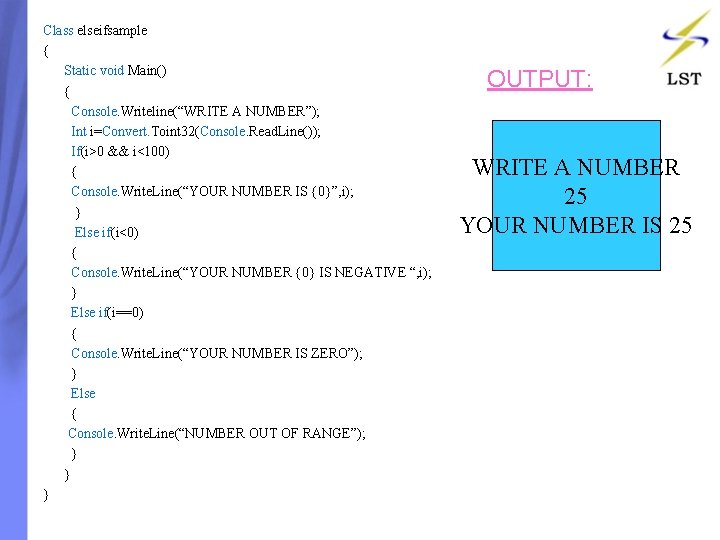
Class elseifsample { Static void Main() { Console. Writeline(“WRITE A NUMBER”); Int i=Convert. Toint 32(Console. Read. Line()); If(i>0 && i<100) { Console. Write. Line(“YOUR NUMBER IS {0}”, i); } Else if(i<0) { Console. Write. Line(“YOUR NUMBER {0} IS NEGATIVE “, i); } Else if(i==0) { Console. Write. Line(“YOUR NUMBER IS ZERO”); } Else { Console. Write. Line(“NUMBER OUT OF RANGE”); } } } OUTPUT: WRITE A NUMBER 25 YOUR NUMBER IS 25
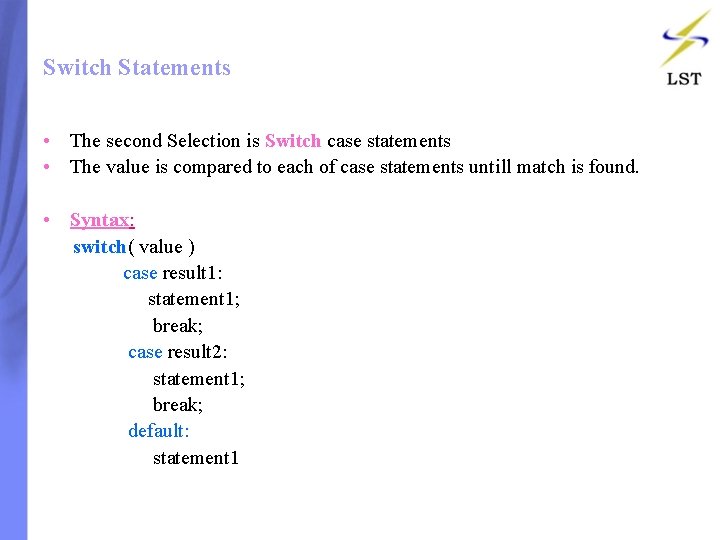
Switch Statements • The second Selection is Switch case statements • The value is compared to each of case statements untill match is found. • Syntax: switch( value ) case result 1: statement 1; break; case result 2: statement 1; break; default: statement 1
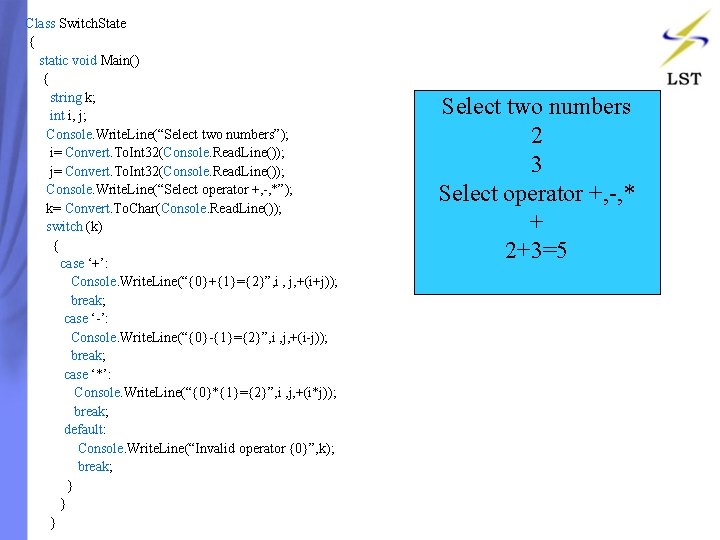
Class Switch. State { static void Main() { string k; int i, j; Console. Write. Line(“Select two numbers”); i= Convert. To. Int 32(Console. Read. Line()); j= Convert. To. Int 32(Console. Read. Line()); Console. Write. Line(“Select operator +, -, *”); k= Convert. To. Char(Console. Read. Line()); switch (k) { case ‘+’: Console. Write. Line(“{0}+{1}={2}”, i , j, +(i+j)); break; case ‘-’: Console. Write. Line(“{0}-{1}={2}”, i , j, +(i-j)); break; case ‘*’: Console. Write. Line(“{0}*{1}={2}”, i , j, +(i*j)); break; default: Console. Write. Line(“Invalid operator {0}”, k); break; } } } Select two numbers 2 3 Select operator +, -, * + 2+3=5
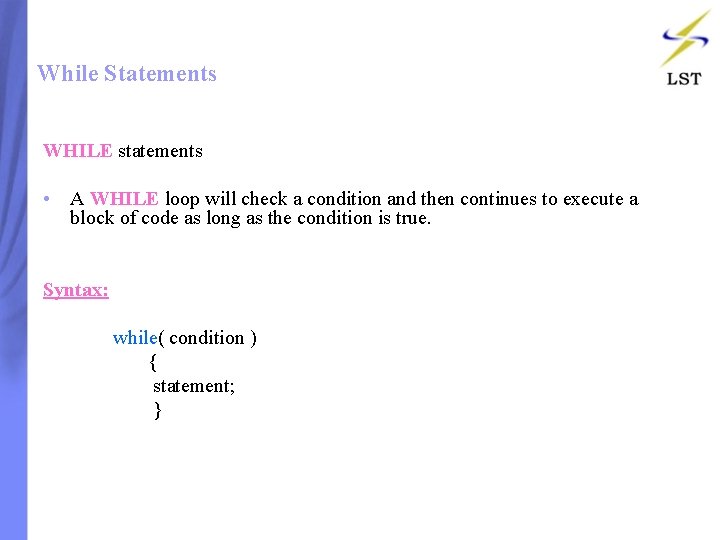
While Statements WHILE statements • A WHILE loop will check a condition and then continues to execute a block of code as long as the condition is true. Syntax: while( condition ) { statement; }
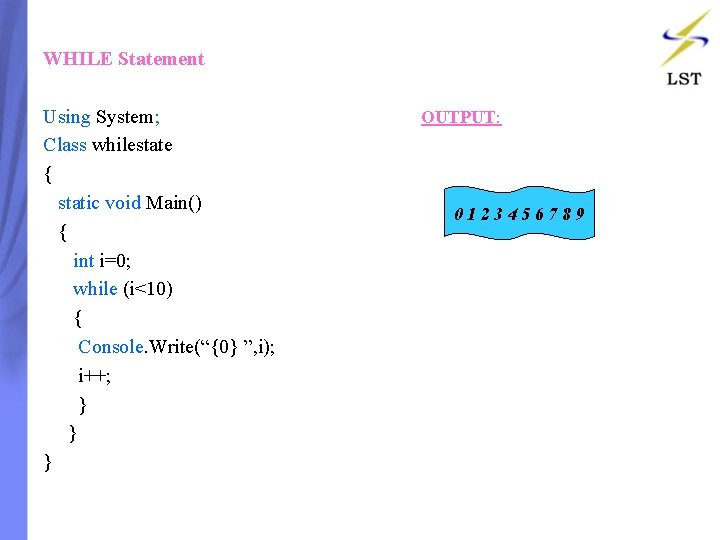
WHILE Statement Using System; Class whilestate { static void Main() { int i=0; while (i<10) { Console. Write(“{0} ”, i); i++; } } } OUTPUT: 0123456789
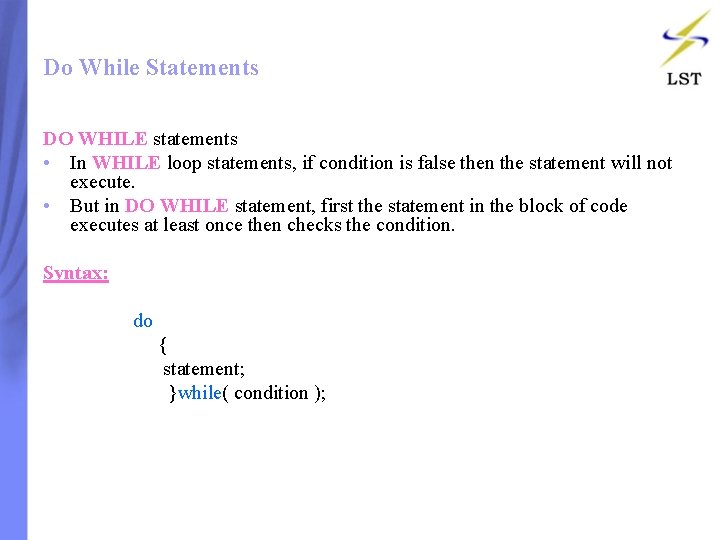
Do While Statements DO WHILE statements • In WHILE loop statements, if condition is false then the statement will not execute. • But in DO WHILE statement, first the statement in the block of code executes at least once then checks the condition. Syntax: do { statement; }while( condition );
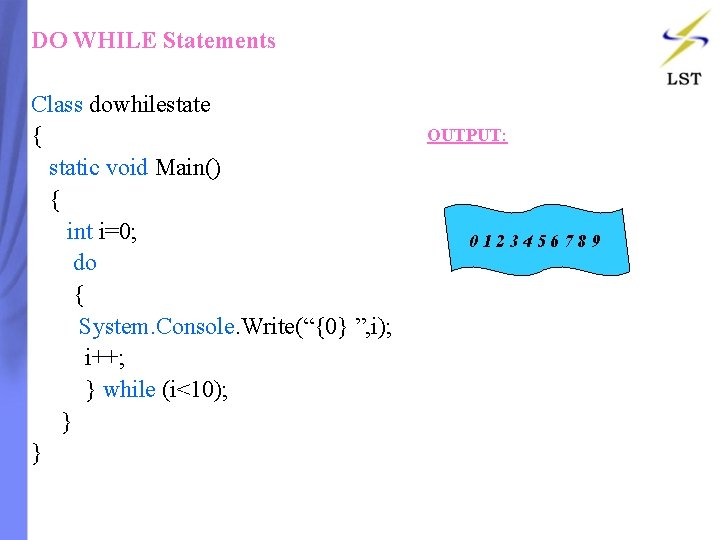
DO WHILE Statements Class dowhilestate { static void Main() { int i=0; do { System. Console. Write(“{0} ”, i); i++; } while (i<10); } } OUTPUT: 0123456789
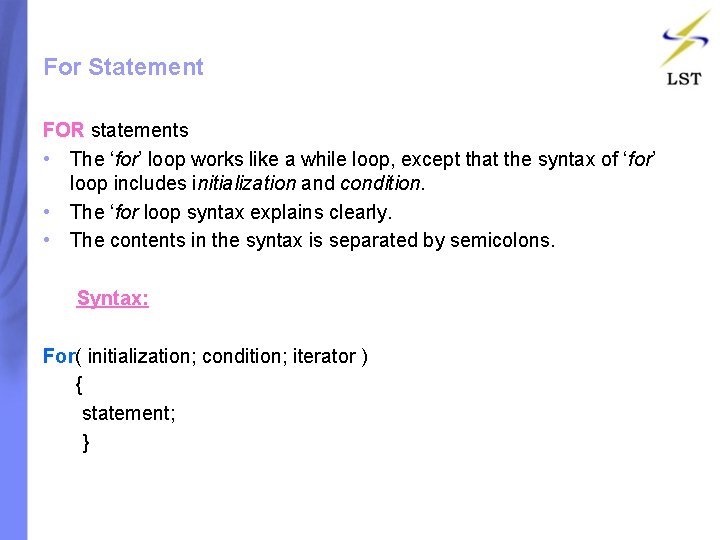
For Statement FOR statements • The ‘for’ loop works like a while loop, except that the syntax of ‘for’ loop includes initialization and condition. • The ‘for loop syntax explains clearly. • The contents in the syntax is separated by semicolons. Syntax: For( initialization; condition; iterator ) { statement; }
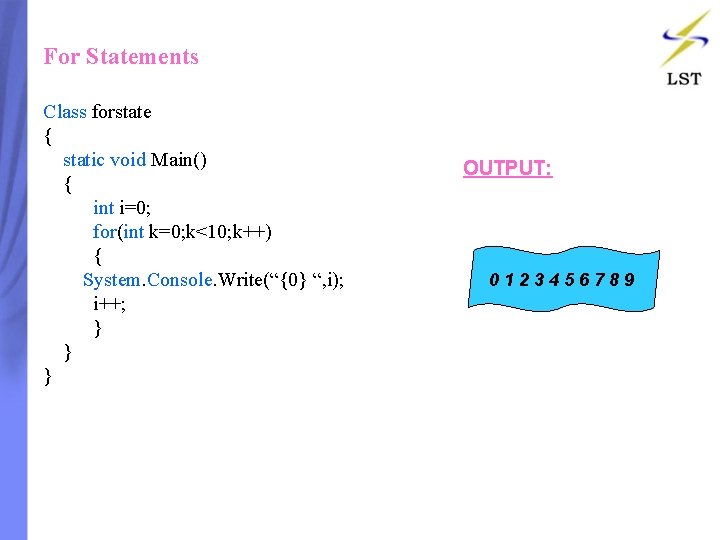
For Statements Class forstate { static void Main() { int i=0; for(int k=0; k<10; k++) { System. Console. Write(“{0} “, i); i++; } } } OUTPUT: 0123456789
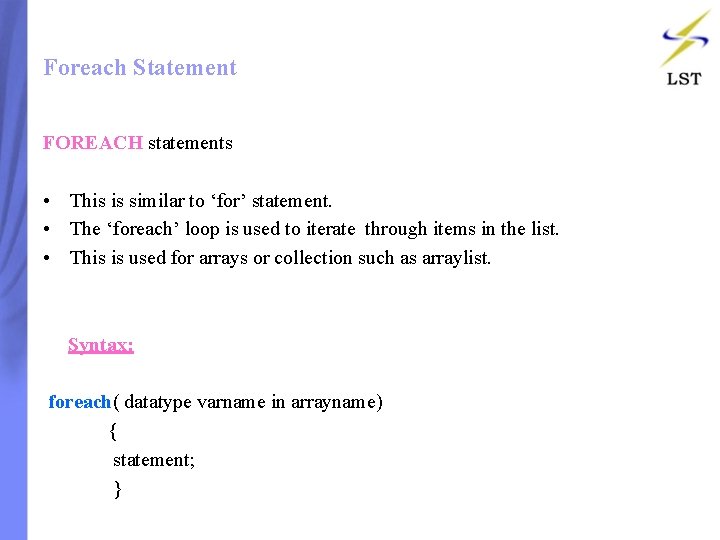
Foreach Statement FOREACH statements • This is similar to ‘for’ statement. • The ‘foreach’ loop is used to iterate through items in the list. • This is used for arrays or collection such as arraylist. Syntax: foreach( datatype varname in arrayname) { statement; }
Foreach Statement Using System; Class foreachstate { static void Main() { int[] number={0, 1, 2, 3, 4, 5, 6, 7, 8, 9}; foreach(int line in number) { Console. Write(“{0} “, line); } } } OUTPUT: 0123456789
Contents: • Introduction • Static Constructor • Overloaded Constructor • Copy Constructor
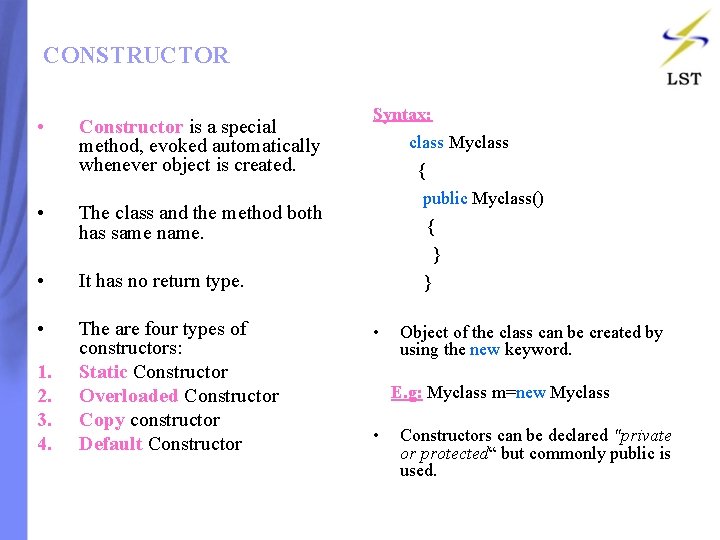
CONSTRUCTOR • • Constructor is a special method, evoked automatically whenever object is created. The class and the method both has same name. Syntax: class Myclass { public Myclass() { } • It has no return type. } • The are four types of constructors: Static Constructor Overloaded Constructor Copy constructor Default Constructor • 1. 2. 3. 4. Object of the class can be created by using the new keyword. E. g: Myclass m=new Myclass • Constructors can be declared "private or protected“ but commonly public is used.
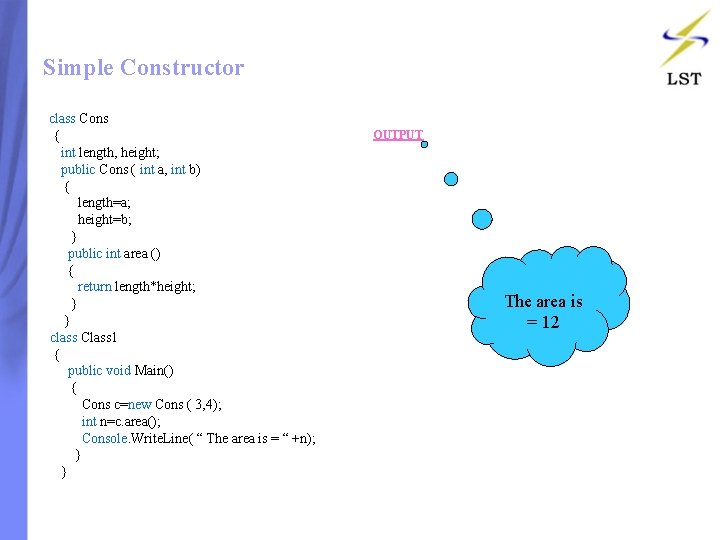
Simple Constructor class Cons { int length, height; public Cons ( int a, int b) { length=a; height=b; } public int area () { return length*height; } } class Class 1 { public void Main() { Cons c=new Cons ( 3, 4); int n=c. area(); Console. Write. Line( “ The area is = “ +n); } } OUTPUT The area is = 12
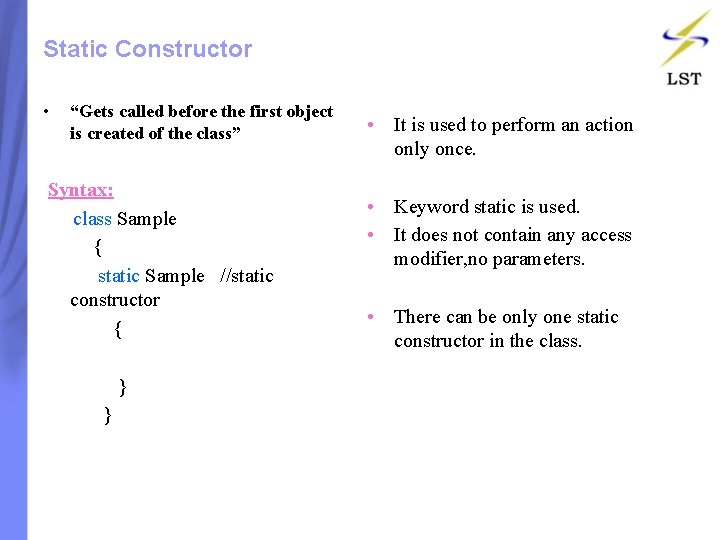
Static Constructor • “Gets called before the first object is created of the class” Syntax: class Sample { static Sample //static constructor { } • It is used to perform an action only once. • Keyword static is used. • It does not contain any access modifier, no parameters. • There can be only one static constructor in the class.
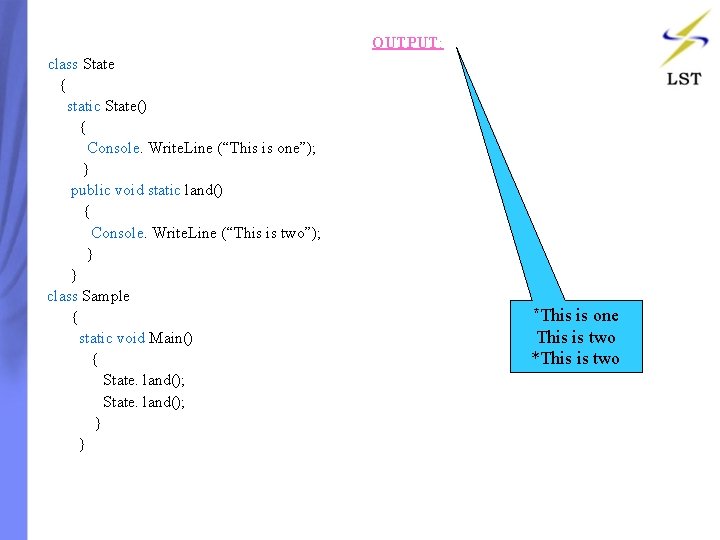
OUTPUT: class State { static State() { Console. Write. Line (“This is one”); } public void static land() { Console. Write. Line (“This is two”); } } class Sample { static void Main() { State. land(); } *This is one This is two *This is two
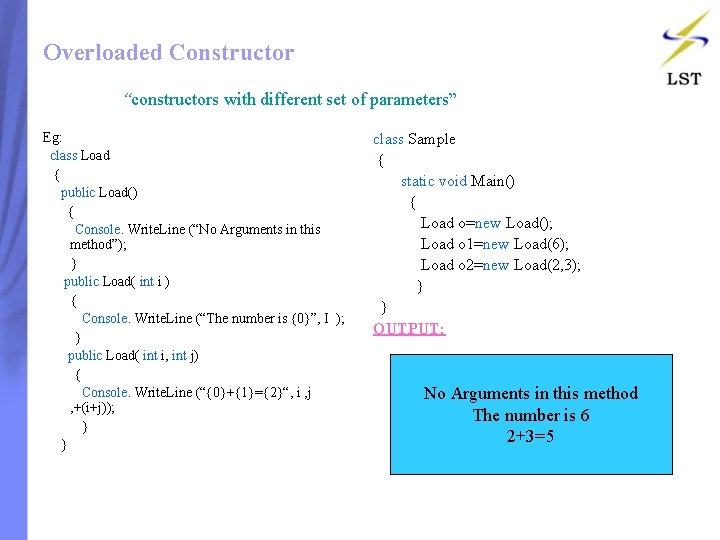
Overloaded Constructor “constructors with different set of parameters” Eg: class Load { public Load() { Console. Write. Line (“No Arguments in this method”); } public Load( int i ) { Console. Write. Line (“The number is {0}”, I ); } public Load( int i, int j) { Console. Write. Line (“{0}+{1}={2}“, i , j , +(i+j)); } } class Sample { static void Main() { Load o=new Load(); Load o 1=new Load(6); Load o 2=new Load(2, 3); } } OUTPUT: No Arguments in this method The number is 6 2+3=5
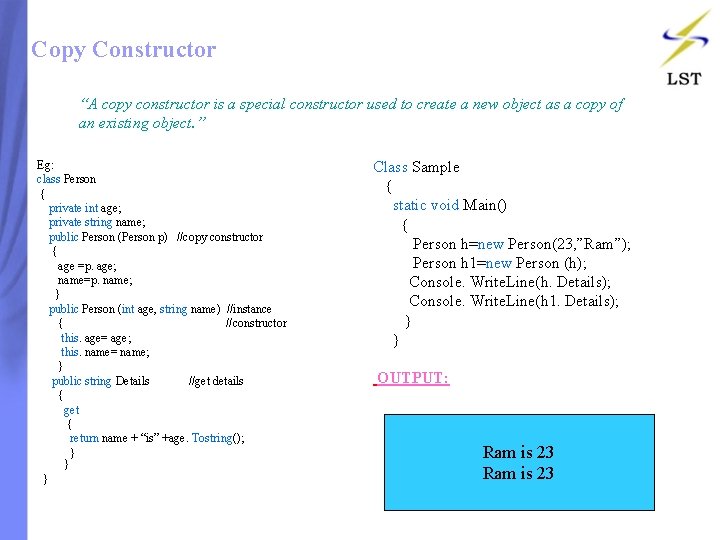
Copy Constructor “A copy constructor is a special constructor used to create a new object as a copy of an existing object. ” Eg: class Person { private int age; private string name; public Person (Person p) //copy constructor { age =p. age; name=p. name; } public Person (int age, string name) //instance { //constructor this. age= age; this. name= name; } public string Details //get details { get { return name + “is” +age. Tostring(); } } } Class Sample { static void Main() { Person h=new Person(23, ”Ram”); Person h 1=new Person (h); Console. Write. Line(h. Details); Console. Write. Line(h 1. Details); } } OUTPUT: Ram is 23
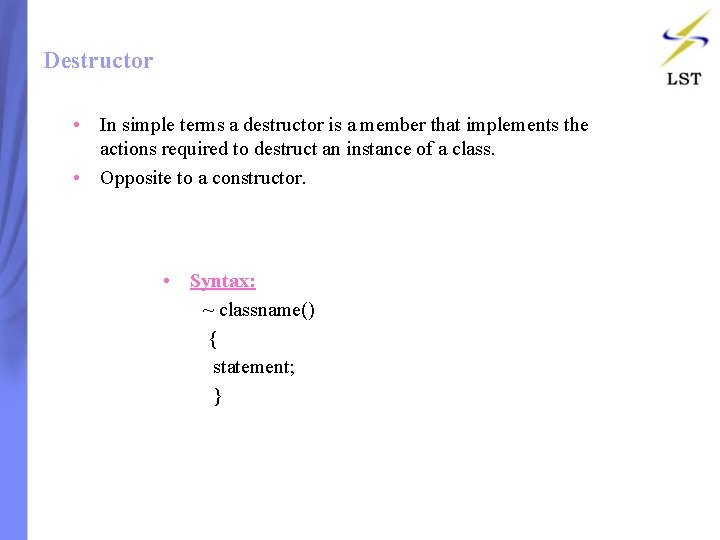
Destructor • In simple terms a destructor is a member that implements the actions required to destruct an instance of a class. • Opposite to a constructor. • Syntax: ~ classname() { statement; }
Contents: • Introduction • Simple Inheritance • Multilevel Inheritance • Hierarchical Inheritance • Using Keywords
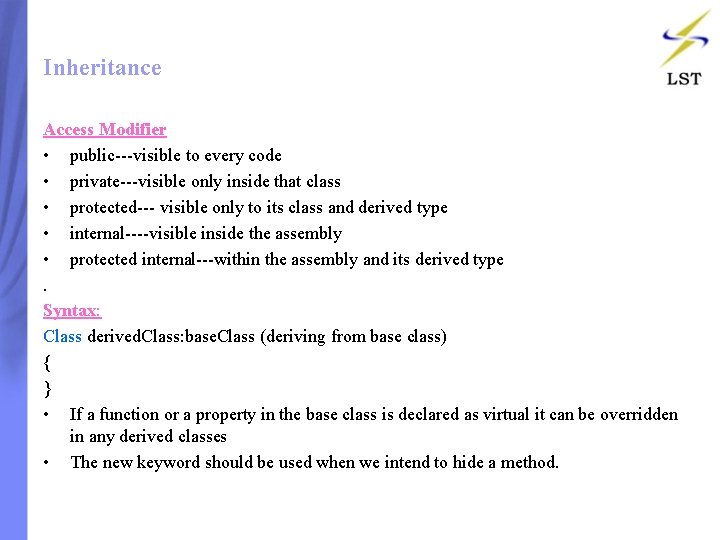
Inheritance Access Modifier • public---visible to every code • private---visible only inside that class • protected--- visible only to its class and derived type • internal----visible inside the assembly • protected internal---within the assembly and its derived type. Syntax: Class derived. Class: base. Class (deriving from base class) { } • If a function or a property in the base class is declared as virtual it can be overridden in any derived classes • The new keyword should be used when we intend to hide a method.
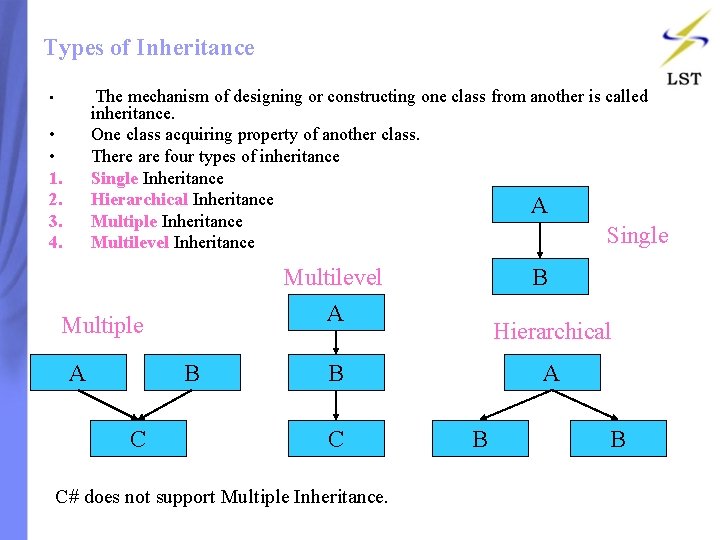
Types of Inheritance The mechanism of designing or constructing one class from another is called inheritance. One class acquiring property of another class. There are four types of inheritance Single Inheritance Hierarchical Inheritance A Multiple Inheritance Single Multilevel Inheritance • • • 1. 2. 3. 4. Multiple A B C B Multilevel A Hierarchical B C C# does not support Multiple Inheritance. A B B
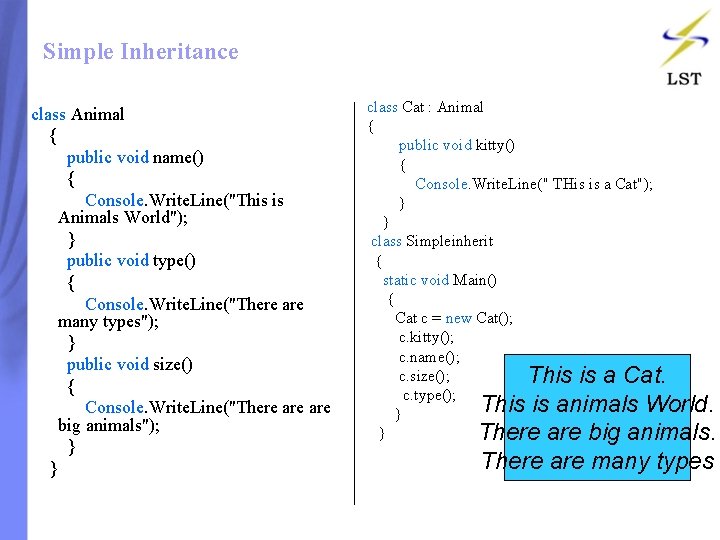
Simple Inheritance class Animal { public void name() { Console. Write. Line("This is Animals World"); } public void type() { Console. Write. Line("There are many types"); } public void size() { Console. Write. Line("There are big animals"); } } class Cat : Animal { public void kitty() { Console. Write. Line(" THis is a Cat"); } } class Simpleinherit { static void Main() { Cat c = new Cat(); c. kitty(); c. name(); c. size(); This is a Cat. c. type(); This is animals World. } } There are big animals. There are many types
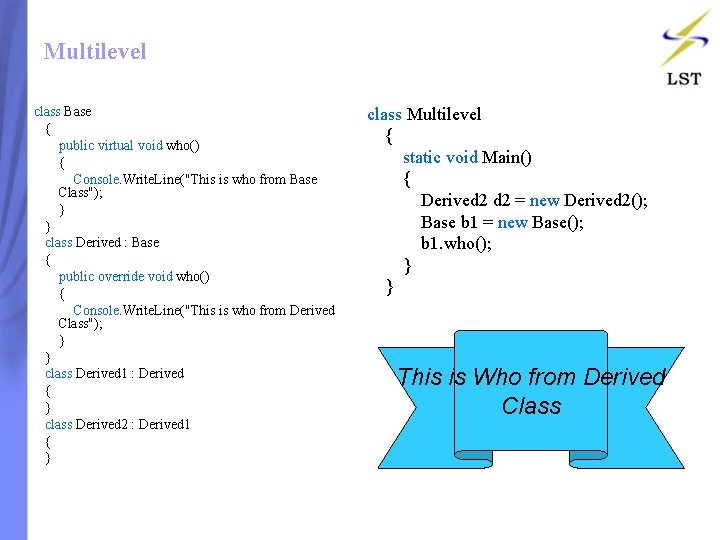
Multilevel class Base { public virtual void who() { Console. Write. Line("This is who from Base Class"); } } class Derived : Base { public override void who() { Console. Write. Line("This is who from Derived Class"); } } class Derived 1 : Derived { } class Derived 2 : Derived 1 { } class Multilevel { static void Main() { Derived 2 = new Derived 2(); Base b 1 = new Base(); b 1. who(); } } This is Who from Derived Class
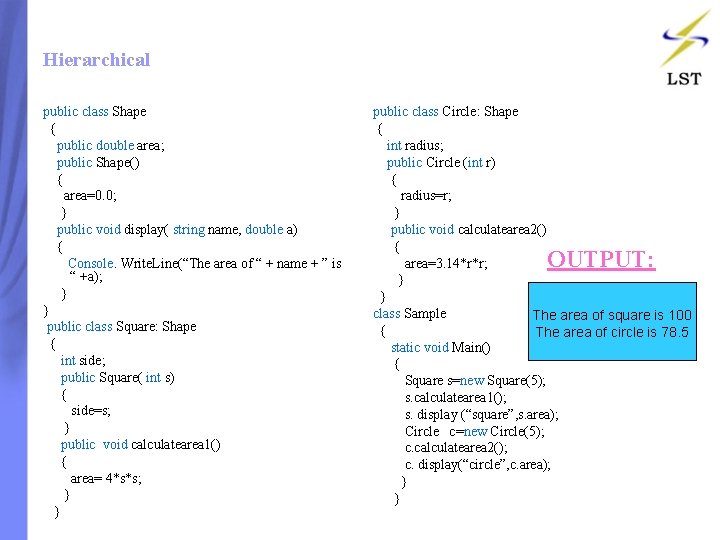
Hierarchical public class Shape { public double area; public Shape() { area=0. 0; } public void display( string name, double a) { Console. Write. Line(“The area of “ + name + ” is “ +a); } } public class Square: Shape { int side; public Square( int s) { side=s; } public void calculatearea 1() { area= 4*s*s; } } public class Circle: Shape { int radius; public Circle (int r) { radius=r; } public void calculatearea 2() { area=3. 14*r*r; } } class Sample The area of square is 100 { The area of circle is 78. 5 static void Main() { Square s=new Square(5); s. calculatearea 1(); s. display (“square”, s. area); Circle c=new Circle(5); c. calculatearea 2(); c. display(“circle”, c. area); } } OUTPUT:
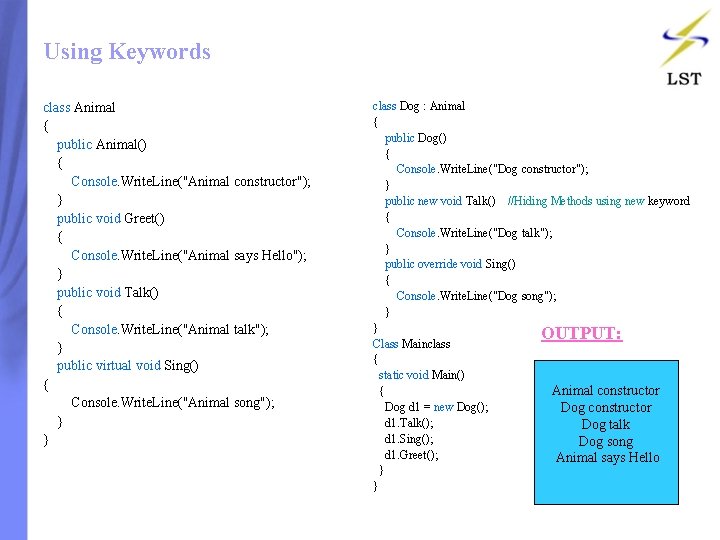
Using Keywords class Animal { public Animal() { Console. Write. Line("Animal constructor"); } public void Greet() { Console. Write. Line("Animal says Hello"); } public void Talk() { Console. Write. Line("Animal talk"); } public virtual void Sing() { Console. Write. Line("Animal song"); } } class Dog : Animal { public Dog() { Console. Write. Line("Dog constructor"); } public new void Talk() //Hiding Methods using new keyword { Console. Write. Line("Dog talk"); } public override void Sing() { Console. Write. Line("Dog song"); } } OUTPUT: Class Mainclass { static void Main() Animal constructor { Dog d 1 = new Dog(); Dog constructor d 1. Talk(); Dog talk d 1. Sing(); Dog song d 1. Greet(); Animal says Hello } }
Contents: • • • Introduction Abstract Method Non-Abstract Method Partial-Implementation Using Interface
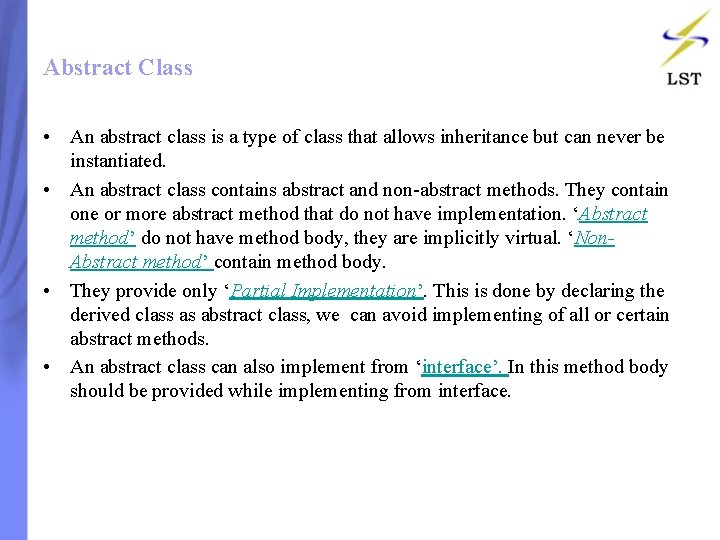
Abstract Class • An abstract class is a type of class that allows inheritance but can never be instantiated. • An abstract class contains abstract and non-abstract methods. They contain one or more abstract method that do not have implementation. ‘Abstract method’ do not have method body, they are implicitly virtual. ‘Non. Abstract method’ contain method body. • They provide only ‘Partial Implementation’. This is done by declaring the derived class as abstract class, we can avoid implementing of all or certain abstract methods. • An abstract class can also implement from ‘interface’. In this method body should be provided while implementing from interface.
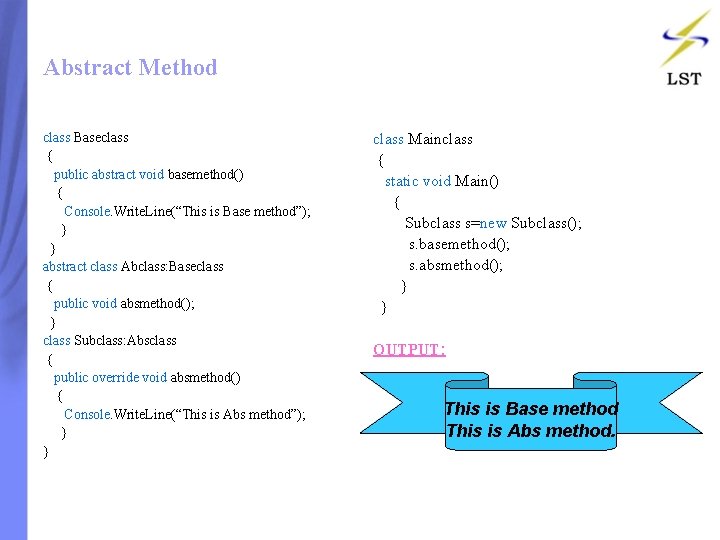
Abstract Method class Baseclass { public abstract void basemethod() { Console. Write. Line(“This is Base method”); } } abstract class Abclass: Baseclass { public void absmethod(); } class Subclass: Absclass { public override void absmethod() { Console. Write. Line(“This is Abs method”); } } class Mainclass { static void Main() { Subclass s=new Subclass(); s. basemethod(); s. absmethod(); } } OUTPUT: This is Base method This is Abs method.
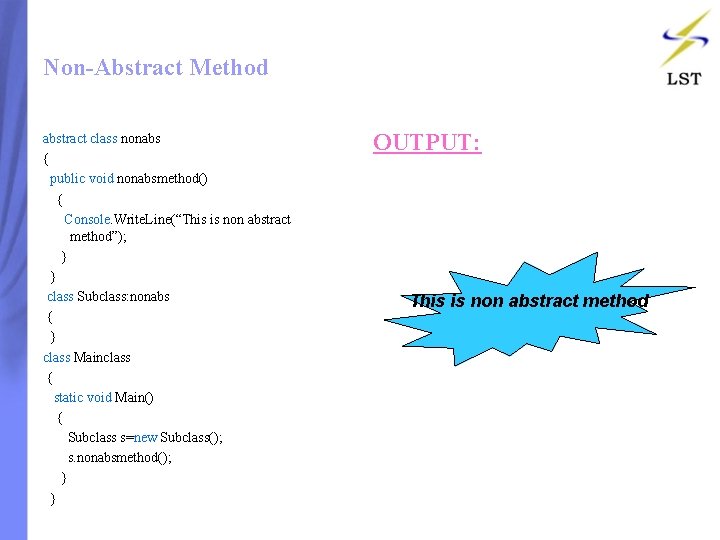
Non-Abstract Method abstract class nonabs { public void nonabsmethod() { Console. Write. Line(“This is non abstract method”); } } class Subclass: nonabs { } class Mainclass { static void Main() { Subclass s=new Subclass(); s. nonabsmethod(); } } OUTPUT: This is non abstract method
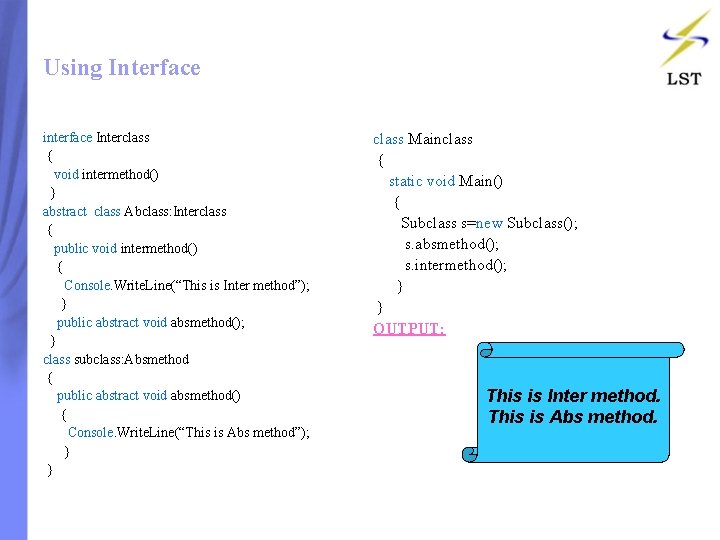
Using Interface interface Interclass { void intermethod() } abstract class Abclass: Interclass { public void intermethod() { Console. Write. Line(“This is Inter method”); } public abstract void absmethod(); } class subclass: Absmethod { public abstract void absmethod() { Console. Write. Line(“This is Abs method”); } } class Mainclass { static void Main() { Subclass s=new Subclass(); s. absmethod(); s. intermethod(); } } OUTPUT: This is Inter method. This is Abs method.
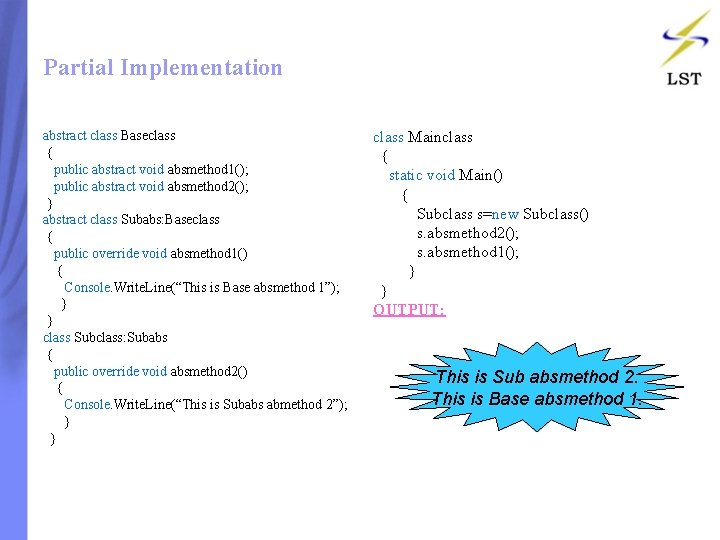
Partial Implementation abstract class Baseclass { public abstract void absmethod 1(); public abstract void absmethod 2(); } abstract class Subabs: Baseclass { public override void absmethod 1() { Console. Write. Line(“This is Base absmethod 1”); } } class Subclass: Subabs { public override void absmethod 2() { Console. Write. Line(“This is Subabs abmethod 2”); } } class Mainclass { static void Main() { Subclass s=new Subclass() s. absmethod 2(); s. absmethod 1(); } } OUTPUT: This is Sub absmethod 2. This is Base absmethod 1.
Contents: • Introduction • Single-Cast Delegate • Multi-Cast Delegate
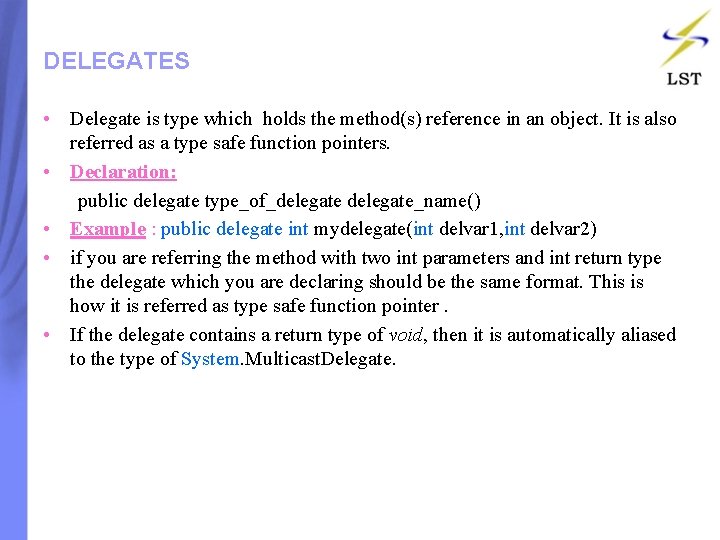
DELEGATES • Delegate is type which holds the method(s) reference in an object. It is also referred as a type safe function pointers. • Declaration: public delegate type_of_delegate_name() • Example : public delegate int mydelegate(int delvar 1, int delvar 2) • if you are referring the method with two int parameters and int return type the delegate which you are declaring should be the same format. This is how it is referred as type safe function pointer. • If the delegate contains a return type of void, then it is automatically aliased to the type of System. Multicast. Delegate.
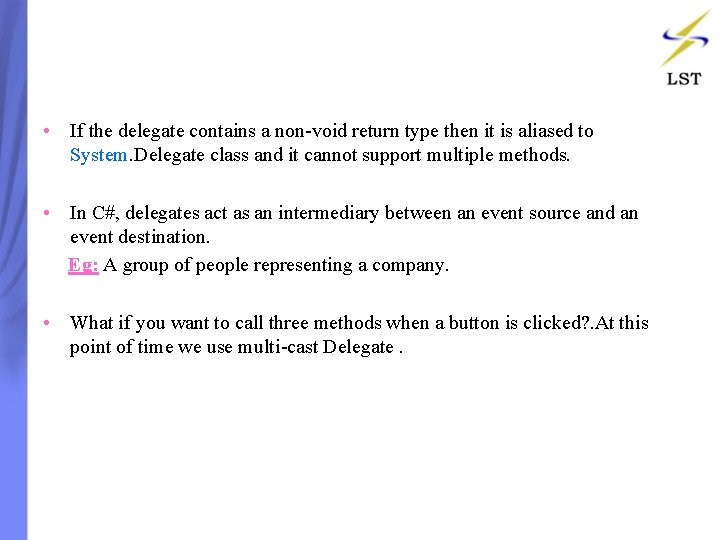
• If the delegate contains a non-void return type then it is aliased to System. Delegate class and it cannot support multiple methods. • In C#, delegates act as an intermediary between an event source and an event destination. Eg: A group of people representing a company. • What if you want to call three methods when a button is clicked? . At this point of time we use multi-cast Delegate.
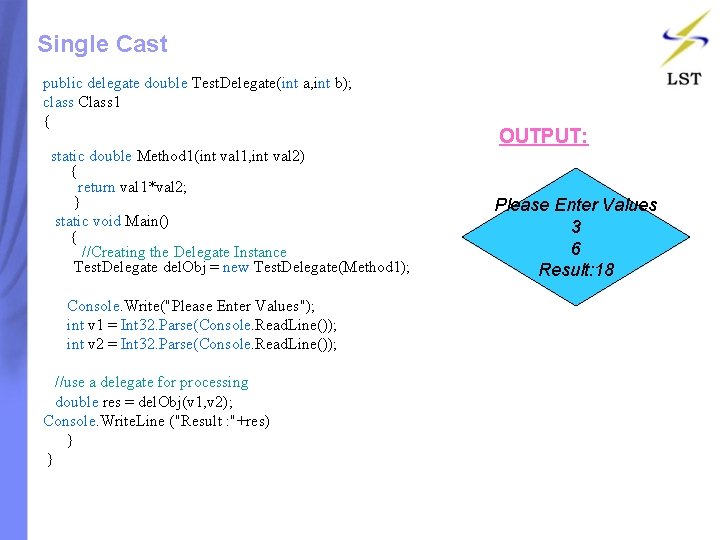
Single Cast public delegate double Test. Delegate(int a, int b); class Class 1 { static double Method 1(int val 1, int val 2) { return val 1*val 2; } static void Main() { //Creating the Delegate Instance Test. Delegate del. Obj = new Test. Delegate(Method 1); Console. Write("Please Enter Values"); int v 1 = Int 32. Parse(Console. Read. Line()); int v 2 = Int 32. Parse(Console. Read. Line()); //use a delegate for processing double res = del. Obj(v 1, v 2); Console. Write. Line ("Result : "+res) } } OUTPUT: Please Enter Values 3 6 Result: 18
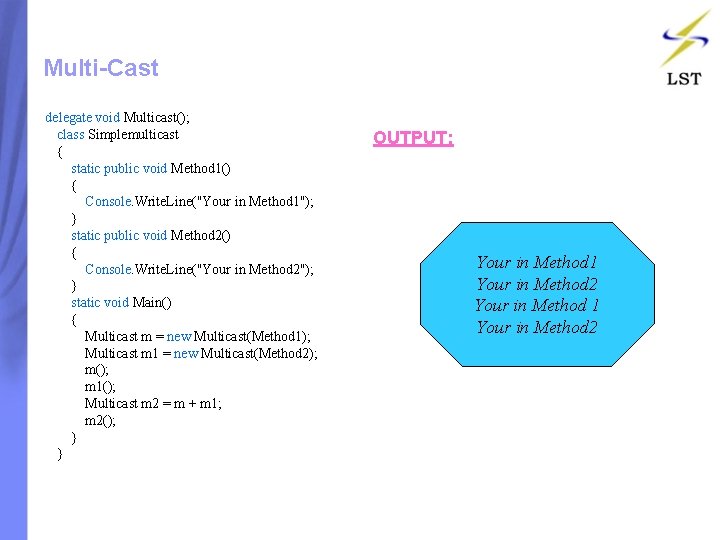
Multi-Cast delegate void Multicast(); class Simplemulticast { static public void Method 1() { Console. Write. Line("Your in Method 1"); } static public void Method 2() { Console. Write. Line("Your in Method 2"); } static void Main() { Multicast m = new Multicast(Method 1); Multicast m 1 = new Multicast(Method 2); m(); m 1(); Multicast m 2 = m + m 1; m 2(); } } OUTPUT: Your in Method 1 Your in Method 2
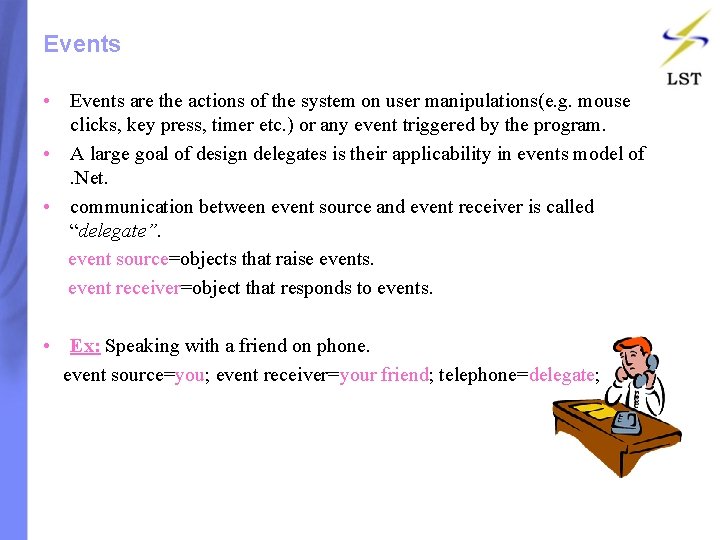
Events • Events are the actions of the system on user manipulations(e. g. mouse clicks, key press, timer etc. ) or any event triggered by the program. • A large goal of design delegates is their applicability in events model of . Net. • communication between event source and event receiver is called “delegate”. event source=objects that raise events. event receiver=object that responds to events. • Ex: Speaking with a friend on phone. event source=you; event receiver=your friend; telephone=delegate;
• // Delegate Declaration(<access><delegate><return type><delegate name>) public delegate void newdelegate(); // Event Declaration (<access><event><delegate name><event name>) public event newdelegate newevent; • Event method consists of procedure name followed by two arguments. • The first argument is object firing and second is of System. Event. Args receiver. • The += is used to hook up the event as a delegate i. e a method stand for another method.
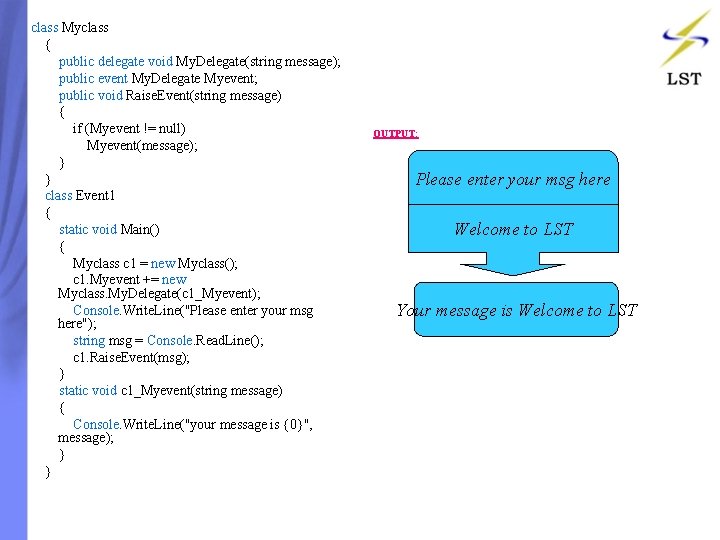
class Myclass { public delegate void My. Delegate(string message); public event My. Delegate Myevent; public void Raise. Event(string message) { if (Myevent != null) Myevent(message); } } class Event 1 { static void Main() { Myclass c 1 = new Myclass(); c 1. Myevent += new Myclass. My. Delegate(c 1_Myevent); Console. Write. Line("Please enter your msg here"); string msg = Console. Read. Line(); c 1. Raise. Event(msg); } static void c 1_Myevent(string message) { Console. Write. Line("your message is {0}", message); } } OUTPUT: Please enter your msg here Welcome to LST Your message is Welcome to LST
Contents: • • • Introduction Simple Interface Explicit Interface Multiple Interface Inheriting from a class
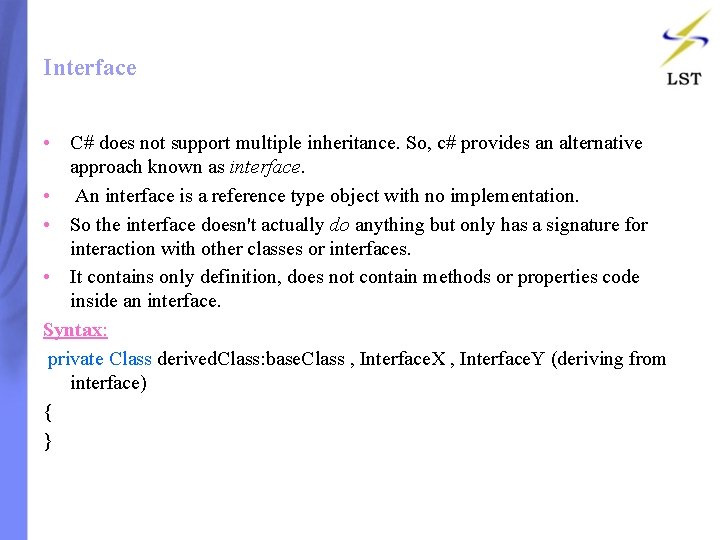
Interface • C# does not support multiple inheritance. So, c# provides an alternative approach known as interface. • An interface is a reference type object with no implementation. • So the interface doesn't actually do anything but only has a signature for interaction with other classes or interfaces. • It contains only definition, does not contain methods or properties code inside an interface. Syntax: private Class derived. Class: base. Class , Interface. X , Interface. Y (deriving from interface) { }
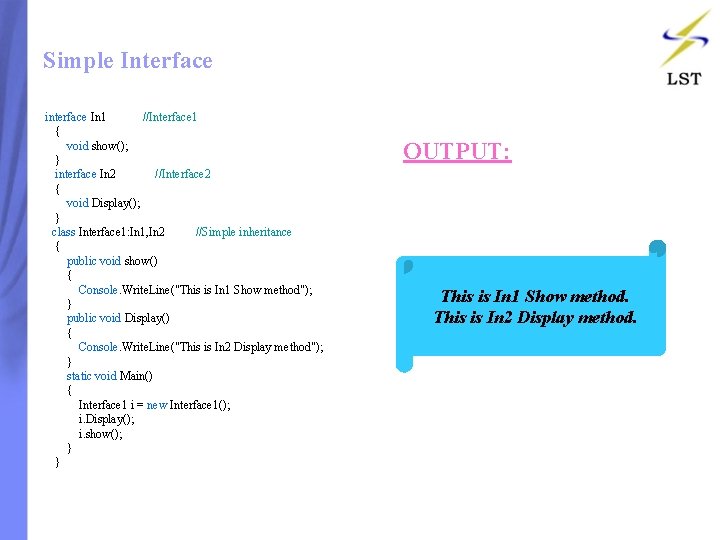
Simple Interface interface In 1 //Interface 1 { void show(); } interface In 2 //Interface 2 { void Display(); } class Interface 1: In 1, In 2 //Simple inheritance { public void show() { Console. Write. Line("This is In 1 Show method"); } public void Display() { Console. Write. Line("This is In 2 Display method"); } static void Main() { Interface 1 i = new Interface 1(); i. Display(); i. show(); } } OUTPUT: This is In 1 Show method. This is In 2 Display method.
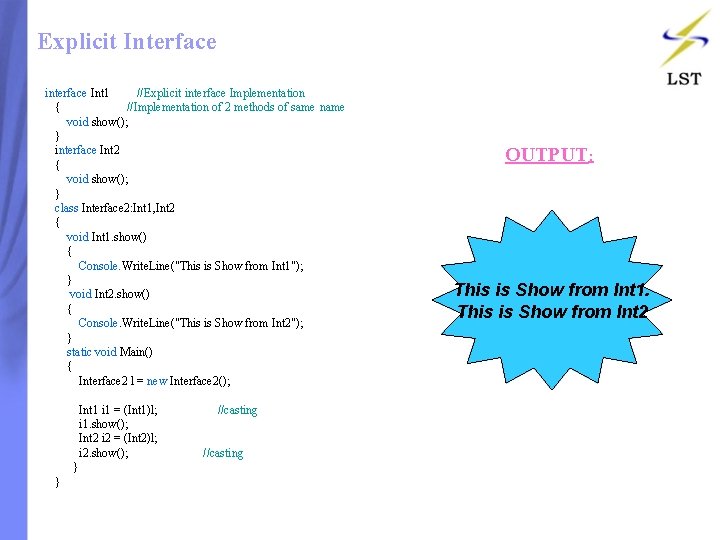
Explicit Interface interface Int 1 //Explicit interface Implementation { //Implementation of 2 methods of same name void show(); } interface Int 2 { void show(); } class Interface 2: Int 1, Int 2 { void Int 1. show() { Console. Write. Line("This is Show from Int 1"); } void Int 2. show() { Console. Write. Line("This is Show from Int 2"); } static void Main() { Interface 2 l = new Interface 2(); Int 1 i 1 = (Int 1)l; //casting i 1. show(); Int 2 i 2 = (Int 2)l; i 2. show(); //casting } } OUTPUT: This is Show from Int 1. This is Show from Int 2
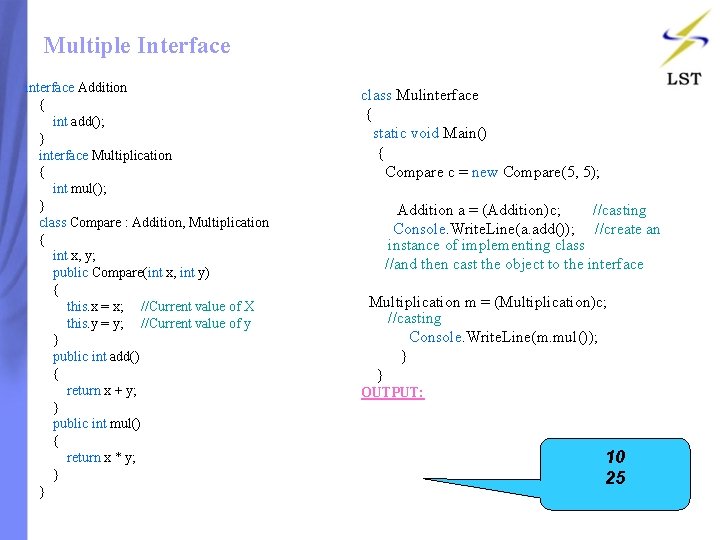
Multiple Interface interface Addition { int add(); } interface Multiplication { int mul(); } class Compare : Addition, Multiplication { int x, y; public Compare(int x, int y) { this. x = x; //Current value of X this. y = y; //Current value of y } public int add() { return x + y; } public int mul() { return x * y; } } class Mulinterface { static void Main() { Compare c = new Compare(5, 5); Addition a = (Addition)c; //casting Console. Write. Line(a. add()); //create an instance of implementing class //and then cast the object to the interface Multiplication m = (Multiplication)c; //casting Console. Write. Line(m. mul()); } } OUTPUT: 10 25
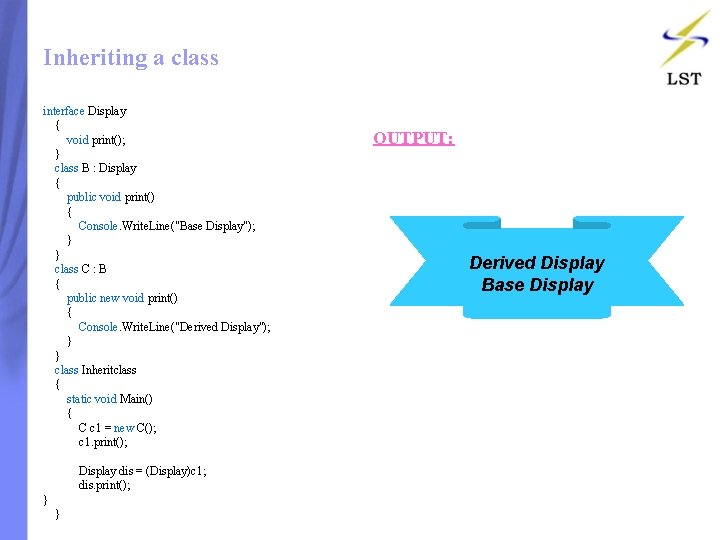
Inheriting a class interface Display { void print(); } class B : Display { public void print() { Console. Write. Line("Base Display"); } } class C : B { public new void print() { Console. Write. Line("Derived Display"); } } class Inheritclass { static void Main() { C c 1 = new C(); c 1. print(); Display dis = (Display)c 1; dis. print(); } } OUTPUT: Derived Display Base Display
Contents: • • • Introduction Simple Structs Using Method Using Interface Using Constructors
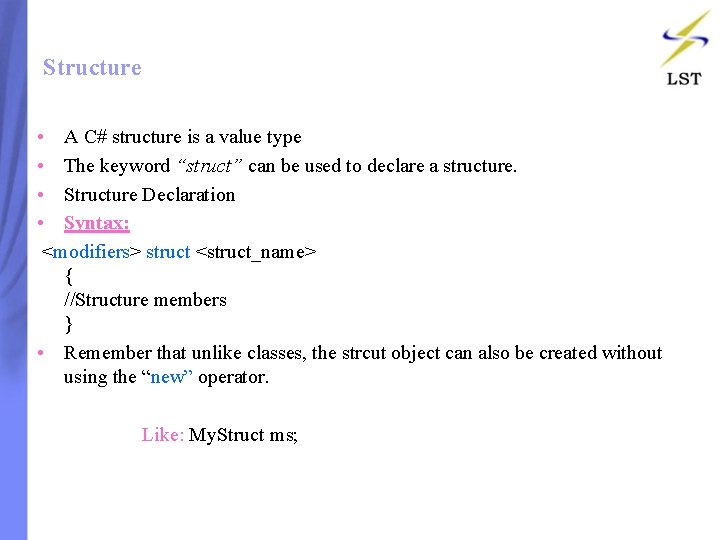
Structure • A C# structure is a value type • The keyword “struct” can be used to declare a structure. • Structure Declaration • Syntax: <modifiers> struct <struct_name> { //Structure members } • Remember that unlike classes, the strcut object can also be created without using the “new” operator. Like: My. Struct ms;
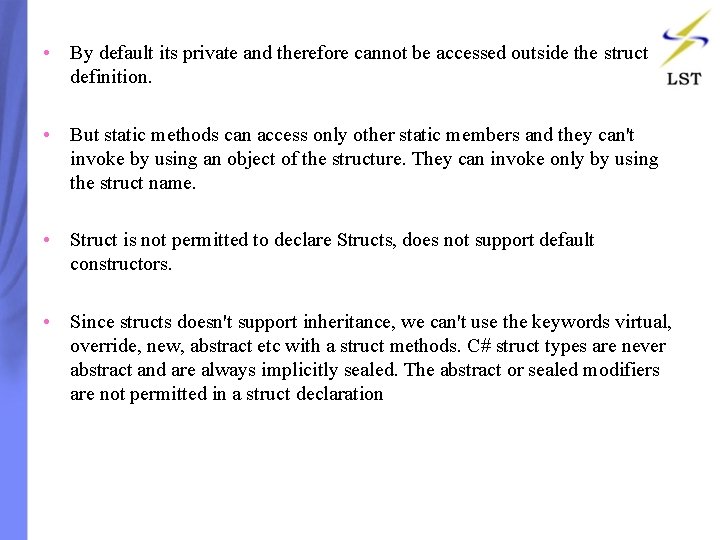
• By default its private and therefore cannot be accessed outside the struct definition. • But static methods can access only other static members and they can't invoke by using an object of the structure. They can invoke only by using the struct name. • Struct is not permitted to declare Structs, does not support default constructors. • Since structs doesn't support inheritance, we can't use the keywords virtual, override, new, abstract etc with a struct methods. C# struct types are never abstract and are always implicitly sealed. The abstract or sealed modifiers are not permitted in a struct declaration
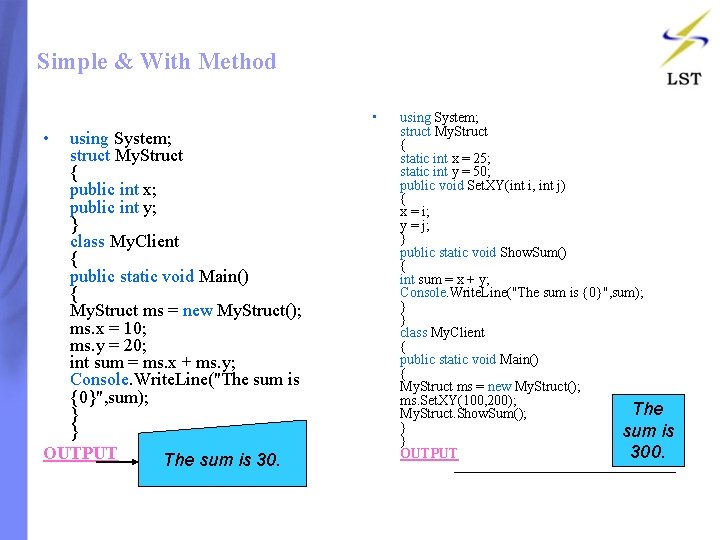
Simple & With Method • • using System; struct My. Struct { public int x; public int y; } class My. Client { public static void Main() { My. Struct ms = new My. Struct(); ms. x = 10; ms. y = 20; int sum = ms. x + ms. y; Console. Write. Line("The sum is {0}", sum); } } OUTPUT The sum is 30. using System; struct My. Struct { static int x = 25; static int y = 50; public void Set. XY(int i, int j) { x = i; y = j; } public static void Show. Sum() { int sum = x + y; Console. Write. Line("The sum is {0}", sum); } } class My. Client { public static void Main() { My. Struct ms = new My. Struct(); ms. Set. XY(100, 200); The My. Struct. Show. Sum(); } sum is } 300. OUTPUT
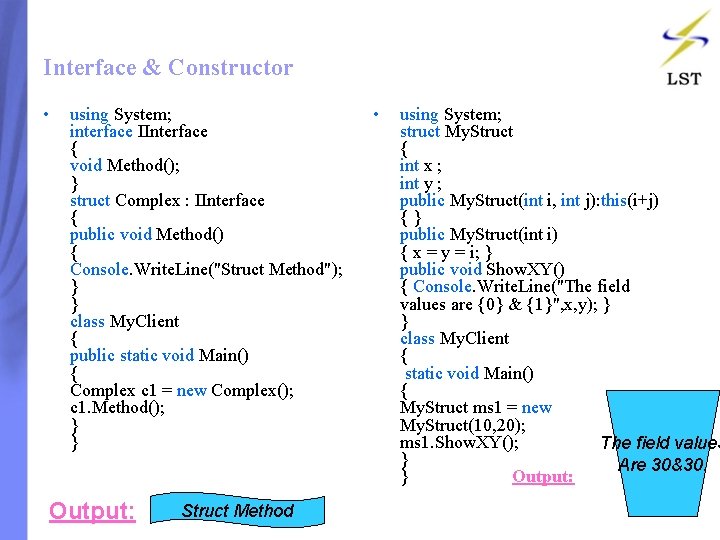
Interface & Constructor • using System; interface IInterface { void Method(); } struct Complex : IInterface { public void Method() { Console. Write. Line("Struct Method"); } } class My. Client { public static void Main() { Complex c 1 = new Complex(); c 1. Method(); } } Output: Struct Method • using System; struct My. Struct { int x ; int y ; public My. Struct(int i, int j): this(i+j) { } public My. Struct(int i) { x = y = i; } public void Show. XY() { Console. Write. Line("The field values are {0} & {1}", x, y); } } class My. Client { static void Main() { My. Struct ms 1 = new My. Struct(10, 20); ms 1. Show. XY(); The field values } Are 30&30. } Output:
Contents: • • • Introduction Array. List Hash. Table Stack Queue
Collections • A collection in C# is a group of related objects held in a structure • The. NET Foundation Class Library contains a namespace called System. Collections that provides classes to manage data structures like arrays, lists and maps. • The Array. List class is similar to the Array class except that its size can grow dynamically. • The Queue and Stack classes provide the ‘First In First Out’ and ‘Last In First Out’ types of collections respectively.
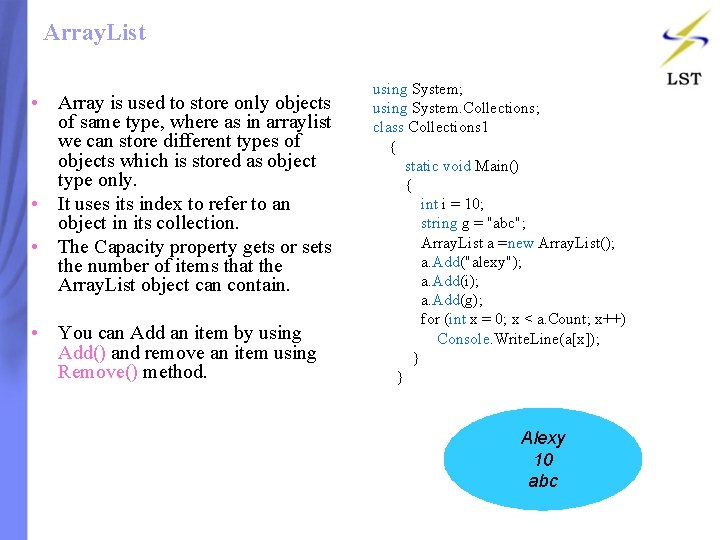
Array. List • Array is used to store only objects of same type, where as in arraylist we can store different types of objects which is stored as object type only. • It uses its index to refer to an object in its collection. • The Capacity property gets or sets the number of items that the Array. List object can contain. • You can Add an item by using Add() and remove an item using Remove() method. using System; using System. Collections; class Collections 1 { static void Main() { int i = 10; string g = "abc"; Array. List a =new Array. List(); a. Add("alexy"); a. Add(i); a. Add(g); for (int x = 0; x < a. Count; x++) Console. Write. Line(a[x]); } } Alexy 10 abc
Hash. Table • The Hashtable provides a faster way of storage and retrieval of items of the object type. • The Hashtable class provides support for key based searching. • These keys are unique hash codes that are unique to a specific type. • To remove an item from the Hashtable class, the Remove() method is used. • The statement hash. Table. Remove(3) would remove the item “Jini” from the Hashtable object created in the code.
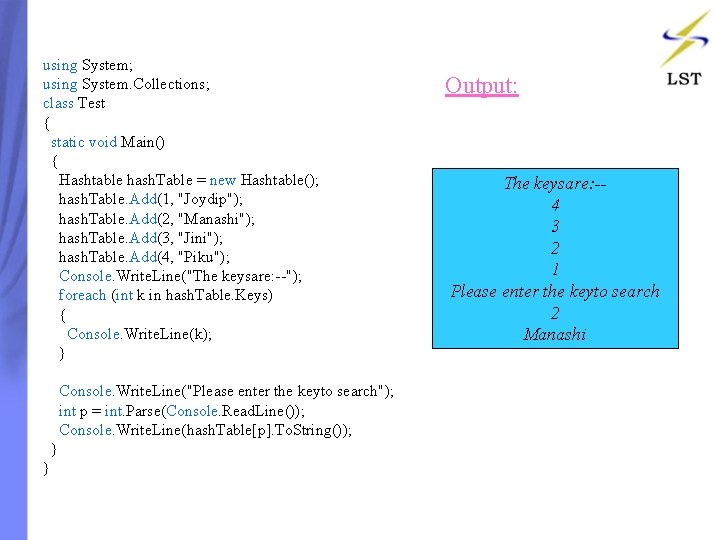
using System; using System. Collections; class Test { static void Main() { Hashtable hash. Table = new Hashtable(); hash. Table. Add(1, "Joydip"); hash. Table. Add(2, "Manashi"); hash. Table. Add(3, "Jini"); hash. Table. Add(4, "Piku"); Console. Write. Line("The keysare: --"); foreach (int k in hash. Table. Keys) { Console. Write. Line(k); } Console. Write. Line("Please enter the keyto search"); int p = int. Parse(Console. Read. Line()); Console. Write. Line(hash. Table[p]. To. String()); } } Output: The keysare: -4 3 2 1 Please enter the keyto search 2 Manashi
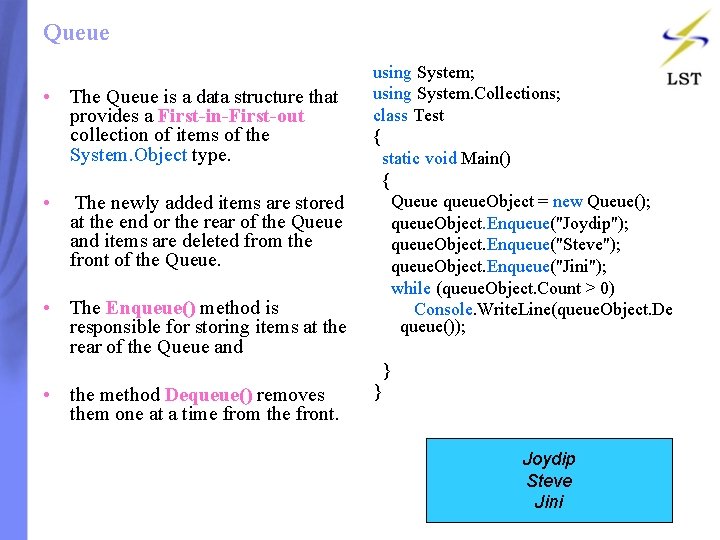
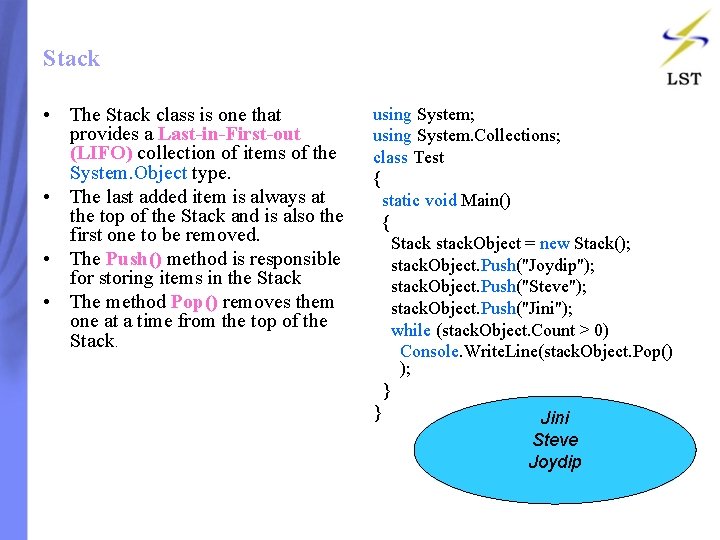
Queue • The Queue is a data structure that provides a First-in-First-out collection of items of the System. Object type. • The newly added items are stored at the end or the rear of the Queue and items are deleted from the front of the Queue. • The Enqueue() method is responsible for storing items at the rear of the Queue and • the method Dequeue() removes them one at a time from the front. using System; using System. Collections; class Test { static void Main() { Queue queue. Object = new Queue(); queue. Object. Enqueue("Joydip"); queue. Object. Enqueue("Steve"); queue. Object. Enqueue("Jini"); while (queue. Object. Count > 0) Console. Write. Line(queue. Object. De queue()); } } Joydip Steve Jini
Stack • The Stack class is one that provides a Last-in-First-out (LIFO) collection of items of the System. Object type. • The last added item is always at the top of the Stack and is also the first one to be removed. • The Push() method is responsible for storing items in the Stack • The method Pop() removes them one at a time from the top of the Stack. using System; using System. Collections; class Test { static void Main() { Stack stack. Object = new Stack(); stack. Object. Push("Joydip"); stack. Object. Push("Steve"); stack. Object. Push("Jini"); while (stack. Object. Count > 0) Console. Write. Line(stack. Object. Pop() ); } } Jini Steve Joydip
Contents: • • • Introduction Single-Dimensional Array Multi-Dimensional Array Jagged Array Class Properties
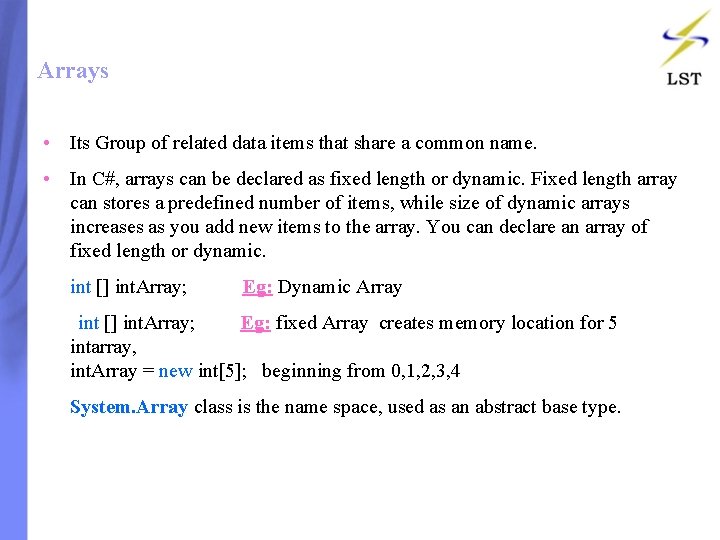
Arrays • Its Group of related data items that share a common name. • In C#, arrays can be declared as fixed length or dynamic. Fixed length array can stores a predefined number of items, while size of dynamic arrays increases as you add new items to the array. You can declare an array of fixed length or dynamic. • int [] int. Array; Eg: Dynamic Array int [] int. Array; Eg: fixed Array creates memory location for 5 intarray, int. Array = new int[5]; beginning from 0, 1, 2, 3, 4 • System. Array class is the name space, used as an abstract base type.
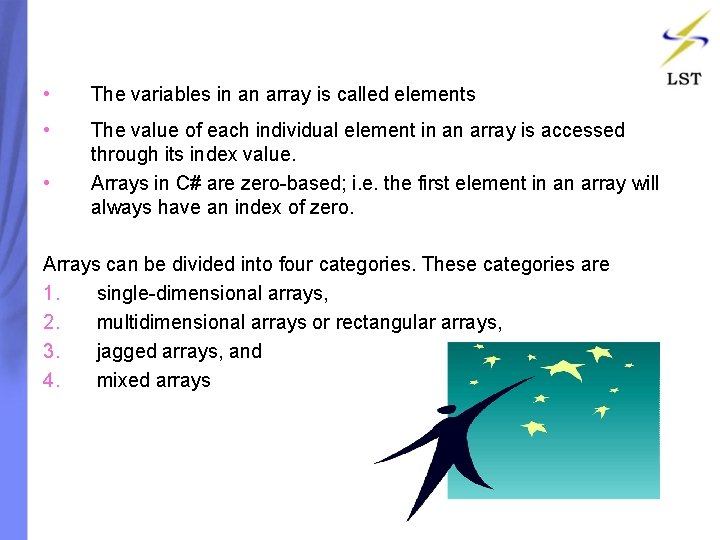
• The variables in an array is called elements • The value of each individual element in an array is accessed through its index value. Arrays in C# are zero-based; i. e. the first element in an array will always have an index of zero. • Arrays can be divided into four categories. These categories are 1. single-dimensional arrays, 2. multidimensional arrays or rectangular arrays, 3. jagged arrays, and 4. mixed arrays
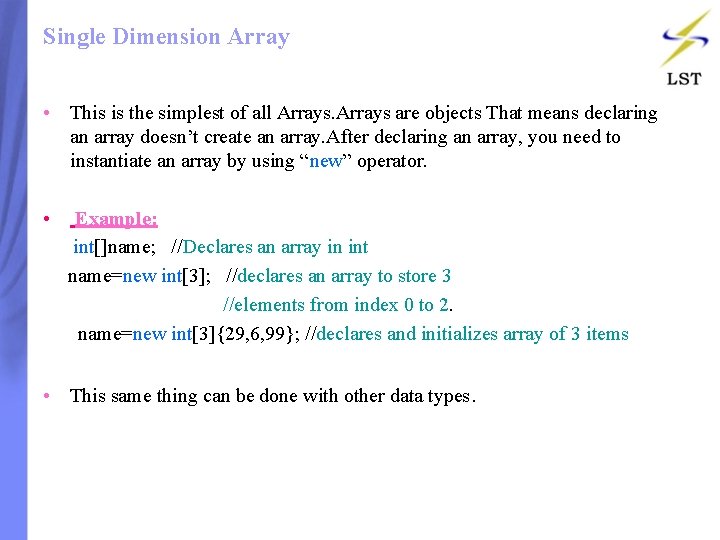
Single Dimension Array • This is the simplest of all Arrays are objects That means declaring an array doesn’t create an array. After declaring an array, you need to instantiate an array by using “new” operator. • Example: int[]name; //Declares an array in int name=new int[3]; //declares an array to store 3 //elements from index 0 to 2. name=new int[3]{29, 6, 99}; //declares and initializes array of 3 items • This same thing can be done with other data types.
Single Array class simplearray { static void Main() { int[] intarray = new int[4]; intarray[0] = 1; intarray[1] = 2; intarray[2] = 3; intarray[3] = 4; foreach (int i in intarray) { Console. Write. Line(i. To. String() ); } } OUTPUT: 1 2 3 4
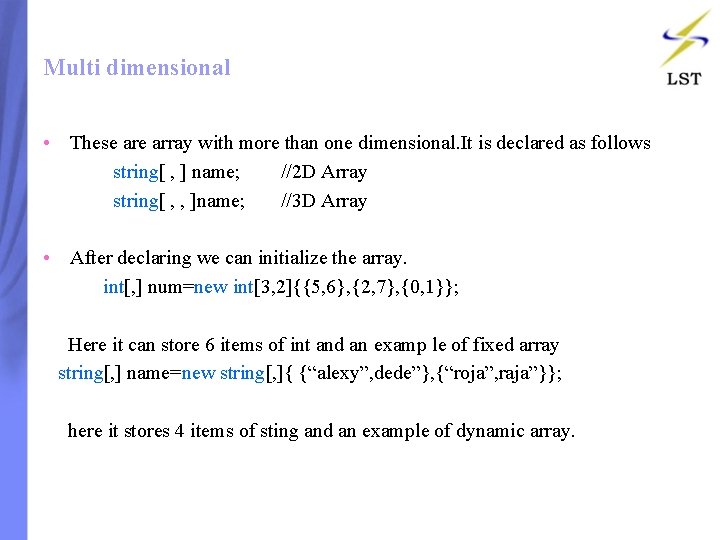
Multi dimensional • These array with more than one dimensional. It is declared as follows string[ , ] name; //2 D Array string[ , , ]name; //3 D Array • After declaring we can initialize the array. int[, ] num=new int[3, 2]{{5, 6}, {2, 7}, {0, 1}}; Here it can store 6 items of int and an examp le of fixed array string[, ] name=new string[, ]{ {“alexy”, dede”}, {“roja”, raja”}}; here it stores 4 items of sting and an example of dynamic array.
Multi Array class multiarray { static void Main() { string[, ] namearray = new string[, ] {"Rosy", "Amy"}, {"Peter", "Albert"}, {"Raja", "Alexy"} }; for (int i = 0; i < 3; i++) for (int j = 0; j < 2; j++) Console. Write. Line("Element[{0}, {1}]={2}", i, j, namearray[i, j]); Console. Read(); } } • OUTPUT: Element[0, 0]=Rosy Element[0, 1]=Amy Element[1, 0]=Peter Element[1, 1]=Albert Element[2, 0]=Raja Element[2, 1]=Alexy
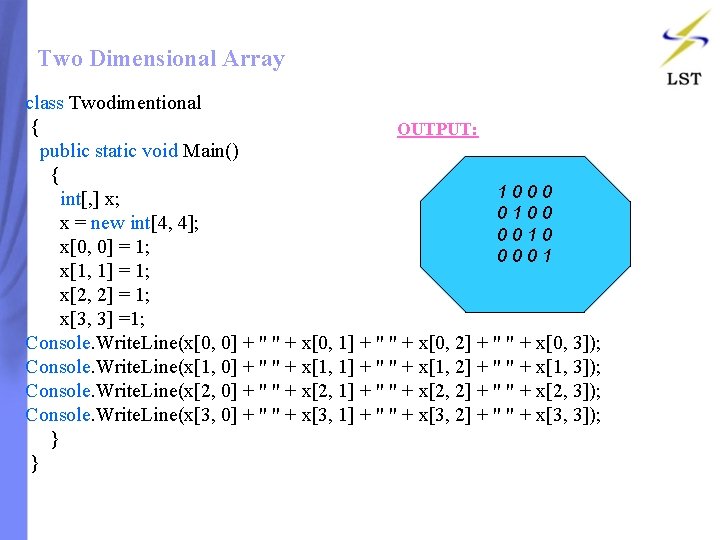
Two Dimensional Array class Twodimentional { OUTPUT: public static void Main() { 1000 int[, ] x; 0100 x = new int[4, 4]; 0010 x[0, 0] = 1; 0001 x[1, 1] = 1; x[2, 2] = 1; x[3, 3] =1; Console. Write. Line(x[0, 0] + " " + x[0, 1] + " " + x[0, 2] + " " + x[0, 3]); Console. Write. Line(x[1, 0] + " " + x[1, 1] + " " + x[1, 2] + " " + x[1, 3]); Console. Write. Line(x[2, 0] + " " + x[2, 1] + " " + x[2, 2] + " " + x[2, 3]); Console. Write. Line(x[3, 0] + " " + x[3, 1] + " " + x[3, 2] + " " + x[3, 3]); } }
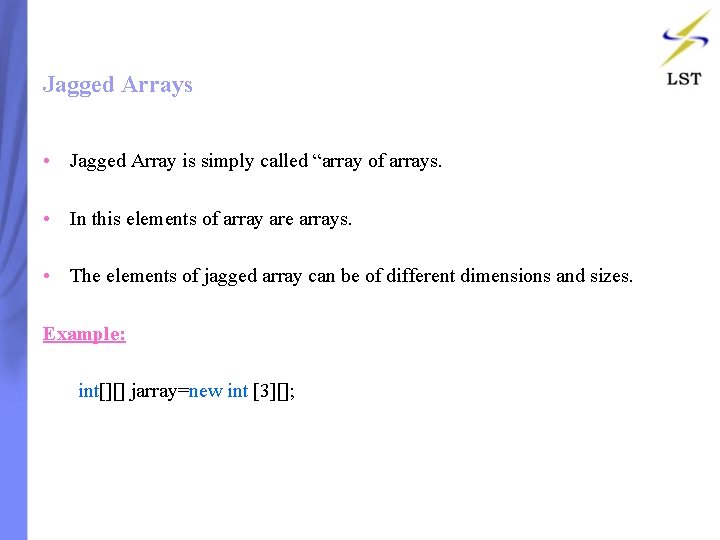
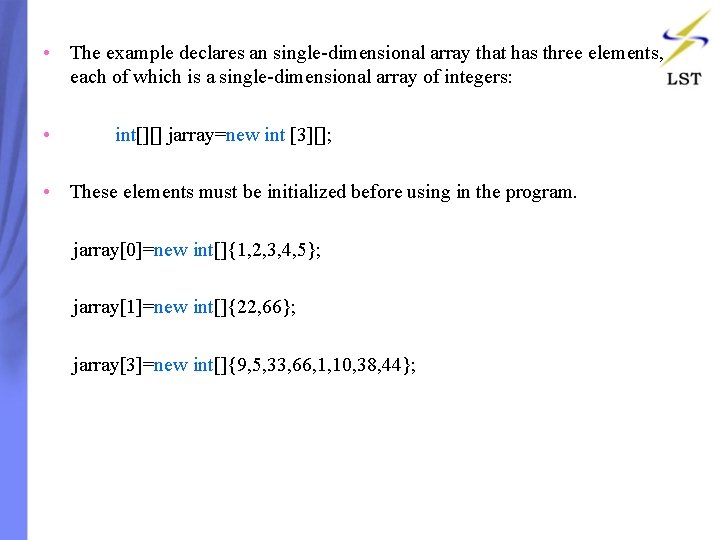
Jagged Arrays • Jagged Array is simply called “array of arrays. • In this elements of array are arrays. • The elements of jagged array can be of different dimensions and sizes. Example: int[][] jarray=new int [3][];
• The example declares an single-dimensional array that has three elements, each of which is a single-dimensional array of integers: • int[][] jarray=new int [3][]; • These elements must be initialized before using in the program. jarray[0]=new int[]{1, 2, 3, 4, 5}; jarray[1]=new int[]{22, 66}; jarray[3]=new int[]{9, 5, 33, 66, 1, 10, 38, 44};
• We can access individual array elements like in the following way: int[][] jarray 1= { new int[]{ 1, 2, 3, 4, 5}, new int[]{5, 6, 7, 8}, new int[]{22, 99} }; jarray 1[0][1]=77; //assigning 77 to second element [1] of first array [0]; jarray 1[2][1]=66; //assigning 66 to second element [1] of third array[2]; • The following is a jagged array three elements of two-dimensional int[][, ] jagged. Array 4 = new int[3][, ] { new int[, ] { {1, 3}, {5, 7} }, new int[, ] { {0, 2}, {4, 6}, {8, 10} }, new int[, ] { {11, 22}, {99, 88}, {0, 9} } };
Jagged Array class Jagged { int[][] x = new int[2][]; void set() { x[0] = new int[2]; x[1] = new int[2]; x[0][0] = 1; //first array, first element x[0][1] = 2; //first array, second element } void show() { for (int i = 0; i < 2; i++) { for (int j = 0; j < 2; j++) { Console. Write. Line(x[i][j]); } } public static void Main() { Jagged j = new Jagged(); j. set(); j. show(); } } • OUTPUT: 1 2 0 0
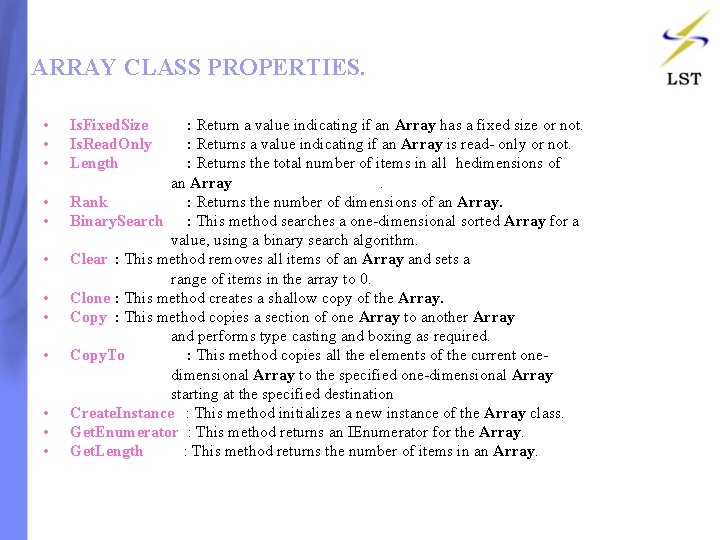
ARRAY CLASS PROPERTIES. • Is. Fixed. Size : Return a value indicating if an Array has a fixed size or not. • Is. Read. Only : Returns a value indicating if an Array is read- only or not. • Length : Returns the total number of items in all hedimensions of an Array . • Rank : Returns the number of dimensions of an Array. • Binary. Search : This method searches a one-dimensional sorted Array for a value, using a binary search algorithm. • Clear : This method removes all items of an Array and sets a range of items in the array to 0. • Clone : This method creates a shallow copy of the Array. • Copy : This method copies a section of one Array to another Array and performs type casting and boxing as required. • Copy. To : This method copies all the elements of the current one dimensional Array to the specified one-dimensional Array starting at the specified destination • Create. Instance : This method initializes a new instance of the Array class. • Get. Enumerator : This method returns an IEnumerator for the Array. • Get. Length : This method returns the number of items in an Array.
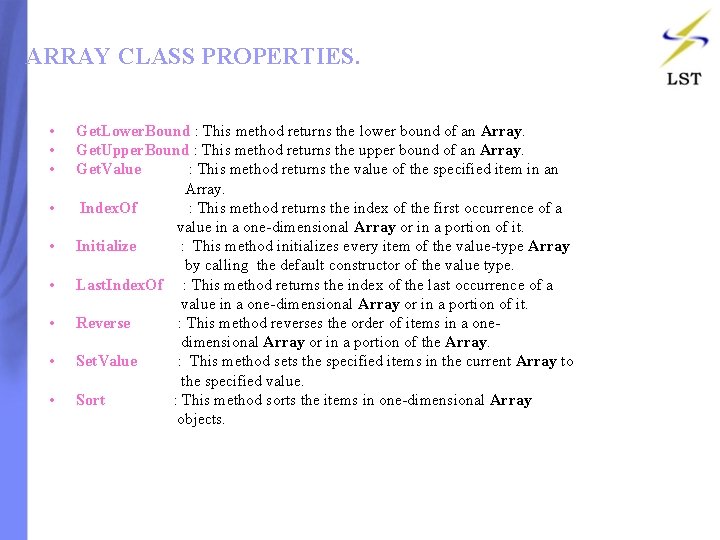
ARRAY CLASS PROPERTIES. • Get. Lower. Bound : This method returns the lower bound of an Array. • Get. Upper. Bound : This method returns the upper bound of an Array. • Get. Value : This method returns the value of the specified item in an Array. • Index. Of : This method returns the index of the first occurrence of a value in a one-dimensional Array or in a portion of it. • Initialize : This method initializes every item of the value-type Array by calling the default constructor of the value type. • Last. Index. Of : This method returns the index of the last occurrence of a value in a one-dimensional Array or in a portion of it. • Reverse : This method reverses the order of items in a one dimensional Array or in a portion of the Array. • Set. Value : This method sets the specified items in the current Array to the specified value. • Sort : This method sorts the items in one-dimensional Array objects.
Using array properties using System; Class Program { static void Main() { int[]num={99, 24, 56, 3, 15}; Array. Sort(num); foreach(int I in num) Console. Write. Line(I); Console. Write. Line(“Length=“+nu m. length); } } • Output 3 15 24 56 99 Length=5
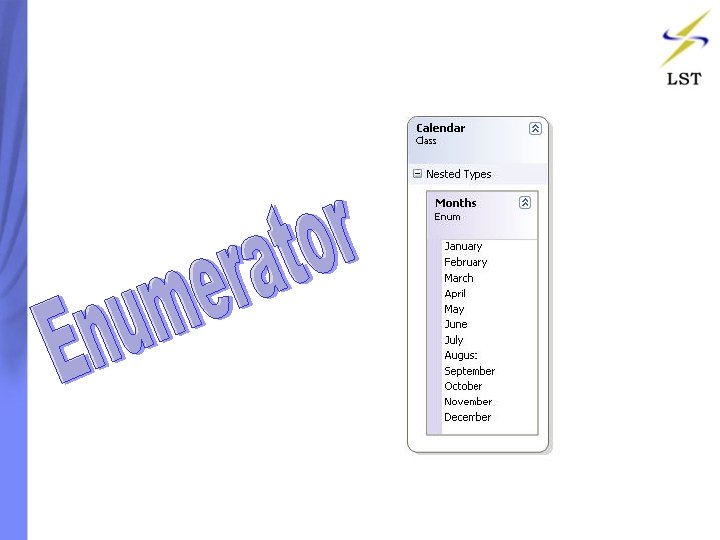
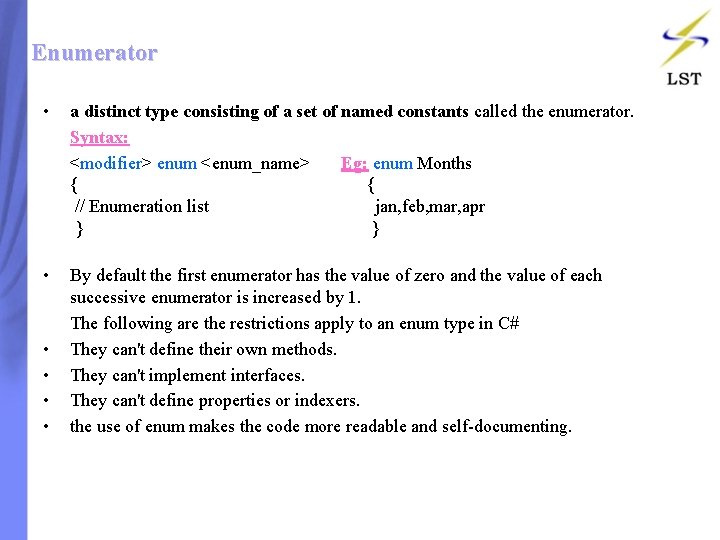
Enumerator • a distinct type consisting of a set of named constants called the enumerator. Syntax: <modifier> enum <enum_name> Eg: enum Months { { // Enumeration list jan, feb, mar, apr } } • By default the first enumerator has the value of zero and the value of each successive enumerator is increased by 1. The following are the restrictions apply to an enum type in C# • They can't define their own methods. • They can't implement interfaces. • They can't define properties or indexers. • the use of enum makes the code more readable and self-documenting.
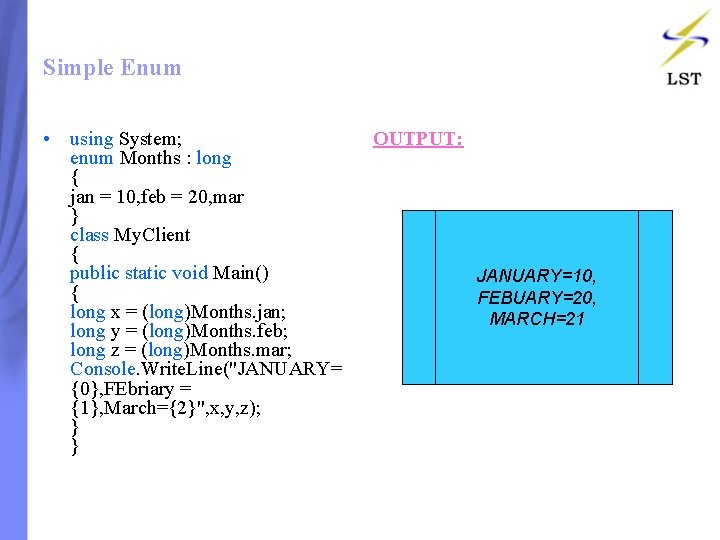
Simple Enum • using System; enum Months : long { jan = 10, feb = 20, mar } class My. Client { public static void Main() { long x = (long)Months. jan; long y = (long)Months. feb; long z = (long)Months. mar; Console. Write. Line("JANUARY= {0}, FEbriary = {1}, March={2}", x, y, z); } } OUTPUT: JANUARY=10, FEBUARY=20, MARCH=21
Contents: • • • Introduction Try and Catch Block Multiple Catch Block Finally Block User Exception
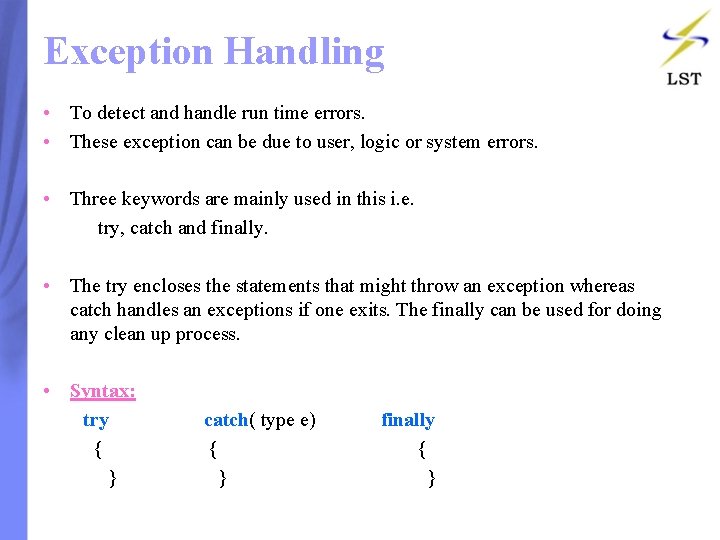
Exception Handling • To detect and handle run time errors. • These exception can be due to user, logic or system errors. • Three keywords are mainly used in this i. e. try, catch and finally. • The try encloses the statements that might throw an exception whereas catch handles an exceptions if one exits. The finally can be used for doing any clean up process. • Syntax: try catch( type e) finally { { } }
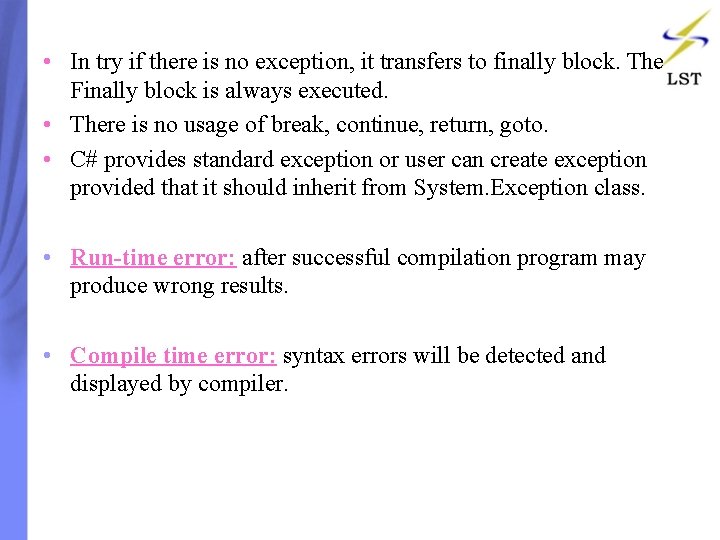
• In try if there is no exception, it transfers to finally block. The Finally block is always executed. • There is no usage of break, continue, return, goto. • C# provides standard exception or user can create exception provided that it should inherit from System. Exception class. • Run-time error: after successful compilation program may produce wrong results. • Compile time error: syntax errors will be detected and displayed by compiler.
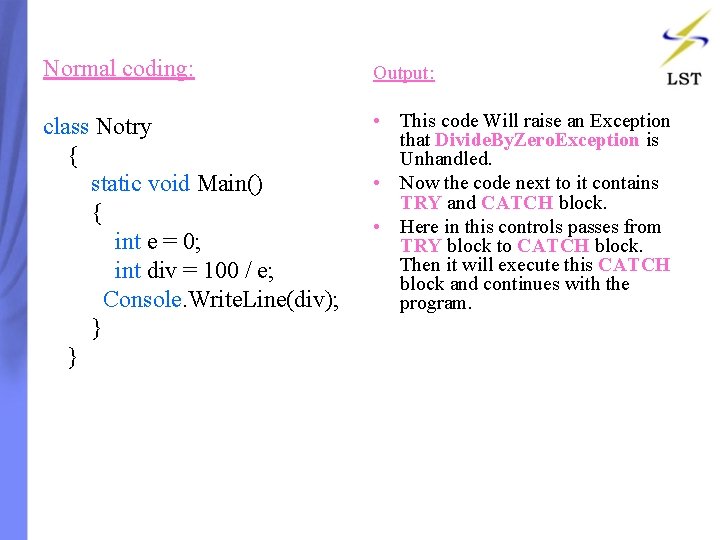
Normal coding: Output: • This code Will raise an Exception class Notry that Divide. By. Zero. Exception is { Unhandled. • Now the code next to it contains static void Main() TRY and CATCH block. { • Here in this controls passes from int e = 0; TRY block to CATCH block. Then it will execute this CATCH int div = 100 / e; block and continues with the Console. Write. Line(div); program. } }
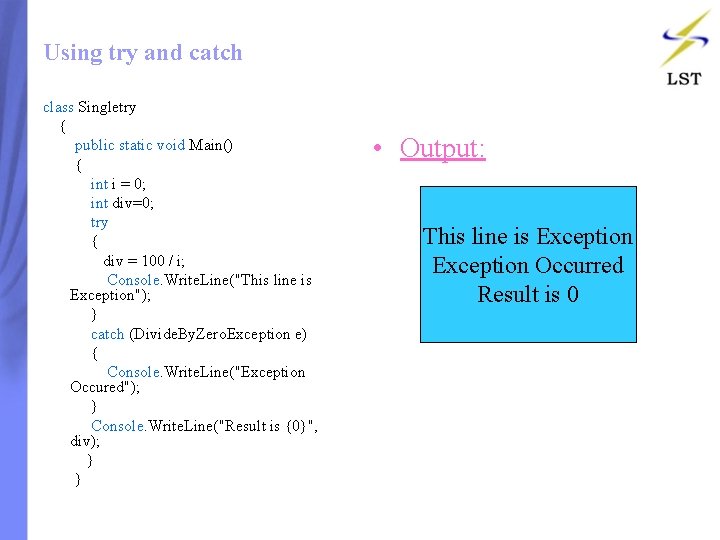
Using try and catch class Singletry { public static void Main() { int i = 0; int div=0; try { div = 100 / i; Console. Write. Line("This line is Exception"); } catch (Divide. By. Zero. Exception e) { Console. Write. Line("Exception Occured"); } Console. Write. Line("Result is {0}", div); } • Output: This line is Exception Occurred Result is 0
Multiple Catch Block class Multicatch { static void Main() { int[] a ={ 5, 10 }; int b = 5; try { int x = a[2] / b - a[1]; } catch (Index. Out. Of. Range. Exception e) { Console. Write. Line(e); } catch (Argument. Null. Exception o) { Console. Write. Line(o); } catch (Array. Type. Mismatch. Exception n) { Console. Write. Line(n); } catch (Dll. Not. Found. Exception k) { Console. Write. Line(k); } int y = a[1] / a[0]; Console. Write. Line(“y=“y); } } OUTPUT: System. Index. Out. Of. Range. Exception: Index was outside the bounds of the array. at Console. Application 1. Error. Handling. Multicatch. Main() in C: Documents and Se ttingsAdministratorDesktopAlexyProjectsCon sole. Application 1Console. Applicati on 1Error. HandlingMulticatch. cs: line 15 Y=2 Array element 2 does not exist, hence index 2 is out of range, so the try block raises an exception and catching the right exception, leaving the rest alone.
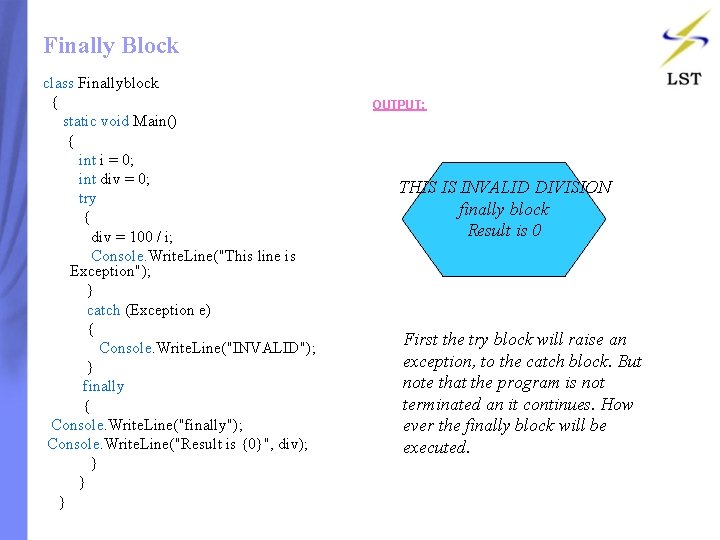
Finally Block class Finallyblock { static void Main() { int i = 0; int div = 0; try { div = 100 / i; Console. Write. Line("This line is Exception"); } catch (Exception e) { Console. Write. Line("INVALID"); } finally { Console. Write. Line("finally"); Console. Write. Line("Result is {0}", div); } } OUTPUT: THIS IS INVALID DIVISION finally block Result is 0 First the try block will raise an exception, to the catch block. But note that the program is not terminated an it continues. How ever the finally block will be executed.
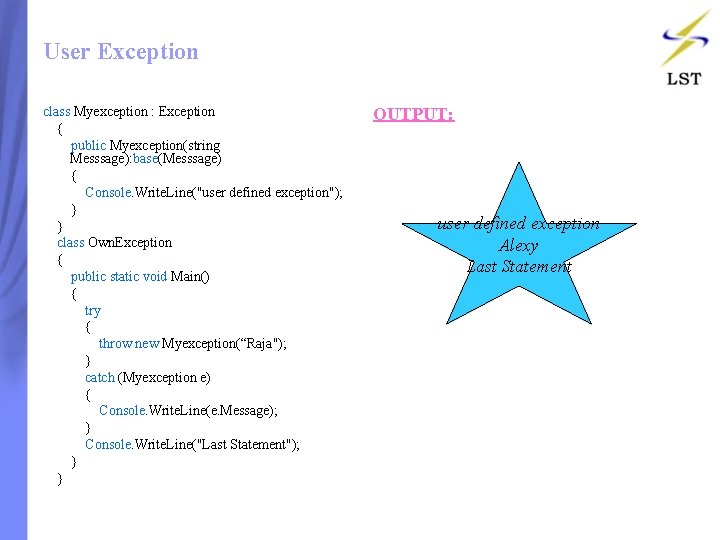
User Exception class Myexception : Exception { public Myexception(string Messsage): base(Messsage) { Console. Write. Line("user defined exception"); } } class Own. Exception { public static void Main() { try { throw new Myexception(“Raja"); } catch (Myexception e) { Console. Write. Line(e. Message); } Console. Write. Line("Last Statement"); } } OUTPUT: user defined exception Alexy Last Statement
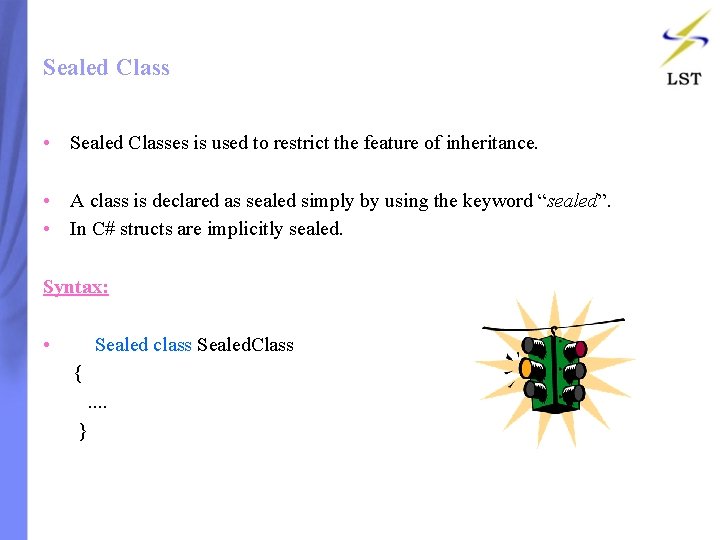
Sealed Class • Sealed Classes is used to restrict the feature of inheritance. • A class is declared as sealed simply by using the keyword “sealed”. • In C# structs are implicitly sealed. Syntax: • Sealed class Sealed. Class { . . }
Example class Class 1 { static void Main(string[] args) { Seal. Class Cls = new Seal. Class(); int total = Cls. Add(4, 5); Console. Write. Line("Total = " + total. To. String()); } } sealed class Seal. Class { public int Add(int x, int y) { return x + y; } } • OUTPUT: Total=9
Sealing Methods • In C# a method can not be declared as sealed. • However when we override a method in a derived class, we can declare the overridden method as “sealed”. • By declaring it as sealed, we can avoid further overriding of this method. • “Sealed” keyword serves the purpose of sealed. If a class is derived from a sealed class, compiler throws an error. • We can mark a class or method as sealed for commercial reasons, in order to prevent a third party from extending our classes.
Contents: • • Introduction Namespace and Instance Writing in a file Reading from a file
Files • With any programming language there is always a need to read and write to files. • The class File. Stream, which is actually derived from the Stream class, adds to Stream the functionality needed to read and write to files. • Like other languages, C# utilizes a Stream class, which gives basic functionality when working with streams (any situation where you need to read and write data to some endpoint). The class File. Stream, which is actually derived from the Stream class, adds to Stream the functionaly needed to read and write to files.
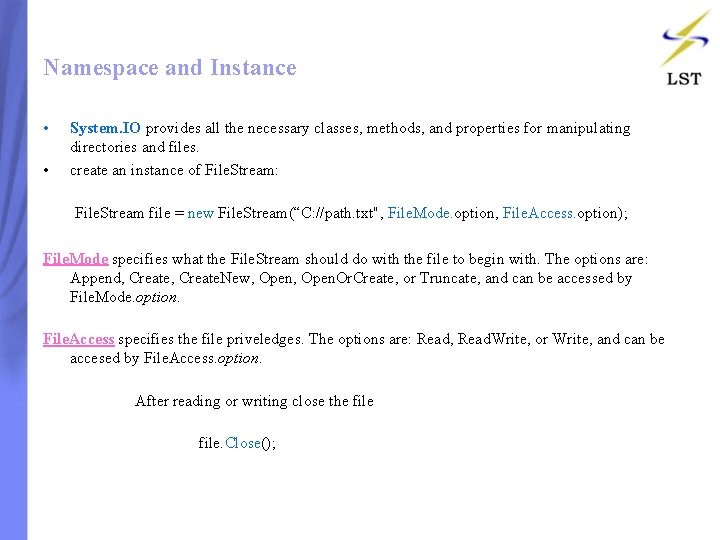
Namespace and Instance • • System. IO provides all the necessary classes, methods, and properties for manipulating directories and files. create an instance of File. Stream: File. Stream file = new File. Stream(“C: //path. txt", File. Mode. option, File. Access. option); File. Mode specifies what the File. Stream should do with the file to begin with. The options are: Append, Create. New, Open. Or. Create, or Truncate, and can be accessed by File. Mode. option. File. Access specifies the file priveledges. The options are: Read, Read. Write, or Write, and can be accesed by File. Access. option. After reading or writing close the file file. Close();
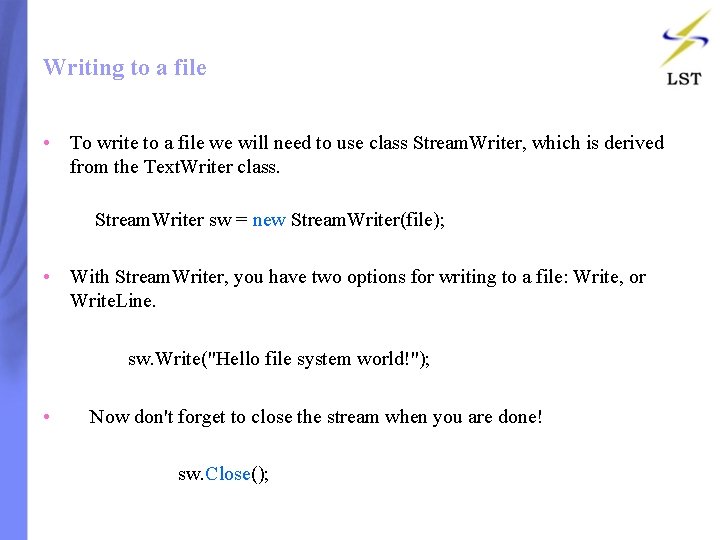
Writing to a file • To write to a file we will need to use class Stream. Writer, which is derived from the Text. Writer class. Stream. Writer sw = new Stream. Writer(file); • With Stream. Writer, you have two options for writing to a file: Write, or Write. Line. sw. Write("Hello file system world!"); • Now don't forget to close the stream when you are done! sw. Close();
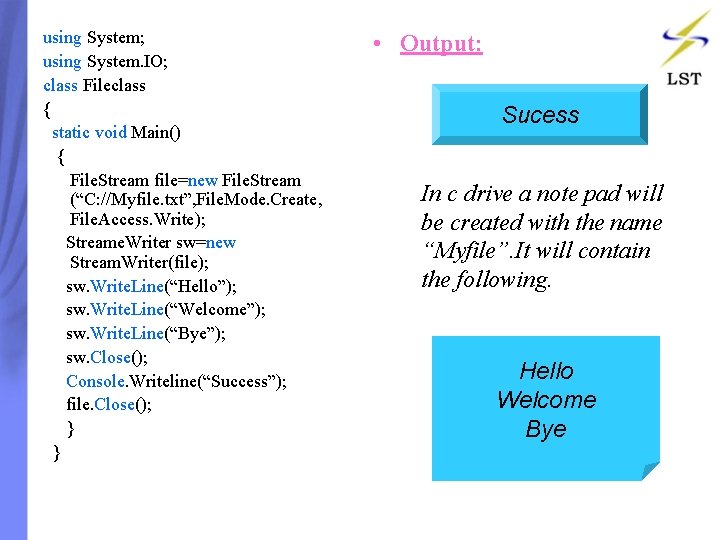
using System; using System. IO; class Fileclass { static void Main() { File. Stream file=new File. Stream (“C: //Myfile. txt”, File. Mode. Create, File. Access. Write); Streame. Writer sw=new Stream. Writer(file); sw. Write. Line(“Hello”); sw. Write. Line(“Welcome”); sw. Write. Line(“Bye”); sw. Close(); Console. Writeline(“Success”); file. Close(); } } • Output: Sucess In c drive a note pad will be created with the name “Myfile”. It will contain the following. Hello Welcome Bye
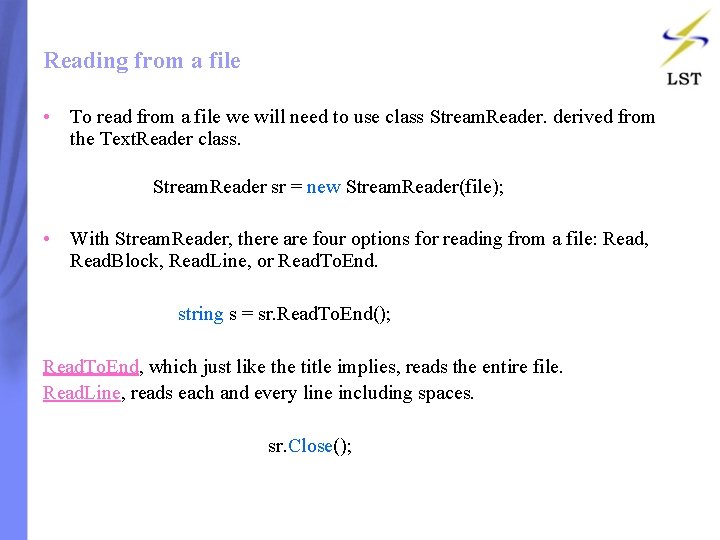
Reading from a file • To read from a file we will need to use class Stream. Reader. derived from the Text. Reader class. Stream. Reader sr = new Stream. Reader(file); • With Stream. Reader, there are four options for reading from a file: Read, Read. Block, Read. Line, or Read. To. End. string s = sr. Read. To. End(); Read. To. End, which just like the title implies, reads the entire file. Read. Line, reads each and every line including spaces. sr. Close();
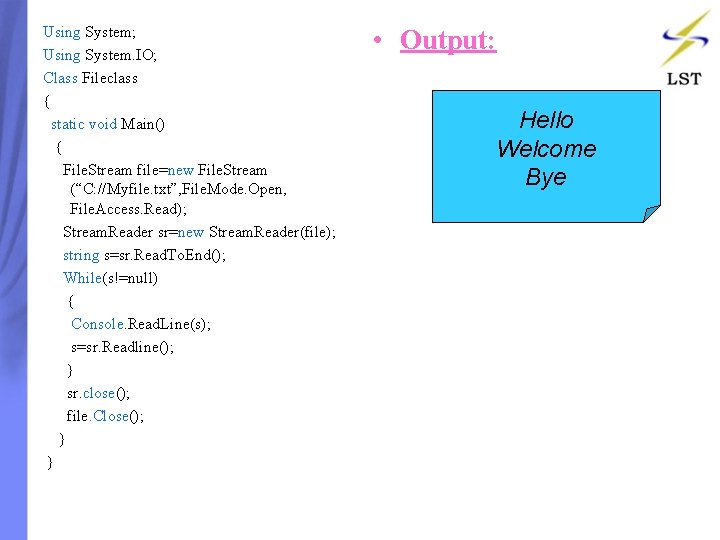
Using System; Using System. IO; Class Fileclass { static void Main() { File. Stream file=new File. Stream (“C: //Myfile. txt”, File. Mode. Open, File. Access. Read); Stream. Reader sr=new Stream. Reader(file); string s=sr. Read. To. End(); While(s!=null) { Console. Read. Line(s); s=sr. Readline(); } sr. close(); file. Close(); } } • Output: Hello Welcome Bye
Contents: • • Introduction Generic Terminology and Syntax Generic Type Generic Method Constraints Types of Constraints Generic Class
Generics • Generics are a new feature in version 2. 0 of the C# language and the common language runtime (CLR). • Generics are used to help make the code in the software components much more reusable. • By the generic types in the System. Collections. Generic namespace-unless your type collection needs custom functionality, you won't even have to define a single collection type in your class library!
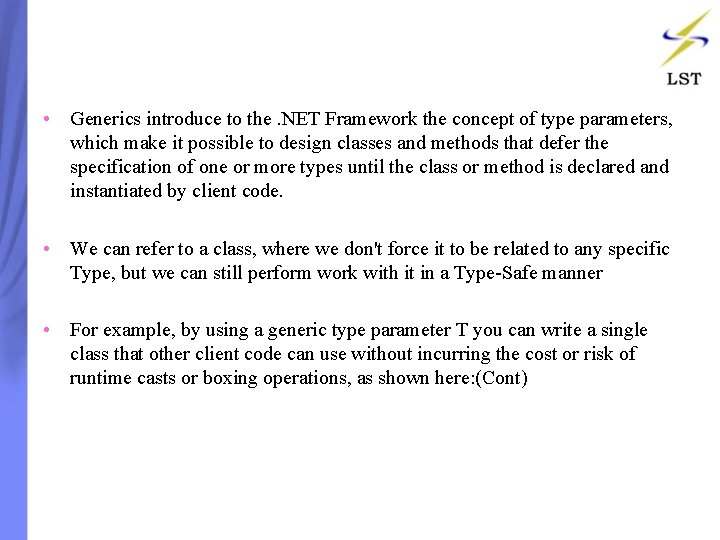
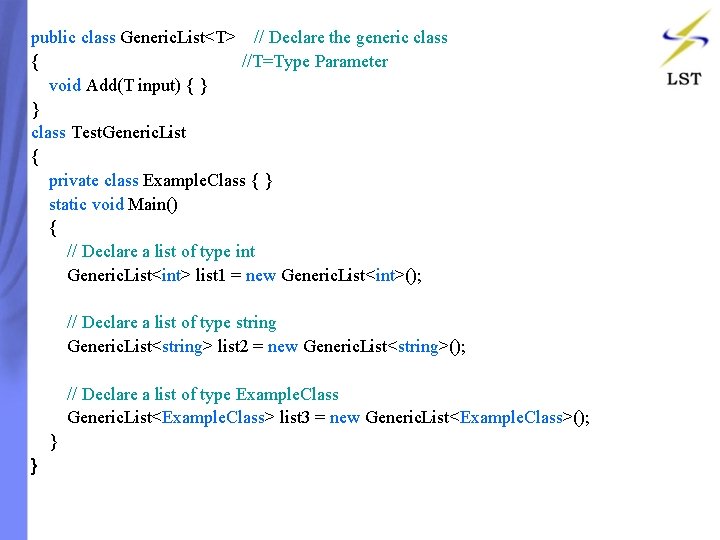
• Generics introduce to the. NET Framework the concept of type parameters, which make it possible to design classes and methods that defer the specification of one or more types until the class or method is declared and instantiated by client code. • We can refer to a class, where we don't force it to be related to any specific Type, but we can still perform work with it in a Type-Safe manner • For example, by using a generic type parameter T you can write a single class that other client code can use without incurring the cost or risk of runtime casts or boxing operations, as shown here: (Cont)
public class Generic. List<T> // Declare the generic class { //T=Type Parameter void Add(T input) { } } class Test. Generic. List { private class Example. Class { } static void Main() { // Declare a list of type int Generic. List<int> list 1 = new Generic. List<int>(); // Declare a list of type string Generic. List<string> list 2 = new Generic. List<string>(); // Declare a list of type Example. Class Generic. List<Example. Class> list 3 = new Generic. List<Example. Class>(); } }
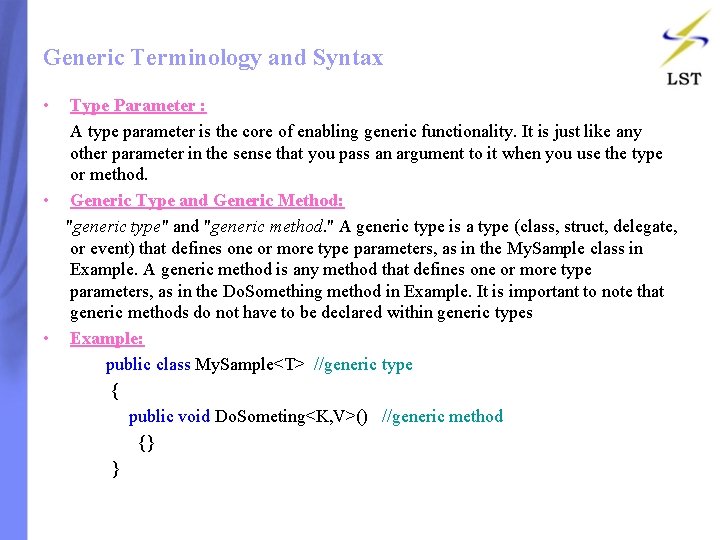
Generic Terminology and Syntax • Type Parameter : A type parameter is the core of enabling generic functionality. It is just like any other parameter in the sense that you pass an argument to it when you use the type or method. • Generic Type and Generic Method: "generic type" and "generic method. " A generic type is a type (class, struct, delegate, or event) that defines one or more type parameters, as in the My. Sample class in Example. A generic method is any method that defines one or more type parameters, as in the Do. Something method in Example. It is important to note that generic methods do not have to be declared within generic types • Example: public class My. Sample<T> //generic type { public void Do. Someting<K, V>() //generic method {} }
Normal Code class Class 1 { static void Main() { int[] intarrey ={ 1, 2, 3, 4, 5, 6 }; double[] doublearray ={ 1. 2, 2. 2, 3. 3, 4. 4, 5. 5, 6. 6, 7. 7 }; char[] chararray ={ 'a', 'l', 'e', 'x', 'y' }; Console. Write. Line("This is Int Array"); Printarray(intarrey); Console. Write. Line("This is double array"); Printarray(doublearray); Console. Write. Line("This is char array"); Printarray(chararray); } static void Printarray(int[] input) { foreach (int element in input) Console. Write(element+ " " ); Console. Write. Line("n"); } static void Printarray(double[] input) { foreach (double element in input) Console. Write(element + " "); Console. Write. Line("n"); } static void Printarray(char[] input) { foreach (char element in input) Console. Write(element + " "); Console. Write. Line("n"); } }
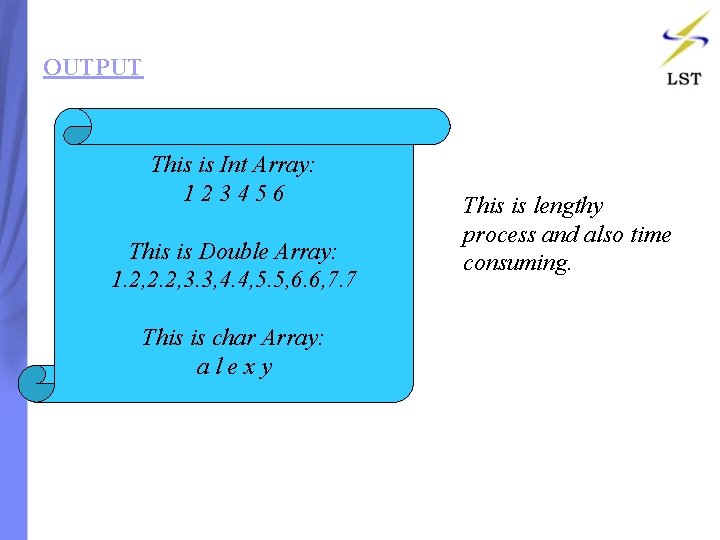
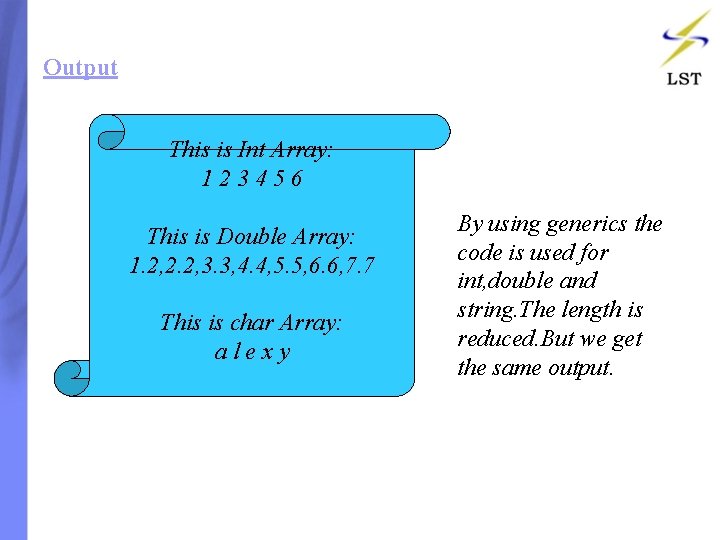
OUTPUT This is Int Array: 123456 This is Double Array: 1. 2, 2. 2, 3. 3, 4. 4, 5. 5, 6. 6, 7. 7 This is char Array: alexy This is lengthy process and also time consuming.
Generics Methods class Class 2 { static void Main() { int[] intarrey ={0, 0, 0, 0 }; double[] doublearray ={ 1. 2, 2. 2, 3. 3, 4. 4, 5. 5, 6. 6, 7. 7 }; char[] chararray ={ 'a', 'l', 'e', 'x', 'y' }; Console. Write. Line("This is Int Array"); Printarray(intarrey); Console. Write. Line("This is double array"); Printarray(doublearray); Console. Write. Line("This is char array"); Printarray(chararray); } static void Printarray<E>(E[] input) { foreach (E element in input) Console. Write(element + " "); Console. Write. Line("n"); } }
Output This is Int Array: 123456 This is Double Array: 1. 2, 2. 2, 3. 3, 4. 4, 5. 5, 6. 6, 7. 7 This is char Array: alexy By using generics the code is used for int, double and string. The length is reduced. But we get the same output.
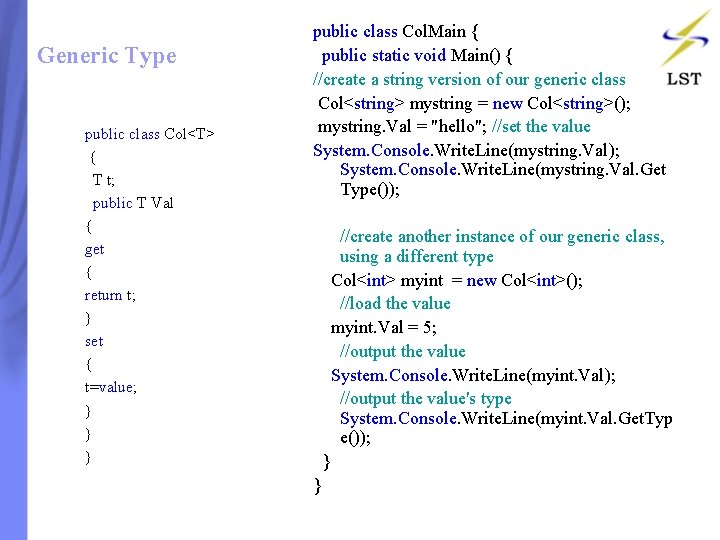
Generic Type public class Col<T> { T t; public T Val { get { return t; } set { t=value; } } } public class Col. Main { public static void Main() { //create a string version of our generic class Col<string> mystring = new Col<string>(); mystring. Val = "hello"; //set the value System. Console. Write. Line(mystring. Val); System. Console. Write. Line(mystring. Val. Get Type()); //create another instance of our generic class, using a different type Col<int> myint = new Col<int>(); //load the value myint. Val = 5; //output the value System. Console. Write. Line(myint. Val); //output the value's type System. Console. Write. Line(myint. Val. Get. Typ e()); } }
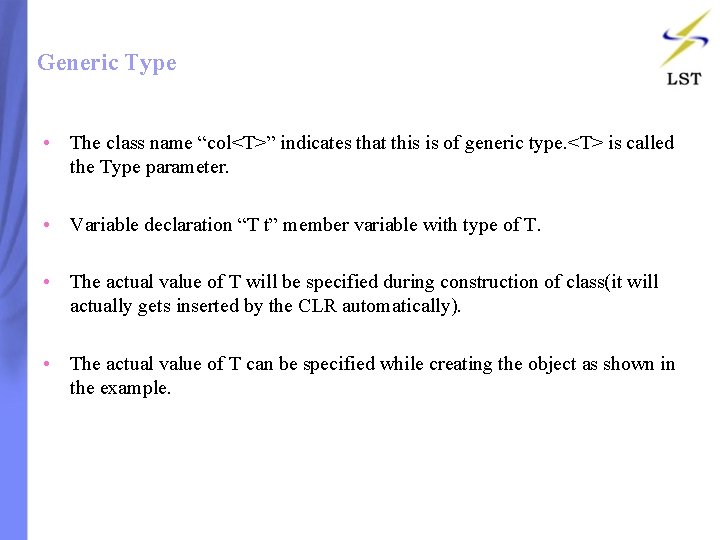
Generic Type • The class name “col<T>” indicates that this is of generic type. <T> is called the Type parameter. • Variable declaration “T t” member variable with type of T. • The actual value of T will be specified during construction of class(it will actually gets inserted by the CLR automatically). • The actual value of T can be specified while creating the object as shown in the example.
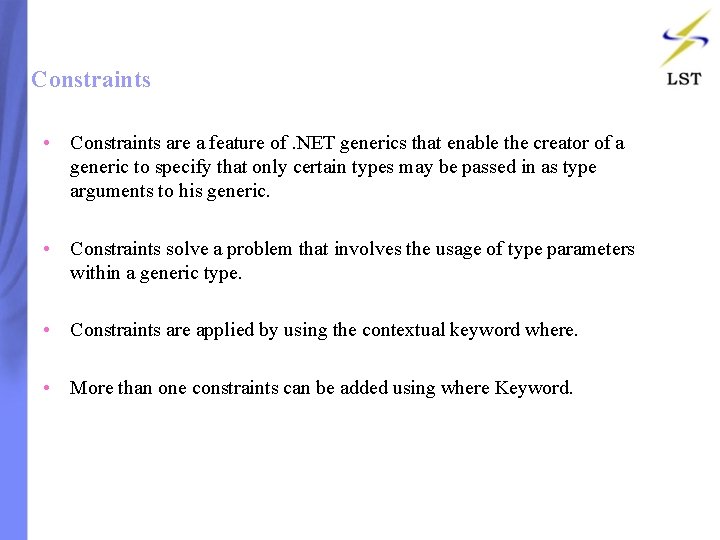
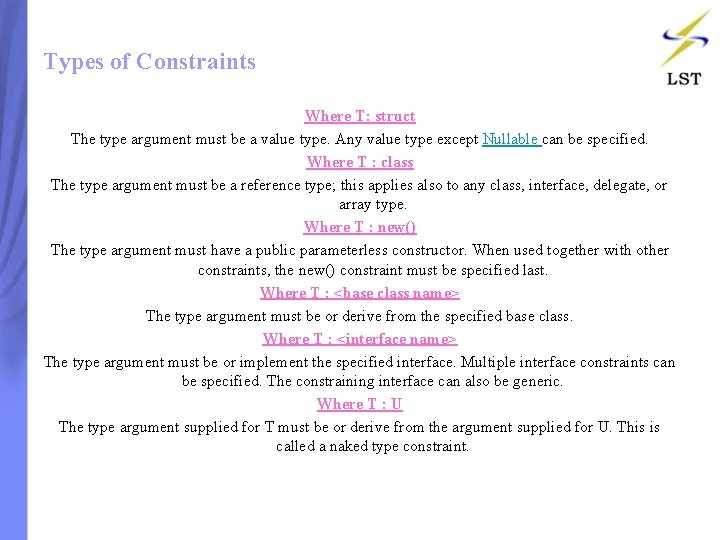
Constraints • Constraints are a feature of. NET generics that enable the creator of a generic to specify that only certain types may be passed in as type arguments to his generic. • Constraints solve a problem that involves the usage of type parameters within a generic type. • Constraints are applied by using the contextual keyword where. • More than one constraints can be added using where Keyword.
Types of Constraints Where T: struct The type argument must be a value type. Any value type except Nullable can be specified. Where T : class The type argument must be a reference type; this applies also to any class, interface, delegate, or array type. Where T : new() The type argument must have a public parameterless constructor. When used together with other constraints, the new() constraint must be specified last. Where T : <base class name> The type argument must be or derive from the specified base class. Where T : <interface name> The type argument must be or implement the specified interface. Multiple interface constraints can be specified. The constraining interface can also be generic. Where T : U The type argument supplied for T must be or derive from the argument supplied for U. This is called a naked type constraint.
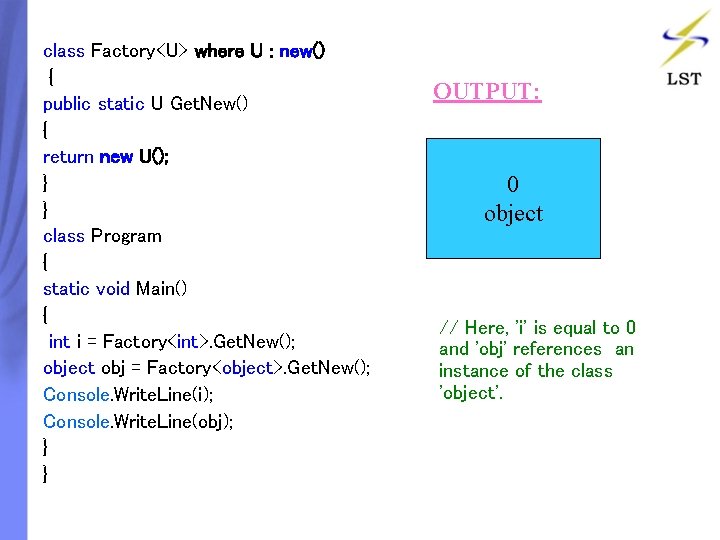
class Factory<U> where U : new() { public static U Get. New() { return new U(); } } class Program { static void Main() { int i = Factory<int>. Get. New(); object obj = Factory<object>. Get. New(); Console. Write. Line(i); Console. Write. Line(obj); } } OUTPUT: 0 object // Here, 'i' is equal to 0 and 'obj' references an instance of the class 'object'.
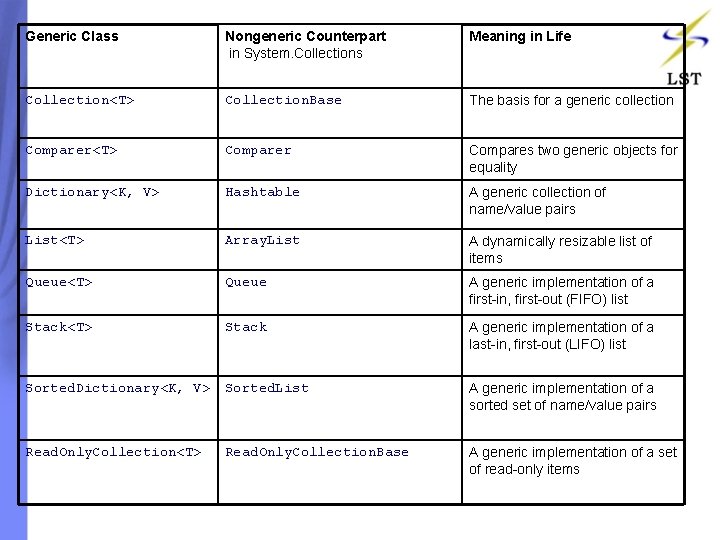
Generic Class Nongeneric Counterpart in System. Collections Meaning in Life Collection<T> Collection. Base The basis for a generic collection Comparer<T> Comparer Compares two generic objects for equality Dictionary<K, V> Hashtable A generic collection of name/value pairs List<T> Array. List A dynamically resizable list of items Queue<T> Queue A generic implementation of a first-in, first-out (FIFO) list Stack<T> Stack A generic implementation of a last-in, first-out (LIFO) list Sorted. Dictionary<K, V> Sorted. List A generic implementation of a sorted set of name/value pairs Read. Only. Collection<T> Read. Only. Collection. Base A generic implementation of a set of read-only items
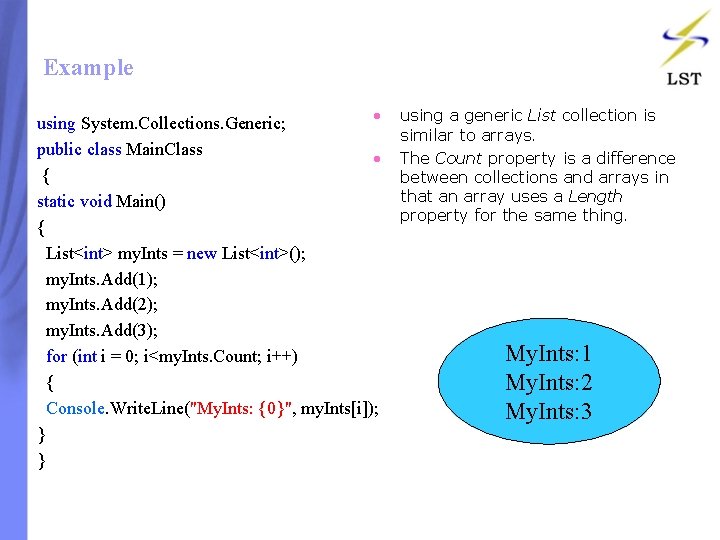
Example • using a generic List collection is using System. Collections. Generic; similar to arrays. public class Main. Class • The Count property is a difference { between collections and arrays in that an array uses a Length static void Main() property for the same thing. { List<int> my. Ints = new List<int>(); my. Ints. Add(1); my. Ints. Add(2); my. Ints. Add(3); My. Ints: 1 for (int i = 0; i<my. Ints. Count; i++) { My. Ints: 2 Console. Write. Line("My. Ints: {0}", my. Ints[i]); My. Ints: 3 } }
The End