
Increasing Internal Controls with Applimation Integra Applimation Overview
- Slides: 43
Increasing Internal Controls with Applimation Integra
Applimation Overview • Founded in 1998 • 230+ customers worldwide • Headquartered in New York City • Offices throughout North America and Europe • Software solutions that manage data growth and ensure integrity throughout the application lifecycle 2
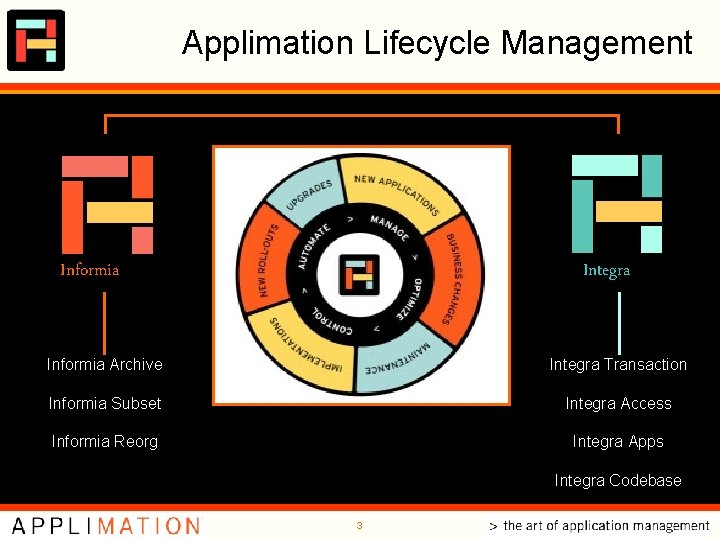
Applimation Lifecycle Management Informia Integra Informia Archive Integra Transaction Informia Subset Integra Access Informia Reorg Integra Apps Integra Codebase 3
Applimation Customers Worldwide 4
Continuous Monitoring in Oracle Applications Applimation Integra
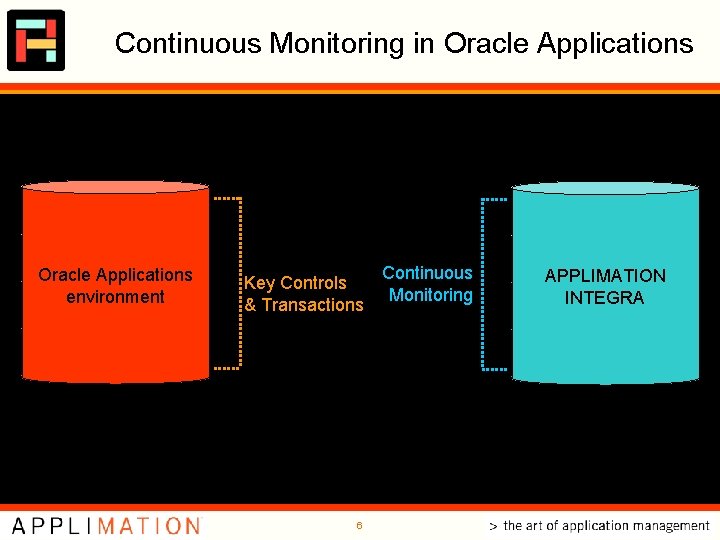
Continuous Monitoring in Oracle Applications transactions security Oracle Applications environment setups Integra Transaction Key Controls & Transactions code Continuous Monitoring Integra Access APPLIMATION INTEGRA Integra Apps Integra Codebase 6
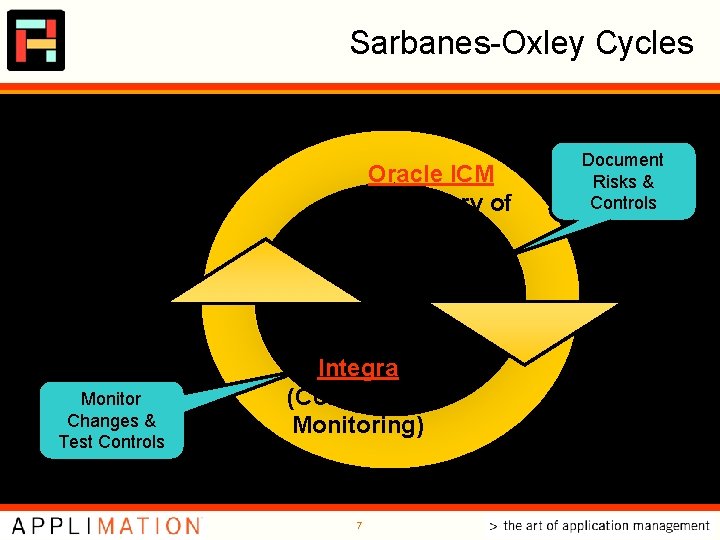
Sarbanes-Oxley Cycles Oracle ICM (Repository of Controls) Monitor Changes & Test Controls Integra (Continuous Monitoring) 7 Document Risks & Controls
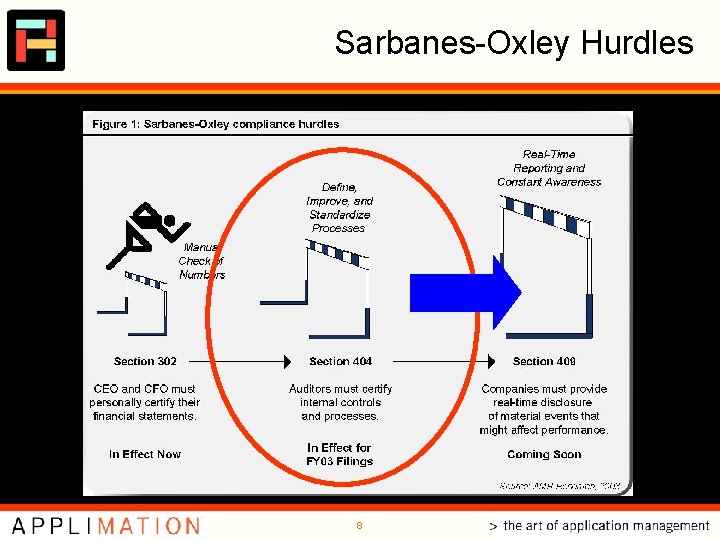
Sarbanes-Oxley Hurdles 8
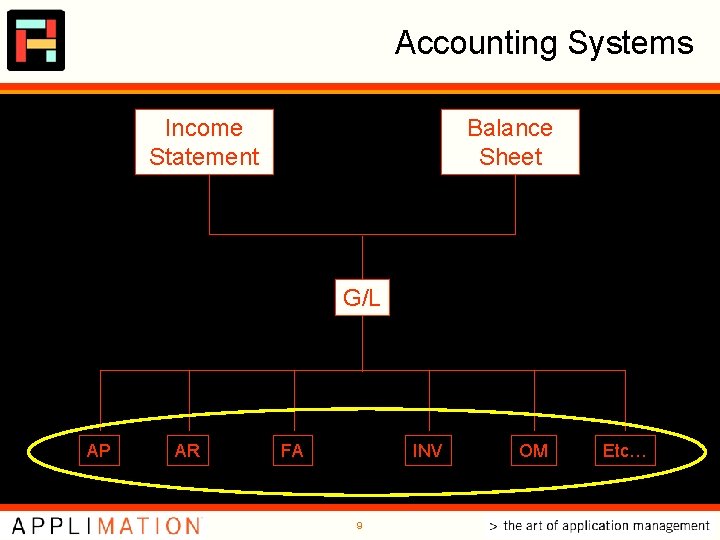
Accounting Systems Income Statement Balance Sheet G/L AP AR FA INV 9 OM Etc…
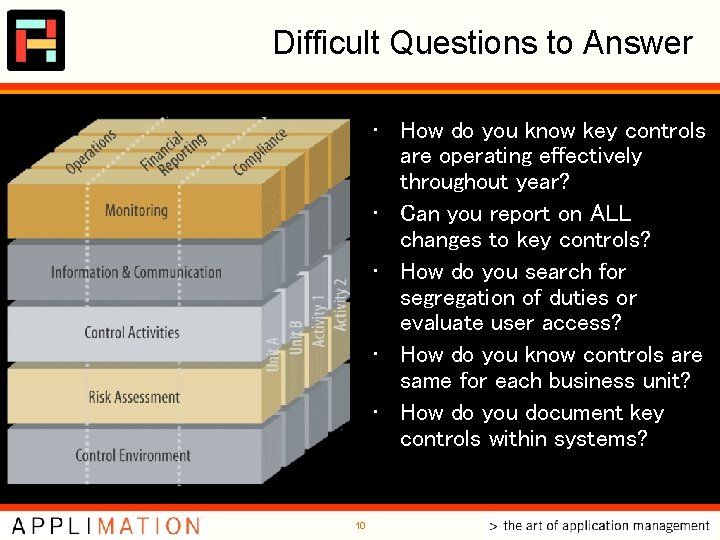
Difficult Questions to Answer • How do you know key controls are operating effectively throughout year? • Can you report on ALL changes to key controls? • How do you search for segregation of duties or evaluate user access? • How do you know controls are same for each business unit? • How do you document key controls within systems? 10
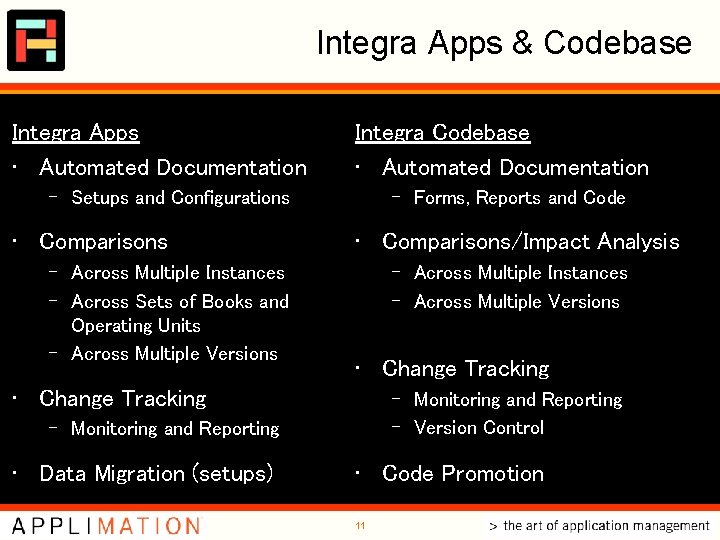
Integra Apps & Codebase Integra Apps • Automated Documentation Integra Codebase • Automated Documentation – Setups and Configurations • Comparisons – Across Multiple Instances – Across Sets of Books and Operating Units – Across Multiple Versions – Forms, Reports and Code • Comparisons/Impact Analysis – Across Multiple Instances – Across Multiple Versions • Change Tracking – Monitoring and Reporting – Version Control – Monitoring and Reporting • Data Migration (setups) • Code Promotion 11
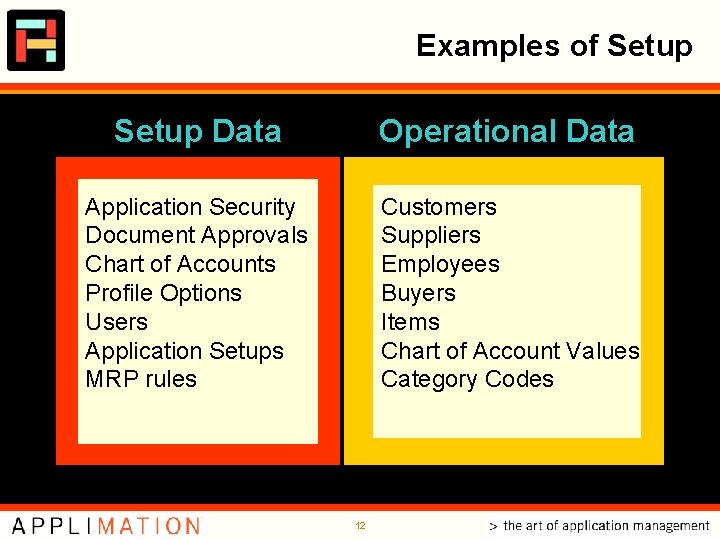
Examples of Setup Data Operational Data Application Security Document Approvals Chart of Accounts Profile Options Users Application Setups MRP rules Customers Suppliers Employees Buyers Items Chart of Account Values Category Codes 12
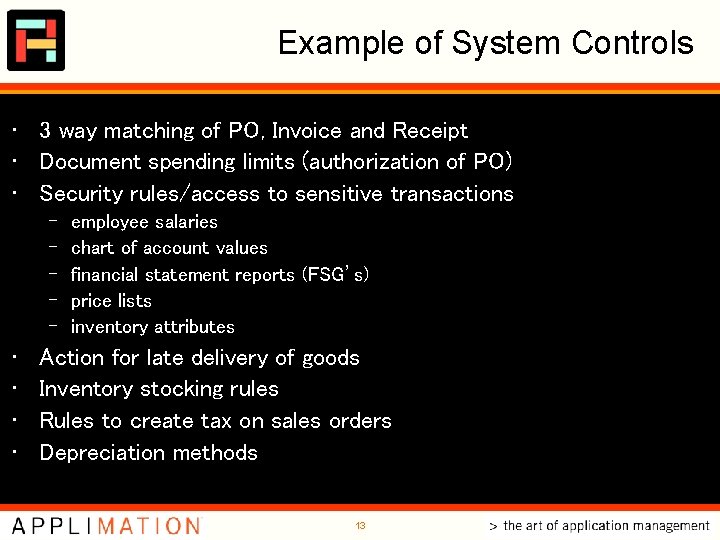
Example of System Controls • 3 way matching of PO, Invoice and Receipt • Document spending limits (authorization of PO) • Security rules/access to sensitive transactions – – – • • employee salaries chart of account values financial statement reports (FSG’s) price lists inventory attributes Action for late delivery of goods Inventory stocking rules Rules to create tax on sales orders Depreciation methods 13
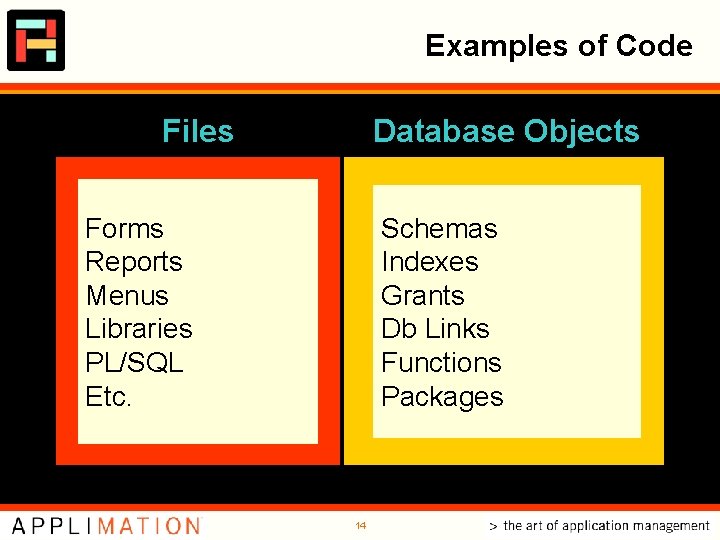
Examples of Code Files Database Objects Forms Reports Menus Libraries PL/SQL Etc. Schemas Indexes Grants Db Links Functions Packages 14
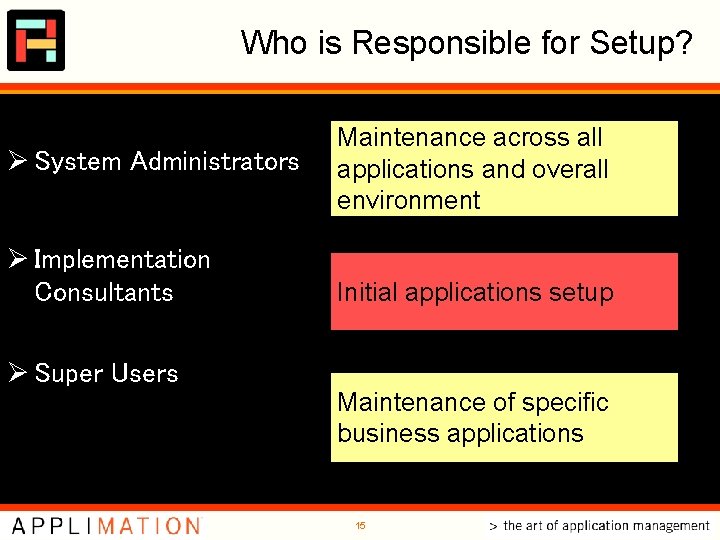
Who is Responsible for Setup? Ø System Administrators Ø Implementation Consultants Ø Super Users Maintenance across all applications and overall environment Initial applications setup Maintenance of specific business applications 15
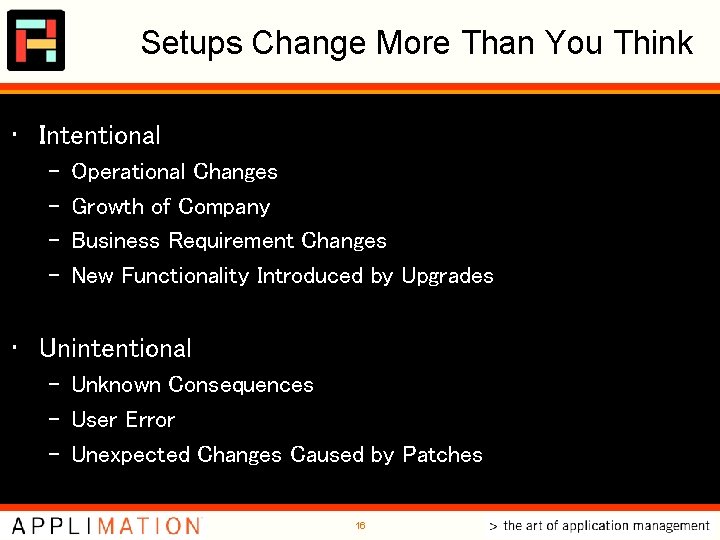
Setups Change More Than You Think • Intentional – – Operational Changes Growth of Company Business Requirement Changes New Functionality Introduced by Upgrades • Unintentional – Unknown Consequences – User Error – Unexpected Changes Caused by Patches 16
Integra Apps
Automated Documentation: Snapshot Ø Point-in-time Ø Run picture on demand or scheduled 18
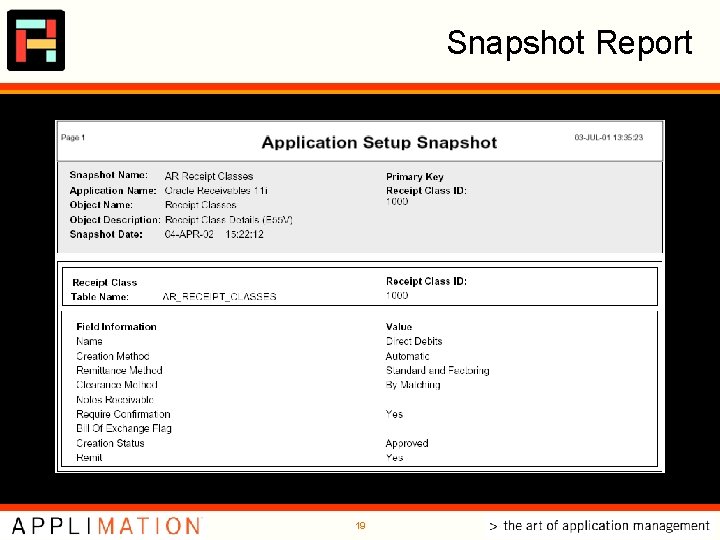
Snapshot Report 19
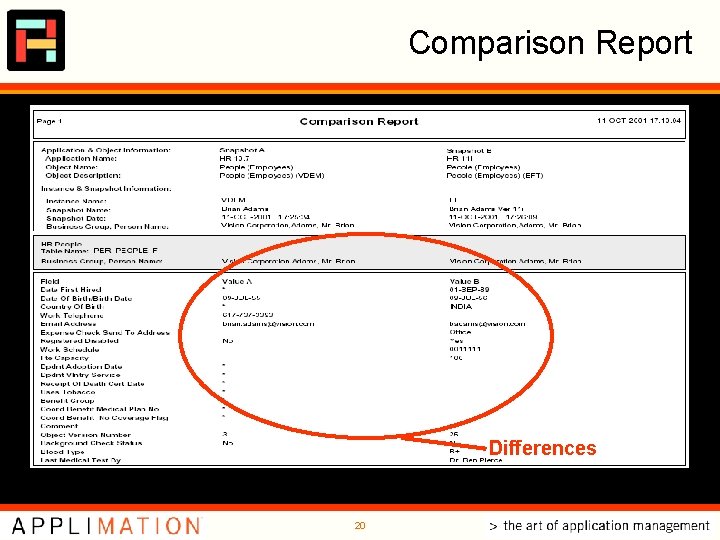
Comparison Report Differences 20
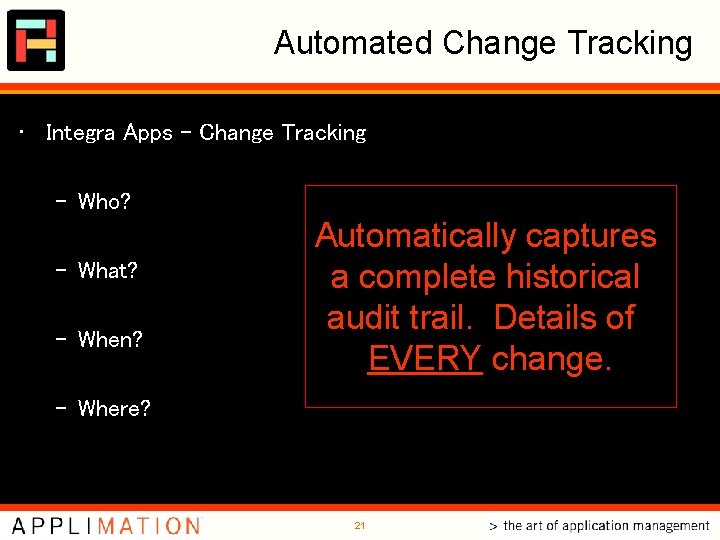
Automated Change Tracking • Integra Apps - Change Tracking – Who? – What? – When? Automatically captures a complete historical audit trail. Details of EVERY change. – Where? 21
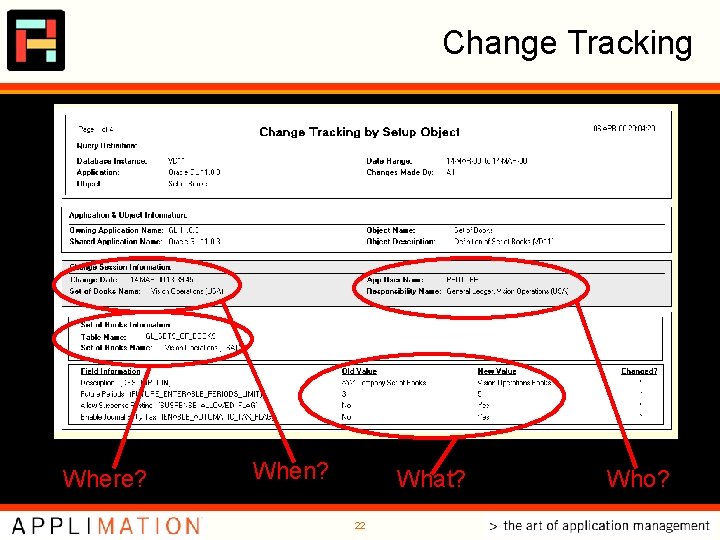
Change Tracking Where? When? What? 22 Who?
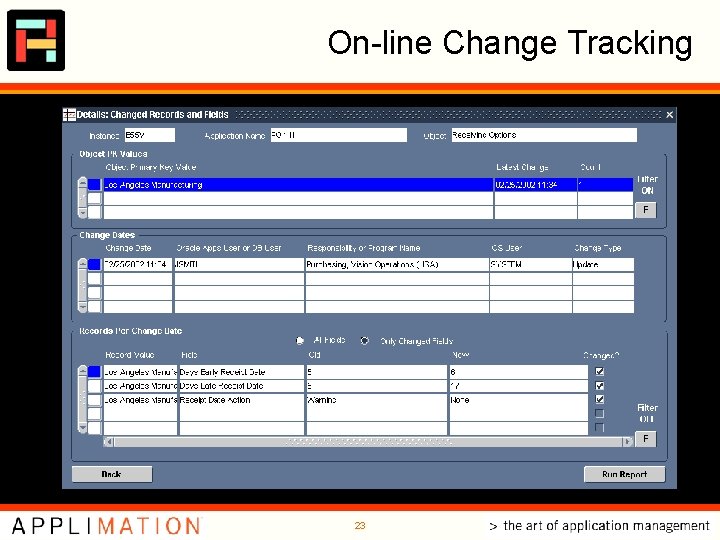
On-line Change Tracking 23
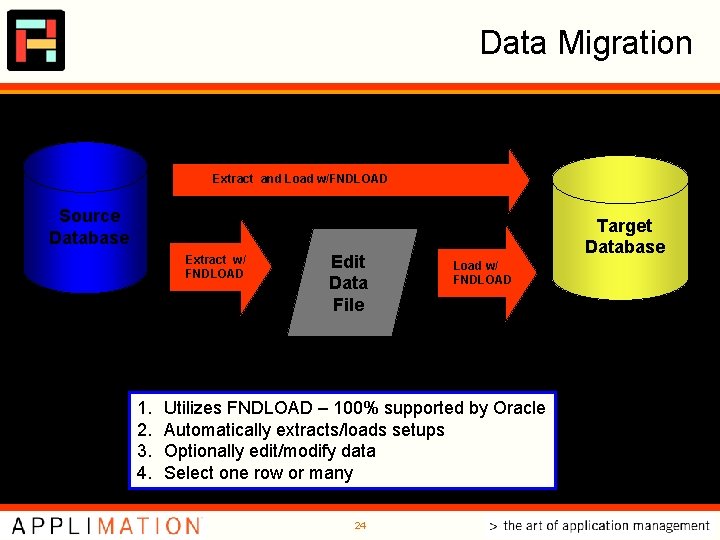
Data Migration Extract and Load w/FNDLOAD Source Database Extract w/ FNDLOAD 1. 2. 3. 4. Edit Data File Target Database Load w/ FNDLOAD Utilizes FNDLOAD – 100% supported by Oracle Automatically extracts/loads setups Optionally edit/modify data Select one row or many 24
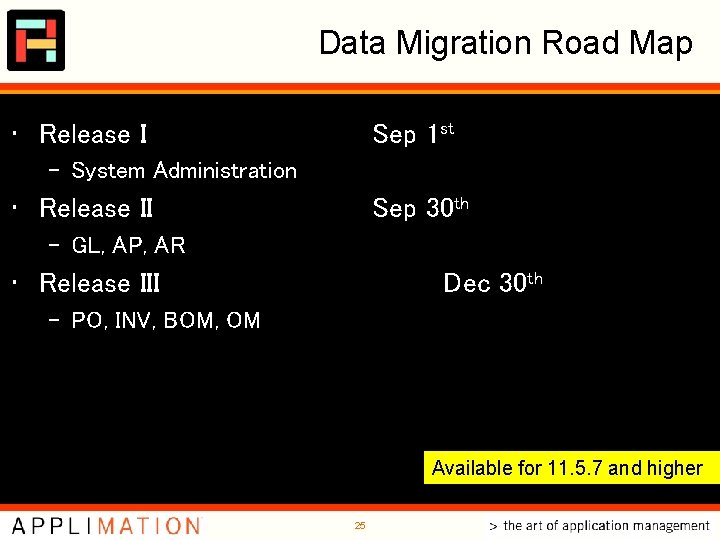
Data Migration Road Map • Release I Sep 1 st – System Administration • Release II Sep 30 th – GL, AP, AR • Release III Dec 30 th – PO, INV, BOM, OM Available for 11. 5. 7 and higher 25
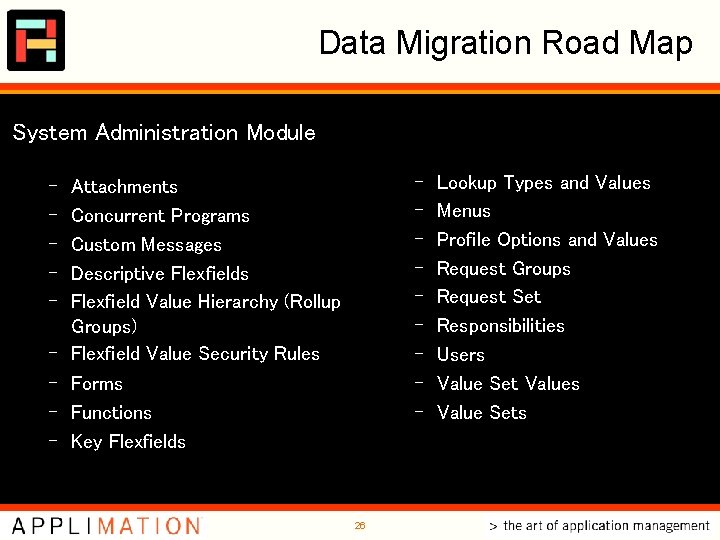
Data Migration Road Map System Administration Module – – – – – Attachments Concurrent Programs Custom Messages Descriptive Flexfields Flexfield Value Hierarchy (Rollup Groups) Flexfield Value Security Rules Forms Functions Key Flexfields 26 Lookup Types and Values Menus Profile Options and Values Request Groups Request Set Responsibilities Users Value Set Values Value Sets
Integra Codebase
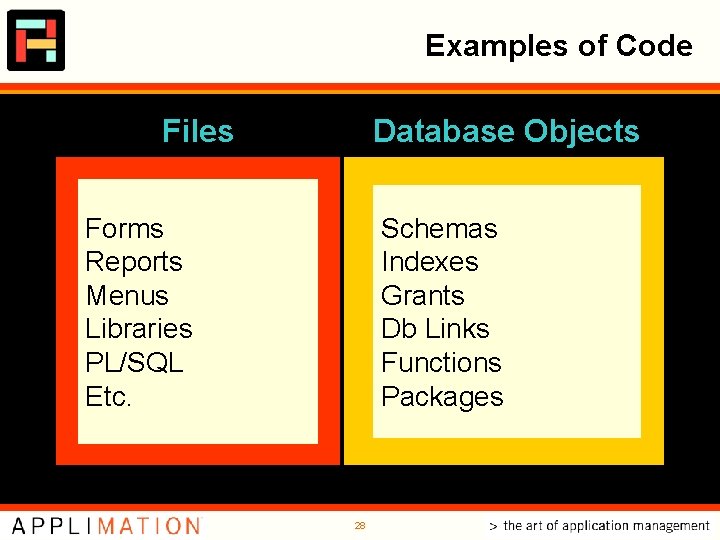
Examples of Code Files Database Objects Forms Reports Menus Libraries PL/SQL Etc. Schemas Indexes Grants Db Links Functions Packages 28
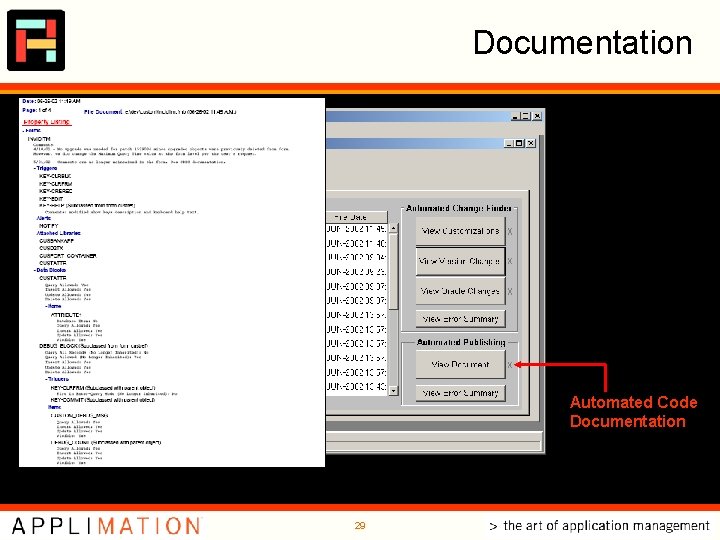
Documentation Automated Code Documentation 29
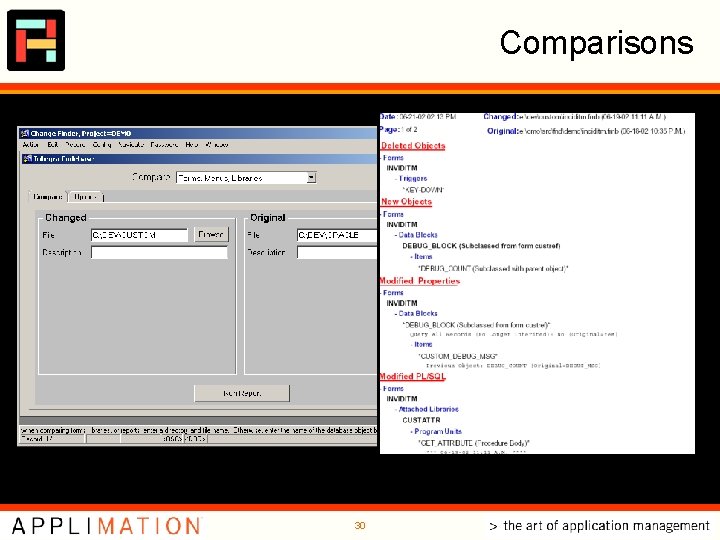
Comparisons 30
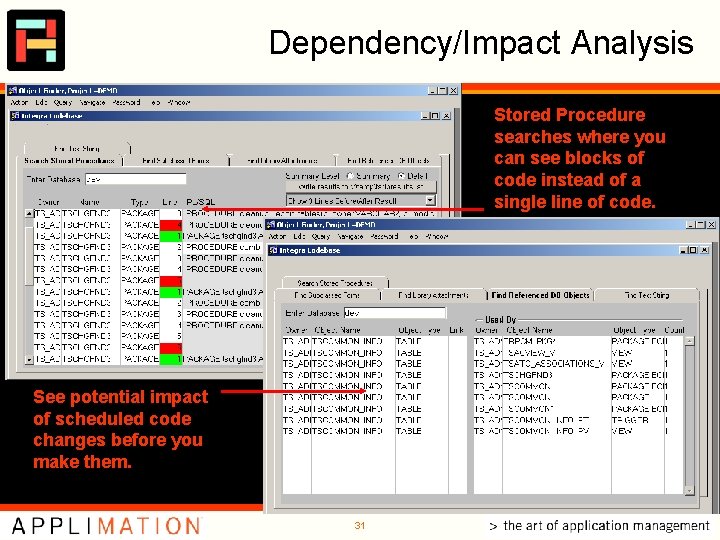
Dependency/Impact Analysis Stored Procedure searches where you can see blocks of code instead of a single line of code. See potential impact of scheduled code changes before you make them. 31
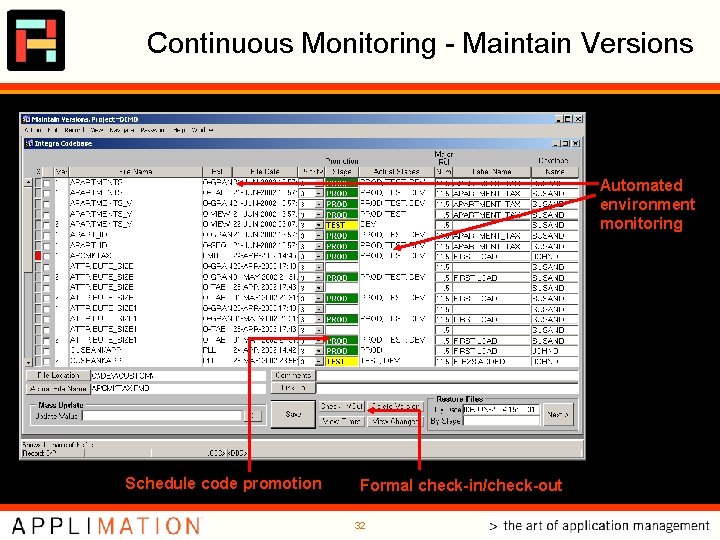
Continuous Monitoring - Maintain Versions Automated environment monitoring Schedule code promotion Formal check-in/check-out 32
Integra Access • Evaluate User Access • Search for Segregation of Duties Issues
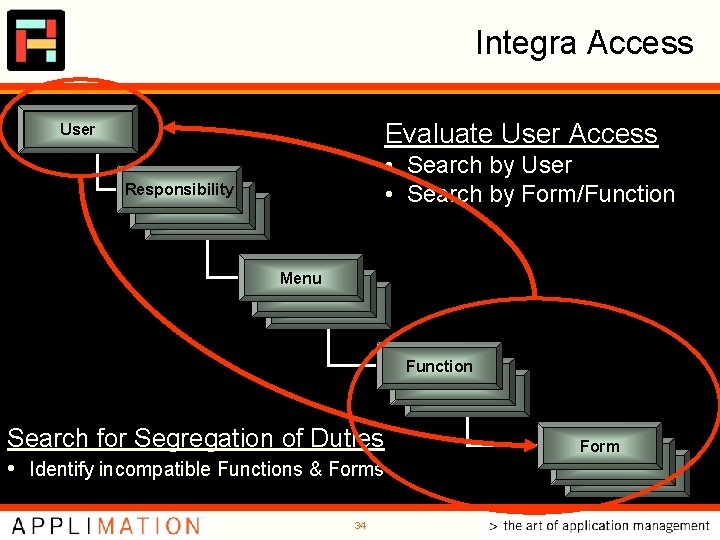
Integra Access Evaluate User Access User • Search by User • Search by Form/Function Responsibility Menu Function Search for Segregation of Duties • Identify incompatible Functions & Forms 34 Form
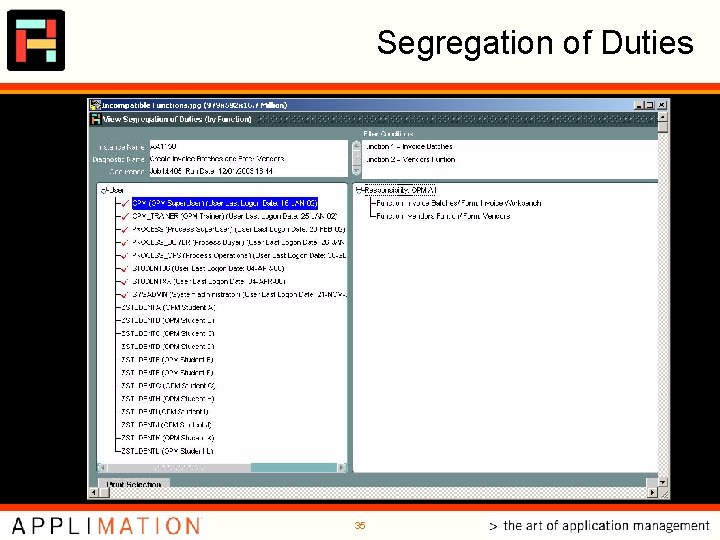
Segregation of Duties 35
Integra Transaction • Monitor transactions for anomalies • Identify thresholds • Alert notifications
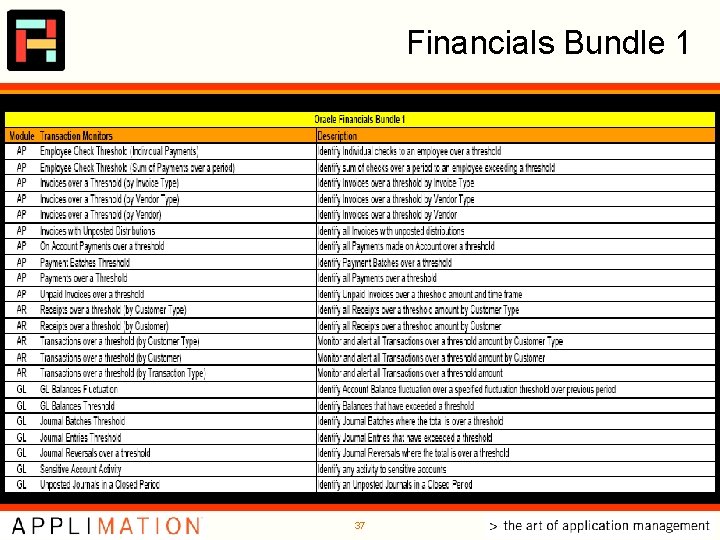
Financials Bundle 1 37
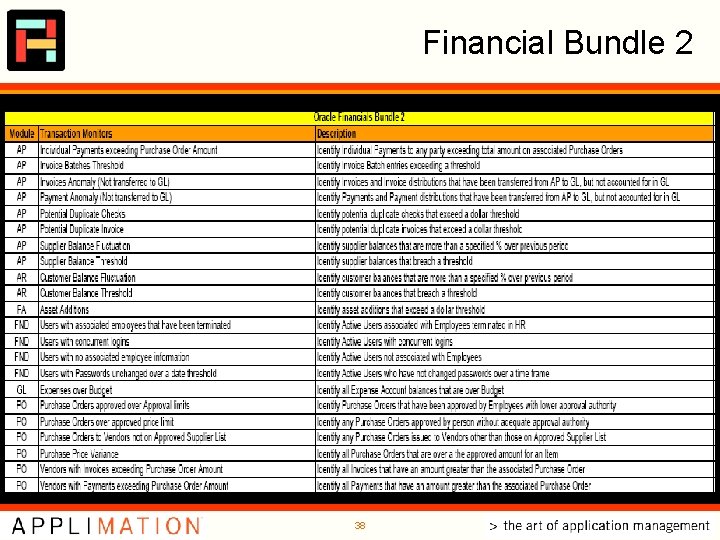
Financial Bundle 2 38
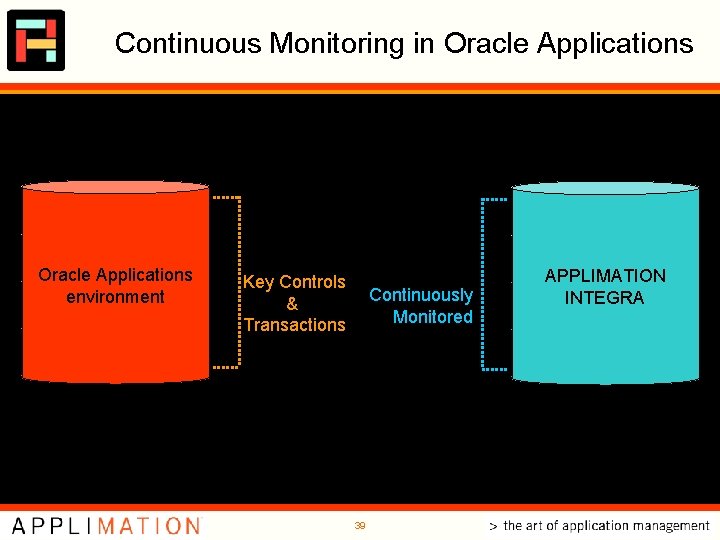
Continuous Monitoring in Oracle Applications transactions Integra Transaction security Oracle Applications environment setups Integra Access APPLIMATION INTEGRA Integra Apps Key Controls & Transactions Continuously Monitored code Integra Codebase 39
For More Information www. applimation. com Mark Nelson Applimation, Inc. Phone: E-mail: (212) 560 -7878 mnelson@applimation. com 40
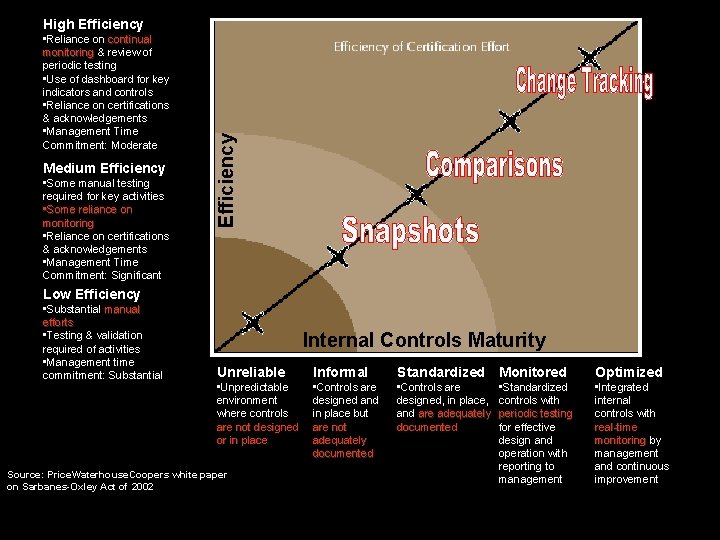
• Reliance on continual monitoring & review of periodic testing • Use of dashboard for key indicators and controls • Reliance on certifications & acknowledgements • Management Time Commitment: Moderate Medium Efficiency • Some manual testing required for key activities • Some reliance on monitoring • Reliance on certifications & acknowledgements • Management Time Commitment: Significant Efficiency High Efficiency Low Efficiency • Substantial manual efforts • Testing & validation required of activities • Management time commitment: Substantial Internal Controls Maturity Unreliable Informal Standardized Monitored Optimized • Unpredictable environment where controls are not designed or in place • Controls are designed and in place but are not adequately documented • Controls are designed, in place, and are adequately documented • Standardized controls with periodic testing for effective design and operation with reporting to management • Integrated internal controls with real-time monitoring by management and continuous improvement Source: Price. Waterhouse. Coopers white paper on Sarbanes-Oxley Act of 2002
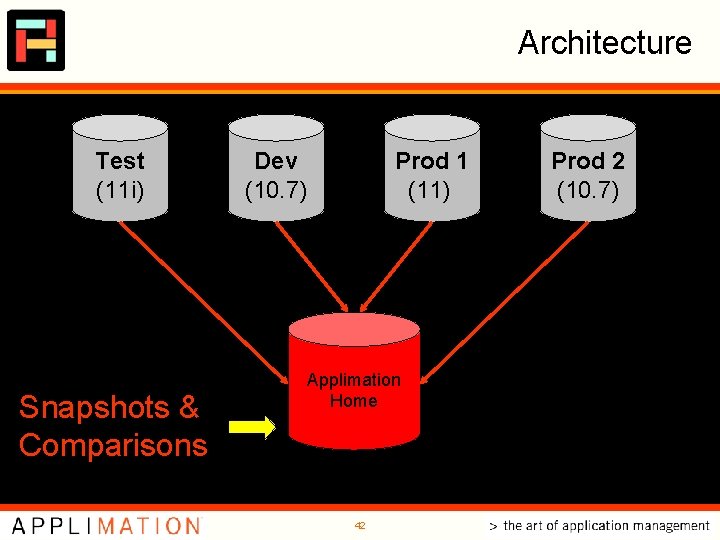
Architecture Test (11 i) Snapshots & Comparisons Dev (10. 7) Prod 1 (11) Applimation Home 42 Prod 2 (10. 7)
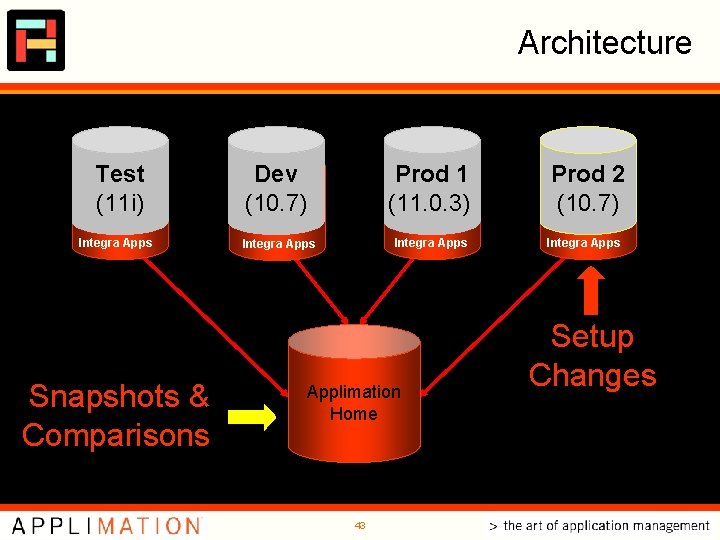
Architecture Test (11 i) Integra Apps Snapshots & Comparisons Dev (10. 7) Prod 1 (11. 0. 3) Integra Apps Applimation Home 43 Prod 2 (10. 7) Integra Apps Setup Changes