
Incorporating Pragmatic Usability Testing Into a Software Test
Incorporating Pragmatic Usability Testing Into a Software Test Plan Carla Merrill, Ph. D. Chatham Design Consultants © Carla Merrill, Ph. D. Chatham Design Consultants, 2013
Presentation Topics 1. How important is usability for a software product? 2. Why is it hard to incorporate usability testing into test plans? 3. A solution through design 4. Integrating the solution into an agile process © Carla Merrill, Ph. D. Chatham Design Consultants, 2013 2
The Importance of Usability An interactive thought experiment for MS Word users FIRST: Think of something you liked about the Word. Why do you like it? (because it does what you need) What if I told you that the code implementing that feature was done in an old programming language and was inelegant, even sloppy. Knowing that, think about that feature again. Do you picture the code or the UI? ( UI) Do you care about the structure of the code? (no) SECOND: Think about something you don’t like about the product. Why don’t you like it? (because it doesn’t do what you need) What if I told you that the code for that part of the product was extremely elegantly written in a programming language du jour. Would that fact make you like the feature? (no) © Carla Merrill, Ph. D. Chatham Design Consultants, 2013 3
The Importance of Usability Paradigm Shift: 1. Users define and evaluate a software product in terms of what they experience: the user interface. 2. Long-term success of a software product depends on how well the user interface meets the needs of target users. 3. Good-quality code doesn’t matter to users if the features it implements don’t meet their needs. Users don’t experience the code. © Carla Merrill, Ph. D. Chatham Design Consultants, 2013 4
Perceived Difficulties of Incorporating Usability Testing into a Software Test Plan 1. Specialized Human Factors skills required. 2. Specialized environments (test labs) required. 3. Appropriate test subjects required. 4. What is to be tested? 5. More project time and money required after standard test phase. 6. Test results and recommended changes are difficult to track and difficult to implement before product release. © Carla Merrill, Ph. D. Chatham Design Consultants, 2013 5
Solution: Take Advantage of the Software Design Phase Require the user interface design process to deliver user scenarios that can be added to test plans. © Carla Merrill, Ph. D. Chatham Design Consultants, 2013 6
Required Format for User Scenarios 1. Pragmatic: only scenarios that capture the primary tasks of your target users (contrast with use cases). 2. Created from the user’s perspective with userbased vocabulary that is implementation free. 3. Step-by-step format, limited to 10 steps per scenario. 4. Long tasks are chunked into a series of scenarios that are prioritized by importance to target users. 5. Scenarios are validated with users before testing begins. © Carla Merrill, Ph. D. Chatham Design Consultants, 2013 7
Adding Scenarios To Test Plans 1. Tester can define a test procedure for each scenario by adding implementation language. 2. Tester can evaluate success/failure of a scenario by standard test methods: (time, system failure points, UI failure points, number of implementation steps required to complete the scenario). 3. Tester can log bugs for failure points in the test procedure. © Carla Merrill, Ph. D. Chatham Design Consultants, 2013 8
Advantages of Incorporating User Scenarios: Usability Can Be Tested! 1. Testers have the skills. 2. Usability tests are clearly defined. 3. Standard test procedures are used. 4. Testing cycle allows usability bugs to be fixed before release. 5. Usability bugs can be triaged appropriately based on priority ratings of scenarios. 6. Usability of the product can be measured using standard testing metrics. © Carla Merrill, Ph. D. Chatham Design Consultants, 2013 9
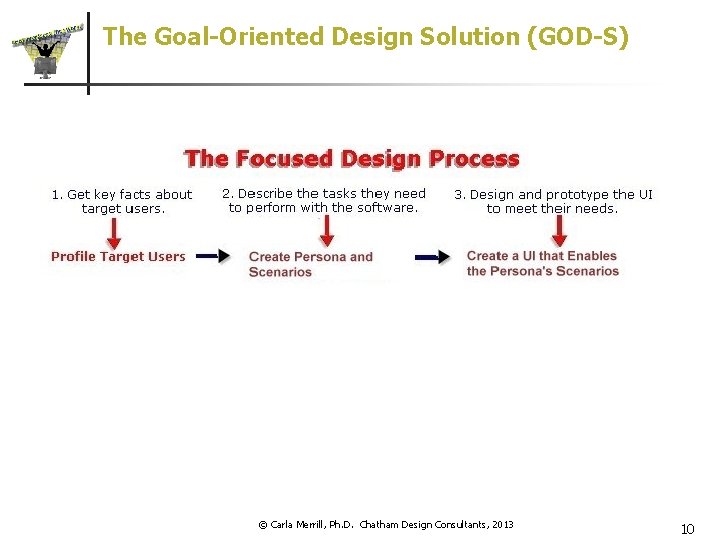
The Goal-Oriented Design Solution (GOD-S) © Carla Merrill, Ph. D. Chatham Design Consultants, 2013 10
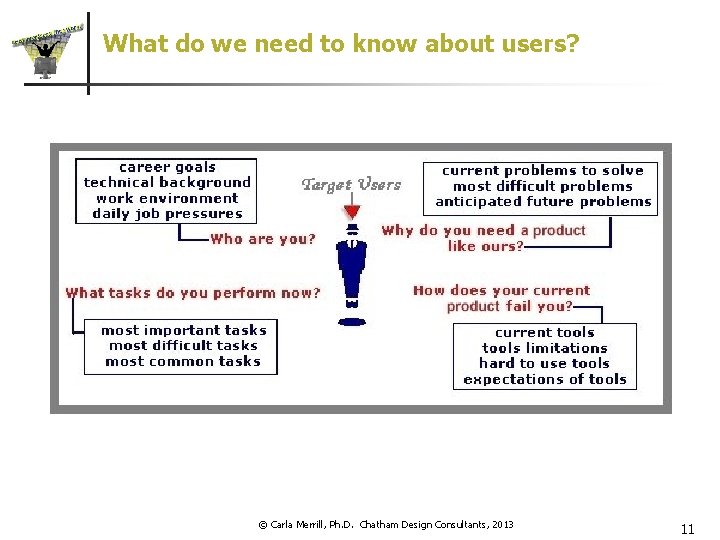
What do we need to know about users? © Carla Merrill, Ph. D. Chatham Design Consultants, 2013 11
How do we gather the information we need? n Gain access to users n Meet users in the right environment n Prepare for the meetings n Practice Guided Listening™ n Create user reports © Carla Merrill, Ph. D. Chatham Design Consultants, 2013 12
How do we make effective use of the information we’ve gathered? n The major challenges of UI design n “Many users — one user interface” Feature-creep and elastic users Who’s to say what users want? n What is a persona? * n What are scenarios? n A persona with scenarios can help solve the problems of UI design * Based on the usage of the term coined by Alan Cooper © Carla Merrill, Ph. D. Chatham Design Consultants, 2013 13
Design the User Interface Based on Goal-Oriented Scenarios A sound strategy for UI design: n Top-down design – follow the user n n 1 step at a time – focus on enabling scenarios There is no “right answer” – verify the design with users n It’s creative n It requires the UI design skillset n It’s iterative and needs scheduled time in the project © Carla Merrill, Ph. D. Chatham Design Consultants, 2013 14
How does GOD work with different development models? How to merge GOD with a Development Model n Serial Development Model n Agile Development Model © Carla Merrill, Ph. D. Chatham Design Consultants, 2013 15
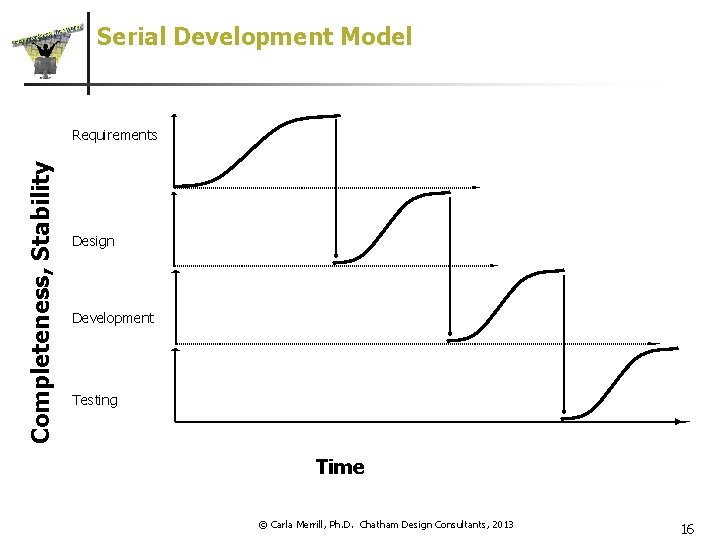
Serial Development Model Completeness, Stability Requirements Design Development Testing Time © Carla Merrill, Ph. D. Chatham Design Consultants, 2013 16
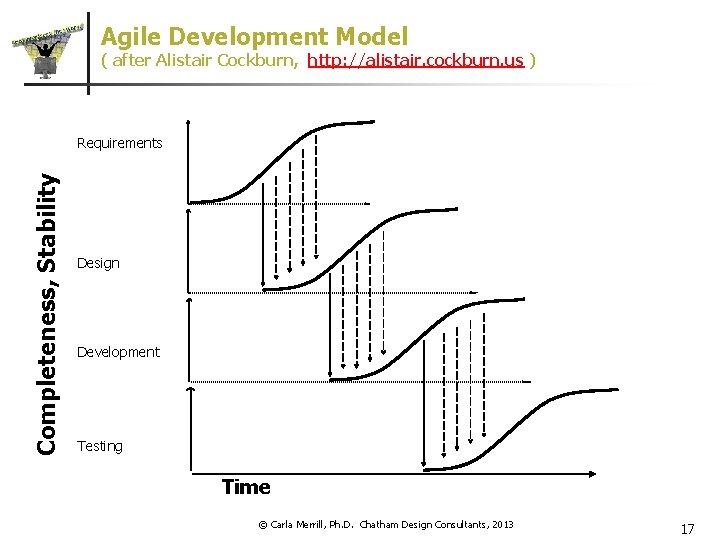
Agile Development Model ( after Alistair Cockburn, http: //alistair. cockburn. us ) Completeness, Stability Requirements Design Development Testing Time © Carla Merrill, Ph. D. Chatham Design Consultants, 2013 17
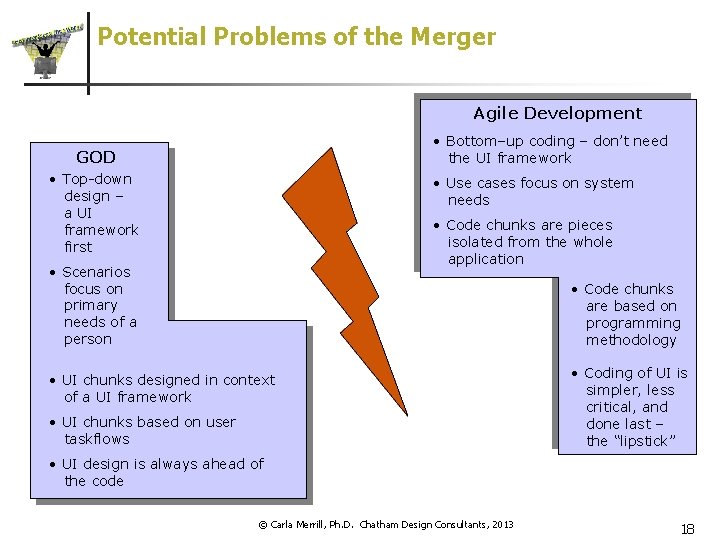
Potential Problems of the Merger Agile Development • Bottom–up coding – don’t need the UI framework GOD • Top-down design – a UI framework first • Use cases focus on system needs • Code chunks are pieces isolated from the whole application • Scenarios focus on primary needs of a person • Code chunks are based on programming methodology • UI chunks designed in context of a UI framework • UI chunks based on user taskflows • Coding of UI is simpler, less critical, and done last – the “lipstick” • UI design is always ahead of the code © Carla Merrill, Ph. D. Chatham Design Consultants, 2013 18
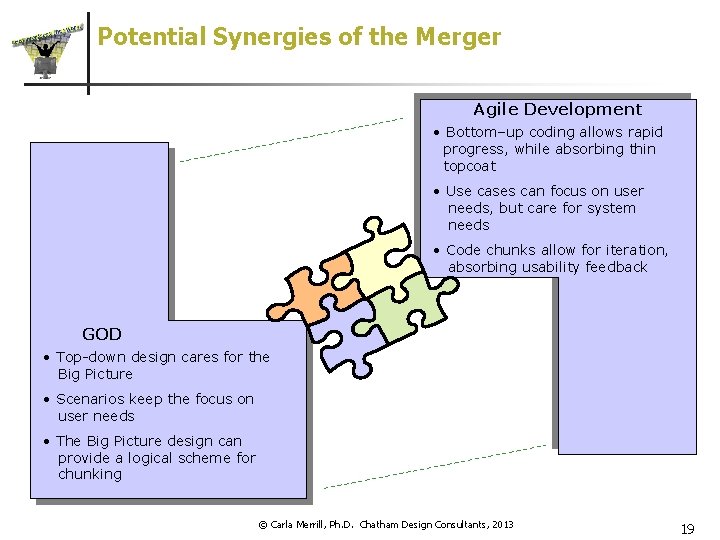
Potential Synergies of the Merger Agile Development • Bottom–up coding allows rapid progress, while absorbing thin topcoat • Use cases can focus on user needs, but care for system needs • Code chunks allow for iteration, absorbing usability feedback GOD • Top-down design cares for the Big Picture • Scenarios keep the focus on user needs • The Big Picture design can provide a logical scheme for chunking © Carla Merrill, Ph. D. Chatham Design Consultants, 2013 19
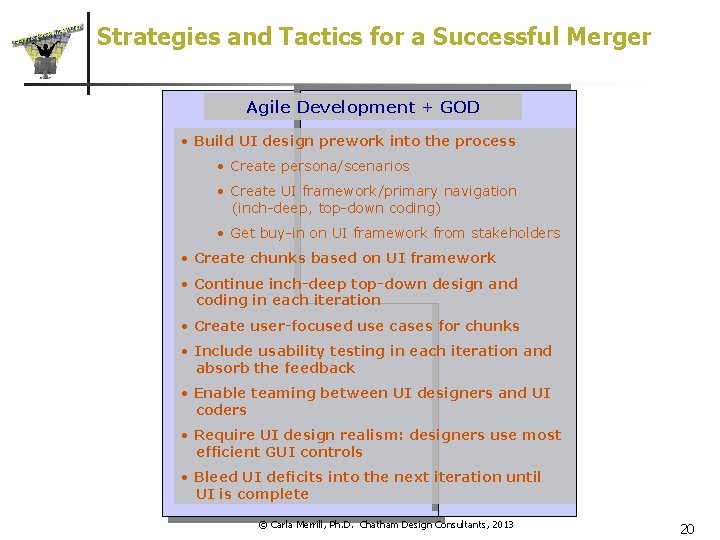
Strategies and Tactics for a Successful Merger Agile Development + GOD • Build UI design prework into the process • Create persona/scenarios • Create UI framework/primary navigation (inch-deep, top-down coding) • Get buy-in on UI framework from stakeholders • Create chunks based on UI framework • Continue inch-deep top-down design and coding in each iteration • Create user-focused use cases for chunks • Include usability testing in each iteration and absorb the feedback • Enable teaming between UI designers and UI coders • Require UI design realism: designers use most efficient GUI controls • Bleed UI deficits into the next iteration until UI is complete © Carla Merrill, Ph. D. Chatham Design Consultants, 2013 20
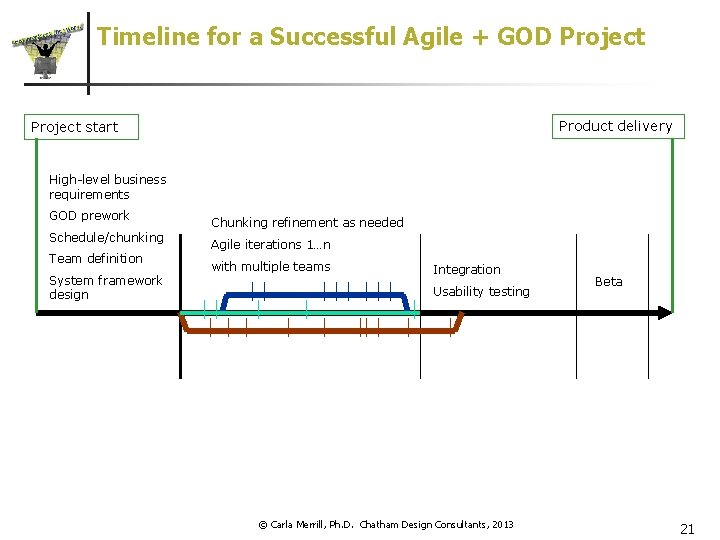
Timeline for a Successful Agile + GOD Project Product delivery Project start High-level business requirements GOD prework Schedule/chunking Team definition System framework design Chunking refinement as needed Agile iterations 1…n with multiple teams Integration Usability testing © Carla Merrill, Ph. D. Chatham Design Consultants, 2013 Beta 21
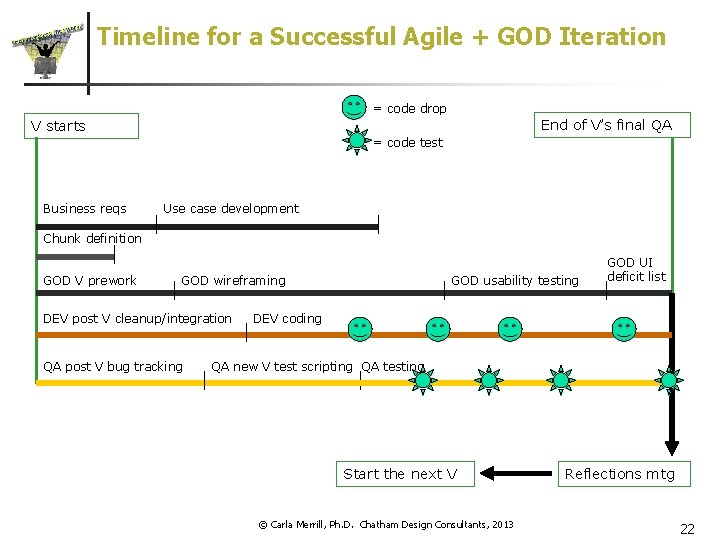
Timeline for a Successful Agile + GOD Iteration = code drop End of V’s final QA V starts = code test Business reqs Use case development Chunk definition GOD V prework GOD wireframing DEV post V cleanup/integration QA post V bug tracking GOD usability testing GOD UI deficit list DEV coding QA new V test scripting QA testing Start the next V © Carla Merrill, Ph. D. Chatham Design Consultants, 2013 Reflections mtg 22
Summary 1. Usability testing is important for the success of a software product. 2. Pragmatic usability testing can be incorporated into the standard test plan through user scenarios developed in the design phase. 3. Testing can be done using existing QA resources and bug tracking systems. 4. Goal-Oriented Design supports pragmatic usability testing in an agile software development environment. © Carla Merrill, Ph. D. Chatham Design Consultants, 2013 23
- Slides: 23