
Inclusive Technology Ginger Software A Tech Tool to


- Slides: 20
Inclusive Technology: Ginger Software A Tech Tool to Encourage Inclusion in the Classroom!
What is Ginger Software? Ginger Software has many writing tools to help correct or enhance one’s writing: ★ Sentence Rephraser is able to utilize the synonyms tool ★ Spelling Book ★ Grammar Rules ensures writing is accurate ★ Proofreader can be used to check for errors on the finished piece ★ Dictionary, Translations, Text Reader all work to improve communication and language skills (Ginger Software, 2016).
How To use it?
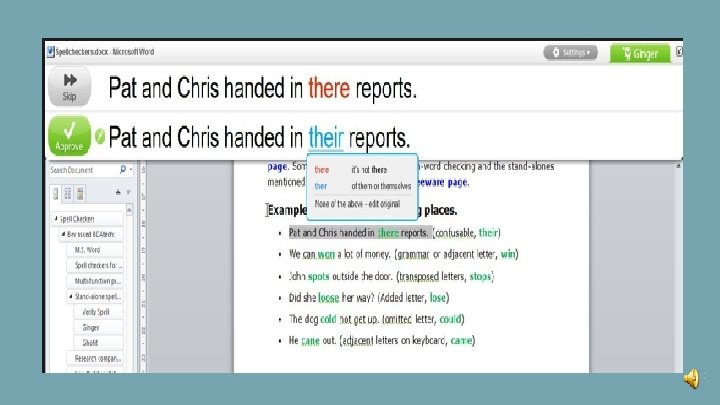
★ First, go to gingersoftware. com (http: //www. gingersoftware. com) and download it to your device for free. It will ask you to sign up and then you can begin using it. ★ When you open Microsoft Word, Ginger will automatically be there for you to use (with a green checkmark) ★ After typing in Word, you can click on the green checkmark or press F 2 which will bring up a pop-up window which is where the incorrect text and correct text will be shown simultaneously -see next slide for an example. . . (Thorton, 2009)
★ After the incorrect word or sentence has been identified by Ginger and it appears in the pop-up bar, the writer can: ❖ Can click the speaker icon to listen to how the word(s) or sentence sounds in both the incorrect and correct versions (highlights each word as read to you) ❖ Can approve the correction or skip ❖ Can click on the highlighted blue word and it will give you different meanings within context ➢ For example, if “no” was written and Ginger corrected it to “know” (Thorton, 2009). ★ Catches spelling errors that Microsoft Word misses, such as “I no that I cud find the answer” - no and cud are spelled correctly but not in this context (Thorton, 2009).
★ Here is 5 minute video explaining how Ginger works (Ginger Software, 2011).
How and why is Ginger Software an inclusive tech?
Why Ginger is an inclusive tech ★ Many students in classrooms struggle to achieve age-appropriate reading and writing skills. This limits their ability to independently realise their full potential. Benefits of such students using this technology in the classroom include written expression, reading, spelling skills, and social acceptance (Quenneville, 2001). ★ Just giving these struggling students a laptop will not improve their ability to benefit from teaching nor from their own research or written work. Adding literacy support software into the package definitely will! (Ginger Software, 2016).
Why Ginger is an inclusive Tech Cont. ★ Decreases student dependency on teacher/educational assistant support. Student is able to work much more independently which in turn increases level of independence and self confidence. Students are therefore less stigmatized in the classroom. ★ Such assistive technology holds the potential to maximize educational opportunities for individuals with disabilities in regular classrooms by promoting access, participation, and learning outcomes (Marino, Sameshima & Beecher, 2009). ★ In addition to increasing independence and decreasing stigma, Ginger supports progressive improvement of reading and writing skills without the presence of a teacher (Ginger Software, 2016).
How ginger is an inclusive tech ★ Automatically corrects spelling, grammar ★ In a single click, whole sentences are corrected and misused words without changing the writer’s intent ★ Tracks mistakes and progress, which allows educators to monitor students and personalize instruction in a positive writing environment ★ Easy to use (Ginger Software, 2016).
How ginger can be incorporated into a lesson or general classroom practice
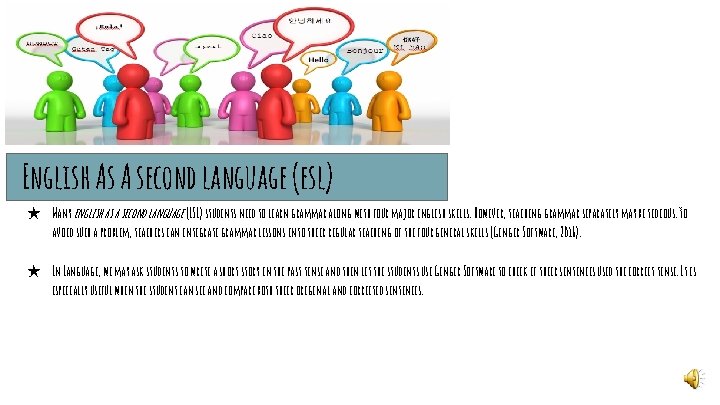
English As A second language (esl) ★ Many english as a second language (ESL) students need to learn grammar along with four major english skills. However, teaching grammar separately may be tedious. To avoid such a problem, teachers can integrate grammar lessons into their regular teaching of the four general skills (Ginger Software, 2016). ★ In Language, we may ask students to write a short story in the past tense and then let the students use Ginger Software to check if their sentences used the correct tense. It is especially useful when the student can see and compare both their original and corrected sentences.
ESL continued. . . ★ As a listening exercise, students could be asked to change the tense and check their peers work by using the “text-to- speech” grammar checker, which will read the sentences back to them, enabling them to correct other classmates’ grammar and spelling (Ginger Software, 2016). ★ Ginger software can be also used as a practice tool for any online ESL classes too. ESL students can practice writing, spelling, and learning idioms. Then, they can use the text -to -speech tool to correct their work and practice speaking from the comfort of their home.
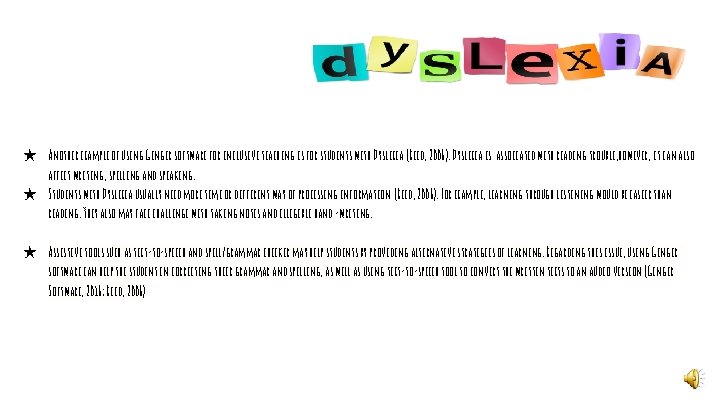
★ Another example of using Ginger software for inclusive teaching is for students with Dyslexia (Reid, 2006). Dyslexia is associated with reading trouble, however, it can also affect writing, spelling and speaking. ★ Students with Dyslexia usually need more time or different way of processing information (Reid, 2006). For example, learning through listening would be easier than reading. They also may face challenge with taking notes and illegible hand -writing. ★ Assistive tools such as text-to-speech and spell/grammar checker may help students by providing alternative strategies of learning. Regarding this issue, using Ginger software can help the student in correcting their grammar and spelling, as well as using text-to-speech tool to convert the written texts to an audio version (Ginger Software, 2016; Reid, 2006)
Ginger’s Affordances ★ ★ ★ Built-in tool can read text aloud The tool speaks word for word, and has good pronunciation The voice is easy to understand it can be used to learn pronunciations. Users have the option of listening to American or British English. The tool is absolutely free, no hidden charges or fees. Works on devices with the Android operating system. -once you download it on your mobile device, you switch it with your own virtual keyboard. Is not compatible with Mac OS, however, will work in Safari and Google Chrome Mobile app has full functionality, similar to desktop version. The Ginger Coach keeps score of your grammar proficiency by tallying an ongoing score, along with a breakdown of your spelling score and grammar score, and it offers practice for improvement Identifies homophones and gives you the correct spelling within the context, makes suggestions for the right word order in sentences, as well as for replacing misused words. It comes with a text-to-speech function that helps you improve your second language pronunciation Easy to use The NLP (Natural Language Processing) breaks the context barrier, for example the phrase “let’s grab a bear, ” is correct in both spelling and grammar, but is obviously not what the writer intended (Ginger would suggest “beer”). - it understand the probable meaning of a written sentence, and the most probable intent of the user (Dumitrescu, 2016; Smith, 2016)
Ginger’s Constraints ★ Ginger does not identify plagiarism ★ Does not explain the reasons behind the errors ★ The company does not offer telephone support or live chat. ★ The mobile app works best on Android 4. 1, and not on other versions. ★ Does not work on Firefox browser and on Google docs ★ Does not find errors in punctuation, sentence structure or numbers usage ★ Can’t be used without an Internet connection ★ Instead of proofing all at once, and showing problems all at once, it proofs one sentence at at time. (Dumitrescu, 2016; Smith, 2016)
In Conclusion Ginger Software would be beneficial for students who struggle with grammar and spelling. It is targeted toward English Language Learners and students with Dyslexia. This software is easy to use and does not require any supervision and, most importantly, it is absolutely free! Despite its drawbacks, the strength of this tool lies in its online version which highlights mistakes in real time, as you write in online applications, including social media sites. Another strength, is its verbal text reader. It is helpful for students who are learning the pronunciations of words. In addition, this tools offers the Grammar Coach learning center that tracks all the mistakes and offers practice for improvement. There are some limitations that can be worked out, however in the meantime, this tool is great and has some useful perks that can assist students with spelling and grammar.
References Dumitrescu, I. (2016). Ginger Software Informer. Retrieved from http: //ginger. software. informer. com/ Ginger Software. (2011). ESL – English as a Second Language. Retrieved from http: //www. gingersoftware. com/content/blog/esl/ Ginger Software. (2011, Dec 11). Introduction to Ginger [Video File]. Retrieved from https: //www. youtube. com/watch? v=XJqc 5 JIi. DCI Ginger Software. (2016). #1 Grammar and Spell checker. Retrieved from http: //www. gingersoftware. com/ Marino, T. , Sameshima P. , Beecher, C. (2009). Enhancing TPACK with assistive technology: promoting inclusive practices in pre-service teacher education. Contemporary Issues in Technology and Teacher Education , 9(2), 186 -207.
REferences continued. . . Quenneville, J. (2001). Tech Tools for Students with Learning Disabilities: Infusion into Inclusive Classrooms. Preventing School Failure: Alternative Education for Children and Youth, 45(4), 167 -170. doi: 10. 1080/10459880109603332 Reid, G. (2006). Dyslexia and Inclusion: Classroom Approaches for Assessment , Teaching and Learning. Retrieved from https: //books. google. ca/books? id=Y 6 D 0 a. PXhzd. IC&pg=PA 87&lpg=PA 87&dq=%22 ginger+software%22+considerations%22&source=bl&ots=s. PEH_g. CLNc&sig=Xc. IRl. DICa. M 6 b. UOc 3 Poa 2 SP 2 AM 1 Q&hl=en&sa= X&ved=0 ah. UKEwi. Qvbi. Ys. KHNAh. VDw. YMKHV 0 ACFAQ 6 AEIIDAB#v=onepage&q&f=false Smith, A. (2016). Ginger Review. Retrieved from http: //online-grammar-check-review. toptenreviews. com/ginger-review. html Thorton, S. (2009). Ginger Spelling: Context-Correction Software. Retrieved from http: //technologyintegrationshthornt. pbworks. com/f/Ginger+Spelling+Correction+Software. pdf.