
Incident Reports IR An IR or incident report


- Slides: 9
Incident Reports
IR? • An IR, or incident report, is an important tool for RAs to use to document and report any event that happens involving an RA so that follow-up can occur • They can be more obvious events such as a belligerent/intoxicated resident and an immediate health concern OR • Something less obvious like reporting hall damage or a wellness concern
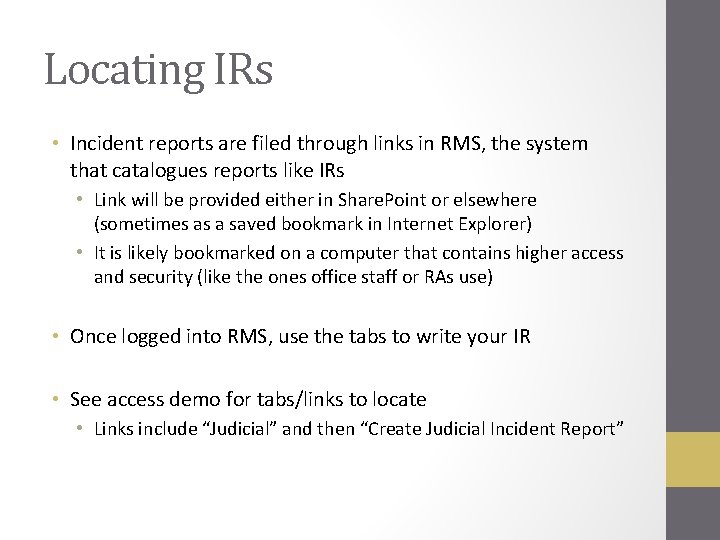
Locating IRs • Incident reports are filed through links in RMS, the system that catalogues reports like IRs • Link will be provided either in Share. Point or elsewhere (sometimes as a saved bookmark in Internet Explorer) • It is likely bookmarked on a computer that contains higher access and security (like the ones office staff or RAs use) • Once logged into RMS, use the tabs to write your IR • See access demo for tabs/links to locate • Links include “Judicial” and then “Create Judicial Incident Report”
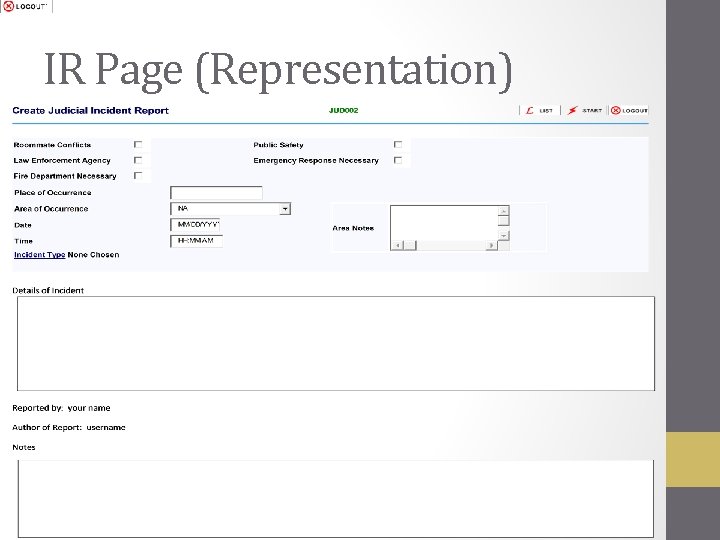
IR Page (Representation)
How To Fill Out IR Form • To fill out an incident report, locate the “Create Judicial Incident Report” link • Go through each section of the report and provide the necessary information
What To Include In An IR • Information you should have • • Date and time of incident Names and PUIDs of residents involved Location of event Details of incident in correct order • RA/RAs reporting incident should have been directly involved with what happened
How To Write An IR • In the “Details of Incident” section, recall important details of the incident and the order in which they occurred • Should be 3 rd person perspective • Use terms like “RA John” and “Resident Kate” when referring to those involved and those responding • Focus on the residents involved and what was noticed by the RA responding • Focus on FACTS, not opinions • ***In some cases, the RA may not feel comfortable including their name in the “Details of Incident” section, since this is seen by the resident/residents involved if they have a follow-up meeting • The RA could say “RA 1” or “RA 2 nd Floor” to refer to themselves in this case
How To Write An IR • In the “Notes” section, include important privacy information • This information will not be shown during a follow-up meeting to the resident • Includes: First AND last names of everyone involved Purdue ID numbers RA first AND last names (location if not home of RAs involved) Any information that is more opinionated like “resident was not cooperative” or “they treated me inappropriately when confronted” • “Details” section is for FACTS and “Notes” section is for identifiable information and additional thoughts • •
Incident Steps • When an incident occurs, follow these steps to handle, document, and report: • Assess the situation before jumping in • It can be dangerous or detrimental to go into a situation without having a strategy to deal with it before doing so • Confront the situation • If non-threatening or “common” incident (escort violation, quiet hours violation, etc. ), handle alone when appropriate and collect appropriate information • If threatening or “serious” incident occurs, assess whether situation should be confronted and GET HELP from at least one other RA if one is not already with you before collecting appropriate information • Report incident with information gathered in an incident report • Pass the information along to superiors using an on-call number