
Incident Business Management Workshop 2018 LENDLEASE PROGRAM Presenters
Incident Business Management Workshop 2018 LEND/LEASE PROGRAM Presenters: Joanne Marceau & Fauzia Massey
Lend/Lease Program Objectives 1. Name two characteristics of a Lend/Lease situation. 2. Describe how resources are tracked. 3. List two tasks of the Sending Finance Unit. 4. List two tasks of the Receiving Finance Unit.
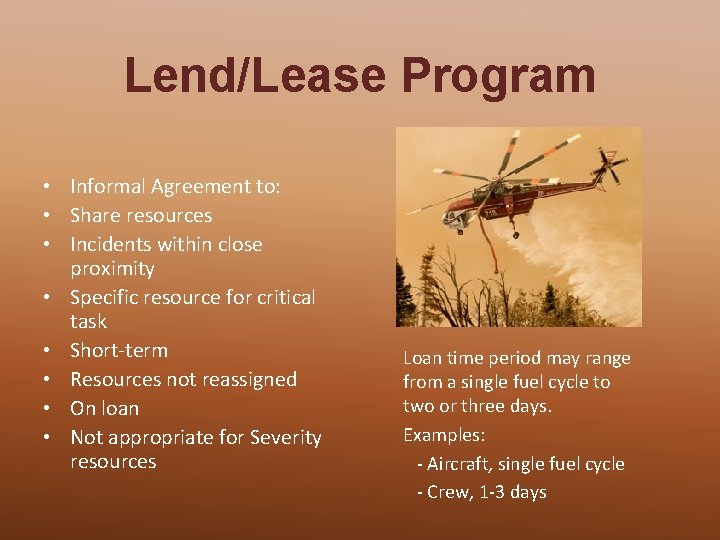
Lend/Lease Program • Informal Agreement to: • Share resources • Incidents within close proximity • Specific resource for critical task • Short-term • Resources not reassigned • On loan • Not appropriate for Severity resources Loan time period may range from a single fuel cycle to two or three days. Examples: - Aircraft, single fuel cycle - Crew, 1 -3 days
Why Use Lend/Lease? § Sending Incident can temporarily spare specific resource(s) § Simplified Process § Increased efficiency of resources § Mutually beneficial to both incidents
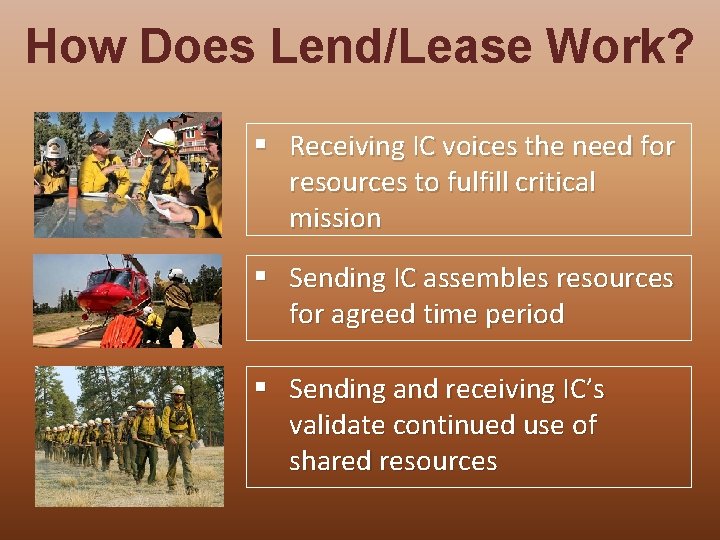
How Does Lend/Lease Work? § Receiving IC voices the need for resources to fulfill critical mission § Sending IC assembles resources for agreed time period § Sending and receiving IC’s validate continued use of shared resources
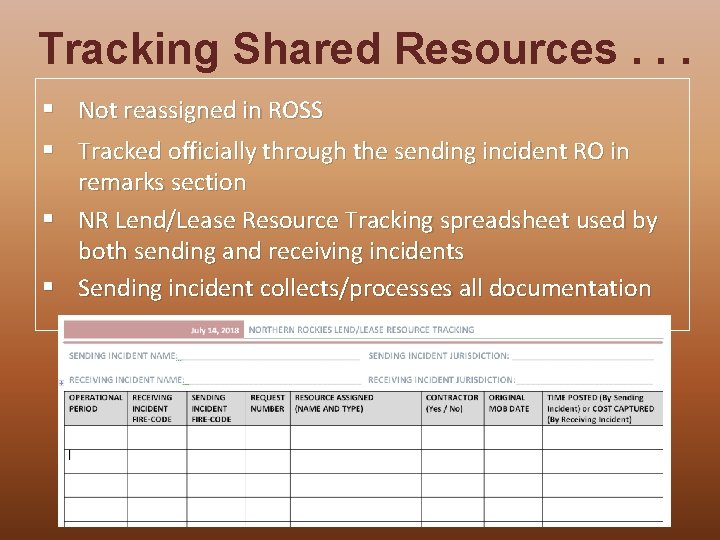
Tracking Shared Resources. . . § Not reassigned in ROSS § Tracked officially through the sending incident RO in remarks section § NR Lend/Lease Resource Tracking spreadsheet used by both sending and receiving incidents § Sending incident collects/processes all documentation
Lend/Lease Considerations § Length of assignments will not be affected by lend/lease § All days count towards original assignment § If sending incident is within 2 -3 days of demobilization, shared resources should be reassigned to receiving incident
Where to find Lend/Lease Information Lend/Lease Resources - Additional Suggestions 2018 and Northern Rockies Resource Tracking spreadsheet Northern Rockies Incident Business Toolbox: https: //gacc. nifc. gov/nrcc/nrcg/committees/business/toolbox. htm Lend/Lease of Resources – Incident Assignments FAQ NWCG Incident Business Committee Document: https: //www. nwcg. gov/sites/default/files/ibc_lend_lease_faq. pdf
LEND/LEASE PROGRAM Finance Unit Tasks
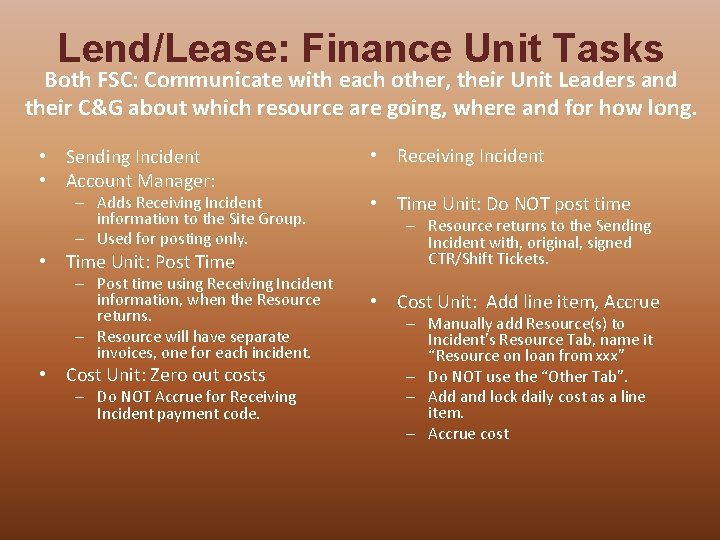
Lend/Lease: Finance Unit Tasks Both FSC: Communicate with each other, their Unit Leaders and their C&G about which resource are going, where and for how long. • Sending Incident • Account Manager: – Adds Receiving Incident information to the Site Group. – Used for posting only. • Time Unit: Post Time – Post time using Receiving Incident information, when the Resource returns. – Resource will have separate invoices, one for each incident. • Cost Unit: Zero out costs – Do NOT Accrue for Receiving Incident payment code. • Receiving Incident • Time Unit: Do NOT post time – Resource returns to the Sending Incident with, original, signed CTR/Shift Tickets. • Cost Unit: Add line item, Accrue – Manually add Resource(s) to Incident’s Resource Tab, name it “Resource on loan from xxx” – Do NOT use the “Other Tab”. – Add and lock daily cost as a line item. – Accrue cost
LEND/LEASE PROGRAM Sending Incident
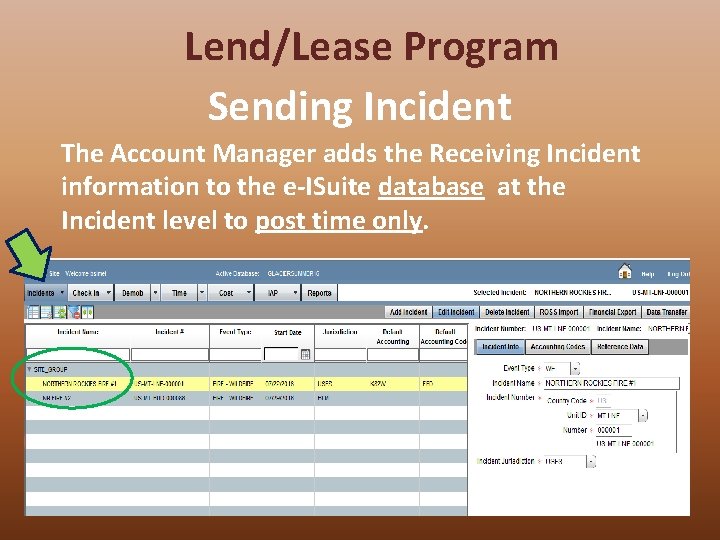
Lend/Lease Program Sending Incident The Account Manager adds the Receiving Incident information to the e-ISuite database at the Incident level to post time only.
Lend/Lease Program The Sending Incident Post Time During Finance Demob • When the Resource returns • Post time for all personnel and equipment that has been on loan to another incident. • Use the information from the Incident added to your Site Group. • Resources will have multiple payment documents – OF 288, OF 286 • At least one for each Incident. • All documents are processed by Sending Unit for all incidents during Lend Lease activity.
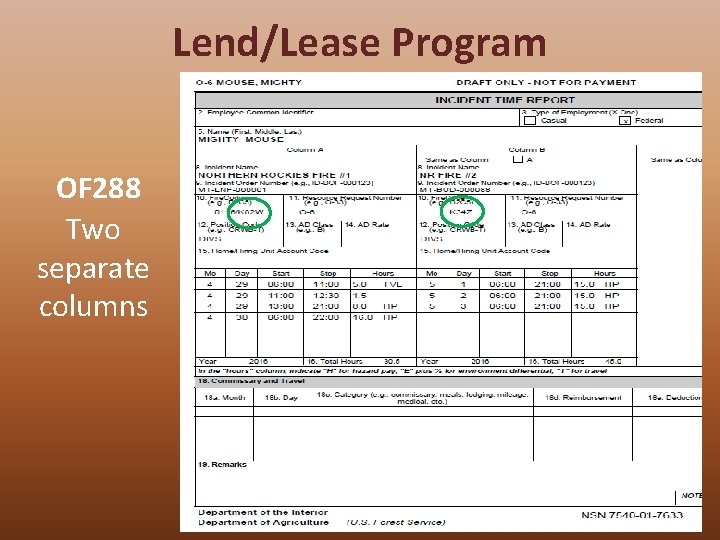
Lend/Lease Program OF 288 Two separate columns
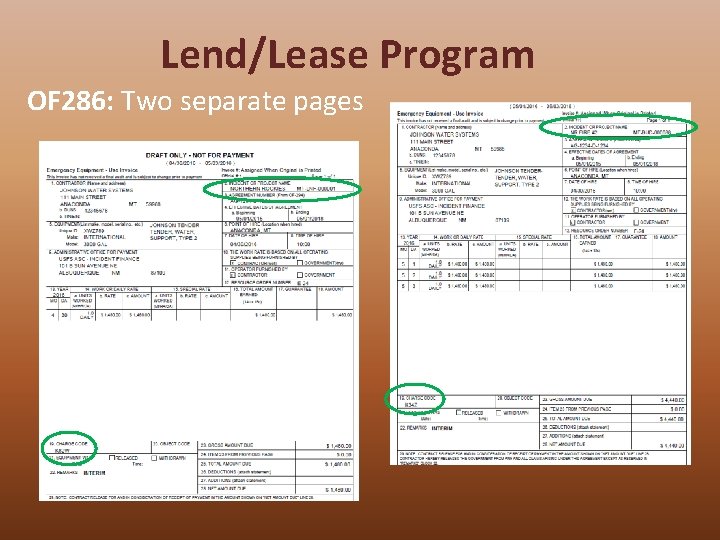
Lend/Lease Program OF 286: Two separate pages
Lend/Lease Program Sending Incident: Cost Unit: “Zero” the cost for the days that the resource was on loan out. View Cost screen entry will show both accounts. Do NOT Accrue for Receiving Incident Payment Code.
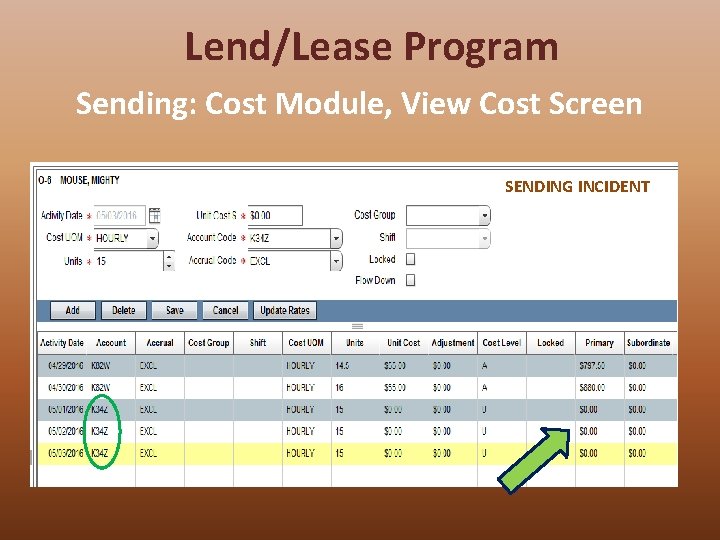
Lend/Lease Program Sending: Cost Module, View Cost Screen SENDING INCIDENT
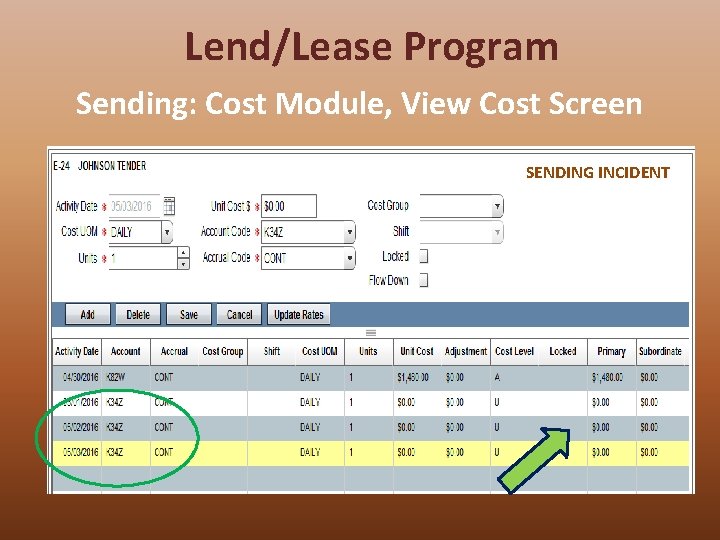
Lend/Lease Program Sending: Cost Module, View Cost Screen SENDING INCIDENT
LEND/LEASE PROGRAM Receiving Incident
Lend/Lease Program The Receiving Incident Post Time Demob Time • Do NOT Post Time • Resource returns to Sending Incident with original, signed CTR/Shift Tickets • No Payments to process. • All documents returned to the Sending Unit to complete.
Lend/Lease Program The Receiving Incident Time Unit: Yawn
Lend/Lease Program Receiving Incident: Cost Unit 1. Manually add to the Resource List of Incident. 2. Name it “Resource on loan from xxx” • Do not use “Other Tab” 3. Add daily cost as line item • Lock it to prevent future updates 4. Accrue Cost
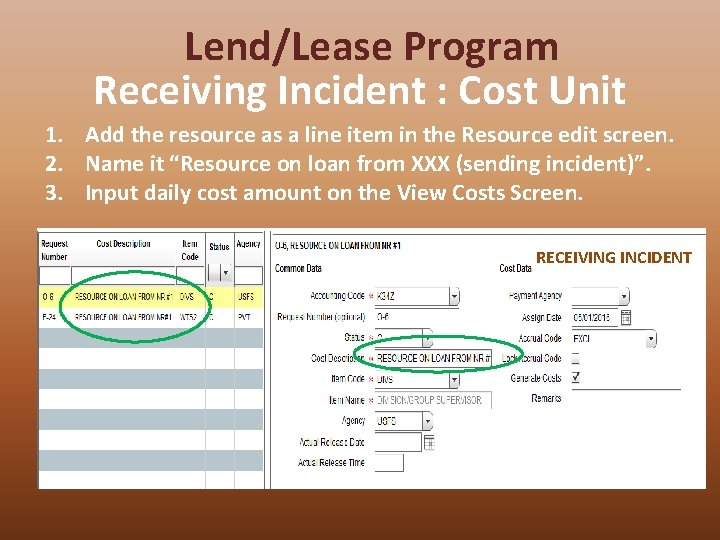
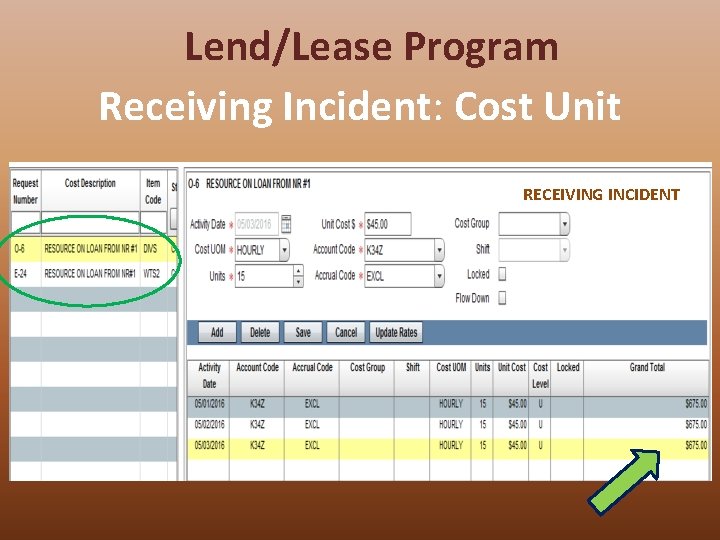
Lend/Lease Program Receiving Incident : Cost Unit 1. Add the resource as a line item in the Resource edit screen. 2. Name it “Resource on loan from XXX (sending incident)”. 3. Input daily cost amount on the View Costs Screen. RECEIVING INCIDENT
Lend/Lease Program Receiving Incident: Cost Unit RECEIVING INCIDENT
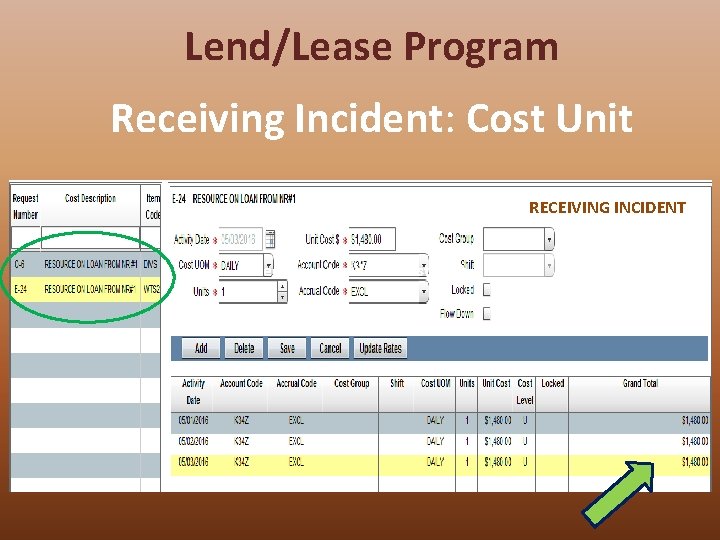
Lend/Lease Program Receiving Incident: Cost Unit RECEIVING INCIDENT Receiving Incident: Cost Unit

Lend/Lease Program Cost Unit: Accruals are submitted by the Receiving Incident.
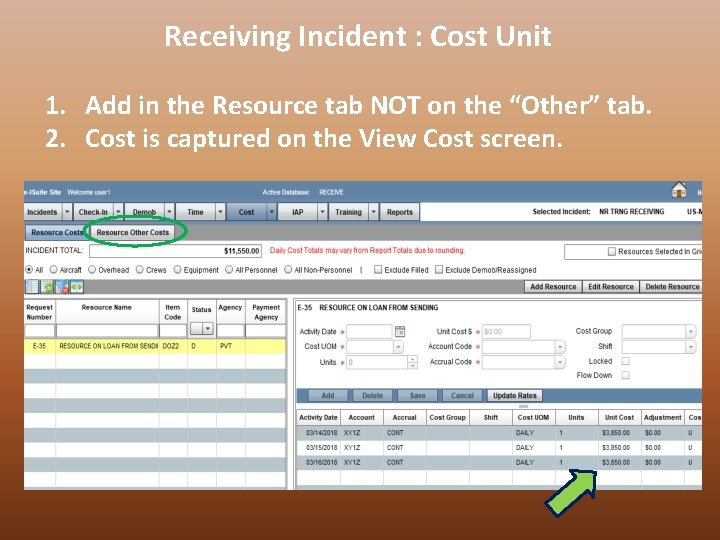
Receiving Incident : Cost Unit 1. Add in the Resource tab NOT on the “Other” tab. 2. Cost is captured on the View Cost screen.
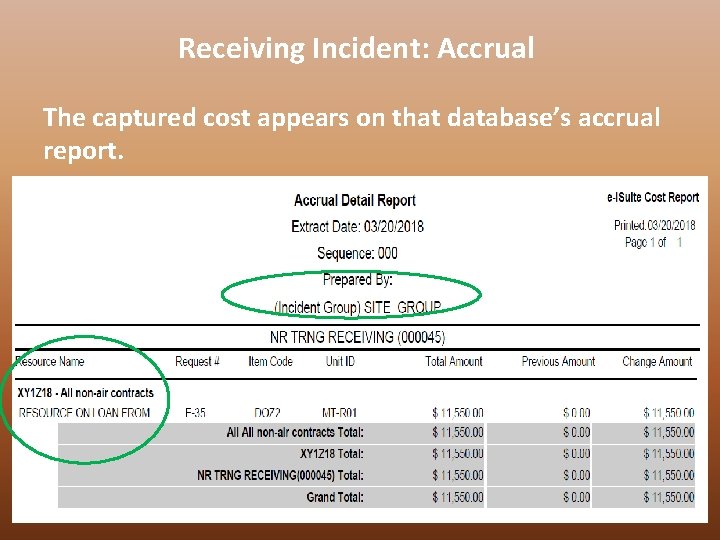
Receiving Incident: Accrual The captured cost appears on that database’s accrual report.
LEND/LEASE PROGRAM Cost Unit: Accruals are zeroed out by the Sending Incident.
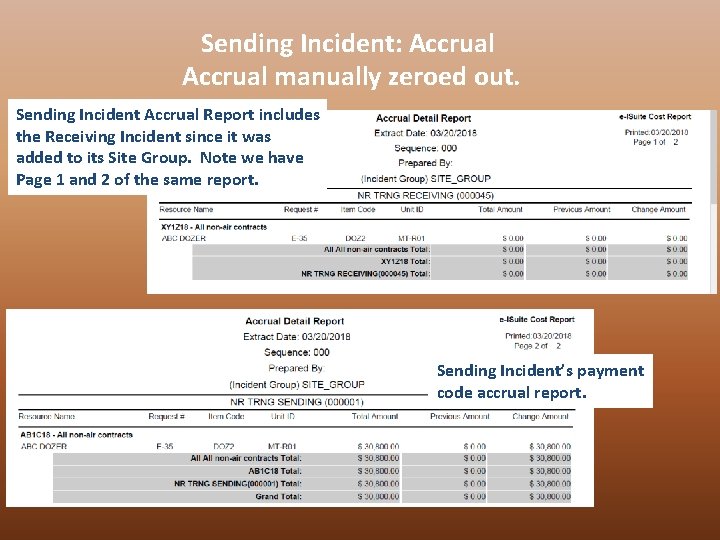
Sending Incident: Accrual manually zeroed out. Sending Incident Accrual Report includes the Receiving Incident since it was added to its Site Group. Note we have Page 1 and 2 of the same report. Sending Incident’s payment code accrual report.
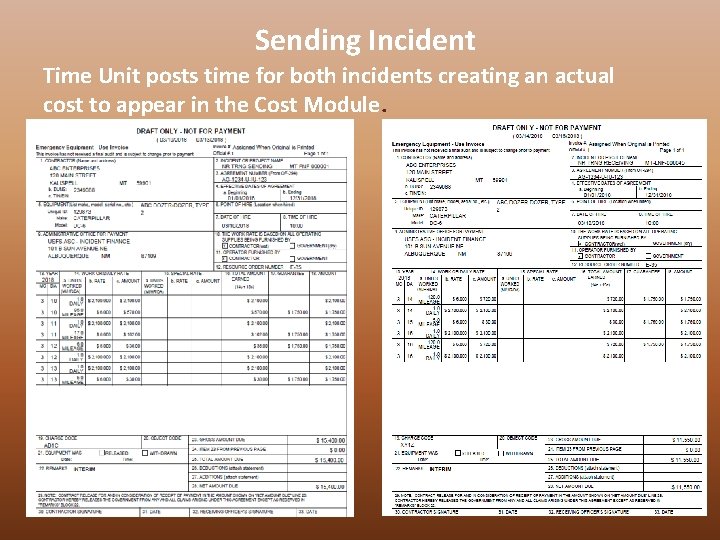
Sending Incident Time Unit posts time for both incidents creating an actual cost to appear in the Cost Module.
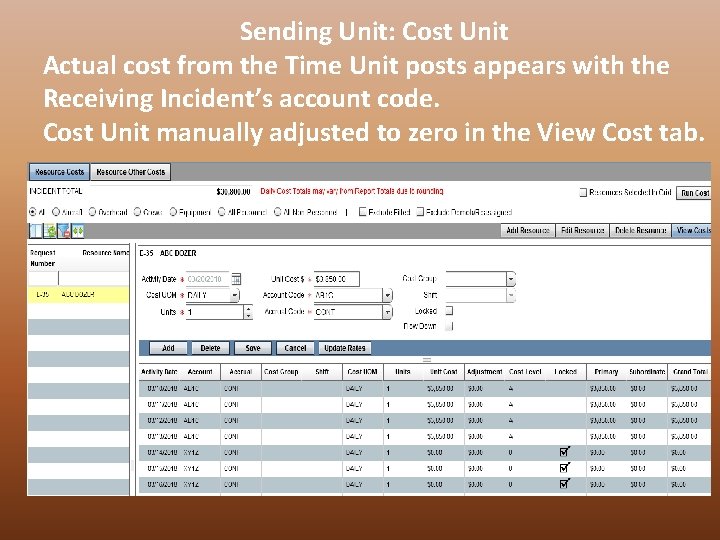
Sending Unit: Cost Unit Actual cost from the Time Unit posts appears with the Receiving Incident’s account code. Cost Unit manually adjusted to zero in the View Cost tab.
Lend/Lease: Finance Unit Tasks Both FSC: Communicate with each other, their Unit Leaders and their C&G about which resource are going, where and for how long. • Sending Incident • Account Manger: – Adds Receiving Incident information to the Site Group. – Used for posting only. • Time Unit: Post Time – Post time using Receiving Incident information, when the Resource returns. – Resource will have separate invoices, one for each incident. • Cost Unit: Zero out costs – Do NOT Accrue for Receiving Incident payment code. • Receiving Incident • Time Unit: Do NOT post time – Resource will return to Sending Incident with, original, signed CTR/Shift Tickets. • Cost Unit: Add line item, Accrue – Manually add Resource(s) to Incident’s Resource Tab, name it “Resource on loan from xxx” – Do NOT use the “Other Tab”. – Add and lock daily cost as a line item. – Accrue cost
Lend/Lease Program Objectives 1. Name two characteristics of a Lend/Lease situation. 2. Describe how resources are tracked. 3. List two tasks of the Sending Finance Unit. 4. List two tasks of the Receiving Finance Unit.
- Slides: 34