
In Loox 9 for Outlook Product Presentation The

- Slides: 23
In. Loox 9 for Outlook Product Presentation The Project Management Software for Microsoft Outlook © 2001 -2018 In. Loox Gmb. H
Seite 2 In. Loox 9 for Outlook Content © 2001 -2018 In. Loox Gmb. H • Project management in Outlook • A project in detail • Checklists • Task management • Project time tracking and documentation • Budgets and reports 2
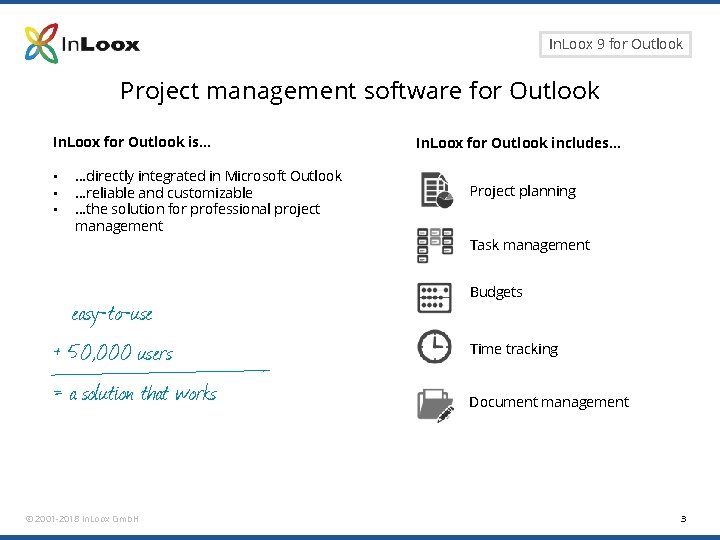
Seite 3 In. Loox 9 for Outlook Project management software for Outlook In. Loox for Outlook is… • • • …directly integrated in Microsoft Outlook …reliable and customizable …the solution for professional project management easy-to-use + 50, 000 users = a solution that works © 2001 -2018 In. Loox Gmb. H In. Loox for Outlook includes… Project planning Task management Budgets Time tracking Document management 3
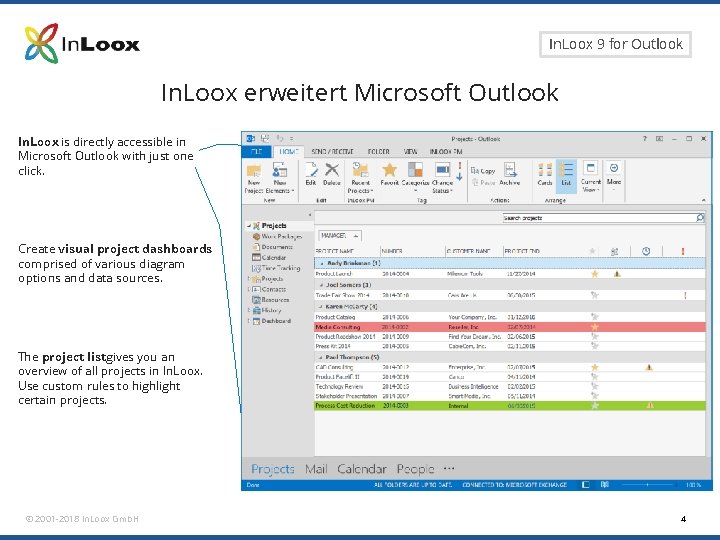
Seite 4 In. Loox 9 for Outlook In. Loox erweitert Microsoft Outlook In. Loox is directly accessible in Microsoft Outlook with just one click. Create visual project dashboards comprised of various diagram options and data sources. The project listgives you an overview of all projects in In. Loox. Use custom rules to highlight certain projects. © 2001 -2018 In. Loox Gmb. H 4
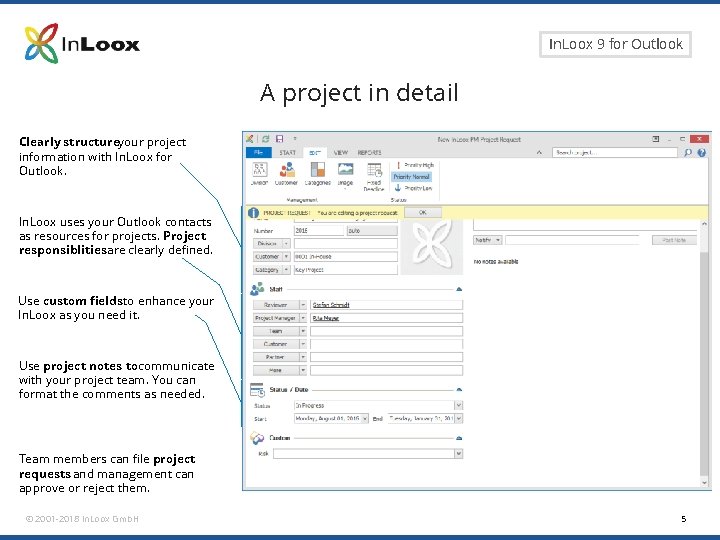
Seite 5 In. Loox 9 for Outlook A project in detail Clearly structureyour project information with In. Loox for Outlook. In. Loox uses your Outlook contacts as resources for projects. Project responsiblitiesare clearly defined. Use custom fields to enhance your In. Loox as you need it. Use project notes tocommunicate with your project team. You can format the comments as needed. Team members can file project requests and management can approve or reject them. © 2001 -2018 In. Loox Gmb. H 5
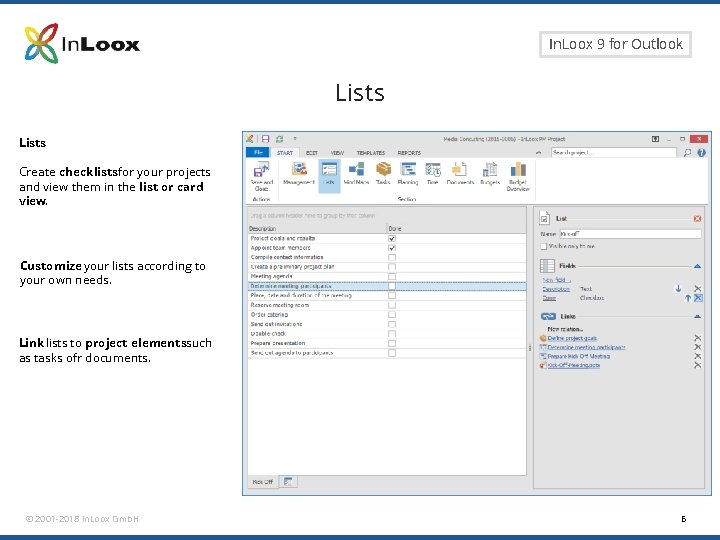
Seite 6 In. Loox 9 for Outlook Lists Create checklistsfor your projects and view them in the list or card view. Customize your lists according to your own needs. Link lists to project elementssuch as tasks ofr documents. © 2001 -2018 In. Loox Gmb. H 6
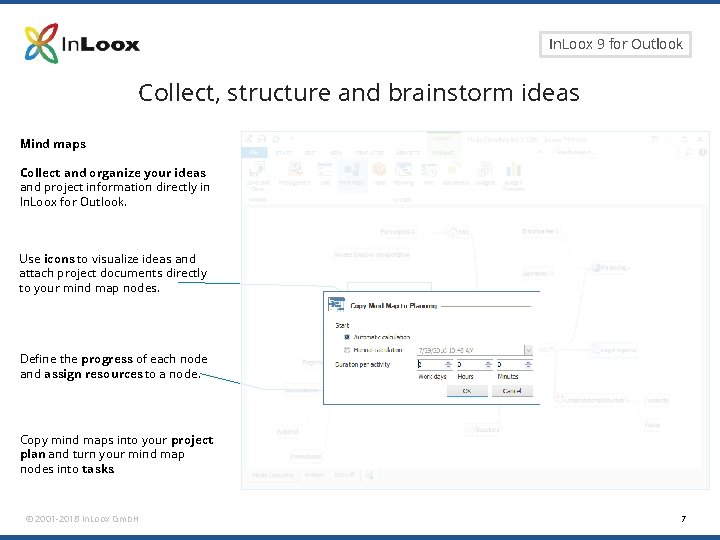
Seite 7 In. Loox 9 for Outlook Collect, structure and brainstorm ideas Mind maps Collect and organize your ideas and project information directly in In. Loox for Outlook. Use icons to visualize ideas and attach project documents directly to your mind map nodes. Define the progress of each node and assign resources to a node. Copy mind maps into your project plan and turn your mind map nodes into tasks. © 2001 -2018 In. Loox Gmb. H 7
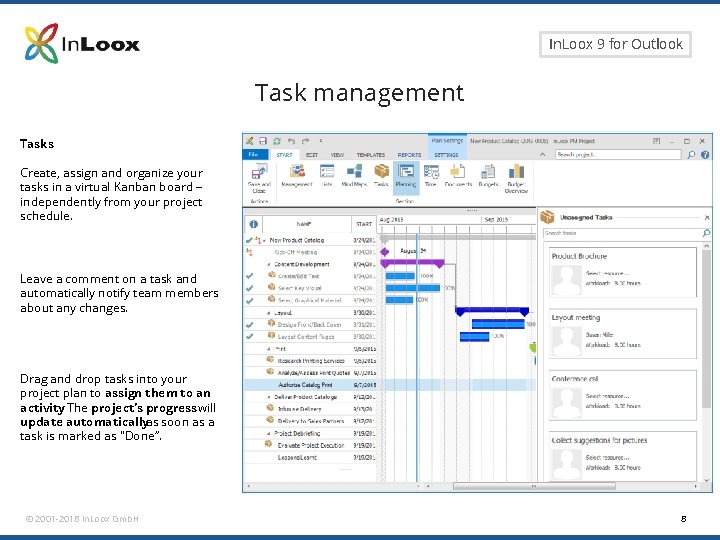
Seite 8 In. Loox 9 for Outlook Task management Tasks Create, assign and organize your tasks in a virtual Kanban board – independently from your project schedule. Leave a comment on a task and automatically notify team members about any changes. Drag and drop tasks into your project plan to assign them to an activity. The project‘s progress will update automaticallyas soon as a task is marked as "Done“. © 2001 -2018 In. Loox Gmb. H 8
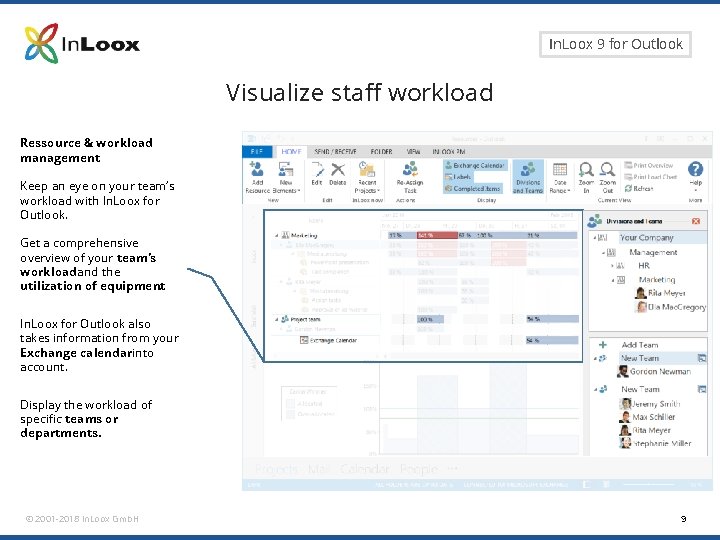
Seite 9 In. Loox 9 for Outlook Visualize staff workload Ressource & workload management Keep an eye on your team‘s workload with In. Loox for Outlook. Get a comprehensive overview of your team‘s workload and the utilization of equipment. In. Loox for Outlook also takes information from your Exchange calendarinto account. Display the workload of specific teams or departments. © 2001 -2018 In. Loox Gmb. H 9
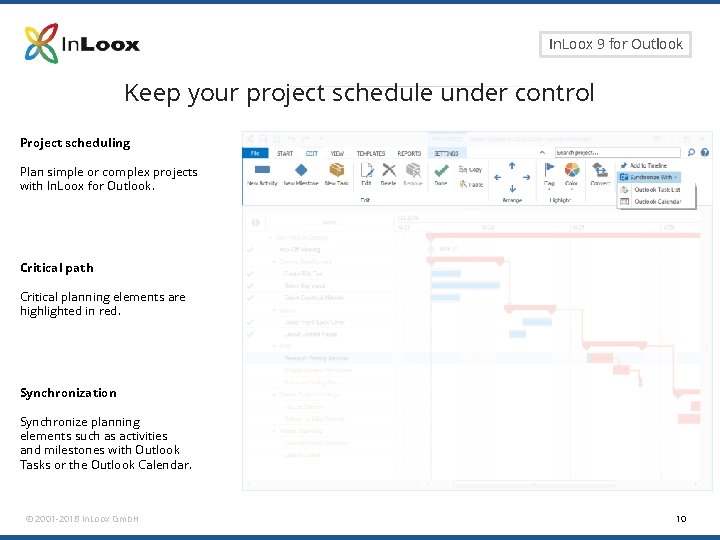
Seite 10 In. Loox 9 for Outlook Keep your project schedule under control Project scheduling Plan simple or complex projects with In. Loox for Outlook. Critical path Critical planning elements are highlighted in red. Synchronization Synchronize planning elements such as activities and milestones with Outlook Tasks or the Outlook Calendar. © 2001 -2018 In. Loox Gmb. H 10
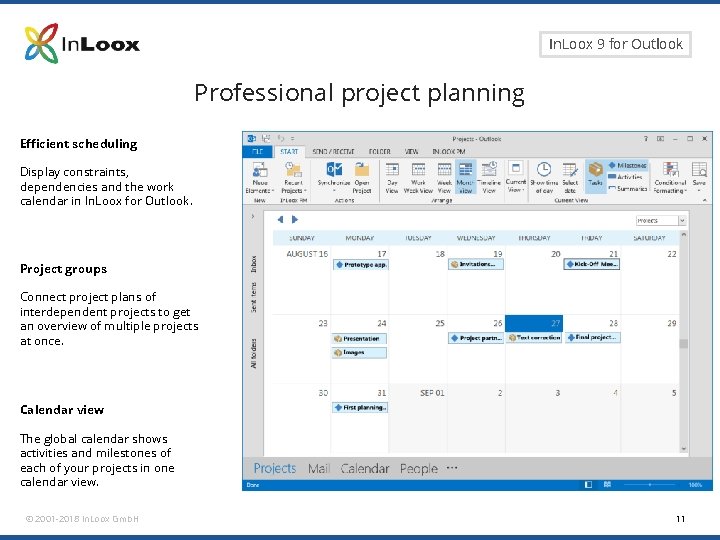
Seite 11 In. Loox 9 for Outlook Professional project planning Efficient scheduling Display constraints, dependencies and the work calendar in In. Loox for Outlook. Project groups Connect project plans of interdependent projects to get an overview of multiple projects at once. Calendar view The global calendar shows activities and milestones of each of your projects in one calendar view. © 2001 -2018 In. Loox Gmb. H 11
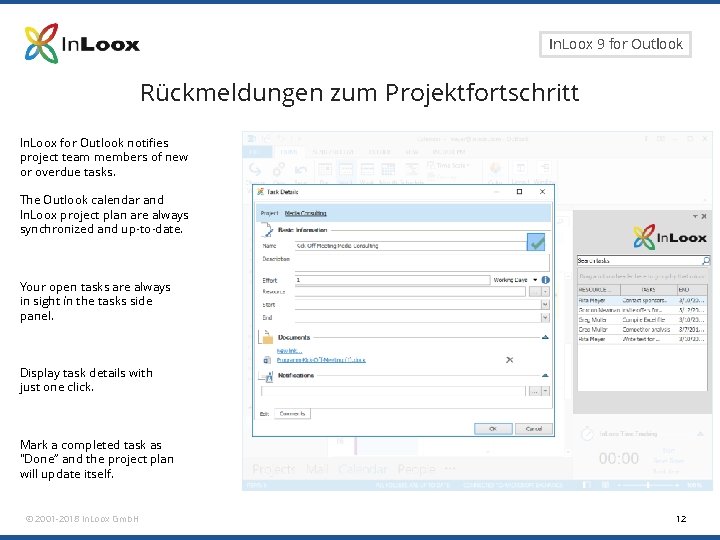
Seite 12 In. Loox 9 for Outlook Rückmeldungen zum Projektfortschritt In. Loox for Outlook notifies project team members of new or overdue tasks. The Outlook calendar and In. Loox project plan are always synchronized and up-to-date. Your open tasks are always in sight ín the tasks side panel. Display task details with just one click. Mark a completed task as "Done“ and the project plan will update itself. © 2001 -2018 In. Loox Gmb. H 12
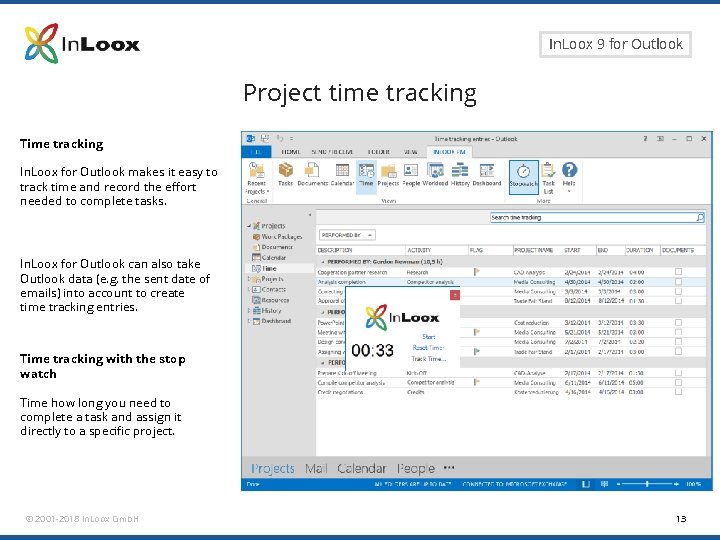
Seite 13 In. Loox 9 for Outlook Project time tracking Time tracking In. Loox for Outlook makes it easy to track time and record the effort needed to complete tasks. In. Loox for Outlook can also take Outlook data (e. g. the sent date of emails) into account to create time tracking entries. Time tracking with the stop watch Time how long you need to complete a task and assign it directly to a specific project. © 2001 -2018 In. Loox Gmb. H 13
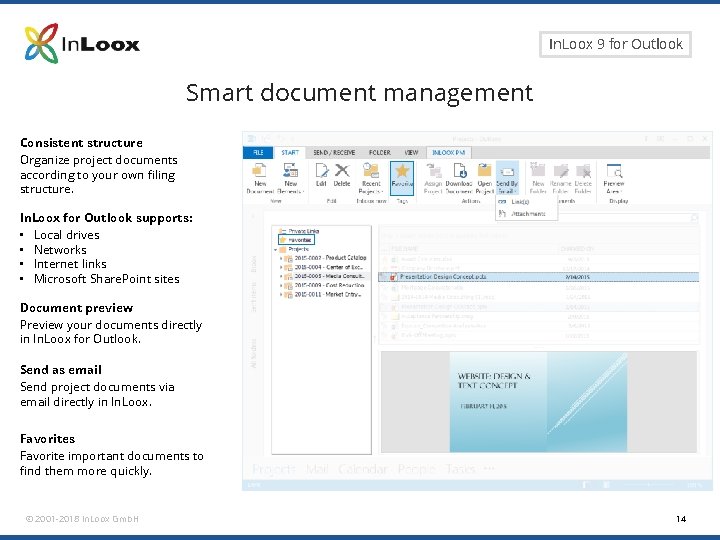
Seite 14 In. Loox 9 for Outlook Smart document management Consistent structure Organize project documents according to your own filing structure. In. Loox for Outlook supports: • Local drives • Networks • Internet links • Microsoft Share. Point sites Document preview Preview your documents directly in In. Loox for Outlook. Send as email Send project documents via email directly in In. Loox. Favorites Favorite important documents to find them more quickly. © 2001 -2018 In. Loox Gmb. H 14
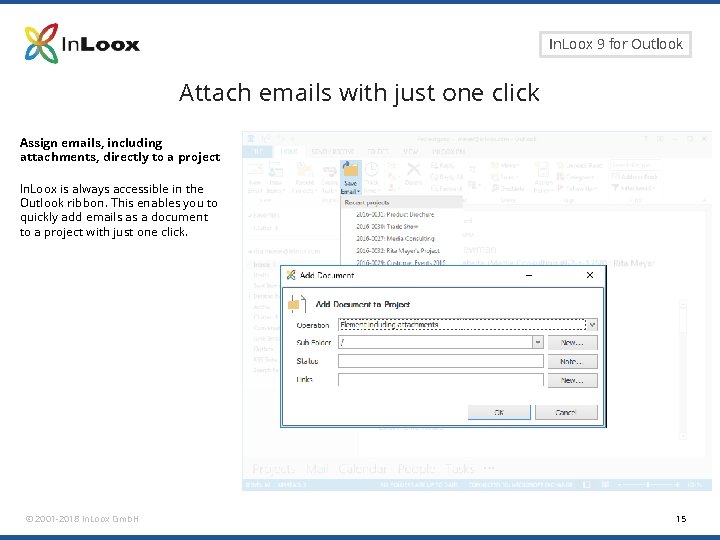
Seite 15 In. Loox 9 for Outlook Attach emails with just one click Assign emails, including attachments, directly to a project In. Loox is always accessible in the Outlook ribbon. This enables you to quickly add emails as a document to a project with just one click. © 2001 -2018 In. Loox Gmb. H 15
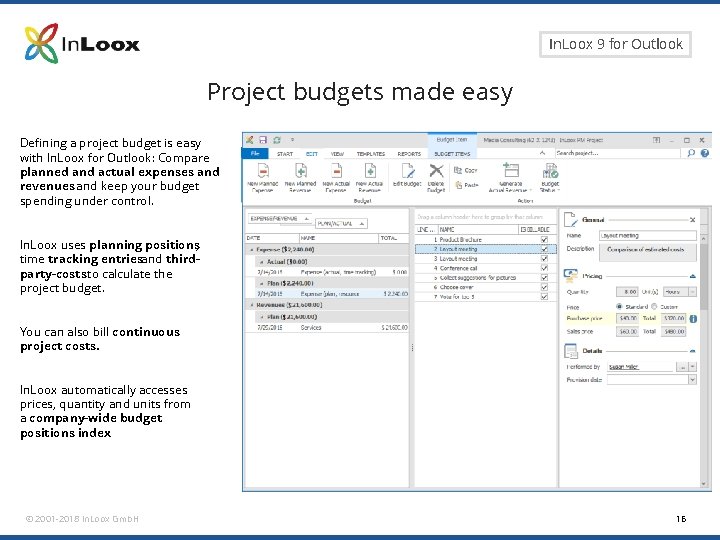
Seite 16 In. Loox 9 for Outlook Project budgets made easy Defining a project budget is easy with In. Loox for Outlook: Compare planned and actual expenses and revenues and keep your budget spending under control. In. Loox uses planning positions, time tracking entriesand thirdparty-costs to calculate the project budget. You can also bill continuous project costs. In. Loox automatically accesses prices, quantity and units from a company-wide budget positions index. © 2001 -2018 In. Loox Gmb. H 16
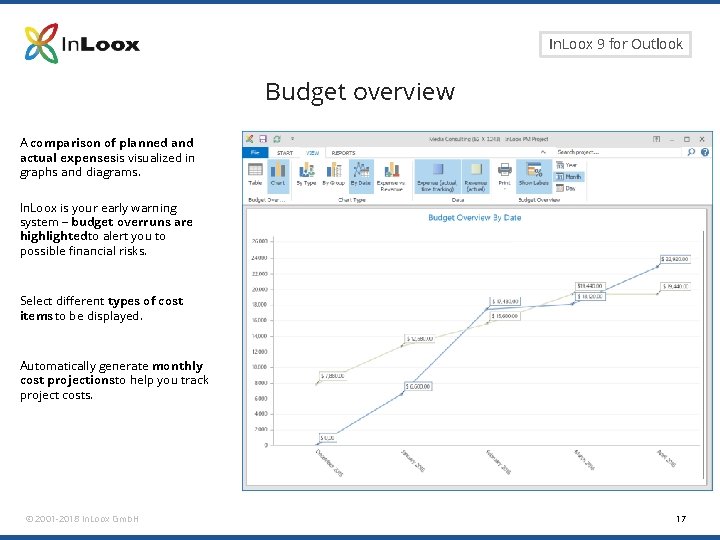
Seite 17 In. Loox 9 for Outlook Budget overview A comparison of planned and actual expensesis visualized in graphs and diagrams. In. Loox is your early warning system – budget overruns are highlighted to alert you to possible financial risks. Select different types of cost items to be displayed. Automatically generate monthly cost projectionsto help you track project costs. © 2001 -2018 In. Loox Gmb. H 17
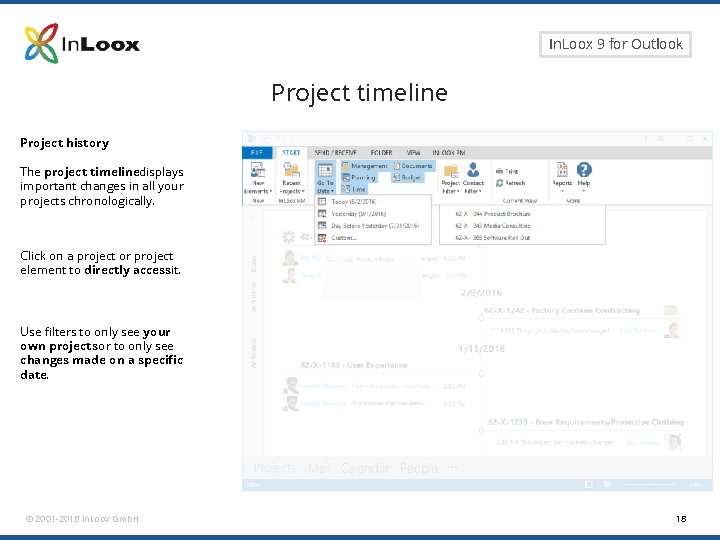
Seite 18 In. Loox 9 for Outlook Project timeline Project history The project timelinedisplays important changes in all your projects chronologically. Click on a project or project element to directly accessit. Use filters to only see your own projects or to only see changes made on a specific date. © 2001 -2018 In. Loox Gmb. H 18
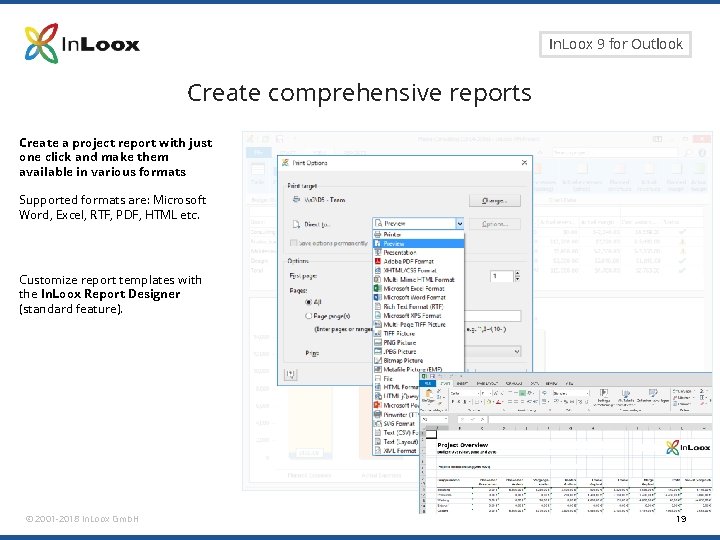
Seite 19 In. Loox 9 for Outlook Create comprehensive reports Create a project report with just one click and make them available in various formats Supported formats are: Microsoft Word, Excel, RTF, PDF, HTML etc. Customize report templates with the In. Loox Report Designer (standard feature). © 2001 -2018 In. Loox Gmb. H 19
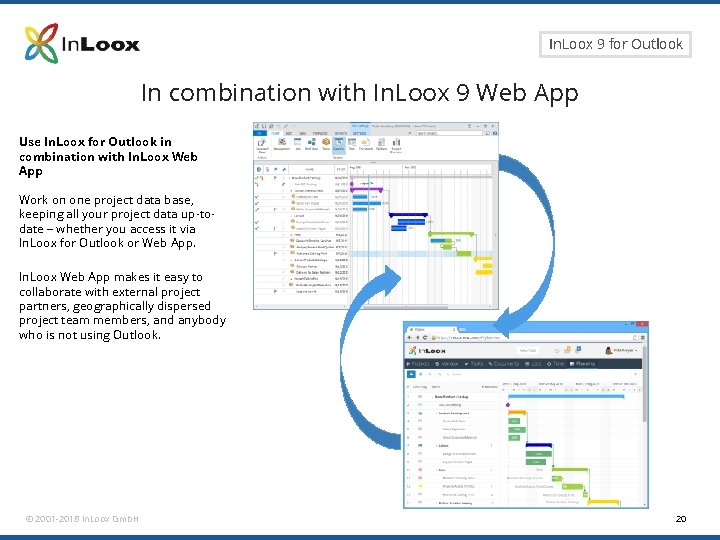
Seite 20 In. Loox 9 for Outlook In combination with In. Loox 9 Web App Use In. Loox for Outlook in combination with In. Loox Web App Work on one project data base, keeping all your project data up-todate – whether you access it via In. Loox for Outlook or Web App. In. Loox Web App makes it easy to collaborate with external project partners, geographically dispersed project team members, and anybody who is not using Outlook. © 2001 -2018 In. Loox Gmb. H 20
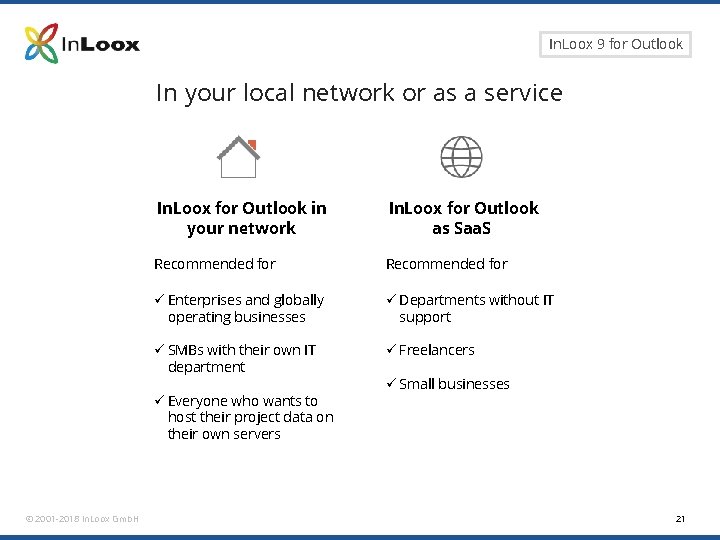
Seite 21 In. Loox 9 for Outlook In your local network or as a service In. Loox for Outlook in your network In. Loox for Outlook as Saa. S Recommended for ü Enterprises and globally operating businesses ü Departments without IT support ü SMBs with their own IT department ü Freelancers ü Everyone who wants to host their project data on their own servers © 2001 -2018 In. Loox Gmb. H ü Small businesses 21
Seite 22 In. Loox 9 for Outlook General information • In. Loox has been a standard software since 2003 • Over 50, 000 users worldwide • Available in 5 languages • Customers in 50 countries, on 5 continents Read how In. Loox helped companies across all industries become more efficient, productive and competitive: http: //www. inloox. com © 2001 -2018 In. Loox Gmb. H 22
Seite 23 In. Loox 9 for Outlook Thank you for your attention! In. Loox for Outlook and In. Loox Web App are software distributed by: In. Loox Gmb. H | Kantstr. 2 | D-80807 Munich Phone: +49 (0)89 358 99 88 - 0 | Fax: +49 (0)89 358 99 88 - 99 Email: info@inloox. com | www. inloox. com Alle in diesem Dokument genannten Produktnamen, Produktbezeichnungen und Logos sind eingetragene Warenzeichen und Eigentum der jeweiligen Rechteinhaber. Test In. Loox 30 days for free (trial ends automatically): https: //www. inloox. com/free-trial/ © 2001 -2018 In. Loox Gmb. H 23