
IMS 2018 Interactive Forum IF Poster Penta Chart


- Slides: 6
IMS 2018 Interactive Forum (IF) Poster (Penta Chart) Preparation Guidelines & Instructions 1
Instructions on IF Poster Preparation Your Interactive Forum (IF) presentation(s) at IMS 2018 will consist of two parts: q q A printed “Poster” affixed to a “Poster Board”, aka meter-board A PDF or Power. Point presentation on a 55” monitor, using the provided computer This guideline is for the first part, the printed poster (see highlighted section below) 1. A single, printed summary poster discussing the participant’s research in broad strokes. This poster will be in the form of a “Penta” chart, which covers the primary motivations, insights, and results of the project. Participants are responsible for preparing, printing, and bringing their poster to their specific IF session. 2. A short set of Power. Point slides that will be displayed on a 55” monitor. These slides will be tied to subject areas displayed on the Penta chart, and will allow participants to discuss their methods, results, and conclusions in more detail with forum attendees. IMPORTANT NOTE: IF Presenters MUST check in with the Session Chair(s) at the Check-In Area (see map on slide 6) at least 15 minutes prior to the start of their session. 2
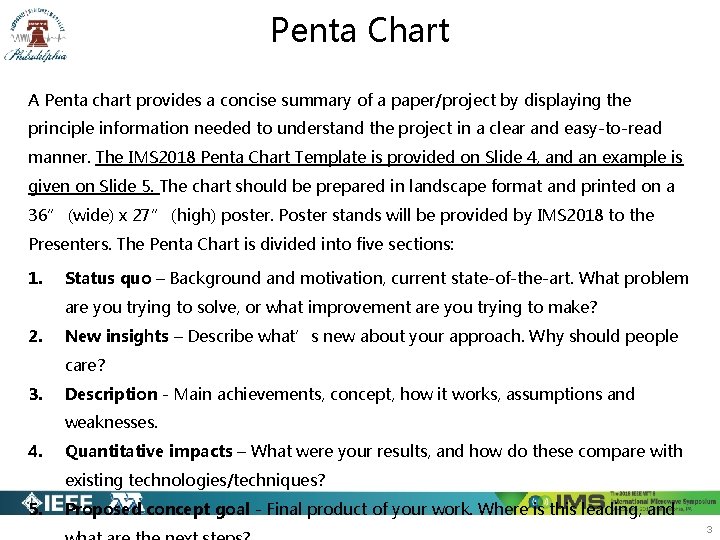
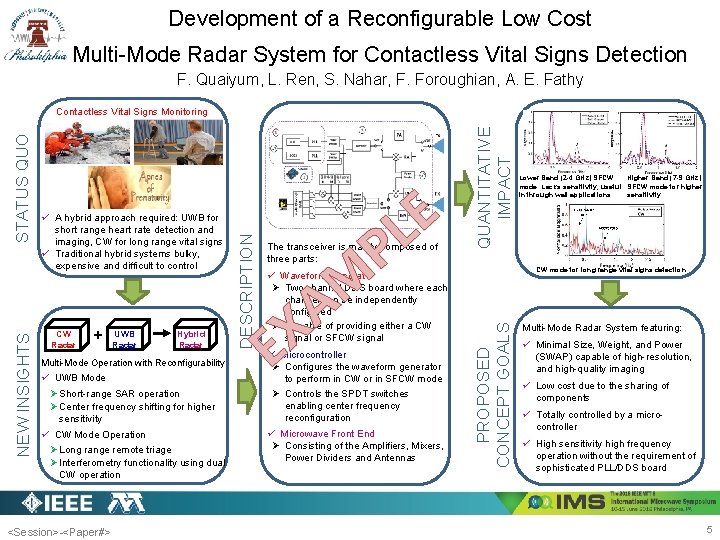
Penta Chart A Penta chart provides a concise summary of a paper/project by displaying the principle information needed to understand the project in a clear and easy-to-read manner. The IMS 2018 Penta Chart Template is provided on Slide 4, and an example is given on Slide 5. The chart should be prepared in landscape format and printed on a 36” (wide) x 27” (high) poster. Poster stands will be provided by IMS 2018 to the Presenters. The Penta Chart is divided into five sections: 1. Status quo – Background and motivation, current state-of-the-art. What problem are you trying to solve, or what improvement are you trying to make? 2. New insights – Describe what’s new about your approach. Why should people care? 3. Description - Main achievements, concept, how it works, assumptions and weaknesses. 4. Quantitative impacts – What were your results, and how do these compare with existing technologies/techniques? 5. Proposed concept goal - Final product of your work. Where is this leading, and 3
<Session>-<Paper#> STATUS QUO DESCRIPTION NEW INSIGHTS A L P T M E QUANTITATIVE IMPACT E T PROPOSED CONCEPT GOALS Project Title Author Name(s) 4
Development of a Reconfigurable Low Cost Multi-Mode Radar System for Contactless Vital Signs Detection F. Quaiyum, L. Ren, S. Nahar, F. Foroughian, A. E. Fathy CW Radar + UWB Radar Hybrid Radar Multi-Mode Operation with Reconfigurability ü UWB Mode Ø Short-range SAR operation Ø Center frequency shifting for higher sensitivity ü CW Mode Operation Ø Long range remote triage Ø Interferometry functionality using dual CW operation <Session>-<Paper#> P The transceiver is mainly composed of three parts: M ü Waveform Generator Ø Two channel DDS board where each channel can be independently configured Ø Capable of providing either a CW signal or SFCW signal E A X ü Microcontroller Ø Configures the waveform generator to perform in CW or in SFCW mode Ø Controls the SPDT switches enabling center frequency reconfiguration ü Microwave Front End Ø Consisting of the Amplifiers, Mixers, Power Dividers and Antennas QUANTITATIVE IMPACT E L Lower Band (2 -4 GHz) SFCW Higher Band (7 -9 GHz) mode. Lacks sensitivity, useful SFCW mode for higher in through wall applications sensitivity CW mode for long range vital signs detection PROPOSED CONCEPT GOALS ü A hybrid approach required: UWB for short range heart rate detection and imaging, CW for long range vital signs ü Traditional hybrid systems bulky, expensive and difficult to control DESCRIPTION NEW INSIGHTS STATUS QUO Contactless Vital Signs Monitoring Multi-Mode Radar System featuring: ü Minimal Size, Weight, and Power (SWAP) capable of high-resolution, and high-quality imaging ü Low cost due to the sharing of components ü Totally controlled by a microcontroller ü High sensitivity high frequency operation without the requirement of sophisticated PLL/DDS board 5
Interactive Forum Layout Interactive Forum Session IF 1 represents TUIF 1, WEIF 1 and THIF IF 2 represents WEIF 2 IF 1 -1 IF 1 -21 IF 1 -4 IF 1 -3 IF 1 -20 IF 1 -22 IF 1 -5 IF 1 -17 IF 1 -6 IF 1 -8 IF 1 -7 IF 1 -9 IF 1 -12 IF 2 -4 IF 2 -3 IF 2 -21 IF 2 -22 IF 1 -19 IF 2 -20 IF 2 -19 IF 1 -18 IF 2 -18 IF 1 -16 IF 1 -15 IF 1 -13 IF 1 -10 IF 1 -14 IF 1 -11 IF 2 -1 IF 1 -23 IF 2 -5 IF 2 -17 IF 2 -6 IF 1 -24 IF 2 -8 IF 2 -7 IF 1 -25 Check-In IF 2 -23 IF 2 -24 IF 2 -16 IF 2 -15 IF 2 -13 IF 2 -10 IF 2 -14 IF 2 -9 IF 2 -12 IF 2 -11 IF 2 -25 Check-In IMPORTANT NOTE: Presenters must check in, at the Check-In Area, at least 15 minutes prior to the start of their session. 6