
Improving Team Communication and Collaboration using Microsoft Teams
#Improving Team Communication and Collaboration using Microsoft Teams Adnan Rafique MVP Office Servers and Services Slide deck is courtesy Microsoft Team April 28 th New-York City
Thanks to our Organizers! Tome Tanasovski Power. Shell MVP Blog: http: //powertoe. wordpress. com/ Twitter: @toenuff Ken Reid Website: http: //www. nyewin. org Eric Fellen Website: http: //www. nyewin. org 4/28/2017 – New-York City Ben Serebin Exchange Junkie Blog: http: //blog. reefsolutions. com Twitter: @bserebin David Sebban Windows IT Pro MVP Blog: http: //dsebban. wordpress. com Twitter: @davidsebban Page 2
User Group Communities NYC Power. Shell User Group • Meetings: Second Monday of the month, 6: 00 PM, Microsoft NYC Office • Web: http: //powershellgroup. org/nyc New York Exchange User Group (NYEx. UG) • Meetings: Second Tuesday of the month, 5: 45 PM to 9 PM, Microsoft NYC Office • Web: www. nyexug. com Devices and Datacenter User Group New York (DDUGNY) • Meetings: First Thursday of the month, 6: 00 PM, Microsoft NYC Office • Web: http: //www. meetup. com/ddugny 4/28/2017 – New-York City Page 3
Event Sponsors 4/28/2017 – New-York City Page 4
Event User Groups 4/28/2017 – New-York City Page 5
Introduction • Adnan Rafique • Enterprise Collaboration Architect • MVP Office Servers and Services | MCT Chartered MCSE Messaging 2016 | Office 365 MCSA MCITP | MCTS • @Exchange. ITPro • adnan@Techiesonly. com • www. Exchange. ITPro. com 4/28/2017 – New-York City Page 6
Meet Microsoft Teams 4/28/2017 – New-York City Page 7
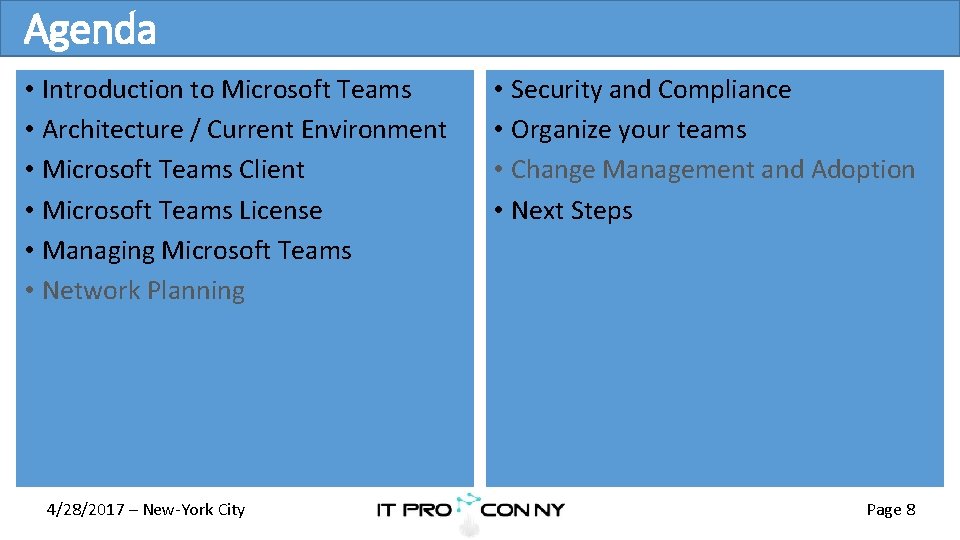
Agenda • Introduction to Microsoft Teams • Architecture / Current Environment • Microsoft Teams Client • Microsoft Teams License • Managing Microsoft Teams • Network Planning 4/28/2017 – New-York City • Security and Compliance • Organize your teams • Change Management and Adoption • Next Steps Page 8
Attendees • Project Sponsor • Business Analyst • Project Manager • Collaboration IT Pro • Networking IT Pro • Adoption Lead • Support Lead 4/28/2017 – New-York City Page 9
Objectives • Gain a deeper knowledge of Microsoft Teams to enhance your organizations capabilities to Plan, Deliver & Operate Microsoft Teams • Build the foundation of Microsoft Teams in your organization to allow for unimpeded, organic growth • Start thinking through the Microsoft Teams journey within your organization 4/28/2017 – New-York City Page 10
Meet Microsoft Teams – It’s all about Productivity 4/28/2017 – New-York City Page 12
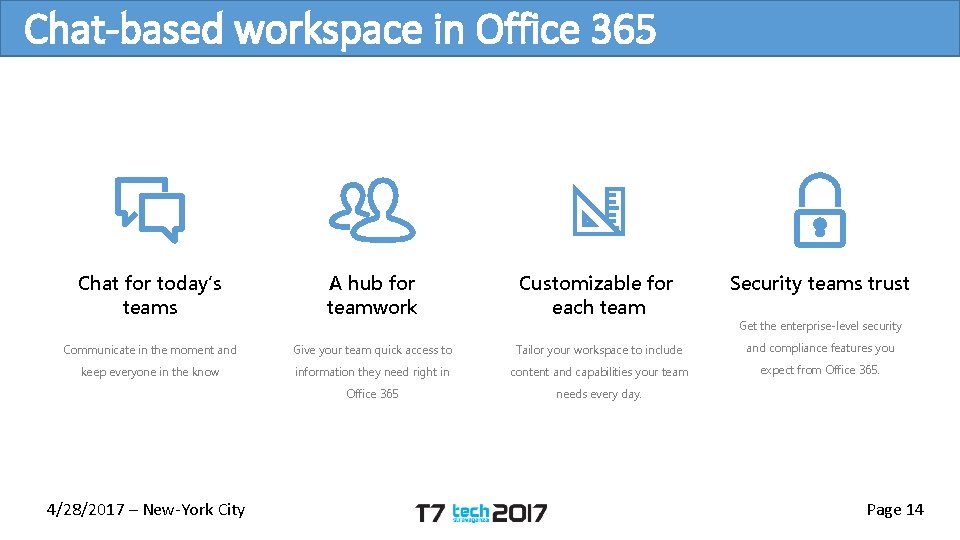
Chat-based workspace in Office 365 Chat for today’s teams A hub for teamwork Customizable for each team Security teams trust Communicate in the moment and Give your team quick access to Tailor your workspace to include and compliance features you keep everyone in the know information they need right in content and capabilities your team expect from Office 365 needs every day. 4/28/2017 – New-York City Get the enterprise-level security Page 14
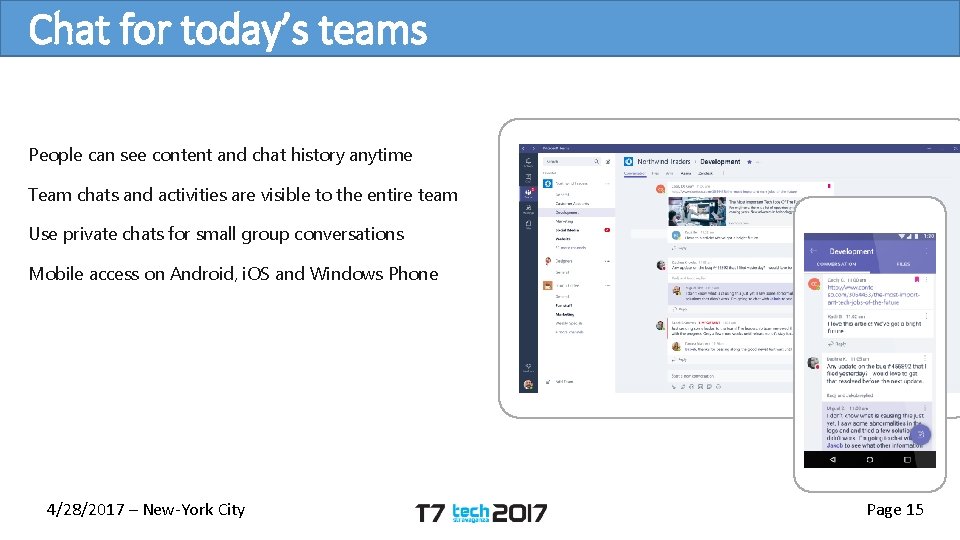
Chat for today’s teams People can see content and chat history anytime Team chats and activities are visible to the entire team Use private chats for small group conversations Mobile access on Android, i. OS and Windows Phone 4/28/2017 – New-York City Page 15
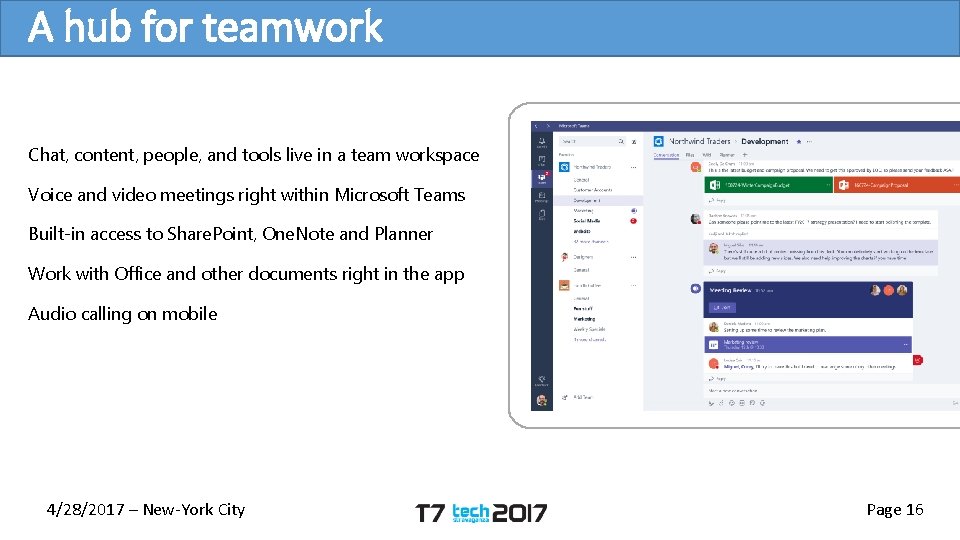
A hub for teamwork Chat, content, people, and tools live in a team workspace Voice and video meetings right within Microsoft Teams Built-in access to Share. Point, One. Note and Planner Work with Office and other documents right in the app Audio calling on mobile 4/28/2017 – New-York City Page 16
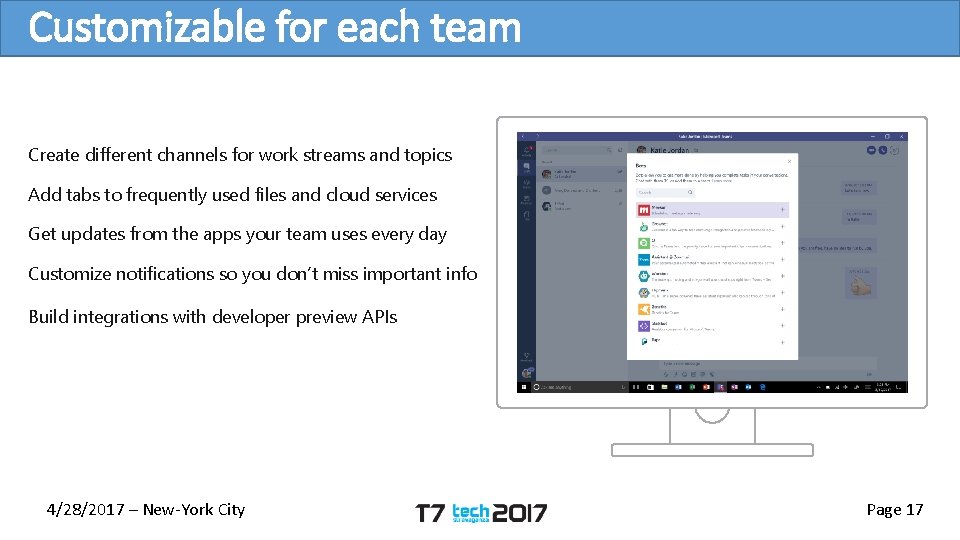
Customizable for each team Create different channels for work streams and topics Add tabs to frequently used files and cloud services Get updates from the apps your team uses every day Customize notifications so you don’t miss important info Build integrations with developer preview APIs 4/28/2017 – New-York City Page 17
Microsoft Team DEMO 4/28/2017 – New-York City Page 18
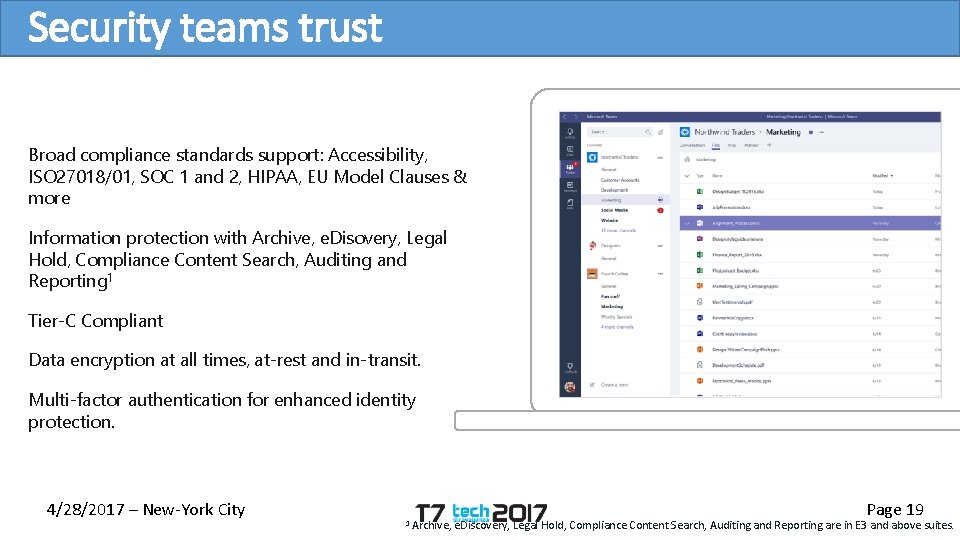
Security teams trust Broad compliance standards support: Accessibility, ISO 27018/01, SOC 1 and 2, HIPAA, EU Model Clauses & more Information protection with Archive, e. Disovery, Legal Hold, Compliance Content Search, Auditing and Reporting 1 Tier-C Compliant Data encryption at all times, at-rest and in-transit. Multi-factor authentication for enhanced identity protection. 4/28/2017 – New-York City 1 Archive, Page 19 e. Discovery, Legal Hold, Compliance Content Search, Auditing and Reporting are in E 3 and above suites.
DEMO Security & Compliance 4/28/2017 – New-York City Page 20
Architecture • Microsoft Teams is built on existing Microsoft technologies woven together by Office 365 Groups. • Powered by Microsoft’s cloud, organizations can expect excellent performance and reliability when leveraging Microsoft Teams as part of their collaboration story. 4/28/2017 – New-York City Page 22
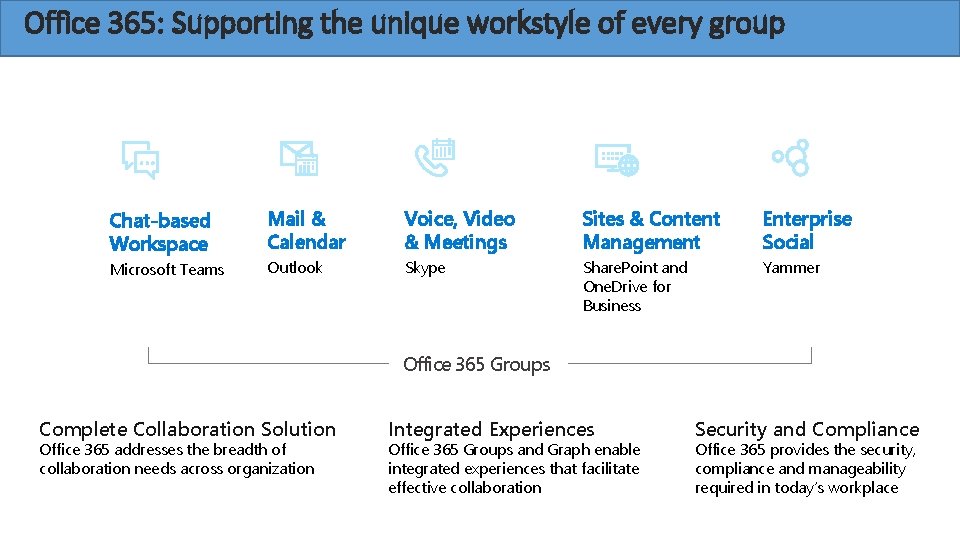
Office 365: Supporting the unique workstyle of every group Chat-based Workspace Mail & Calendar Voice, Video & Meetings Sites & Content Management Enterprise Social Microsoft Teams Outlook Skype Share. Point and One. Drive for Business Yammer Office 365 Groups Complete Collaboration Solution Office 365 addresses the breadth of collaboration needs across organization 4/28/2017 – New-York City Integrated Experiences Office 365 Groups and Graph enable integrated experiences that facilitate effective collaboration Security and Compliance Office 365 provides the security, compliance and manageability required in today’s workplace Page 23
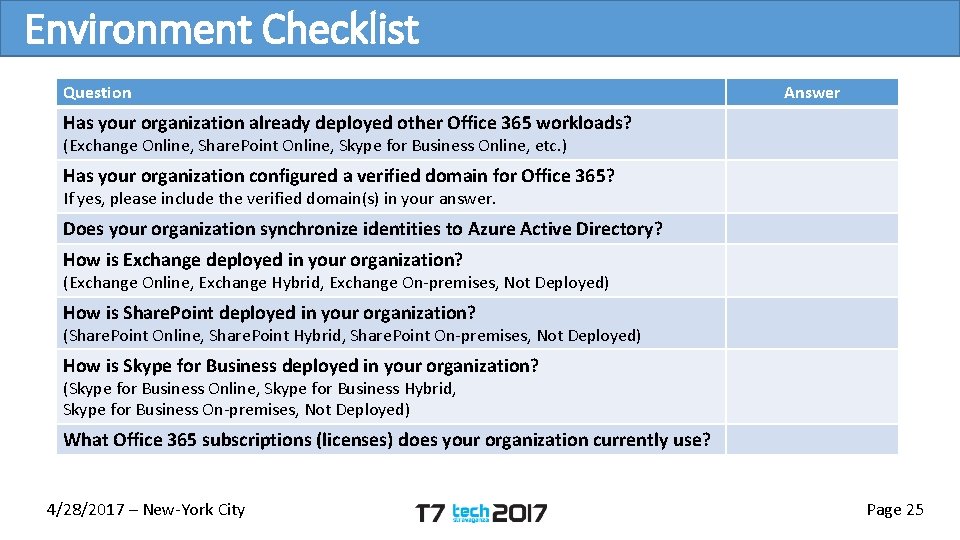
Environment Checklist Question Answer Has your organization already deployed other Office 365 workloads? (Exchange Online, Share. Point Online, Skype for Business Online, etc. ) Has your organization configured a verified domain for Office 365? If yes, please include the verified domain(s) in your answer. Does your organization synchronize identities to Azure Active Directory? How is Exchange deployed in your organization? (Exchange Online, Exchange Hybrid, Exchange On-premises, Not Deployed) How is Share. Point deployed in your organization? (Share. Point Online, Share. Point Hybrid, Share. Point On-premises, Not Deployed) How is Skype for Business deployed in your organization? (Skype for Business Online, Skype for Business Hybrid, Skype for Business On-premises, Not Deployed) What Office 365 subscriptions (licenses) does your organization currently use? 4/28/2017 – New-York City Page 25
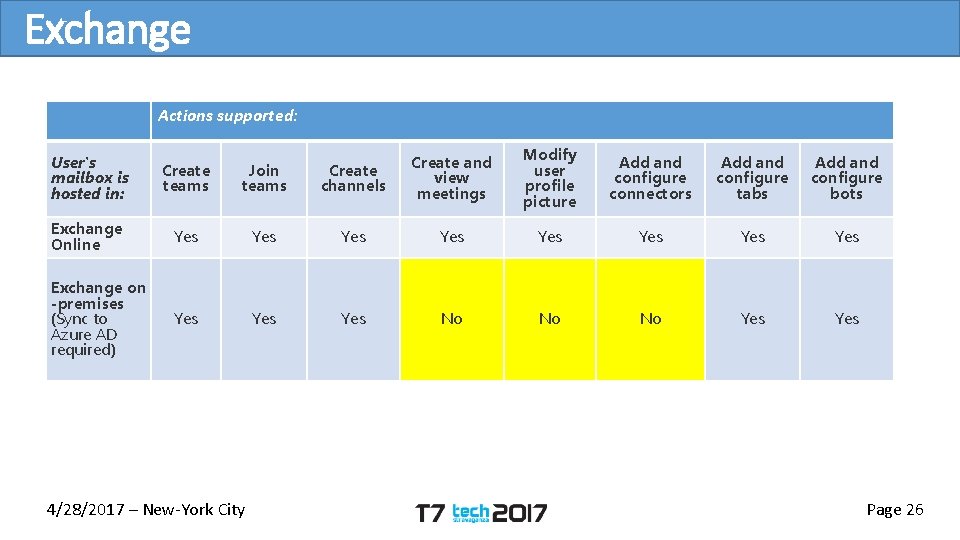
Exchange Actions supported: User's mailbox is hosted in: Create teams Join teams Create channels Create and view meetings Modify user profile picture Add and configure connectors Add and configure tabs Add and configure bots Exchange Online Yes Yes Exchange on -premises (Sync to Azure AD required) Yes Yes No No No Yes 4/28/2017 – New-York City Page 26
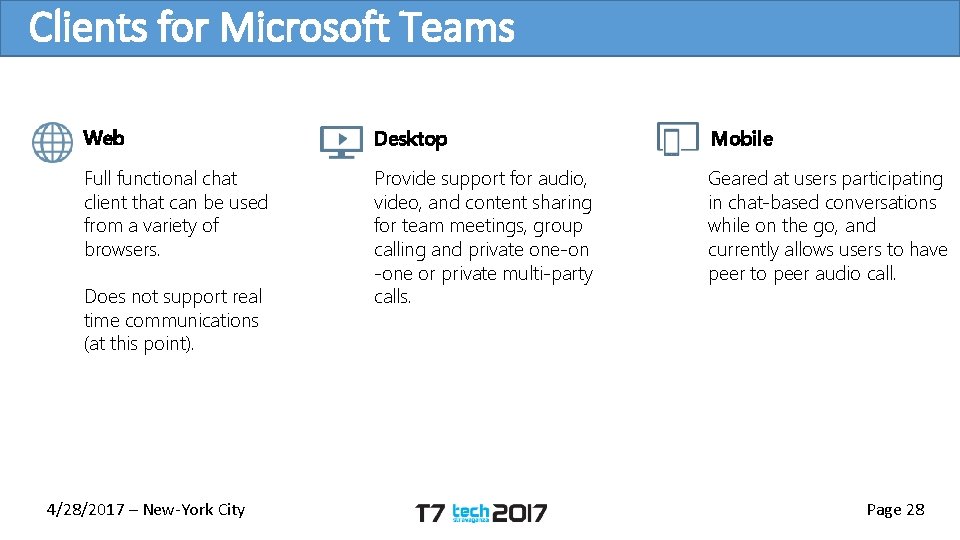
Clients for Microsoft Teams Web Desktop Mobile Full functional chat client that can be used from a variety of browsers. Provide support for audio, video, and content sharing for team meetings, group calling and private one-on -one or private multi-party calls. Geared at users participating in chat-based conversations while on the go, and currently allows users to have peer to peer audio call. Does not support real time communications (at this point). 4/28/2017 – New-York City Page 28
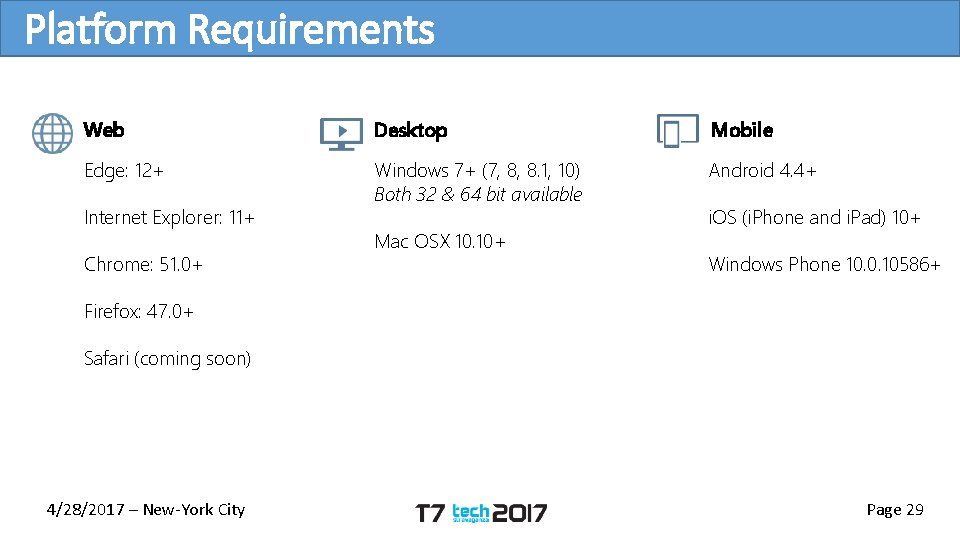
Platform Requirements Web Desktop Mobile Edge: 12+ Windows 7+ (7, 8, 8. 1, 10) Both 32 & 64 bit available Android 4. 4+ Internet Explorer: 11+ Chrome: 51. 0+ Mac OSX 10. 10+ i. OS (i. Phone and i. Pad) 10+ Windows Phone 10. 0. 10586+ Firefox: 47. 0+ Safari (coming soon) 4/28/2017 – New-York City Page 29

Microsoft Teams Licensing Requirements Business Essentials Business Premium 4/28/2017 – New-York City Enterprise E 1 Education Enterprise E 3 Education Plus Enterprise E 4 (retired) Education E 3 (retired) Enterprise E 5 Education E 5 Page 31
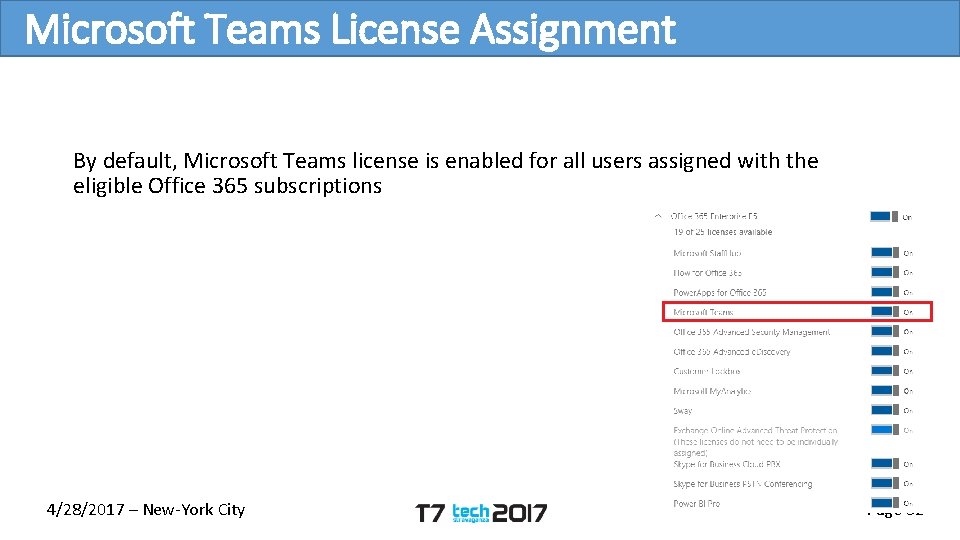
Microsoft Teams License Assignment By default, Microsoft Teams license is enabled for all users assigned with the eligible Office 365 subscriptions 4/28/2017 – New-York City Page 32
Structure Teams • Collection of people, content, and tools surrounding different projects Channels • Dedicated sections within a team to keep conversations organized • Places where everyone on the team can have open conversations • Can be extended with Tabs, Connectors and Bots 4/28/2017 – New-York City Page 34
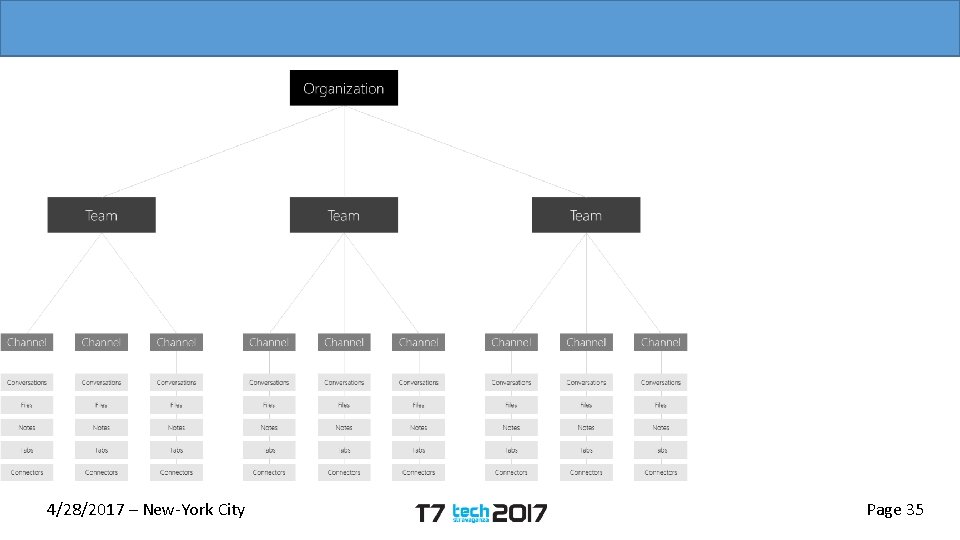
4/28/2017 – New-York City Page 35
Memberships and Roles Team owners are able to invite anyone in the organization they work Two roles in Team: • Owner: person who creates the team or assigned the role. Responsible for managing team-wide settings and membership, including invitations • Team member: the people that have been invited to join the team 4/28/2017 – New-York City Page 36
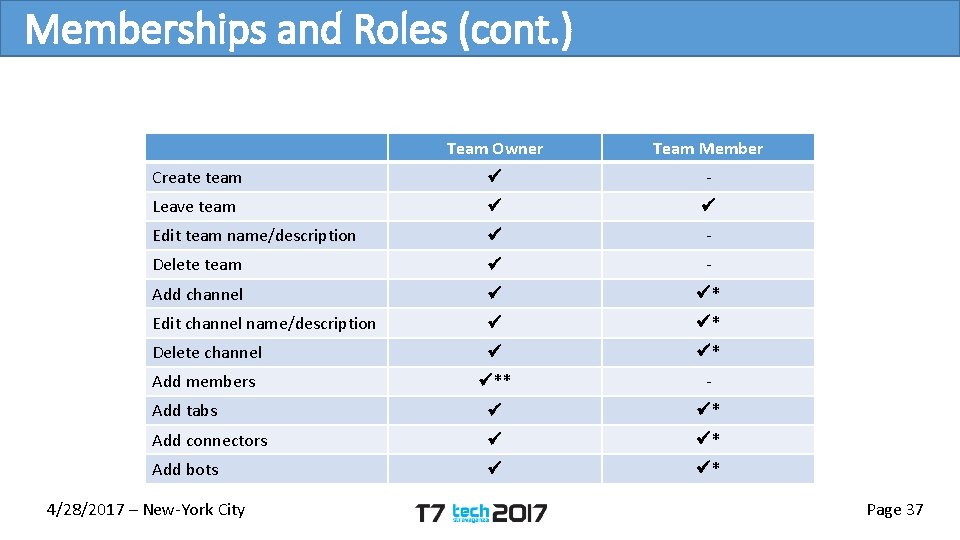
Memberships and Roles (cont. ) Team Owner Team Member Create team - Leave team Edit team name/description - Delete team - Add channel * Edit channel name/description * Delete channel * Add members ** - Add tabs * Add connectors * Add bots * 4/28/2017 – New-York City Page 37
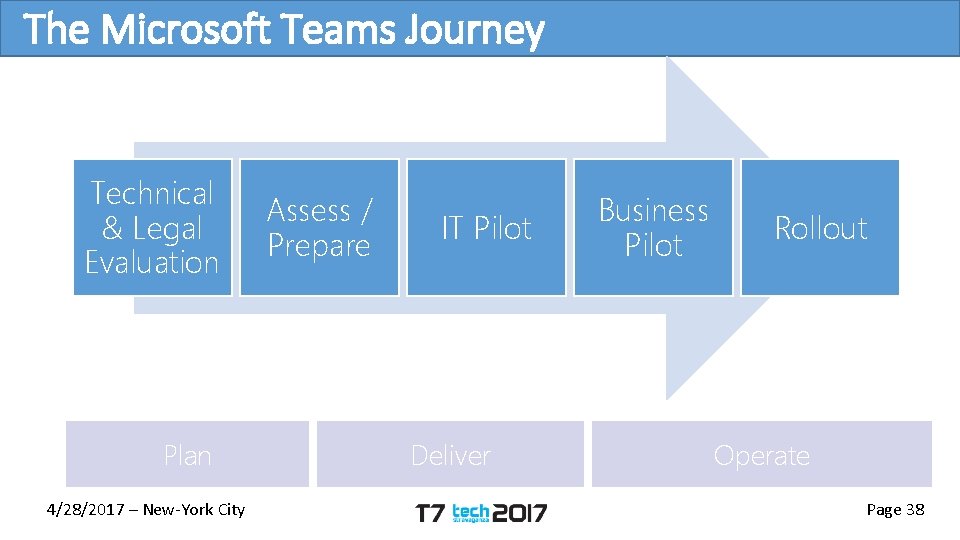
The Microsoft Teams Journey Technical & Legal Evaluation Plan 4/28/2017 – New-York City Assess / Prepare IT Pilot Deliver Business Pilot Rollout Operate Page 38
Other information • All slide decks will be posted on http: //www. techstravaganza. com • Grand Prize Raffle at 5: 15 pm • Join us for Cash Bar & Free Food @ Guys American @ 5: 45 pm 4/28/2017 – New-York City Page 39
- Slides: 39