
Improving Design Workflow in Architectural Design Applications Presentation


- Slides: 27
Improving Design Workflow in Architectural Design Applications Presentation Doctoral Seminar 16/06/2006 Leuven (Belgium)
A B C Overview A B C D – – – - Introduction Design Workflow in BIM Software An Integrated Design Environment for Architecture Implementation of Possible Improvements D
A B C A - Introduction 1. Problem Statement 2. Methodology 3. Framework to describe Design Process D
A B C D 1. Problem Statement – Several commercial architectural design applications – Increasing attention to Building Information Modeling (BIM) – Clear focus on construction documentation – Less support for the design workflow, especially in the early design stages
A B C D 2. Methodology – MERODE method for the development of the CORE Object Model – study and teaching of current commercial CAAD applications – database of design applications – participation in online forums and workshops on CAD, BIM and Digital Design – study of data exchange formats – literature study on CAAD research and development
A B C D 3. Framework to describe Design Process 3. 1 – Conceptual Framework 3. 2 – CORE Object Model
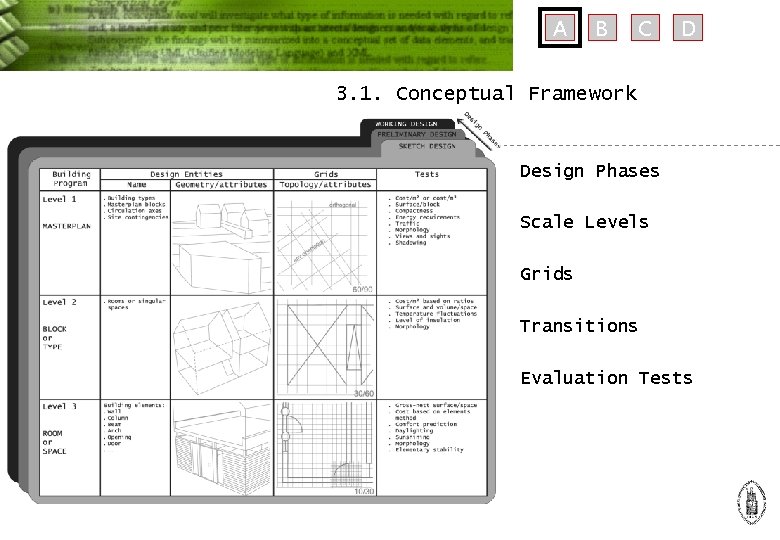
A B C D 3. 1. Conceptual Framework Design Phases Scale Levels Grids Transitions Evaluation Tests
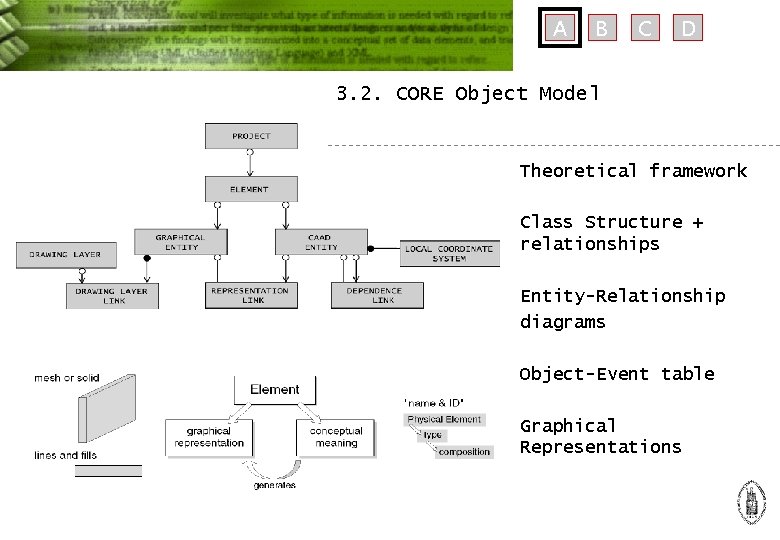
A B C D 3. 2. CORE Object Model Theoretical framework Class Structure + relationships Entity-Relationship diagrams Object-Event table Graphical Representations
A B C D B – Design Workflow in BIM Software 1. 2. 3. 4. Autodesk Architectural Desktop Autodesk Revit Graphisoft Archi. CAD Conclusion
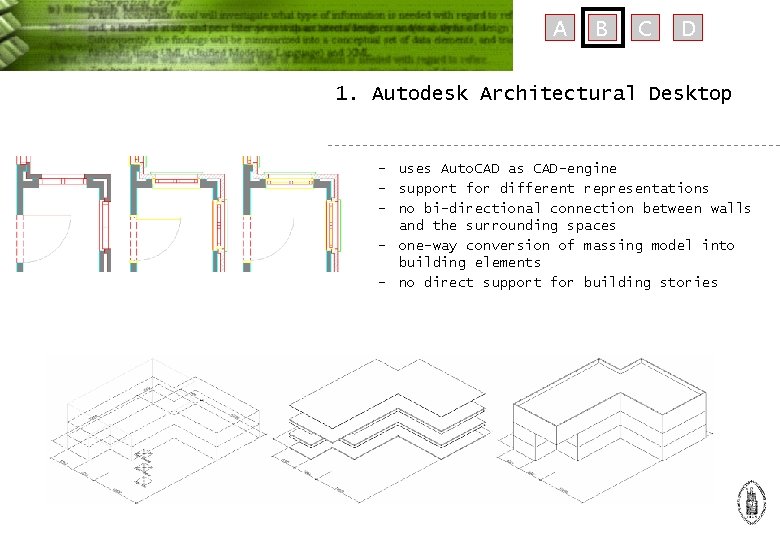
A B C D 1. Autodesk Architectural Desktop – uses Auto. CAD as CAD-engine – support for different representations – no bi-directional connection between walls and the surrounding spaces – one-way conversion of massing model into building elements – no direct support for building stories
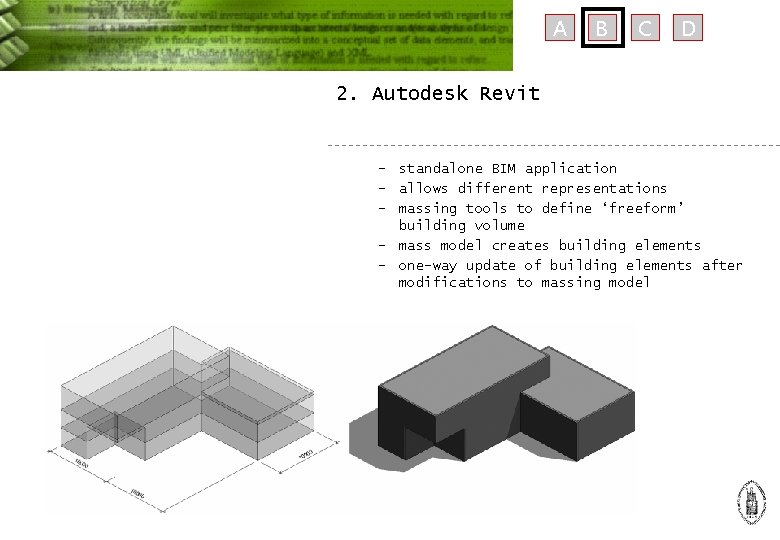
A B C D 2. Autodesk Revit – standalone BIM application – allows different representations – massing tools to define ‘freeform’ building volume – mass model creates building elements – one-way update of building elements after modifications to massing model
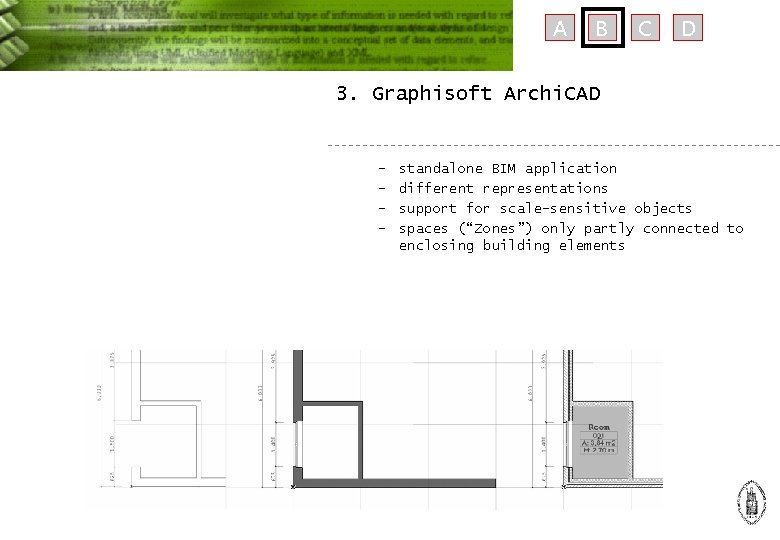
A B C D 3. Graphisoft Archi. CAD – – standalone BIM application different representations support for scale-sensitive objects spaces (“Zones”) only partly connected to enclosing building elements
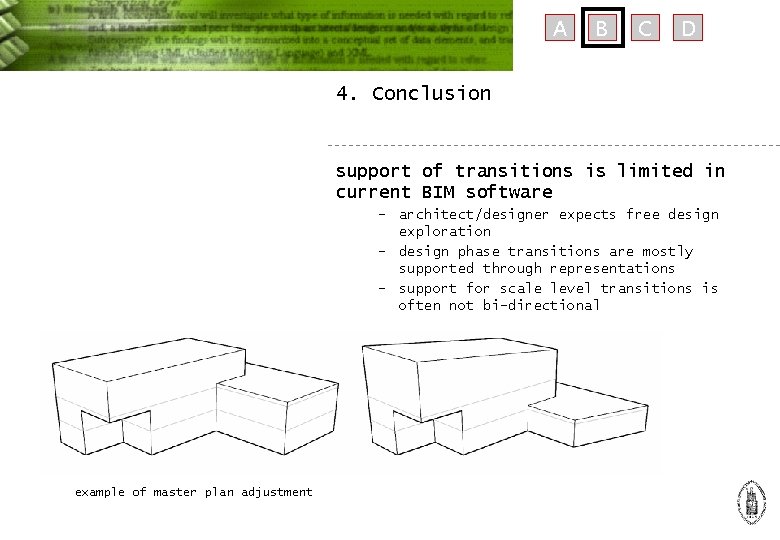
A B C D 4. Conclusion support of transitions is limited in current BIM software – architect/designer expects free design exploration – design phase transitions are mostly supported through representations – support for scale level transitions is often not bi-directional example of master plan adjustment
A B C D C – An Integrated Design Environment for Architecture 1. 2. 3. 4. 5. 6. Introduction & Concept Building Project Data Structure Representation of Building Data Transitions between Design Phases & Scale Levels Integration of Evaluation Tests Prototype Application
A B C D 1. Introduction & Concept storing design decisions – follow the workflow of an architect – using building semantics providing feedback during design – evaluation tests (simulations) – allow design exploration development platform for research – data structure – prototype application
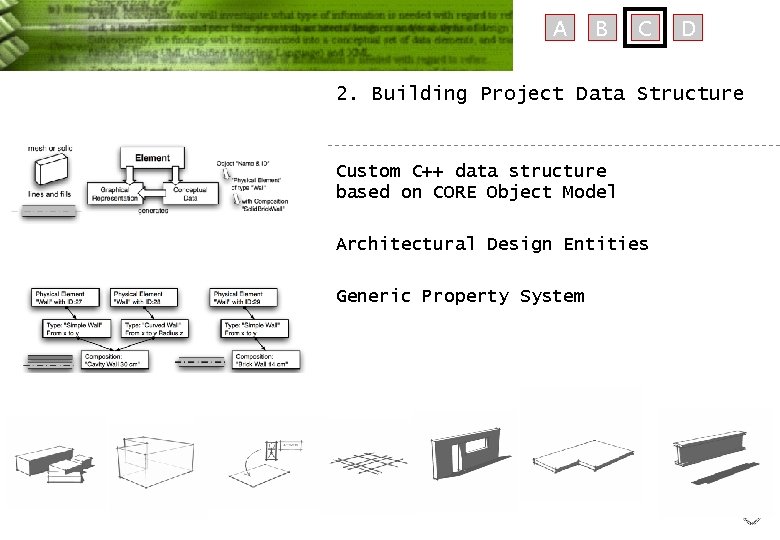
A B C D 2. Building Project Data Structure Custom C++ data structure based on CORE Object Model Architectural Design Entities Generic Property System
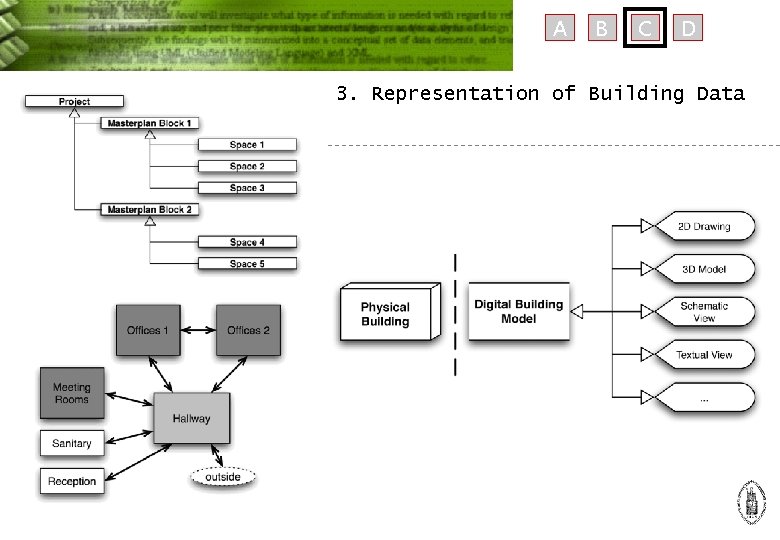
A B C D 3. Representation of Building Data
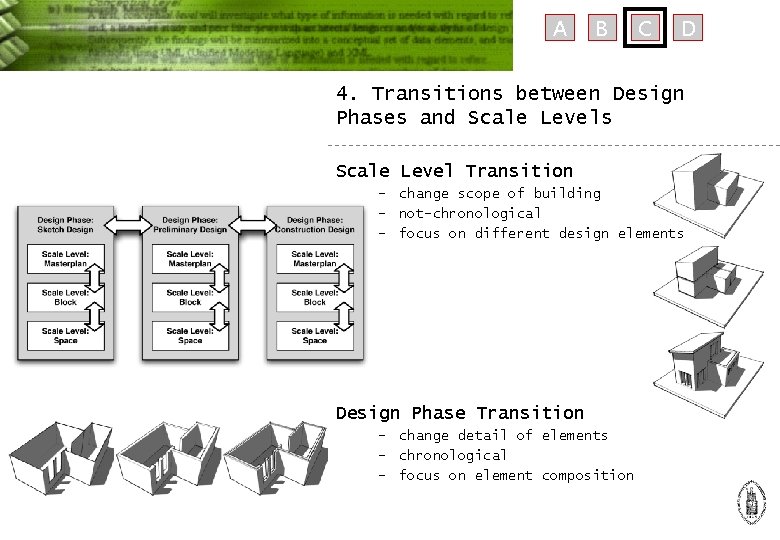
A B C D 4. Transitions between Design Phases and Scale Levels Scale Level Transition – change scope of building – not-chronological – focus on different design elements Design Phase Transition – change detail of elements – chronological – focus on element composition
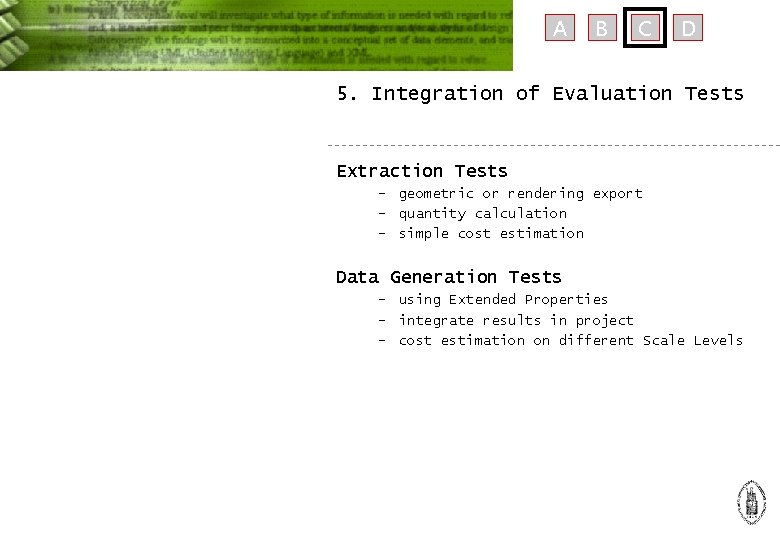
A B C D 5. Integration of Evaluation Tests Extraction Tests – geometric or rendering export – quantity calculation – simple cost estimation Data Generation Tests – using Extended Properties – integrate results in project – cost estimation on different Scale Levels
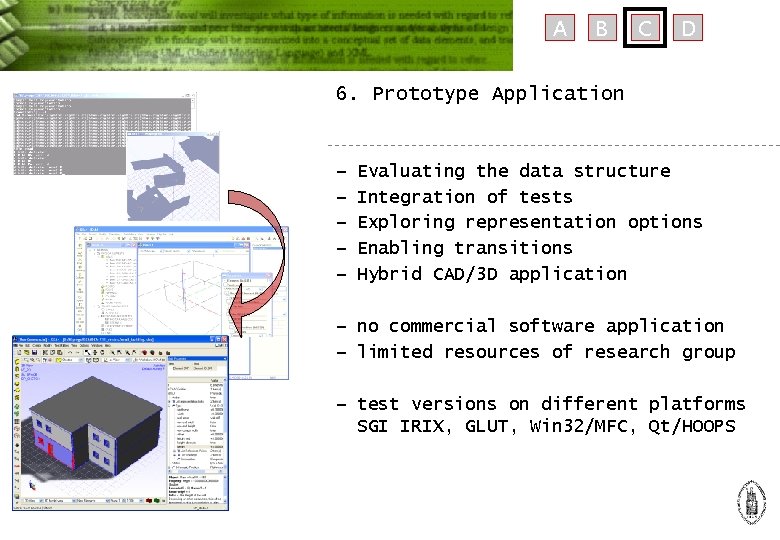
A B C D 6. Prototype Application − − − Evaluating the data structure Integration of tests Exploring representation options Enabling transitions Hybrid CAD/3 D application − no commercial software application − limited resources of research group − test versions on different platforms SGI IRIX, GLUT, Win 32/MFC, Qt/HOOPS
A B C D D – Implementation of Possible Improvements 1. 2. 3. 4. Creating a grid of Reference Points Add Classification Information Connect Properties The Resulting Effect on Transitions
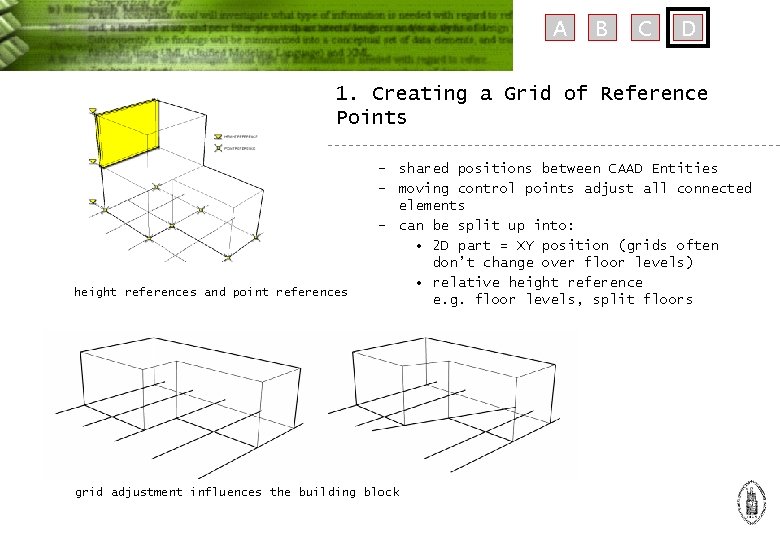
A B C D 1. Creating a Grid of Reference Points height references and point references – shared positions between CAAD Entities – moving control points adjust all connected elements – can be split up into: • 2 D part = XY position (grids often don’t change over floor levels) • relative height reference e. g. floor levels, split floors grid adjustment influences the building block
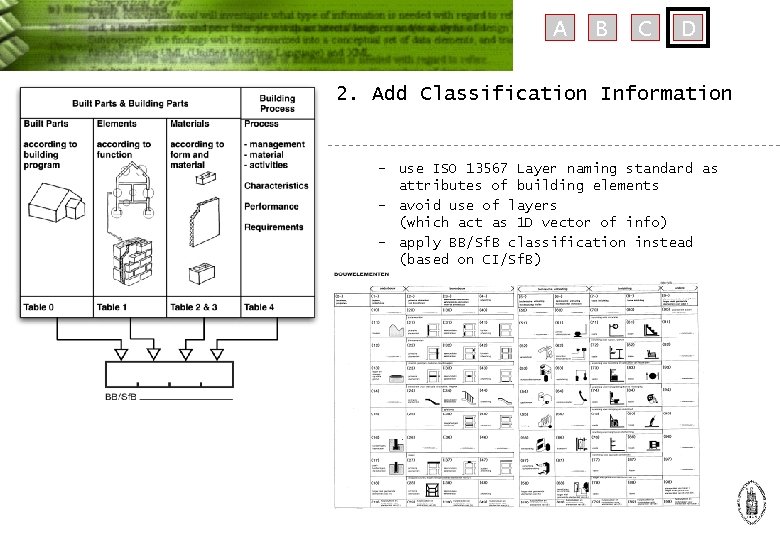
A B C D 2. Add Classification Information – use ISO 13567 Layer naming standard as attributes of building elements – avoid use of layers (which act as 1 D vector of info) – apply BB/Sf. B classification instead (based on CI/Sf. B)
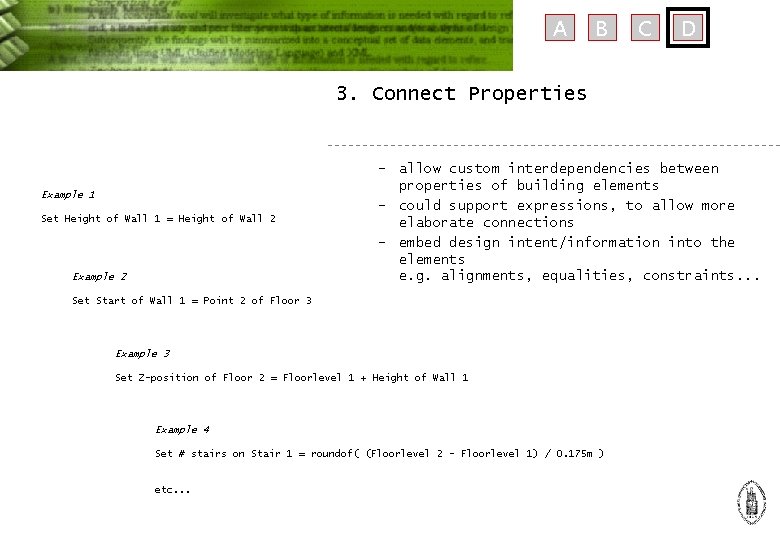
A B C D 3. Connect Properties Example 1 Set Height of Wall 1 = Height of Wall 2 Example 2 – allow custom interdependencies between properties of building elements – could support expressions, to allow more elaborate connections – embed design intent/information into the elements e. g. alignments, equalities, constraints. . . Set Start of Wall 1 = Point 2 of Floor 3 Example 3 Set Z-position of Floor 2 = Floorlevel 1 + Height of Wall 1 Example 4 Set # stairs on Stair 1 = roundof( (Floorlevel 2 - Floorlevel 1) / 0. 175 m ) etc. . .
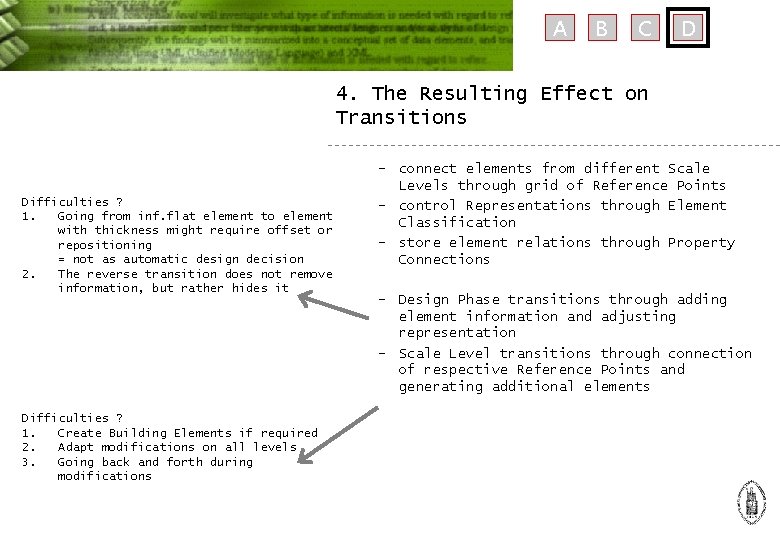
A B C D 4. The Resulting Effect on Transitions Difficulties ? 1. Going from inf. flat element to element with thickness might require offset or repositioning = not as automatic design decision 2. The reverse transition does not remove information, but rather hides it Difficulties ? 1. Create Building Elements if required 2. Adapt modifications on all levels 3. Going back and forth during modifications – connect elements from different Scale Levels through grid of Reference Points – control Representations through Element Classification – store element relations through Property Connections – Design Phase transitions through adding element information and adjusting representation – Scale Level transitions through connection of respective Reference Points and generating additional elements
A B C D Conclusion General Conclusion – Current commercial design applications have limitations in the design workflow – IDEA+ suggests improvements, through enabling Design Phase & Scale Level transitions – This is illustrated with a Prototype Application Future Research – Modre focus on embedding design decisions into Project Data – Integrated aspects from Constraint Modeling and Parametric Design – Apply Prototype in Design Exercises
A Thank you for your attention More information on: http: //www. asro. kuleuven. be/idea B C D