
Improved Project Control Through CPM Scheduling What Owners


- Slides: 56
Improved Project Control Through CPM Scheduling What Owners, PM’s and CM’s Need to Know t. HE TIBURON G R O U P, L L C September 25, 2015
Baseline Considerations n Realistic Plan and Timeline From NTP Through Construction n Tool to Manage Resources and Project Stakeholders Ø Tool n Ability to Report to Project Stakeholders to Manage Costs
Baseline Considerations n Schedule Detail to: Needs to be of Sufficient ØMinimize Secondary Effects of Construction on Operations ØDo Preconstruction Schedule to Accomplish This ØDocument As Built Conditions ØDemonstrate Need for Time Extensions and Work Around Options ØTool to Resolve Disputes
Baseline Considerations n Analyze Time Impacts n Develop Work Around Options n Furnishings, Fixtures And Equipment n Coordinate With Third Party Contracts n Start Up and Commissioning n Move In
Contract Requirements “You Can’t Enforce It If It’s Not In The Contract. ” n The Specifications Need To Be At a Strength Level that Match the Needs of the Project. ØToo Stringent on Small Projects ØNot Stringent Enough on Large Complex Projects
Contract Requirements Scheduling Requirements Stronger for Larger Projects n Require Latest Primavera, P 6, P 3 or Sure. Trak n Require Cost and Manpower Loading n Require Monthly Narrative & Reports n Require Time Impact Analysis for Time Extensions n Tie Updates to Progress Payments n
Baseline Review n Do Thorough and Detailed Review of Baseline n Analyze Baseline for Abuses and Flaws n Assure Contractor Has Adequate Scheduling Resources n Assure Contractor Has Included Adequate Detail
Baseline Review n Do Not Allow Sequestering of Float ØThrough Logic and Constraints n Check Near Criticality ØNot More Than 20% of Activities with 10 Working Days of Float n Check Preferential Logic n Check Calendar Usage
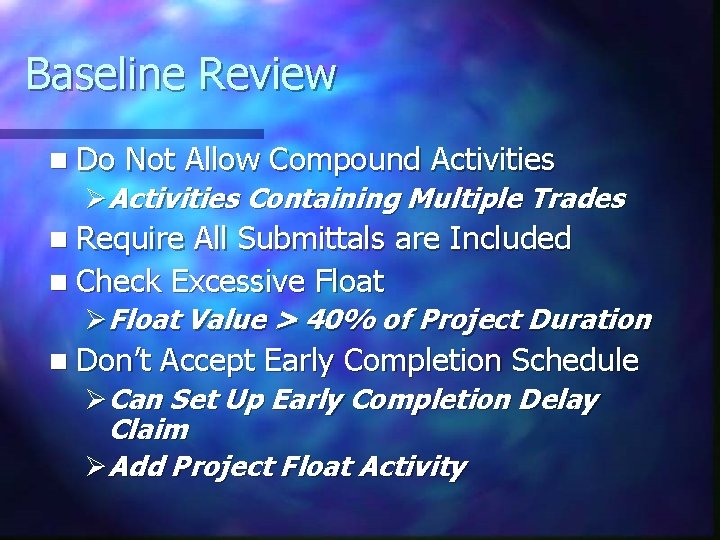
Baseline Review n Do Not Allow Compound Activities ØActivities Containing Multiple Trades n Require All Submittals are Included n Check Excessive Float ØFloat Value > 40% of Project Duration n Don’t Accept Early Completion Schedule ØCan Set Up Early Completion Delay Claim ØAdd Project Float Activity
Some Analysis Tools n Claims Digger n (Comes with P 6) n Schedule Analyzer Pro n Sure Change n Excel n Proprietary Software ØAbove Commercial Packages Do Not Do It All
Relationship Types n Minimize Logic Use Of Non-Conventional ØAim For Majority of Logic To Be Finish To Start. o Finish To Start (FS) = An Successor Activity Cannot Start Until Its Predecessor Activities Finishes
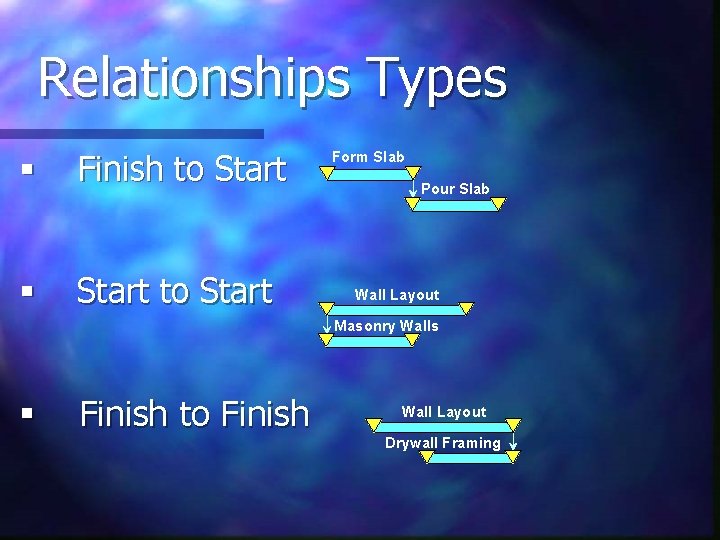
Relationships Types § Finish to Start § Start to Start Form Slab Pour Slab Wall Layout Masonry Walls § Finish to Finish Wall Layout Drywall Framing
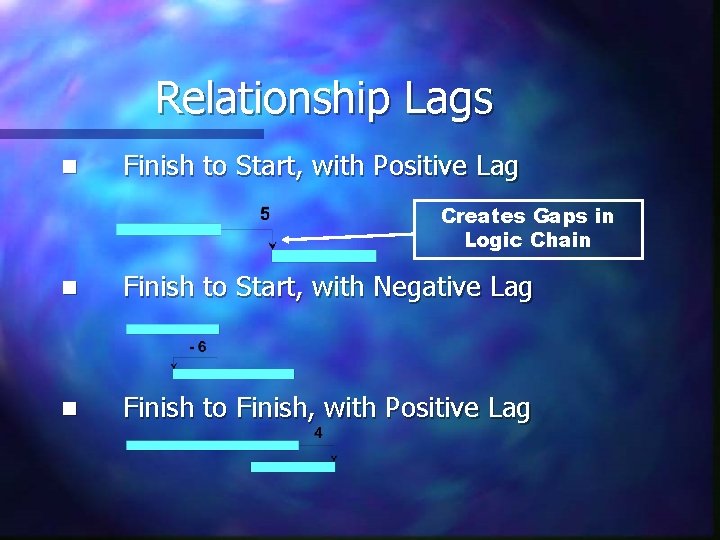
Relationship Lags n Finish to Start, with Positive Lag Creates Gaps in Logic Chain n Finish to Start, with Negative Lag n Finish to Finish, with Positive Lag
Float vs. Lag n A Logic Tie Lag is Not Float ØLags Can be Used to Sequester Float n Who Owns the Float? ØNormally Project Owns the Float ØYou Can Allow for Owner to Retain Float for Their Time Savings, but This Must be In the Contract.
Unconventional and Unbalanced, or Uncoordinated Logic
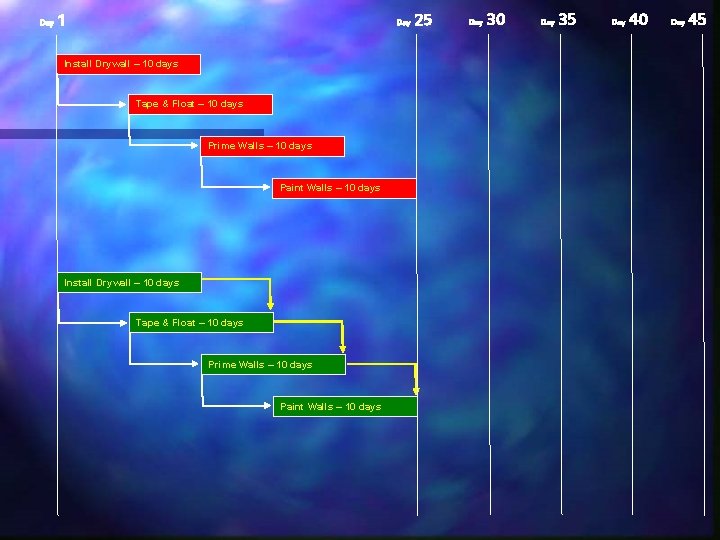
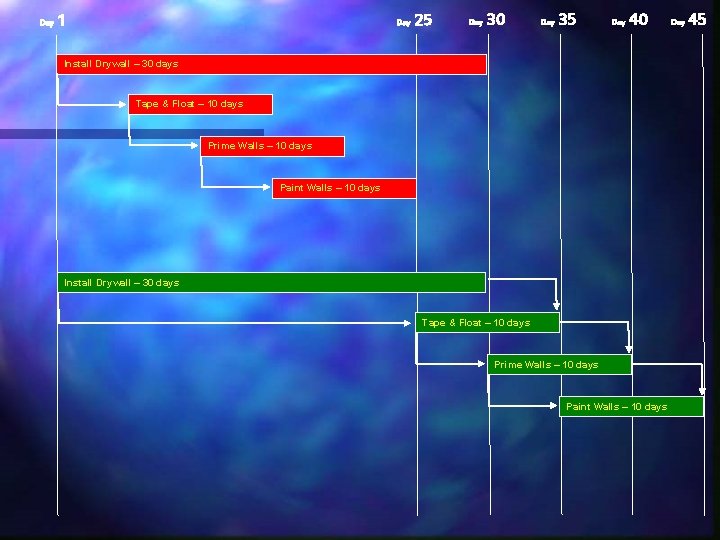
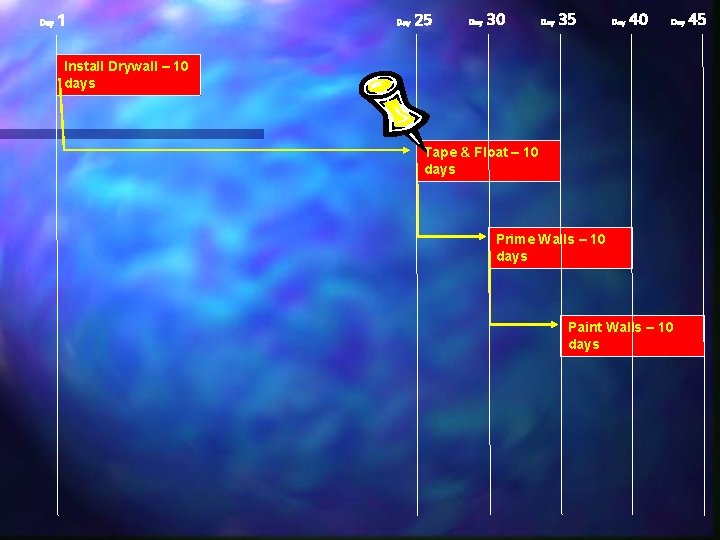
Day 1 Day Install Drywall – 10 days Tape & Float – 10 days Prime Walls – 10 days Paint Walls – 10 days 25 Day 30 Day 35 Day 40 Day 45
Day 1 Day 25 Day 30 Day 35 Day 40 Install Drywall – 30 days Tape & Float – 10 days Prime Walls – 10 days Paint Walls – 10 days Day 45
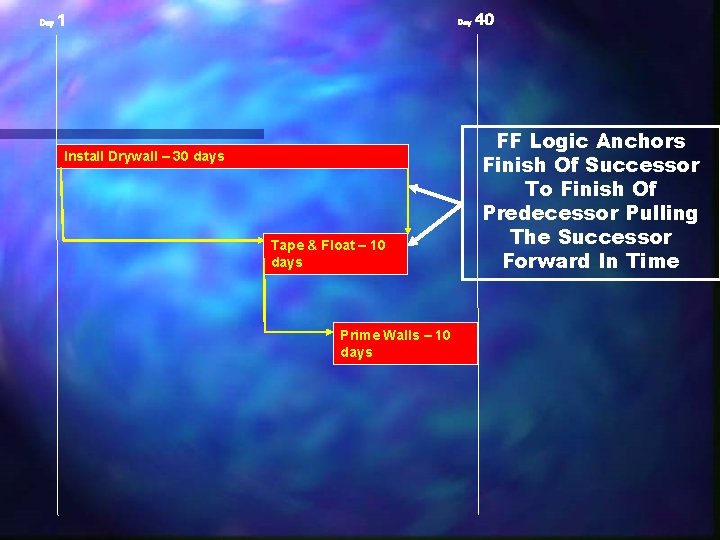
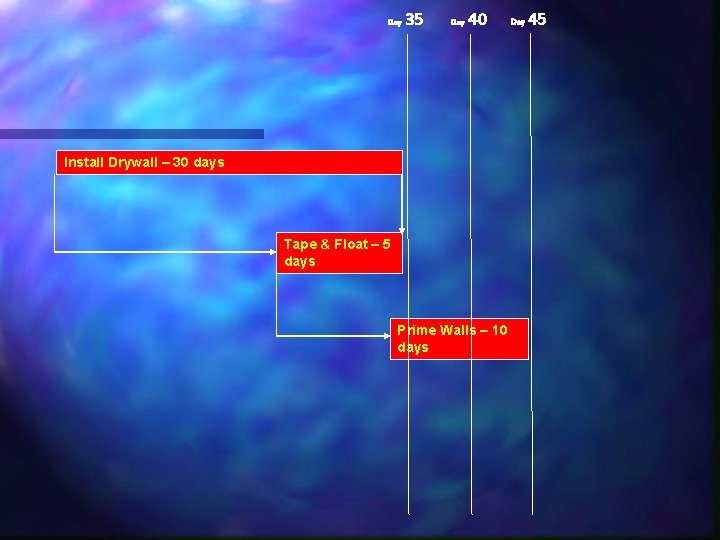
Reverse Critical Path n With Unconventional Logic, Even If The Logic Is Properly Coordinated Its Use Can Have Drastic Effects When Original Durations Are Revised
Day 1 Day Install Drywall – 30 days Tape & Float – 10 days Prime Walls – 10 days 40 FF Logic Anchors Finish Of Successor To Finish Of Predecessor Pulling The Successor Forward In Time
Day 35 Day 40 Install Drywall – 30 days Tape & Float – 5 days Prime Walls – 10 days Day 45
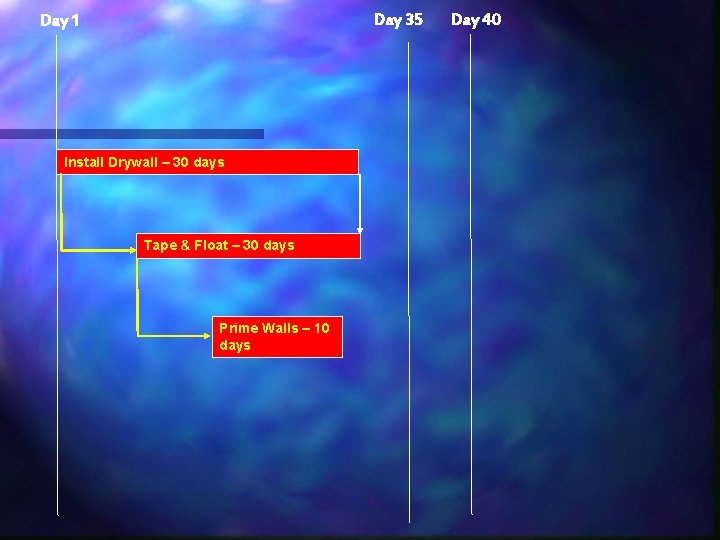
Day 35 Day 1 Install Drywall – 30 days Tape & Float – 30 days Prime Walls – 10 days Day 40
Date and Float Constraints
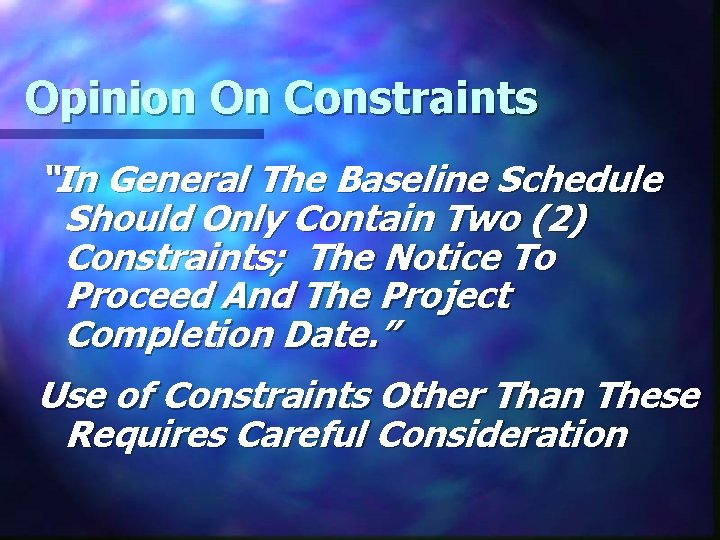
Opinion On Constraints “In General The Baseline Schedule Should Only Contain Two (2) Constraints; The Notice To Proceed And The Project Completion Date. ” Use of Constraints Other Than These Requires Careful Consideration
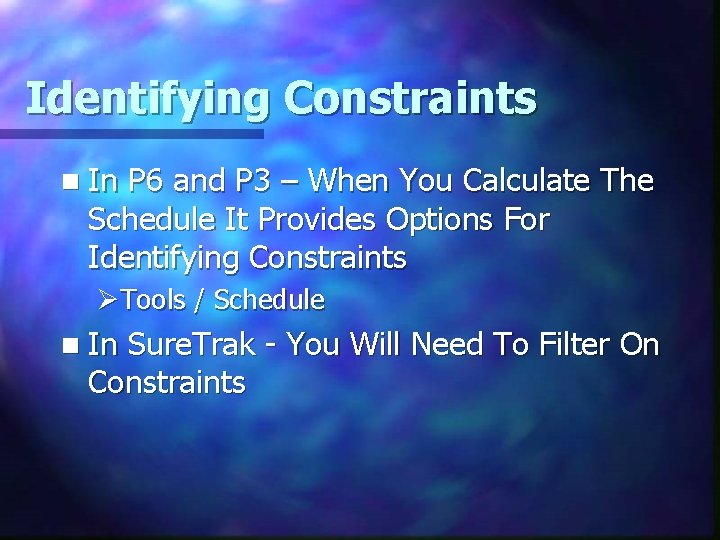
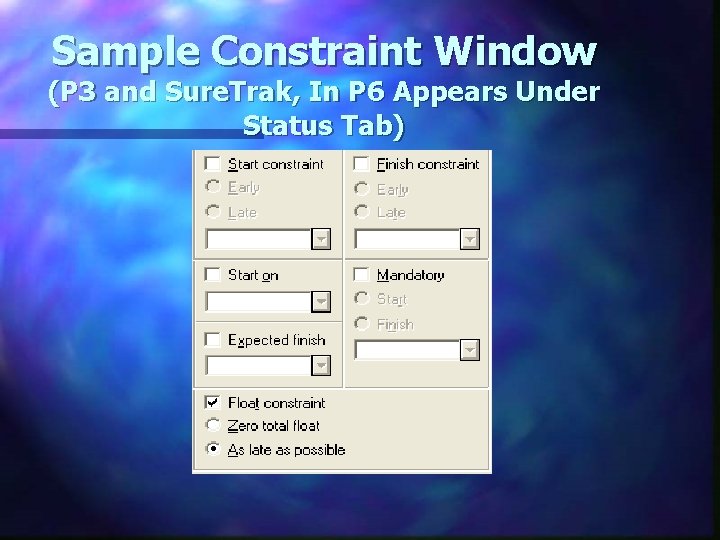
Identifying Constraints n In P 6 and P 3 – When You Calculate The Schedule It Provides Options For Identifying Constraints ØTools / Schedule n In Sure. Trak - You Will Need To Filter On Constraints
Sample Constraint Window (P 3 and Sure. Trak, In P 6 Appears Under Status Tab)
Date Constraints
Mandatory Start and Finish Constraints n Mandatory Start and Finish Constraints Override CPM Calculation They Can Truncate the Longest Critical Path n They Can Render a False Total Float Calculation n
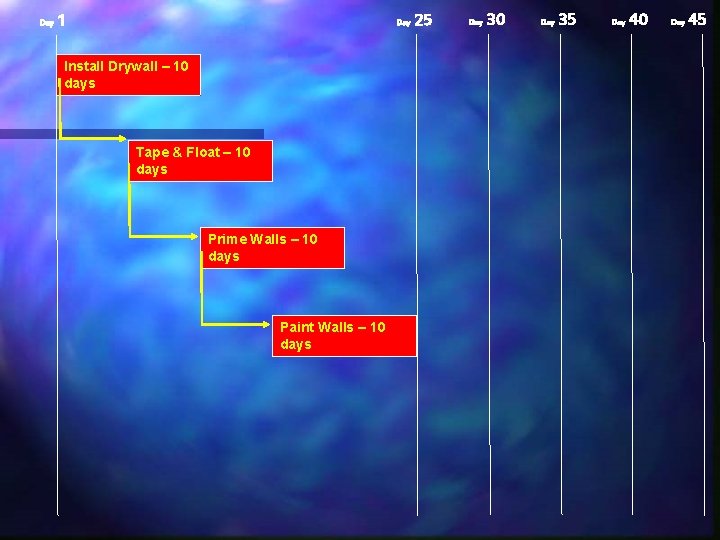
Day 1 Day Install Drywall – 10 days Tape & Float – 10 days Prime Walls – 10 days Paint Walls – 10 days 25 Day 30 Day 35 Day 40 Day 45
Day 1 Day 25 Day 30 Day 35 Day 40 Day Install Drywall – 10 days Tape & Float – 10 days Prime Walls – 10 days Paint Walls – 10 days 45
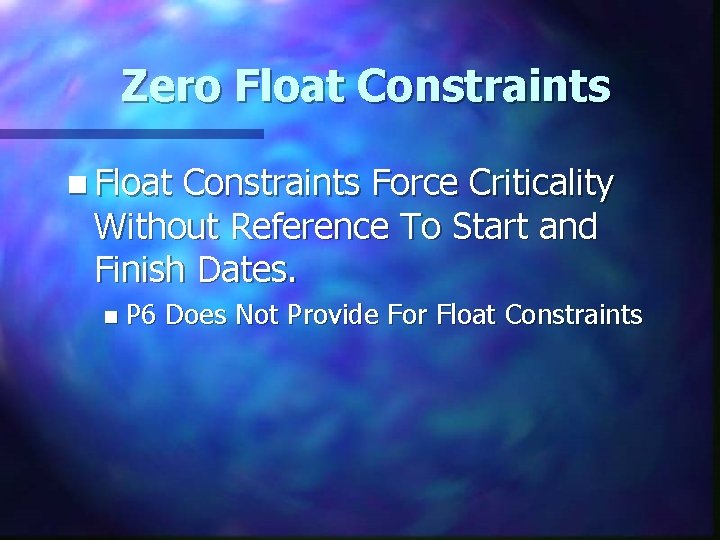
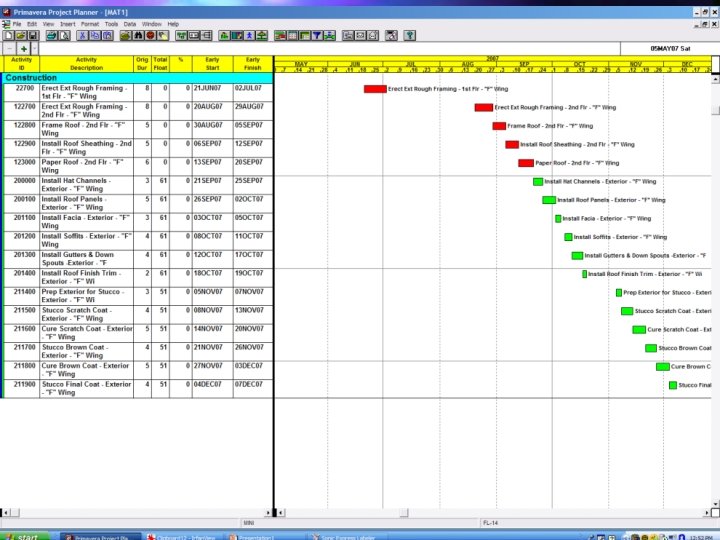
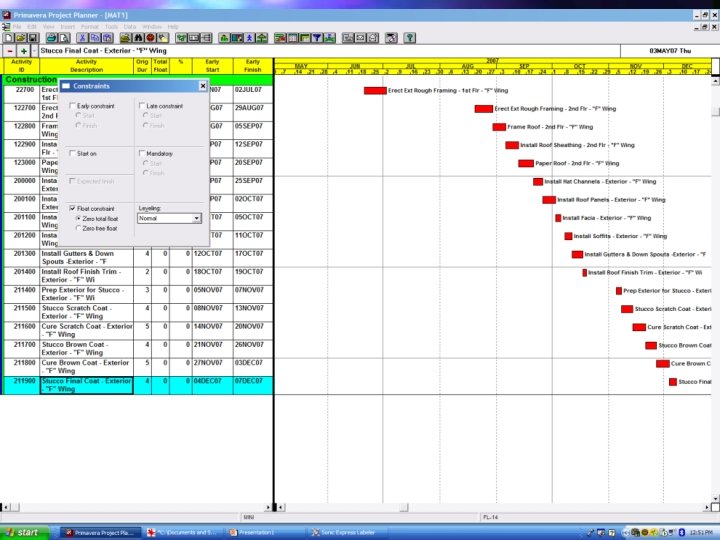
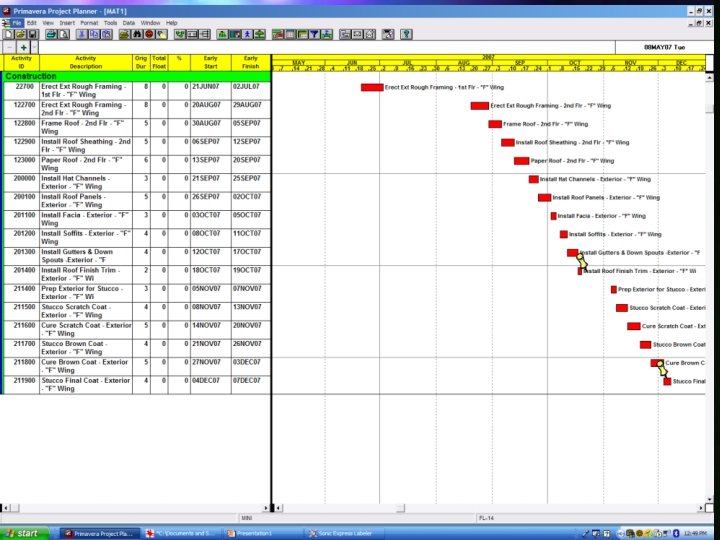
Zero Float Constraints n Float Constraints Force Criticality Without Reference To Start and Finish Dates. n P 6 Does Not Provide For Float Constraints
Milestones n Milestones Are Treated As Constraints By Most Scheduling Software n Milestones With Date Or Float Constraints Should Not Be Allowed In The Schedule Unless Contractually Called For n Internal Milestones Should Not Be Called For Unless LD’s Are Assigned
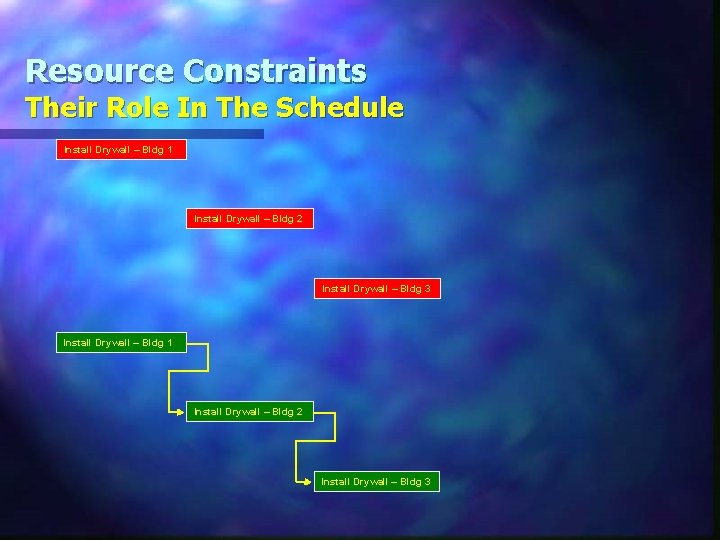
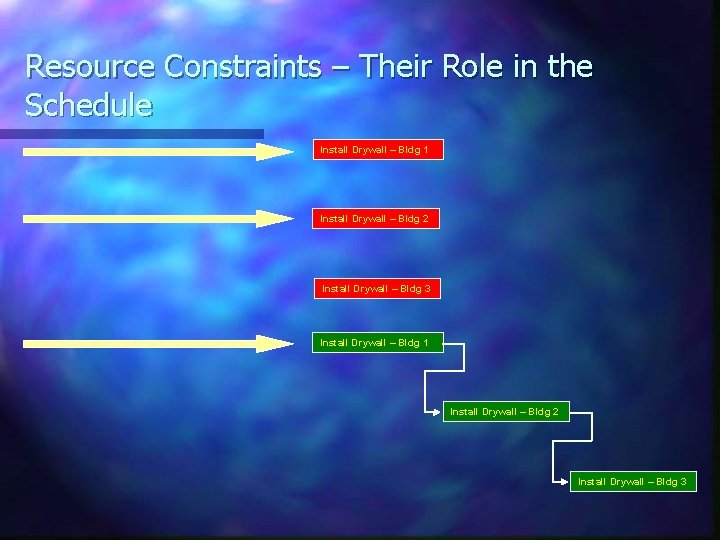
Resource Constraints (Not Normal Constraints) n The Relationships Between Like Activities In Different Project Areas n These Relationships Are Resource Driven n These Resources Can Be Manpower, Equipment, Or Process Limitations
Resource Constraints Their Role In The Schedule Install Drywall – Bldg 1 Install Drywall – Bldg 2 Install Drywall – Bldg 3
Resource Constraints – Their Role in the Schedule Install Drywall – Bldg 1 Install Drywall – Bldg 2 Install Drywall – Bldg 3
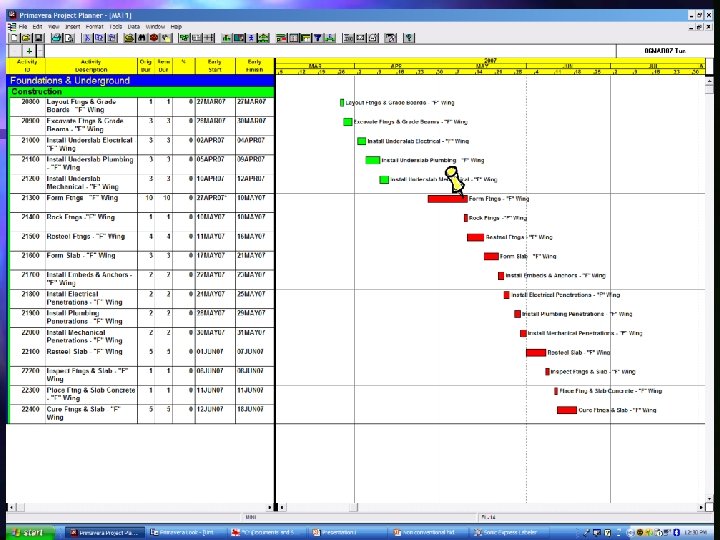
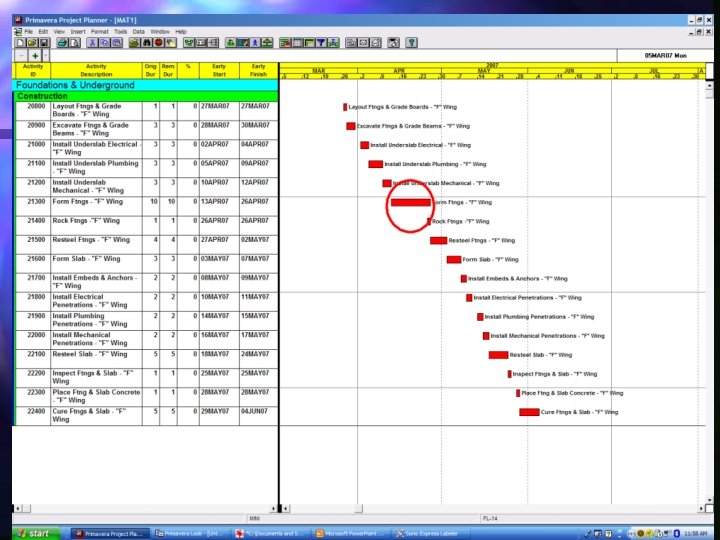
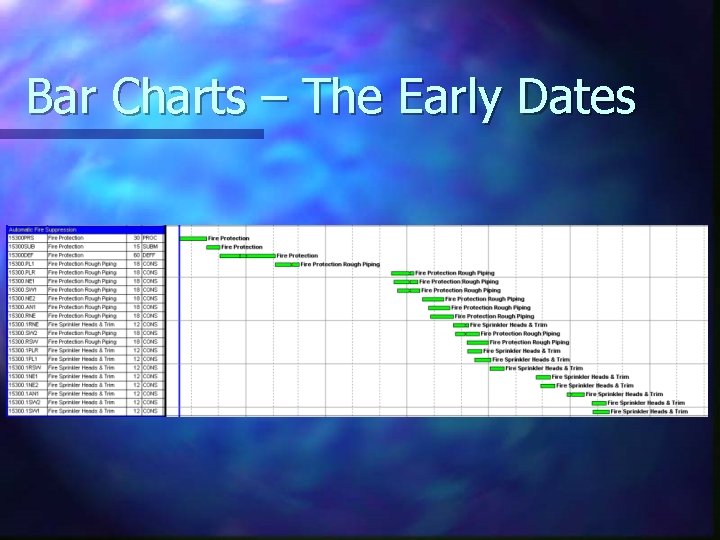
Bar Charts – The Early Dates
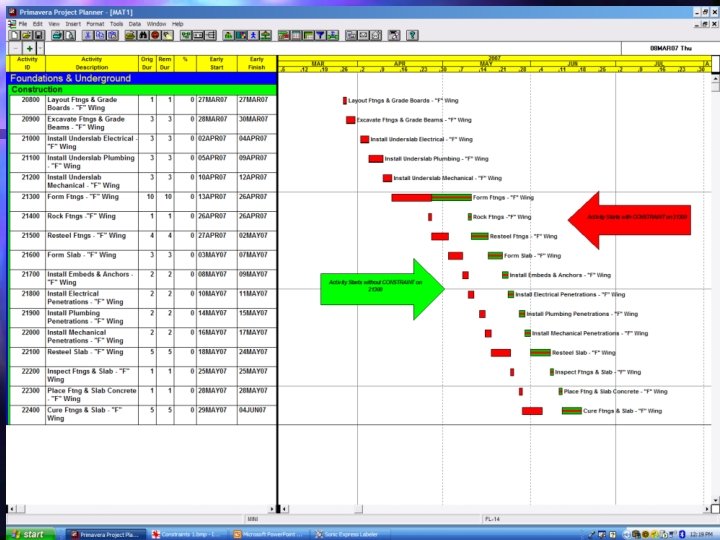
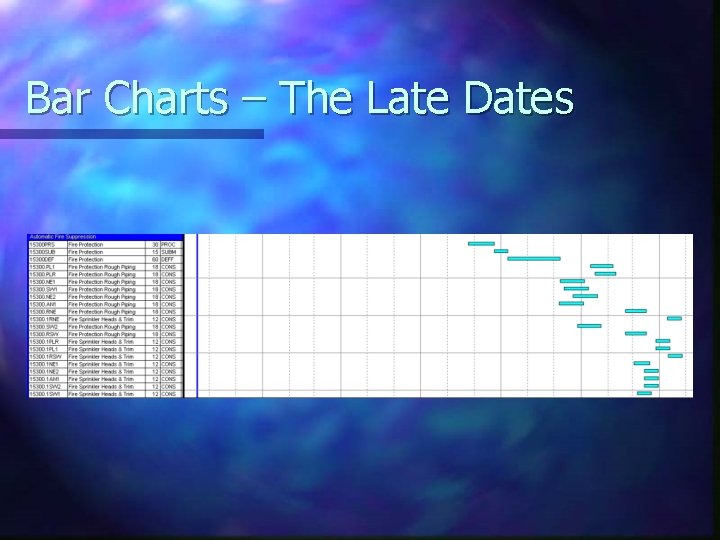
Bar Charts – The Late Dates
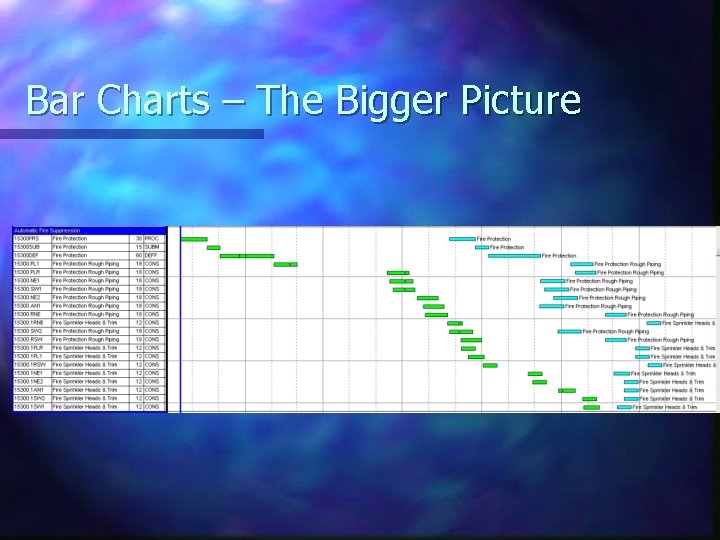
Bar Charts – The Bigger Picture
Update Reviews n Assure Updates Reflect Actual Progress and Match Payment Applications n Review Updates Promptly and Analyze for Abuses n Don’t Allow Mass Unilateral Changes to Schedule Updates n If Schedule Significantly Changes Require Statused Only Copy Plus Revised Copy
Retained Logic n Retained Logic Schedules an Activity With Out of Sequence Progress According to the Network Logic. It Allows an Activity to Begin Out of Sequence, but the Remaining Duration for the Activity Cannot be Completed Until It’s Logical Predecessors Complete.
Progress Override n Progress Override Ignores Network Logic and Treats Out of Sequence Activities as Though They Have No Predecessors and Can Progress Without Delay. ØThis Can Hide Delays To The Project. ØDoes Not Reflect Contractor’s Current Work Plan.
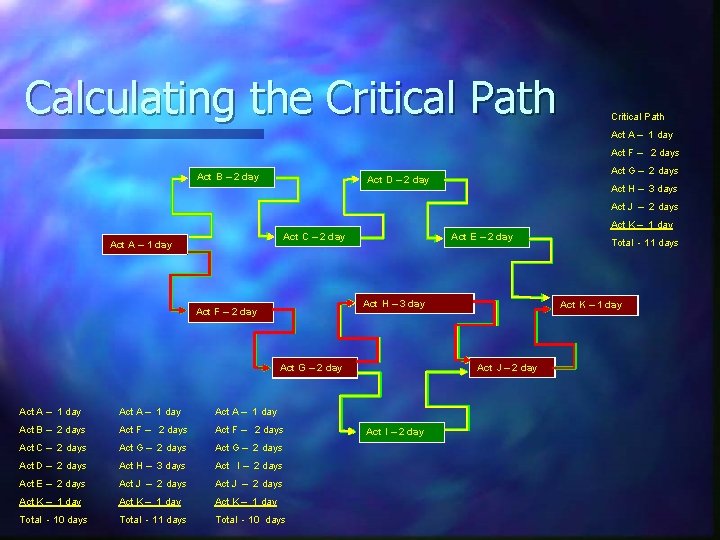
Calculating the Critical Path Act A – 1 day Act F – 2 days Act B – 2 day Act G – 2 days Act D – 2 day Act H – 3 days Act J – 2 days Act K – 1 day Act C – 2 day Act A – 1 day Act E – 2 day Act H – 3 day Act F – 2 day Act A – 1 day Act B – 2 days Act F – 2 days Act C – 2 days Act G – 2 days Act D – 2 days Act H – 3 days Act I – 2 days Act E – 2 days Act J – 2 days Act K – 1 day Total - 10 days Total - 11 days Total - 10 days Act K – 1 day Act J – 2 day Act G – 2 day Act I – 2 day Total - 11 days
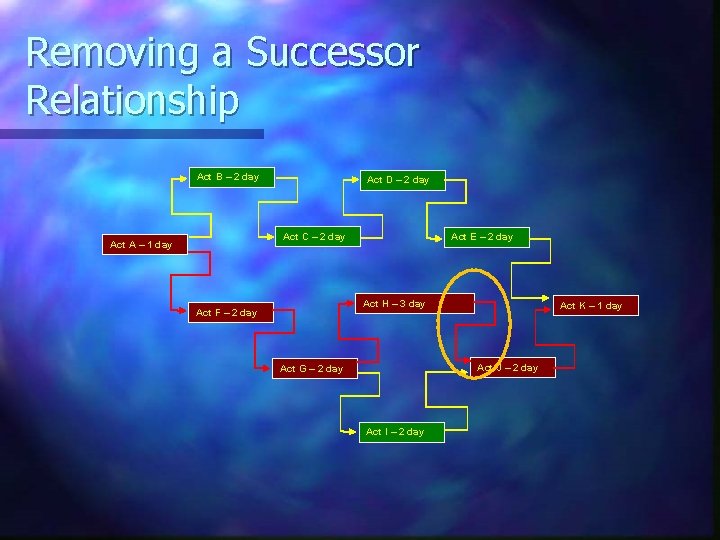
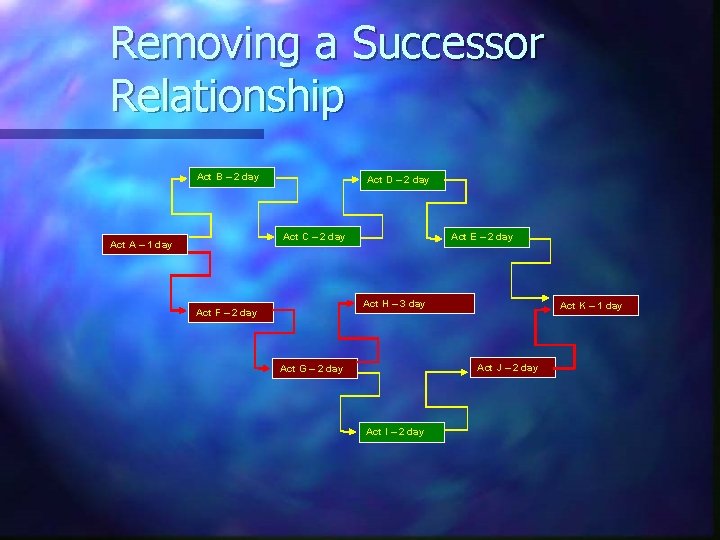
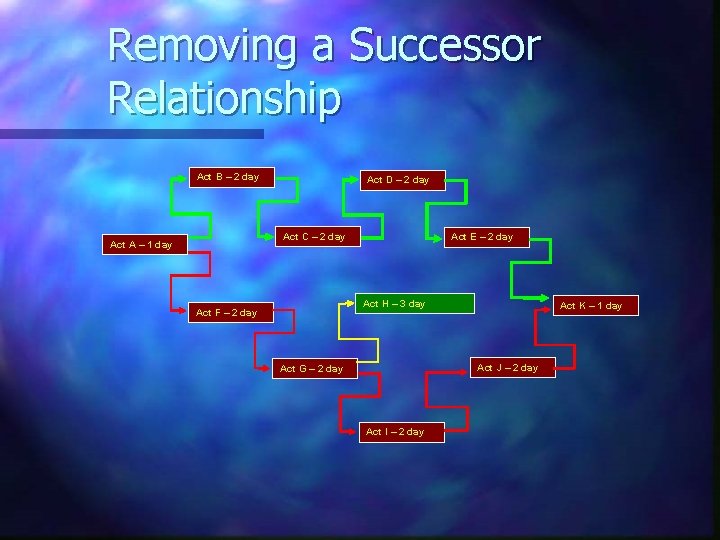
Removing a Successor Relationship Act B – 2 day Act D – 2 day Act C – 2 day Act A – 1 day Act E – 2 day Act H – 3 day Act F – 2 day Act K – 1 day Act J – 2 day Act G – 2 day Act I – 2 day
Removing a Successor Relationship Act B – 2 day Act D – 2 day Act C – 2 day Act A – 1 day Act E – 2 day Act H – 3 day Act F – 2 day Act K – 1 day Act J – 2 day Act G – 2 day Act I – 2 day
Removing a Successor Relationship Act B – 2 day Act D – 2 day Act C – 2 day Act A – 1 day Act E – 2 day Act H – 3 day Act F – 2 day Act K – 1 day Act J – 2 day Act G – 2 day Act I – 2 day
Recovery Options n Increase Manpower n Increase Work Hours and Workdays n Addition Shifts n Re-sequence Work Activities ØMeeting Of Minds Required Here n Increase Equipment Or Material
Dealing With Change n Construction is a Dynamic Process, Change Will Occur ØUpdates Should Accommodate Changes n Contract Should Require Notification of Change n Contract Should Require Submission of Time Impact Analysis n Contract Should Require Recovery Options be Submitted
Dealing With Change (Continued) n Analyze to Assure Changes are Impacting Critical Path n Determine Cause of Change n Determine if Delay Due to Change is Reasonable
Dealing With Change (Continued) n Determine if Delay is Excusable and Compensable ØWeather Delays are Typically Excusable, But Not Necessarily Compensable n Determine if There is Concurrent Delay n Resolve Delays Promptly and Fairly
Wrap Up Discussion
Contact Information Leo F. Sumner II Principal The Tiburon Group, LLC Cell: (707) 373 -8528 lsumner@thetiburongroup. com www. thetiburongroup. com Mandeville, LA Office Vallejo, CA Office 3433 Hwy. 190, Suite 112 55 Springstowne Center, Suite 162 Mandeville, LA 70471 Vallejo, CA 94591 (985) 867 -1787 Phone (707) 649 -1181 Phone (985) 892 -7262 Fax (707) 649 -1811 Fax