
Important Java terminology The information we manage in
- Slides: 37
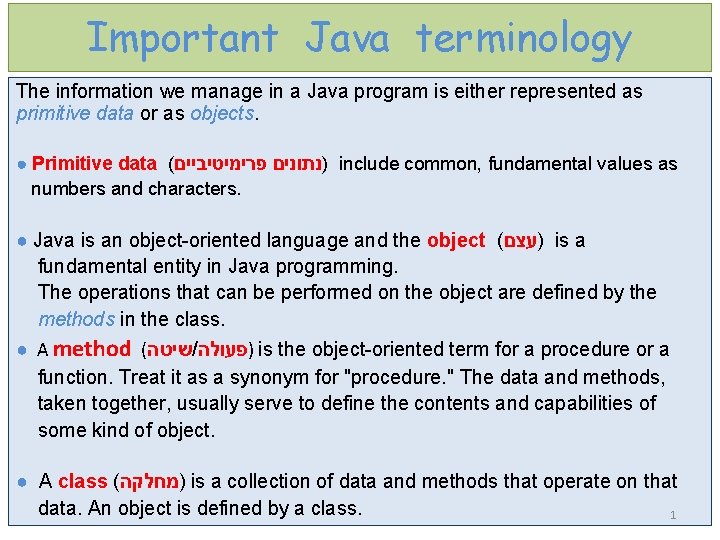
Important Java terminology The information we manage in a Java program is either represented as primitive data or as objects. ● Primitive data ( )נתונים פרימיטיביים include common, fundamental values as numbers and characters. ● Java is an object-oriented language and the object ( )עצם is a fundamental entity in Java programming. The operations that can be performed on the object are defined by the methods in the class. ● A method ( שיטה / )פעולה is the object-oriented term for a procedure or a function. Treat it as a synonym for "procedure. " The data and methods, taken together, usually serve to define the contents and capabilities of some kind of object. ● A class ( )מחלקה is a collection of data and methods that operate on that data. An object is defined by a class. 1
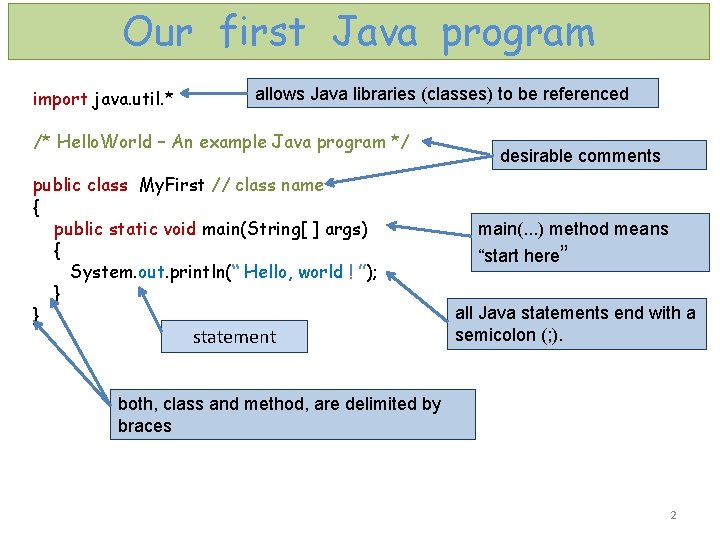
Our first Java program import java. util. * allows Java libraries (classes) to be referenced /* Hello. World – An example Java program */ public class My. First // class name { public static void main(String[ ] args) { System. out. println(“ Hello, world ! ”); } } statement desirable comments main(. . . ) method means “start here” all Java statements end with a semicolon (; ). both, class and method, are delimited by braces 2
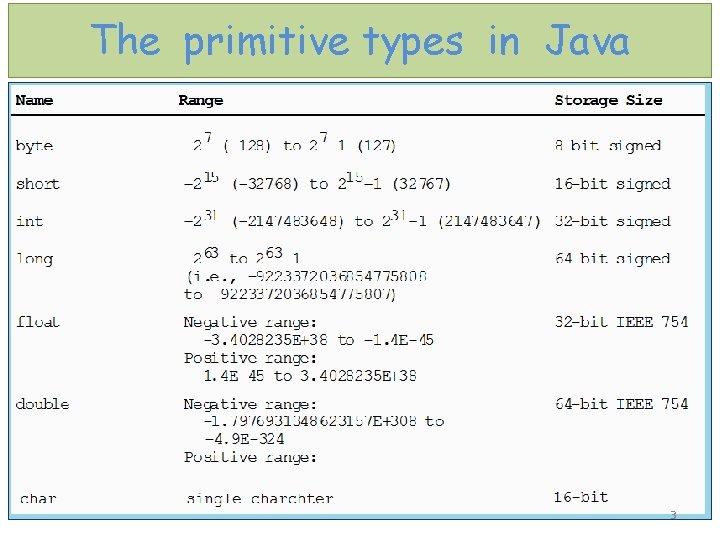
The primitive types in Java 3
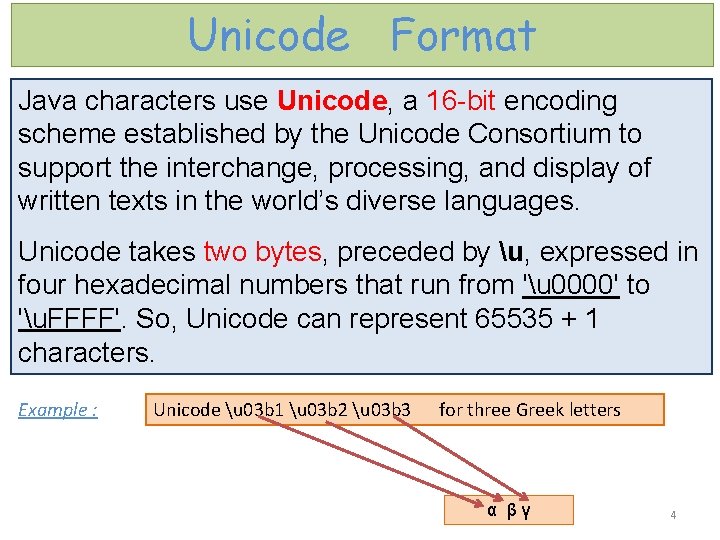
Unicode Format Java characters use Unicode, a 16 -bit encoding scheme established by the Unicode Consortium to support the interchange, processing, and display of written texts in the world’s diverse languages. Unicode takes two bytes, preceded by u, expressed in four hexadecimal numbers that run from 'u 0000' to 'u. FFFF'. So, Unicode can represent 65535 + 1 characters. Example : Unicode u 03 b 1 u 03 b 2 u 03 b 3 for three Greek letters α β γ 4
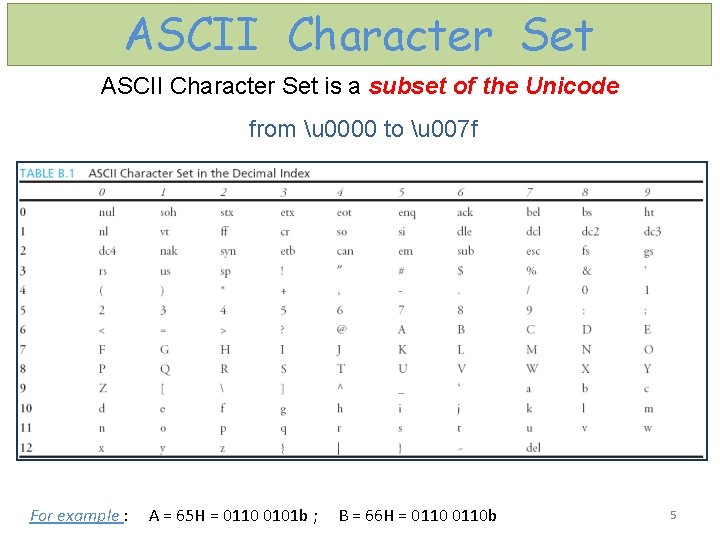
ASCII Character Set is a subset of the Unicode from u 0000 to u 007 f For example : A = 65 H = 0110 0101 b ; B = 66 H = 0110 b 5
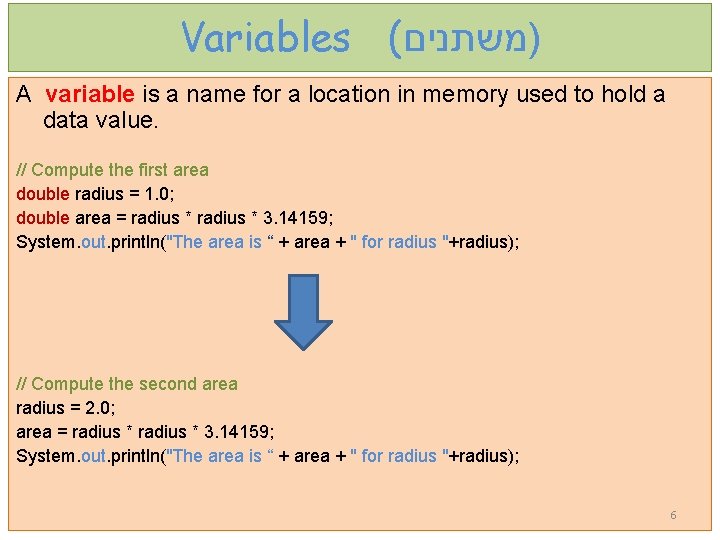
Variables ( )משתנים A variable is a name for a location in memory used to hold a data value. // Compute the first area double radius = 1. 0; double area = radius * 3. 14159; System. out. println("The area is “ + area + " for radius "+radius); // Compute the second area radius = 2. 0; area = radius * 3. 14159; System. out. println("The area is “ + area + " for radius "+radius); 6
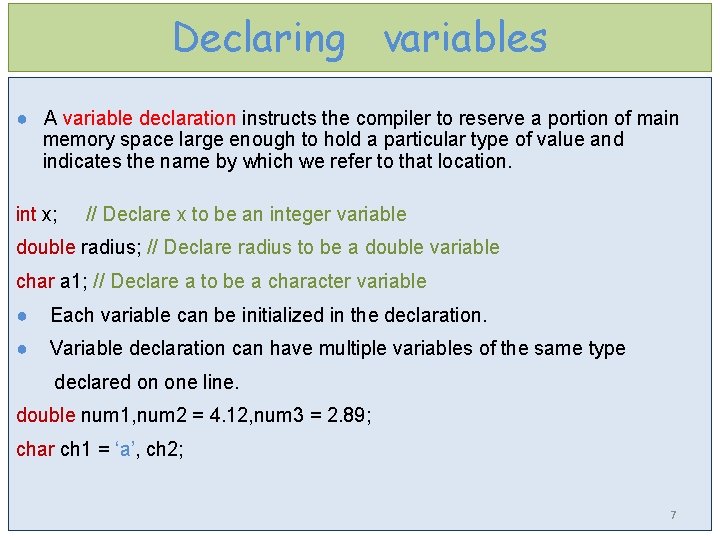
Declaring variables ● A variable declaration instructs the compiler to reserve a portion of main memory space large enough to hold a particular type of value and indicates the name by which we refer to that location. int x; // Declare x to be an integer variable double radius; // Declare radius to be a double variable char a 1; // Declare a to be a character variable ● Each variable can be initialized in the declaration. ● Variable declaration can have multiple variables of the same type declared on one line. double num 1, num 2 = 4. 12, num 3 = 2. 89; char ch 1 = ‘a’, ch 2; 7
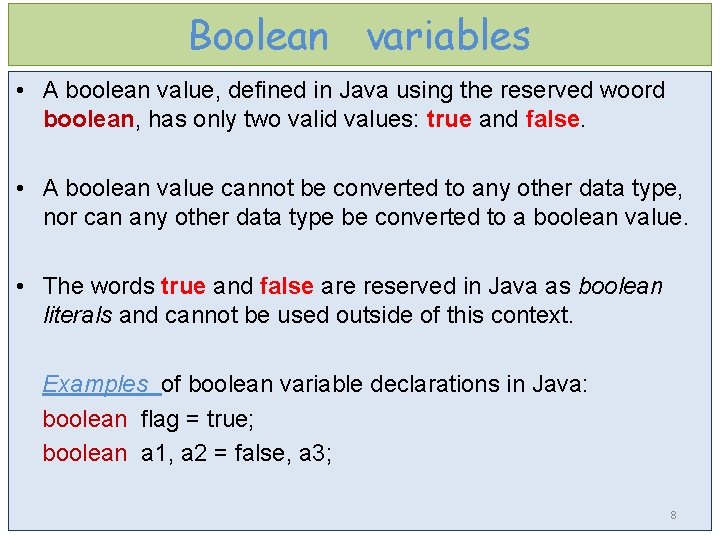
Boolean variables • A boolean value, defined in Java using the reserved woord boolean, has only two valid values: true and false. • A boolean value cannot be converted to any other data type, nor can any other data type be converted to a boolean value. • The words true and false are reserved in Java as boolean literals and cannot be used outside of this context. Examples of boolean variable declarations in Java: boolean flag = true; boolean a 1, a 2 = false, a 3; 8
Identifiers naming roles • An identifier is a sequence of characters that consist of letters, digits, underscores (_), and dollar signs ($). • An identifier must start with a letter, an underscore (_), or a dollar sign ($). It cannot start with a digit. • An identifier cannot be a reserved word ( מילים ) שמורות. • Case sensitive : A 1 is different from a 1 • An identifier can be of any length. 9
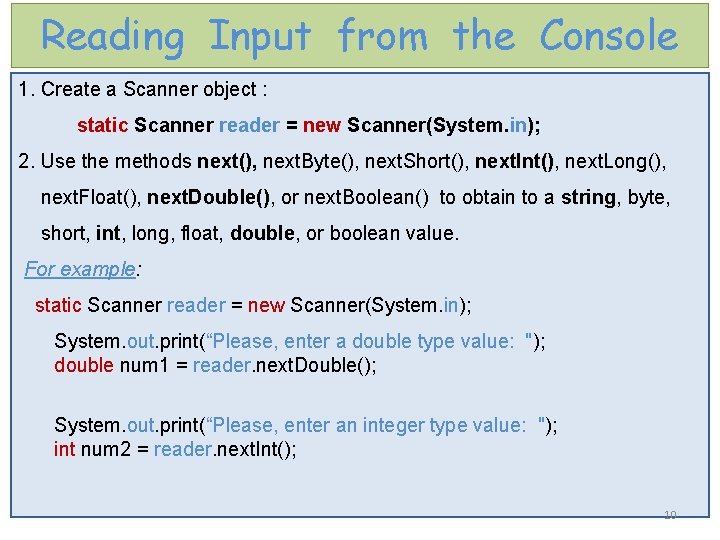
Reading Input from the Console 1. Create a Scanner object : static Scanner reader = new Scanner(System. in); 2. Use the methods next(), next. Byte(), next. Short(), next. Int(), next. Long(), next. Float(), next. Double(), or next. Boolean() to obtain to a string, byte, short, int, long, float, double, or boolean value. For example: static Scanner reader = new Scanner(System. in); System. out. print(“Please, enter a double type value: "); double num 1 = reader. next. Double(); System. out. print(“Please, enter an integer type value: "); int num 2 = reader. next. Int(); 10
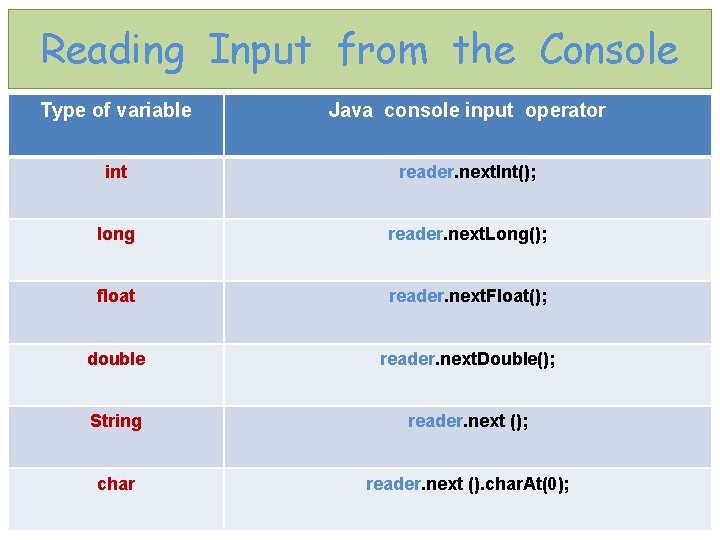
Reading Input from the Console Type of variable Java console input operator int reader. next. Int(); long reader. next. Long(); float reader. next. Float(); double reader. next. Double(); String reader. next (); char reader. next (). char. At(0); 11
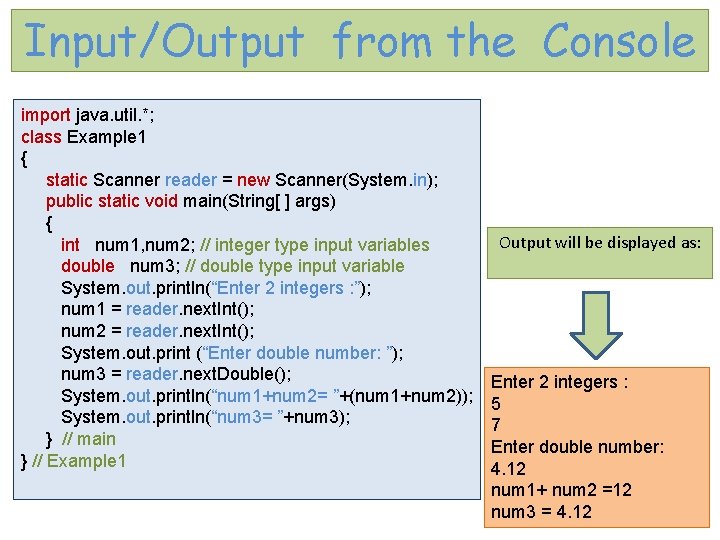
Input/Output from the Console import java. util. *; class Example 1 { static Scanner reader = new Scanner(System. in); public static void main(String[ ] args) { int num 1, num 2; // integer type input variables double num 3; // double type input variable System. out. println(“Enter 2 integers : ”); num 1 = reader. next. Int(); num 2 = reader. next. Int(); System. out. print (“Enter double number: ”); num 3 = reader. next. Double(); System. out. println(“num 1+num 2= ”+(num 1+num 2)); System. out. println(“num 3= ”+num 3); } // main } // Example 1 Output will be displayed as: Enter 2 integers : 5 7 Enter double number: 4. 12 num 1+ num 2 =12 num 3 = 4. 12 12
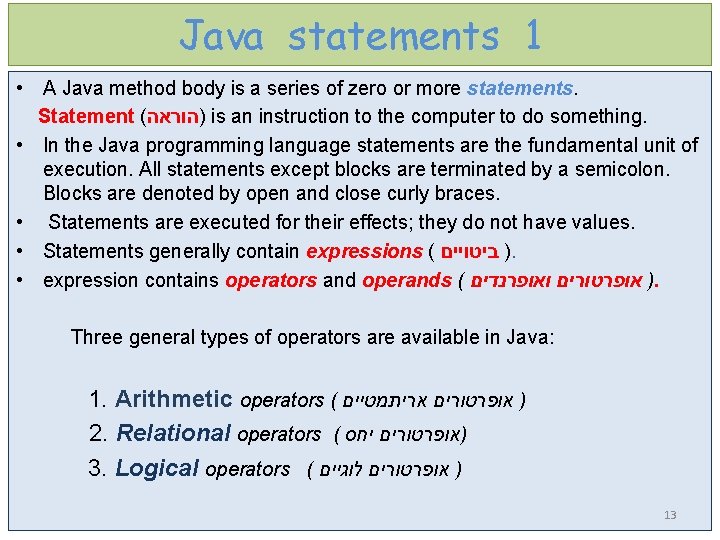
Java statements 1 • A Java method body is a series of zero or more statements. Statement ( )הוראה is an instruction to the computer to do something. • In the Java programming language statements are the fundamental unit of execution. All statements except blocks are terminated by a semicolon. Blocks are denoted by open and close curly braces. • Statements are executed for their effects; they do not have values. • Statements generally contain expressions ( ) ביטויים. • expression contains operators and operands ( ) אופרטורים ואופרנדים. Three general types of operators are available in Java: 1. Arithmetic operators ( ) אופרטורים אריתמטיים 2. Relational operators ( )אופרטורים יחס 3. Logical operators ( ) אופרטורים לוגיים 13
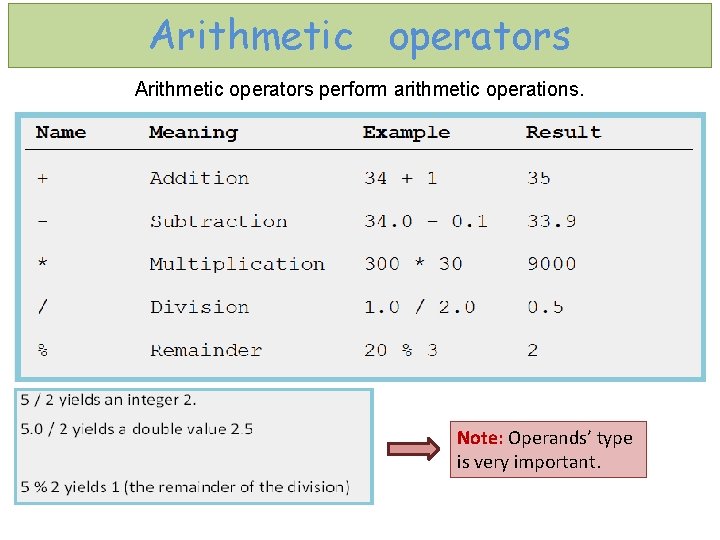
Arithmetic operators perform arithmetic operations. Note: Operands’ type is very important.
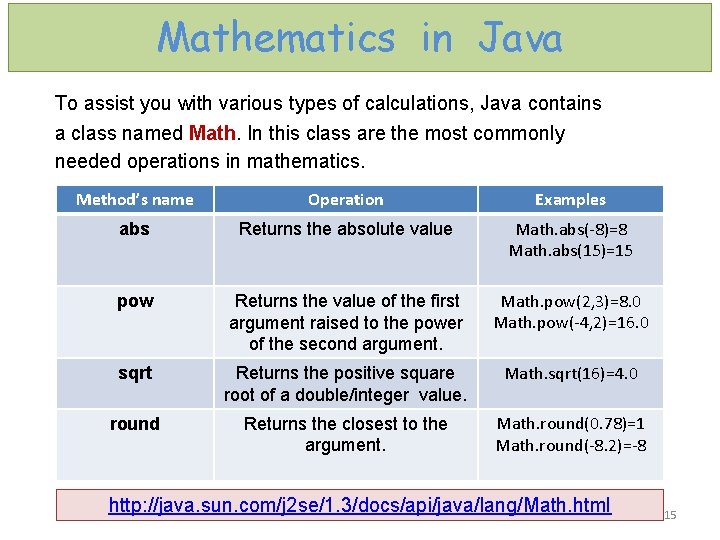
Mathematics in Java To assist you with various types of calculations, Java contains a class named Math. In this class are the most commonly needed operations in mathematics. Method’s name Operation Examples abs Returns the absolute value Math. abs(-8)=8 Math. abs(15)=15 pow Returns the value of the first argument raised to the power of the second argument. Math. pow(2, 3)=8. 0 Math. pow(-4, 2)=16. 0 sqrt Returns the positive square root of a double/integer value. Math. sqrt(16)=4. 0 round Returns the closest to the argument. Math. round(0. 78)=1 Math. round(-8. 2)=-8 http: //java. sun. com/j 2 se/1. 3/docs/api/java/lang/Math. html 15
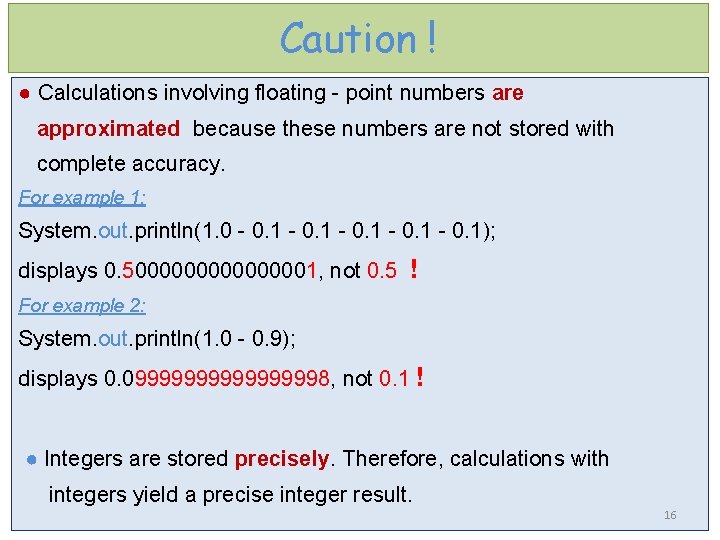
Caution ! ● Calculations involving floating - point numbers are approximated because these numbers are not stored with complete accuracy. For example 1: System. out. println(1. 0 - 0. 1); displays 0. 500000001, not 0. 5 ! For example 2: System. out. println(1. 0 - 0. 9); displays 0. 0999999998, not 0. 1 ! ● Integers are stored precisely. Therefore, calculations with integers yield a precise integer result. 16
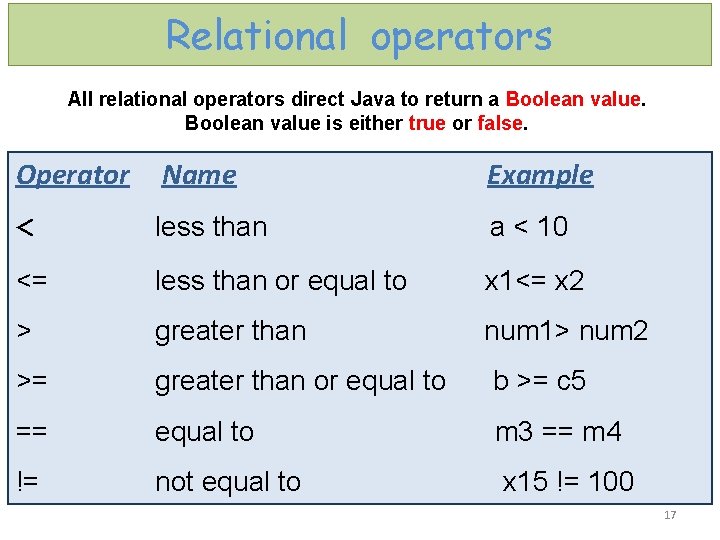
Relational operators All relational operators direct Java to return a Boolean value is either true or false. Operator Name Example < less than <= less than or equal to x 1<= x 2 > greater than num 1> num 2 >= greater than or equal to b >= c 5 == equal to m 3 == m 4 != not equal to x 15 != 100 a < 10 17
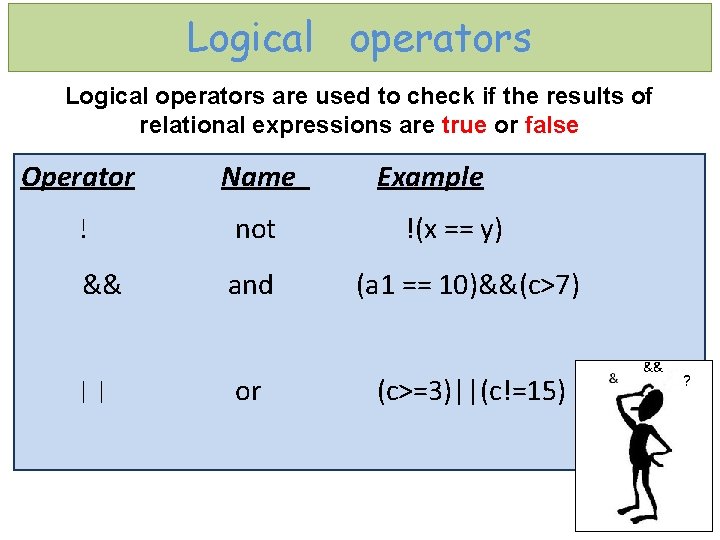
Logical operators are used to check if the results of relational expressions are true or false Operator ! && || Name Example not !(x == y) and (a 1 == 10)&&(c>7) or (c>=3)||(c!=15) 18
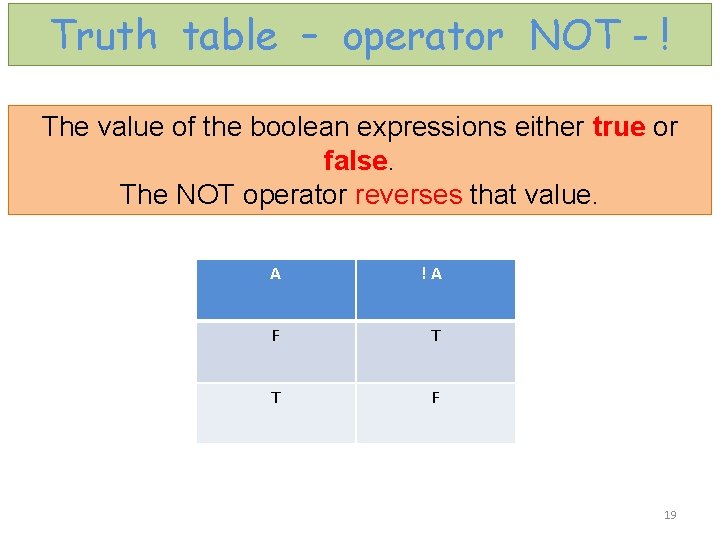
Truth table – operator NOT - ! The value of the boolean expressions either true or false. The NOT operator reverses that value. A !A F T T F 19
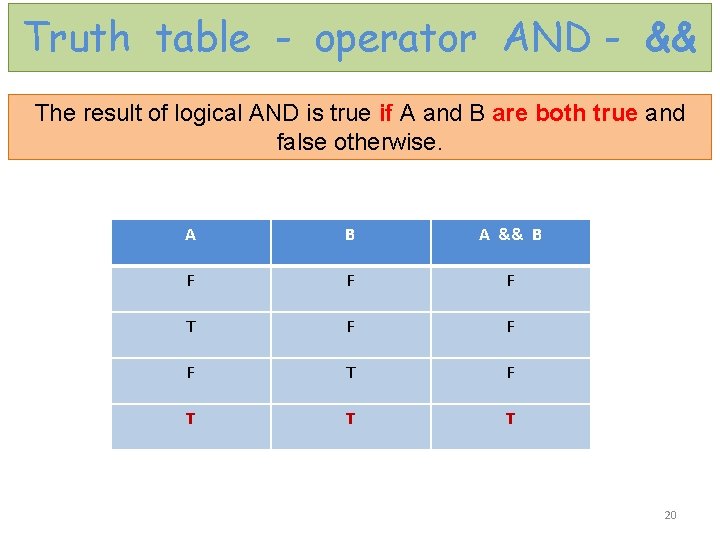
Truth table - operator AND - && The result of logical AND is true if A and B are both true and false otherwise. A B A && B F F F T F T T T 20
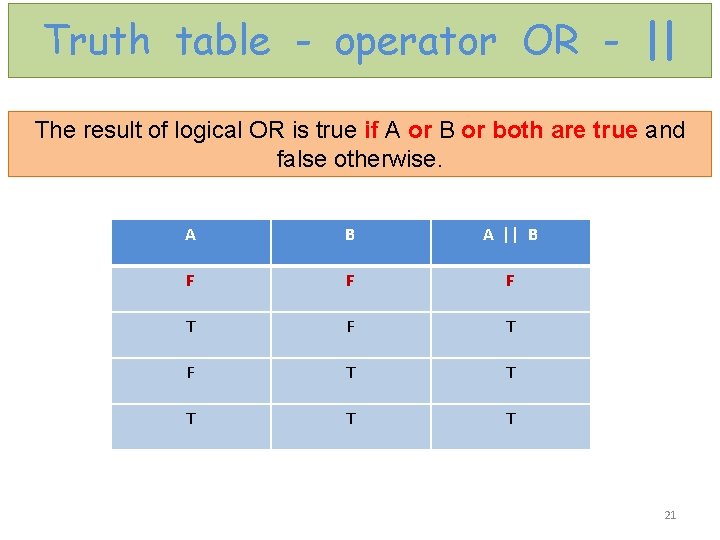
Truth table - operator OR - || The result of logical OR is true if A or B or both are true and false otherwise. A B A || B F F F T F T T T 21
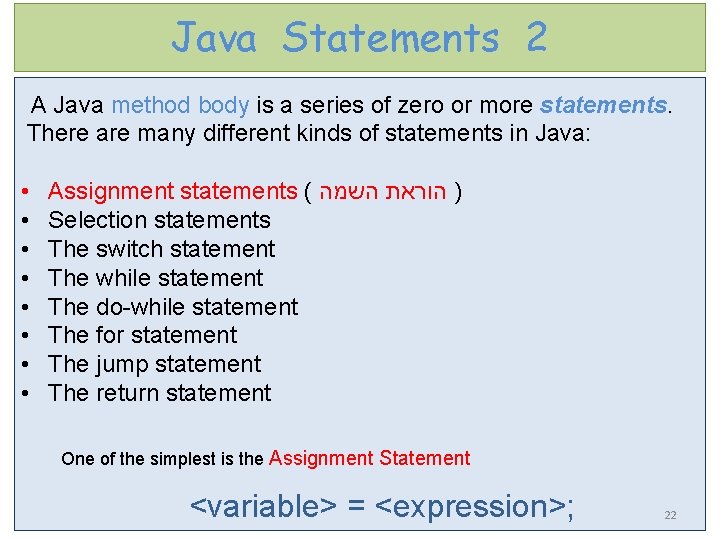
Java Statements 2 A Java method body is a series of zero or more statements. There are many different kinds of statements in Java: • Assignment statements ( השמה הוראת ) • Selection statements • The switch statement • The while statement • The do-while statement • The for statement • The jump statement • The return statement One of the simplest is the Assignment Statement <variable> = <expression>; 22
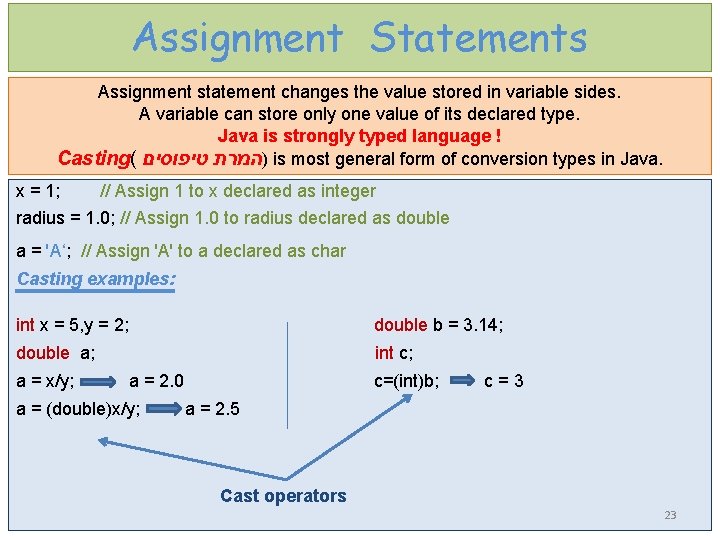
Assignment Statements Assignment statement changes the value stored in variable sides. A variable can store only one value of its declared type. Java is strongly typed language ! Casting( )המרת טיפוסים is most general form of conversion types in Java. x = 1; // Assign 1 to x declared as integer radius = 1. 0; // Assign 1. 0 to radius declared as double a = 'A‘; // Assign 'A' to a declared as char Casting examples: int x = 5, y = 2; double b = 3. 14; double a; int c; a = x/y; a = 2. 0 c=(int)b; c = 3 a = (double)x/y; a = 2. 5 Cast operators 23
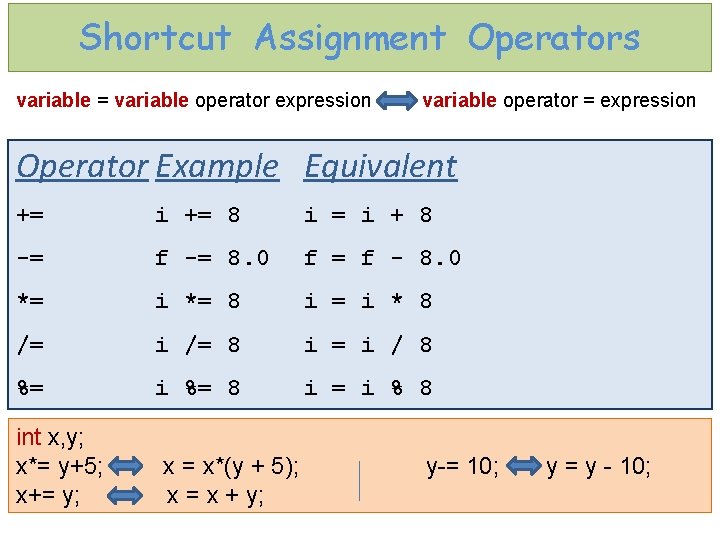
Shortcut Assignment Operators variable = variable operator expression variable operator = expression Operator Example Equivalent += i += 8 i = i + 8 -= f -= 8. 0 f = f - 8. 0 *= i *= 8 i = i * 8 /= i /= 8 i = i / 8 %= i %= 8 i = i % 8 int x, y; x*= y+5; x = x*(y + 5); y-= 10; y = y - 10; x+= y; x = x + y;
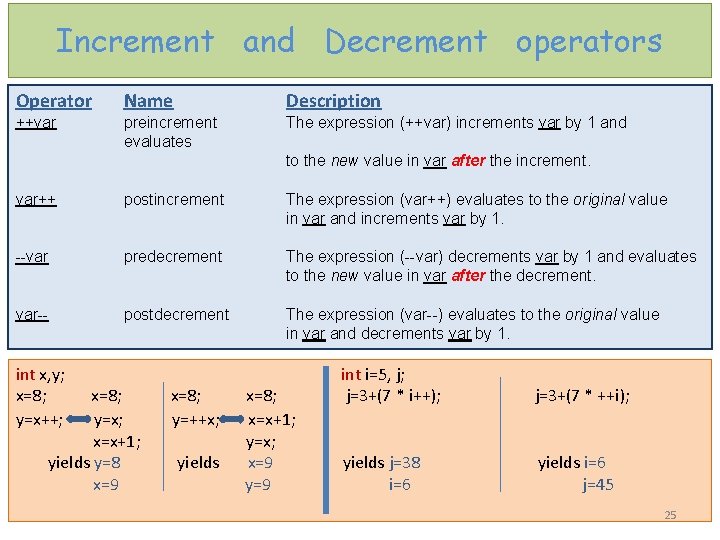
Increment and Decrement operators Operator Name Description ++var preincrement evaluates The expression (++var) increments var by 1 and to the new value in var after the increment. var++ postincrement The expression (var++) evaluates to the original value in var and increments var by 1. --var predecrement The expression (--var) decrements var by 1 and evaluates to the new value in var after the decrement. var-- postdecrement The expression (var--) evaluates to the original value in var and decrements var by 1. int x, y; int i=5, j; x=8; j=3+(7 * i++); j=3+(7 * ++i); y=x++; y=x; y=++x; x=x+1; y=x; yields y=8 yields x=9 yields j=38 yields i=6 x=9 y=9 i=6 j=45 25
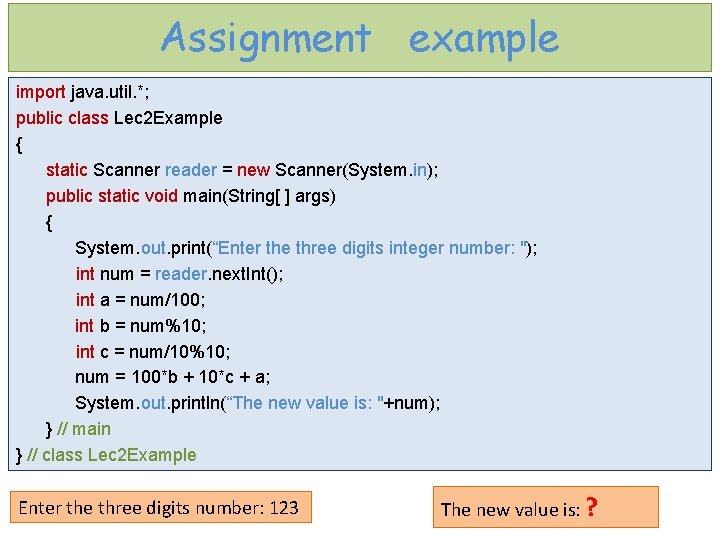
Assignment example import java. util. *; public class Lec 2 Example { static Scanner reader = new Scanner(System. in); public static void main(String[ ] args) { System. out. print(“Enter the three digits integer number: "); int num = reader. next. Int(); int a = num/100; int b = num%10; int c = num/10%10; num = 100*b + 10*c + a; System. out. println(“The new value is: "+num); } // main } // class Lec 2 Example Enter the three digits number: 123 The new value is: ?
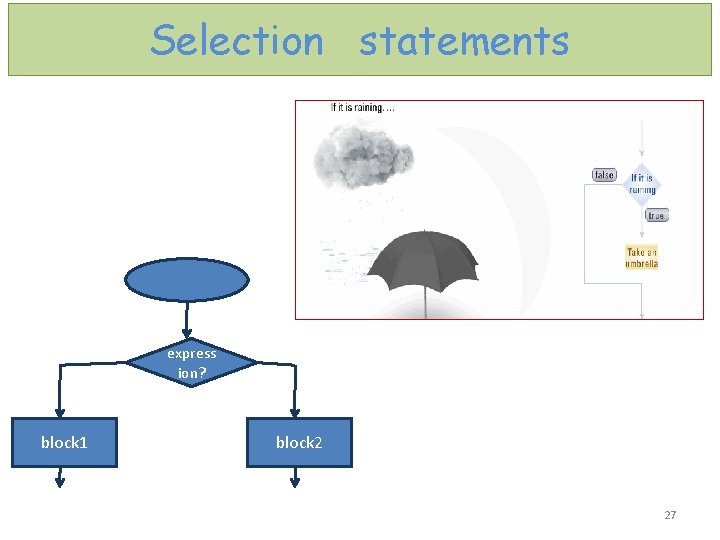
Selection statements express ion? block 1 block 2 27
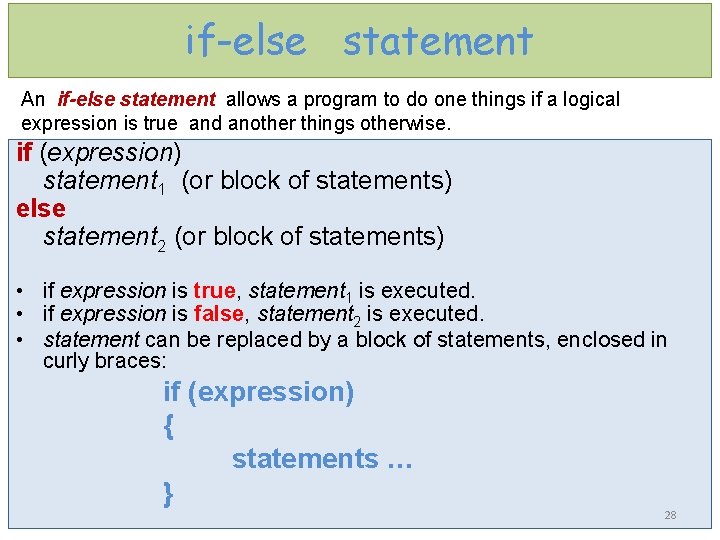
if-else statement An if-else statement allows a program to do one things if a logical expression is true and another things otherwise. if (expression) statement 1 (or block of statements) else statement 2 (or block of statements) • if expression is true, statement 1 is executed. • if expression is false, statement 2 is executed. • statement can be replaced by a block of statements, enclosed in curly braces: if (expression) { statements … } 28
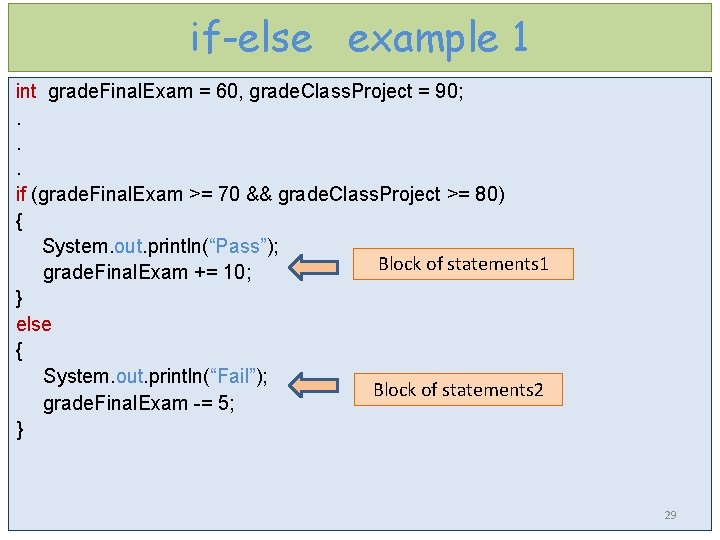
if-else example 1 int grade. Final. Exam = 60, grade. Class. Project = 90; . . . if (grade. Final. Exam >= 70 && grade. Class. Project >= 80) { System. out. println(“Pass”); grade. Final. Exam += 10; Block of statements 1 } else { System. out. println(“Fail”); grade. Final. Exam -= 5; } Block of statements 2 29
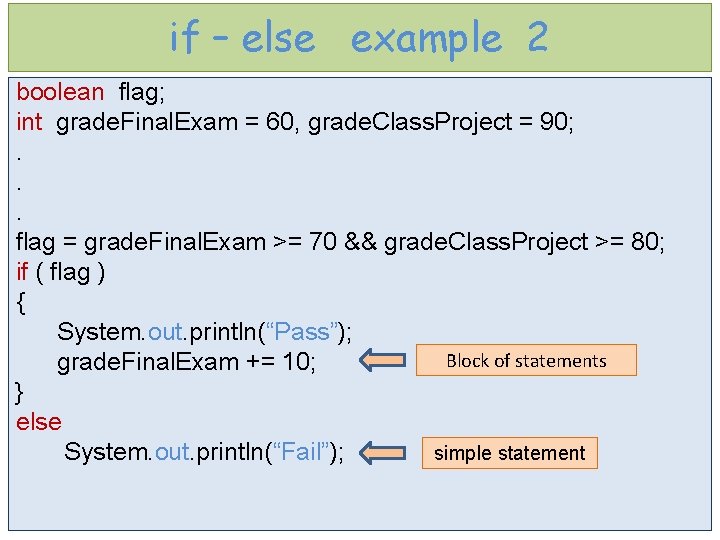
if – else example 2 boolean flag; int grade. Final. Exam = 60, grade. Class. Project = 90; . . . flag = grade. Final. Exam >= 70 && grade. Class. Project >= 80; if ( flag ) { System. out. println(“Pass”); Block of statements grade. Final. Exam += 10; } else System. out. println(“Fail”); simple statement
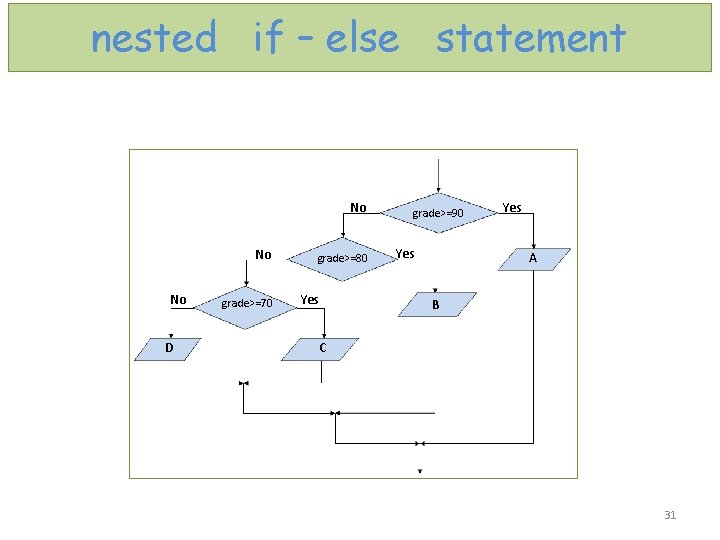
nested if – else statement No No No D grade>=80 grade>=70 Yes grade>=90 Yes A B C 31
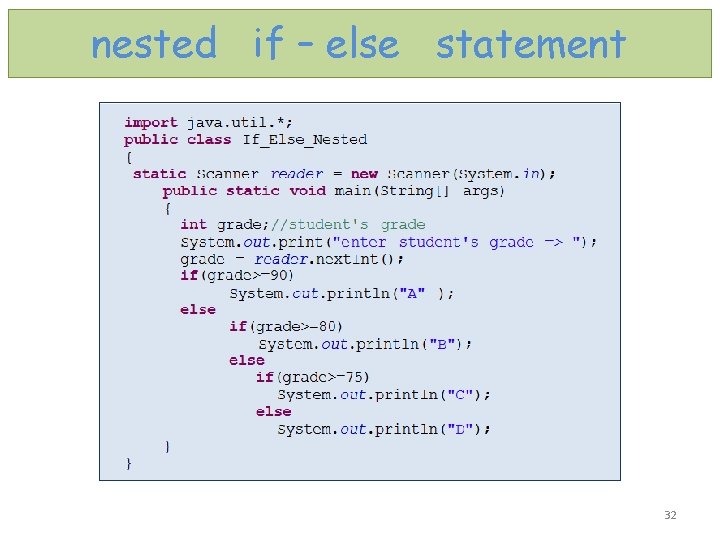
nested if – else statement 32
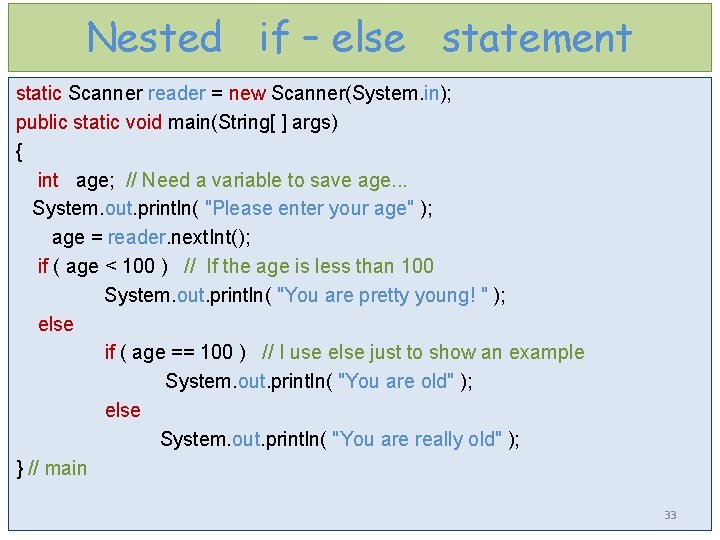
Nested if – else statement static Scanner reader = new Scanner(System. in); public static void main(String[ ] args) { int age; // Need a variable to save age. . . System. out. println( "Please enter your age" ); age = reader. next. Int(); if ( age < 100 ) // If the age is less than 100 System. out. println( "You are pretty young! " ); else if ( age == 100 ) // I use else just to show an example System. out. println( "You are old" ); else System. out. println( "You are really old" ); } // main 33
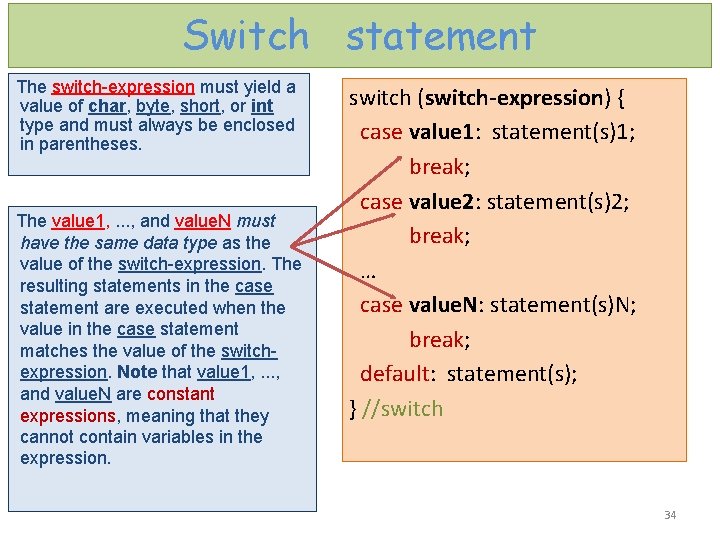
Switch statement The switch-expression must yield a value of char, byte, short, or int type and must always be enclosed in parentheses. The value 1, . . . , and value. N must have the same data type as the value of the switch-expression. The resulting statements in the case statement are executed when the value in the case statement matches the value of the switchexpression. Note that value 1, . . . , and value. N are constant expressions, meaning that they cannot contain variables in the expression. switch (switch-expression) { case value 1: statement(s)1; break; case value 2: statement(s)2; break; … case value. N: statement(s)N; break; default: statement(s); } //switch 34
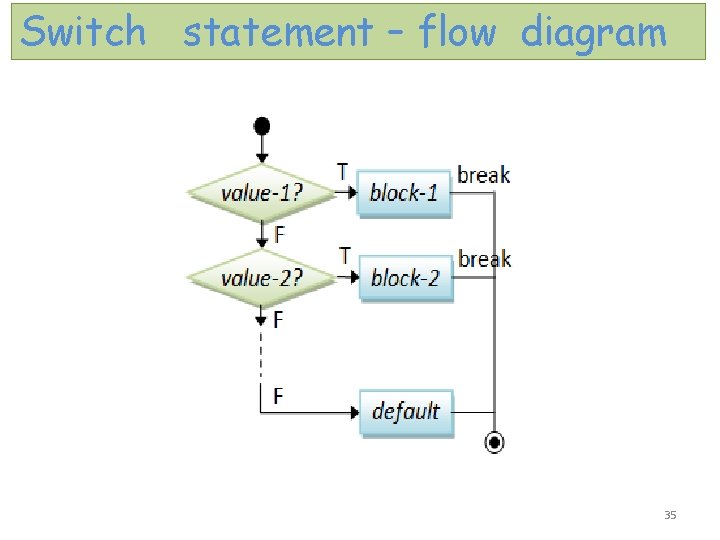
Switch statement – flow diagram 35
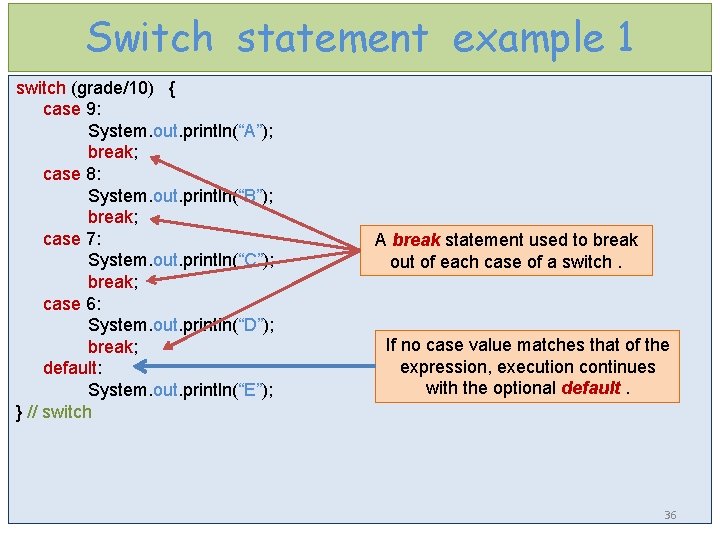
Switch statement example 1 switch (grade/10) { case 9: System. out. println(“A”); break; case 8: System. out. println(“B”); break; case 7: System. out. println(“C”); break; case 6: System. out. println(“D”); break; default: System. out. println(“E”); } // switch A break statement used to break out of each case of a switch. If no case value matches that of the expression, execution continues with the optional default. 36
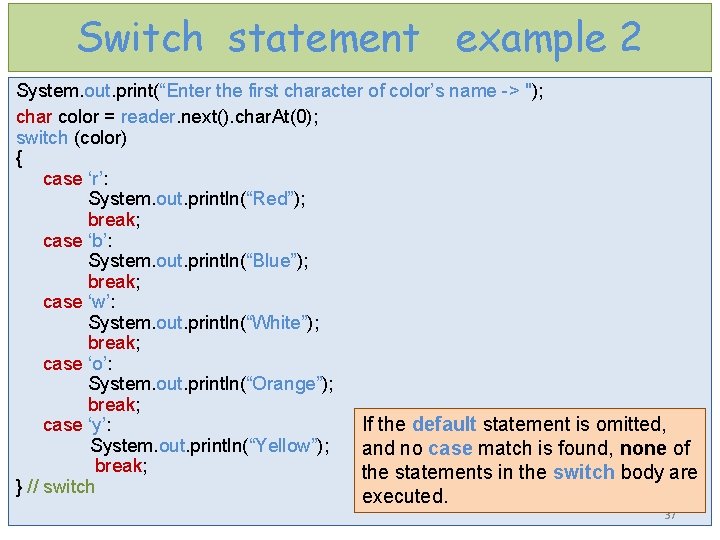
Switch statement example 2 System. out. print(“Enter the first character of color’s name -> "); char color = reader. next(). char. At(0); switch (color) { case ‘r’: System. out. println(“Red”); break; case ‘b’: System. out. println(“Blue”); break; case ‘w’: System. out. println(“White”); break; case ‘o’: System. out. println(“Orange”); break; If the default statement is omitted, case ‘y’: System. out. println(“Yellow”); and no case match is found, none of break; the statements in the switch body are } // switch executed. 37