
Implementing Testing with DOORS at Drger Medical Dr
- Slides: 33
Implementing Testing with DOORS at Dräger Medical Dr. Bernd GRAHLMANN Bernd@Grahlmann. net www. grahlmann. net +33 6 82 86 68 03 1 & Emmanuel JOYEAUX joyeaux@draeger. com Dräger Medical © Telelogic AB
Implementing Testing with DOORS at Dräger Medical The presentation gives an overview of the new DOORS based testing approach at Dräger Medical (starting from the general concept and the desired traceability, via template descriptions, up to a set of comprehensive DXL tools). © Dr. Bernd GRAHLMANN Bernd@Grahlmann. net www. grahlmann. net +33 6 82 86 68 03 2 © Telelogic AB
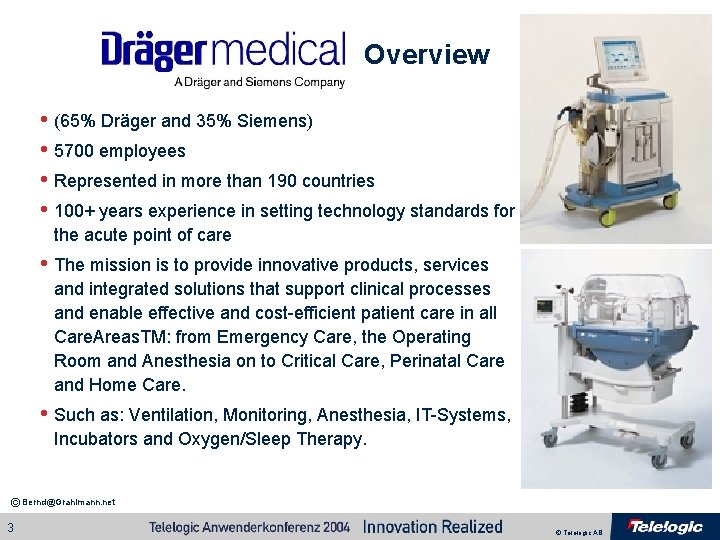
Overview • (65% Dräger and 35% Siemens) • 5700 employees • Represented in more than 190 countries • 100+ years experience in setting technology standards for the acute point of care • The mission is to provide innovative products, services and integrated solutions that support clinical processes and enable effective and cost-efficient patient care in all Care. Areas. TM: from Emergency Care, the Operating Room and Anesthesia on to Critical Care, Perinatal Care and Home Care. • Such as: Ventilation, Monitoring, Anesthesia, IT-Systems, Incubators and Oxygen/Sleep Therapy. © Bernd@Grahlmann. net 3 © Telelogic AB
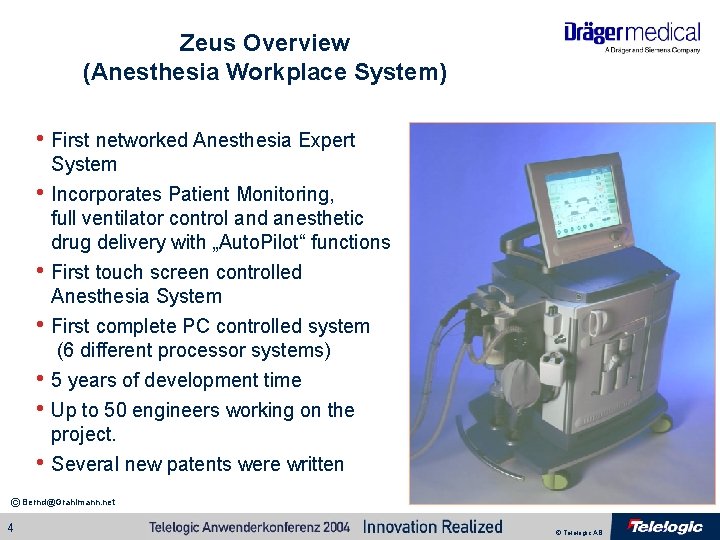
Zeus Overview (Anesthesia Workplace System) • First networked Anesthesia Expert System • Incorporates Patient Monitoring, • • full ventilator control and anesthetic drug delivery with „Auto. Pilot“ functions First touch screen controlled Anesthesia System First complete PC controlled system (6 different processor systems) • 5 years of development time • Up to 50 engineers working on the • project. Several new patents were written © Bernd@Grahlmann. net 4 © Telelogic AB
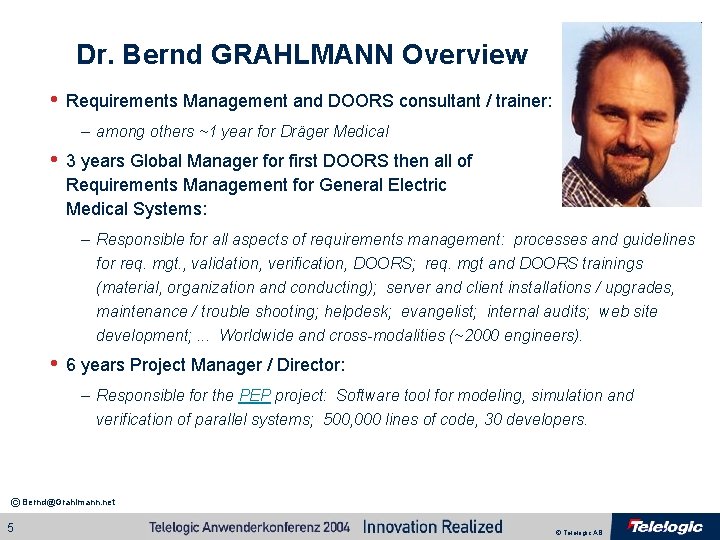
Dr. Bernd GRAHLMANN Overview • Requirements Management and DOORS consultant / trainer: – among others ~1 year for Dräger Medical • 3 years Global Manager for first DOORS then all of Requirements Management for General Electric Medical Systems: – Responsible for all aspects of requirements management: processes and guidelines for req. mgt. , validation, verification, DOORS; req. mgt and DOORS trainings (material, organization and conducting); server and client installations / upgrades, maintenance / trouble shooting; helpdesk; evangelist; internal audits; web site development; . . . Worldwide and cross-modalities (~2000 engineers). • 6 years Project Manager / Director: – Responsible for the PEP project: Software tool for modeling, simulation and verification of parallel systems; 500, 000 lines of code, 30 developers. © Bernd@Grahlmann. net 5 © Telelogic AB
Context / Scope • As a manufacturer of medical devices for anesthesia and intensive • • care Dräger Medical is highly regulated w. r. t testing (among others by the FDA – the American Food and Drug Administration). Validation and verification is a major part of the development (just the Zeus V&V team consists of approximately 10 persons). Dräger Medical (anesthesia as well as intensive care department) was looking for an overall solution for validation as well as verification which: – satisfies regulations of all kind; – ensures proper validation and verification; and – is time and cost efficient. © Bernd@Grahlmann. net 6 © Telelogic AB
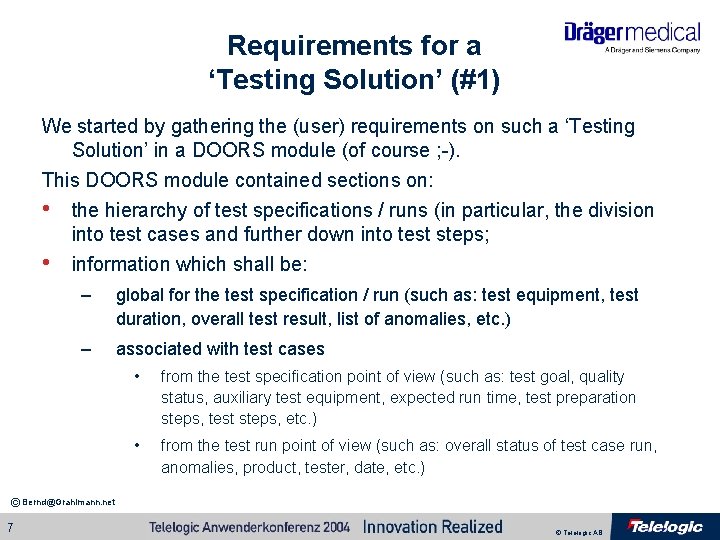
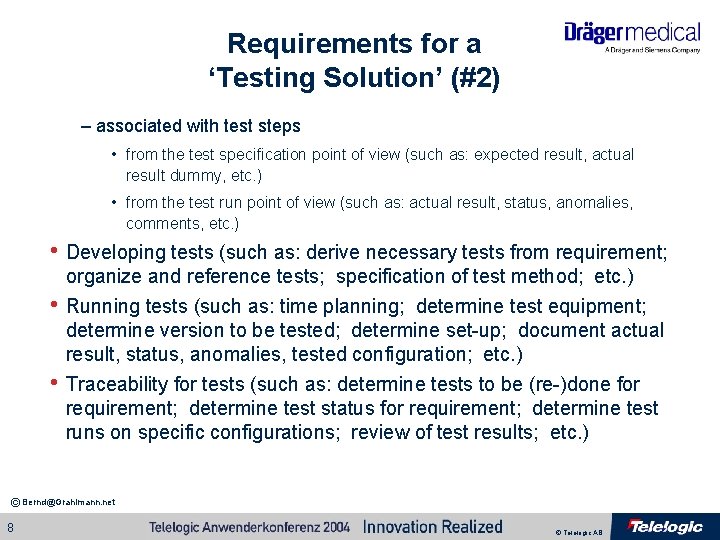
Requirements for a ‘Testing Solution’ (#1) We started by gathering the (user) requirements on such a ‘Testing Solution’ in a DOORS module (of course ; -). This DOORS module contained sections on: • the hierarchy of test specifications / runs (in particular, the division into test cases and further down into test steps; • information which shall be: – global for the test specification / run (such as: test equipment, test duration, overall test result, list of anomalies, etc. ) – associated with test cases • from the test specification point of view (such as: test goal, quality status, auxiliary test equipment, expected run time, test preparation steps, test steps, etc. ) • from the test run point of view (such as: overall status of test case run, anomalies, product, tester, date, etc. ) © Bernd@Grahlmann. net 7 © Telelogic AB
Requirements for a ‘Testing Solution’ (#2) – associated with test steps • from the test specification point of view (such as: expected result, actual result dummy, etc. ) • from the test run point of view (such as: actual result, status, anomalies, comments, etc. ) • Developing tests (such as: derive necessary tests from requirement; • • organize and reference tests; specification of test method; etc. ) Running tests (such as: time planning; determine test equipment; determine version to be tested; determine set-up; document actual result, status, anomalies, tested configuration; etc. ) Traceability for tests (such as: determine tests to be (re-)done for requirement; determine test status for requirement; determine test runs on specific configurations; review of test results; etc. ) © Bernd@Grahlmann. net 8 © Telelogic AB
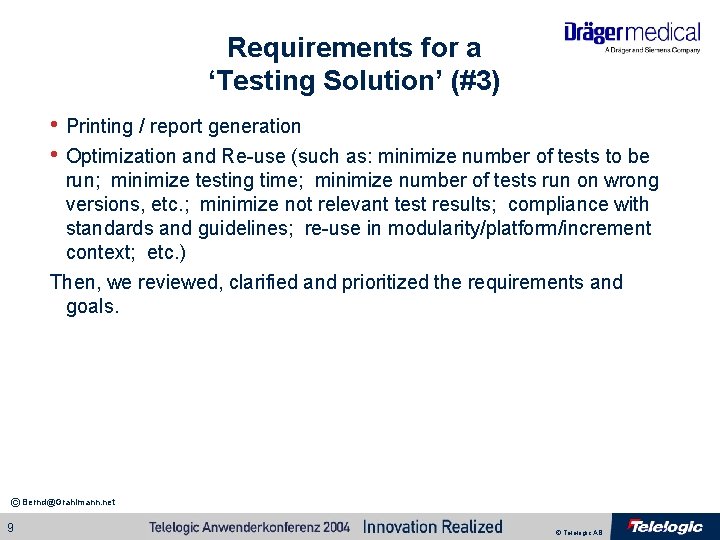
Requirements for a ‘Testing Solution’ (#3) • Printing / report generation • Optimization and Re-use (such as: minimize number of tests to be run; minimize testing time; minimize number of tests run on wrong versions, etc. ; minimize not relevant test results; compliance with standards and guidelines; re-use in modularity/platform/increment context; etc. ) Then, we reviewed, clarified and prioritized the requirements and goals. © Bernd@Grahlmann. net 9 © Telelogic AB
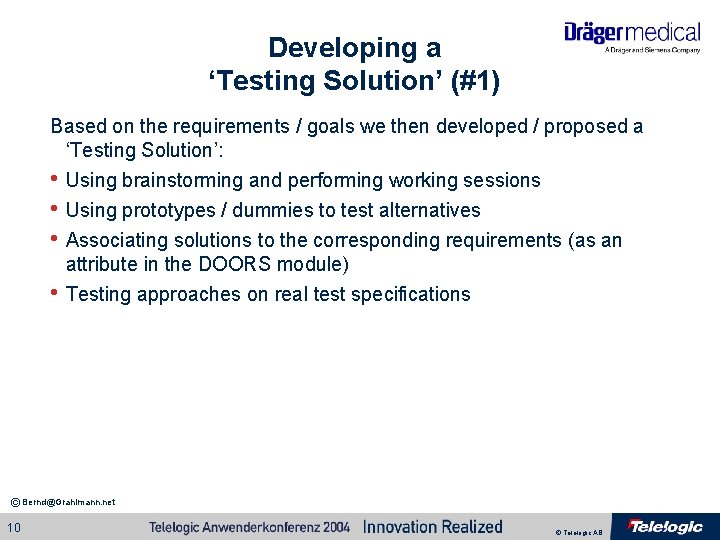
Developing a ‘Testing Solution’ (#1) Based on the requirements / goals we then developed / proposed a ‘Testing Solution’: • Using brainstorming and performing working sessions • Using prototypes / dummies to test alternatives • Associating solutions to the corresponding requirements (as an • attribute in the DOORS module) Testing approaches on real test specifications © Bernd@Grahlmann. net 10 © Telelogic AB
© Bernd@Grahlmann. net 11 © Telelogic AB
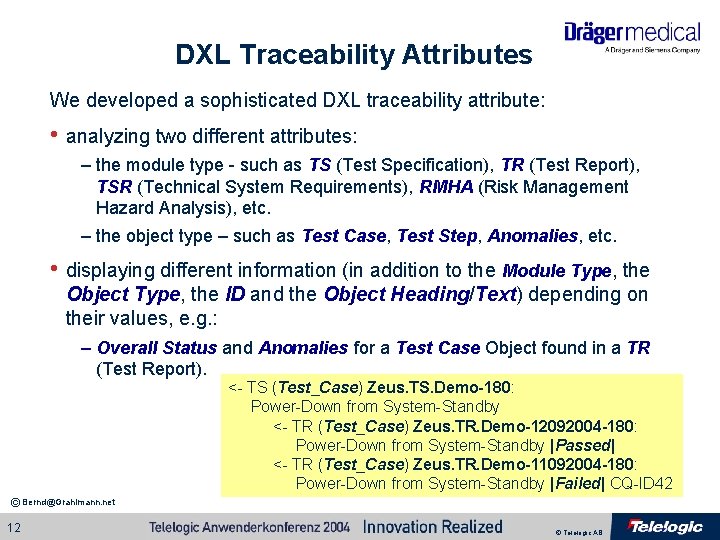
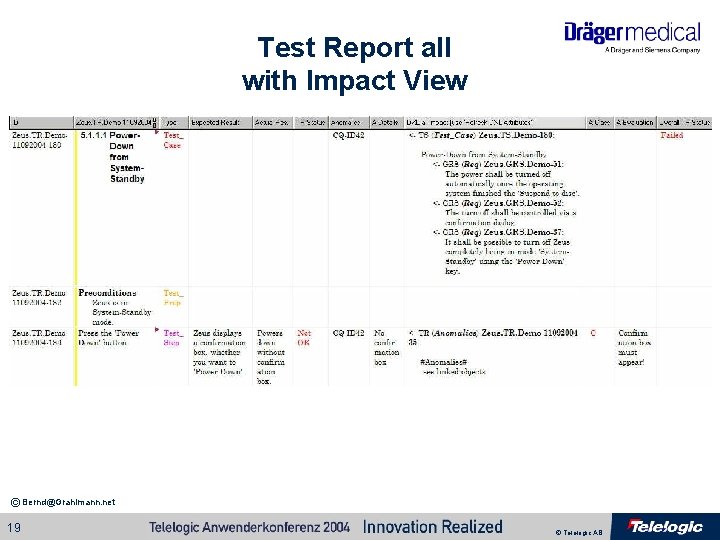
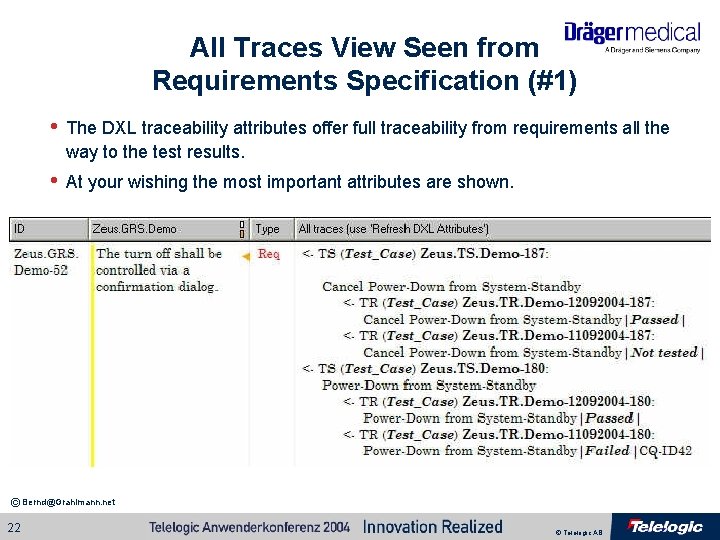
DXL Traceability Attributes We developed a sophisticated DXL traceability attribute: • analyzing two different attributes: – the module type - such as TS (Test Specification), TR (Test Report), TSR (Technical System Requirements), RMHA (Risk Management Hazard Analysis), etc. – the object type – such as Test Case, Test Step, Anomalies, etc. • displaying different information (in addition to the Module Type, the Object Type, the ID and the Object Heading/Text) depending on their values, e. g. : – Overall Status and Anomalies for a Test Case Object found in a TR (Test Report). <- TS (Test_Case) Zeus. TS. Demo-180: Power-Down from System-Standby <- TR (Test_Case) Zeus. TR. Demo-12092004 -180: Power-Down from System-Standby |Passed| <- TR (Test_Case) Zeus. TR. Demo-11092004 -180: Power-Down from System-Standby |Failed| CQ-ID 42 © Bernd@Grahlmann. net 12 © Telelogic AB
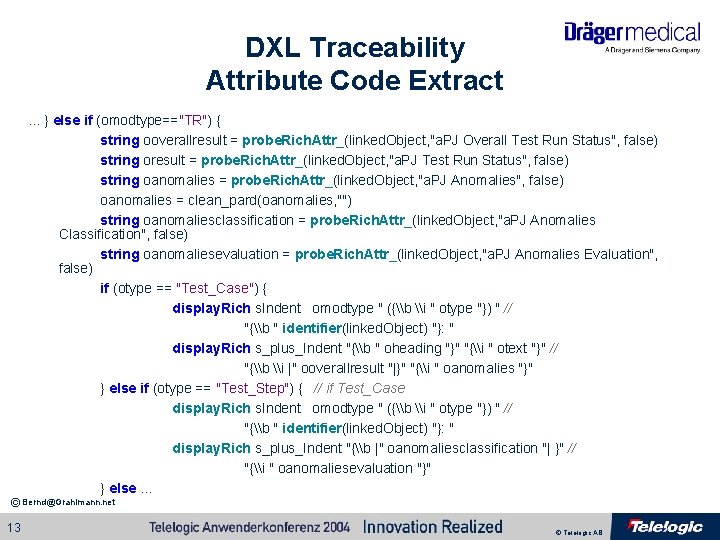
DXL Traceability Attribute Code Extract. . . } else if (omodtype=="TR") { string ooverallresult = probe. Rich. Attr_(linked. Object, "a. PJ Overall Test Run Status", false) string oresult = probe. Rich. Attr_(linked. Object, "a. PJ Test Run Status", false) string oanomalies = probe. Rich. Attr_(linked. Object, "a. PJ Anomalies", false) oanomalies = clean_pard(oanomalies, "") string oanomaliesclassification = probe. Rich. Attr_(linked. Object, "a. PJ Anomalies Classification", false) string oanomaliesevaluation = probe. Rich. Attr_(linked. Object, "a. PJ Anomalies Evaluation", false) if (otype == "Test_Case") { display. Rich s. Indent omodtype " ({\b \i " otype "}) " // "{\b " identifier(linked. Object) "}: " display. Rich s_plus_Indent "{\b " oheading "}" "{\i " otext "}" // "{\b \i |" ooverallresult "|}" "{\i " oanomalies "}" } else if (otype == "Test_Step") { // if Test_Case display. Rich s. Indent omodtype " ({\b \i " otype "}) " // "{\b " identifier(linked. Object) "}: " display. Rich s_plus_Indent "{\b |" oanomaliesclassification "| }" // "{\i " oanomaliesevaluation "}" } else. . . © Bernd@Grahlmann. net 13 © Telelogic AB
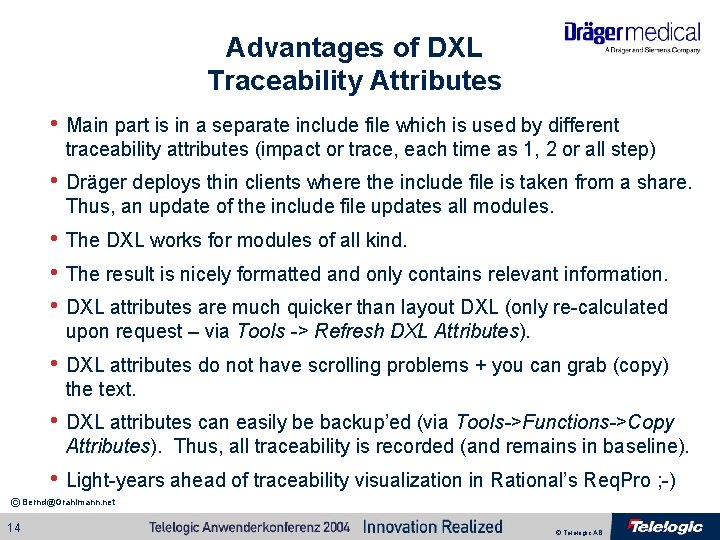
Advantages of DXL Traceability Attributes • Main part is in a separate include file which is used by different traceability attributes (impact or trace, each time as 1, 2 or all step) • Dräger deploys thin clients where the include file is taken from a share. Thus, an update of the include file updates all modules. • The DXL works for modules of all kind. • The result is nicely formatted and only contains relevant information. • DXL attributes are much quicker than layout DXL (only re-calculated upon request – via Tools -> Refresh DXL Attributes). • DXL attributes do not have scrolling problems + you can grab (copy) the text. • DXL attributes can easily be backup’ed (via Tools->Functions->Copy Attributes). Thus, all traceability is recorded (and remains in baseline). • Light-years ahead of traceability visualization in Rational’s Req. Pro ; -) © Bernd@Grahlmann. net 14 © Telelogic AB
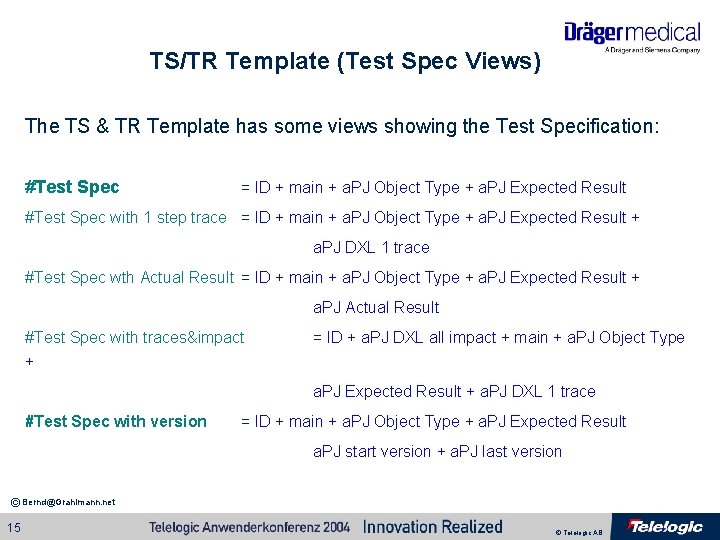
TS/TR Template (Test Spec Views) The TS & TR Template has some views showing the Test Specification: #Test Spec = ID + main + a. PJ Object Type + a. PJ Expected Result #Test Spec with 1 step trace = ID + main + a. PJ Object Type + a. PJ Expected Result + a. PJ DXL 1 trace #Test Spec wth Actual Result = ID + main + a. PJ Object Type + a. PJ Expected Result + a. PJ Actual Result #Test Spec with traces&impact + = ID + a. PJ DXL all impact + main + a. PJ Object Type a. PJ Expected Result + a. PJ DXL 1 trace #Test Spec with version = ID + main + a. PJ Object Type + a. PJ Expected Result a. PJ start version + a. PJ last version © Bernd@Grahlmann. net 15 © Telelogic AB
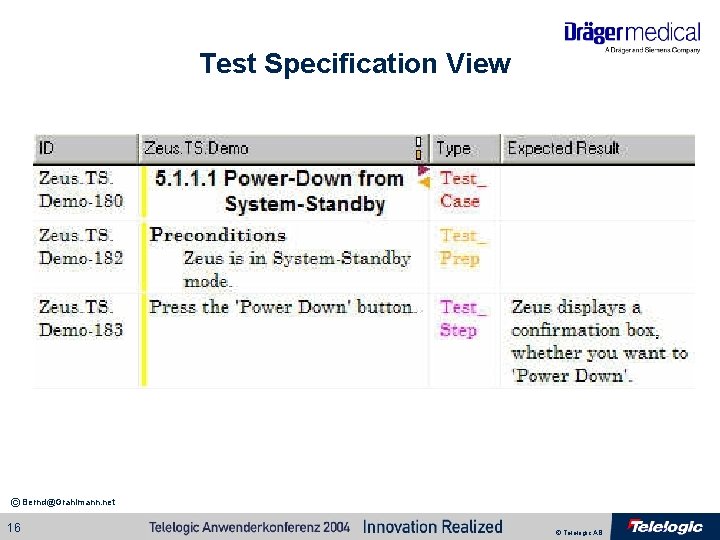
Test Specification View © Bernd@Grahlmann. net 16 © Telelogic AB
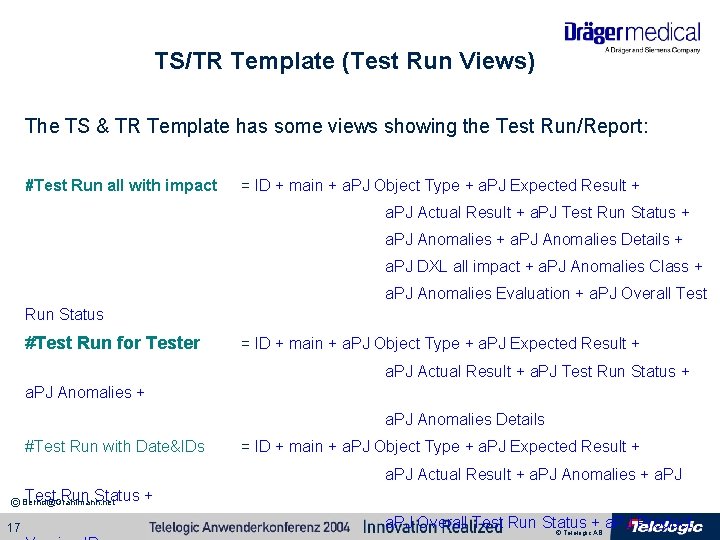
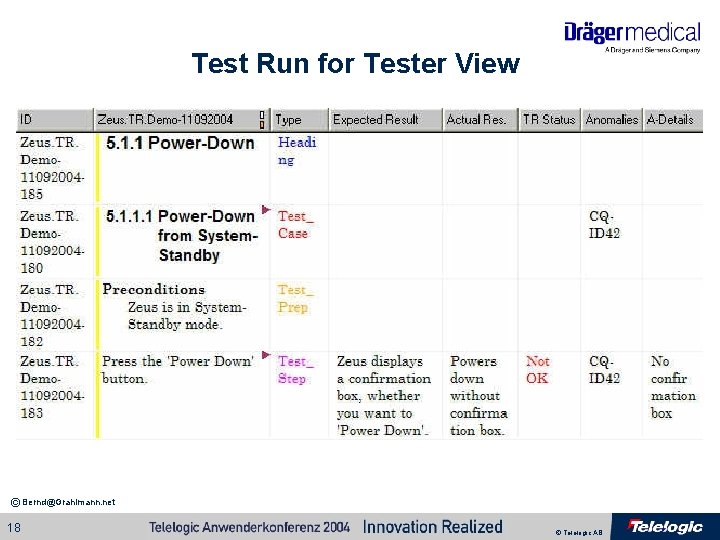
TS/TR Template (Test Run Views) The TS & TR Template has some views showing the Test Run/Report: #Test Run all with impact = ID + main + a. PJ Object Type + a. PJ Expected Result + a. PJ Actual Result + a. PJ Test Run Status + a. PJ Anomalies Details + a. PJ DXL all impact + a. PJ Anomalies Class + a. PJ Anomalies Evaluation + a. PJ Overall Test Run Status #Test Run for Tester = ID + main + a. PJ Object Type + a. PJ Expected Result + a. PJ Actual Result + a. PJ Test Run Status + a. PJ Anomalies Details #Test Run with Date&IDs = ID + main + a. PJ Object Type + a. PJ Expected Result + a. PJ Actual Result + a. PJ Anomalies + a. PJ Test Run Status © Bernd@Grahlmann. net 17 + a. PJ Overall Test Run Status + a. PJ Product © Telelogic AB
Test Run for Tester View © Bernd@Grahlmann. net 18 © Telelogic AB
Test Report all with Impact View © Bernd@Grahlmann. net 19 © Telelogic AB
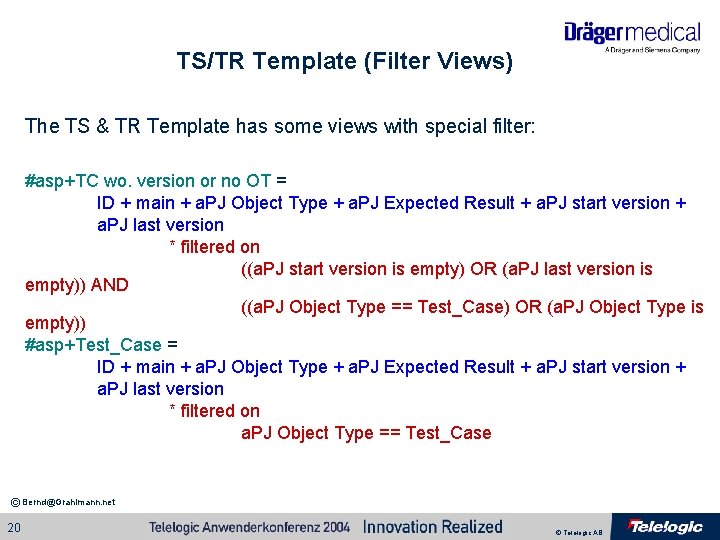
TS/TR Template (Filter Views) The TS & TR Template has some views with special filter: #asp+TC wo. version or no OT = ID + main + a. PJ Object Type + a. PJ Expected Result + a. PJ start version + a. PJ last version * filtered on ((a. PJ start version is empty) OR (a. PJ last version is empty)) AND ((a. PJ Object Type == Test_Case) OR (a. PJ Object Type is empty)) #asp+Test_Case = ID + main + a. PJ Object Type + a. PJ Expected Result + a. PJ start version + a. PJ last version * filtered on a. PJ Object Type == Test_Case © Bernd@Grahlmann. net 20 © Telelogic AB
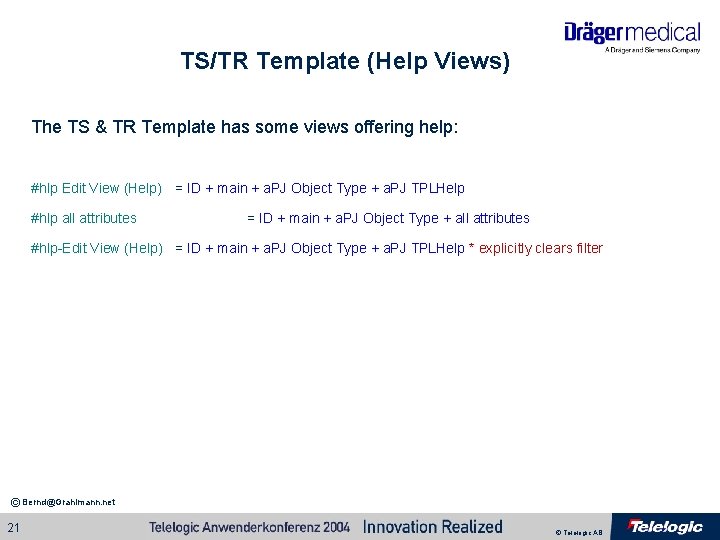
TS/TR Template (Help Views) The TS & TR Template has some views offering help: #hlp Edit View (Help) = ID + main + a. PJ Object Type + a. PJ TPLHelp #hlp all attributes = ID + main + a. PJ Object Type + all attributes #hlp-Edit View (Help) = ID + main + a. PJ Object Type + a. PJ TPLHelp * explicitly clears filter © Bernd@Grahlmann. net 21 © Telelogic AB
All Traces View Seen from Requirements Specification (#1) • The DXL traceability attributes offer full traceability from requirements all the way to the test results. • At your wishing the most important attributes are shown. © Bernd@Grahlmann. net 22 © Telelogic AB
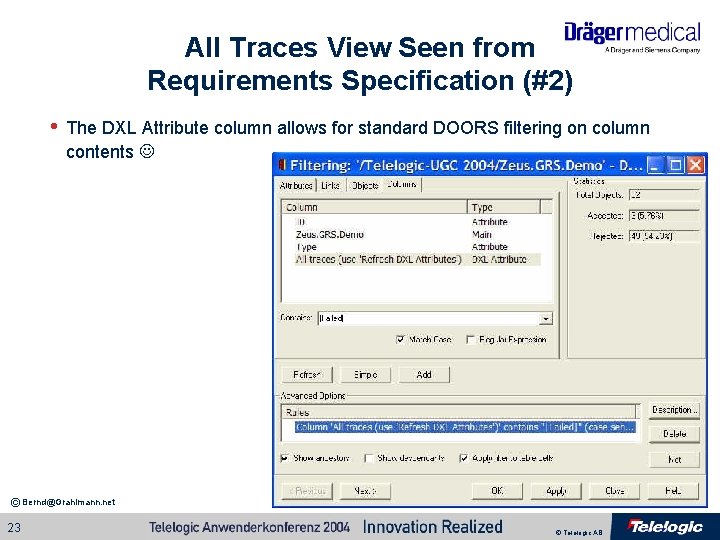
All Traces View Seen from Requirements Specification (#2) • The DXL Attribute column allows for standard DOORS filtering on column contents © Bernd@Grahlmann. net 23 © Telelogic AB
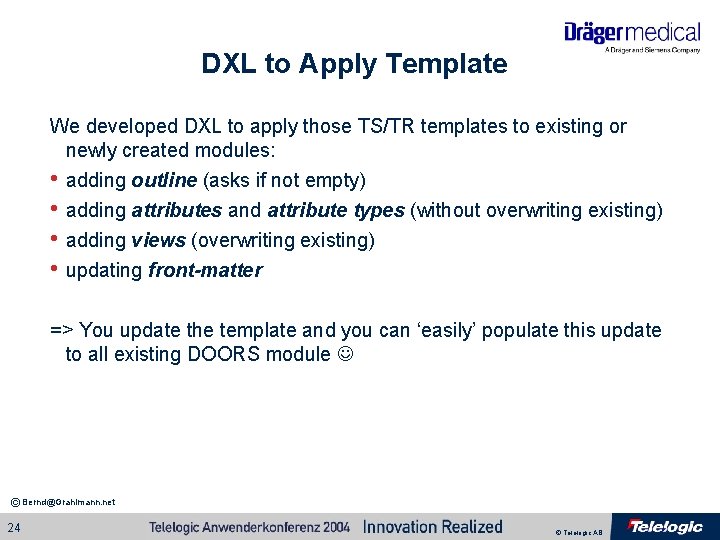
DXL to Apply Template We developed DXL to apply those TS/TR templates to existing or newly created modules: • adding outline (asks if not empty) • adding attributes and attribute types (without overwriting existing) • adding views (overwriting existing) • updating front-matter => You update the template and you can ‘easily’ populate this update to all existing DOORS module © Bernd@Grahlmann. net 24 © Telelogic AB
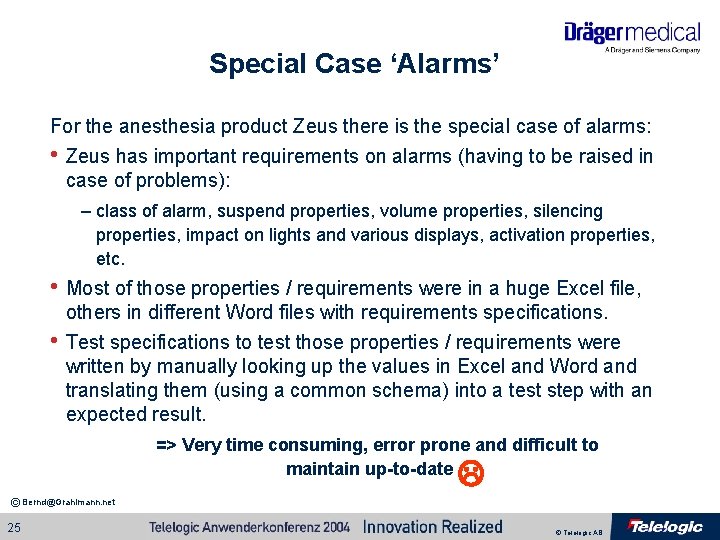
Special Case ‘Alarms’ For the anesthesia product Zeus there is the special case of alarms: • Zeus has important requirements on alarms (having to be raised in case of problems): – class of alarm, suspend properties, volume properties, silencing properties, impact on lights and various displays, activation properties, etc. • Most of those properties / requirements were in a huge Excel file, • others in different Word files with requirements specifications. Test specifications to test those properties / requirements were written by manually looking up the values in Excel and Word and translating them (using a common schema) into a test step with an expected result. => Very time consuming, error prone and difficult to maintain up-to-date © Bernd@Grahlmann. net 25 © Telelogic AB
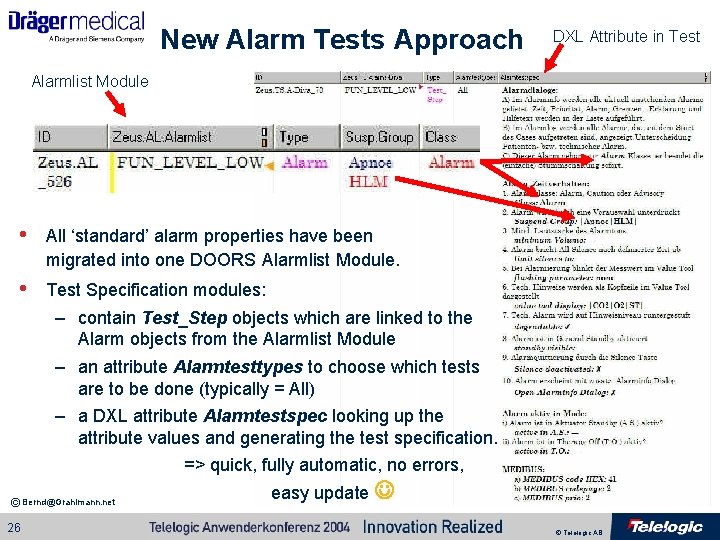
New Alarm Tests Approach DXL Attribute in Test Alarmlist Module • All ‘standard’ alarm properties have been migrated into one DOORS Alarmlist Module. • Test Specification modules: – contain Test_Step objects which are linked to the Alarm objects from the Alarmlist Module – an attribute Alarmtesttypes to choose which tests are to be done (typically = All) – a DXL attribute Alarmtestspec looking up the attribute values and generating the test specification. => quick, fully automatic, no errors, easy update © Bernd@Grahlmann. net 26 © Telelogic AB
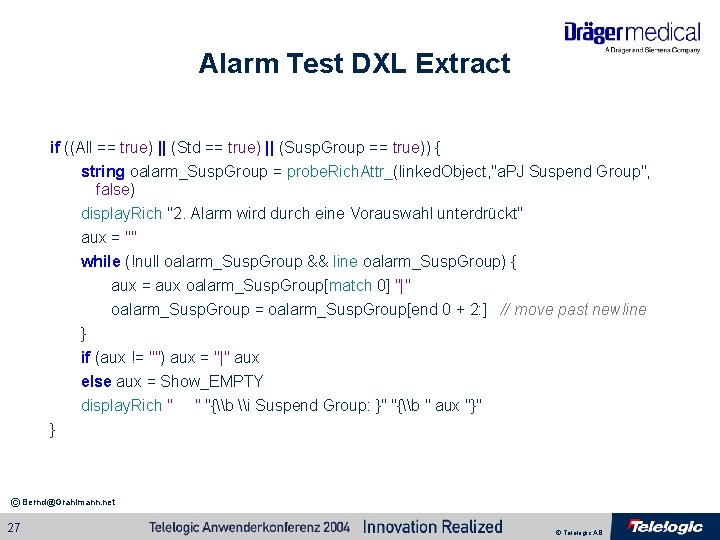
Alarm Test DXL Extract if ((All == true) || (Std == true) || (Susp. Group == true)) { string oalarm_Susp. Group = probe. Rich. Attr_(linked. Object, "a. PJ Suspend Group", false) display. Rich "2. Alarm wird durch eine Vorauswahl unterdrückt" aux = "" while (!null oalarm_Susp. Group && line oalarm_Susp. Group) { aux = aux oalarm_Susp. Group[match 0] "|" oalarm_Susp. Group = oalarm_Susp. Group[end 0 + 2: ] // move past newline } if (aux != "") aux = "|" aux else aux = Show_EMPTY display. Rich " " "{\b \i Suspend Group: }" "{\b " aux "}" } © Bernd@Grahlmann. net 27 © Telelogic AB
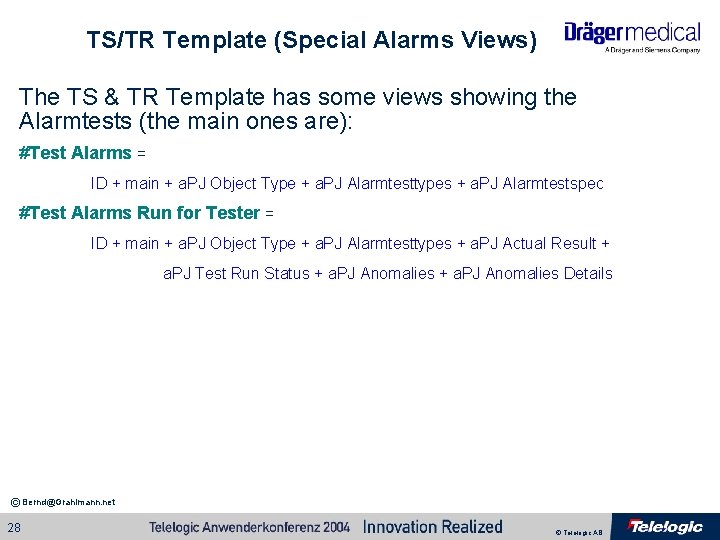
TS/TR Template (Special Alarms Views) The TS & TR Template has some views showing the Alarmtests (the main ones are): #Test Alarms = ID + main + a. PJ Object Type + a. PJ Alarmtesttypes + a. PJ Alarmtestspec #Test Alarms Run for Tester = ID + main + a. PJ Object Type + a. PJ Alarmtesttypes + a. PJ Actual Result + a. PJ Test Run Status + a. PJ Anomalies Details © Bernd@Grahlmann. net 28 © Telelogic AB
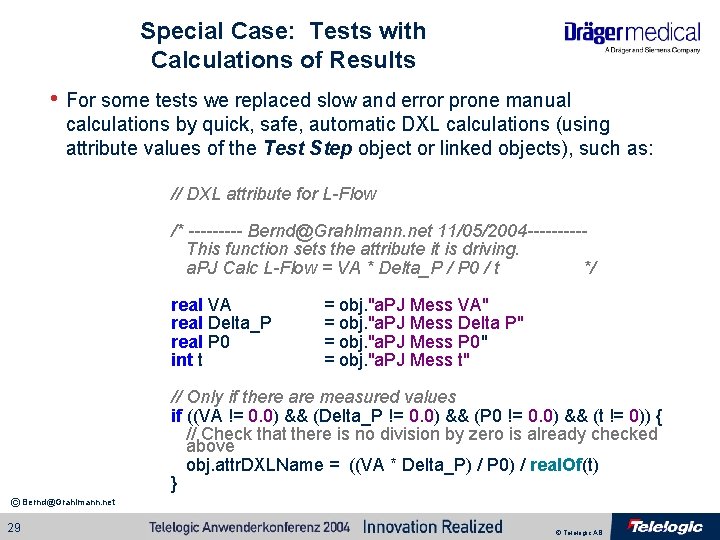
Special Case: Tests with Calculations of Results • For some tests we replaced slow and error prone manual calculations by quick, safe, automatic DXL calculations (using attribute values of the Test Step object or linked objects), such as: // DXL attribute for L-Flow /* ----- Bernd@Grahlmann. net 11/05/2004 -----This function sets the attribute it is driving. a. PJ Calc L-Flow = VA * Delta_P / P 0 / t */ real VA real Delta_P real P 0 int t = obj. "a. PJ Mess VA" = obj. "a. PJ Mess Delta P" = obj. "a. PJ Mess P 0" = obj. "a. PJ Mess t" // Only if there are measured values if ((VA != 0. 0) && (Delta_P != 0. 0) && (P 0 != 0. 0) && (t != 0)) { // Check that there is no division by zero is already checked above obj. attr. DXLName = ((VA * Delta_P) / P 0) / real. Of(t) } © Bernd@Grahlmann. net 29 © Telelogic AB
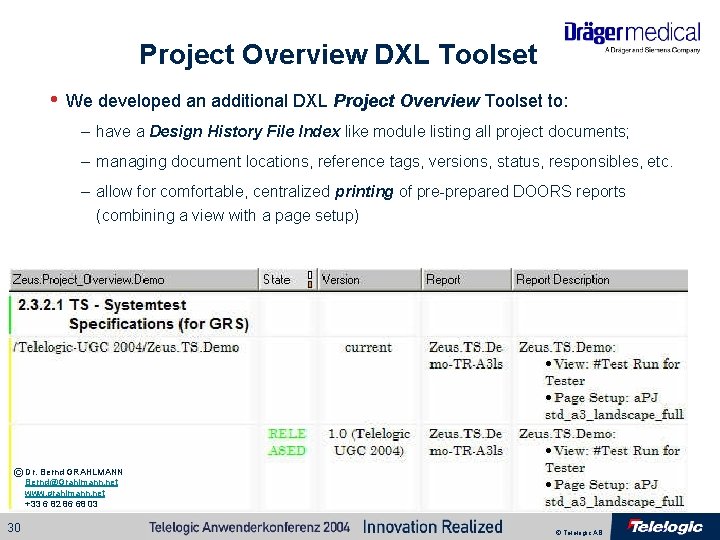
Project Overview DXL Toolset • We developed an additional DXL Project Overview Toolset to: – have a Design History File Index like module listing all project documents; – managing document locations, reference tags, versions, status, responsibles, etc. – allow for comfortable, centralized printing of pre-prepared DOORS reports (combining a view with a page setup) © Dr. Bernd GRAHLMANN Bernd@Grahlmann. net www. grahlmann. net © Bernd@Grahlmann. net +33 6 82 86 68 03 30 © Telelogic AB
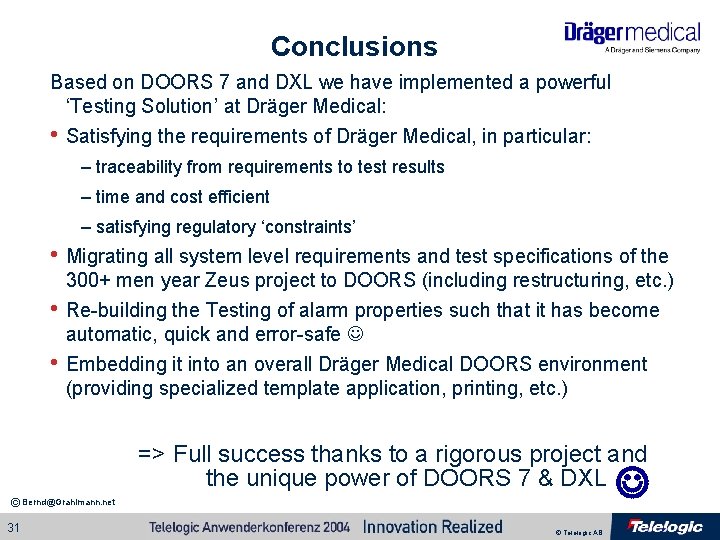
Conclusions Based on DOORS 7 and DXL we have implemented a powerful ‘Testing Solution’ at Dräger Medical: • Satisfying the requirements of Dräger Medical, in particular: – traceability from requirements to test results – time and cost efficient – satisfying regulatory ‘constraints’ • Migrating all system level requirements and test specifications of the • 300+ men year Zeus project to DOORS (including restructuring, etc. ) Re-building the Testing of alarm properties such that it has become automatic, quick and error-safe • Embedding it into an overall Dräger Medical DOORS environment (providing specialized template application, printing, etc. ) => Full success thanks to a rigorous project and the unique power of DOORS 7 & DXL © Bernd@Grahlmann. net 31 © Telelogic AB
Questions • Special Thanks to the Engineering + V&V Teams at Dräger Medical !!! • Discussion is open for questions / comments / etc. © Bernd@Grahlmann. net 32 © Telelogic AB
Contact Information • Feel free to contact me after the conference if you: – Have questions / comments / etc. with respect to the presentation, the project, etc. – Want to implement this or a similar solution in your company – Are interested in Requirements Management and (in particular) DOORS related Consultancy or Training. Dr. Bernd GRAHLMANN Bernd@Grahlmann. net www. grahlmann. net +33 6 82 86 68 03 © Bernd@Grahlmann. net 33 © Telelogic AB