
Implementing Sierra USL University of Sydney Library Jane
Implementing Sierra @ USL University of Sydney Library Jane Barton and Isis Bibaoui, November 2012

SIERRA Coordinating the Migration Ø Coordinated by Integrated Library Systems Management Group (ILSMG) Ø ILSMG consists of functional experts from all service areas and head of Library IT Services Ø ILSMG • liaised with III, Library staff, Library groups and Library Management as required • Designed and delivered staff training sessions • Responsible for all communication to library staff on migrations (email, Intranet Page, Info. Blog, presentation at various meetings Ø Sierra list invaluable source of support and information 2
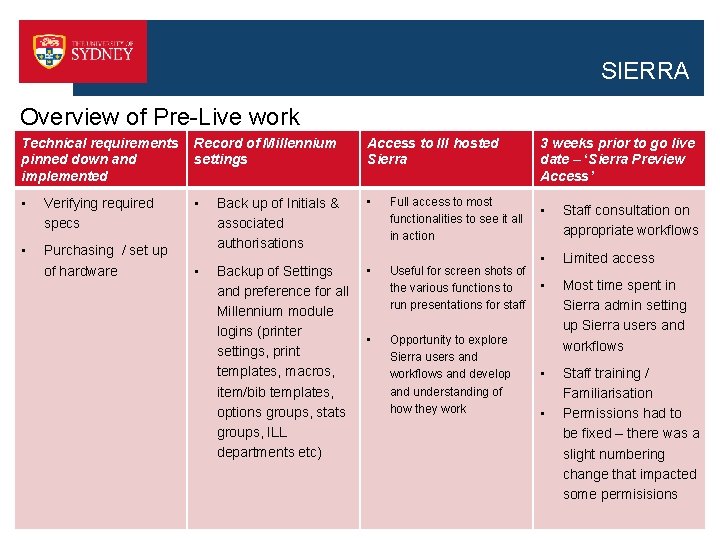
SIERRA Overview of Pre-Live work Technical requirements pinned down and implemented Record of Millennium settings Access to III hosted Sierra • Verifying required specs • • • Full access to most functionalities to see it all in action Purchasing / set up of hardware Back up of Initials & associated authorisations • Backup of Settings and preference for all Millennium module logins (printer settings, print templates, macros, item/bib templates, options groups, stats groups, ILL departments etc) • Useful for screen shots of the various functions to run presentations for staff • Opportunity to explore Sierra users and workflows and develop and understanding of how they work 3 weeks prior to go live date – ‘Sierra Preview Access’ • Staff consultation on appropriate workflows • Limited access • Most time spent in Sierra admin setting up Sierra users and workflows • Staff training / Familiarisation Permissions had to be fixed – there was a slight numbering change that impacted some permisisions • 3
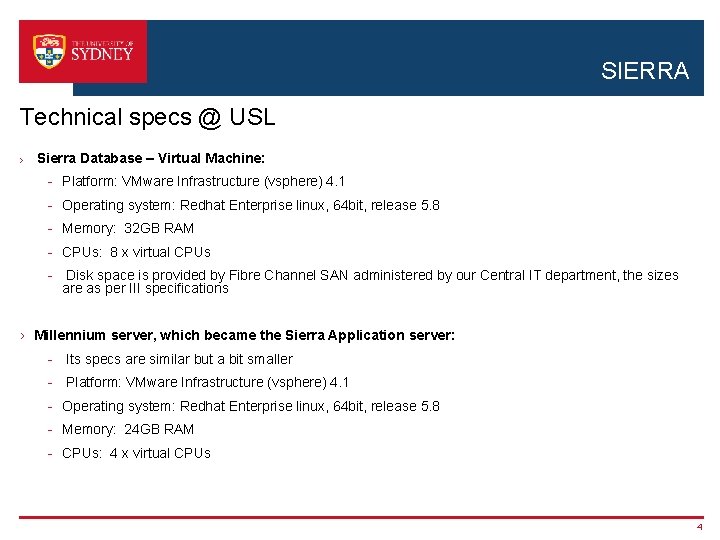
SIERRA Technical specs @ USL › Sierra Database – Virtual Machine: - Platform: VMware Infrastructure (vsphere) 4. 1 - Operating system: Redhat Enterprise linux, 64 bit, release 5. 8 - Memory: 32 GB RAM - CPUs: 8 x virtual CPUs - Disk space is provided by Fibre Channel SAN administered by our Central IT department, the sizes are as per III specifications › Millennium server, which became the Sierra Application server: - Its specs are similar but a bit smaller - Platform: VMware Infrastructure (vsphere) 4. 1 - Operating system: Redhat Enterprise linux, 64 bit, release 5. 8 - Memory: 24 GB RAM - CPUs: 4 x virtual CPUs 4
Sierra Users v’s Millennium logins and initials
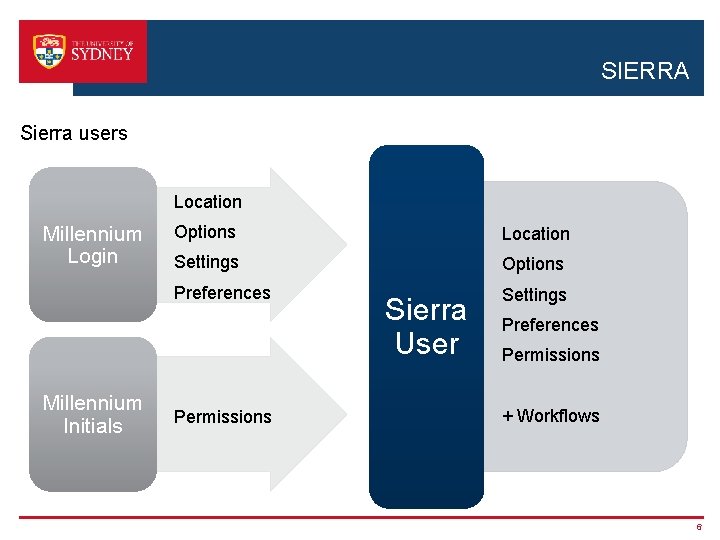
SIERRA Sierra users Location Millennium Login Millennium Initials Options Location Settings Options Preferences Settings Permissions Sierra User Preferences Permissions + Workflows 6
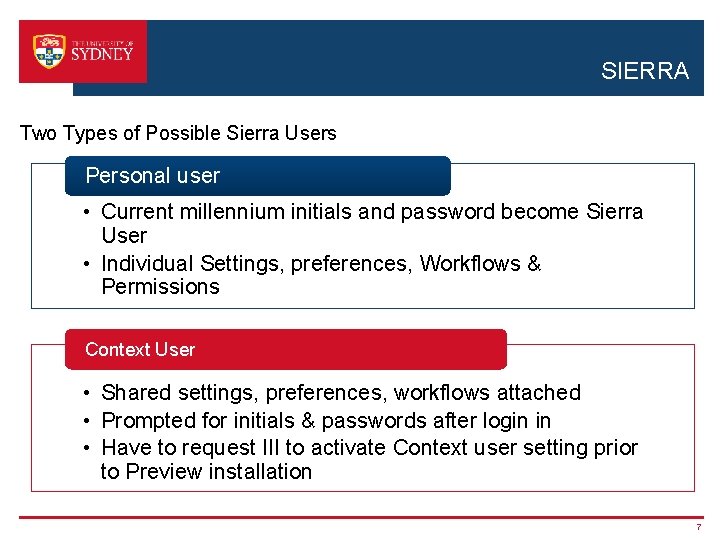
SIERRA Two Types of Possible Sierra Users Personal user • Current millennium initials and password become Sierra User • Individual Settings, preferences, Workflows & Permissions Context User • Shared settings, preferences, workflows attached • Prompted for initials & passwords after login in • Have to request III to activate Context user setting prior to Preview installation 7
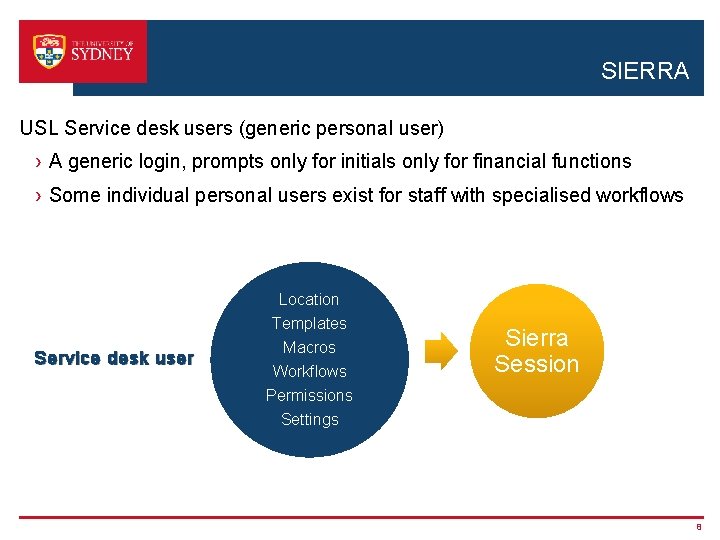
SIERRA USL Service desk users (generic personal user) › A generic login, prompts only for initials only for financial functions › Some individual personal users exist for staff with specialised workflows Location Templates Service desk user Macros Workflows Permissions Sierra Session Settings 8
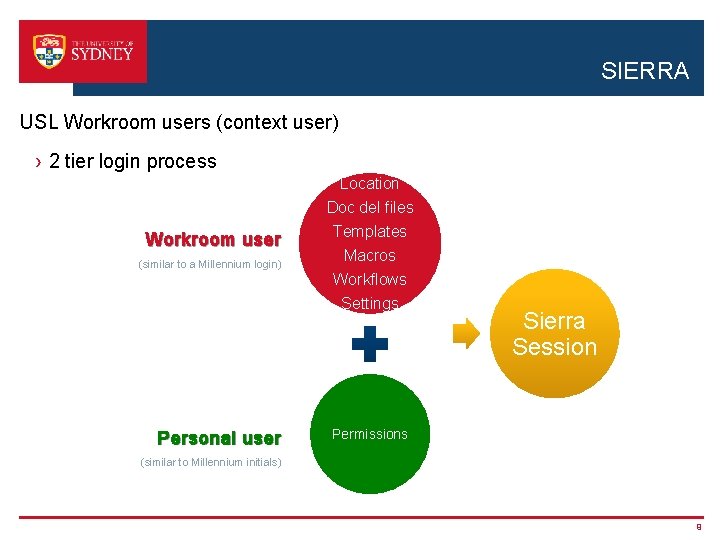
SIERRA USL Workroom users (context user) › 2 tier login process Location Doc del files Workroom user (similar to a Millennium login) Personal user Templates Macros Workflows Settings Sierra Session Permissions (similar to Millennium initials) 9
Sierra Workflows V’s Millennium Modules
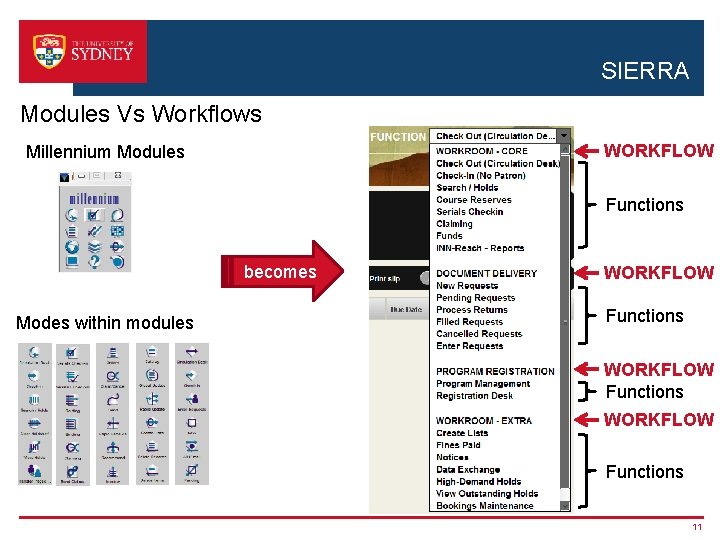
SIERRA Modules Vs Workflows WORKFLOW Millennium Modules Functions becomes Modes within modules WORKFLOW Functions 11
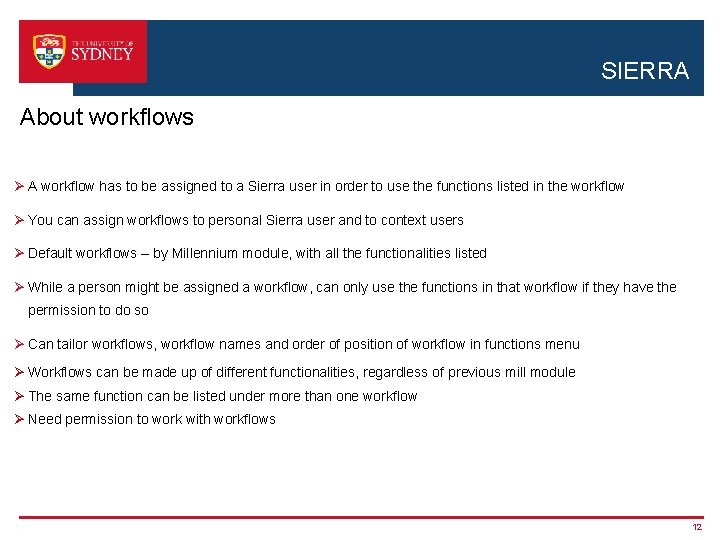
SIERRA About workflows Ø A workflow has to be assigned to a Sierra user in order to use the functions listed in the workflow Ø You can assign workflows to personal Sierra user and to context users Ø Default workflows – by Millennium module, with all the functionalities listed Ø While a person might be assigned a workflow, can only use the functions in that workflow if they have the permission to do so Ø Can tailor workflows, workflow names and order of position of workflow in functions menu Ø Workflows can be made up of different functionalities, regardless of previous mill module Ø The same function can be listed under more than one workflow Ø Need permission to work with workflows 12
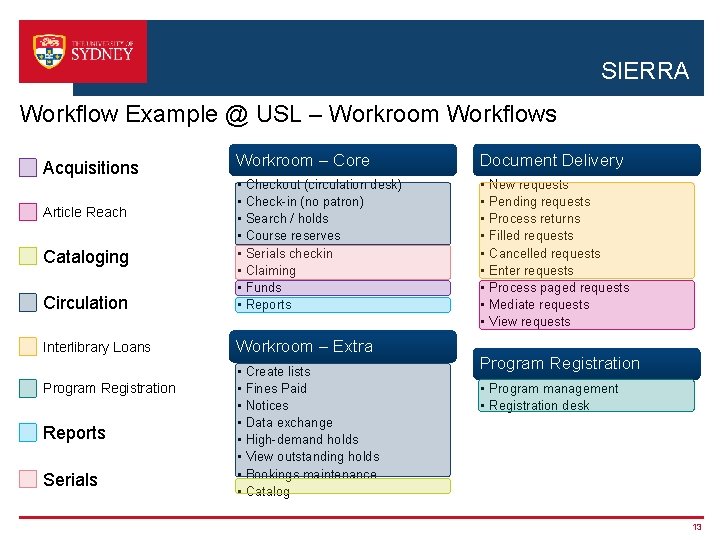
SIERRA Workflow Example @ USL – Workroom Workflows Workroom – Core Document Delivery Circulation • • • • • Interlibrary Loans Workroom – Extra Acquisitions Article Reach Cataloging Program Registration Reports Serials • • Checkout (circulation desk) Check-in (no patron) Search / holds Course reserves Serials checkin Claiming Funds Reports Create lists Fines Paid Notices Data exchange High-demand holds View outstanding holds Bookings maintenance Catalog New requests Pending requests Process returns Filled requests Cancelled requests Enter requests Process paged requests Mediate requests View requests Program Registration • Program management • Registration desk 13
Staff Familiarisation 14
SIERRA Initial thoughts on Introducing Staff to Sierra …. ØRun Millennium at the same time as Sierra ØTrain staff in Sierra a group at a time ØSlowly migrate staff across to Sierra BUT …. . 15
SIERRA Decided to migrate all staff STRAIGHT to Sierra Ø Can run Millennium side by side but has to be reloaded, and there is an icon for each module Ø Uses the same users and initials and data as the Sierra system – so any problems with this would also impact Millennium users Ø Some functionalities (such as create lists and Article. Reach) only available in Sierra once migrated. Ø Once we had access to ‘Grizzly’ became clear that Sierra had exactly the same functionality as Millennium, with a different look and feel and some changes in navigation Ø Wish to have all staff using Sierra before the second phase of Sierra started Ø Didn’t want to see Millennium hanging on in use like telnet – we still had diehard telnet users up until last year! Ø Experiences being reported by other libraries on the Sierra list ……. 16

SIERRA Sierra vs Millennium – migrated libraries’ experiences “We have been live for two days… None of the issues reported have been with staff not knowing how to perform a task. That part is genuinely easy. ” MARINet Consortium of Academic & Research Libraries “We migrated everyone to the Sierra interface on day 1. This move met no resistance, unlike when we migrated from telnet to Millennium. ” Appalachian State University Library 17
SIERRA Staff training ØFocused on the idea of managing change and anxiety rather than on the idea that ‘training’ was required Ø“Staff Familiarisation” rather than training ØSierra Page on Intranet created – link to III presentations on it, link to Familiarisations session presentations ØStaff sessions run every day in two weeks prior to go live date ØPower point presentation: • Side by side slides of Millennium Screen • Stressing same functionality, different look and feel • About logins and workflows • Detail of what was different (enhanced searching, underlying structure) 18
So what happened when we went live? 19
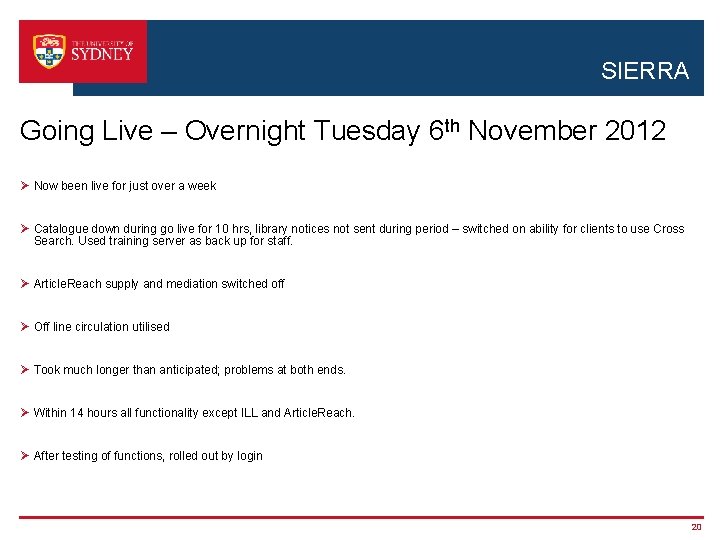
SIERRA Going Live – Overnight Tuesday 6 th November 2012 Ø Now been live for just over a week Ø Catalogue down during go live for 10 hrs, library notices not sent during period – switched on ability for clients to use Cross Search. Used training server as back up for staff. Ø Article. Reach supply and mediation switched off Ø Off line circulation utilised Ø Took much longer than anticipated; problems at both ends. Ø Within 14 hours all functionality except ILL and Article. Reach. Ø After testing of functions, rolled out by login 20
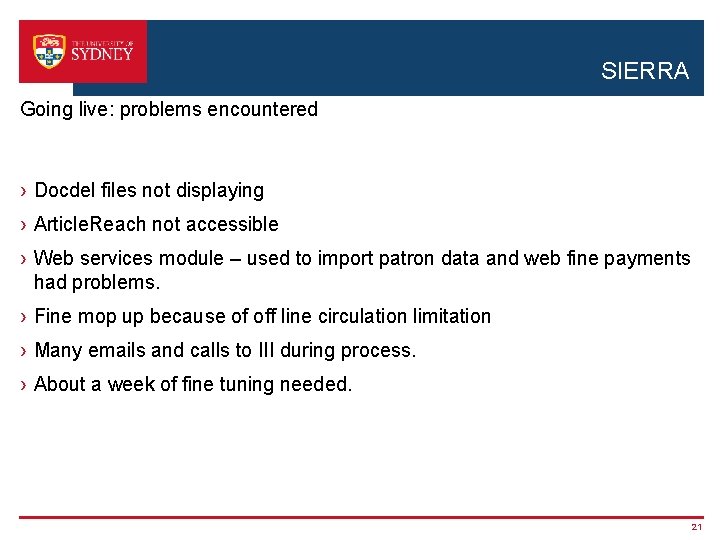
SIERRA Going live: problems encountered › Docdel files not displaying › Article. Reach not accessible › Web services module – used to import patron data and web fine payments had problems. › Fine mop up because of off line circulation limitation › Many emails and calls to III during process. › About a week of fine tuning needed. 21
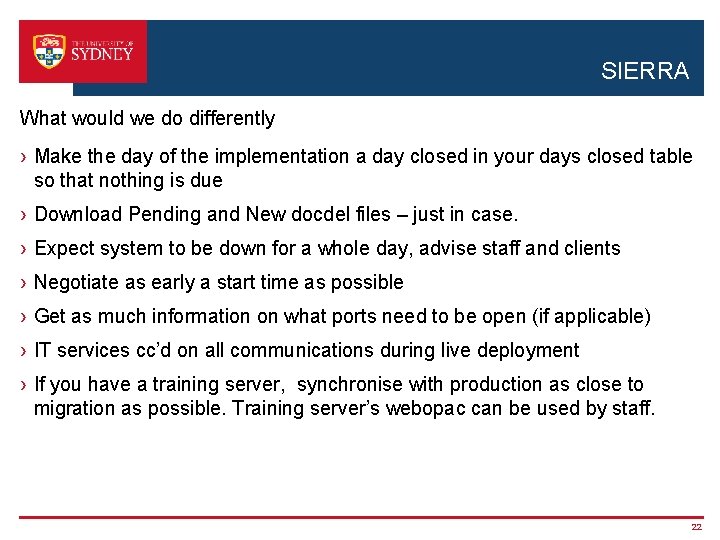
SIERRA What would we do differently › Make the day of the implementation a day closed in your days closed table so that nothing is due › Download Pending and New docdel files – just in case. › Expect system to be down for a whole day, advise staff and clients › Negotiate as early a start time as possible › Get as much information on what ports need to be open (if applicable) › IT services cc’d on all communications during live deployment › If you have a training server, synchronise with production as close to migration as possible. Training server’s webopac can be used by staff. 22
Any further questions? 23
- Slides: 23