
Implementing BGP Configuring Basic BGP Operations BGP Commands
Implementing BGP Configuring Basic BGP Operations
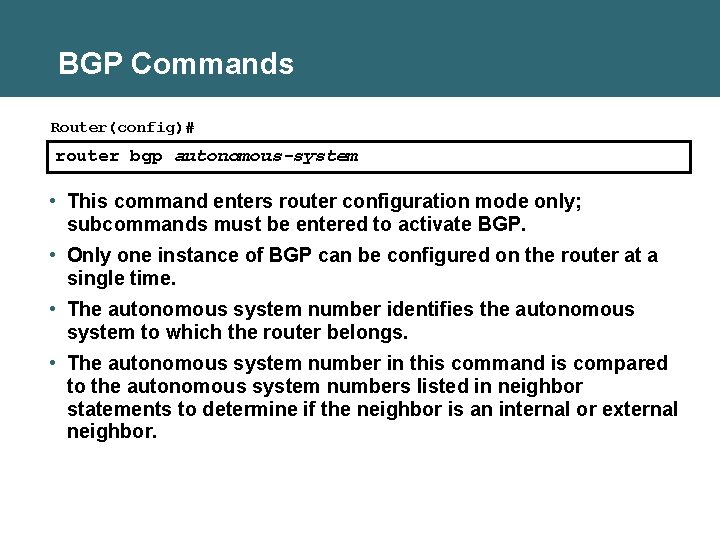
BGP Commands Router(config)# router bgp autonomous-system • This command enters router configuration mode only; subcommands must be entered to activate BGP. • Only one instance of BGP can be configured on the router at a single time. • The autonomous system number identifies the autonomous system to which the router belongs. • The autonomous system number in this command is compared to the autonomous system numbers listed in neighbor statements to determine if the neighbor is an internal or external neighbor.
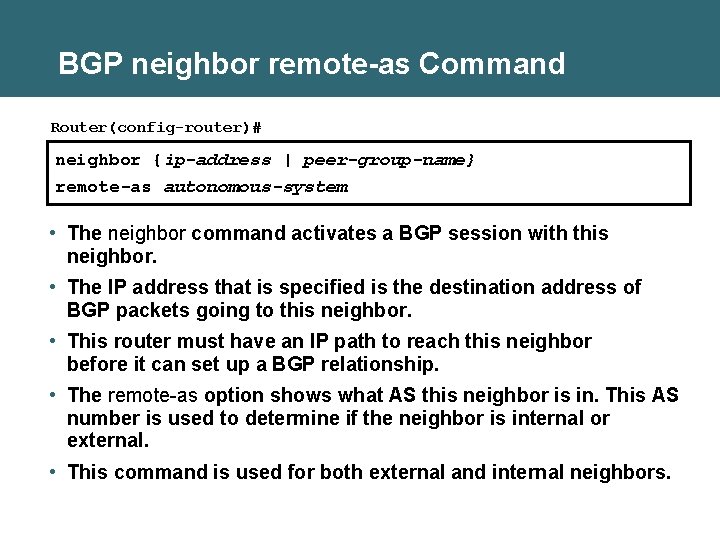
BGP neighbor remote-as Command Router(config-router)# neighbor {ip-address | peer-group-name} remote-as autonomous-system • The neighbor command activates a BGP session with this neighbor. • The IP address that is specified is the destination address of BGP packets going to this neighbor. • This router must have an IP path to reach this neighbor before it can set up a BGP relationship. • The remote-as option shows what AS this neighbor is in. This AS number is used to determine if the neighbor is internal or external. • This command is used for both external and internal neighbors.
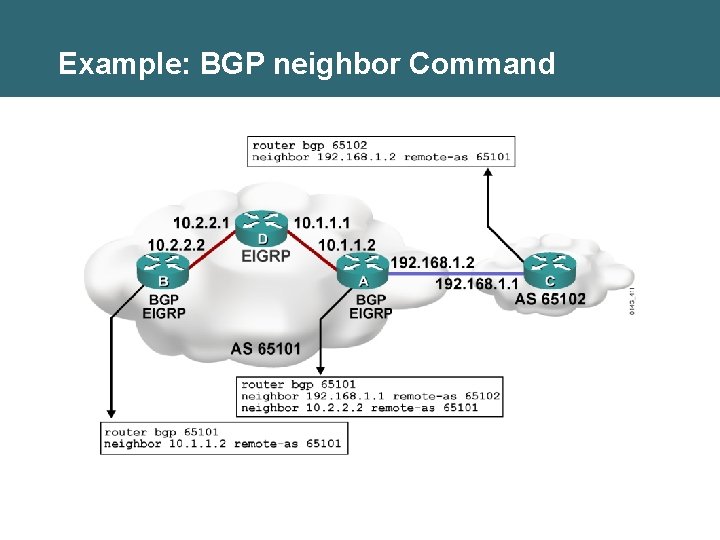
Example: BGP neighbor Command
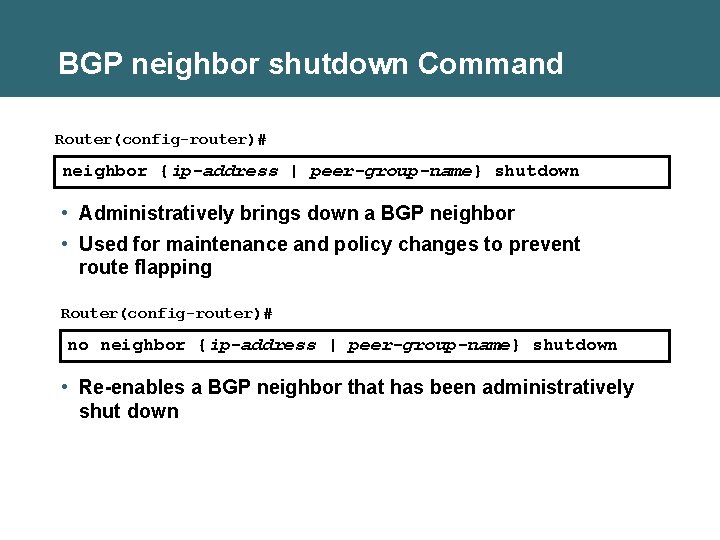
BGP neighbor shutdown Command Router(config-router)# neighbor {ip-address | peer-group-name} shutdown • Administratively brings down a BGP neighbor • Used for maintenance and policy changes to prevent route flapping Router(config-router)# no neighbor {ip-address | peer-group-name} shutdown • Re-enables a BGP neighbor that has been administratively shut down
BGP Issues with Source IP Address • When creating a BGP packet, the neighbor statement defines the destination IP address and the outbound interface defines the source IP address. • When a BGP packet is received for a new BGP session, the source address of the packet is compared to the list of neighbor statements: – If a match is found, a relationship is established. – If no match is found, the packet is ignored. • Make sure that the source IP address matches the address that the other router has in its neighbor statement.
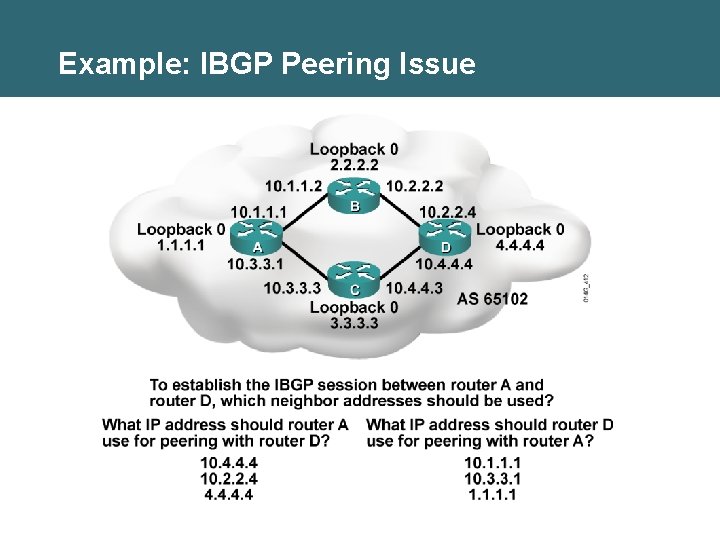
Example: IBGP Peering Issue
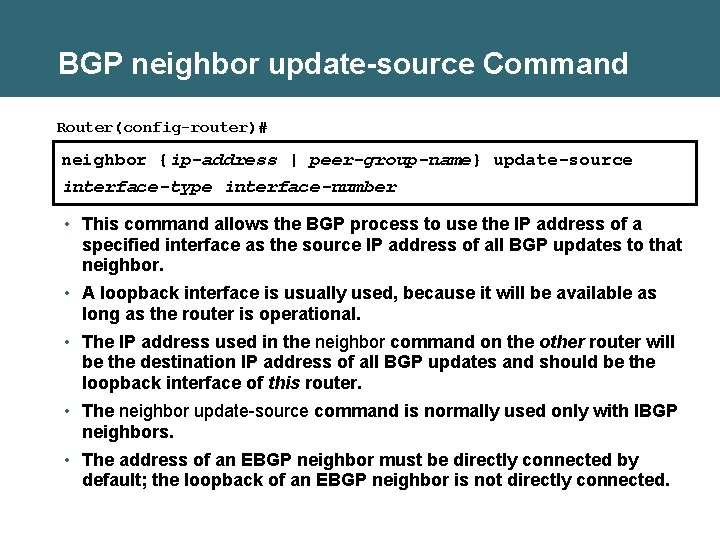
BGP neighbor update-source Command Router(config-router)# neighbor {ip-address | peer-group-name} update-source interface-type interface-number • This command allows the BGP process to use the IP address of a specified interface as the source IP address of all BGP updates to that neighbor. • A loopback interface is usually used, because it will be available as long as the router is operational. • The IP address used in the neighbor command on the other router will be the destination IP address of all BGP updates and should be the loopback interface of this router. • The neighbor update-source command is normally used only with IBGP neighbors. • The address of an EBGP neighbor must be directly connected by default; the loopback of an EBGP neighbor is not directly connected.
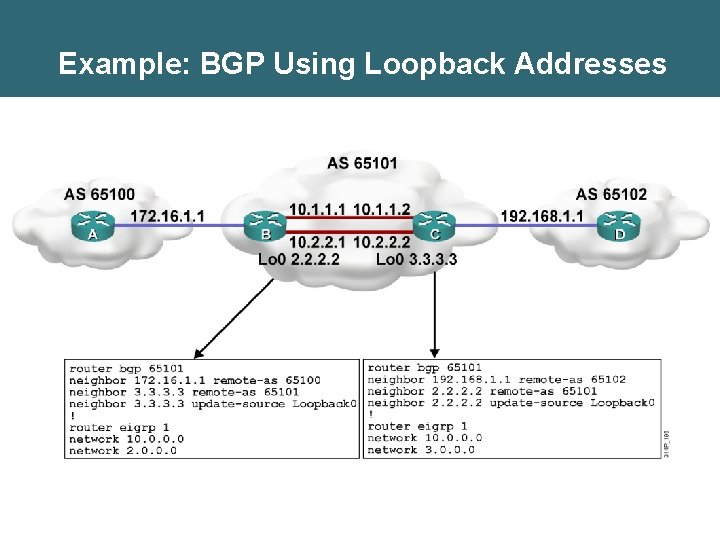
Example: BGP Using Loopback Addresses
![BGP neighbor ebgp-multihop Command Router(config-router)# neighbor {ip-address | peer-group-name} ebgp-multihop [ttl] • This command](http://slidetodoc.com/presentation_image_h/099ecc99583224f8a9c8d88c23efcbda/image-10.jpg "BGP neighbor ebgp-multihop Command Router(config-router)# neighbor {ip-address | peer-group-name} ebgp-multihop [ttl] • This command")
BGP neighbor ebgp-multihop Command Router(config-router)# neighbor {ip-address | peer-group-name} ebgp-multihop [ttl] • This command increases the default of one hop for EBGP peers. • It allows routes to the EBGP loopback address (which will have a hop count greater than 1).
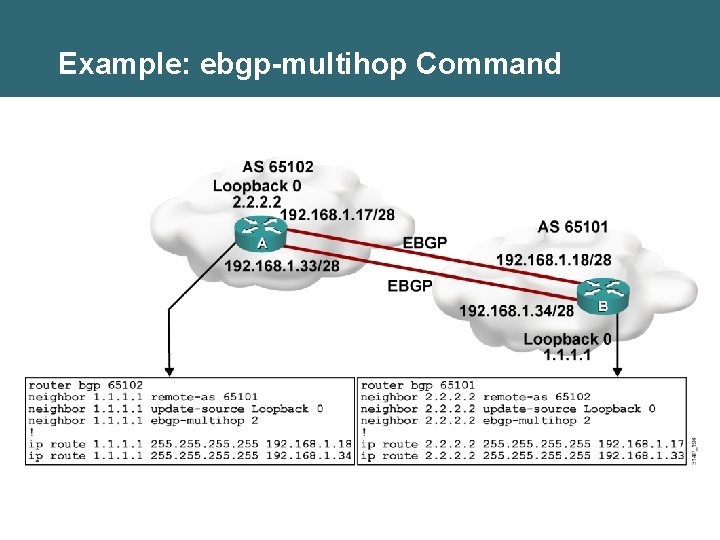
Example: ebgp-multihop Command
Next-Hop Behavior • BGP is an AS-by-AS routing protocol, not a router-by-router routing protocol. • In BGP, the next hop does not mean the next router; it means the IP address to reach the next AS. • For EBGP, the default next hop is the IP address of the neighbor router that sent the update. • For IBGP, the BGP protocol states that the next hop advertised by EBGP should be carried into IBGP.
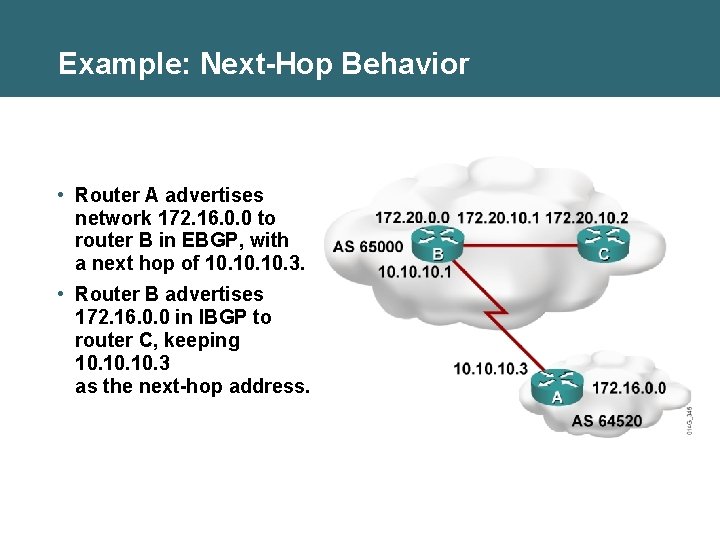
Example: Next-Hop Behavior • Router A advertises network 172. 16. 0. 0 to router B in EBGP, with a next hop of 10. 10. 3. • Router B advertises 172. 16. 0. 0 in IBGP to router C, keeping 10. 10. 3 as the next-hop address.
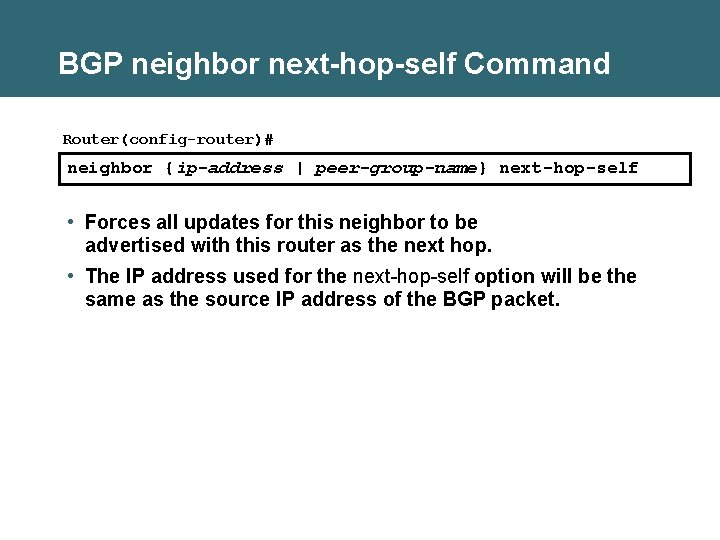
BGP neighbor next-hop-self Command Router(config-router)# neighbor {ip-address | peer-group-name} next-hop-self • Forces all updates for this neighbor to be advertised with this router as the next hop. • The IP address used for the next-hop-self option will be the same as the source IP address of the BGP packet.
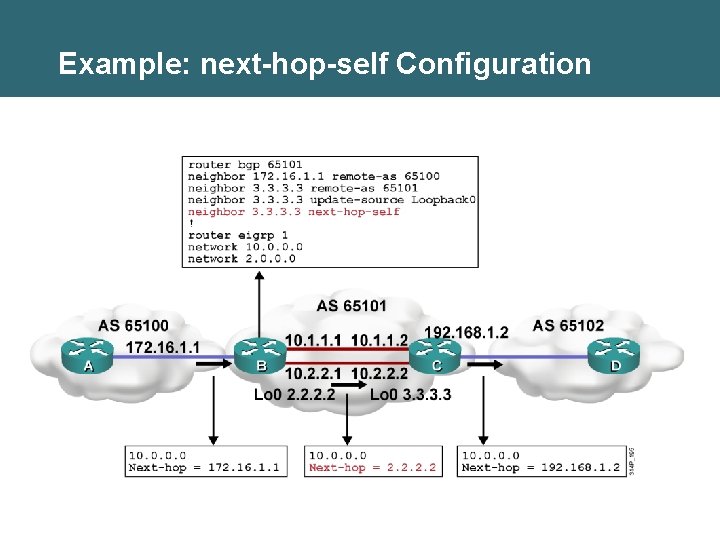
Example: next-hop-self Configuration
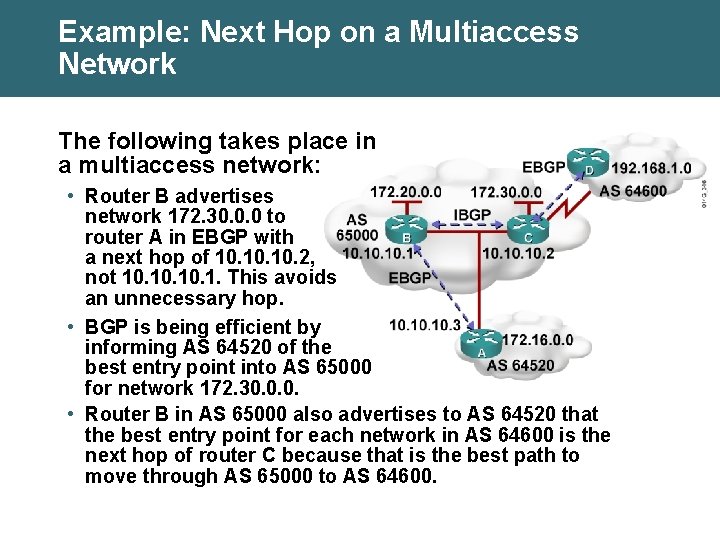
Example: Next Hop on a Multiaccess Network The following takes place in a multiaccess network: • Router B advertises network 172. 30. 0. 0 to router A in EBGP with a next hop of 10. 10. 2, not 10. 10. 1. This avoids an unnecessary hop. • BGP is being efficient by informing AS 64520 of the best entry point into AS 65000 for network 172. 30. 0. 0. • Router B in AS 65000 also advertises to AS 64520 that the best entry point for each network in AS 64600 is the next hop of router C because that is the best path to move through AS 65000 to AS 64600.
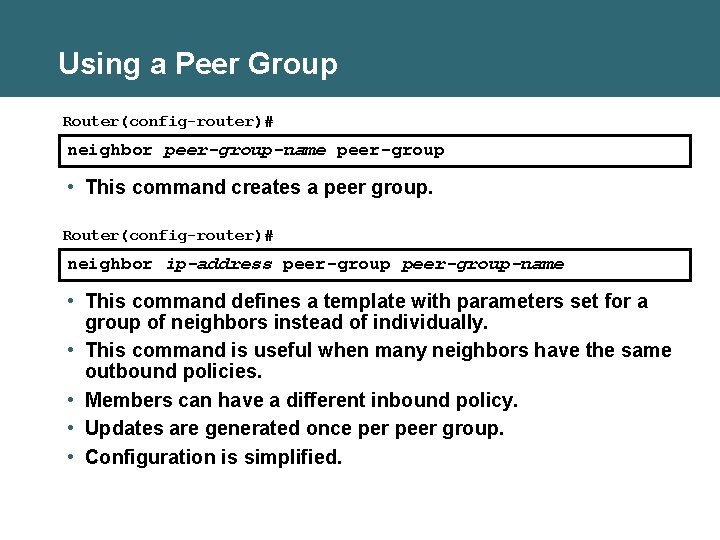
Using a Peer Group Router(config-router)# neighbor peer-group-name peer-group • This command creates a peer group. Router(config-router)# neighbor ip-address peer-group-name • This command defines a template with parameters set for a group of neighbors instead of individually. • This command is useful when many neighbors have the same outbound policies. • Members can have a different inbound policy. • Updates are generated once per peer group. • Configuration is simplified.
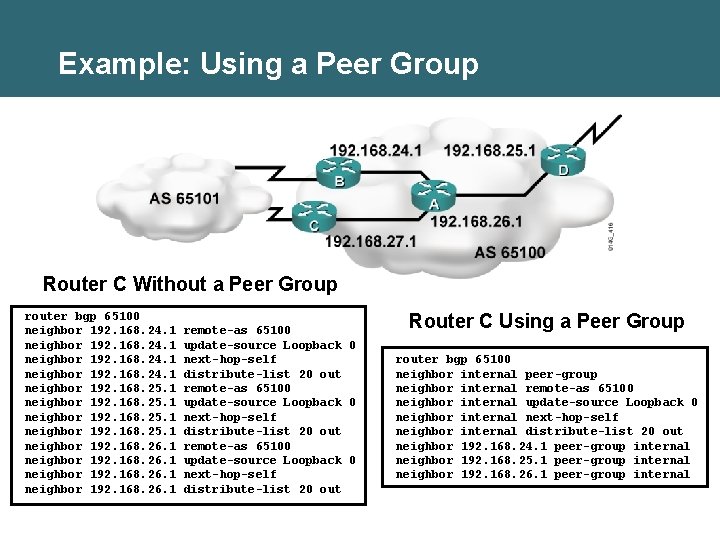
Example: Using a Peer Group Router C Without a Peer Group router bgp 65100 neighbor 192. 168. 24. 1 neighbor 192. 168. 25. 1 neighbor 192. 168. 26. 1 remote-as 65100 update-source Loopback 0 next-hop-self distribute-list 20 out Router C Using a Peer Group router bgp 65100 neighbor internal peer-group neighbor internal remote-as 65100 neighbor internal update-source Loopback 0 neighbor internal next-hop-self neighbor internal distribute-list 20 out neighbor 192. 168. 24. 1 peer-group internal neighbor 192. 168. 25. 1 peer-group internal neighbor 192. 168. 26. 1 peer-group internal
![BGP network Command Router(config-router)# network-number [mask network-mask] [route-map -tag] • This command tells BGP](http://slidetodoc.com/presentation_image_h/099ecc99583224f8a9c8d88c23efcbda/image-19.jpg "BGP network Command Router(config-router)# network-number [mask network-mask] [route-map -tag] • This command tells BGP")
BGP network Command Router(config-router)# network-number [mask network-mask] [route-map -tag] • This command tells BGP what network to advertise. • The command does not activate the protocol on an interface. • Without a mask option, the command advertises classful networks. If a subnet of the classful network exists in a routing table, the classful address is announced. • With the mask option, BGP looks for an exact match in the local routing table before announcing the route.
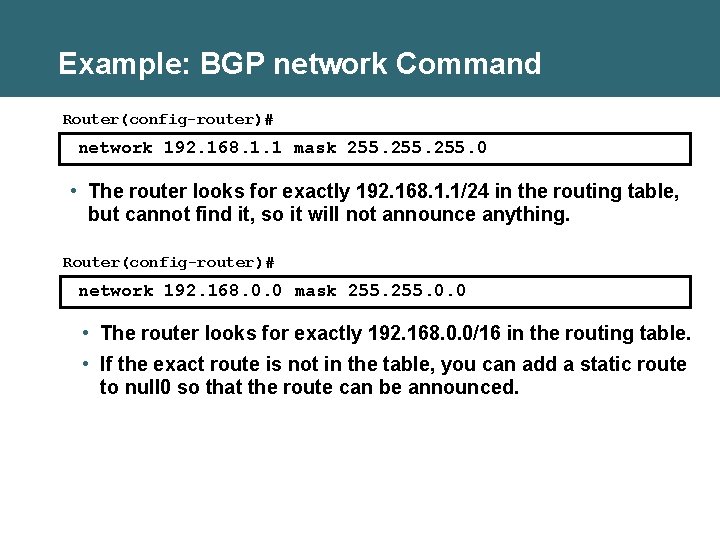
Example: BGP network Command Router(config-router)# network 192. 168. 1. 1 mask 255. 0 • The router looks for exactly 192. 168. 1. 1/24 in the routing table, but cannot find it, so it will not announce anything. Router(config-router)# network 192. 168. 0. 0 mask 255. 0. 0 • The router looks for exactly 192. 168. 0. 0/16 in the routing table. • If the exact route is not in the table, you can add a static route to null 0 so that the route can be announced.
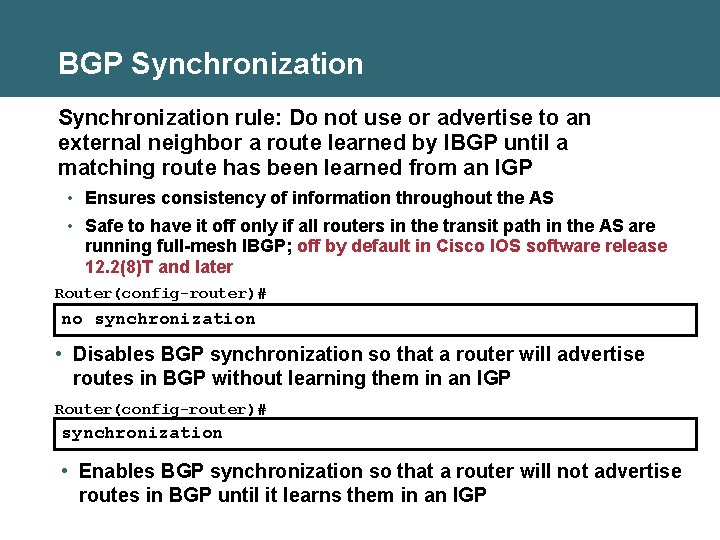
BGP Synchronization rule: Do not use or advertise to an external neighbor a route learned by IBGP until a matching route has been learned from an IGP • Ensures consistency of information throughout the AS • Safe to have it off only if all routers in the transit path in the AS are running full-mesh IBGP; off by default in Cisco IOS software release 12. 2(8)T and later Router(config-router)# no synchronization • Disables BGP synchronization so that a router will advertise routes in BGP without learning them in an IGP Router(config-router)# synchronization • Enables BGP synchronization so that a router will not advertise routes in BGP until it learns them in an IGP
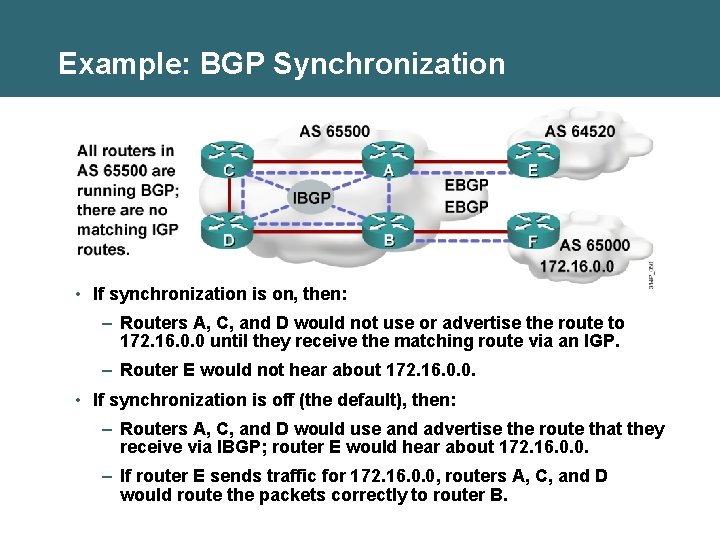
Example: BGP Synchronization • If synchronization is on, then: – Routers A, C, and D would not use or advertise the route to 172. 16. 0. 0 until they receive the matching route via an IGP. – Router E would not hear about 172. 16. 0. 0. • If synchronization is off (the default), then: – Routers A, C, and D would use and advertise the route that they receive via IBGP; router E would hear about 172. 16. 0. 0. – If router E sends traffic for 172. 16. 0. 0, routers A, C, and D would route the packets correctly to router B.
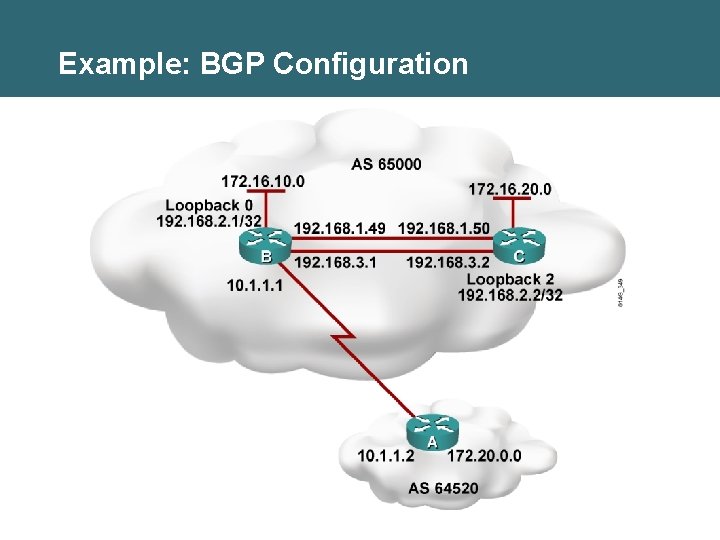
Example: BGP Configuration
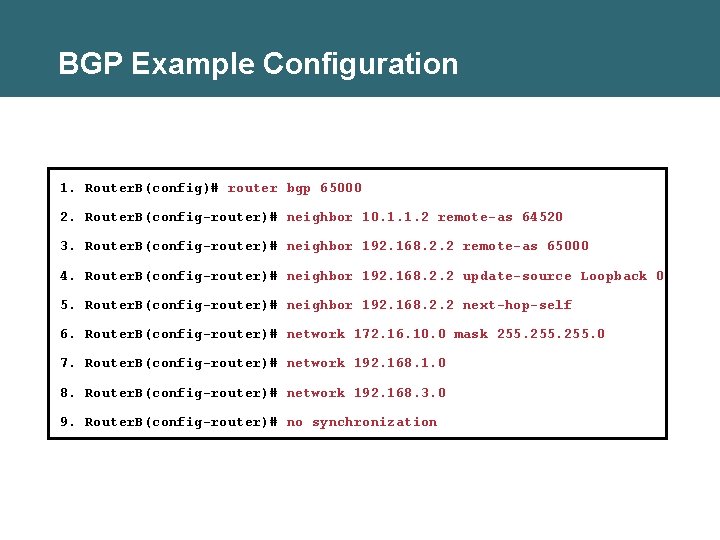
BGP Example Configuration 1. Router. B(config)# router bgp 65000 2. Router. B(config-router)# neighbor 10. 1. 1. 2 remote-as 64520 3. Router. B(config-router)# neighbor 192. 168. 2. 2 remote-as 65000 4. Router. B(config-router)# neighbor 192. 168. 2. 2 update-source Loopback 0 5. Router. B(config-router)# neighbor 192. 168. 2. 2 next-hop-self 6. Router. B(config-router)# network 172. 16. 10. 0 mask 255. 0 7. Router. B(config-router)# network 192. 168. 1. 0 8. Router. B(config-router)# network 192. 168. 3. 0 9. Router. B(config-router)# no synchronization
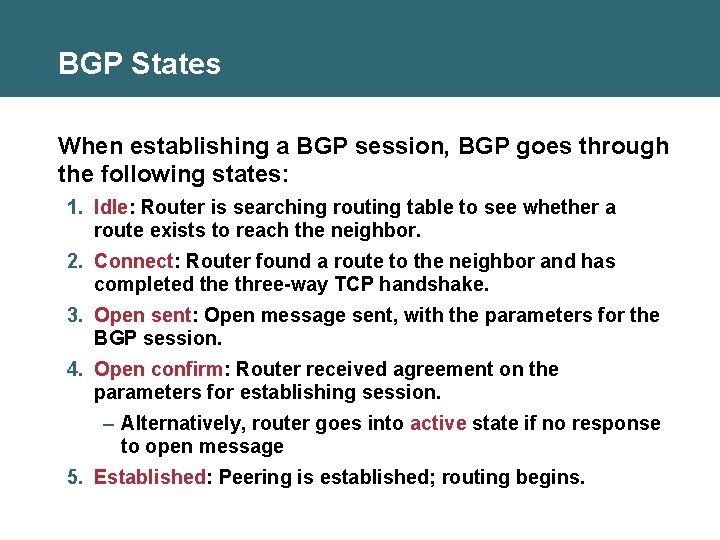
BGP States When establishing a BGP session, BGP goes through the following states: 1. Idle: Router is searching routing table to see whether a route exists to reach the neighbor. 2. Connect: Router found a route to the neighbor and has completed the three-way TCP handshake. 3. Open sent: Open message sent, with the parameters for the BGP session. 4. Open confirm: Router received agreement on the parameters for establishing session. – Alternatively, router goes into active state if no response to open message 5. Established: Peering is established; routing begins.
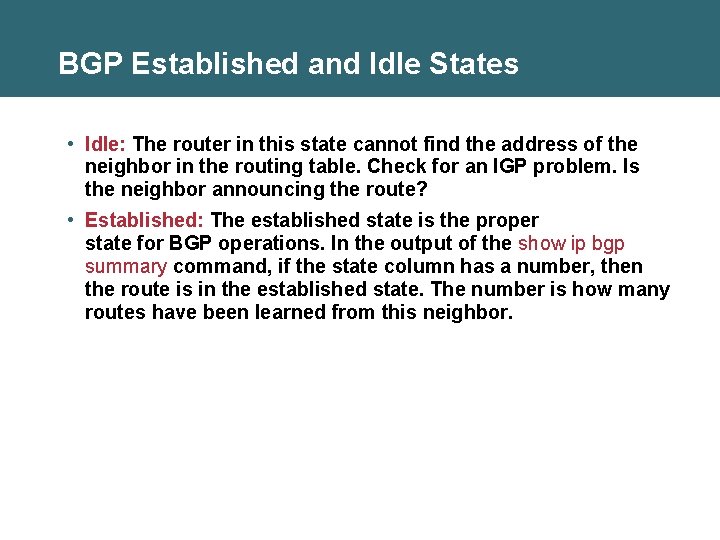
BGP Established and Idle States • Idle: The router in this state cannot find the address of the neighbor in the routing table. Check for an IGP problem. Is the neighbor announcing the route? • Established: The established state is the proper state for BGP operations. In the output of the show ip bgp summary command, if the state column has a number, then the route is in the established state. The number is how many routes have been learned from this neighbor.
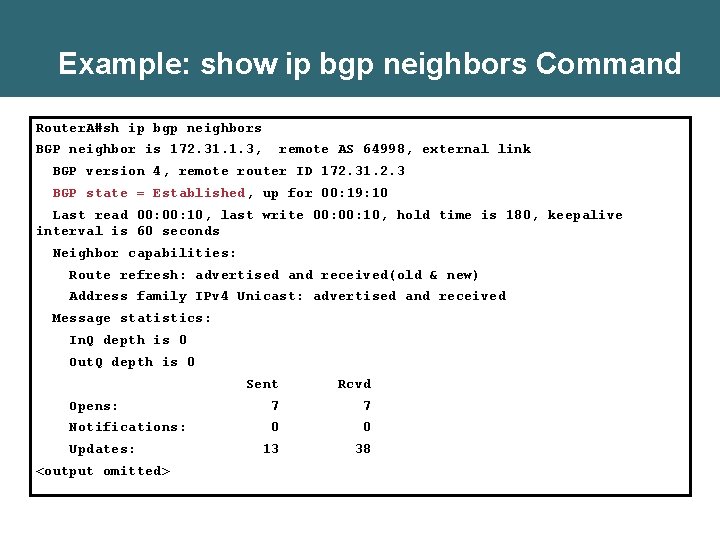
Example: show ip bgp neighbors Command Router. A#sh ip bgp neighbors BGP neighbor is 172. 31. 1. 3, remote AS 64998, external link BGP version 4, remote router ID 172. 31. 2. 3 BGP state = Established, up for 00: 19: 10 Last read 00: 10, last write 00: 10, hold time is 180, keepalive interval is 60 seconds Neighbor capabilities: Route refresh: advertised and received(old & new) Address family IPv 4 Unicast: advertised and received Message statistics: In. Q depth is 0 Out. Q depth is 0 Sent Rcvd Opens: 7 7 Notifications: 0 0 13 38 Updates: <output omitted>
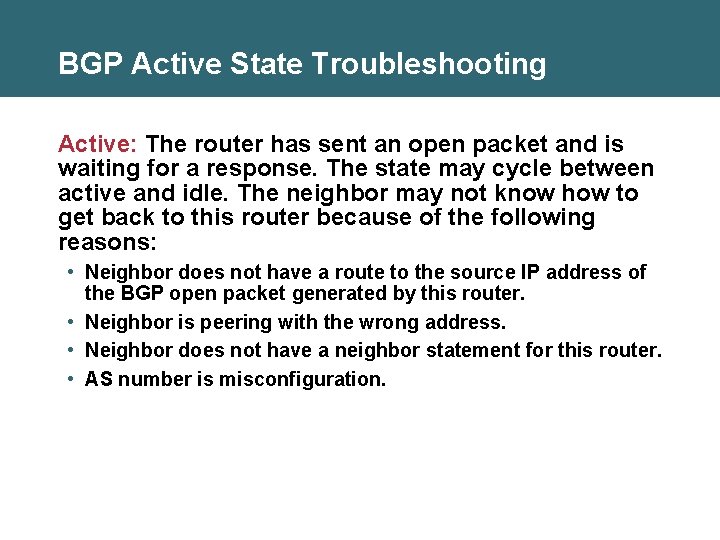
BGP Active State Troubleshooting Active: The router has sent an open packet and is waiting for a response. The state may cycle between active and idle. The neighbor may not know how to get back to this router because of the following reasons: • Neighbor does not have a route to the source IP address of the BGP open packet generated by this router. • Neighbor is peering with the wrong address. • Neighbor does not have a neighbor statement for this router. • AS number is misconfiguration.
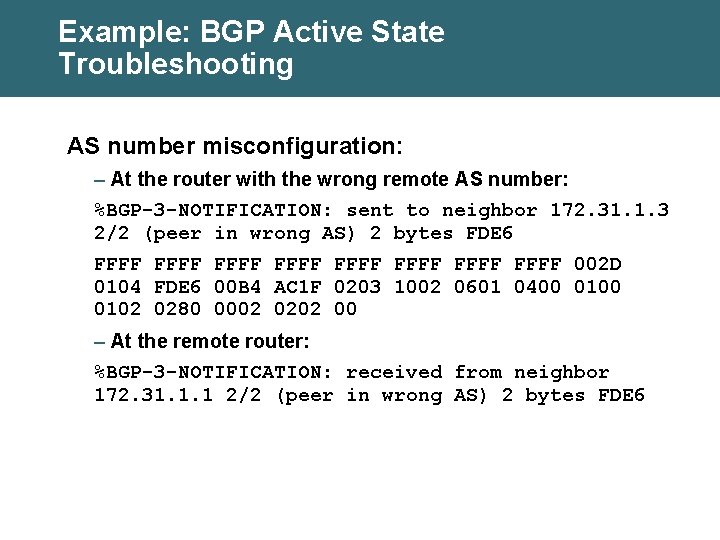
Example: BGP Active State Troubleshooting AS number misconfiguration: – At the router with the wrong remote AS number: %BGP-3 -NOTIFICATION: sent to neighbor 172. 31. 1. 3 2/2 (peer in wrong AS) 2 bytes FDE 6 FFFF FFFF 002 D 0104 FDE 6 00 B 4 AC 1 F 0203 1002 0601 0400 0102 0280 0002 0202 00 – At the remote router: %BGP-3 -NOTIFICATION: received from neighbor 172. 31. 1. 1 2/2 (peer in wrong AS) 2 bytes FDE 6
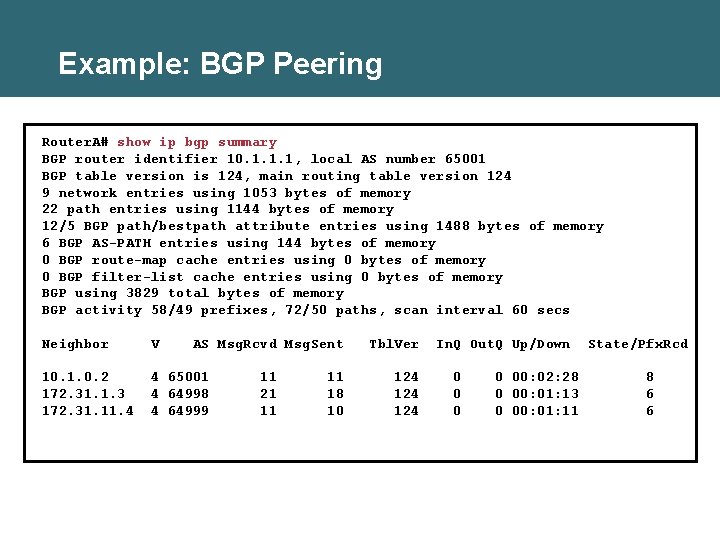
Example: BGP Peering Router. A# show ip bgp summary BGP router identifier 10. 1. 1. 1, local AS number 65001 BGP table version is 124, main routing table version 124 9 network entries using 1053 bytes of memory 22 path entries using 1144 bytes of memory 12/5 BGP path/bestpath attribute entries using 1488 bytes of memory 6 BGP AS-PATH entries using 144 bytes of memory 0 BGP route-map cache entries using 0 bytes of memory 0 BGP filter-list cache entries using 0 bytes of memory BGP using 3829 total bytes of memory BGP activity 58/49 prefixes, 72/50 paths, scan interval 60 secs Neighbor V AS Msg. Rcvd Msg. Sent 10. 1. 0. 2 172. 31. 1. 3 172. 31. 11. 4 4 65001 4 64998 4 64999 11 21 11 11 18 10 Tbl. Ver 124 124 In. Q Out. Q Up/Down 0 0 00: 02: 28 0 00: 01: 13 0 00: 01: 11 State/Pfx. Rcd 8 6 6
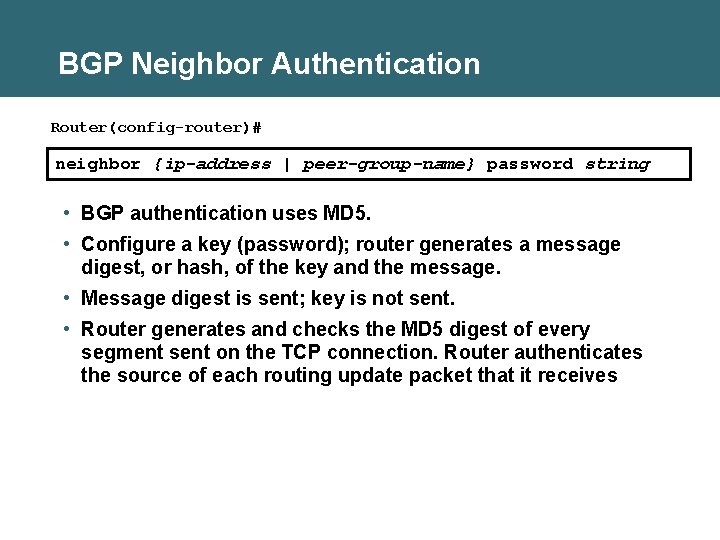
BGP Neighbor Authentication Router(config-router)# neighbor {ip-address | peer-group-name} password string • BGP authentication uses MD 5. • Configure a key (password); router generates a message digest, or hash, of the key and the message. • Message digest is sent; key is not sent. • Router generates and checks the MD 5 digest of every segment sent on the TCP connection. Router authenticates the source of each routing update packet that it receives
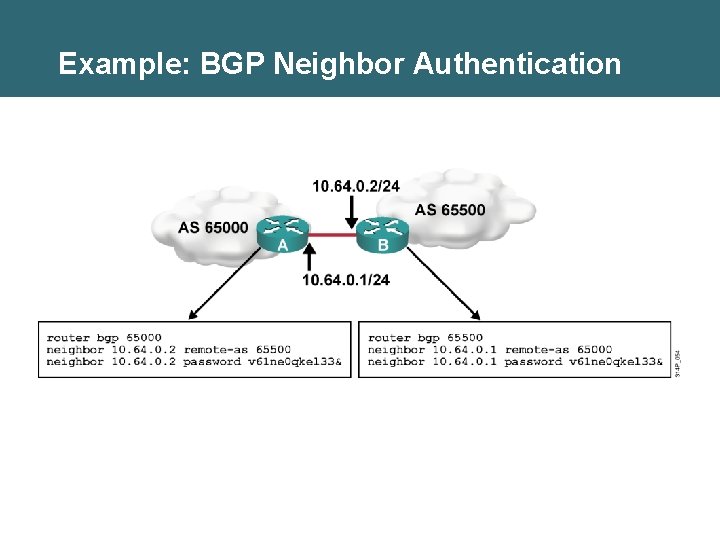
Example: BGP Neighbor Authentication
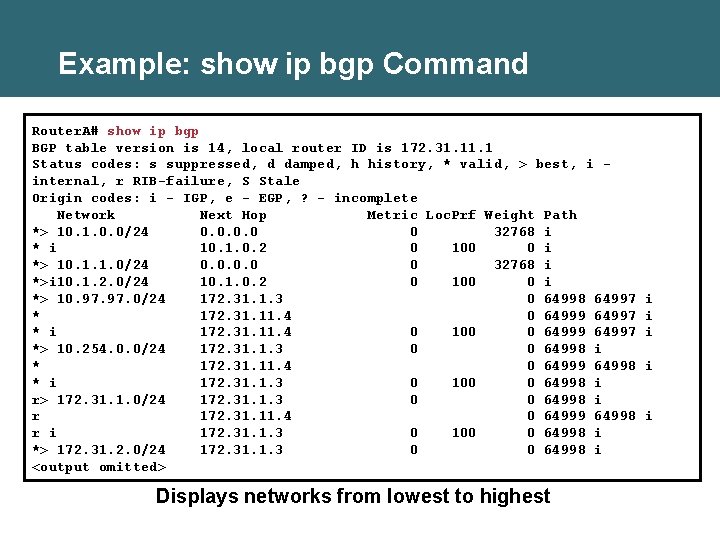
Example: show ip bgp Command Router. A# show ip bgp BGP table version is 14, local router ID is 172. 31. 1 Status codes: s suppressed, d damped, h history, * valid, > best, i internal, r RIB-failure, S Stale Origin codes: i - IGP, e - EGP, ? - incomplete Network Next Hop Metric Loc. Prf Weight Path *> 10. 1. 0. 0/24 0. 0 0 32768 i * i 10. 1. 0. 2 0 100 0 i *> 10. 1. 1. 0/24 0. 0 0 32768 i *>i 10. 1. 2. 0/24 10. 1. 0. 2 0 100 0 i *> 10. 97. 0/24 172. 31. 1. 3 0 64998 64997 * 172. 31. 11. 4 0 64999 64997 * i 172. 31. 11. 4 0 100 0 64999 64997 *> 10. 254. 0. 0/24 172. 31. 1. 3 0 0 64998 i * 172. 31. 11. 4 0 64999 64998 * i 172. 31. 1. 3 0 100 0 64998 i r> 172. 31. 1. 0/24 172. 31. 1. 3 0 0 64998 i r 172. 31. 11. 4 0 64999 64998 r i 172. 31. 1. 3 0 100 0 64998 i *> 172. 31. 2. 0/24 172. 31. 1. 3 0 0 64998 i <output omitted> Displays networks from lowest to highest i i i
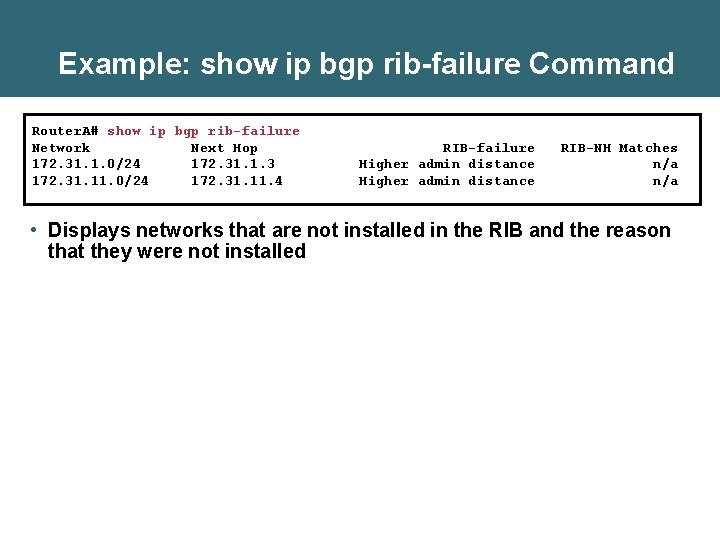
Example: show ip bgp rib-failure Command Router. A# show ip bgp rib-failure Network Next Hop 172. 31. 1. 0/24 172. 31. 1. 3 172. 31. 11. 0/24 172. 31. 11. 4 RIB-failure Higher admin distance RIB-NH Matches n/a • Displays networks that are not installed in the RIB and the reason that they were not installed
Clearing the BGP Session • When policies such as access lists or attributes are changed, the change takes effect immediately, and the next time that a prefix or path is advertised or received, the new policy is used. It can take a long time for the policy to be applied to all networks. • You must trigger an update to ensure that the policy is immediately applied to all affected prefixes and paths. • Ways to trigger an update: – Hard reset – Soft reset – Route refresh
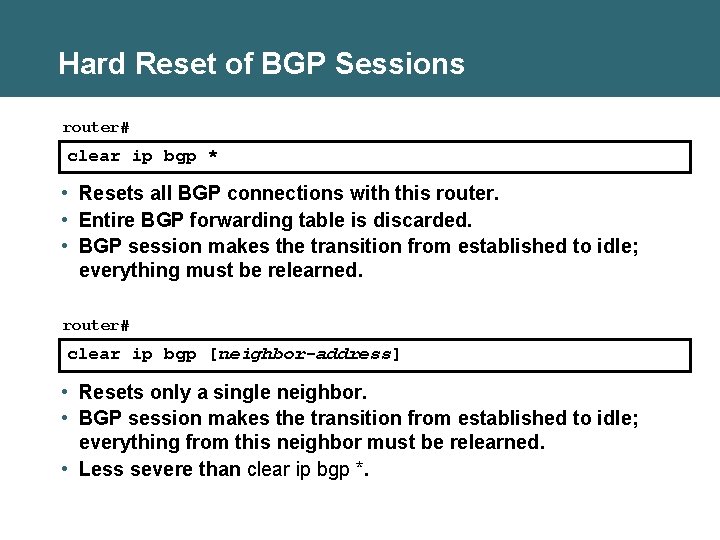
Hard Reset of BGP Sessions router# clear ip bgp * • Resets all BGP connections with this router. • Entire BGP forwarding table is discarded. • BGP session makes the transition from established to idle; everything must be relearned. router# clear ip bgp [neighbor-address] • Resets only a single neighbor. • BGP session makes the transition from established to idle; everything from this neighbor must be relearned. • Less severe than clear ip bgp *.
![Soft Reset Outbound Router# clear ip bgp {*|neighbor-address} [soft out] • Routes learned from](http://slidetodoc.com/presentation_image_h/099ecc99583224f8a9c8d88c23efcbda/image-37.jpg "Soft Reset Outbound Router# clear ip bgp {*|neighbor-address} [soft out] • Routes learned from")
Soft Reset Outbound Router# clear ip bgp {*|neighbor-address} [soft out] • Routes learned from this neighbor are not lost. • This router resends all BGP information to the neighbor without resetting the connection. • The connection remains established. • This option is highly recommended when you are changing outbound policy. • The soft out option does not help if you are changing inbound policy.
![Inbound Soft Reset Router(config-router)# neighbor [ip-address] soft-reconfiguration inbound • This router stores all updates](http://slidetodoc.com/presentation_image_h/099ecc99583224f8a9c8d88c23efcbda/image-38.jpg "Inbound Soft Reset Router(config-router)# neighbor [ip-address] soft-reconfiguration inbound • This router stores all updates")
Inbound Soft Reset Router(config-router)# neighbor [ip-address] soft-reconfiguration inbound • This router stores all updates from this neighbor in case the inbound policy is changed. • The command is memory-intensive. Router# clear ip bgp {*|neighbor-address} soft in • Uses the stored information to generate new inbound updates
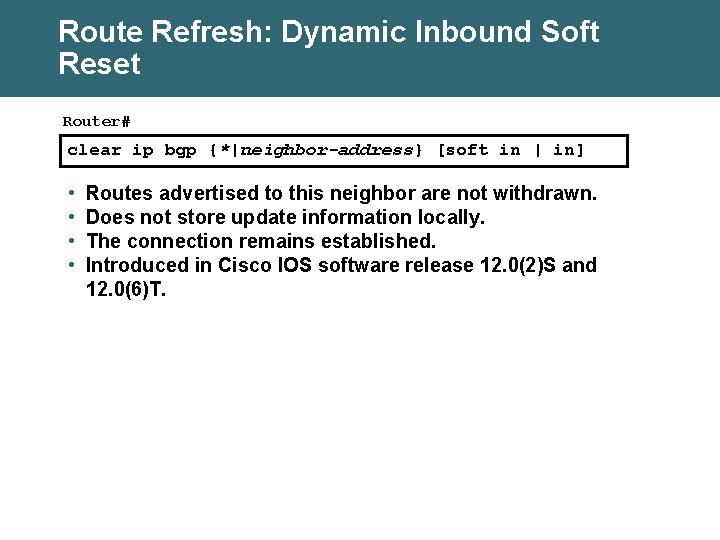
Route Refresh: Dynamic Inbound Soft Reset Router# clear ip bgp {*|neighbor-address} [soft in | in] • • Routes advertised to this neighbor are not withdrawn. Does not store update information locally. The connection remains established. Introduced in Cisco IOS software release 12. 0(2)S and 12. 0(6)T.
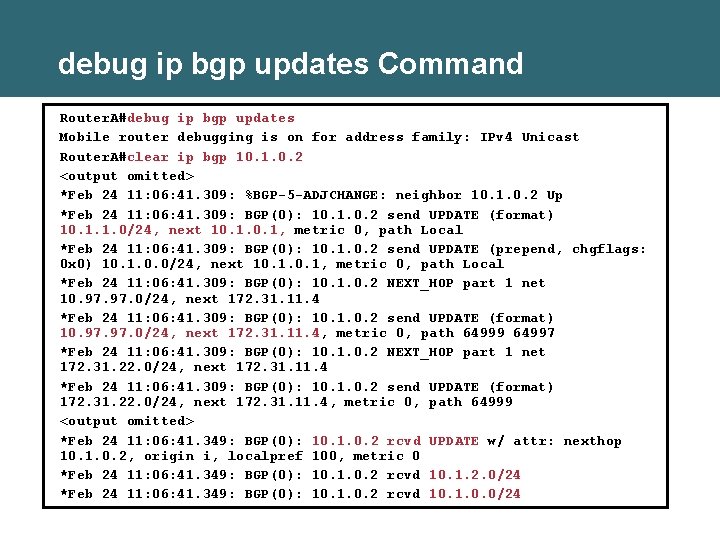
debug ip bgp updates Command Router. A#debug ip bgp updates Mobile router debugging is on for address family: IPv 4 Unicast Router. A#clear ip bgp 10. 1. 0. 2 <output omitted> *Feb 24 11: 06: 41. 309: %BGP-5 -ADJCHANGE: neighbor 10. 1. 0. 2 Up *Feb 24 11: 06: 41. 309: BGP(0): 10. 1. 0. 2 send UPDATE (format) 10. 1. 1. 0/24, next 10. 1, metric 0, path Local *Feb 24 11: 06: 41. 309: BGP(0): 10. 1. 0. 2 send UPDATE (prepend, chgflags: 0 x 0) 10. 1. 0. 0/24, next 10. 1, metric 0, path Local *Feb 24 11: 06: 41. 309: BGP(0): 10. 1. 0. 2 NEXT_HOP part 1 net 10. 97. 0/24, next 172. 31. 11. 4 *Feb 24 11: 06: 41. 309: BGP(0): 10. 1. 0. 2 send UPDATE (format) 10. 97. 0/24, next 172. 31. 11. 4, metric 0, path 64999 64997 *Feb 24 11: 06: 41. 309: BGP(0): 10. 1. 0. 2 NEXT_HOP part 1 net 172. 31. 22. 0/24, next 172. 31. 11. 4 *Feb 24 11: 06: 41. 309: BGP(0): 10. 1. 0. 2 send UPDATE (format) 172. 31. 22. 0/24, next 172. 31. 11. 4, metric 0, path 64999 <output omitted> *Feb 24 11: 06: 41. 349: BGP(0): 10. 1. 0. 2 rcvd UPDATE w/ attr: nexthop 10. 1. 0. 2, origin i, localpref 100, metric 0 *Feb 24 11: 06: 41. 349: BGP(0): 10. 1. 0. 2 rcvd 10. 1. 2. 0/24 *Feb 24 11: 06: 41. 349: BGP(0): 10. 1. 0. 2 rcvd 10. 1. 0. 0/24
Summary • BGP is configured with the following basic BGP commands: – router bgp autonomous-system – neighbor ip-address remote-as autonomous-system – network-number [mask network-mask] • The neighbor command activates a BGP session with a neighboring router. • The neighbor shutdown command administratively shuts down a BGP neighbor. • When creating a BGP packet, the neighbor statement defines the destination IP address and the outbound interface defines the source IP address. • When establishing a BGP session, BGP goes through the following states: idle, connect, open sent, open confirm, and established. • You can configure MD 5 authentication between two BGP peers, meaning that each segment sent on the TCP connection between the peers is verified. • The show and debug commands are used to troubleshoot the BGP session.

- Slides: 42