
Implementation of Student Package in Bina Nusantara University
Implementation of Student Package in Bina Nusantara University Breakout Session 4 Nov 9 th, 2015
Presenters Indrabudhi Lokaadinugroho Hananto Aji Nugroho IT Data Center & ERP Manager Head of SAS Software Development Center Bina Nusantara Group ilokaadinugroho@binus. edu hnugroho@binus. edu
Overview How Bina Nusantara University implements Student Package based on Block Enrollment in Oracle Campus Solutions.
Agenda • Bina Nusantara Profile • Student Package Implementation • Lesson Learned
Bina Nusantara Profile
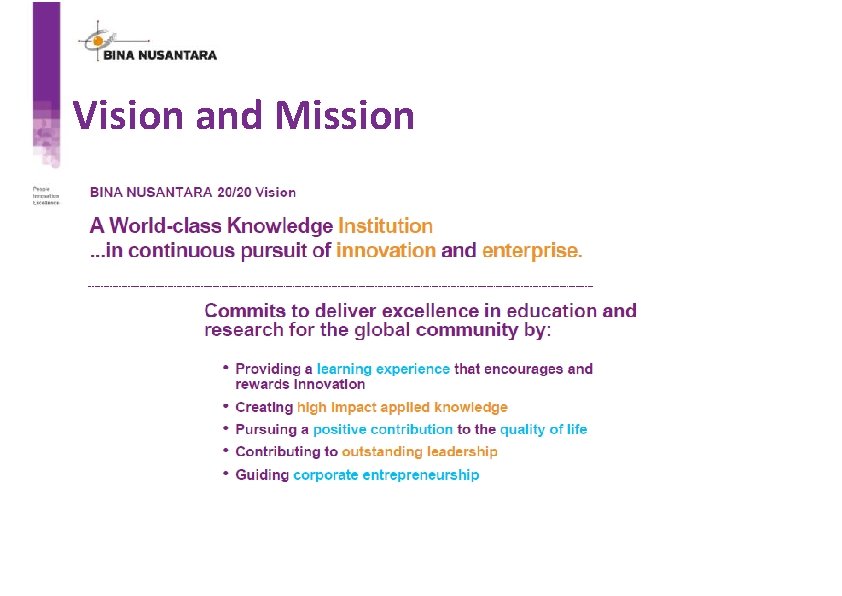
Vision and Mission
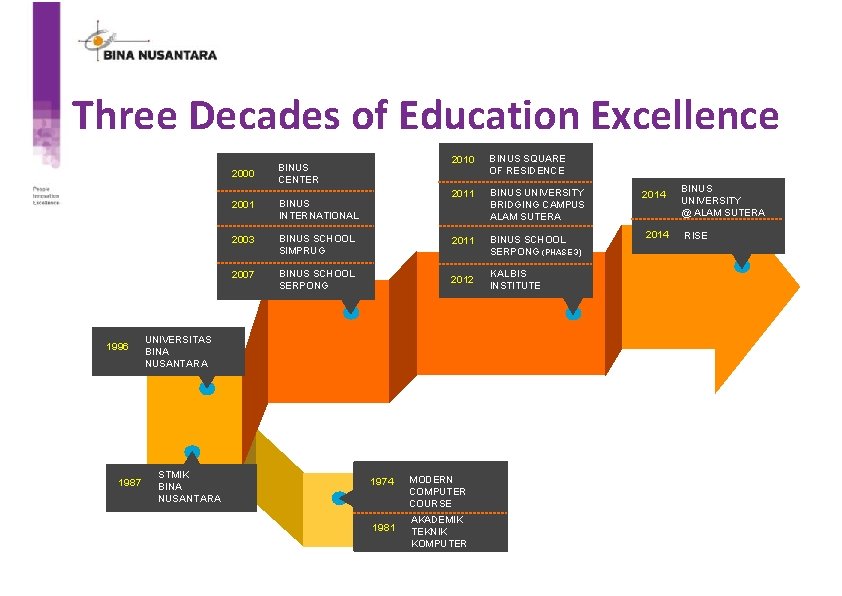
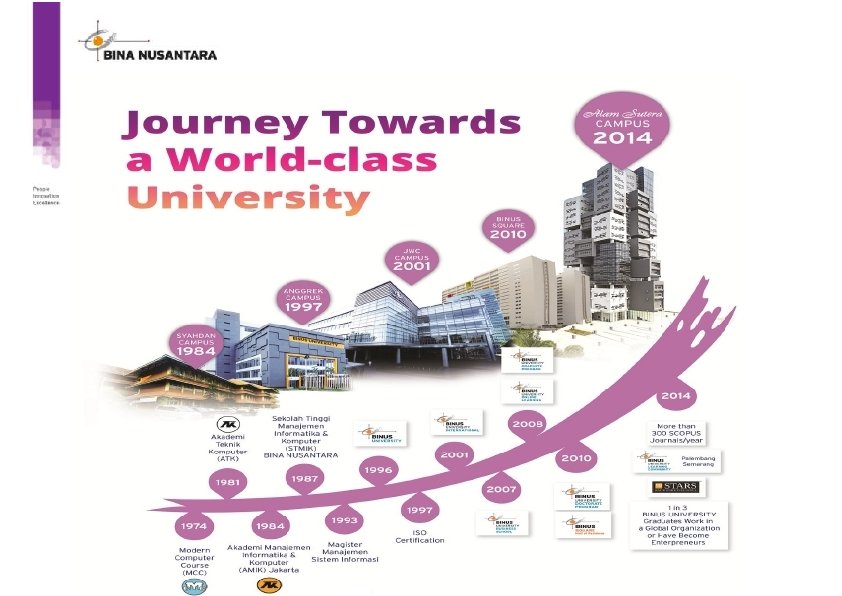
Three Decades of Education Excellence 2000 1996 1987 BINUS CENTER 2010 BINUS SQUARE OF RESIDENCE 2011 BINUS UNIVERSITY BRIDGING CAMPUS ALAM SUTERA 2001 BINUS INTERNATIONAL 2003 BINUS SCHOOL SIMPRUG 2011 BINUS SCHOOL SERPONG (PHASE 3) 2007 BINUS SCHOOL SERPONG 2012 KALBIS INSTITUTE UNIVERSITAS BINA NUSANTARA STMIK BINA NUSANTARA 1974 1981 MODERN COMPUTER COURSE AKADEMIK TEKNIK KOMPUTER 2014 BINUS UNIVERSITY @ ALAM SUTERA RISE
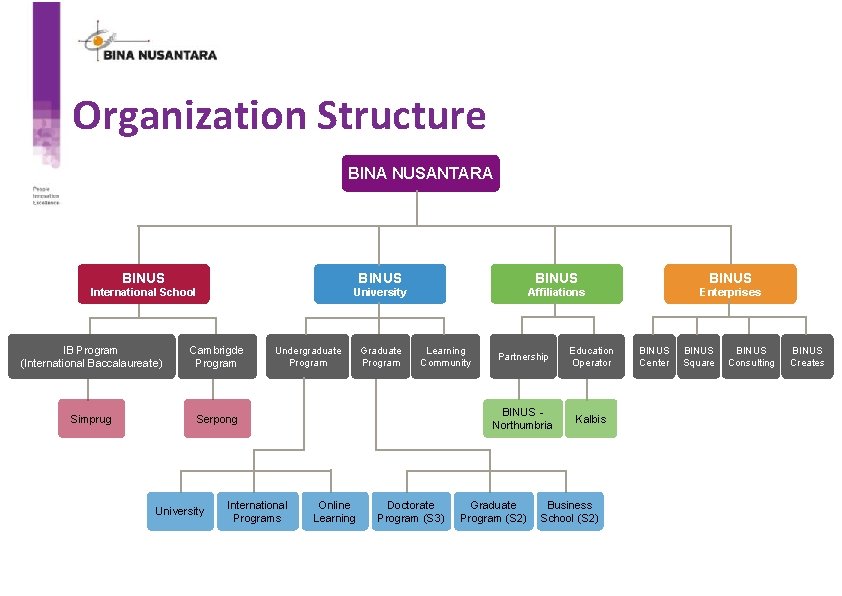
Organization Structure BINA NUSANTARA BINUS International School University Affiliations Enterprises IB Program (International Baccalaureate) Cambrigde Program Simprug Serpong University Undergraduate Program International Programs Online Learning Graduate Program Learning Community Doctorate Program (S 3) Partnership Education Operator BINUS Northumbria Kalbis Graduate Program (S 2) Business School (S 2) BINUS Center BINUS Square BINUS Consulting BINUS Creates
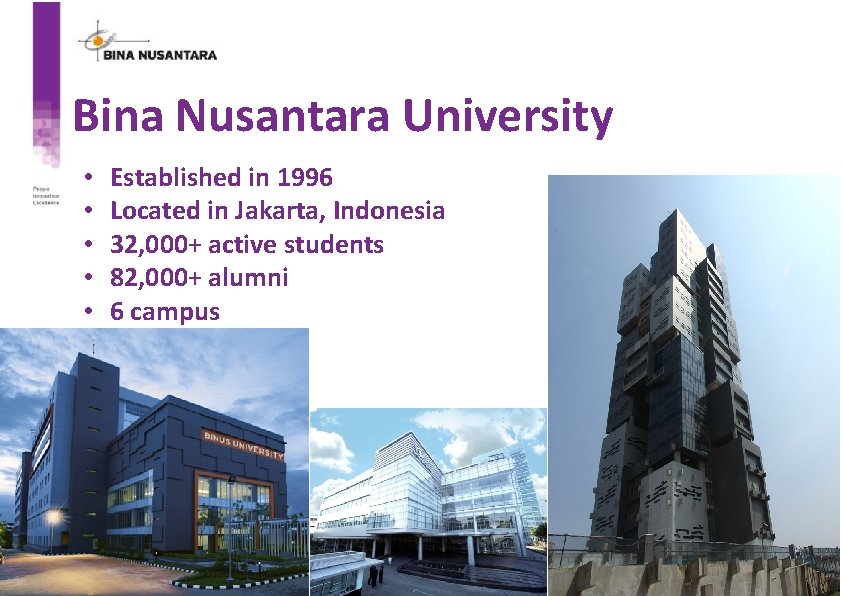
Bina Nusantara University • • • Established in 1996 Located in Jakarta, Indonesia 32, 000+ active students 82, 000+ alumni 6 campus
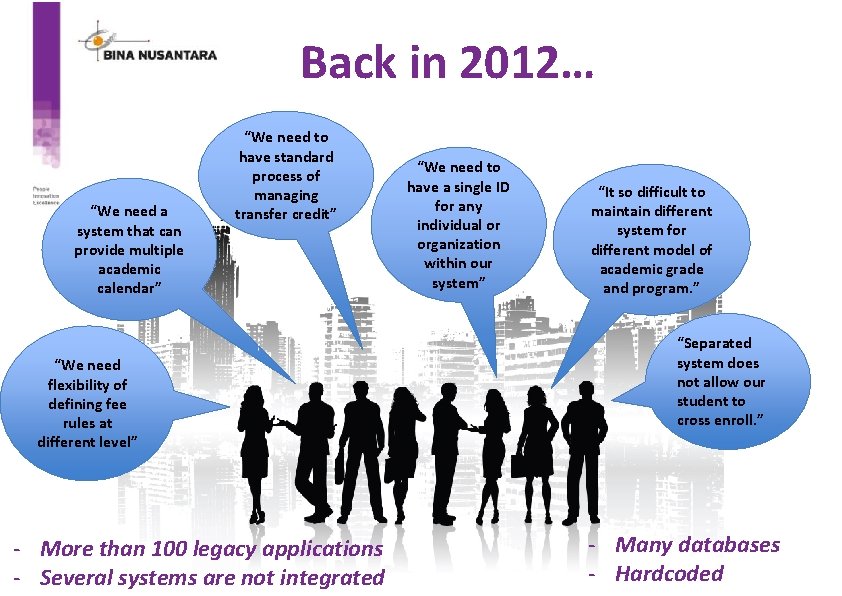
Back in 2012… “We need a system that can provide multiple academic calendar” “We need to have standard process of managing transfer credit” “We need flexibility of defining fee rules at different level” - More than 100 legacy applications - Several systems are not integrated “We need to have a single ID for any individual or organization within our system” “It so difficult to maintain different system for different model of academic grade and program. ” “Separated system does not allow our student to cross enroll. ” - Many databases - Hardcoded
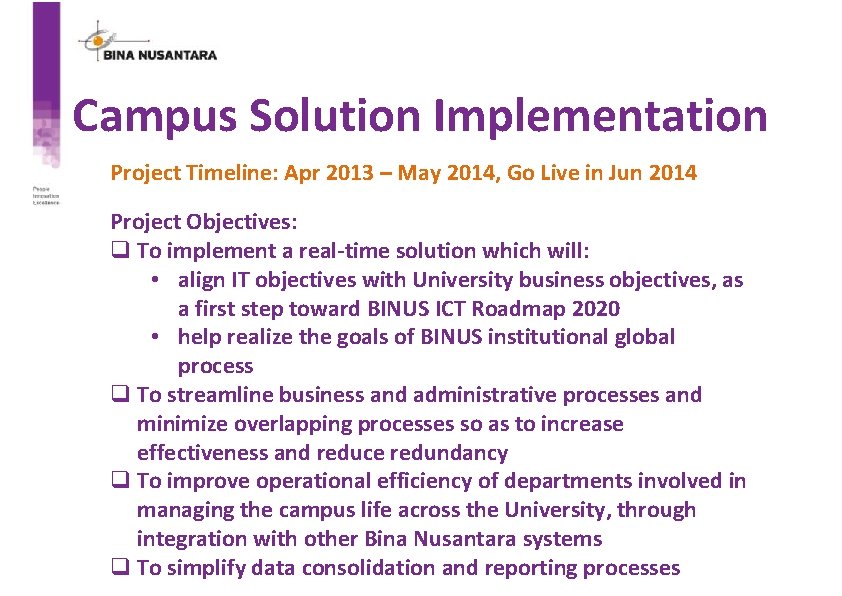
Campus Solution Implementation Project Timeline: Apr 2013 – May 2014, Go Live in Jun 2014 Project Objectives: q To implement a real-time solution which will: • align IT objectives with University business objectives, as a first step toward BINUS ICT Roadmap 2020 • help realize the goals of BINUS institutional global process q To streamline business and administrative processes and minimize overlapping processes so as to increase effectiveness and reduce redundancy q To improve operational efficiency of departments involved in managing the campus life across the University, through integration with other Bina Nusantara systems q To simplify data consolidation and reporting processes
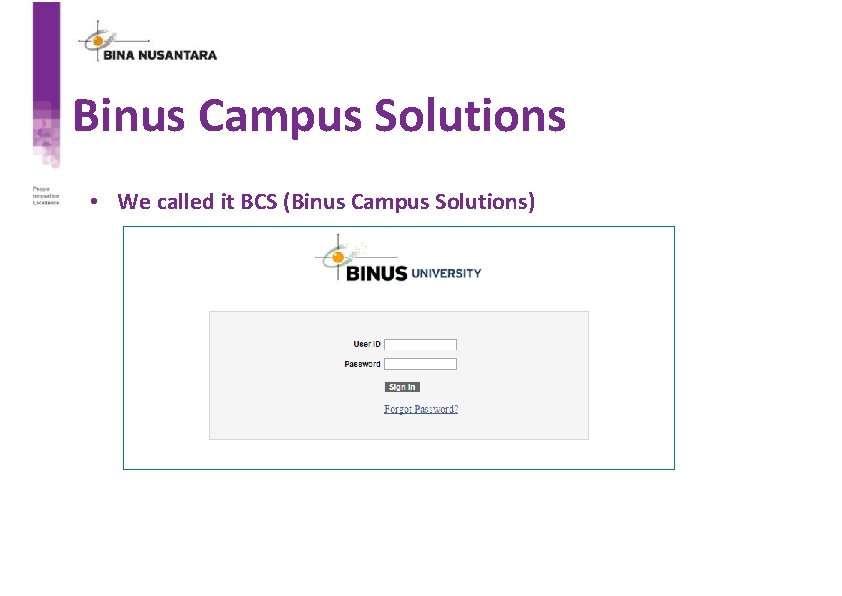
Binus Campus Solutions • We called it BCS (Binus Campus Solutions)
Student Package Implementation
What is Student Package? • Student package is a package that consist of courses and classes which are grouped according to academic program, academic plan and requirement term. • Every student in eligible semester will get a student package based on their academic requirements.
Background • BINUS provides students with package consists of courses. Student Package is used for academic careers: Ø RS 1 (Undergraduate) Ø BAS (BINUS ASO School of Engineering) • Single degree students will have student package from semester 1 to 6 • Double degree students will have student package from semester 1 to 8 • SRSC (Student Registration & Scheduling Center) need to allocate students within the right package based on academic advisement inputted by ARC (Academic Resources Center). • Student Package module was created based on Block Enrollment in standard Oracle People Campus Solution.
Why Student Package? • In the beginning of Oracle Campus Solutions implementation, scheduling staff used Block Enrollment to do scheduling process and it took a lot of time and efforts. • Class must be created and grouped manually with Block Enrollment. • Block Enrollment does not fit perfectly with common practice in Indonesia University.
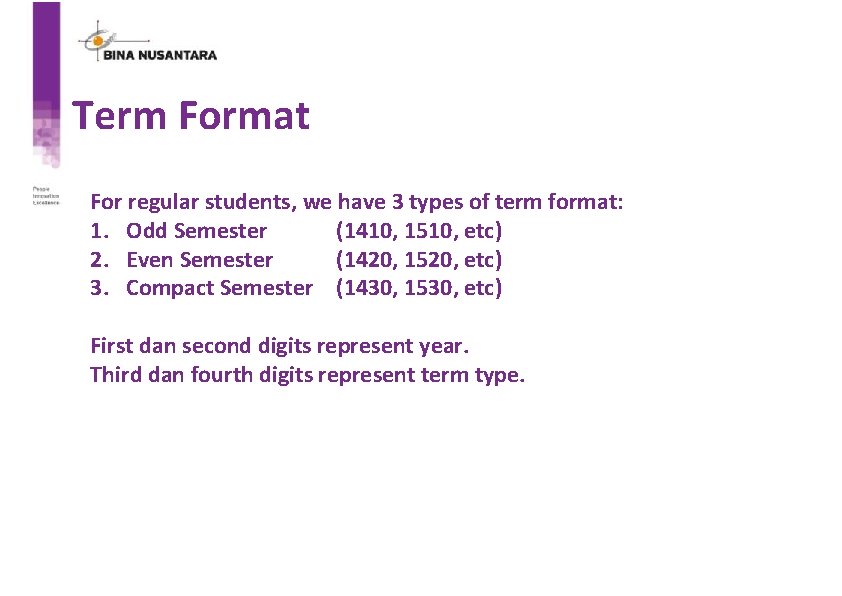
Term Format For regular students, we have 3 types of term format: 1. Odd Semester (1410, 1510, etc) 2. Even Semester (1420, 1520, etc) 3. Compact Semester (1430, 1530, etc) First dan second digits represent year. Third dan fourth digits represent term type.
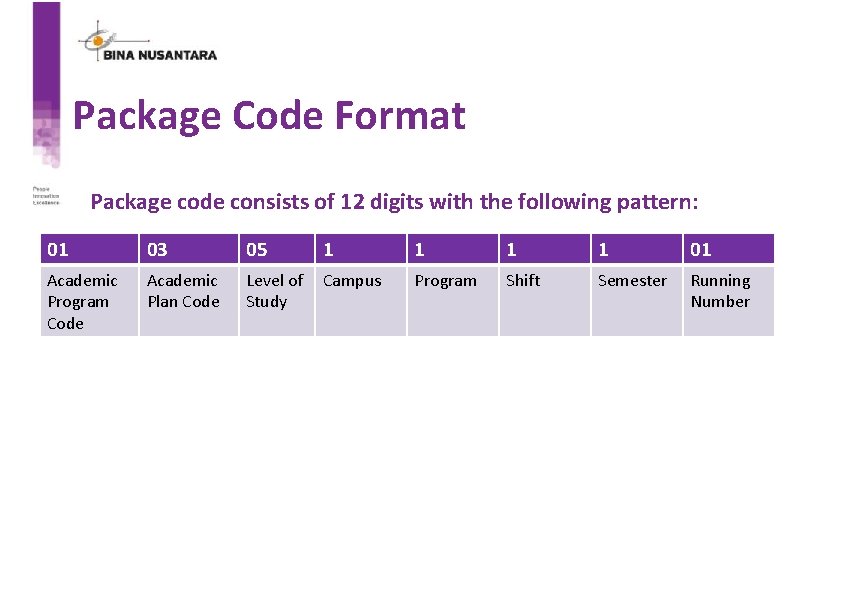
Package Code Format Package code consists of 12 digits with the following pattern: 01 03 05 1 1 01 Academic Program Code Academic Plan Code Level of Study Campus Program Shift Semester Running Number
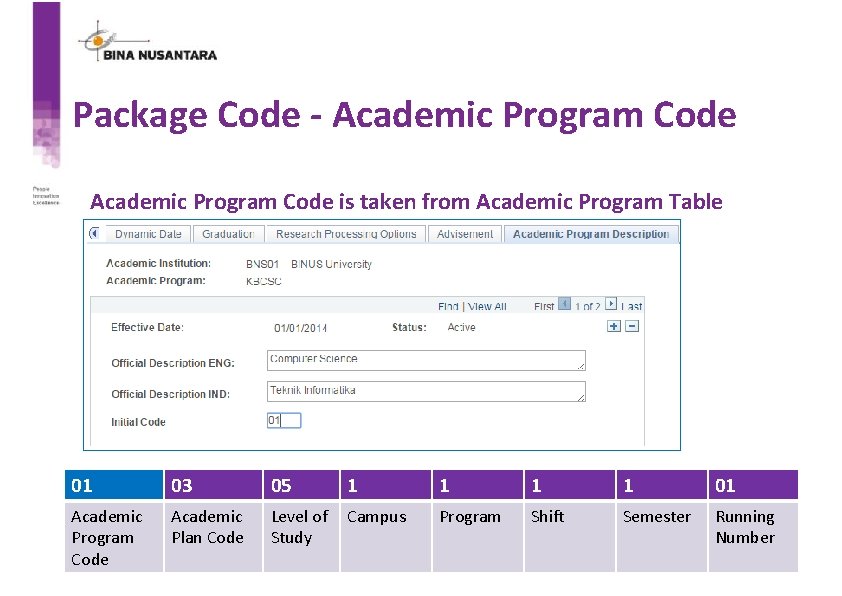
Package Code - Academic Program Code is taken from Academic Program Table 01 03 05 1 1 01 Academic Program Code Academic Plan Code Level of Study Campus Program Shift Semester Running Number
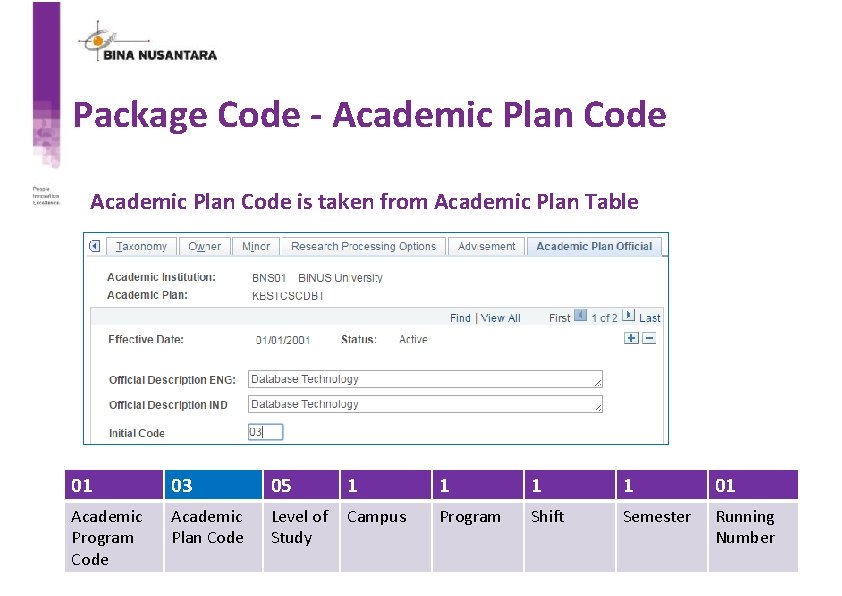
Package Code - Academic Plan Code is taken from Academic Plan Table 01 03 05 1 1 01 Academic Program Code Academic Plan Code Level of Study Campus Program Shift Semester Running Number
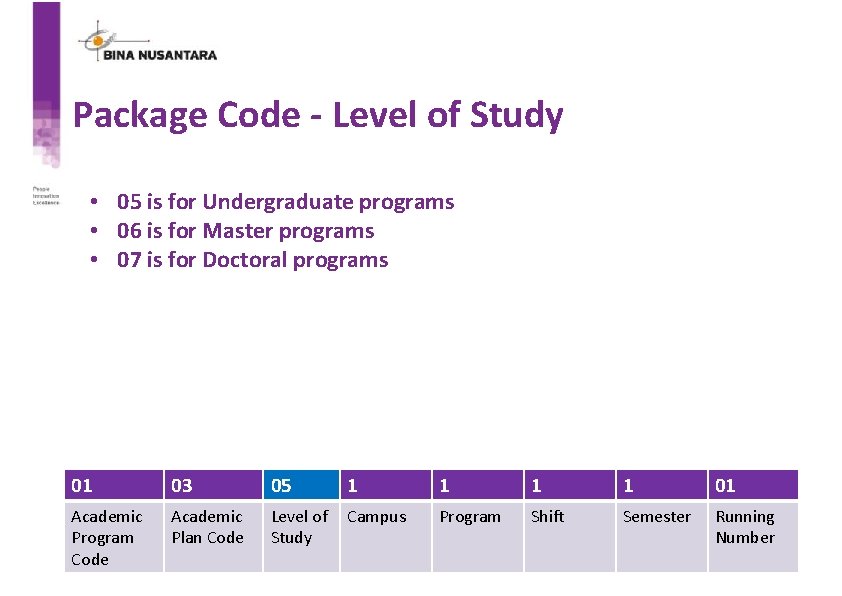
Package Code - Level of Study • 05 is for Undergraduate programs • 06 is for Master programs • 07 is for Doctoral programs 01 03 05 1 1 01 Academic Program Code Academic Plan Code Level of Study Campus Program Shift Semester Running Number
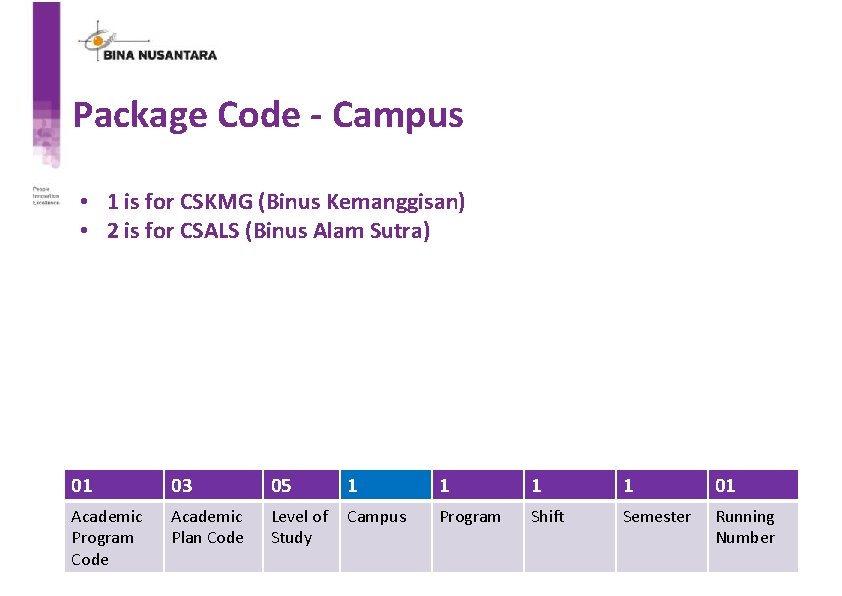
Package Code - Campus • 1 is for CSKMG (Binus Kemanggisan) • 2 is for CSALS (Binus Alam Sutra) 01 03 05 1 1 01 Academic Program Code Academic Plan Code Level of Study Campus Program Shift Semester Running Number
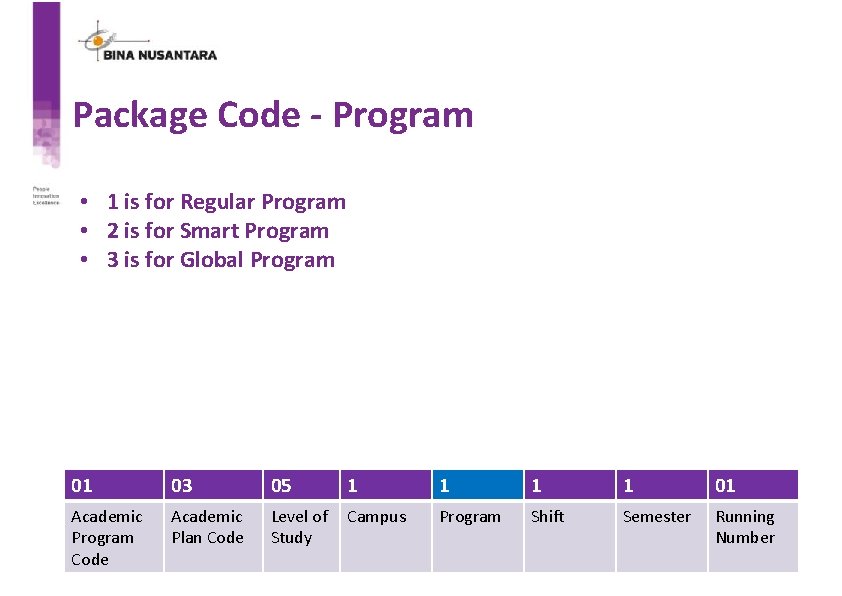
Package Code - Program • 1 is for Regular Program • 2 is for Smart Program • 3 is for Global Program 01 03 05 1 1 01 Academic Program Code Academic Plan Code Level of Study Campus Program Shift Semester Running Number
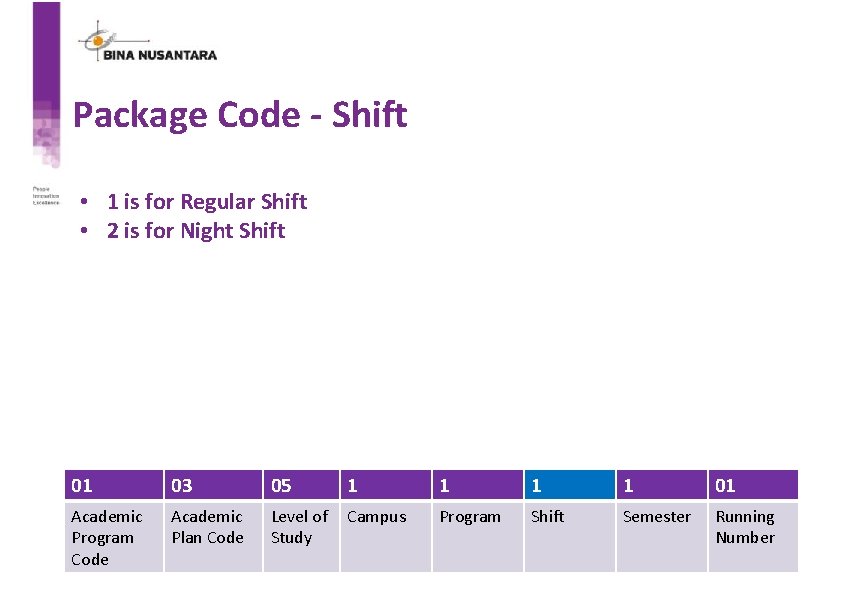
Package Code - Shift • 1 is for Regular Shift • 2 is for Night Shift 01 03 05 1 1 01 Academic Program Code Academic Plan Code Level of Study Campus Program Shift Semester Running Number
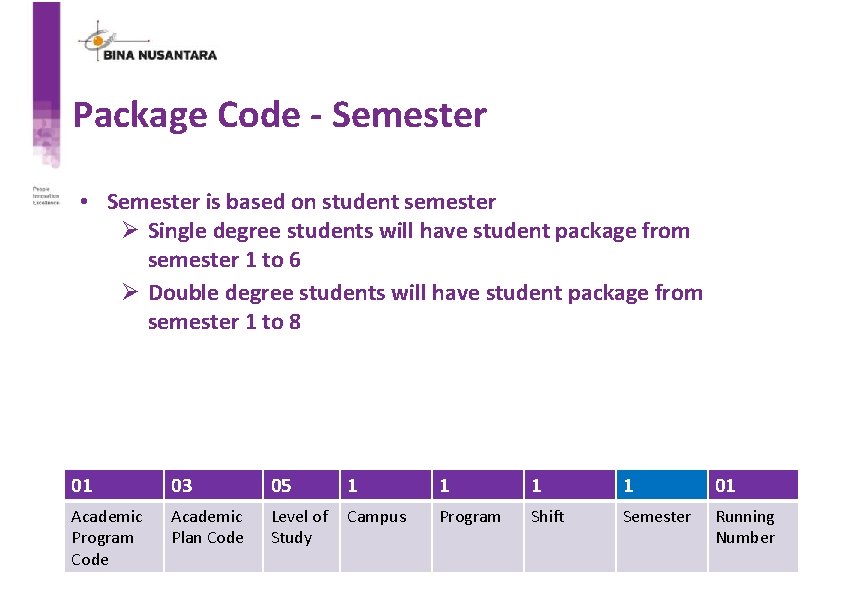
Package Code - Semester • Semester is based on student semester Ø Single degree students will have student package from semester 1 to 6 Ø Double degree students will have student package from semester 1 to 8 01 03 05 1 1 01 Academic Program Code Academic Plan Code Level of Study Campus Program Shift Semester Running Number
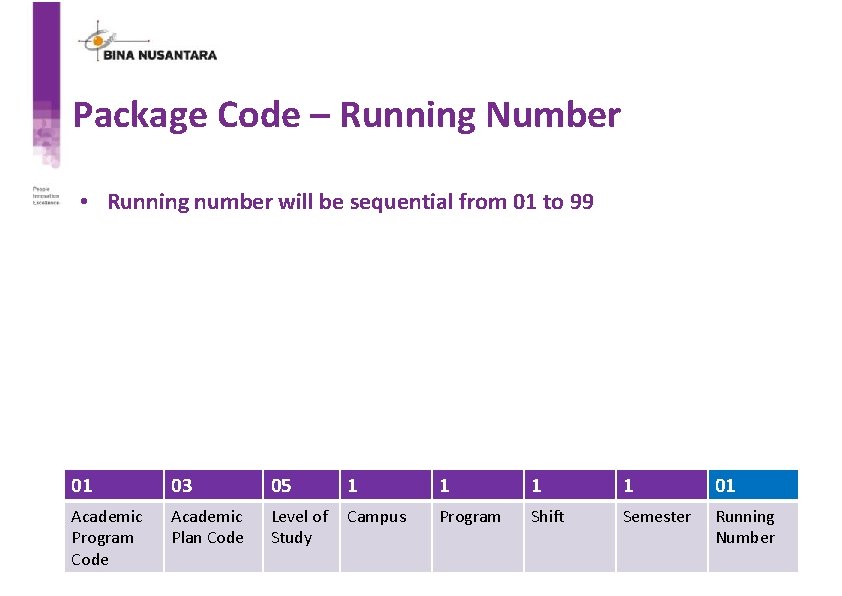
Package Code – Running Number • Running number will be sequential from 01 to 99 01 03 05 1 1 01 Academic Program Code Academic Plan Code Level of Study Campus Program Shift Semester Running Number
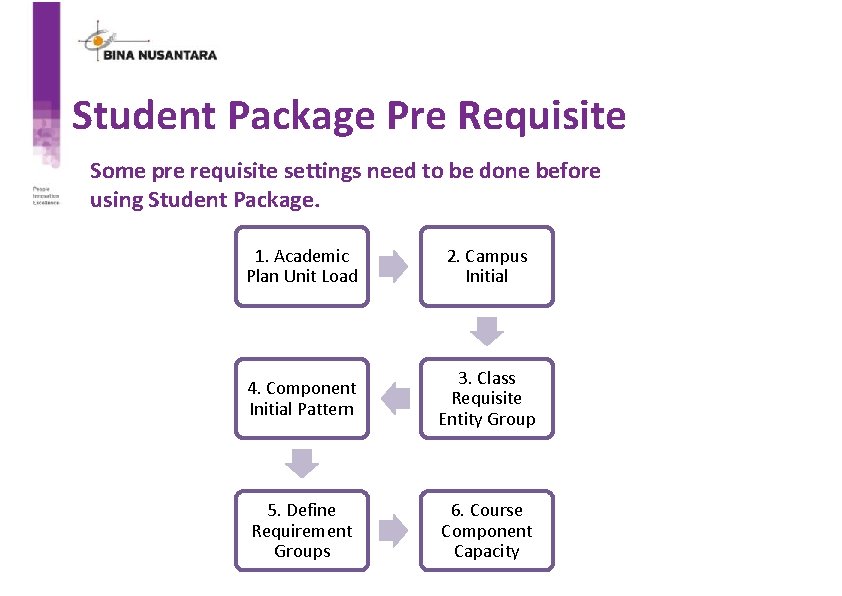
Student Package Pre Requisite Some pre requisite settings need to be done before using Student Package. 1. Academic Plan Unit Load 2. Campus Initial 4. Component Initial Pattern 3. Class Requisite Entity Group 5. Define Requirement Groups 6. Course Component Capacity
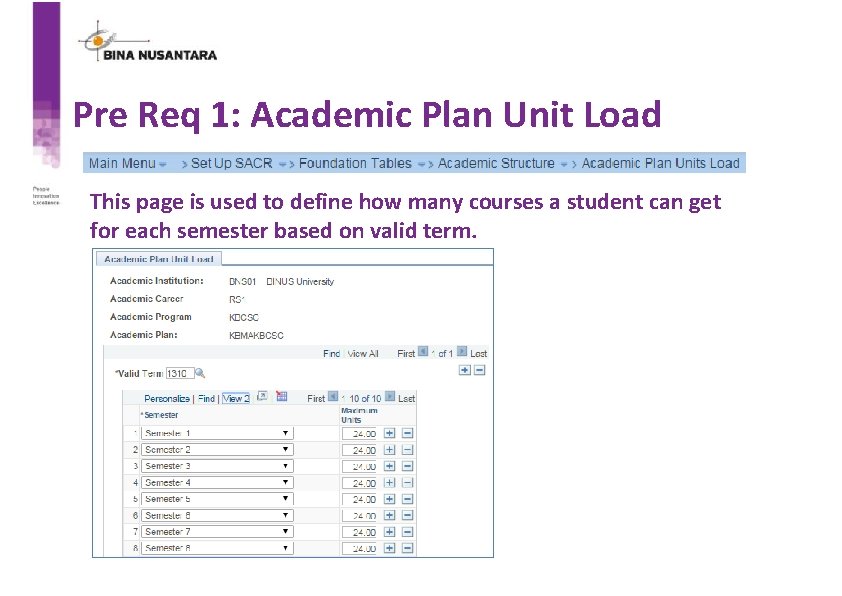
Pre Req 1: Academic Plan Unit Load This page is used to define how many courses a student can get for each semester based on valid term.
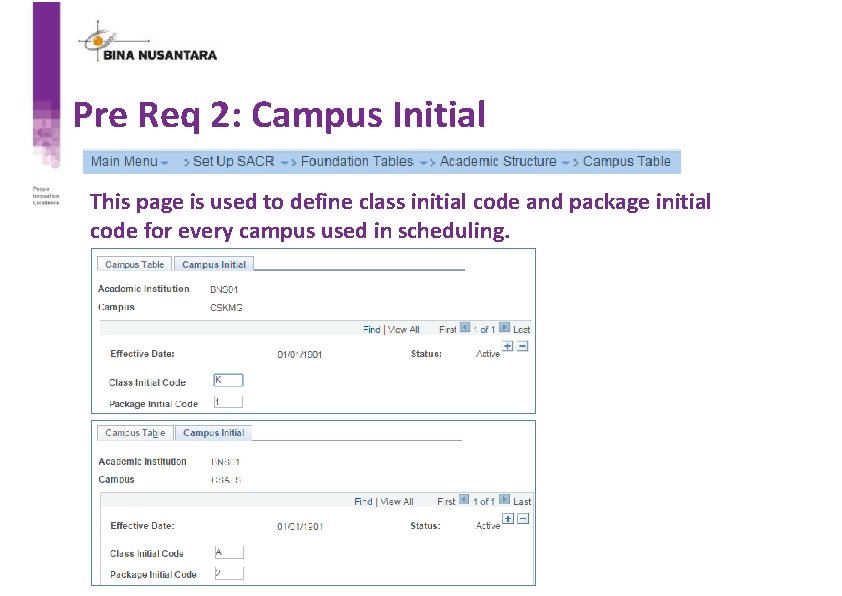
Pre Req 2: Campus Initial This page is used to define class initial code and package initial code for every campus used in scheduling.
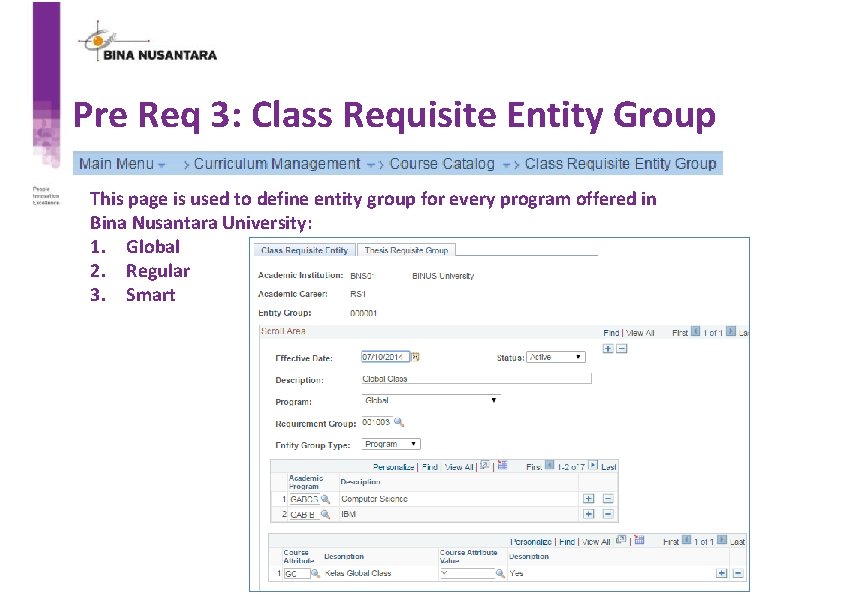
Pre Req 3: Class Requisite Entity Group This page is used to define entity group for every program offered in Bina Nusantara University: 1. Global 2. Regular 3. Smart
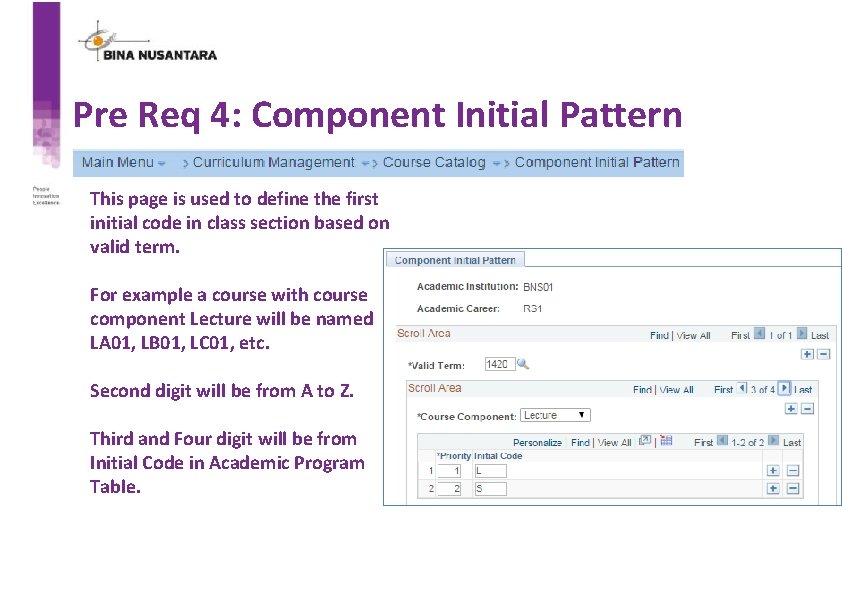
Pre Req 4: Component Initial Pattern This page is used to define the first initial code in class section based on valid term. For example a course with course component Lecture will be named LA 01, LB 01, LC 01, etc. Second digit will be from A to Z. Third and Four digit will be from Initial Code in Academic Program Table.
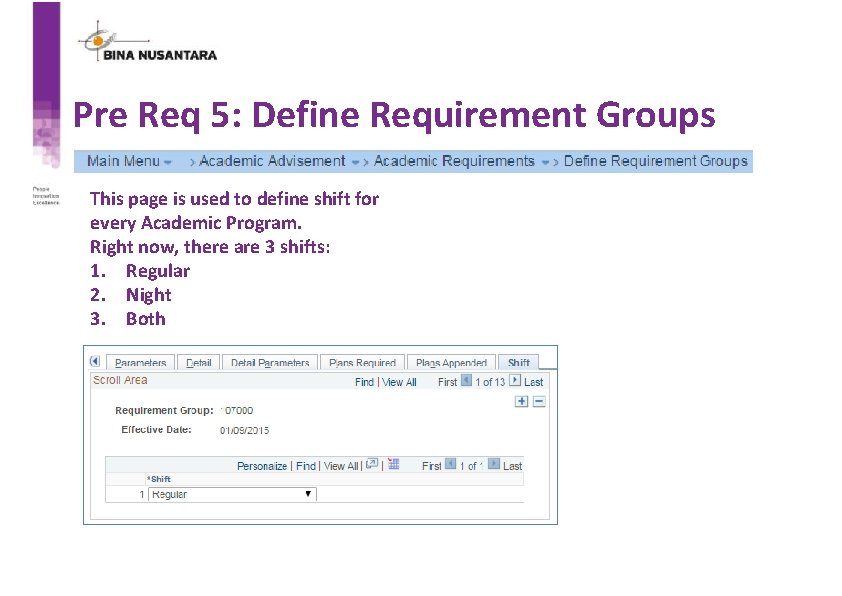
Pre Req 5: Define Requirement Groups This page is used to define shift for every Academic Program. Right now, there are 3 shifts: 1. Regular 2. Night 3. Both
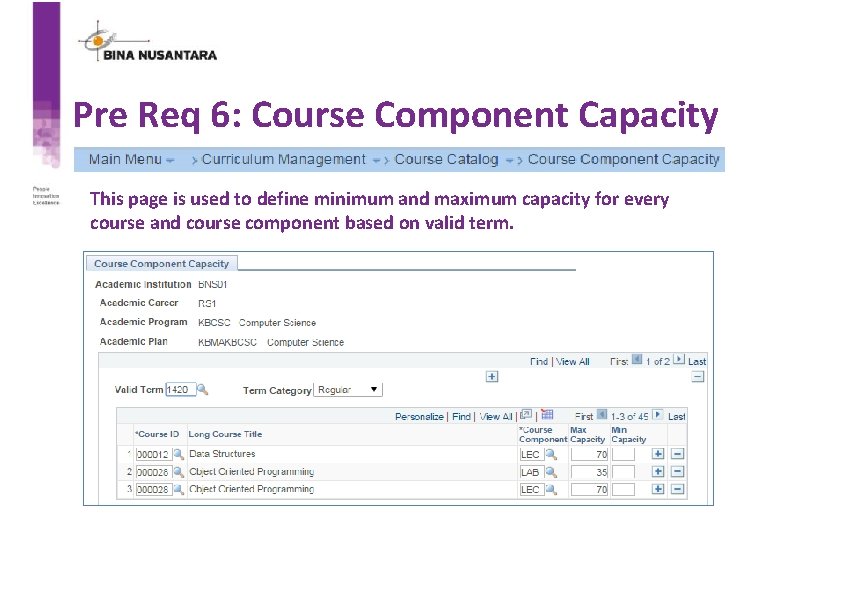
Pre Req 6: Course Component Capacity This page is used to define minimum and maximum capacity for every course and course component based on valid term.
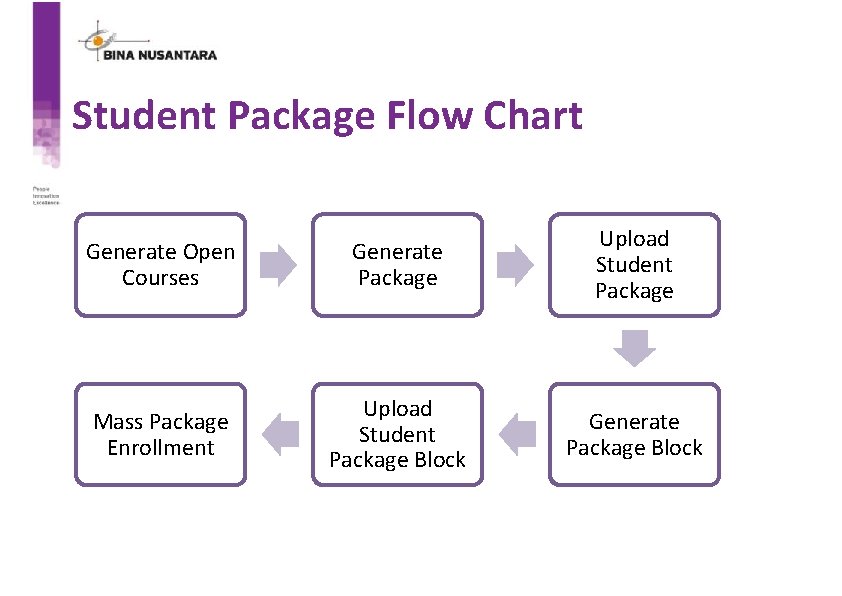
Student Package Flow Chart Generate Open Courses Generate Package Upload Student Package Mass Package Enrollment Upload Student Package Block Generate Package Block
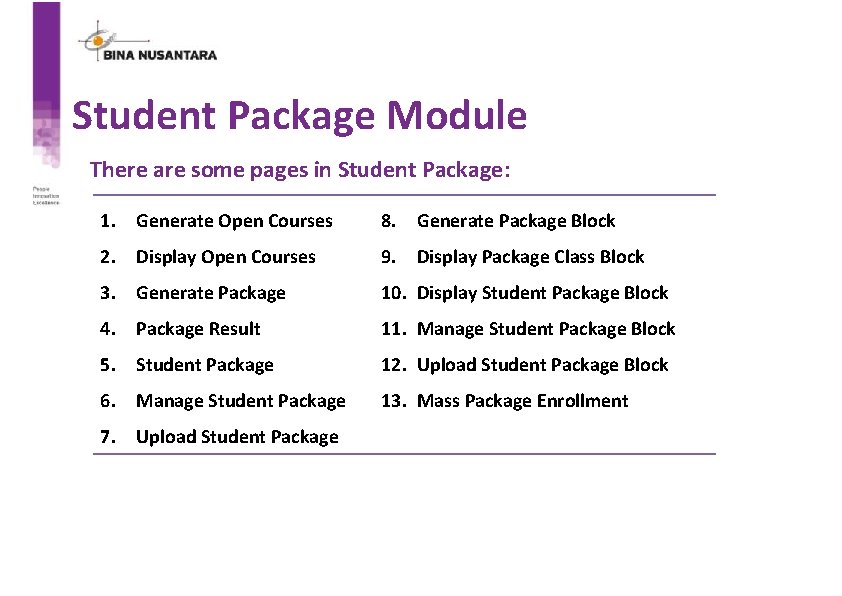
Student Package Module There are some pages in Student Package: 1. Generate Open Courses 8. Generate Package Block 2. Display Open Courses 9. Display Package Class Block 3. Generate Package 10. Display Student Package Block 4. Package Result 11. Manage Student Package Block 5. Student Package 12. Upload Student Package Block 6. Manage Student Package 13. Mass Package Enrollment 7. Upload Student Package
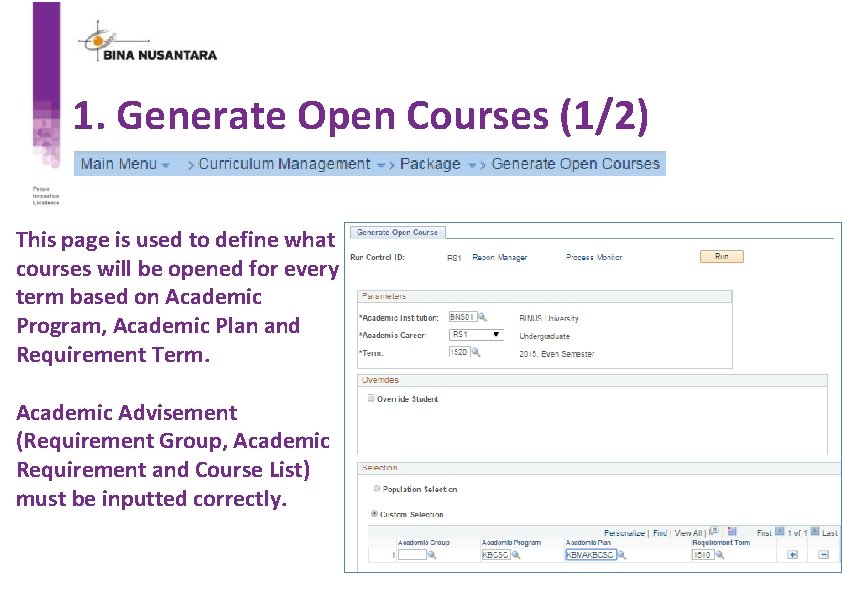
1. Generate Open Courses (1/2) This page is used to define what courses will be opened for every term based on Academic Program, Academic Plan and Requirement Term. Academic Advisement (Requirement Group, Academic Requirement and Course List) must be inputted correctly.
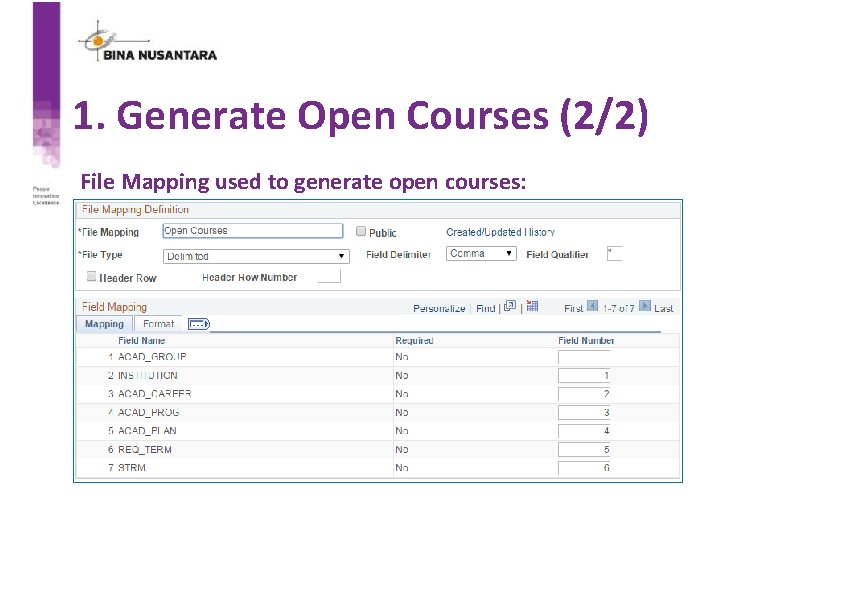
1. Generate Open Courses (2/2) File Mapping used to generate open courses:
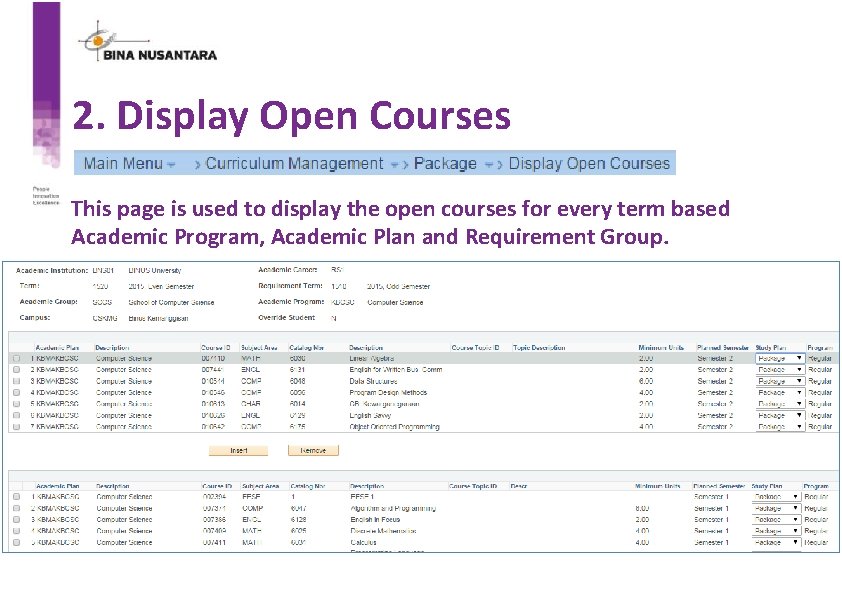
2. Display Open Courses This page is used to display the open courses for every term based Academic Program, Academic Plan and Requirement Group.
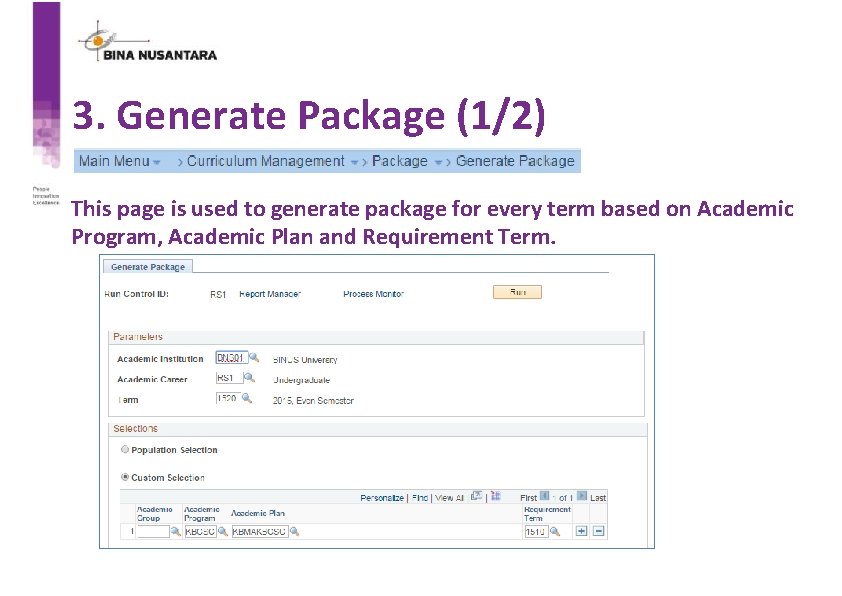
3. Generate Package (1/2) This page is used to generate package for every term based on Academic Program, Academic Plan and Requirement Term.
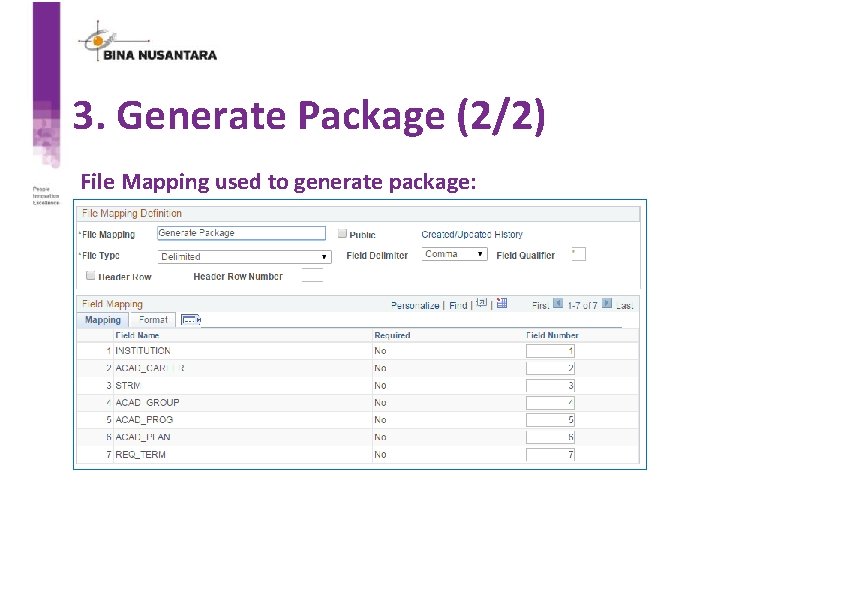
3. Generate Package (2/2) File Mapping used to generate package:
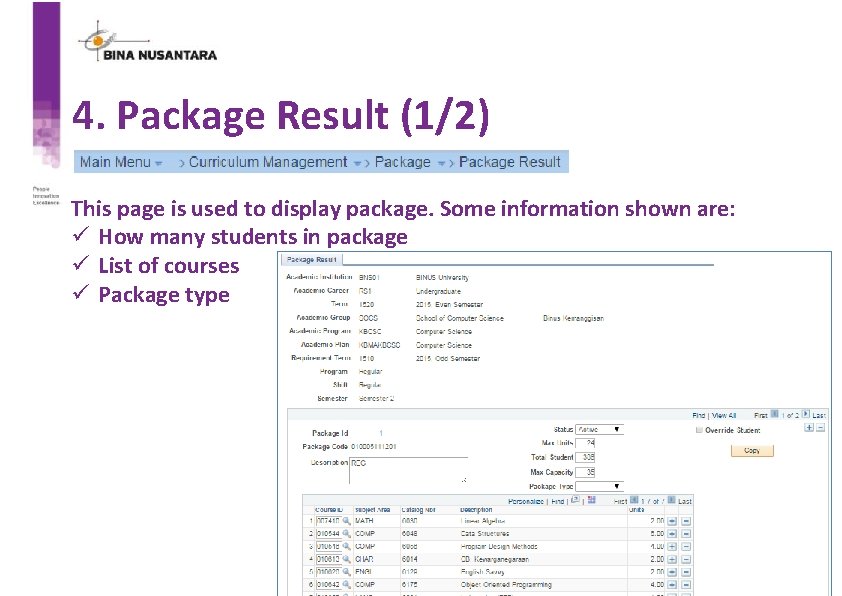
4. Package Result (1/2) This page is used to display package. Some information shown are: ü How many students in package ü List of courses ü Package type
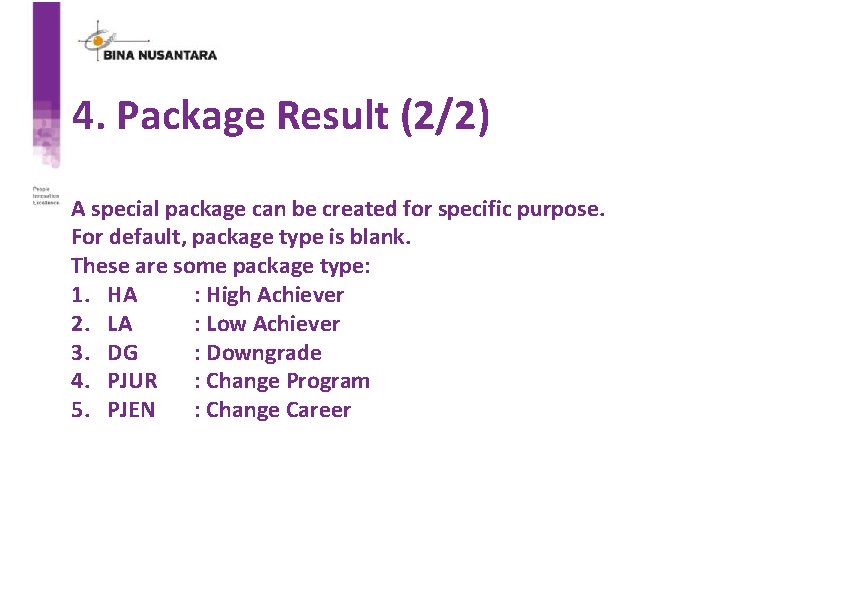
4. Package Result (2/2) A special package can be created for specific purpose. For default, package type is blank. These are some package type: 1. HA : High Achiever 2. LA : Low Achiever 3. DG : Downgrade 4. PJUR : Change Program 5. PJEN : Change Career
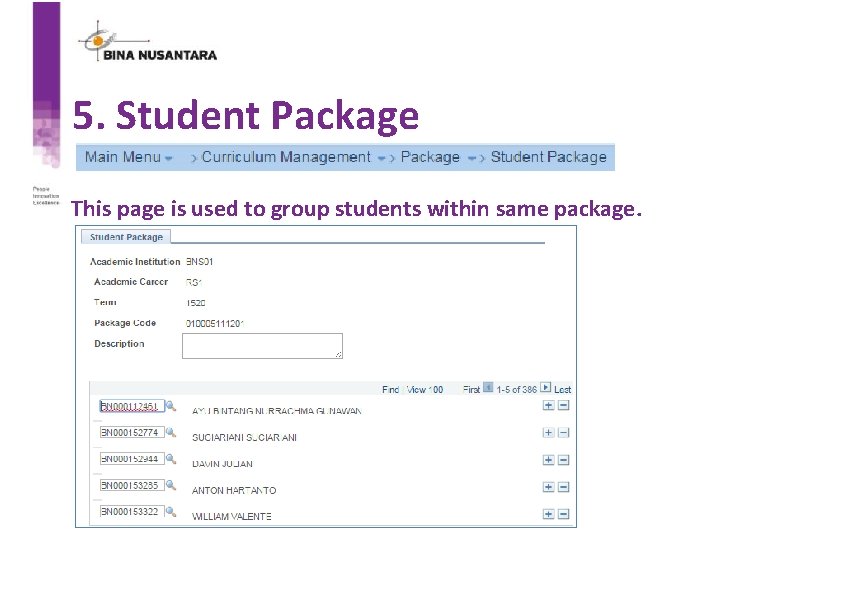
5. Student Package This page is used to group students within same package.
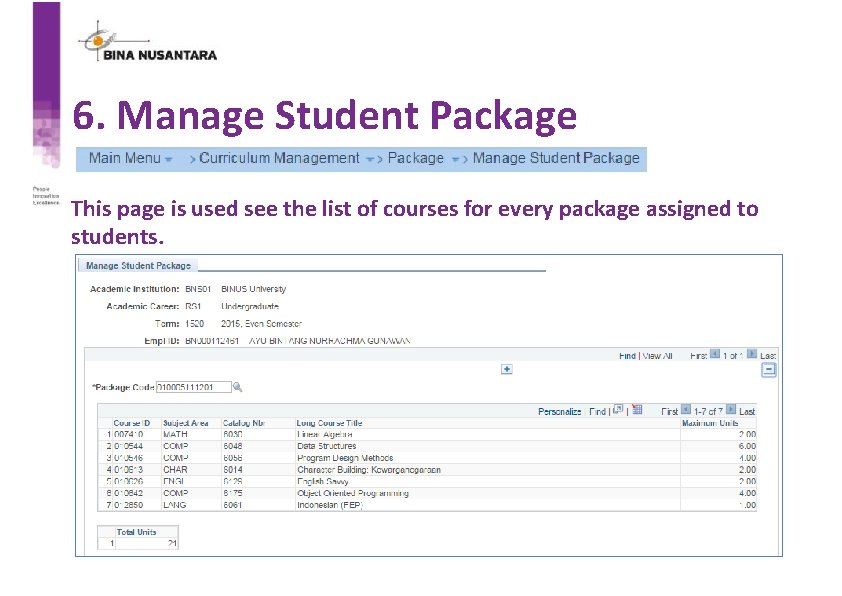
6. Manage Student Package This page is used see the list of courses for every package assigned to students.
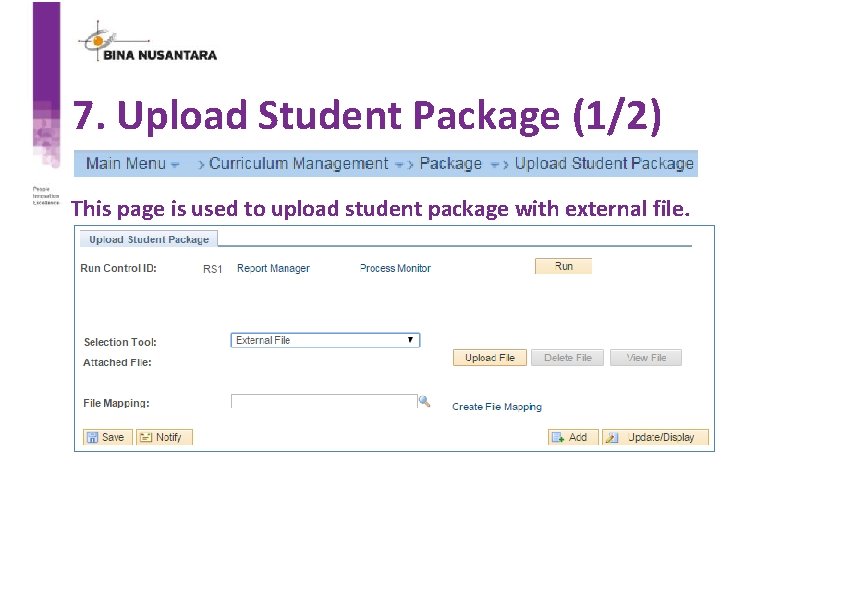
7. Upload Student Package (1/2) This page is used to upload student package with external file.
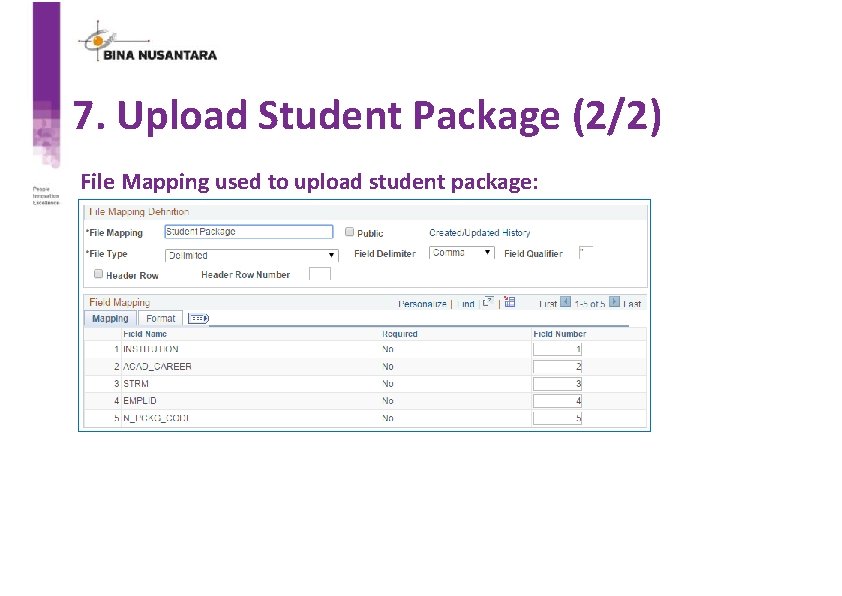
7. Upload Student Package (2/2) File Mapping used to upload student package:
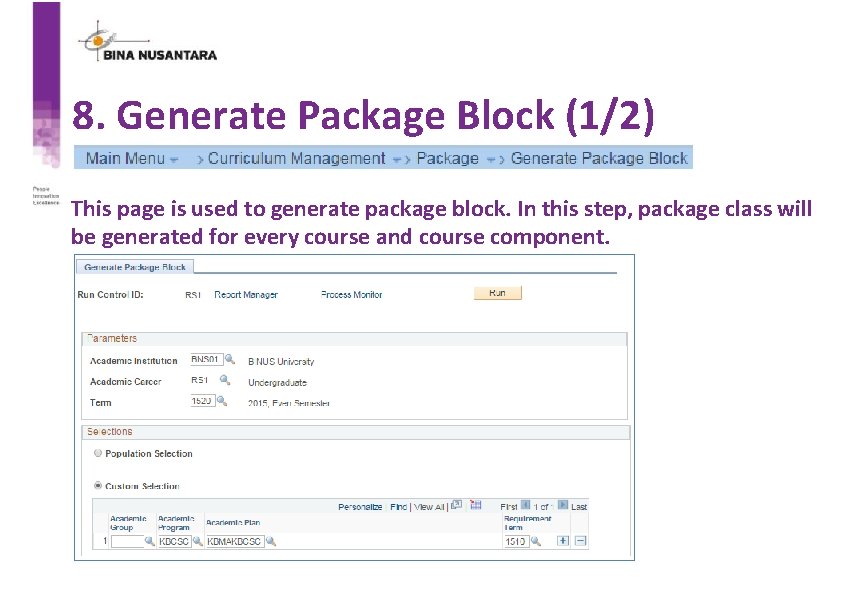
8. Generate Package Block (1/2) This page is used to generate package block. In this step, package class will be generated for every course and course component.
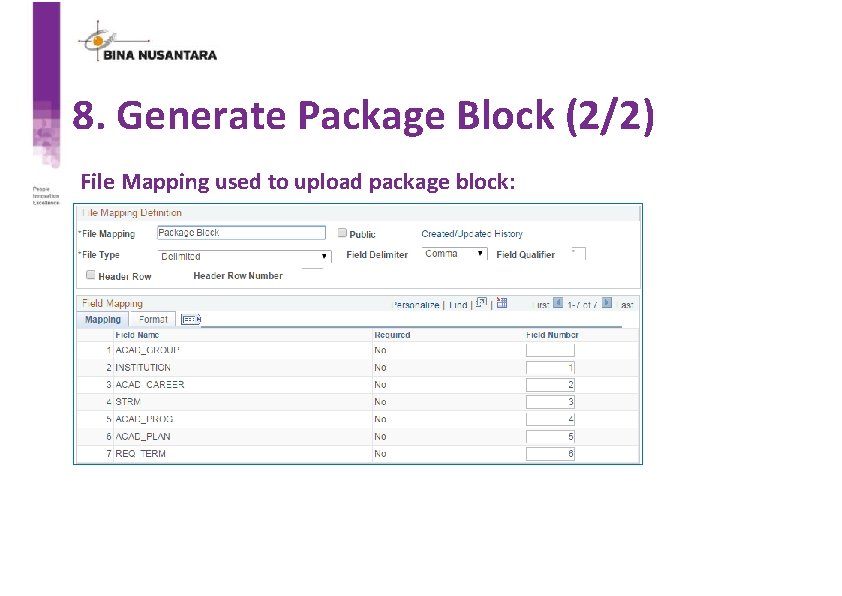
8. Generate Package Block (2/2) File Mapping used to upload package block:
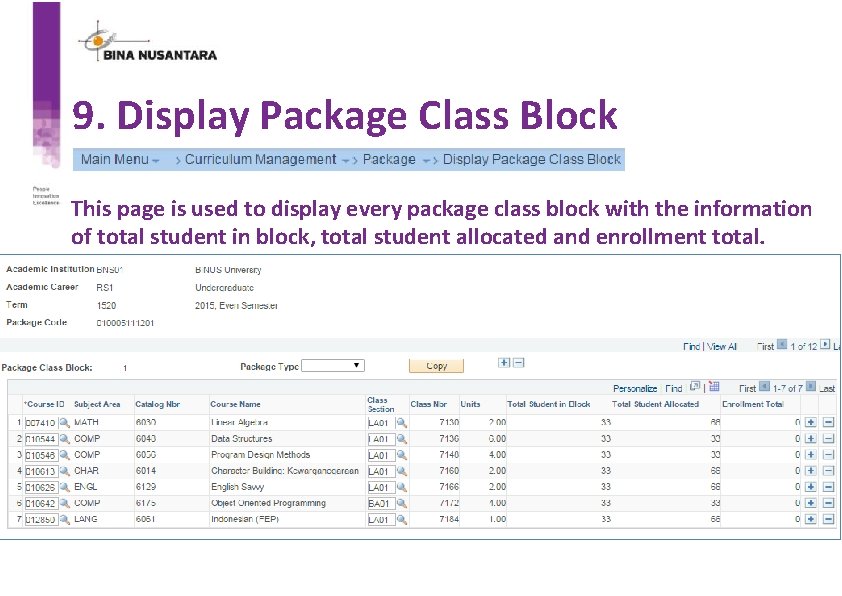
9. Display Package Class Block This page is used to display every package class block with the information of total student in block, total student allocated and enrollment total.
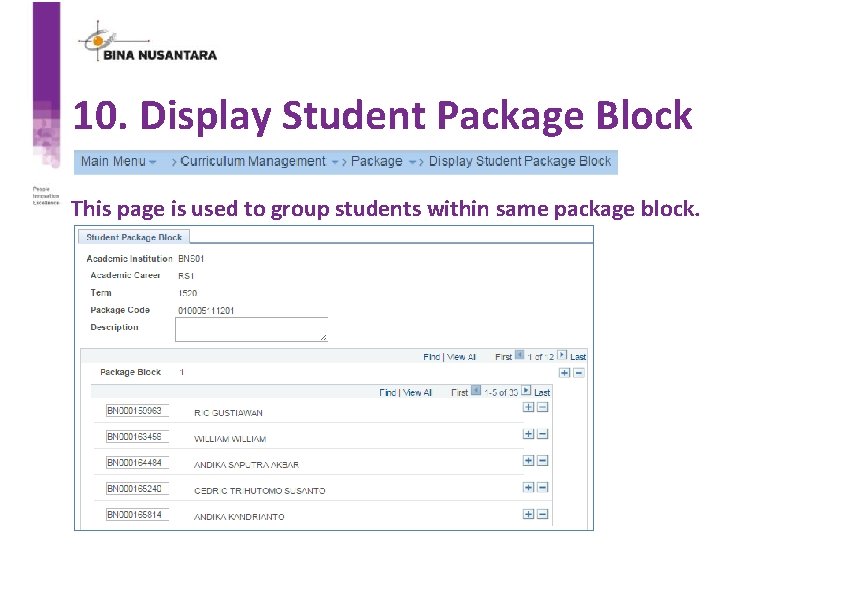
10. Display Student Package Block This page is used to group students within same package block.
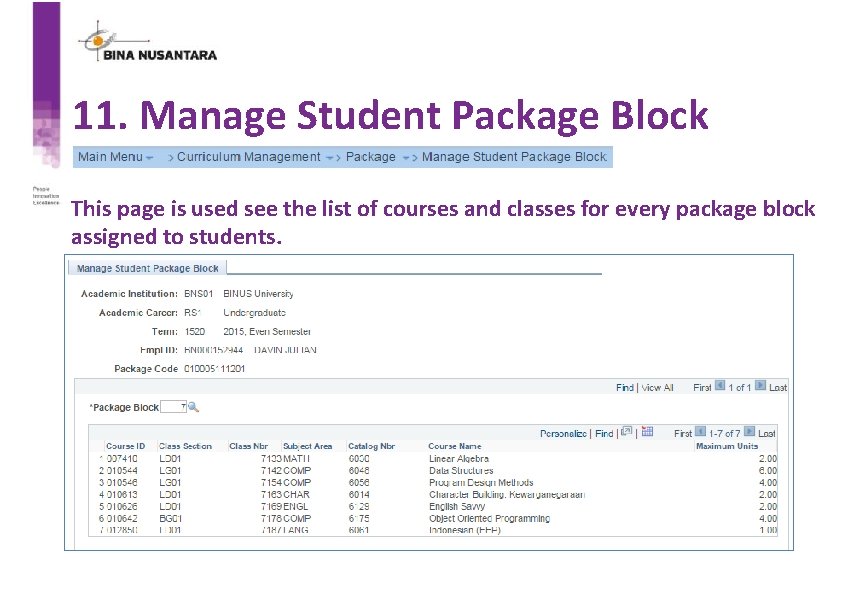
11. Manage Student Package Block This page is used see the list of courses and classes for every package block assigned to students.
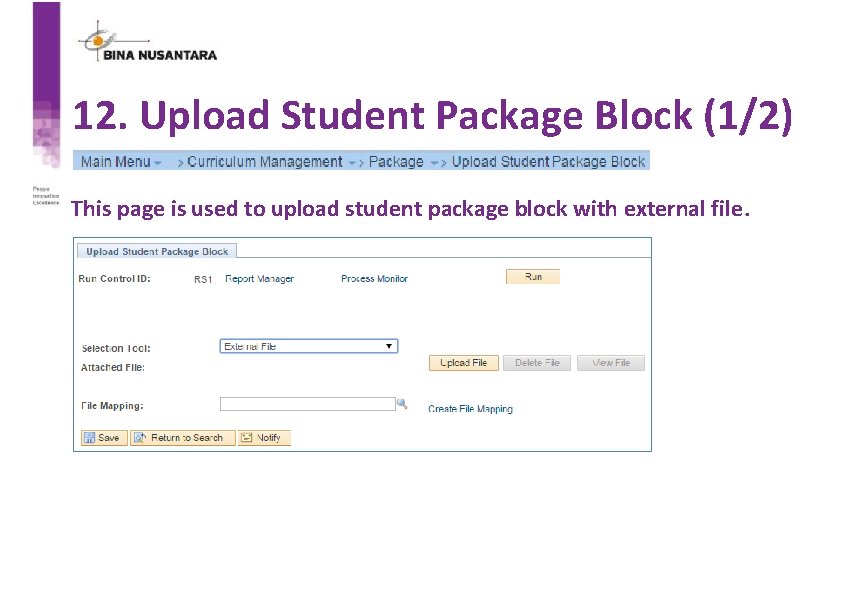
12. Upload Student Package Block (1/2) This page is used to upload student package block with external file.
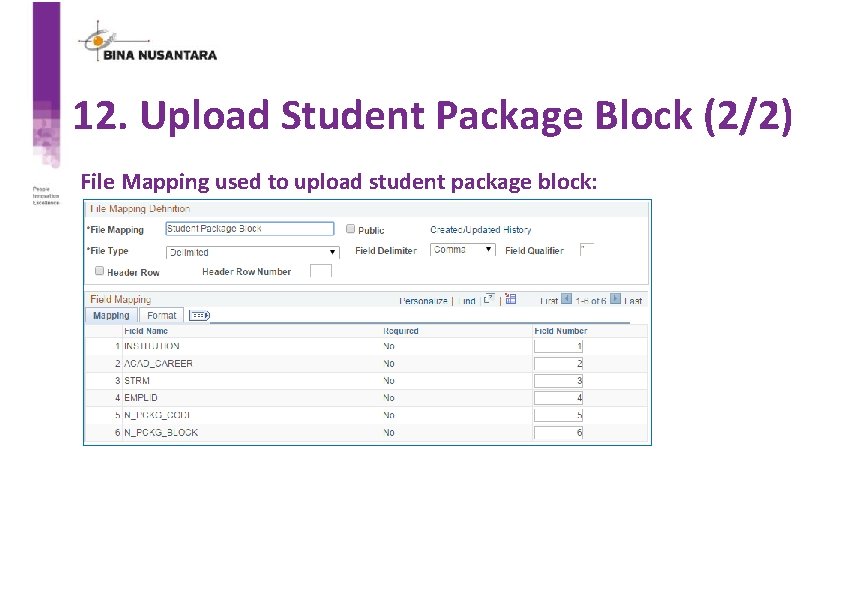
12. Upload Student Package Block (2/2) File Mapping used to upload student package block:
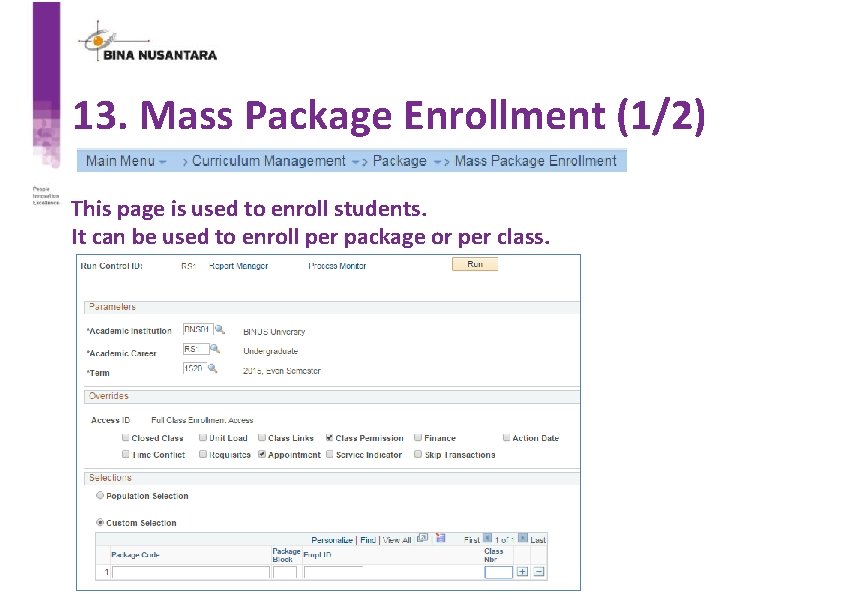
13. Mass Package Enrollment (1/2) This page is used to enroll students. It can be used to enroll per package or per class.
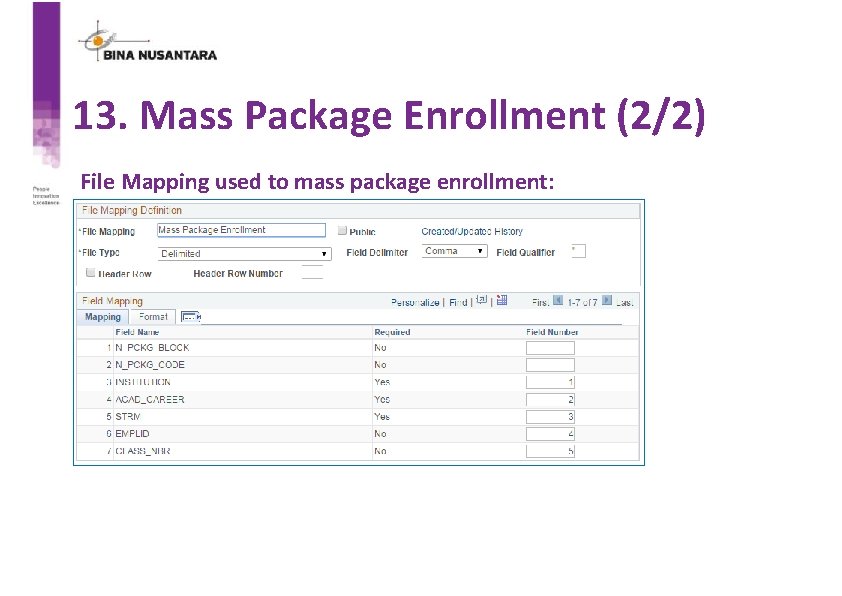
13. Mass Package Enrollment (2/2) File Mapping used to mass package enrollment:
Student Package Conclusion • With student package module, scheduling staffs can reduce almost 70% of their work time. • Student package provides dynamic setting to enable users to create package based on their requirements. • Student package help staffs to track student courses and class only based on student package code and student package block. • Student package help students to get the right courses for their study plan based on academic advisement. • Student package is used to create charging for students before enrollment process.

Lesson Learned
Lesson Learned • Identify the problems and current condition to create an idea to improve business process. • Strong user requirements to make sure the deliverable is as expected. • Focus on the whole process to give the best result. • An experience to create a big module based on common practice in Indonesia University.

Presenters Indrabudhi Lokaadinugroho Hananto Aji Nugroho IT Data Center & ERP Manager Head of SAS Software Development Center Bina Nusantara Group ilokaadinugroho@binus. edu hnugroho@binus. edu ALLIANCE PRESENTATIONS WILL BE AVAILABLE FOR DOWNLOAD FROM THE CONFERENCE SITE

- Slides: 62