
IMGD 1001 2 D Art by Mark Claypool
IMGD 1001: 2 D Art by Mark Claypool (claypool@cs. wpi. edu) Robert W. Lindeman (gogo@wpi. edu) Claypool & Lindeman - WPI, CS & IMGD
Outline o The Pipeline o Concept Art o 2 D Art n Animation, Tiles (next) o 3 D Art n Modeling, Texturing, Lighting Claypool & Lindeman - WPI, CS & IMGD 2
Animation o Animation produces the illusion of movement o Display a series of frames with small differences between them o Done in rapid succession, eye blends to get motion o Unit is Frames Per Second (fps). For video: 24 -30 fps: full-motion (Game Maker does 30) 15 fps: full-motion approximation 7 fps: choppy 3 fps: very choppy Less than 3 fps: slide show (2 D Sprites can get away with about ½ the above) n n n o To do successfully, need to keenly observe, focus on differences in movement n Apply basic principles (next) Claypool & Lindeman - WPI, CS & IMGD 3
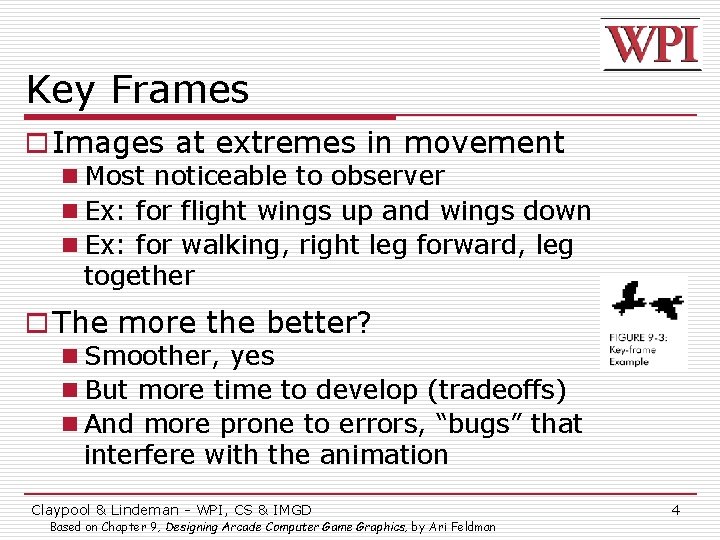
Key Frames o Images at extremes in movement n Most noticeable to observer n Ex: for flight wings up and wings down n Ex: for walking, right leg forward, leg together o The more the better? n Smoother, yes n But more time to develop (tradeoffs) n And more prone to errors, “bugs” that interfere with the animation Claypool & Lindeman - WPI, CS & IMGD Based on Chapter 9, Designing Arcade Computer Game Graphics, by Ari Feldman 4
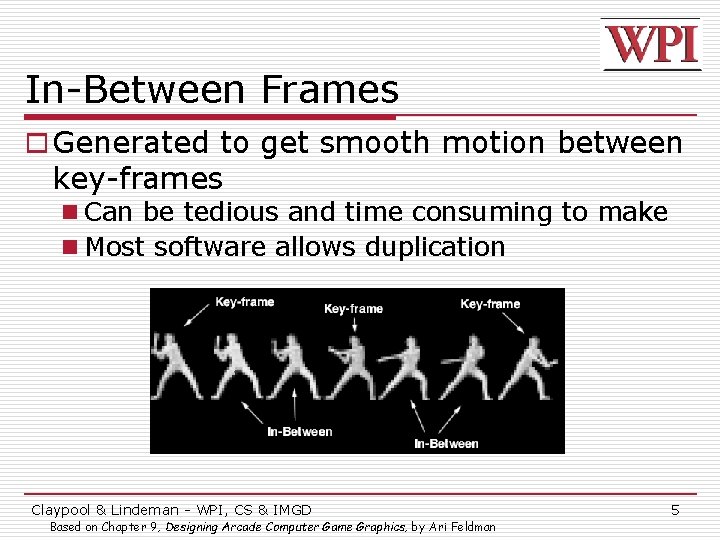
In-Between Frames o Generated to get smooth motion between key-frames n Can be tedious and time consuming to make n Most software allows duplication Claypool & Lindeman - WPI, CS & IMGD Based on Chapter 9, Designing Arcade Computer Game Graphics, by Ari Feldman 5
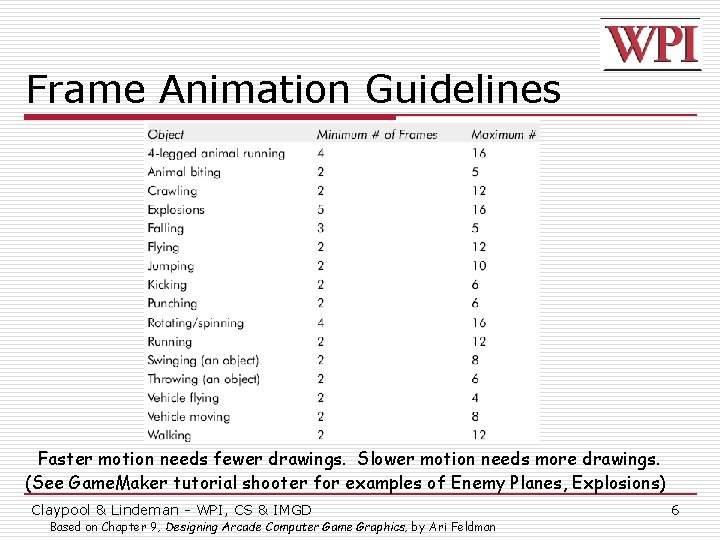
Frame Animation Guidelines Faster motion needs fewer drawings. Slower motion needs more drawings. (See Game. Maker tutorial shooter for examples of Enemy Planes, Explosions) Claypool & Lindeman - WPI, CS & IMGD Based on Chapter 9, Designing Arcade Computer Game Graphics, by Ari Feldman 6
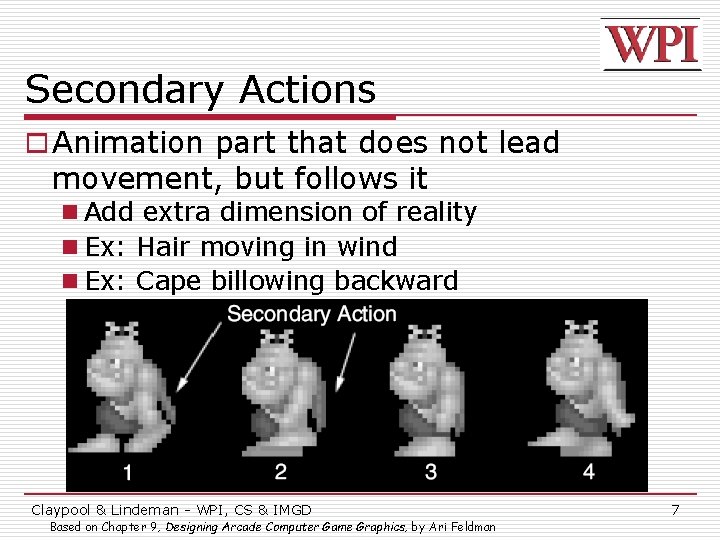
Secondary Actions o Animation part that does not lead movement, but follows it n Add extra dimension of reality n Ex: Hair moving in wind n Ex: Cape billowing backward Claypool & Lindeman - WPI, CS & IMGD Based on Chapter 9, Designing Arcade Computer Game Graphics, by Ari Feldman 7
Steps in Creating Animation Sequences (1 of 3) o Conceptualize – have vision (in mind or on paper) of what animation will look like o Decide on object behavior 1. Animated once (no looping) 2. Animated continuously (using cycles) n 2 nd choice means must make last key frame blend with first o Choose an image size – will contain and constrain object n Test and experiment briefly to have plenty of room o Design key-frames - drawing the motion extremes n Use simple shapes to represent main actions o Ex: stick figures or basic shapes (circles, squares) Claypool & Lindeman - WPI, CS & IMGD Based on Chapter 9, Designing Arcade Computer Game Graphics, by Ari Feldman 8
Steps in Creating Animation Sequences (2 of 3) o Estimate the in-betweens n Think of how many you will need to complete the sequence smoothly n Be conservative. Easier to additional transition frames than to remove them o Apply secondary enhancements n Embellish to look convincing and enticing n Exaggeration Claypool & Lindeman - WPI, CS & IMGD Based on Chapter 9, Designing Arcade Computer Game Graphics, by Ari Feldman 9
Steps in Creating Animation Sequences (3 of 3) o Test each movement n Can be done with ‘copy’ and ‘undo’ in tool n Others have animation rendering (ex- Game Maker) n Look for flaws (movement, discolored pixels …) o Repeat n Repeat for all animations Claypool & Lindeman - WPI, CS & IMGD Based on Chapter 9, Designing Arcade Computer Game Graphics, by Ari Feldman 10
Primitives o Used in many games o If you know these, you can apply primitive rules out of the box: n n n n n Cylindrical primitive Rotational primitive Disintegration primitive Color flash primitive Scissors primitive Growing primitive Shrinking primitive Minor primitives (used less often) (See Chapter 9 of Feldman) Claypool & Lindeman - WPI, CS & IMGD Based on Chapter 9, Designing Arcade Computer Game Graphics, by Ari Feldman 11
Tiles o Needed for common backgrounds n Too hard to make every pixel different! o Exploration games (especially outdoors) make heavy use of these n Grass, trees, water, sand o Start with a grass tile to warm up Claypool & Lindeman - WPI, CS & IMGD So You Want to Be a Pixel Artist? , by Tsugumo 12
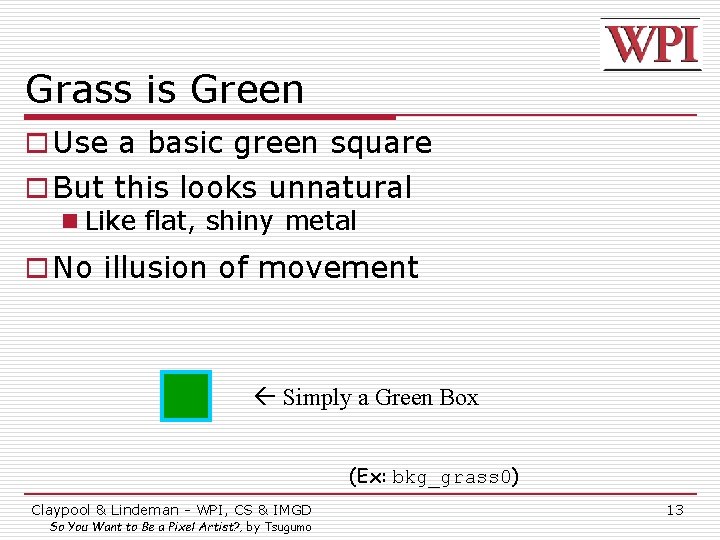
Grass is Green o Use a basic green square o But this looks unnatural n Like flat, shiny metal o No illusion of movement Simply a Green Box (Ex: bkg_grass 0) Claypool & Lindeman - WPI, CS & IMGD So You Want to Be a Pixel Artist? , by Tsugumo 13
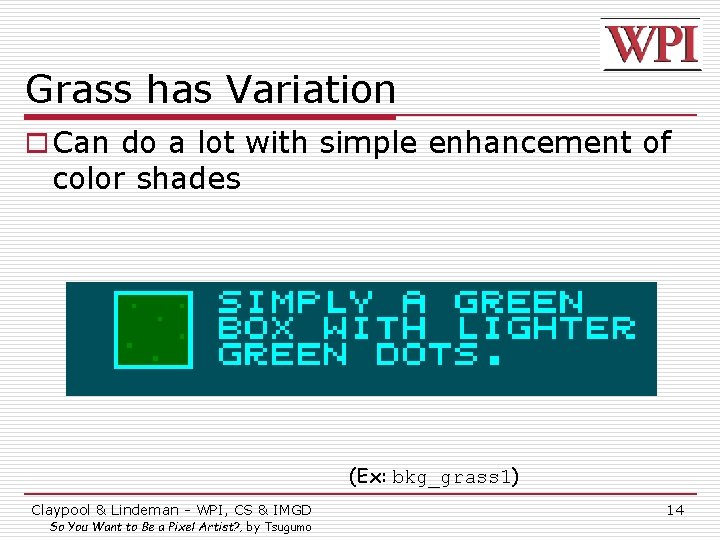
Grass has Variation o Can do a lot with simple enhancement of color shades (Ex: bkg_grass 1) Claypool & Lindeman - WPI, CS & IMGD So You Want to Be a Pixel Artist? , by Tsugumo 14
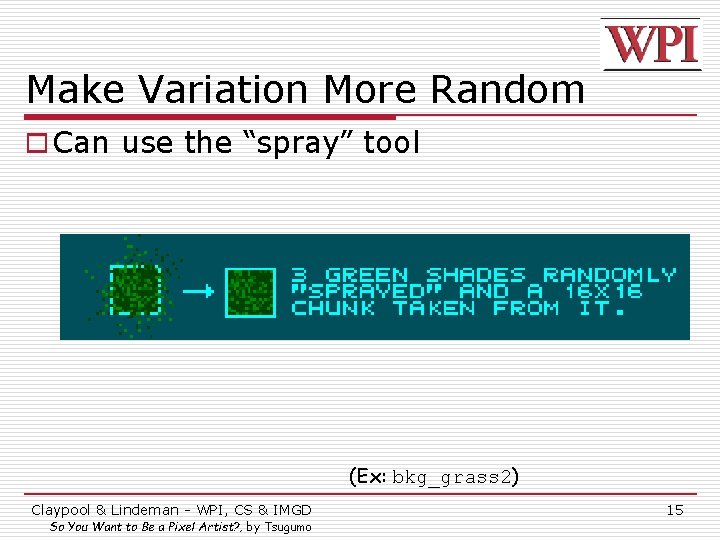
Make Variation More Random o Can use the “spray” tool (Ex: bkg_grass 2) Claypool & Lindeman - WPI, CS & IMGD So You Want to Be a Pixel Artist? , by Tsugumo 15
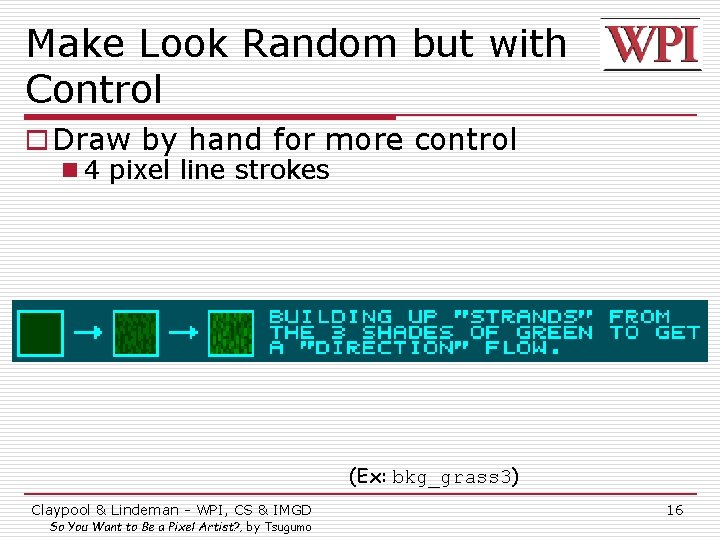
Make Look Random but with Control o Draw by hand for more control n 4 pixel line strokes (Ex: bkg_grass 3) Claypool & Lindeman - WPI, CS & IMGD So You Want to Be a Pixel Artist? , by Tsugumo 16
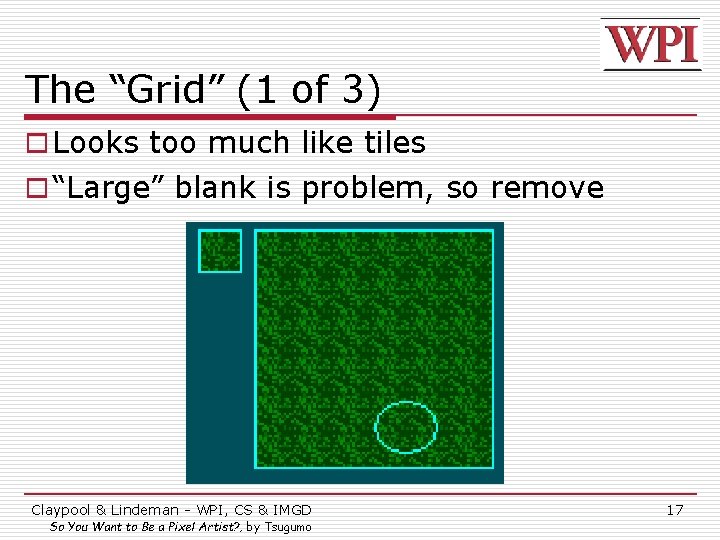
The “Grid” (1 of 3) o Looks too much like tiles o “Large” blank is problem, so remove Claypool & Lindeman - WPI, CS & IMGD So You Want to Be a Pixel Artist? , by Tsugumo 17
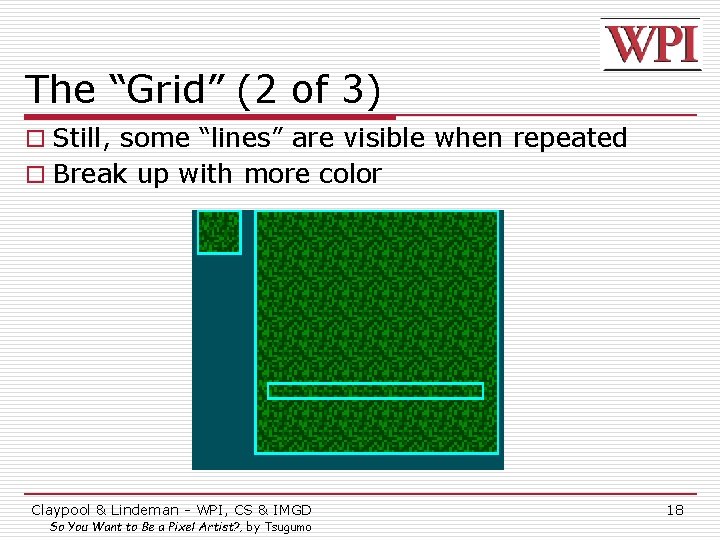
The “Grid” (2 of 3) o Still, some “lines” are visible when repeated o Break up with more color Claypool & Lindeman - WPI, CS & IMGD So You Want to Be a Pixel Artist? , by Tsugumo 18
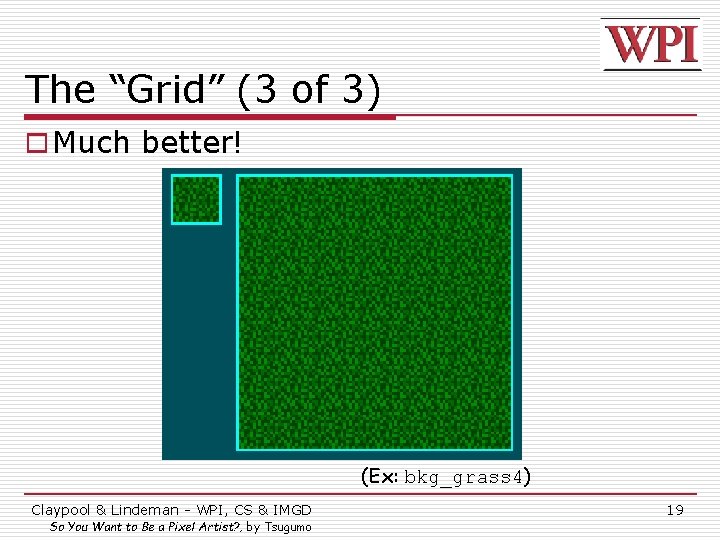
The “Grid” (3 of 3) o Much better! (Ex: bkg_grass 4) Claypool & Lindeman - WPI, CS & IMGD So You Want to Be a Pixel Artist? , by Tsugumo 19
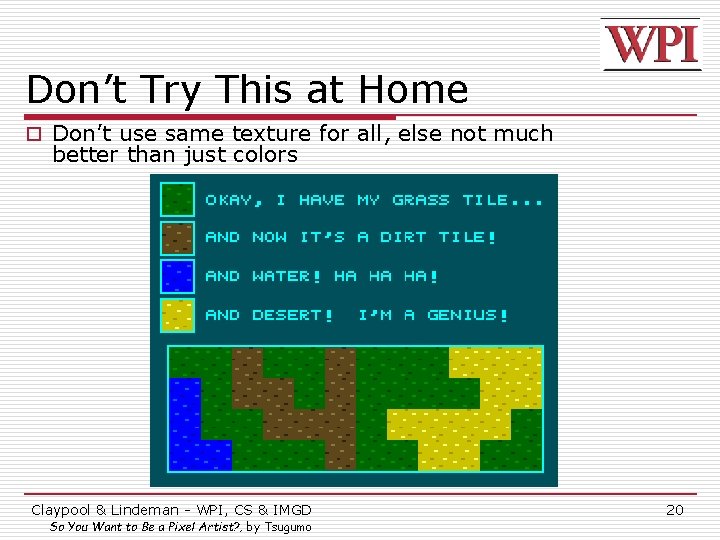
Don’t Try This at Home o Don’t use same texture for all, else not much better than just colors Claypool & Lindeman - WPI, CS & IMGD So You Want to Be a Pixel Artist? , by Tsugumo 20
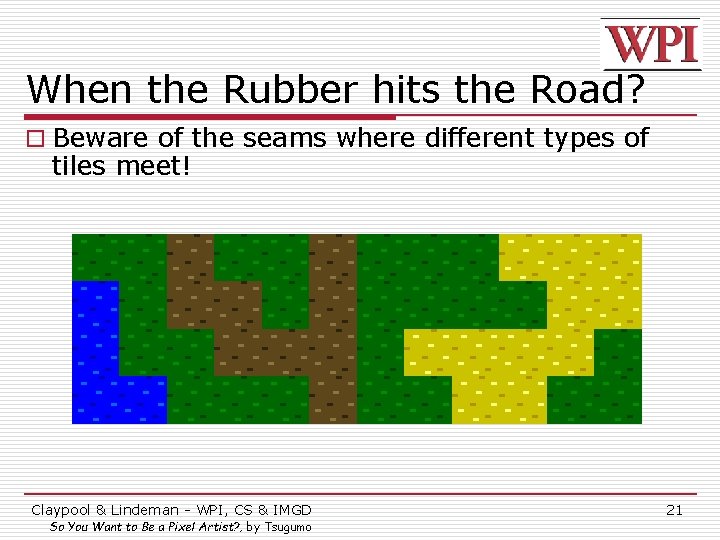
When the Rubber hits the Road? o Beware of the seams where different types of tiles meet! Claypool & Lindeman - WPI, CS & IMGD So You Want to Be a Pixel Artist? , by Tsugumo 21
- Slides: 21