
Imagining the Possibilities Americas SAP User Group Texas
Imagining the Possibilities Americas’ SAP User Group Texas - North Texas/Oklahoma Chapter January 24, 2003 Greg Martin - Bus. Focal Point IXOS SOFTWARE, INC. Shell Oil Products US www. ixos. comamericas Improve Your Business Processes with Business Documents © 2001 IXOS SOFTWARE, INC. WE M@KE YOUR BUSINESS FASTER.
Shell Oil Products US Imagining The Possibilities: © 2003 IXOS SOFTWARE, INC.
Imagining the Possibilities Agenda l Introduction – Who we are l Archiving with workflow l l l Early Archiving for Invoice Payments Late Archiving for invoice payments Lessons Learned from upgrade to 4. 6 l Late Archiving Outside Workflow – from Scan. Client l Doculink utilizations l Expense Statement l l l Manually indexed Imported Lockbox with Java Viewer applet Pre-populated index Barcode enabled (Phase I & II Production 10/02) l Desktop Link functionality & uses l Q&A © 2003 IXOS SOFTWARE, INC.
Imagining the Possibilities Who are Shell Oil Products US & Motiva ? l. Shell Oil Products US is the downstream arm of Shell in the US. The function is the refining, transportation and marketing of petroleum products in the Western and Midwestern U. S. – from the refinery to the gas pump and lubricants businesses nationwide l. Motiva Enterprises LLC. , is 50 / 50 joint venture between Shell and Saudi Aramco covering the Eastern and Gulf Coast U. S. – from the refinery to the gas pump. © 2003 IXOS SOFTWARE, INC.
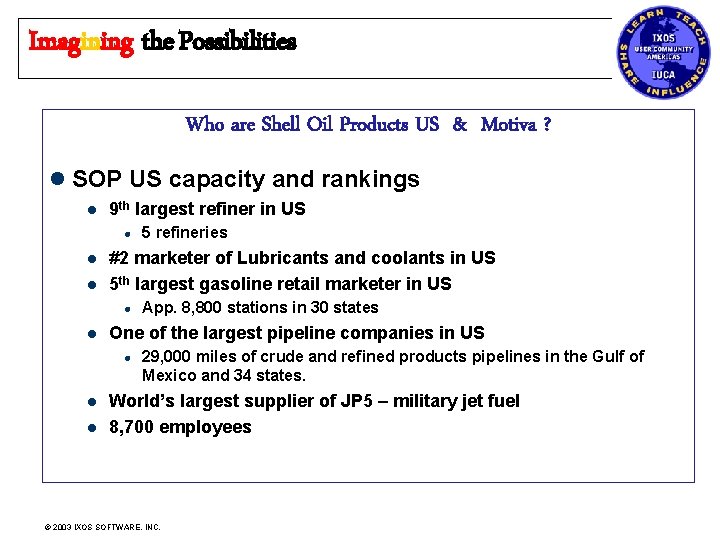
Imagining the Possibilities Who are Shell Oil Products US & Motiva ? l SOP US capacity and rankings l 9 th largest refiner in US l l l #2 marketer of Lubricants and coolants in US 5 th largest gasoline retail marketer in US l l l App. 8, 800 stations in 30 states One of the largest pipeline companies in US l l 5 refineries 29, 000 miles of crude and refined products pipelines in the Gulf of Mexico and 34 states. World’s largest supplier of JP 5 – military jet fuel 8, 700 employees © 2003 IXOS SOFTWARE, INC.
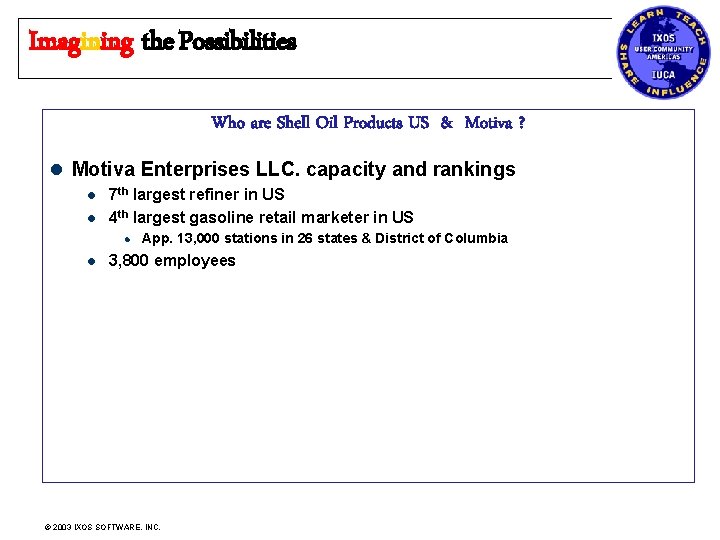
Imagining the Possibilities Who are Shell Oil Products US & Motiva ? l Motiva Enterprises LLC. capacity and rankings l l 7 th largest refiner in US 4 th largest gasoline retail marketer in US l l App. 13, 000 stations in 26 states & District of Columbia 3, 800 employees © 2003 IXOS SOFTWARE, INC.
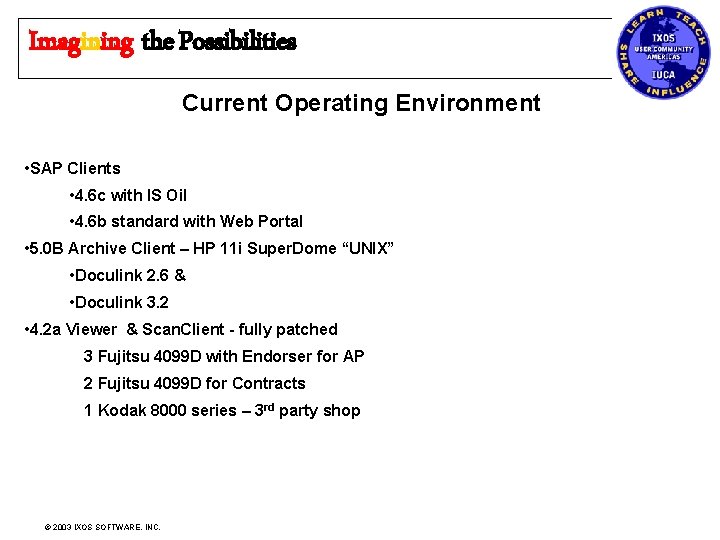
Imagining the Possibilities Current Operating Environment • SAP Clients • 4. 6 c with IS Oil • 4. 6 b standard with Web Portal • 5. 0 B Archive Client – HP 11 i Super. Dome “UNIX” • Doculink 2. 6 & • Doculink 3. 2 • 4. 2 a Viewer & Scan. Client - fully patched 3 Fujitsu 4099 D with Endorser for AP 2 Fujitsu 4099 D for Contracts 1 Kodak 8000 series – 3 rd party shop © 2003 IXOS SOFTWARE, INC.
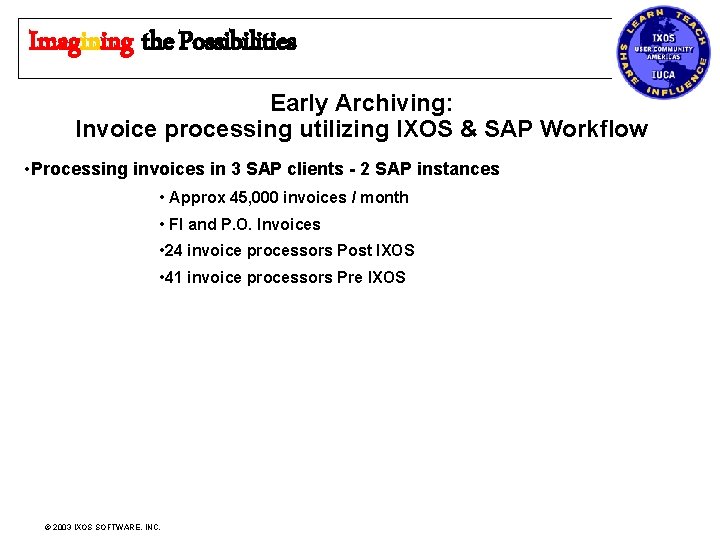
Imagining the Possibilities Early Archiving: Invoice processing utilizing IXOS & SAP Workflow • Processing invoices in 3 SAP clients - 2 SAP instances • Approx 45, 000 invoices / month • FI and P. O. Invoices • 24 invoice processors Post IXOS • 41 invoice processors Pre IXOS © 2003 IXOS SOFTWARE, INC.
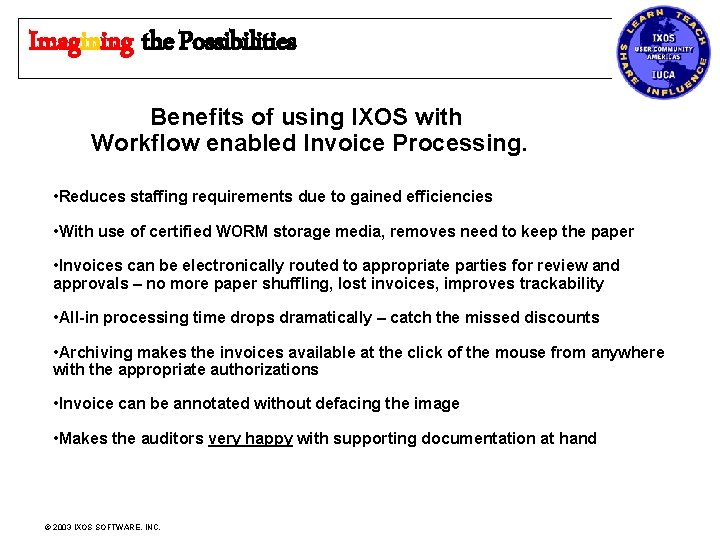
Imagining the Possibilities Benefits of using IXOS with Workflow enabled Invoice Processing. • Reduces staffing requirements due to gained efficiencies • With use of certified WORM storage media, removes need to keep the paper • Invoices can be electronically routed to appropriate parties for review and approvals – no more paper shuffling, lost invoices, improves trackability • All-in processing time drops dramatically – catch the missed discounts • Archiving makes the invoices available at the click of the mouse from anywhere with the appropriate authorizations • Invoice can be annotated without defacing the image • Makes the auditors very happy with supporting documentation at hand © 2003 IXOS SOFTWARE, INC.
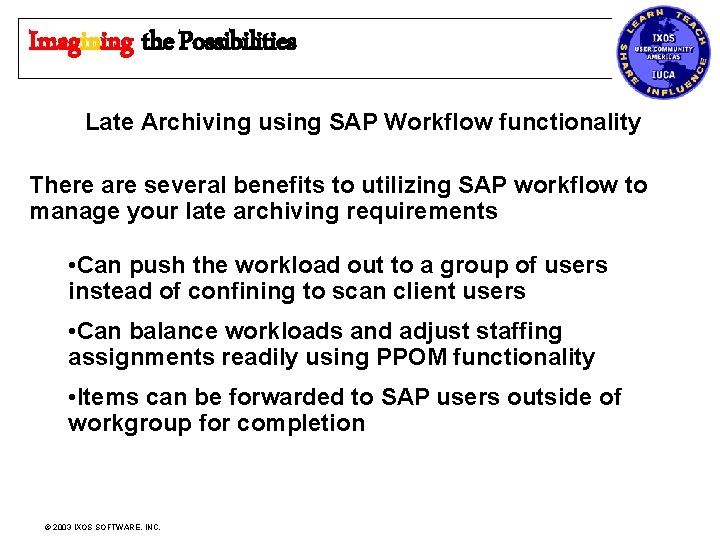
Imagining the Possibilities Late Archiving using SAP Workflow functionality There are several benefits to utilizing SAP workflow to manage your late archiving requirements • Can push the workload out to a group of users instead of confining to scan client users • Can balance workloads and adjust staffing assignments readily using PPOM functionality • Items can be forwarded to SAP users outside of workgroup for completion © 2003 IXOS SOFTWARE, INC.
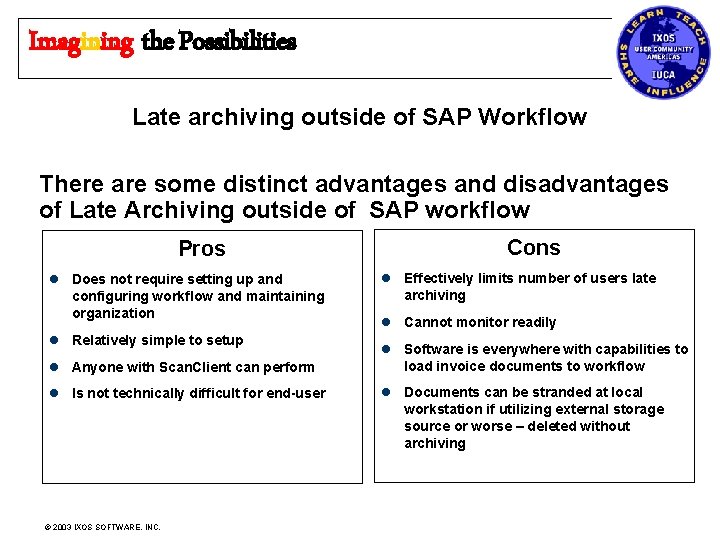
Imagining the Possibilities Late archiving outside of SAP Workflow There are some distinct advantages and disadvantages of Late Archiving outside of SAP workflow Pros l Does not require setting up and configuring workflow and maintaining organization l Relatively simple to setup l Anyone with Scan. Client can perform l Is not technically difficult for end-user © 2003 IXOS SOFTWARE, INC. Cons l Effectively limits number of users late archiving l Cannot monitor readily l Software is everywhere with capabilities to load invoice documents to workflow l Documents can be stranded at local workstation if utilizing external storage source or worse – deleted without archiving
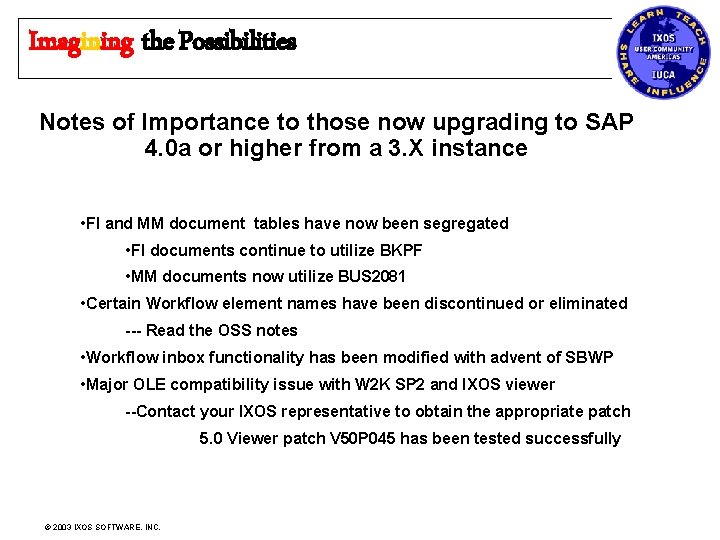
Imagining the Possibilities Notes of Importance to those now upgrading to SAP 4. 0 a or higher from a 3. X instance • FI and MM document tables have now been segregated • FI documents continue to utilize BKPF • MM documents now utilize BUS 2081 • Certain Workflow element names have been discontinued or eliminated --- Read the OSS notes • Workflow inbox functionality has been modified with advent of SBWP • Major OLE compatibility issue with W 2 K SP 2 and IXOS viewer --Contact your IXOS representative to obtain the appropriate patch 5. 0 Viewer patch V 50 P 045 has been tested successfully © 2003 IXOS SOFTWARE, INC.
Imagining the Possibilities Docu. Link Utilizations • Expense Statements • Current functionality • Future enhancements • Lockbox • Functionality • Web Query • Future Projects • Expense Reporting with Bar-code • Contract Management © 2003 IXOS SOFTWARE, INC.
Imagining the Possibilities Expense statement & P-card statement imaging • First Implemented in 3 rd qtr 2000 • Used to retain employee expense reports and receipt copies • Generate comparison reports with expense reporting system to determine who has not submitted signed expense reports • Future Enhancement: Download indexing information into Doculink table based on data supplied by Expense Reporting System. – Will eradicate the need to manually index each item © 2003 IXOS SOFTWARE, INC.
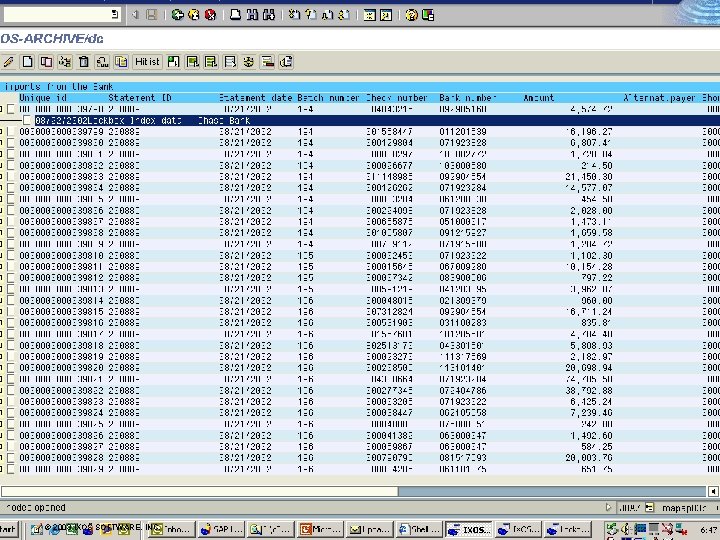
Imagining the Possibilities Lockbox imaging with Web-query functionality • Provides cash applications group to process A/R lockbox checks by viewing scanned images of lockbox receipts. • Images are processed nightly, allowing receipts to be processed first thing in the morning. No longer need to wait for delivery of hard copies from bank. • Bank provides a nightly file containing scanned images and an index • Data is parsed on IXOS server and then written to platter and SAP tables. • Images are matched to lockbox receipts data such as Date, Batch #, Check #. • Users can access images through Doculink, via custom created icon on lockbox processing screen, or via web. © 2003 IXOS SOFTWARE, INC.
Imagining the Possibilities Lockbox imaging with Web-query functionality Currently, Shell Oil Products is receiving nightly images of supporting documentation on one of the Lockbox account with Chase bank. Included in the files received are: • 2 sets of Tiff images 1 check & 1 payment stub of each check, segregated into batch folders • 2 Index files linking Lockbox data one header, one detail © 2003 IXOS SOFTWARE, INC.
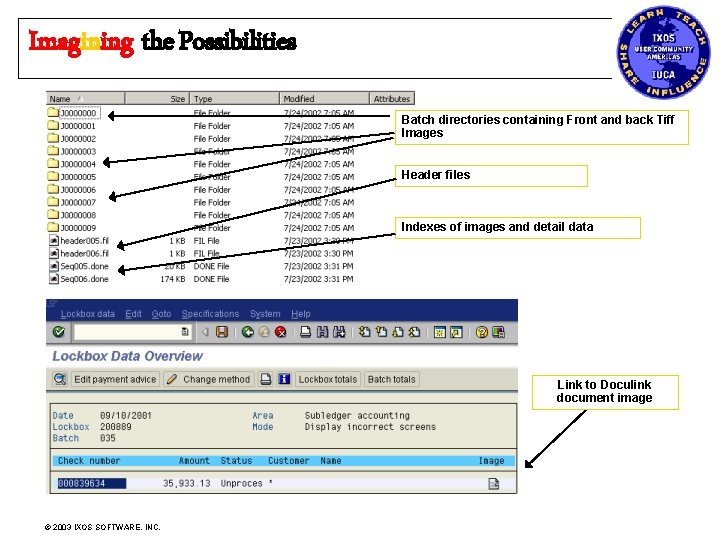
Imagining the Possibilities Batch directories containing Front and back Tiff Images Header files Indexes of images and detail data Link to Doculink document image © 2003 IXOS SOFTWARE, INC.
Imagining the Possibilities © 2003 IXOS SOFTWARE, INC.
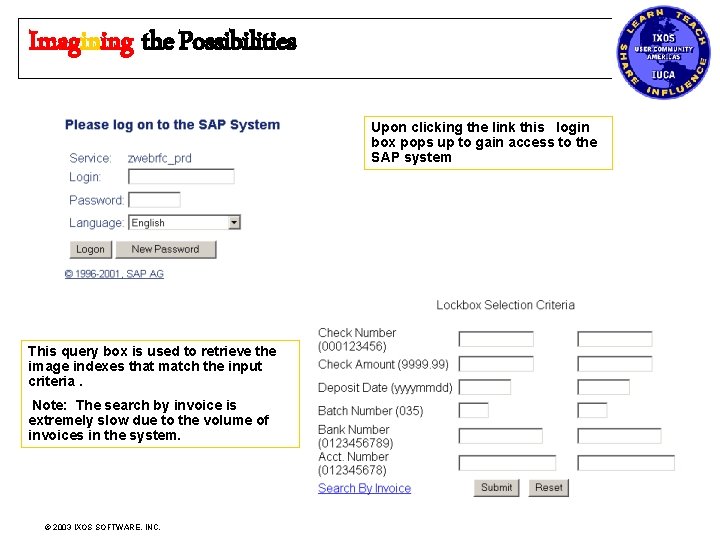
Imagining the Possibilities Upon clicking the link this login box pops up to gain access to the SAP system This query box is used to retrieve the image indexes that match the input criteria. Note: The search by invoice is extremely slow due to the volume of invoices in the system. © 2003 IXOS SOFTWARE, INC.
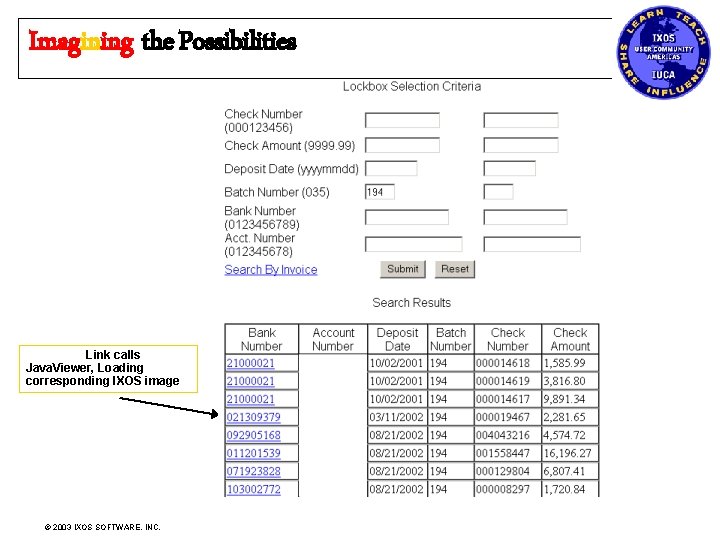
Imagining the Possibilities Link calls Java. Viewer, Loading corresponding IXOS image © 2003 IXOS SOFTWARE, INC.
Imagining the Possibilities Desktop Link functionality – What can’t you tack on ? ? ? This is the ultimate tool when it comes to linking supporting documentation to SAP for posterity. Desktop link allows you to: • Attach files generated from 3 rd party applications (Microsoft Outlook, Excel, Word, Lotus Notes, etc. , to FI documents, billing orders, Purchase Orders, Sales documents and then some – easy as 1 -2 -3. • Documents are non-changeable if written to a WORM. • It gives the end-users the ability to link their supporting documents to the related financial entries – without fear of changes being made. • Allows everyone to look at the same version of the underlying documents © 2003 IXOS SOFTWARE, INC.
Imagining the Possibilities Desktop Link functionality – What can’t you tack on ? ? ? There are three ways to readily access Desktop link functionality 1. Drag and Drop Icon on the PC Desktop 2. “Send to” option in Windows Explorer 3. In SAP Document Display – Environment – Additional Assignments – Object links – Archive from File System © 2003 IXOS SOFTWARE, INC.
Imagining the Possibilities Projects in Production not complete Expense Reporting Using Bar-coding / OCR • Alleviate the need to match image with pre-loaded index data. • Expense reporting system output will load into Doculink table as well as update open bar-code table with unique identifier • A bar code will print-out on users expense report containing the unique statement identifier. (Statement year. Month & card #) • Bar code table updated as images are scanned in. • The image is then linked to the Doculink table by the common data (object) in the bar-code table. © 2003 IXOS SOFTWARE, INC.
Imagining the Possibilities Projects in Production not complete Contracts Imaging l Use a single Doculink table to maintain data for multiple contract types l Maintain separate views for different departments and roles, so users only see data that is relevant to them l Original contracts to be imported with index l Signed/updated contracts can be matched to existing indexed information by using the copy feature, and create a new reference. l Integrated document repository with Siebel © 2003 IXOS SOFTWARE, INC.
Imagining the Possibilities Future / Contemplated Projects W-9 scanning to Vendor Master using OCR / Barcoding • Will use OCR to read TIN / SSN to link to applicable records. Full text OCR / ICR implementation for A/P processes • to reduce A/P staff costs and reduce processing time further. • This is in the preliminary exploratory stage. IXOS would remain the Optical storage backbone. Optical archiving of vendor entered invoices in 3 rd Party SH&E management system using print spool and indexes • In development should be in Production End Q 12003 © 2003 IXOS SOFTWARE, INC.
Imagining the Possibilities Questions ? ? Gjmartin@shellopus. com Want to talk about IXOS? Ask John first John. leach@ixos. com © 2003 IXOS SOFTWARE, INC.
Imagining the Possibilities Appendix I Early Archiving Screen Shots © 2003 IXOS SOFTWARE, INC.
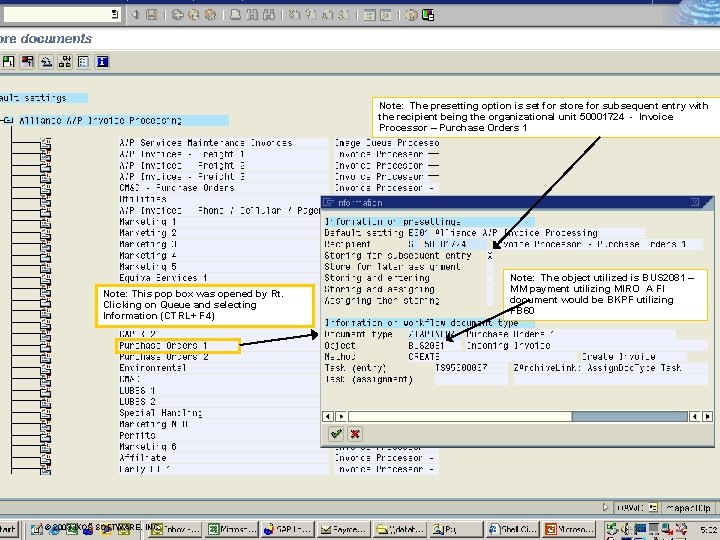
Imagining the Possibilities Note: The presetting option is set for store for subsequent entry with the recipient being the organizational unit 50001724 - Invoice Processor – Purchase Orders 1 Note: This pop box was opened by Rt. Clicking on Queue and selecting Information (CTRL+ F 4) © 2003 IXOS SOFTWARE, INC. Note: The object utilized is BUS 2081 – MM payment utilizing MIRO A FI document would be BKPF utilizing FB 60
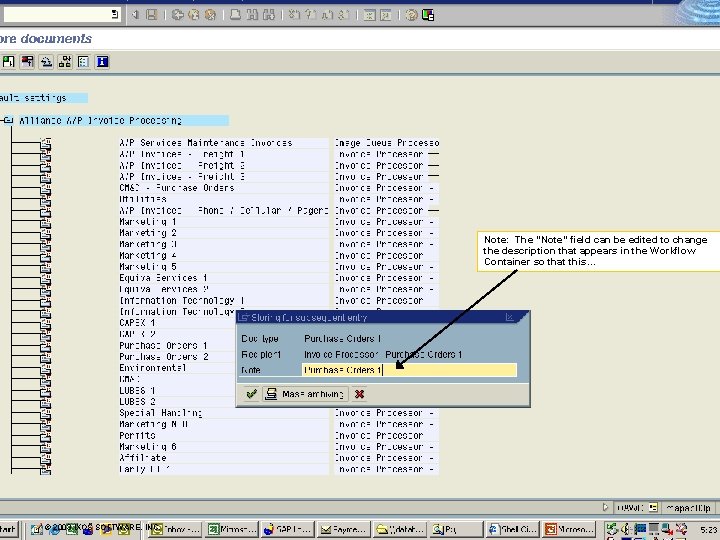
Imagining the Possibilities Note: The “Note” field can be edited to change the description that appears in the Workflow Container so that this… © 2003 IXOS SOFTWARE, INC.
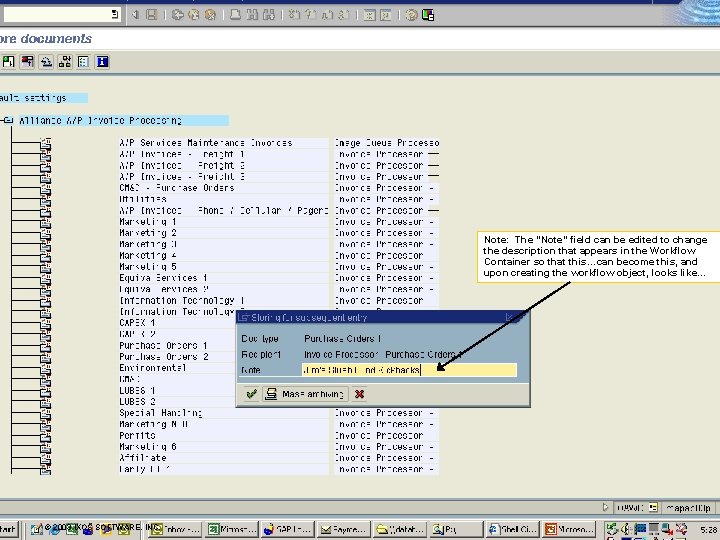
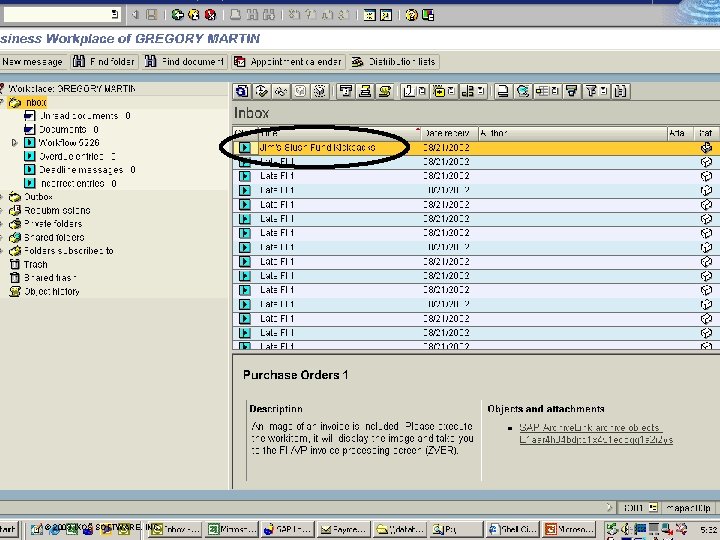
Imagining the Possibilities Note: The “Note” field can be edited to change the description that appears in the Workflow Container so that this…can become this, and upon creating the workflow object, looks like… © 2003 IXOS SOFTWARE, INC.
Imagining the Possibilities © 2003 IXOS SOFTWARE, INC.
Imagining the Possibilities Appendix II Late Archiving Screenshots © 2003 IXOS SOFTWARE, INC.
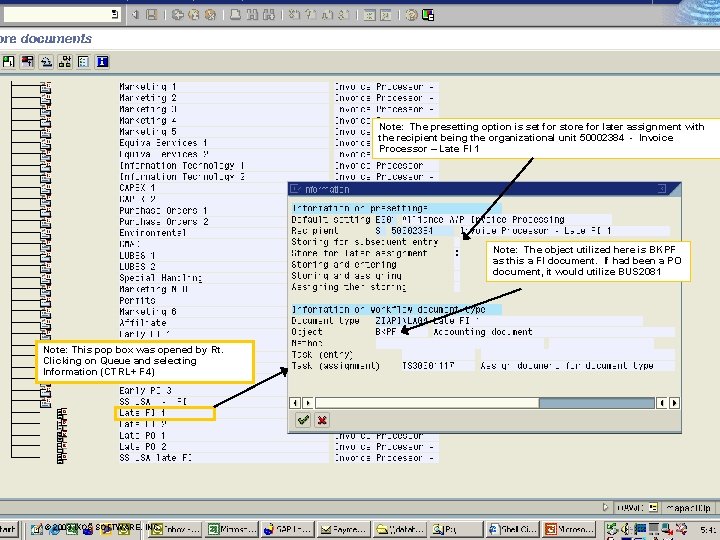
Imagining the Possibilities Note: The presetting option is set for store for later assignment with the recipient being the organizational unit 50002384 - Invoice Processor – Late FI 1 Note: The object utilized here is BKPF as this a FI document. If had been a PO document, it would utilize BUS 2081 Note: This pop box was opened by Rt. Clicking on Queue and selecting Information (CTRL+ F 4) © 2003 IXOS SOFTWARE, INC.
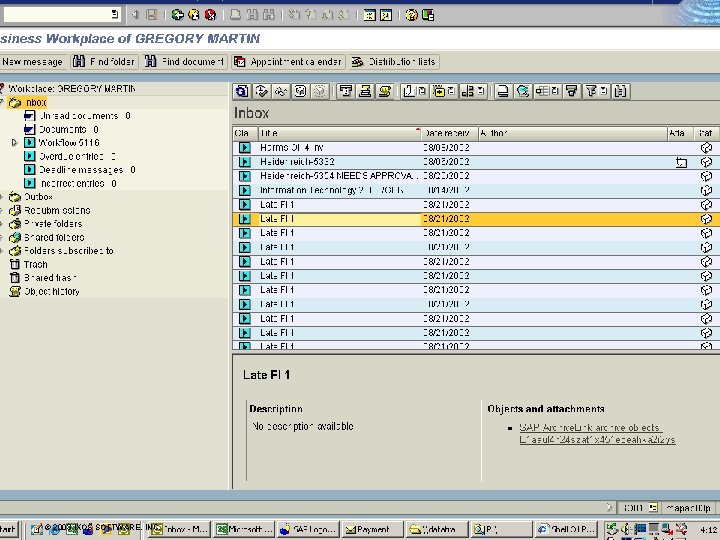
Imagining the Possibilities © 2003 IXOS SOFTWARE, INC.
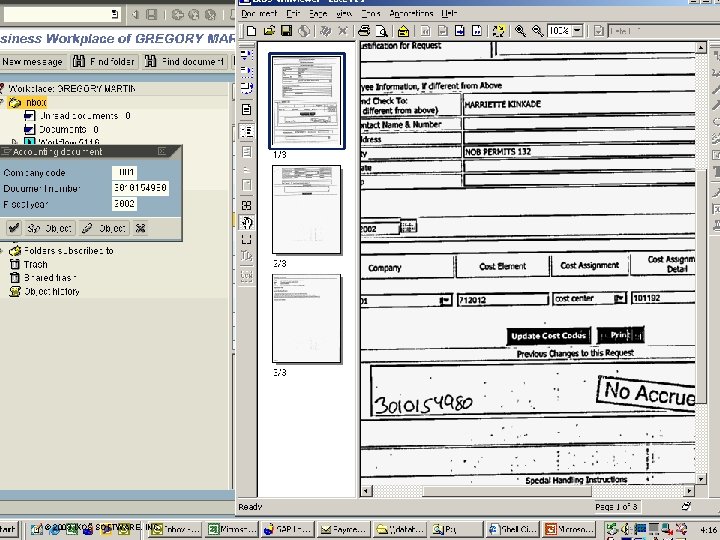
Imagining the Possibilities © 2003 IXOS SOFTWARE, INC.
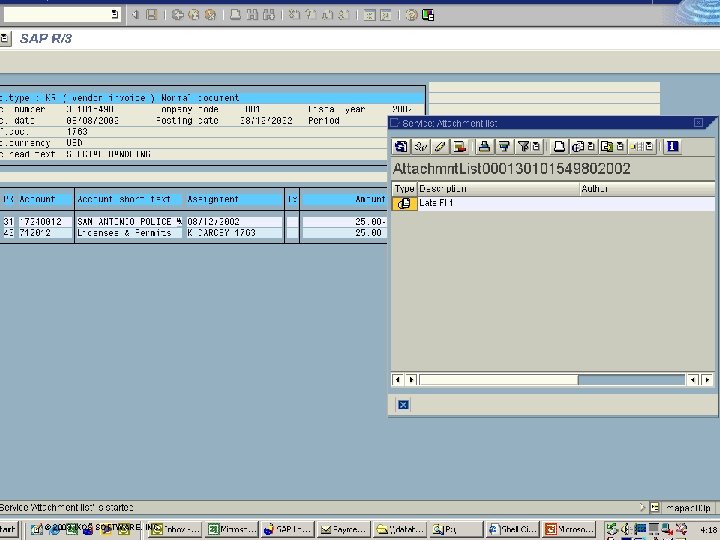
Imagining the Possibilities © 2003 IXOS SOFTWARE, INC.
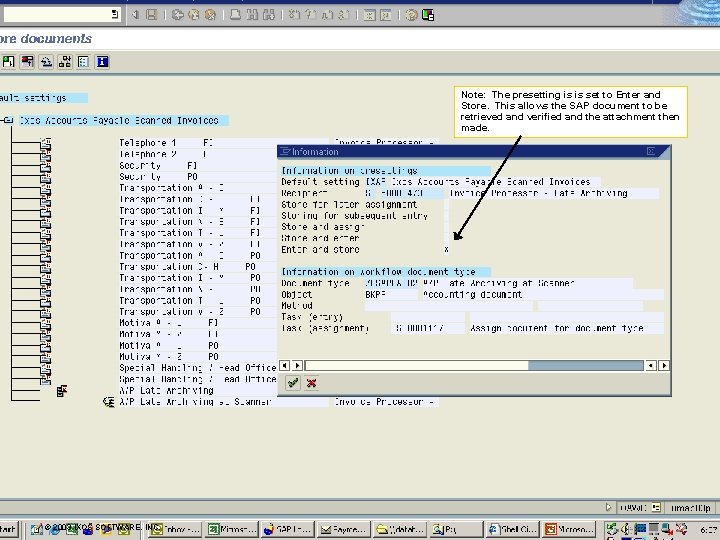
Imagining the Possibilities Note: The presetting is is set to Enter and Store. This allows the SAP document to be retrieved and verified and the attachment then made. © 2003 IXOS SOFTWARE, INC.
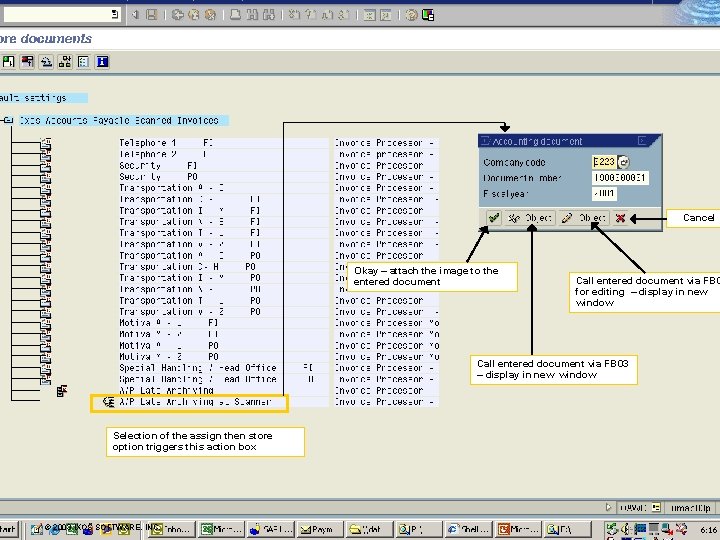
Imagining the Possibilities Cancel Okay – attach the image to the entered document Call entered document via FB 0 for editing – display in new window Call entered document via FB 03 – display in new window Selection of the assign then store option triggers this action box © 2003 IXOS SOFTWARE, INC.
Imagining the Possibilities Appendix III Doculink Screenshots © 2003 IXOS SOFTWARE, INC.
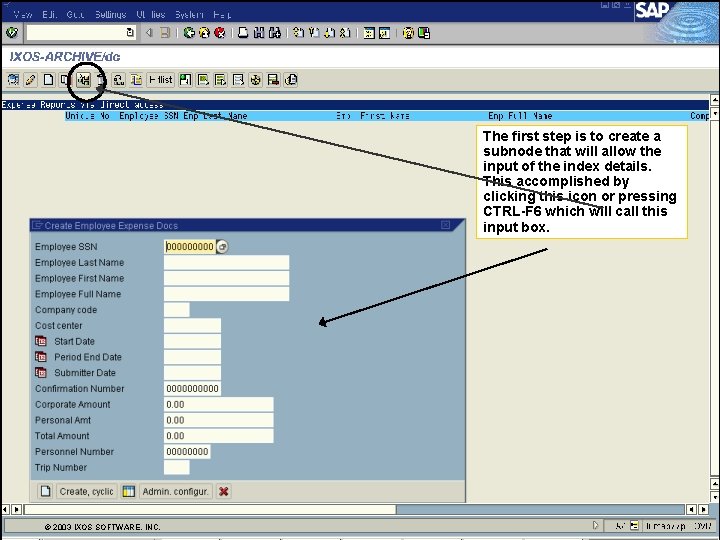
Imagining the Possibilities The first step is to create a subnode that will allow the input of the index details. This accomplished by clicking this icon or pressing CTRL-F 6 which will call this input box. © 2003 IXOS SOFTWARE, INC.
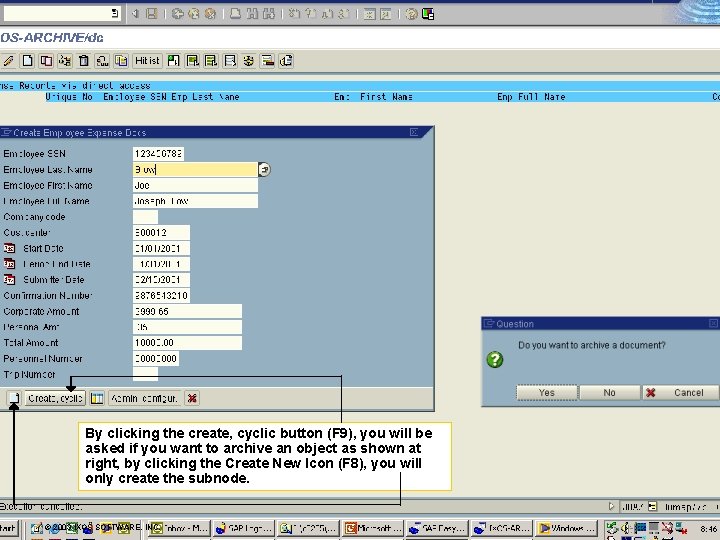
Imagining the Possibilities By clicking the create, cyclic button (F 9), you will be asked if you want to archive an object as shown at right, by clicking the Create New Icon (F 8), you will only create the subnode. © 2003 IXOS SOFTWARE, INC.
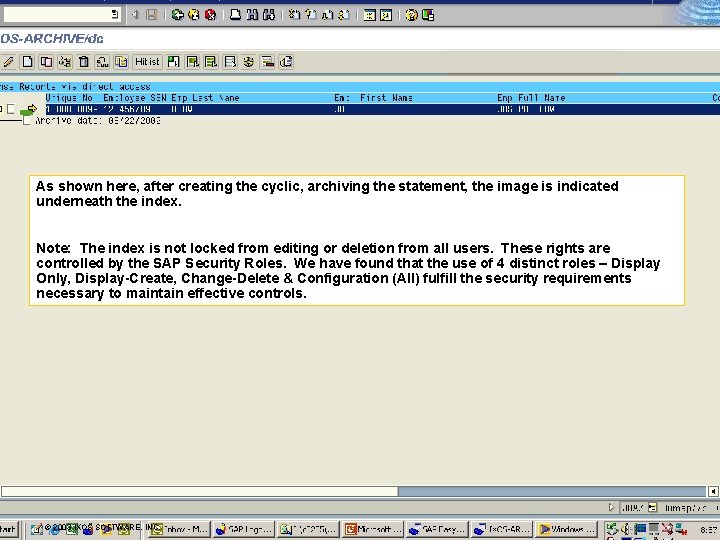
Imagining the Possibilities As shown here, after creating the cyclic, archiving the statement, the image is indicated underneath the index. Note: The index is not locked from editing or deletion from all users. These rights are controlled by the SAP Security Roles. We have found that the use of 4 distinct roles – Display Only, Display-Create, Change-Delete & Configuration (All) fulfill the security requirements necessary to maintain effective controls. © 2003 IXOS SOFTWARE, INC.
- Slides: 42