
Image by Angela Ithyle Get Started with Pearsons

Image by Angela Ithyle Get Started with Pearson’s Mastering. Chemistry™ How to register and enroll in your course Get Started 1
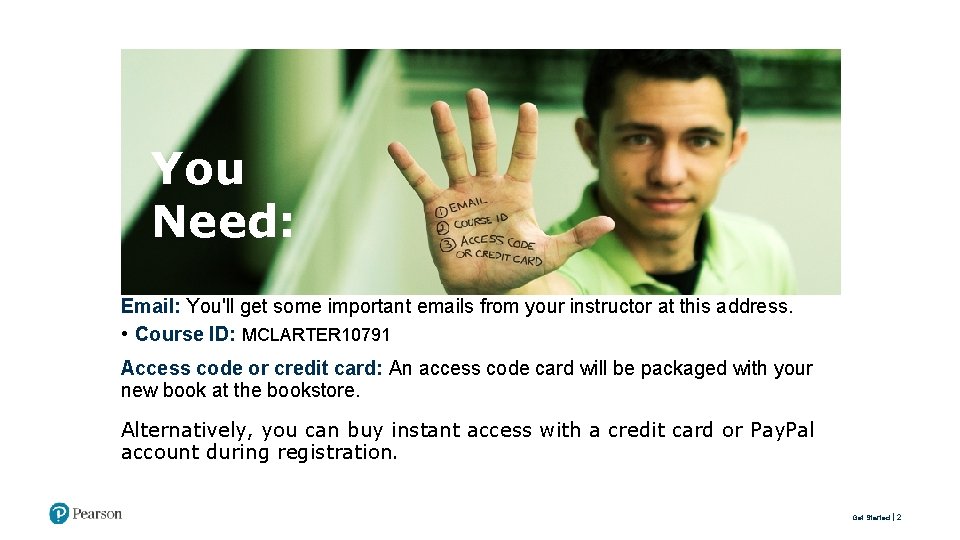
You Need: Email: You'll get some important emails from your instructor at this address. • Course ID: MCLARTER 10791 Access code or credit card: An access code card will be packaged with your new book at the bookstore. Alternatively, you can buy instant access with a credit card or Pay. Pal account during registration. Get Started 2
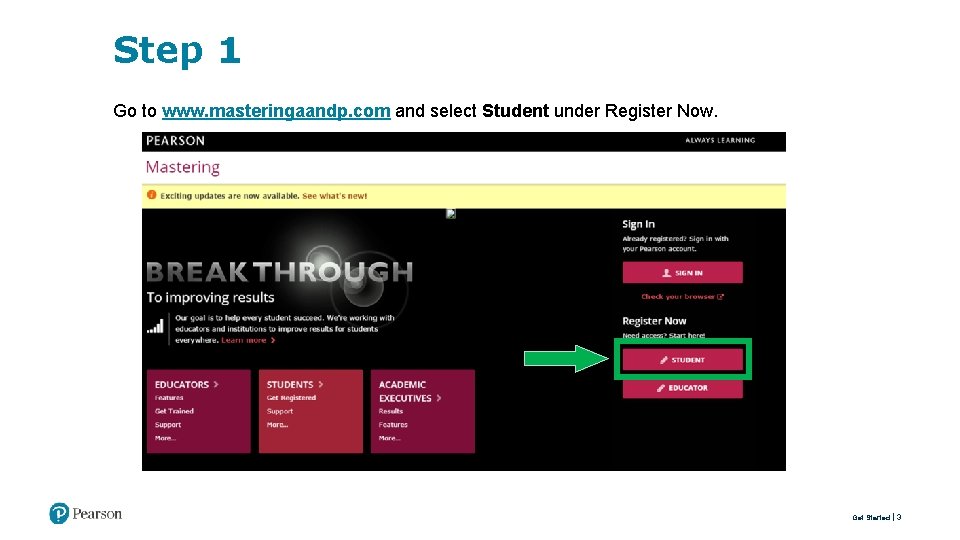
Step 1 Go to www. masteringaandp. com and select Student under Register Now. Get Started 3
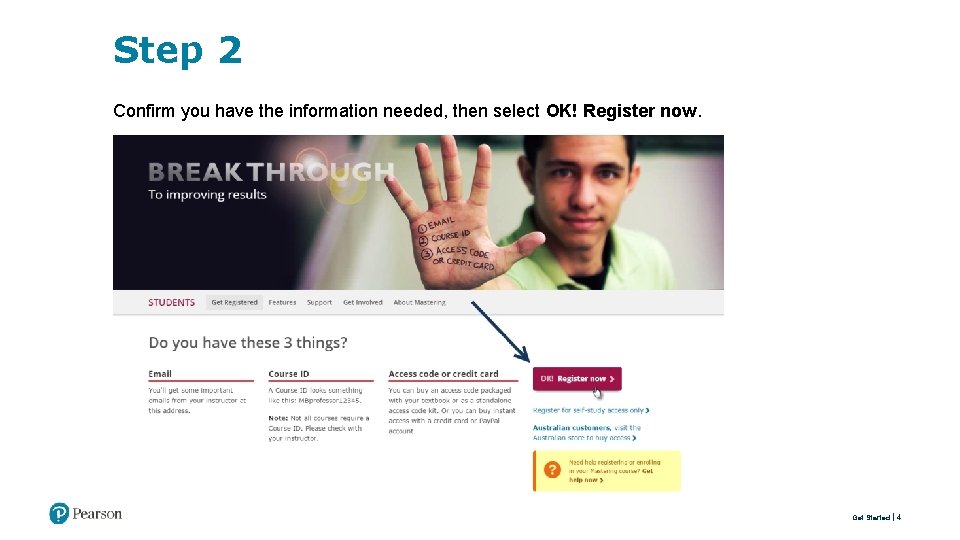
Step 2 Confirm you have the information needed, then select OK! Register now. Get Started 4
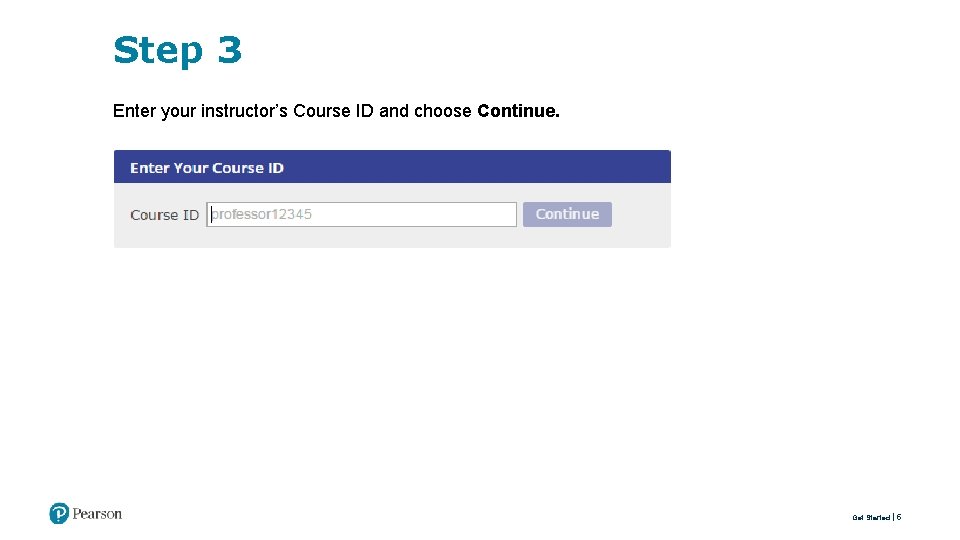
Step 3 Enter your instructor’s Course ID and choose Continue. Get Started 5

Step 4 Enter your existing Pearson account username and password and select Sign in. You have an account if you have ever used a Pearson My. Lab & Mastering product, such as My. Math. Lab, My. ITLab, My. Spanish. Lab, or Mastering. Biology. • If you don’t have an account, select Create and complete the required fields. Get Started 6
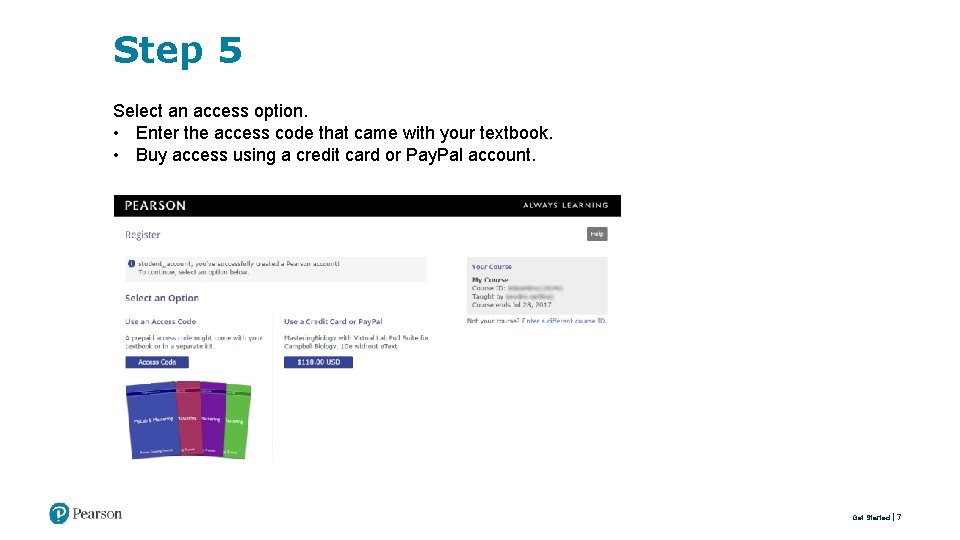
Step 5 Select an access option. • Enter the access code that came with your textbook. • Buy access using a credit card or Pay. Pal account. Get Started 7
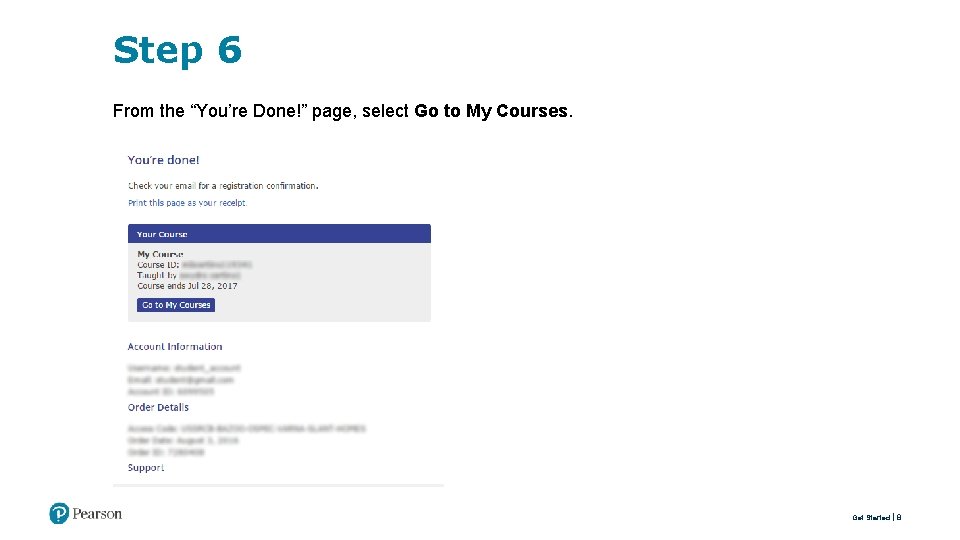
Step 6 From the “You’re Done!” page, select Go to My Courses. Get Started 8
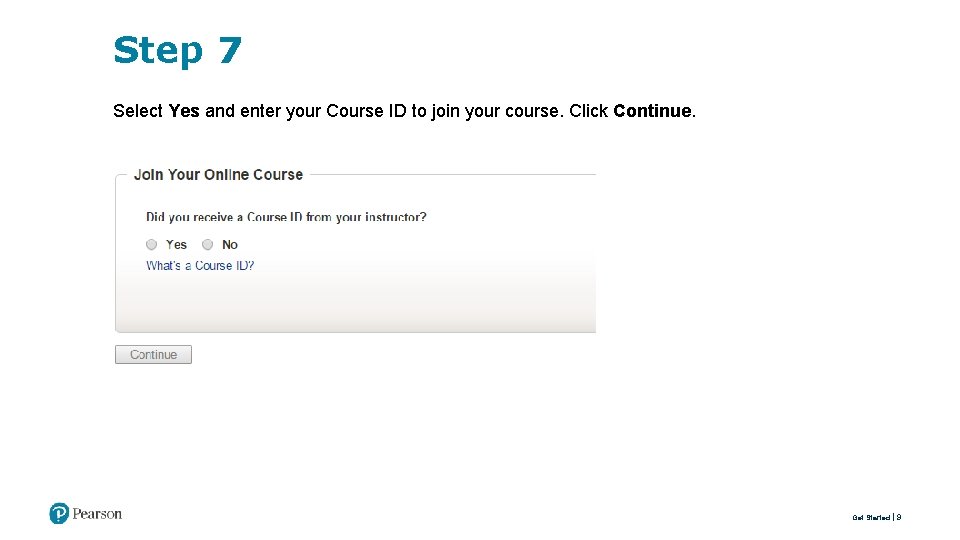
Step 7 Select Yes and enter your Course ID to join your course. Click Continue. Get Started 9

Step 8 If asked, enter your Student ID according to the instructions provided and click Continue. That’s it! You should see the Course Home page for the course. Get Started 10

Need Help? Visit Pearson Support https: //support. pearson. com/getsupport
- Slides: 12