
Ihtimam Observation Cards can be accessed from any
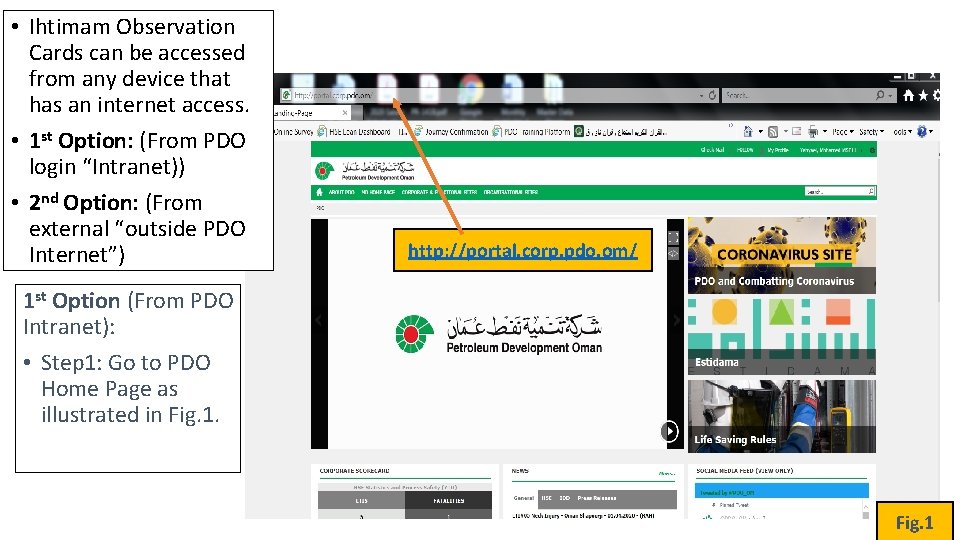
• Ihtimam Observation Cards can be accessed from any device that has an internet access. • 1 st Option: (From PDO login “Intranet)) • 2 nd Option: (From external “outside PDO Internet”) http: //portal. corp. pdo. om/ 1 st Option (From PDO Intranet): • Step 1: Go to PDO Home Page as illustrated in Fig. 1
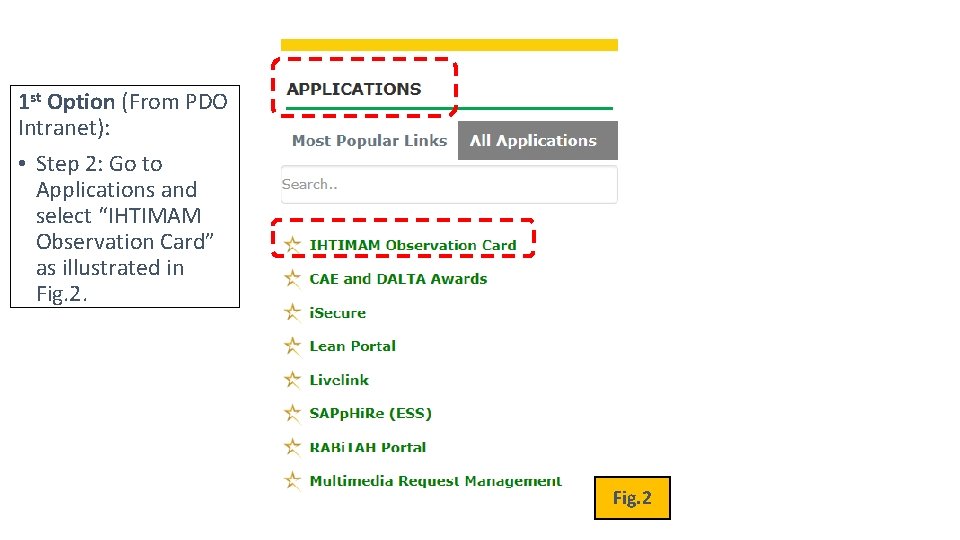
1 st Option (From PDO Intranet): • Step 2: Go to Applications and select “IHTIMAM Observation Card” as illustrated in Fig. 2
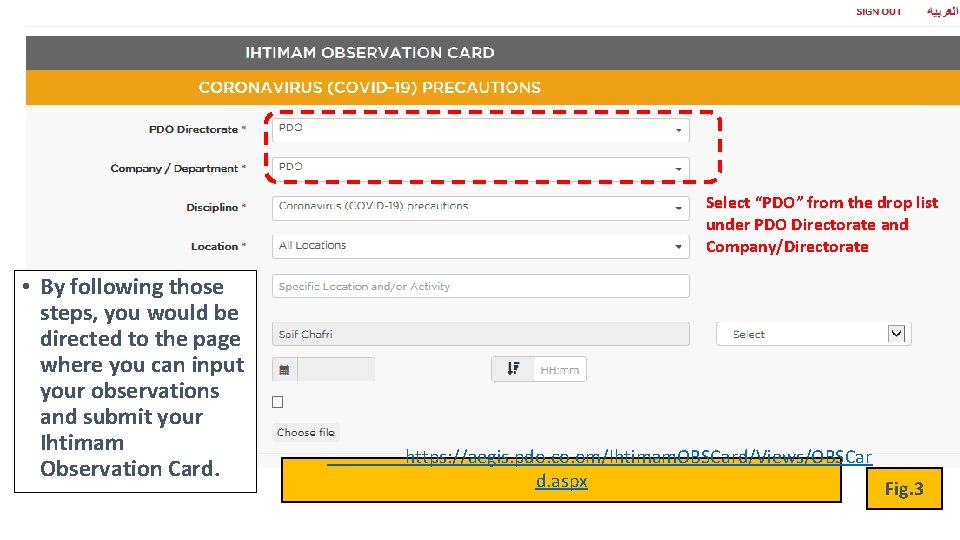
Select “PDO” from the drop list under PDO Directorate and Company/Directorate • By following those steps, you would be directed to the page where you can input your observations and submit your Ihtimam Observation Card. https: //aegis. pdo. co. om/Ihtimam. OBSCard/Views/OBSCar d. aspx Fig. 3
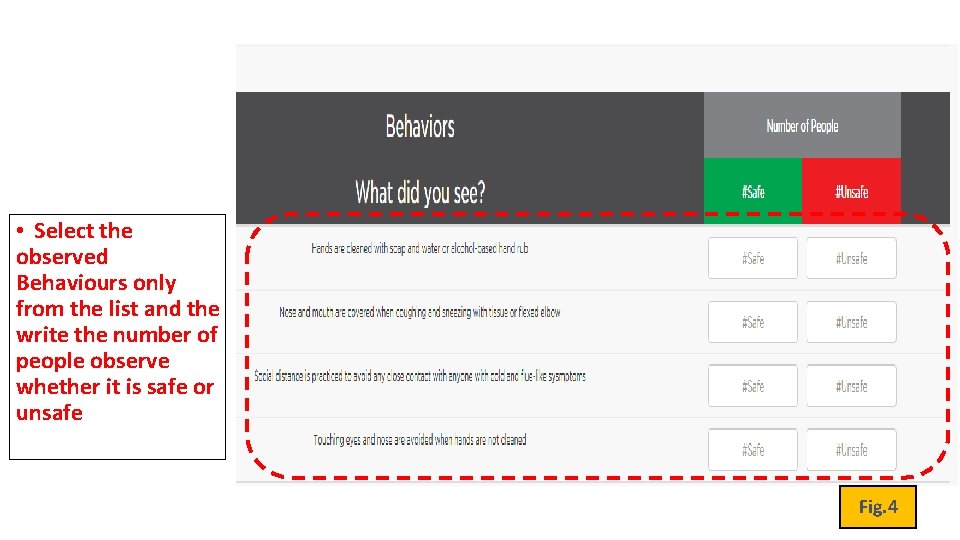
• Select the observed Behaviours only from the list and the write the number of people observe whether it is safe or unsafe Fig. 4
Fig. 5: Guide How To Fill Ihtimam Card (Double Click on it) or click on the below link https: //aegis. pdo. co. om/Ihtimam. OBSCard/Views/OBSCard. aspx
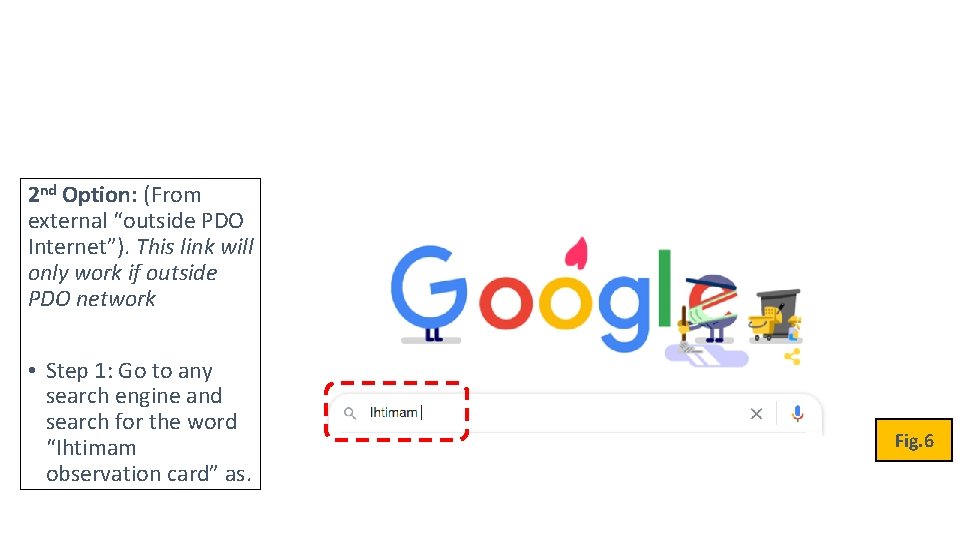
2 nd Option: (From external “outside PDO Internet”). This link will only work if outside PDO network • Step 1: Go to any search engine and search for the word “Ihtimam observation card” as. Fig. 6
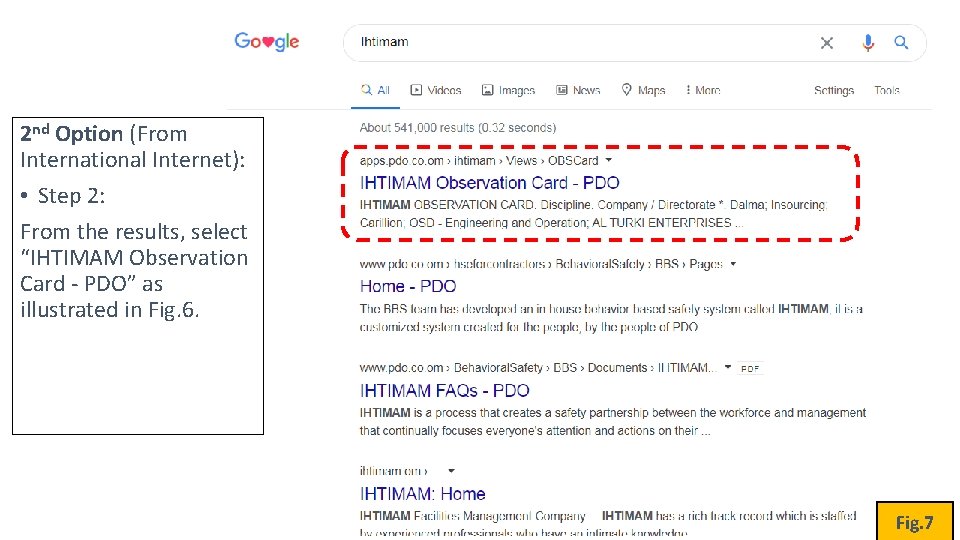
2 nd Option (From International Internet): • Step 2: From the results, select “IHTIMAM Observation Card - PDO” as illustrated in Fig. 6. Fig. 7
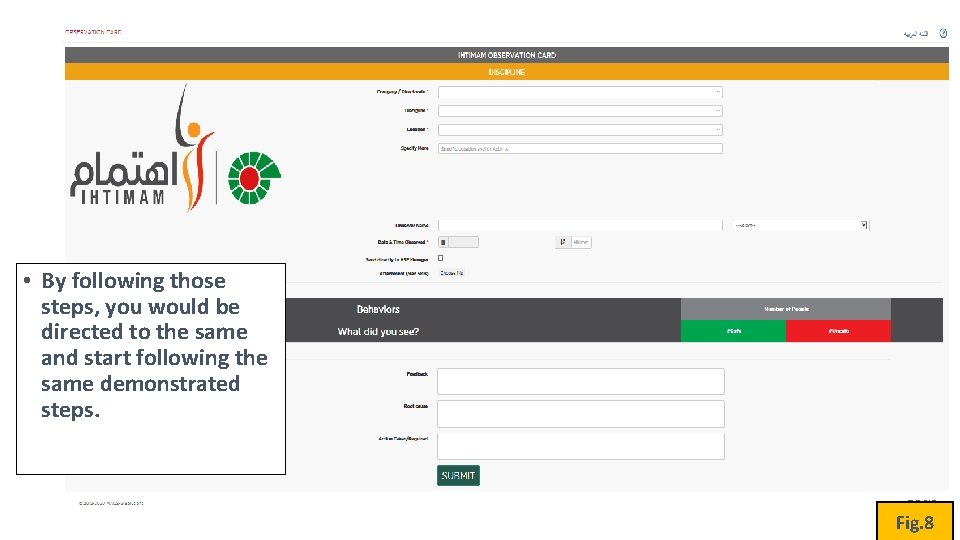
• By following those steps, you would be directed to the same and start following the same demonstrated steps. Fig. 8
- Slides: 8