
IE432 Design Of Industrial Experiments Lab Tutorials Maria
IE-432 Design Of Industrial Experiments Lab Tutorials Maria Arshad
Design Of Experiments The (statistical) design of experiments (DOE) is an efficient procedure for planning experiments so that the data obtained can be analyzed to yield valid and objective conclusions. DOE begins with determining the objectives of an experiment and selecting the process factors for the study.
DOE • DOE is a formal mathematical method for systematically planning and conducting scientific studies that change experimental variables together in order to determine their effect of a given response. • DOE makes controlled changes to input variables in order to gain maximum amounts of information on cause and effect relationships with a minimum sample size.
DOE • DOE is more efficient that a standard approach of changing “one variable at a time” in order to observe the variable’s impact on a given response. • DOE generates information on the effect various factors have on a response variable and in some cases may be able to determine optimal settings for those factors.

DOE • DOE encourages “brainstorming” activities associated with discussing key factors that may affect a given response and allows the experimenter to identify the “key” factors for future studies. • DOE is readily supported by numerous statistical software packages available on the market, like Minitab, Design Expert. • We will use Design Expert V 6. 0. 5 for solving the problems.
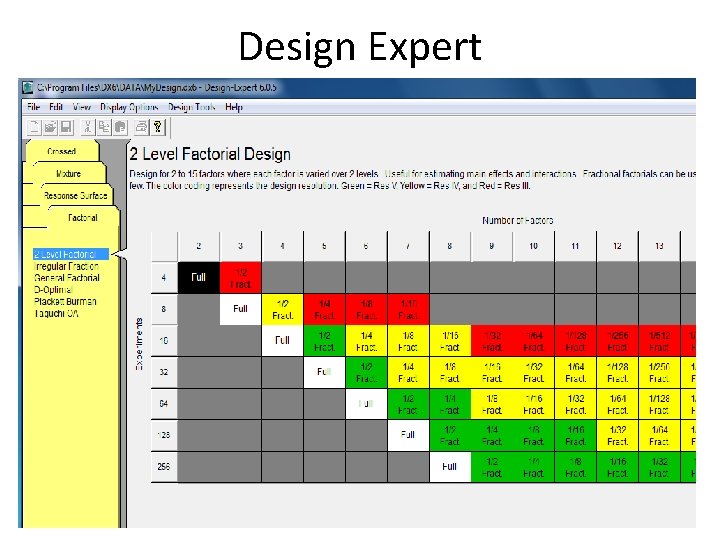
Design Expert
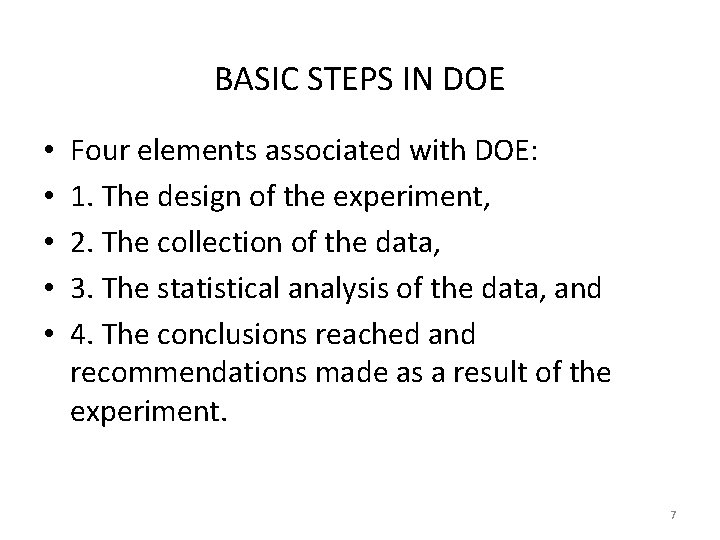
BASIC STEPS IN DOE • • • Four elements associated with DOE: 1. The design of the experiment, 2. The collection of the data, 3. The statistical analysis of the data, and 4. The conclusions reached and recommendations made as a result of the experiment. 7
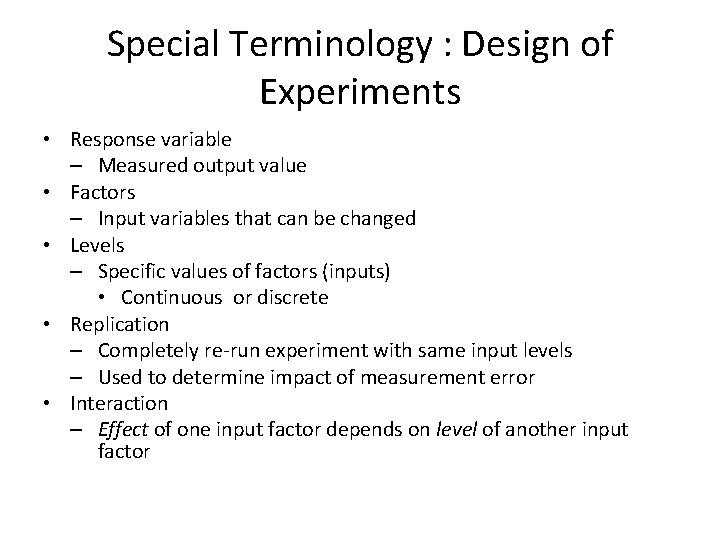
Special Terminology : Design of Experiments • Response variable – Measured output value • Factors – Input variables that can be changed • Levels – Specific values of factors (inputs) • Continuous or discrete • Replication – Completely re-run experiment with same input levels – Used to determine impact of measurement error • Interaction – Effect of one input factor depends on level of another input factor
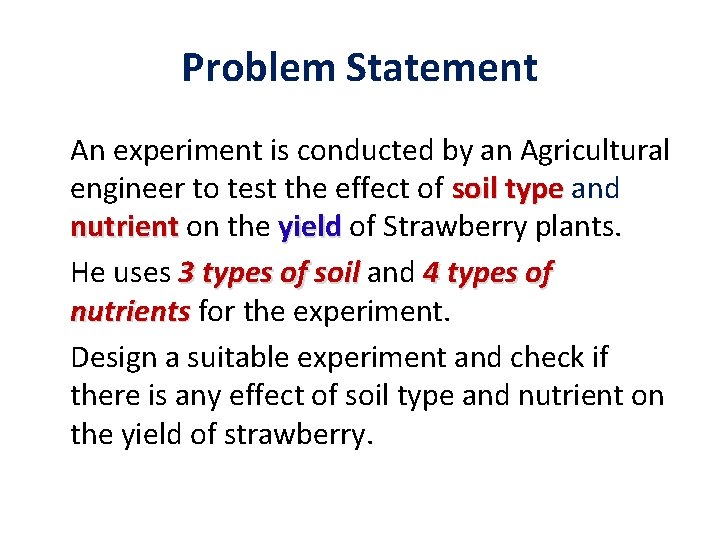
Problem Statement An experiment is conducted by an Agricultural engineer to test the effect of soil type and nutrient on the yield of Strawberry plants. He uses 3 types of soil and 4 types of nutrients for the experiment. Design a suitable experiment and check if there is any effect of soil type and nutrient on the yield of strawberry.
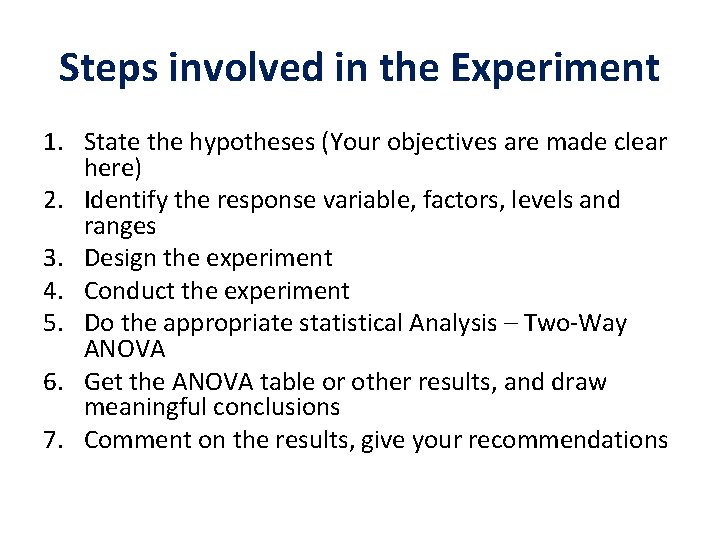
Steps involved in the Experiment 1. State the hypotheses (Your objectives are made clear here) 2. Identify the response variable, factors, levels and ranges 3. Design the experiment 4. Conduct the experiment 5. Do the appropriate statistical Analysis – Two-Way ANOVA 6. Get the ANOVA table or other results, and draw meaningful conclusions 7. Comment on the results, give your recommendations
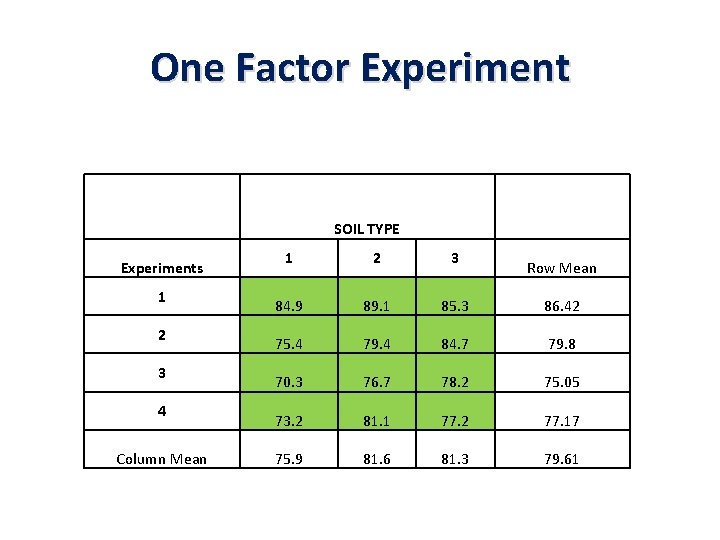
One Factor Experiment SOIL TYPE Experiments 1 2 3 4 Column Mean 1 2 3 84. 9 89. 1 85. 3 86. 42 75. 4 79. 4 84. 7 79. 8 70. 3 76. 7 78. 2 75. 05 73. 2 81. 1 77. 2 77. 17 75. 9 81. 6 81. 3 79. 61 Row Mean
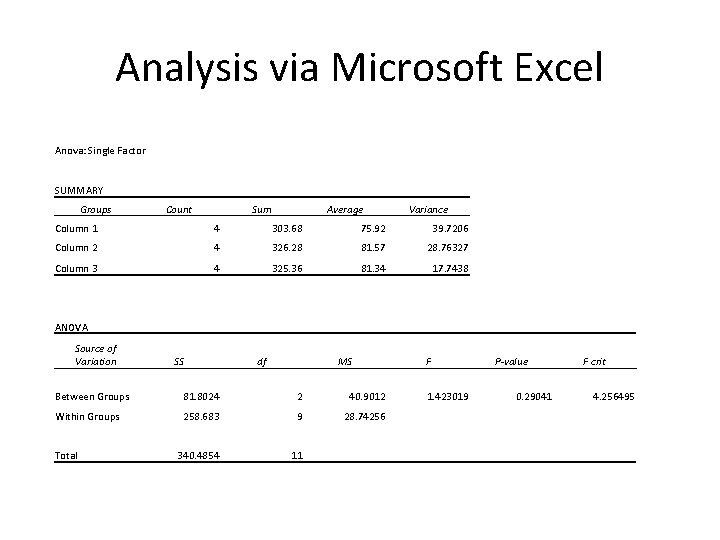
Analysis via Microsoft Excel Anova: Single Factor SUMMARY Groups Count Sum Average Variance Column 1 4 303. 68 75. 92 39. 7206 Column 2 4 326. 28 81. 57 28. 76327 Column 3 4 325. 36 81. 34 17. 7438 ANOVA Source of Variation SS df MS Between Groups 81. 8024 2 40. 9012 Within Groups 258. 683 9 28. 74256 340. 4854 11 Total F 1. 423019 P-value 0. 29041 F crit 4. 256495
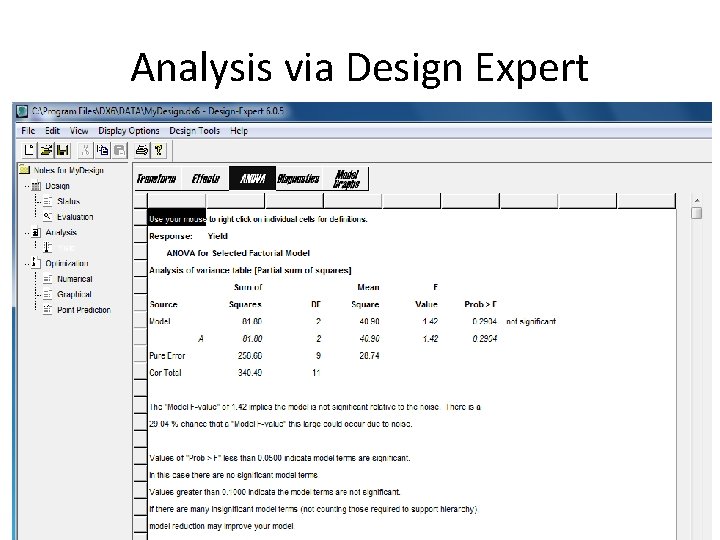
Analysis via Design Expert
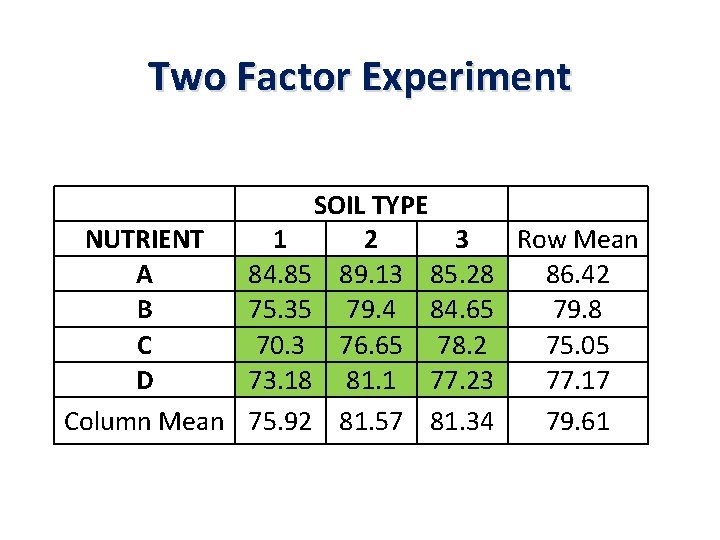
Two Factor Experiment SOIL TYPE NUTRIENT 1 2 3 Row Mean A 84. 85 89. 13 85. 28 86. 42 B 75. 35 79. 4 84. 65 79. 8 C 70. 3 76. 65 78. 2 75. 05 D 73. 18 81. 1 77. 23 77. 17 Column Mean 75. 92 81. 57 81. 34 79. 61
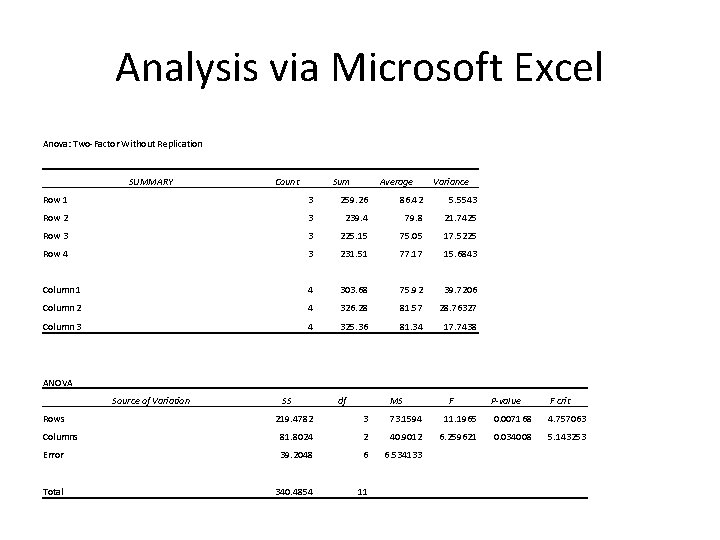
Analysis via Microsoft Excel Anova: Two-Factor Without Replication SUMMARY Count Sum Average Variance Row 1 3 259. 26 86. 42 5. 5543 Row 2 3 239. 4 79. 8 21. 7425 Row 3 3 225. 15 75. 05 17. 5225 Row 4 3 231. 51 77. 17 15. 6843 Column 1 4 303. 68 75. 92 39. 7206 Column 2 4 326. 28 81. 57 28. 76327 Column 3 4 325. 36 81. 34 17. 7438 ANOVA Source of Variation Rows SS df MS F P-value F crit 219. 4782 3 73. 1594 11. 1965 0. 007168 4. 757063 Columns 81. 8024 2 40. 9012 6. 259621 0. 034008 5. 143253 Error 39. 2048 6 6. 534133 Total 340. 4854 11
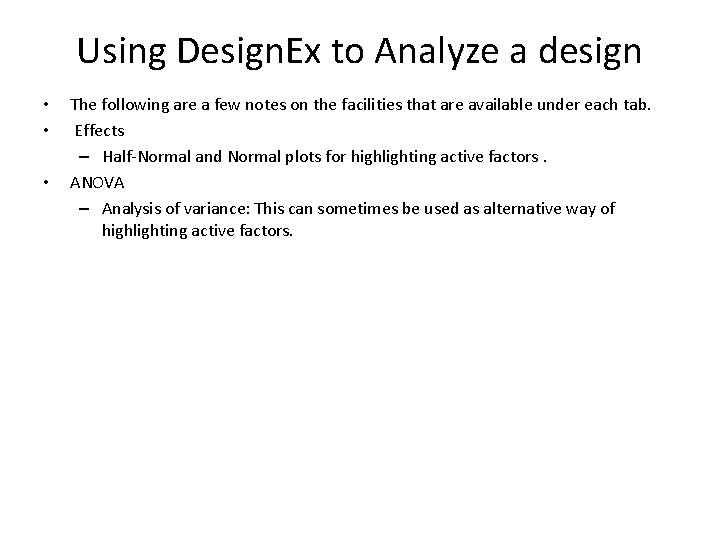
Using Design. Ex to Analyze a design • • • The following are a few notes on the facilities that are available under each tab. Effects – Half-Normal and Normal plots for highlighting active factors. ANOVA – Analysis of variance: This can sometimes be used as alternative way of highlighting active factors.
Using Design. Ex to Analyze a design • Diagnostics – Residual plots Design Expert offers the usual range of residual plots for checking assumptions such as Normality and constant variance.
Using Design. Ex to Analyze a design • Model Graphs Design Expert offers a wide range of different plots to show the response varies with changes in the controls. Available plots are. . – One Factor Main effects plot showing the average effect of shifting a single control, while holding the other controls constant. – Interaction Plot showing how the effect of changing one control varies with changes in a second control
- Slides: 18