
IDHAYA COLLEGE FOR WOMEN KUMBAKONAM COMPUTER NETWORKS BCA
IDHAYA COLLEGE FOR WOMEN KUMBAKONAM COMPUTER NETWORKS BCA - VI Semester SUB. CODE – 16 SCCCA 8 PART 1 – UNIT I - II 1
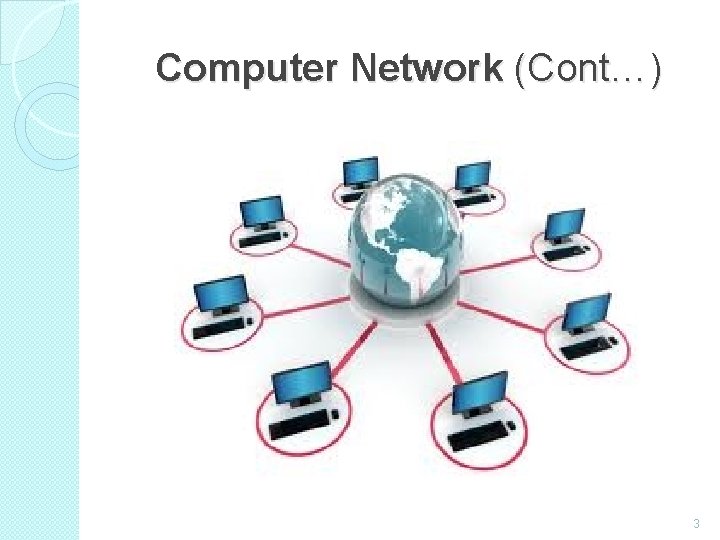
UNIT – I Computer Networks �A network consists of two or more computers that are linked in order to share resources (such as printers and CDs), exchange files, or allow electronic communications. �The computers on a network may be linked through cables, telephone lines, radio waves, satellites etc. �A popular example of a computer network is the Internet, which allows millions of users to share information. 2
Computer Network (Cont…) 3
Every Network Includes: 1. At least two computers that have something to share. 2. A cable or wireless pathway, called Transmission Media, for computers to signal each other. 3. Rules, called Protocols, so that computers can use the unified principle of data communication. 4. Networking Interface Cards (NIC) 4
Advantages of Computer Networks �File Sharing: Networks offer a quick and easy way to share files directly. �Resource Sharing: All computers in the network can share resources such as printers, fax machines, modems and scanners. �Communication: Those on the network can communicate with each other via e-mail, instant messages etc. 5
Advantages of Computer Networks (Cont…) � Flexible Access: Networks allow their users to access files from computers throughout the network. � Sharing of Information: Computer networks enable us to share data and information with the computers that are located geographically large distance apart. 6
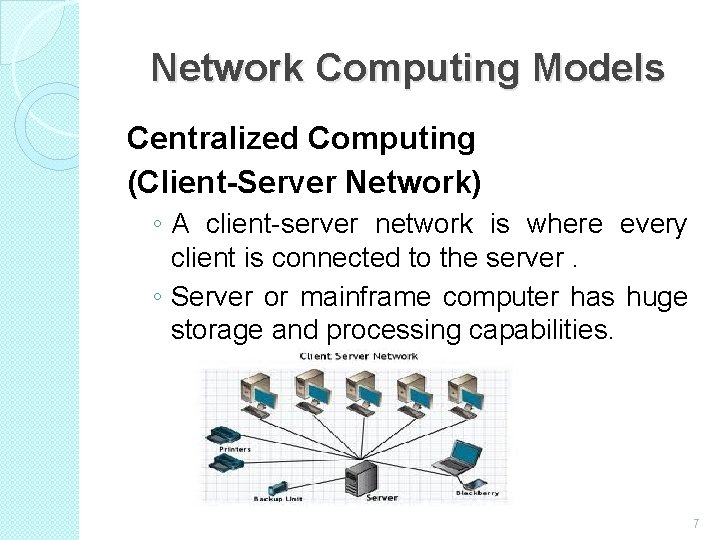
Network Computing Models Centralized Computing (Client-Server Network) ◦ A client-server network is where every client is connected to the server. ◦ Server or mainframe computer has huge storage and processing capabilities. 7
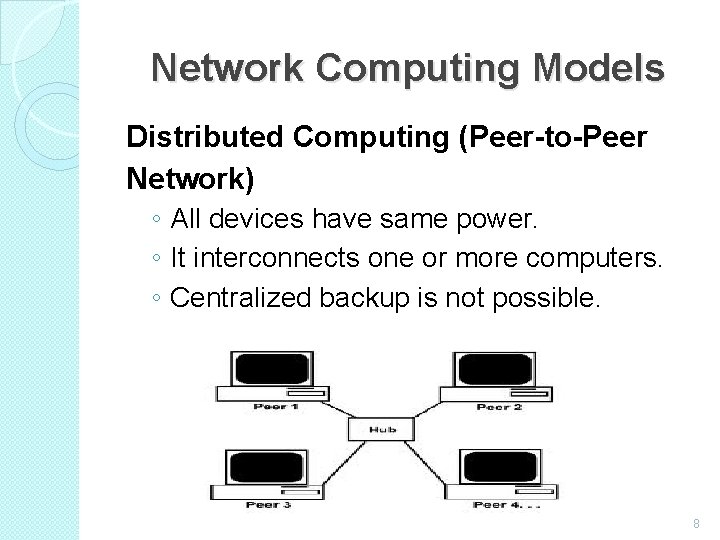
Network Computing Models Distributed Computing (Peer-to-Peer Network) ◦ All devices have same power. ◦ It interconnects one or more computers. ◦ Centralized backup is not possible. 8
Uses of Computer Network �Simultaneous Access � Shared Peripheral Devices � Personal Communication � Easier Backup 9
APPLICATIONS OF NETWOKS �E-mail �Searchable Data (Web Sites) �E-Commerce �News Groups �Internet Telephony (Vo. IP) �Video Conferencing �Chat Groups �Instant Messengers �Internet Radio 10
What is a Topology? �Network topologies describe the ways in which the elements of a network are mapped. They describe the physical and logical arrangement of the network nodes. �The physical topology of a network refers to the configuration of cables, computers, and other peripherals 11
Different Types of Topologies �Bus Topology �Star Topology �Ring Topology �Mesh Topology �Tree Topology �Hybrid Topology 12
Bus Topology �All the nodes (file server, workstations, and peripherals) on a bus topology are connected by one single cable. �A bus topology consists of a main run of cable with a terminator at each end. All nodes (file server, workstations, and peripherals) are connected to the linear cable. �Popular on LANs because they are inexpensive and easy to install. 13
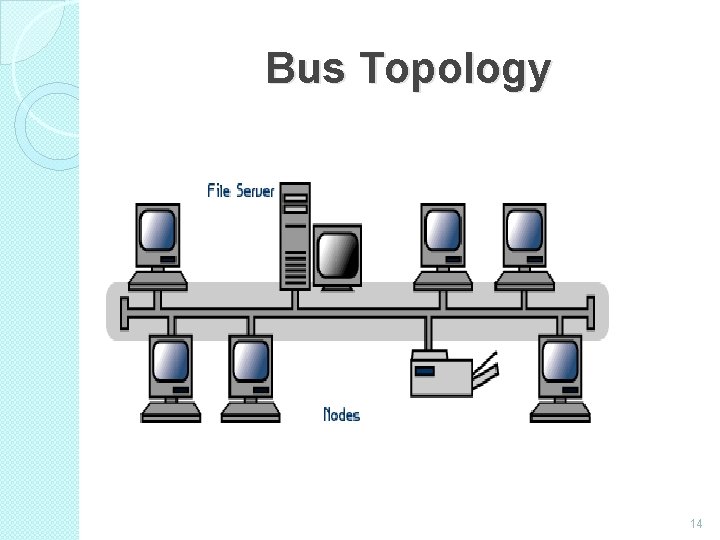
Bus Topology 14
Ring Topology � In a ring network, every device has exactly two neighbours for communication purposes. � All messages travel through a ring in the same direction. � A failure in any cable or device breaks the loop and can take down the entire network. � To implement a ring network we use the Token Ring technology � A token, or small data packet, is continuously passed around the network. When a device needs to transmit, it reserves the token for the next trip around, then attaches its data packet to it. 15
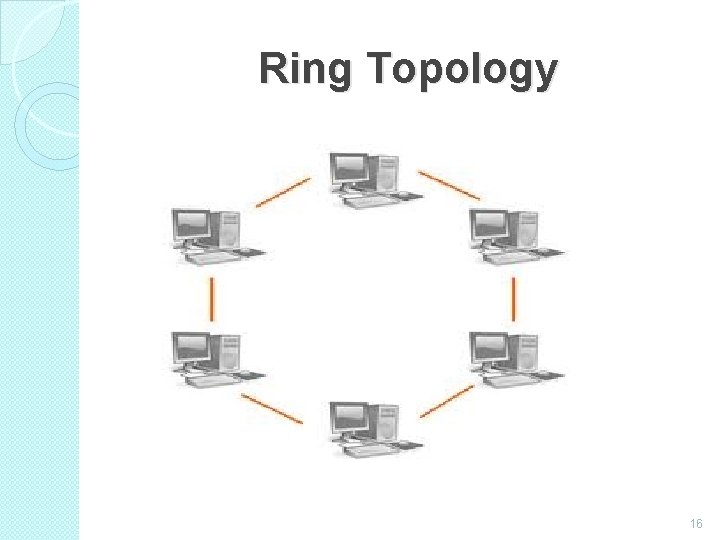
Ring Topology 16
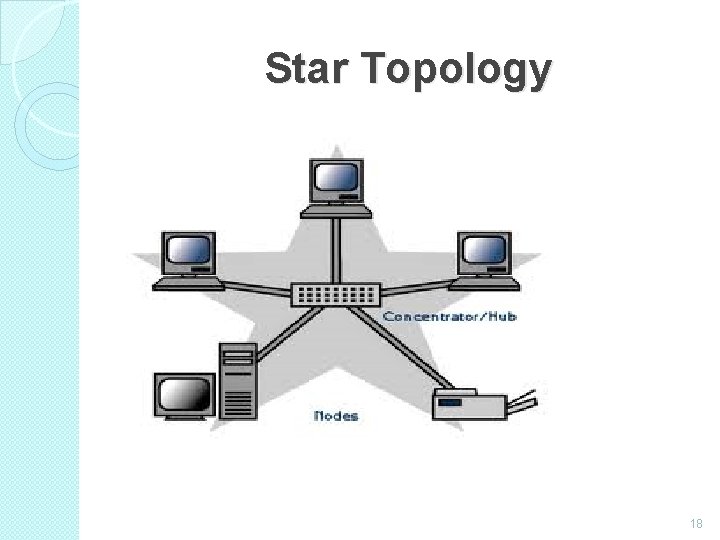
Star Topology � In a star network, each node (file server, workstations, and peripherals) is connected to a central device called a hub. � The hub takes a signal that comes from any node and passes it along to all the other nodes in the network. � Data on a star network passes through the hub, switch, or concentrator before continuing to its destination. � The hub, switch, or concentrator manages and controls all functions of the network. � The star topology reduces the chance of network failure by connecting all of the systems to a central node. 17
Star Topology 18
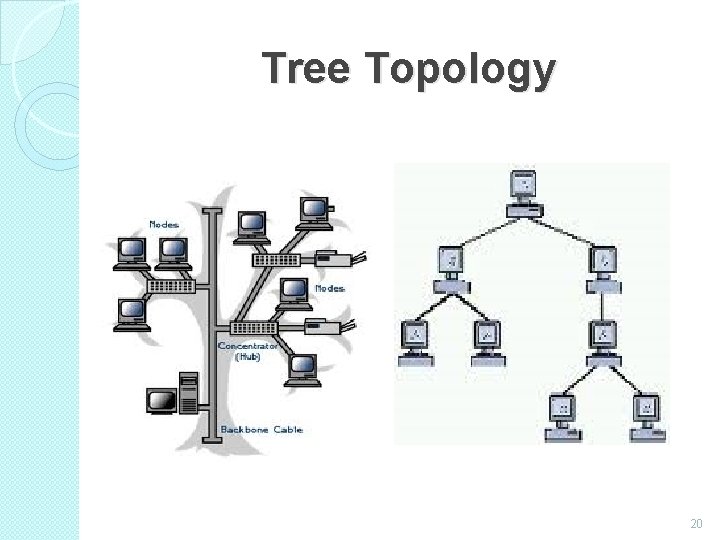
Tree Topology � A tree topology (hierarchical topology) can be viewed as a collection of star networks arranged in a hierarchy. � This tree has individual peripheral nodes which are required to transmit to and receive from one other only and are not required to act as repeaters or regenerators. � The tree topology arranges links and nodes into distinct hierarchies in order to allow greater control and easier troubleshooting. � This is particularly helpful for colleges, universities and schools so that each of the connect to the big network in some way. 19
Tree Topology 20
Mesh Topology � In this topology, each node is connected to every other node in the network. � Implementing and difficult. the mesh topology is expensive � In this type of network, each node may send message to destination through multiple paths. � While the data is travelling on the Mesh Network it is automatically configured to reach the destination by taking the shortest route which means the least number of hops. 21
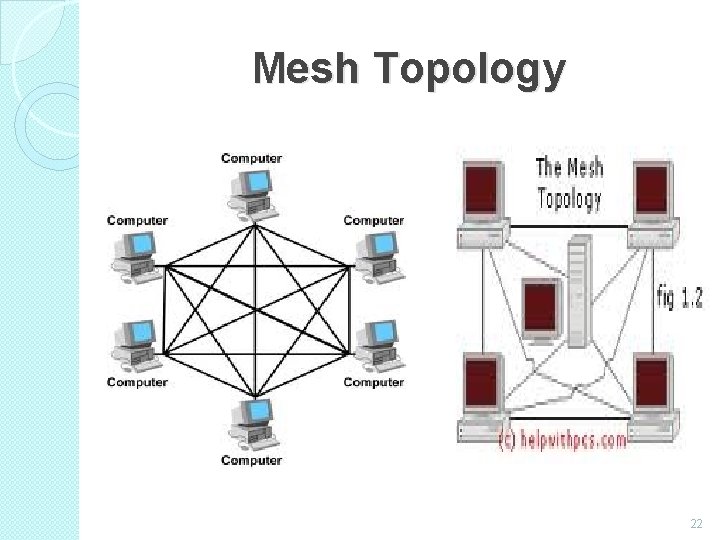
Mesh Topology 22
Hybrid Topology �A combination of any two or more network topologies. �A hybrid topology always accrues when two different basic network topologies are connected. �It is a mixture of above mentioned topologies. Usually, a central computer is attached with sub-controllers which in turn participate in a variety of topologies 23
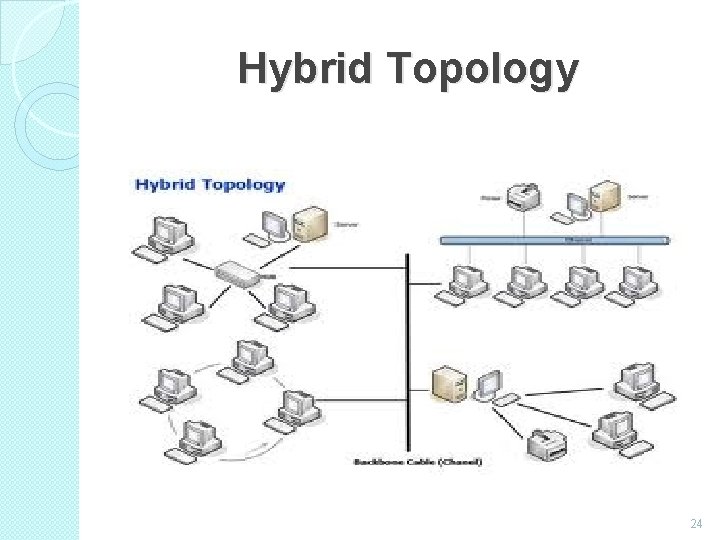
Hybrid Topology 24
Network Types �Local Area Networks (LAN) ◦ A Network that links devices within a building or group of adjacent buildings �Metropolitan Area Networks (MAN) ◦ A Network that interconnects within a geographic region �Wide Area Networks (WAN) ◦ A Network that extends over a large geographical area 25
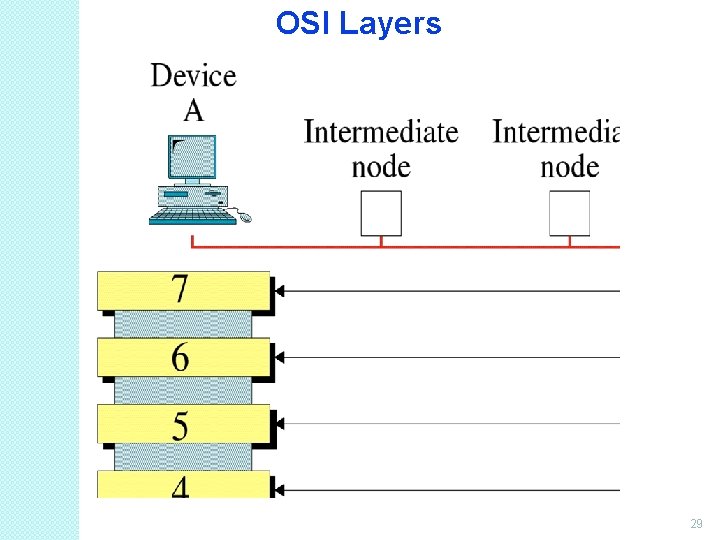
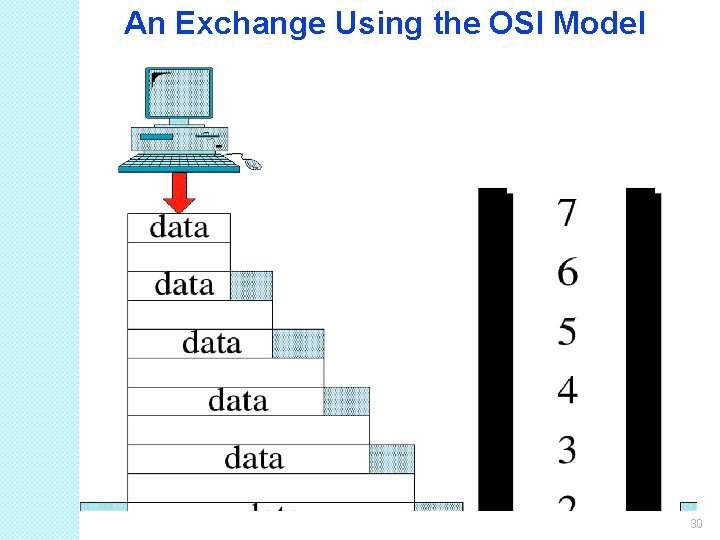
Introduction to OSI Model �OSI model is based on the proposal developed by the International Standards Organization (ISO). �This model is called ISO OSI (Open Systems Interconnection) Reference model because it deals with connecting open systems (systems that are open for communication with other systems) �We call it as OSI Model. 26
Principles on which OSI model was designed: � A layer should be created where different level of abstraction is needed. � Each layer should perform a well defined function. � The function of each layer should be chosen according to the internationally standardized protocols. � The number of layers should be large enough that distinct functions should not be put in the same layer and small enough that the architecture does not become very complex. 27
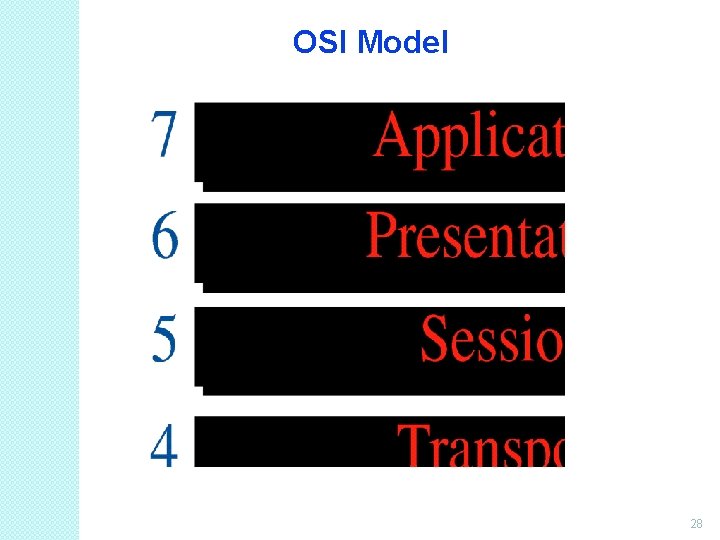
OSI Model 28
OSI Layers 29
An Exchange Using the OSI Model 30
Physical Layer 31
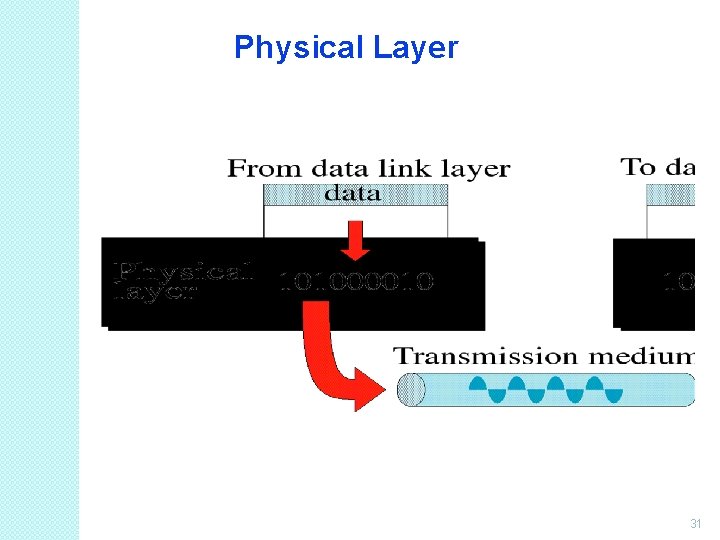
Physical Layer (Cont…) �It is the bottom layer of OSI Model. �It is responsible for the actual physical connection between the devices. Such physical connection may be made by using twisted pair cable. �It is concerned with transmitting bits over a communication channel. 32
Functions of Physical Layer �Transforming bits into signals �Provides synchronization of bits by a clock. �Physical layer manages the way a device connects to network media. �It defines the transmission rate. �It defines the way in which the devices are connected to the medium. �It provides physical topologies �It can use different techniques of 33
Data Link Layer 34
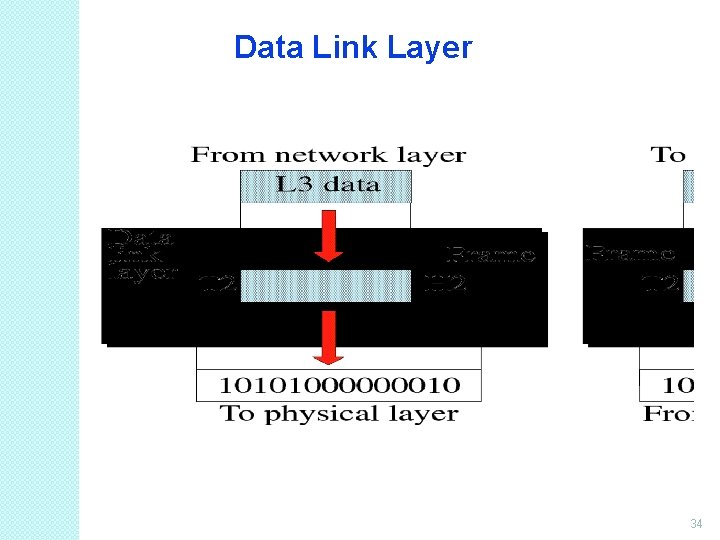
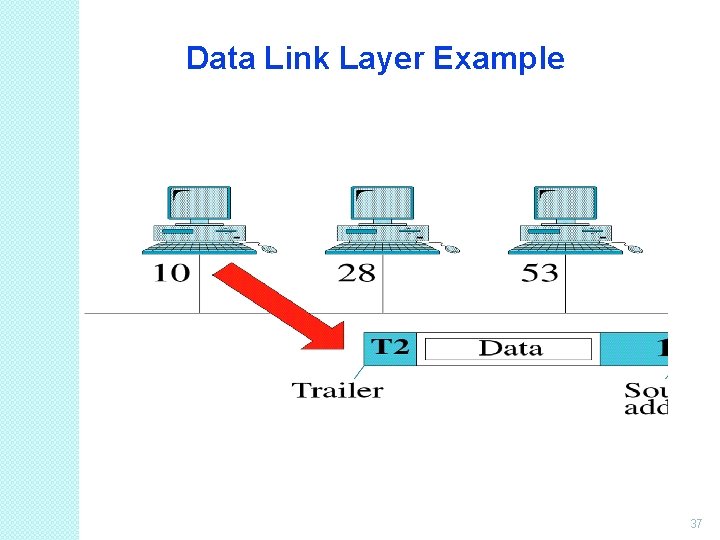
Data Link Layer (Cont…) �It is responsible for node-to-node delivery of data. �It receives the data from network layer and creates FRAMES , add physical address to these frames & pas them to physical layer �It consist of 2 layers: Logical Link Layer (LLC) : Defines the methods and provides addressing information for communication between network devices. Medium Access Control (MAC): establishes and maintains links between 35
Functions of Data Link Layer �Framing : DLL divides the bits received from N/W layer into frames. (Frame contains all the addressing information necessary to travel from S to D). �Physical addressing: After creating frames, DLL adds physical address of sender/receiver (MAC address) in the header of each frame. �Flow Control: DLL prevents the fast sender from drowning the slow receiver. 36
Data Link Layer Example 37
Functions of Data Link Layer �Error Control: It provides the mechanism of error control in which it detects & retransmits damaged or lost frames. �Access Control: When single comm. Channel is shared by multiple devices, MAC layer of DLL provides help to determine which device has control over 38
Network Layer 39
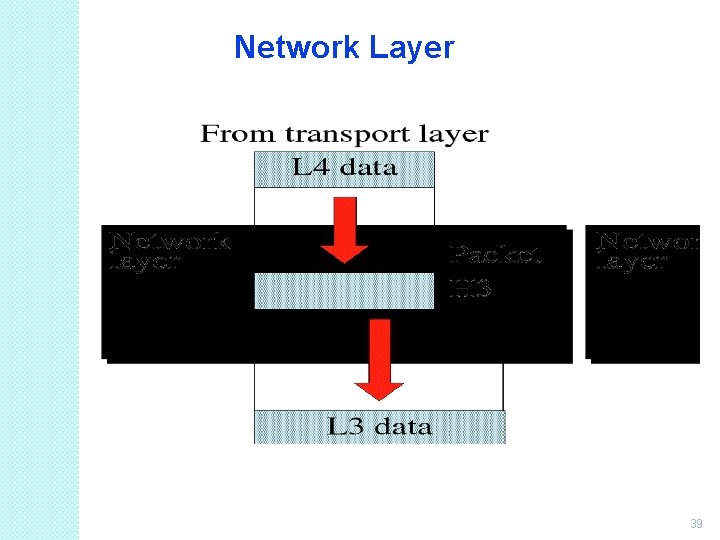
Network Layer (Cont…) �It is responsible for the source to destination delivery of a packet across multiple networks. �If two systems are attached to different networks with devices like routers, then N/W layer is used. �Thus DLL overseas the delivery of the packet between the two systems on same network and the network layer ensures that the packet gets its point of origin to its final 40
Functions of Network Layer � Internetworking: It provides Internetworking. � Logical Addressing: When packet is sent outside the network, N/W layer adds Logical (network) address of the sender & receiver to each packet. � Network addresses are assigned to local devices by n/w administrator and assigned dynamically by special server called DHCP (Dynamic Host Configuration Protocol) � Routing: When independent n/w are connected to create internetwork several routes are available to send the data from S to D. These n/w are interconnected by routers & gateways that route the packet to final destination. 41
Transport Layer 42
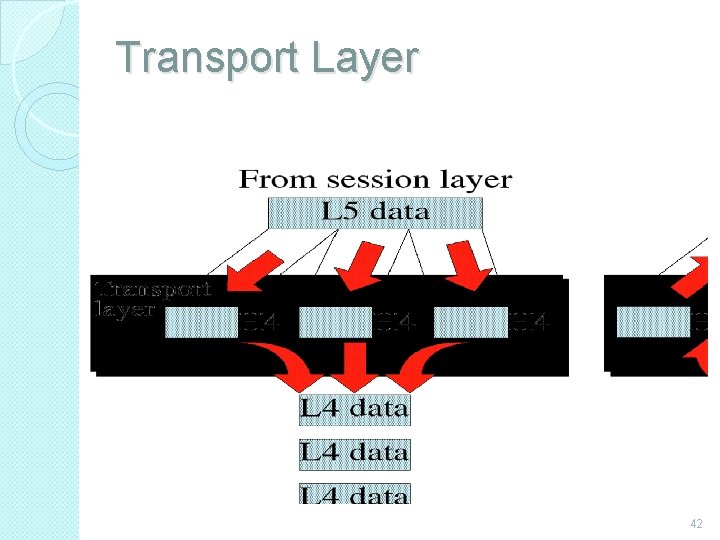
Transport Layer (Cont…) � It is responsible for process-to-process delivery of the entire message. � TL looks after the delivery of entire message considering all its packets & make sure that all packets are in order. On the other hand n/w layer treated each packet independently. � At the receiver side, TL provides services to application layer & takes services form n/w layer. � At the source side, TL receives message from upper layer into packets and reassembles these packets again into message at the destination. 43
Transport Layer (Cont…) �Transport Layer provides two types of services: Connection Oriented Transmission: In this type of transmission the receiving devices sends an acknowledge back to the source after a packet or group of packet is received. It is slower transmission method. Connectionless Transmission: In this type of transmission the receiving devices does not sends an acknowledge back to the source. It is faster transmission method. 44
Functions of Transport Layer �Segmentation of message into packet & reassembly of packets into message. �Port addressing: Computers run several processes. TL header include a port address with each process. �Flow Control: Flow control facility prevents the source form sending data packets faster than the destination can handle. �Error control: TL ensures that the entire message arrives at the receiving TL without error. 45
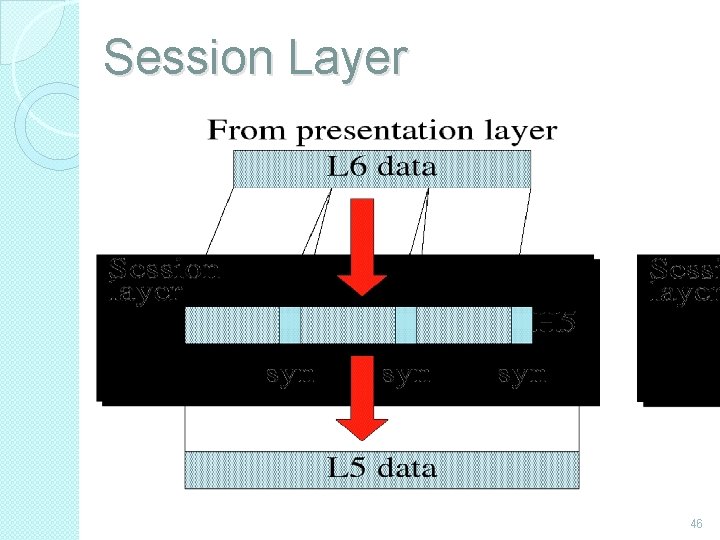
Session Layer 46
Session Layer (Cont…) �Session layer is the fifth layer of OSI Model �It has the responsibility of beginning, maintaining and ending the communication between two devices, called session. �It also provides for orderly communication between devices by 47
Functions of Session Layer �Establishing, Maintaining and ending a session: When sending device first contact with receiving device, it sends syn (synchronization) packet to establish a connection & determines the order in which information will be sent. Receiver sends ack (acknowledgement). So the session can be set & end. �Dialog Control: This function determines that which device will communicate first and the amount of data that will be sent. �Dialog separation: Process of adding checkpoints & markers to the stream of data is called dialog separation. 48
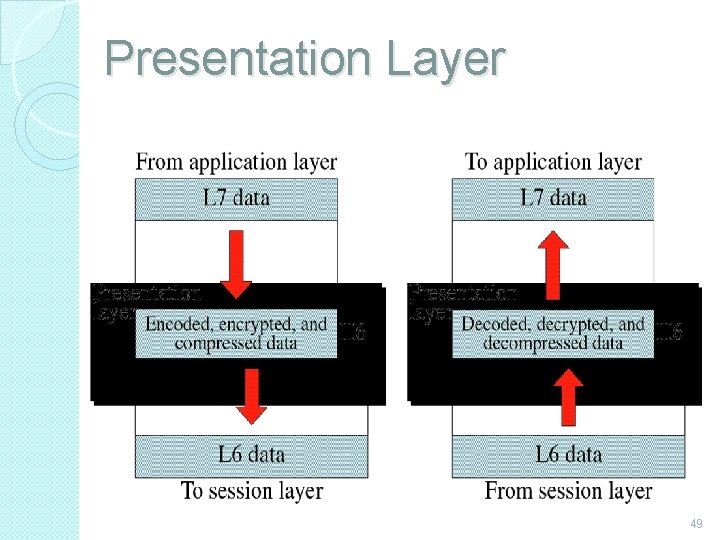
Presentation Layer 49
Presentation Layer (Cont…) �Presentation layer is the sixth layer of OSI Model. �It is concerned with the syntax & semantics of the information exchanged between the two devices. �It was designed for data encryption, decryption and compression. 50
Functions of Presentation Layer �Data Presentation or Translation: Because different computers use different encoding systems. It ensures that the data being sent is in the format the recipient can process. �Data Encryption: PL provides this facility by which hides the information from everyone except the person who originally sent the information & the intended recipient. When encrypted data arrives at destination, PL decrypts the message. �Data Compression: PL shrinks large amount of data into smaller pieces i. e. it reduces the size of 51
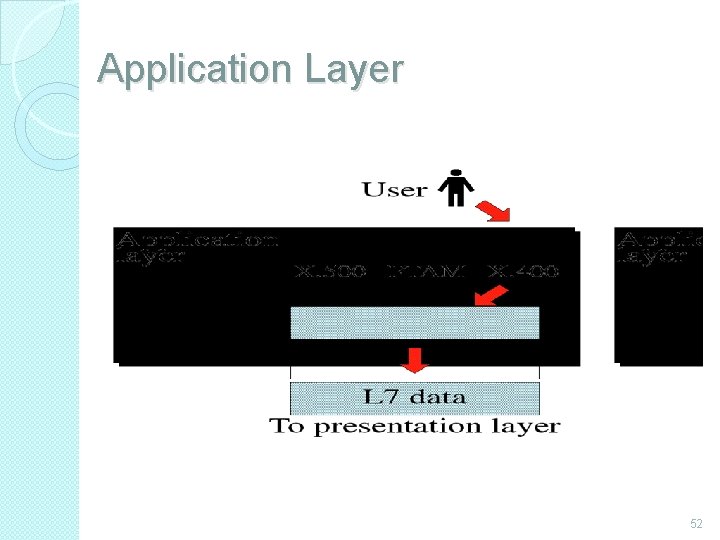
Application Layer 52
Application Layer (Cont…) �It is the topmost i. e. seventh layer of OSI Model. �It enables the user to access the network. �It provides user interface & supports for services such as e-mail, file transfer, access to the world wide web. �So it provides services to different user applications. 53
Functions of Application Layer � Mail Services: This application provides various email services. � File transfer & Access: It allows users to access files in a remote host, to retrieve files from remote computer for use etc. � Remote log-in: A user can log into a remote computer and access the resources of that computer. � Accessing the World Wide Web: Most common application today is the access of the World Wide Web. 54
Introduction to TCP/IP Model �The current Internet is based on a TCP/IP reference model. �TCP and IP are two protocols of this model. TCP stands for Transmission Control Protocol and IP stands for Internet Protocol. �The architecture or model was defined by the US department of defense and is used by ARPANET (Advanced Research Project Agency Network). 55
Goals on which TCP/IP model was designed: �The network should connect multiple networks together. �The connection should withstand till the source and destination machines are functioning. �The architecture should be so flexible that it should be able to transfer data among different hardware or software platforms. 56
Host to Network Layer �It is the bottom layer of TCP/IP model & lies below the internet layer. �It is also known as Network Interface Layer. �Function of this layer is to connect the host to the network & inform the upper layers so that they could start sending the data packets. �This layer varies from network to network. 57
Network Layer �It is similar to Network Layer of OSI model in functionality. �It allow the hosts to submit the packets to the network & Packets should travel independently using any possible route. �The order in which the packets arrive at destination can be different from the order in which they were sent. In such cases it is the responsibility of higher layer to arrange these packets in proper order. 58
Functions of Internet Layer • It keeps track of which layer receives the information. • It translates the logical address to physical machine address. • It breaks larger packets into smaller ones. • It provides flow control & congestion control services. 59
Transport Layer � It is similar in functionality to transport layer of OSI model. � It allows the two processes on source & destination machines to communicate with each other. � It divides the byte stream into messages. � It handles the flow control so that a fast sender ahould not overflow a slow receiver. � Transport Layer also provides two types of services: connection oriented & connectionless services. 60
Transport Layer (Cont…) � Connection Oriented Services: TCP (Transport Control Protocol is used for connection oriented services. By this the receiving devices sends an acknowledge back to the source after a packet is received. Functions of TCP: ◦ Error Control: Deliver byte stream from source to destination without error. ◦ Flow Control: It prevents the source form sending data packets faster than the destination can handle. ◦ It divides byte stream into small parts & pass it to internet layer on sender side & reassembles it into original byte at 61
Functions of Transport Layer �Connectionless Services: UDP (User Datagram Protocol) is used for unreliable connectionless services. It does not sends an acknowledge back to the source. It is faster transmission method. Function of UDP: ◦ UDP is used for client-server type request queries & applications in which prompt delivery is more important than accurate delivery such as transmitting speech or video. 62
Application Layer �It is the topmost of TCP/IP Model. �It is responsible for data transfer between applications. �It provides services such as e-mail, file transfer, access to the world wide web etc. to the user applications. �It uses the protocols like FTP, SNTP & TELNET to transfer the data between applications 63
Functions of Application Layer �Mail Services: It provides various e-mail services. �File transfer & Access: It allows users to access files in a remote host, to retrieve files from remote computer for use etc. �Remote log-in: A user can log into a remote computer and access the resources of that computer. �Accessing the World Wide Web: Most common application today is the access of the World Wide Web. 64
Comparison between OSI Model & TCP/IP Model The OSI and TCP/IP models are having many similarities in the functionalities provided by the layers. The layers of TCP model behave similar to the layers of OSI model. But these two models do have differences. 65
SIMILARITIES The main similarities between the two models include the following: �They share similar architecture. - Both of the models share a similar architecture. This can be illustrated by the fact that both of them are constructed with layers. �They share a common application layer. Both of the models share a common "application layer". However in practice this layer includes different services depending upon each model. 66
SIMILARITIES (Cont…) �Both models have comparable transport and network layers- This can be illustrated by the fact that whatever functions are performed between the presentation and network layer of the OSI model similar functions are performed at the Transport layer of the TCP/IP model. �Both models assume that packets are switched- Basically this means that individual packets may take differing paths in order to reach the same destination. 67
DIFFERENCES The main differences between the two models are as follows: � TCP/IP Protocols are considered to be standards around which the internet has developed. The OSI model however is a "generic, protocol- independent standard. “ � TCP/IP combines the presentation and session layer issues into its application layer. � TCP/IP combines the OSI data link and physical layers into the network access layer. 68
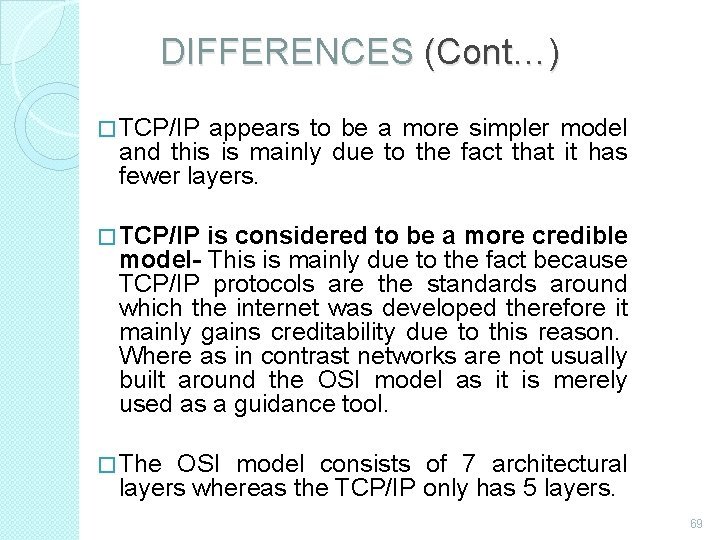
DIFFERENCES (Cont…) � TCP/IP appears to be a more simpler model and this is mainly due to the fact that it has fewer layers. � TCP/IP is considered to be a more credible model- This is mainly due to the fact because TCP/IP protocols are the standards around which the internet was developed therefore it mainly gains creditability due to this reason. Where as in contrast networks are not usually built around the OSI model as it is merely used as a guidance tool. � The OSI model consists of 7 architectural layers whereas the TCP/IP only has 5 layers. 69
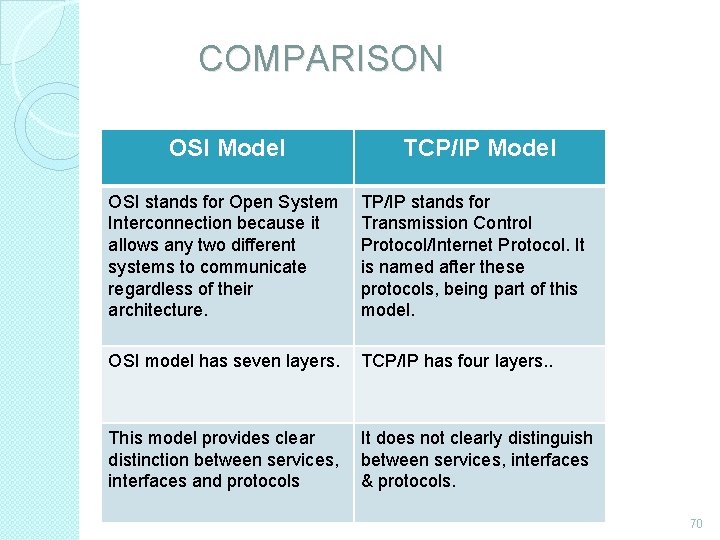
COMPARISON OSI Model TCP/IP Model OSI stands for Open System Interconnection because it allows any two different systems to communicate regardless of their architecture. TP/IP stands for Transmission Control Protocol/Internet Protocol. It is named after these protocols, being part of this model. OSI model has seven layers. TCP/IP has four layers. . This model provides clear It does not clearly distinguish distinction between services, interfaces and protocols & protocols. 70
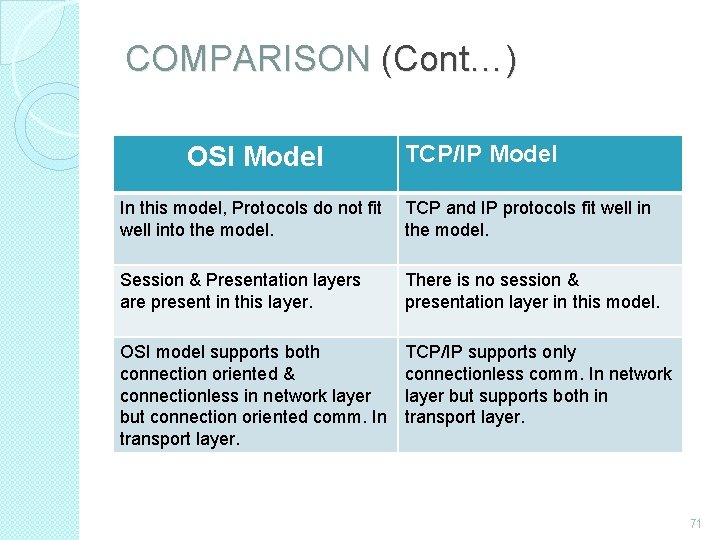
COMPARISON (Cont…) OSI Model TCP/IP Model In this model, Protocols do not fit TCP and IP protocols fit well into the model. Session & Presentation layers are present in this layer. There is no session & presentation layer in this model. OSI model supports both connection oriented & connectionless in network layer but connection oriented comm. In transport layer. TCP/IP supports only connectionless comm. In network layer but supports both in transport layer. 71
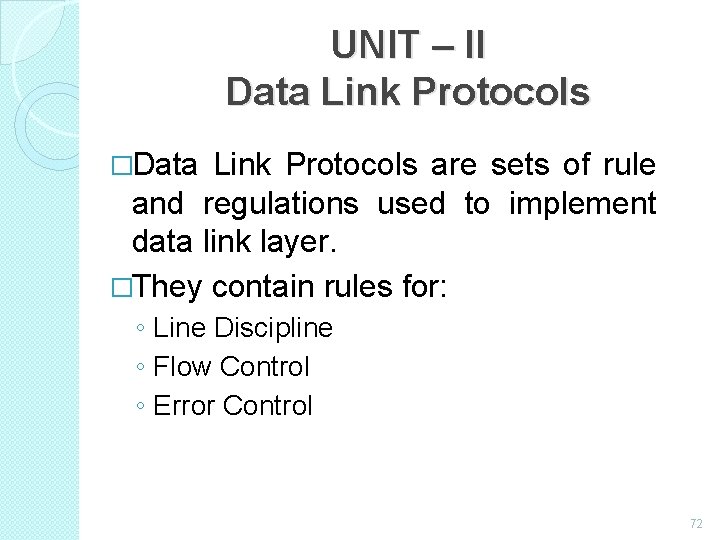
UNIT – II Data Link Protocols �Data Link Protocols are sets of rule and regulations used to implement data link layer. �They contain rules for: ◦ Line Discipline ◦ Flow Control ◦ Error Control 72
Types of Data Link Protocols �Data Link Protocols are divided into two categories: ◦ Asynchronous Protocols ◦ Synchronous Protocols 73
Asynchronous Protocols �Asynchronous protocols treat each character in a bit stream independently. �These protocols are used in modems. �They use start and stop bits, and variable gaps between characters. �They are slower than synchronous protocols in transmitting data. 74
Asynchronous Protocols (Cont…) �The different asynchronous protocols are: ◦ ◦ ◦ XMODEM YMODEM ZMODEM Block Asynchronous Transmission (BLAST) Kermit 75
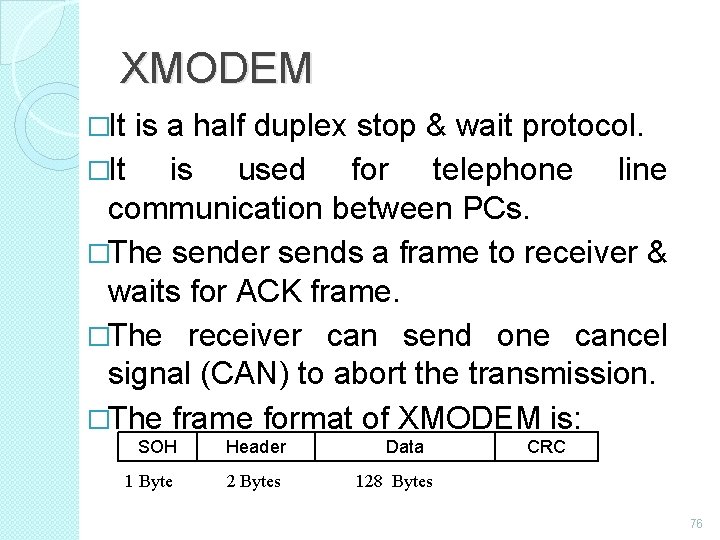
XMODEM �It is a half duplex stop & wait protocol. �It is used for telephone line communication between PCs. �The sender sends a frame to receiver & waits for ACK frame. �The receiver can send one cancel signal (CAN) to abort the transmission. �The frame format of XMODEM is: SOH Header 1 Byte 2 Bytes Data CRC 128 Bytes 76
YMODEM �This protocol is similar to XMODEM with the following major differences: ◦ Two cancel signals (CAN) are used to abort the transmission. ◦ The data field is 1024 bytes long. ◦ ITU-T CRC-16 is used for error checking. ZMODEM �It is a combination of XMODEM and YMODEM. 77
BLAST �BLAST is more powerful than XMODEM. �It is a full duplex protocol. �It uses sliding window flow control. Kermit �It is a terminal program as well as file transfer protocol. �It is similar in operation to XMODEM, except that sender has to wait for a negative acknowledgement (NAK) before it starts transmission. 78
Kermit �It is a terminal program as well as file transfer protocol. �It is similar in operation to XMODEM, except that sender has to wait for a negative acknowledgement (NAK) before it starts transmission. 79
Synchronous Protocols �Synchronous Protocols take the whole bit stream and divide it into characters of equal size. �These protocols have high speed and are used for LAN, WAN and MAN. �Synchronous protocols are categorized into two groups: ◦ Character-Oriented Protocol ◦ Bit-Oriented Protocol 80
Character-Oriented Protocol �It interprets frame as a series of characters. �These are also known as Byte-Oriented Protocols. �Control information is inserted as separate control frames or as addition to existing data frame. �The example of character-oriented protocol is Binary Synchronous Communication (BSC) developed by IBM. 81
Bit-Oriented Protocol �It interprets frame as a series of bits. �Control information can be inserted as bits depending on the information to be contained in the frame �Bit-oriented protocol can pack more information into shorter frames. �The examples of bit-oriented protocol are: �Synchronous Data Link Control (SDLC) �High Level Data Link Control (HDLC) 82
Synchronous Data Link Control (SDLC) Protocol �SDLC protocol was developed by IBM in 1975. �After developing SDLC, IBM submitted it to American National Standard Institute (ANSI) and to International Standard Organization (ISO) for acceptance. �ANSI modified it to ADCCP (Advanced Data Communication Control Procedure. �ISO modified it to HDLC (High Level Data Link Control). 83
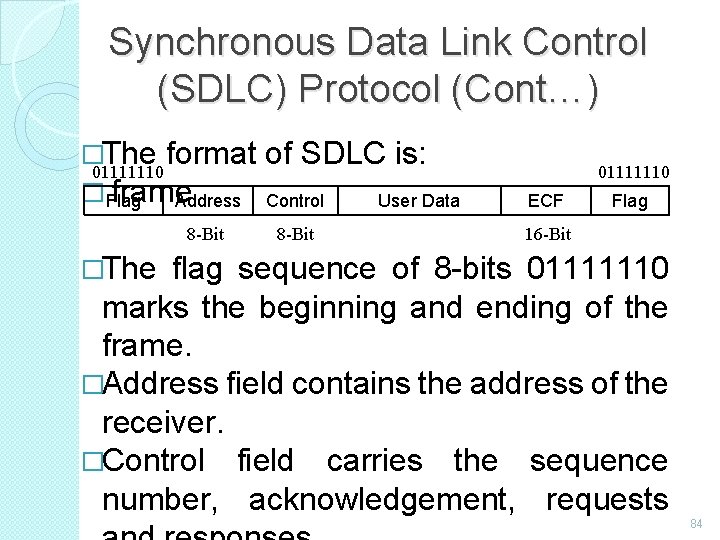
Synchronous Data Link Control (SDLC) Protocol (Cont…) �The format of SDLC is: 01111110 � frame Flag Address Control User Data 8 -Bit 01111110 ECF Flag 16 -Bit �The flag sequence of 8 -bits 01111110 marks the beginning and ending of the frame. �Address field contains the address of the receiver. �Control field carries the sequence number, acknowledgement, requests 84
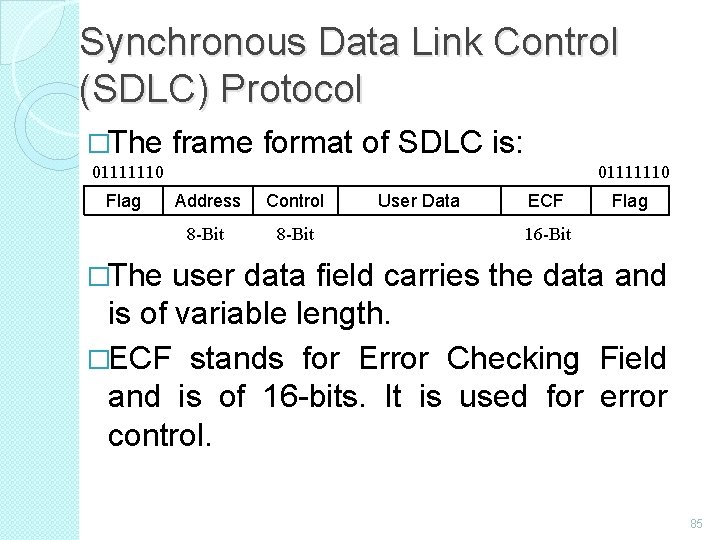
Synchronous Data Link Control (SDLC) Protocol �The frame format of SDLC is: 01111110 Flag 01111110 Address Control 8 -Bit User Data ECF Flag 16 -Bit �The user data field carries the data and is of variable length. �ECF stands for Error Checking Field and is of 16 -bits. It is used for error control. 85
High Level Data Link Control (HDLC) Protocol �HDLC came into existence after ISO modified the SDLC protocol. �It is a bit-oriented protocol that supports both half and full duplex communication. �Systems using HDLC are characterized by: ◦ Station Types ◦ Configuration. ◦ Response Modes 86
Station Types �To make HDLC protocol applicable to various network configurations, three types of stations have been defined: ◦ Primary Station ◦ Secondary Station ◦ Combined Station 87
Primary Station �It has complete control over the link at any time. �It has the responsibility of connecting & disconnecting the link. �The frames sent by primary station are called commands. 88
Secondary Station �All the secondary stations work under the control of primary station. �The frames sent by secondary station are called responses. Combined Station �A combined station can behave either as primary or as secondary station. �It can send commands as well as responses. 89
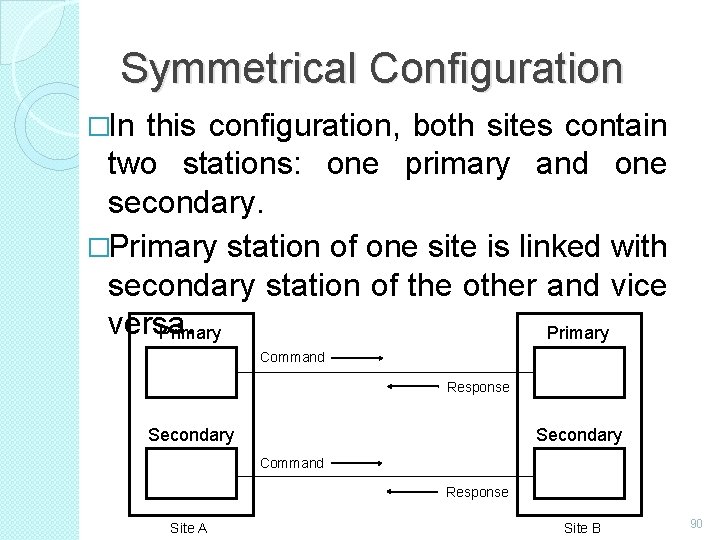
Symmetrical Configuration �In this configuration, both sites contain two stations: one primary and one secondary. �Primary station of one site is linked with secondary station of the other and vice versa. Primary Command Response Secondary Command Response Site A Site B 90
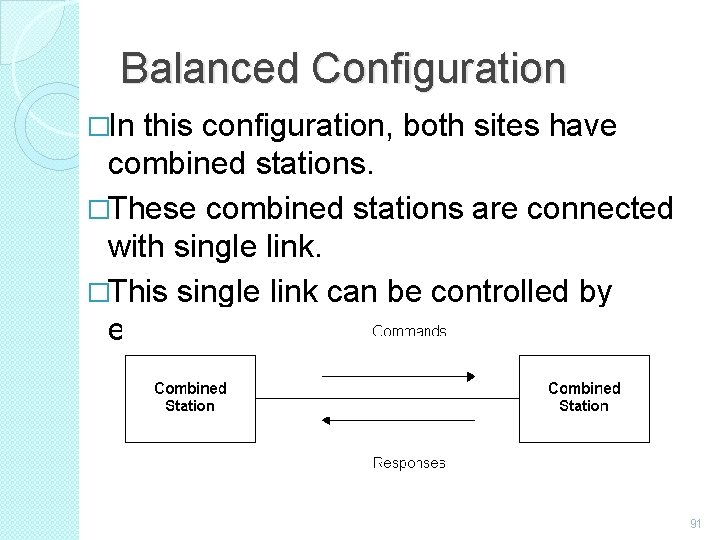
Balanced Configuration �In this configuration, both sites have combined stations. �These combined stations are connected with single link. �This single link can be controlled by either station. 91
Important Questions 2 Marks � � � � � What is Network? List out OSI layer in order. What is Frame relay? Define Distributed System. What is broadcasting? What is Multicasting? Write down types of networks. What is host? What is hub? 92
Important Questions 2 Marks (Cont…) � � � � What is router? What is repeater? What is transmission media? What is twisted pair? What is coaxial cable? List out types of wireless transmission, What is communication satellite. What is MODEM? 93
Important Questions 5 Marks �Explain types of network �Explain network topology �Explain ARPANET �Explain electro magnetic spectrum �Explain multiplexing �Explain error control �Explain noisy channel �Explain error correcting code 94
Important Questions 10 Marks �Explain network hardware �Explain OSI reference model �Explain TCP /IP model �Explain network software �Explain guided transmission media �Explain unguided transmission media 95
Thank You Mrs. V. Rathika, M. S. , M. Phil. , (Ph. D. , ) Assistant Professor, Department of Computer Applications, Idhaya College for Women, Kumbakonam 96
- Slides: 96