
Idea projecting images onto a common plane each




- Slides: 14
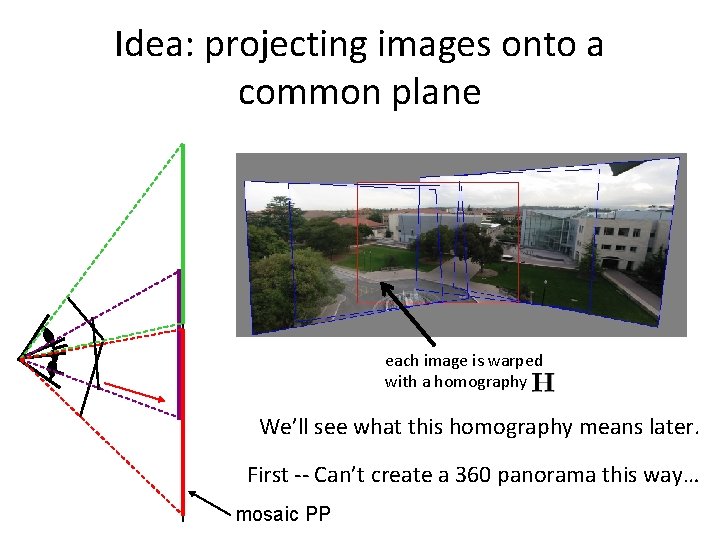
Idea: projecting images onto a common plane each image is warped with a homography We’ll see what this homography means later. First -- Can’t create a 360 panorama this way… mosaic PP
Project 3 • Take pictures on a tripod (or handheld) • Warp to spherical coordinates (optional if using homographies to align images) • Extract features • Align neighboring pairs using RANSAC • Write out list of neighboring translations • Blend the images • Correct for drift • Now enjoy your masterpiece!
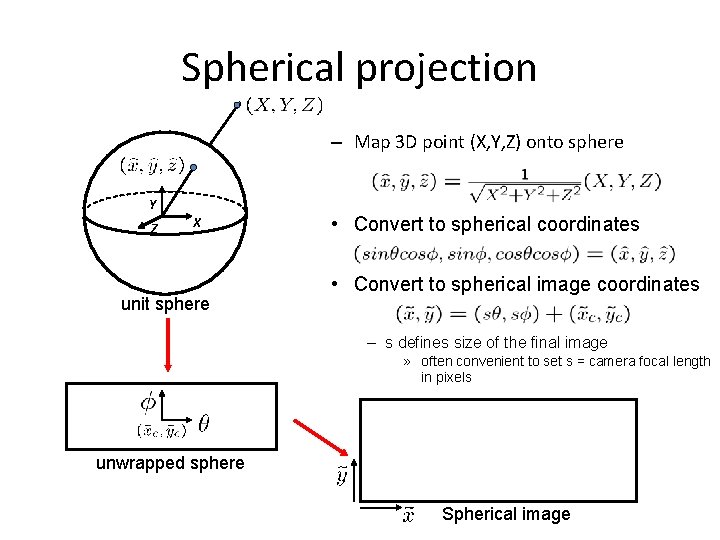
Spherical projection – Map 3 D point (X, Y, Z) onto sphere Y Z X unit sphere • Convert to spherical coordinates • Convert to spherical image coordinates – s defines size of the final image » often convenient to set s = camera focal length in pixels unwrapped sphere Spherical image
Spherical reprojection input f = 200 (pixels) f = 400 • Map image to spherical coordinates – need to know the focal length f = 800
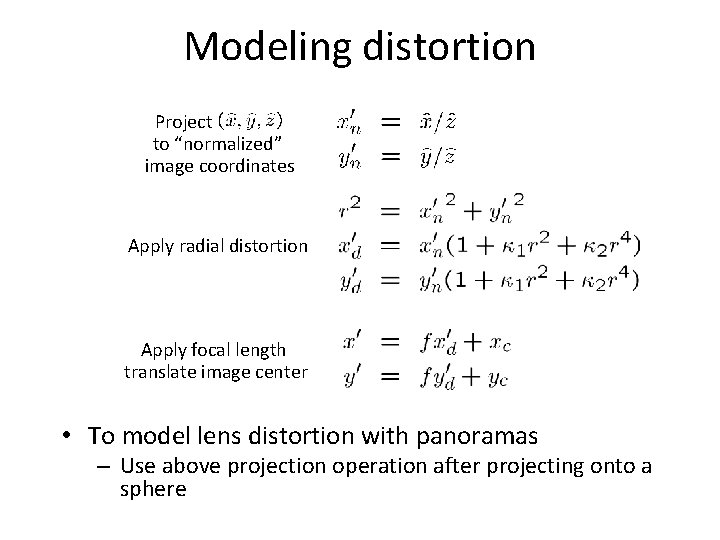
Modeling distortion Project to “normalized” image coordinates Apply radial distortion Apply focal length translate image center • To model lens distortion with panoramas – Use above projection operation after projecting onto a sphere
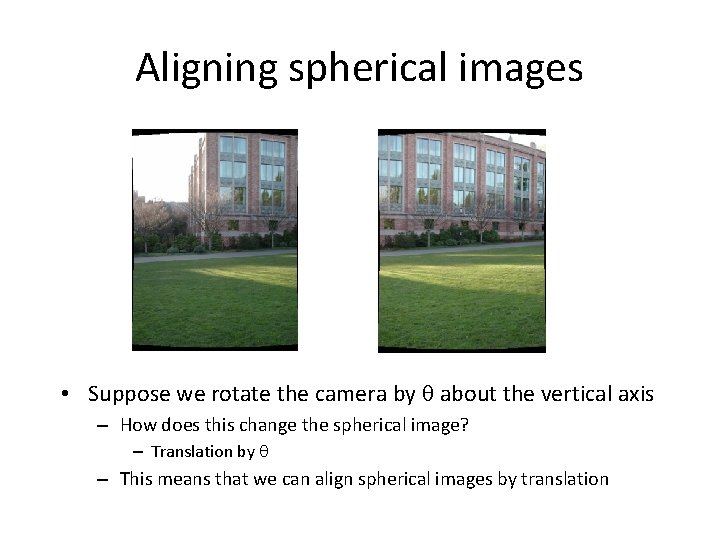
Aligning spherical images • Suppose we rotate the camera by about the vertical axis – How does this change the spherical image? – Translation by – This means that we can align spherical images by translation
Solving for homographies 2 n × 9 9 Defines a least squares problem: • Since is only defined up to scale, solve for unit vector • Solution: = eigenvector of with smallest eigenvalue • Works with 4 or more matches (8 rows in A). How do you find these points? 2 n
Assembling the panorama • Stitch pairs together, blend, then crop
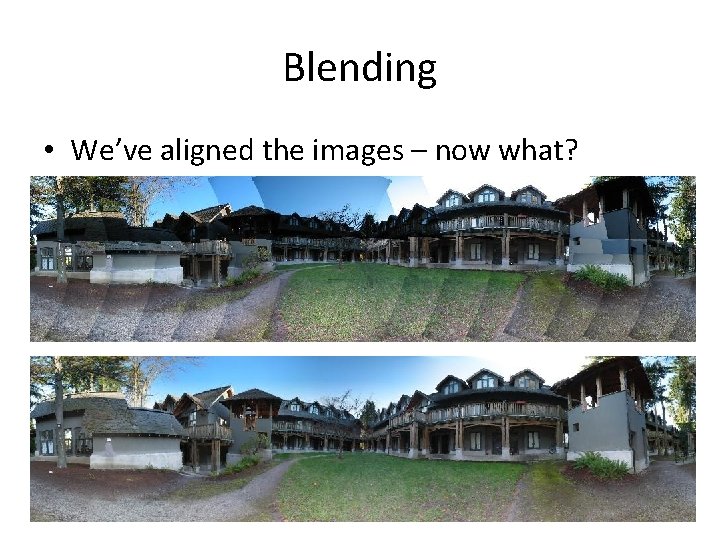
Blending • We’ve aligned the images – now what?
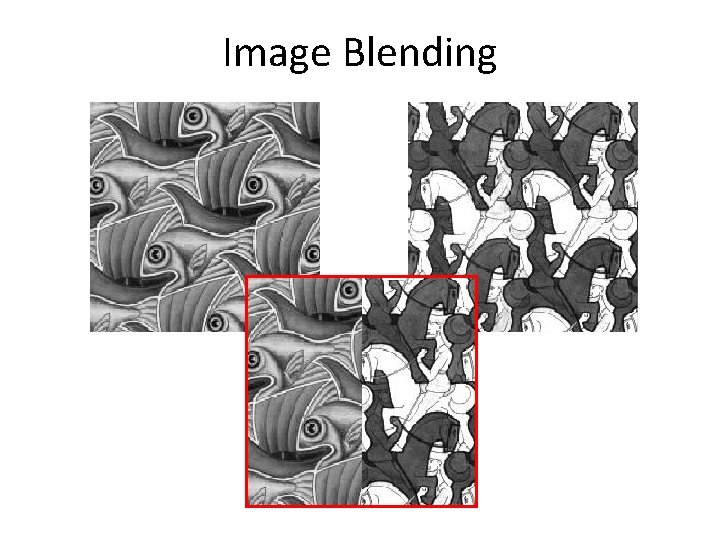
Image Blending
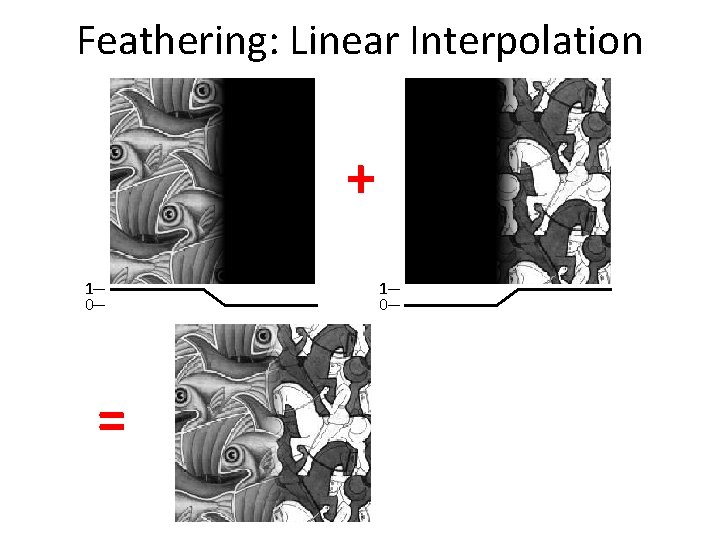
Feathering: Linear Interpolation + 1 0 =
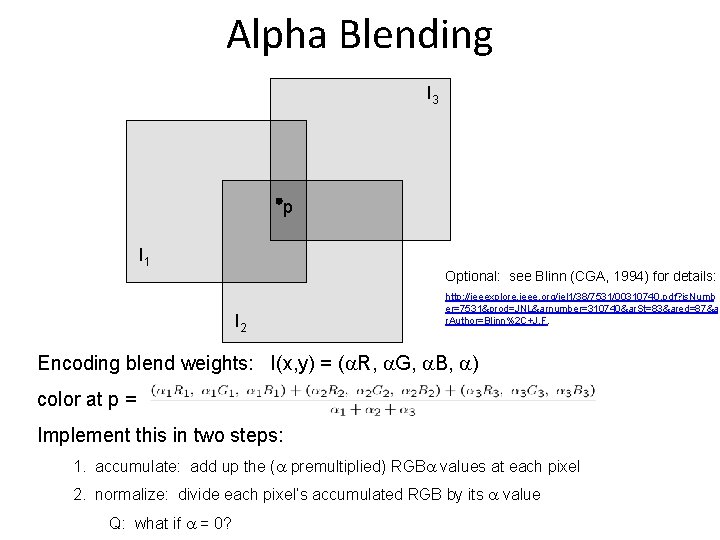
Alpha Blending I 3 p I 1 Optional: see Blinn (CGA, 1994) for details: I 2 http: //ieeexplore. ieee. org/iel 1/38/7531/00310740. pdf? is. Numb er=7531&prod=JNL&arnumber=310740&ar. St=83&ared=87&a r. Author=Blinn%2 C+J. F. Encoding blend weights: I(x, y) = ( R, G, B, ) color at p = Implement this in two steps: 1. accumulate: add up the ( premultiplied) RGB values at each pixel 2. normalize: divide each pixel’s accumulated RGB by its value Q: what if = 0?
Problem: Drift (x 1, y 1) (xn, yn) copy of first image • Solution – add another copy of first image at the end – this gives a constraint: yn = y 1 – there a bunch of ways to solve this problem • add displacement of (y 1 – yn)/(n -1) to each image after the first • apply an affine warp: y’ = y + ax [you will implement this for P 3] • run a big optimization problem, incorporating this constraint – best solution, but more complicated – known as “bundle adjustment”
Demo