
ID 101 Lotus Notes 6 5 and Beyond
® ID 101 Lotus Notes 6. 5 and Beyond Jeff Eisen – Heidi Votaw – Lotus Notes Technical Lead Senior Product Manager

Agenda § Lotus Workplace § Timeline of Notes/Domino § Product review 4 Feature highlights Notes 6. 5/6. 5. 1 with product demonstration 4 Sneak peak at Notes 7. 0 with product demonstration § Investment protection § Summary § Q&A
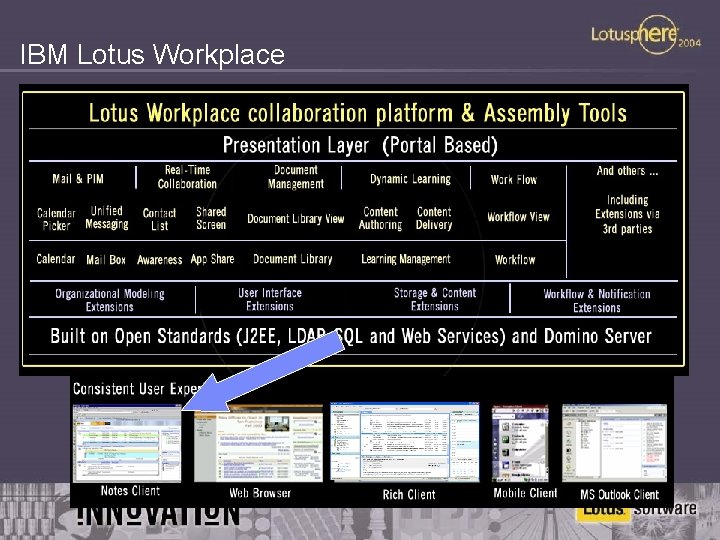
IBM Lotus Workplace

Timeline of Notes / Domino & Lotus Workplace releases … Notes / Domino Maintenance releases Q 1 2005 • Notes 5. 0 x EOS • Notes 6. 0. 5 • Notes 6. 5. 4 Q 3 2004 • Notes 6. 5. 3 Q 2 2004 • Notes 6. 0. 4 1 H 2005 • Notes 6. 5. 2 • Q 1 2004 • Notes 5. 0. 13 • Notes 6. 5. 1 2 H 2004 • Lotus Workplace products 2. x Q 3 2003 • Notes 6. 0. 3 Notes 7. 0 including the extended Domino portfolio products (IBM Lotus Instant Messaging & Web Conferencing, IBM Lotus Team Workplace, IBM Lotus Domino Document Manager, etc) • Lotus Workplace products 3. x 1 H 2004 • Q 3 2003 • Notes 6. 5 • Lotus Workplace products 1. 1 Notes 6. 5. 1 including the extended Domino portfolio products (IBM Lotus Instant Messaging & Web Conferencing, IBM Lotus Team Workplace, IBM Lotus Domino Document Manager, etc) • Lotus Workplace products 2. 0 Major Feature releases For Notes / Domino & Lotus Workplace NOTE: Information is subject to change based on business need

IBM Lotus Notes Provides a highly secure messaging and collaboration platform for sharing data and connecting your employees and extended communities § Gives users a single access point to their most valuable messaging, collaborative and personal information management (PIM) resources through the new Lotus Workplace for Notes welcome page § Integrates Lotus Instant Messaging functionality to provide presence awareness and enable users to initiate chats with colleagues—without launching a separate application § Maximizes responsiveness through follow-up function and visual indicators to show users when they’ve forwarded or replied to e-mail messages § Helps reduce total cost of ownership through minimal training requirements, end-user productivity enhancements and built-in management functions like Smart Upgrade

Design themes for the Notes client § Continued focus on: 4 Productivity 4 Usability 4 Extensibility 4 Total cost of ownership 4 Continued quality improvements 4 Seamless integration with the Domino portfolio (coming in 6. 5. 1) 4 Integration with Workplace (coming in 7. 0) § Alternating focus between Notes (client) and Domino (server) releases 4 6. 5 - focus on Notes client 4 7. 0 - focus on Domino server

6. 5 / 6. 5. 1 highlights § Workplace Welcome Page § Improved Lotus Instant Messaging and Web Conferencing integration 4 Presence awareness (Mail forms, Inbox view, Welcome Page, etc) 4 Chat via right mouse menu 4 Ability to add presence awareness to custom Notes applications 4 Option to show/hide Instant Contact List § § Follow up flags for email (low, normal, urgent) Quick. Rules for end users Replied to / forwarded to indicators Block mail from sender § Archiving C&S entries
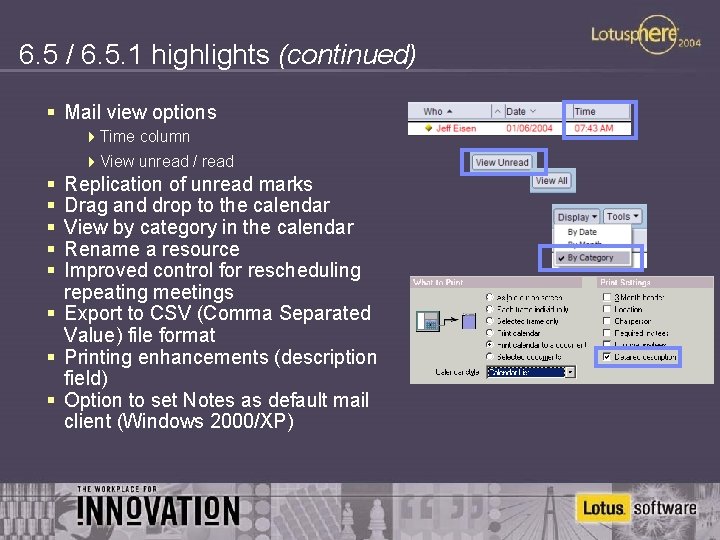
6. 5 / 6. 5. 1 highlights (continued) § Mail view options 4 Time column 4 View unread / read § § § Replication of unread marks Drag and drop to the calendar View by category in the calendar Rename a resource Improved control for rescheduling repeating meetings § Export to CSV (Comma Separated Value) file format § Printing enhancements (description field) § Option to set Notes as default mail client (Windows 2000/XP)

Supported platforms for Notes 6. 5 § § § Windows XP, Professional Edition Windows 2000, Professional Edition (SP 3) Windows NT V 4. 0 (SP 6 a) Windows 98 Windows 95 (Second Edition) Macintosh OS X (10. 1/10. 2) Note: 6. 5. 1 platforms will be available closer to ship
® What’s coming in Notes
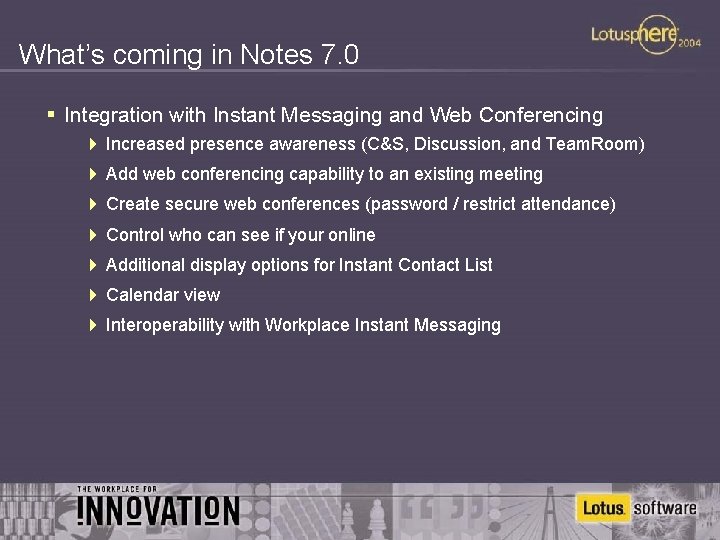
What’s coming in Notes 7. 0 § Integration with Instant Messaging and Web Conferencing 4 Increased presence awareness (C&S, Discussion, and Team. Room) 4 Add web conferencing capability to an existing meeting 4 Create secure web conferences (password / restrict attendance) 4 Control who can see if your online 4 Additional display options for Instant Contact List 4 Calendar view 4 Interoperability with Workplace Instant Messaging
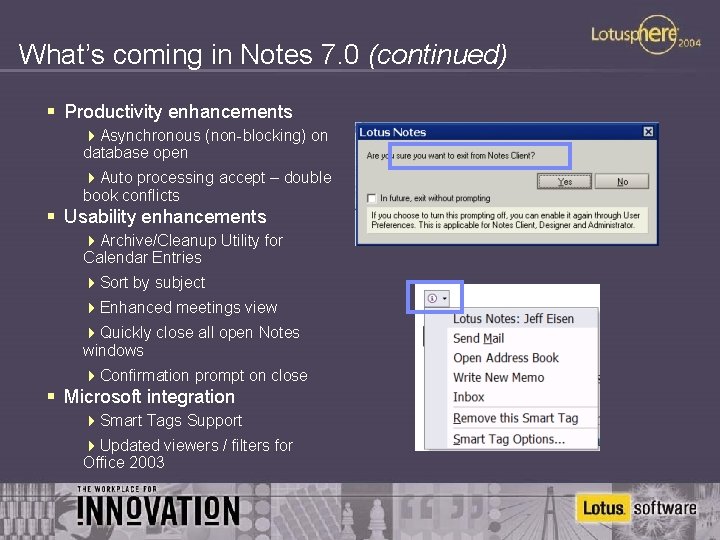
What’s coming in Notes 7. 0 (continued) § Productivity enhancements 4 Asynchronous (non-blocking) on database open 4 Auto processing accept – double book conflicts § Usability enhancements 4 Archive/Cleanup Utility for Calendar Entries 4 Sort by subject 4 Enhanced meetings view 4 Quickly close all open Notes windows 4 Confirmation prompt on close § Microsoft integration 4 Smart Tags Support 4 Updated viewers / filters for Office 2003
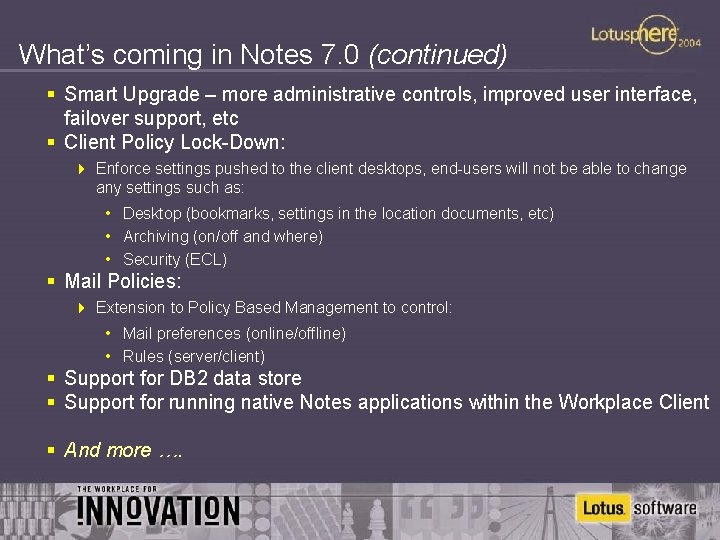
What’s coming in Notes 7. 0 (continued) § Smart Upgrade – more administrative controls, improved user interface, failover support, etc § Client Policy Lock-Down: 4 Enforce settings pushed to the client desktops, end-users will not be able to change any settings such as: • Desktop (bookmarks, settings in the location documents, etc) • Archiving (on/off and where) • Security (ECL) § Mail Policies: 4 Extension to Policy Based Management to control: • Mail preferences (online/offline) • Rules (server/client) § Support for DB 2 data store § Support for running native Notes applications within the Workplace Client § And more ….

® Investment Protection
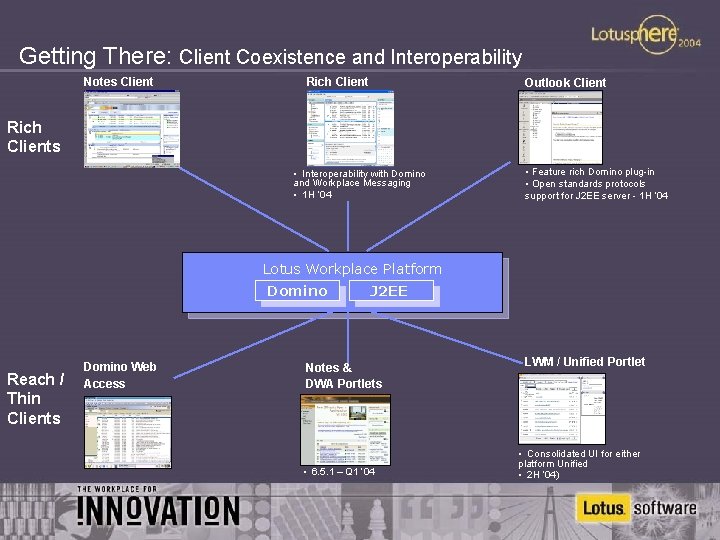
Getting There: Client Coexistence and Interoperability Notes Client Rich Client Outlook Client Rich Clients • Interoperability with Domino and Workplace Messaging • 1 H ‘ 04 • Feature rich Domino plug-in • Open standards protocols support for J 2 EE server - 1 H ‘ 04 Lotus Workplace Platform Domino Reach / Thin Clients Domino Web Access J 2 EE Notes & DWA Portlets • 6. 5. 1 – Q 1 ‘ 04 LWM / Unified Portlet • Consolidated UI for either platform Unified • 2 H ‘ 04)
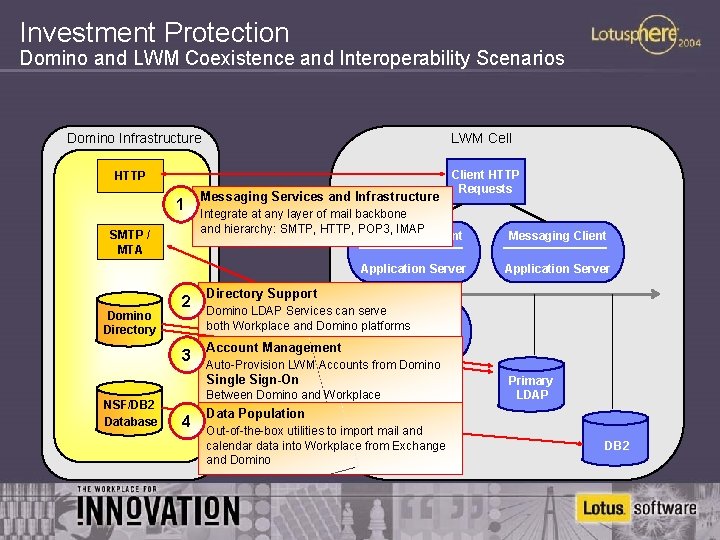
Investment Protection Domino and LWM Coexistence and Interoperability Scenarios Domino Infrastructure LWM Cell HTTP 1 SMTP / MTA Messaging Services and Infrastructure Client HTTP Requests Integrate at any layer of mail backbone and hierarchy: SMTP, HTTP, POP 3, IMAP Messaging Client Application Server Domino Directory 2 Directory Support 3 Account Management Auto-Provision LWM Accounts from Domino Between Domino and Workplace 4 Application Server Domino LDAP Services can serve SMTP / MTA both Workplace and Domino platforms Mail Service Single Sign-On NSF/DB 2 Database Messaging Client Primary LDAP Data Population Out-of-the-box utilities to import mail and calendar data into Workplace from Exchange and Domino DB 2
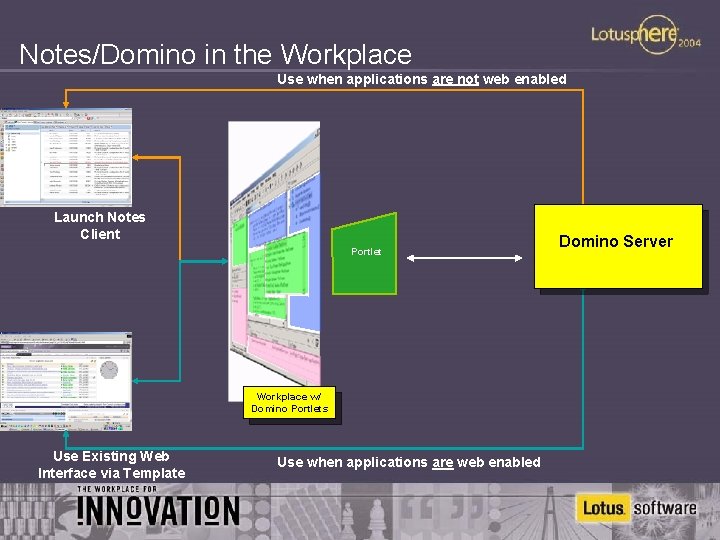
Notes/Domino in the Workplace Use when applications are not web enabled Launch Notes Client Portlet Workplace w/ Domino Portlets Use Existing Web Interface via Template Use when applications are web enabled Domino Server
Lotus Workplace extends Notes/Domino investments § Domino is a key content and application provider for Workplace § Domino products co-exist and interoperate with Workplace § Domino skills sets and license investments carry forward to Workplace § Upcoming Domino product investments evolve customers to Workplace at their own pace
More futures …
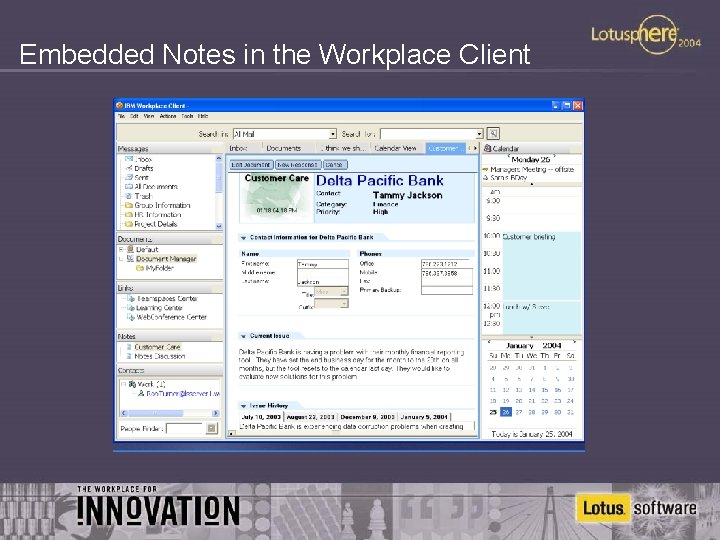
Embedded Notes in the Workplace Client
Summary § § § Lotus Instant Messaging and Web Conferencing integration Enhanced junk mail handling Simplified user interface increase productivity Increased inbox and information management Multi platform client / server support Combined with Domino server enhancements and increased application development options § Now is the time to upgrade … and watch for upcoming beta releases of Notes 7. 0 Lotus Notes and Domino 6. 5 Best Enterprise Collaboration Platform for 2003 Info. World

More information § For more information on IBM’s overall Lotus Workplace activities visit www. lotus. com/workplace § For more information on Lotus Messaging solutions visit 4 www. lotus. com/messaging 4 www. lotus. com/notes 4 www. ibm. com/lotus/webaccess 4 www. ibm. com/software/lotus/products/accessoutlook § For more technical information visit the Lotus Developer Domain www. lotus. com/ldd site contains information on; 4 Notes/Domino fix list database 4 Notes/Domino discussion forums 4 Notes/Domino Whitepapers 4 Notes/Domino Redbooks § Other websites of interest: 4 www. ibm. com/lotus/support 4 www. lotus. com/education
Other sessions of interest … § Strategy track 4 STR 103 Lotus Notes and Domino Futures 4 STR 113 The Boss Loves Microsoft: Where Does That Leave Lotus? 4 STR 108 Lotus Mobile Strategy § Infrastructure track 4 4 4 4 4 ID 102 Lotus Notes Messaging – Revisited ID 201 Lotus Domino 6. 5 Administration and Beyond ID 204 Lotus Domino Directory Integration ID 205 IBM Internal Notes/Domino Deployment ID 207 Lotus Domino Email Hygiene: Getting Rid of Spam ID 209 Lotus Notes and Domino Security: Basics and Beyond ID 210 Lotus Notes and Domino 6 Deployment – What You Need to Know ID 211 NSFDB 2 – Plans and Status ID 301 The 6. 5. 1 Releases: Integrated, Tested, Improved Be sure to visit us at the Labs as well! § Application development track 4 AD 101 Lotus Domino Designer: 6. 5 and Beyond 4 AD 102 “Must Have” Additions to Your Current and Future Lotus Notes Applications § Birds of a Feather sessions 4 BOF 101 Lotus Notes Mail and Calendaring/Scheduling 4 BOF 106 Lotus Notes and IBM DB 2 4 BOF 107 Upgrading to ND 6 – Real Life Experiences § Jumpstart sessions 4 JMP 109 Monitoring and Managing Your Lotus Domino Infrastructure

Thank you!
- Slides: 28