
ICT Sending and receiving Emails Year One Computing




- Slides: 12
ICT Sending and receiving Emails Year One Computing | Year 3 | Online Safety | Emailing | Lesson 4
Aim • To safely send and receive emails. Success Criteria • I can discuss email as a form of communication. • I can identify an email that I should not open. • I can write an email with an address and subject. • I know how to safely send an email. • I know how to safely receive an email.
Who Uses Email? ? ? ? Why do we use email? What is it useful for? Most adults now use emails every week or even every day, depending on their jobs. Emails are quick and easy to write and send. It is much quicker to communicate with email than with a letter. With emails, you also have a record of what’s been said, unlike with a phone call.
Is It Safe? Sit with your group. Discuss and try to answer this question: • Is it safer than sending a letter? • Could other people see it? • Is it always safe to open an email? • What could an email contain?
Stop and Think There are some basic rules to follow when deciding if an email is safe to open. • If you know the sender and the subject is something that seems normal, it will likely be safe to open. • If it is from a company that you know, the email address looks correct and the subject seems normal, it will likely be safe to open. ! Warning Signs ! One or more of these things might mean an email is unsafe to open: • an unknown or strange-looking email address • an email address pretending to be something else (e. g. instead of teacher@twinkl. co. uk, the address might say twin. kl. teacher@net. uk) • spelling mistakes in the subject or a strange subject title
Stop and Think Use the Safe to Open Activity Sheet and decide if you would open each email and explain why. Use the Email Handy Hints Sheet to help you remember the rules.
Snappy Senders ? ? ? How do we write an email? Write the email address (or addresses) you are sending it to in the ‘To’ bar. Write a short title for the email in the ‘Subject’ bar that gives the recipient a clue as to what the message is about. Think about who you are sending the email to. Just like a letter, you may need to be more formal depending on who you are writing to.
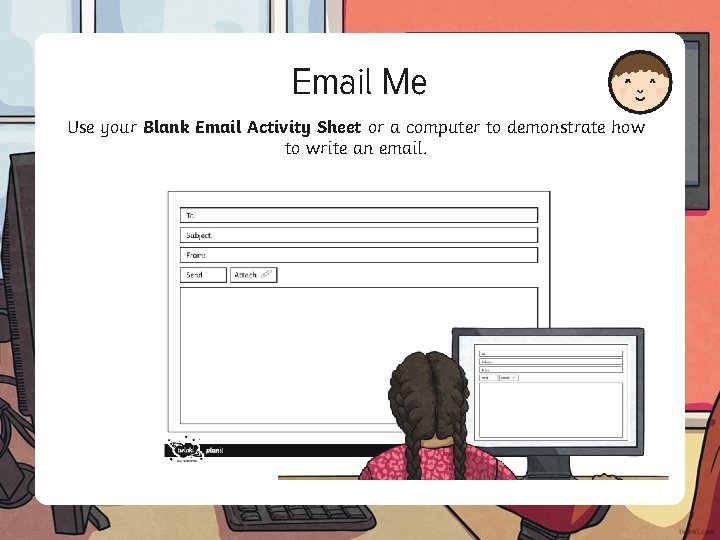
Email Me Use your Blank Email Activity Sheet or a computer to demonstrate how to write an email.
Should You Have an Email Address? It is important to remember that most email providers have age restrictions. Usually, you cannot have your own email address until you are thirteen years old. If you need to use an email address to contact someone, you could ask to do it with your parents’ email address. You might also be able to have an email address on a closed network. Your school may set you up an email address which you can use to email other people in your school. On a closed network, only authorised computers or email addresses would be able to connect. This means you would only be able to send or receive emails from the addresses that are part of the school network.
Aim • To safely send and receive emails. Success Criteria • I can discuss email as a form of communication. • I can identify an email that I should not open. • I can write an email with an address and subject. • I know how to safely send an email. • I know how to safely receive an email.