
ICT POWERPOINT PRESENTATION ACTIVITY 2 Presented by Kennie
ICT POWERPOINT PRESENTATION ACTIVITY #2 Presented by : Kennie A. Campbell and Abigail Foster 150081 ID#: GCF 080836 Group : 2 A (from the UCJ degree programme)
INTRODUCTION This Power. Point presentation contains various information on: Ø Uses of a variety of input devices Ø Functions of the Central Processing Unit (CPU) Ø Concepts relations to data storage hierarchy with uses of diagrams Ø Uses and functions of the different memory types
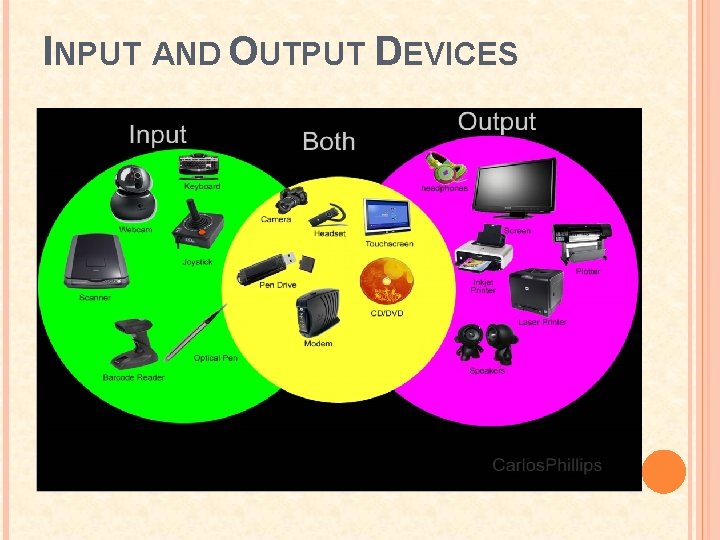
INPUT AND OUTPUT DEVICES
INPUT DEVICES An input device is a peripheral (piece of computer hardware equipment) used to provide data and control signals to an information processing system such as a computer or information appliance. Examples of input devices include keyboards, mouse, scanners, digital cameras and joysticks.
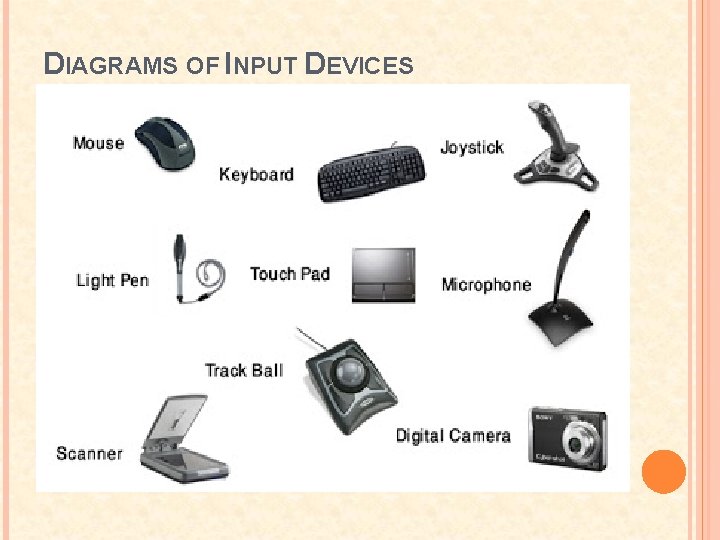
DIAGRAMS OF INPUT DEVICES
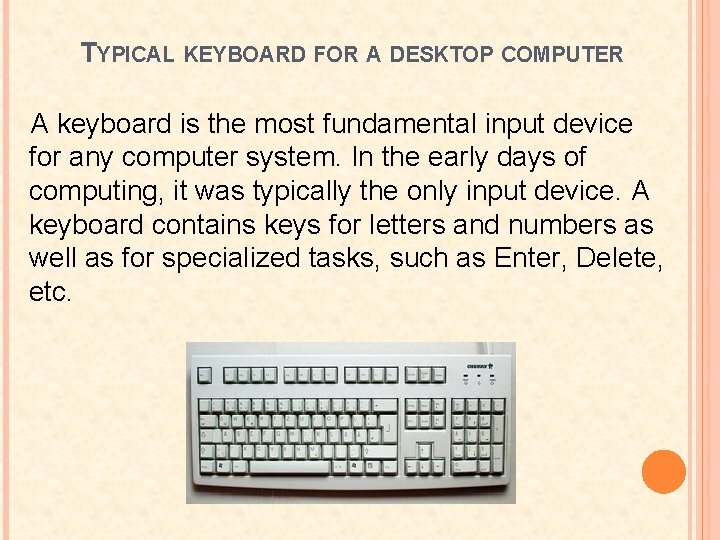
TYPICAL KEYBOARD FOR A DESKTOP COMPUTER A keyboard is the most fundamental input device for any computer system. In the early days of computing, it was typically the only input device. A keyboard contains keys for letters and numbers as well as for specialized tasks, such as Enter, Delete, etc.
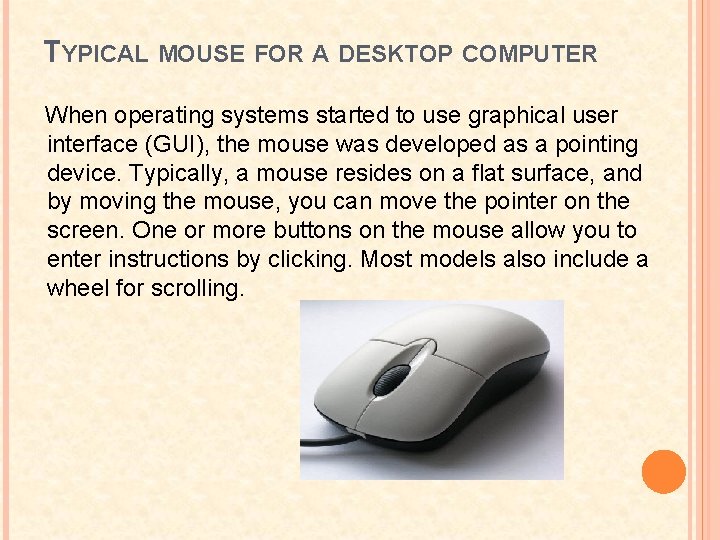
TYPICAL MOUSE FOR A DESKTOP COMPUTER When operating systems started to use graphical user interface (GUI), the mouse was developed as a pointing device. Typically, a mouse resides on a flat surface, and by moving the mouse, you can move the pointer on the screen. One or more buttons on the mouse allow you to enter instructions by clicking. Most models also include a wheel for scrolling.
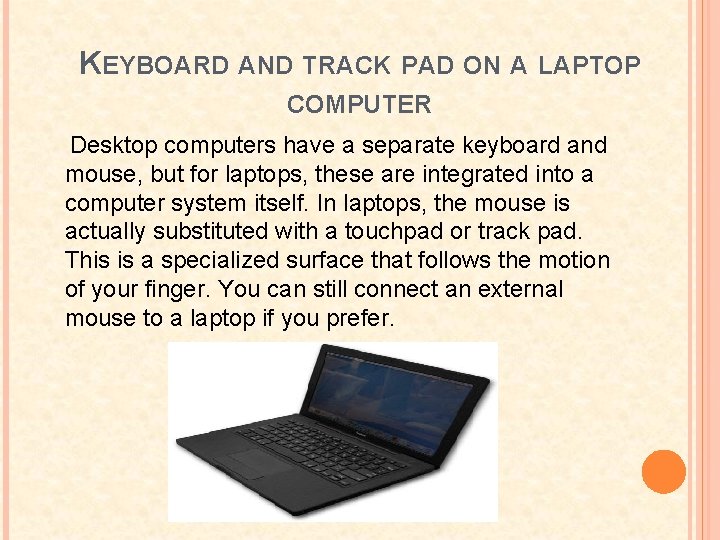
KEYBOARD AND TRACK PAD ON A LAPTOP COMPUTER Desktop computers have a separate keyboard and mouse, but for laptops, these are integrated into a computer system itself. In laptops, the mouse is actually substituted with a touchpad or track pad. This is a specialized surface that follows the motion of your finger. You can still connect an external mouse to a laptop if you prefer.
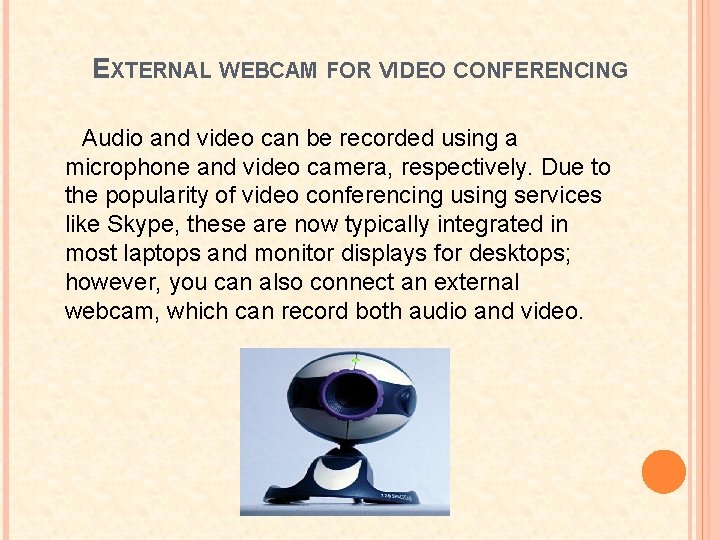
EXTERNAL WEBCAM FOR VIDEO CONFERENCING Audio and video can be recorded using a microphone and video camera, respectively. Due to the popularity of video conferencing using services like Skype, these are now typically integrated in most laptops and monitor displays for desktops; however, you can also connect an external webcam, which can record both audio and video.
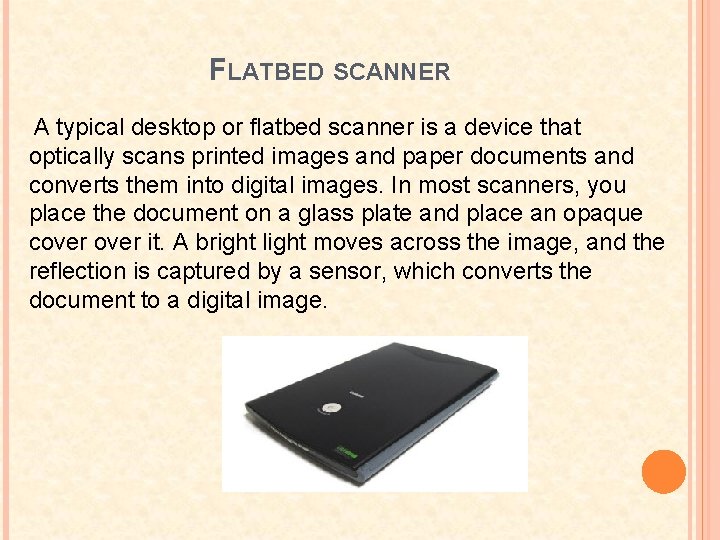
FLATBED SCANNER A typical desktop or flatbed scanner is a device that optically scans printed images and paper documents and converts them into digital images. In most scanners, you place the document on a glass plate and place an opaque cover it. A bright light moves across the image, and the reflection is captured by a sensor, which converts the document to a digital image.
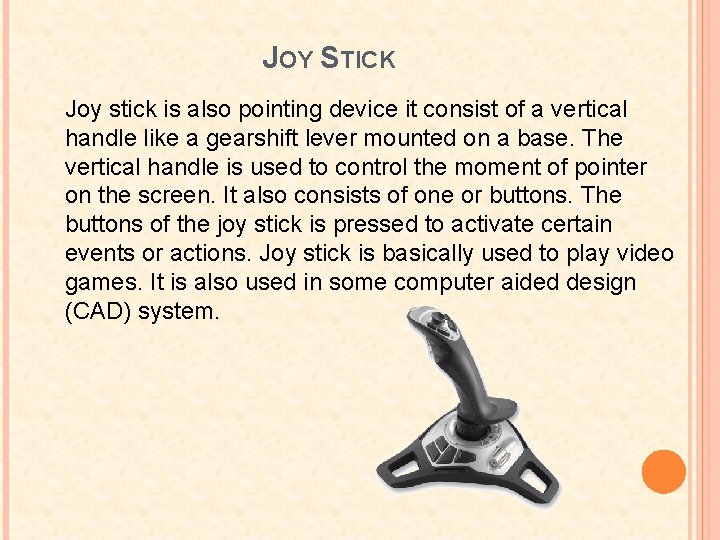
JOY STICK Joy stick is also pointing device it consist of a vertical handle like a gearshift lever mounted on a base. The vertical handle is used to control the moment of pointer on the screen. It also consists of one or buttons. The buttons of the joy stick is pressed to activate certain events or actions. Joy stick is basically used to play video games. It is also used in some computer aided design (CAD) system.
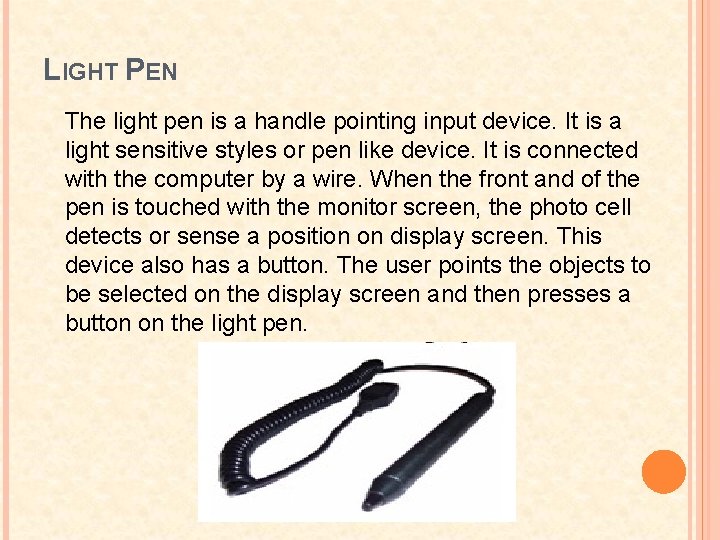
LIGHT PEN The light pen is a handle pointing input device. It is a light sensitive styles or pen like device. It is connected with the computer by a wire. When the front and of the pen is touched with the monitor screen, the photo cell detects or sense a position on display screen. This device also has a button. The user points the objects to be selected on the display screen and then presses a button on the light pen.
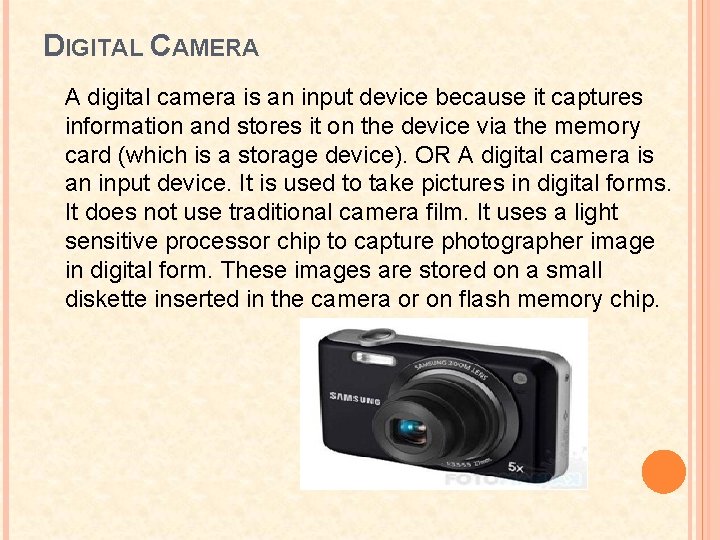
DIGITAL CAMERA A digital camera is an input device because it captures information and stores it on the device via the memory card (which is a storage device). OR A digital camera is an input device. It is used to take pictures in digital forms. It does not use traditional camera film. It uses a light sensitive processor chip to capture photographer image in digital form. These images are stored on a small diskette inserted in the camera or on flash memory chip.
THE CENTRAL PROCESSING UNIT (CPU) The central processing unit (CPU) of a computer is a piece of hardware that carries out the instructions of a computer program. It performs the basic arithmetical, logical, and input/output operations of a computer system. The CPU is like the brains of the computer - every instruction, no matter how simple, has to go through the CPU. So let's say you press the letter 'k' on your keyboard and it appears on the screen - the CPU of your computer is what makes this possible. The CPU is sometimes also referred to as the central processor unit, or processor for short. So when you are looking at the specifications of a computer at your local electronics store, it typically refers to the CPU as the processor. CPUs are located on the motherboard. Motherboards have a socket for this, which is specific for a certain type of processor. A CPU gets very hot and therefore needs its own cooling system in the form of a heat sink and/or fan.
COMPONENTS OF THE CPU A typical CPU has a number of components: Ø The first is the arithmetic logic unit (ALU), which performs simple arithmetic and logical operations. Ø Second is the control unit (CU), which manages the various components of the computer. It reads and interprets instructions from memory and transforms them into a series of signals to activate other parts of the computer. The control unit calls upon the arithmetic logic unit to perform the necessary calculations. Ø Third is the cache, which serves as high-speed memory where instructions can be copied to and retrieved. Early CPUs consisted of many separate components, but since the 1970 s, they have been constructed as a single integrated unit called a microprocessor. As such, a CPU is a specific type of microprocessor. The individual components of a CPU have become so integrated that you can't even recognize them from the outside. This CPU is about two inches by two inches in size.
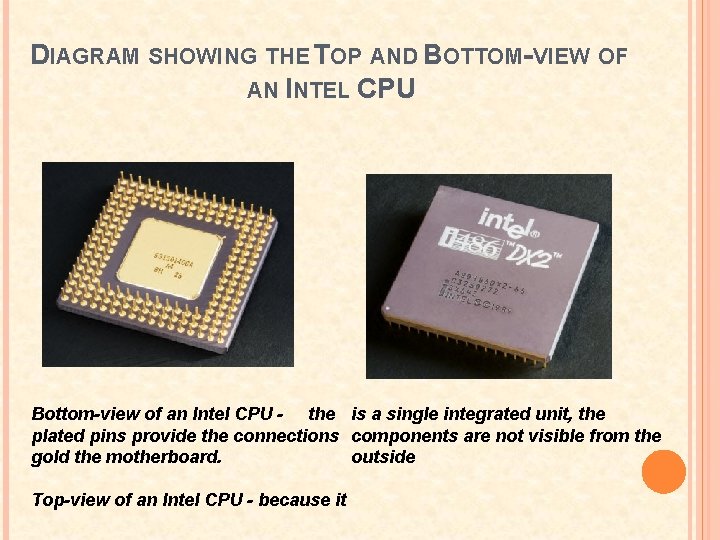
DIAGRAM SHOWING THE TOP AND BOTTOM-VIEW OF AN INTEL CPU Bottom-view of an Intel CPU - the is a single integrated unit, the plated pins provide the connections components are not visible from the outside gold the motherboard. Top-view of an Intel CPU - because it
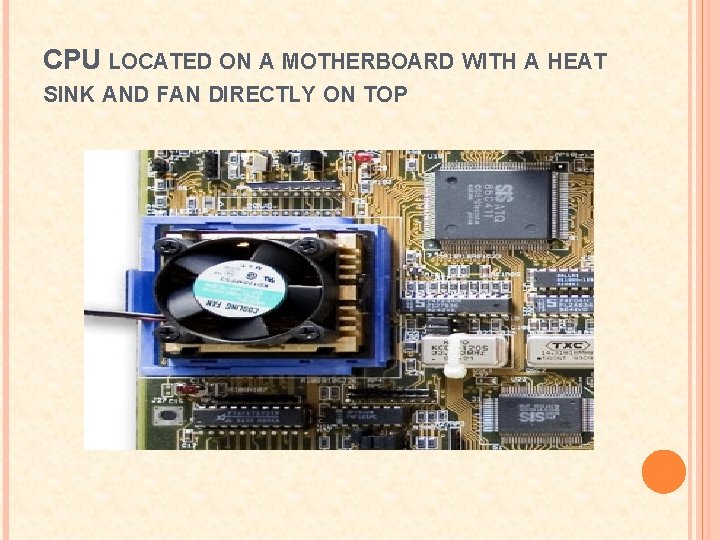
CPU LOCATED ON A MOTHERBOARD WITH A HEAT SINK AND FAN DIRECTLY ON TOP
DATA STORAGE HIERARCHY In computer architecture the memory hierarchy is a concept used to discuss performance issues in computer architectural design, algorithm predictions, and lower level programming constructs involving locality of reference. The memory hierarchy in computer storage separates each of its levels based on response time. Since response time, complexity, and capacity are related, the levels may also be distinguished by their performance and controlling technologies. There are four major storage levels. Ø Internal – Processor registers and cache. Ø Main – the system RAM and controller cards. Ø On-line mass storage – Secondary storage. Ø Off-line bulk storage – Tertiary and Off-line storage. Ø This is a general memory hierarchy structuring. Many other structures are useful. For example, a paging algorithm may be considered as a level for virtual memory when designing a computer architecture, and one can include a level of nearline storage between online and offline storage.
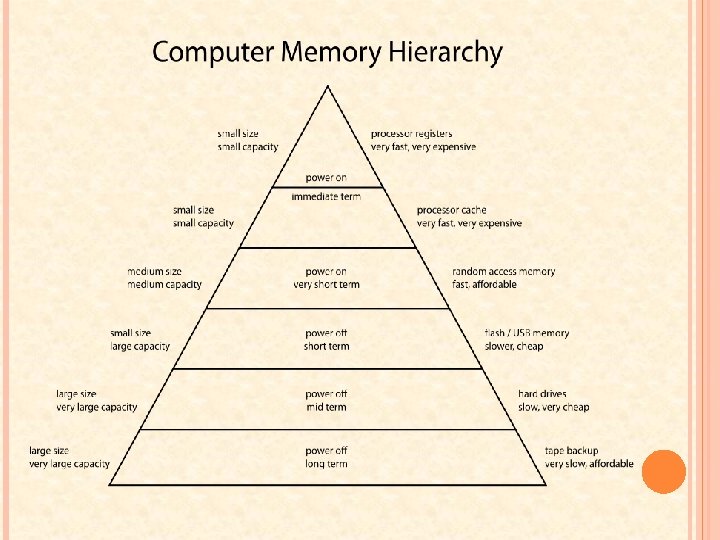
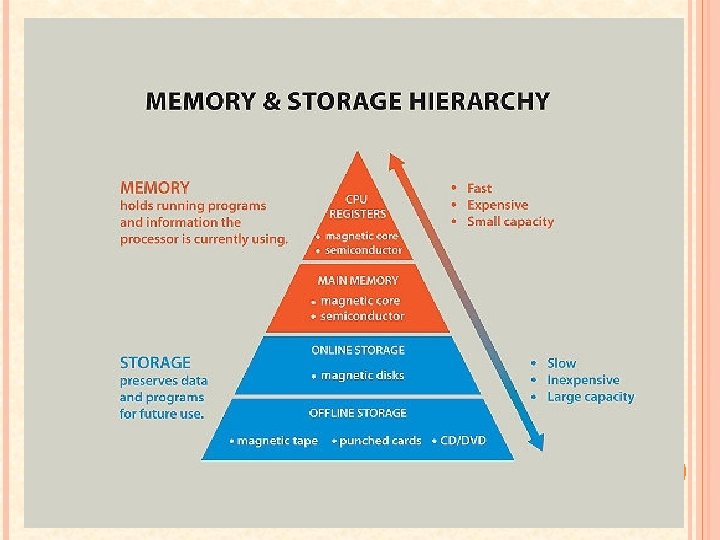
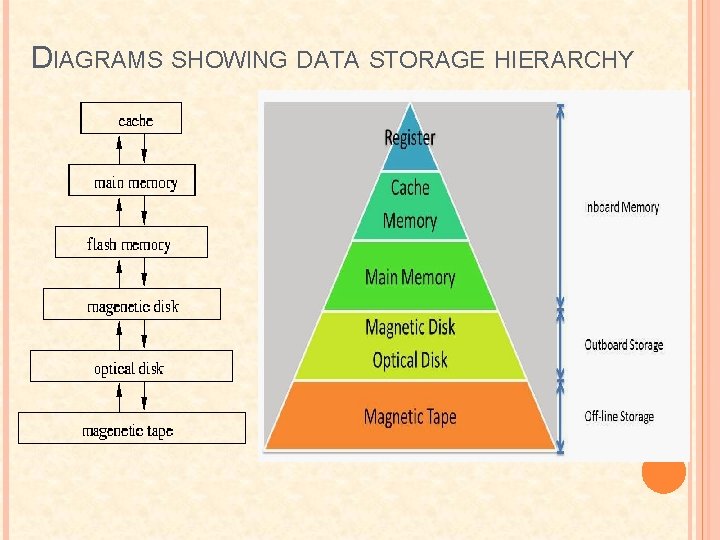
DIAGRAMS SHOWING DATA STORAGE HIERARCHY
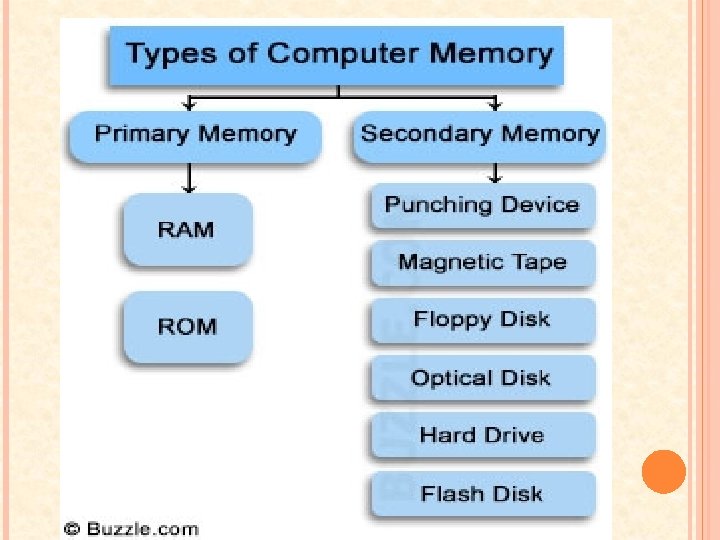
USES AND FUNCTIONS OF COMPUTER MEMORY TYPES There are many different types of computer memory that can be used in different technologies. No matter how you want to use your computer, you can surely be able to enjoy them better if you have a better type of memory in it. These memory types are: Ø Ø Ø Ø Hard Disk Drive Flash Memory Tape Drives Computer Hard Drives ROM RAM Etc.
HARD DISK DRIVE The hard disk drives are among the most common types of computer memory. They can store the data and information long term as this is where you store your music, games, documents, and the like. Hard drives work much like records. They are spinning platters that have arms with head to touch the different parts of it. When the head is at a certain location, data and information are either being written or deleted from that area of the hard drive. The largest hard drives available these days are as big as 2 terabytes and can store information up to 70 megabytes every second.
RANDOM ACCESS MEMORY (RAM) RAM stand for Random Access Memory. These are electronic types of computer memory that accesses any information any time. These types of memory work reversely like tapes. Since they are electronic, there are no arms, heads and spinning involved. RAM work really fast as they are the ones who bring the information to the brain to be processed. However, all the information and data stored here are short term as after they are processed the RAM frees itself so that more information can be processes by the CPU after. A higher RAM performance normally translates to a higher performance of the computer system. These types of computer memory can be classified further as: – Dynamic RAM (DRAM) – The maintenance of its state will always depend on the presence of electricity. Its access time normally ranges from 60 to 70 nanoseconds. – Static RAM (SRAM) – Its access time is less than 60 nanoseconds. – Direct Rambus DRAM (DRDRAM) – It considerably faster than the DRAM with an access speed of less than 20 nanoseconds.
FLASH MEMORY Flash memories are types of computer memory that works like RAM but are stable. Even when there is no power, the information and data saved in them are kept safe and secure. They cannot, however, keep as much data and information like the hard disk drive. These are very small and portable devices therefore not much hardware is available, hence the small storage space. At present, the biggest flash memory drives can only hold up to 32 GB of data. Unfortunately, flash memories are slow. The fastest of the flash memories can only read up to 22 megabytes every second.
TAPE DRIVES Tape drives are types of computer memory that work like tapes or audio cassettes. They have ribbons and spools, where the data and information you would like to store are saved with the ribbon’s polarity. These tape drives are mostly used by medium to large organizations as they offer long term and stable storage. Lastly, we have the CDROM memory. These are the types of computer memory that are permanent and portable. These types of computer memory works like records and hard drives. However, instead of the head and arm, a laser light writes and reads the information on the CDs and DVDs to interpret it and display them in the monitor. The best thing about the CDROM memory is that they are very durable, especially when compared with all other types of memory.
READ ONLY MEMORY (ROM): Unlike the RAM, the data present in the ROM cannot be changed thus being a non-volatile (it will always keep its contents regardless whethere’s power or not). These types of computer memory are used to describe different media or memory that can only be read e. g. the DVD-ROM and CD-ROM. ROM is normally sustained by a battery in the computer system and it allows the computer to boot any time it is required to do so. This type of computer memory can be classified into different categories which include: – Programmable ROM (PROM) – It store programs and cannot be erased. – Erasable PROM (EPROM) – Can always be erased by exposure to UV light. – Electrically EPROM (EEPROM) – Can be erased by exposing it to an electric charge.
COMPUTER HARD DRIVES These types of computer memory exist in different types which include the Parallel Advanced Technology Attachment (PATA), Serial Advanced Technology Attachment (SATA), the Small Computer System Interface (SCSI) which has a high data access which normally goes up to 10, 000 – 15, 000 rpm and the solid state drives which are faster an more durable as they don’t have the rotating magnetic disks that the other computer hard drives have. Other types of computer memory include cache memory which is a type of RAM with a high response rate as far as data accessibility is concerned and flash memory which can be erased and programmed as per the user’s needs. They include the USB flash and the memory cards. These different types of computer memory have different purposes, none smaller than the other in the grand scheme of things. But in general, the RAM and the hard disc memory are the two types of computer memory that of great interest when listing the specs of a computer. Proper knowledge of the significance of these memories therefore means that one can make a good choice when buying a comp.

THE END!!! PRESENTED BY KENNIE CAMPBELL
- Slides: 30