
ICT Planning Workshop DRAFT For Principals and ICT

- Slides: 29
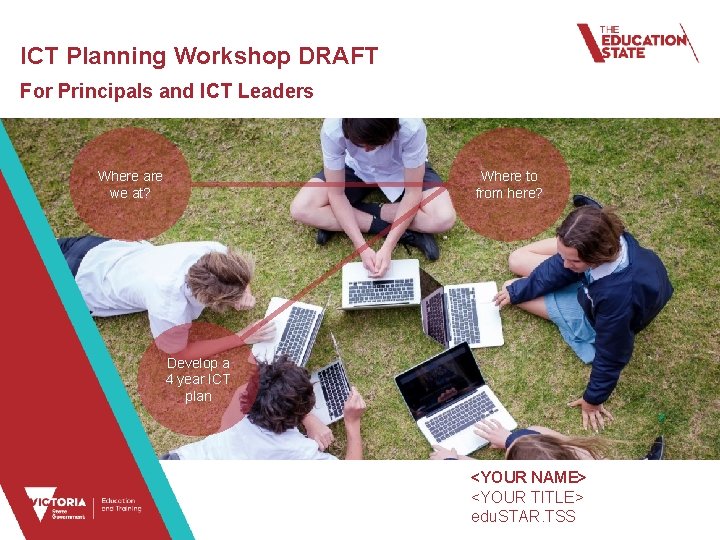
ICT Planning Workshop DRAFT For Principals and ICT Leaders Where are we at? Where to from here? Develop a 4 year ICT plan <YOUR NAME> <YOUR TITLE> edu. STAR. TSS 1
Presenters <SDM Name> IMTD Service Delivery Manager <email@edumail. vic. gov. au> <TPO Name> Technical Planning Officer <email@edumail. vic. gov. au> <DLB Officer Name> Digital Learning Project Officer <email@edumail. vic. gov. au> 2 2
• Demonstrating the ICT Planning Tool and how it works • Sharing some compelling research into education for the future • Sharing some supporting models and frameworks that underpin the teaching of digital technologies • Referring to the Victorian Digital Technologies Curriculum and ICT Across the Curriculum • Providing information about legal requirements • Providing valuable time for your team to begin working on your school’s ICT Strategic Plan
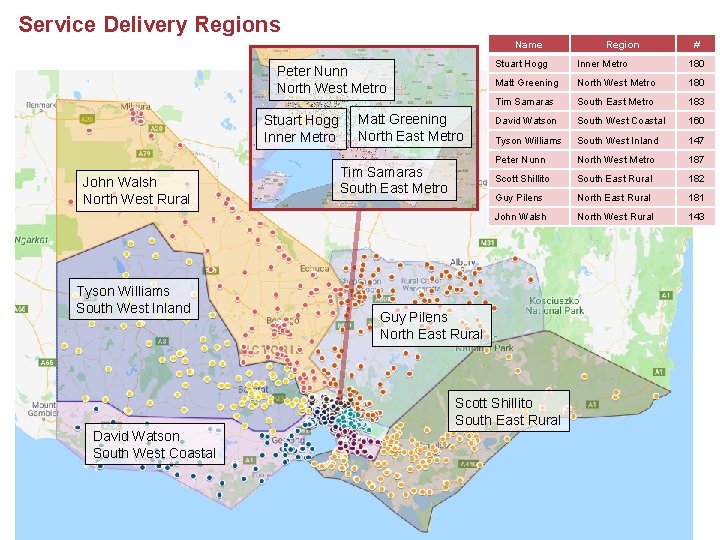
Service Delivery Regions Name Peter Nunn North West Metro Stuart Hogg Inner Metro John Walsh North West Rural Tyson Williams South West Inland Matt Greening North East Metro Tim Samaras South East Metro Region # Stuart Hogg Inner Metro 180 Matt Greening North West Metro 180 Tim Samaras South East Metro 183 David Watson South West Coastal 160 Tyson Williams South West Inland 147 Peter Nunn North West Metro 187 Scott Shillito South East Rural 182 Guy Pilens North East Rural 181 John Walsh North West Rural 143 Guy Pilens North East Rural Scott Shillito South East Rural David Watson South West Coastal 4
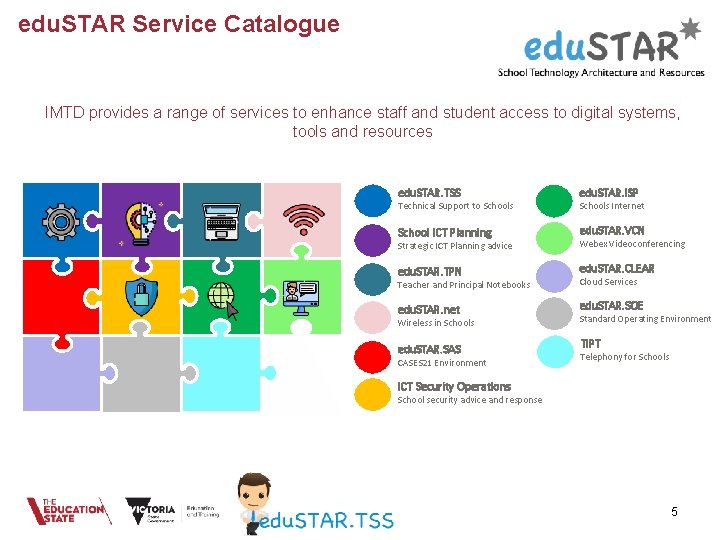
edu. STAR Service Catalogue IMTD provides a range of services to enhance staff and student access to digital systems, tools and resources edu. STAR. TSS edu. STAR. ISP School ICT Planning edu. STAR. VCN Strategic ICT Planning advice Webex Videoconferencing edu. STAR. TPN edu. STAR. CLEAR Teacher and Principal Notebooks Cloud Services edu. STAR. net edu. STAR. SOE edu. STAR. SAS TIPT Technical Support to Schools Wireless in Schools CASES 21 Environment Schools Internet Standard Operating Environment Telephony for Schools ICT Security Operations School security advice and response 5
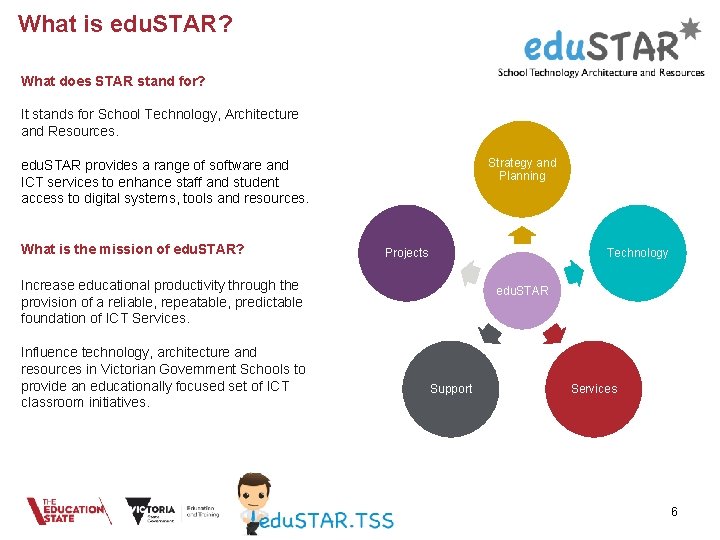
What is edu. STAR? What does STAR stand for? It stands for School Technology, Architecture and Resources. Strategy and Planning edu. STAR provides a range of software and ICT services to enhance staff and student access to digital systems, tools and resources. What is the mission of edu. STAR? Projects Technology Increase educational productivity through the provision of a reliable, repeatable, predictable foundation of ICT Services. Influence technology, architecture and resources in Victorian Government Schools to provide an educationally focused set of ICT classroom initiatives. edu. STAR Support Services 6
edu. STAR. TSS Who are we? • The Technical Support to Schools (TSS) program is a Victorian government initiative introduced in 2000. • The program provides a managed technical support service to all Victorian government schools. • Specialist Technicians (STs) are representatives of the Information Management Technology Division (IMTD) in schools. • ST’s support school ICT programs and IMTD initiatives. • The TSS program is comprised of some 670 STs, 9 Regional Service Delivery Managers and a small number of centrally based support staff. 7
Service Delivery Managers (SDM’s) • Manage the edu. STAR. TSS ST’s and their school engagements. • Act as an escalation point for school ICT issues. • Oversee the delivery of Department ICT Projects and initiatives. 8
Service Delivery Managers 6 Good reasons to contact your SDM • Additional IT support needs • Major ICT outages, issues or complaints • Virus/Ransomware & Security/Privacy breach • IT Service Request escalation • Experiencing difficulties • Management of Specialist Technicians 9
Technical Planning Officers (TPO’s) Technical Planning Officers work with School ICT Leadership Teams to provide strategic planning advice in-line with DET policies and best practice. • Provide Strategic ICT planning advice to schools, and run ICT workshops. • Assist with your Schools ICT Progression Strategy (SIPS) • Responsible for Technical Design, procurement, build and implementation of school networks for School reorganisations and VSBA capital works / building works • Assist with school ICT Health Checks and capacity planning • Assist with adoption of DET initiatives 10
Roaming Specialist Technicians (RST’s) Roaming Specialist Technicians were introduced in the second half of 2017 with two RST’s per Region • The primary focus of RSTs is: – Incident response – Replacement of absent Specialist Technicians – DET Project Support • RST’s also support the Program with documentation review, data collation and service/system improvements. • RST’s are engaged to work closely with and support Specialist Technicians and schools. 11
Specialist Technicians (ST’s) The role of ST’s is to support the school ICT plan by: • Responding to day support requirements. • Assisting school leadership with planning, advice and PD. • Work collaboratively with school based technicians. • ST’s are required to support Department initiatives, which may include: Ø The school Administration network and business systems. Ø Notebooks for Teachers and Principals program. Ø edu. STAR ICT services including wireless Ø Vic. Smart network, Internet and related web services. Ø edu. Mail and other online services. 12
edu. STAR. TPN – Teacher Notebooks Program Background • The program runs two provisioning tranches each year aligned with Semesters 1 and 2 Platforms • The Program offers the central provision of Windows notebooks as a Universal Platform at no cost. • Secondary schools and P-12 schools may apply for an individual VCE teacher to be supplied with an Apple notebook if they are delivering specific VCE studies. • Schools with a significant investment in Apple technology - Alternate Provision (Apple Grant) The Program • Centrally provisioned notebooks (both Windows and VCE Apple notebooks) are owned by the Department • Notebooks remain the property of the school (custodian) for the period they are allocated to the school • Centrally provisioned notebooks (Windows and Apple) will be collected at the end of their useful life. 13
edu. STAR. net Wireless Network Schools Wireless • Supplied to schools at no cost • Fully supported maintenance, with regular hardware refreshes at no cost to schools • Best-of-breed enterprise wireless • An investment of over $40 million to refresh schools wireless in 2018 -2020 • Hardware comprises of Wireless LAN Controller (WLC), Wireless Access Points (WAPs), Cisco network switches and the edu. STAR Curriculum Server. • Centrally supported by the edu. STAR Team • Supports 1 -to-1 (School owned, co-contribution and BYOD). • High density areas can be serviced by procuring more wireless access points (load balancing). • Beware of companies selling “too good to be true” wireless alternatives. 14
edu. STAR. ISP Internet Service Provider Schools Internet • A filtered internet service provided to all Victorian government schools. • Managed by the Department’s Information Management Technology Division. • The service is provided by ii. Net. • Will continue at no cost to schools. • Is delivered to schools via the Vic. Smart network. • Constantly review and monitoring school bandwidth consumption, and where the need for upgrades are identified these are upgraded automatically 15
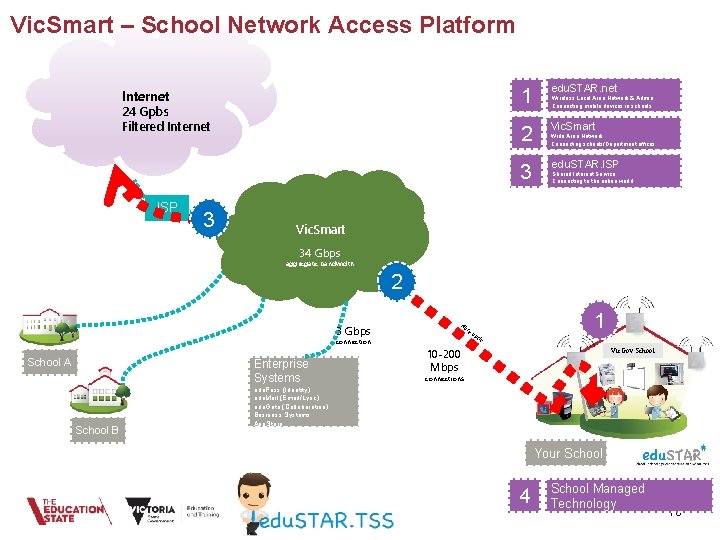
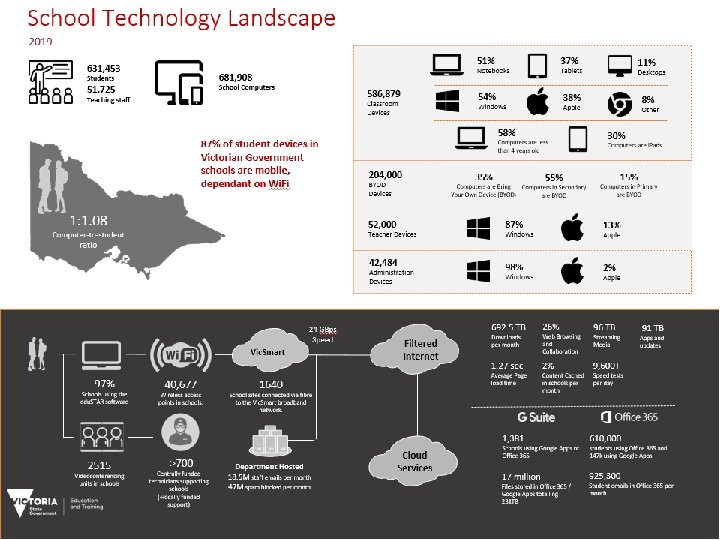
Vic. Smart – School Network Access Platform Internet 24 Gpbs Filtered Internet ISP 3 1 edu. STAR. net 2 Vic. Smart 3 edu. STAR. ISP Wireless Local Area Network & Admin Connecting mobile devices in schools Wide Area Network Connecting schools/Department offices Shared Internet Service Connecting to the online world Vic. Smart 34 Gbps aggregate bandwidth 2 3 Gbps connection School A Enterprise Systems School B Fib re 1 op t ic 10 -200 Mbps Vic. Gov School connections edu. Pass (Identity) edu. Mail (Email/Lync) edu. Gate (Collaboration) Business Systems App. Store Your School 4 School Managed Technology 16
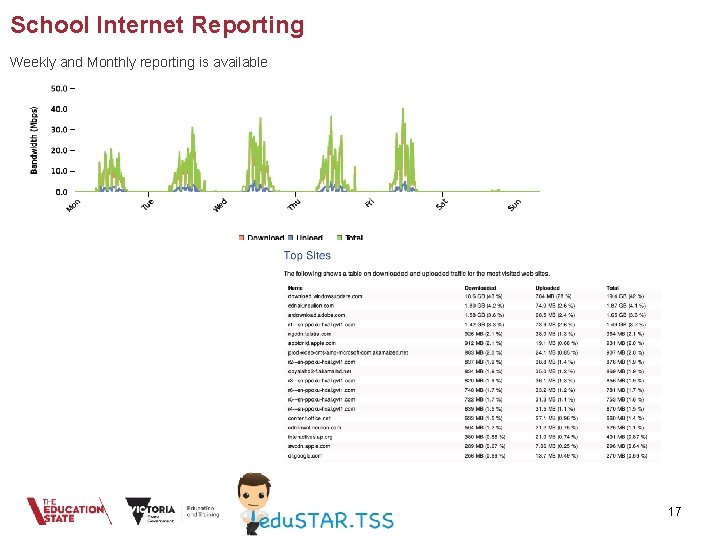
School Internet Reporting Weekly and Monthly reporting is available 17
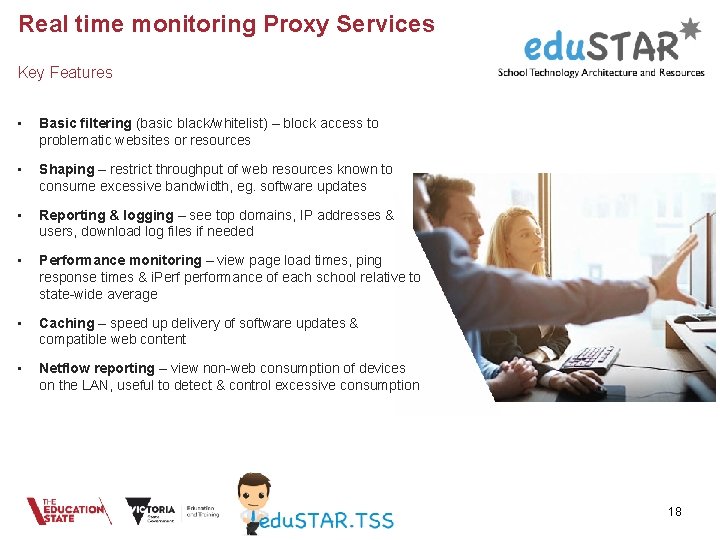
Real time monitoring Proxy Services Key Features • Basic filtering (basic black/whitelist) – block access to problematic websites or resources • Shaping – restrict throughput of web resources known to consume excessive bandwidth, eg. software updates • Reporting & logging – see top domains, IP addresses & users, download log files if needed • Performance monitoring – view page load times, ping response times & i. Perf performance of each school relative to state-wide average • Caching – speed up delivery of software updates & compatible web content • Netflow reporting – view non-web consumption of devices on the LAN, useful to detect & control excessive consumption 18
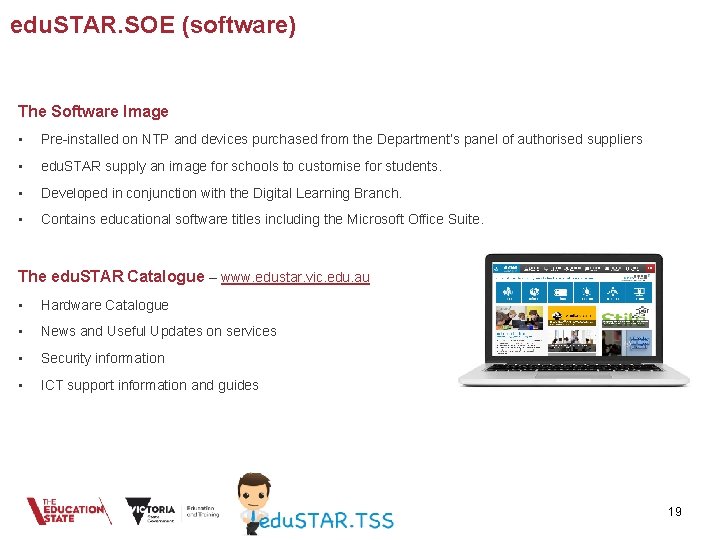
edu. STAR. SOE (software) The Software Image • Pre-installed on NTP and devices purchased from the Department’s panel of authorised suppliers • edu. STAR supply an image for schools to customise for students. • Developed in conjunction with the Digital Learning Branch. • Contains educational software titles including the Microsoft Office Suite. The edu. STAR Catalogue – www. edustar. vic. edu. au • Hardware Catalogue • News and Useful Updates on services • Security information • ICT support information and guides 19
edu. STAR Collaborate Webex • Installed in all Victorian Government Schools, available to all DET Staff • Best of breed Videoconferencing • Offering a range of devices and software • Webex teams collaboration tool • Webex meetings collaboration tool • Fully supported, available on a range of platforms Microsoft Skype for Business • Instant messaging and desktop video conferencing for staff Microsoft Teams • Collaboration tool available within DET provided Office 365 20
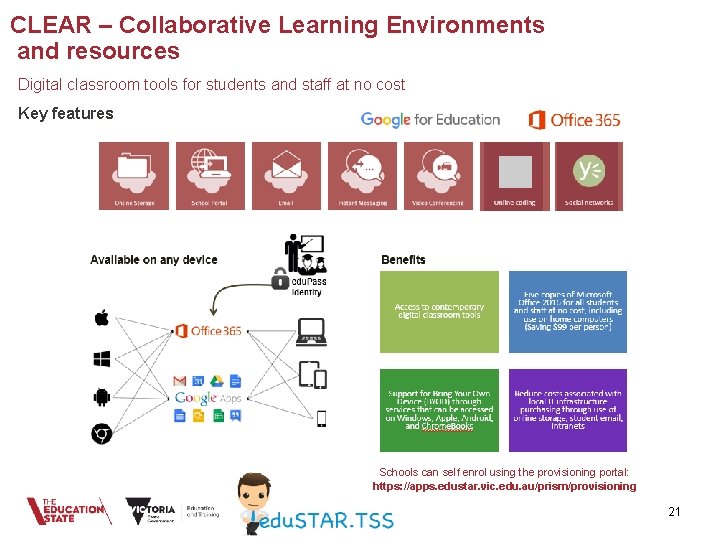
CLEAR – Collaborative Learning Environments and resources Digital classroom tools for students and staff at no cost Key features Schools can self enrol using the provisioning portal: https: //apps. edustar. vic. edu. au/prism/provisioning 21
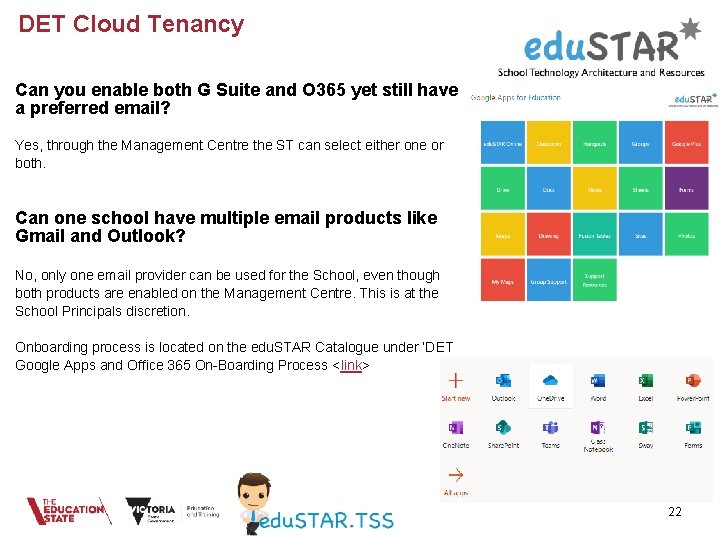
DET Cloud Tenancy Can you enable both G Suite and O 365 yet still have a preferred email? Yes, through the Management Centre the ST can select either one or both. Can one school have multiple email products like Gmail and Outlook? No, only one email provider can be used for the School, even though both products are enabled on the Management Centre. This is at the School Principals discretion. Onboarding process is located on the edu. STAR Catalogue under ‘DET Google Apps and Office 365 On-Boarding Process <link> 22
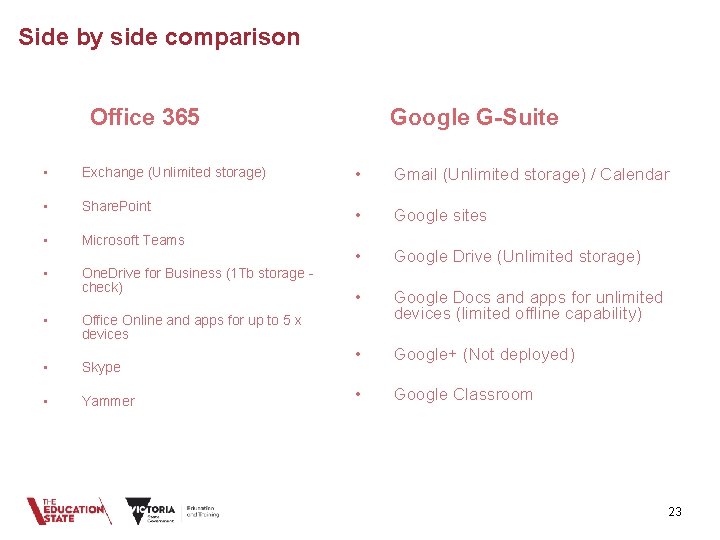
Side by side comparison Google G-Suite Office 365 • Exchange (Unlimited storage) • Gmail (Unlimited storage) / Calendar • Share. Point • Google sites • Microsoft Teams • • Google Drive (Unlimited storage) One. Drive for Business (1 Tb storage check) • Google Docs and apps for unlimited devices (limited offline capability) • Google+ (Not deployed) • Google Classroom • Office Online and apps for up to 5 x devices • Skype • Yammer 23
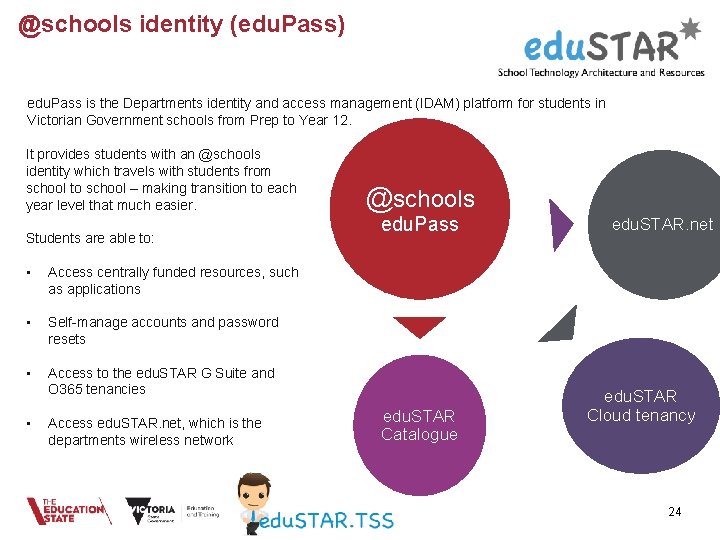
@schools identity (edu. Pass) edu. Pass is the Departments identity and access management (IDAM) platform for students in Victorian Government schools from Prep to Year 12. It provides students with an @schools identity which travels with students from school to school – making transition to each year level that much easier. Students are able to: • Access centrally funded resources, such as applications • Self-manage accounts and password resets • Access to the edu. STAR G Suite and O 365 tenancies • Access edu. STAR. net, which is the departments wireless network @schools edu. Pass edu. STAR Catalogue edu. STAR. net edu. STAR Cloud tenancy 24
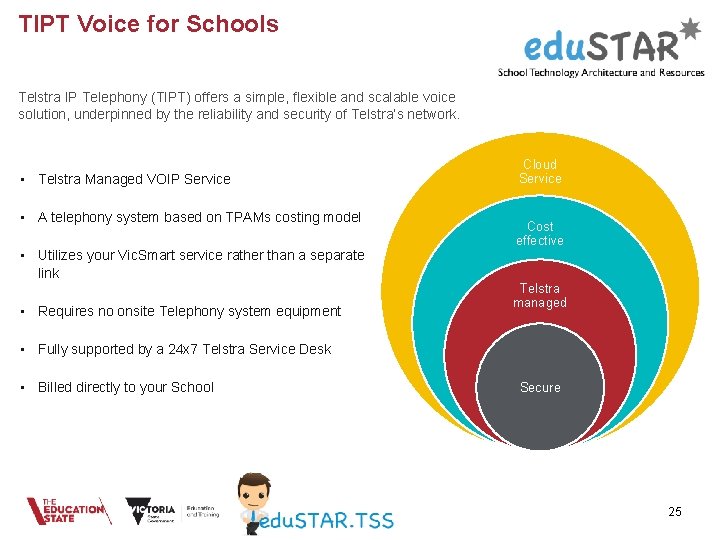
TIPT Voice for Schools Telstra IP Telephony (TIPT) offers a simple, flexible and scalable voice solution, underpinned by the reliability and security of Telstra’s network. • Telstra Managed VOIP Service • A telephony system based on TPAMs costing model • Utilizes your Vic. Smart service rather than a separate link • Requires no onsite Telephony system equipment Cloud Service Cost effective Telstra managed • Fully supported by a 24 x 7 Telstra Service Desk • Billed directly to your School Secure 25
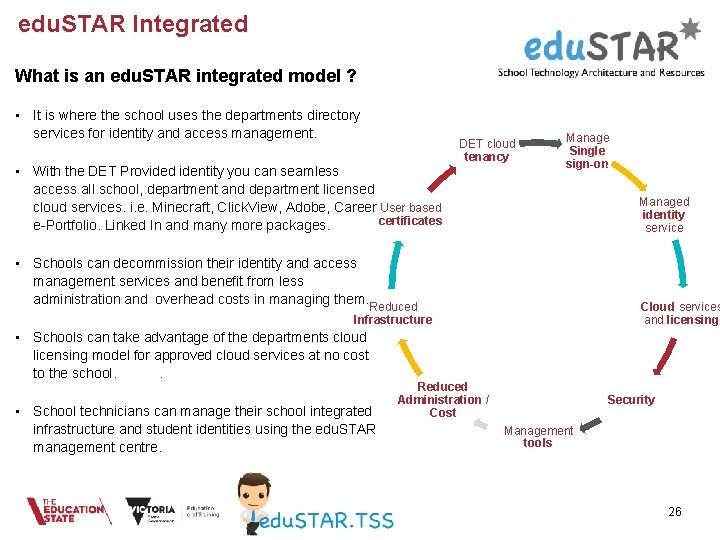
edu. STAR Integrated What is an edu. STAR integrated model ? • It is where the school uses the departments directory services for identity and access management. • With the DET Provided identity you can seamless access all school, department and department licensed cloud services. i. e. Minecraft, Click. View, Adobe, Career User based certificates e-Portfolio. Linked In and many more packages. DET cloud tenancy Manage Single sign-on Managed identity service • Schools can decommission their identity and access management services and benefit from less administration and overhead costs in managing them. Reduced Cloud services and licensing Infrastructure • Schools can take advantage of the departments cloud licensing model for approved cloud services at no cost to the school. . • School technicians can manage their school integrated infrastructure and student identities using the edu. STAR management centre. Reduced Administration / Cost Security Management tools 26
edu. STAR Integrated Q&A How does a school adopt the integration model? A service request to the edu. STAR team is all that is required to get the ball rolling. Is the Compass application supported in an integrated model? Yes, there are work arounds in place to enable it and we are currently working with Compass to develop a supportable method for schools who are edu. STAR integrated. How do I transition my existing group policies to the schools domain? 27
28
Questions? 29