
IBM z Series Scholars Program Java on zOS
IBM z. Series Scholars Program Java on z/OS © Copyright IBM Corporation 2005 Course materials may not be reproduced in whole or in part without the prior written permission of IBM. 3. 3. 1
Unit Objectives IBM z. Series After completing this unit, you should know: § How to get the code and install Java Developer Kit for z/OS § What requirements should be met and what installation methods exist § How to set the necessary environment variables and modify the. profile § How to compile and run Java programs and applets § Usage of Java Record I/O § How to optimize your environment © Copyright IBM Corporation 2005 2
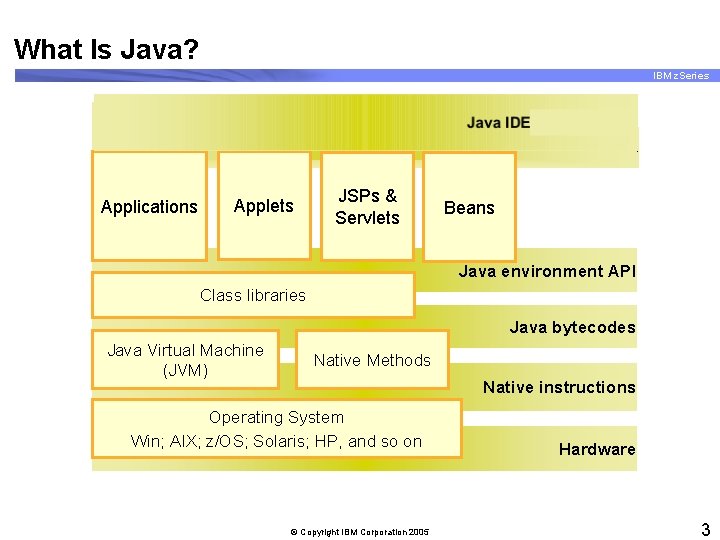
What Is Java? IBM z. Series Java IDE, i. e. Visual. Age Applications Applets JSPs & Servlets Beans Java environment API Class libraries Java bytecodes Java Virtual Machine (JVM) Native Methods Native instructions Operating System Win; AIX; z/OS; Solaris; HP, and so on © Copyright IBM Corporation 2005 Hardware 3
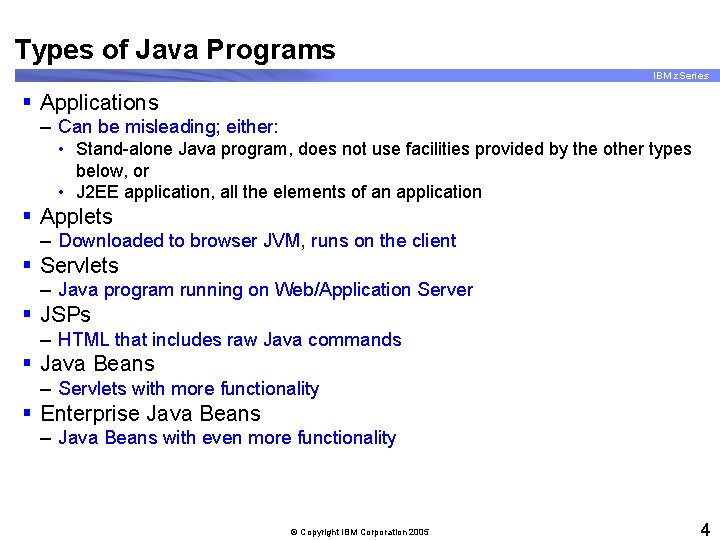
Types of Java Programs IBM z. Series § Applications – Can be misleading; either: • Stand-alone Java program, does not use facilities provided by the other types below, or • J 2 EE application, all the elements of an application § Applets – Downloaded to browser JVM, runs on the client § Servlets – Java program running on Web/Application Server § JSPs – HTML that includes raw Java commands § Java Beans – Servlets with more functionality § Enterprise Java Beans – Java Beans with even more functionality © Copyright IBM Corporation 2005 4
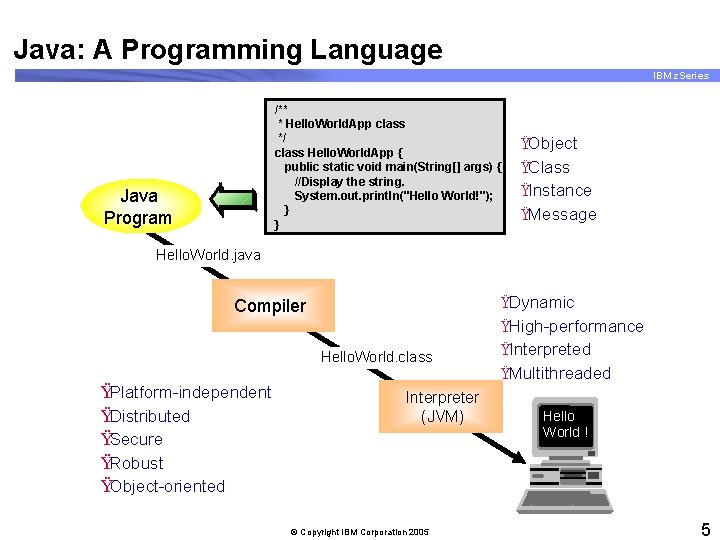
Java: A Programming Language IBM z. Series /** * Hello. World. App class */ class Hello. World. App { public static void main(String[] args) { //Display the string. System. out. println("Hello World!"); } } Java Program ŸObject ŸClass ŸInstance ŸMessage Hello. World. java Compiler Hello. World. class ŸPlatform-independent ŸDistributed ŸSecure ŸRobust ŸObject-oriented Interpreter (JVM) © Copyright IBM Corporation 2005 ŸDynamic ŸHigh-performance ŸInterpreted ŸMultithreaded Hello World ! 5
Java Components IBM z. Series § A Java program as source (. Java file) § A Java program as an executable – – Source is 'compiled' to a. class file Not much more than a convert to binary Easily transportable, it's binary! Requires an execution environment to interpret the code § A Java Virtual Machine (JVM) – Program code provided by any supplier that can interpret and execute the Java program – Typically delivered in a JRE § Java Run Time (JRE) – A JVM plus supporting. class files needed for common execution § Java Developer Kit (JDK) – Includes the JRE plus compiler and other programming aids – Includes more expansive set of utility. class files © Copyright IBM Corporation 2005 6
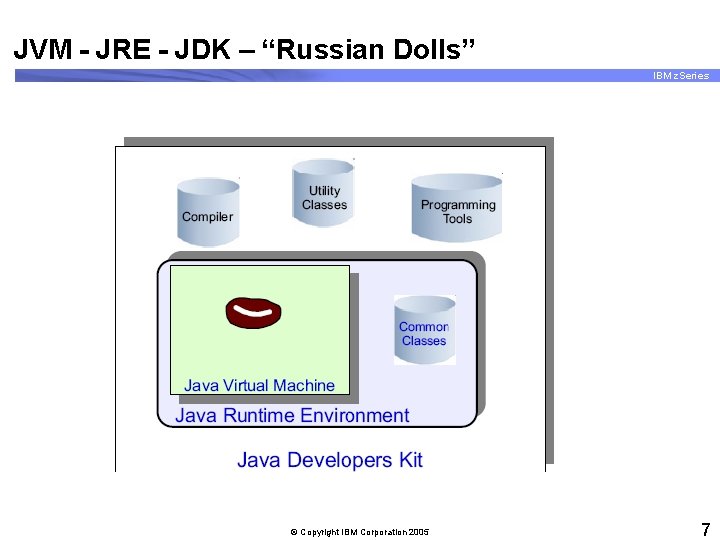
JVM - JRE - JDK – “Russian Dolls” IBM z. Series © Copyright IBM Corporation 2005 7
Java One or Java Two? JDK, IDK, or SDK? IBM z. Series § Sun historically delivered a reference implementation of the standard, called the JDK § It became obvious that a lightweight and a heavyweight version were needed. § JDK 1. 1. 8 was deemed to be Java One § Everything since is Java Two or Java 2 – Note the JDK version does not implicitly state One or Two – For example, JDK 1. 1. 8 is Java One, JDK 1. 3. 1 is Java 2 § Sun produces a JDK; other suppliers must use a different name – IBM originally called it an IDK; guess what the 'I' stands for? – Now most suppliers provide an SDK; the 'S' is for Software § It is inaccurate to refer to your implementation as a JDK unless it is from Sun § It is unlikely to cause confusion if you do! © Copyright IBM Corporation 2005 8
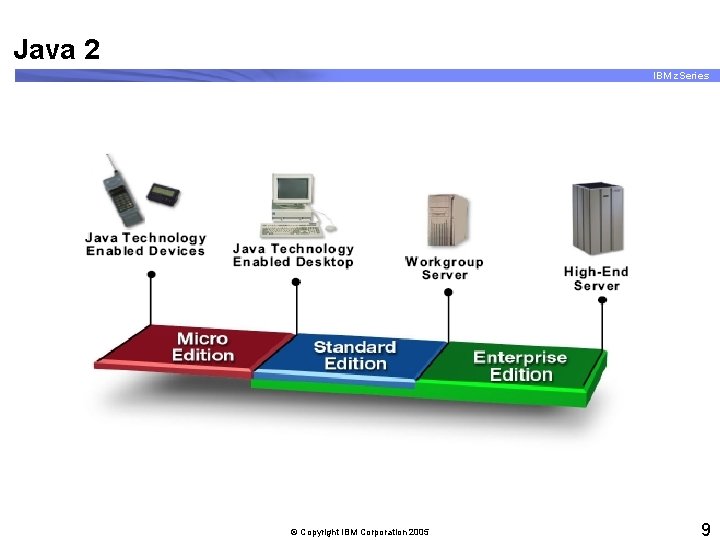
Java 2 IBM z. Series © Copyright IBM Corporation 2005 9
Java 2 IBM z. Series § Addresses the requirement for light- and heavyweight JVM § J 2 ME – – Lightweight JVM is delivered in many handheld devices Used to control the hardware through the execution of programs written according to the J 2 ME specification Ideal for whiteware, mobile phones, PDAs, car components, . . . use your imagination § J 2 SE – JDK for 'normal' operating systems – Similar in function to the old Java One JDK § J 2 EE – A JDK with 'attitude' – Specification includes support for: • • Distributed execution Transaction services Extended security Multiprocessing considerations. . . and more © Copyright IBM Corporation 2005 10
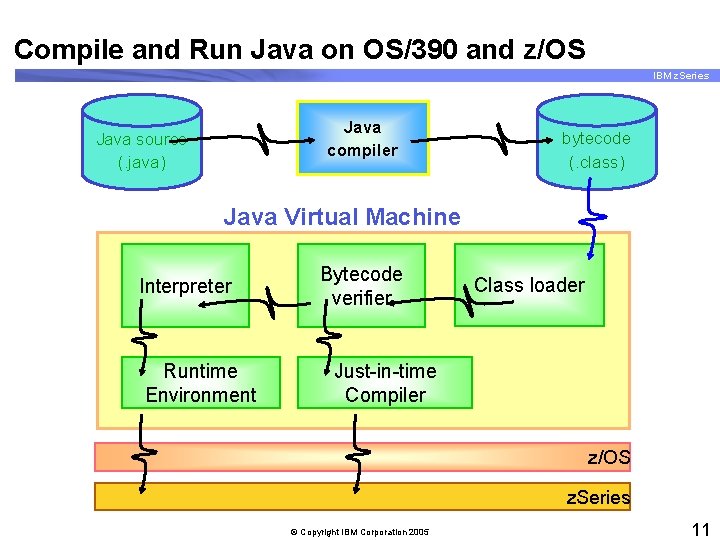
Compile and Run Java on OS/390 and z/OS IBM z. Series Java compiler Java source (. java) bytecode (. class) Java Virtual Machine Interpreter Runtime Environment Bytecode verifier Class loader Just-in-time Compiler z/OS z. Series © Copyright IBM Corporation 2005 11
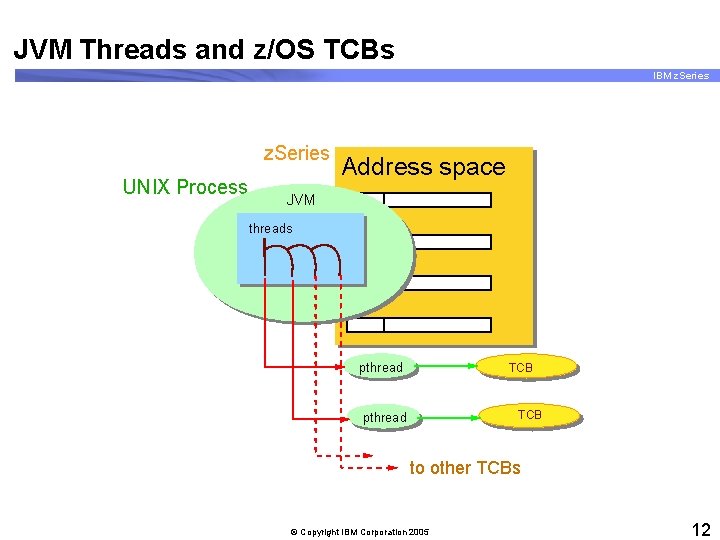
JVM Threads and z/OS TCBs IBM z. Series UNIX Process Address space JVM threads process pthread TCB pthread to other TCBs © Copyright IBM Corporation 2005 12
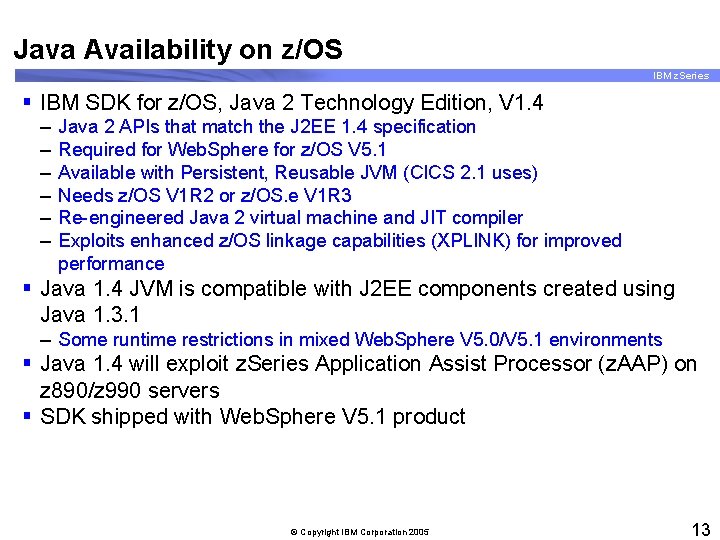
Java Availability on z/OS IBM z. Series § IBM SDK for z/OS, Java 2 Technology Edition, V 1. 4 – – – Java 2 APIs that match the J 2 EE 1. 4 specification Required for Web. Sphere for z/OS V 5. 1 Available with Persistent, Reusable JVM (CICS 2. 1 uses) Needs z/OS V 1 R 2 or z/OS. e V 1 R 3 Re-engineered Java 2 virtual machine and JIT compiler Exploits enhanced z/OS linkage capabilities (XPLINK) for improved performance § Java 1. 4 JVM is compatible with J 2 EE components created using Java 1. 3. 1 – Some runtime restrictions in mixed Web. Sphere V 5. 0/V 5. 1 environments § Java 1. 4 will exploit z. Series Application Assist Processor (z. AAP) on z 890/z 990 servers § SDK shipped with Web. Sphere V 5. 1 product © Copyright IBM Corporation 2005 13
What Is Java on z/OS? IBM z. Series § A port of Sun's JDK to the z/OS platform § Official title: – IBM SDK for z/OS™, Java™ 2 Technology Edition § Short title: IBM SDK for z/OS § Program ID: 5655 -I 56 – No charge product © Copyright IBM Corporation 2005 14
Latest JVM Release: SDK 1. 4. 0 IBM z. Series § JAVA SDK 1. 4. 0 announced 8/13/2002 § Official name of the product: – IBM Developer Kit for z/OS, Java™ 2 Technology Edition, Version 1. 4 – (But, most will refer to it as: SDK 140) § Software requirements: – z/OS V 1. 4 – LE and USS APARs OW 54362, PQ 60748, PQ 60892 – COMPID: 5648 C 9801 FMID: HJVA 140 © Copyright IBM Corporation 2005 15
The IBM 64 -Bit SDK for z/OS, Java 2 Technology Edition, Version 1. 4 Product IBM z. Series § This product became generally available in September 2004. The product provides the Sun SDK 1. 4 APIs § The IBM 64 -bit SDK for z/OS, Java 2 Technology Edition, Version 1. 4 requires either: – z/OS V 1. 6 or higher – z/OS. e V 1. 6 or higher © Copyright IBM Corporation 2005 16
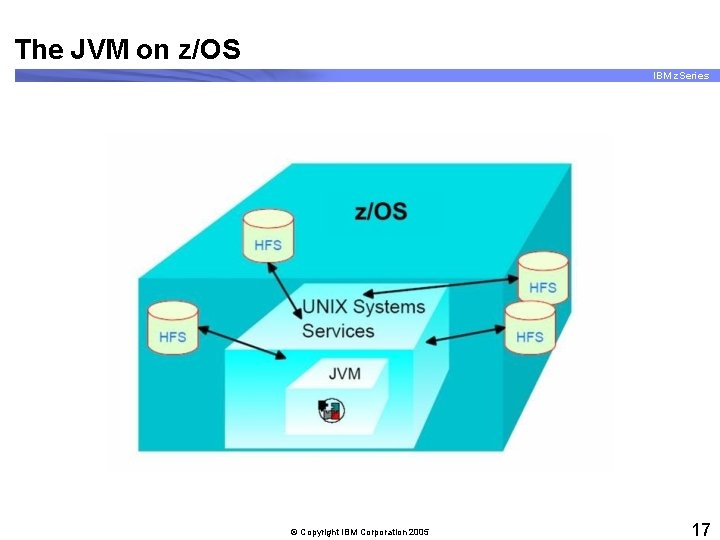
The JVM on z/OS IBM z. Series © Copyright IBM Corporation 2005 17
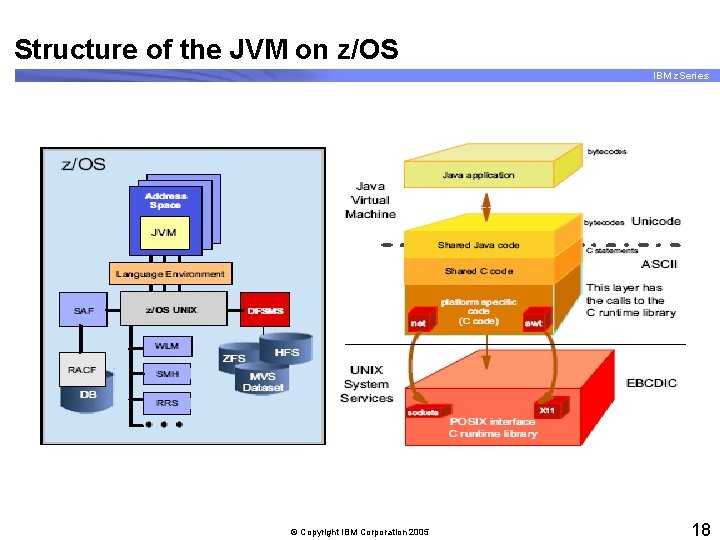
Structure of the JVM on z/OS IBM z. Series © Copyright IBM Corporation 2005 18
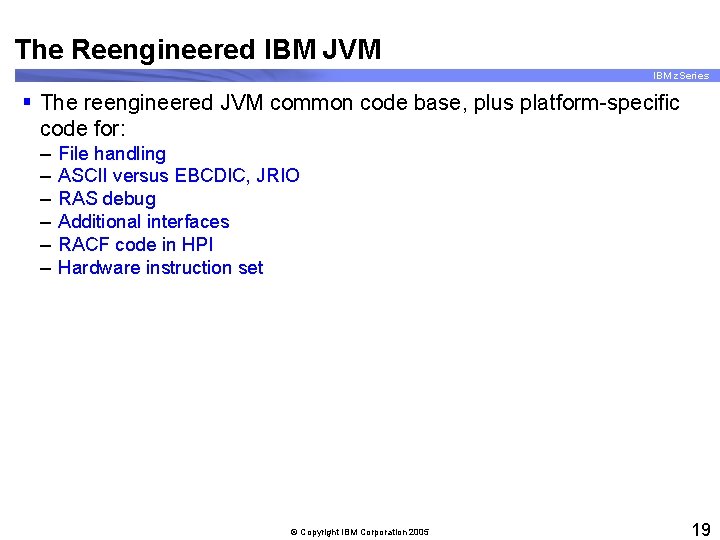
The Reengineered IBM JVM IBM z. Series § The reengineered JVM common code base, plus platform-specific code for: – – – File handling ASCII versus EBCDIC, JRIO RAS debug Additional interfaces RACF code in HPI Hardware instruction set © Copyright IBM Corporation 2005 19
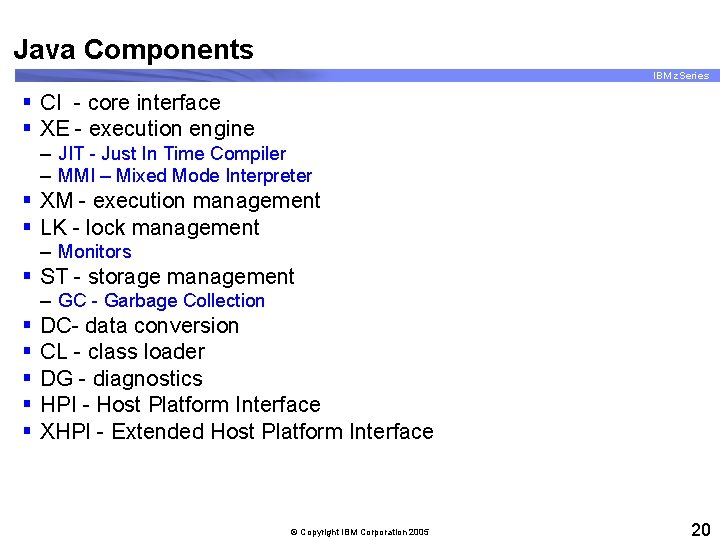
Java Components IBM z. Series § CI - core interface § XE - execution engine – JIT - Just In Time Compiler – MMI – Mixed Mode Interpreter § XM - execution management § LK - lock management – Monitors § ST - storage management – GC - Garbage Collection § § § DC- data conversion CL - class loader DG - diagnostics HPI - Host Platform Interface XHPI - Extended Host Platform Interface © Copyright IBM Corporation 2005 20
What Environments Support Java? IBM z. Series § § Web. Sphere and J 2 EE Transaction servers (IMS and CICS) DB 2 (Stored Procedures) Batch (BPXBATCH) © Copyright IBM Corporation 2005 21
z/OS Java Executables IBM z. Series § z/OS Java executables are sometimes referred to as extended text decks or load modules. – – – – Are fully-bound program objects All references to JDK classes are runtime Java DLL calls You cannot build statically bound modules Class with a main method is required All Java executables must reside either on HFS or in PDSE members Java executable at run time are located in: • PATH in z/OS shell • STEPLIB if executable in PDSE • DFHRPL concatenation if executable is running under CICS/ESA © Copyright IBM Corporation 2005 22
GC Model IBM z. Series § GC (Garbage Collection) manages the Java Heap § SDK 1. 3 originally utilized Concurrent GC § SDK 1. 3. 1 implements Mark and Sweep with optional compaction © Copyright IBM Corporation 2005 23
The Persistent Reusable JVM IBM z. Series § § § The high-performance transactional JVM Significant savings on startup cost Allows a single JVM to be used for multiple transactions High throughput, short and repetitive transactions The exploiters – CICS, IMS and DB 2 (Stored Procedures) § Shared classes – Reduced memory footprint – Increased performance © Copyright IBM Corporation 2005 24
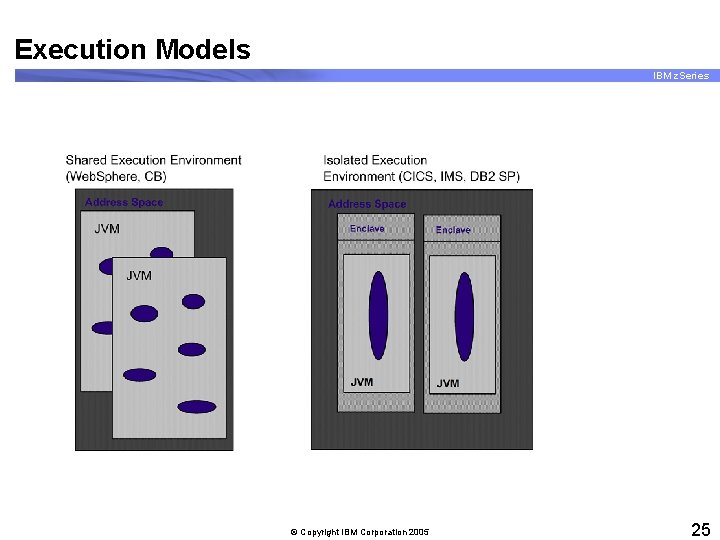
Execution Models IBM z. Series © Copyright IBM Corporation 2005 25
Serial Reuse of JVMs IBM z. Series © Copyright IBM Corporation 2005 26
Persistent/Reusable JVMs Scalability IBM z. Series © Copyright IBM Corporation 2005 27
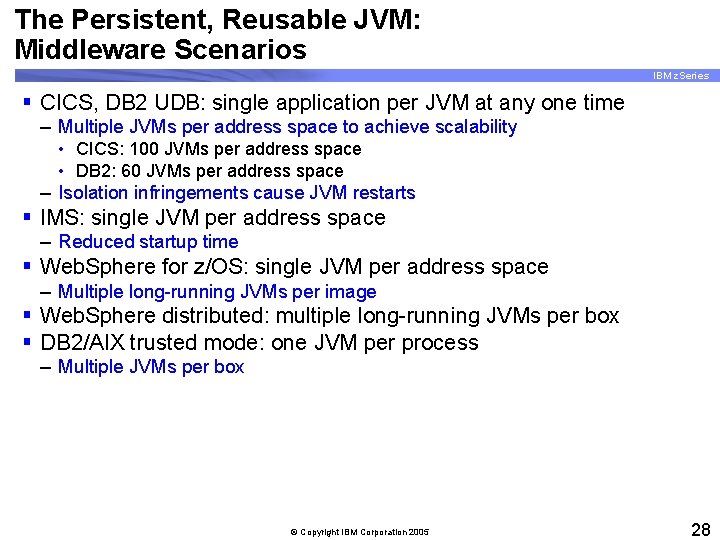
The Persistent, Reusable JVM: Middleware Scenarios IBM z. Series § CICS, DB 2 UDB: single application per JVM at any one time – Multiple JVMs per address space to achieve scalability • CICS: 100 JVMs per address space • DB 2: 60 JVMs per address space – Isolation infringements cause JVM restarts § IMS: single JVM per address space – Reduced startup time § Web. Sphere for z/OS: single JVM per address space – Multiple long-running JVMs per image § Web. Sphere distributed: multiple long-running JVMs per box § DB 2/AIX trusted mode: one JVM per process – Multiple JVMs per box © Copyright IBM Corporation 2005 28

Java Record I/O IBM z. Series § JRIO is a class library, similar to java. io § JRIO provides record-oriented access on z/OS – – – VSAM data sets (KSDS only) Non-VSAM record-oriented data sets The system catalog Partitioned data set (PDS) directory DDName and GDG support (new w/SR 20) © Copyright IBM Corporation 2005 29
JRIO on z/OS (continued) IBM z. Series § Provides indexed I/O access to records within a VSAM KSDS using z/OS native support § In VSAM KSDS you can access records: – In entry sequence order – By primary unique key – By alternate unique or non-unique key § Other functions possible: – Dataset listing (ISPF option 3. 4) – Listing the members of a PDS © Copyright IBM Corporation 2005 30
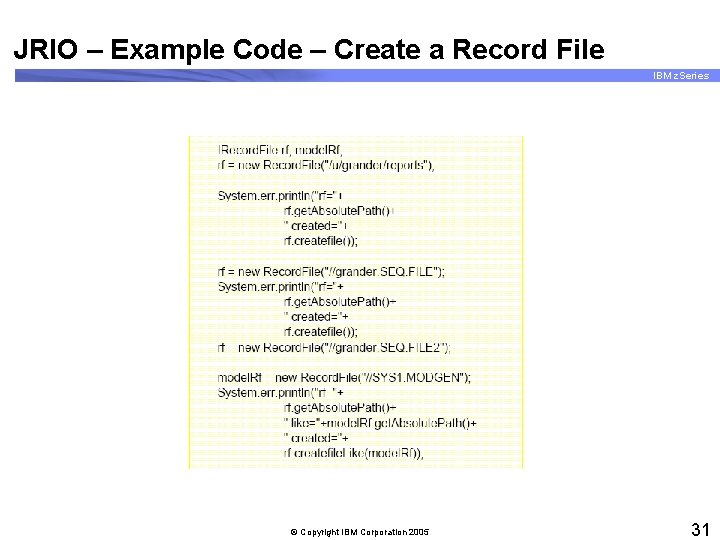
JRIO – Example Code – Create a Record File IBM z. Series © Copyright IBM Corporation 2005 31
Basic SDK 1. 4. 0 Information IBM z. Series § Official name of the product: – IBM SDK for z/OS, Java™ 2 Technology Edition, V 1. 4 § Software requirements: – z/OS V 1 R 2 or higher, or z/OS. e V 1 R 3 or higher – TCP/IP V 3 or higher with X Windows (optional) – Program number 5655 -I 56, FMID HJVA 140 © Copyright IBM Corporation 2005 32
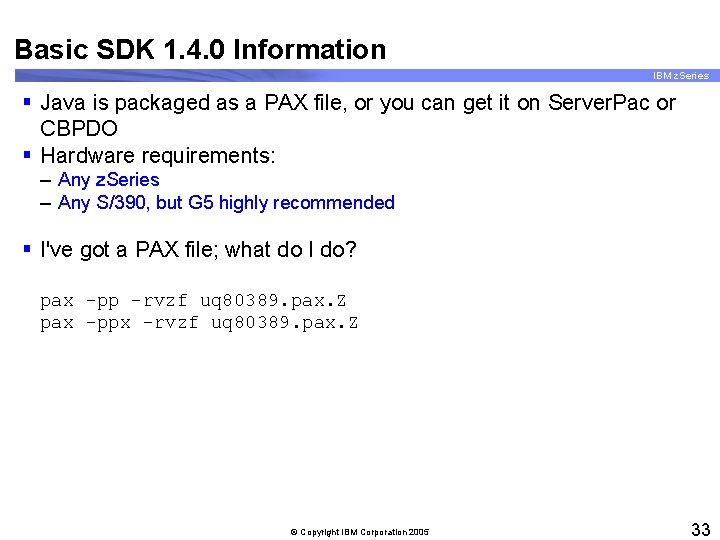
Basic SDK 1. 4. 0 Information IBM z. Series § Java is packaged as a PAX file, or you can get it on Server. Pac or CBPDO § Hardware requirements: – Any z. Series – Any S/390, but G 5 highly recommended § I've got a PAX file; what do I do? pax -pp -rvzf uq 80389. pax. Z pax -ppx -rvzf uq 80389. pax. Z © Copyright IBM Corporation 2005 33
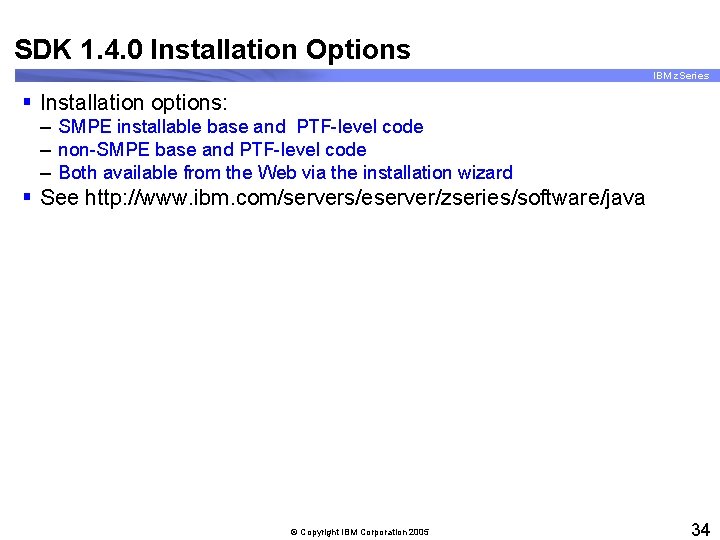
SDK 1. 4. 0 Installation Options IBM z. Series § Installation options: – SMPE installable base and PTF-level code – non-SMPE base and PTF-level code – Both available from the Web via the installation wizard § See http: //www. ibm. com/servers/eserver/zseries/software/java © Copyright IBM Corporation 2005 34
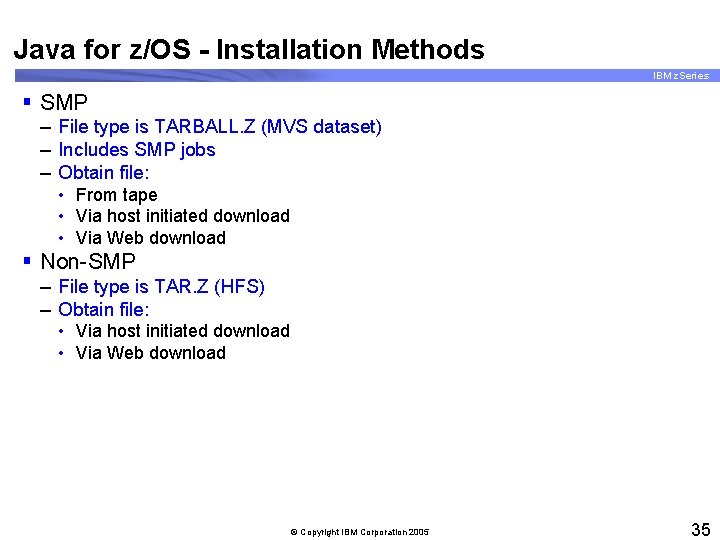
Java for z/OS - Installation Methods IBM z. Series § SMP – File type is TARBALL. Z (MVS dataset) – Includes SMP jobs – Obtain file: • From tape • Via host initiated download • Via Web download § Non-SMP – File type is TAR. Z (HFS) – Obtain file: • Via host initiated download • Via Web download © Copyright IBM Corporation 2005 35
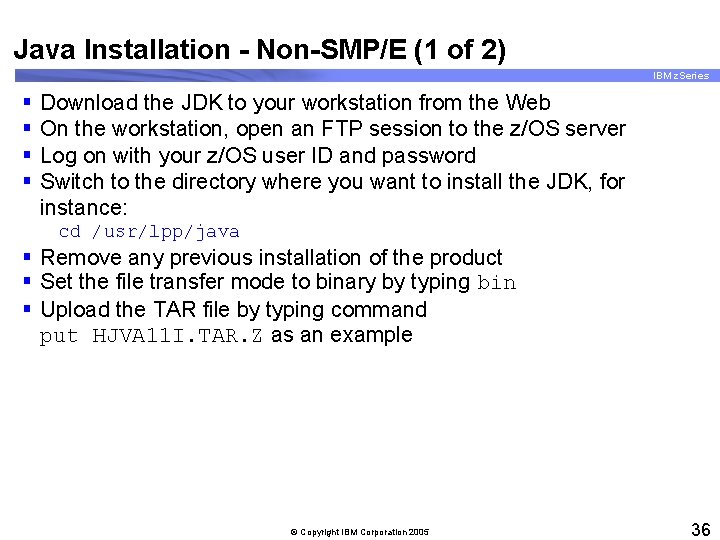
Java Installation - Non-SMP/E (1 of 2) IBM z. Series § § Download the JDK to your workstation from the Web On the workstation, open an FTP session to the z/OS server Log on with your z/OS user ID and password Switch to the directory where you want to install the JDK, for instance: cd /usr/lpp/java § Remove any previous installation of the product § Set the file transfer mode to binary by typing bin § Upload the TAR file by typing command put HJVA 11 I. TAR. Z as an example © Copyright IBM Corporation 2005 36
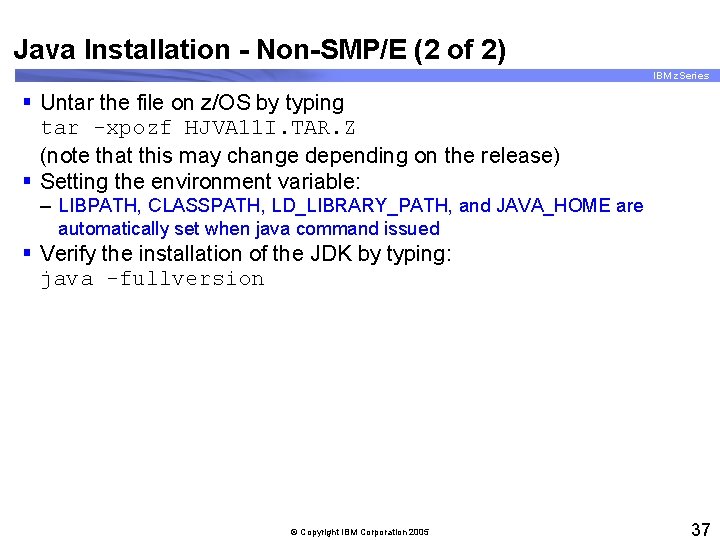
Java Installation - Non-SMP/E (2 of 2) IBM z. Series § Untar the file on z/OS by typing tar -xpozf HJVA 11 I. TAR. Z (note that this may change depending on the release) § Setting the environment variable: – LIBPATH, CLASSPATH, LD_LIBRARY_PATH, and JAVA_HOME are automatically set when java command issued § Verify the installation of the JDK by typing: java -fullversion © Copyright IBM Corporation 2005 37
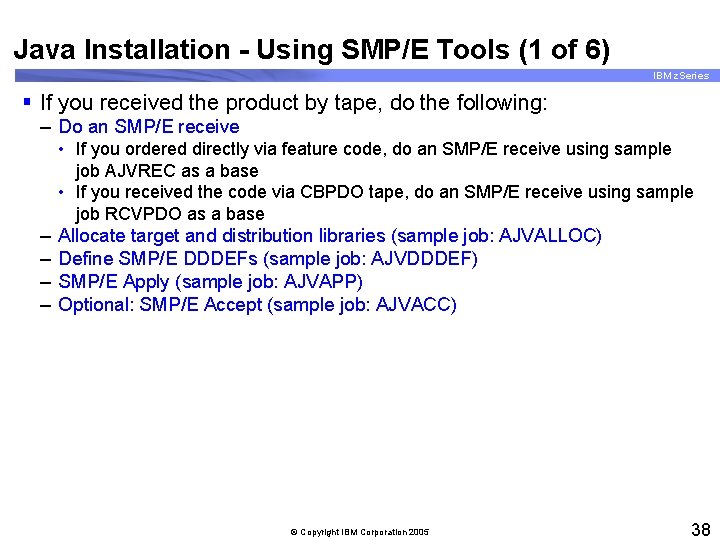
Java Installation - Using SMP/E Tools (1 of 6) IBM z. Series § If you received the product by tape, do the following: – Do an SMP/E receive – – • If you ordered directly via feature code, do an SMP/E receive using sample job AJVREC as a base • If you received the code via CBPDO tape, do an SMP/E receive using sample job RCVPDO as a base Allocate target and distribution libraries (sample job: AJVALLOC) Define SMP/E DDDEFs (sample job: AJVDDDEF) SMP/E Apply (sample job: AJVAPP) Optional: SMP/E Accept (sample job: AJVACC) © Copyright IBM Corporation 2005 38
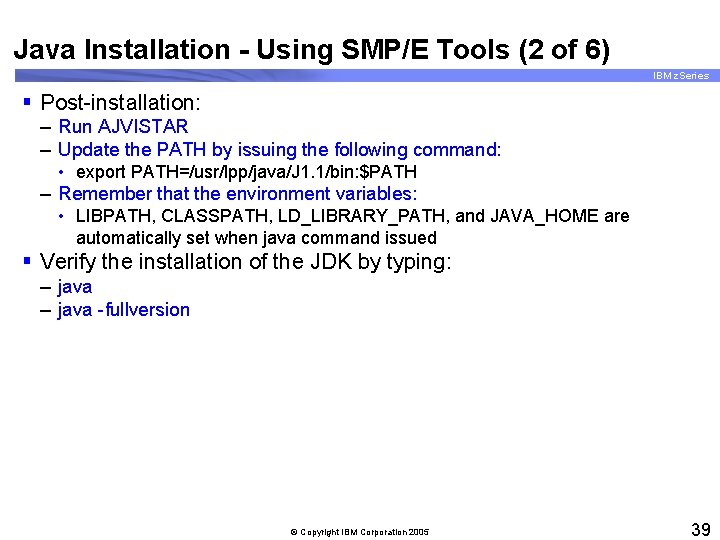
Java Installation - Using SMP/E Tools (2 of 6) IBM z. Series § Post-installation: – Run AJVISTAR – Update the PATH by issuing the following command: • export PATH=/usr/lpp/java/J 1. 1/bin: $PATH – Remember that the environment variables: • LIBPATH, CLASSPATH, LD_LIBRARY_PATH, and JAVA_HOME are automatically set when java command issued § Verify the installation of the JDK by typing: – java -fullversion © Copyright IBM Corporation 2005 39
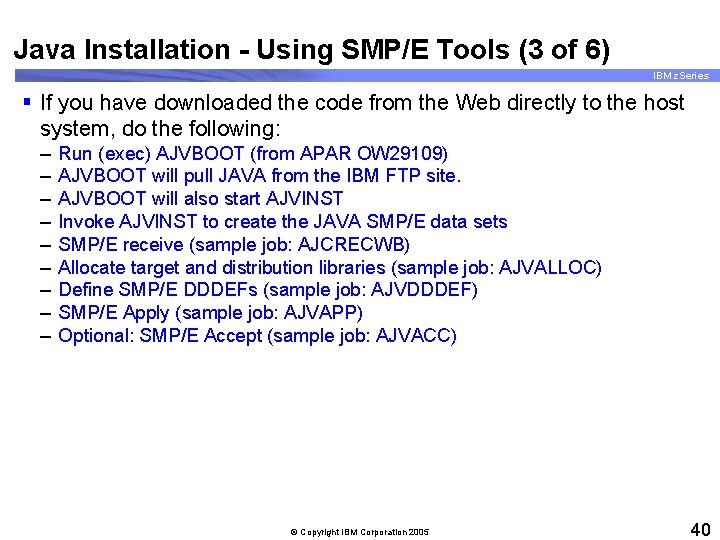
Java Installation - Using SMP/E Tools (3 of 6) IBM z. Series § If you have downloaded the code from the Web directly to the host system, do the following: – – – – – Run (exec) AJVBOOT (from APAR OW 29109) AJVBOOT will pull JAVA from the IBM FTP site. AJVBOOT will also start AJVINST Invoke AJVINST to create the JAVA SMP/E data sets SMP/E receive (sample job: AJCRECWB) Allocate target and distribution libraries (sample job: AJVALLOC) Define SMP/E DDDEFs (sample job: AJVDDDEF) SMP/E Apply (sample job: AJVAPP) Optional: SMP/E Accept (sample job: AJVACC) © Copyright IBM Corporation 2005 40
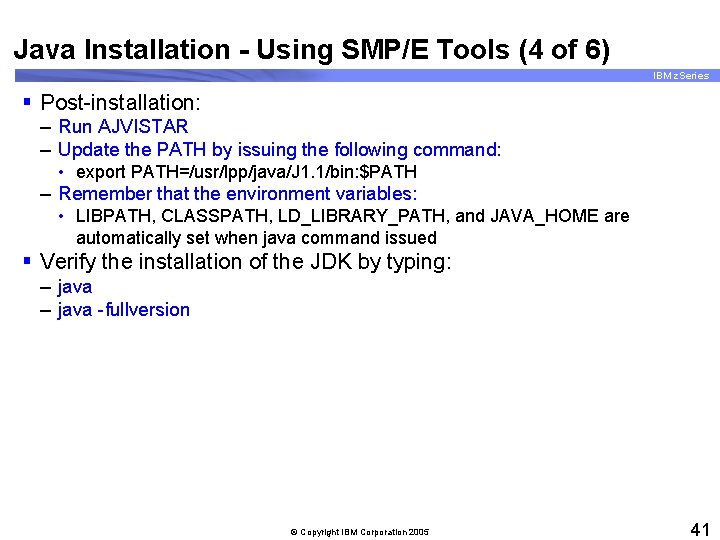
Java Installation - Using SMP/E Tools (4 of 6) IBM z. Series § Post-installation: – Run AJVISTAR – Update the PATH by issuing the following command: • export PATH=/usr/lpp/java/J 1. 1/bin: $PATH – Remember that the environment variables: • LIBPATH, CLASSPATH, LD_LIBRARY_PATH, and JAVA_HOME are automatically set when java command issued § Verify the installation of the JDK by typing: – java -fullversion © Copyright IBM Corporation 2005 41
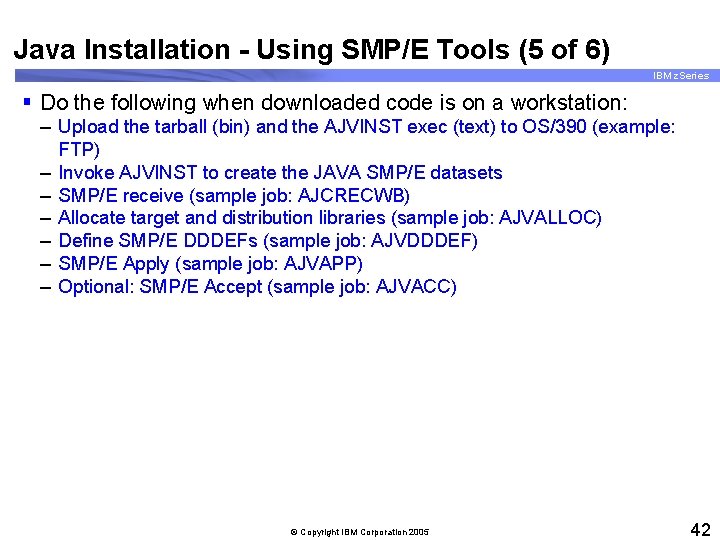
Java Installation - Using SMP/E Tools (5 of 6) IBM z. Series § Do the following when downloaded code is on a workstation: – Upload the tarball (bin) and the AJVINST exec (text) to OS/390 (example: FTP) – Invoke AJVINST to create the JAVA SMP/E datasets – SMP/E receive (sample job: AJCRECWB) – Allocate target and distribution libraries (sample job: AJVALLOC) – Define SMP/E DDDEFs (sample job: AJVDDDEF) – SMP/E Apply (sample job: AJVAPP) – Optional: SMP/E Accept (sample job: AJVACC) © Copyright IBM Corporation 2005 42
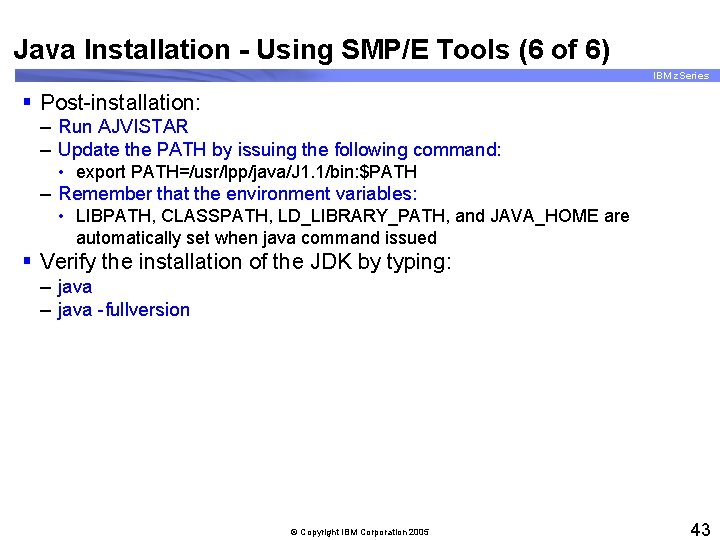
Java Installation - Using SMP/E Tools (6 of 6) IBM z. Series § Post-installation: – Run AJVISTAR – Update the PATH by issuing the following command: • export PATH=/usr/lpp/java/J 1. 1/bin: $PATH – Remember that the environment variables: • LIBPATH, CLASSPATH, LD_LIBRARY_PATH, and JAVA_HOME are automatically set when java command issued § Verify the installation of the JDK by typing: – java -fullversion © Copyright IBM Corporation 2005 43
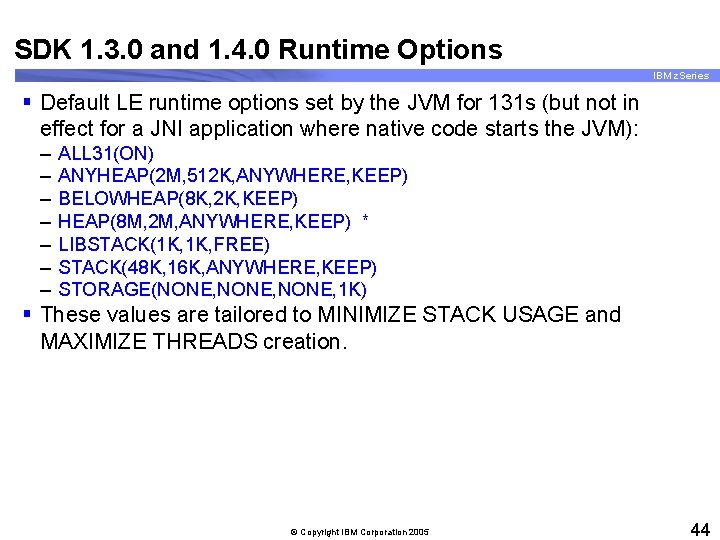
SDK 1. 3. 0 and 1. 4. 0 Runtime Options IBM z. Series § Default LE runtime options set by the JVM for 131 s (but not in effect for a JNI application where native code starts the JVM): – – – – ALL 31(ON) ANYHEAP(2 M, 512 K, ANYWHERE, KEEP) BELOWHEAP(8 K, 2 K, KEEP) HEAP(8 M, 2 M, ANYWHERE, KEEP) * LIBSTACK(1 K, FREE) STACK(48 K, 16 K, ANYWHERE, KEEP) STORAGE(NONE, 1 K) § These values are tailored to MINIMIZE STACK USAGE and MAXIMIZE THREADS creation. © Copyright IBM Corporation 2005 44
The JDK Tools on z/OS IBM z. Series © Copyright IBM Corporation 2005 45
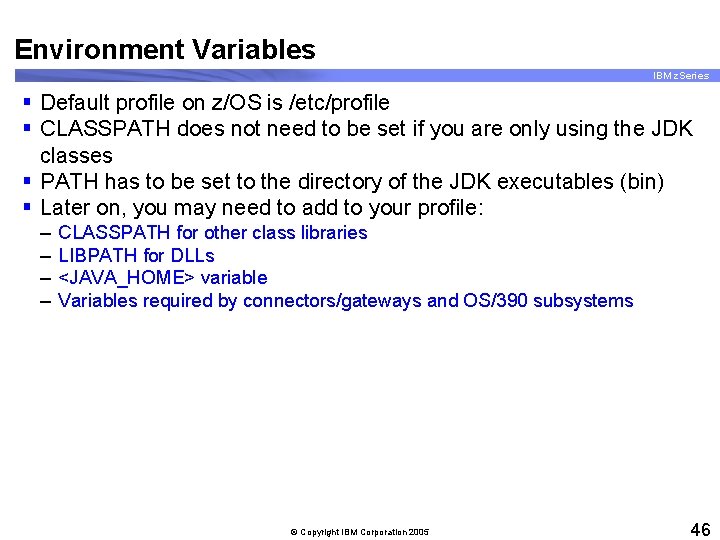
Environment Variables IBM z. Series § Default profile on z/OS is /etc/profile § CLASSPATH does not need to be set if you are only using the JDK classes § PATH has to be set to the directory of the JDK executables (bin) § Later on, you may need to add to your profile: – – CLASSPATH for other class libraries LIBPATH for DLLs <JAVA_HOME> variable Variables required by connectors/gateways and OS/390 subsystems © Copyright IBM Corporation 2005 46
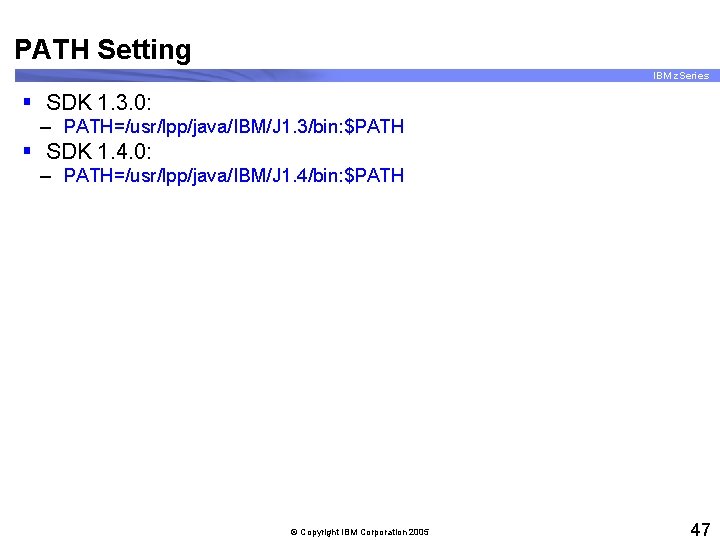
PATH Setting IBM z. Series § SDK 1. 3. 0: – PATH=/usr/lpp/java/IBM/J 1. 3/bin: $PATH § SDK 1. 4. 0: – PATH=/usr/lpp/java/IBM/J 1. 4/bin: $PATH © Copyright IBM Corporation 2005 47
Excerpt of /etc/profile (Sample) IBM z. Series © Copyright IBM Corporation 2005 48
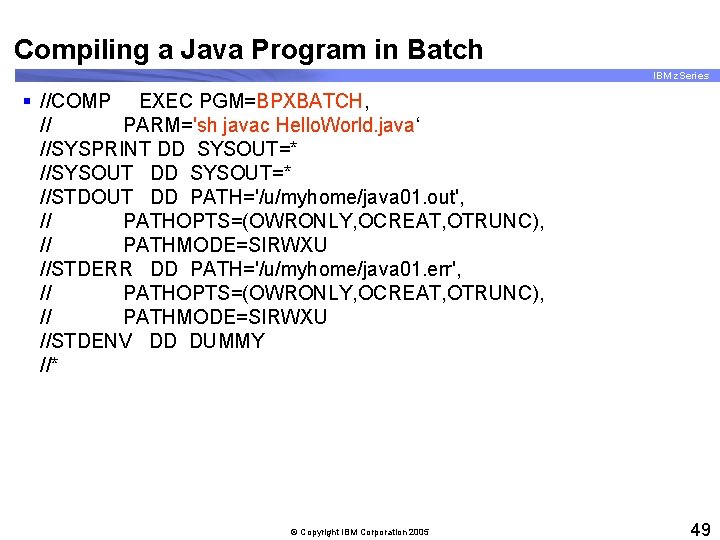
Compiling a Java Program in Batch IBM z. Series § //COMP EXEC PGM=BPXBATCH, // PARM='sh javac Hello. World. java‘ //SYSPRINT DD SYSOUT=* //SYSOUT DD SYSOUT=* //STDOUT DD PATH='/u/myhome/java 01. out', // PATHOPTS=(OWRONLY, OCREAT, OTRUNC), // PATHMODE=SIRWXU //STDERR DD PATH='/u/myhome/java 01. err', // PATHOPTS=(OWRONLY, OCREAT, OTRUNC), // PATHMODE=SIRWXU //STDENV DD DUMMY //* © Copyright IBM Corporation 2005 49
The "java" command IBM z. Series © Copyright IBM Corporation 2005 50
Using JCL to Run Java IBM z. Series © Copyright IBM Corporation 2005 51
JAVA_COMPILER Environment Variable IBM z. Series § JAVA_COMPILER controls JIT (Just. In. Time) Compiler § Options are jitc, none, or <blank> § To disable the JIT: – Either, define the environment variable >export JAVA_COMPILER=NONE ( or =<blank> ) – Or - define the variable at invocation >java -Djava. compiler=none My. Class © Copyright IBM Corporation 2005 52
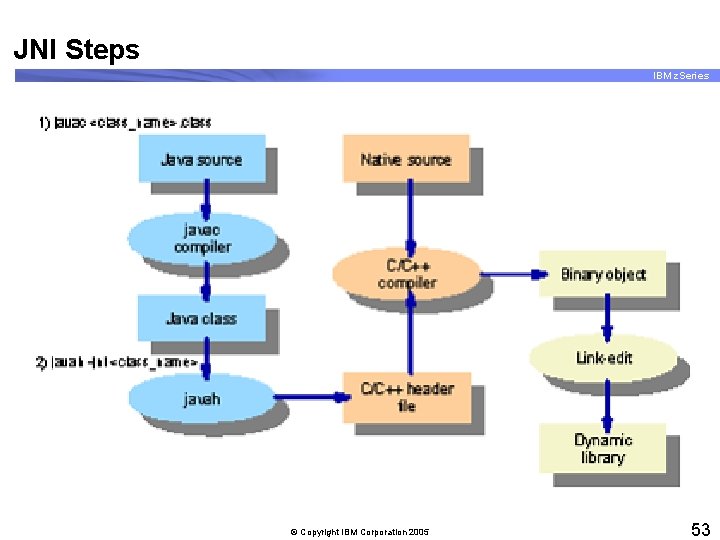
JNI Steps IBM z. Series © Copyright IBM Corporation 2005 53
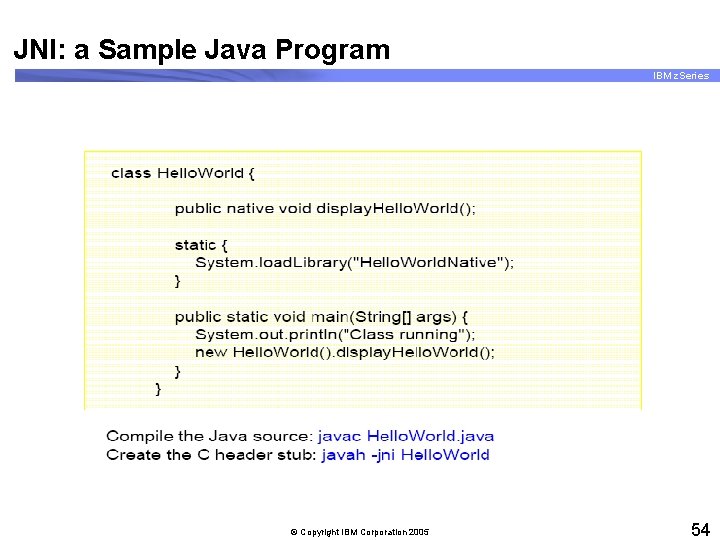
JNI: a Sample Java Program IBM z. Series © Copyright IBM Corporation 2005 54
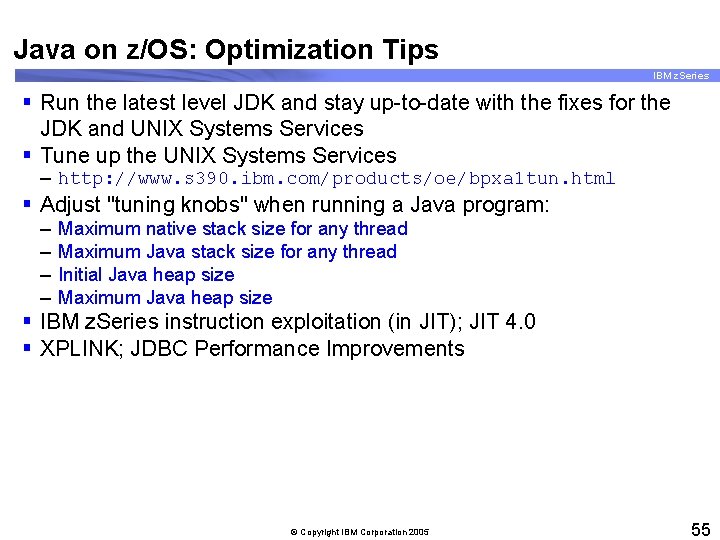
Java on z/OS: Optimization Tips IBM z. Series § Run the latest level JDK and stay up-to-date with the fixes for the JDK and UNIX Systems Services § Tune up the UNIX Systems Services – http: //www. s 390. ibm. com/products/oe/bpxa 1 tun. html § Adjust "tuning knobs" when running a Java program: – – Maximum native stack size for any thread Maximum Java stack size for any thread Initial Java heap size Maximum Java heap size § IBM z. Series instruction exploitation (in JIT); JIT 4. 0 § XPLINK; JDBC Performance Improvements © Copyright IBM Corporation 2005 55
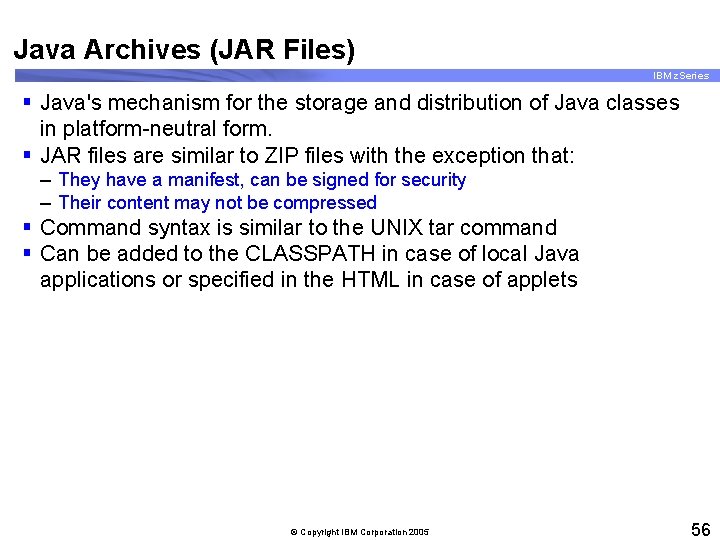
Java Archives (JAR Files) IBM z. Series § Java's mechanism for the storage and distribution of Java classes in platform-neutral form. § JAR files are similar to ZIP files with the exception that: – They have a manifest, can be signed for security – Their content may not be compressed § Command syntax is similar to the UNIX tar command § Can be added to the CLASSPATH in case of local Java applications or specified in the HTML in case of applets © Copyright IBM Corporation 2005 56

Common Problems (1 of 2) IBM z. Series § javac: command not found – Set PATH variable to java/bin directory • PATH is uppercase, directory must match case § javac: invalid argument – Trying to compile the argument(. class) not source(. java) § Syntax errors – Compiler tries to guess and gives help • Often gets it wrong! § Semantic errors – Variables not initialized, and so on © Copyright IBM Corporation 2005 57
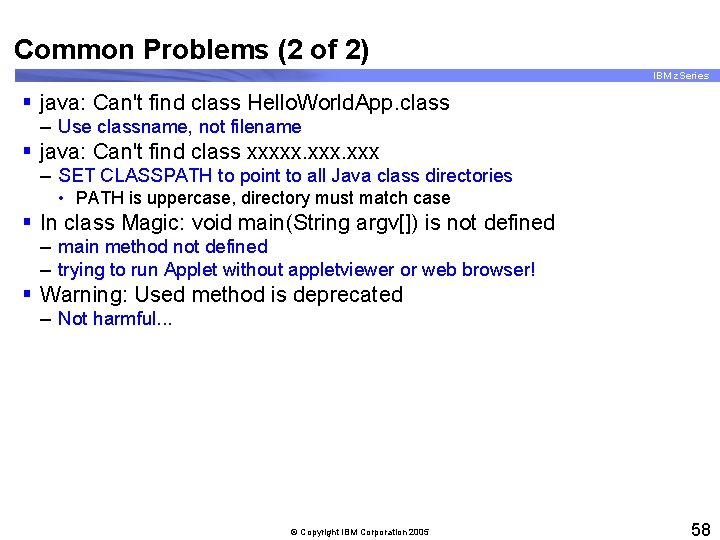
Common Problems (2 of 2) IBM z. Series § java: Can't find class Hello. World. App. class – Use classname, not filename § java: Can't find class xxxxx. xxx – SET CLASSPATH to point to all Java class directories • PATH is uppercase, directory must match case § In class Magic: void main(String argv[]) is not defined – main method not defined – trying to run Applet without appletviewer or web browser! § Warning: Used method is deprecated – Not harmful. . . © Copyright IBM Corporation 2005 58
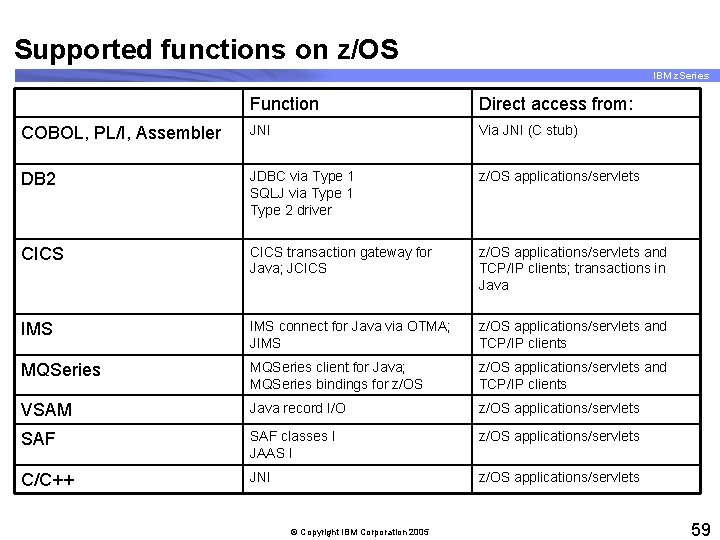
Supported functions on z/OS IBM z. Series Function Direct access from: COBOL, PL/I, Assembler JNI Via JNI (C stub) DB 2 JDBC via Type 1 SQLJ via Type 1 Type 2 driver z/OS applications/servlets CICS transaction gateway for Java; JCICS z/OS applications/servlets and TCP/IP clients; transactions in Java IMS connect for Java via OTMA; JIMS z/OS applications/servlets and TCP/IP clients MQSeries client for Java; MQSeries bindings for z/OS applications/servlets and TCP/IP clients VSAM Java record I/O z/OS applications/servlets SAF classes I JAAS I z/OS applications/servlets C/C++ JNI z/OS applications/servlets © Copyright IBM Corporation 2005 59
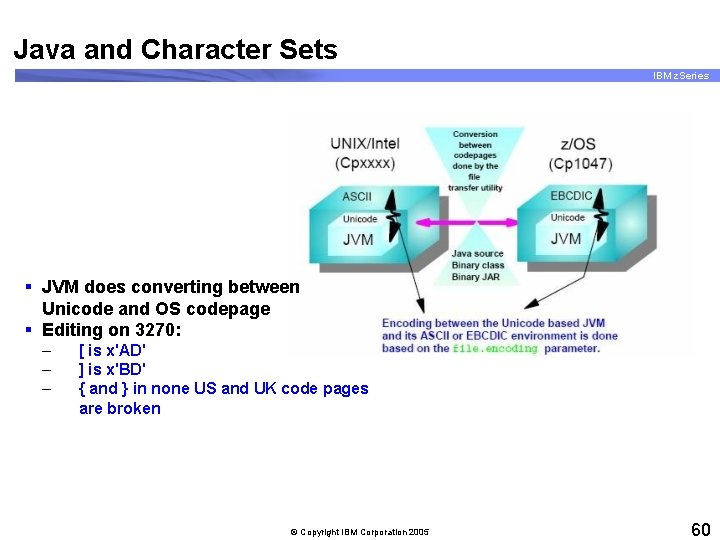
Java and Character Sets IBM z. Series § JVM does converting between Unicode and OS codepage § Editing on 3270: – – – [ is x'AD' ] is x'BD' { and } in none US and UK code pages are broken © Copyright IBM Corporation 2005 60
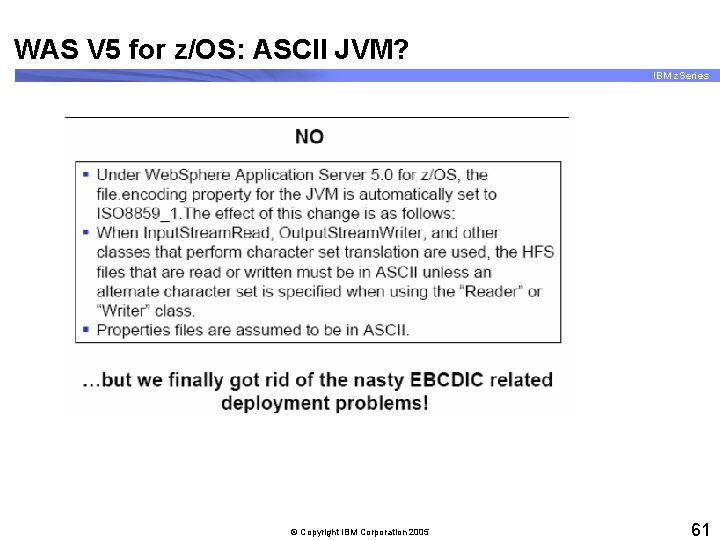
WAS V 5 for z/OS: ASCII JVM? IBM z. Series © Copyright IBM Corporation 2005 61
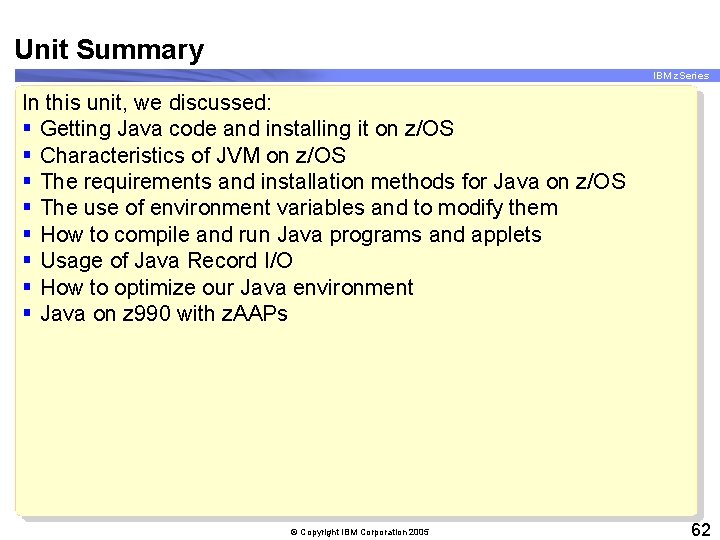
Unit Summary IBM z. Series In this unit, we discussed: § Getting Java code and installing it on z/OS § Characteristics of JVM on z/OS § The requirements and installation methods for Java on z/OS § The use of environment variables and to modify them § How to compile and run Java programs and applets § Usage of Java Record I/O § How to optimize our Java environment § Java on z 990 with z. AAPs © Copyright IBM Corporation 2005 62
- Slides: 62