
IBM Tivoli Storage Manager TSM COMMANDS Prepared by
IBM Tivoli Storage Manager (TSM) COMMANDS Prepared by Shiva
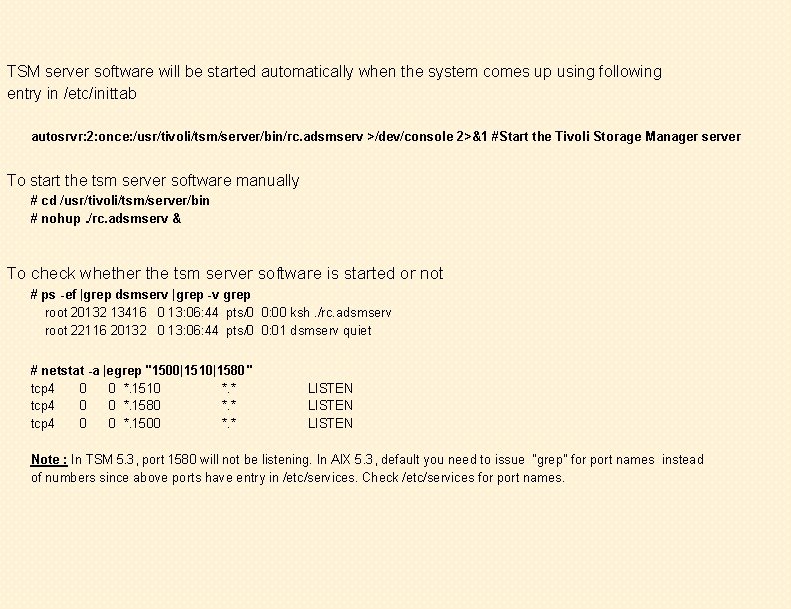
TSM server software will be started automatically when the system comes up using following entry in /etc/inittab autosrvr: 2: once: /usr/tivoli/tsm/server/bin/rc. adsmserv >/dev/console 2>&1 #Start the Tivoli Storage Manager server To start the tsm server software manually # cd /usr/tivoli/tsm/server/bin # nohup. /rc. adsmserv & To check whether the tsm server software is started or not # ps -ef |grep dsmserv |grep -v grep root 20132 13416 0 13: 06: 44 pts/0 0: 00 ksh. /rc. adsmserv root 22116 20132 0 13: 06: 44 pts/0 0: 01 dsmserv quiet # netstat -a |egrep "1500|1510|1580" tcp 4 0 0 *. 1510 *. * tcp 4 0 0 *. 1580 *. * tcp 4 0 0 *. 1500 *. * LISTEN Note : In TSM 5. 3, port 1580 will not be listening. In AIX 5. 3, default you need to issue "grep" for port names instead of numbers since above ports have entry in /etc/services. Check /etc/services for port names.
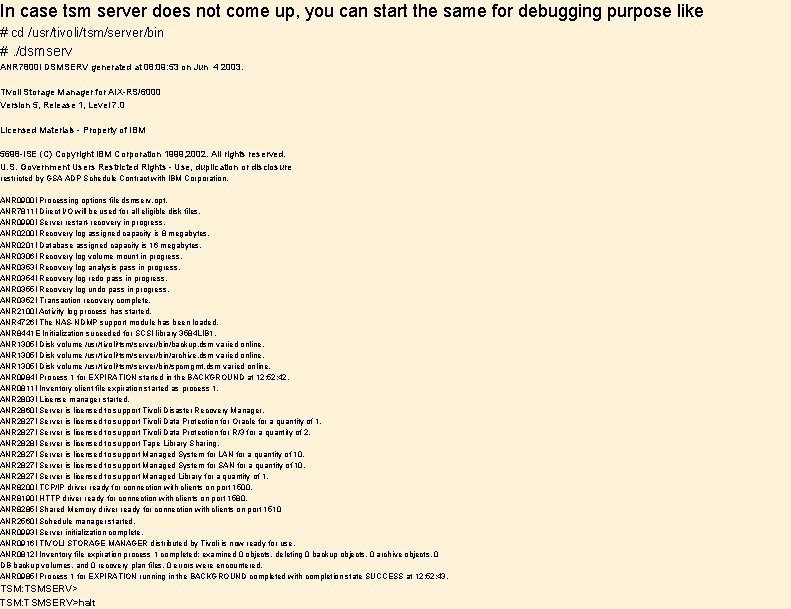
In case tsm server does not come up, you can start the same for debugging purpose like # cd /usr/tivoli/tsm/server/bin #. /dsmserv ANR 7800 I DSMSERV generated at 08: 09: 53 on Jun 4 2003. Tivoli Storage Manager for AIX-RS/6000 Version 5, Release 1, Level 7. 0 Licensed Materials - Property of IBM 5698 -ISE (C) Copyright IBM Corporation 1999, 2002. All rights reserved. U. S. Government Users Restricted Rights - Use, duplication or disclosure restricted by GSA ADP Schedule Contract with IBM Corporation. ANR 0900 I Processing options file dsmserv. opt. ANR 7811 I Direct I/O will be used for all eligible disk files. ANR 0990 I Server restart-recovery in progress. ANR 0200 I Recovery log assigned capacity is 8 megabytes. ANR 0201 I Database assigned capacity is 16 megabytes. ANR 0306 I Recovery log volume mount in progress. ANR 0353 I Recovery log analysis pass in progress. ANR 0354 I Recovery log redo pass in progress. ANR 0355 I Recovery log undo pass in progress. ANR 0352 I Transaction recovery complete. ANR 2100 I Activity log process has started. ANR 4726 I The NAS-NDMP support module has been loaded. ANR 8441 E Initialization suceeded for SCSI library 3584 LIB 1. ANR 1305 I Disk volume /usr/tivoli/tsm/server/bin/backup. dsm varied online. ANR 1305 I Disk volume /usr/tivoli/tsm/server/bin/archive. dsm varied online. ANR 1305 I Disk volume /usr/tivoli/tsm/server/bin/spcmgmt. dsm varied online. ANR 0984 I Process 1 for EXPIRATION started in the BACKGROUND at 12: 52: 42. ANR 0811 I Inventory client file expiration started as process 1. ANR 2803 I License manager started. ANR 2860 I Server is licensed to support Tivoli Disaster Recovery Manager. ANR 2827 I Server is licensed to support Tivoli Data Protection for Oracle for a quantity of 1. ANR 2827 I Server is licensed to support Tivoli Data Protection for R/3 for a quantity of 2. ANR 2828 I Server is licensed to support Tape Library Sharing. ANR 2827 I Server is licensed to support Managed System for LAN for a quantity of 10. ANR 2827 I Server is licensed to support Managed System for SAN for a quantity of 10. ANR 2827 I Server is licensed to support Managed Library for a quantity of 1. ANR 8200 I TCP/IP driver ready for connection with clients on port 1500. ANR 8190 I HTTP driver ready for connection with clients on port 1580. ANR 8285 I Shared Memory driver ready for connection with clients on port 1510 ANR 2560 I Schedule manager started. ANR 0993 I Server initialization complete. ANR 0916 I TIVOLI STORAGE MANAGER distributed by Tivoli is now ready for use. ANR 0812 I Inventory file expiration process 1 completed: examined 0 objects, deleting 0 backup objects, 0 archive objects, 0 DB backup volumes, and 0 recovery plan files. 0 errors were encountered. ANR 0985 I Process 1 for EXPIRATION running in the BACKGROUND completed with completion state SUCCESS at 12: 52: 43. TSM: TSMSERV>halt
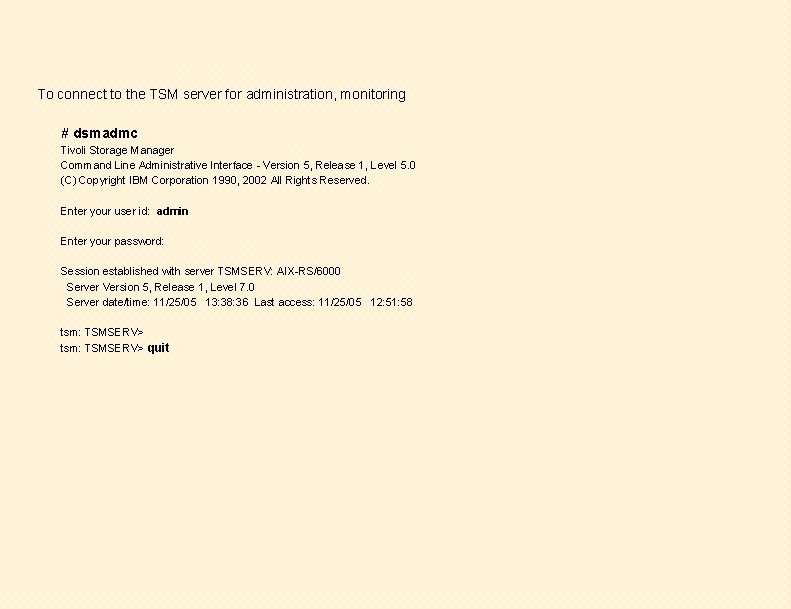
To connect to the TSM server for administration, monitoring # dsmadmc Tivoli Storage Manager Command Line Administrative Interface - Version 5, Release 1, Level 5. 0 (C) Copyright IBM Corporation 1990, 2002 All Rights Reserved. Enter your user id: admin Enter your password: Session established with server TSMSERV: AIX-RS/6000 Server Version 5, Release 1, Level 7. 0 Server date/time: 11/25/05 13: 38: 36 Last access: 11/25/05 12: 51: 58 tsm: TSMSERV> quit

tsm: TSMSERV> q db Available Space (MB) ----16 Assigned Capacity (MB) -------16 Maximum Extension (MB) ----0 12 Maximum Page Reduction Size (MB) (bytes) -------4, 096 tsm: TSMSERV> q db f=d Available Space (MB): 16 Assigned Capacity (MB): 16 Maximum Extension (MB): 0 Maximum Reduction (MB): 12 Page Size (bytes): 4, 096 Total Usable Pages: 4, 096 Used Pages: 245 Pct Util: 6. 0 Max. Pct Util: 6. 0 Physical Volumes: 1 Buffer Pool Pages: 512 Total Buffer Requests: 1, 172 Cache Hit Pct. : 87. 97 Cache Wait Pct. : 0. 00 Backup in Progress? : No Type of Backup In Progress: Incrementals Since Last Full: 0 Changed Since Last Backup (MB): 0. 11 Percentage Changed: 11. 02 Last Complete Backup Date/Time: 11/24/05 09: 00: 03 Total Used Pct Usable Pages Util Pages ---------245 6. 0 Max. Pct Util -----
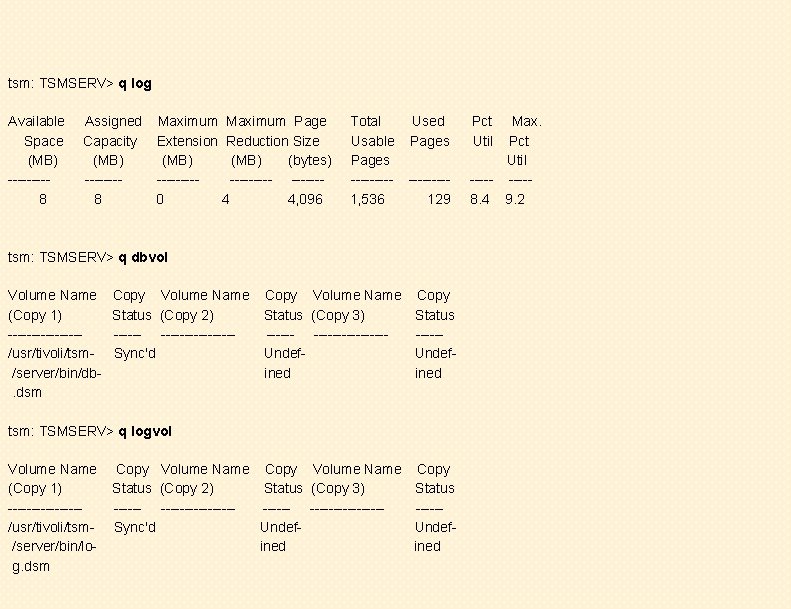
tsm: TSMSERV> q log Available Space (MB) ----8 Assigned Maximum Page Capacity Extension Reduction Size (MB) (bytes) ------------8 0 4 4, 096 Total Usable Pages ----1, 536 Used Pages ----129 tsm: TSMSERV> q dbvol Volume Name (Copy 1) --------/usr/tivoli/tsm/server/bin/db. dsm Copy Volume Name Status (Copy 2) -----------Sync'd Copy Volume Name Copy Status (Copy 3) Status -------------Undefined tsm: TSMSERV> q logvol Volume Name (Copy 1) --------/usr/tivoli/tsm/server/bin/log. dsm Copy Volume Name Copy Status (Copy 2) Status (Copy 3) Status --------------Sync'd Undefined Pct Util Max. Pct Util -----8. 4 9. 2
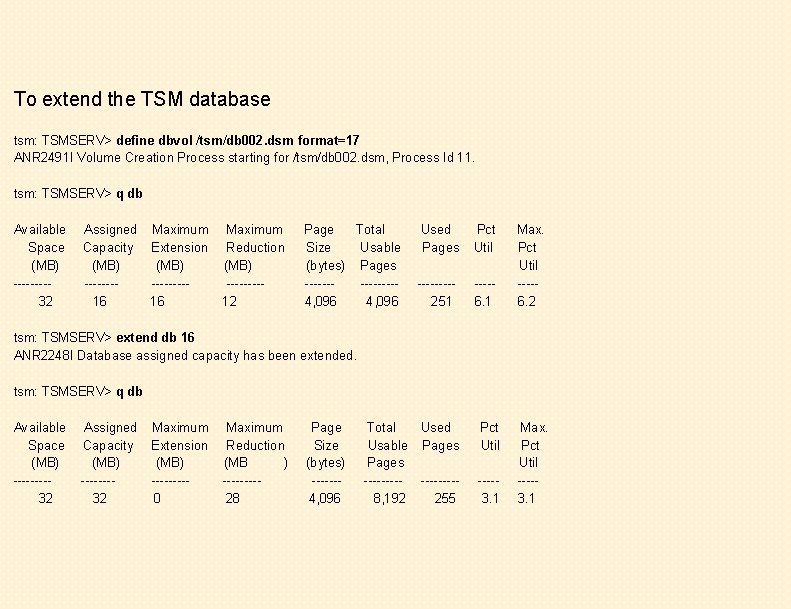
To extend the TSM database tsm: TSMSERV> define dbvol /tsm/db 002. dsm format=17 ANR 2491 I Volume Creation Process starting for /tsm/db 002. dsm, Process Id 11. tsm: TSMSERV> q db Available Space (MB) ----32 Assigned Maximum Capacity Extension (MB) --------16 16 Maximum Reduction (MB) ----12 Page Total Size Usable (bytes) Pages -------4, 096 Used Pages Pct Util ----251 ----6. 1 Total Used Usable Pages -----8, 192 255 Pct Util Max. Pct Util ----6. 2 tsm: TSMSERV> extend db 16 ANR 2248 I Database assigned capacity has been extended. tsm: TSMSERV> q db Available Space (MB) ----32 Assigned Capacity (MB) -------32 Maximum Extension (MB) ----0 Maximum Reduction (MB ) ----28 Page Size (bytes) ------4, 096 ----3. 1 Max. Pct Util ----3. 1
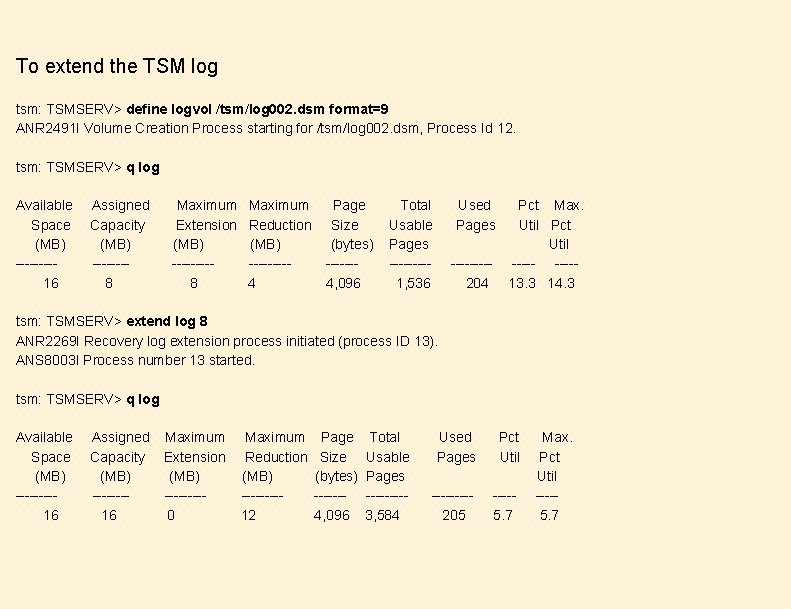
To extend the TSM log tsm: TSMSERV> define logvol /tsm/log 002. dsm format=9 ANR 2491 I Volume Creation Process starting for /tsm/log 002. dsm, Process Id 12. tsm: TSMSERV> q log Available Space (MB) ----16 Assigned Capacity (MB) -------8 Maximum Extension (MB) ----8 Maximum Reduction (MB) ----4 Page Size (bytes) ------4, 096 Total Usable Pages ----1, 536 Used Pages ----204 Pct Max. Util Pct Util -----13. 3 14. 3 tsm: TSMSERV> extend log 8 ANR 2269 I Recovery log extension process initiated (process ID 13). ANS 8003 I Process number 13 started. tsm: TSMSERV> q log Available Space (MB) ----16 Assigned Capacity (MB) -------16 Maximum Extension (MB) ----0 Maximum Reduction (MB) ----12 Page Size (bytes) ------4, 096 Total Usable Pages ----3, 584 Used Pages Pct Util ----205 ----5. 7 Max. Pct Util ----5. 7
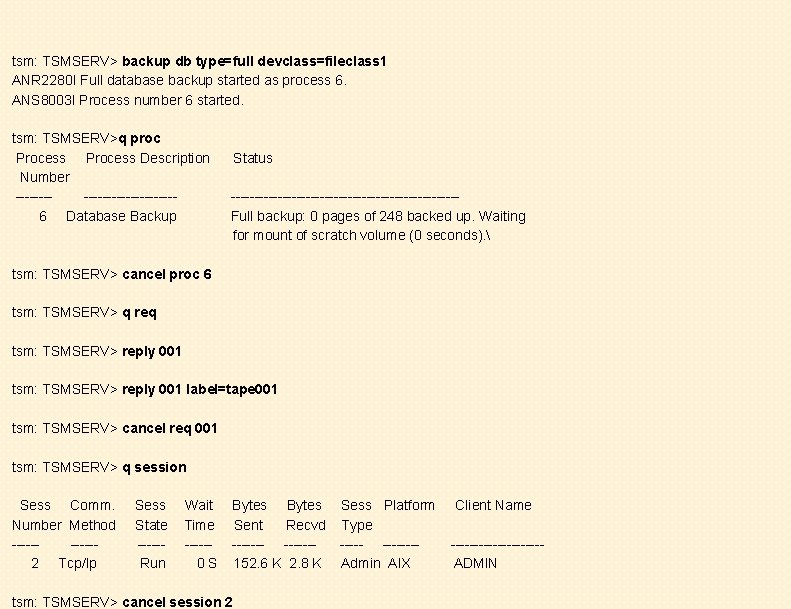
tsm: TSMSERV> backup db type=full devclass=fileclass 1 ANR 2280 I Full database backup started as process 6. ANS 8003 I Process number 6 started. tsm: TSMSERV>q proc Process Description Number -------------6 Database Backup Status ------------------------Full backup: 0 pages of 248 backed up. Waiting for mount of scratch volume (0 seconds). tsm: TSMSERV> cancel proc 6 tsm: TSMSERV> q req tsm: TSMSERV> reply 001 label=tape 001 tsm: TSMSERV> cancel req 001 tsm: TSMSERV> q session Sess Comm. Number Method -----2 Tcp/Ip Sess State -----Run Wait Time -----0 S Bytes Sent Recvd -------152. 6 K 2. 8 K tsm: TSMSERV> cancel session 2 Sess Platform Type -------Admin AIX Client Name ----------ADMIN
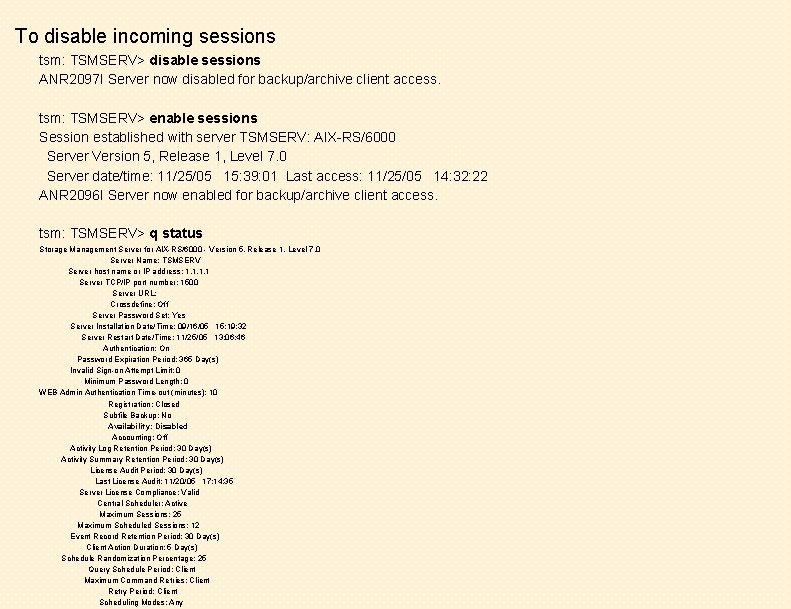
To disable incoming sessions tsm: TSMSERV> disable sessions ANR 2097 I Server now disabled for backup/archive client access. tsm: TSMSERV> enable sessions Session established with server TSMSERV: AIX-RS/6000 Server Version 5, Release 1, Level 7. 0 Server date/time: 11/25/05 15: 39: 01 Last access: 11/25/05 14: 32: 22 ANR 2096 I Server now enabled for backup/archive client access. tsm: TSMSERV> q status Storage Management Server for AIX-RS/6000 - Version 5, Release 1, Level 7. 0 Server Name: TSMSERV Server host name or IP address: 1. 1 Server TCP/IP port number: 1500 Server URL: Crossdefine: Off Server Password Set: Yes Server Installation Date/Time: 09/16/05 15: 19: 32 Server Restart Date/Time: 11/25/05 13: 06: 46 Authentication: On Password Expiration Period: 365 Day(s) Invalid Sign-on Attempt Limit: 0 Minimum Password Length: 0 WEB Admin Authentication Time-out (minutes): 10 Registration: Closed Subfile Backup: No Availability: Disabled Accounting: Off Activity Log Retention Period: 30 Day(s) Activity Summary Retention Period: 30 Day(s) License Audit Period: 30 Day(s) Last License Audit: 11/20/05 17: 14: 35 Server License Compliance: Valid Central Scheduler: Active Maximum Sessions: 25 Maximum Scheduled Sessions: 12 Event Record Retention Period: 30 Day(s) Client Action Duration: 5 Day(s) Schedule Randomization Percentage: 25 Query Schedule Period: Client Maximum Command Retries: Client Retry Period: Client Scheduling Modes: Any
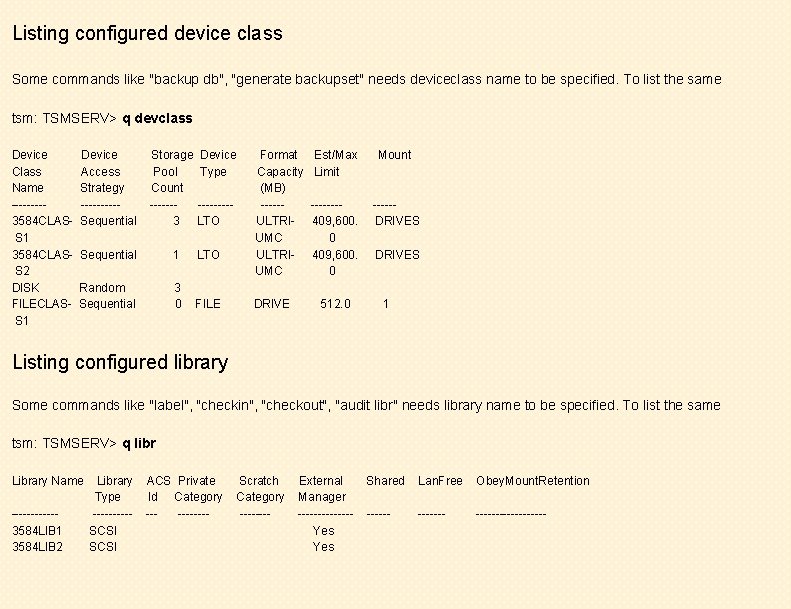
Listing configured device class Some commands like "backup db", "generate backupset" needs deviceclass name to be specified. To list the same tsm: TSMSERV> q devclass Device Class Name ----3584 CLASS 1 3584 CLASS 2 DISK FILECLASS 1 Device Access Strategy -----Sequential Storage Device Pool Type Count -------3 LTO Sequential 1 LTO Random Sequential 3 0 FILE Format Capacity (MB) -----ULTRIUMC DRIVE Est/Max Limit Mount -------409, 600. 0 -----DRIVES 512. 0 DRIVES 1 Listing configured library Some commands like "label", "checkin", "checkout", "audit libr" needs library name to be specified. To list the same tsm: TSMSERV> q libr Library Name ------3584 LIB 1 3584 LIB 2 Library Type -----SCSI ACS Private Id Category ----- Scratch Category ---- External Manager -------Yes Shared Lan. Free Obey. Mount. Retention ---------
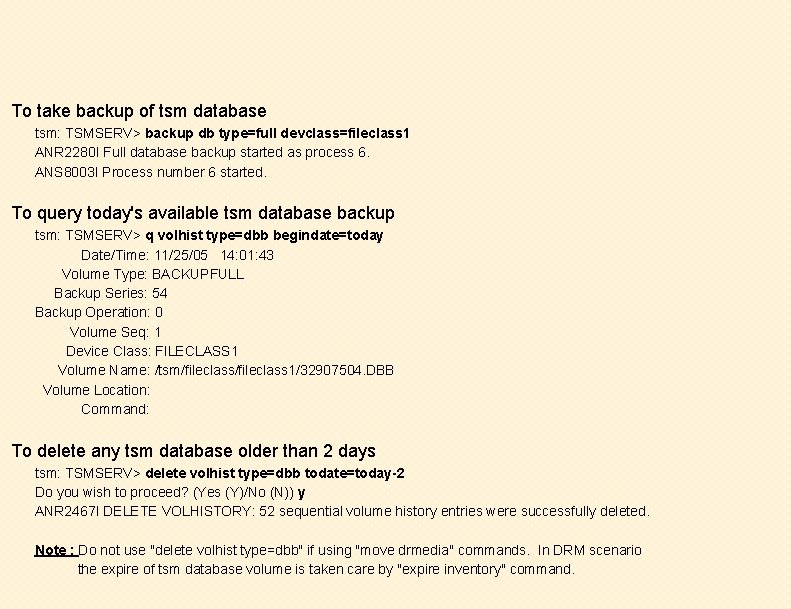
To take backup of tsm database tsm: TSMSERV> backup db type=full devclass=fileclass 1 ANR 2280 I Full database backup started as process 6. ANS 8003 I Process number 6 started. To query today's available tsm database backup tsm: TSMSERV> q volhist type=dbb begindate=today Date/Time: 11/25/05 14: 01: 43 Volume Type: BACKUPFULL Backup Series: 54 Backup Operation: 0 Volume Seq: 1 Device Class: FILECLASS 1 Volume Name: /tsm/fileclass 1/32907504. DBB Volume Location: Command: To delete any tsm database older than 2 days tsm: TSMSERV> delete volhist type=dbb todate=today-2 Do you wish to proceed? (Yes (Y)/No (N)) y ANR 2467 I DELETE VOLHISTORY: 52 sequential volume history entries were successfully deleted. Note : Do not use "delete volhist type=dbb" if using "move drmedia" commands. In DRM scenario the expire of tsm database volume is taken care by "expire inventory" command.
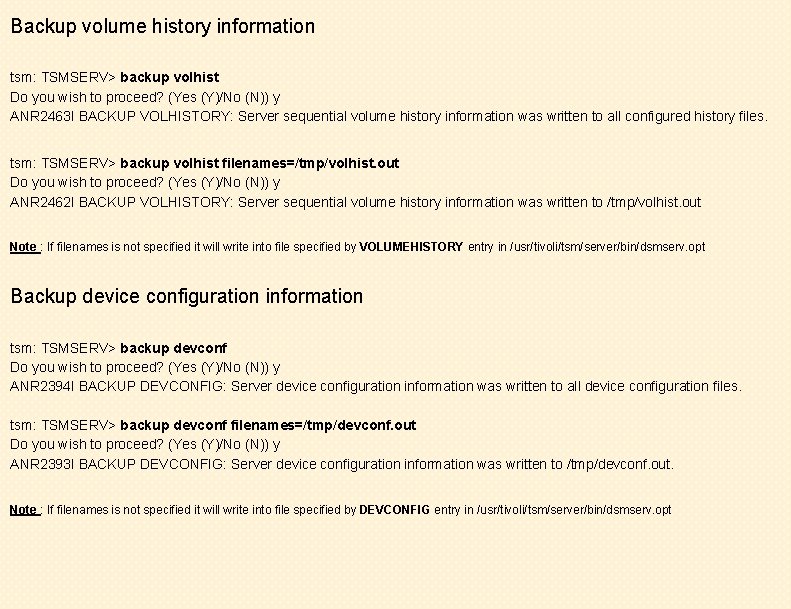
Backup volume history information tsm: TSMSERV> backup volhist Do you wish to proceed? (Yes (Y)/No (N)) y ANR 2463 I BACKUP VOLHISTORY: Server sequential volume history information was written to all configured history files. tsm: TSMSERV> backup volhist filenames=/tmp/volhist. out Do you wish to proceed? (Yes (Y)/No (N)) y ANR 2462 I BACKUP VOLHISTORY: Server sequential volume history information was written to /tmp/volhist. out Note : If filenames is not specified it will write into file specified by VOLUMEHISTORY entry in /usr/tivoli/tsm/server/bin/dsmserv. opt Backup device configuration information tsm: TSMSERV> backup devconf Do you wish to proceed? (Yes (Y)/No (N)) y ANR 2394 I BACKUP DEVCONFIG: Server device configuration information was written to all device configuration files. tsm: TSMSERV> backup devconf filenames=/tmp/devconf. out Do you wish to proceed? (Yes (Y)/No (N)) y ANR 2393 I BACKUP DEVCONFIG: Server device configuration information was written to /tmp/devconf. out. Note : If filenames is not specified it will write into file specified by DEVCONFIG entry in /usr/tivoli/tsm/server/bin/dsmserv. opt
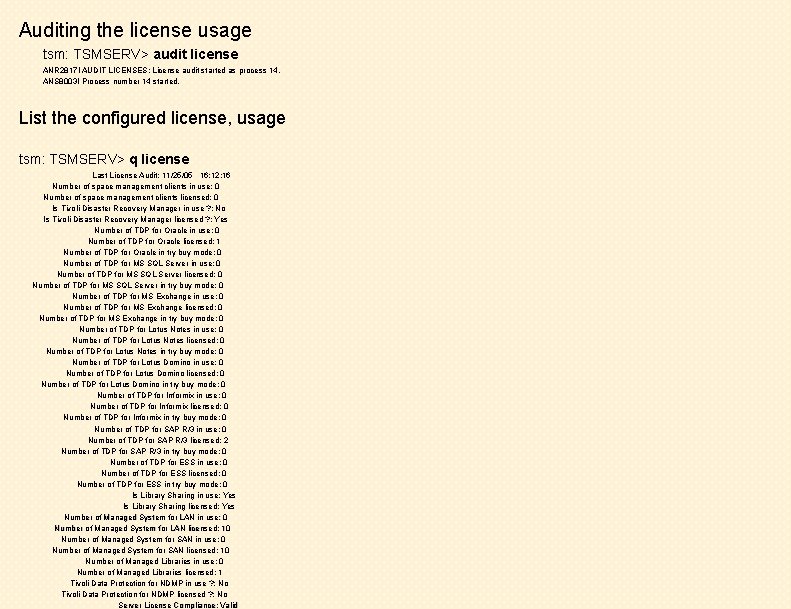
Auditing the license usage tsm: TSMSERV> audit license ANR 2817 I AUDIT LICENSES: License audit started as process 14. ANS 8003 I Process number 14 started. List the configured license, usage tsm: TSMSERV> q license Last License Audit: 11/25/05 16: 12: 16 Number of space management clients in use: 0 Number of space management clients licensed: 0 Is Tivoli Disaster Recovery Manager in use ? : No Is Tivoli Disaster Recovery Manager licensed ? : Yes Number of TDP for Oracle in use: 0 Number of TDP for Oracle licensed: 1 Number of TDP for Oracle in try buy mode: 0 Number of TDP for MS SQL Server in use: 0 Number of TDP for MS SQL Server licensed: 0 Number of TDP for MS SQL Server in try buy mode: 0 Number of TDP for MS Exchange in use: 0 Number of TDP for MS Exchange licensed: 0 Number of TDP for MS Exchange in try buy mode: 0 Number of TDP for Lotus Notes in use: 0 Number of TDP for Lotus Notes licensed: 0 Number of TDP for Lotus Notes in try buy mode: 0 Number of TDP for Lotus Domino in use: 0 Number of TDP for Lotus Domino licensed: 0 Number of TDP for Lotus Domino in try buy mode: 0 Number of TDP for Informix in use: 0 Number of TDP for Informix licensed: 0 Number of TDP for Informix in try buy mode: 0 Number of TDP for SAP R/3 in use: 0 Number of TDP for SAP R/3 licensed: 2 Number of TDP for SAP R/3 in try buy mode: 0 Number of TDP for ESS in use: 0 Number of TDP for ESS licensed: 0 Number of TDP for ESS in try buy mode: 0 Is Library Sharing in use: Yes Is Library Sharing licensed: Yes Number of Managed System for LAN in use: 0 Number of Managed System for LAN licensed: 10 Number of Managed System for SAN in use: 0 Number of Managed System for SAN licensed: 10 Number of Managed Libraries in use: 0 Number of Managed Libraries licensed: 1 Tivoli Data Protection for NDMP in use ? : No Tivoli Data Protection for NDMP licensed ? : No Server License Compliance: Valid
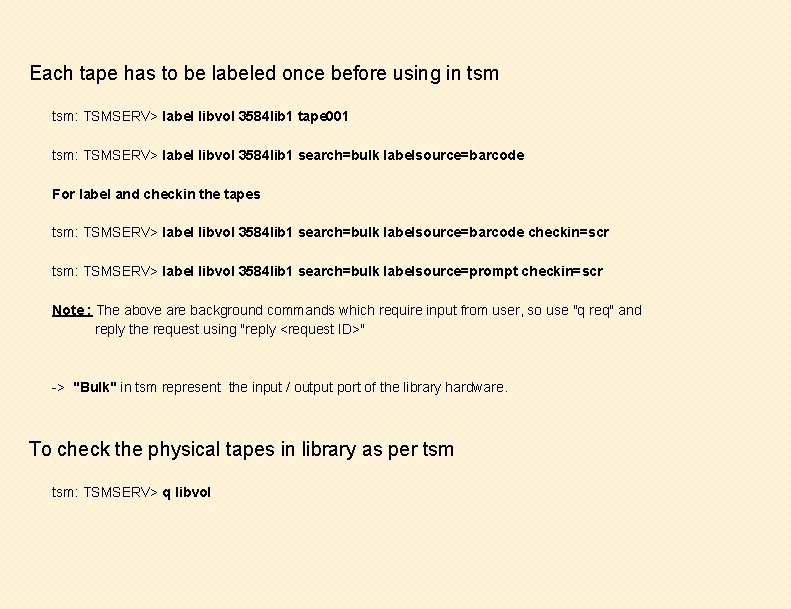
Each tape has to be labeled once before using in tsm: TSMSERV> label libvol 3584 lib 1 tape 001 tsm: TSMSERV> label libvol 3584 lib 1 search=bulk labelsource=barcode For label and checkin the tapes tsm: TSMSERV> label libvol 3584 lib 1 search=bulk labelsource=barcode checkin=scr tsm: TSMSERV> label libvol 3584 lib 1 search=bulk labelsource=prompt checkin=scr Note : The above are background commands which require input from user, so use "q req" and reply the request using "reply <request ID>" -> "Bulk" in tsm represent the input / output port of the library hardware. To check the physical tapes in library as per tsm: TSMSERV> q libvol
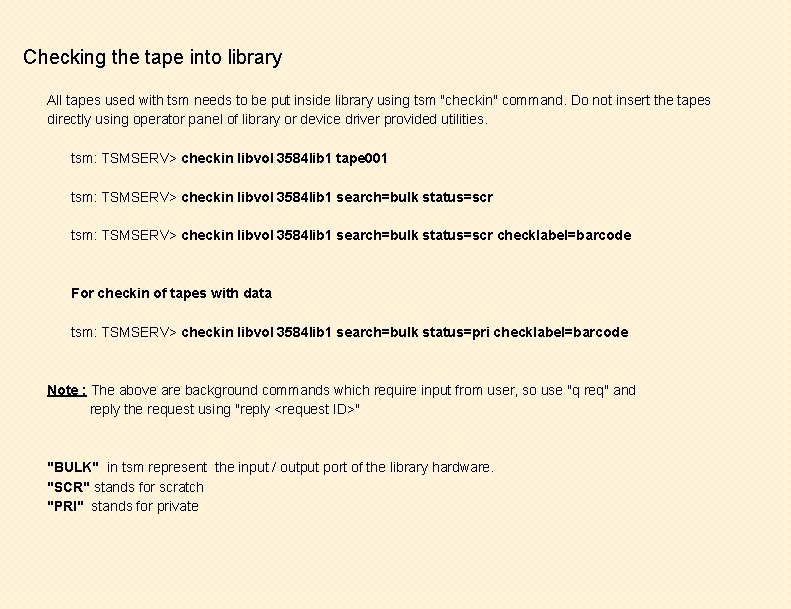
Checking the tape into library All tapes used with tsm needs to be put inside library using tsm "checkin" command. Do not insert the tapes directly using operator panel of library or device driver provided utilities. tsm: TSMSERV> checkin libvol 3584 lib 1 tape 001 tsm: TSMSERV> checkin libvol 3584 lib 1 search=bulk status=scr checklabel=barcode For checkin of tapes with data tsm: TSMSERV> checkin libvol 3584 lib 1 search=bulk status=pri checklabel=barcode Note : The above are background commands which require input from user, so use "q req" and reply the request using "reply <request ID>" "BULK" in tsm represent the input / output port of the library hardware. "SCR" stands for scratch "PRI" stands for private
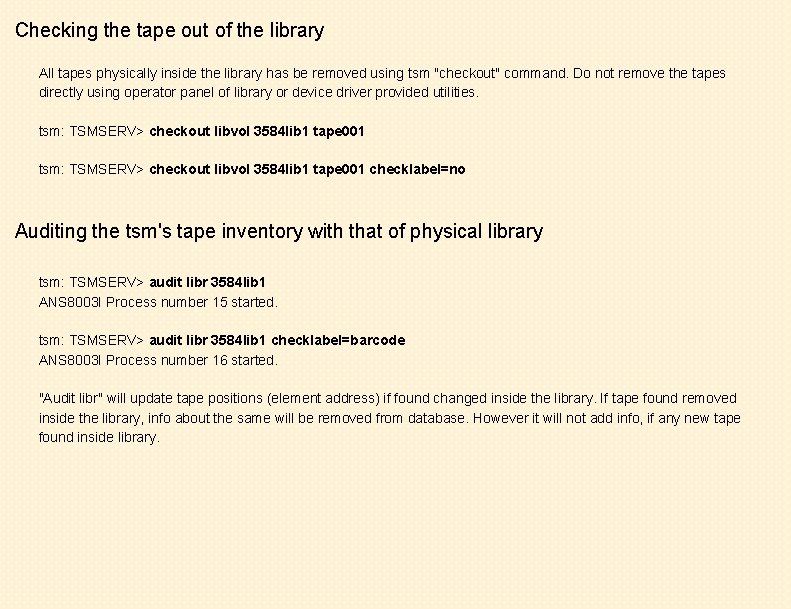
Checking the tape out of the library All tapes physically inside the library has be removed using tsm "checkout" command. Do not remove the tapes directly using operator panel of library or device driver provided utilities. tsm: TSMSERV> checkout libvol 3584 lib 1 tape 001 checklabel=no Auditing the tsm's tape inventory with that of physical library tsm: TSMSERV> audit libr 3584 lib 1 ANS 8003 I Process number 15 started. tsm: TSMSERV> audit libr 3584 lib 1 checklabel=barcode ANS 8003 I Process number 16 started. "Audit libr" will update tape positions (element address) if found changed inside the library. If tape found removed inside the library, info about the same will be removed from database. However it will not add info, if any new tape found inside library.

Listing configured tape drives tsm: TSMSERV> q drive Changing status of drives tsm: TSMSERV> update drive 3584 lib 1 drive 1 online=yes Listing drive mount status tsm: TSMSERV> q mount To dismount volumes from drive manually tsm: TSMSERV> dismount vol a 00002 Note : Tapes in use cannot be dismounted
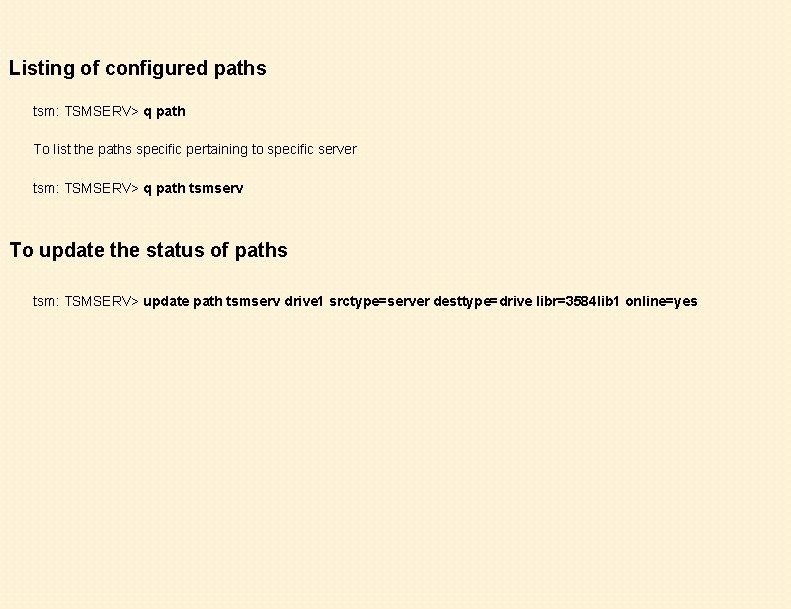
Listing of configured paths tsm: TSMSERV> q path To list the paths specific pertaining to specific server tsm: TSMSERV> q path tsmserv To update the status of paths tsm: TSMSERV> update path tsmserv drive 1 srctype=server desttype=drive libr=3584 lib 1 online=yes
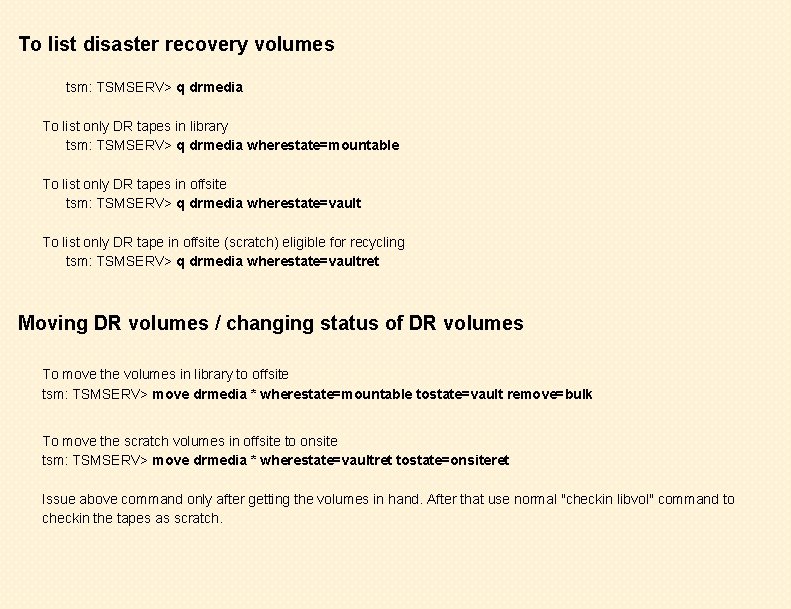
To list disaster recovery volumes tsm: TSMSERV> q drmedia To list only DR tapes in library tsm: TSMSERV> q drmedia wherestate=mountable To list only DR tapes in offsite tsm: TSMSERV> q drmedia wherestate=vault To list only DR tape in offsite (scratch) eligible for recycling tsm: TSMSERV> q drmedia wherestate=vaultret Moving DR volumes / changing status of DR volumes To move the volumes in library to offsite tsm: TSMSERV> move drmedia * wherestate=mountable tostate=vault remove=bulk To move the scratch volumes in offsite to onsite tsm: TSMSERV> move drmedia * wherestate=vaultret tostate=onsiteret Issue above command only after getting the volumes in hand. After that use normal "checkin libvol" command to checkin the tapes as scratch.
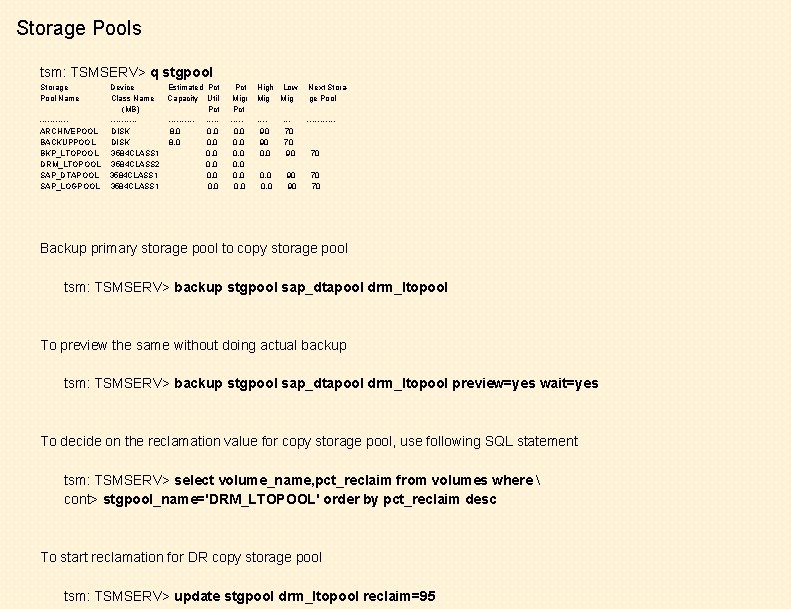
Storage Pools tsm: TSMSERV> q stgpool Storage Pool Name -----ARCHIVEPOOL BACKUPPOOL BKP_LTOPOOL DRM_LTOPOOL SAP_DTAPOOL SAP_LOGPOOL Device Estimated Pct Class Name Capacity Util (MB) Pct ----------DISK 8. 0 0. 0 3584 CLASS 1 0. 0 3584 CLASS 2 0. 0 3584 CLASS 1 0. 0 Pct Migr Pct ----0. 0 0. 0 High Low Mig Next Storage Pool ---90 90 0. 0 --70 70 90 ------ 0. 0 90 90 70 70 70 Backup primary storage pool to copy storage pool tsm: TSMSERV> backup stgpool sap_dtapool drm_ltopool To preview the same without doing actual backup tsm: TSMSERV> backup stgpool sap_dtapool drm_ltopool preview=yes wait=yes To decide on the reclamation value for copy storage pool, use following SQL statement tsm: TSMSERV> select volume_name, pct_reclaim from volumes where cont> stgpool_name='DRM_LTOPOOL' order by pct_reclaim desc To start reclamation for DR copy storage pool tsm: TSMSERV> update stgpool drm_ltopool reclaim=95
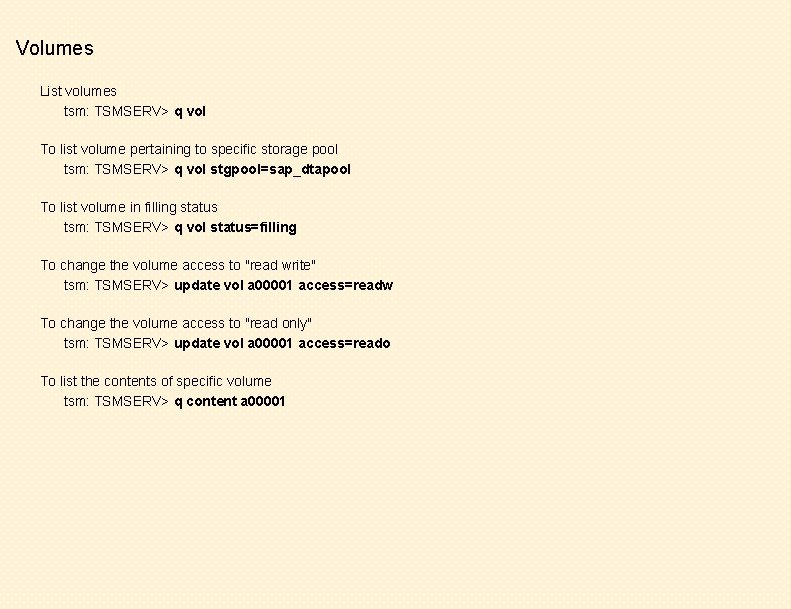
Volumes List volumes tsm: TSMSERV> q vol To list volume pertaining to specific storage pool tsm: TSMSERV> q vol stgpool=sap_dtapool To list volume in filling status tsm: TSMSERV> q vol status=filling To change the volume access to "read write" tsm: TSMSERV> update vol a 00001 access=readw To change the volume access to "read only" tsm: TSMSERV> update vol a 00001 access=reado To list the contents of specific volume tsm: TSMSERV> q content a 00001

Expiring inventory When backup data exceeds configured policy, the older data is marked for expiry in tsm database. Those database records are removed by "expire" process. To run expire manually tsm: TSMSERV> expire inventory Listing / Running scripts To list configured scripts tsm: TSMSERV> q script To run the script called tsmadmin tsm: TSMSERV>run tsmadmin Running tsm commands in external file /tmp/test. mac tsm: TSMSERV> macro /tmp/test. mac Generating DRM plan To generate DRM plan file, issue ( if already configured, no parameter required ) tsm: TSMSERV> prepare
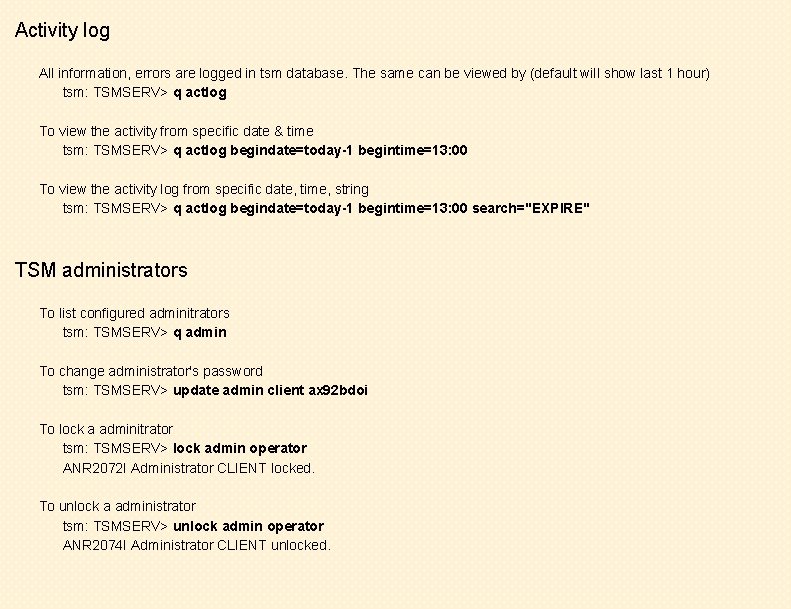
Activity log All information, errors are logged in tsm database. The same can be viewed by (default will show last 1 hour) tsm: TSMSERV> q actlog To view the activity from specific date & time tsm: TSMSERV> q actlog begindate=today-1 begintime=13: 00 To view the activity log from specific date, time, string tsm: TSMSERV> q actlog begindate=today-1 begintime=13: 00 search="EXPIRE" TSM administrators To list configured adminitrators tsm: TSMSERV> q admin To change administrator's password tsm: TSMSERV> update admin client ax 92 bdoi To lock a adminitrator tsm: TSMSERV> lock admin operator ANR 2072 I Administrator CLIENT locked. To unlock a administrator tsm: TSMSERV> unlock admin operator ANR 2074 I Administrator CLIENT unlocked.
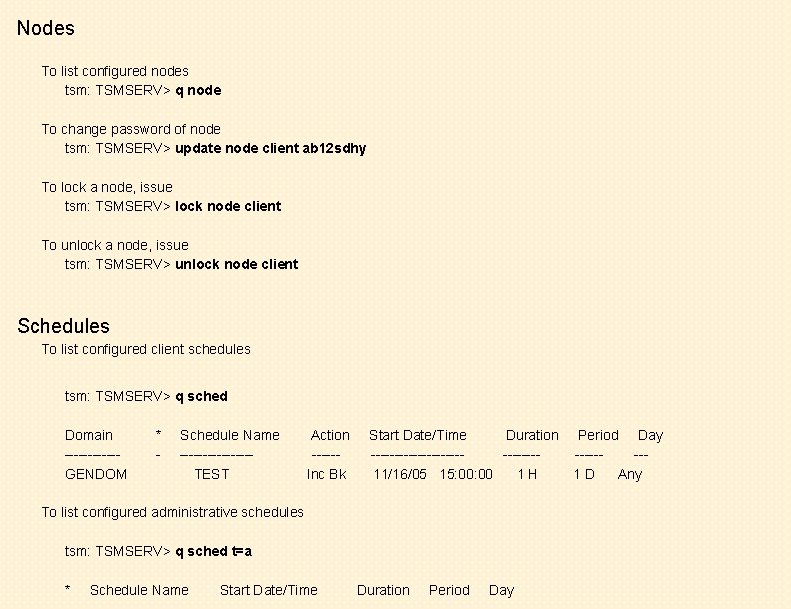
Nodes To list configured nodes tsm: TSMSERV> q node To change password of node tsm: TSMSERV> update node client ab 12 sdhy To lock a node, issue tsm: TSMSERV> lock node client To unlock a node, issue tsm: TSMSERV> unlock node client Schedules To list configured client schedules tsm: TSMSERV> q sched Domain ------GENDOM * - Schedule Name --------TEST Action -----Inc Bk Start Date/Time Duration -------------11/16/05 15: 00 1 H To list configured administrative schedules tsm: TSMSERV> q sched t=a * Schedule Name Start Date/Time Duration Period Day -------1 D Any

Events All scheduled actitives are logged as events. To list todays client schedule events tsm: TSMSERV> q event * * To list yesterday's events tsm: TSMSERV> q event * * begindate=today-1 To list administrative schedule events tsm: TSMSERV> q event * t=a Scheduled Start ----------11/28/05 09: 00 Actual Start ----------11/28/05 09: 00: 26 Schedule Name ------TSMADMIN Status ----Completed Exiting tsm administrative command prompt tsm: TSMSERV> quit Halting tsm server from administrative command prompt tsm: TSMSERV> halt ANR 2234 W This command will halt the server; if the command is issued from a remote client, it may not be possible to restart the server from the remote location. Do you wish to proceed? (Yes (Y)/No (N)) y

Basic tsm client commands Invoke tsm command line client # dsmc Tivoli Storage Manager Command Line Backup/Archive Client Interface - Version 5, Release 1, Level 5. 0 (C) Copyright IBM Corporation 1990, 2002 All Rights Reserved. tsm> Backup commands To do incremental of all local filesystems tsm> incr To do incremental backup of file /etc/hosts tsm> incr /etc/hosts To do incremental backup of directory /etc, /var including its subdirectories tsm> incr /etc/ /var/ -subdir=yes To do incremental backup of filesystem /usr, /var tsm> incr /usr /var To do selective backup of file /etc/hosts tsm> sele /etc/hosts To do selective backup of directory /etc, /var including its subdirectories tsm> sele /etc/ /var/ -subdir=yes

To restore /etc/hosts file into the same structure tsm> restore /etc/hosts To restore /etc/hosts file into /tmp directory tsm> restore /etc/hosts /tmp/ To restore directory /etc and all its subdirectories tsm> restore /tmp/11/ -subdir=yes Archive commands To archive file /etc/hosts tsm> arch /etc/hosts To archive directory /etc, /var and its subdirectories tsm> arch /etc/ /var/ -subdir=yes -desc="Month end archive dt 28/11/2005" To archive entire filesystem /var , /usr to specific management class tsm> arch /var/ /usr/ -subdir=yes -archmc=archive 0030 To retrieve the file /etc/hosts tsm> retrieve /etc/hosts To retrieve the directory /etc and its subdirectories tsm> retrieve /etc/ -subdir=yes To retrieve the file /etc/hosts to /tmp directory tsm> retrieve /etc/hosts /tmp/
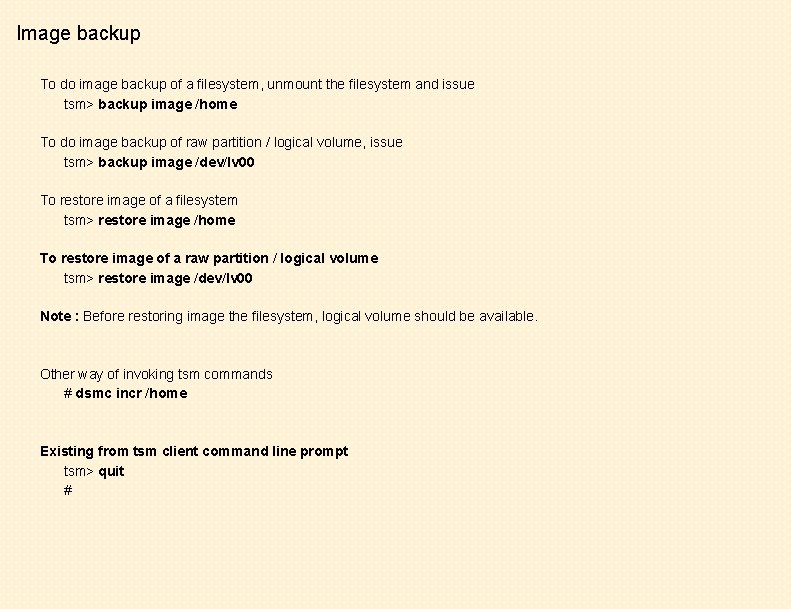
Image backup To do image backup of a filesystem, unmount the filesystem and issue tsm> backup image /home To do image backup of raw partition / logical volume, issue tsm> backup image /dev/lv 00 To restore image of a filesystem tsm> restore image /home To restore image of a raw partition / logical volume tsm> restore image /dev/lv 00 Note : Before restoring image the filesystem, logical volume should be available. Other way of invoking tsm commands # dsmc incr /home Existing from tsm client command line prompt tsm> quit #
- Slides: 29