
IBM Software Workplace Services Express Walk thru Shaun
IBM Software Workplace Services Express – Walk thru Shaun Smith © 2004 IBM Corporation
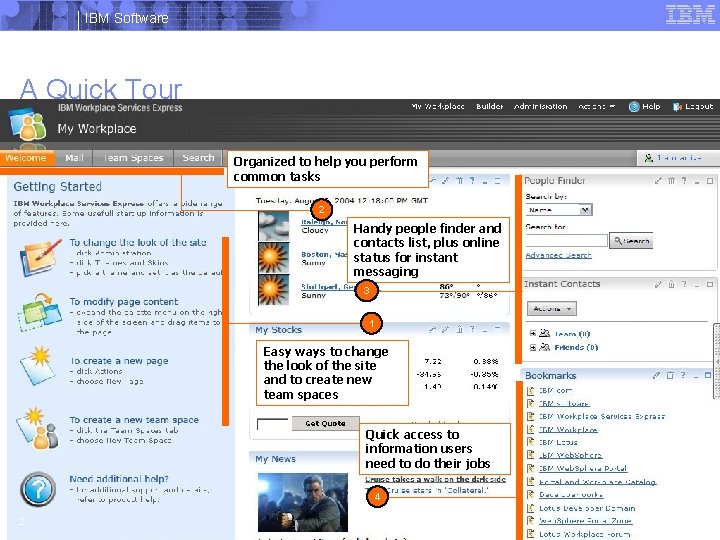
IBM Software A Quick Tour Organized to help you perform common tasks 2 Handy people finder and contacts list, plus online status for instant messaging 3 1 Easy ways to change the look of the site and to create new team spaces Quick access to information users need to do their jobs 4 2 © 2004 IBM Corporation
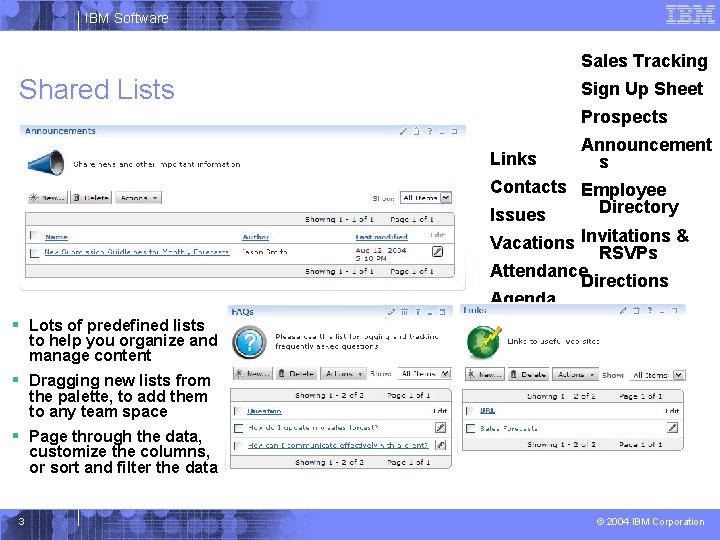
IBM Software Sales Tracking Shared Lists Sign Up Sheet Prospects Links § Lots of predefined lists to help you organize and manage content § Dragging new lists from the palette, to add them to any team space Announcement s Contacts Employee Directory Issues Vacations Invitations & RSVPs Attendance Directions Agenda Minutes Survey Milestones FAQs § Page through the data, customize the columns, or sort and filter the data 3 © 2004 IBM Corporation
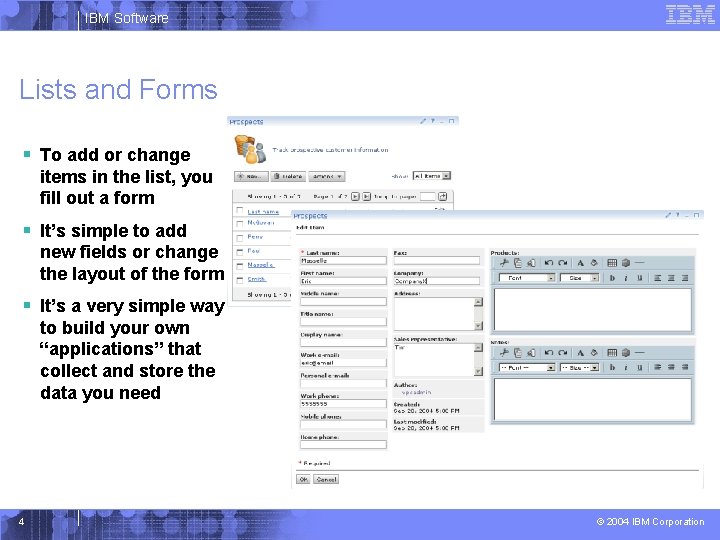
IBM Software Lists and Forms § To add or change items in the list, you fill out a form § It’s simple to add new fields or change the layout of the form § It’s a very simple way to build your own “applications” that collect and store the data you need 4 © 2004 IBM Corporation
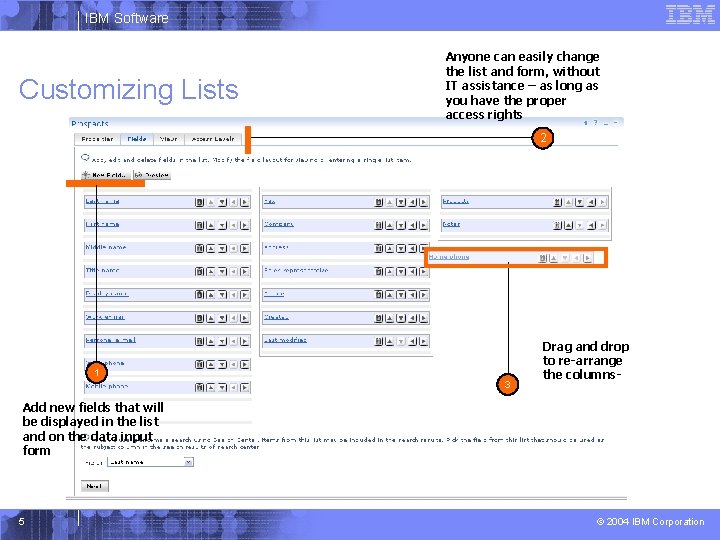
IBM Software Customizing Lists Anyone can easily change the list and form, without IT assistance – as long as you have the proper access rights 2 1 3 Drag and drop to re-arrange the columns- Add new fields that will be displayed in the list and on the data input form 5 © 2004 IBM Corporation
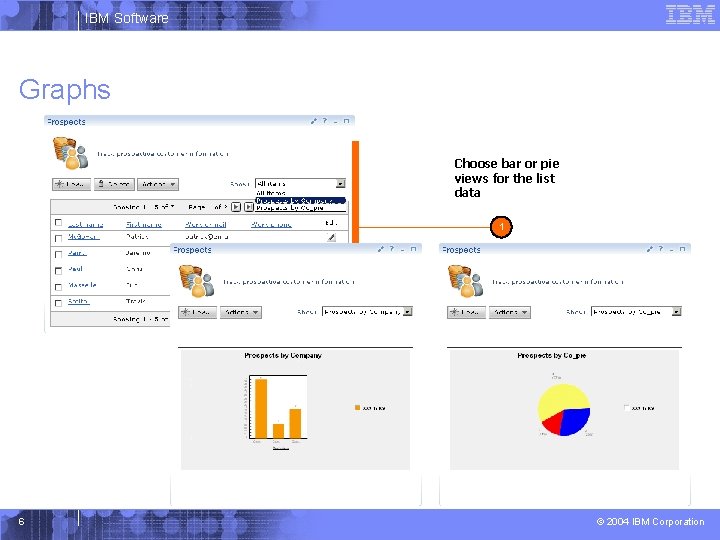
IBM Software Graphs Choose bar or pie views for the list data 1 6 © 2004 IBM Corporation

IBM Software Search for documentsand save searches to “smart folders” Managing Documents 1 3 Create or import any type of document 4 2 Send links to document Familiar Folder Navigation 5 Live names throughout, so you can contact the author or other users 7 © 2004 IBM Corporation
IBM Software Document Lifecycle § Check in, check out § Version history § Approvals § Private Drafts § Comment and Review 8 © 2004 IBM Corporation
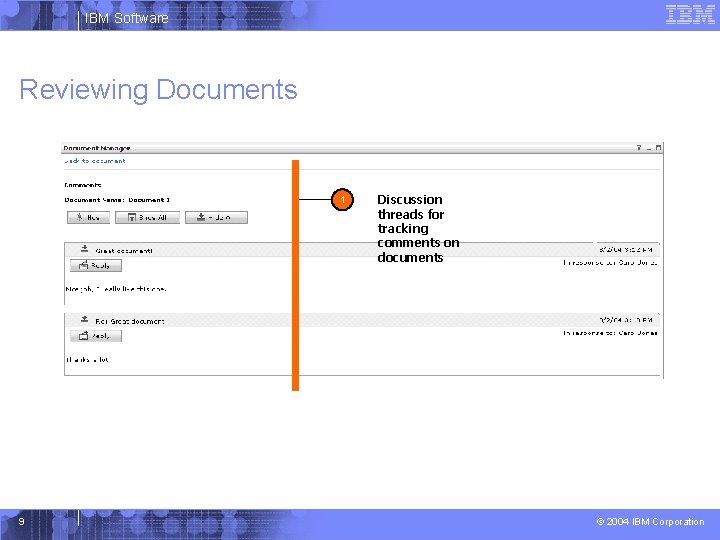
IBM Software Reviewing Documents 1 9 Discussion threads for tracking comments on documents © 2004 IBM Corporation
IBM Software Editing Documents § Use built-in editors or launch desktop applications § Document is automatically saved back to the server when you finish editing § Edit documents in any supported language § Works on both Windows and Linux client 10 © 2004 IBM Corporation
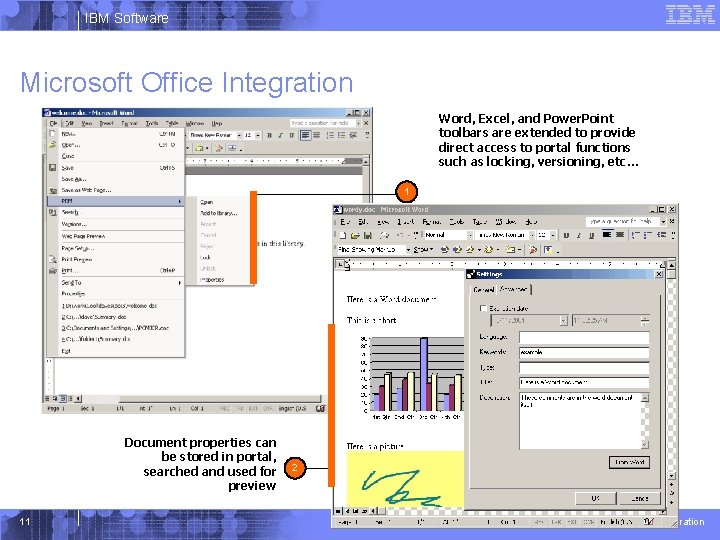
IBM Software Microsoft Office Integration Word, Excel, and Power. Point toolbars are extended to provide direct access to portal functions such as locking, versioning, etc… 1 Document properties can be stored in portal, searched and used for preview 11 2 © 2004 IBM Corporation
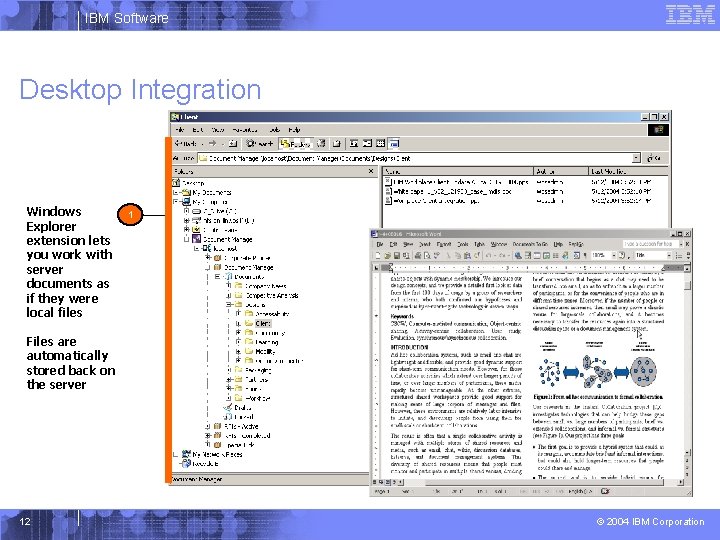
IBM Software Desktop Integration Windows Explorer extension lets you work with server documents as if they were local files 1 Files are automatically stored back on the server 12 © 2004 IBM Corporation

IBM Software Team Spaces 1 Collaboration tools: team schedule, team documents, discussions, chat room, and search 13 2 Manage roles, membership and access to the team space. Instantly chat with other members of the team © 2004 IBM Corporation
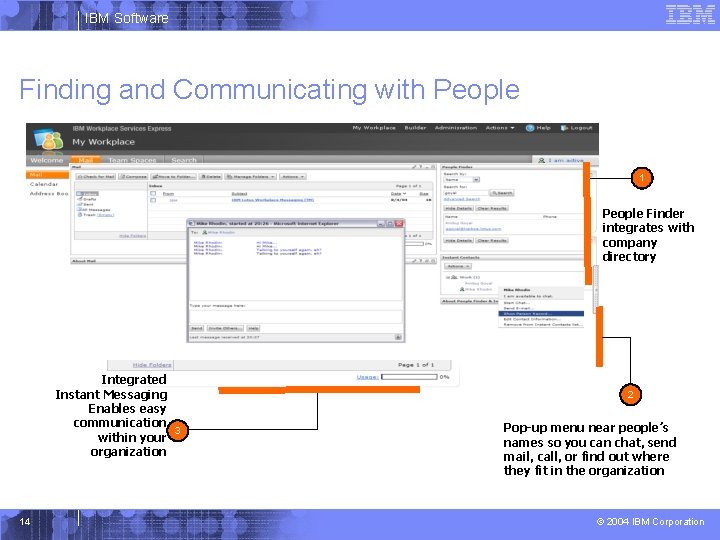
IBM Software Finding and Communicating with People 1 People Finder integrates with company directory Integrated Instant Messaging Enables easy communication 3 within your organization 14 2 Pop-up menu near people’s names so you can chat, send mail, call, or find out where they fit in the organization © 2004 IBM Corporation
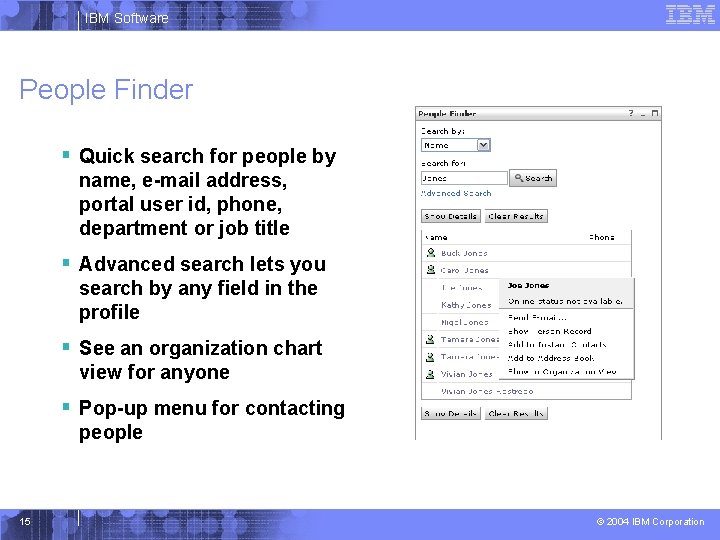
IBM Software People Finder § Quick search for people by name, e-mail address, portal user id, phone, department or job title § Advanced search lets you search by any field in the profile § See an organization chart view for anyone § Pop-up menu for contacting people 15 © 2004 IBM Corporation
IBM Software Other Tools § Team task list § Shared team calendar § Chat room § Surveys 16 © 2004 IBM Corporation
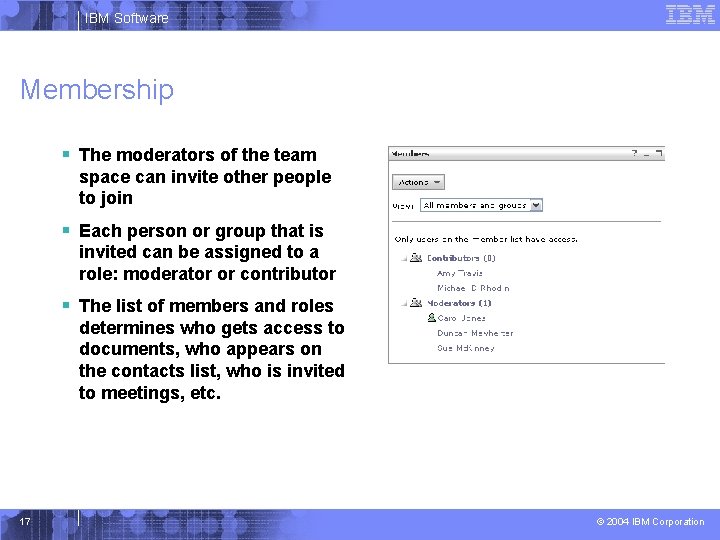
IBM Software Membership § The moderators of the team space can invite other people to join § Each person or group that is invited can be assigned to a role: moderator or contributor § The list of members and roles determines who gets access to documents, who appears on the contacts list, who is invited to meetings, etc. 17 © 2004 IBM Corporation
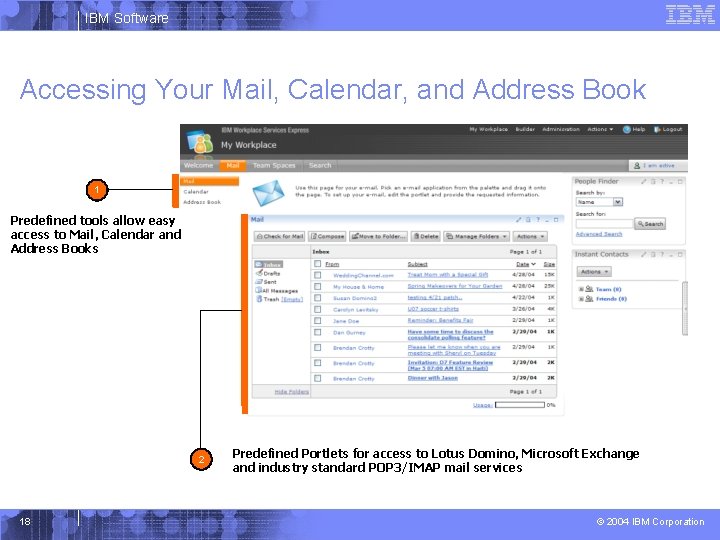
IBM Software Accessing Your Mail, Calendar, and Address Book 1 Predefined tools allow easy access to Mail, Calendar and Address Books 2 18 Predefined Portlets for access to Lotus Domino, Microsoft Exchange and industry standard POP 3/IMAP mail services © 2004 IBM Corporation
IBM Software Deployment and Operations § System is designed for self-service administration, plus policies to keep things running smoothly § Employees can create and customize their own team spaces without any help from the IT department § Team space owners assign roles to decide what users can see or do § Policies help manage unused team spaces § Common services – user profiles – search index – security 19 © 2004 IBM Corporation
IBM Software Team Space Templates § Within any organization there are many different teams working together every day § Each of these teams might want their own space to work in, where they can store documents, manage a project calendar, etc. § The exact pages and portlets that each team needs will depend on the nature of their work § Workplace provides predefined templates, so you can make team spaces that are tuned to the tasks at hand: planning for an event, holding a regular team meeting, developing employee guidelines, etc. § You can also customize team spaces and save them as new application templates of your own 20 © 2004 IBM Corporation
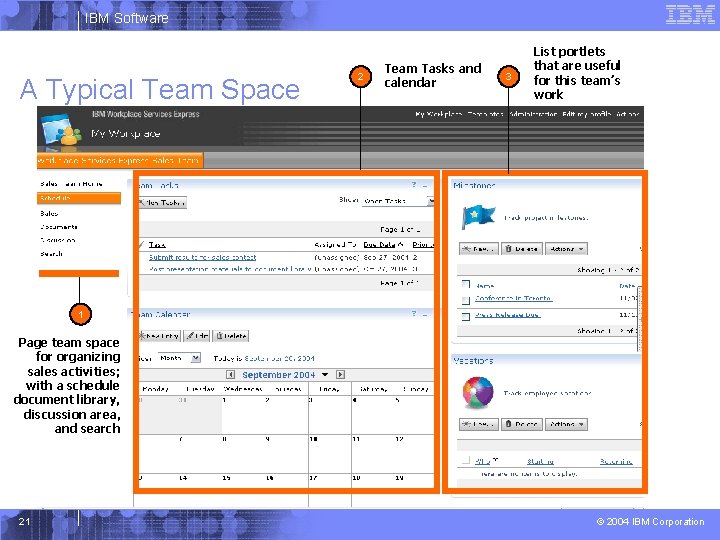
IBM Software A Typical Team Space 2 Team Tasks and calendar 3 List portlets that are useful for this team’s work 1 Page team space for organizing sales activities; with a schedule document library, discussion area, and search 21 © 2004 IBM Corporation

IBM Software Predefined Templates § § § § § 22 Blank Chat Room Discussion Document Library Domino Application Access Employee HR Site Event Planning HR Team Marketing Team Meeting Materials © 2004 IBM Corporation
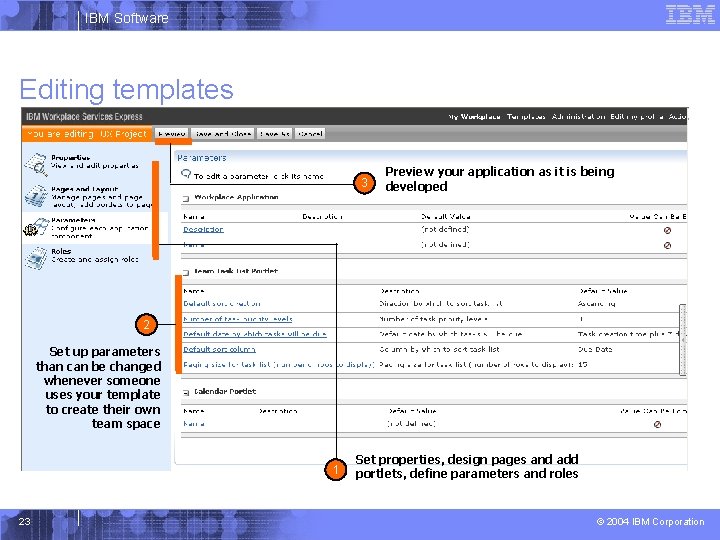
IBM Software Editing templates 3 Preview your application as it is being developed 2 Set up parameters than can be changed whenever someone uses your template to create their own team space 1 23 Set properties, design pages and add portlets, define parameters and roles © 2004 IBM Corporation
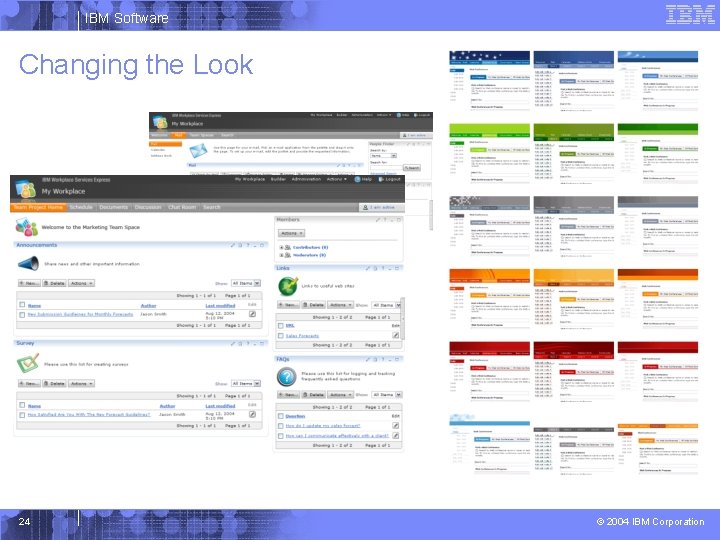
IBM Software Changing the Look 24 © 2004 IBM Corporation
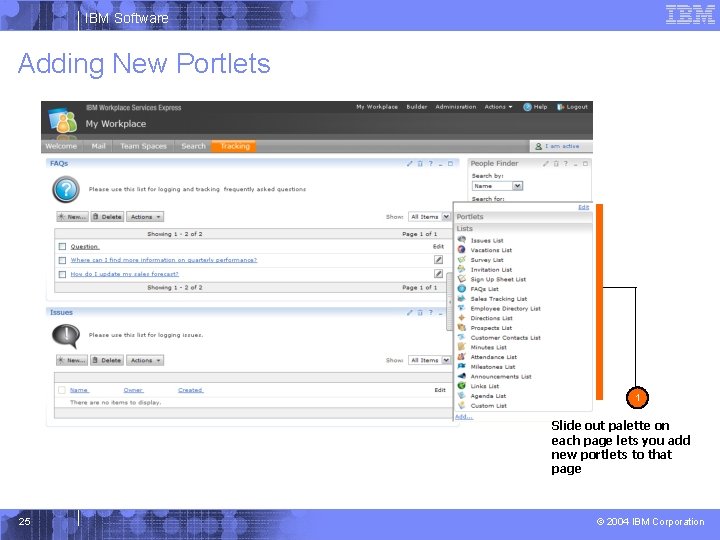
IBM Software Adding New Portlets 1 Slide out palette on each page lets you add new portlets to that page 25 © 2004 IBM Corporation
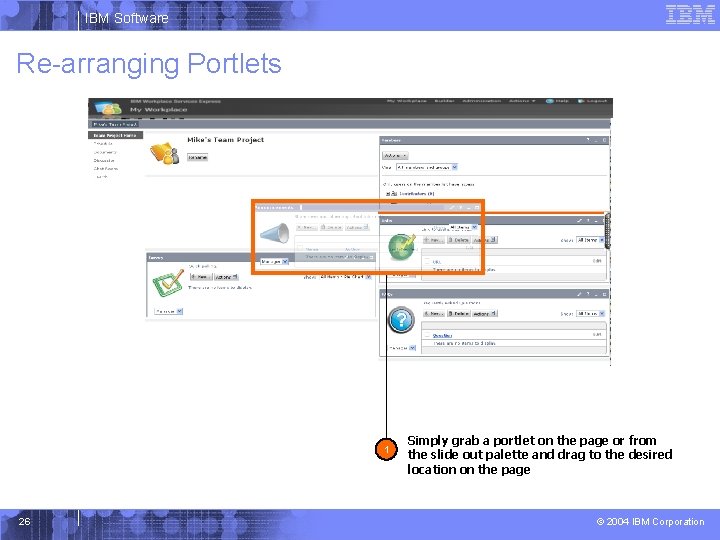
IBM Software Re-arranging Portlets 1 26 Simply grab a portlet on the page or from the slide out palette and drag to the desired location on the page © 2004 IBM Corporation
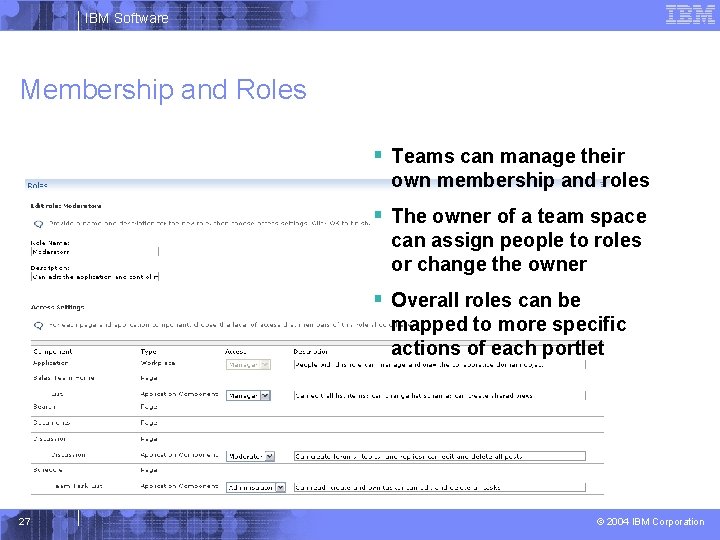
IBM Software Membership and Roles § Teams can manage their own membership and roles § The owner of a team space can assign people to roles or change the owner § Overall roles can be mapped to more specific actions of each portlet 27 © 2004 IBM Corporation
IBM Software Partner Templates in Progress § Accountants § – – – Update clients on the latest tax laws – Post to-do lists for creating a corporation § Ad Agencies § Architects – Post floor plans, sketches, photos – Keep lists of preferred sub-contractors § § Associations or Trade Groups § – Share ideas and latest trends – Post notes from seminars and conferences § Authors and Publishers – Review drafts and revisions – Track publishing deadlines 28 § Post photos and artist profiles Post audition opportunities Job Recruiters – – Track deadlines – Post design ideas, stock photos, storyboards for review § Entertainers Post job openings Store resumes and review applicants Track hiring deadlines Real Estate Agents – Post info and photos of properties – Checklists for closing Volunteer Organizations – Track volunteer and donation needs Web Designers – – Post design reviews and gather client feedback Create to-do lists for bugs and technical issues © 2004 IBM Corporation
IBM Software Policies § Policies manage the Workplace automatically, without manual tasks § Team Space Policies limit size and activity – Set limit on size and specify warning threshold – Specify maximum days with no activity § When over quota, warnings are sent to administrator, moderator and members and displayed on welcome page so they can take action – Team Spaces are not deleted 29 © 2004 IBM Corporation
IBM Software Common Services § User Profiles § Search engine and Content Index § Content access services § Security 30 © 2004 IBM Corporation
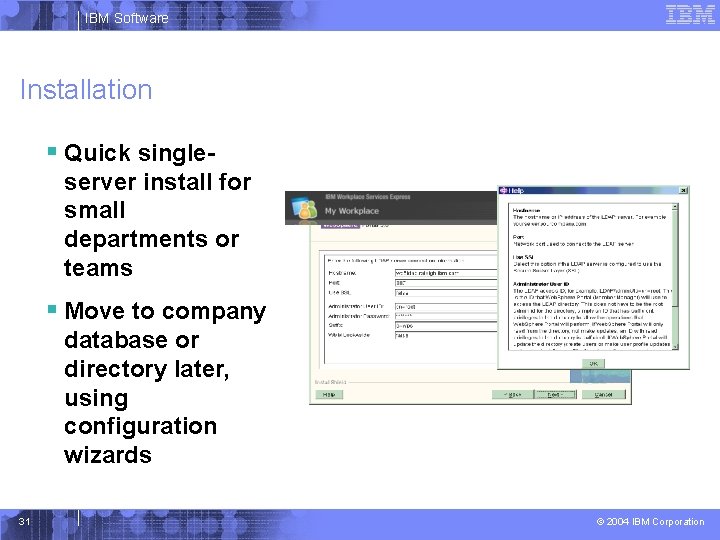
IBM Software Installation § Quick singleserver install for small departments or teams § Move to company database or directory later, using configuration wizards 31 © 2004 IBM Corporation
IBM Software Portal Management § Fast time to value – Collaboration portal installed/configured in under an hour – Lists, documents, & templates to get up and running quickly § Easy to use – Easy access from the browser – Drag and drop to customize pages § Leverages your investment in MS Office 2000, 2003 – Use Office and Windows Explorer to work on documents § Simpler to manage – Consolidated management of portal and collaboration tools § Grows with you – Start with a single server deployment and grow up 32 © 2004 IBM Corporation
- Slides: 32