
IBM Software Group Setting up Build Forge demo
® IBM Software Group Setting up Build Forge demo projects for ALM Windows only May 6. 2008 – work in progress Stuart Poulin stuart. poulin@us. ibm. com 206 -686 -9824 © 2008 IBM Corporation
IBM Software Group | Rational software Disclaimer and Non-Disclosure § IBM Rational Plans are subject to change § Nothing in this document is intended to create any representations or warranties § IBM Rational warranties are contained in the applicable license agreements
IBM Software Group | Rational software Demo to Present 4 Setting up Build Forge ALM project examples
IBM Software Group | Rational software Audience § Users setting up the ALM Baseline/Build demos on Windows
IBM Software Group | Rational software Pre-setup § Install CQ and ALM 4 Recommend DB 2 4 ALMProjects included in the ALM Schema should be: § Project_To. Do. NAS (not authorized to Submit) § Project_To. Do. Offering § Project_To. Do. Non. UCM_Component § Project_To. Do. Non. UCM_Offering 4 Each of these ALM projects will have a corresponding Build Forge project in a later step 4 Be sure “PATH” contains “ratlperl” § Install Clear. Case § Install Build Forge 4 DB 2 is recommended for Build Forge 4 Setup a Build Forge server on the same machine
IBM Software Group | Rational software Pre-setup § Install Build Forge 4 DB 2 is recommended for Build Forge 4 Setup a Build Forge server on the same machine 4 Add to your PATH the Build Forge install directory (under program files)
IBM Software Group | Rational software Setup up an ALMHOME env variable for the ALMscripts § Scripts come packaged in: 4 “Program FilesIBM RationalclearquestpackagesALMWorkX. Ypkg_util” where X. Y indicate the latest version § It’s OK to use this directory or copy these out to a new directory § Files Included in this directory on next slide
IBM Software Group | Rational software Baseline/Build scripts provided with ALM § Designed to interface UCM and Non. UCM Change Management (CM) systems to ALM § Written in RATLPerl. Released as source to allow you to extend for your own process if needed § All explained in ALM documentation and have a commandline –help for addition information.
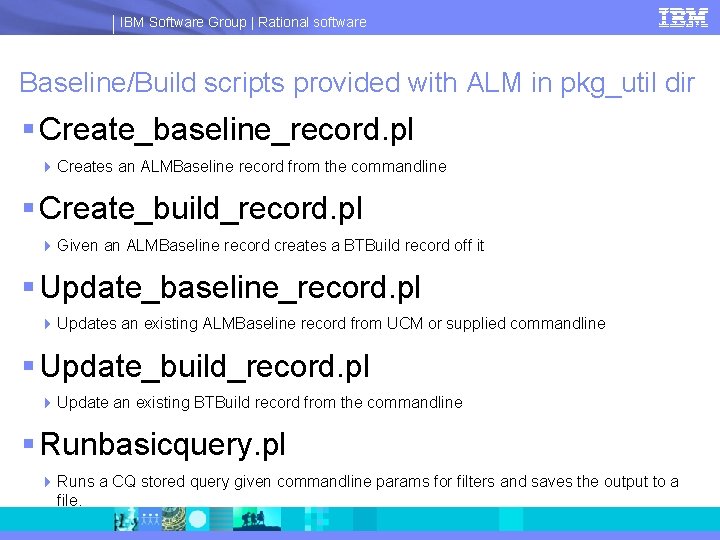
IBM Software Group | Rational software Baseline/Build scripts provided with ALM in pkg_util dir § Create_baseline_record. pl 4 Creates an ALMBaseline record from the commandline § Create_build_record. pl 4 Given an ALMBaseline record creates a BTBuild record off it § Update_baseline_record. pl 4 Updates an existing ALMBaseline record from UCM or supplied commandline § Update_build_record. pl 4 Update an existing BTBuild record from the commandline § Runbasicquery. pl 4 Runs a CQ stored query given commandline params for filters and saves the output to a file.
IBM Software Group | Rational software Setup Clear. Case UCM § Review the Build Forge Project 00_ALM_SETUP 4 README step will have latest information on setup. 4 Do Not Run this project at this time. Just review the Readme.
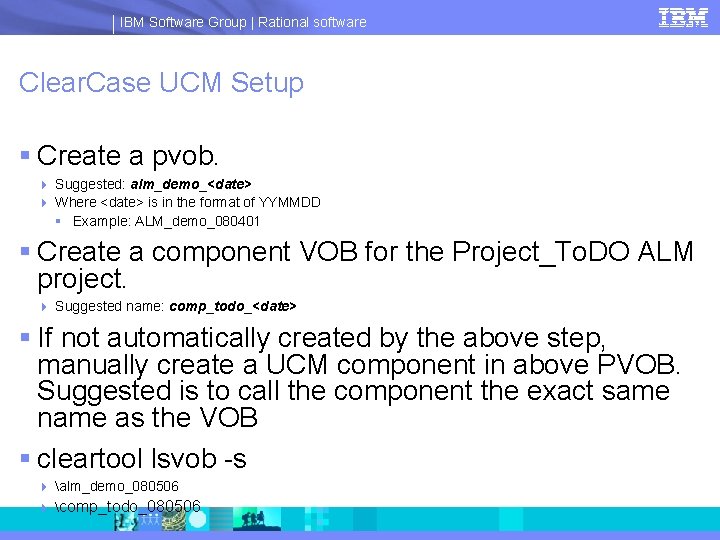
IBM Software Group | Rational software Clear. Case UCM Setup § Create a pvob. 4 Suggested: alm_demo_<date> 4 Where <date> is in the format of YYMMDD § Example: ALM_demo_080401 § Create a component VOB for the Project_To. DO ALM project. 4 Suggested name: comp_todo_<date> § If not automatically created by the above step, manually create a UCM component in above PVOB. Suggested is to call the component the exact same name as the VOB § cleartool lsvob -s 4 alm_demo_080506 4 comp_todo_080506
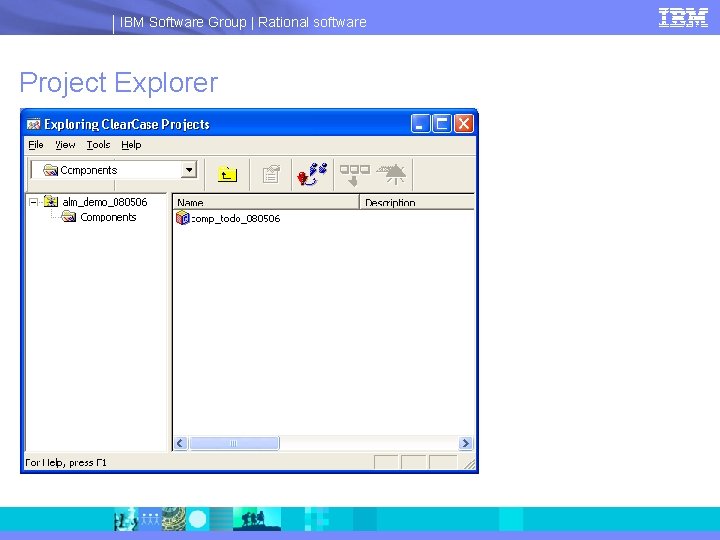
IBM Software Group | Rational software Project Explorer
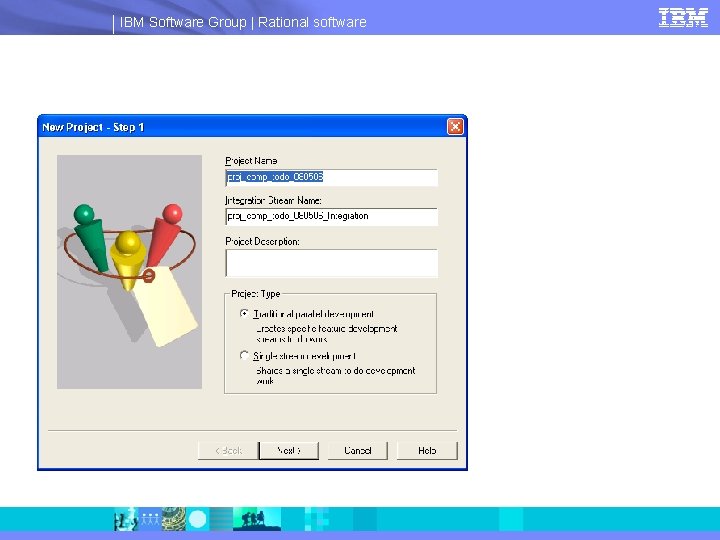
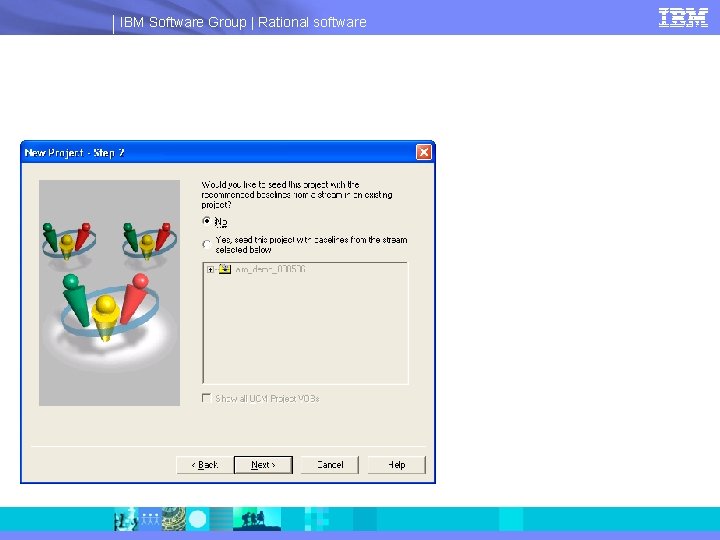
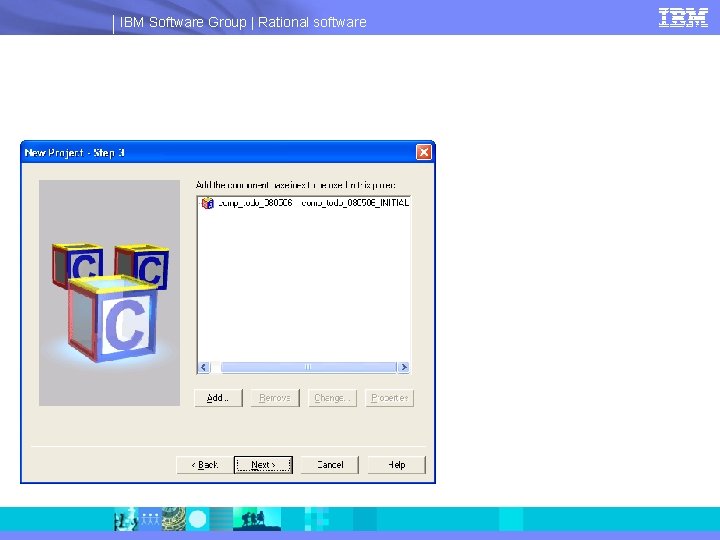
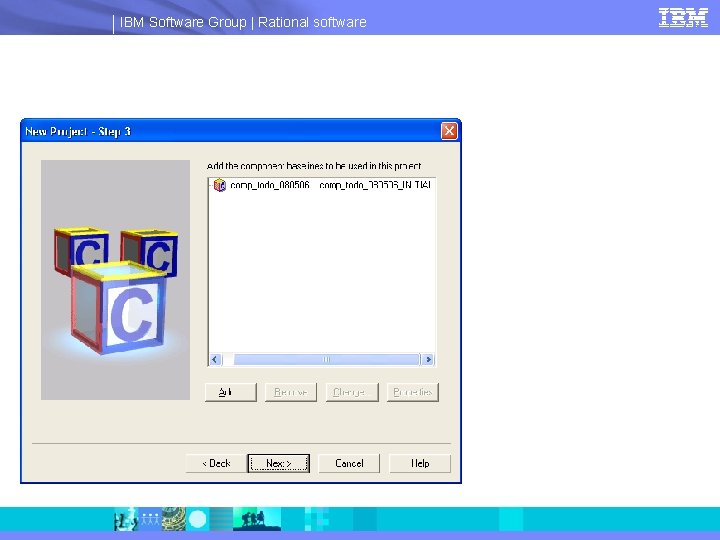
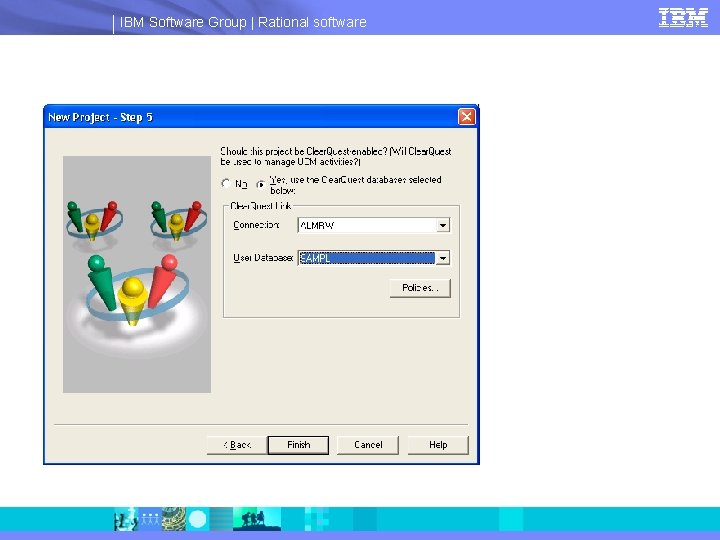
IBM Software Group | Rational software UCM project comp_todo_<date> § Create a project in the PVOB 4 Suggested is to name it the same as the VOB and UCM component above: proj_comp_todo_<date> § The length of this name will exceed 25 characters but for the demo this warning can be ignored 4 Include the above component as modifiable in the project. 4 Enable Clear. Quest integration when creating the project. See next slide for policies
IBM Software Group | Rational software
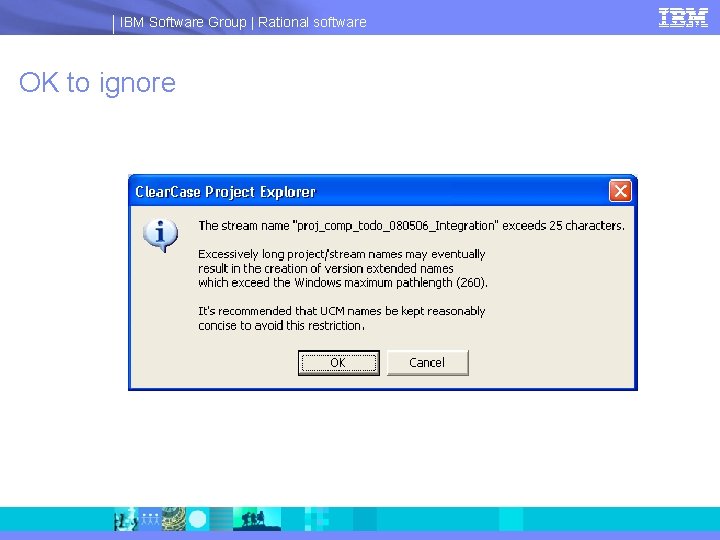
IBM Software Group | Rational software OK to ignore
IBM Software Group | Rational software
IBM Software Group | Rational software
IBM Software Group | Rational software
IBM Software Group | Rational software
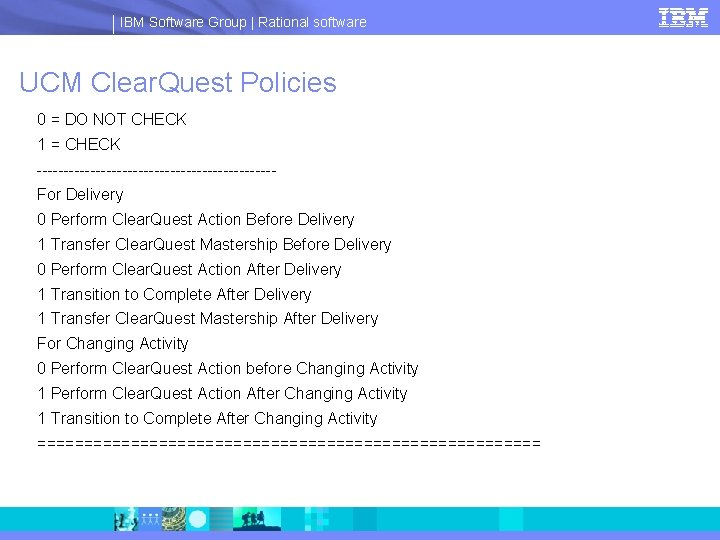
IBM Software Group | Rational software UCM Clear. Quest Policies 0 = DO NOT CHECK 1 = CHECK ----------------------For Delivery 0 Perform Clear. Quest Action Before Delivery 1 Transfer Clear. Quest Mastership Before Delivery 0 Perform Clear. Quest Action After Delivery 1 Transition to Complete After Delivery 1 Transfer Clear. Quest Mastership After Delivery For Changing Activity 0 Perform Clear. Quest Action before Changing Activity 1 Perform Clear. Quest Action After Changing Activity 1 Transition to Complete After Changing Activity ===========================
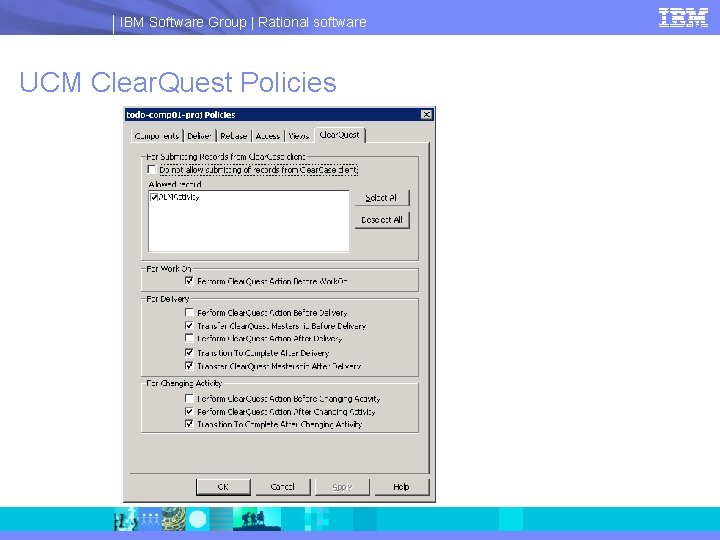
IBM Software Group | Rational software UCM Clear. Quest Policies
IBM Software Group | Rational software UCM Clear. Quest Policies § For any UCM project created below enable the CQ connection and use the same policies.
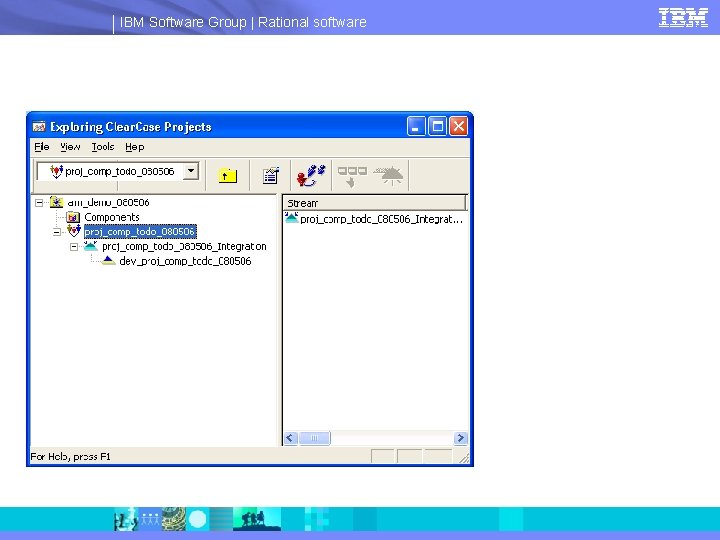
IBM Software Group | Rational software UCM project comp_todo_<date> continued § Create a view on the integration view of this project. 4 Suggested name: proj_comp_todo_<date>_int 4 This is the default name minus your login user name 4 Example: proj_comp_todo_080506_int § Join this project to create a dev stream and view. 4 Reuse the integration view for this join operation. 4 Suggested join stream name: dev_proj_comp_todo_<date>
IBM Software Group | Rational software
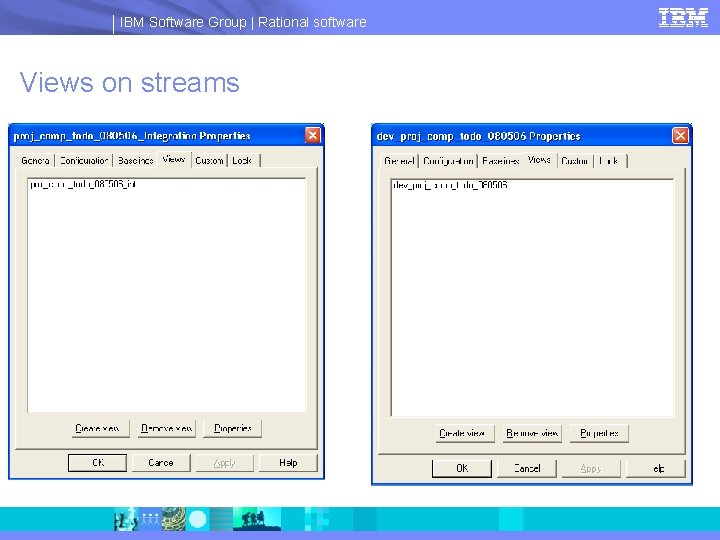
IBM Software Group | Rational software Views on streams
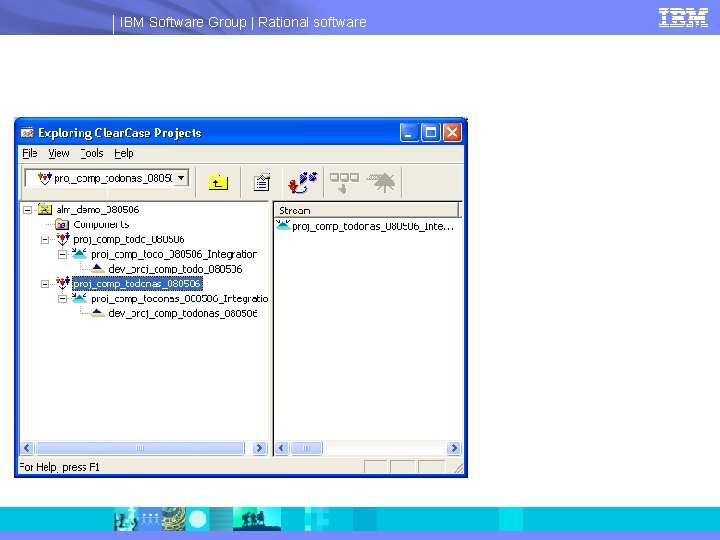
IBM Software Group | Rational software UCM project Comp_To. Do. NAS § Create a component VOB for the Project_To. Do. Nas project. 4 Suggested name: comp_todonas_<date> 4 Create a UCM Component: comp_todonas_<date> 4 Create project to match as above: proj_comp_todonas_<date> 4 Add the UCM component as modifiable to the project. 4 Use the same Clear. Quest Policies 4 Create an integration view as above: proj_comp_todonas_int_<date> 4 Join this project as above and create a view: dev_proj_comp_todonas_080506
IBM Software Group | Rational software
IBM Software Group | Rational software UCM project todo_offering_<date> § Create a "New Component Without a VOB“ 4 Suggested name: offering_todo_080506<date> § Create a new UCM project for this component. 4 Suggested name: proj_offering_todo_<date> § Create an integration view on this project. 4 Suggested name: proj_offering_todo_int_<date> 4 This project will be rebased from Baselines from the comp_todo, and comp_todonas projects and composite baselines will be created. It does not have any modifiable components of it's own. 4 There is no need to "Join" this project.
IBM Software Group | Rational software UCM project todo_offering_<date> § Add all components as non-modifiable to this project. § Setup baseline dependencies so offering_todo_<date> depends on comp_todo_<date> comp_todonas_<date>
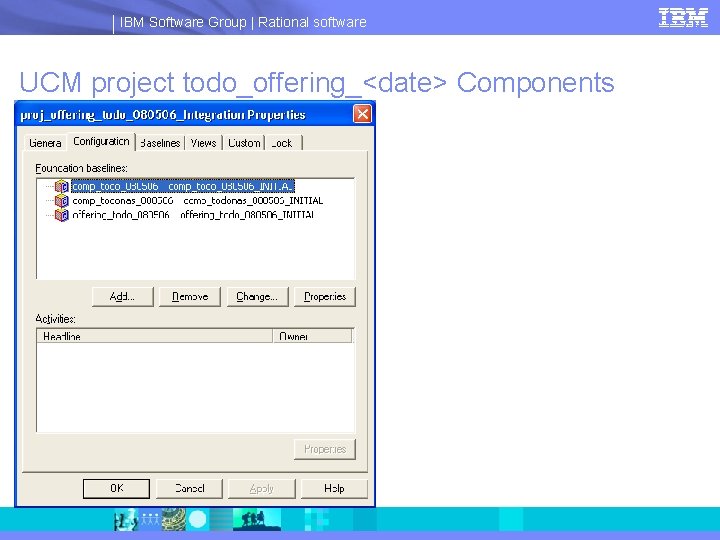
IBM Software Group | Rational software UCM project todo_offering_<date> Components
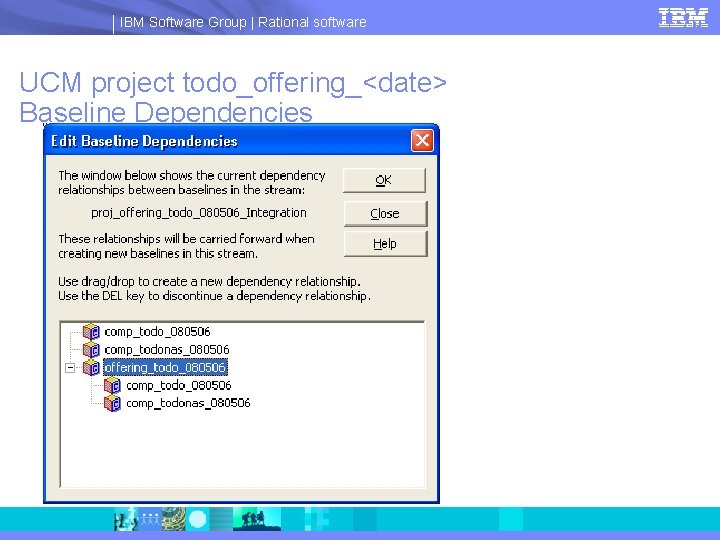
IBM Software Group | Rational software UCM project todo_offering_<date> Baseline Dependencies
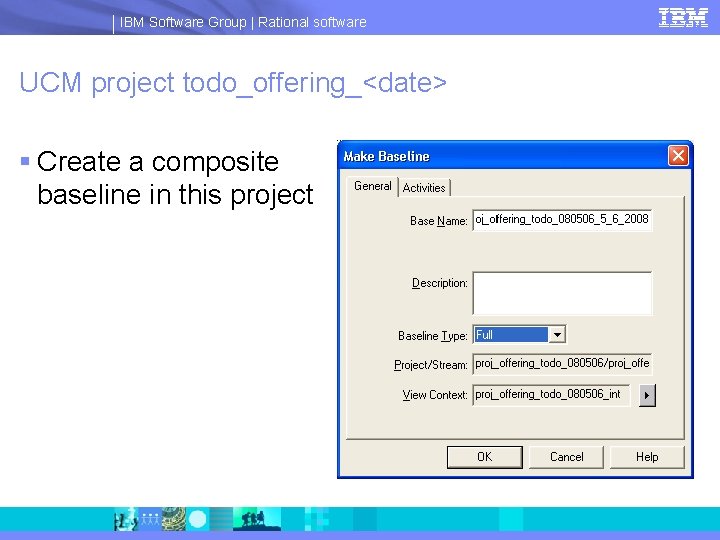
IBM Software Group | Rational software UCM project todo_offering_<date> § Create a composite baseline in this project
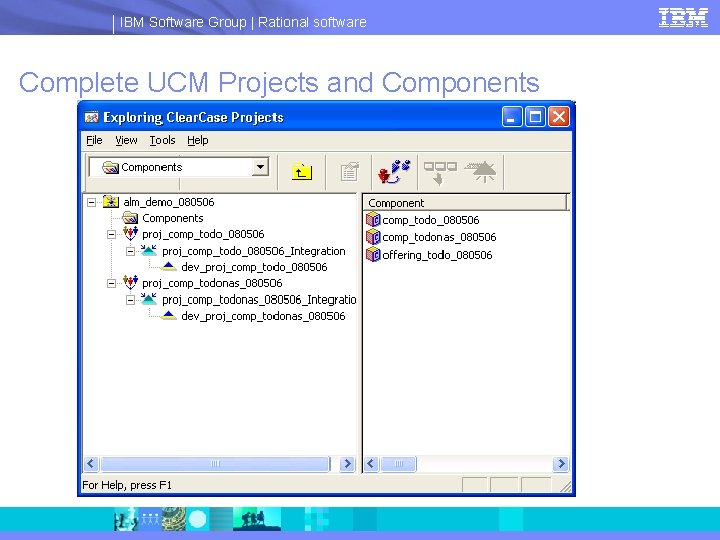
IBM Software Group | Rational software Complete UCM Projects and Components
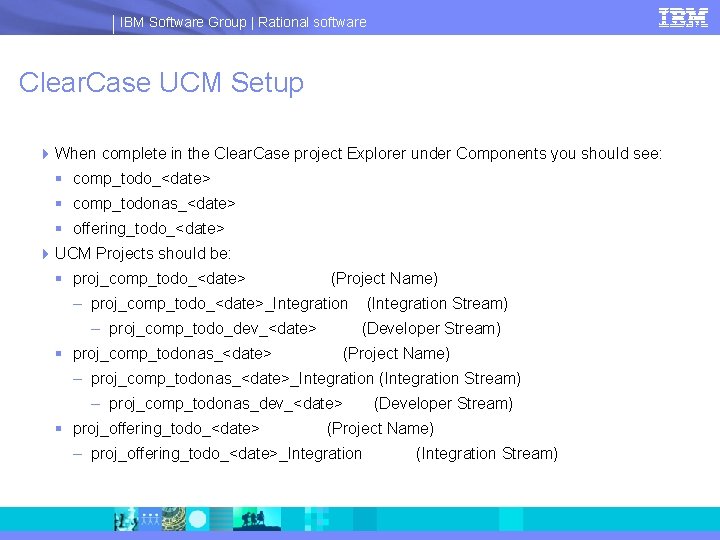
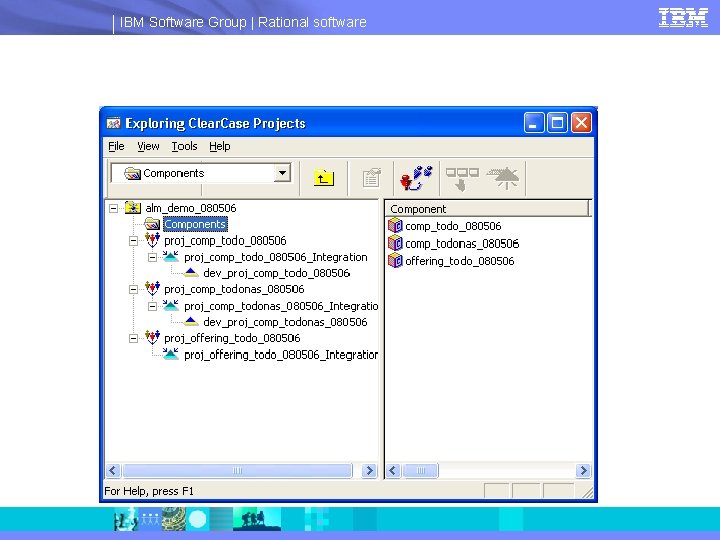
IBM Software Group | Rational software Clear. Case UCM Setup 4 When complete in the Clear. Case project Explorer under Components you should see: § comp_todo_<date> § comp_todonas_<date> § offering_todo_<date> 4 UCM Projects should be: § proj_comp_todo_<date> (Project Name) – proj_comp_todo_<date>_Integration – proj_comp_todo_dev_<date> § proj_comp_todonas_<date> (Integration Stream) (Developer Stream) (Project Name) – proj_comp_todonas_<date>_Integration (Integration Stream) – proj_comp_todonas_dev_<date> § proj_offering_todo_<date> (Developer Stream) (Project Name) – proj_offering_todo_<date>_Integration (Integration Stream)
IBM Software Group | Rational software
IBM Software Group | Rational software Import the Build Forge Projects § File BF_EXPORTED_YYMMDD. zip 4 Where YYMMDD is the latest Year, Month, Day for the file 4 http: //bvrgsa. ibm. com/~swpoulin/public/ALM/BF_EXPORTED_080422. zip § Unzip to a directory § Cd to BF_EXPORTED directory § Run: ratlperl bf_import_all. pl 4 This will import all the projects and environments into your build forge. § Be sure: 4 Be sure to set and test connection to a server 4 To set a selector for each project. Something default will work.
IBM Software Group | Rational software Edit Build Forge Environments § 00_ALM_GLOBAL 4 __EDIT_VARS_BELOW_FOR_YOUR_ENV § ALMHOME = path to ALM baseline and build scripts previously mentioned § PATH = Add these to your path § ALMUSER = The login name for CQ ALM of the user authorized to create Baseline and Build scripts. For example: Release. Engineer_To. Do § ALMPW = The password for this user § ALMDBNAME = the DB Name for the CQ ALM. For example: ALMRW § ALMDBSET = The DBSET name. For example: SAMPLE 4 Stop editing at __DO_NOT_EDIT_BELOW__ § These are stored queries used by the projects
IBM Software Group | Rational software 00_ALM_Non. UCM § 00_ALM_Non. UCM 4 __OPTIONAL_EDIT_VARS_BELOW__ § Given values will work fine for a demo 4 ALM_PVOB_Project_To. Do. Non. UCM_Component § For Non. UCM this would be a “repository” for where files are stored. Since the demo doesn’t use a real repository a made up one is used 4 ALM_PVOB_Project_To. Do. Non. UCM_Offering § Same as above, a made repository 4 ALM_Stream_Project_To. Do. Non. UCM_Component § A made up “stream” or “branch” name. If a real external cm system were used this would be a real branch name
IBM Software Group | Rational software 00_ALM_Project_Non. UCM_ALL § Nothing to edit
IBM Software Group | Rational software 00_ALM_UCM § __DO_NOT_EDIT_BELOW__ 4 Don’t edit these 4 These will be set by the 00_ALM_SETUP project later § __EDIT_VARS_BELOW__ 4 Get these from Clear. Case UCM 4 ALMPVOB = the name of your UCM PVOB: alm_demo_<date> 4 ALM_Stream_Project_To. Do = Integration stream name for Project_To. Do: proj_comp_todo_<date>_Integration 4 ALM_View_Project_To. Do = View on the integration stream of Project_To. Do: proj_comp_todo_int_<date>
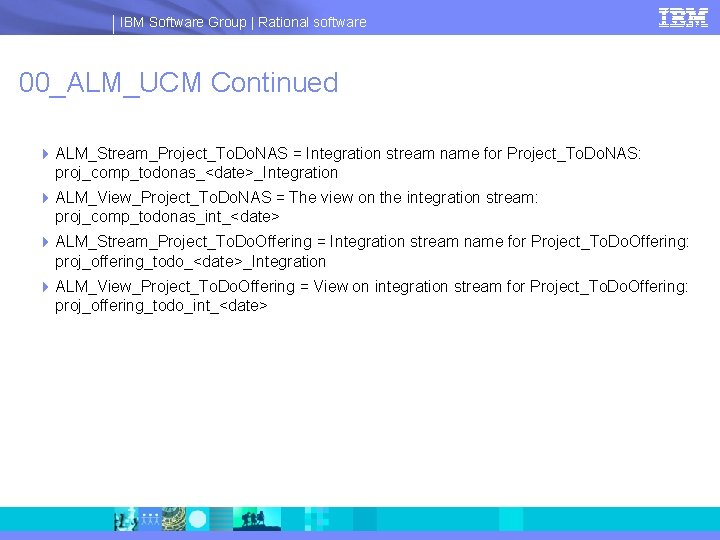
IBM Software Group | Rational software 00_ALM_UCM Continued 4 ALM_Stream_Project_To. Do. NAS = Integration stream name for Project_To. Do. NAS: proj_comp_todonas_<date>_Integration 4 ALM_View_Project_To. Do. NAS = The view on the integration stream: proj_comp_todonas_int_<date> 4 ALM_Stream_Project_To. Do. Offering = Integration stream name for Project_To. Do. Offering: proj_offering_todo_<date>_Integration 4 ALM_View_Project_To. Do. Offering = View on integration stream for Project_To. Do. Offering: proj_offering_todo_int_<date>
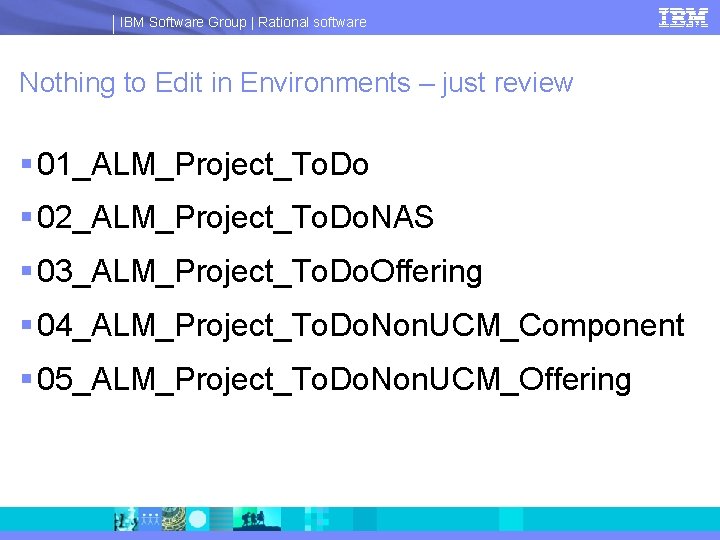
IBM Software Group | Rational software Nothing to Edit in Environments – just review § 01_ALM_Project_To. Do § 02_ALM_Project_To. Do. NAS § 03_ALM_Project_To. Do. Offering § 04_ALM_Project_To. Do. Non. UCM_Component § 05_ALM_Project_To. Do. Non. UCM_Offering
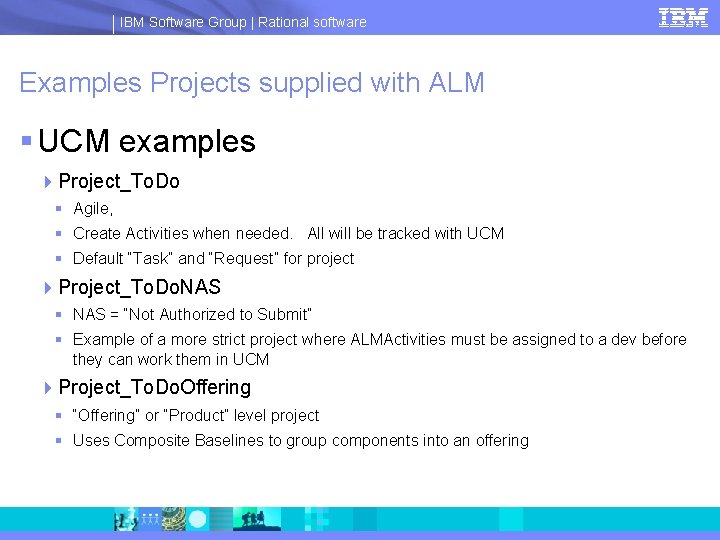
IBM Software Group | Rational software Examples Projects supplied with ALM § UCM examples 4 Project_To. Do § Agile, § Create Activities when needed. All will be tracked with UCM § Default “Task” and “Request” for project 4 Project_To. Do. NAS § NAS = “Not Authorized to Submit” § Example of a more strict project where ALMActivities must be assigned to a dev before they can work them in UCM 4 Project_To. Do. Offering § “Offering” or “Product” level project § Uses Composite Baselines to group components into an offering
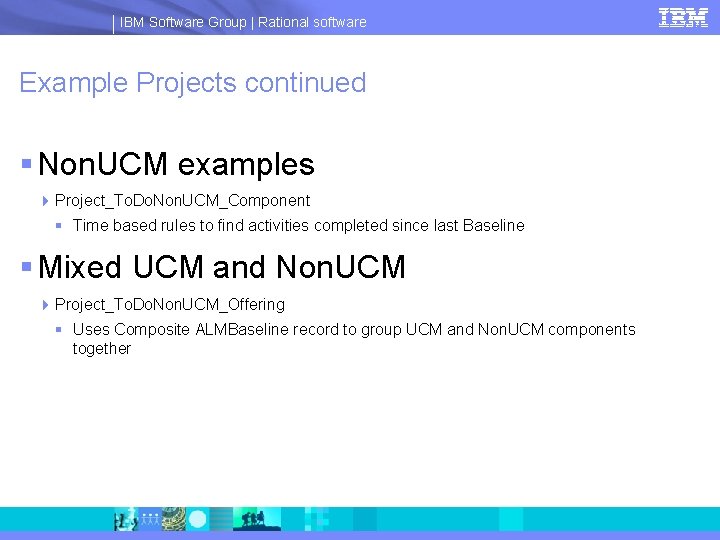
IBM Software Group | Rational software Example Projects continued § Non. UCM examples 4 Project_To. Do. Non. UCM_Component § Time based rules to find activities completed since last Baseline § Mixed UCM and Non. UCM 4 Project_To. Do. Non. UCM_Offering § Uses Composite ALMBaseline record to group UCM and Non. UCM components together
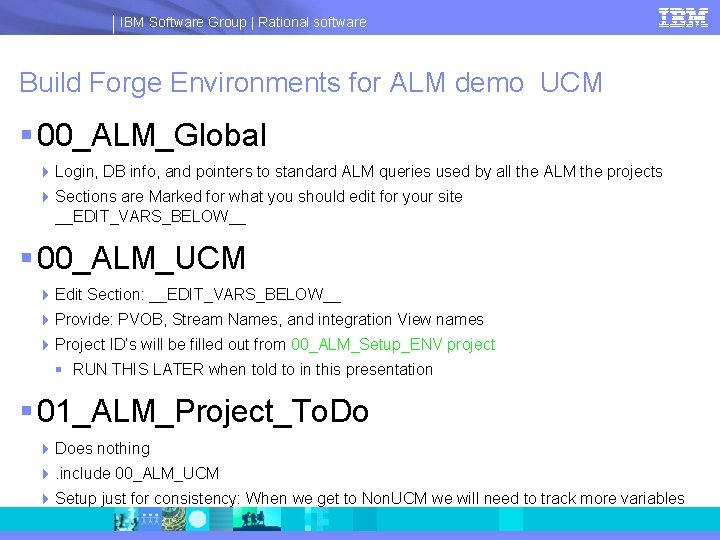
IBM Software Group | Rational software Build Forge Environments for ALM demo UCM § 00_ALM_Global 4 Login, DB info, and pointers to standard ALM queries used by all the ALM the projects 4 Sections are Marked for what you should edit for your site __EDIT_VARS_BELOW__ § 00_ALM_UCM 4 Edit Section: __EDIT_VARS_BELOW__ 4 Provide: PVOB, Stream Names, and integration View names 4 Project ID’s will be filled out from 00_ALM_Setup_ENV project § RUN THIS LATER when told to in this presentation § 01_ALM_Project_To. Do 4 Does nothing 4. include 00_ALM_UCM 4 Setup just for consistency: When we get to Non. UCM we will need to track more variables
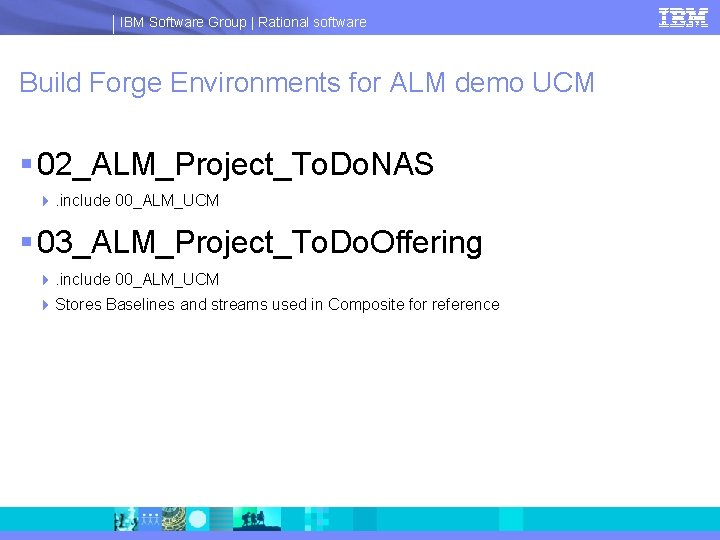
IBM Software Group | Rational software Build Forge Environments for ALM demo UCM § 02_ALM_Project_To. Do. NAS 4. include 00_ALM_UCM § 03_ALM_Project_To. Do. Offering 4. include 00_ALM_UCM 4 Stores Baselines and streams used in Composite for reference
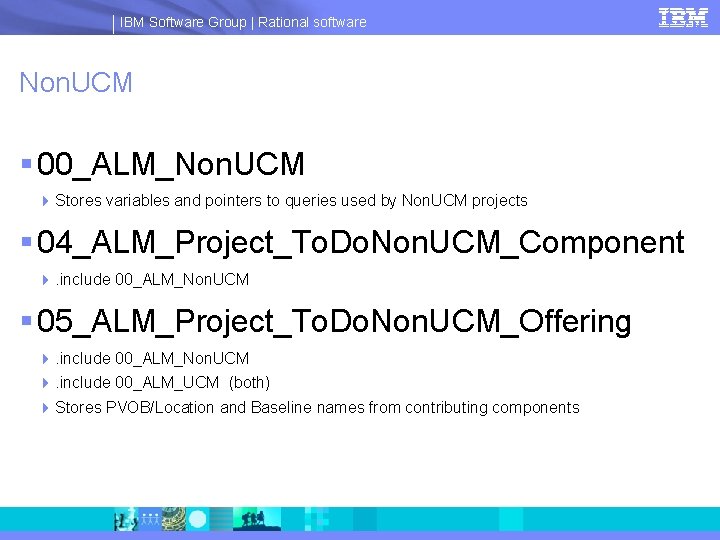
IBM Software Group | Rational software Non. UCM § 00_ALM_Non. UCM 4 Stores variables and pointers to queries used by Non. UCM projects § 04_ALM_Project_To. Do. Non. UCM_Component 4. include 00_ALM_Non. UCM § 05_ALM_Project_To. Do. Non. UCM_Offering 4. include 00_ALM_Non. UCM 4. include 00_ALM_UCM (both) 4 Stores PVOB/Location and Baseline names from contributing components
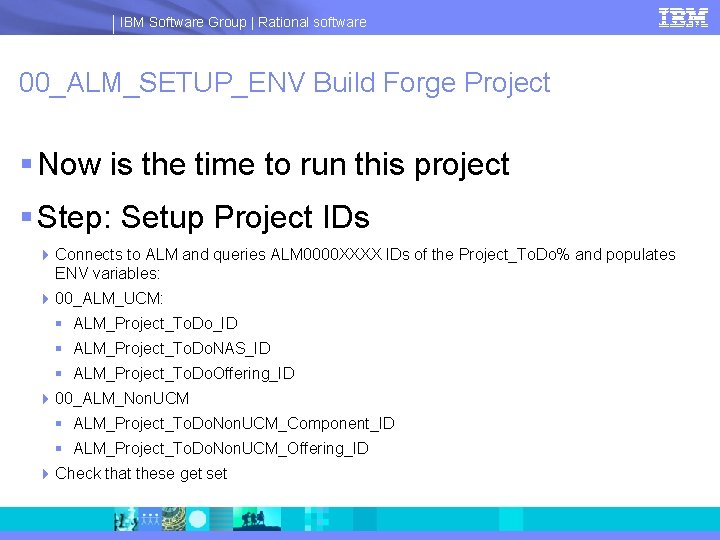
IBM Software Group | Rational software 00_ALM_SETUP_ENV Build Forge Project § Now is the time to run this project § Step: Setup Project IDs 4 Connects to ALM and queries ALM 0000 XXXX IDs of the Project_To. Do% and populates ENV variables: 4 00_ALM_UCM: § ALM_Project_To. Do_ID § ALM_Project_To. Do. NAS_ID § ALM_Project_To. Do. Offering_ID 4 00_ALM_Non. UCM § ALM_Project_To. Do. Non. UCM_Component_ID § ALM_Project_To. Do. Non. UCM_Offering_ID 4 Check that these get set
IBM Software Group | Rational software “Seed ALMBaseline Records” § “Seed ALMBaseline Records” are used to set an initial ALMBaseline for an ALMProject § UCM uses these to diffbl with the first ALMBaseline record created after the seed. § Non. UCM uses the timestamp to query for ALMActivities completed on a project since the “Seed”. § Once a normal ALMBaseline is created the seed baselines are no longer used.
IBM Software Group | Rational software 00_ALM_SETUP_ENV Continued § Seed Project To. Do UCM Baselines 4 Creates “Seed” Baseline Records 4 For following ALM projects § Project_To. Do. Nas § Project_To. Do. Offering 4 Input environment: 00_ALM_UCM § ALMPVOB § ALM_Project_To. Do_ID § ALM_Stream_Project_To. Do § ALM_Project_To. Do. NAS_ID § ALM_Stream_Project_To. Do. NAS § ALM_Project_To. Do. Offering_ID § ALM_Stream_Project_To. Do. Offering
IBM Software Group | Rational software Seed Project To. Do UCM Baselines continued § Creates baseline record in each of the above ALM Projects § Next Baseline created will be able to diffbl to these seed baselines § Baselines created after above baseline will diffbl with previous baseline
IBM Software Group | Rational software 00_ALM_SETUP_ENV Continued § Seed Project To. Do. Non. UCM Baselines 4 Creates “Seed” Baseline Records 4 For following ALM projects § Project_To. Do. Non. UCM_Component § Project_To. Do. Non. UCM_Offering 4 Input environment: § ALM_PVOB_Project_todo. Non. UCM_Component § ALM_Stream_Project_to. Do. Non. UCM_Component § ALM_PVOB_Project_todo. Non. UCM_Offering § ALM_Stream_Project_to. Do. Non. UCM_Offering 4 Creates seed baselines for above. 4 Timestamp of these baselines is used to query for ALMActivities completed since the seed
IBM Software Group | Rational software 00_ALM_SET_ENV Complete § Check that Project_ID variables are set in Build Forge Environments § Check that seed baselines are created § Once complete you should be able to step through each demo presentation for each project.
- Slides: 53