
IBM Software Group Covast B 2 B Suite
IBM Software Group Covast B 2 B Suite for IBM Web. Sphere Gijsbert in ‘t Veld CTO Covast Gijsbert. int. Veld@covast. com © 2006 IBM Corporation
IBM Software Group | Web. Sphere software B 2 B Trends by Industry Analyst § B 2 B solutions differentiate themselves by the ESB they are run on § Internal A 2 A and external B 2 B are converging, giving benefits like: • One monitoring and management toolset for the full integration experience • BPM for A 2 A and B 2 B integration to tie into the same business processes • BAM for A 2 A and B 2 B integration for analyzing complete integration flows to make informative business decisions • Single Toolset to master for mapping and EAI development • Integrate EDI standards within the ESB message flow § Pure-play vendors without an ESB will be challenged to deliver a complete A 2 A and B 2 B solution § More companies will standardize on IBM because we deliver the full end-to-end solution 2 Web. Sphere Business Integration © 2006 IBM Corporation
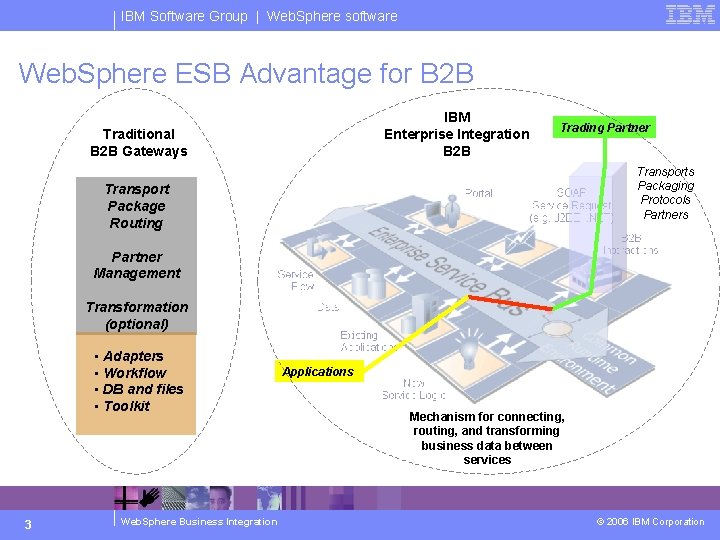
IBM Software Group | Web. Sphere software Web. Sphere ESB Advantage for B 2 B IBM Enterprise Integration B 2 B Traditional B 2 B Gateways Trading Partner Transports Packaging Protocols Partners Transport Package Routing Partner Management Transformation (optional) • Adapters • Workflow • DB and files • Toolkit 3 Web. Sphere Business Integration Applications Mechanism for connecting, routing, and transforming business data between services © 2006 IBM Corporation
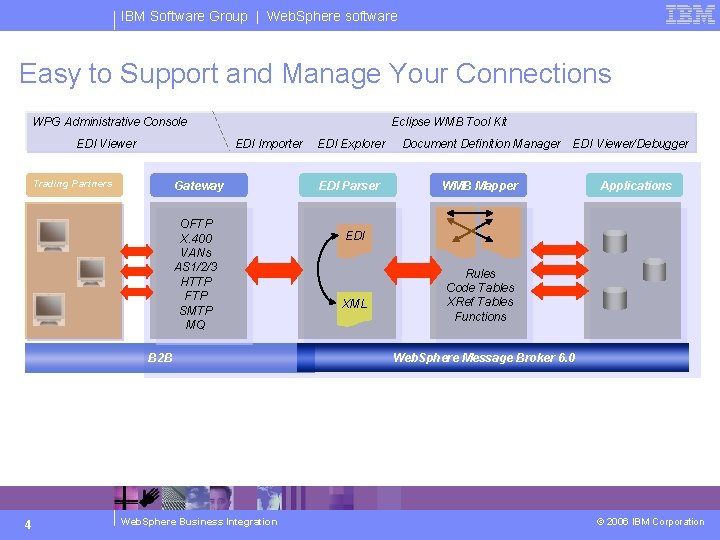
IBM Software Group | Web. Sphere software Easy to Support and Manage Your Connections WPG Administrative Console EDI Viewer Eclipse WMB Tool Kit EDI Importer Trading Partners Gateway OFTP X. 400 VANs AS 1/2/3 HTTP FTP SMTP MQ B 2 B 4 Web. Sphere Business Integration EDI Explorer Document Definition Manager EDI Parser WMB Mapper EDI Viewer/Debugger Applications EDI XML Rules Code Tables XRef Tables Functions Web. Sphere Message Broker 6. 0 © 2006 IBM Corporation
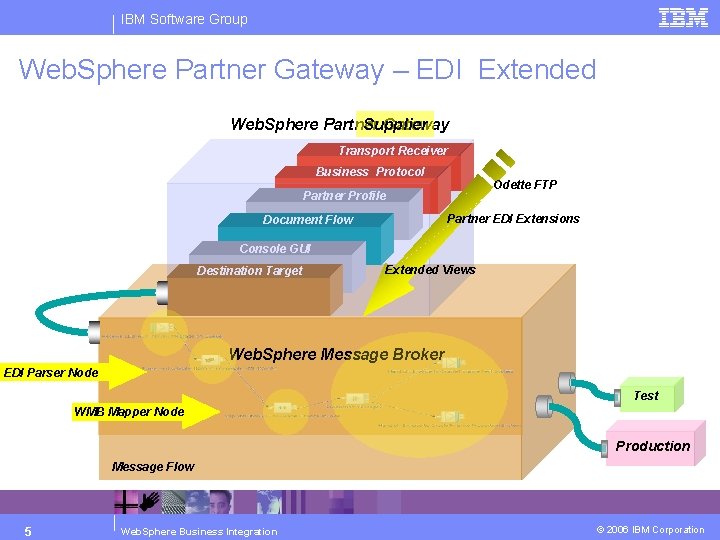
IBM Software Group Web. Sphere Partner Gateway – EDI Extended Web. Sphere Partner Gateway Supplier Transport Receiver Business Protocol Odette FTP Partner Profile Partner EDI Extensions Document Flow Console GUI Destination Target Extended Views Web. Sphere Message Broker EDI Parser Node Test WMB Mapper Node Production Message Flow 5 Web. Sphere Business Integration © 2006 IBM Corporation
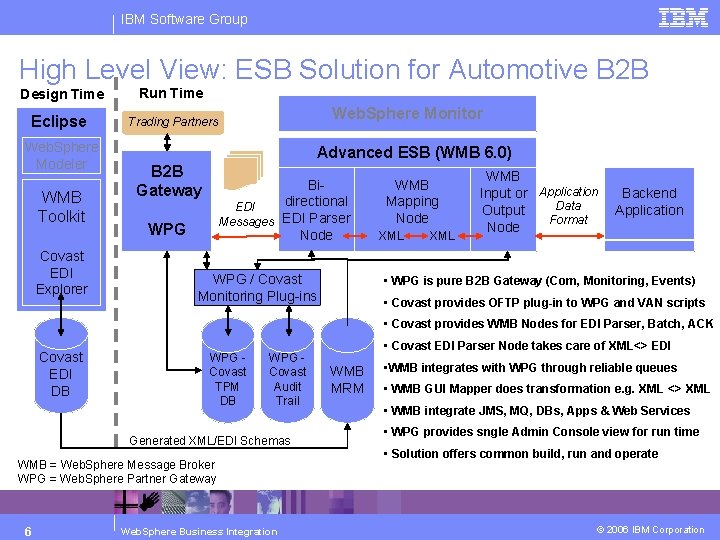
IBM Software Group High Level View: ESB Solution for Automotive B 2 B Design Time Run Time Eclipse Trading Partners Web. Sphere Modeler WMB Toolkit Covast EDI Explorer Web. Sphere Monitor Advanced ESB (WMB 6. 0) B 2 B Gateway Bidirectional EDI Messages EDI Parser Node WPG / Covast Monitoring Plug-ins WMB Mapping Node XML WMB Input or Application Data Output Format Node Backend Application • WPG is pure B 2 B Gateway (Com, Monitoring, Events) • Covast provides OFTP plug-in to WPG and VAN scripts • Covast provides WMB Nodes for EDI Parser, Batch, ACK Covast EDI DB WPG Covast TPM DB WPG Covast Audit Trail Generated XML/EDI Schemas WMB = Web. Sphere Message Broker WPG = Web. Sphere Partner Gateway 6 Web. Sphere Business Integration • Covast EDI Parser Node takes care of XML<> EDI WMB MRM • WMB integrates with WPG through reliable queues • WMB GUI Mapper does transformation e. g. XML <> XML • WMB integrate JMS, MQ, DBs, Apps & Web Services • WPG provides sngle Admin Console view for run time • Solution offers common build, run and operate © 2006 IBM Corporation
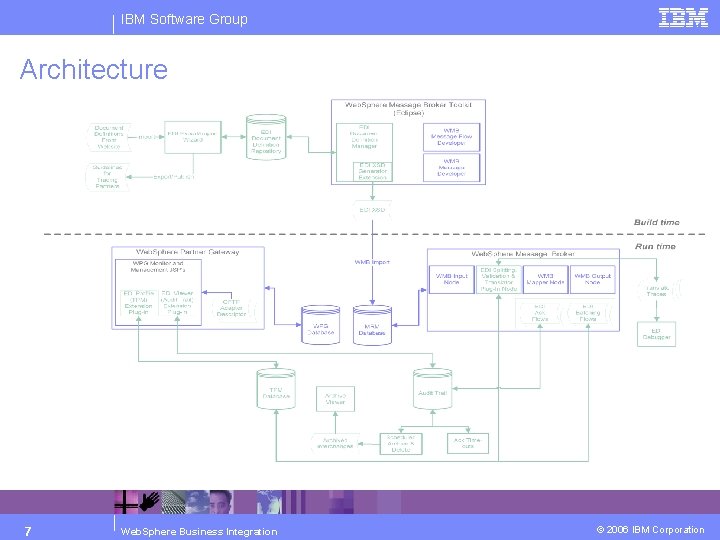
IBM Software Group Architecture 7 Web. Sphere Business Integration © 2006 IBM Corporation
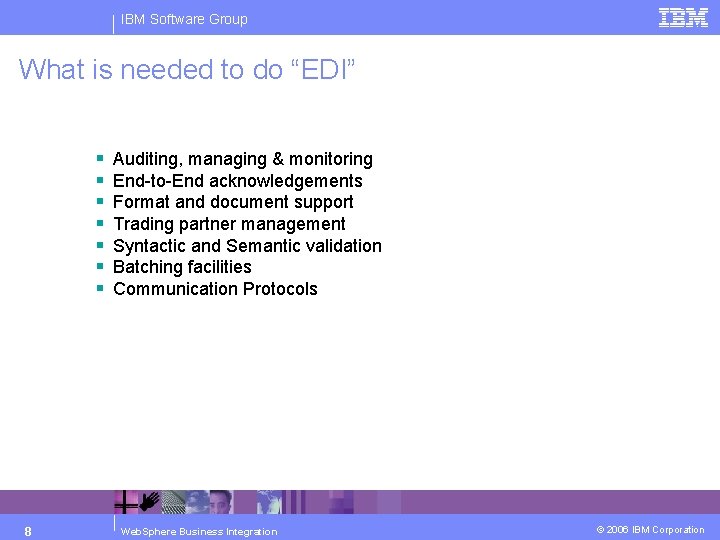
IBM Software Group What is needed to do “EDI” § § § § 8 Auditing, managing & monitoring End-to-End acknowledgements Format and document support Trading partner management Syntactic and Semantic validation Batching facilities Communication Protocols Web. Sphere Business Integration © 2006 IBM Corporation
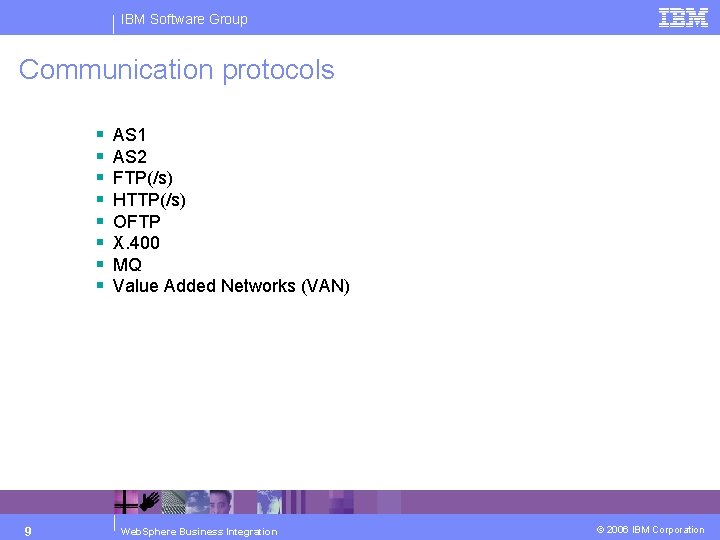
IBM Software Group Communication protocols § § § § 9 AS 1 AS 2 FTP(/s) HTTP(/s) OFTP X. 400 MQ Value Added Networks (VAN) Web. Sphere Business Integration © 2006 IBM Corporation
IBM Software Group Batching § EDI Interchanges consist of multiple documents or even document types to be sent to one recipient 4 Cut communication costs 4 Group logical batches of documents § Batching can be configured on the Trading Partner level in the Trading Partner Management user interface § Batches are created by specialized flows deployed in the Message Broker § Batching can also be influenced from within a mapping, by just mapping a batch reference to the envelope in the target message 4 For example, combine a number of invoices with a VAT summary report in one outbound interchange 10 Web. Sphere Business Integration © 2006 IBM Corporation
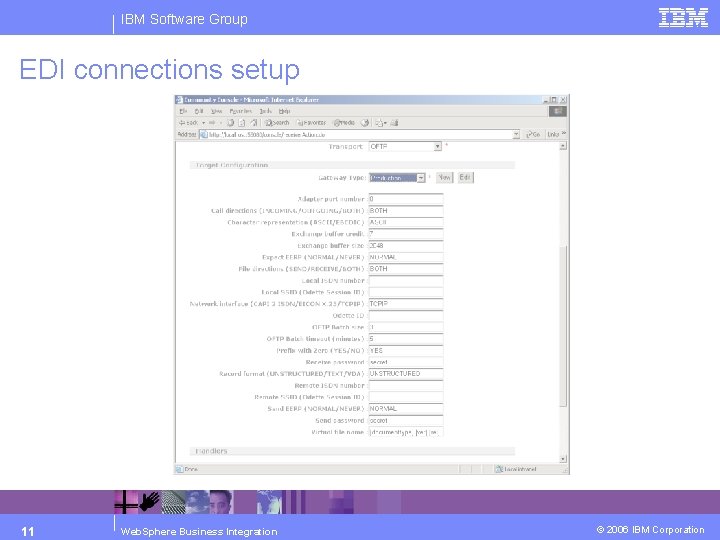
IBM Software Group EDI connections setup 11 Web. Sphere Business Integration © 2006 IBM Corporation
IBM Software Group EDI validation § All EDI Interchanges and Messages are validated against the specification stored in the EDI Repository – via the Generated XSD. Validation takes place in the EDI Parser Node in a message flow. The following are validated: 4 Syntax 4 Code sets 4 Segment repetition 4 Hierarchy 4 Separators 4 Types 4 Maximum and Minimum lengths 4 Mandatory elements and composites 4 Semantics (inter-segment and element relationships) 12 Web. Sphere Business Integration © 2006 IBM Corporation
IBM Software Group Supported standards and formats § Supported Automotive standards: 4 ODETTE 4 VDA 4 EDIFACT Download the latest standards from our extensive repository on the website § Also supported out-of-the-box: 4 X 12 (U. S. ) 4 VICS (U. S. General Merchandise Retail) 4 WINS (U. S. Warehousing) 4 UCS (U. S. Grocery Retail) 4 EANCOM (European Retail) 4 Tradacoms (U. K. ) 4 Cargo-IMP (Airfreight) 4 Gencod (France) 4 Other (User Configurable) 4 Supports multi-byte encoded EDI messages, including: EDIFACT UNOX and UNOY standard syntaxes 13 Web. Sphere Business Integration © 2006 IBM Corporation
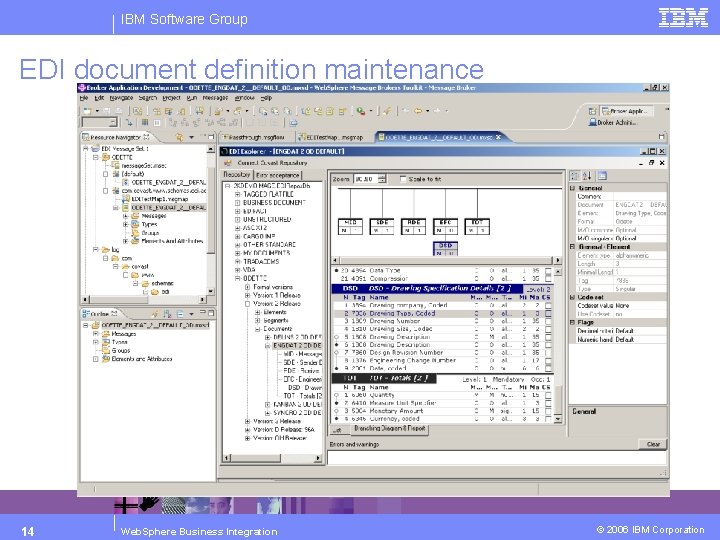
IBM Software Group EDI document definition maintenance 14 Web. Sphere Business Integration © 2006 IBM Corporation
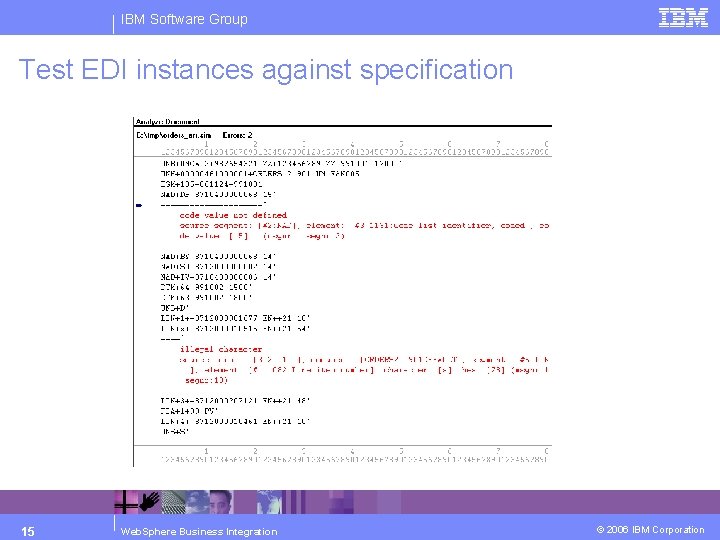
IBM Software Group Test EDI instances against specification 15 Web. Sphere Business Integration © 2006 IBM Corporation
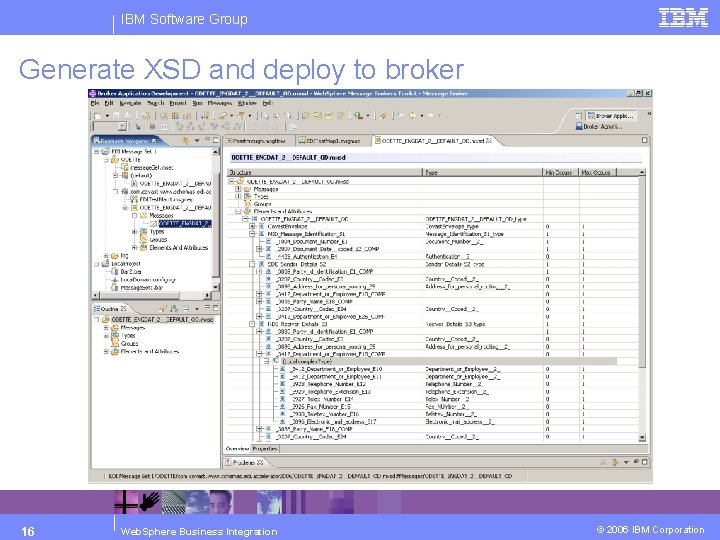
IBM Software Group Generate XSD and deploy to broker 16 Web. Sphere Business Integration © 2006 IBM Corporation
IBM Software Group What is in the XSD and how is it used? § The XSD is the XML way of describing the EDI document definition § It also contains detailed parsing instructions used by the EDI Parser Node in the message flows to: 4 Validate inbound EDI 4 Translate this EDI into its XML representation 4 This “translation” is done implicitly at runtime – no need to define a “mapping” for that § The same XSD is used by other nodes in the message flows to access the “XML/EDI” documents 17 Web. Sphere Business Integration © 2006 IBM Corporation
IBM Software Group Advantages of using XML/EDI § It is very easy to access information in XML messages from within the other nodes in the message broker § Therefore it is very easy to use this information in making decisions in these business processes § You can actually “read” EDI messages § And… you can use a standard Mapper to create transformations between two documents: 4 XSLT Node 4 Graphical Mapper Node § There is of course also one disadvantage: XML messages are bigger, because they are more verbose 4 You can limit this by generating XSD’s where the element tags are the EDI segment and element tags instead of the long names 4 This disadvantage does not outweigh the advantages 18 Web. Sphere Business Integration © 2006 IBM Corporation
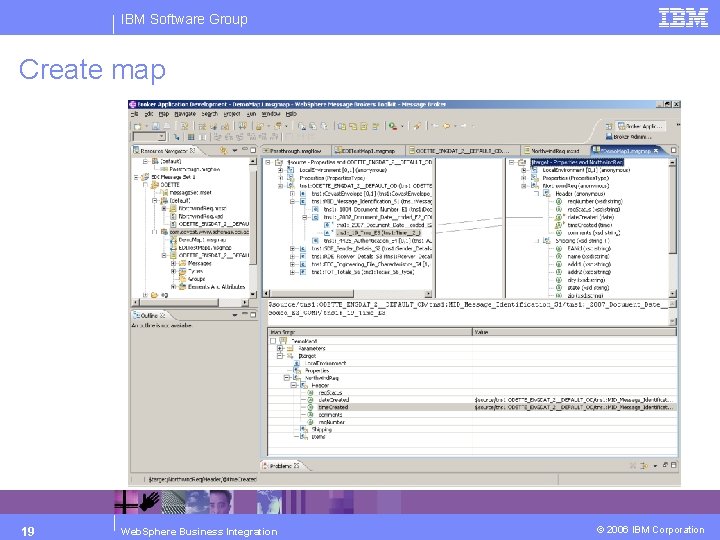
IBM Software Group Create map 19 Web. Sphere Business Integration © 2006 IBM Corporation
IBM Software Group Trading Partner Management § § § Batching options Validation options Ability to define deviating EDI level separators Acknowledgement settings Control numbering: 4 Each EDI transaction is treated as a unique business document exchanged with a Trading Partner 4 This means that the transactions need unique identifiers 4 Control numbers can be generated per type of message and/or per Trading Partner 4 They can also be Transactional – meaning that no gaps will occur in the numbers and therefore parties can check if ALL transactions have been received 4 Inbound duplicates are (optionally) NOT allowed § The Trading Partner Management layer generates all the artifacts needed by WPG to execute the B 2 B interactions 20 Web. Sphere Business Integration © 2006 IBM Corporation
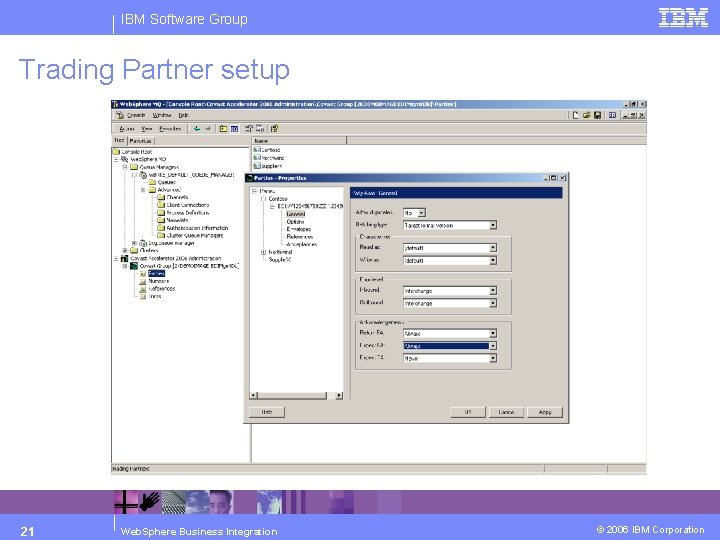
IBM Software Group Trading Partner setup 21 Web. Sphere Business Integration © 2006 IBM Corporation
IBM Software Group EDI level acknowledgement handling § Full End-to-End handling of Functional and Technical Acknowledgments 4 EDIFACT CONTRL (Functional) 4 X 12 997 (Functional) and TA 1 (Technical) § Interchange, Group and Document level acknowledgements § Time-out handling § Acknowledgment generation and reconciliation is done by specialized message flows deployed in the Broker § Full reporting via the WPG Console EDI Viewers 22 Web. Sphere Business Integration © 2006 IBM Corporation
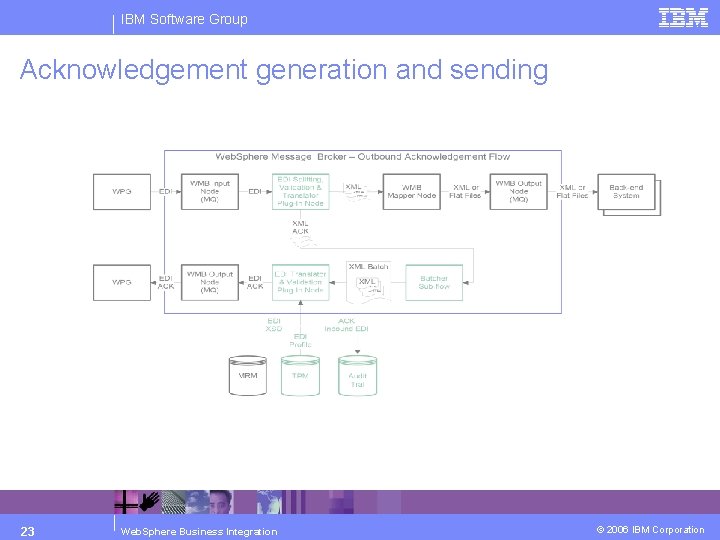
IBM Software Group Acknowledgement generation and sending 23 Web. Sphere Business Integration © 2006 IBM Corporation
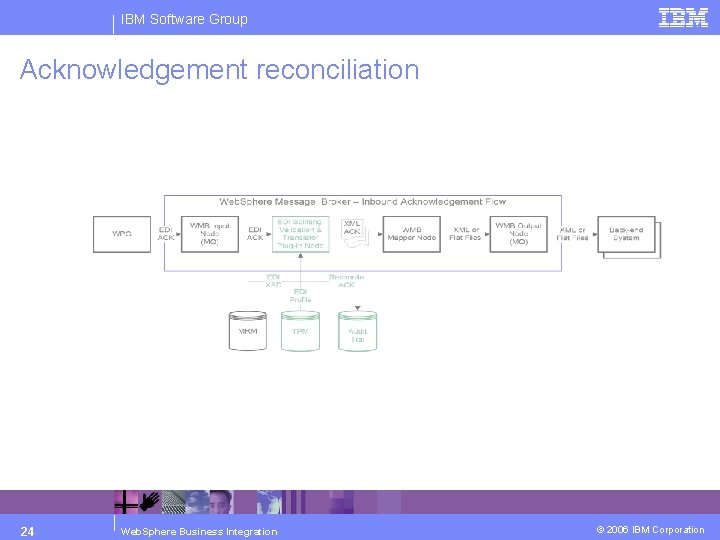
IBM Software Group Acknowledgement reconciliation 24 Web. Sphere Business Integration © 2006 IBM Corporation
IBM Software Group Auditing § All EDI documents passing through the solution are recorded in the § § 25 database (metadata and the EDI files themselves) The system records time stamps for all actions performed on messages Events get emitted using the Common Events Infrastructure All details on messages and failures can be viewed in the EDI viewers that are part of the WPG Console Archive & Delete scheduler – prepare for storage on Tape or CD for legal purposes Web. Sphere Business Integration © 2006 IBM Corporation
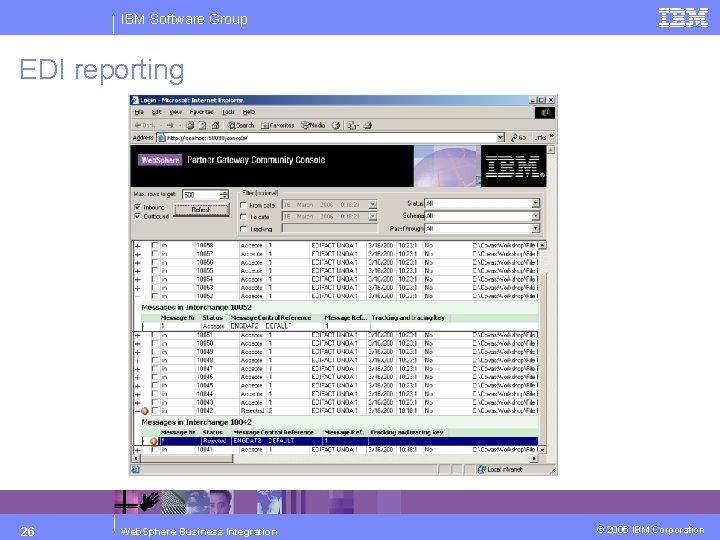
IBM Software Group EDI reporting 26 Web. Sphere Business Integration © 2006 IBM Corporation
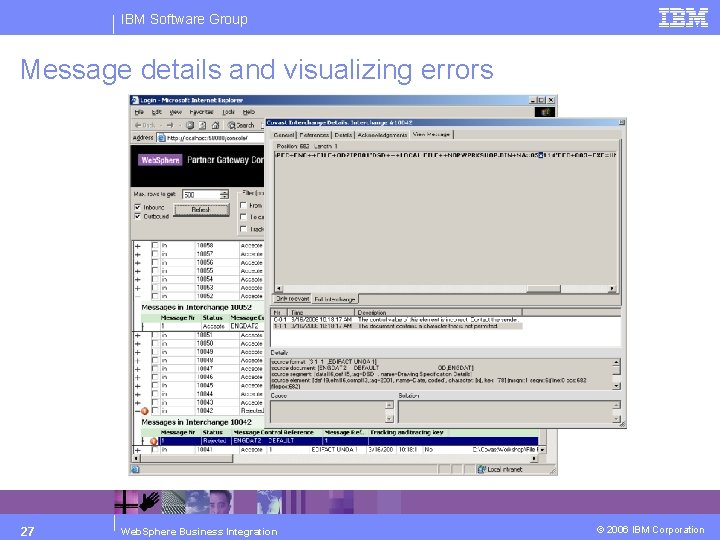
IBM Software Group Message details and visualizing errors 27 Web. Sphere Business Integration © 2006 IBM Corporation
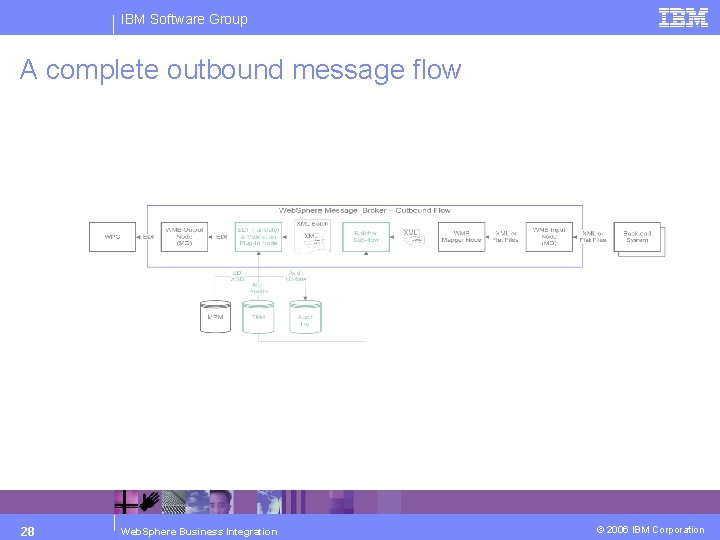
IBM Software Group A complete outbound message flow 28 Web. Sphere Business Integration © 2006 IBM Corporation
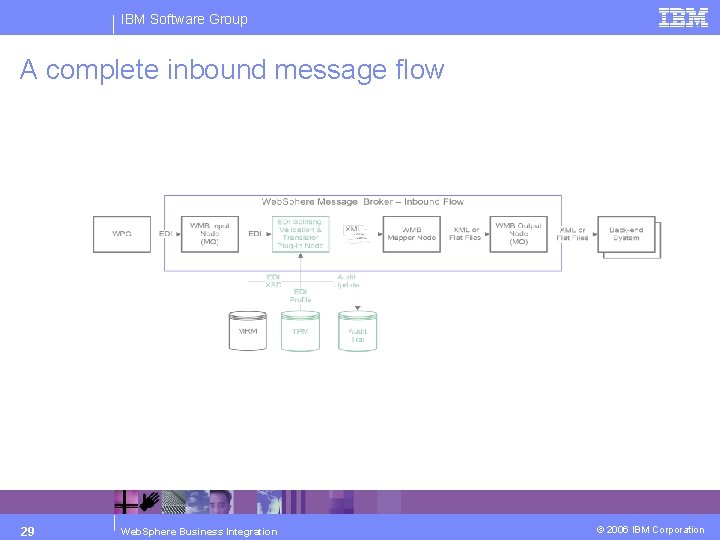
IBM Software Group A complete inbound message flow 29 Web. Sphere Business Integration © 2006 IBM Corporation
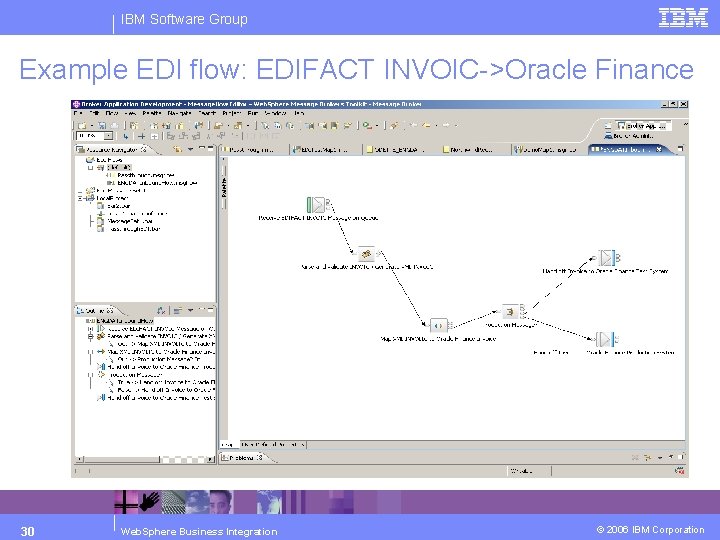
IBM Software Group Example EDI flow: EDIFACT INVOIC->Oracle Finance 30 Web. Sphere Business Integration © 2006 IBM Corporation
IBM Software Group Merci Trugarez Gracias French Breton Spanish Korean Arabic Hebrew Hindi Traditional Chinese Tack så mycket Swedish Obrigado go raibh maith agat Brazilian Portuguese Gaelic Grazie Dankon Italian Danish Esperanto Simplified Chinese Japanese Thank You English Web. Sphere Business Integration Danke German Dank u Dekujeme Vam Thai Dutch Tamil 31 Tak Czech © 2006 IBM Corporation
- Slides: 31