
IBM Rational Software Development Conference 2006 The Eclipse
IBM Rational Software Development Conference 2006 ® The Eclipse Web Tools Platform Project: Supporting Open Standards with Open Source Tools Arthur Ryman Eclipse WTP Development Manager, IBM Rational ryman@ca. ibm. com © 2006 IBM Corporation OC 02
IBM Rational Software Development Conference 2006 © 2006 IBM Corporation; Made available under the EPL v 1. 0 Abstract The Eclipse Web Tools Platform (WTP) Project is an Open Source tool suite that supports open standards. IBM contributed core components of IBM(R) Rational(R) Application Developer to seed WTP and is basing future IBM Rational products on it. This session describes how WTP supports the development of Java(TM) Web applications. The Web Standard Tools subproject contains tools for developing HTML, CSS, Java. Script(TM), XML, Web services, and SQL. The J 2 EE(TM) Standard Tools subproject contains tools for developing servlets, JSP, JSF, Java Web services, and Enterprise Java. Beans(TM). This session includes a demonstration of the tools. OC 02
IBM Rational Software Development Conference 2006 © 2006 IBM Corporation; Made available under the EPL v 1. 0 Outline § Project Overview 4 Release Roadmap 4 New in WTP 1. 0 4 New in WTP 1. 5 4 Beyond Callisto § Quick Tour Demo 4 Dynamic Web Projects 4 JSPs and Servlet 4 Database Access 4 Web Services OC 02
IBM Rational Software Development Conference 2006 © 2006 IBM Corporation; Made available under the EPL v 1. 0 Project Overview § WTP provides tools for Java Web application development 4 Tools for application developers 4 Platform for tool developers § Subprojects focus on open standards 4 Web Standard Tools – IETF, W 3 C, OASIS, WS-I, ANSI, etc 4 J 2 EE Standard Tools – JCP § IBM contributed core components of Rational Application Developer V 6. 0 and remains the largest contributor § BEA, Oracle, Sybase and many others participate in WTP development § IBM will adopt WTP 1. 5 in Rational Application Developer V 7. 0 OC 02
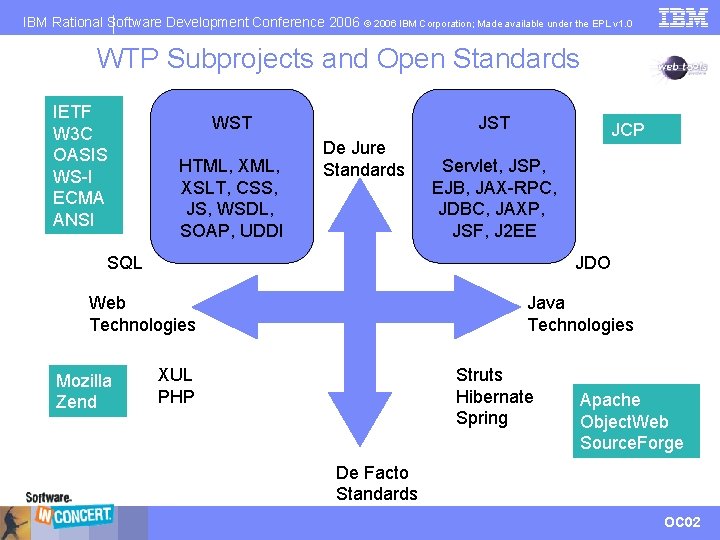
IBM Rational Software Development Conference 2006 © 2006 IBM Corporation; Made available under the EPL v 1. 0 WTP Subprojects and Open Standards IETF W 3 C OASIS WS-I ECMA ANSI WST HTML, XSLT, CSS, JS, WSDL, SOAP, UDDI JST De Jure Standards JCP Servlet, JSP, EJB, JAX-RPC, JDBC, JAXP, JSF, J 2 EE SQL JDO Web Technologies Mozilla Zend Java Technologies XUL PHP Struts Hibernate Spring Apache Object. Web Source. Forge De Facto Standards OC 02
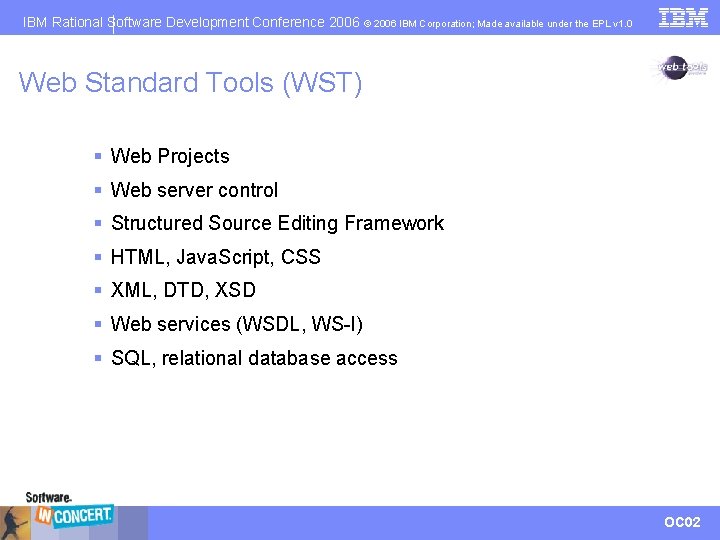
IBM Rational Software Development Conference 2006 © 2006 IBM Corporation; Made available under the EPL v 1. 0 Web Standard Tools (WST) § Web Projects § Web server control § Structured Source Editing Framework § HTML, Java. Script, CSS § XML, DTD, XSD § Web services (WSDL, WS-I) § SQL, relational database access OC 02
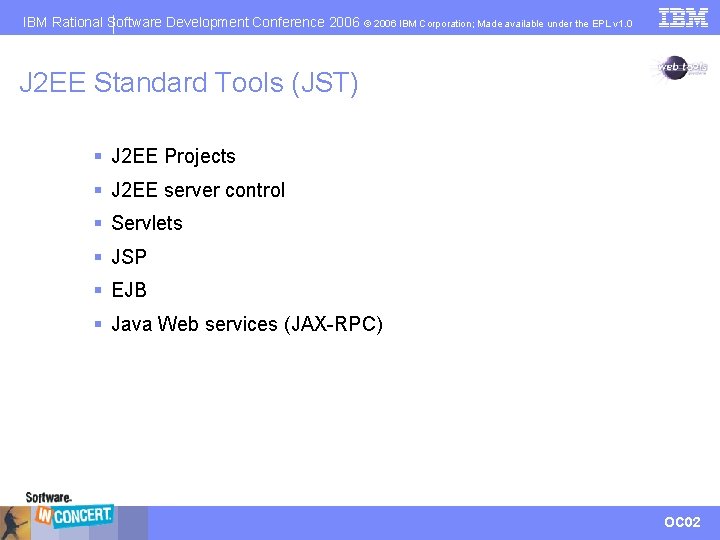
IBM Rational Software Development Conference 2006 © 2006 IBM Corporation; Made available under the EPL v 1. 0 J 2 EE Standard Tools (JST) § J 2 EE Projects § J 2 EE server control § Servlets § JSP § EJB § Java Web services (JAX-RPC) OC 02
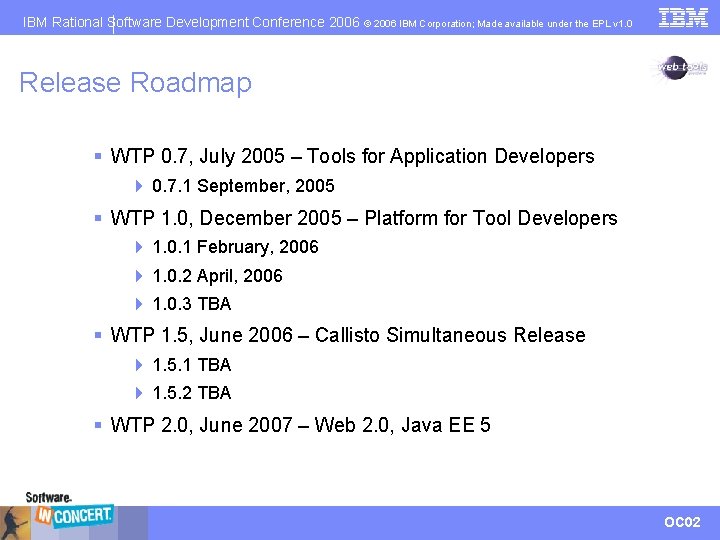
IBM Rational Software Development Conference 2006 © 2006 IBM Corporation; Made available under the EPL v 1. 0 Release Roadmap § WTP 0. 7, July 2005 – Tools for Application Developers 4 0. 7. 1 September, 2005 § WTP 1. 0, December 2005 – Platform for Tool Developers 4 1. 0. 1 February, 2006 4 1. 0. 2 April, 2006 4 1. 0. 3 TBA § WTP 1. 5, June 2006 – Callisto Simultaneous Release 4 1. 5. 1 TBA 4 1. 5. 2 TBA § WTP 2. 0, June 2007 – Web 2. 0, Java EE 5 OC 02
IBM Rational Software Development Conference 2006 © 2006 IBM Corporation; Made available under the EPL v 1. 0 New in WTP 1. 0 § First wave of Platform APIs 4 Component descriptors/scanners § Initial Feature definitions § Project Facets § External server adapters and runtimes installed via Update Manager § More supported servers § Adopter Hot List § Improved Help § Improved Scalability § Lots of other bug fixes and enhancements! OC 02
IBM Rational Software Development Conference 2006 © 2006 IBM Corporation; Made available under the EPL v 1. 0 New in WTP 1. 5 (Callisto) § Initial steps towards Java EE 5 4 JSF Tools Incubator 4 Dali EJB 3. 0 Persistence (JPA) Tools Incubator 4 Glassfish server adapter hosted at java. net § Components moved to Eclipse Platform: 4 Common Navigator (Project Explorer) 4 Tabbed Property View § More Platform APIs § Adopter Usage/Breakage Scans § XML based Help – DITA § Lots of other bug fixes and enhancements! OC 02
IBM Rational Software Development Conference 2006 © 2006 IBM Corporation; Made available under the EPL v 1. 0 JSF Tools Incubator Project § Led by Oracle with contributions from Sybase and IBM 4 JSF-JSP page source editor 4 application configuration (faces-config. xml) source/graphical editor 4 JSF library registry OC 02
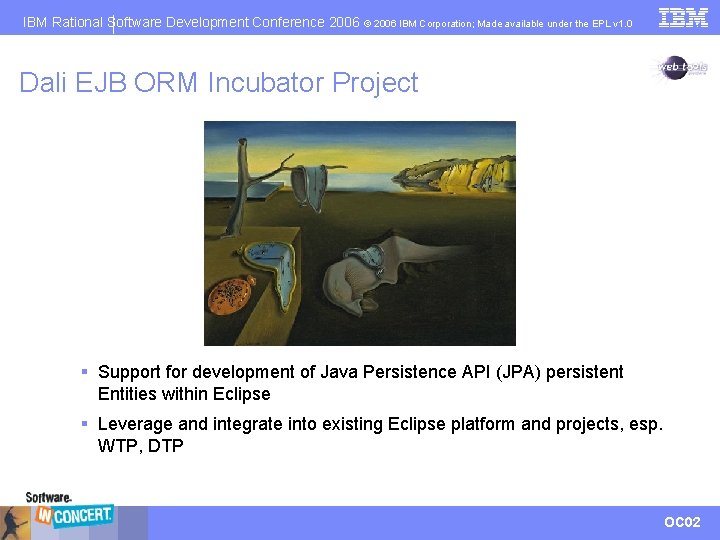
IBM Rational Software Development Conference 2006 © 2006 IBM Corporation; Made available under the EPL v 1. 0 Dali EJB ORM Incubator Project § Support for development of Java Persistence API (JPA) persistent Entities within Eclipse § Leverage and integrate into existing Eclipse platform and projects, esp. WTP, DTP OC 02
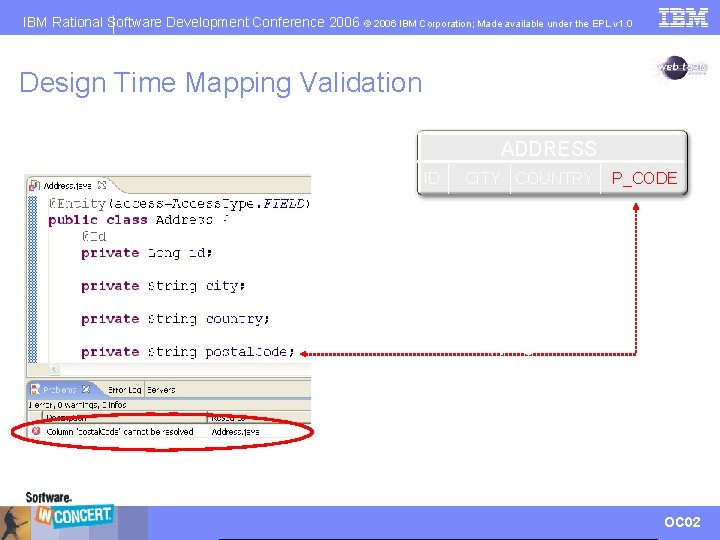
IBM Rational Software Development Conference 2006 © 2006 IBM Corporation; Made available under the EPL v 1. 0 Design Time Mapping Validation ADDRESS ID CITY COUNTRY P_CODE Default mapping won’t work! OC 02
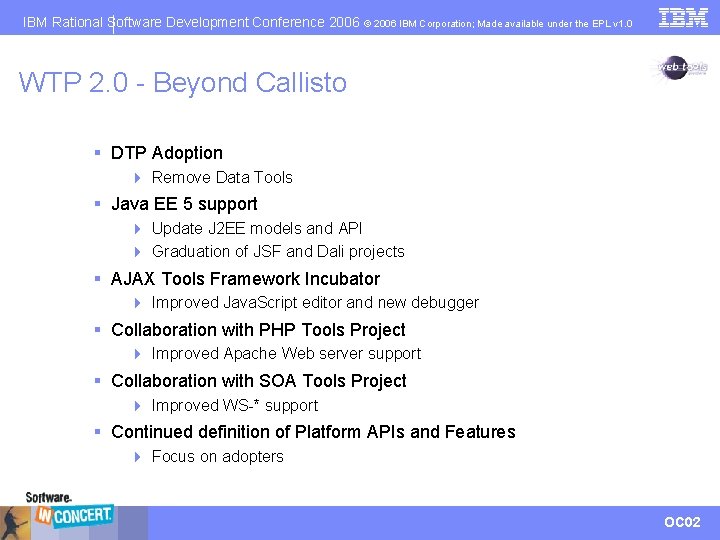
IBM Rational Software Development Conference 2006 © 2006 IBM Corporation; Made available under the EPL v 1. 0 WTP 2. 0 - Beyond Callisto § DTP Adoption 4 Remove Data Tools § Java EE 5 support 4 Update J 2 EE models and API 4 Graduation of JSF and Dali projects § AJAX Tools Framework Incubator 4 Improved Java. Script editor and new debugger § Collaboration with PHP Tools Project 4 Improved Apache Web server support § Collaboration with SOA Tools Project 4 Improved WS-* support § Continued definition of Platform APIs and Features 4 Focus on adopters OC 02
IBM Rational Software Development Conference 2006 © 2006 IBM Corporation; Made available under the EPL v 1. 0 Demo OC 02
IBM Rational Software Development Conference 2006 ® Quick Tour of Eclipse WTP Naci Dai eteration a. s. © 2006 IBM Corporation Lawrence Mandel IBM Rational Software Arthur Ryman IBM Rational Software OC 02
IBM Rational Software Development Conference 2006 © 2006 IBM Corporation; Made available under the EPL v 1. 0 WTP Quick Tour Iterations 1. Configure an application server, create a Web application, develop a simple Java. Server. TM Pages (JSP) document that prints a greeting, and run it on the server. 2. Add a login JSP, write Java scriptlets to display the user name, create a Java servlet that controls the application page flow, and debug the servlet and JSPs. 3. Create a database to store user information, develop an SQL query to access it, and add Java Database Connectivity (JDBC) calls to your servlet to invoke the query and retrieve the user information. 4. Deploy the database query as a Web service, generate a JSP test client that invokes the Web service, and monitor the Simple Object Access Protocol (SOAP) message traffic. For the most benefit, download a recent WTP release and follow along! OC 02
IBM Rational Software Development Conference 2006 © 2006 IBM Corporation; Made available under the EPL v 1. 0 OC 02
IBM Rational Software Development Conference 2006 © 2006 IBM Corporation; Made available under the EPL v 1. 0 Iteration 1: J 2 EE Web Applications § In iteration 1 we will configure our development environment, and create a dynamic Web application § Tasks: 4 Configure an application server 4 Create a Dynamic Web application project 4 Develop a simple Java. Server Pages (JSP) document that prints a greeting 4 Run the JSP on the server OC 02
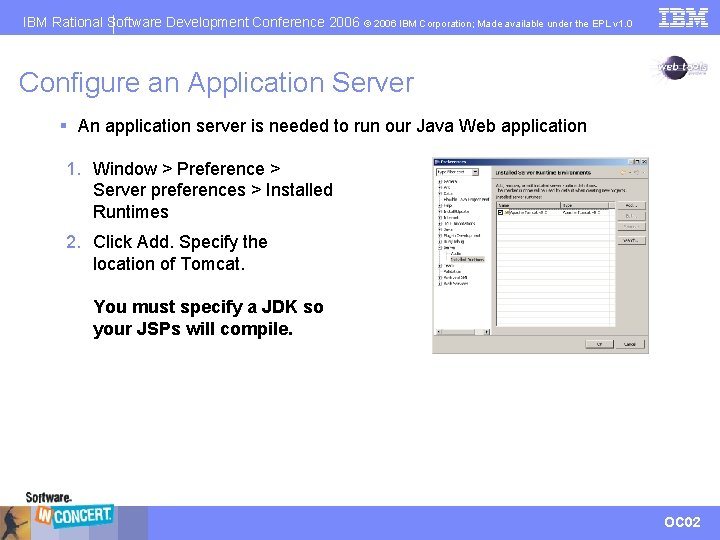
IBM Rational Software Development Conference 2006 © 2006 IBM Corporation; Made available under the EPL v 1. 0 Configure an Application Server § An application server is needed to run our Java Web application 1. Window > Preference > Server preferences > Installed Runtimes 2. Click Add. Specify the location of Tomcat. You must specify a JDK so your JSPs will compile. OC 02
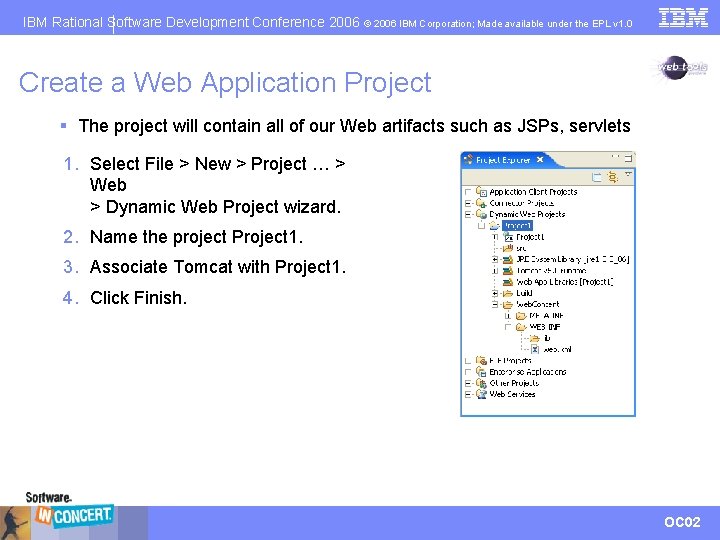
IBM Rational Software Development Conference 2006 © 2006 IBM Corporation; Made available under the EPL v 1. 0 Create a Web Application Project § The project will contain all of our Web artifacts such as JSPs, servlets 1. Select File > New > Project … > Web > Dynamic Web Project wizard. 2. Name the project Project 1. 3. Associate Tomcat with Project 1. 4. Click Finish. OC 02
IBM Rational Software Development Conference 2006 © 2006 IBM Corporation; Made available under the EPL v 1. 0 Develop a Simple JSP that Prints a Greeting § The JSP will display “Hello, World” in a client’s Web browser 1. Right click on Project 1’s Web. Content folder and select New->JSP. 2. Name the JSP hello-world. jsp. 3. Click Next. Select JSP with html markup. 4. Click Finish. 5. Change the title and add body contents for “Hello, world. ” OC 02
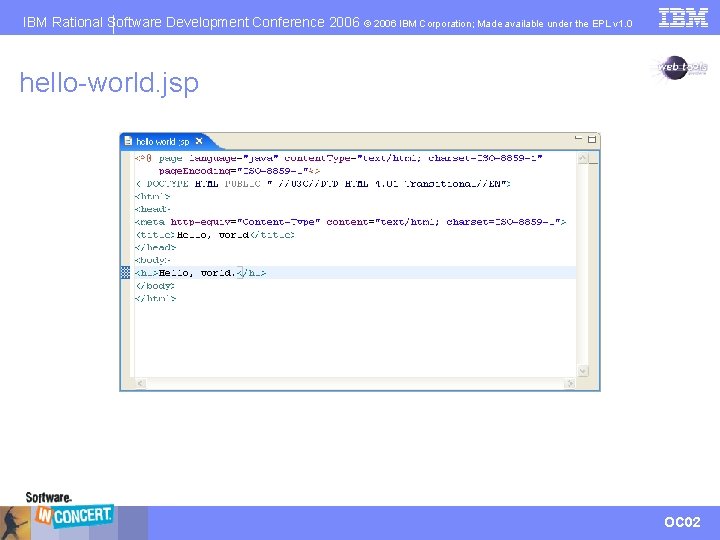
IBM Rational Software Development Conference 2006 © 2006 IBM Corporation; Made available under the EPL v 1. 0 hello-world. jsp OC 02
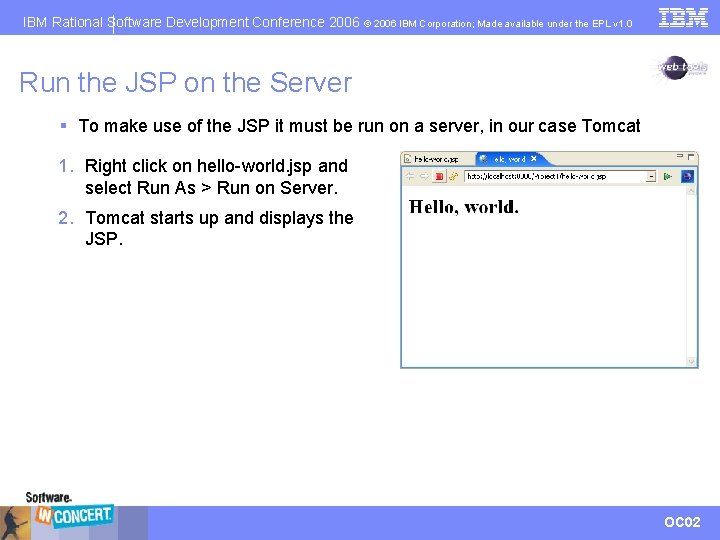
IBM Rational Software Development Conference 2006 © 2006 IBM Corporation; Made available under the EPL v 1. 0 Run the JSP on the Server § To make use of the JSP it must be run on a server, in our case Tomcat 1. Right click on hello-world. jsp and select Run As > Run on Server. 2. Tomcat starts up and displays the JSP. OC 02
IBM Rational Software Development Conference 2006 © 2006 IBM Corporation; Made available under the EPL v 1. 0 Iteration 1 Summary § We configured Tomcat to act as our application server § We created a Web application project § We developed a simple JSP that prints “Hello, world” in a browser § We ran the JSP on the Tomcat server OC 02
IBM Rational Software Development Conference 2006 © 2006 IBM Corporation; Made available under the EPL v 1. 0 Iteration 2: Servlets and Scriptlets § In iteration 1 we created a JSP that had static content § In iteration 2 we will add dynamic content Tasks: § Add a Java Scriptlet to a JSP § Debug a JSP § Create a Servlet § Debug a Servlet OC 02
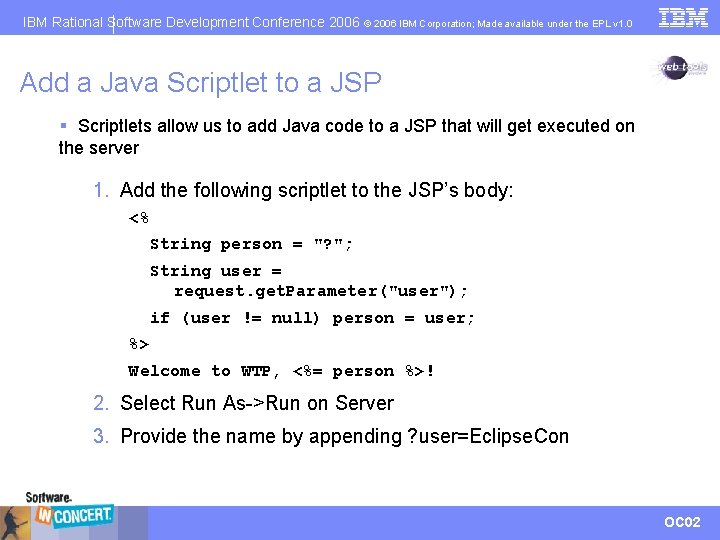
IBM Rational Software Development Conference 2006 © 2006 IBM Corporation; Made available under the EPL v 1. 0 Add a Java Scriptlet to a JSP § Scriptlets allow us to add Java code to a JSP that will get executed on the server 1. Add the following scriptlet to the JSP’s body: <% String person = "? "; String user = request. get. Parameter("user"); if (user != null) person = user; %> Welcome to WTP, <%= person %>! 2. Select Run As->Run on Server 3. Provide the name by appending ? user=Eclipse. Con OC 02
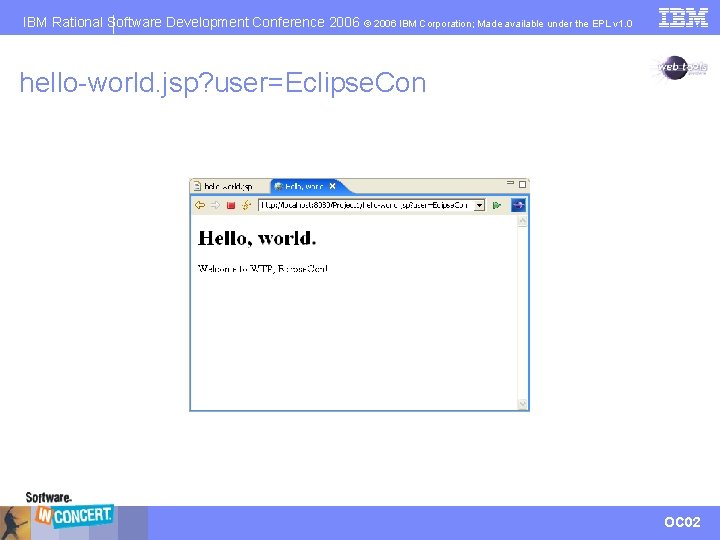
IBM Rational Software Development Conference 2006 © 2006 IBM Corporation; Made available under the EPL v 1. 0 hello-world. jsp? user=Eclipse. Con OC 02
IBM Rational Software Development Conference 2006 © 2006 IBM Corporation; Made available under the EPL v 1. 0 Debug a JSP § Debugging a JSP allows us to step through the JSP’s execution path 1. Set a break point on the line String user = request. get. Parameter("user"); by double clicking in the margin. 2. Right click on hello-world. jsp and select Debug As > Debug on Server. Tomcat will now restart in debug mode. 3. Select to resume execution. 4. Change the user to Alice. Notice the variables view shows the changed value. OC 02
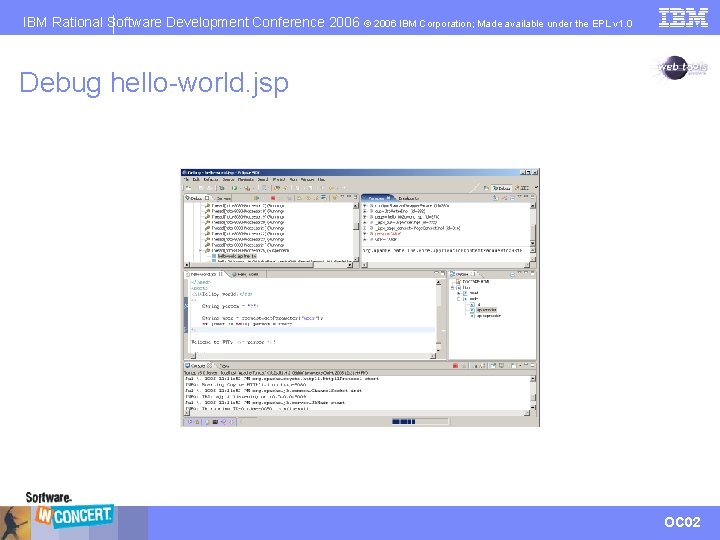
IBM Rational Software Development Conference 2006 © 2006 IBM Corporation; Made available under the EPL v 1. 0 Debug hello-world. jsp OC 02
IBM Rational Software Development Conference 2006 © 2006 IBM Corporation; Made available under the EPL v 1. 0 Create a Servlet § JSPs should only contain presentation logic. § Application logic should be performed by servlets. § We will now add a login JSP and a servlet to handle the login request. OC 02
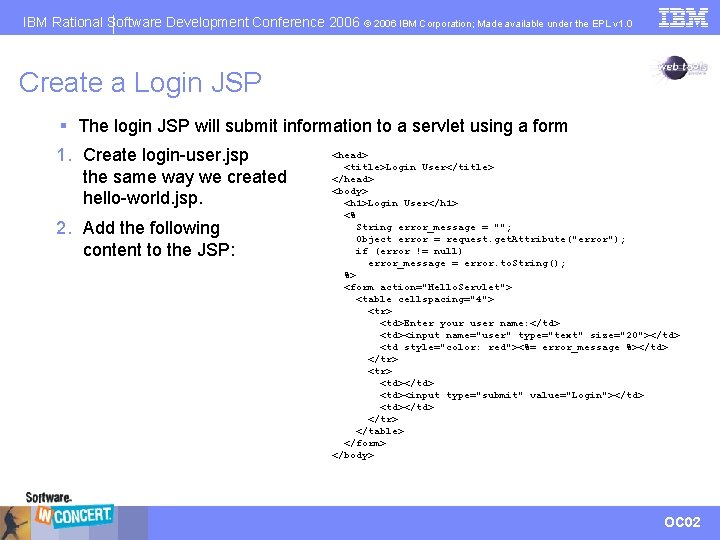
IBM Rational Software Development Conference 2006 © 2006 IBM Corporation; Made available under the EPL v 1. 0 Create a Login JSP § The login JSP will submit information to a servlet using a form 1. Create login-user. jsp the same way we created hello-world. jsp. 2. Add the following content to the JSP: <head> <title>Login User</title> </head> <body> <h 1>Login User</h 1> <% String error_message = ""; Object error = request. get. Attribute("error"); if (error != null) error_message = error. to. String(); %> <form action="Hello. Servlet"> <table cellspacing="4"> <tr> <td>Enter your user name: </td> <td><input name="user" type="text" size="20"></td> <td style="color: red"><%= error_message %></td> </tr> <td></td> <td><input type="submit" value="Login"></td> <td></td> </tr> </table> </form> </body> OC 02
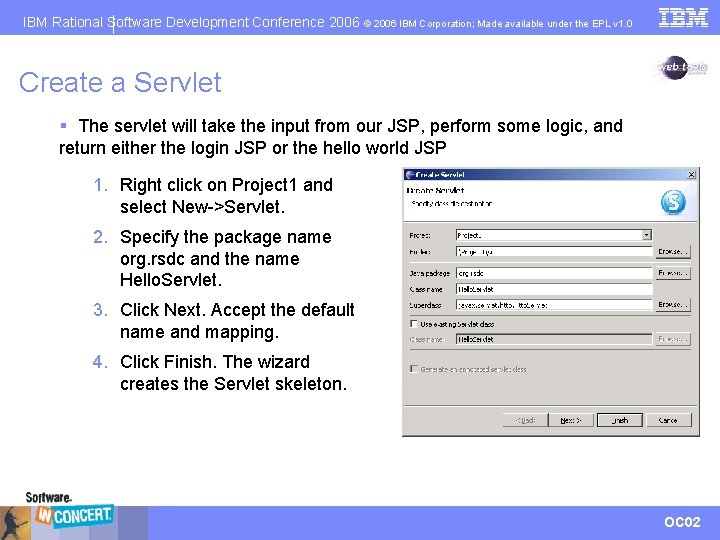
IBM Rational Software Development Conference 2006 © 2006 IBM Corporation; Made available under the EPL v 1. 0 Create a Servlet § The servlet will take the input from our JSP, perform some logic, and return either the login JSP or the hello world JSP 1. Right click on Project 1 and select New->Servlet. 2. Specify the package name org. rsdc and the name Hello. Servlet. 3. Click Next. Accept the default name and mapping. 4. Click Finish. The wizard creates the Servlet skeleton. OC 02
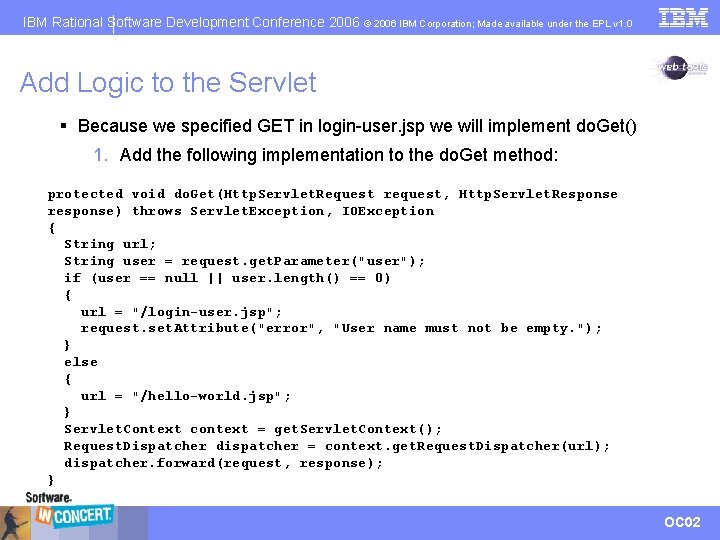
IBM Rational Software Development Conference 2006 © 2006 IBM Corporation; Made available under the EPL v 1. 0 Add Logic to the Servlet § Because we specified GET in login-user. jsp we will implement do. Get() 1. Add the following implementation to the do. Get method: protected void do. Get(Http. Servlet. Request request, Http. Servlet. Response response) throws Servlet. Exception, IOException { String url; String user = request. get. Parameter("user"); if (user == null || user. length() == 0) { url = "/login-user. jsp"; request. set. Attribute("error", "User name must not be empty. "); } else { url = "/hello-world. jsp"; } Servlet. Context context = get. Servlet. Context(); Request. Dispatcher dispatcher = context. get. Request. Dispatcher(url); dispatcher. forward(request, response); } OC 02
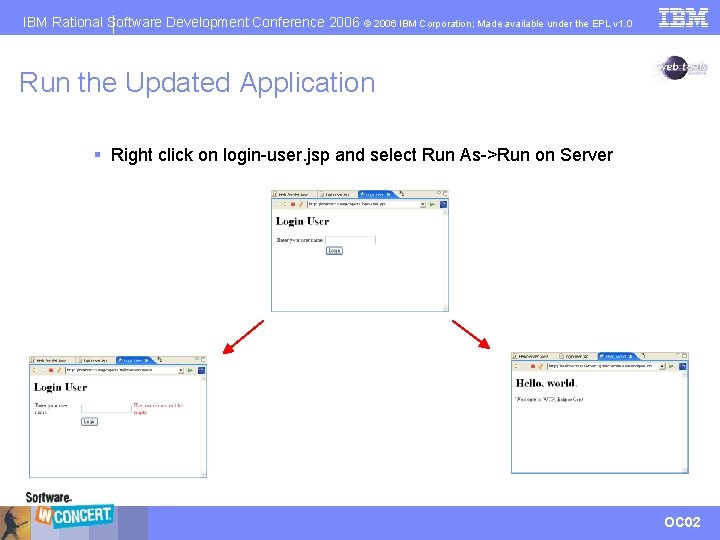
IBM Rational Software Development Conference 2006 © 2006 IBM Corporation; Made available under the EPL v 1. 0 Run the Updated Application § Right click on login-user. jsp and select Run As->Run on Server OC 02
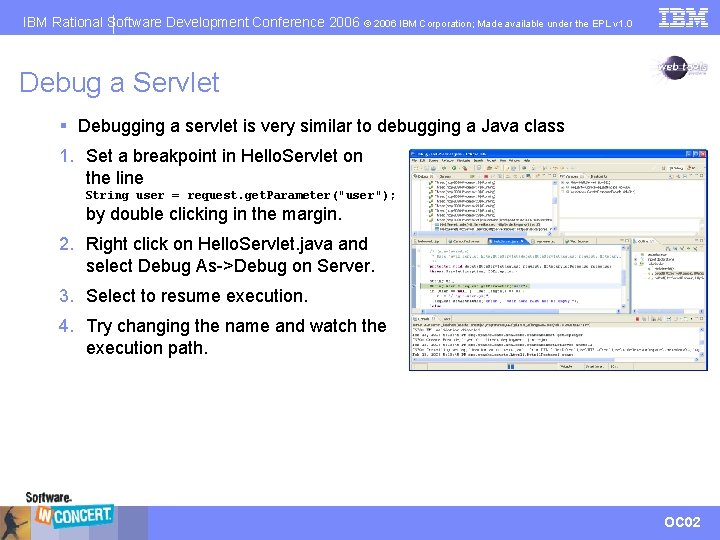
IBM Rational Software Development Conference 2006 © 2006 IBM Corporation; Made available under the EPL v 1. 0 Debug a Servlet § Debugging a servlet is very similar to debugging a Java class 1. Set a breakpoint in Hello. Servlet on the line String user = request. get. Parameter("user "); by double clicking in the margin. 2. Right click on Hello. Servlet. java and select Debug As->Debug on Server. 3. Select to resume execution. 4. Try changing the name and watch the execution path. OC 02
IBM Rational Software Development Conference 2006 © 2006 IBM Corporation; Made available under the EPL v 1. 0 Iteration 2 Summary § We made our JSP dynamic by adding a Java Scriptlet § We debugged our JSP on the server § We created a login JSP and a servlet to handle login requests § We debugged the servlet on the server OC 02
IBM Rational Software Development Conference 2006 © 2006 IBM Corporation; Made available under the EPL v 1. 0 Iteration 3: Database Access § In iteration 2 we created a dynamic Web application § In iteration 3 we will add a data layer to our Web application Tasks: § Connect to a Database § Execute SQL Statements § Add Database Access to our Web Application OC 02
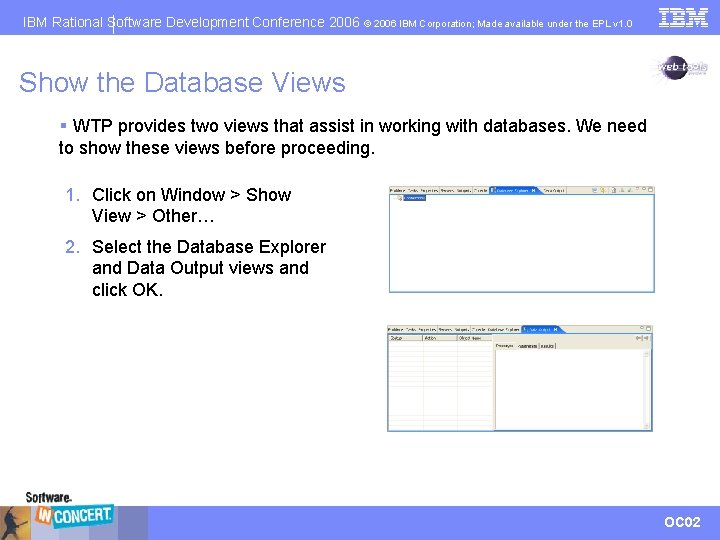
IBM Rational Software Development Conference 2006 © 2006 IBM Corporation; Made available under the EPL v 1. 0 Show the Database Views § WTP provides two views that assist in working with databases. We need to show these views before proceeding. 1. Click on Window > Show View > Other… 2. Select the Database Explorer and Data Output views and click OK. OC 02
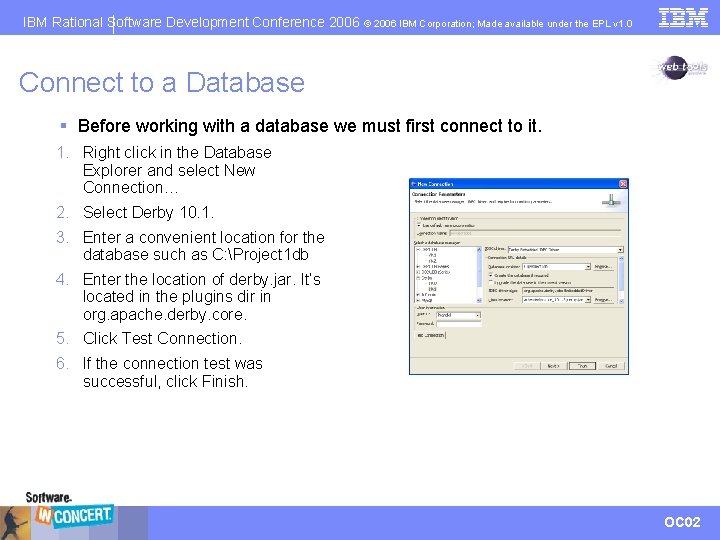
IBM Rational Software Development Conference 2006 © 2006 IBM Corporation; Made available under the EPL v 1. 0 Connect to a Database § Before working with a database we must first connect to it. 1. Right click in the Database Explorer and select New Connection… 2. Select Derby 10. 1. 3. Enter a convenient location for the database such as C: Project 1 db 4. Enter the location of derby. jar. It’s located in the plugins dir in org. apache. derby. core. 5. Click Test Connection. 6. If the connection test was successful, click Finish. OC 02
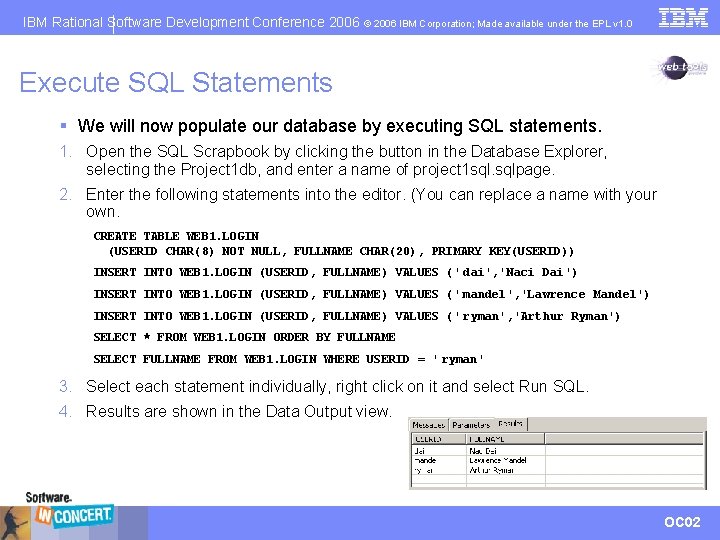
IBM Rational Software Development Conference 2006 © 2006 IBM Corporation; Made available under the EPL v 1. 0 Execute SQL Statements § We will now populate our database by executing SQL statements. 1. Open the SQL Scrapbook by clicking the button in the Database Explorer, selecting the Project 1 db, and enter a name of project 1 sql. sqlpage. 2. Enter the following statements into the editor. (You can replace a name with your own. CREATE TABLE WEB 1. LOGIN (USERID CHAR(8) NOT NULL, FULLNAME CHAR(20), PRIMARY KEY(USERID)) INSERT INTO WEB 1. LOGIN (USERID, FULLNAME) VALUES (' dai', 'Naci Dai') INSERT INTO WEB 1. LOGIN (USERID, FULLNAME) VALUES (' mandel', 'Lawrence Mandel') INSERT INTO WEB 1. LOGIN (USERID, FULLNAME) VALUES (' ryman', 'Arthur Ryman') SELECT * FROM WEB 1. LOGIN ORDER BY FULLNAME SELECT FULLNAME FROM WEB 1. LOGIN WHERE USERID = ' ryman' 3. Select each statement individually, right click on it and select Run SQL. 4. Results are shown in the Data Output view. OC 02
IBM Rational Software Development Conference 2006 © 2006 IBM Corporation; Made available under the EPL v 1. 0 Disconnect from the Database § Derby only supports a connection to a given database from one process – we need to disconnect before using the database in our Web application 1. Right click on the Project 1 db in the Database Explorer and select Disconnect. OC 02
IBM Rational Software Development Conference 2006 © 2006 IBM Corporation; Made available under the EPL v 1. 0 Add Database Access to our Web Application § We will now update our Web application to retrieve user names from the database we created § There are 4 tasks to perform: 1. Add the Derby library to our Web application 2. Create a class that will access the database 3. Update our Servlet to access the user name from the database class 4. Update our hello world JSP to display the user name OC 02
IBM Rational Software Development Conference 2006 © 2006 IBM Corporation; Made available under the EPL v 1. 0 Add the Derby Library to our Web Application § Our application needs access to the Derby libraries in order to access a Derby database 1. Copy derby. jar to WEB-INF/lib • note: While this method works fine for a single application, if multiple applications need access to a Derby database a shared copy of Derby must be used. OC 02
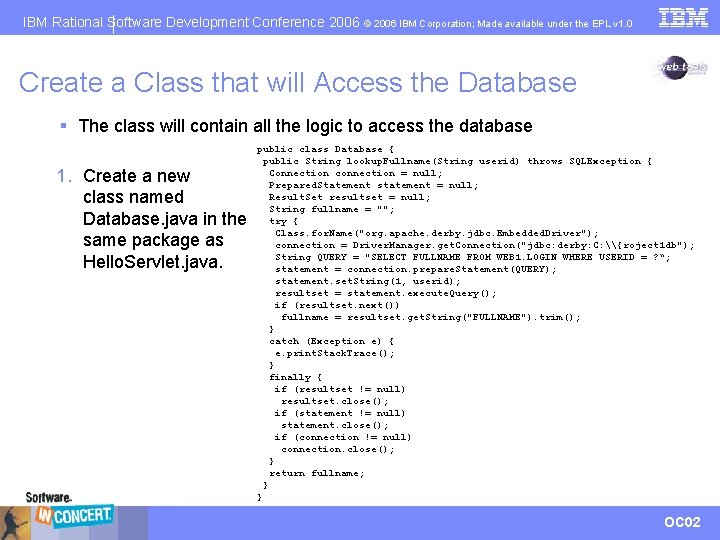
IBM Rational Software Development Conference 2006 © 2006 IBM Corporation; Made available under the EPL v 1. 0 Create a Class that will Access the Database § The class will contain all the logic to access the database 1. Create a new class named Database. java in the same package as Hello. Servlet. java. public class Database { public String lookup. Fullname(String userid) throws SQLException { Connection connection = null; Prepared. Statement statement = null; Result. Set resultset = null; String fullname = ""; try { Class. for. Name("org. apache. derby. jdbc. Embedded. Driver"); connection = Driver. Manager. get. Connection("jdbc: derby: C: \{roject 1 db"); String QUERY = "SELECT FULLNAME FROM WEB 1. LOGIN WHERE USERID = ? “; statement = connection. prepare. Statement(QUERY); statement. set. String(1, userid); resultset = statement. execute. Query(); if (resultset. next()) fullname = resultset. get. String("FULLNAME"). trim(); } catch (Exception e) { e. print. Stack. Trace(); } finally { if (resultset != null) resultset. close(); if (statement != null) statement. close(); if (connection != null) connection. close(); } return fullname; } } OC 02
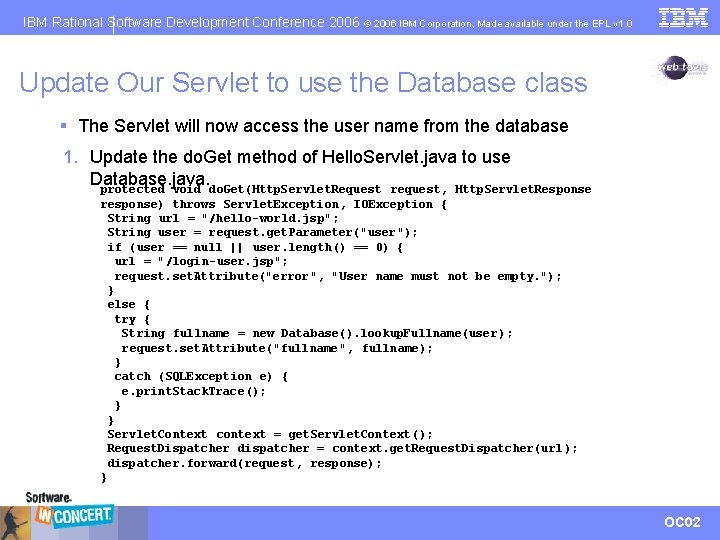
IBM Rational Software Development Conference 2006 © 2006 IBM Corporation; Made available under the EPL v 1. 0 Update Our Servlet to use the Database class § The Servlet will now access the user name from the database 1. Update the do. Get method of Hello. Servlet. java to use Database. java. protected void do. Get(Http. Servlet. Request request, Http. Servlet. Response response) throws Servlet. Exception, IOException { String url = "/hello-world. jsp"; String user = request. get. Parameter("user "); if (user == null || user. length() == 0) { url = "/login-user. jsp"; request. set. Attribute("error ", "User name must not be empty. "); } else { try { String fullname = new Database(). lookup. Fullname(user ); request. set. Attribute("fullname ", fullname); } catch (SQLException e) { e. print. Stack. Trace(); } } Servlet. Context context = get. Servlet. Context(); Request. Dispatcher dispatcher = context. get. Request. Dispatcher(url ); dispatcher. forward(request , response); } OC 02
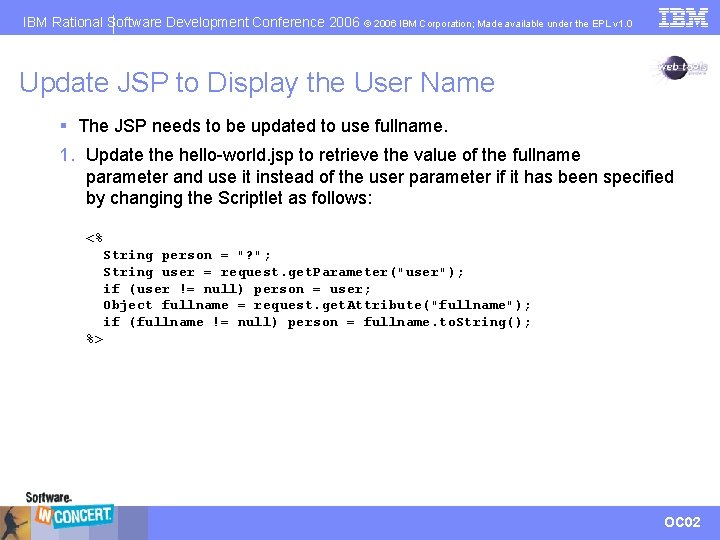
IBM Rational Software Development Conference 2006 © 2006 IBM Corporation; Made available under the EPL v 1. 0 Update JSP to Display the User Name § The JSP needs to be updated to use fullname. 1. Update the hello-world. jsp to retrieve the value of the fullname parameter and use it instead of the user parameter if it has been specified by changing the Scriptlet as follows: <% String person = "? "; String user = request. get. Parameter("user"); if (user != null) person = user; Object fullname = request. get. Attribute("fullname"); if (fullname != null) person = fullname. to. String(); %> OC 02
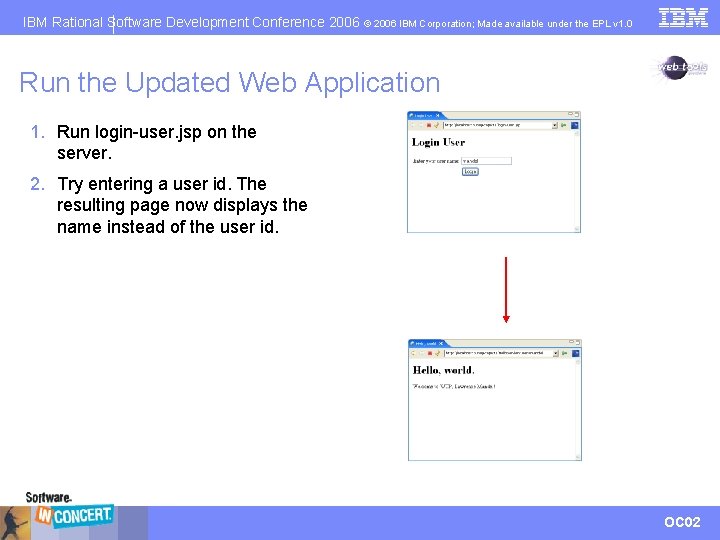
IBM Rational Software Development Conference 2006 © 2006 IBM Corporation; Made available under the EPL v 1. 0 Run the Updated Web Application 1. Run login-user. jsp on the server. 2. Try entering a user id. The resulting page now displays the name instead of the user id. OC 02
IBM Rational Software Development Conference 2006 © 2006 IBM Corporation; Made available under the EPL v 1. 0 Iteration 3 Summary § We connected to a Derby database § We executed SQL statements to populate the database and view the values we added § We added database access to our Web application enabling the application to display the user name instead of the user id. OC 02
IBM Rational Software Development Conference 2006 © 2006 IBM Corporation; Made available under the EPL v 1. 0 Iteration 4: Web Services § In iteration 3 we created a data layer for our Web application § In iteration 4 we will expose that data through a Web service Tasks: § Deploy a Web service § Test a Web service with a test client § Monitor SOAP messages OC 02
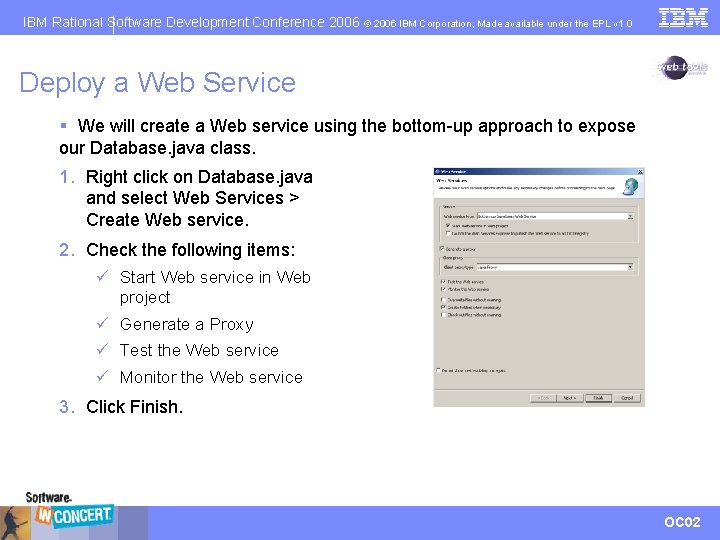
IBM Rational Software Development Conference 2006 © 2006 IBM Corporation; Made available under the EPL v 1. 0 Deploy a Web Service § We will create a Web service using the bottom-up approach to expose our Database. java class. 1. Right click on Database. java and select Web Services > Create Web service. 2. Check the following items: ü Start Web service in Web project ü Generate a Proxy ü Test the Web service ü Monitor the Web service 3. Click Finish. OC 02
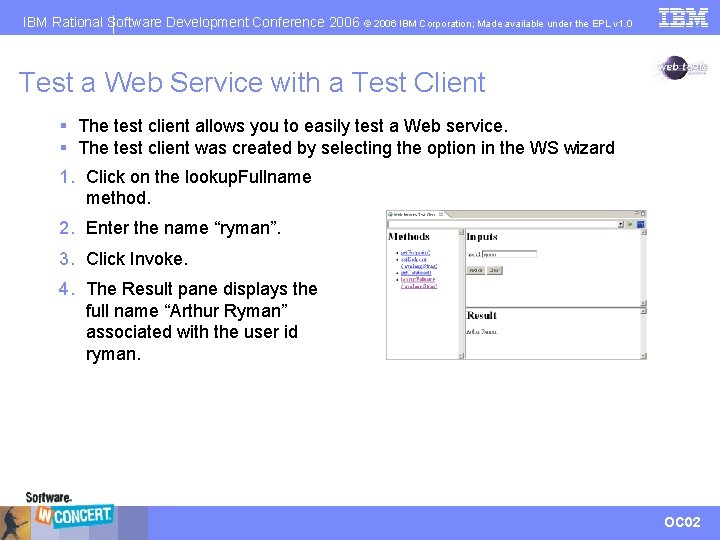
IBM Rational Software Development Conference 2006 © 2006 IBM Corporation; Made available under the EPL v 1. 0 Test a Web Service with a Test Client § The test client allows you to easily test a Web service. § The test client was created by selecting the option in the WS wizard 1. Click on the lookup. Fullname method. 2. Enter the name “ryman”. 3. Click Invoke. 4. The Result pane displays the full name “Arthur Ryman” associated with the user id ryman. OC 02
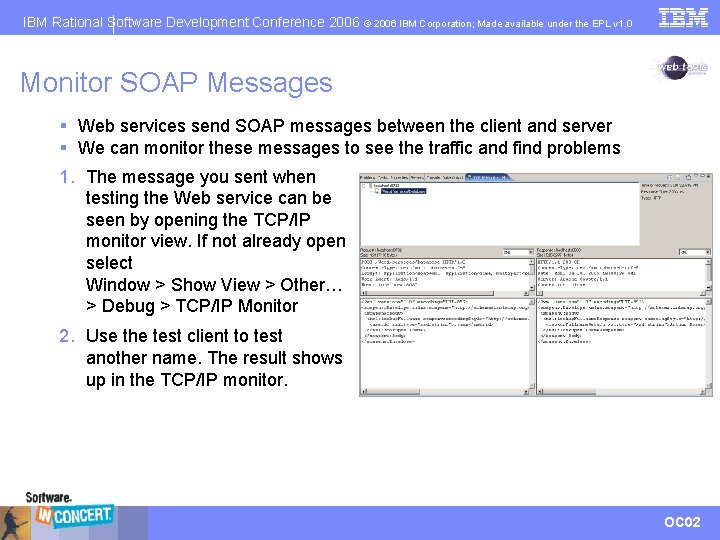
IBM Rational Software Development Conference 2006 © 2006 IBM Corporation; Made available under the EPL v 1. 0 Monitor SOAP Messages § Web services send SOAP messages between the client and server § We can monitor these messages to see the traffic and find problems 1. The message you sent when testing the Web service can be seen by opening the TCP/IP monitor view. If not already open select Window > Show View > Other… > Debug > TCP/IP Monitor 2. Use the test client to test another name. The result shows up in the TCP/IP monitor. OC 02
IBM Rational Software Development Conference 2006 © 2006 IBM Corporation; Made available under the EPL v 1. 0 Iteration 4 Summary § We deployed a Web service that allows programmatic access to our database § We tested the Web service with a test client generated by the Web service wizard § We monitored SOAP messages sent to and from the Web service OC 02
IBM Rational Software Development Conference 2006 © 2006 IBM Corporation; Made available under the EPL v 1. 0 Quick Tour Summary § WTP contains many tools that simplify the development of Web applications including working with databases and working with Web services § Technologies supported by WTP include: CSS, DTD, EAR, EJB, HTML, XHTML, J 2 EE, Java. Beans. TM, Java. Script. TM, JSP, Servlet, SQL, WSDL, XML Schema, WAR, Web services OC 02
IBM Rational Software Development Conference 2006 © 2006 IBM Corporation; Made available under the EPL v 1. 0 Questions OC 02
IBM Rational Software Development Conference 2006 © 2006 IBM Corporation; Made available under the EPL v 1. 0 Thank You Arthur Ryman ryman@ca. ibm. com OC 02
IBM Rational Software Development Conference 2006 © 2006 IBM Corporation; Made available under the EPL v 1. 0 Attributions Java and all Java-based trademarks are trademarks of Sun Microsystems, Inc. in the United States, other countries, or both. Other company, product, or service names may be trademarks or service marks of others. OC 02
- Slides: 58