
IBM Program Management Portal Pg MP Whats new
IBM Program Management Portal Pg. MP What’s new in release 18. 8 Nov 17, 2018 IBM CIO - Pg. MP

List of Pg. MP Enhancements We have implemented several enhancements in Pg. MP R 18. 8, that would deliver a smoother & more efficient experience than ever before. • Pg. MP Portal - Show the ISO Currency Code Beside all Currency Fields • Pg. MP Portal - Hide Alternate Currency fields if there is no unique Alternate Currency defined • Pg. MP Portal - Redesign the Withdraw Reason Code List • Pg. MP Portal - Show Hold Status Above the Tabs When On Hold • Pg. MP Portal - Send Notices with custom text and distribution list upon exit from the Review client approval of price Dashboard - Move Dashboard Menu on the Top Right Corner • Dashboard - Enhance the visibility and usability of the Annotations IBM CIO - Pg. MP
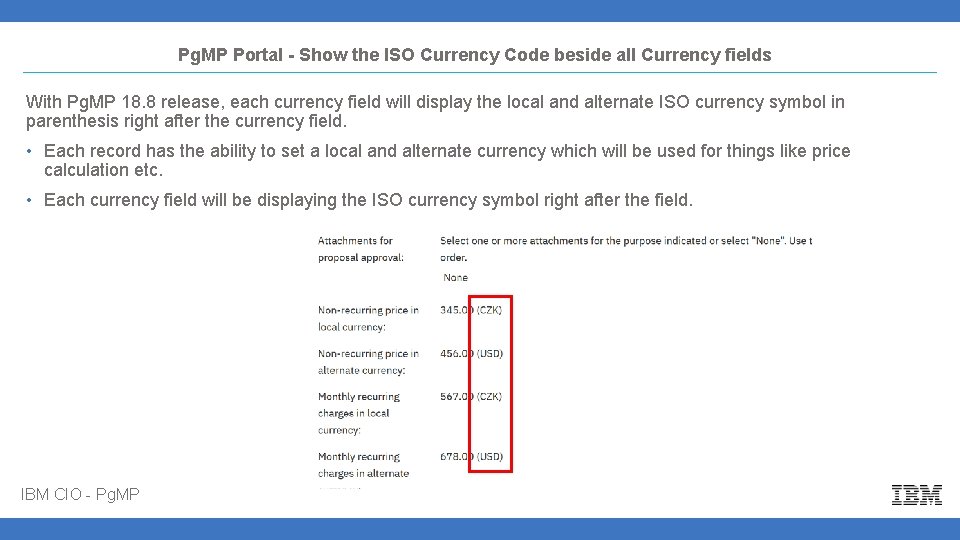
Pg. MP Portal - Show the ISO Currency Code beside all Currency fields With Pg. MP 18. 8 release, each currency field will display the local and alternate ISO currency symbol in parenthesis right after the currency field. • Each record has the ability to set a local and alternate currency which will be used for things like price calculation etc. • Each currency field will be displaying the ISO currency symbol right after the field. IBM CIO - Pg. MP
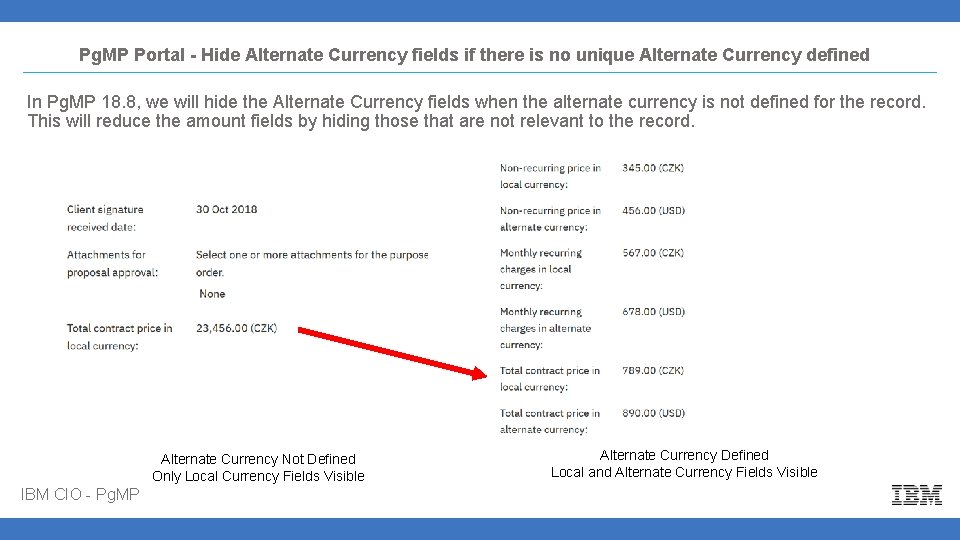
Pg. MP Portal - Hide Alternate Currency fields if there is no unique Alternate Currency defined In Pg. MP 18. 8, we will hide the Alternate Currency fields when the alternate currency is not defined for the record. This will reduce the amount fields by hiding those that are not relevant to the record. Alternate Currency Not Defined Only Local Currency Fields Visible IBM CIO - Pg. MP Alternate Currency Defined Local and Alternate Currency Fields Visible
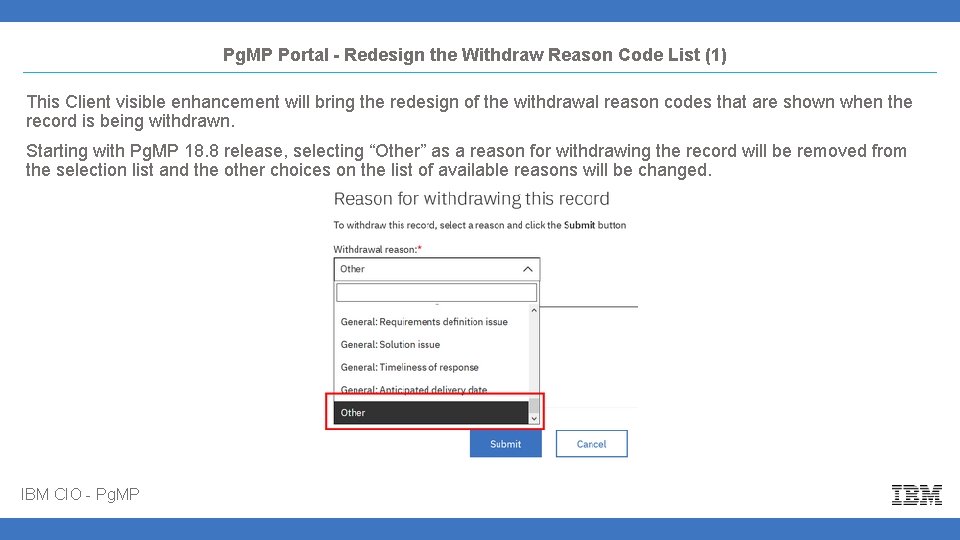
Pg. MP Portal - Redesign the Withdraw Reason Code List (1) This Client visible enhancement will bring the redesign of the withdrawal reason codes that are shown when the record is being withdrawn. Starting with Pg. MP 18. 8 release, selecting “Other” as a reason for withdrawing the record will be removed from the selection list and the other choices on the list of available reasons will be changed. IBM CIO - Pg. MP
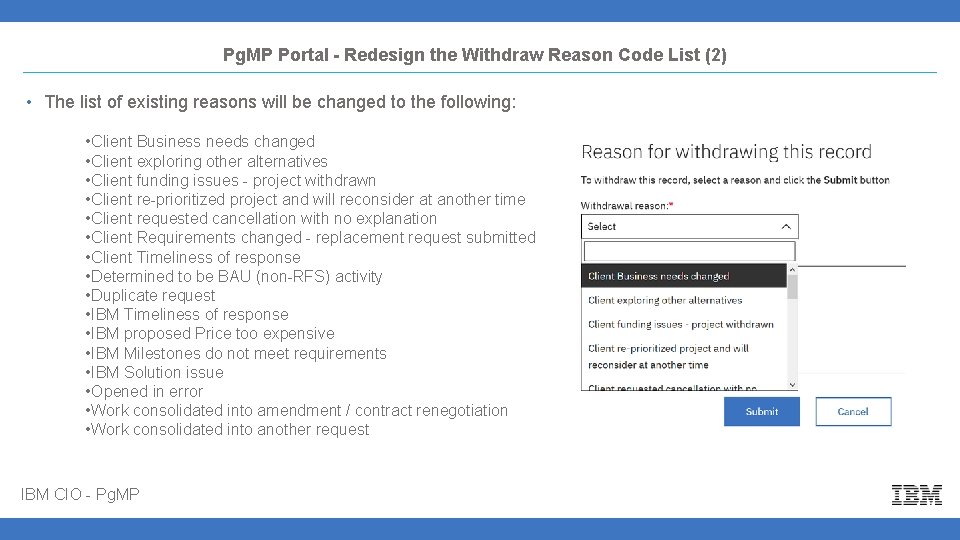
Pg. MP Portal - Redesign the Withdraw Reason Code List (2) • The list of existing reasons will be changed to the following: • Client Business needs changed • Client exploring other alternatives • Client funding issues - project withdrawn • Client re-prioritized project and will reconsider at another time • Client requested cancellation with no explanation • Client Requirements changed - replacement request submitted • Client Timeliness of response • Determined to be BAU (non-RFS) activity • Duplicate request • IBM Timeliness of response • IBM proposed Price too expensive • IBM Milestones do not meet requirements • IBM Solution issue • Opened in error • Work consolidated into amendment / contract renegotiation • Work consolidated into another request IBM CIO - Pg. MP
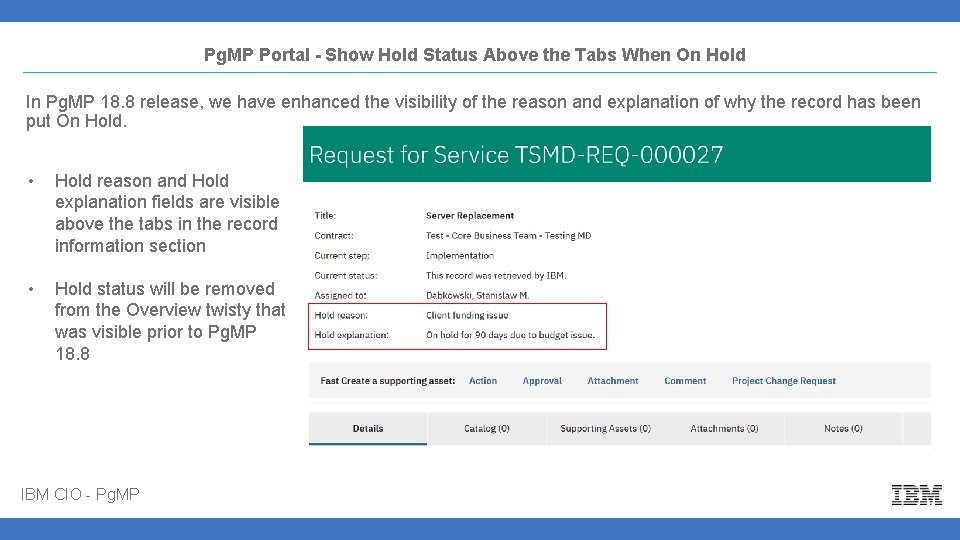
Pg. MP Portal - Show Hold Status Above the Tabs When On Hold In Pg. MP 18. 8 release, we have enhanced the visibility of the reason and explanation of why the record has been put On Hold. • Hold reason and Hold explanation fields are visible above the tabs in the record information section • Hold status will be removed from the Overview twisty that was visible prior to Pg. MP 18. 8 IBM CIO - Pg. MP
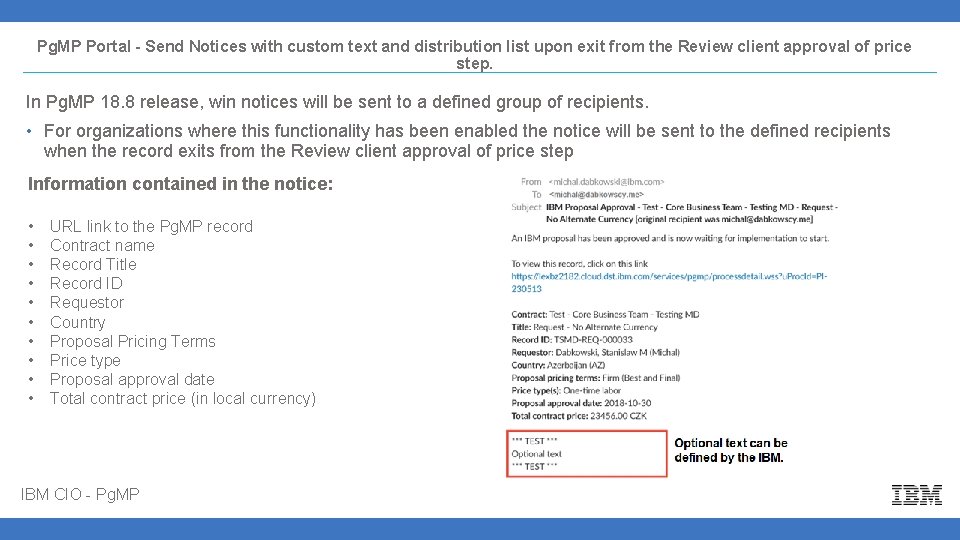
Pg. MP Portal - Send Notices with custom text and distribution list upon exit from the Review client approval of price step. In Pg. MP 18. 8 release, win notices will be sent to a defined group of recipients. • For organizations where this functionality has been enabled the notice will be sent to the defined recipients when the record exits from the Review client approval of price step Information contained in the notice: • • • URL link to the Pg. MP record Contract name Record Title Record ID Requestor Country Proposal Pricing Terms Price type Proposal approval date Total contract price (in local currency) IBM CIO - Pg. MP
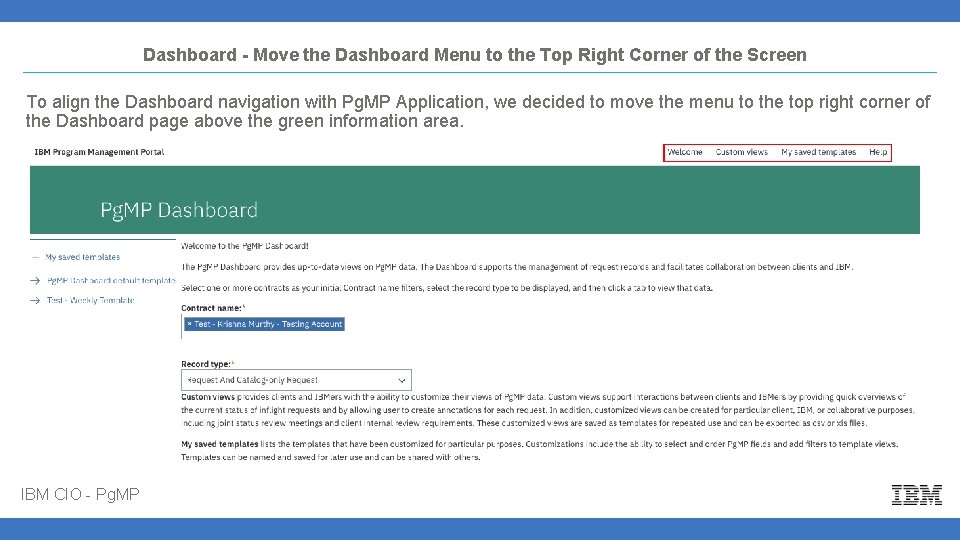
Dashboard - Move the Dashboard Menu to the Top Right Corner of the Screen To align the Dashboard navigation with Pg. MP Application, we decided to move the menu to the top right corner of the Dashboard page above the green information area. IBM CIO - Pg. MP
Dashboard - Enhance the visibility and usability of the Annotations In Pg. MP release 18. 8, the Annotations overlay will have more visibility and user friendly. We have: • Increased the overall vertical size of the annotations overlay to be the width of the Dashboard page • Decreased the amount of white space displayed in the annotations overlay which will allow for the OK button to be constantly visible and accessible. • Increase the size of the annotation field to display more text. • Rename the Delete annotation and Add annotation buttons to “Delete” and “Add” which will reduce their horizontal size. IBM CIO - Pg. MP
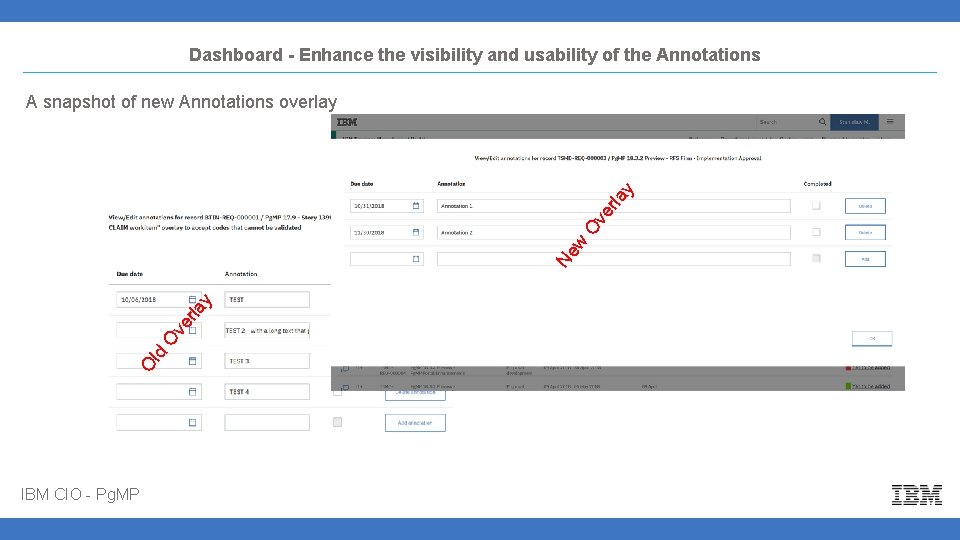
Dashboard - Enhance the visibility and usability of the Annotations O ld O ve rla y Ne w O ve rla y A snapshot of new Annotations overlay IBM CIO - Pg. MP
Thank you Thank You. IBM CIO - Pg. MP
- Slides: 12