
IBM Manageability 1 Foundation for Manageability Innovative x
IBM Manageability 1
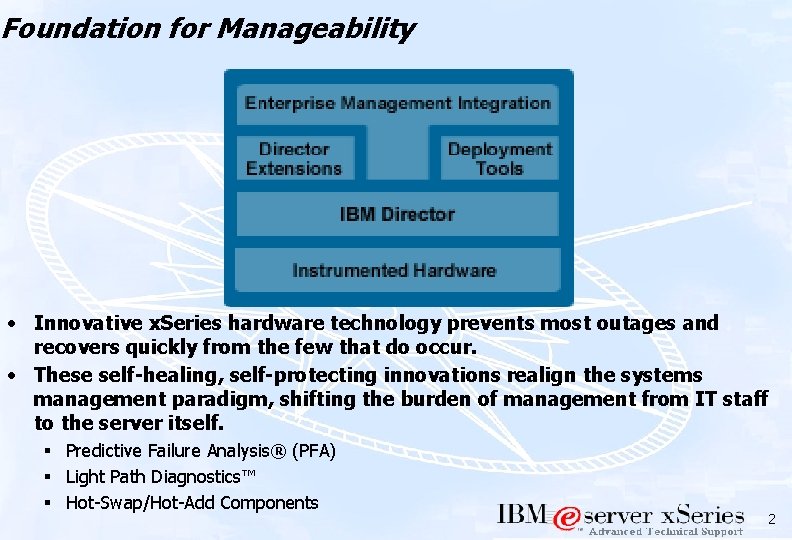
Foundation for Manageability • Innovative x. Series hardware technology prevents most outages and recovers quickly from the few that do occur. • These self-healing, self-protecting innovations realign the systems management paradigm, shifting the burden of management from IT staff to the server itself. § Predictive Failure Analysis® (PFA) § Light Path Diagnostics™ § Hot-Swap/Hot-Add Components 2
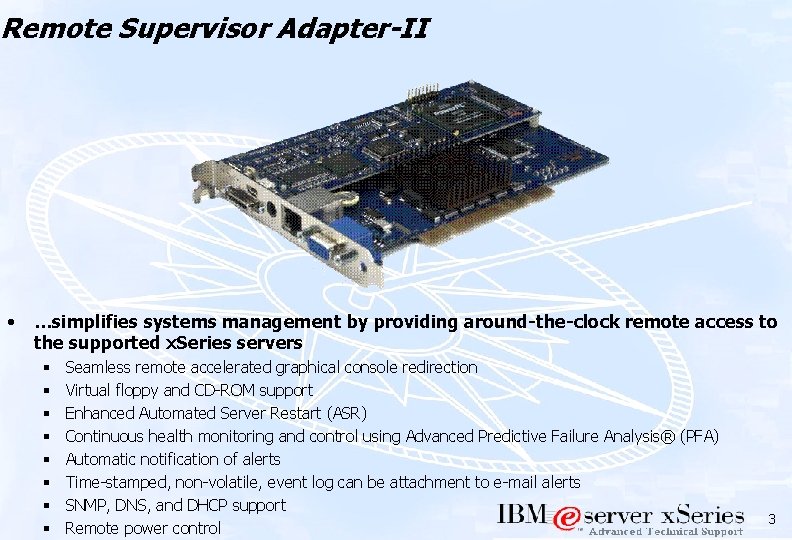
Remote Supervisor Adapter-II • …simplifies systems management by providing around-the-clock remote access to the supported x. Series servers § § § § Seamless remote accelerated graphical console redirection Virtual floppy and CD-ROM support Enhanced Automated Server Restart (ASR) Continuous health monitoring and control using Advanced Predictive Failure Analysis® (PFA) Automatic notification of alerts Time-stamped, non-volatile, event log can be attachment to e-mail alerts SNMP, DNS, and DHCP support Remote power control 3
RSA-II Alerting • Types of Alerts • Methods of Handling • Temperature (critical & noncritical) • Voltage (critical & non-critical) • Tamper • Fan (Single & Multiple) • Power Failure • Hard Drive • VRM Failure • Non-redundant power • Watchdogs (POST / Loader/ OS) • Predictive Failure Analysis • Numeric Paging through modem • Alphanumeric paging through modem • Local Host Notification • Remote Host Notification through TCP/IP • Remote Host Notification through SNMP • E-mail (error logs may also be attached) 4
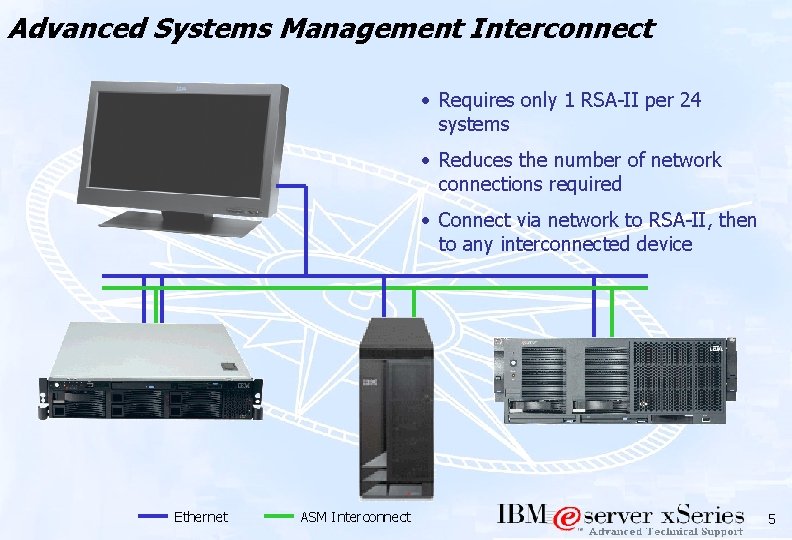
Advanced Systems Management Interconnect • Requires only 1 RSA-II per 24 systems • Reduces the number of network connections required • Connect via network to RSA-II, then to any interconnected device Ethernet ASM Interconnect 5
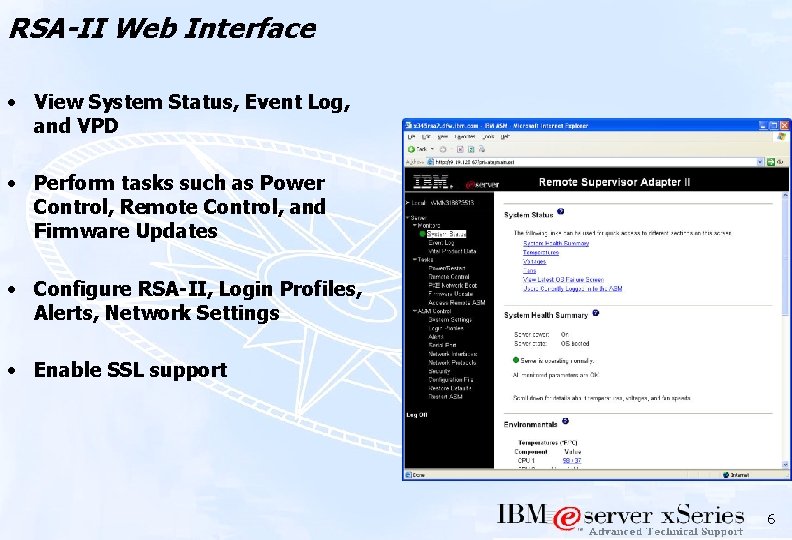
RSA-II Web Interface • View System Status, Event Log, and VPD • Perform tasks such as Power Control, Remote Control, and Firmware Updates • Configure RSA-II, Login Profiles, Alerts, Network Settings • Enable SSL support 6
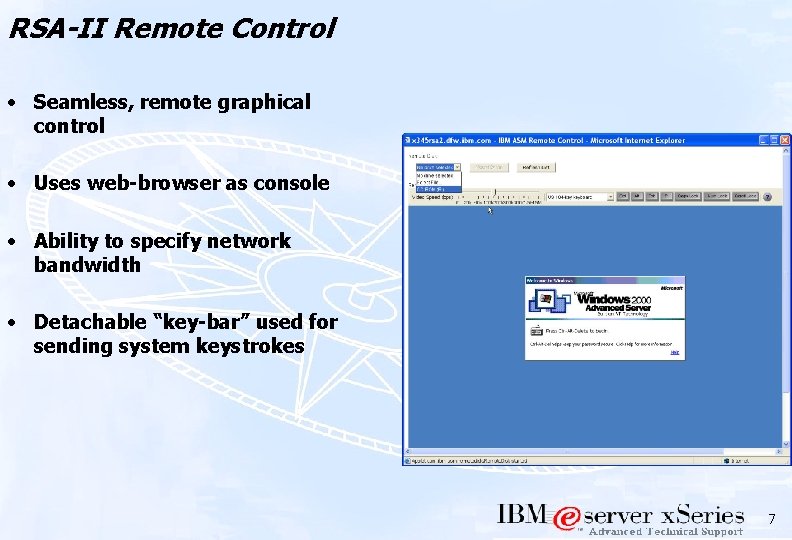
RSA-II Remote Control • Seamless, remote graphical control • Uses web-browser as console • Ability to specify network bandwidth • Detachable “key-bar” used for sending system keystrokes 7
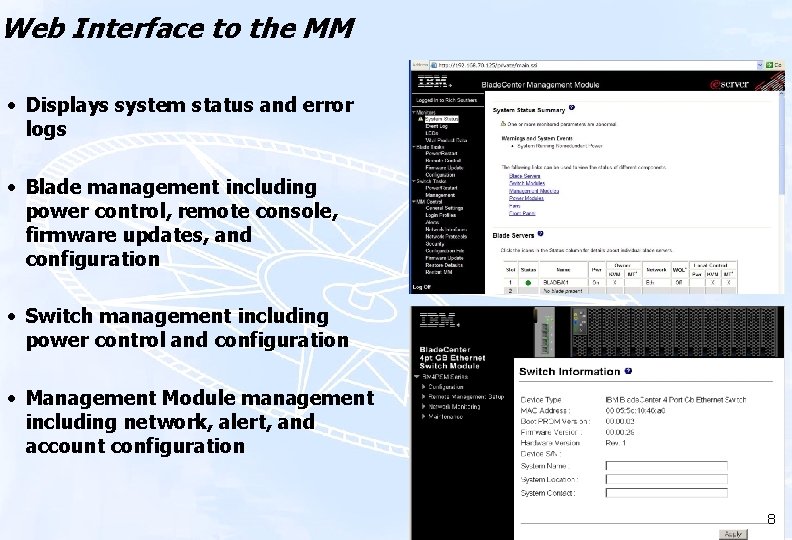
Web Interface to the MM • Displays system status and error logs • Blade management including power control, remote console, firmware updates, and configuration • Switch management including power control and configuration • Management Module management including network, alert, and account configuration 8
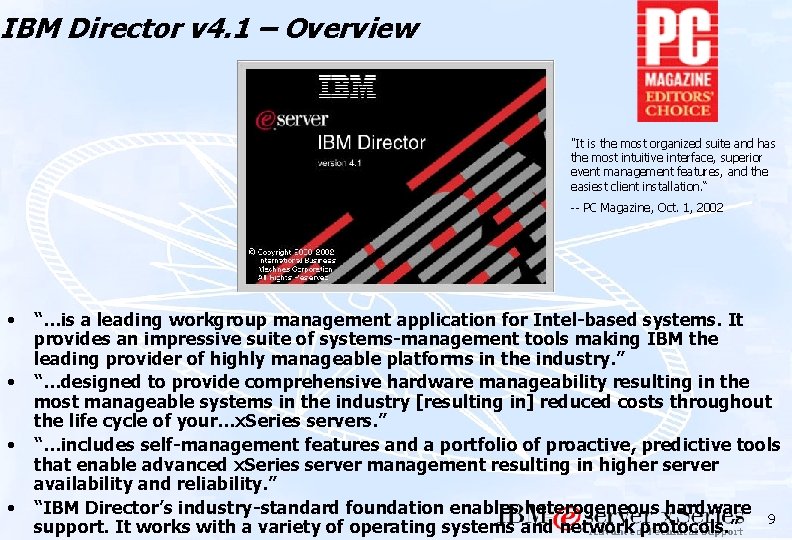
IBM Director v 4. 1 – Overview "It is the most organized suite and has the most intuitive interface, superior event management features, and the easiest client installation. “ -- PC Magazine, Oct. 1, 2002 • • “…is a leading workgroup management application for Intel-based systems. It provides an impressive suite of systems-management tools making IBM the leading provider of highly manageable platforms in the industry. ” “…designed to provide comprehensive hardware manageability resulting in the most manageable systems in the industry [resulting in] reduced costs throughout the life cycle of your…x. Series servers. ” “…includes self-management features and a portfolio of proactive, predictive tools that enable advanced x. Series server management resulting in higher server availability and reliability. ” “IBM Director’s industry-standard foundation enables heterogeneous hardware 9 support. It works with a variety of operating systems and network protocols. ”
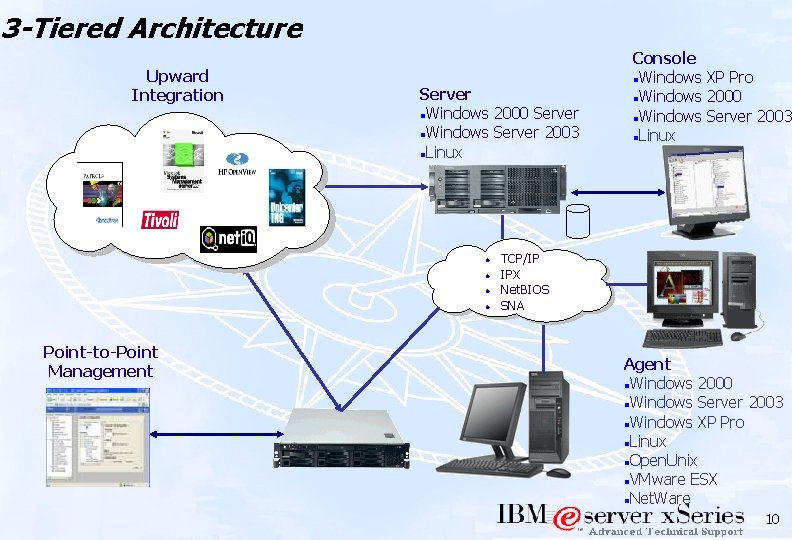
3 -Tiered Architecture Upward Integration Server l. Windows 2000 Server l. Windows Server 2003 l. Linux l l Point-to-Point Management Console l. Windows XP Pro l. Windows 2000 l. Windows Server 2003 l. Linux TCP/IP IPX Net. BIOS SNA Agent l. Windows 2000 l. Windows Server 2003 l. Windows XP Pro l. Linux l. Open. Unix l. VMware ESX l. Net. Ware 10
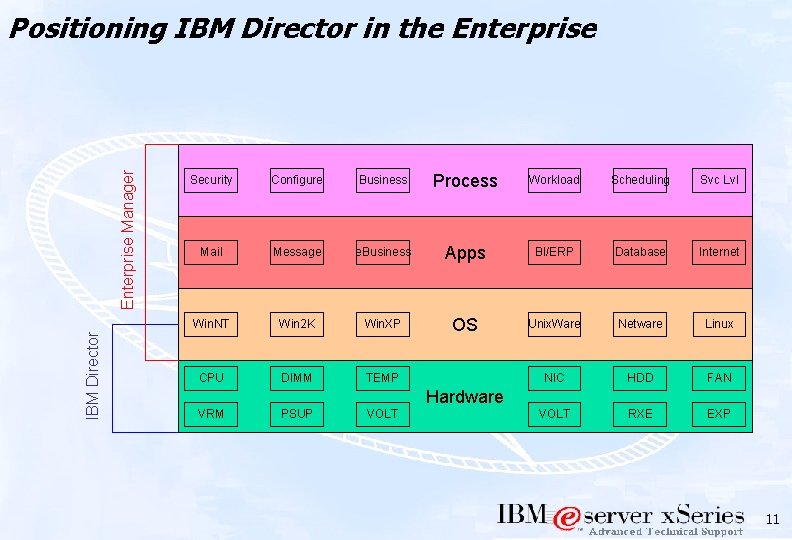
IBM Director Enterprise Manager Positioning IBM Director in the Enterprise Security Configure Business Process Workload Scheduling Svc Lvl Mail Message e. Business Apps BI/ERP Database Internet Win. NT Win 2 K Win. XP OS Unix. Ware Netware Linux CPU DIMM TEMP NIC HDD FAN VOLT RXE EXP Hardware VRM PSUP VOLT 11
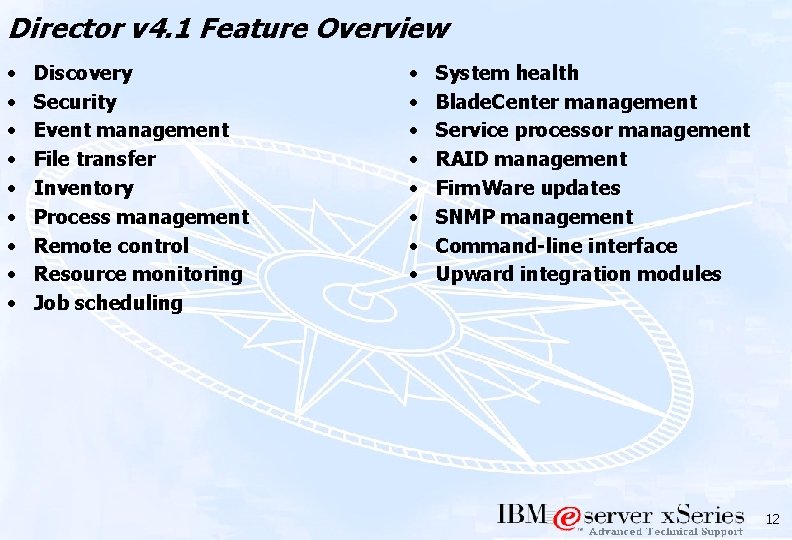
Director v 4. 1 Feature Overview • • • Discovery Security Event management File transfer Inventory Process management Remote control Resource monitoring Job scheduling • • System health Blade. Center management Service processor management RAID management Firm. Ware updates SNMP management Command-line interface Upward integration modules 12
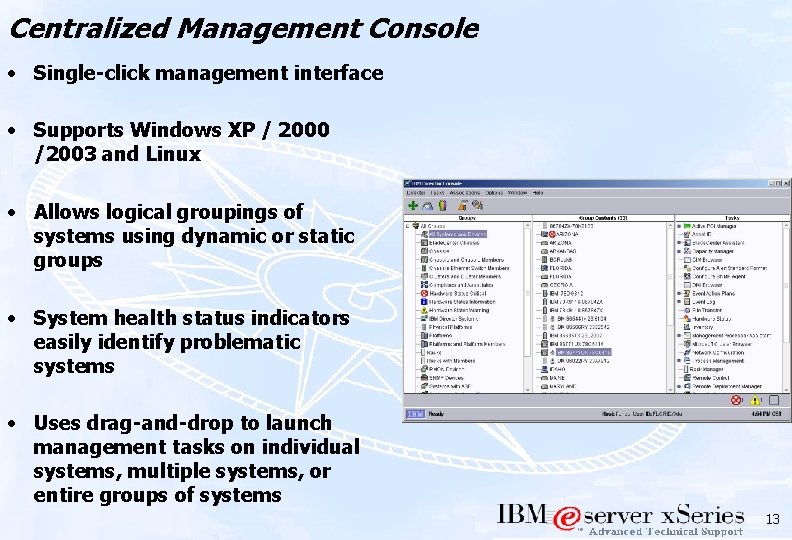
Centralized Management Console • Single-click management interface • Supports Windows XP / 2000 /2003 and Linux • Allows logical groupings of systems using dynamic or static groups • System health status indicators easily identify problematic systems • Uses drag-and-drop to launch management tasks on individual systems, multiple systems, or entire groups of systems 13
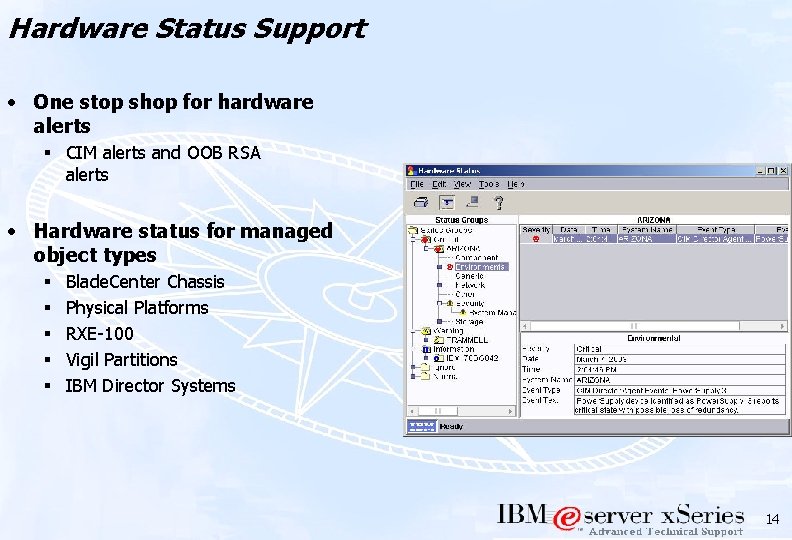
Hardware Status Support • One stop shop for hardware alerts § CIM alerts and OOB RSA alerts • Hardware status for managed object types § § § Blade. Center Chassis Physical Platforms RXE-100 Vigil Partitions IBM Director Systems 14
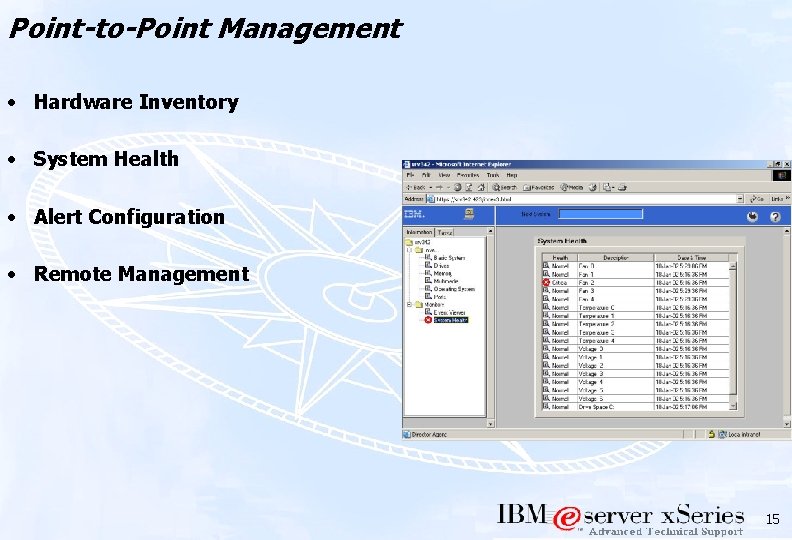
Point-to-Point Management • Hardware Inventory • System Health • Alert Configuration • Remote Management 15
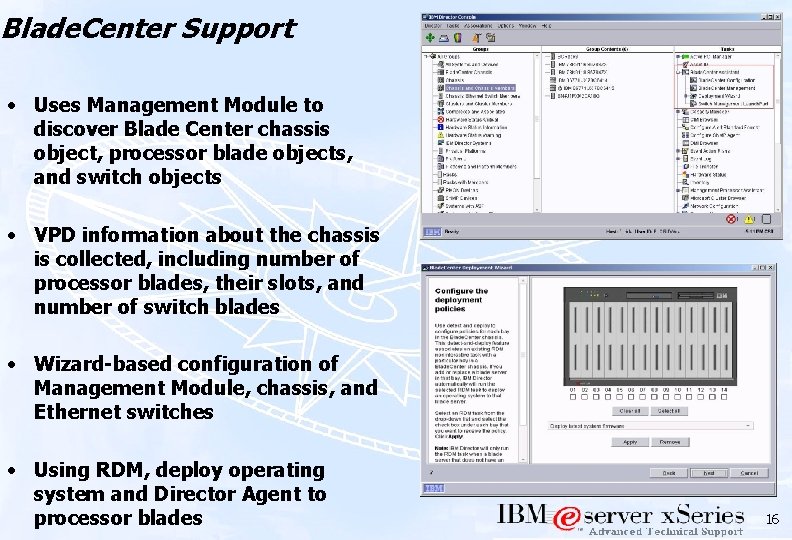
Blade. Center Support • Uses Management Module to discover Blade Center chassis object, processor blade objects, and switch objects • VPD information about the chassis is collected, including number of processor blades, their slots, and number of switch blades • Wizard-based configuration of Management Module, chassis, and Ethernet switches • Using RDM, deploy operating system and Director Agent to processor blades 16
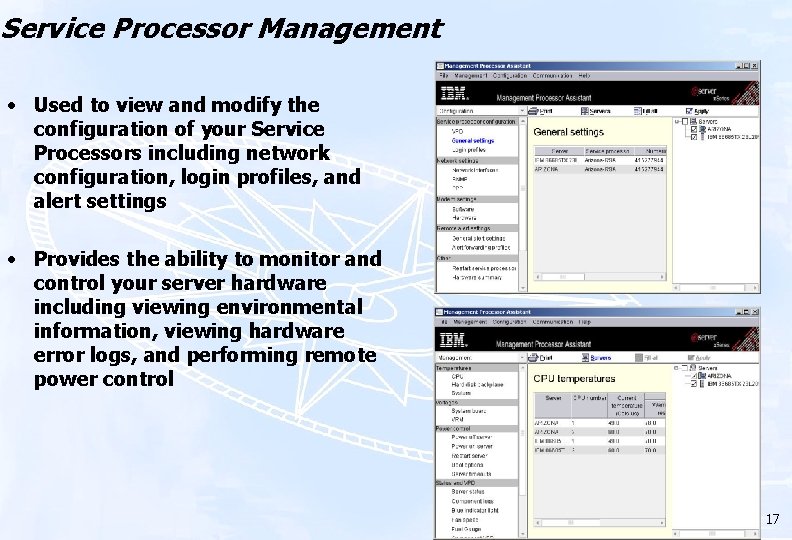
Service Processor Management • Used to view and modify the configuration of your Service Processors including network configuration, login profiles, and alert settings • Provides the ability to monitor and control your server hardware including viewing environmental information, viewing hardware error logs, and performing remote power control 17
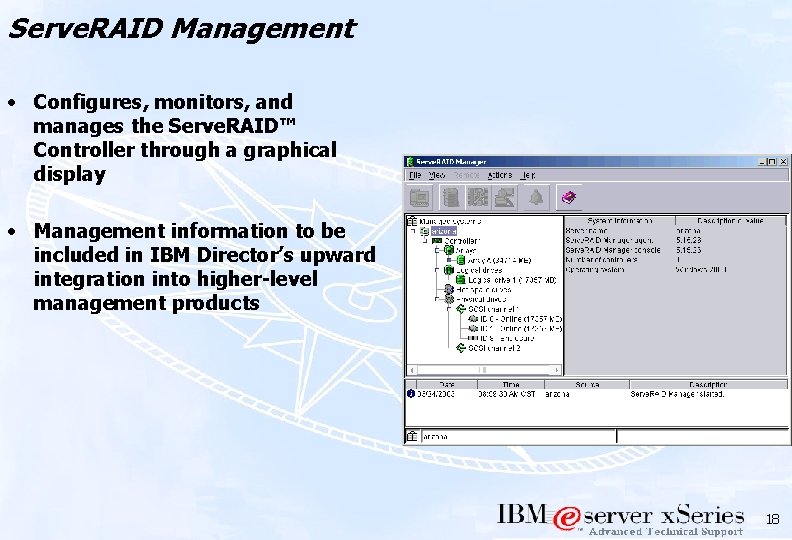
Serve. RAID Management • Configures, monitors, and manages the Serve. RAID™ Controller through a graphical display • Management information to be included in IBM Director’s upward integration into higher-level management products 18
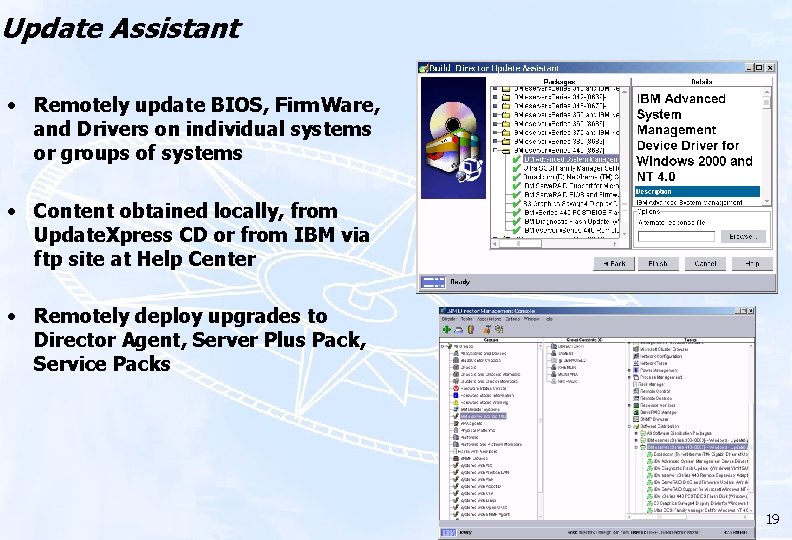
Update Assistant • Remotely update BIOS, Firm. Ware, and Drivers on individual systems or groups of systems • Content obtained locally, from Update. Xpress CD or from IBM via ftp site at Help Center • Remotely deploy upgrades to Director Agent, Server Plus Pack, Service Packs 19
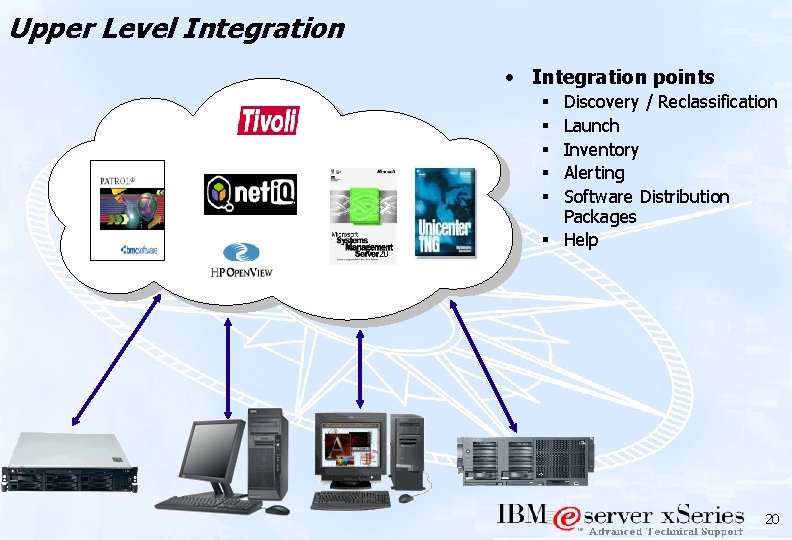
Upper Level Integration • Integration points Discovery / Reclassification Launch Inventory Alerting Software Distribution Packages § Help § § § 20
Server Plus Pack Component Overview • “… is a new set of five tightly integrated tools that extends the capabilities of IBM Director for advanced server management, resulting in optimal performance and maximum availability. ” • Active PCI Manager § Optimizes server throughput and performance by analyzing the current configuration of PCI cards determining the optimal placement • Capacity Management § Tracks resource utilization, identifies multiple levels of existing or potential bottlenecks, and makes recommendations to improve performance • Rack Manager § Configure and manage a rack by dragging and dropping elements on a realistic graphical depiction of the rack • Software Rejuvenation § Provides heuristics-based rejuvenation of server platforms and predicts pending software failures , enabling potential future outages to be adverted • System Availability § Tracks and provides a variety of graphical views of system downtime or uptime for an individual system or group of systems 21
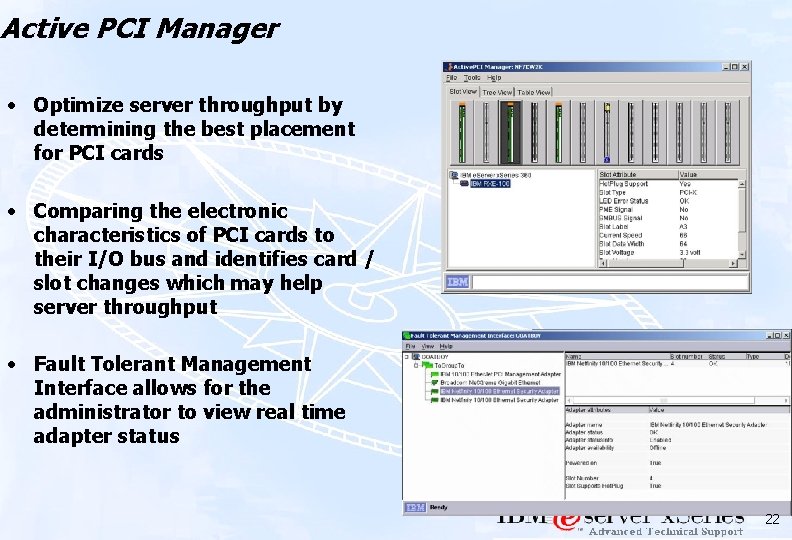
Active PCI Manager • Optimize server throughput by determining the best placement for PCI cards • Comparing the electronic characteristics of PCI cards to their I/O bus and identifies card / slot changes which may help server throughput • Fault Tolerant Management Interface allows for the administrator to view real time adapter status 22
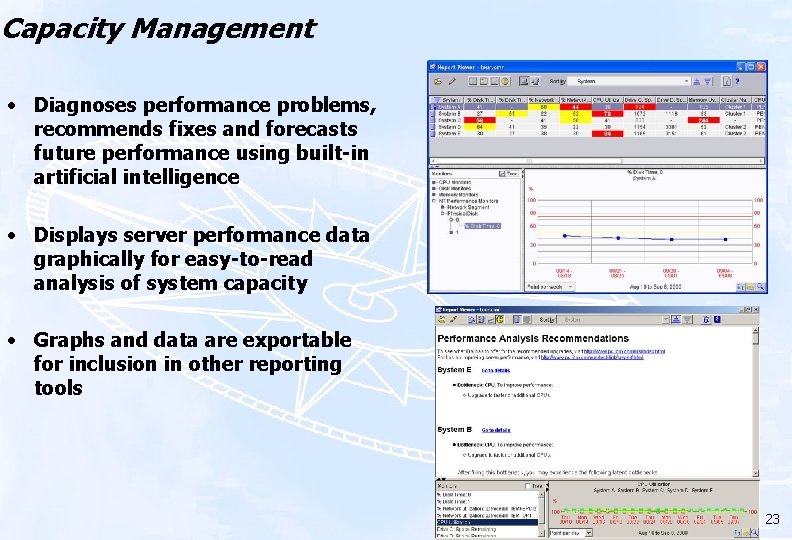
Capacity Management • Diagnoses performance problems, recommends fixes and forecasts future performance using built-in artificial intelligence • Displays server performance data graphically for easy-to-read analysis of system capacity • Graphs and data are exportable for inclusion in other reporting tools 23
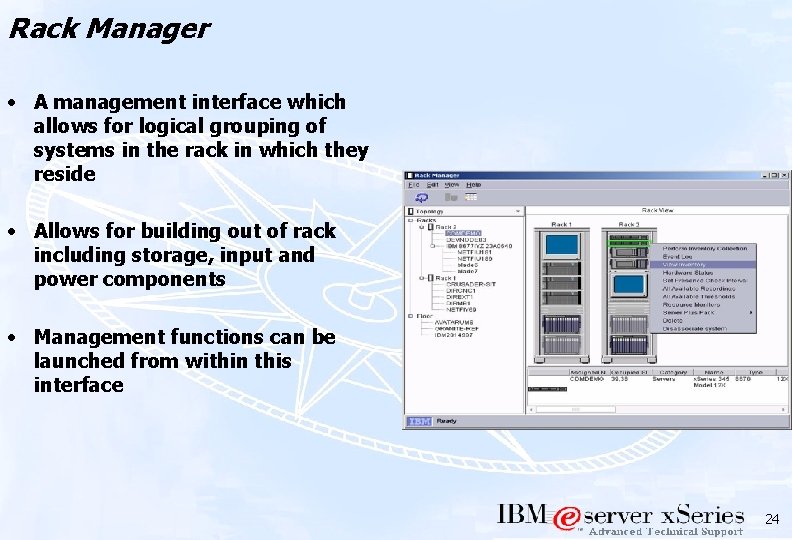
Rack Manager • A management interface which allows for logical grouping of systems in the rack in which they reside • Allows for building out of rack including storage, input and power components • Management functions can be launched from within this interface 24
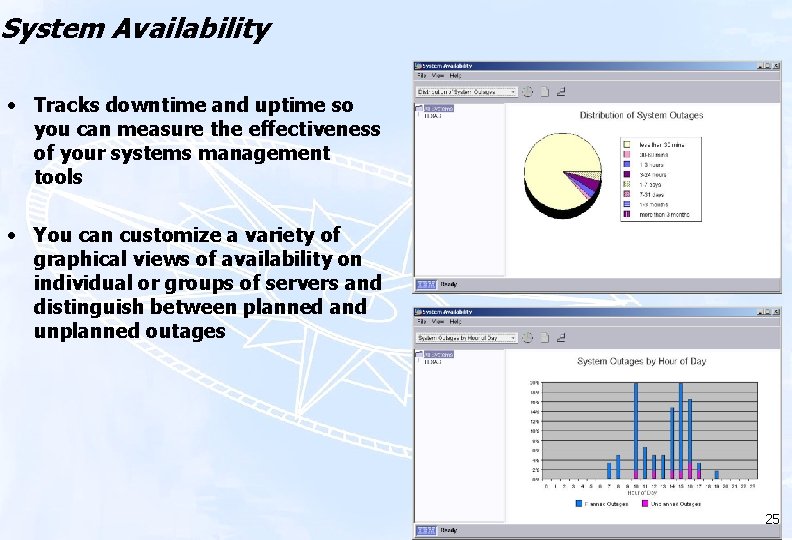
System Availability • Tracks downtime and uptime so you can measure the effectiveness of your systems management tools • You can customize a variety of graphical views of availability on individual or groups of servers and distinguish between planned and unplanned outages 25
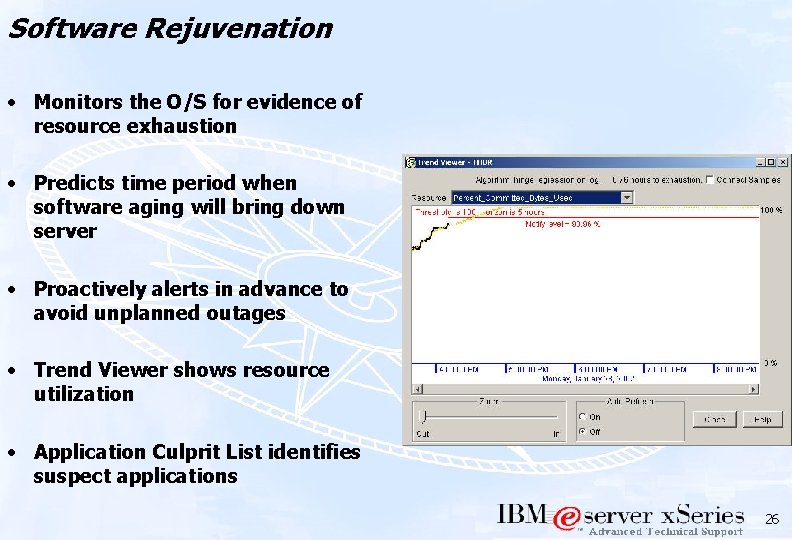
Software Rejuvenation • Monitors the O/S for evidence of resource exhaustion • Predicts time period when software aging will bring down server • Proactively alerts in advance to avoid unplanned outages • Trend Viewer shows resource utilization • Application Culprit List identifies suspect applications 26
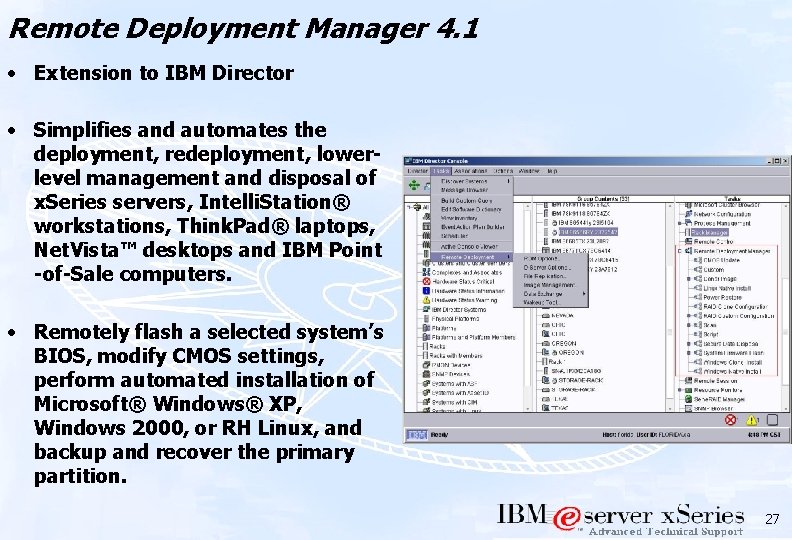
Remote Deployment Manager 4. 1 • Extension to IBM Director • Simplifies and automates the deployment, redeployment, lowerlevel management and disposal of x. Series servers, Intelli. Station® workstations, Think. Pad® laptops, Net. Vista™ desktops and IBM Point -of-Sale computers. • Remotely flash a selected system’s BIOS, modify CMOS settings, perform automated installation of Microsoft® Windows® XP, Windows 2000, or RH Linux, and backup and recover the primary partition. 27
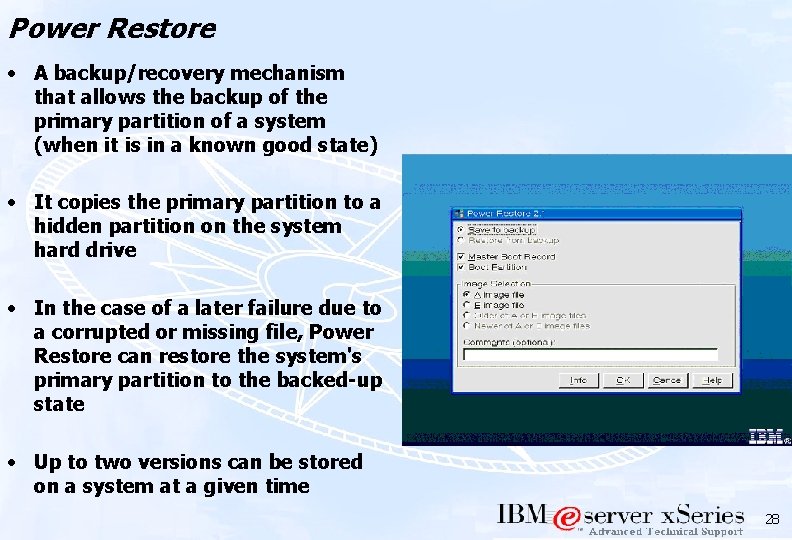
Power Restore • A backup/recovery mechanism that allows the backup of the primary partition of a system (when it is in a known good state) • It copies the primary partition to a hidden partition on the system hard drive • In the case of a later failure due to a corrupted or missing file, Power Restore can restore the system's primary partition to the backed-up state • Up to two versions can be stored on a system at a given time 28
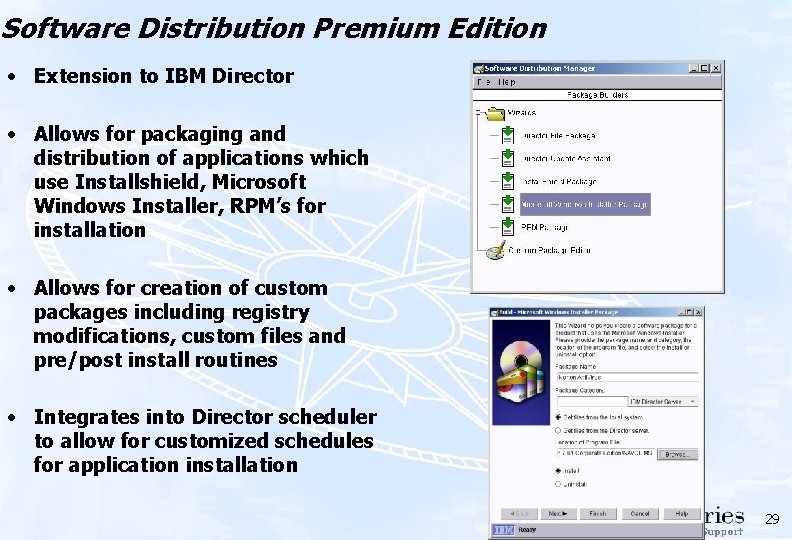
Software Distribution Premium Edition • Extension to IBM Director • Allows for packaging and distribution of applications which use Installshield, Microsoft Windows Installer, RPM’s for installation • Allows for creation of custom packages including registry modifications, custom files and pre/post install routines • Integrates into Director scheduler to allow for customized schedules for application installation 29
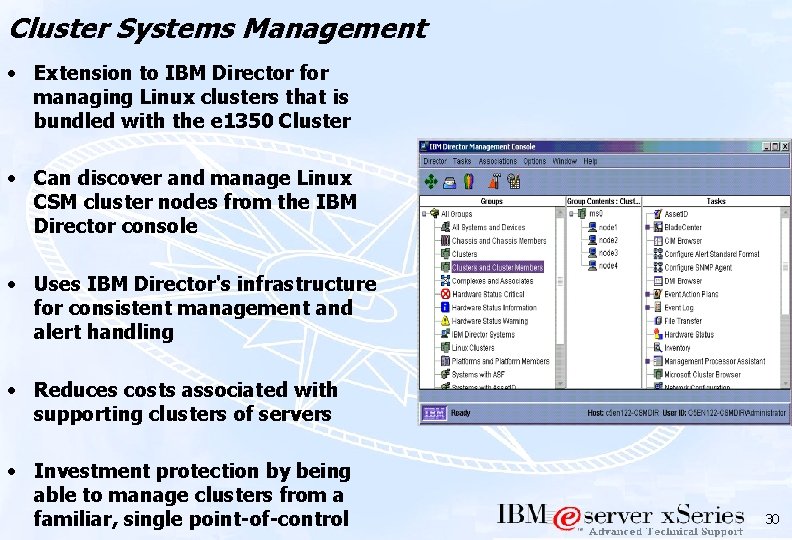
Cluster Systems Management • Extension to IBM Director for managing Linux clusters that is bundled with the e 1350 Cluster • Can discover and manage Linux CSM cluster nodes from the IBM Director console • Uses IBM Director's infrastructure for consistent management and alert handling • Reduces costs associated with supporting clusters of servers • Investment protection by being able to manage clusters from a familiar, single point-of-control 30
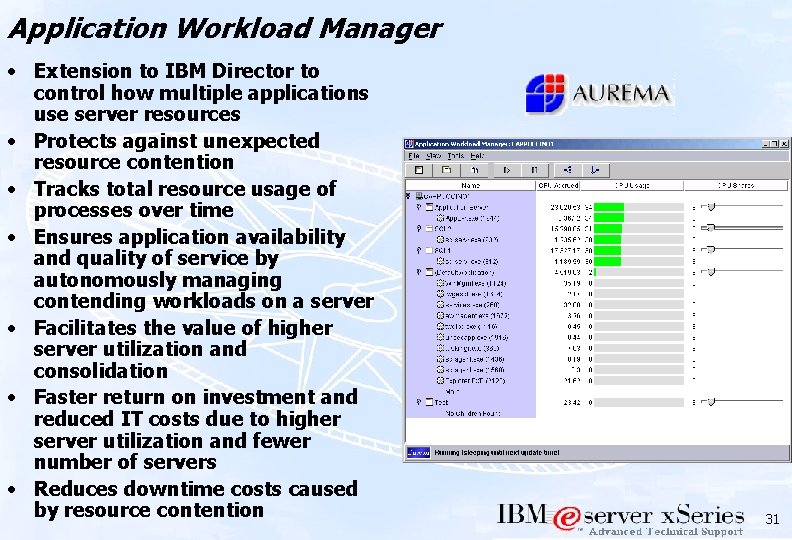
Application Workload Manager • Extension to IBM Director to control how multiple applications use server resources • Protects against unexpected resource contention • Tracks total resource usage of processes over time • Ensures application availability and quality of service by autonomously managing contending workloads on a server • Facilitates the value of higher server utilization and consolidation • Faster return on investment and reduced IT costs due to higher server utilization and fewer number of servers • Reduces downtime costs caused by resource contention 31
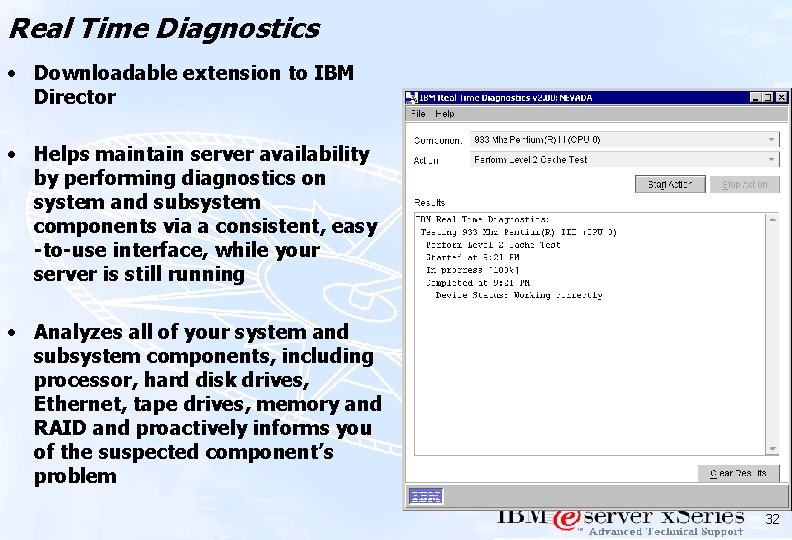
Real Time Diagnostics • Downloadable extension to IBM Director • Helps maintain server availability by performing diagnostics on system and subsystem components via a consistent, easy -to-use interface, while your server is still running • Analyzes all of your system and subsystem components, including processor, hard disk drives, Ethernet, tape drives, memory and RAID and proactively informs you of the suspected component’s problem 32
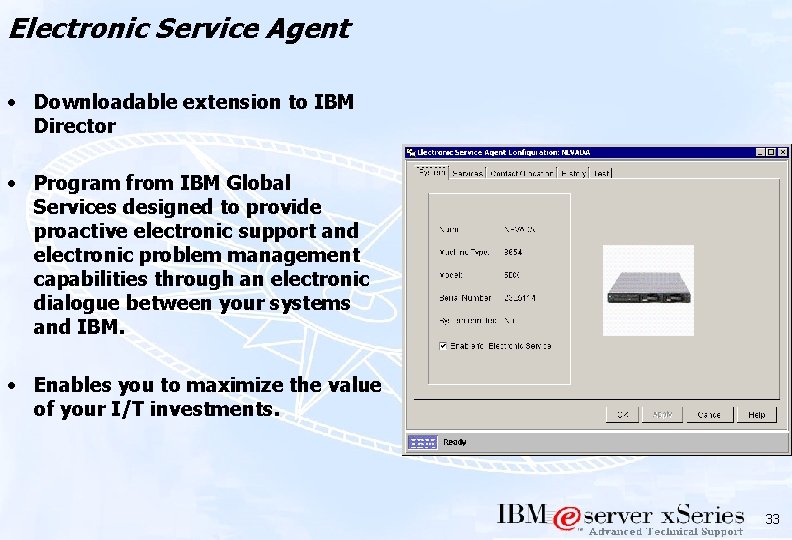
Electronic Service Agent • Downloadable extension to IBM Director • Program from IBM Global Services designed to provide proactive electronic support and electronic problem management capabilities through an electronic dialogue between your systems and IBM. • Enables you to maximize the value of your I/T investments. 33
Tape Drive Management Assistant • Downloadable extension to IBM Director • Automates the process of informing an administrator that a tape drive needs to be cleaned • Generates alerts so that all network management tasks can be performed through IBM Director 34

Thank You ! ! ! 35
- Slides: 35