
IBM Hybrid Cloud Data and AI IIDR Q
IBM Hybrid Cloud – Data and AI IIDR Q Replication Migration to 5655 -DRQ or to Db 2 LUW 11. 5 or above with Replication Architecture level 1140 Nov 2019 Jayanti Mahapatra mahapatr@us. ibm. com 1 © 2019 IBM Corporation
IBM Hybrid Cloud – Data and AI Info. Sphere Data Replication for DB 2 for z/OS V 11. 4. 0 § Program Number 5655 -DRQ includes CDC, Q and SQL Replication feature in the following FMIDs: § HAAWB 33 - Q and SQL Replication Common Base § JAAWB 34 - Q Capture and EP § JAAWB 35 - Q Apply § JAAWB 36 - SQL Replication § HCHCA 21 - Change Data Capture ** Pl get 1140 APAR PH 16629 Compatibility for ARCH_LEVEL 0973, 1001, and 1021 on Linux, UNIX, and Windows link https: //www. ibm. com/support/knowledgecenter/en/SSTRGZ_11. 4. 0/com. ibm. swg. im. iis. r epl. qmig. doc/topics/iiyrqmigcoexistluw 1021. html 2 © 2019 IBM Corporation

IBM Hybrid Cloud – Data and AI IIDR 11. 4. 0: Doc links Q replication reference guide: https: //www-05. ibm. com/ebusiness/linkweb/publications/servlet/pbi. wss? PAG=C 11&SSN=17 GKV 0003226214373&TRL =TXT&WRD=&PBL=SC 19 -3637 -03&LST=ALL&RPP=10&submit=Start+search Customization Guide: https: //www. ibm. com/support/knowledgecenter/SSTRGZ_11. 4. 0/com. ibm. swg. im. repl. zoscust. d oc/topics/iiyrczoscncover. html Migrating to Version 11. 4 with ARCH_LEVEL 1140 (z/OS) https: //www. ibm. com/support/knowledgecenter/en/SSTRGZ_11. 4. 0/com. ibm. swg. im. iis. repl. qmi g. doc/topics/iiyrqmig 1140 z. html Q Replication for DBAs https: //developer. ibm. com/recipes/tutorials/q-replication-for-dbas/ 3 © 2019 IBM Corporation
IBM Hybrid Cloud – Data and AI IIDR for DB 2 for z/OS V 11. 4. 0 plans Version-independent plan names : § ASNQCAP § ASNQAPP § ASNCAP § ASNAPP § ASNMON § ASNTDIFF § ASNQEXP § ASNCATM (new plan) § Need to bind - SASNSAMP(ASNQBNDL) 4 © 2019 IBM Corporation
IBM Hybrid Cloud – Data and AI Migration for SQL Replication and ASNMON § SQL Replication and ASNMON version 11. 4 are exactly the same as version 10. 2. 1. § If you are upgrading to SQL Replication or ASNMON 11. 4 from 10. 2. 1, you do not need to run migration scripts. § The SQL Replication and the ASNMON ARCH_LEVEL stay 1021 § No new tables or columns § You should run ASNVSQL to find missing tables and columns § Bind with the new 1140 DBRM. The plans and packages are same § Change the steplib to point to the 1140 libraries § Start Capture and Apply ØThere is a migration for Q replication 5 © 2019 IBM Corporation
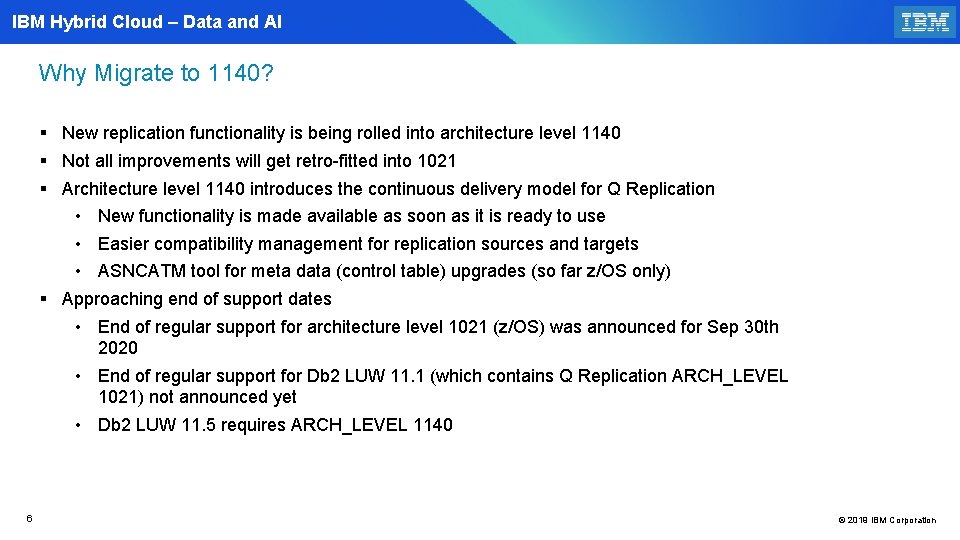
IBM Hybrid Cloud – Data and AI Why Migrate to 1140? § New replication functionality is being rolled into architecture level 1140 § Not all improvements will get retro-fitted into 1021 § Architecture level 1140 introduces the continuous delivery model for Q Replication • New functionality is made available as soon as it is ready to use • Easier compatibility management for replication sources and targets • ASNCATM tool for meta data (control table) upgrades (so far z/OS only) § Approaching end of support dates • End of regular support for architecture level 1021 (z/OS) was announced for Sep 30 th 2020 • End of regular support for Db 2 LUW 11. 1 (which contains Q Replication ARCH_LEVEL 1021) not announced yet • Db 2 LUW 11. 5 requires ARCH_LEVEL 1140 6 © 2019 IBM Corporation
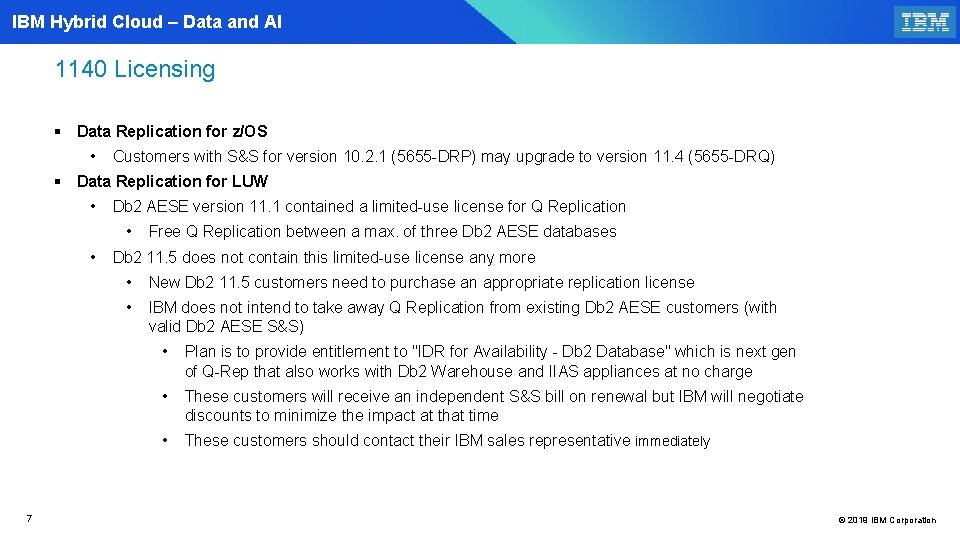
IBM Hybrid Cloud – Data and AI 1140 Licensing § Data Replication for z/OS • Customers with S&S for version 10. 2. 1 (5655 -DRP) may upgrade to version 11. 4 (5655 -DRQ) § Data Replication for LUW • Db 2 AESE version 11. 1 contained a limited-use license for Q Replication • • 7 Free Q Replication between a max. of three Db 2 AESE databases Db 2 11. 5 does not contain this limited-use license any more • New Db 2 11. 5 customers need to purchase an appropriate replication license • IBM does not intend to take away Q Replication from existing Db 2 AESE customers (with valid Db 2 AESE S&S) • Plan is to provide entitlement to "IDR for Availability - Db 2 Database" which is next gen of Q-Rep that also works with Db 2 Warehouse and IIAS appliances at no charge • These customers will receive an independent S&S bill on renewal but IBM will negotiate discounts to minimize the impact at that time • These customers should contact their IBM sales representative immediately © 2019 IBM Corporation
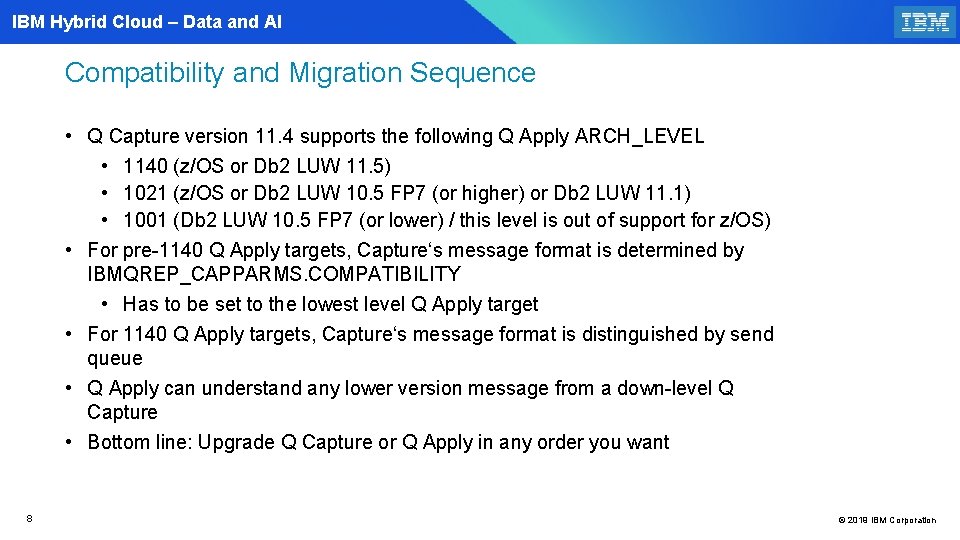
IBM Hybrid Cloud – Data and AI Compatibility and Migration Sequence • Q Capture version 11. 4 supports the following Q Apply ARCH_LEVEL • 1140 (z/OS or Db 2 LUW 11. 5) • 1021 (z/OS or Db 2 LUW 10. 5 FP 7 (or higher) or Db 2 LUW 11. 1) • 1001 (Db 2 LUW 10. 5 FP 7 (or lower) / this level is out of support for z/OS) • For pre-1140 Q Apply targets, Capture‘s message format is determined by IBMQREP_CAPPARMS. COMPATIBILITY • Has to be set to the lowest level Q Apply target • For 1140 Q Apply targets, Capture‘s message format is distinguished by send queue • Q Apply can understand any lower version message from a down-level Q Capture • Bottom line: Upgrade Q Capture or Q Apply in any order you want 8 © 2019 IBM Corporation
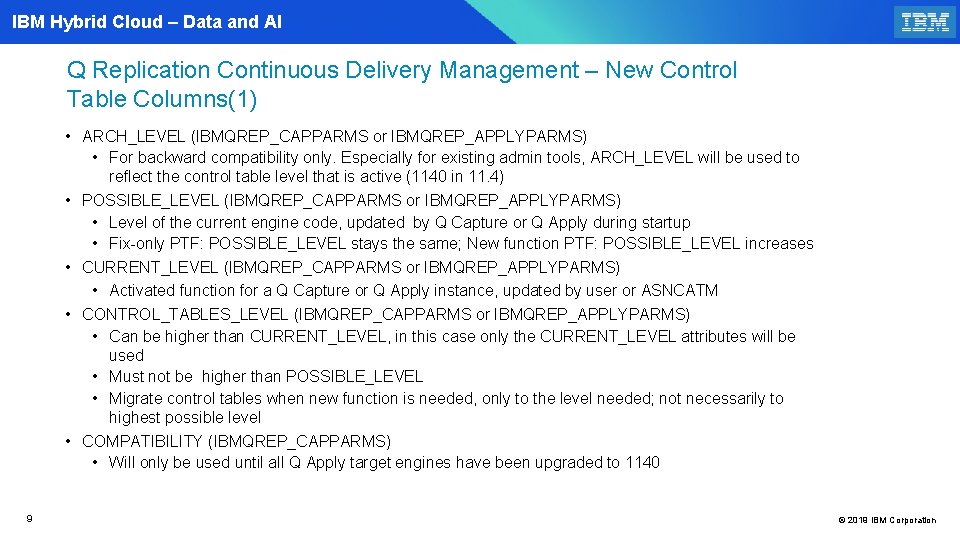
IBM Hybrid Cloud – Data and AI Q Replication Continuous Delivery Management – New Control Table Columns(1) • ARCH_LEVEL (IBMQREP_CAPPARMS or IBMQREP_APPLYPARMS) • For backward compatibility only. Especially for existing admin tools, ARCH_LEVEL will be used to reflect the control table level that is active (1140 in 11. 4) • POSSIBLE_LEVEL (IBMQREP_CAPPARMS or IBMQREP_APPLYPARMS) • Level of the current engine code, updated by Q Capture or Q Apply during startup • Fix-only PTF: POSSIBLE_LEVEL stays the same; New function PTF: POSSIBLE_LEVEL increases • CURRENT_LEVEL (IBMQREP_CAPPARMS or IBMQREP_APPLYPARMS) • Activated function for a Q Capture or Q Apply instance, updated by user or ASNCATM • CONTROL_TABLES_LEVEL (IBMQREP_CAPPARMS or IBMQREP_APPLYPARMS) • Can be higher than CURRENT_LEVEL, in this case only the CURRENT_LEVEL attributes will be used • Must not be higher than POSSIBLE_LEVEL • Migrate control tables when new function is needed, only to the level needed; not necessarily to highest possible level • COMPATIBILITY (IBMQREP_CAPPARMS) • Will only be used until all Q Apply target engines have been upgraded to 1140 9 © 2019 IBM Corporation
IBM Hybrid Cloud – Data and AI Q Replication Continuous Delivery Management(2) • APPLY_LEVEL (IBMQREP_SENDQUEUES) • The current functional level (“CURRENT_LEVEL“) of the Q Apply program that this send queue works with • The column is updated by the Q Capture upon receiving the “function level” message from Q Apply. Q Capture starts sending messages in the new format thereafter (when this function level is available). • Q Apply 1140 sends a message to Q Capture with its currently active level (CURRENT_LEVEL) • each time a receive queue is started • on startup of the Q Apply process • During migration to 1140, the column is set to IBMQREP_CAPPARMS COMPATIBILITY • Apply sends the “function level” message only if IBMQREP_RECVQUEUES CAPTURE_LEVEL is 1140 or higher • The maintenance of APPLY_LEVEL per send queue supports compatibility at Q Apply level • Q Capture can send data in 1140 format to some targets and in 1021 format to others • Q Capture also supports multiple targets with different 1140 function levels • When source capture is new ARCH_LEVEL=1140 and target apply is older ARCH_LEVEL < 1140, then asnclp CREATE QMAP should populate source IBMQREP_SENDQUEUES control table APPLY_LEVEL column for the qmap with the value from target apply ARCH_LEVEL (from IBMQREP_APPLYPARMS). This will be done for both LUW and z. OS as source/target scenarios. This fix will come soon. 10 © 2019 IBM Corporation
IBM Hybrid Cloud – Data and AI Q Replication Continuous Delivery Management(3) • CAPTURE_LEVEL (IBMQREP_RECVQUEUES) • The current functional level (“CURRENT_LEVEL“) of the Q Capture program that this receive queue works with • Initial DEFAULT is NULL • Q Capture 1140 sends a message to Q Apply with its currently active level (CURRENT_LEVEL) • each time a send queue is started • on startup of the Q Capture process • After receiving the first 1140 “function message” Q Apply changes the value of CAPTURE_LEVEL from NULL to 1140. LLL, which is the trigger for Q Apply 1140 to send function messages to Q Capture • After Q Apply has sent the function message to Q Capture, Q Capture again responds with a message that communicates the current Q Capture function level • After receiving that message, Q Apply updates CAPTURE_LEVEL in RECVQUEUES 11 © 2019 IBM Corporation
IBM Hybrid Cloud – Data and AI Q Replication Continuous Delivery Management(4) • APPLY_LEVEL (IBMQREP_SENDQUEUES) • Attention: Apply will report an error and will follow ERROR_ACTION, if it receives a message at a higher version or function level than what is currently active • E. g. , after a user updated APPLY_LEVEL to an inappropriate value 12 © 2019 IBM Corporation
IBM Hybrid Cloud – Data and AI Q Replication Continuous Delivery Management(5) • CAPTURE_LEVEL (IBMQREP_RECVQUEUES) • The current functional level (“CURRENT_LEVEL“) of the Q Capture program that this receive queue works with initial DEFAULT of NULL • Q Capture 1140 sends a message to Q Apply with its currently active level (CURRENT_LEVEL) • each time a send queue is started • on startup of the Q Capture process • After receiving the first 1140 “function message” Q Apply changes the value of CAPTURE_LEVEL from NULL to 1140. LLL, which is the trigger for Q Apply 1140 to send function messages to Q Capture • After Q Apply has sent the function message to Q Capture, Q Capture again responds with a message that communicates the current Q Capture function level • After receiving that message, Q Apply updates CAPTURE_LEVEL in RECVQUEUES 13 © 2019 IBM Corporation
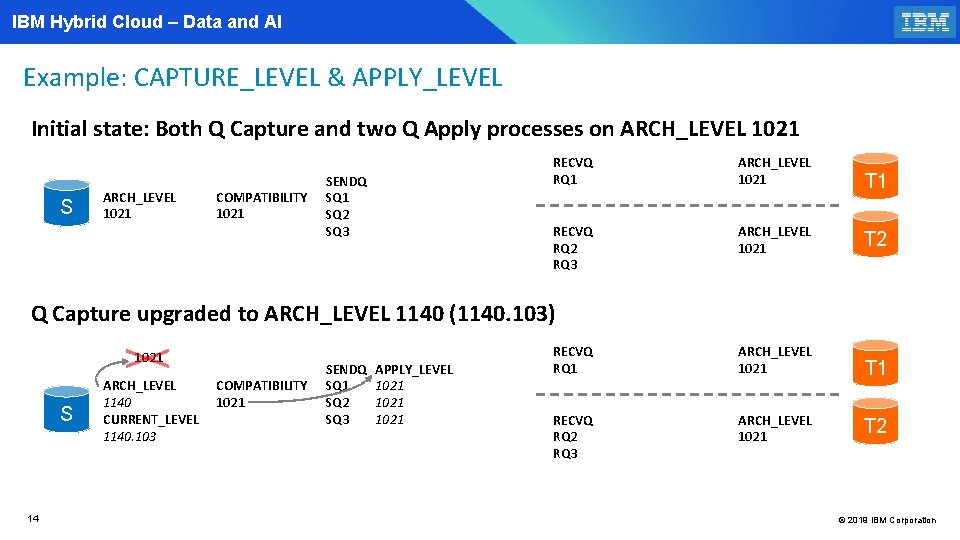
IBM Hybrid Cloud – Data and AI Example: CAPTURE_LEVEL & APPLY_LEVEL Initial state: Both Q Capture and two Q Apply processes on ARCH_LEVEL 1021 S ARCH_LEVEL 1021 COMPATIBILITY 1021 SENDQ SQ 1 SQ 2 SQ 3 RECVQ RQ 1 ARCH_LEVEL 1021 T 1 RECVQ RQ 2 RQ 3 ARCH_LEVEL 1021 T 2 RECVQ RQ 1 ARCH_LEVEL 1021 T 1 RECVQ RQ 2 RQ 3 ARCH_LEVEL 1021 Q Capture upgraded to ARCH_LEVEL 1140 (1140. 103) 1021 S 14 ARCH_LEVEL 1140 CURRENT_LEVEL 1140. 103 COMPATIBILITY 1021 SENDQ SQ 1 SQ 2 SQ 3 APPLY_LEVEL 1021 T 2 © 2019 IBM Corporation
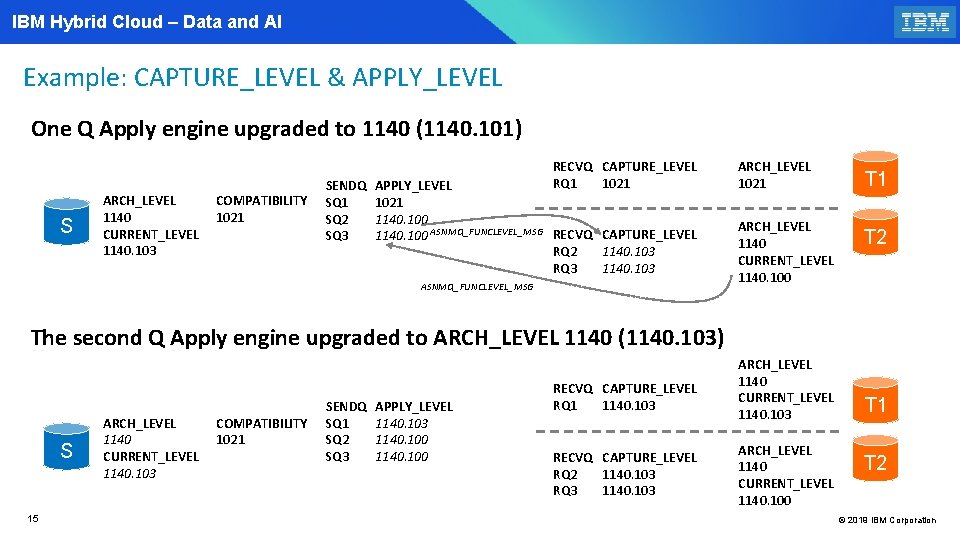
IBM Hybrid Cloud – Data and AI Example: CAPTURE_LEVEL & APPLY_LEVEL One Q Apply engine upgraded to 1140 (1140. 101) S ARCH_LEVEL 1140 CURRENT_LEVEL 1140. 103 COMPATIBILITY 1021 SENDQ SQ 1 SQ 2 SQ 3 RECVQ CAPTURE_LEVEL RQ 1 1021 APPLY_LEVEL 1021 1140. 100 ASNMQ_FUNCLEVEL_MSG RECVQ CAPTURE_LEVEL RQ 2 1140. 103 RQ 3 1140. 103 ASNMQ_FUNCLEVEL_MSG ARCH_LEVEL 1021 ARCH_LEVEL 1140 CURRENT_LEVEL 1140. 100 T 1 T 2 The second Q Apply engine upgraded to ARCH_LEVEL 1140 (1140. 103) S 15 ARCH_LEVEL 1140 CURRENT_LEVEL 1140. 103 COMPATIBILITY 1021 SENDQ SQ 1 SQ 2 SQ 3 APPLY_LEVEL 1140. 103 1140. 100 RECVQ CAPTURE_LEVEL RQ 1 1140. 103 RECVQ CAPTURE_LEVEL RQ 2 1140. 103 RQ 3 1140. 103 ARCH_LEVEL 1140 CURRENT_LEVEL 1140. 100 T 1 T 2 © 2019 IBM Corporation
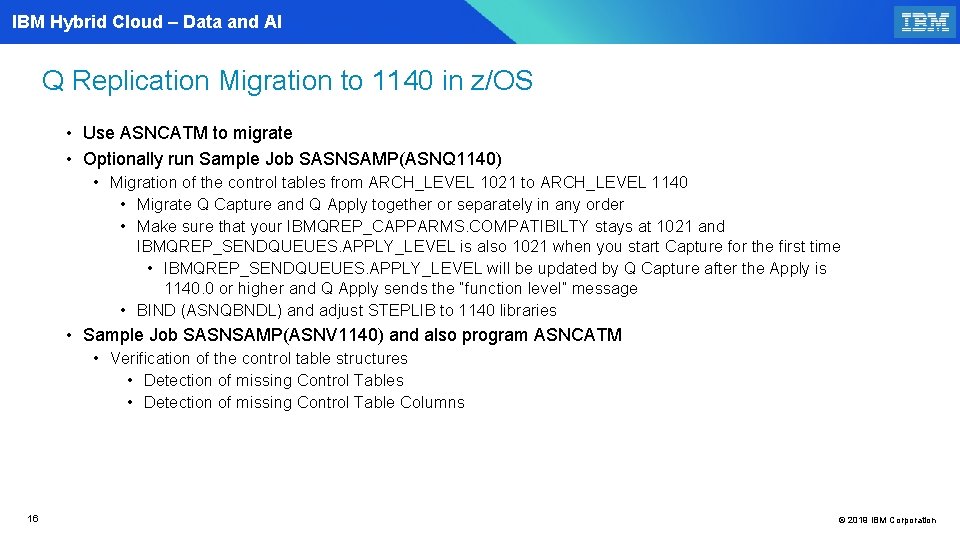
IBM Hybrid Cloud – Data and AI Q Replication Migration to 1140 in z/OS • Use ASNCATM to migrate • Optionally run Sample Job SASNSAMP(ASNQ 1140) • Migration of the control tables from ARCH_LEVEL 1021 to ARCH_LEVEL 1140 • Migrate Q Capture and Q Apply together or separately in any order • Make sure that your IBMQREP_CAPPARMS. COMPATIBILTY stays at 1021 and IBMQREP_SENDQUEUES. APPLY_LEVEL is also 1021 when you start Capture for the first time • IBMQREP_SENDQUEUES. APPLY_LEVEL will be updated by Q Capture after the Apply is 1140. 0 or higher and Q Apply sends the “function level” message • BIND (ASNQBNDL) and adjust STEPLIB to 1140 libraries • Sample Job SASNSAMP(ASNV 1140) and also program ASNCATM • Verification of the control table structures • Detection of missing Control Table Columns 16 © 2019 IBM Corporation
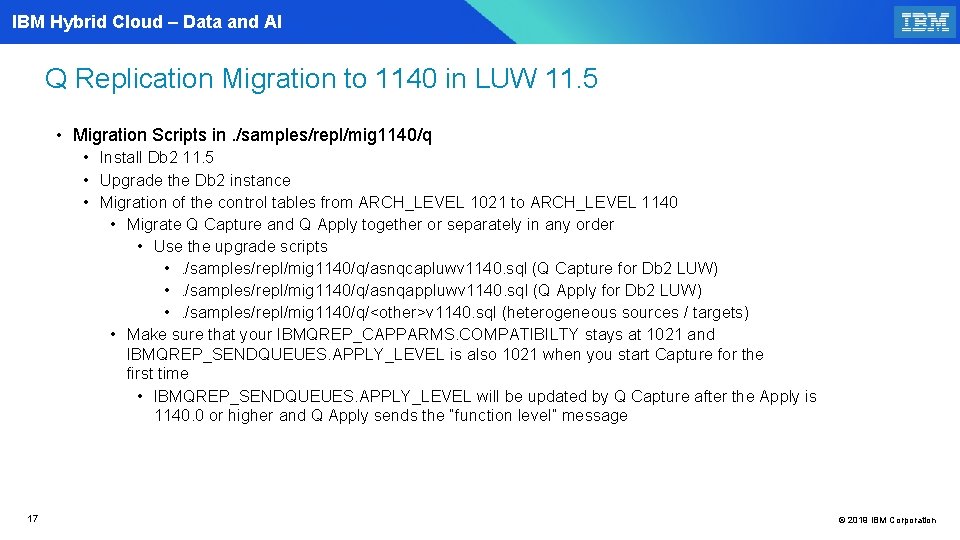
IBM Hybrid Cloud – Data and AI Q Replication Migration to 1140 in LUW 11. 5 • Migration Scripts in. /samples/repl/mig 1140/q • Install Db 2 11. 5 • Upgrade the Db 2 instance • Migration of the control tables from ARCH_LEVEL 1021 to ARCH_LEVEL 1140 • Migrate Q Capture and Q Apply together or separately in any order • Use the upgrade scripts • . /samples/repl/mig 1140/q/asnqcapluwv 1140. sql (Q Capture for Db 2 LUW) • . /samples/repl/mig 1140/q/asnqappluwv 1140. sql (Q Apply for Db 2 LUW) • . /samples/repl/mig 1140/q/<other>v 1140. sql (heterogeneous sources / targets) • Make sure that your IBMQREP_CAPPARMS. COMPATIBILTY stays at 1021 and IBMQREP_SENDQUEUES. APPLY_LEVEL is also 1021 when you start Capture for the first time • IBMQREP_SENDQUEUES. APPLY_LEVEL will be updated by Q Capture after the Apply is 1140. 0 or higher and Q Apply sends the “function level” message 17 © 2019 IBM Corporation
IBM Hybrid Cloud – Data and AI Q Replication 1140 function level migration New program ASNCATM (z/OS) 18 18 © 2019 IBM Corporation
IBM Hybrid Cloud – Data and AI IIDR for DB 2 for z/OS V 11. 4. 0 Q rep Migration § ASNCATM - For migrating to 1140 in z/OS (alternative to ASNQ 1140 and to migrate to a higher function level of 1140 and also to go to 1140) § IIDR z/OS 1140 Capture and Apply are compatible with Db 2 LUW 11. 1 FPs (ARCH_LEVEL 1021) , 10. 5 FP 7 or higher (arch_level 1021), 10. 5 FP 7 or lower( arch_level 1001) and Db 2 LUW 11. 5 (ARCH_LEVEL 1140 and CURRENT_LEVEL 1140. 101) § Support for parallel file transfer has been added for IIASl as level 1140. 102, which will be in 11. 5 FP 1 § The latest level for z/OS is 1140. 103 - Function levels change only when the Capture message format changes - Optional control table changes do not require function level change § You can migrate your z and LUW Captures and Applies in any order you want 19 © 2019 IBM Corporation
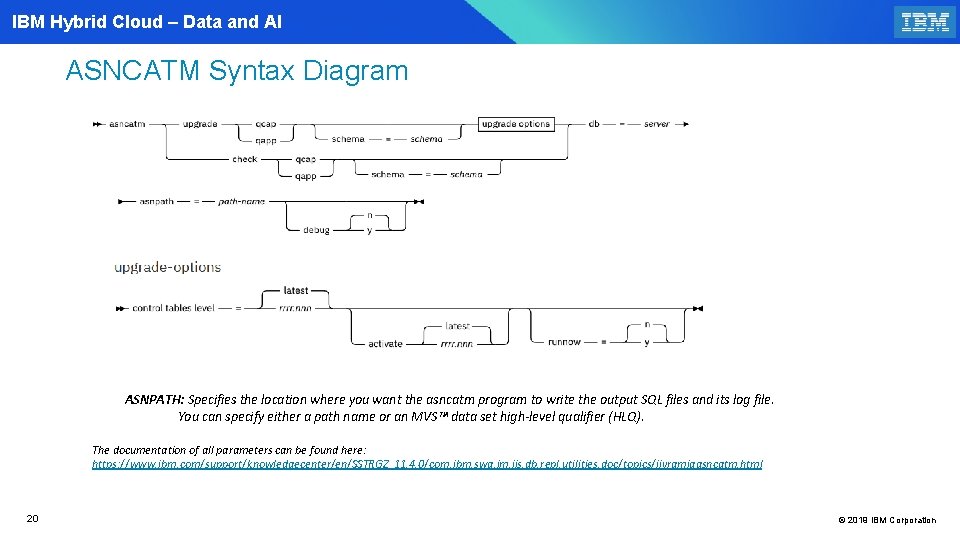
IBM Hybrid Cloud – Data and AI ASNCATM Syntax Diagram ASNPATH: Specifies the location where you want the asncatm program to write the output SQL files and its log file. You can specify either a path name or an MVS™ data set high-level qualifier (HLQ). The documentation of all parameters can be found here: https: //www. ibm. com/support/knowledgecenter/en/SSTRGZ_11. 4. 0/com. ibm. swg. im. iis. db. repl. utilities. doc/topics/iiyrqmigasncatm. html 20 © 2019 IBM Corporation
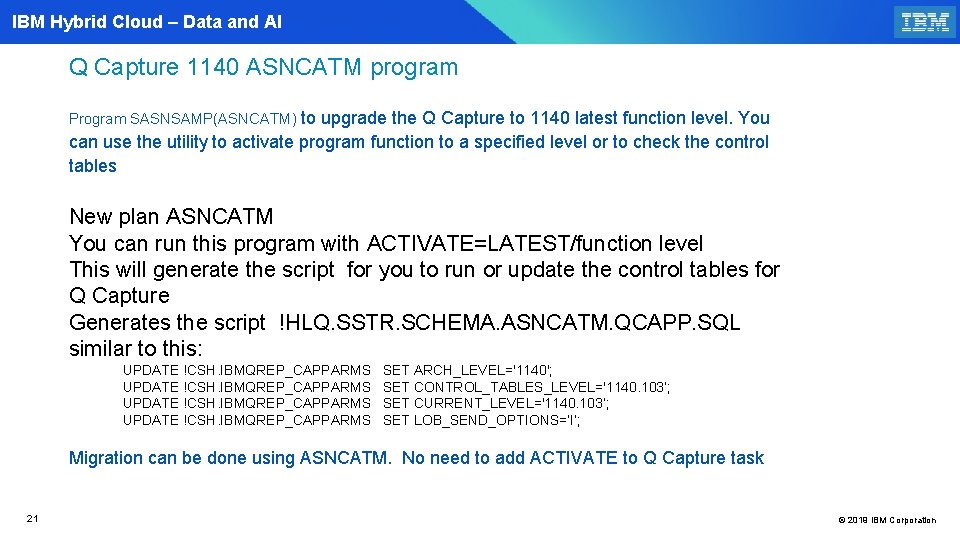
IBM Hybrid Cloud – Data and AI Q Capture 1140 ASNCATM program Program SASNSAMP(ASNCATM) to upgrade the Q Capture to 1140 latest function level. You can use the utility to activate program function to a specified level or to check the control tables New plan ASNCATM You can run this program with ACTIVATE=LATEST/function level This will generate the script for you to run or update the control tables for Q Capture Generates the script !HLQ. SSTR. SCHEMA. ASNCATM. QCAPP. SQL similar to this: UPDATE !CSH. IBMQREP_CAPPARMS SET ARCH_LEVEL='1140'; UPDATE !CSH. IBMQREP_CAPPARMS SET CONTROL_TABLES_LEVEL='1140. 103’; UPDATE !CSH. IBMQREP_CAPPARMS SET CURRENT_LEVEL='1140. 103’; UPDATE !CSH. IBMQREP_CAPPARMS SET LOB_SEND_OPTIONS=‘I’; Migration can be done using ASNCATM. No need to add ACTIVATE to Q Capture task 21 © 2019 IBM Corporation
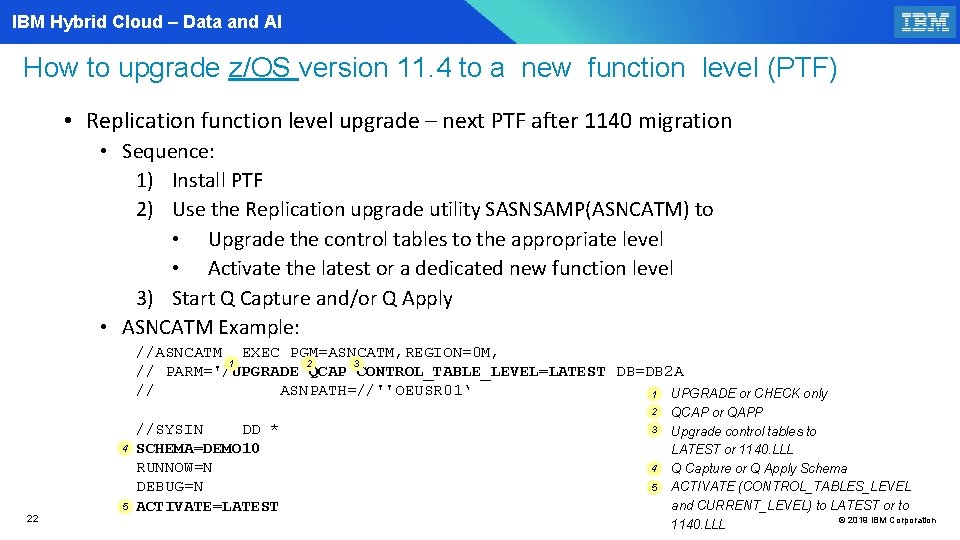
IBM Hybrid Cloud – Data and AI How to upgrade z/OS version 11. 4 to a new function level (PTF) • Replication function level upgrade – next PTF after 1140 migration • Sequence: 1) Install PTF 2) Use the Replication upgrade utility SASNSAMP(ASNCATM) to • Upgrade the control tables to the appropriate level • Activate the latest or a dedicated new function level 3) Start Q Capture and/or Q Apply • ASNCATM Example: //ASNCATM EXEC PGM=ASNCATM, REGION=0 M, 3 1 2 // PARM='/UPGRADE QCAP CONTROL_TABLE_LEVEL=LATEST DB=DB 2 A // ASNPATH=//''OEUSR 01‘ 1 UPGRADE or CHECK only 2 4 5 22 //SYSIN DD * SCHEMA=DEMO 10 RUNNOW=N DEBUG=N ACTIVATE=LATEST 3 4 5 QCAP or QAPP Upgrade control tables to LATEST or 1140. LLL Q Capture or Q Apply Schema ACTIVATE (CONTROL_TABLES_LEVEL and CURRENT_LEVEL) to LATEST or to © 2019 IBM Corporation 1140. LLL
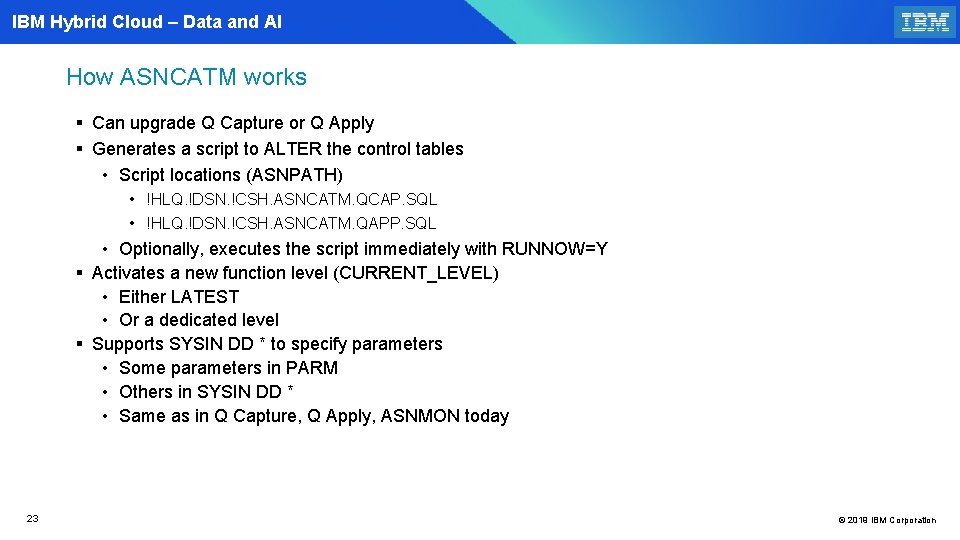
IBM Hybrid Cloud – Data and AI How ASNCATM works § Can upgrade Q Capture or Q Apply § Generates a script to ALTER the control tables • Script locations (ASNPATH) • !HLQ. !DSN. !CSH. ASNCATM. QCAP. SQL • !HLQ. !DSN. !CSH. ASNCATM. QAPP. SQL • Optionally, executes the script immediately with RUNNOW=Y § Activates a new function level (CURRENT_LEVEL) • Either LATEST • Or a dedicated level § Supports SYSIN DD * to specify parameters • Some parameters in PARM • Others in SYSIN DD * • Same as in Q Capture, Q Apply, ASNMON today 23 © 2019 IBM Corporation
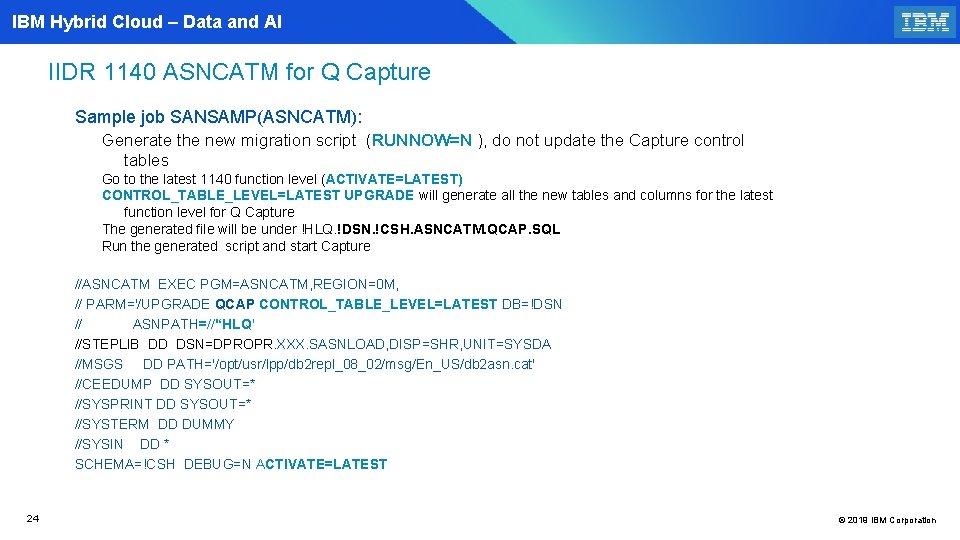
IBM Hybrid Cloud – Data and AI IIDR 1140 ASNCATM for Q Capture Sample job SANSAMP(ASNCATM): Generate the new migration script (RUNNOW=N ), do not update the Capture control tables Go to the latest 1140 function level (ACTIVATE=LATEST) CONTROL_TABLE_LEVEL=LATEST UPGRADE will generate all the new tables and columns for the latest function level for Q Capture The generated file will be under !HLQ. !DSN. !CSH. ASNCATM. QCAP. SQL Run the generated script and start Capture //ASNCATM EXEC PGM=ASNCATM, REGION=0 M, // PARM='/UPGRADE QCAP CONTROL_TABLE_LEVEL=LATEST DB=!DSN // ASNPATH=//'‘HLQ' //STEPLIB DD DSN=DPROPR. XXX. SASNLOAD, DISP=SHR, UNIT=SYSDA //MSGS DD PATH='/opt/usr/lpp/db 2 repl_08_02/msg/En_US/db 2 asn. cat' //CEEDUMP DD SYSOUT=* //SYSPRINT DD SYSOUT=* //SYSTERM DD DUMMY //SYSIN DD * SCHEMA=!CSH DEBUG=N ACTIVATE=LATEST 24 © 2019 IBM Corporation
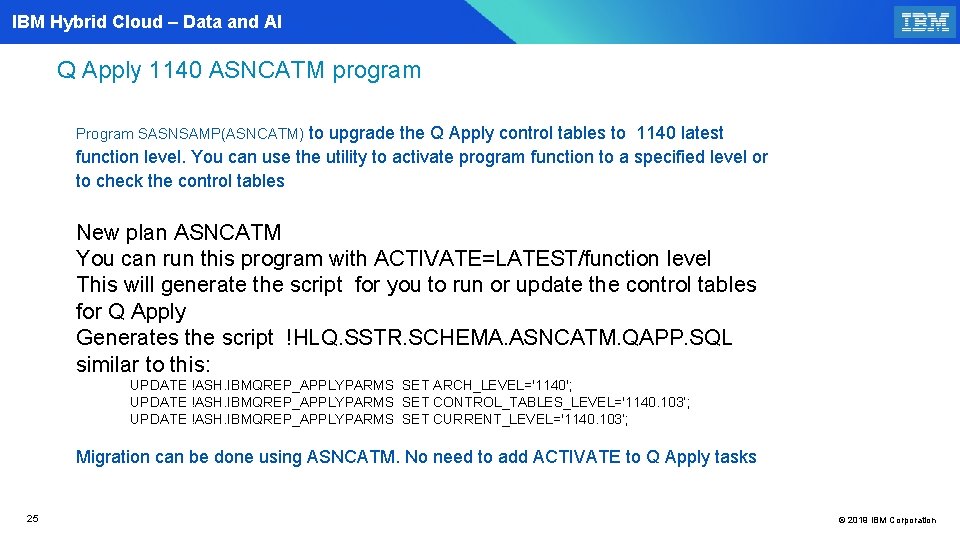
IBM Hybrid Cloud – Data and AI Q Apply 1140 ASNCATM program Program SASNSAMP(ASNCATM) to upgrade the Q Apply control tables to 1140 latest function level. You can use the utility to activate program function to a specified level or to check the control tables New plan ASNCATM You can run this program with ACTIVATE=LATEST/function level This will generate the script for you to run or update the control tables for Q Apply Generates the script !HLQ. SSTR. SCHEMA. ASNCATM. QAPP. SQL similar to this: UPDATE !ASH. IBMQREP_APPLYPARMS SET ARCH_LEVEL='1140'; UPDATE !ASH. IBMQREP_APPLYPARMS SET CONTROL_TABLES_LEVEL='1140. 103’; UPDATE !ASH. IBMQREP_APPLYPARMS SET CURRENT_LEVEL='1140. 103’; Migration can be done using ASNCATM. No need to add ACTIVATE to Q Apply tasks 25 © 2019 IBM Corporation
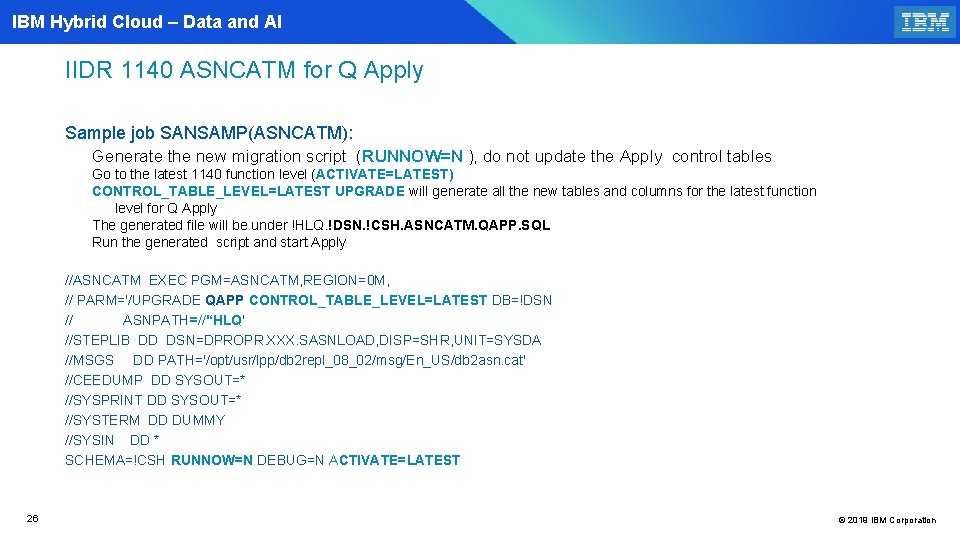
IBM Hybrid Cloud – Data and AI IIDR 1140 ASNCATM for Q Apply Sample job SANSAMP(ASNCATM): Generate the new migration script (RUNNOW=N ), do not update the Apply control tables Go to the latest 1140 function level (ACTIVATE=LATEST) CONTROL_TABLE_LEVEL=LATEST UPGRADE will generate all the new tables and columns for the latest function level for Q Apply The generated file will be under !HLQ. !DSN. !CSH. ASNCATM. QAPP. SQL Run the generated script and start Apply //ASNCATM EXEC PGM=ASNCATM, REGION=0 M, // PARM='/UPGRADE QAPP CONTROL_TABLE_LEVEL=LATEST DB=!DSN // ASNPATH=//'‘HLQ' //STEPLIB DD DSN=DPROPR. XXX. SASNLOAD, DISP=SHR, UNIT=SYSDA //MSGS DD PATH='/opt/usr/lpp/db 2 repl_08_02/msg/En_US/db 2 asn. cat' //CEEDUMP DD SYSOUT=* //SYSPRINT DD SYSOUT=* //SYSTERM DD DUMMY //SYSIN DD * SCHEMA=!CSH RUNNOW=N DEBUG=N ACTIVATE=LATEST 26 © 2019 IBM Corporation
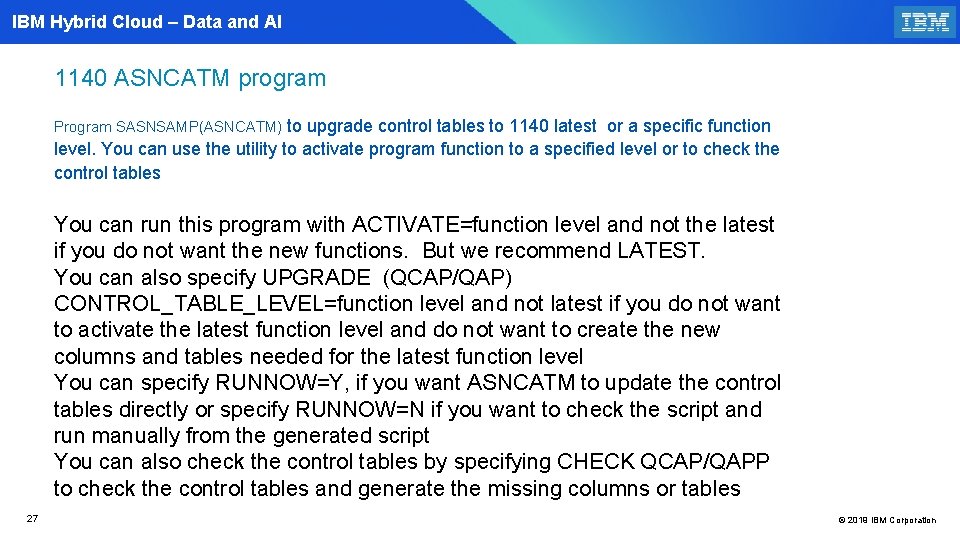
IBM Hybrid Cloud – Data and AI 1140 ASNCATM program Program SASNSAMP(ASNCATM) to upgrade control tables to 1140 latest or a specific function level. You can use the utility to activate program function to a specified level or to check the control tables You can run this program with ACTIVATE=function level and not the latest if you do not want the new functions. But we recommend LATEST. You can also specify UPGRADE (QCAP/QAP) CONTROL_TABLE_LEVEL=function level and not latest if you do not want to activate the latest function level and do not want to create the new columns and tables needed for the latest function level You can specify RUNNOW=Y, if you want ASNCATM to update the control tables directly or specify RUNNOW=N if you want to check the script and run manually from the generated script You can also check the control tables by specifying CHECK QCAP/QAPP to check the control tables and generate the missing columns or tables 27 © 2019 IBM Corporation
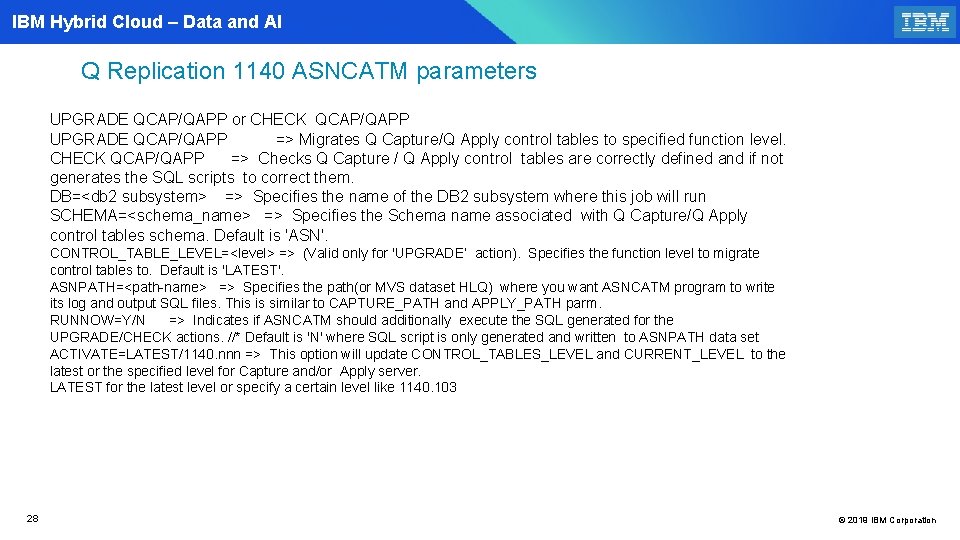
IBM Hybrid Cloud – Data and AI Q Replication 1140 ASNCATM parameters UPGRADE QCAP/QAPP or CHECK QCAP/QAPP UPGRADE QCAP/QAPP => Migrates Q Capture/Q Apply control tables to specified function level. CHECK QCAP/QAPP => Checks Q Capture / Q Apply control tables are correctly defined and if not generates the SQL scripts to correct them. DB=<db 2 subsystem> => Specifies the name of the DB 2 subsystem where this job will run SCHEMA=<schema_name> => Specifies the Schema name associated with Q Capture/Q Apply control tables schema. Default is 'ASN'. CONTROL_TABLE_LEVEL=<level> => (Valid only for 'UPGRADE’ action). Specifies the function level to migrate control tables to. Default is 'LATEST'. ASNPATH=<path-name> => Specifies the path(or MVS dataset HLQ) where you want ASNCATM program to write its log and output SQL files. This is similar to CAPTURE_PATH and APPLY_PATH parm. RUNNOW=Y/N => Indicates if ASNCATM should additionally execute the SQL generated for the UPGRADE/CHECK actions. //* Default is 'N' where SQL script is only generated and written to ASNPATH data set ACTIVATE=LATEST/1140. nnn => This option will update CONTROL_TABLES_LEVEL and CURRENT_LEVEL to the latest or the specified level for Capture and/or Apply server. LATEST for the latest level or specify a certain level like 1140. 103 28 © 2019 IBM Corporation
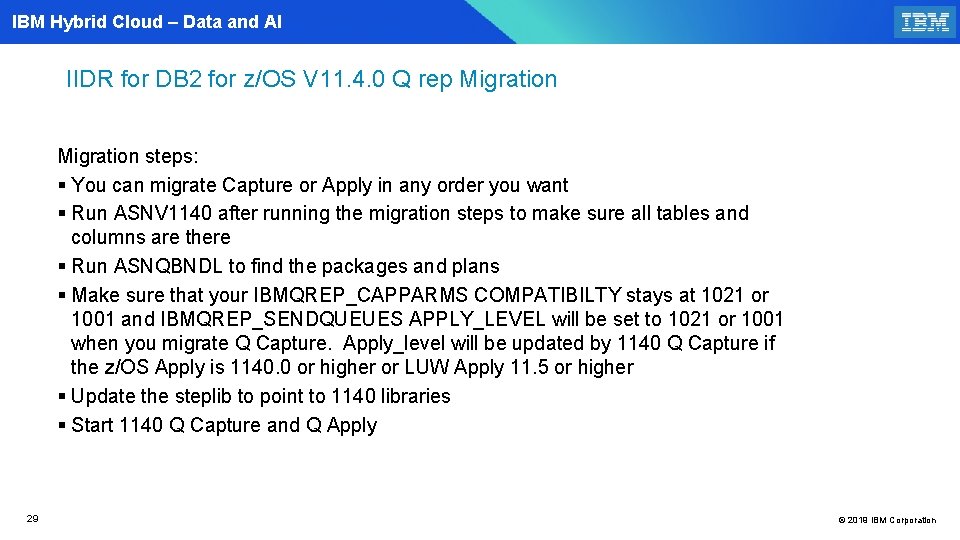
IBM Hybrid Cloud – Data and AI IIDR for DB 2 for z/OS V 11. 4. 0 Q rep Migration steps: § You can migrate Capture or Apply in any order you want § Run ASNV 1140 after running the migration steps to make sure all tables and columns are there § Run ASNQBNDL to find the packages and plans § Make sure that your IBMQREP_CAPPARMS COMPATIBILTY stays at 1021 or 1001 and IBMQREP_SENDQUEUES APPLY_LEVEL will be set to 1021 or 1001 when you migrate Q Capture. Apply_level will be updated by 1140 Q Capture if the z/OS Apply is 1140. 0 or higher or LUW Apply 11. 5 or higher § Update the steplib to point to 1140 libraries § Start 1140 Q Capture and Q Apply 29 © 2019 IBM Corporation
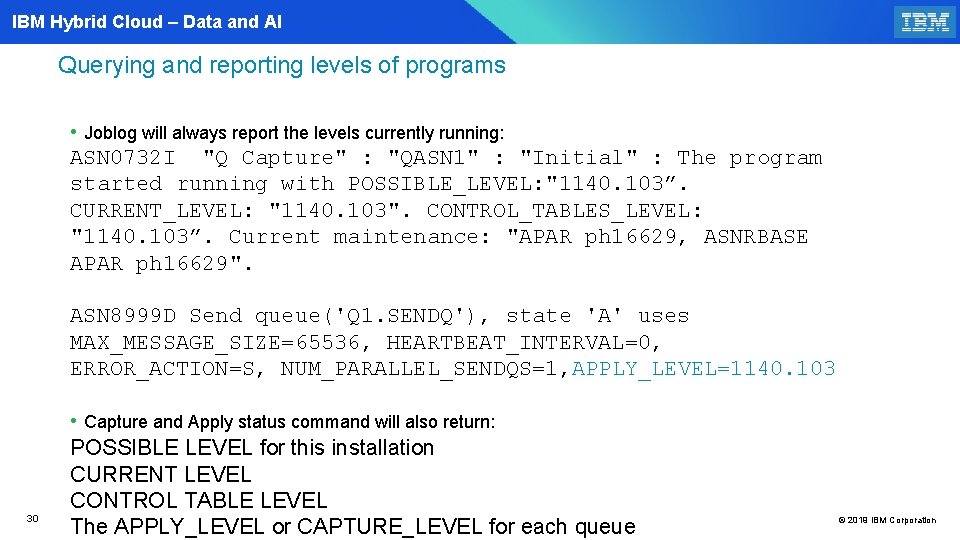
IBM Hybrid Cloud – Data and AI Querying and reporting levels of programs • Joblog will always report the levels currently running: ASN 0732 I "Q Capture" : "QASN 1" : "Initial" : The program started running with POSSIBLE_LEVEL: "1140. 103”. CURRENT_LEVEL: "1140. 103". CONTROL_TABLES_LEVEL: "1140. 103”. Current maintenance: "APAR ph 16629, ASNRBASE APAR ph 16629". ASN 8999 D Send queue('Q 1. SENDQ'), state 'A' uses MAX_MESSAGE_SIZE=65536, HEARTBEAT_INTERVAL=0, ERROR_ACTION=S, NUM_PARALLEL_SENDQS=1, APPLY_LEVEL=1140. 103 30 • Capture and Apply status command will also return: POSSIBLE LEVEL for this installation CURRENT LEVEL CONTROL TABLE LEVEL The APPLY_LEVEL or CAPTURE_LEVEL for each queue © 2019 IBM Corporation
IBM Hybrid Cloud – Data and AI Q Replication Fallback to 1021 or older level of 1140 (z/OS) 31 31 © 2019 IBM Corporation
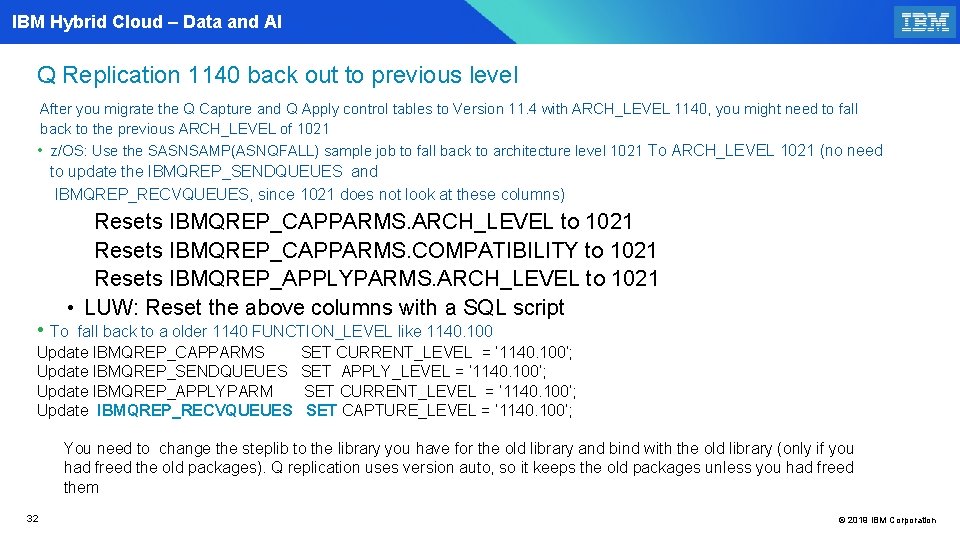
IBM Hybrid Cloud – Data and AI Q Replication 1140 back out to previous level After you migrate the Q Capture and Q Apply control tables to Version 11. 4 with ARCH_LEVEL 1140, you might need to fall back to the previous ARCH_LEVEL of 1021 • z/OS: Use the SASNSAMP(ASNQFALL) sample job to fall back to architecture level 1021 To ARCH_LEVEL 1021 (no need to update the IBMQREP_SENDQUEUES and IBMQREP_RECVQUEUES, since 1021 does not look at these columns) Resets IBMQREP_CAPPARMS. ARCH_LEVEL to 1021 Resets IBMQREP_CAPPARMS. COMPATIBILITY to 1021 Resets IBMQREP_APPLYPARMS. ARCH_LEVEL to 1021 • LUW: Reset the above columns with a SQL script • To fall back to a older 1140 FUNCTION_LEVEL like 1140. 100 Update IBMQREP_CAPPARMS SET CURRENT_LEVEL = ‘ 1140. 100’; Update IBMQREP_SENDQUEUES SET APPLY_LEVEL = ‘ 1140. 100’; Update IBMQREP_APPLYPARM SET CURRENT_LEVEL = ‘ 1140. 100’; Update IBMQREP_RECVQUEUES SET CAPTURE_LEVEL = ‘ 1140. 100’; You need to change the steplib to the library you have for the old library and bind with the old library (only if you had freed the old packages). Q replication uses version auto, so it keeps the old packages unless you had freed them 32 © 2019 IBM Corporation
IBM Hybrid Cloud – Data and AI Q Replication 1140 migration ASNQ 1140 and ASNV 1140(optional) 33 33 © 2019 IBM Corporation
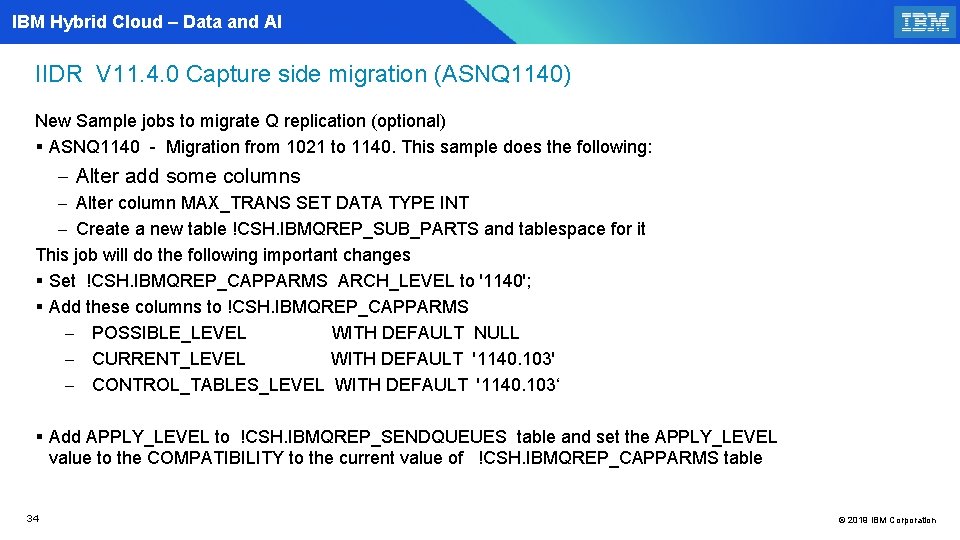
IBM Hybrid Cloud – Data and AI IIDR V 11. 4. 0 Capture side migration (ASNQ 1140) New Sample jobs to migrate Q replication (optional) § ASNQ 1140 - Migration from 1021 to 1140. This sample does the following: - Alter add some columns - Alter column MAX_TRANS SET DATA TYPE INT - Create a new table !CSH. IBMQREP_SUB_PARTS and tablespace for it This job will do the following important changes § Set !CSH. IBMQREP_CAPPARMS ARCH_LEVEL to '1140'; § Add these columns to !CSH. IBMQREP_CAPPARMS - POSSIBLE_LEVEL WITH DEFAULT NULL - CURRENT_LEVEL WITH DEFAULT '1140. 103' - CONTROL_TABLES_LEVEL WITH DEFAULT '1140. 103‘ § Add APPLY_LEVEL to !CSH. IBMQREP_SENDQUEUES table and set the APPLY_LEVEL value to the COMPATIBILITY to the current value of !CSH. IBMQREP_CAPPARMS table 34 © 2019 IBM Corporation
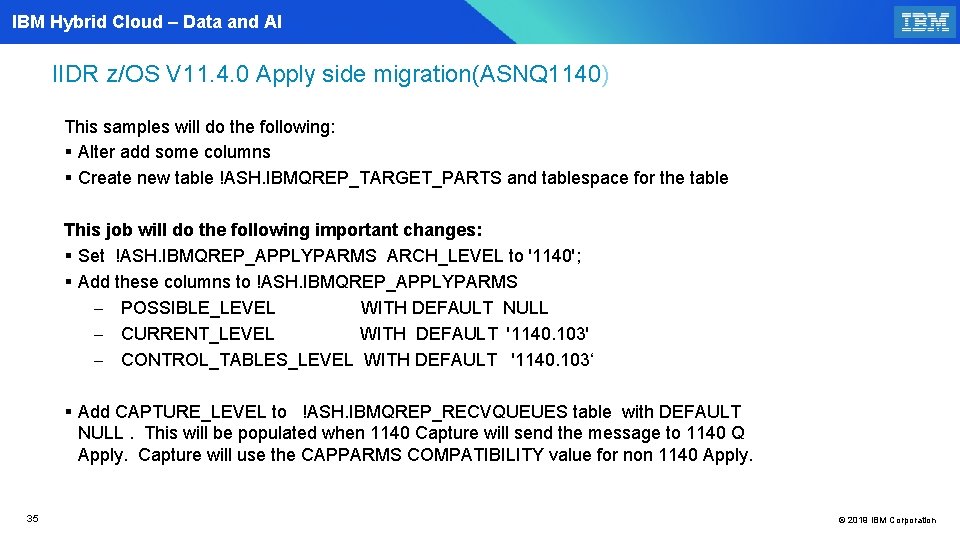
IBM Hybrid Cloud – Data and AI IIDR z/OS V 11. 4. 0 Apply side migration(ASNQ 1140) This samples will do the following: § Alter add some columns § Create new table !ASH. IBMQREP_TARGET_PARTS and tablespace for the table This job will do the following important changes: § Set !ASH. IBMQREP_APPLYPARMS ARCH_LEVEL to '1140'; § Add these columns to !ASH. IBMQREP_APPLYPARMS - POSSIBLE_LEVEL WITH DEFAULT NULL - CURRENT_LEVEL WITH DEFAULT '1140. 103' - CONTROL_TABLES_LEVEL WITH DEFAULT '1140. 103‘ § Add CAPTURE_LEVEL to !ASH. IBMQREP_RECVQUEUES table with DEFAULT NULL. This will be populated when 1140 Capture will send the message to 1140 Q Apply. Capture will use the CAPPARMS COMPATIBILITY value for non 1140 Apply. 35 © 2019 IBM Corporation
IBM Hybrid Cloud – Data and AI IIDR z/OS V 11. 4. 0 Q Capture and Q Apply § ASNV 1140 - to verify the 1140 Q control table structures § You should run ASNV 1140 to see if you are missing any tables and columns § Bind ASNQBNDL with the new 1140 DBRM. The plans and packages do not change. § Change the steplib to point to the 1140 libraries § Start Q Capture and Q Apply 36 © 2019 IBM Corporation
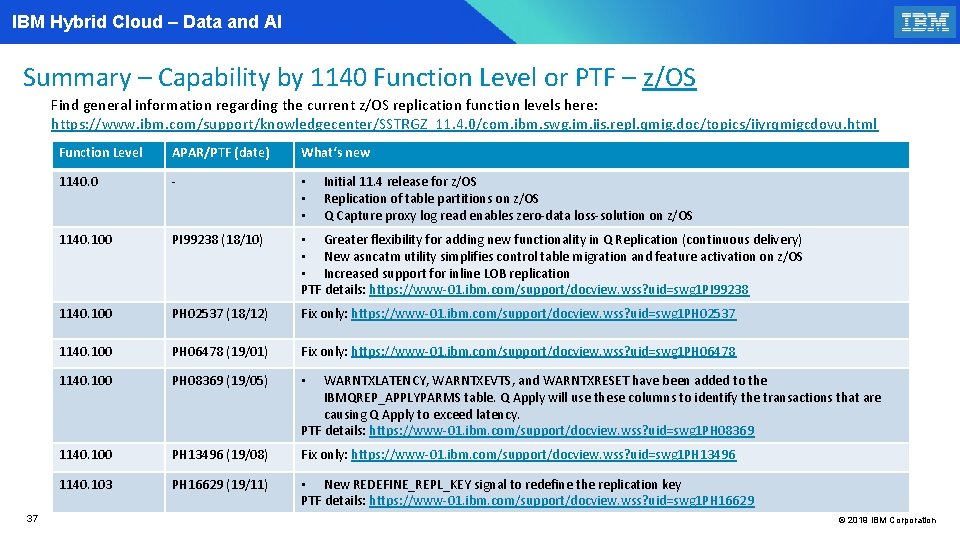
IBM Hybrid Cloud – Data and AI Summary – Capability by 1140 Function Level or PTF – z/OS Find general information regarding the current z/OS replication function levels here: https: //www. ibm. com/support/knowledgecenter/SSTRGZ_11. 4. 0/com. ibm. swg. im. iis. repl. qmig. doc/topics/iiyrqmigcdovu. html 37 Function Level APAR/PTF (date) What‘s new 1140. 0 - • • • 1140. 100 PI 99238 (18/10) • Greater flexibility for adding new functionality in Q Replication (continuous delivery) • New asncatm utility simplifies control table migration and feature activation on z/OS • Increased support for inline LOB replication PTF details: https: //www-01. ibm. com/support/docview. wss? uid=swg 1 PI 99238 1140. 100 PH 02537 (18/12) Fix only: https: //www-01. ibm. com/support/docview. wss? uid=swg 1 PH 02537 1140. 100 PH 06478 (19/01) Fix only: https: //www-01. ibm. com/support/docview. wss? uid=swg 1 PH 06478 1140. 100 PH 08369 (19/05) • 1140. 100 PH 13496 (19/08) Fix only: https: //www-01. ibm. com/support/docview. wss? uid=swg 1 PH 13496 1140. 103 PH 16629 (19/11) • New REDEFINE_REPL_KEY signal to redefine the replication key PTF details: https: //www-01. ibm. com/support/docview. wss? uid=swg 1 PH 16629 Initial 11. 4 release for z/OS Replication of table partitions on z/OS Q Capture proxy log read enables zero-data loss-solution on z/OS WARNTXLATENCY, WARNTXEVTS, and WARNTXRESET have been added to the IBMQREP_APPLYPARMS table. Q Apply will use these columns to identify the transactions that are causing Q Apply to exceed latency. PTF details: https: //www-01. ibm. com/support/docview. wss? uid=swg 1 PH 08369 © 2019 IBM Corporation
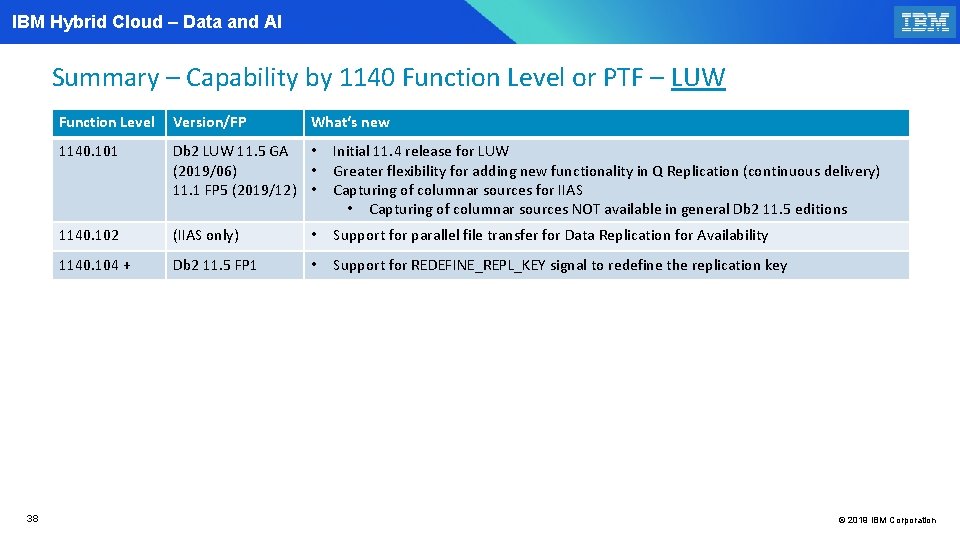
IBM Hybrid Cloud – Data and AI Summary – Capability by 1140 Function Level or PTF – LUW 38 Function Level Version/FP What‘s new 1140. 101 Db 2 LUW 11. 5 GA • (2019/06) • 11. 1 FP 5 (2019/12) • Initial 11. 4 release for LUW Greater flexibility for adding new functionality in Q Replication (continuous delivery) Capturing of columnar sources for IIAS • Capturing of columnar sources NOT available in general Db 2 11. 5 editions 1140. 102 (IIAS only) • Support for parallel file transfer for Data Replication for Availability 1140. 104 + Db 2 11. 5 FP 1 • Support for REDEFINE_REPL_KEY signal to redefine the replication key © 2019 IBM Corporation
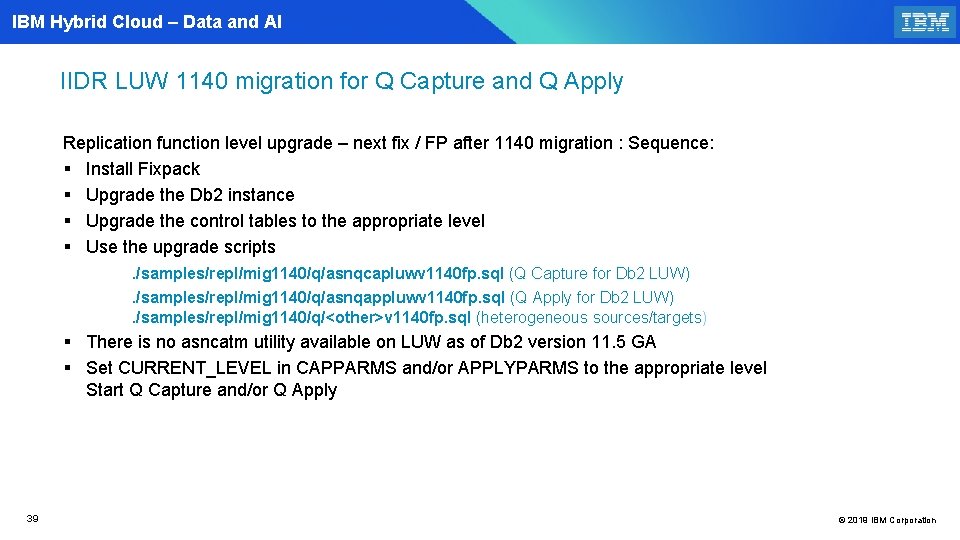
IBM Hybrid Cloud – Data and AI IIDR LUW 1140 migration for Q Capture and Q Apply Replication function level upgrade – next fix / FP after 1140 migration : Sequence: § Install Fixpack § Upgrade the Db 2 instance § Upgrade the control tables to the appropriate level § Use the upgrade scripts . /samples/repl/mig 1140/q/asnqcapluwv 1140 fp. sql (Q Capture for Db 2 LUW). /samples/repl/mig 1140/q/asnqappluwv 1140 fp. sql (Q Apply for Db 2 LUW) . /samples/repl/mig 1140/q/<other>v 1140 fp. sql (heterogeneous sources/targets) § There is no asncatm utility available on LUW as of Db 2 version 11. 5 GA § Set CURRENT_LEVEL in CAPPARMS and/or APPLYPARMS to the appropriate level Start Q Capture and/or Q Apply 39 © 2019 IBM Corporation
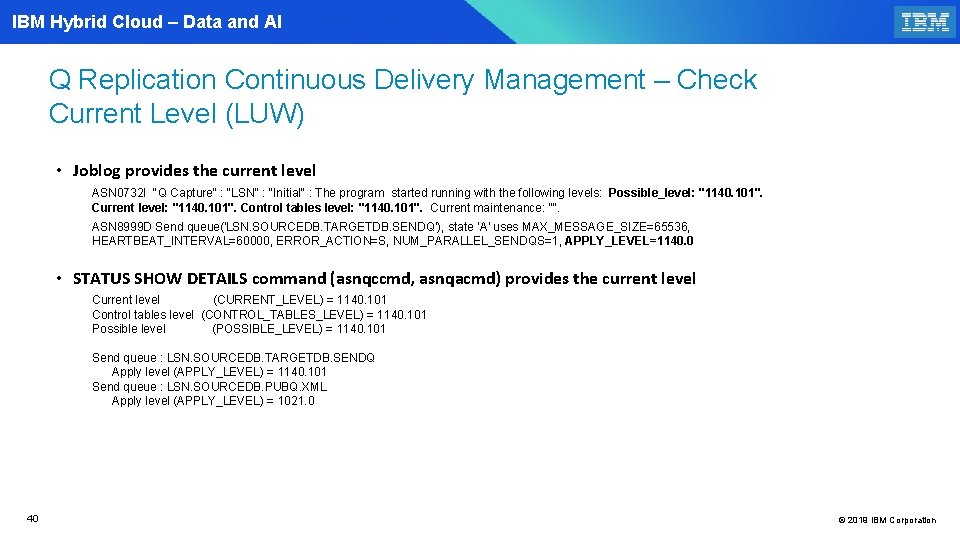
IBM Hybrid Cloud – Data and AI Q Replication Continuous Delivery Management – Check Current Level (LUW) • Joblog provides the current level ASN 0732 I "Q Capture" : "LSN" : "Initial" : The program started running with the following levels: Possible_level: "1140. 101". Current level: "1140. 101". Control tables level: "1140. 101". Current maintenance: "". ASN 8999 D Send queue('LSN. SOURCEDB. TARGETDB. SENDQ'), state 'A' uses MAX_MESSAGE_SIZE=65536, HEARTBEAT_INTERVAL=60000, ERROR_ACTION=S, NUM_PARALLEL_SENDQS=1, APPLY_LEVEL=1140. 0 • STATUS SHOW DETAILS command (asnqccmd, asnqacmd) provides the current level Current level (CURRENT_LEVEL) = 1140. 101 Control tables level (CONTROL_TABLES_LEVEL) = 1140. 101 Possible level (POSSIBLE_LEVEL) = 1140. 101 Send queue : LSN. SOURCEDB. TARGETDB. SENDQ Apply level (APPLY_LEVEL) = 1140. 101 Send queue : LSN. SOURCEDB. PUBQ. XML Apply level (APPLY_LEVEL) = 1021. 0 40 © 2019 IBM Corporation
IBM Hybrid Cloud – Data and AI Q Replication 1140 - What is new 41 41 © 2019 IBM Corporation
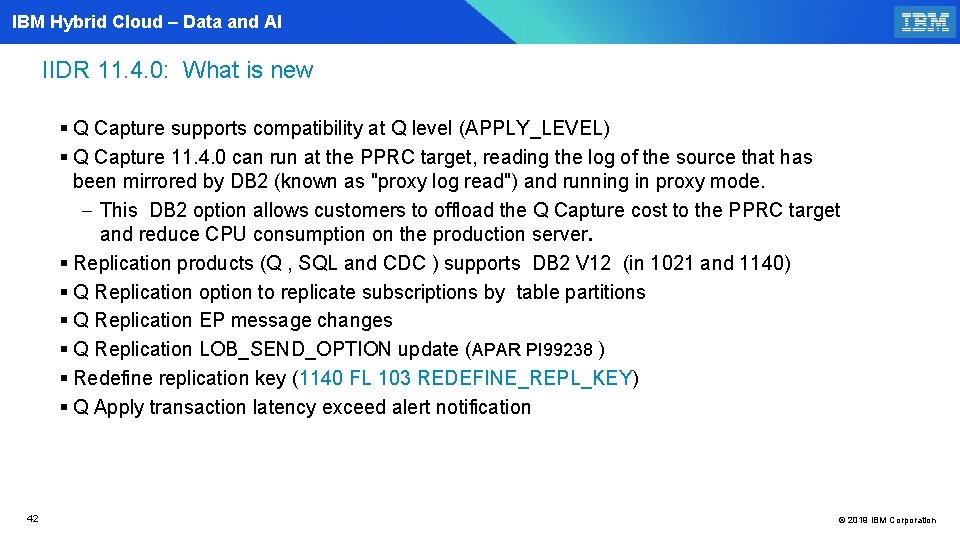
IBM Hybrid Cloud – Data and AI IIDR 11. 4. 0: What is new § Q Capture supports compatibility at Q level (APPLY_LEVEL) § Q Capture 11. 4. 0 can run at the PPRC target, reading the log of the source that has been mirrored by DB 2 (known as "proxy log read") and running in proxy mode. - This DB 2 option allows customers to offload the Q Capture cost to the PPRC target and reduce CPU consumption on the production server. § Replication products (Q , SQL and CDC ) supports DB 2 V 12 (in 1021 and 1140) § Q Replication option to replicate subscriptions by table partitions § Q Replication EP message changes § Q Replication LOB_SEND_OPTION update (APAR PI 99238 ) § Redefine replication key (1140 FL 103 REDEFINE_REPL_KEY) § Q Apply transaction latency exceed alert notification 42 © 2019 IBM Corporation
IBM Hybrid Cloud – Data and AI Q Capture 1140 supports compatibility at Q level 43 43 © 2019 IBM Corporation
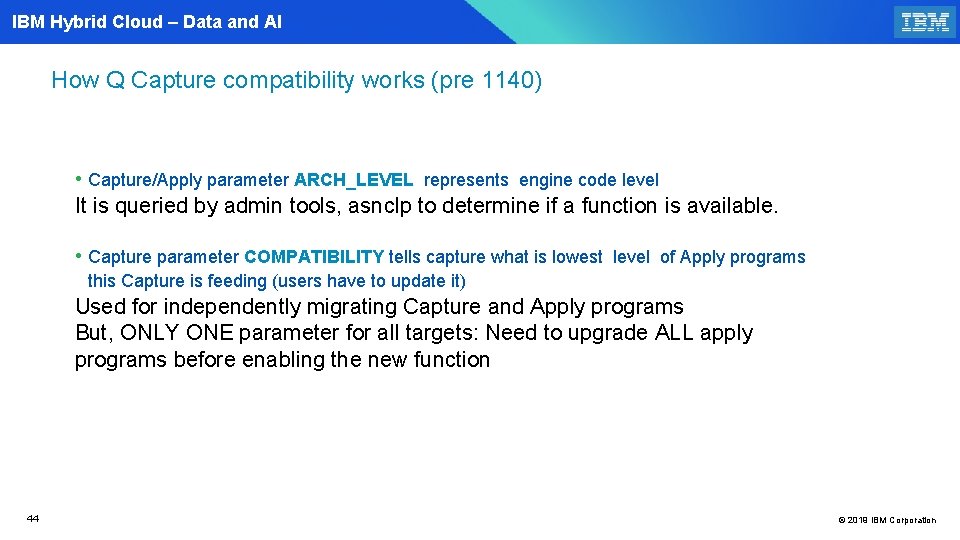
IBM Hybrid Cloud – Data and AI How Q Capture compatibility works (pre 1140) • Capture/Apply parameter ARCH_LEVEL represents engine code level It is queried by admin tools, asnclp to determine if a function is available. • Capture parameter COMPATIBILITY tells capture what is lowest level of Apply programs this Capture is feeding (users have to update it) Used for independently migrating Capture and Apply programs But, ONLY ONE parameter for all targets: Need to upgrade ALL apply programs before enabling the new function 44 © 2019 IBM Corporation
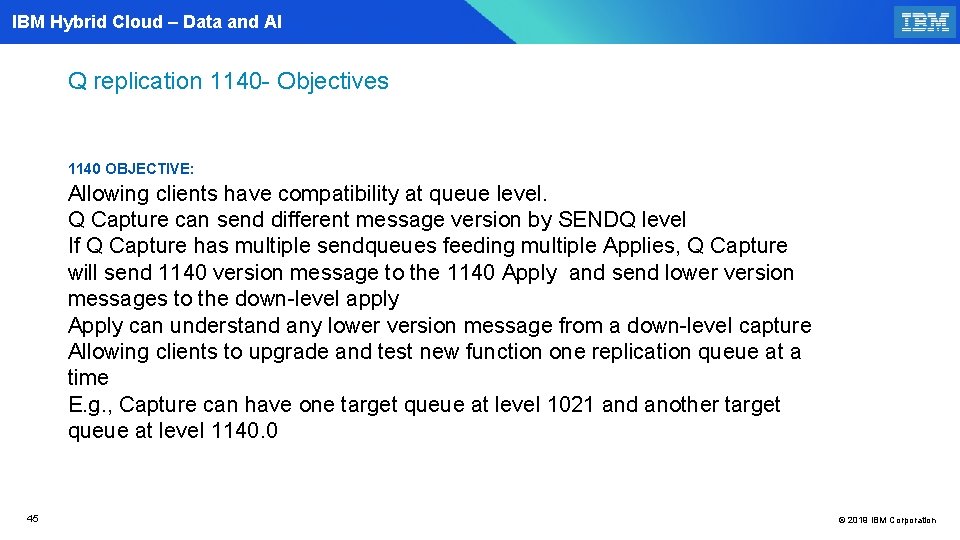
IBM Hybrid Cloud – Data and AI Q replication 1140 - Objectives 1140 OBJECTIVE: Allowing clients have compatibility at queue level. Q Capture can send different message version by SENDQ level If Q Capture has multiple sendqueues feeding multiple Applies, Q Capture will send 1140 version message to the 1140 Apply and send lower version messages to the down-level apply Apply can understand any lower version message from a down-level capture Allowing clients to upgrade and test new function one replication queue at a time E. g. , Capture can have one target queue at level 1021 and another target queue at level 1140. 0 45 © 2019 IBM Corporation
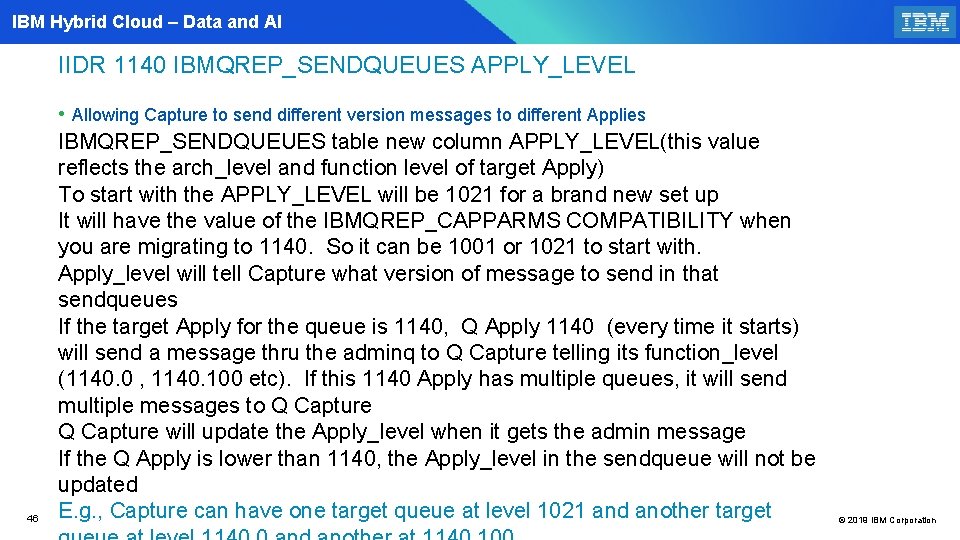
IBM Hybrid Cloud – Data and AI IIDR 1140 IBMQREP_SENDQUEUES APPLY_LEVEL 46 • Allowing Capture to send different version messages to different Applies IBMQREP_SENDQUEUES table new column APPLY_LEVEL(this value reflects the arch_level and function level of target Apply) To start with the APPLY_LEVEL will be 1021 for a brand new set up It will have the value of the IBMQREP_CAPPARMS COMPATIBILITY when you are migrating to 1140. So it can be 1001 or 1021 to start with. Apply_level will tell Capture what version of message to send in that sendqueues If the target Apply for the queue is 1140, Q Apply 1140 (every time it starts) will send a message thru the adminq to Q Capture telling its function_level (1140. 0 , 1140. 100 etc). If this 1140 Apply has multiple queues, it will send multiple messages to Q Capture will update the Apply_level when it gets the admin message If the Q Apply is lower than 1140, the Apply_level in the sendqueue will not be updated E. g. , Capture can have one target queue at level 1021 and another target © 2019 IBM Corporation
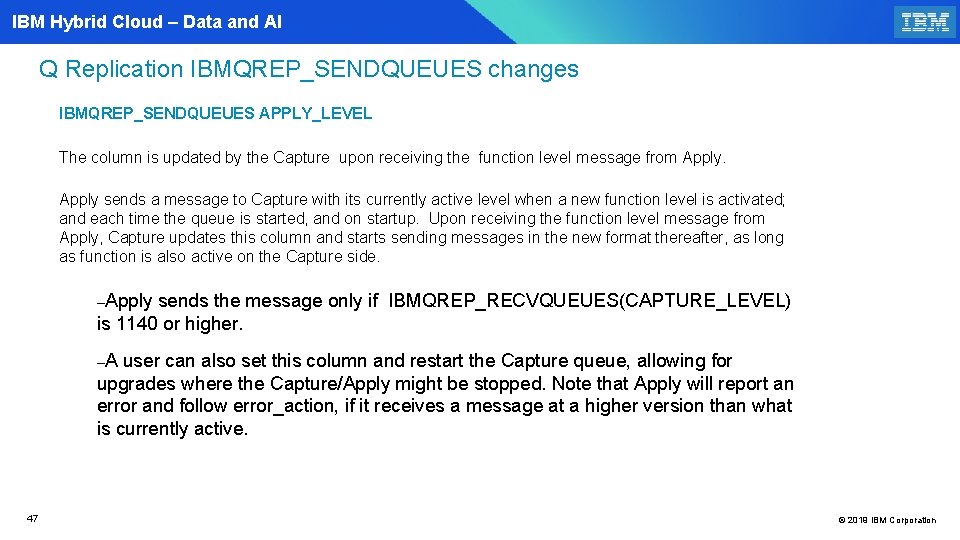
IBM Hybrid Cloud – Data and AI Q Replication IBMQREP_SENDQUEUES changes IBMQREP_SENDQUEUES APPLY_LEVEL The column is updated by the Capture upon receiving the function level message from Apply sends a message to Capture with its currently active level when a new function level is activated; and each time the queue is started, and on startup. Upon receiving the function level message from Apply, Capture updates this column and starts sending messages in the new format thereafter, as long as function is also active on the Capture side. –Apply sends the message only if IBMQREP_RECVQUEUES(CAPTURE_LEVEL) is 1140 or higher. –A user can also set this column and restart the Capture queue, allowing for upgrades where the Capture/Apply might be stopped. Note that Apply will report an error and follow error_action, if it receives a message at a higher version than what is currently active. 47 © 2019 IBM Corporation
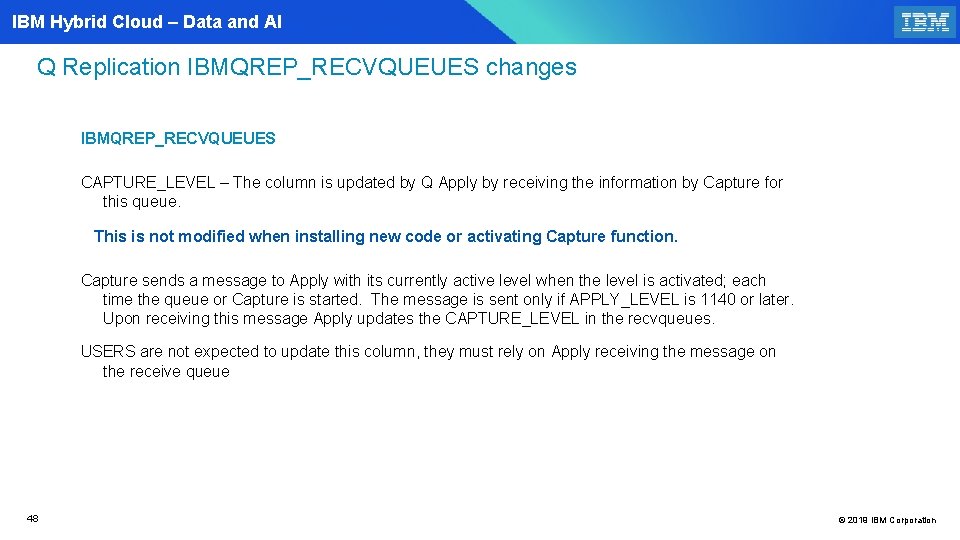
IBM Hybrid Cloud – Data and AI Q Replication IBMQREP_RECVQUEUES changes IBMQREP_RECVQUEUES CAPTURE_LEVEL – The column is updated by Q Apply by receiving the information by Capture for this queue. This is not modified when installing new code or activating Capture function. Capture sends a message to Apply with its currently active level when the level is activated; each time the queue or Capture is started. The message is sent only if APPLY_LEVEL is 1140 or later. Upon receiving this message Apply updates the CAPTURE_LEVEL in the recvqueues. USERS are not expected to update this column, they must rely on Apply receiving the message on the receive queue 48 © 2019 IBM Corporation
IBM Hybrid Cloud – Data and AI IIDR 1140 Q Capture proxy mode option 49 49 © 2019 IBM Corporation
IBM Hybrid Cloud – Data and AI IIDR 11. 4. 0 Q Capture proxy mode option § DB 2 V 11 includes a new option that enables you to mirror the source by using Peer to Peer Remote Copy (PPRC). DB 2 copies its logs, compression dictionaries, and BSDS to the PPRC site. In this configuration, Q Capture 11. 4. 0 can run at the PPRC target, reading the log of the source that has been mirrored by DB 2 (known as "proxy log read") and running in proxy mode. § This DB 2 option allows customers to offload the Q Capture cost to the PPRC target and reduce CPU consumption on the production server. The new ASNCLP option REMOTE SOURCE SERVER can be used to set up the configuration. Q Capture reads the logs of the remote server but does not directly connect to it. Q Capture occasionally queries the system catalog, but only by DRDA through the CAPTURE SERVER. § More information: https: //www. ibm. com/support/knowledgecenter/SSTRGZ_11. 4. 0/com. ibm. swg. im. iis. repl. qrepl. doc /topics/iiyrqcapzdlsolution. html 50 © 2019 IBM Corporation
IBM Hybrid Cloud – Data and AI IIDR 1021 and 1140 supports DB 2 V 12 51 51 © 2019 IBM Corporation
IBM Hybrid Cloud – Data and AI IIDR 1140 supports DB 2 V 12 Enhancements: - DB 2 V 12 will provide the before and after value of the log records in the current version. Before images will be returned in the version written at the point in time the log record is written to the log. - This will remove the requirement for REORG of the tablespace prior to adding it to replication (capstarting the registration or subscription ) if it has been altered. 52 © 2019 IBM Corporation
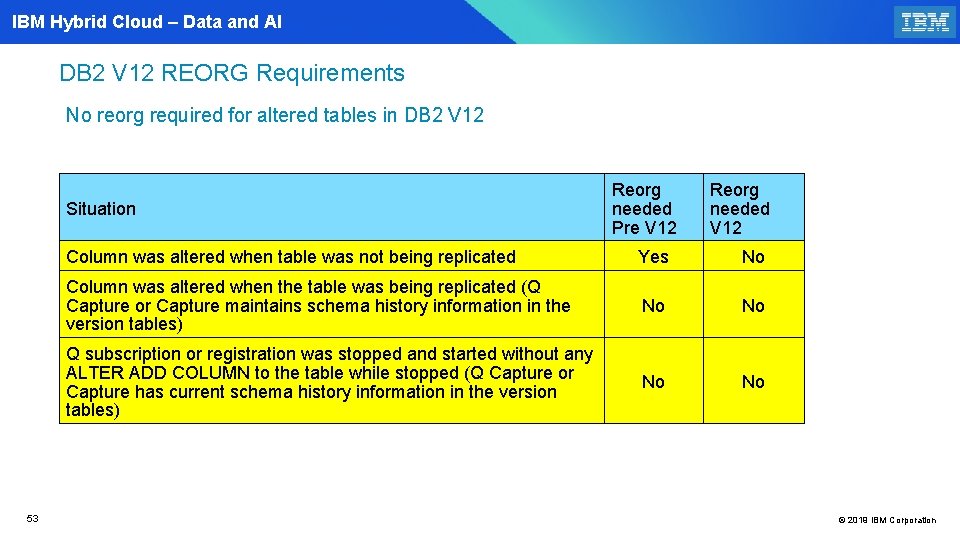
IBM Hybrid Cloud – Data and AI DB 2 V 12 REORG Requirements No reorg required for altered tables in DB 2 V 12 Situation 53 Reorg needed Pre V 12 Reorg needed V 12 Column was altered when table was not being replicated Yes No Column was altered when the table was being replicated (Q Capture or Capture maintains schema history information in the version tables) No No Q subscription or registration was stopped and started without any ALTER ADD COLUMN to the table while stopped (Q Capture or Capture has current schema history information in the version tables) No © 2019 IBM Corporation
IBM Hybrid Cloud – Data and AI IIDR 1140 Subscription by table partitions 54 54 © 2019 IBM Corporation
IBM Hybrid Cloud – Data and AI IIDR 1140 Replication of table partitions on z/OS § You can create Q subscriptions for range of partitions instead of the entire table. These subscription can go to different MQ queues, providing increased parallelism and higher throughput. § When capturing changes from the log, Q Capture checks the partition number in the log records to determine to which Q subscription the change belongs to and replicates it. § Q Replication handles changes that move rows between partitions and that might be replicated by different Q subscriptions. § Replicating by table partitions gives you a higher degree of parallelism for workloads in which multiple threads concurrently update different parts of a range-partitioned table. For example, you can define multiple Q subscriptions for the same table and have all of them replicate to the same partitioned target table. 55 © 2019 IBM Corporation
IBM Hybrid Cloud – Data and AI IIDR 1140 Replication by partition restriction § A partitioned table must have at least one unique key. This key should be specified as the key for replication when you create the Q subscription. § Source and target tables must have the same partitioning. § Changes to the partition key like LIMITKEY change, ALTER ADD PARTITION and ROTATE PARTITION are not supported § The following table types and replication options are not supported: - Tables with referential integrity constraints - Partition by growth tables (PBG) - Tables with large object (LOB) or XML columns that are not inline - Bidirectional or peer-to-peer replication - Search conditions - Replication of DROP COLUMN operations. The REPL_DROP_COL column in the IBMQREP_SUBS table must be set to N. - Any value for CONFLICT_ACTION other than I - Q Apply expressions on replication key columns and partitioning columns 56 © 2019 IBM Corporation
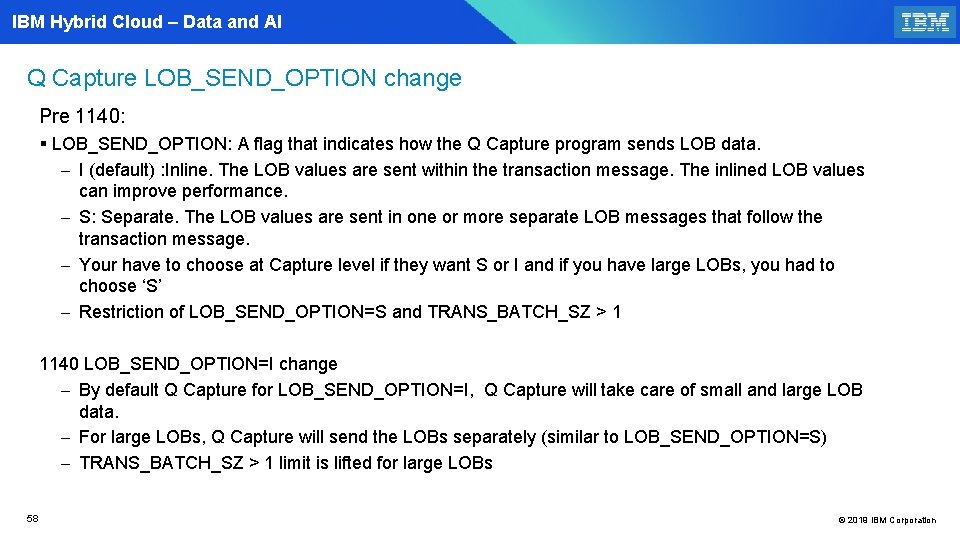
IBM Hybrid Cloud – Data and AI IIDR 1140 IBMQREP_CAPPARMS LOB_SEND_OPTION =I change (PI 99238 ) 57 57 © 2019 IBM Corporation
IBM Hybrid Cloud – Data and AI Q Capture LOB_SEND_OPTION change Pre 1140: § LOB_SEND_OPTION: A flag that indicates how the Q Capture program sends LOB data. - I (default) : Inline. The LOB values are sent within the transaction message. The inlined LOB values can improve performance. - S: Separate. The LOB values are sent in one or more separate LOB messages that follow the transaction message. - Your have to choose at Capture level if they want S or I and if you have large LOBs, you had to choose ‘S’ - Restriction of LOB_SEND_OPTION=S and TRANS_BATCH_SZ > 1 1140 LOB_SEND_OPTION=I change - By default Q Capture for LOB_SEND_OPTION=I, Q Capture will take care of small and large LOB data. - For large LOBs, Q Capture will send the LOBs separately (similar to LOB_SEND_OPTION=S) - TRANS_BATCH_SZ > 1 limit is lifted for large LOBs 58 © 2019 IBM Corporation
IBM Hybrid Cloud – Data and AI IIDR 1140 EP message changes 59 59 © 2019 IBM Corporation
IBM Hybrid Cloud – Data and AI Q Capture EP format COMMIT_TIME length change EP message format: IBMQREP_SENDQUEUES MESSAGE_FORMAT=‘D’ (Type=10) Commit_time has been expanded § Pre-1140 format: HHMMSSmmmmmm - 10, "IBM", "2007327", "154145873640", "MAKIV 95", "DEL 1", "ISRT", "0000: 47 ba", "0000: 07 d 5: 6 a 41", ” 2007 -11 -23 -06. 41. 43", , 0000, , 1, "AAA ", "2007 -11 -23 -15. 41. 43. “ § 1140 example: 2007 -11 -23 -15. 41. 43. 340292 - 10, "IBM", "2007327", "154145873640", "MAKIV 95", "DEL 1", "ISRT", "0000: 47 ba", "0000: 07 d 5: 6 a 41", ” 2007 -11 -23 -06. 41. 43", , 0000, , 1, "AAA ", "2007 -11 -23 -15. 41. 43. 340292“ 60 © 2019 IBM Corporation
IBM Hybrid Cloud – Data and AI Q Capture New EP Message_format E New message_format = 'E' With this option: - The TYPE will be 20 - The row LRSN will be added to the EP message and it will be right after the segment number and before the data. No impact to the existing message_format D. **** Message size: 628 20, "IBM", "2018038", "143146145700", "DEMO 10", "T 3", "ISRT", "0000: b 26 1: d 307: 0000", "0000: b 261: e 823: 0000: 0000", "2018 -02 -0722. 31. 45. 773600", "DSNTEP 3 ", 0000, "0000: b 261: e 4 cb: 0000: 0000", , , 2, 2, 2, "X ", "2018 -02 -07 -14. 31. 45. 760801" 61 © 2019 IBM Corporation

IBM Hybrid Cloud – Data and AI Q Capture EP Delimited change for codepage 37 and 500(APAR PH 16629) § Currently if customer is running with codepage 37 and they specify the same code page for message_codepage (37) , Capture still converts the data to codepage 1208 first and then converts it back to 37 (double conversion) § Similarly if customer is running with codepage 500 and they specify the same code page for message_codepage (500) , Capture still converts the data to codepage 1208 first and converts it back to 500 (double conversion) § With this fix if the Db 2 codepage and message code pages are the same for codepage 37 or 500, Q Capture will not do the codepage conversion (CPU savings) **Some data types like float , TS will be still converted 62 © 2019 IBM Corporation
IBM Hybrid Cloud – Data and AI 1140 FL 103 REDEFINE_REPL_KEY Signal (APAR PH 16629) 63 63 © 2019 IBM Corporation
IBM Hybrid Cloud – Data and AI IIDR Q replication support of change replication key(1) Issue: Q replication only allows to add a column to the replication key via ADD_REPL_KEY_COL signal If user wants to drop a column from the replication key or reorder or change the replication key, the user might have to drop and recreate the sub Solution: Q Replication will provide a new signal that allows users to dynamically add, drop, and reorder the columns that make up the replication key. **The added columns must be eligible to be part of the replication key; they can not be large object (LOB) or XML columns and the columns must exist in the source and target table and must already be part of the Q Subscription. 64 © 2019 IBM Corporation
IBM Hybrid Cloud – Data and AI IIDR Q replication support of change replication key(2) § § § 65 The redefine replication key function adds the new REDEFINE_REPL_KEY signal. A user or the Q Apply program can insert a REDEFINE_REPL_KEY command row into the IBMQREP_SIGNAL table. The Q Capture program will read the signal row and update the IBMQREP_SRC_COLS IS_KEY and COL_OPTIONS_FLAG columns to redefine the new replication key Q Capture will set the IS_KEY to 0 for each existing replication key column that is not in the SIGNAL_INPUT_IN Q Capture will set the first character of the COL_OPTIONS_FLAG to ‘N’ for each existing replication key column that is not in the SIGNAL_INPUT_IN, except if the IBMQREP_SUBS table TARGET_TYPE is 2 (CCD). © 2019 IBM Corporation
IBM Hybrid Cloud – Data and AI IIDR Q replication support of change replication key(3) § § 66 Q Capture will set the IS_KEY to a sequence number starting with 1 for each source table column that is in the SIGNAL_INPUT_IN. Q Capture will set the first character of the COL_OPTIONS_FLAG to ‘Y’ for each source table column that is in the SIGNAL_INPUT_IN. Q Capture will put a REDEFINE REPL KEY message to the send queue , reinitialize the Q Subscription, and put a schema message to the send queue. The Q Apply program will read the REDEFINE REPL KEY message from the receive queue and update the IBMQREP_TRG_COLS IS_KEY column to redefine the replication key. © 2019 IBM Corporation
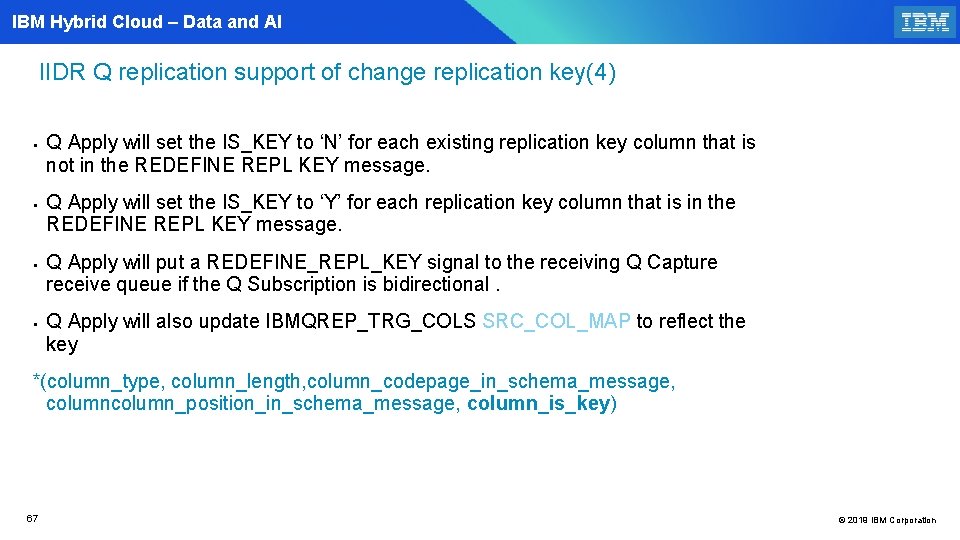
IBM Hybrid Cloud – Data and AI IIDR Q replication support of change replication key(4) § § Q Apply will set the IS_KEY to ‘N’ for each existing replication key column that is not in the REDEFINE REPL KEY message. Q Apply will set the IS_KEY to ‘Y’ for each replication key column that is in the REDEFINE REPL KEY message. Q Apply will put a REDEFINE_REPL_KEY signal to the receiving Q Capture receive queue if the Q Subscription is bidirectional. Q Apply will also update IBMQREP_TRG_COLS SRC_COL_MAP to reflect the key *(column_type, column_length, column_codepage_in_schema_message, column_position_in_schema_message, column_is_key) 67 © 2019 IBM Corporation
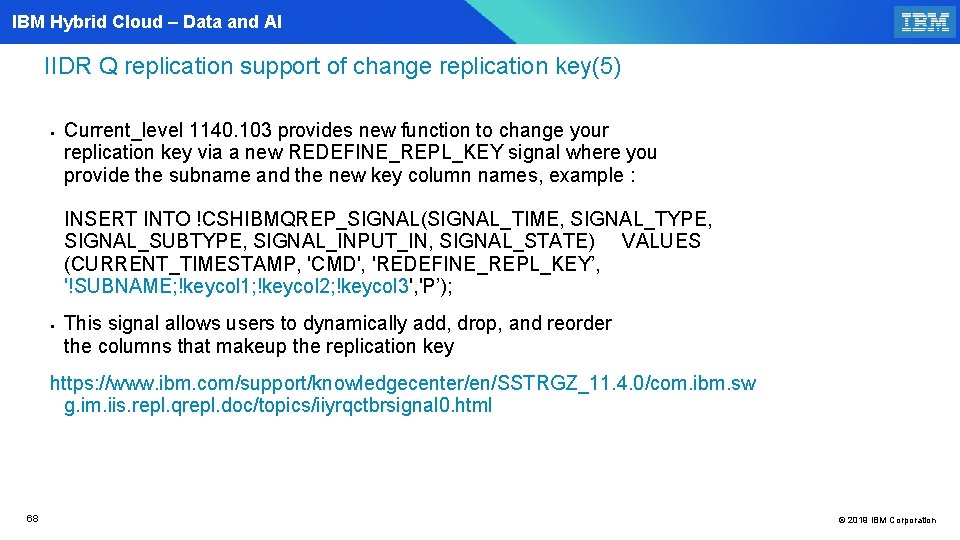
IBM Hybrid Cloud – Data and AI IIDR Q replication support of change replication key(5) § Current_level 1140. 103 provides new function to change your replication key via a new REDEFINE_REPL_KEY signal where you provide the subname and the new key column names, example : INSERT INTO !CSHIBMQREP_SIGNAL(SIGNAL_TIME, SIGNAL_TYPE, SIGNAL_SUBTYPE, SIGNAL_INPUT_IN, SIGNAL_STATE) VALUES (CURRENT_TIMESTAMP, 'CMD', 'REDEFINE_REPL_KEY’, '!SUBNAME; !keycol 1; !keycol 2; !keycol 3', 'P’); § This signal allows users to dynamically add, drop, and reorder the columns that makeup the replication key https: //www. ibm. com/support/knowledgecenter/en/SSTRGZ_11. 4. 0/com. ibm. sw g. im. iis. repl. qrepl. doc/topics/iiyrqctbrsignal 0. html 68 © 2019 IBM Corporation
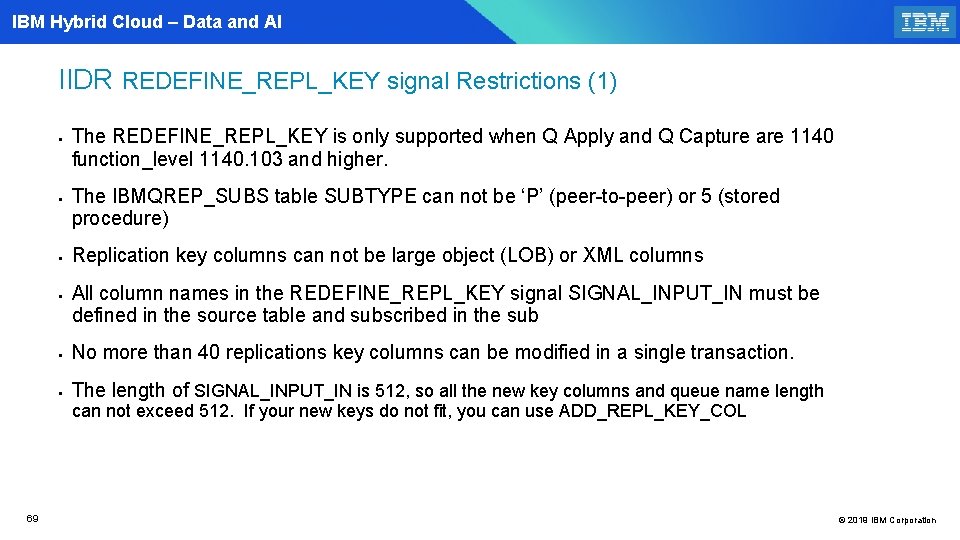
IBM Hybrid Cloud – Data and AI IIDR REDEFINE_REPL_KEY signal Restrictions (1) § § The REDEFINE_REPL_KEY is only supported when Q Apply and Q Capture are 1140 function_level 1140. 103 and higher. The IBMQREP_SUBS table SUBTYPE can not be ‘P’ (peer-to-peer) or 5 (stored procedure) Replication key columns can not be large object (LOB) or XML columns All column names in the REDEFINE_REPL_KEY signal SIGNAL_INPUT_IN must be defined in the source table and subscribed in the sub § No more than 40 replications key columns can be modified in a single transaction. § The length of SIGNAL_INPUT_IN is 512, so all the new key columns and queue name length can not exceed 512. If your new keys do not fit, you can use ADD_REPL_KEY_COL 69 © 2019 IBM Corporation
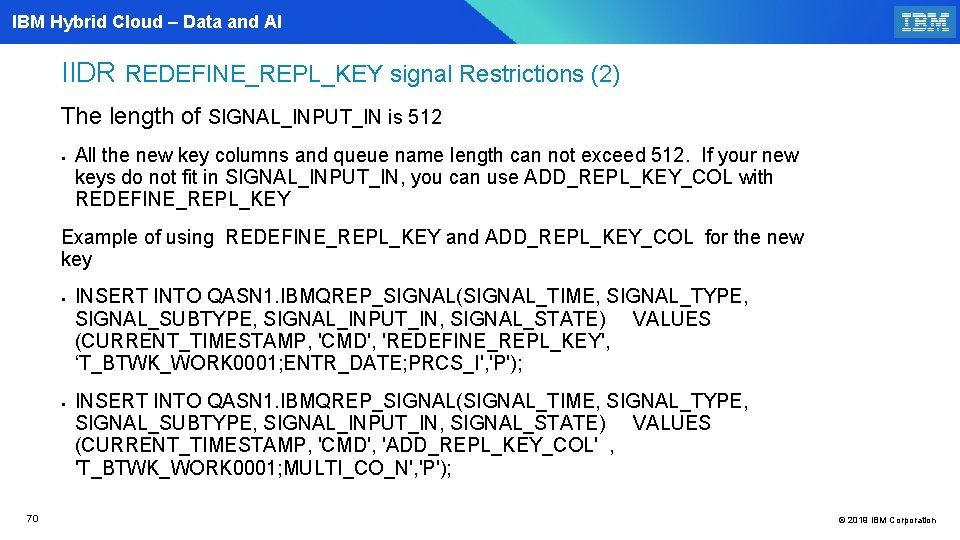
IBM Hybrid Cloud – Data and AI IIDR REDEFINE_REPL_KEY signal Restrictions (2) The length of SIGNAL_INPUT_IN is 512 § All the new key columns and queue name length can not exceed 512. If your new keys do not fit in SIGNAL_INPUT_IN, you can use ADD_REPL_KEY_COL with REDEFINE_REPL_KEY Example of using REDEFINE_REPL_KEY and ADD_REPL_KEY_COL for the new key § § 70 INSERT INTO QASN 1. IBMQREP_SIGNAL(SIGNAL_TIME, SIGNAL_TYPE, SIGNAL_SUBTYPE, SIGNAL_INPUT_IN, SIGNAL_STATE) VALUES (CURRENT_TIMESTAMP, 'CMD', 'REDEFINE_REPL_KEY', ‘T_BTWK_WORK 0001; ENTR_DATE; PRCS_I', 'P'); INSERT INTO QASN 1. IBMQREP_SIGNAL(SIGNAL_TIME, SIGNAL_TYPE, SIGNAL_SUBTYPE, SIGNAL_INPUT_IN, SIGNAL_STATE) VALUES (CURRENT_TIMESTAMP, 'CMD', 'ADD_REPL_KEY_COL' , 'T_BTWK_WORK 0001; MULTI_CO_N', 'P'); © 2019 IBM Corporation
IBM Hybrid Cloud – Data and AI Q Apply transaction latency exceed alert notification (1021 APAR PH 11468 and 1140 APAR PH 08369) 71 71 © 2019 IBM Corporation
IBM Hybrid Cloud – Data and AI Q Apply transaction latency exceed alert notification § Analysis is required when the replication latency objective is exceeded. § Today, only average latencies for all transactions are reported in the monitor tables, for example, dbms_time reports the average transaction execution elapsed time, and end 2 end_latency reports the total average elapsed time for applying a transaction from the time it is retrieved from the MQ receive queue until it is applied and committed to the target DB 2. § Troubleshooting the cause of a slowdown requires more granular metrics. The causes can be multiple, e. g. a missing index on a target table, CPU constraints, lock contention, and so on. § A first step for analysis is identifying precisely the workload that is causing the potential issue § New columns are added to APPLYPARMS and APPLYMON to help with analysis 72 © 2019 IBM Corporation
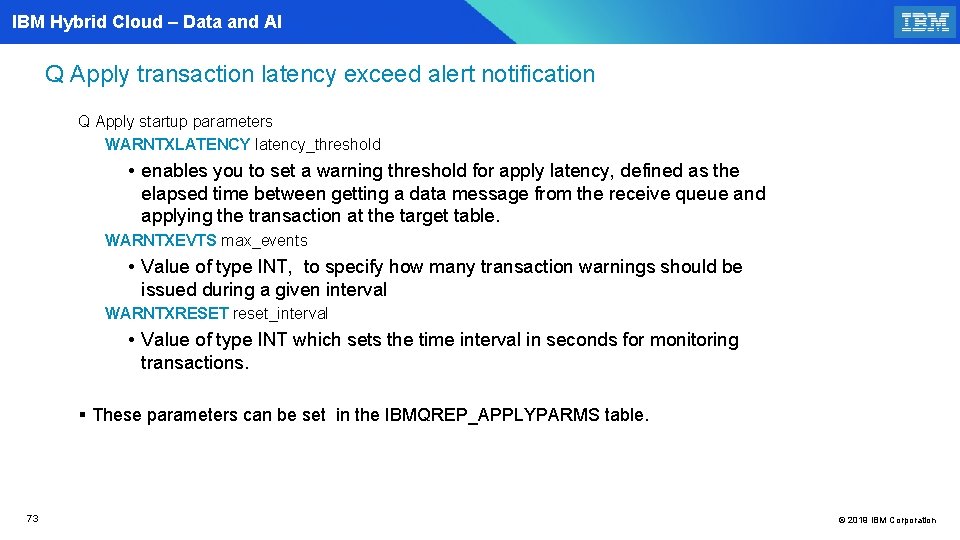
IBM Hybrid Cloud – Data and AI Q Apply transaction latency exceed alert notification Q Apply startup parameters WARNTXLATENCY latency_threshold • enables you to set a warning threshold for apply latency, defined as the elapsed time between getting a data message from the receive queue and applying the transaction at the target table. WARNTXEVTS max_events • Value of type INT, to specify how many transaction warnings should be issued during a given interval WARNTXRESET reset_interval • Value of type INT which sets the time interval in seconds for monitoring transactions. § These parameters can be set in the IBMQREP_APPLYPARMS table. 73 © 2019 IBM Corporation
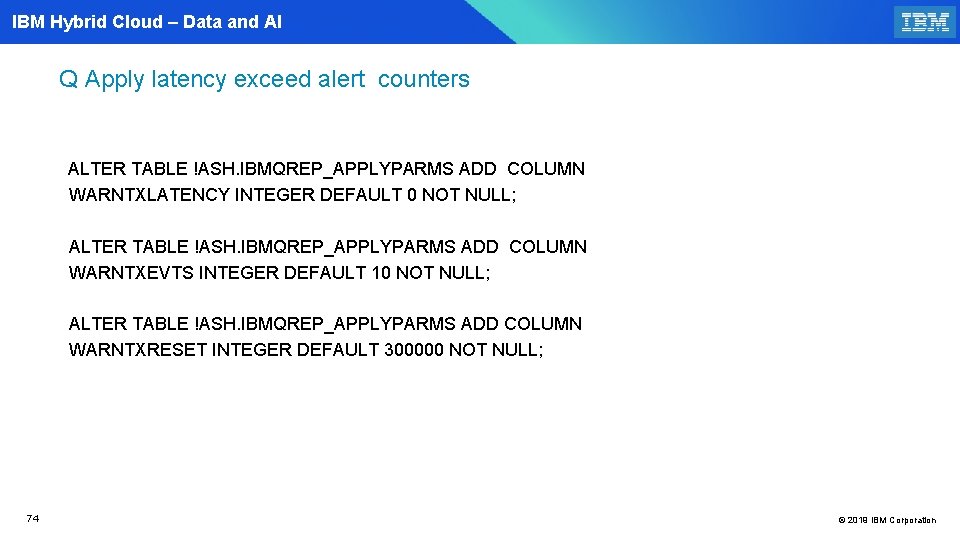
IBM Hybrid Cloud – Data and AI Q Apply latency exceed alert counters ALTER TABLE !ASH. IBMQREP_APPLYPARMS ADD COLUMN WARNTXLATENCY INTEGER DEFAULT 0 NOT NULL; ALTER TABLE !ASH. IBMQREP_APPLYPARMS ADD COLUMN WARNTXEVTS INTEGER DEFAULT 10 NOT NULL; ALTER TABLE !ASH. IBMQREP_APPLYPARMS ADD COLUMN WARNTXRESET INTEGER DEFAULT 300000 NOT NULL; 74 © 2019 IBM Corporation
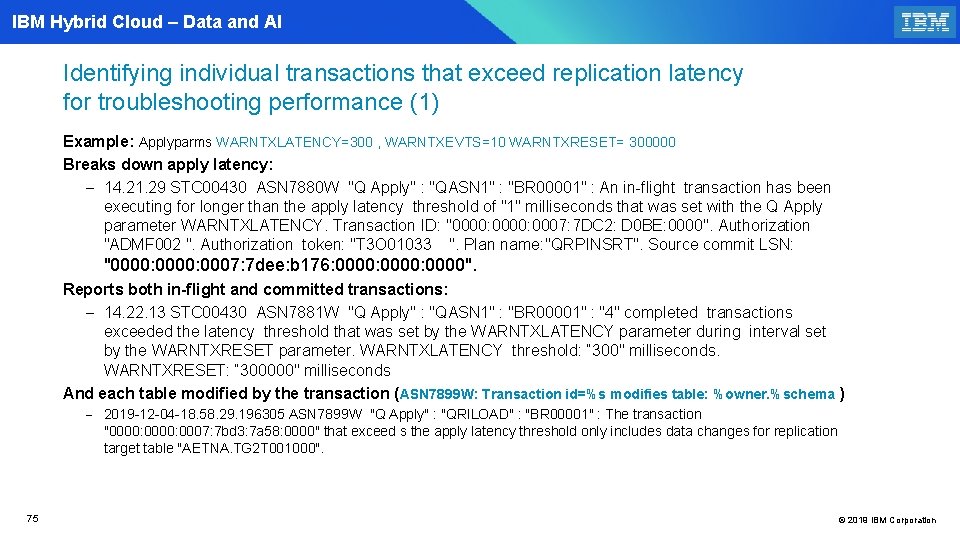
IBM Hybrid Cloud – Data and AI Identifying individual transactions that exceed replication latency for troubleshooting performance (1) Example: Applyparms WARNTXLATENCY=300 , WARNTXEVTS=10 WARNTXRESET= 300000 Breaks down apply latency: - 14. 21. 29 STC 00430 ASN 7880 W "Q Apply" : "QASN 1" : "BR 00001" : An in-flight transaction has been executing for longer than the apply latency threshold of "1" milliseconds that was set with the Q Apply parameter WARNTXLATENCY. Transaction ID: "0000: 0007: 7 DC 2: D 0 BE: 0000". Authorization "ADMF 002 ". Authorization token: "T 3 O 01033 ". Plan name: "QRPINSRT". Source commit LSN: "0000: 0007: 7 dee: b 176: 0000: 0000". Reports both in-flight and committed transactions: - 14. 22. 13 STC 00430 ASN 7881 W "Q Apply" : "QASN 1" : "BR 00001" : "4" completed transactions exceeded the latency threshold that was set by the WARNTXLATENCY parameter during interval set by the WARNTXRESET parameter. WARNTXLATENCY threshold: “ 300" milliseconds. WARNTXRESET: “ 300000" milliseconds And each table modified by the transaction (ASN 7899 W: Transaction id=%s modifies table: %owner. %schema ) - 2019 -12 -04 -18. 58. 29. 196305 ASN 7899 W "Q Apply" : "QRILOAD" : "BR 00001" : The transaction "0000: 0007: 7 bd 3: 7 a 58: 0000" that exceed s the apply latency threshold only includes data changes for replication target table "AETNA. TG 2 T 001000". 75 © 2019 IBM Corporation
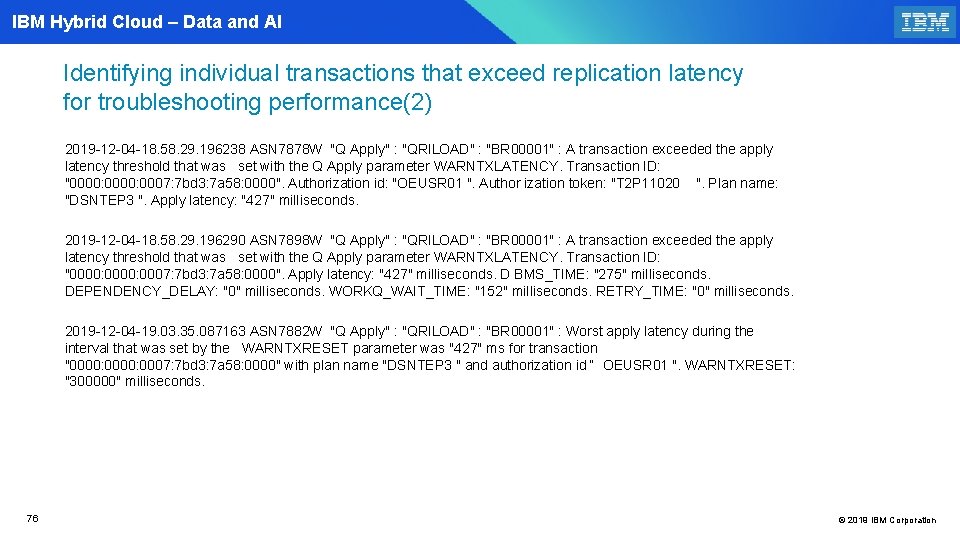
IBM Hybrid Cloud – Data and AI Identifying individual transactions that exceed replication latency for troubleshooting performance(2) 2019 -12 -04 -18. 58. 29. 196238 ASN 7878 W "Q Apply" : "QRILOAD" : "BR 00001" : A transaction exceeded the apply latency threshold that was set with the Q Apply parameter WARNTXLATENCY. Transaction ID: "0000: 0007: 7 bd 3: 7 a 58: 0000". Authorization id: "OEUSR 01 ". Author ization token: "T 2 P 11020 ". Plan name: "DSNTEP 3 ". Apply latency: "427" milliseconds. 2019 -12 -04 -18. 58. 29. 196290 ASN 7898 W "Q Apply" : "QRILOAD" : "BR 00001" : A transaction exceeded the apply latency threshold that was set with the Q Apply parameter WARNTXLATENCY. Transaction ID: "0000: 0007: 7 bd 3: 7 a 58: 0000". Apply latency: "427" milliseconds. D BMS_TIME: "275" milliseconds. DEPENDENCY_DELAY: "0" milliseconds. WORKQ_WAIT_TIME: "152" milliseconds. RETRY_TIME: "0" milliseconds. 2019 -12 -04 -19. 03. 35. 087163 ASN 7882 W "Q Apply" : "QRILOAD" : "BR 00001" : Worst apply latency during the interval that was set by the WARNTXRESET parameter was "427" ms for transaction "0000: 0007: 7 bd 3: 7 a 58: 0000" with plan name "DSNTEP 3 " and authorization id “ OEUSR 01 ". WARNTXRESET: "300000" milliseconds. 76 © 2019 IBM Corporation
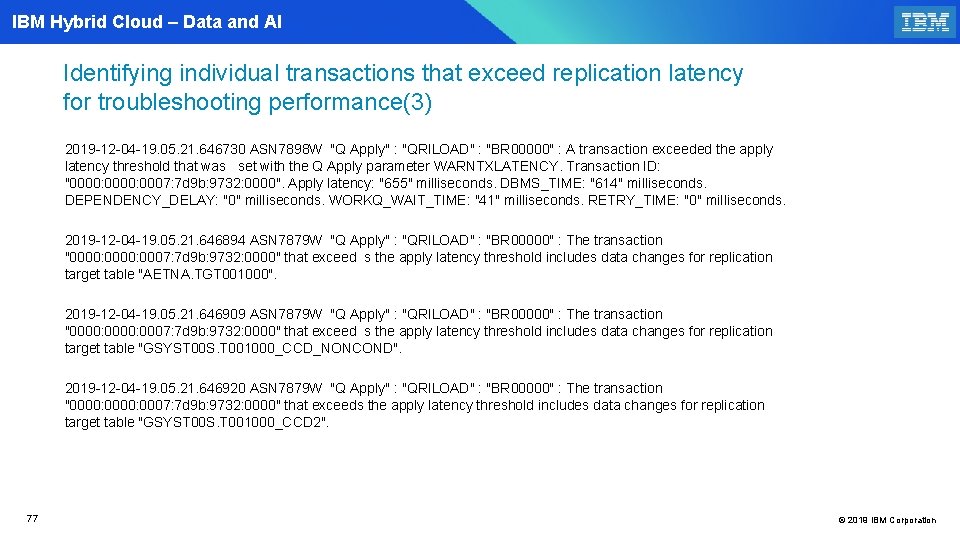
IBM Hybrid Cloud – Data and AI Identifying individual transactions that exceed replication latency for troubleshooting performance(3) 2019 -12 -04 -19. 05. 21. 646730 ASN 7898 W "Q Apply" : "QRILOAD" : "BR 00000" : A transaction exceeded the apply latency threshold that was set with the Q Apply parameter WARNTXLATENCY. Transaction ID: "0000: 0007: 7 d 9 b: 9732: 0000". Apply latency: "655" milliseconds. DBMS_TIME: "614" milliseconds. DEPENDENCY_DELAY: "0" milliseconds. WORKQ_WAIT_TIME: "41" milliseconds. RETRY_TIME: "0" milliseconds. 2019 -12 -04 -19. 05. 21. 646894 ASN 7879 W "Q Apply" : "QRILOAD" : "BR 00000" : The transaction "0000: 0007: 7 d 9 b: 9732: 0000" that exceed s the apply latency threshold includes data changes for replication target table "AETNA. TGT 001000". 2019 -12 -04 -19. 05. 21. 646909 ASN 7879 W "Q Apply" : "QRILOAD" : "BR 00000" : The transaction "0000: 0007: 7 d 9 b: 9732: 0000" that exceed s the apply latency threshold includes data changes for replication target table "GSYST 00 S. T 001000_CCD_NONCOND". 2019 -12 -04 -19. 05. 21. 646920 ASN 7879 W "Q Apply" : "QRILOAD" : "BR 00000" : The transaction "0000: 0007: 7 d 9 b: 9732: 0000" that exceeds the apply latency threshold includes data changes for replication target table "GSYST 00 S. T 001000_CCD 2". 77 © 2019 IBM Corporation
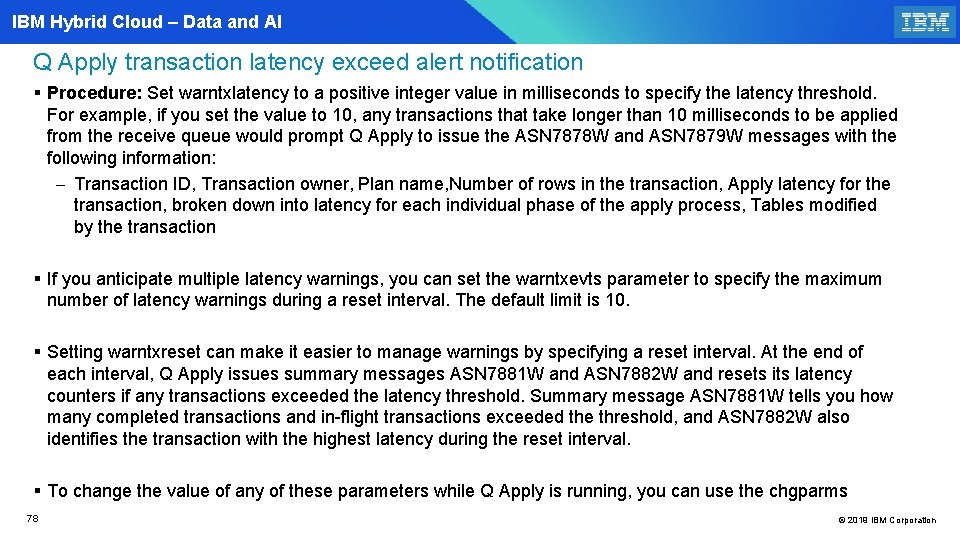
IBM Hybrid Cloud – Data and AI Q Apply transaction latency exceed alert notification § Procedure: Set warntxlatency to a positive integer value in milliseconds to specify the latency threshold. For example, if you set the value to 10, any transactions that take longer than 10 milliseconds to be applied from the receive queue would prompt Q Apply to issue the ASN 7878 W and ASN 7879 W messages with the following information: - Transaction ID, Transaction owner, Plan name, Number of rows in the transaction, Apply latency for the transaction, broken down into latency for each individual phase of the apply process, Tables modified by the transaction § If you anticipate multiple latency warnings, you can set the warntxevts parameter to specify the maximum number of latency warnings during a reset interval. The default limit is 10. § Setting warntxreset can make it easier to manage warnings by specifying a reset interval. At the end of each interval, Q Apply issues summary messages ASN 7881 W and ASN 7882 W and resets its latency counters if any transactions exceeded the latency threshold. Summary message ASN 7881 W tells you how many completed transactions and in-flight transactions exceeded the threshold, and ASN 7882 W also identifies the transaction with the highest latency during the reset interval. § To change the value of any of these parameters while Q Apply is running, you can use the chgparms 78 © 2019 IBM Corporation
- Slides: 78