
IBM Cloud Architecture Center On Premise High Availability
IBM Cloud Architecture Center On Premise High Availability DR Template Using the Diagram Template This template is for use in creating a visual representation of On Premise High Availability DR Template You may add numbers (which are provided on page 3) to the diagram to correspond to the runtime flow steps in your architecture. 5 TH NOVEMBER 2018 © Copyright IBM Corporation 2016
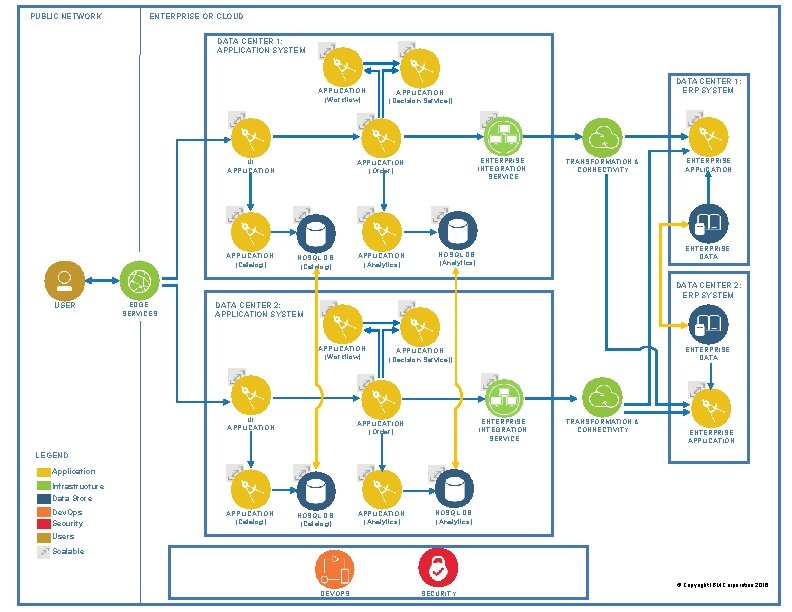
PUBLIC NETWORK ENTERPRISE OR CLOUD DATA CENTER 1: APPLICATION SYSTEM APPLICATION (Workflow) UI APPLICATION (Catalog) ENTERPRISE INTEGRATION SERVICE APPLICATION (Order) NOSQL DB (Catalog) DATA CENTER 1: ERP SYSTEM APPLICATION (Decision Service)) APPLICATION (Analytics) TRANSFORMATION & CONNECTIVITY ENTERPRISE APPLICATION ENTERPRISE DATA NOSQL DB (Analytics) DATA CENTER 2: ERP SYSTEM USER EDGE SERVICES DATA CENTER 2: APPLICATION SYSTEM APPLICATION (Workflow) UI APPLICATION ENTERPRISE DATA APPLICATION (Decision Service)) ENTERPRISE INTEGRATION SERVICE APPLICATION (Order) TRANSFORMATION & CONNECTIVITY ENTERPRISE APPLICATION LEGEND Application Infrastructure Data Store Dev. Ops Security APPLICATION (Catalog) NOSQL DB (Catalog) APPLICATION (Analytics) NOSQL DB (Analytics) Users Scalable © Copyright IBM Corporation 2016 DEVOPS SECURITY
IBM Cloud Architecture Center Runtime numbers 1 2 3 4 5 6 7 8 9 10 11 12 13 14 15 16 17 18 19 20 © Copyright IBM Corporation 2016
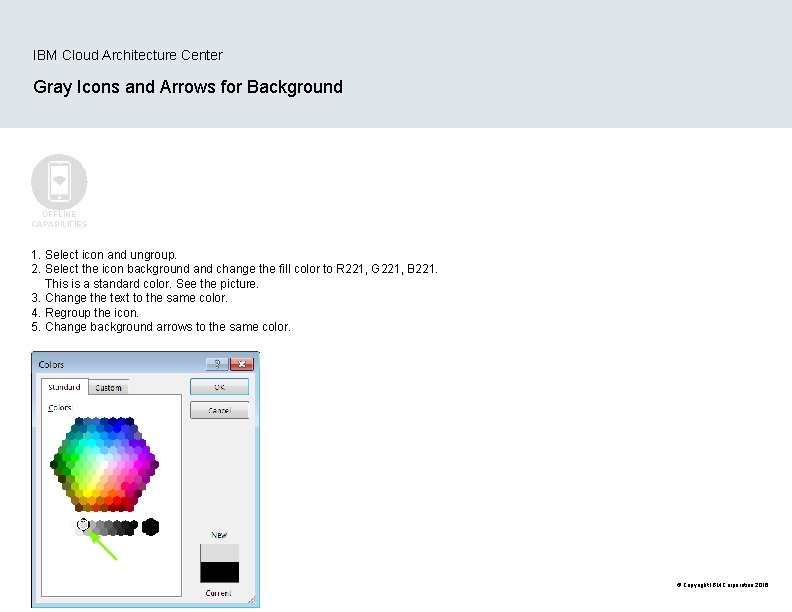
IBM Cloud Architecture Center Gray Icons and Arrows for Background OFFLINE CAPABILITIES 1. Select icon and ungroup. 2. Select the icon background and change the fill color to R 221, G 221, B 221. This is a standard color. See the picture. 3. Change the text to the same color. 4. Regroup the icon. 5. Change background arrows to the same color. © Copyright IBM Corporation 2016
- Slides: 4