
IATA EASY PAY CAIRO 21 Jul2019 10 March


- Slides: 46
IATA EASY PAY CAIRO, 21 -Jul-2019 10 March 2021
10 March 2021
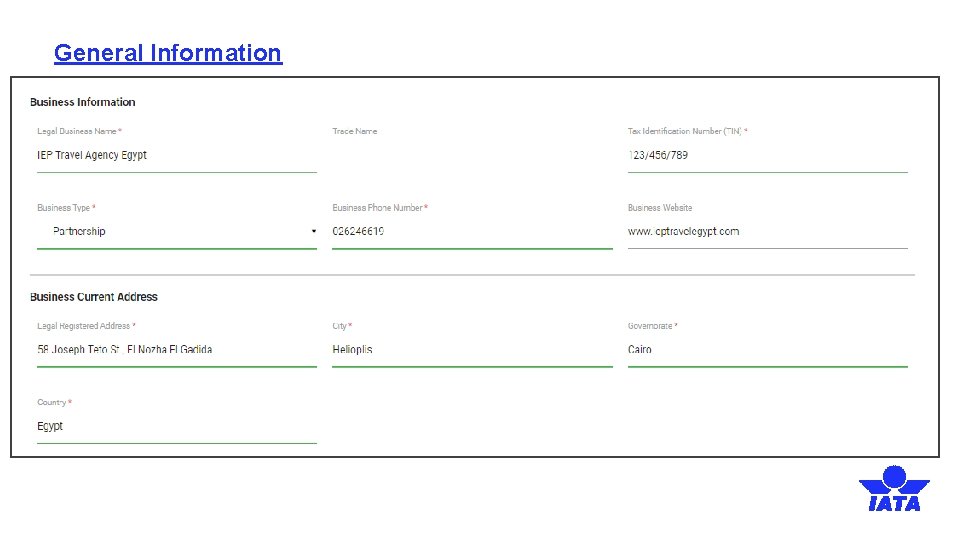
General Information
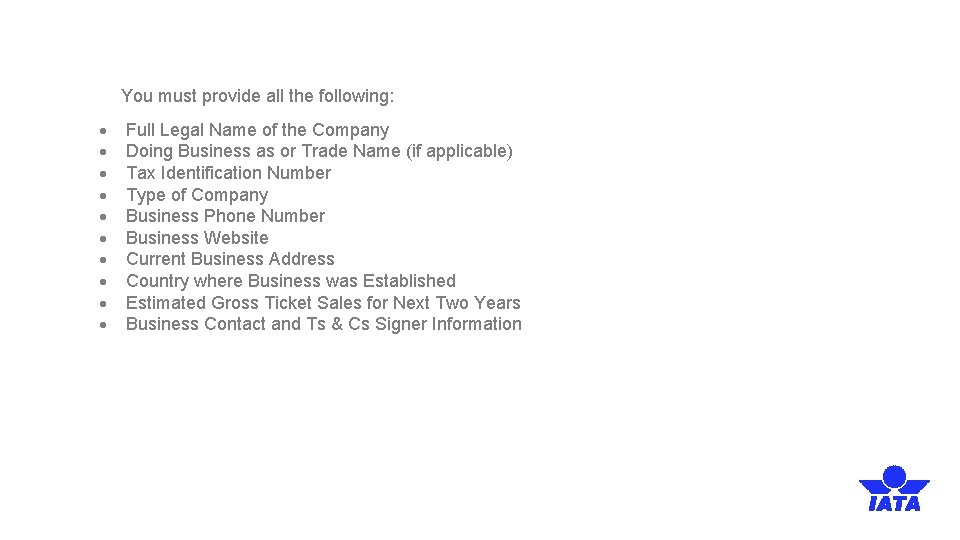
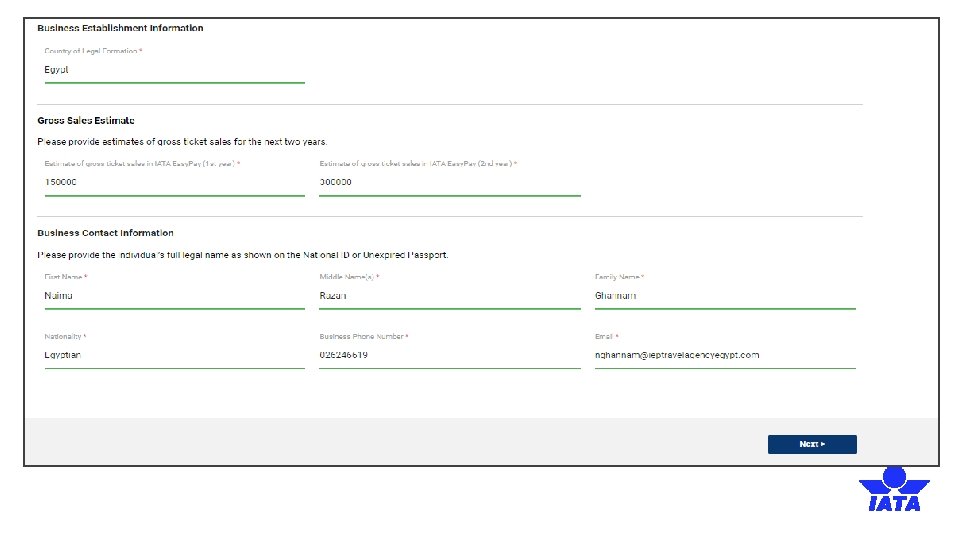
You must provide all the following: Full Legal Name of the Company Doing Business as or Trade Name (if applicable) Tax Identification Number Type of Company Business Phone Number Business Website Current Business Address Country where Business was Established Estimated Gross Ticket Sales for Next Two Years Business Contact and Ts & Cs Signer Information
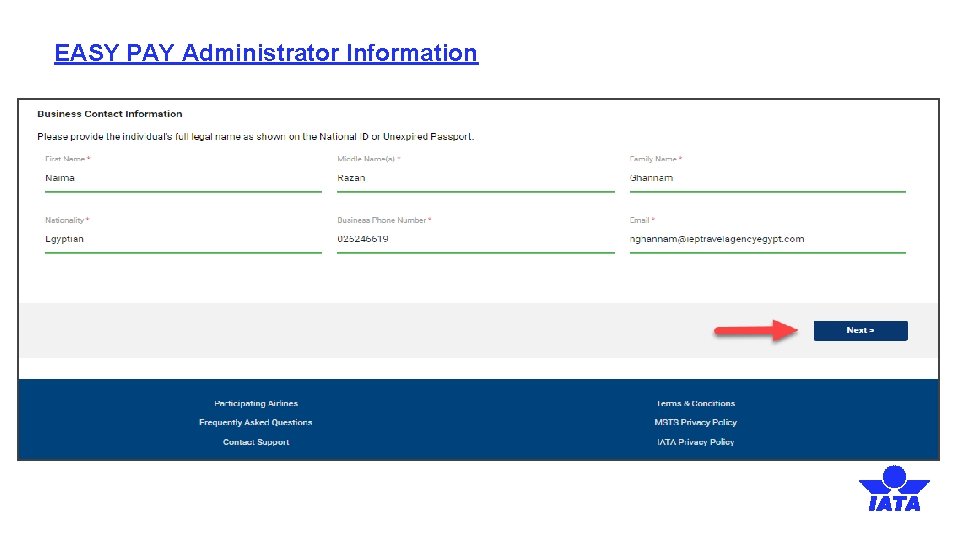
EASY PAY Administrator Information
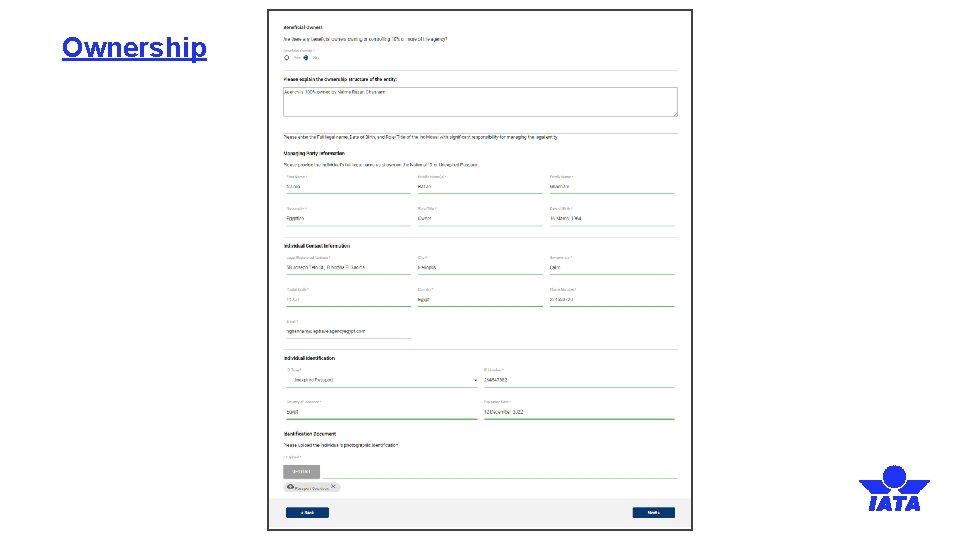
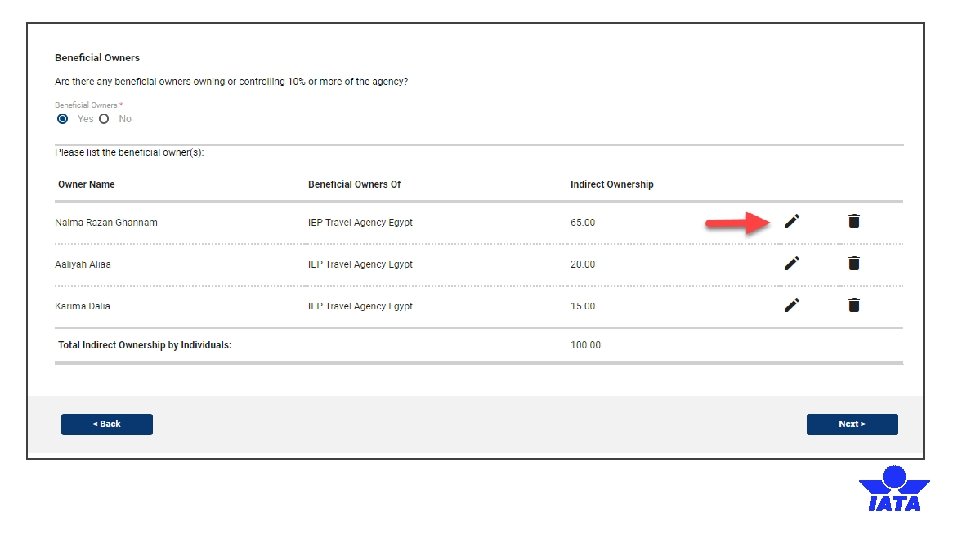
Ownership
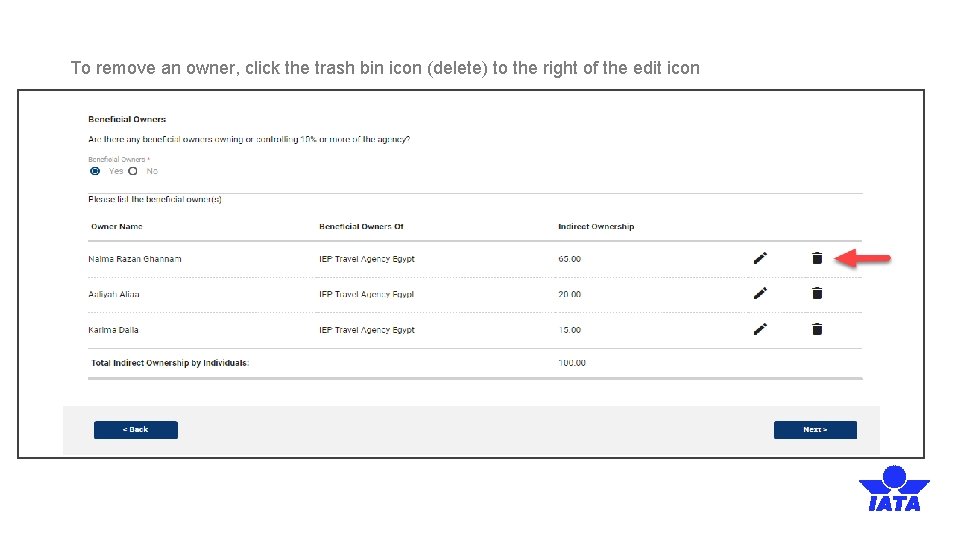
To remove an owner, click the trash bin icon (delete) to the right of the edit icon
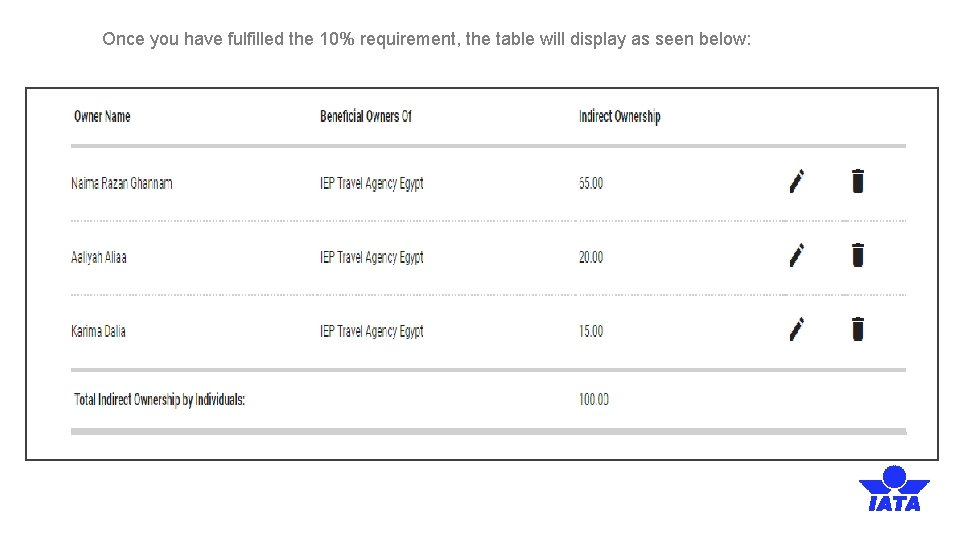
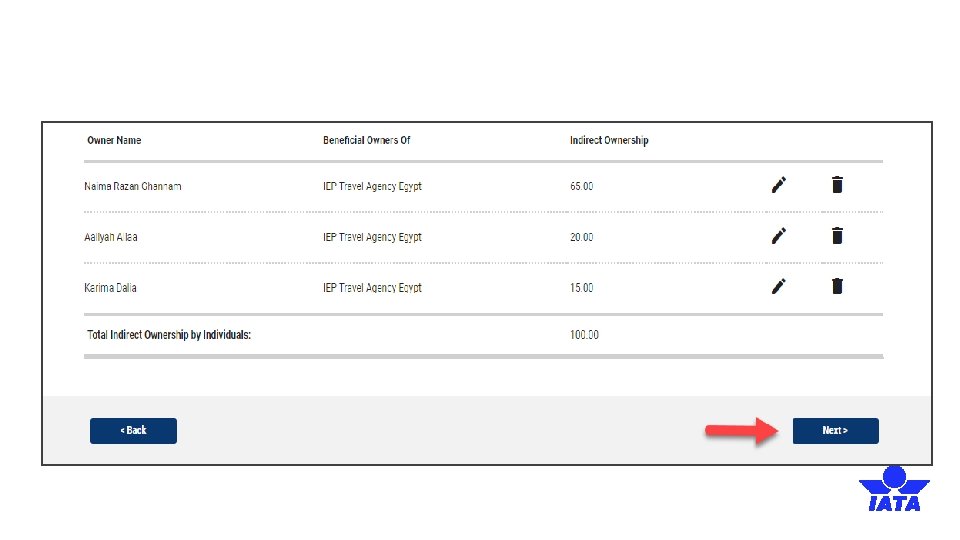
Once you have fulfilled the 10% requirement, the table will display as seen below:
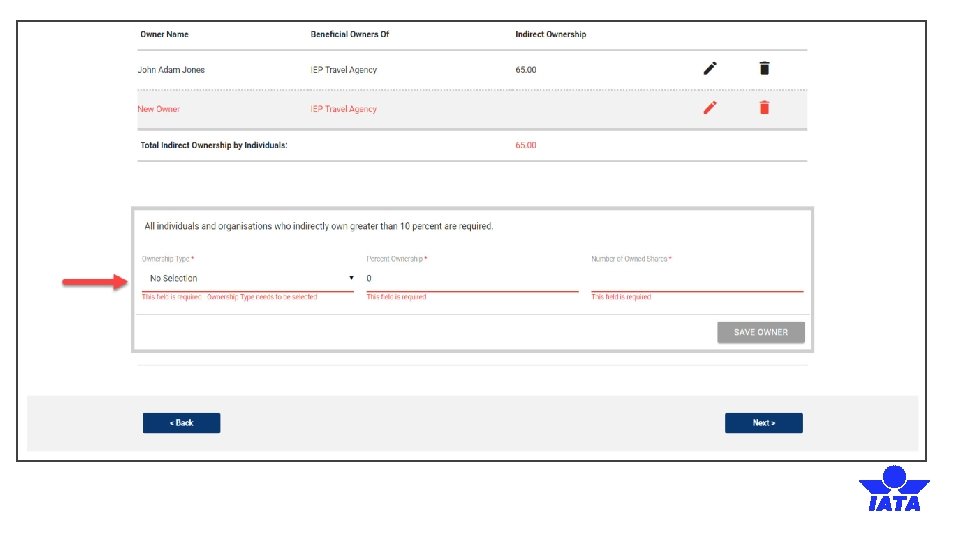
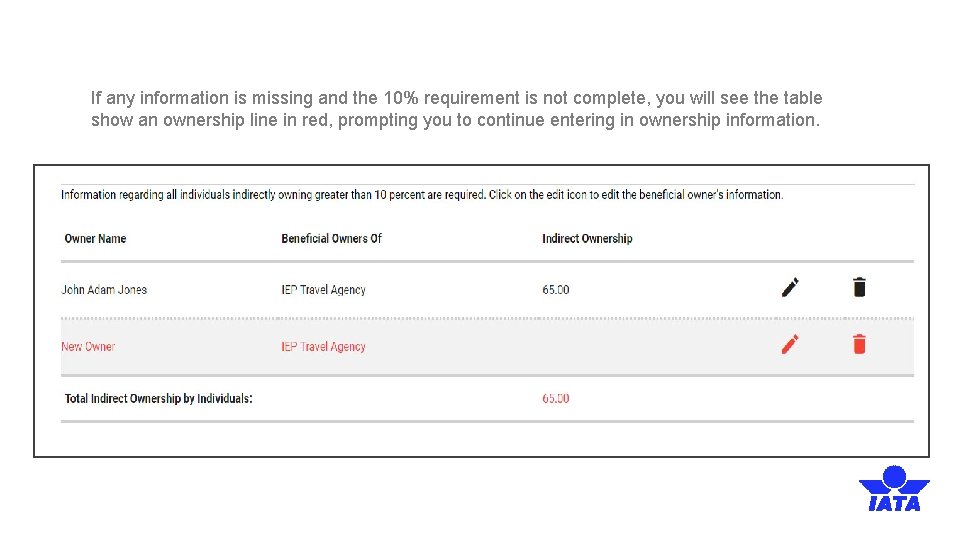
If any information is missing and the 10% requirement is not complete, you will see the table show an ownership line in red, prompting you to continue entering in ownership information.
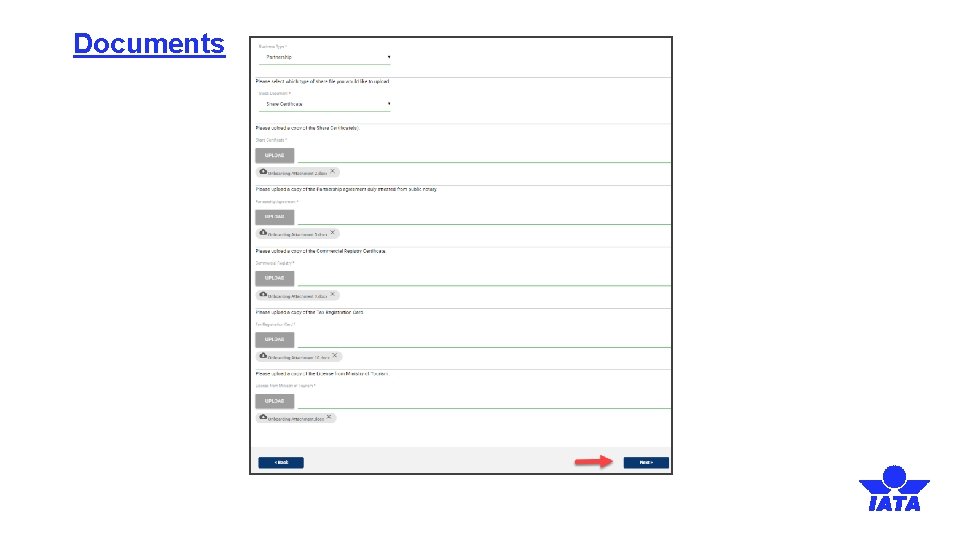
Documents
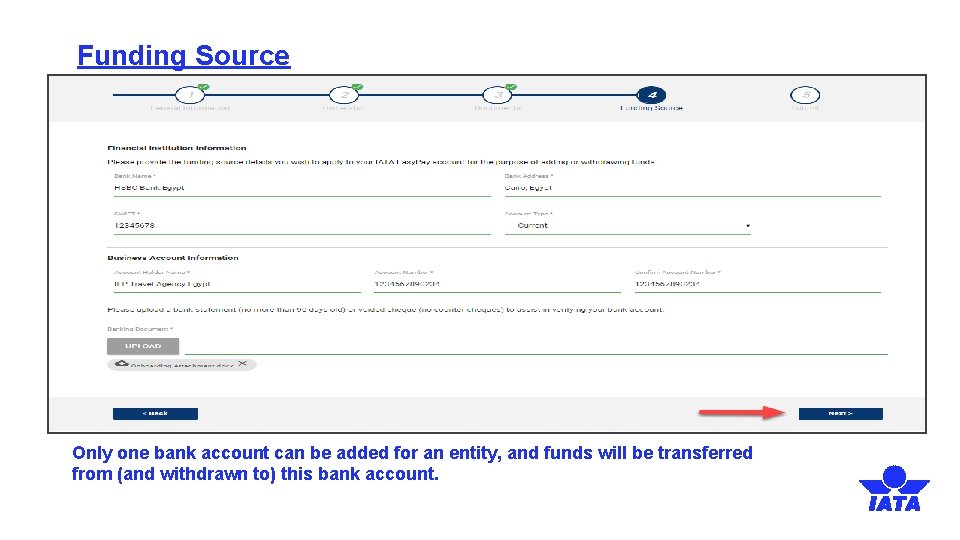
Funding Source Only one bank account can be added for an entity, and funds will be transferred from (and withdrawn to) this bank account.
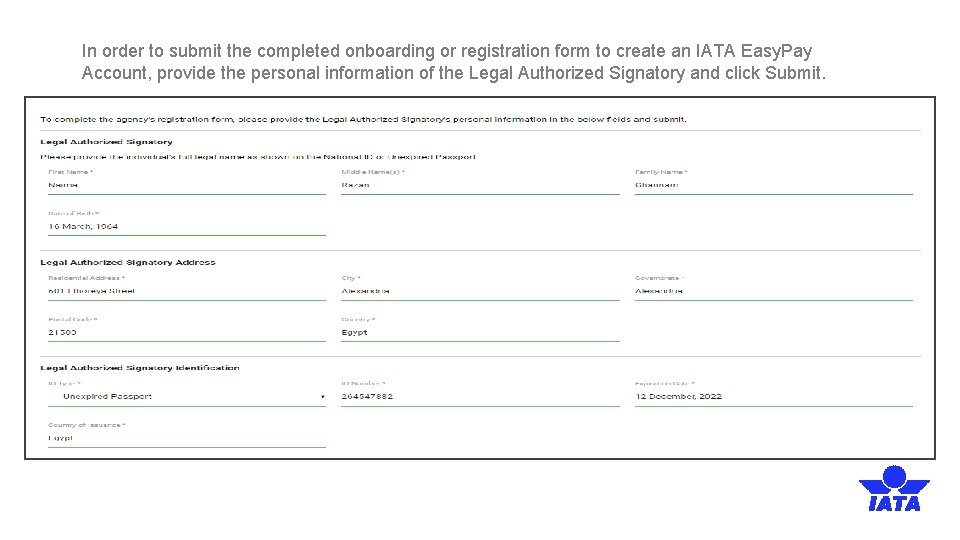
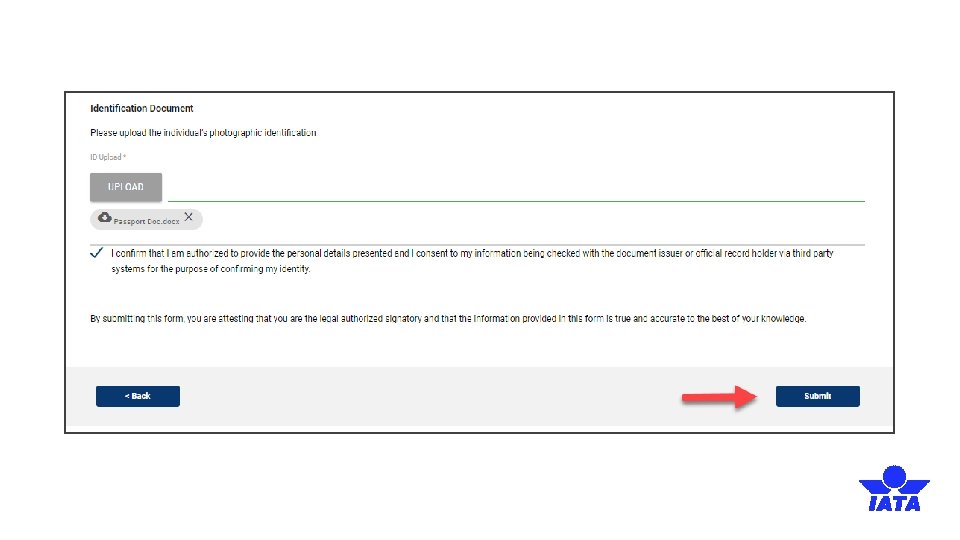
In order to submit the completed onboarding or registration form to create an IATA Easy. Pay Account, provide the personal information of the Legal Authorized Signatory and click Submit.
After Account Activation
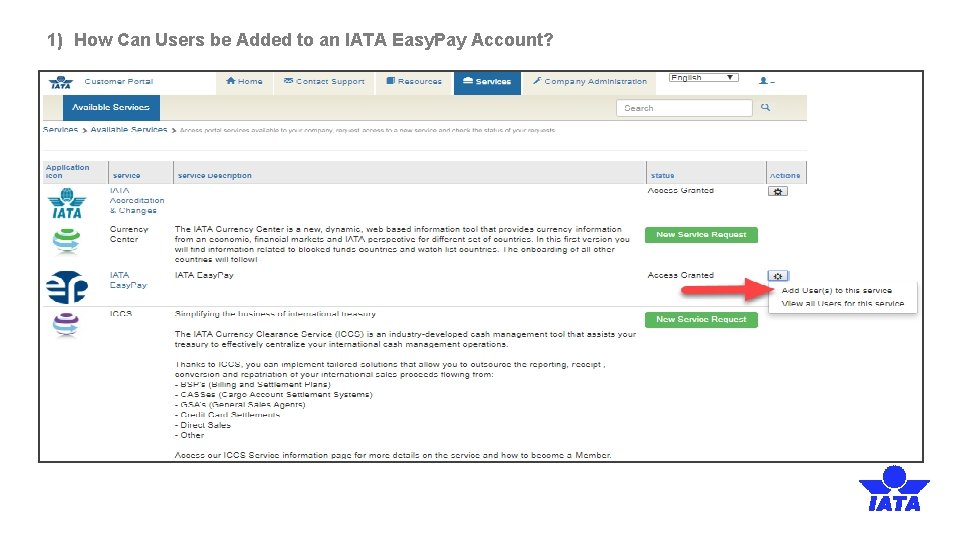
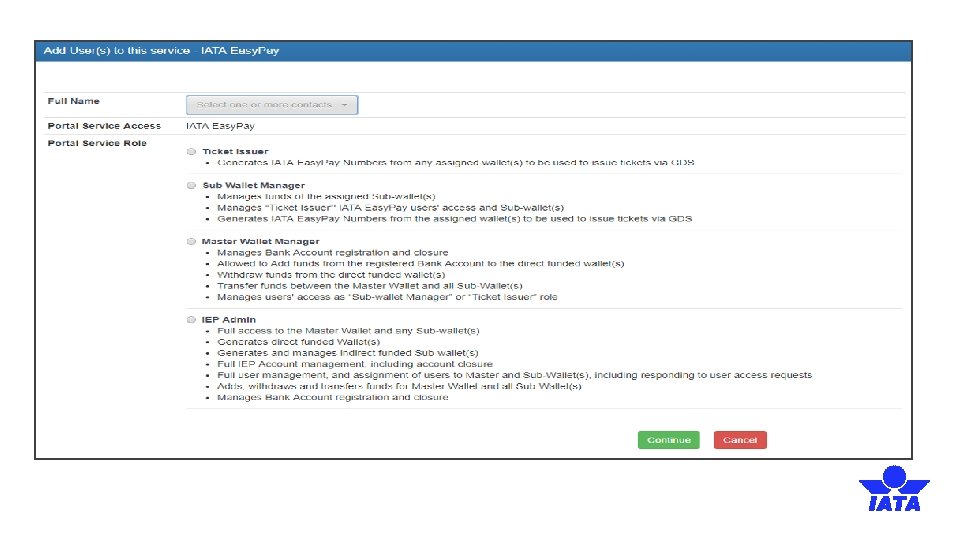
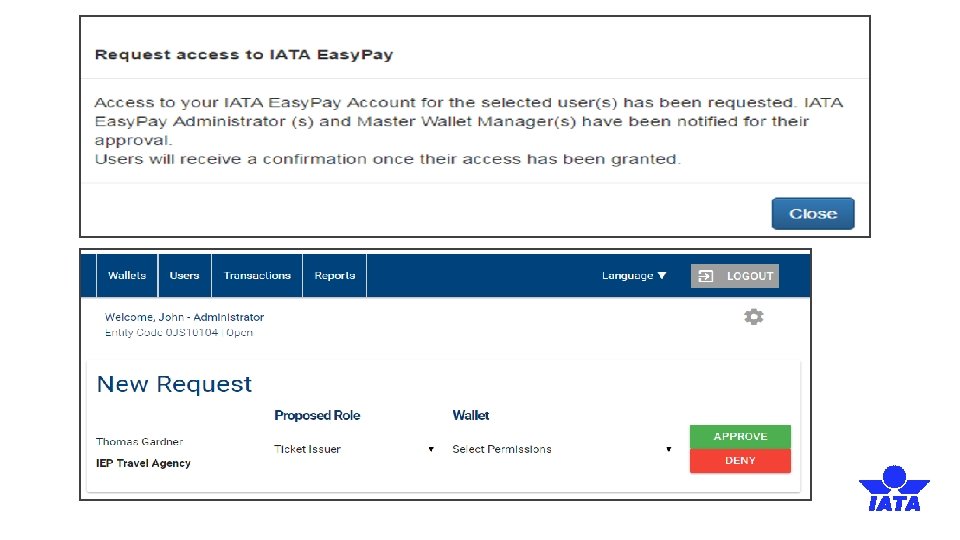
1) How Can Users be Added to an IATA Easy. Pay Account?
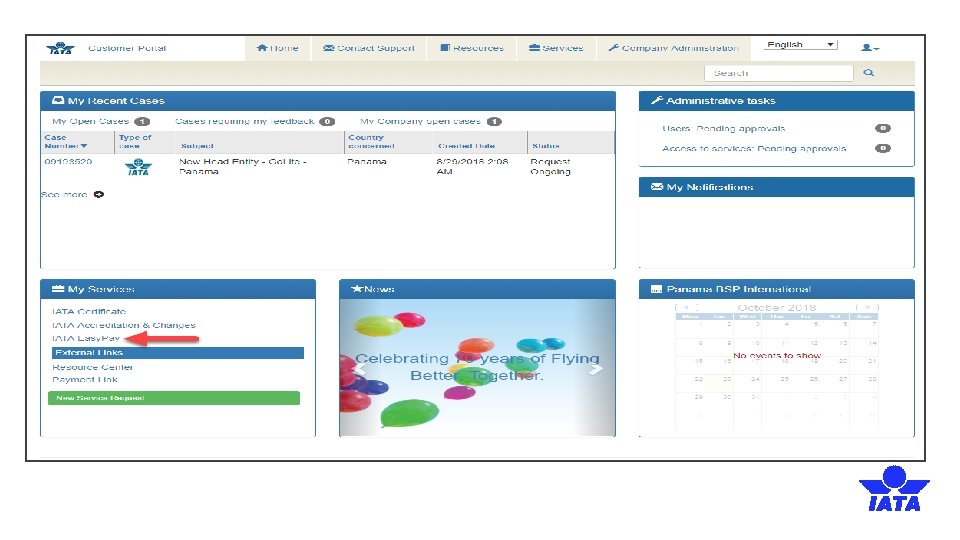
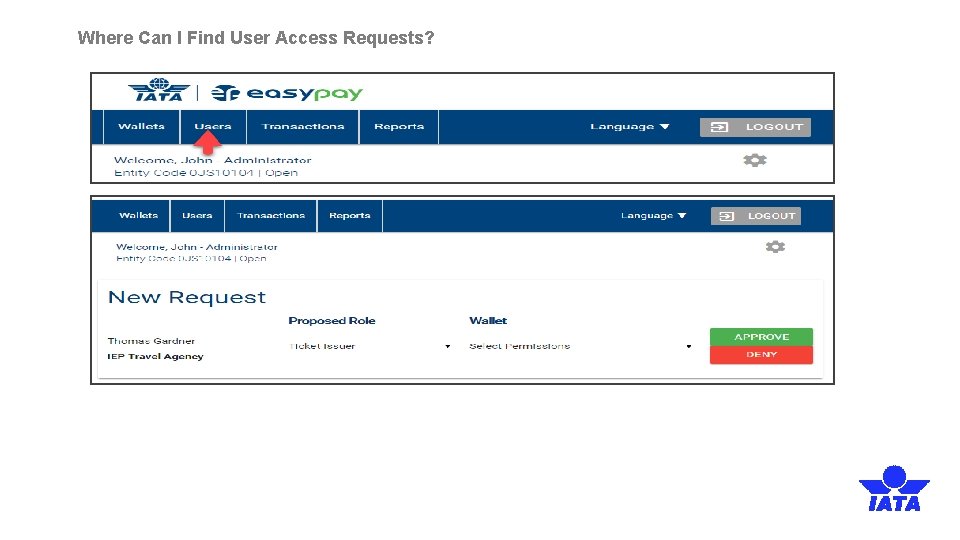
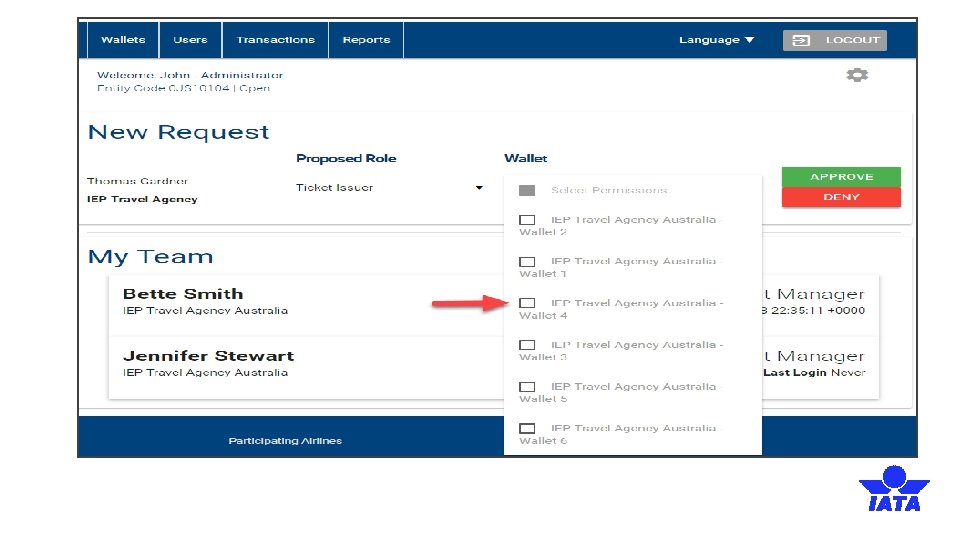
Where Can I Find User Access Requests?
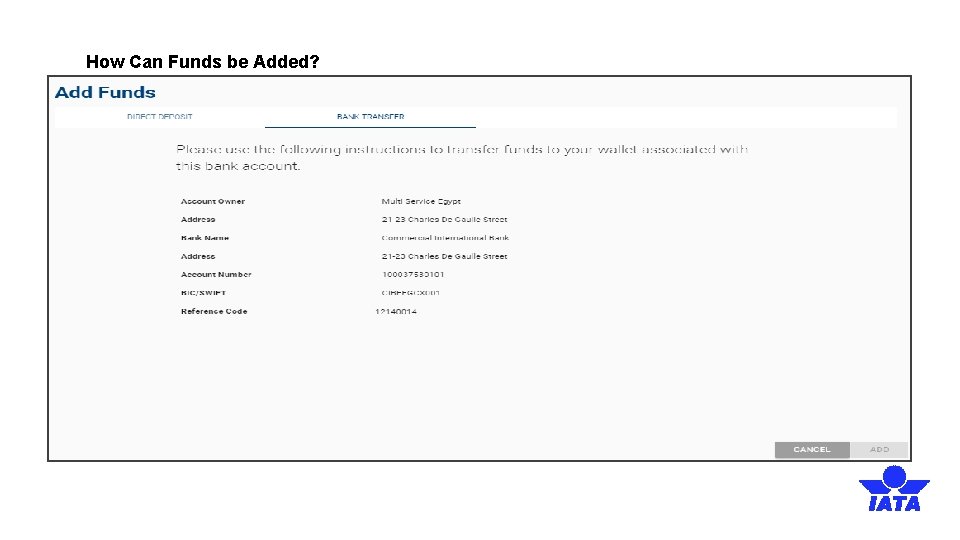
How Can Funds be Added?
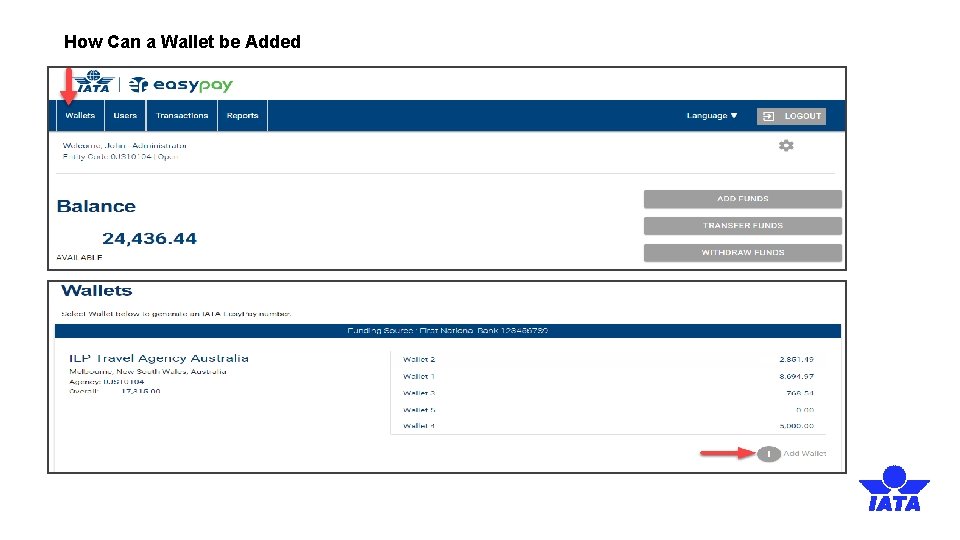
How Can a Wallet be Added
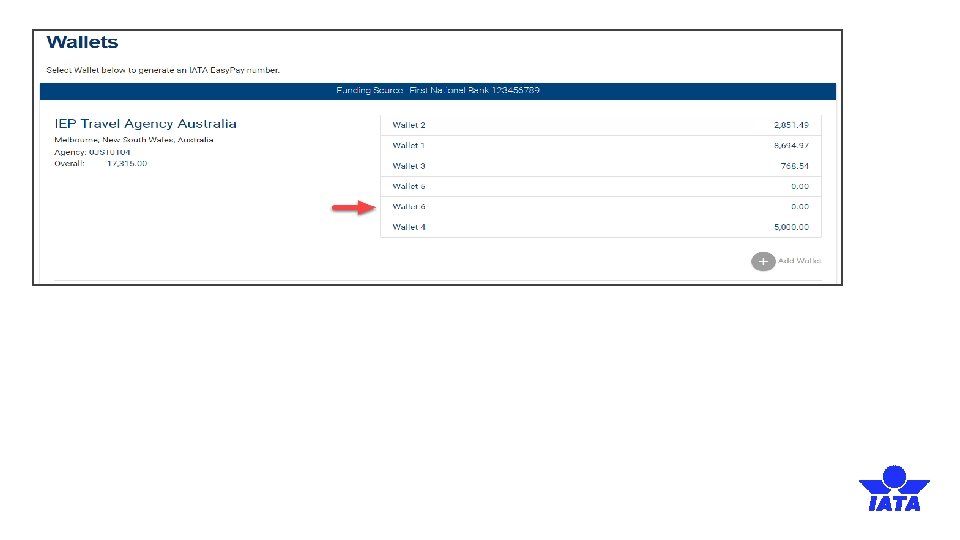
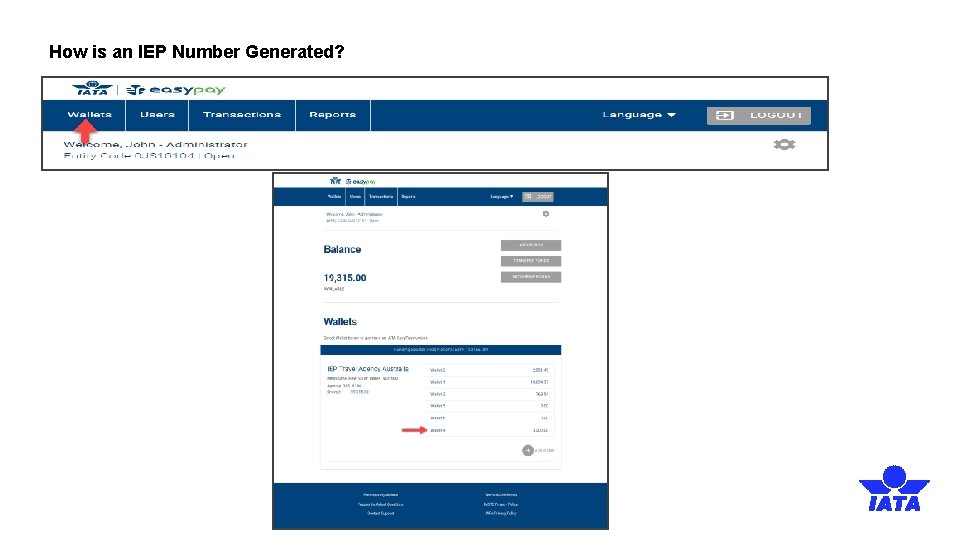
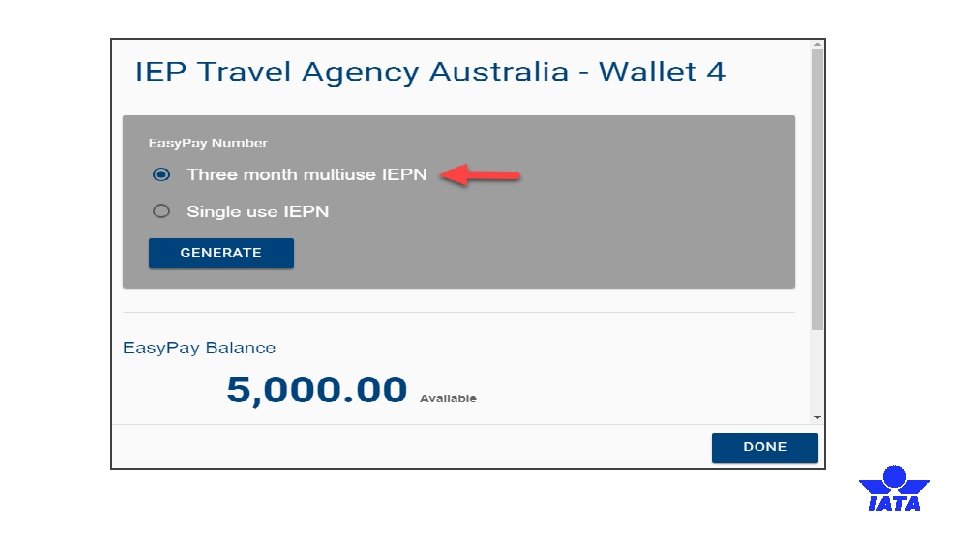
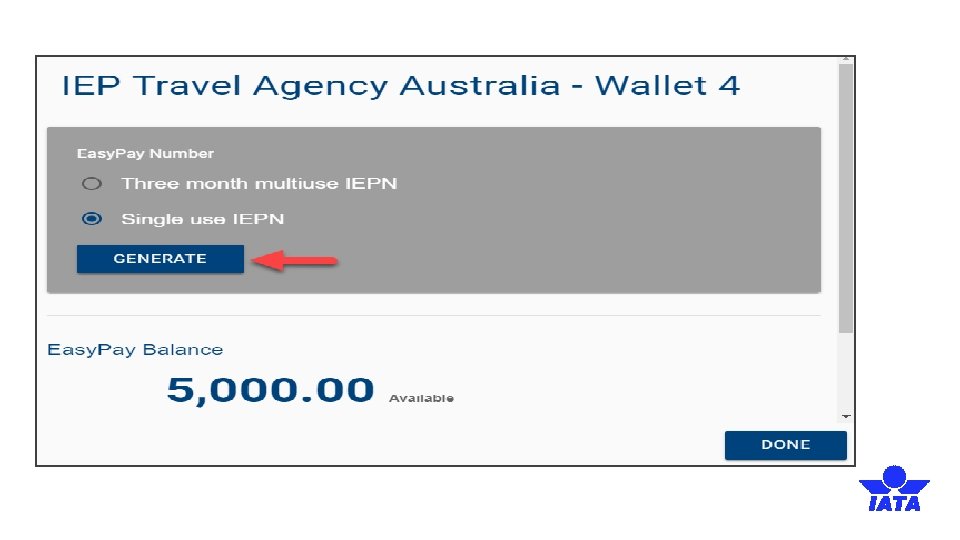
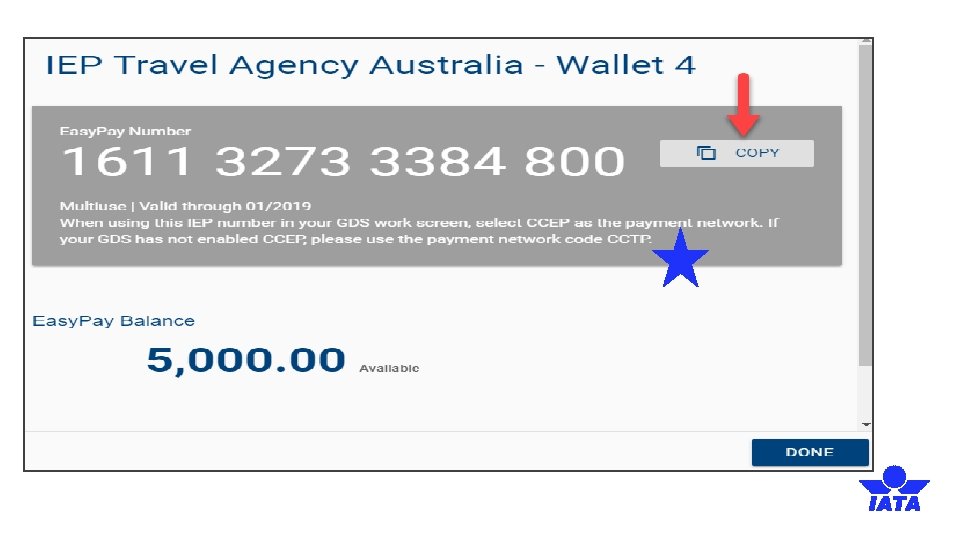
How is an IEP Number Generated?
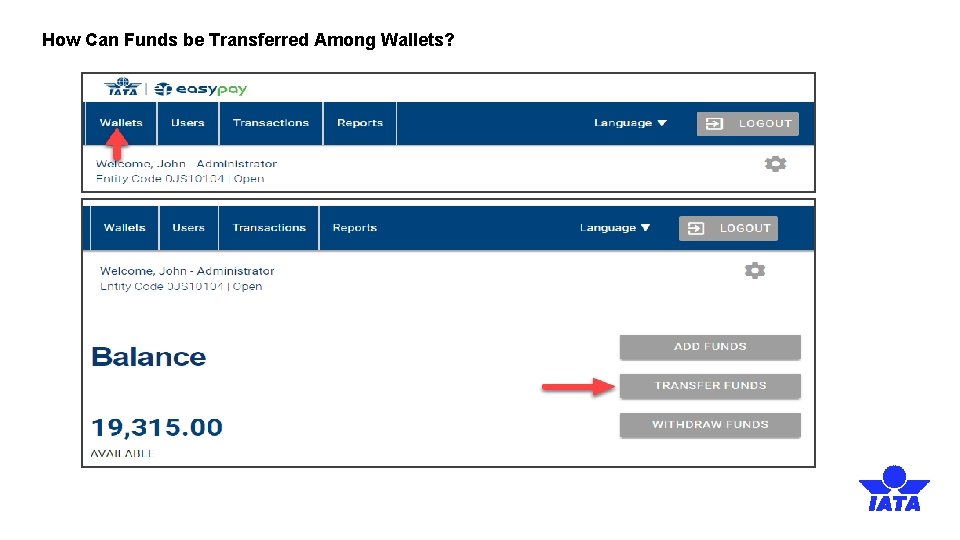
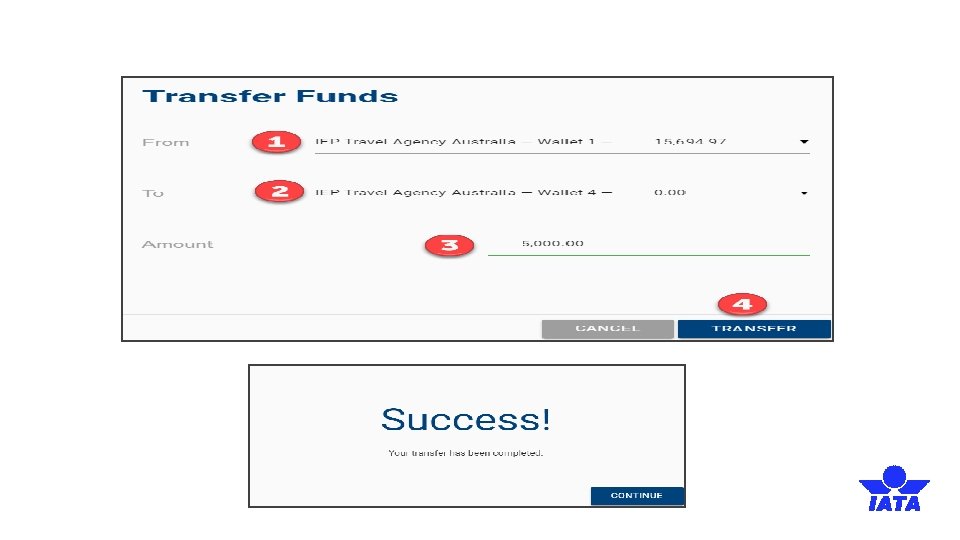
How Can Funds be Transferred Among Wallets?
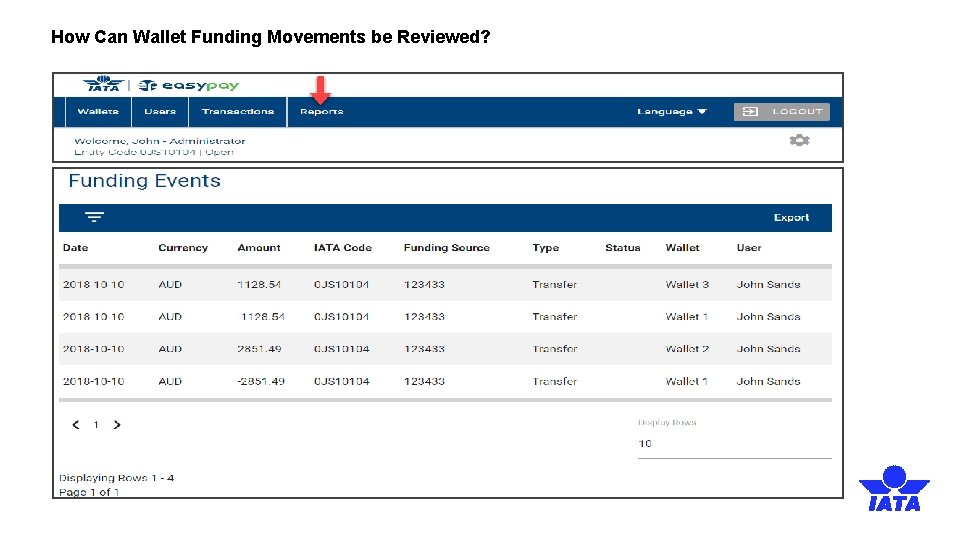
How Can Wallet Funding Movements be Reviewed?
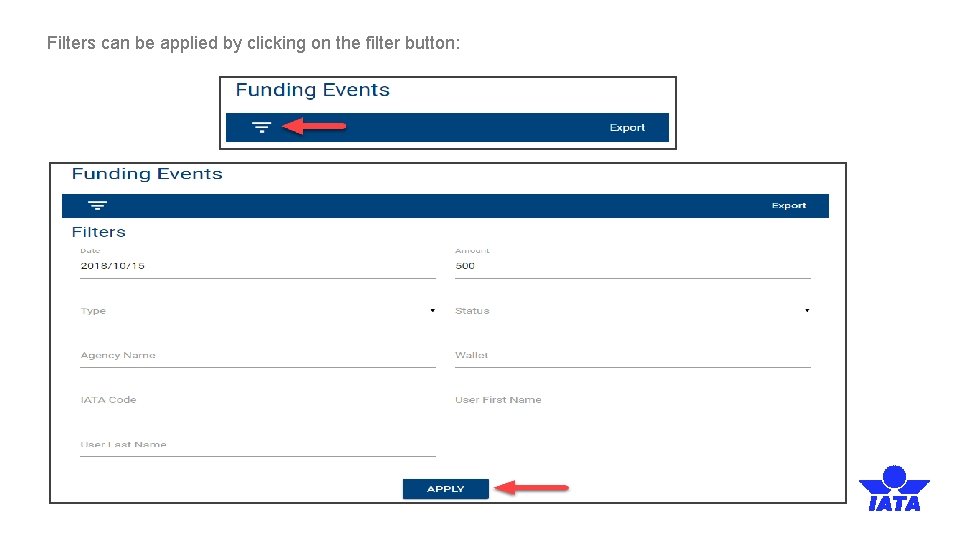
Filters can be applied by clicking on the filter button:
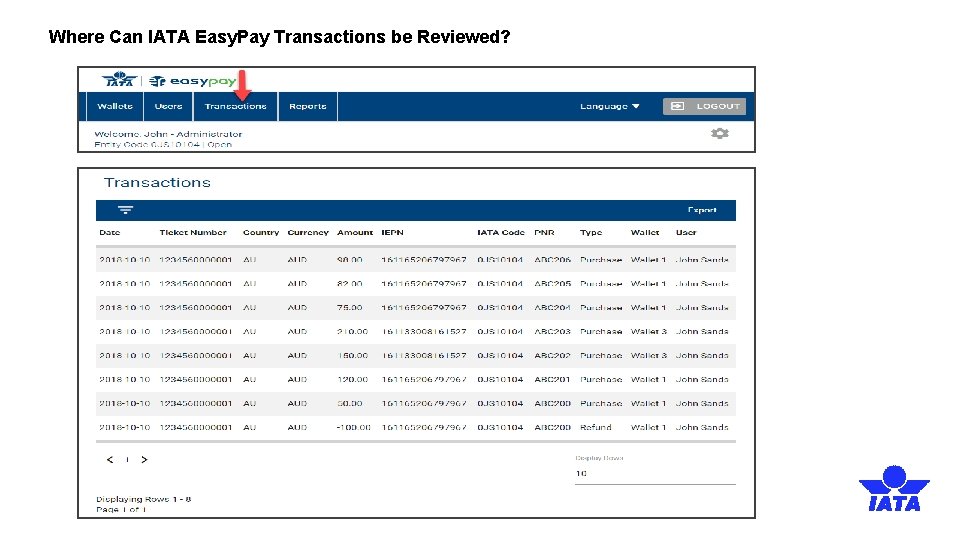
Where Can IATA Easy. Pay Transactions be Reviewed?
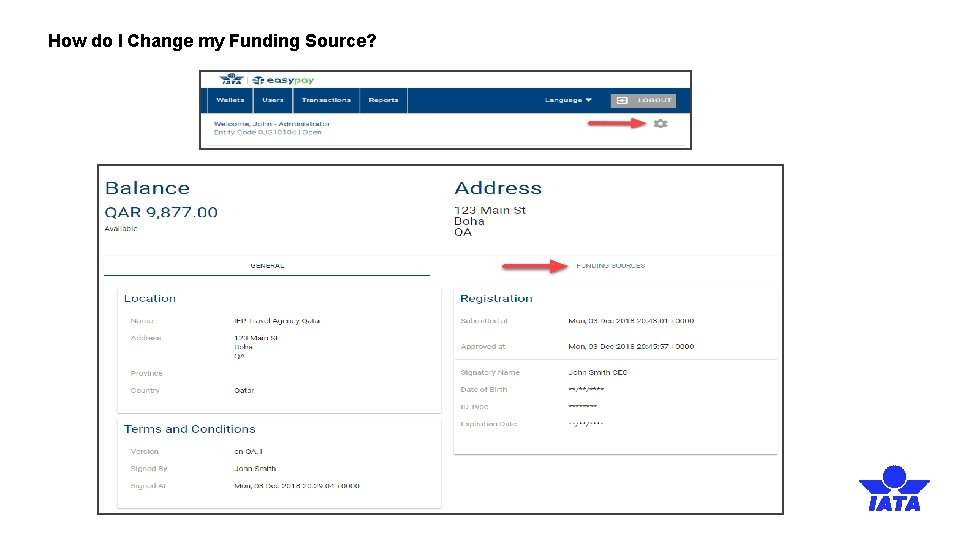
How do I Change my Funding Source?
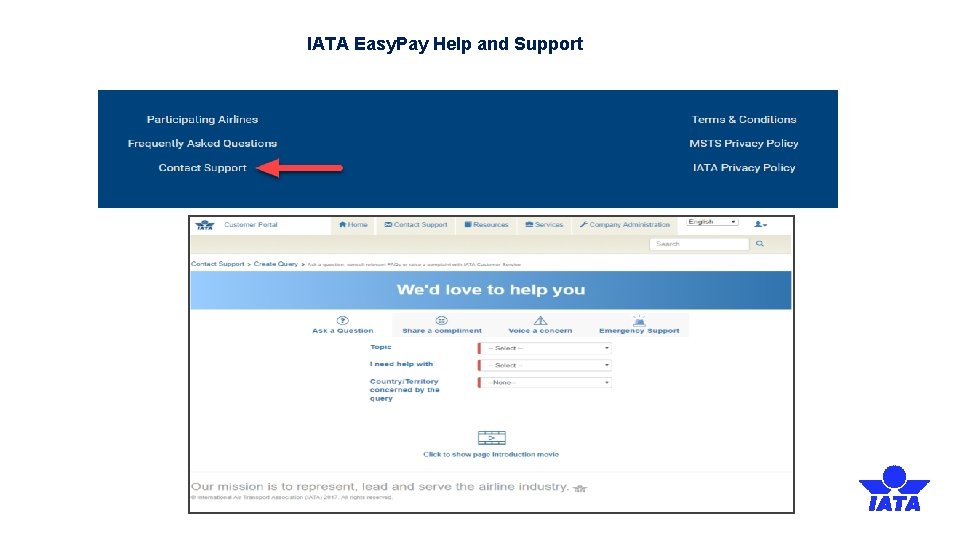
IATA Easy. Pay Help and Support
Thank you Mostafa Charaf charafm@iata. org www. iata. org