
i RODS Tutorial Data Grid Administration i RODS
- Slides: 43
i. RODS Tutorial Data Grid Administration
i. RODS Info • Main page: http: //www. irods. org • Chat list: irods-chat@irods. org • i. RODS Documentation: https: //www. irods. org/index. php/Documentation • On-line tutorial: https: //www. irods. org/index. php/Tutorial 2
i. RODS Books Available from Amazon • i. RODS Primer: integrated Rule-Oriented Data System (Synthesis Lectures on Information Concepts, Retrieval, and Services) http: //www. amazon. com/dp/1608453332 • The integrated Rule-Oriented Data System (i. RODS) Micro-service Workbook http: //www. amazon. com/dp/1466469129 3
i. RODS Data Grid Administration • installing server and i. CAT • setting up users • adding new resources to a data grid/zone • federating with other grids/zones, remote users • microservices and rules for policy implementation and enforcement 4
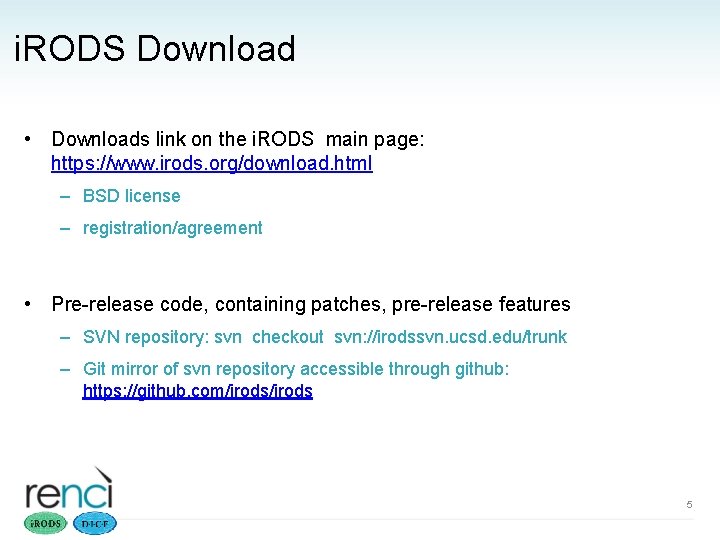
i. RODS Download • Downloads link on the i. RODS main page: https: //www. irods. org/download. html – BSD license – registration/agreement • Pre-release code, containing patches, pre-release features – SVN repository: svn checkout svn: //irodssvn. ucsd. edu/trunk – Git mirror of svn repository accessible through github: https: //github. com/irods 5
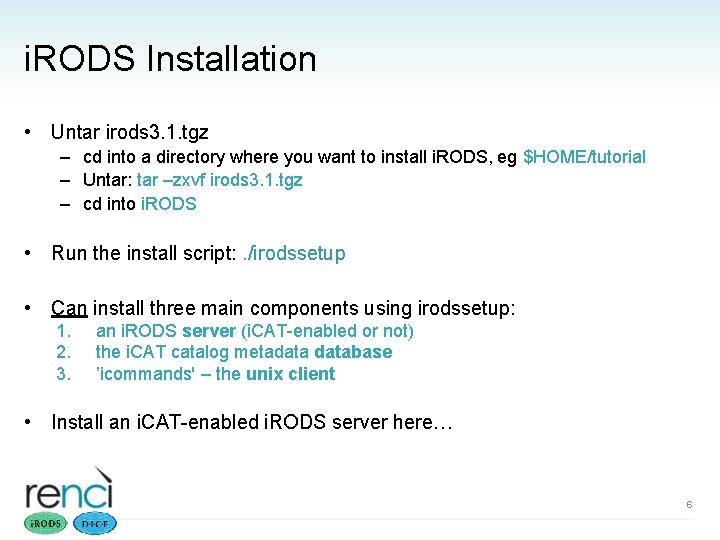
i. RODS Installation • Untar irods 3. 1. tgz – cd into a directory where you want to install i. RODS, eg $HOME/tutorial – Untar: tar –zxvf irods 3. 1. tgz – cd into i. RODS • Run the install script: . /irodssetup • Can install three main components using irodssetup: 1. 2. 3. an i. RODS server (i. CAT-enabled or not) the i. CAT catalog metadatabase ’icommands' – the unix client • Install an i. CAT-enabled i. RODS server here… 6
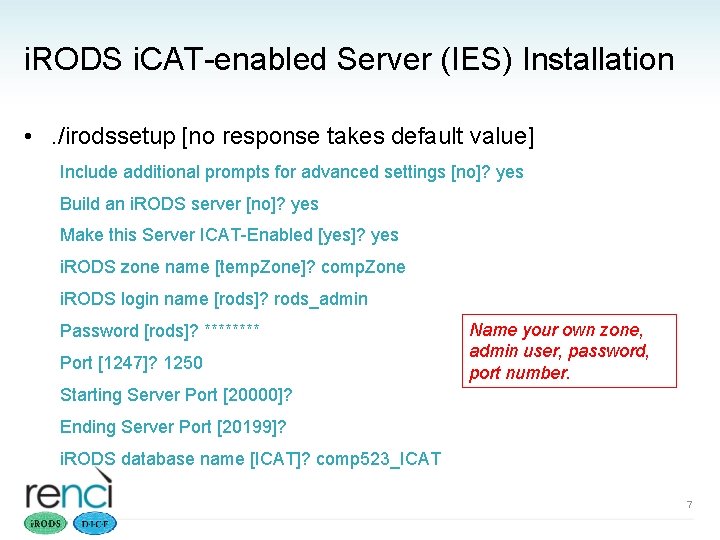
i. RODS i. CAT-enabled Server (IES) Installation • . /irodssetup [no response takes default value] Include additional prompts for advanced settings [no]? yes Build an i. RODS server [no]? yes Make this Server ICAT-Enabled [yes]? yes i. RODS zone name [temp. Zone]? comp. Zone i. RODS login name [rods]? rods_admin Password [rods]? **** Port [1247]? 1250 Name your own zone, admin user, password, port number. Starting Server Port [20000]? Ending Server Port [20199]? i. RODS database name [ICAT]? comp 523_ICAT 7
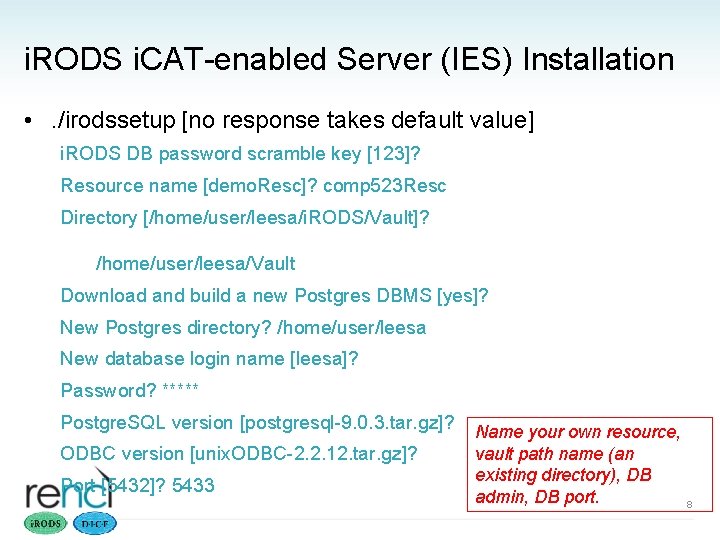
i. RODS i. CAT-enabled Server (IES) Installation • . /irodssetup [no response takes default value] i. RODS DB password scramble key [123]? Resource name [demo. Resc]? comp 523 Resc Directory [/home/user/leesa/i. RODS/Vault]? /home/user/leesa/Vault Download and build a new Postgres DBMS [yes]? New Postgres directory? /home/user/leesa New database login name [leesa]? Password? ***** Postgre. SQL version [postgresql-9. 0. 3. tar. gz]? ODBC version [unix. ODBC-2. 2. 12. tar. gz]? Port [5432]? 5433 Name your own resource, vault path name (an existing directory), DB admin, DB port. 8
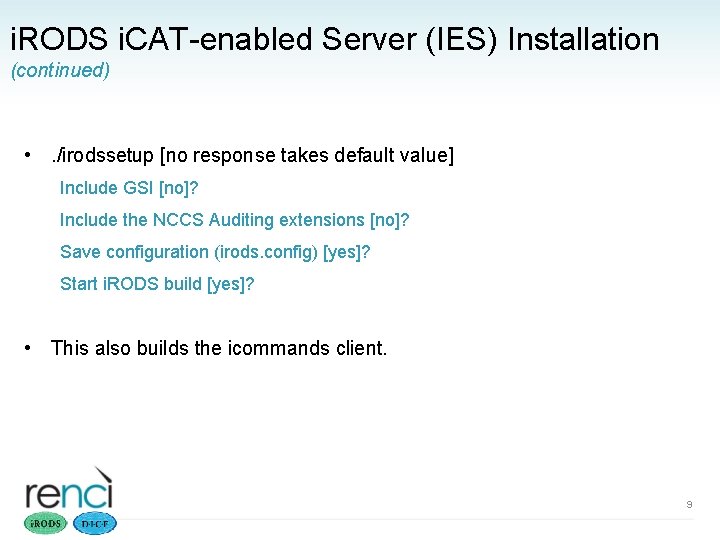
i. RODS i. CAT-enabled Server (IES) Installation (continued) • . /irodssetup [no response takes default value] Include GSI [no]? Include the NCCS Auditing extensions [no]? Save configuration (irods. config) [yes]? Start i. RODS build [yes]? • This also builds the icommands client. 9
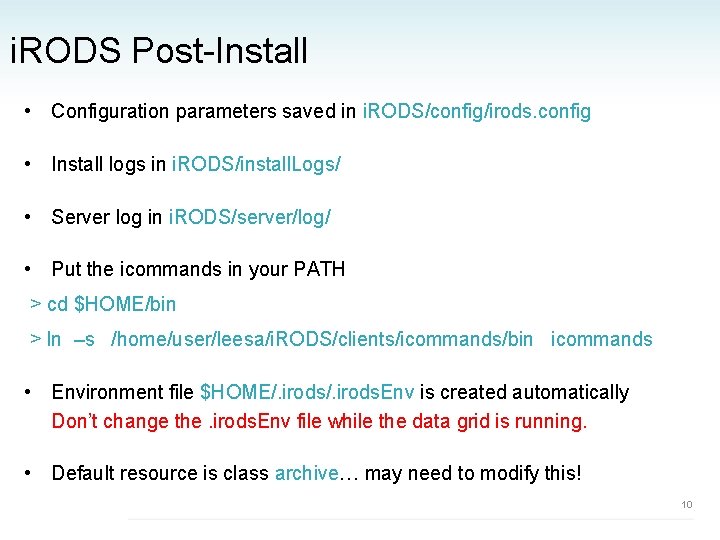
i. RODS Post-Install • Configuration parameters saved in i. RODS/config/irods. config • Install logs in i. RODS/install. Logs/ • Server log in i. RODS/server/log/ • Put the icommands in your PATH > cd $HOME/bin > ln –s /home/user/leesa/i. RODS/clients/icommands/bin icommands • Environment file $HOME/. irods. Env is created automatically Don’t change the. irods. Env file while the data grid is running. • Default resource is class archive… may need to modify this! 10
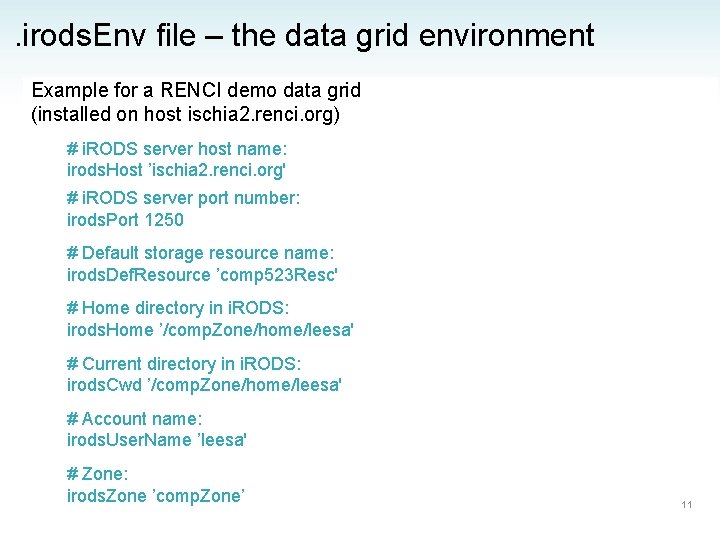
. irods. Env file – the data grid environment Example for a RENCI demo data grid (installed on host ischia 2. renci. org) # i. RODS server host name: irods. Host ’ischia 2. renci. org' # i. RODS server port number: irods. Port 1250 # Default storage resource name: irods. Def. Resource ’comp 523 Resc' # Home directory in i. RODS: irods. Home ’/comp. Zone/home/leesa' # Current directory in i. RODS: irods. Cwd ’/comp. Zone/home/leesa' # Account name: irods. User. Name ’leesa' # Zone: irods. Zone ’comp. Zone’ 11
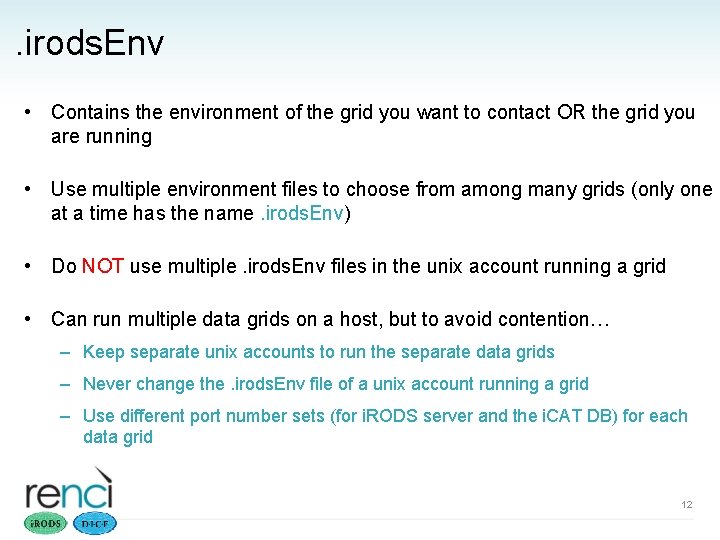
. irods. Env • Contains the environment of the grid you want to contact OR the grid you are running • Use multiple environment files to choose from among many grids (only one at a time has the name. irods. Env) • Do NOT use multiple. irods. Env files in the unix account running a grid • Can run multiple data grids on a host, but to avoid contention… – Keep separate unix accounts to run the separate data grids – Never change the. irods. Env file of a unix account running a grid – Use different port number sets (for i. RODS server and the i. CAT DB) for each data grid 12
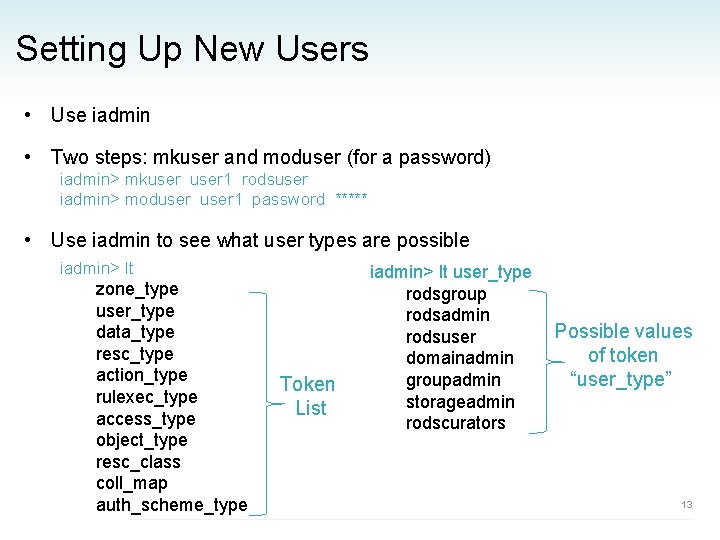
Setting Up New Users • Use iadmin • Two steps: mkuser and moduser (for a password) iadmin> mkuser 1 rodsuser iadmin> moduser 1 password ***** • Use iadmin to see what user types are possible iadmin> lt zone_type user_type data_type resc_type action_type rulexec_type access_type object_type resc_class coll_map auth_scheme_type iadmin>lt user_type – – Token – – List – iadmin> lt user_type rodsgroup rodsadmin rodsuser domainadmin groupadmin storageadmin rodscurators Possible values of token “user_type” 13
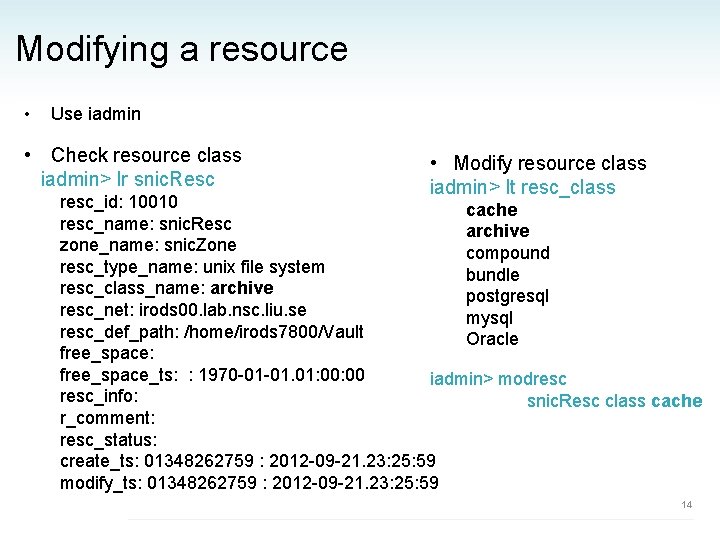
Modifying a resource • Use iadmin • Check resource class iadmin> lr snic. Resc • Modify resource class iadmin> lt resc_class resc_id: 10010 cache resc_name: snic. Resc archive zone_name: snic. Zone compound iadmin>lt user_type resc_type_name: unix file system bundle resc_class_name: archive – rodsgroup postgresql resc_net: irods 00. lab. nsc. liu. se – rodsadmin mysql resc_def_path: /home/irods 7800/Vault – rodsuser Oracle free_space: – domainadmin free_space_ts: : 1970 -01 -01. 01: 00 – groupadmin iadmin> modresc – storageadmin resc_info: snic. Resc class cache – rodscurators r_comment: resc_status: create_ts: 01348262759 : 2012 -09 -21. 23: 25: 59 modify_ts: 01348262759 : 2012 -09 -21. 23: 25: 59 14
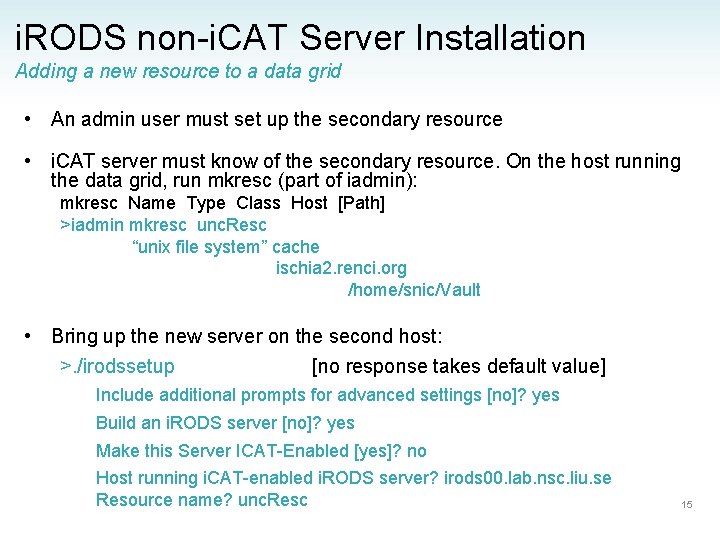
i. RODS non-i. CAT Server Installation Adding a new resource to a data grid • An admin user must set up the secondary resource • i. CAT server must know of the secondary resource. On the host running the data grid, run mkresc (part of iadmin): mkresc Name Type Class Host [Path] >iadmin mkresc unc. Resc “unix file system” cache ischia 2. renci. org /home/snic/Vault • Bring up the new server on the second host: >. /irodssetup [no response takes default value] Include additional prompts for advanced settings [no]? yes Build an i. RODS server [no]? yes Make this Server ICAT-Enabled [yes]? no Host running i. CAT-enabled i. RODS server? irods 00. lab. nsc. liu. se Resource name? unc. Resc 15
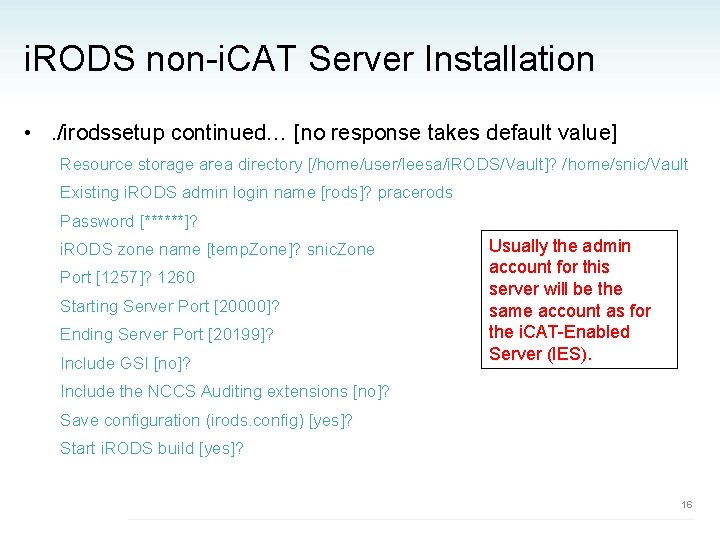
i. RODS non-i. CAT Server Installation • . /irodssetup continued… [no response takes default value] Resource storage area directory [/home/user/leesa/i. RODS/Vault]? /home/snic/Vault Existing i. RODS admin login name [rods]? pracerods Password [******]? i. RODS zone name [temp. Zone]? snic. Zone Port [1257]? 1260 Starting Server Port [20000]? Ending Server Port [20199]? Include GSI [no]? Usually the admin account for this server will be the same account as for the i. CAT-Enabled Server (IES). Include the NCCS Auditing extensions [no]? Save configuration (irods. config) [yes]? Start i. RODS build [yes]? 16
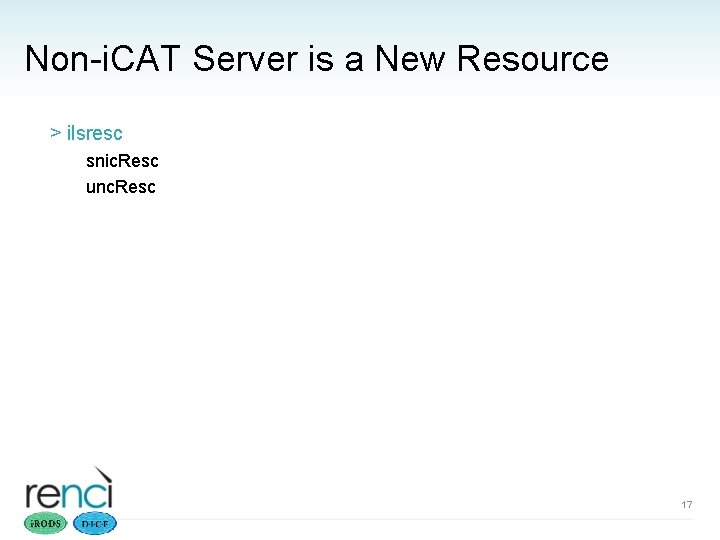
Non-i. CAT Server is a New Resource > ilsresc snic. Resc unc. Resc 17
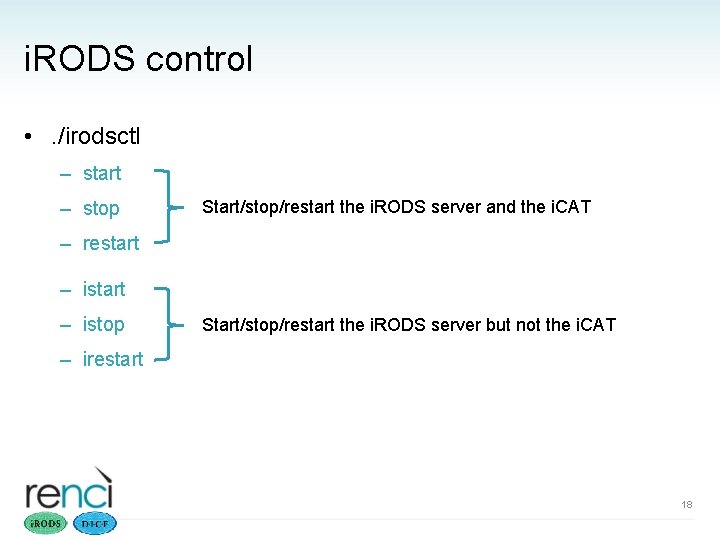
i. RODS control • . /irodsctl – start – stop Start/stop/restart the i. RODS server and the i. CAT – restart – istop Start/stop/restart the i. RODS server but not the i. CAT – irestart 18
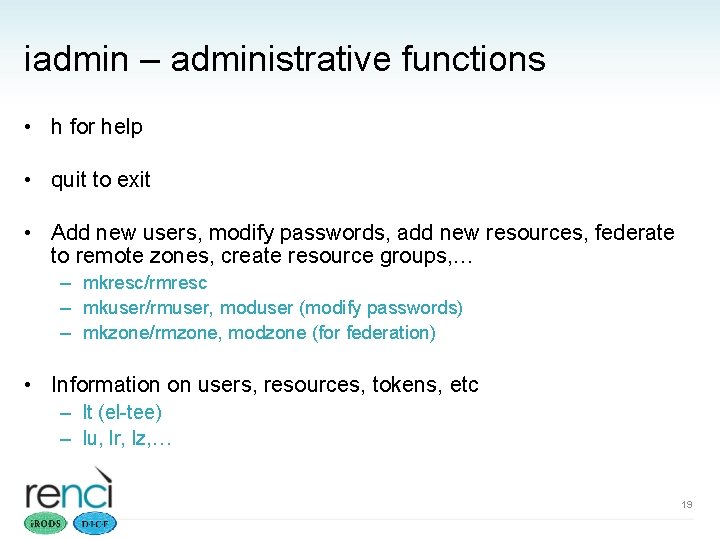
iadmin – administrative functions • h for help • quit to exit • Add new users, modify passwords, add new resources, federate to remote zones, create resource groups, … – mkresc/rmresc – mkuser/rmuser, moduser (modify passwords) – mkzone/rmzone, modzone (for federation) • Information on users, resources, tokens, etc – lt (el-tee) – lu, lr, lz, … 19
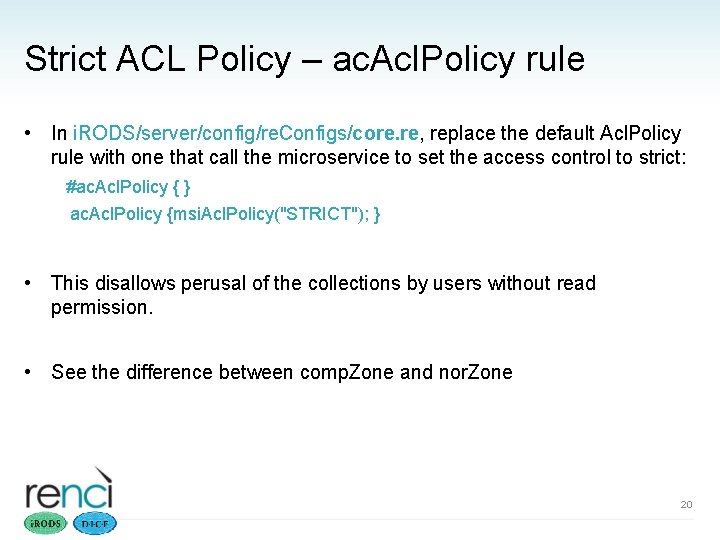
Strict ACL Policy – ac. Acl. Policy rule • In i. RODS/server/config/re. Configs/core. re, replace the default Acl. Policy rule with one that call the microservice to set the access control to strict: #ac. Acl. Policy { } ac. Acl. Policy {msi. Acl. Policy("STRICT"); } • This disallows perusal of the collections by users without read permission. • See the difference between comp. Zone and nor. Zone 20
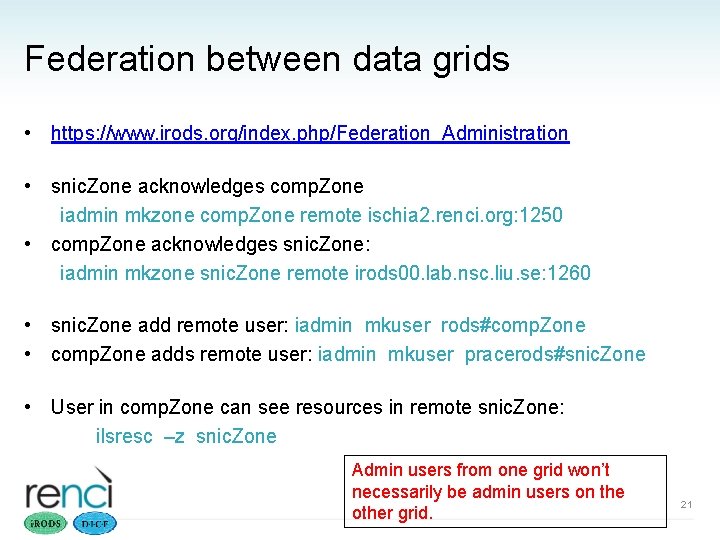
Federation between data grids • https: //www. irods. org/index. php/Federation_Administration • snic. Zone acknowledges comp. Zone iadmin mkzone comp. Zone remote ischia 2. renci. org: 1250 • comp. Zone acknowledges snic. Zone: iadmin mkzone snic. Zone remote irods 00. lab. nsc. liu. se: 1260 • snic. Zone add remote user: iadmin mkuser rods#comp. Zone • comp. Zone adds remote user: iadmin mkuser pracerods#snic. Zone • User in comp. Zone can see resources in remote snic. Zone: ilsresc –z snic. Zone Admin users from one grid won’t necessarily be admin users on the other grid. 21
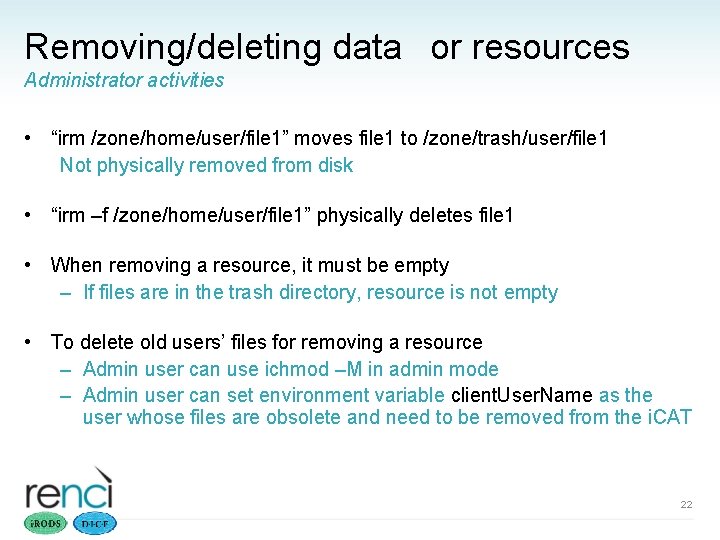
Removing/deleting data or resources Administrator activities • “irm /zone/home/user/file 1” moves file 1 to /zone/trash/user/file 1 Not physically removed from disk • “irm –f /zone/home/user/file 1” physically deletes file 1 • When removing a resource, it must be empty – If files are in the trash directory, resource is not empty • To delete old users’ files for removing a resource – Admin user can use ichmod –M in admin mode – Admin user can set environment variable client. User. Name as the user whose files are obsolete and need to be removed from the i. CAT 22
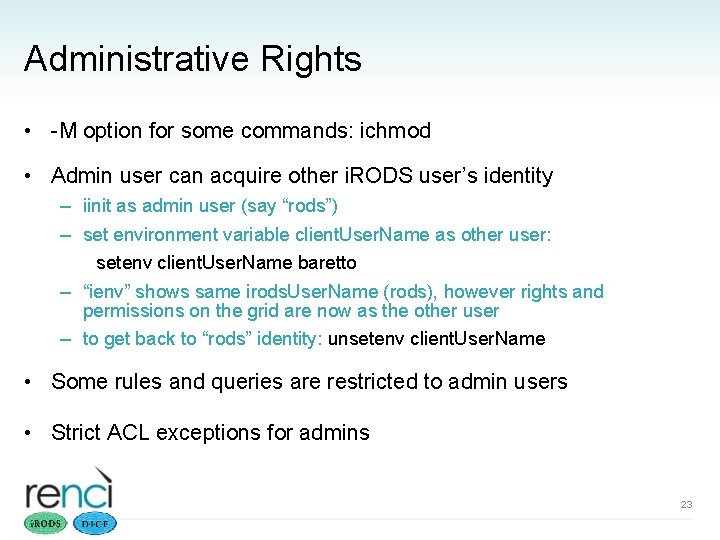
Administrative Rights • -M option for some commands: ichmod • Admin user can acquire other i. RODS user’s identity – iinit as admin user (say “rods”) – set environment variable client. User. Name as other user: setenv client. User. Name baretto – “ienv” shows same irods. User. Name (rods), however rights and permissions on the grid are now as the other user – to get back to “rods” identity: unsetenv client. User. Name • Some rules and queries are restricted to admin users • Strict ACL exceptions for admins 23
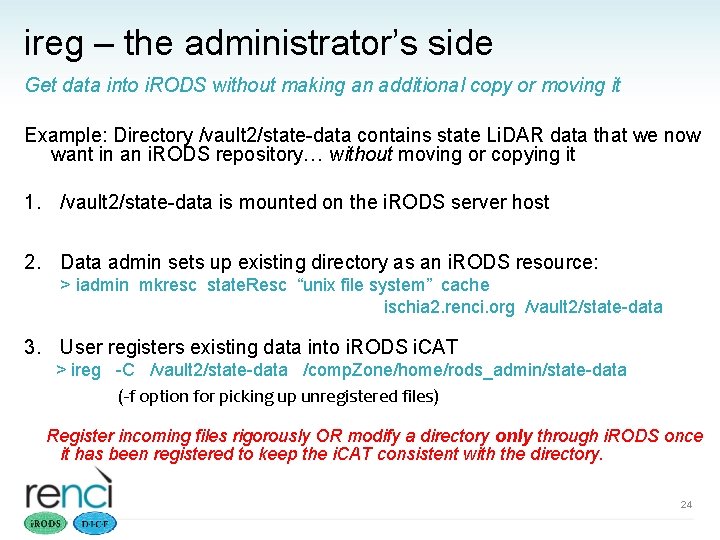
ireg – the administrator’s side Get data into i. RODS without making an additional copy or moving it Example: Directory /vault 2/state-data contains state Li. DAR data that we now want in an i. RODS repository… without moving or copying it 1. /vault 2/state-data is mounted on the i. RODS server host 2. Data admin sets up existing directory as an i. RODS resource: > iadmin mkresc state. Resc “unix file system” cache ischia 2. renci. org /vault 2/state-data 3. User registers existing data into i. RODS i. CAT > ireg -C /vault 2/state-data /comp. Zone/home/rods_admin/state-data (-f option for picking up unregistered files) Register incoming files rigorously OR modify a directory only through i. RODS once it has been registered to keep the i. CAT consistent with the directory. 24
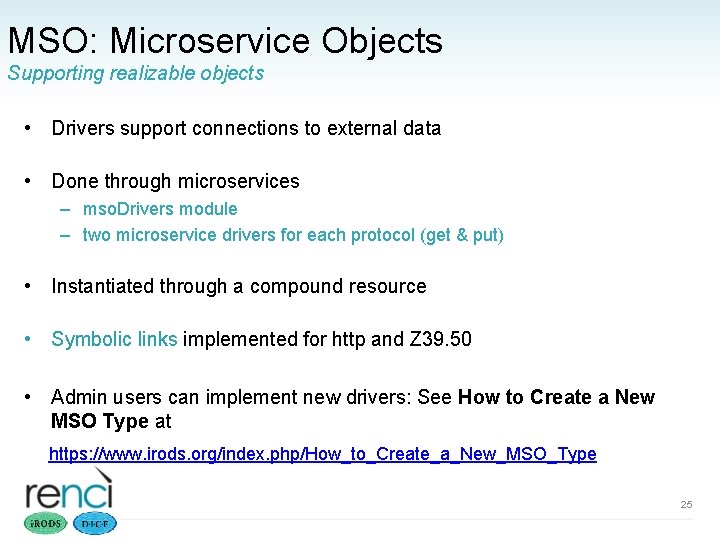
MSO: Microservice Objects Supporting realizable objects • Drivers support connections to external data • Done through microservices – mso. Drivers module – two microservice drivers for each protocol (get & put) • Instantiated through a compound resource • Symbolic links implemented for http and Z 39. 50 • Admin users can implement new drivers: See How to Create a New MSO Type at https: //www. irods. org/index. php/How_to_Create_a_New_MSO_Type 25
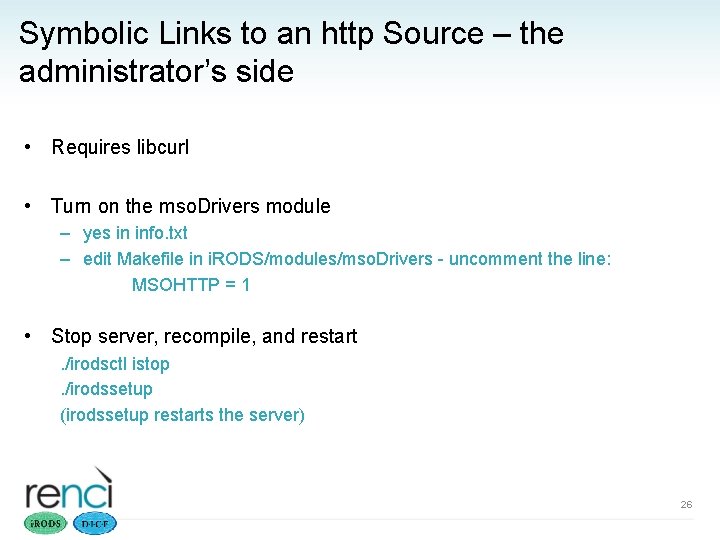
Symbolic Links to an http Source – the administrator’s side • Requires libcurl • Turn on the mso. Drivers module – yes in info. txt – edit Makefile in i. RODS/modules/mso. Drivers - uncomment the line: MSOHTTP = 1 • Stop server, recompile, and restart. /irodsctl istop. /irodssetup (irodssetup restarts the server) 26
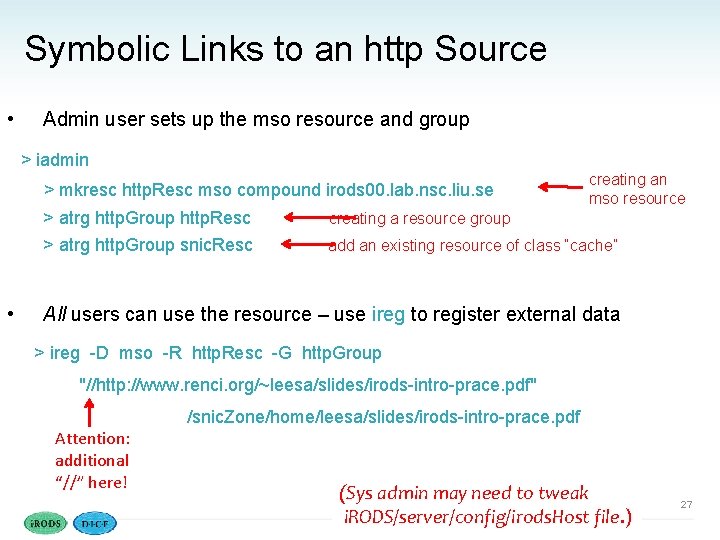
Symbolic Links to an http Source • Admin user sets up the mso resource and group > iadmin > mkresc http. Resc mso compound irods 00. lab. nsc. liu. se > atrg http. Group http. Resc > atrg http. Group snic. Resc • creating an mso resource creating a resource group add an existing resource of class “cache” All users can use the resource – use ireg to register external data > ireg -D mso -R http. Resc -G http. Group "//http: //www. renci. org/~leesa/slides/irods-intro-prace. pdf" /snic. Zone/home/leesa/slides/irods-intro-prace. pdf Attention: additional “//” here! (Sys admin may need to tweak i. RODS/server/config/irods. Host file. ) 27
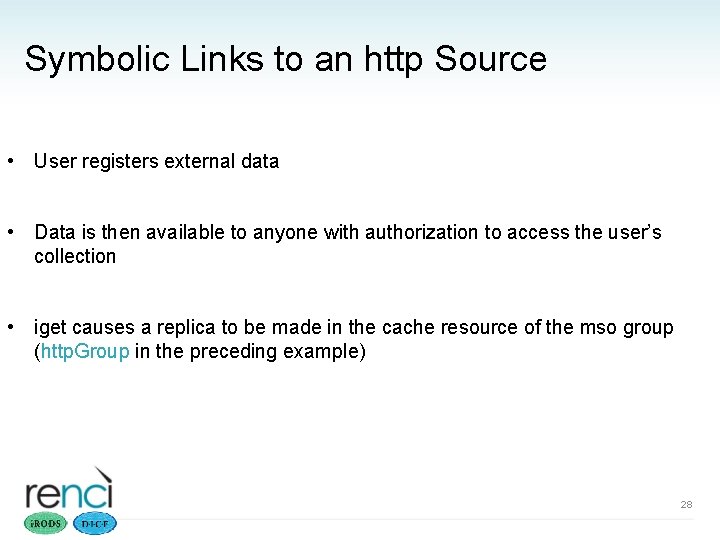
Symbolic Links to an http Source • User registers external data • Data is then available to anyone with authorization to access the user’s collection • iget causes a replica to be made in the cache resource of the mso group (http. Group in the preceding example) 28
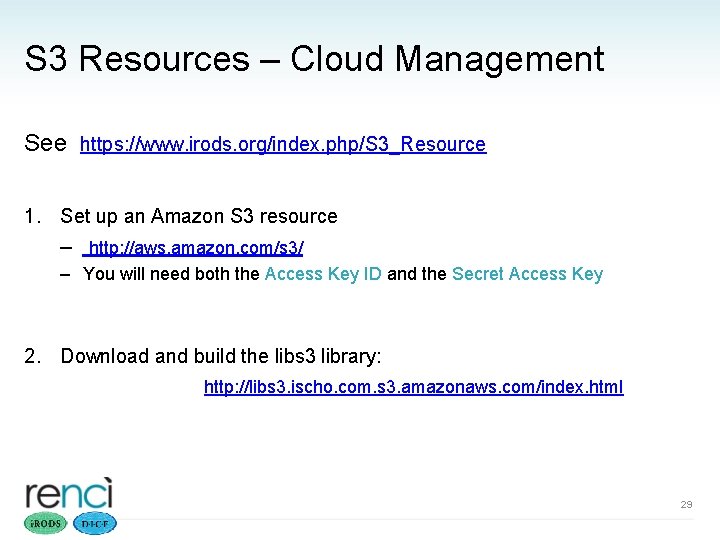
S 3 Resources – Cloud Management See https: //www. irods. org/index. php/S 3_Resource 1. Set up an Amazon S 3 resource – http: //aws. amazon. com/s 3/ – You will need both the Access Key ID and the Secret Access Key 2. Download and build the libs 3 library: http: //libs 3. ischo. com. s 3. amazonaws. com/index. html 29
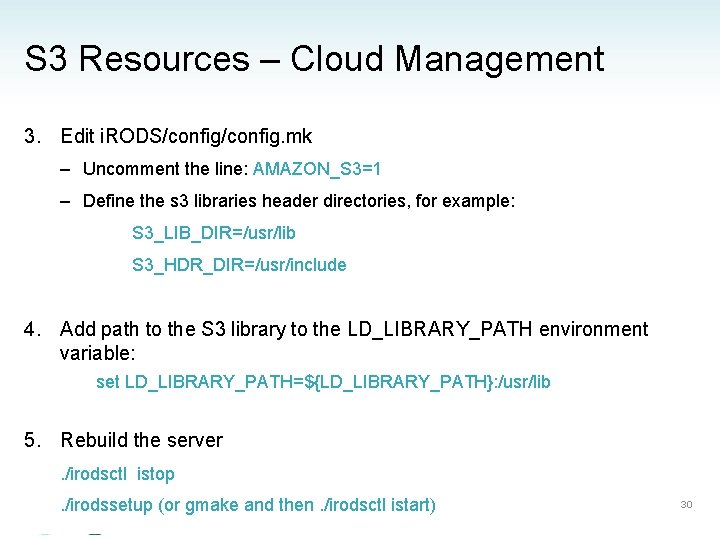
S 3 Resources – Cloud Management 3. Edit i. RODS/config. mk – Uncomment the line: AMAZON_S 3=1 – Define the s 3 libraries header directories, for example: S 3_LIB_DIR=/usr/lib S 3_HDR_DIR=/usr/include 4. Add path to the S 3 library to the LD_LIBRARY_PATH environment variable: set LD_LIBRARY_PATH=${LD_LIBRARY_PATH}: /usr/lib 5. Rebuild the server. /irodsctl istop. /irodssetup (or gmake and then. /irodsctl istart) 30
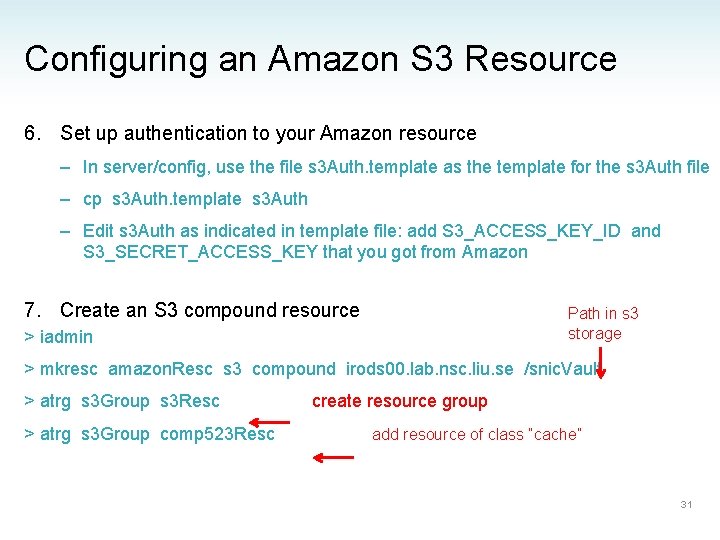
Configuring an Amazon S 3 Resource 6. Set up authentication to your Amazon resource – In server/config, use the file s 3 Auth. template as the template for the s 3 Auth file – cp s 3 Auth. template s 3 Auth – Edit s 3 Auth as indicated in template file: add S 3_ACCESS_KEY_ID and S 3_SECRET_ACCESS_KEY that you got from Amazon 7. Create an S 3 compound resource Path in s 3 storage > iadmin > mkresc amazon. Resc s 3 compound irods 00. lab. nsc. liu. se /snic. Vault > atrg s 3 Group s 3 Resc > atrg s 3 Group comp 523 Resc create resource group add resource of class “cache” 31
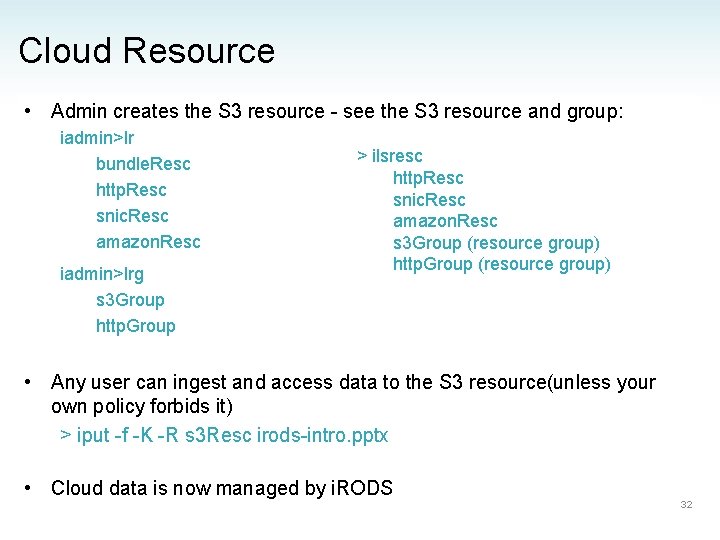
Cloud Resource • Admin creates the S 3 resource - see the S 3 resource and group: iadmin>lr bundle. Resc http. Resc snic. Resc amazon. Resc iadmin>lrg s 3 Group http. Group > ilsresc http. Resc snic. Resc amazon. Resc s 3 Group (resource group) http. Group (resource group) • Any user can ingest and access data to the S 3 resource(unless your own policy forbids it) > iput -f -K -R s 3 Resc irods-intro. pptx • Cloud data is now managed by i. RODS 32
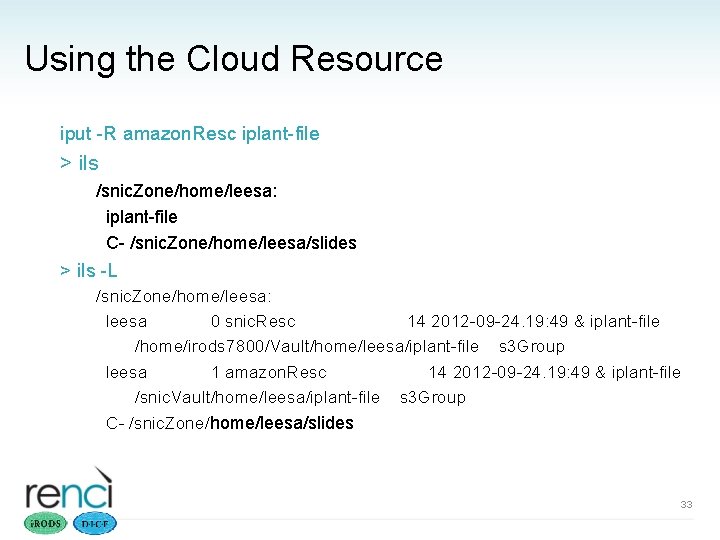
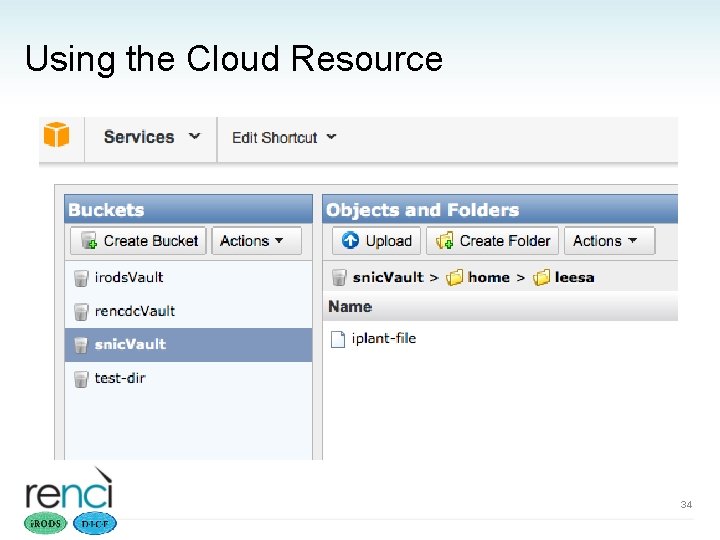
Using the Cloud Resource iput -R amazon. Resc iplant-file > ils /snic. Zone/home/leesa: iplant-file C- /snic. Zone/home/leesa/slides > ils -L /snic. Zone/home/leesa: leesa 0 snic. Resc 14 2012 -09 -24. 19: 49 & iplant-file /home/irods 7800/Vault/home/leesa/iplant-file s 3 Group leesa 1 amazon. Resc 14 2012 -09 -24. 19: 49 & iplant-file /snic. Vault/home/leesa/iplant-file s 3 Group C- /snic. Zone/home/leesa/slides 33
Using the Cloud Resource 34
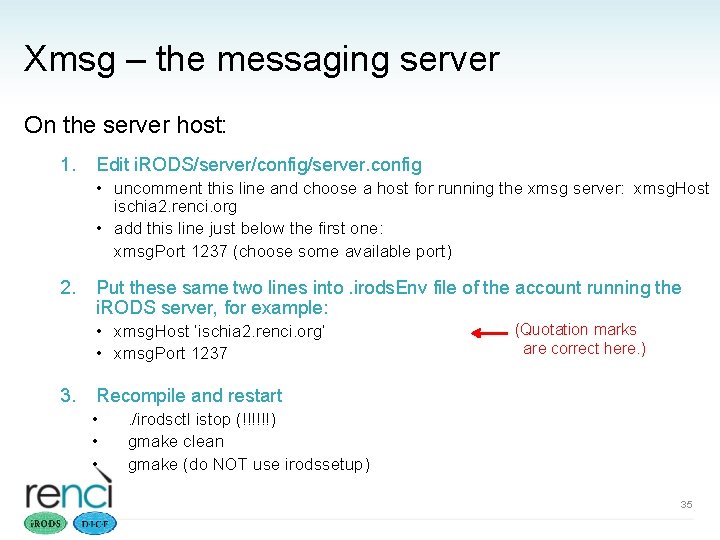
Xmsg – the messaging server On the server host: 1. Edit i. RODS/server/config/server. config • uncomment this line and choose a host for running the xmsg server: xmsg. Host ischia 2. renci. org • add this line just below the first one: xmsg. Port 1237 (choose some available port) 2. Put these same two lines into. irods. Env file of the account running the i. RODS server, for example: • xmsg. Host ’ischia 2. renci. org’ • xmsg. Port 1237 3. (Quotation marks are correct here. ) Recompile and restart • • • . /irodsctl istop (!!!!!!) gmake clean gmake (do NOT use irodssetup) 35
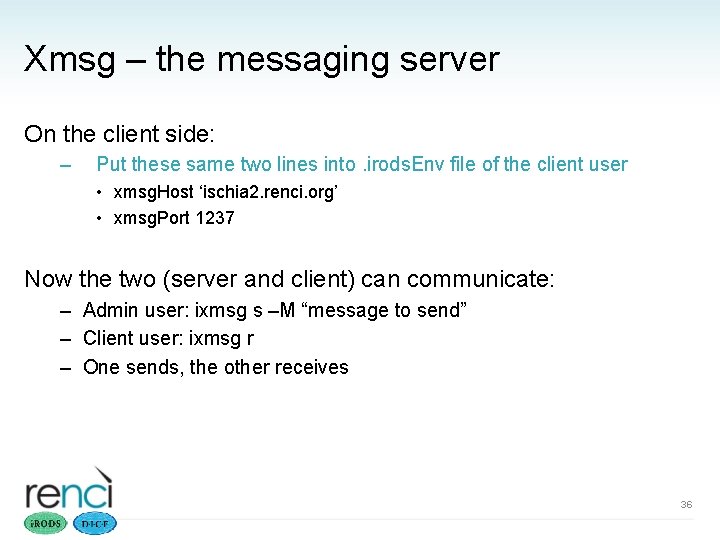
Xmsg – the messaging server On the client side: – Put these same two lines into. irods. Env file of the client user • xmsg. Host ‘ischia 2. renci. org’ • xmsg. Port 1237 Now the two (server and client) can communicate: – Admin user: ixmsg s –M “message to send” – Client user: ixmsg r – One sends, the other receives 36
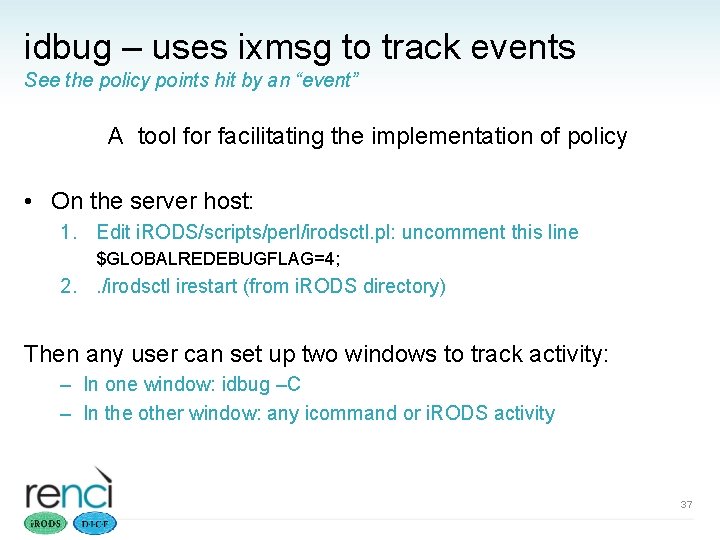
idbug – uses ixmsg to track events See the policy points hit by an “event” A tool for facilitating the implementation of policy • On the server host: 1. Edit i. RODS/scripts/perl/irodsctl. pl: uncomment this line $GLOBALREDEBUGFLAG=4; 2. . /irodsctl irestart (from i. RODS directory) Then any user can set up two windows to track activity: – In one window: idbug –C – In the other window: any icommand or i. RODS activity 37
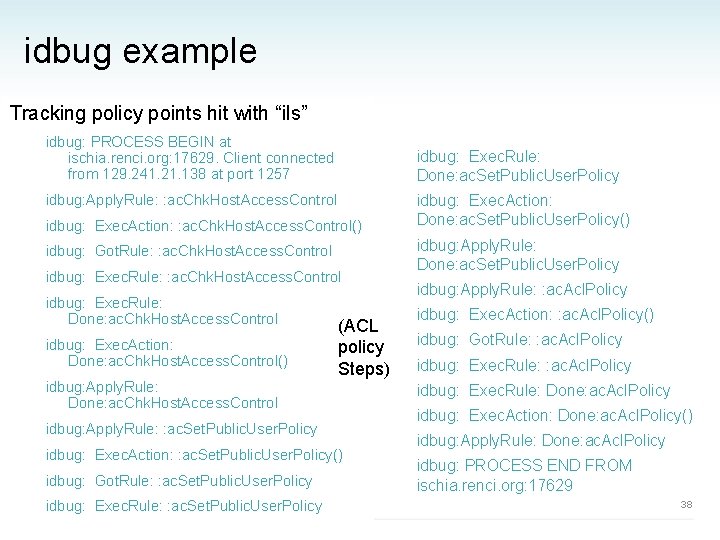
idbug example Tracking policy points hit with “ils” idbug: PROCESS BEGIN at ischia. renci. org: 17629. Client connected from 129. 241. 21. 138 at port 1257 idbug: Exec. Rule: Done: ac. Set. Public. User. Policy idbug: Apply. Rule: : ac. Chk. Host. Access. Control idbug: Exec. Action: : ac. Chk. Host. Access. Control() idbug: Got. Rule: : ac. Chk. Host. Access. Control idbug: Exec. Rule: Done: ac. Chk. Host. Access. Control idbug: Exec. Action: Done: ac. Chk. Host. Access. Control() idbug: Apply. Rule: Done: ac. Chk. Host. Access. Control (ACL policy Steps) idbug: Apply. Rule: : ac. Set. Public. User. Policy idbug: Exec. Action: : ac. Set. Public. User. Policy() idbug: Got. Rule: : ac. Set. Public. User. Policy idbug: Exec. Action: Done: ac. Set. Public. User. Policy() idbug: Apply. Rule: Done: ac. Set. Public. User. Policy idbug: Apply. Rule: : ac. Acl. Policy idbug: Exec. Action: : ac. Acl. Policy() idbug: Got. Rule: : ac. Acl. Policy idbug: Exec. Rule: Done: ac. Acl. Policy idbug: Exec. Action: Done: ac. Acl. Policy() idbug: Apply. Rule: Done: ac. Acl. Policy idbug: PROCESS END FROM ischia. renci. org: 17629 38
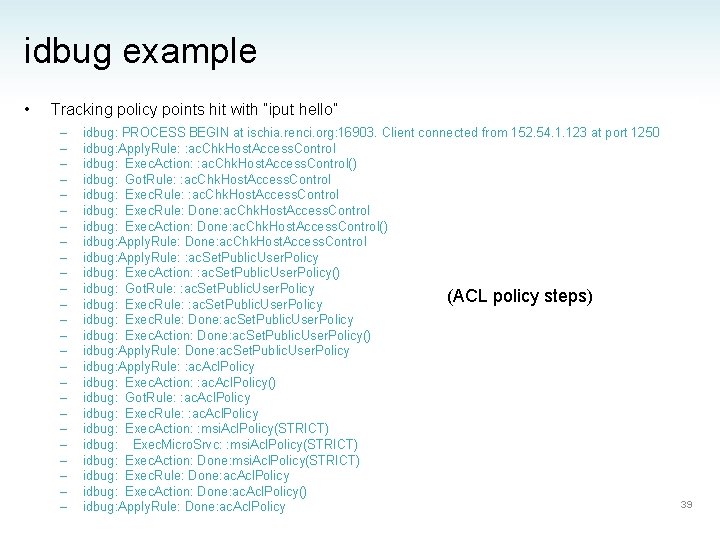
idbug example • Tracking policy points hit with “iput hello” – – – – – – – idbug: PROCESS BEGIN at ischia. renci. org: 16903. Client connected from 152. 54. 1. 123 at port 1250 idbug: Apply. Rule: : ac. Chk. Host. Access. Control idbug: Exec. Action: : ac. Chk. Host. Access. Control() idbug: Got. Rule: : ac. Chk. Host. Access. Control idbug: Exec. Rule: Done: ac. Chk. Host. Access. Control idbug: Exec. Action: Done: ac. Chk. Host. Access. Control() idbug: Apply. Rule: Done: ac. Chk. Host. Access. Control idbug: Apply. Rule: : ac. Set. Public. User. Policy idbug: Exec. Action: : ac. Set. Public. User. Policy() idbug: Got. Rule: : ac. Set. Public. User. Policy (ACL policy steps) idbug: Exec. Rule: : ac. Set. Public. User. Policy idbug: Exec. Rule: Done: ac. Set. Public. User. Policy idbug: Exec. Action: Done: ac. Set. Public. User. Policy() idbug: Apply. Rule: Done: ac. Set. Public. User. Policy idbug: Apply. Rule: : ac. Acl. Policy idbug: Exec. Action: : ac. Acl. Policy() idbug: Got. Rule: : ac. Acl. Policy idbug: Exec. Action: : msi. Acl. Policy(STRICT) idbug: Exec. Micro. Srvc: : msi. Acl. Policy(STRICT) idbug: Exec. Action: Done: msi. Acl. Policy(STRICT) idbug: Exec. Rule: Done: ac. Acl. Policy idbug: Exec. Action: Done: ac. Acl. Policy() idbug: Apply. Rule: Done: ac. Acl. Policy 39
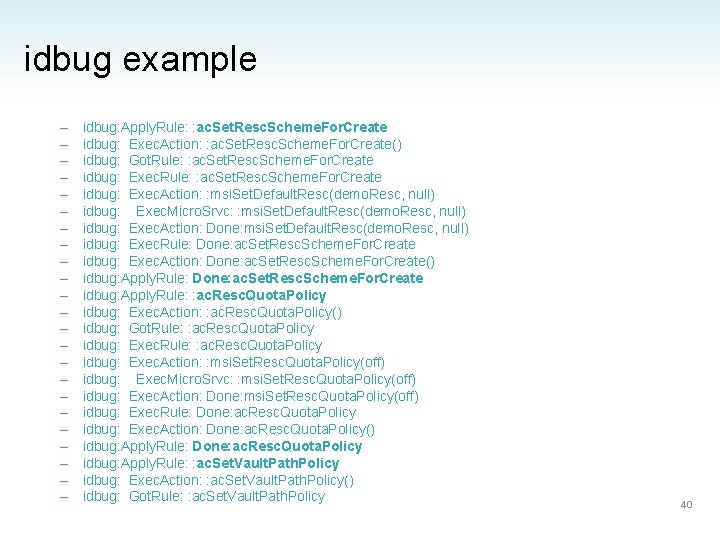
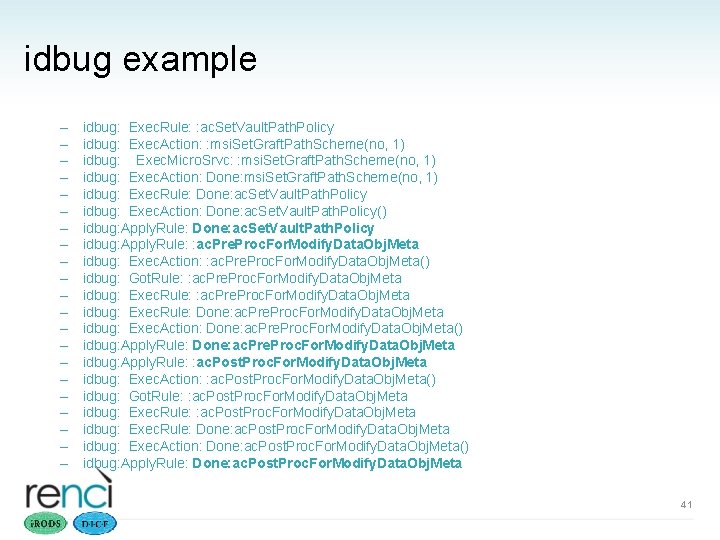
idbug example – – – – – – idbug: Apply. Rule: : ac. Set. Resc. Scheme. For. Create idbug: Exec. Action: : ac. Set. Resc. Scheme. For. Create() idbug: Got. Rule: : ac. Set. Resc. Scheme. For. Create idbug: Exec. Action: : msi. Set. Default. Resc(demo. Resc, null) idbug: Exec. Micro. Srvc: : msi. Set. Default. Resc(demo. Resc, null) idbug: Exec. Action: Done: msi. Set. Default. Resc(demo. Resc, null) idbug: Exec. Rule: Done: ac. Set. Resc. Scheme. For. Create idbug: Exec. Action: Done: ac. Set. Resc. Scheme. For. Create() idbug: Apply. Rule: Done: ac. Set. Resc. Scheme. For. Create idbug: Apply. Rule: : ac. Resc. Quota. Policy idbug: Exec. Action: : ac. Resc. Quota. Policy() idbug: Got. Rule: : ac. Resc. Quota. Policy idbug: Exec. Action: : msi. Set. Resc. Quota. Policy(off) idbug: Exec. Micro. Srvc: : msi. Set. Resc. Quota. Policy(off) idbug: Exec. Action: Done: msi. Set. Resc. Quota. Policy(off) idbug: Exec. Rule: Done: ac. Resc. Quota. Policy idbug: Exec. Action: Done: ac. Resc. Quota. Policy() idbug: Apply. Rule: Done: ac. Resc. Quota. Policy idbug: Apply. Rule: : ac. Set. Vault. Path. Policy idbug: Exec. Action: : ac. Set. Vault. Path. Policy() idbug: Got. Rule: : ac. Set. Vault. Path. Policy 40
idbug example – – – – – – idbug: Exec. Rule: : ac. Set. Vault. Path. Policy idbug: Exec. Action: : msi. Set. Graft. Path. Scheme(no, 1) idbug: Exec. Micro. Srvc: : msi. Set. Graft. Path. Scheme(no, 1) idbug: Exec. Action: Done: msi. Set. Graft. Path. Scheme(no, 1) idbug: Exec. Rule: Done: ac. Set. Vault. Path. Policy idbug: Exec. Action: Done: ac. Set. Vault. Path. Policy() idbug: Apply. Rule: Done: ac. Set. Vault. Path. Policy idbug: Apply. Rule: : ac. Pre. Proc. For. Modify. Data. Obj. Meta idbug: Exec. Action: : ac. Pre. Proc. For. Modify. Data. Obj. Meta() idbug: Got. Rule: : ac. Pre. Proc. For. Modify. Data. Obj. Meta idbug: Exec. Rule: Done: ac. Pre. Proc. For. Modify. Data. Obj. Meta idbug: Exec. Action: Done: ac. Pre. Proc. For. Modify. Data. Obj. Meta() idbug: Apply. Rule: Done: ac. Pre. Proc. For. Modify. Data. Obj. Meta idbug: Apply. Rule: : ac. Post. Proc. For. Modify. Data. Obj. Meta idbug: Exec. Action: : ac. Post. Proc. For. Modify. Data. Obj. Meta() idbug: Got. Rule: : ac. Post. Proc. For. Modify. Data. Obj. Meta idbug: Exec. Rule: Done: ac. Post. Proc. For. Modify. Data. Obj. Meta idbug: Exec. Action: Done: ac. Post. Proc. For. Modify. Data. Obj. Meta() idbug: Apply. Rule: Done: ac. Post. Proc. For. Modify. Data. Obj. Meta 41
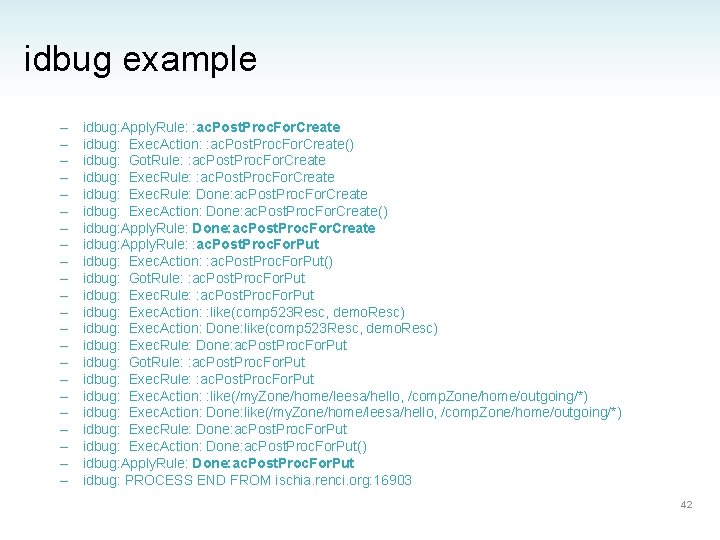
idbug example – – – – – – idbug: Apply. Rule: : ac. Post. Proc. For. Create idbug: Exec. Action: : ac. Post. Proc. For. Create() idbug: Got. Rule: : ac. Post. Proc. For. Create idbug: Exec. Rule: Done: ac. Post. Proc. For. Create idbug: Exec. Action: Done: ac. Post. Proc. For. Create() idbug: Apply. Rule: Done: ac. Post. Proc. For. Create idbug: Apply. Rule: : ac. Post. Proc. For. Put idbug: Exec. Action: : ac. Post. Proc. For. Put() idbug: Got. Rule: : ac. Post. Proc. For. Put idbug: Exec. Action: : like(comp 523 Resc, demo. Resc) idbug: Exec. Action: Done: like(comp 523 Resc, demo. Resc) idbug: Exec. Rule: Done: ac. Post. Proc. For. Put idbug: Got. Rule: : ac. Post. Proc. For. Put idbug: Exec. Action: : like(/my. Zone/home/leesa/hello, /comp. Zone/home/outgoing/*) idbug: Exec. Action: Done: like(/my. Zone/home/leesa/hello, /comp. Zone/home/outgoing/*) idbug: Exec. Rule: Done: ac. Post. Proc. For. Put idbug: Exec. Action: Done: ac. Post. Proc. For. Put() idbug: Apply. Rule: Done: ac. Post. Proc. For. Put idbug: PROCESS END FROM ischia. renci. org: 16903 42
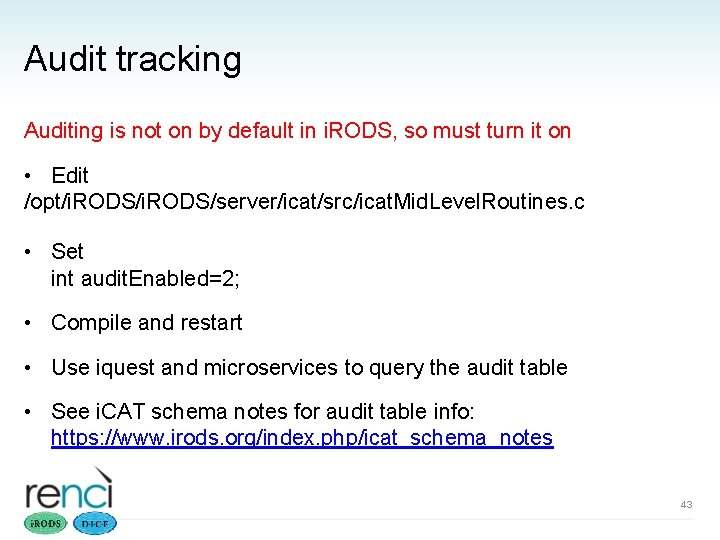
Audit tracking Auditing is not on by default in i. RODS, so must turn it on • Edit /opt/i. RODS/server/icat/src/icat. Mid. Level. Routines. c • Set int audit. Enabled=2; • Compile and restart • Use iquest and microservices to query the audit table • See i. CAT schema notes for audit table info: https: //www. irods. org/index. php/icat_schema_notes 43