
i OS UI Components Pickers Alert Dialog Tables

i. OS UI Components Pickers, Alert, Dialog, Tables Sisoft Technologies Pvt Ltd SRC E 7, Shipra Riviera Bazar, Gyan Khand-3, Indirapuram, Ghaziabad Website: www. sisoft. in Email: info@sisoft. in Phone: +91 -9999 -283
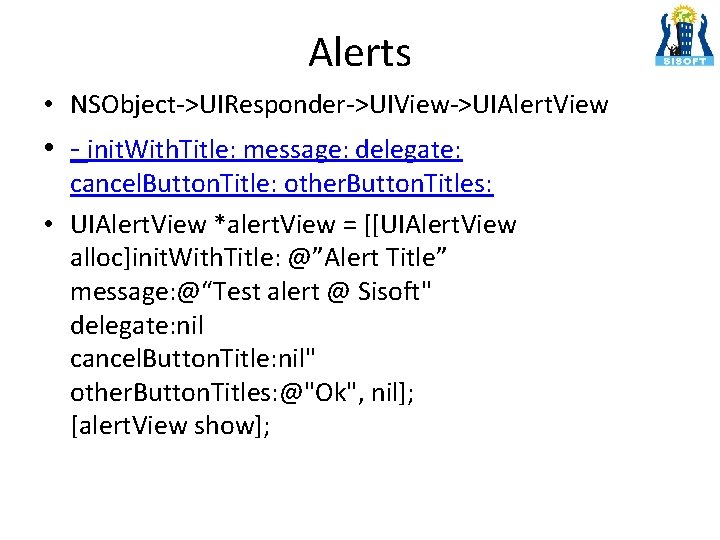
Alerts • NSObject->UIResponder->UIView->UIAlert. View • - init. With. Title: message: delegate: cancel. Button. Title: other. Button. Titles: • UIAlert. View *alert. View = [[UIAlert. View alloc]init. With. Title: @”Alert Title” message: @“Test alert @ Sisoft" delegate: nil cancel. Button. Title: nil" other. Button. Titles: @"Ok", nil]; [alert. View show];

Alerts using UIAlert. Controller • UIAlert. Controller * alert= [UIAlert. Controller alert. Controller. With. Title: @"My Title” message: @"Enter User Credentials“ preferred. Style: UIAlert. Controller. Style. Action. Sheet]; • UIAlert. Action *ok = [UIAlert. Action • action. With. Title: @"OK" • style: UIAlert. Action. Style. Default • handler: ^(UIAlert. Action * action) • { [alert dismiss. View. Controller Animated: YES completion: nil]; • }]; • [alert add. Action: ok]; • [self present. View. Controller: alert animated: YES completion: nil] ; •
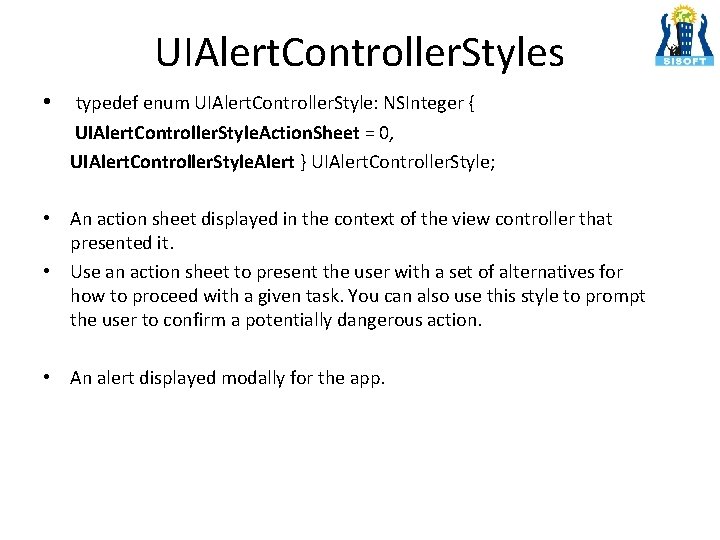
UIAlert. Controller. Styles • typedef enum UIAlert. Controller. Style: NSInteger { UIAlert. Controller. Style. Action. Sheet = 0, UIAlert. Controller. Style. Alert } UIAlert. Controller. Style; • An action sheet displayed in the context of the view controller that presented it. • Use an action sheet to present the user with a set of alternatives for how to proceed with a given task. You can also use this style to prompt the user to confirm a potentially dangerous action. • An alert displayed modally for the app.

UIAlert. Controller: Adding Text. Field • Use add. Text. Field. With. Configuration. Handler – [alert add. Text. Field. With. Configuration. Handler: – ^(UIText. Field *text. Field) { – text. Field. placeholder=@"Enter your name"; – }] ; • In UIAlert. Controller textfields are stored as array. Need to get reference of text. Field and access the value – UIAlert. Action *ok = [UIAlert. Action – action. With. Title: @"OK“ style: UIAlert. Action. Style. Default handler: ^(UIAlert. Action * action { UIText. Field *txt. Fld = alert. text. Fields[0]; NSLog(@"Entered Value: %@", txt. Fld. text); self. lbl. Value. text = txt. Fld. text ; [alert dismiss. View. Controller. Animated: YES completion: nil]; }]; – – –
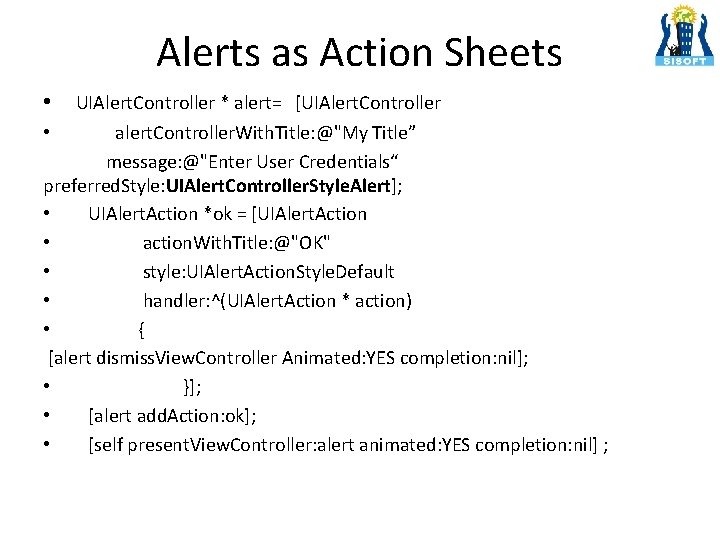
Alerts as Action Sheets • UIAlert. Controller * alert= [UIAlert. Controller alert. Controller. With. Title: @"My Title” message: @"Enter User Credentials“ preferred. Style: UIAlert. Controller. Style. Alert]; • UIAlert. Action *ok = [UIAlert. Action • action. With. Title: @"OK" • style: UIAlert. Action. Style. Default • handler: ^(UIAlert. Action * action) • { [alert dismiss. View. Controller Animated: YES completion: nil]; • }]; • [alert add. Action: ok]; • [self present. View. Controller: alert animated: YES completion: nil] ; •
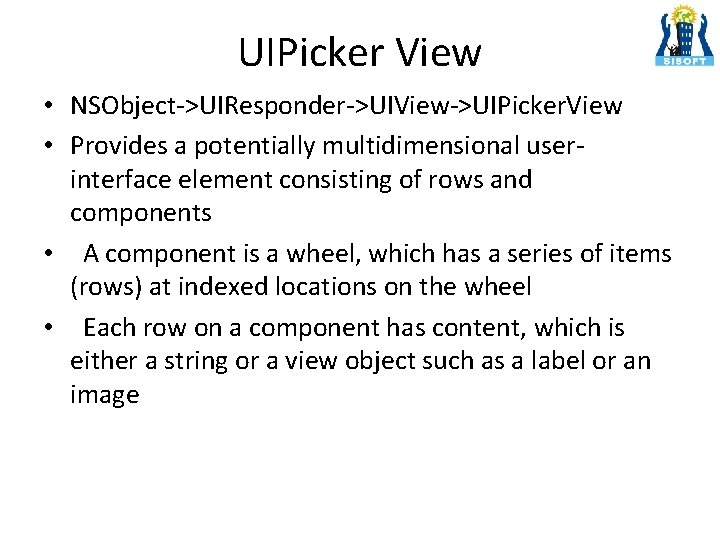
UIPicker View • NSObject->UIResponder->UIView->UIPicker. View • Provides a potentially multidimensional userinterface element consisting of rows and components • A component is a wheel, which has a series of items (rows) at indexed locations on the wheel • Each row on a component has content, which is either a string or a view object such as a label or an image
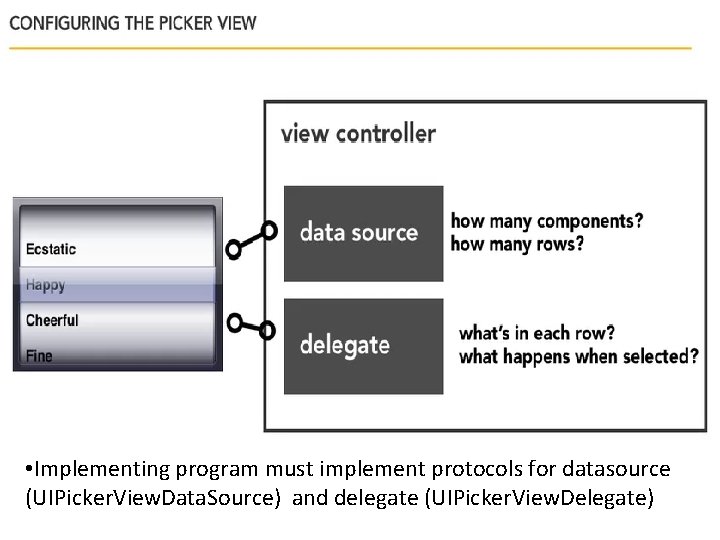
• Implementing program must implement protocols for datasource (UIPicker. View. Data. Source) and delegate (UIPicker. View. Delegate)
UIPicker View • UIPicker. View. Data. Source two required methods – number. Of. Components. In. Picker. View: – picker. View: number. Of. Rows. In. Component: • UIPicker. View. Delegate have various optional methods commonly used are like – picker. View: title. For. Row: for. Component: – picker. View: did. Select. Row: in. Component:
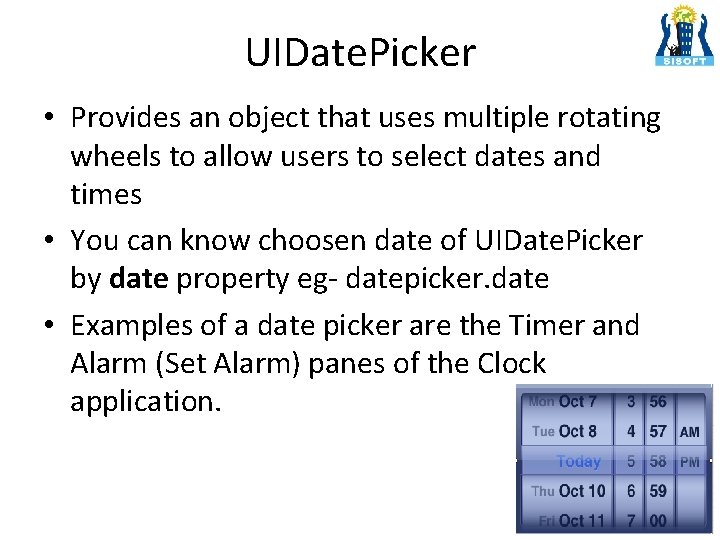
UIDate. Picker • Provides an object that uses multiple rotating wheels to allow users to select dates and times • You can know choosen date of UIDate. Picker by date property eg- datepicker. date • Examples of a date picker are the Timer and Alarm (Set Alarm) panes of the Clock application.
UIDate. Picker • Create IBOutlet and IBAction for date. Picker NSDate. Formatter *date. Formatter = [[NSDate. Formatter alloc] init]; [date. Formatter set. Date. Format: @"dd-MM-yyyy HH: mm"]; NSString *formated. Date = [date. Formatter string. From. Date: self. date. Picker. date]; self. selected. Date. text =formated. Date;
UITable View • NSObject->UIResponder->UIView->UIScroll. View>UITable. View • An instance of UITable. View (or simply, a table view) is a means for displaying and editing hierarchical lists of information • A table view displays a list of items in a single column • The cells comprising the individual items of the table are UITable. View. Cell objects • A UITable. View object must have an object that acts as a data source and an object that acts as a delegate; • The data source must adopt the UITable. View. Data. Source protocol and the delegate must adopt the UITable. View. Delegate protocol.
UITable. View. Cell • NSObject->UIResponder->UIView>UITable. View. Cell • The UITable. View. Cell class defines the attributes and behavior of the cells that appear in UITable. View • When creating cells, you can customize them yourself or use one of several predefined styles. • With the predefined styles, the cell provides label and image subviews whose positions and styling are fixed
UITable. View. Data. Source • How many row and what Data ? • UITable. View. Data. Source has two methods that needs to be implemented • - (NSInteger)table. View: (UITable. View *)table. View number. Of. Rows. In. Section: (NSInteger)section • - (UITable. View. Cell *)table. View: (UITable. View *)table. View cell. For. Row. At. Index. Path: (NSIndex. Path *)index. Path • - (NSInteger)number. Of. Sections. In. Table. View: (UITable. View *)table. View
UITable. View. Data. Source - (UITable. View. Cell *)table. View: (UITable. View *)table. View cell. For. Row. At. Index. Path: (NSIndex. Path *)index. Path { static NSString *simple. Table. Identifier = @"Simple. Table. Item“; UITable. View. Cell *cell = [table. View dequeue. Reusable. Cell. With. Identifier: simple. Table. Identifier]; if (cell == nil) { cell = [[UITable. View. Cell alloc] init. With. Style: UITable. View. Cell. Style. Default reuse. Identifier: simple. Table. Identifier]; } cell. text. Label. text = [table. Data object. At. Index: index. Path. row]; cell. image. View. image = [UIImage image. Named: [thumbnails object. At. Index: index. Path. row]]; return cell; }
UITable. View. Delegate • What happens when row is selected? • Optional methods of the protocol allow the delegate to manage selections, configure section headings and footers, help to delete and reorder cells, and perform other actions. • Eg • - (void)table. View: (UITable. View *)table. View did. Select. Row. At. Index. Path: (NSIndex. Path *)index. Path
UITable View - Customization • UITable. View is an collection of UITable. View. Cell’s. • It defines the attributes and behaviour of the cells. • UITable. View. Cell may contain image, text, label or whatever. • User can use the default cell or he/she can modify them as per their requirement in the app development process.
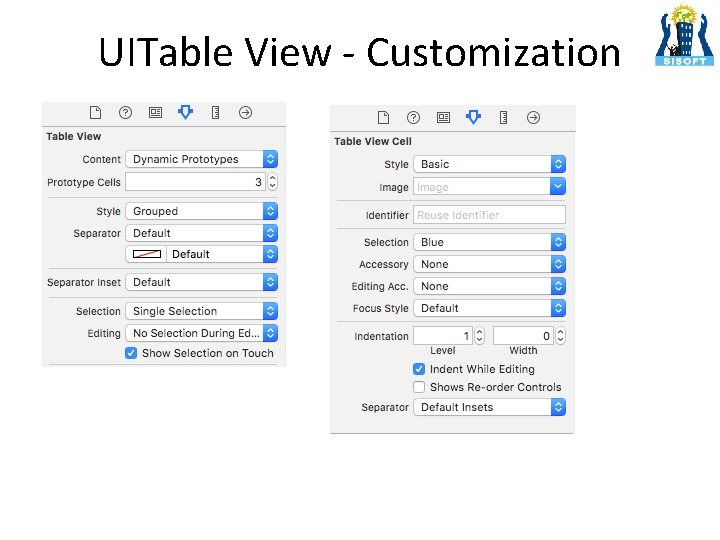
UITable View - Customization
- Slides: 18