
i OS App Components CS 4720 Mobile Application
i. OS App Components CS 4720 – Mobile Application Development CS 4720
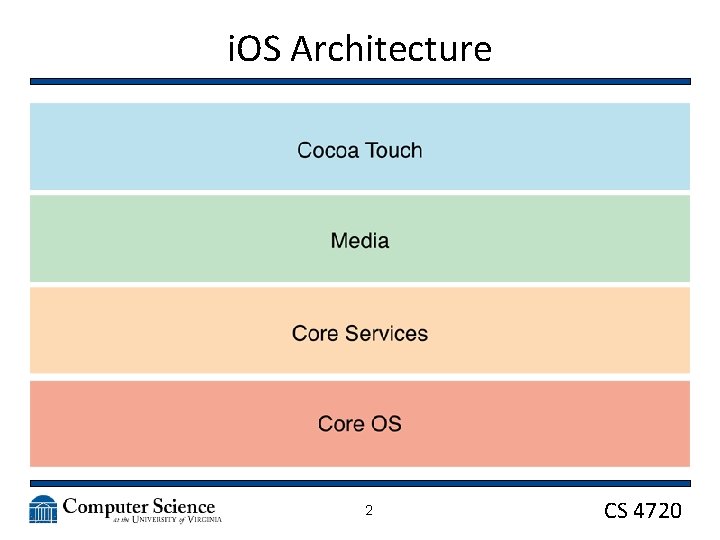
i. OS Architecture 2 CS 4720
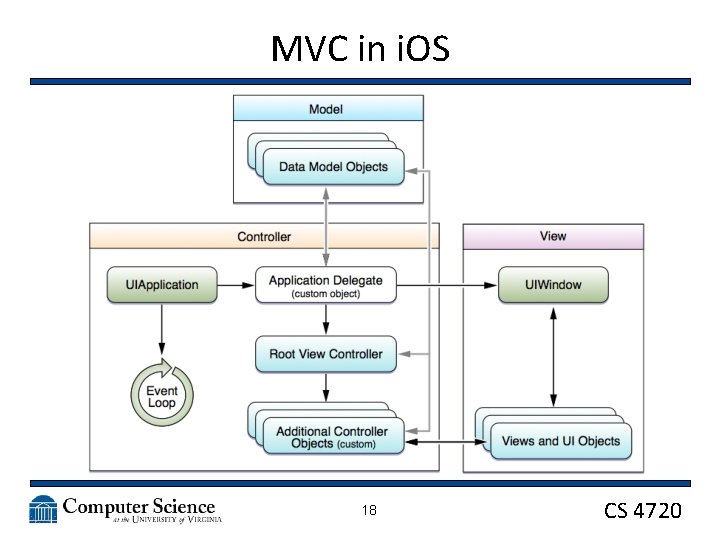
Building Blocks • UIApplication – The main entry point for your app – Each app has exactly one instance of this class – Provides the main interface back to the OS – Handles all incoming info from the OS (such as touch event, memory warnings, incoming phone call, etc. ) – Passes these messages off to… 3 CS 4720
Building Blocks • UIApplication. Delegate – Manages the running of your app – Handles “major” events, like app swtiching, app initialization, etc. 4 CS 4720
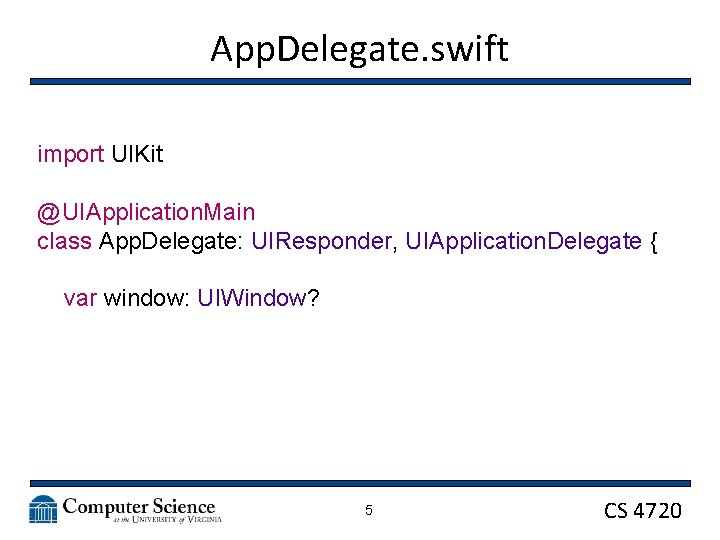
App. Delegate. swift import UIKit @UIApplication. Main class App. Delegate: UIResponder, UIApplication. Delegate { var window: UIWindow? 5 CS 4720
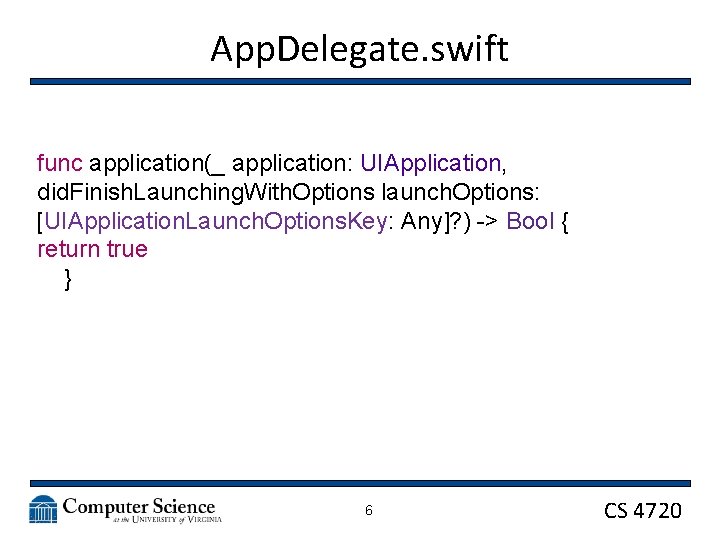
App. Delegate. swift func application(_ application: UIApplication, did. Finish. Launching. With. Options launch. Options: [UIApplication. Launch. Options. Key: Any]? ) -> Bool { return true } 6 CS 4720
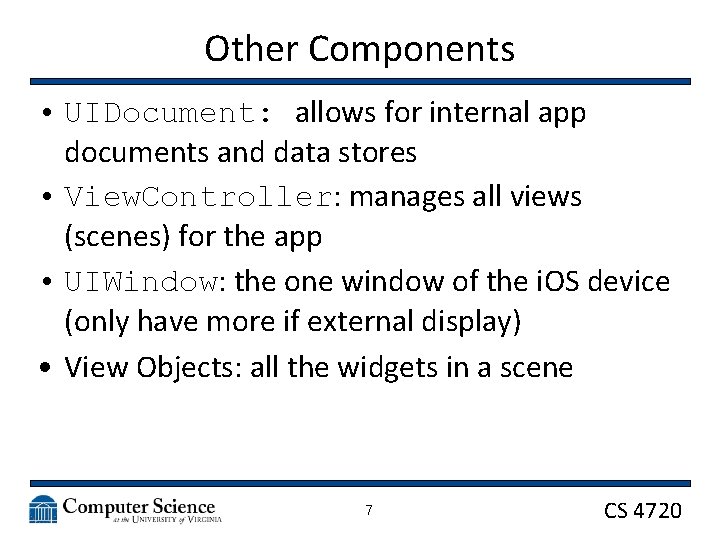
Other Components • UIDocument: allows for internal app documents and data stores • View. Controller: manages all views (scenes) for the app • UIWindow: the one window of the i. OS device (only have more if external display) • View Objects: all the widgets in a scene 7 CS 4720
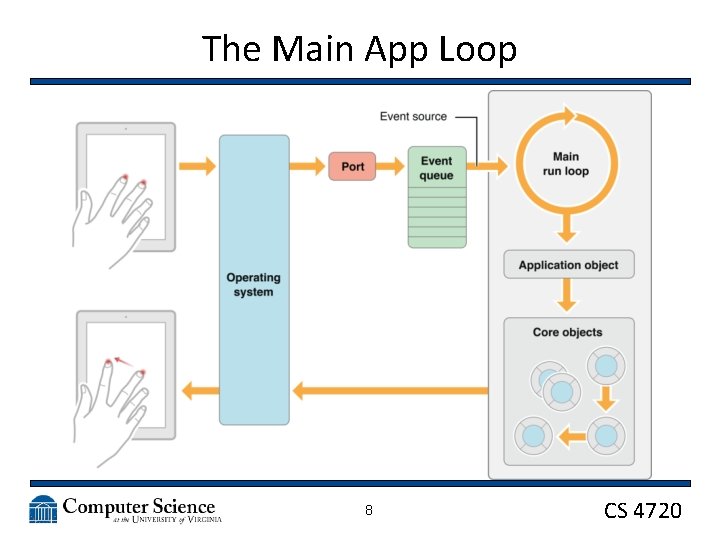
The Main App Loop 8 CS 4720
The Main App Loop • The OS receives input and passes it to the UIApplication • Which passes it to the UIApplication. Delegate • Which passes it to the UIWindow • Which passes it to the currently seen View. Controller 9 CS 4720
The Main App Loop • Other events are passed to the “First Responder” object that is available • Everything that can accept and respond to an event is a responder object • The first responder object is the top-level designated object in a view to handle events 10 CS 4720
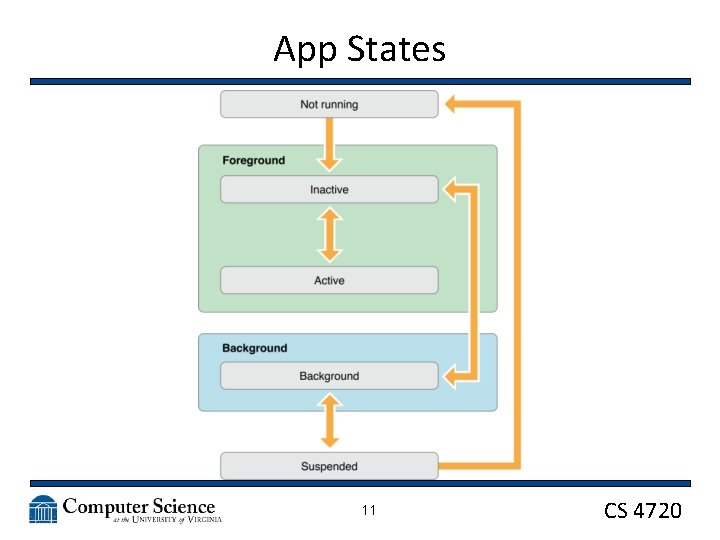
App States 11 CS 4720
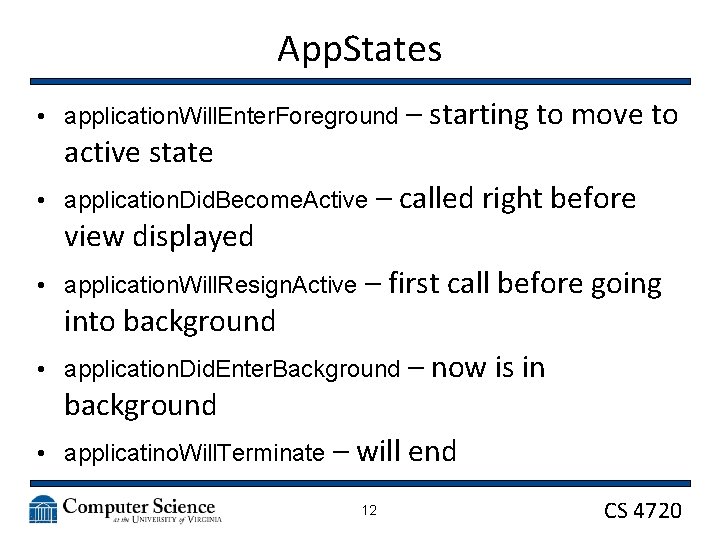
App. States • application. Will. Enter. Foreground active state • application. Did. Become. Active view displayed • application. Will. Resign. Active into background – called right before – first call before going • application. Did. Enter. Background background • applicatino. Will. Terminate – starting to move to – now is in – will end 12 CS 4720
On Launch • application comes in with did. Finish. Launching. With. Options • Check dictionary launch. Options for info on why was launched (somewhat like looking at the Intent) • Any app not responding in 5 seconds is killed • Start initialization • UIKit grabs first storyboard and View. Controller 13 CS 4720
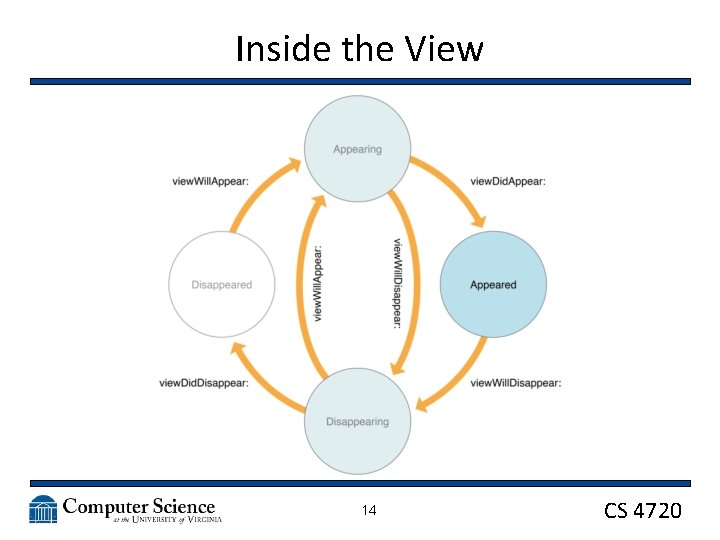
Inside the View 14 CS 4720
Using Segues • Instead of Intents like Android, we’ll use Segues to pass data between Scenes / View. Controllers 15 CS 4720
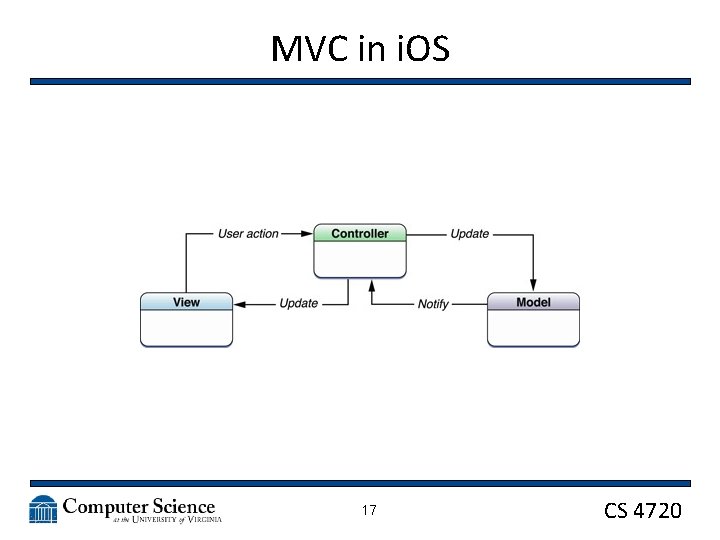
MVC in i. OS • We again see Model-View-Controller as part of the foundation for a mobile system • Because of the nature of Objective-C and Ne. XTSTEP, MVC is one of the primary design patterns for both i. OS and OS X 16 CS 4720
MVC in i. OS 17 CS 4720
MVC in i. OS 18 CS 4720
MVC in i. OS • Model: The base classes you write to hold data – Could subclass NSObject/Object – Could connect to a database or other data source – Could be a simple class you write 19 CS 4720
MVC in i. OS • View: Any rectangular drawable object on the screen – Various Stack, Table, and Collection Views – Image, Text, Picker Views – Map and Web. Kit View – Scene Kit View (for 3 D scenes) – Manages drawing its area on the screen – Can contain other views (or be contained) – Responds to touch and other events 20 CS 4720
MVC in i. OS • Controller: The View. Controller class – Each View. Controller manages a hierarchy of Views – The view property of the class contains the root – Views are access lazily; that is, they are only loaded when needed – Updates the contents of the views, usually in response to changes to the underlying data – Responds to user interactions with views – Resizes views and manages the layout of the overall interface 21 CS 4720
Building up in MVC • Start by considering your data – Where does it come from? – How will you store it? – What sort of access do you need from it? 22 CS 4720
Building up in MVC • Storyboard your idea – Just as with Android, layout each screen – What views make up each screen? • Text? • A Table? • An Image? – What happens when you touch or swipe on each view? Or on the screen? 23 CS 4720
Building up in MVC • Create the appropriate Controller type • Add Views to the Controller to get the layout the way you want it • Start with dummy data • Run in the simulator often! • Check and adjust your constraints to get everything on screen • Test rotation! 24 CS 4720
Building up in MVC • In your Storyboard, link the various Views back to the code using ctrl-click/drag • Do the same for buttons and other controls • Load data as needed to refresh the view (often happens automatically) • Add in code to handle user events, like touches and swipes • Add Navigation Controllers to allow for switching between scenes 25 CS 4720
- Slides: 25