
Hypertext Transfer Protocol COMP 3220 Web Infrastructure Dr


Hypertext Transfer Protocol COMP 3220 Web Infrastructure Dr Nicholas Gibbins – nmg@ecs. soton. ac. uk
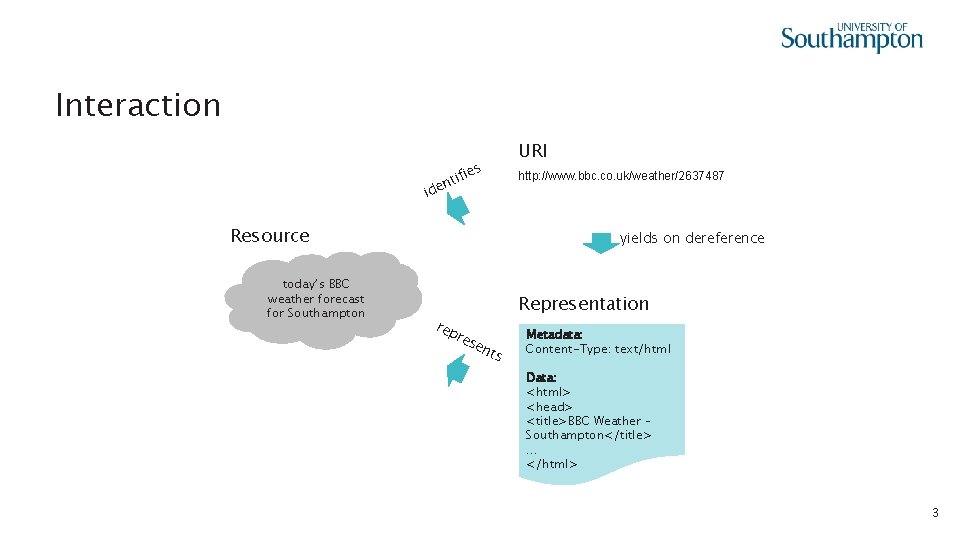
Interaction id URI es tifi n e http: //www. bbc. co. uk/weather/2637487 Resource today’s BBC weather forecast for Southampton yields on dereference rep Representation res en ts Metadata: Content-Type: text/html Data: <html> <head> <title>BBC Weather – Southampton</title>. . . </html> 3
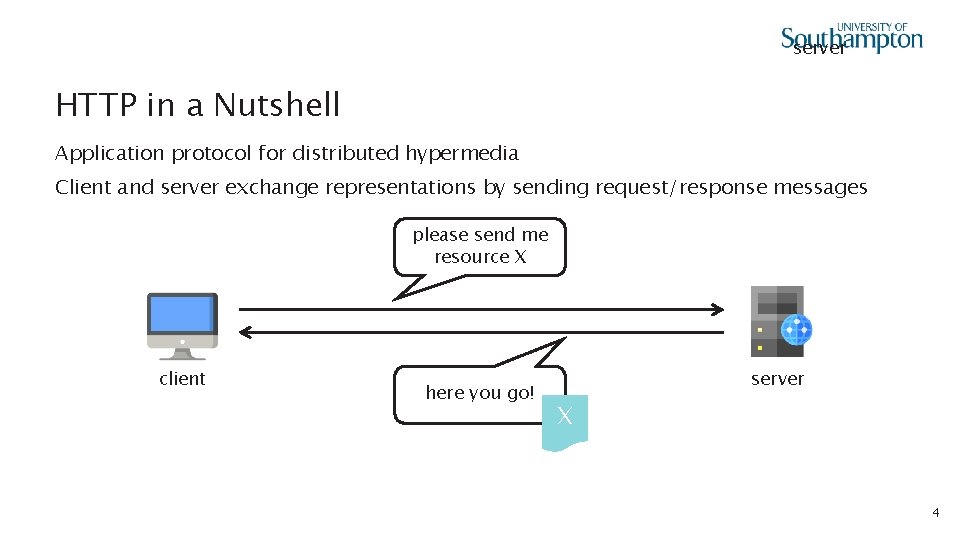
server HTTP in a Nutshell Application protocol for distributed hypermedia Client and server exchange representations by sending request/response messages please send me resource X client here you go! server X 4
The evolution of HTTP • First documented in 1991 (HTTP/0. 9) • HTTP/1. 0 introduced in 1996 (RFC 1945) • HTTP/1. 1 introduced in 1997 (RFC 2068) • HTTP/1. 1 updated in 1999 (RFC 2616) • HTTP/1. 1 last updated in 2014 (RFC 7230 -7235) • HTTP/2 introduced in 2015 (RFC 7450) • HTTP/3 in development 5
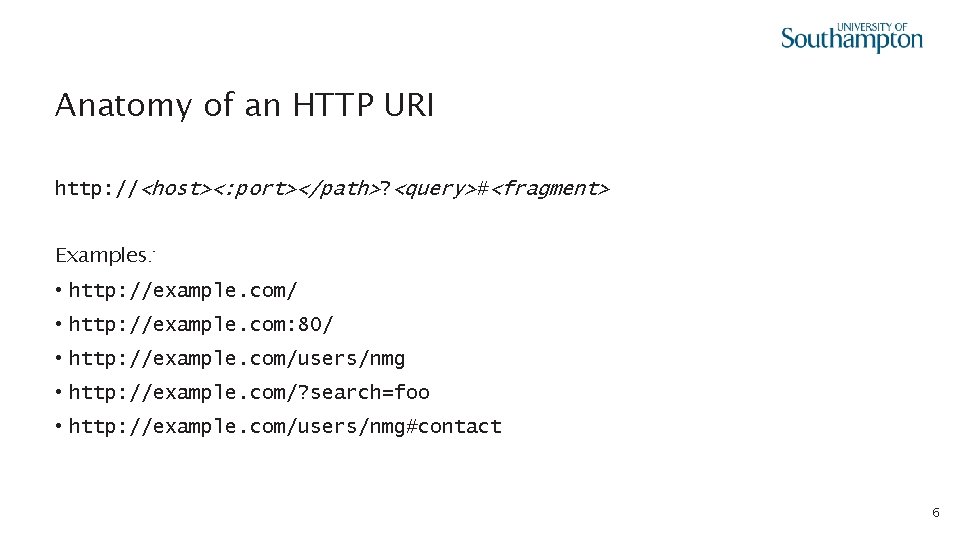
Anatomy of an HTTP URI http: //<host><: port></path>? <query>#<fragment> Examples: • http: //example. com/ • http: //example. com: 80/ • http: //example. com/users/nmg • http: //example. com/? search=foo • http: //example. com/users/nmg#contact 6
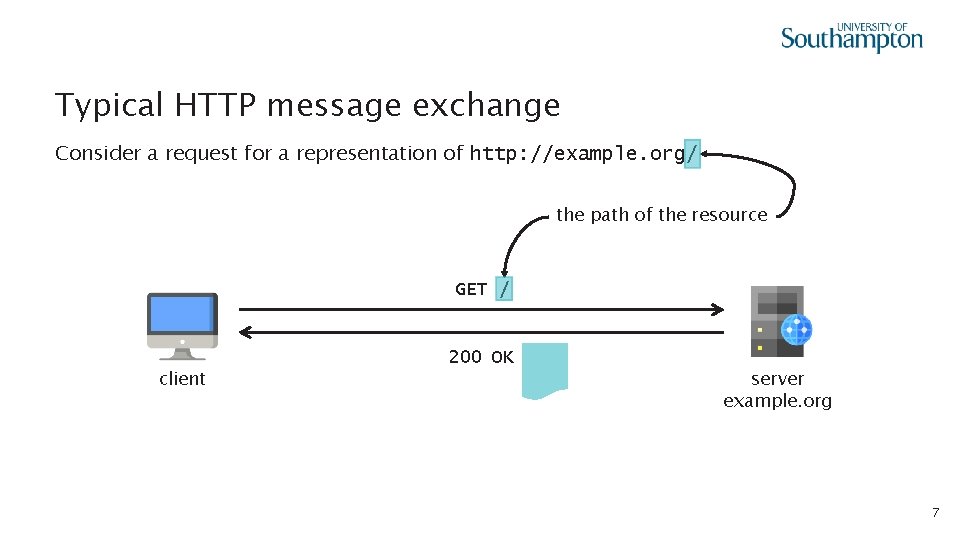
Typical HTTP message exchange Consider a request for a representation of http: //example. org/ the path of the resource GET / client 200 OK server example. org 7
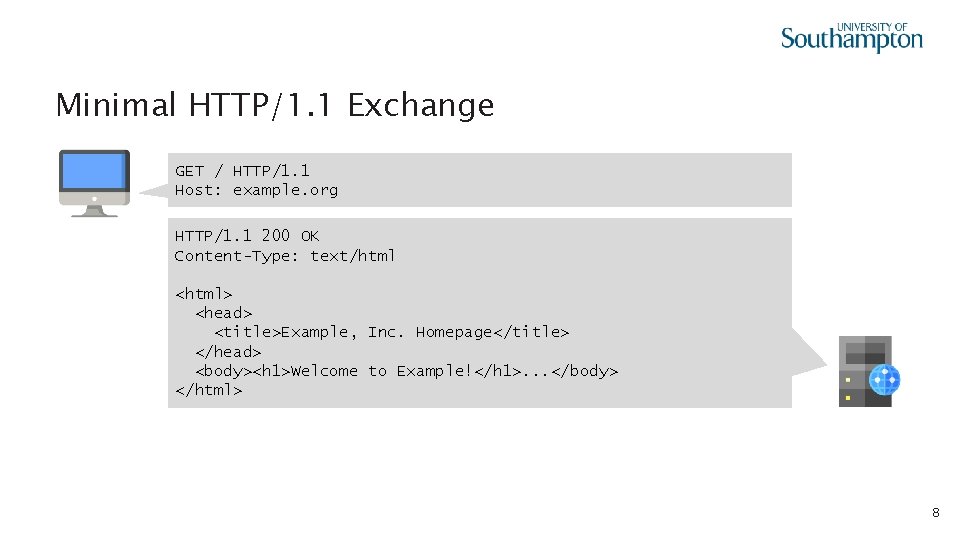
Minimal HTTP/1. 1 Exchange GET / HTTP/1. 1 Host: example. org HTTP/1. 1 200 OK Content-Type: text/html <html> <head> <title>Example, Inc. Homepage</title> </head> <body><h 1>Welcome to Example!</h 1>. . . </body> </html> 8
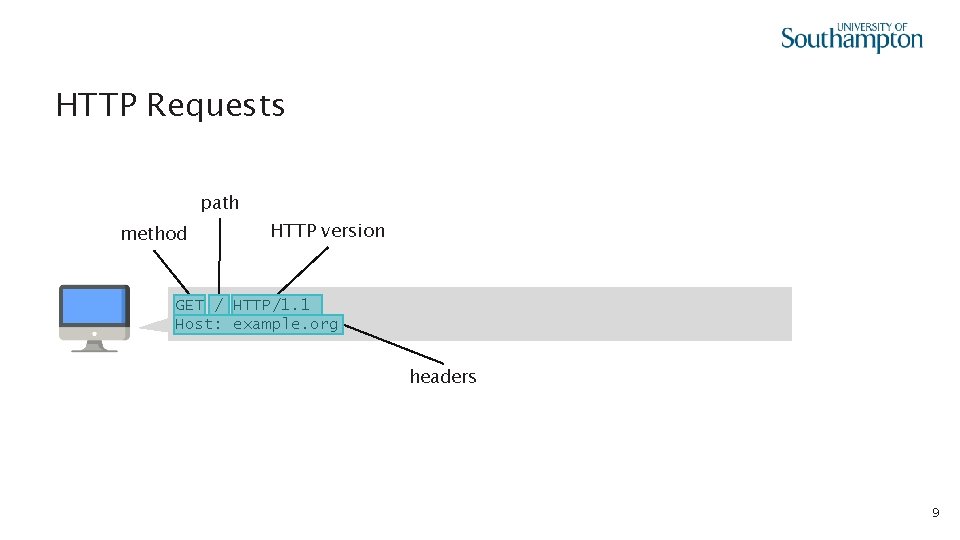
HTTP Requests path method HTTP version GET / HTTP/1. 1 Host: example. org headers 9

Exercise: Requests 10
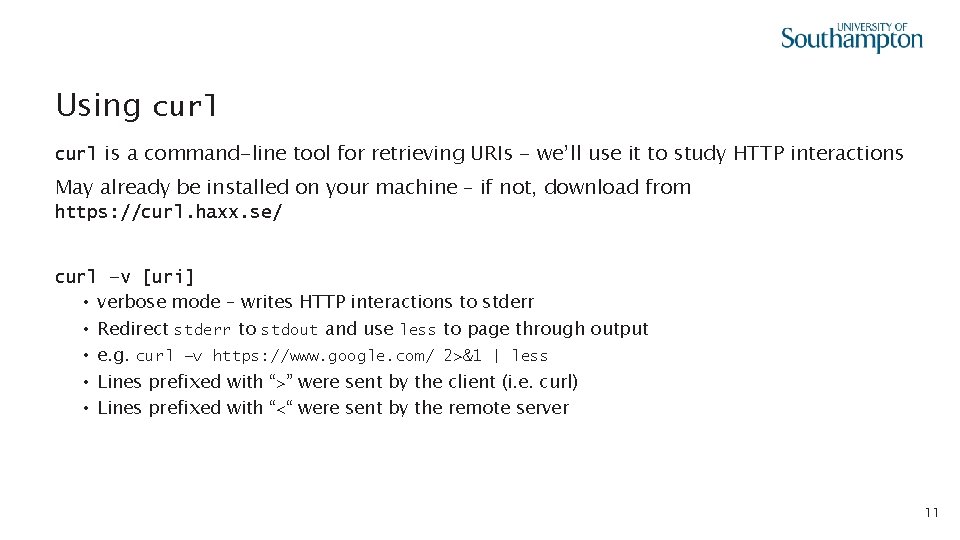
Using curl is a command-line tool for retrieving URIs - we’ll use it to study HTTP interactions May already be installed on your machine – if not, download from https: //curl. haxx. se/ curl –v [uri] • verbose mode – writes HTTP interactions to stderr • Redirect stderr to stdout and use less to page through output • e. g. curl –v https: //www. google. com/ 2>&1 | less • Lines prefixed with “>” were sent by the client (i. e. curl) • Lines prefixed with “<“ were sent by the remote server 11
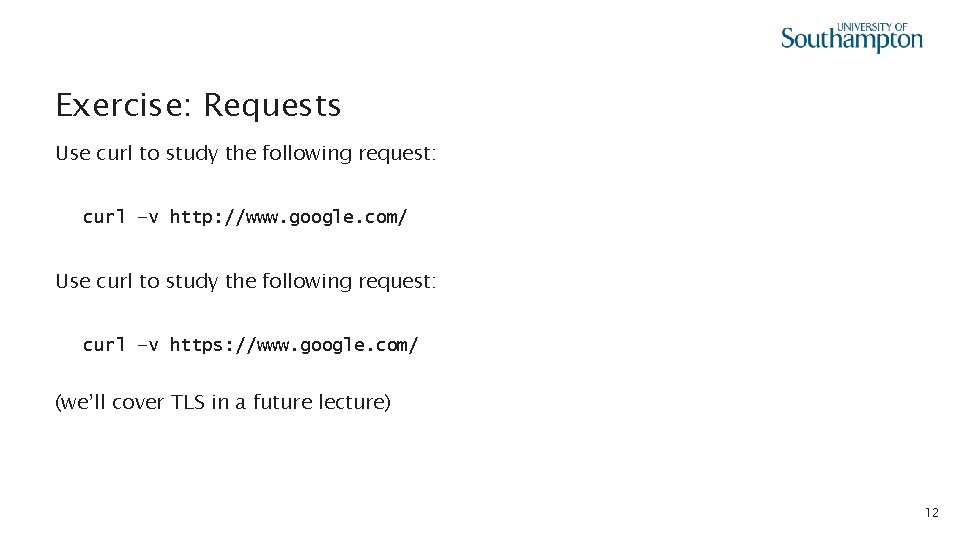
Exercise: Requests Use curl to study the following request: curl –v http: //www. google. com/ Use curl to study the following request: curl –v https: //www. google. com/ (we’ll cover TLS in a future lecture) 12
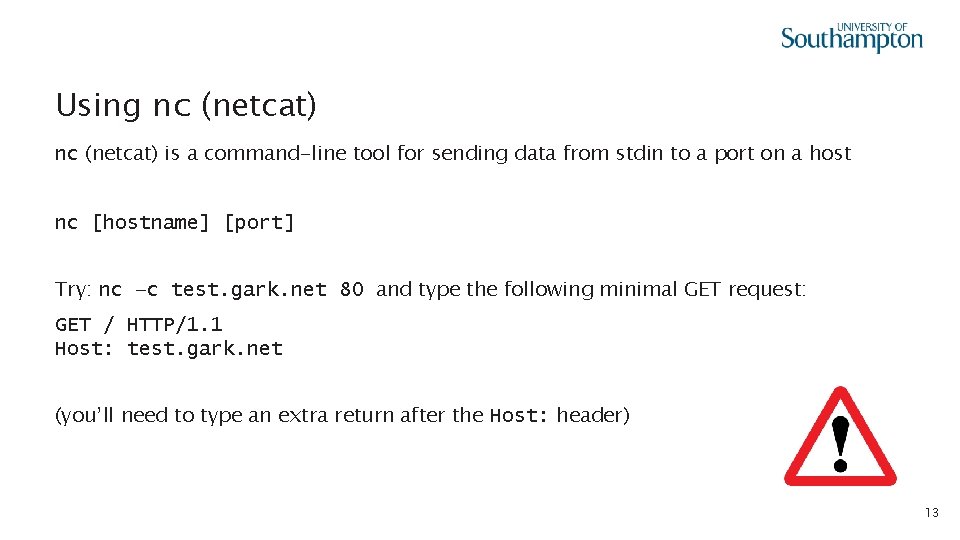
Using nc (netcat) is a command-line tool for sending data from stdin to a port on a host nc [hostname] [port] Try: nc –c test. gark. net 80 and type the following minimal GET request: GET / HTTP/1. 1 Host: test. gark. net (you’ll need to type an extra return after the Host: header) 13
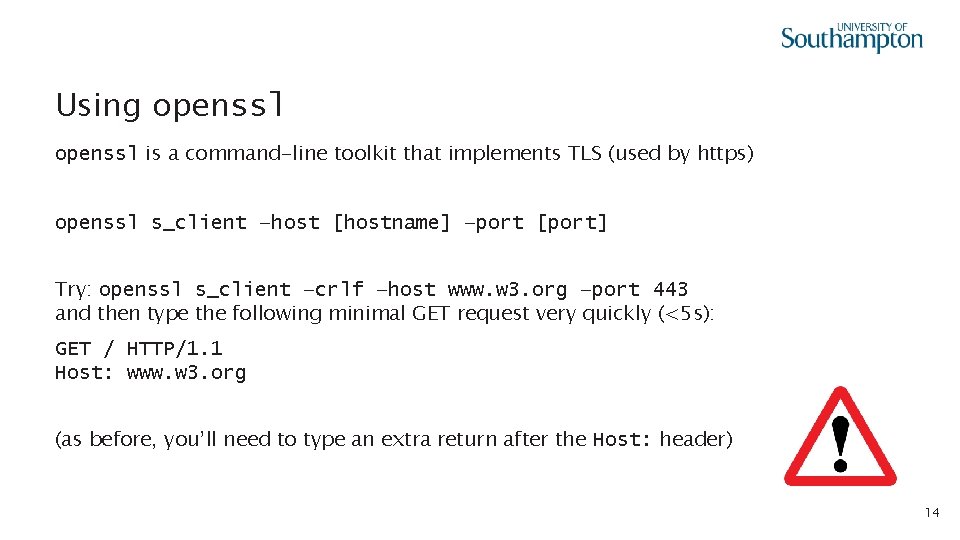
Using openssl is a command-line toolkit that implements TLS (used by https) openssl s_client –host [hostname] –port [port] Try: openssl s_client –crlf –host www. w 3. org –port 443 and then type the following minimal GET request very quickly (<5 s): GET / HTTP/1. 1 Host: www. w 3. org (as before, you’ll need to type an extra return after the Host: header) 14
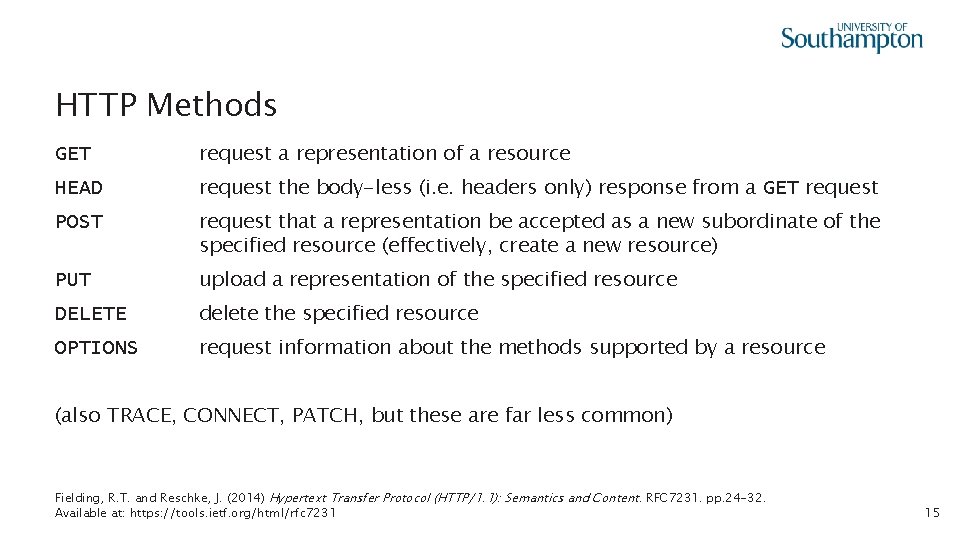
HTTP Methods GET request a representation of a resource HEAD request the body-less (i. e. headers only) response from a GET request POST request that a representation be accepted as a new subordinate of the specified resource (effectively, create a new resource) PUT upload a representation of the specified resource DELETE delete the specified resource OPTIONS request information about the methods supported by a resource (also TRACE, CONNECT, PATCH, but these are far less common) Fielding, R. T. and Reschke, J. (2014) Hypertext Transfer Protocol (HTTP/1. 1): Semantics and Content. RFC 7231. pp. 24 -32. Available at: https: //tools. ietf. org/html/rfc 7231 15
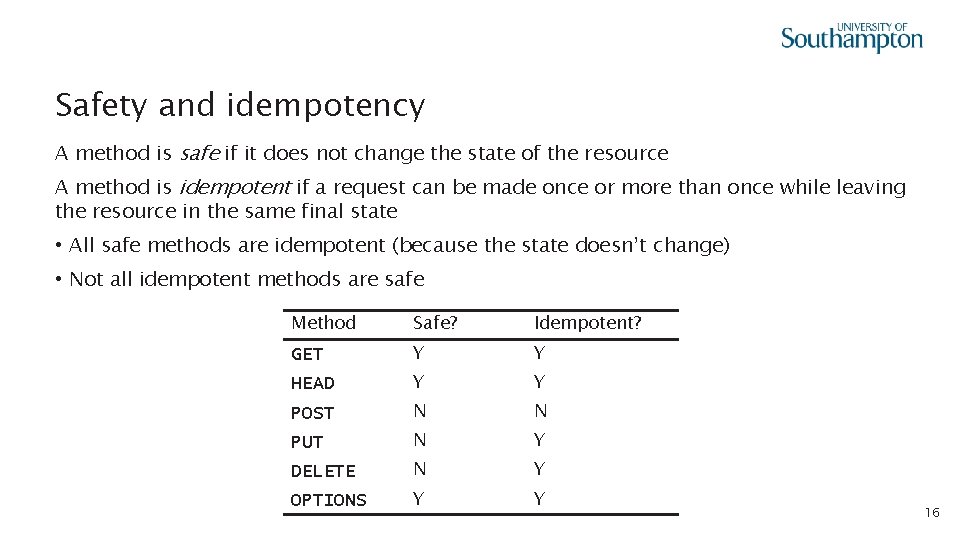
Safety and idempotency A method is safe if it does not change the state of the resource A method is idempotent if a request can be made once or more than once while leaving the resource in the same final state • All safe methods are idempotent (because the state doesn’t change) • Not all idempotent methods are safe Method Safe? Idempotent? GET Y Y HEAD Y Y POST N N PUT N Y DELETE N Y OPTIONS Y Y 16

Exercise: Methods 17
![Exercise: Methods curl –X [method] [uri] • Generates a HTTP request using the specified](http://slidetodoc.com/presentation_image_h2/2c4613b446c3e156e53403e689a82c65/image-18.jpg "Exercise: Methods curl –X [method] [uri] • Generates a HTTP request using the specified")
Exercise: Methods curl –X [method] [uri] • Generates a HTTP request using the specified method Use curl to study the following requests using different HTTP methods: curl –v –X GET https: //www. debian. org/ curl –v –X HEAD https: //www. debian. org/ curl –v –X DELETE https: //www. debian. org/ 18
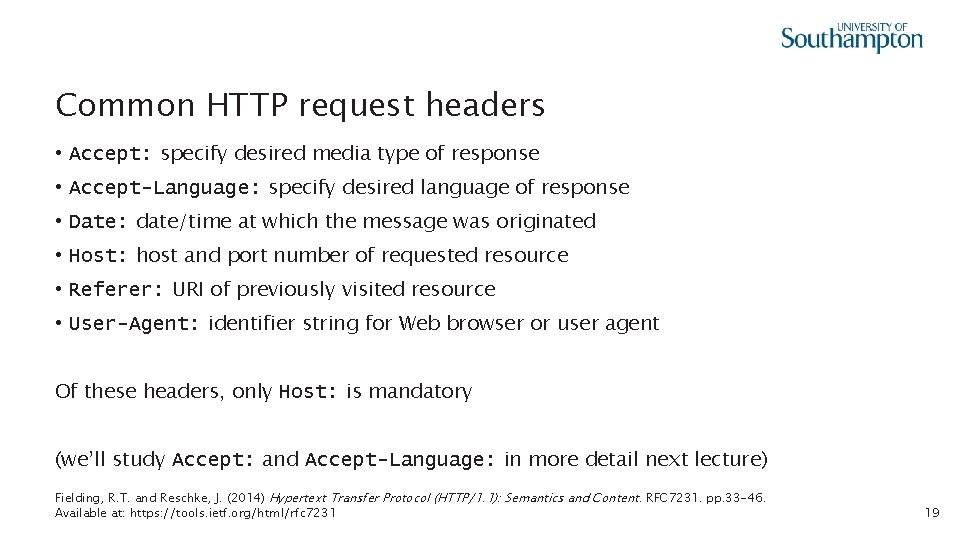
Common HTTP request headers • Accept: specify desired media type of response • Accept-Language: specify desired language of response • Date: date/time at which the message was originated • Host: host and port number of requested resource • Referer: URI of previously visited resource • User-Agent: identifier string for Web browser or user agent Of these headers, only Host: is mandatory (we’ll study Accept: and Accept-Language: in more detail next lecture) Fielding, R. T. and Reschke, J. (2014) Hypertext Transfer Protocol (HTTP/1. 1): Semantics and Content. RFC 7231. pp. 33 -46. Available at: https: //tools. ietf. org/html/rfc 7231 19
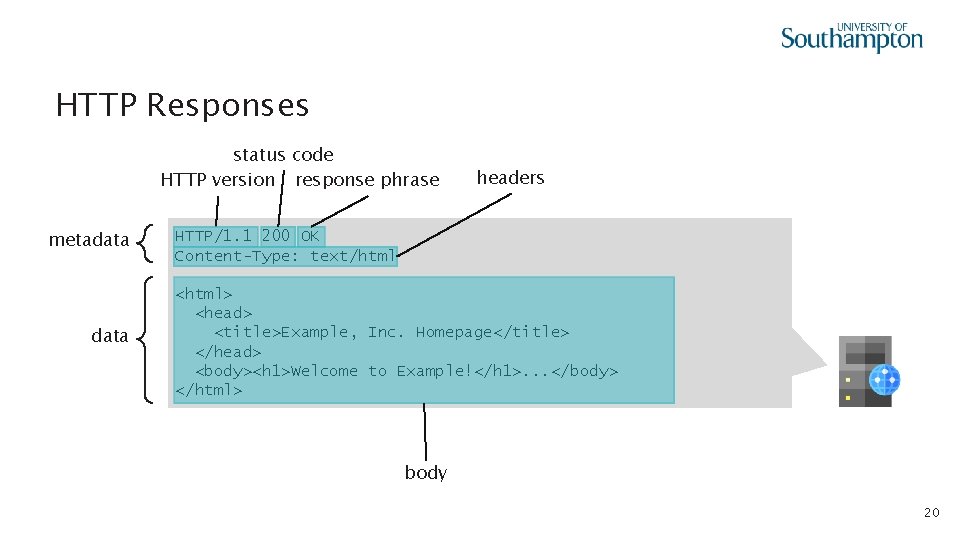
HTTP Responses status code HTTP version response phrase metadata headers HTTP/1. 1 200 OK Content-Type: text/html <html> <head> <title>Example, Inc. Homepage</title> </head> <body><h 1>Welcome to Example!</h 1>. . . </body> </html> body 20
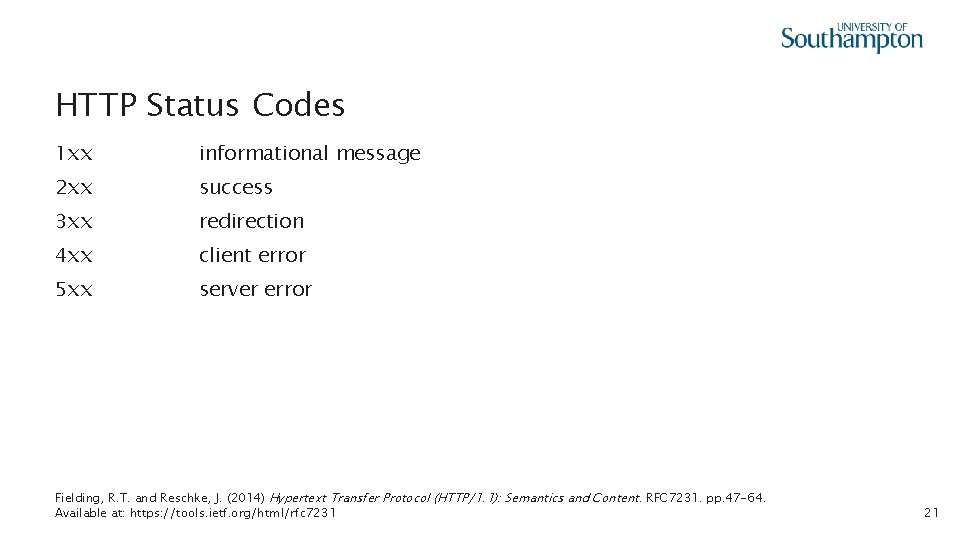
HTTP Status Codes 1 xx informational message 2 xx success 3 xx redirection 4 xx client error 5 xx server error Fielding, R. T. and Reschke, J. (2014) Hypertext Transfer Protocol (HTTP/1. 1): Semantics and Content. RFC 7231. pp. 47 -64. Available at: https: //tools. ietf. org/html/rfc 7231 21
200 OK The request has succeeded. For a GET request, the response body contains a representation of the specified resource The Content-Location: header indicates a more specific identifier for the representation in the response body (see lecture on content negotiation) For a POST request, the response body contains a description of the result of the action The Content-Location: header indicates that the response body is available (for future access with GET) at the given URI 22
201 Created The request has been fulfilled and resulted in a new resource being created. Typically results from a POST or PUT request The Location: header indicates the resource created by the request The Content-Location: header (if different from Location: ) indicates that the body of the response is a representation reporting on the requested action's status and that the same report is available (for future access with GET) at the given URI 23
204 No Content The request has been fulfilled, but there is no additional content to send in the response. Used as the response to an OPTIONS request, with an appropriate Allow: header OPTIONS / HTTP/1. 1 Host: example. org HTTP/1. 1 204 No Content Allow: GET, HEAD 24
300 Multiple Choices Multiple representations of the requested resource exist, and the client is provided with negotiation so that it may select a preferred representation (we’ll cover this in the lecture on content negotiation) 25
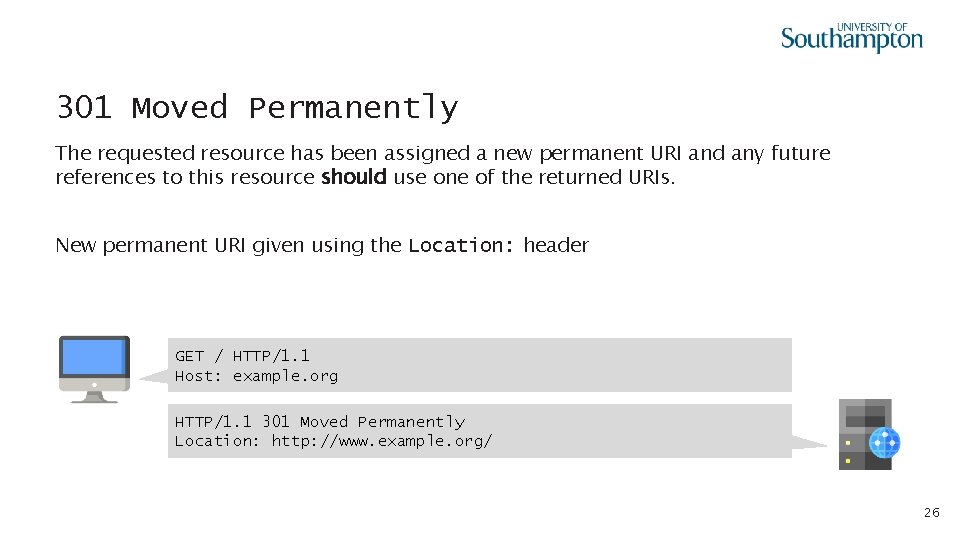
301 Moved Permanently The requested resource has been assigned a new permanent URI and any future references to this resource should use one of the returned URIs. New permanent URI given using the Location: header GET / HTTP/1. 1 Host: example. org HTTP/1. 1 301 Moved Permanently Location: http: //www. example. org/ 26
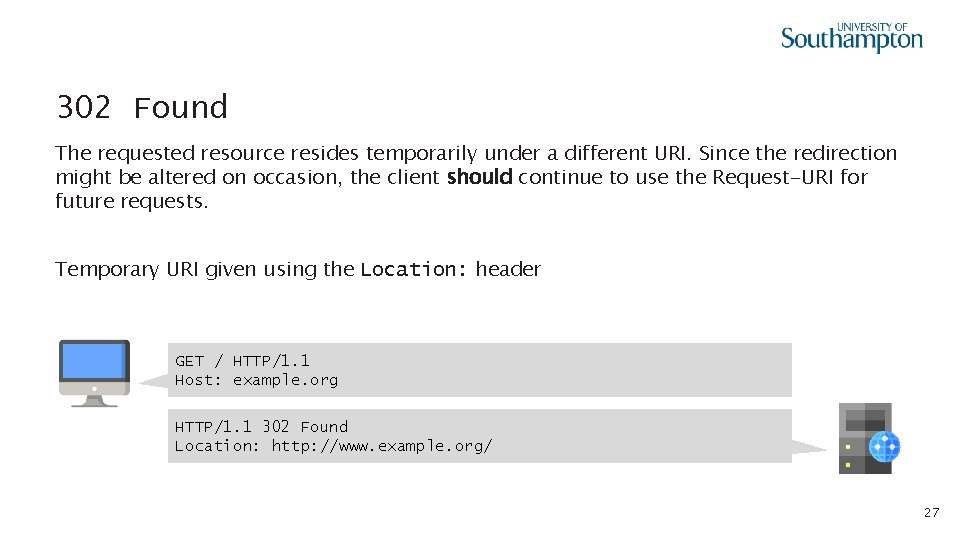
302 Found The requested resource resides temporarily under a different URI. Since the redirection might be altered on occasion, the client should continue to use the Request-URI for future requests. Temporary URI given using the Location: header GET / HTTP/1. 1 Host: example. org HTTP/1. 1 302 Found Location: http: //www. example. org/ 27
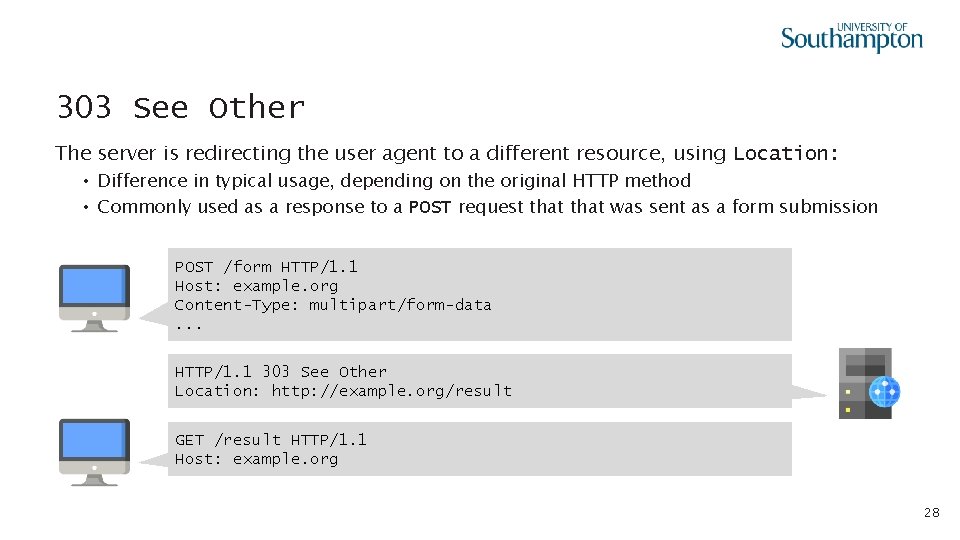
303 See Other The server is redirecting the user agent to a different resource, using Location: • Difference in typical usage, depending on the original HTTP method • Commonly used as a response to a POST request that was sent as a form submission POST /form HTTP/1. 1 Host: example. org Content-Type: multipart/form-data. . . HTTP/1. 1 303 See Other Location: http: //example. org/result GET /result HTTP/1. 1 Host: example. org 28
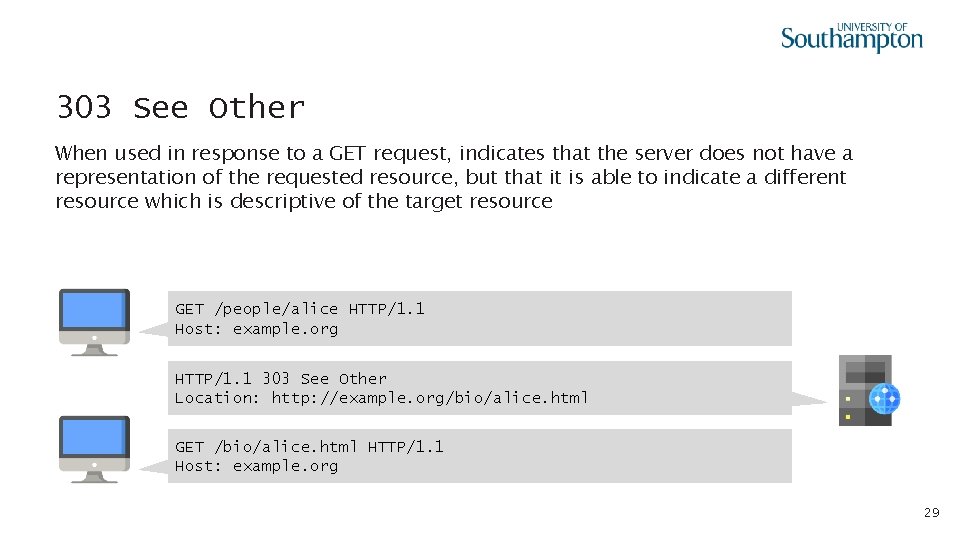
303 See Other When used in response to a GET request, indicates that the server does not have a representation of the requested resource, but that it is able to indicate a different resource which is descriptive of the target resource GET /people/alice HTTP/1. 1 Host: example. org HTTP/1. 1 303 See Other Location: http: //example. org/bio/alice. html GET /bio/alice. html HTTP/1. 1 Host: example. org 29
304 Not Modified A conditional GET or HEAD request has been received and would have resulted in a 200 OK response if it were not for the fact that the condition evaluated to false. (we’ll look at this in the lecture on conditional requests) 30
307 Temporary Redirect The requested resource resides temporarily under a different URI. The user agent must not change the request method if it performs an automatic redirection to that URI Temporary URI given using the Location: header 31
308 Permanent Redirect The requested resource has been assigned a new permanent URI and any future references to this resource ought to use that URI. The user agent must not change the request method if it performs an automatic redirection to that URI. Permanent URI given using the Location: header 32
Notes on redirects What’s the difference between 301 Moved Permanently and 308 Permanent Redirect? What’s the difference between 302 Found and 307 Temporary Redirect? As originally specified, 301/302 didn’t permit the user agent to change method for the subsequent request (that’s what 303 is for) Browser manufacturers ignored this; as implemented, 301/302 can change methods from POST to GET 307/308 introduced for when you want to prevent a user agent from changing methods (this is why standards work is so fraught) 33
401 Unauthorized The request requires user authentication. The response MUST include a WWW-Authenticate: header field containing a challenge applicable to the requested resource (username/password, for example) 34
403 Forbidden The server understood the request, but is refusing to fulfill it. Authorisation will not help and the request SHOULD NOT be repeated. 35
404 Not Found The server has not found anything matching the Request-URI. No indication is given of whether the condition is temporary or permanent. 36
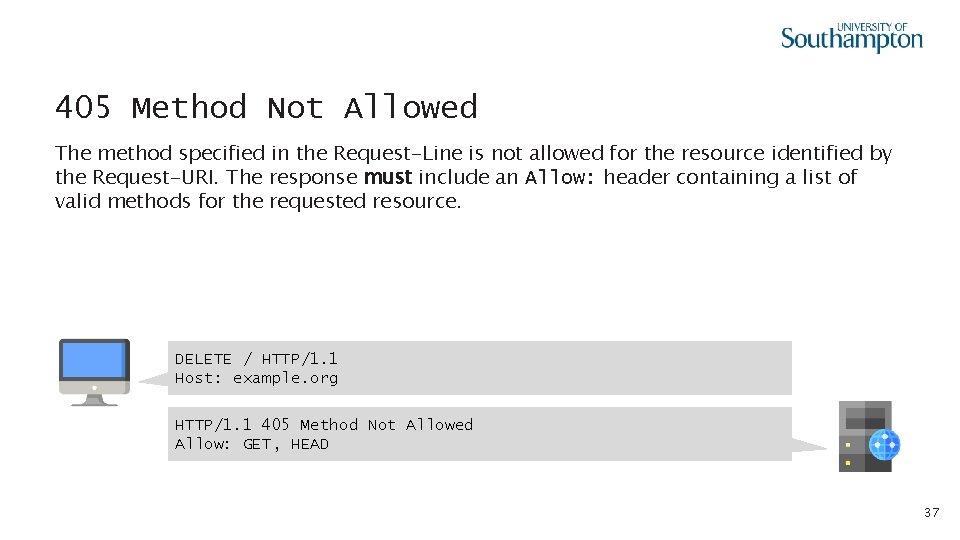
405 Method Not Allowed The method specified in the Request-Line is not allowed for the resource identified by the Request-URI. The response must include an Allow: header containing a list of valid methods for the requested resource. DELETE / HTTP/1. 1 Host: example. org HTTP/1. 1 405 Method Not Allowed Allow: GET, HEAD 37
412 Precondition Failed One or more conditions given in the request header fields evaluated to false when tested on the server. (as with 304 Not Modified, we’ll look at this in the lecture on conditional requests) 38
Common HTTP response headers • Allow: lists methods supported by request URI (see OPTIONS method) • Content-Language: language of representation • Content-Type: media type of representation • Content-Length: length in bytes of representation • Content-Location: response body is a representation of the specified resource • Date: date/time at which the message was originated • Expires: date/time after which response is considered stale • Cache-Control: used with Expires: for caching • ETag: entity tag – identifier for version of resource • Last-Modified: date/time at which representation was last changed • Link: contains links for the resource Fielding, R. T. and Reschke, J. (2014) Hypertext Transfer Protocol (HTTP/1. 1): Semantics and Content. RFC 7231. pp. 64 -73. Available at: https: //tools. ietf. org/html/rfc 7231 39
Further Reading Fielding, R. T. and Reschke, J. (2014) Hypertext Transfer Protocol (HTTP/1. 1): Semantics and Content. RFC 7231. https: //tools. ietf. org/html/rfc 7231 40

Next Lecture: Content Negotiation
- Slides: 41