
Hyper Text Transfer Protocol HTTP Deepti Kulkarni CISC
- Slides: 29
Hyper. Text Transfer Protocol (HTTP) Deepti Kulkarni CISC 856: TCP/IP and Upper Layer Protocols Fall 2008 Acknowledgements Professor Amer Richi Gupta
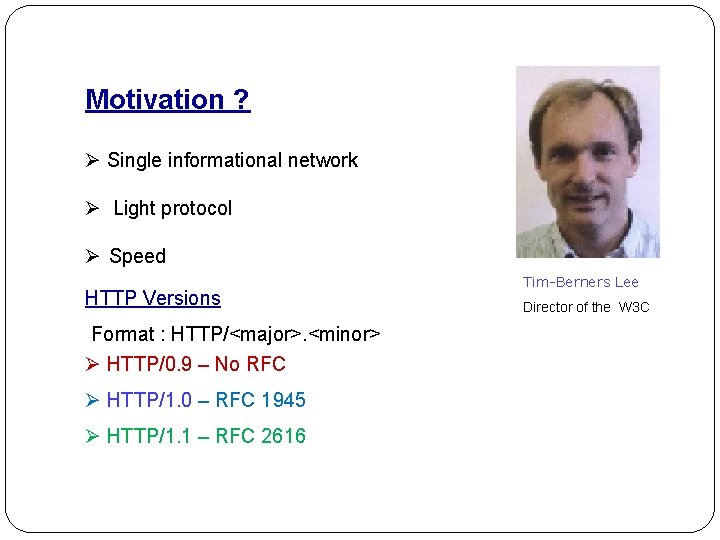
Motivation ? Ø Single informational network Ø Light protocol Ø Speed HTTP Versions Format : HTTP/<major>. <minor> Ø HTTP/0. 9 – No RFC Ø HTTP/1. 0 – RFC 1945 Ø HTTP/1. 1 – RFC 2616 Tim-Berners Lee Director of the W 3 C
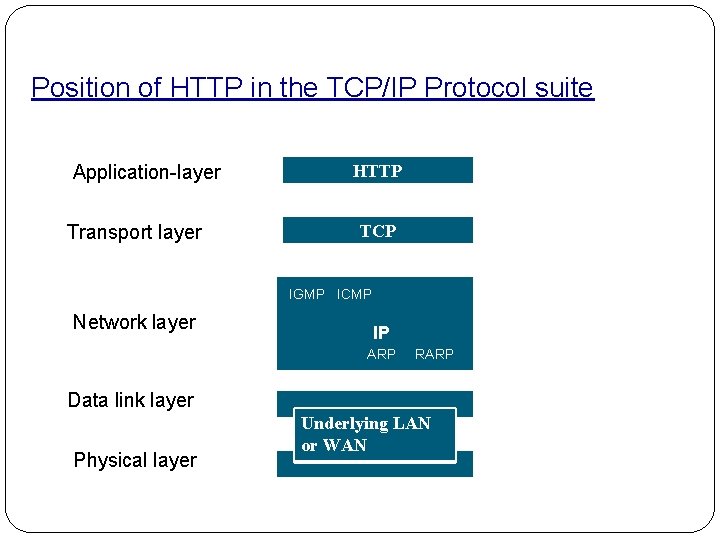
Position of HTTP in the TCP/IP Protocol suite Application-layer Transport layer HTTP TCP IGMP ICMP Network layer IP ARP RARP Data link layer Physical layer Underlying LAN or WAN
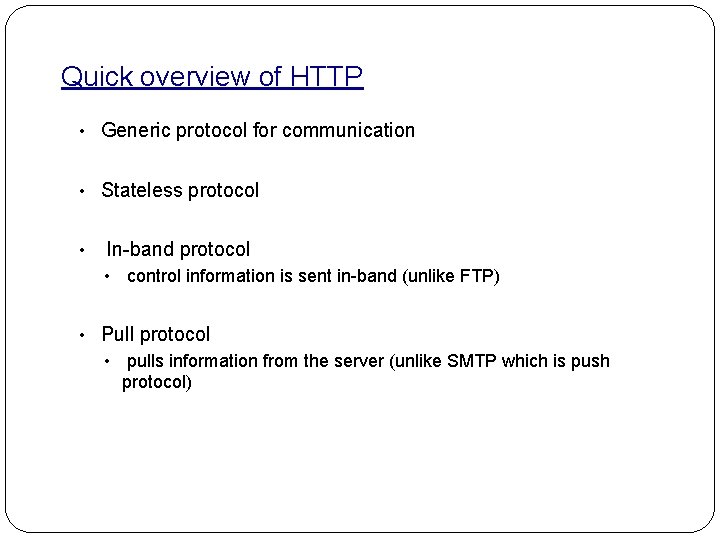
Quick overview of HTTP • Generic protocol for communication • Stateless protocol • In-band protocol • control information is sent in-band (unlike FTP) • Pull protocol • pulls information from the server (unlike SMTP which is push protocol)
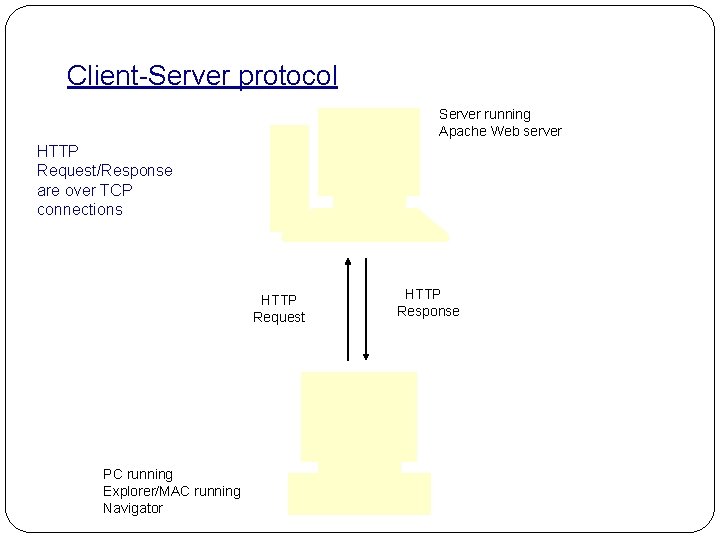
Client-Server protocol Server running Apache Web server HTTP Request/Response are over TCP connections HTTP Request PC running Explorer/MAC running Navigator HTTP Response
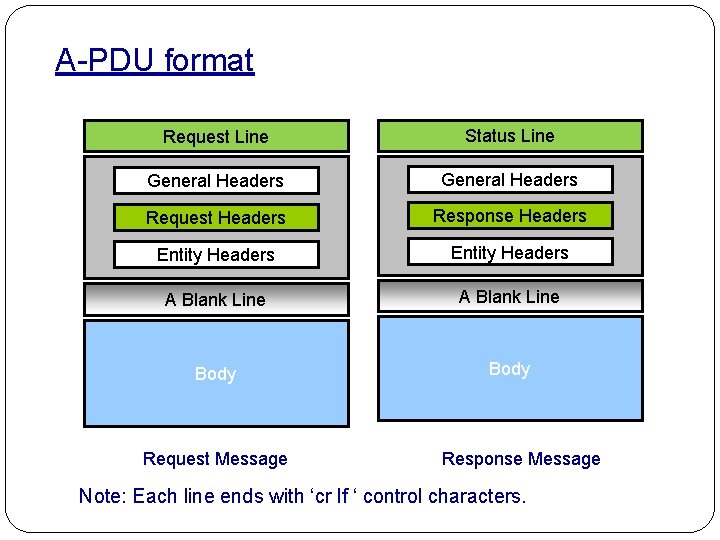
A-PDU format Request Line Status Line General Headers Request Headers Response Headers Entity Headers A Blank Line Body Request Message Response Message Note: Each line ends with ‘cr lf ‘ control characters.
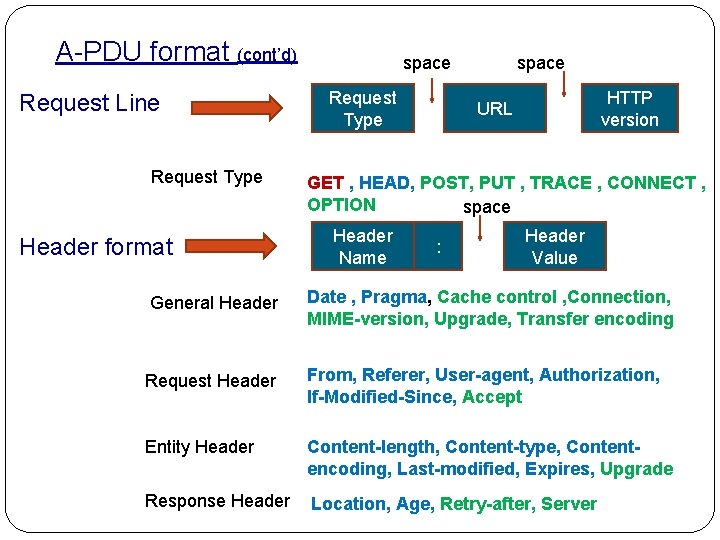
A-PDU format (cont’d) Request Line Request Type Header format space Request Type space HTTP version URL GET , HEAD, POST, PUT , TRACE , CONNECT , OPTION space Header Name : Header Value General Header Date , Pragma, Cache control , Connection, MIME-version, Upgrade, Transfer encoding Request Header From, Referer, User-agent, Authorization, If-Modified-Since, Accept Entity Header Content-length, Content-type, Contentencoding, Last-modified, Expires, Upgrade Response Header Location, Age, Retry-after, Server
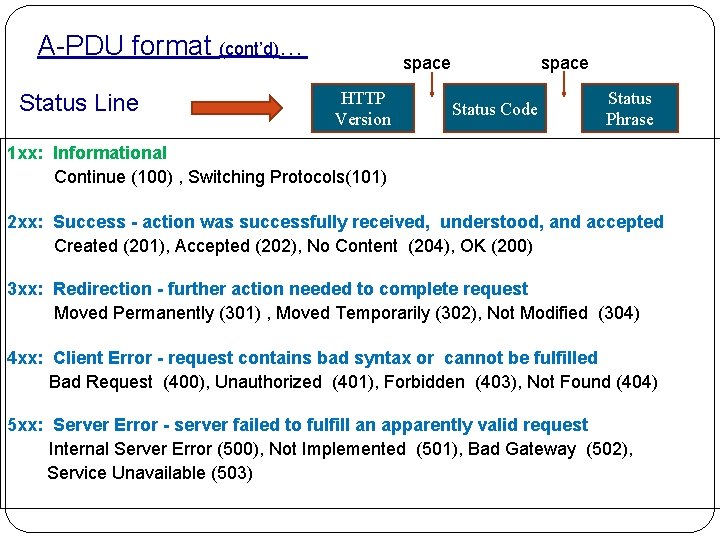
A-PDU format (cont’d)… Status Line space HTTP Version space Status Code Status Phrase 1 xx: Informational Continue (100) , Switching Protocols(101) 2 xx: Success - action was successfully received, understood, and accepted Created (201), Accepted (202), No Content (204), OK (200) 3 xx: Redirection - further action needed to complete request Moved Permanently (301) , Moved Temporarily (302), Not Modified (304) 4 xx: Client Error - request contains bad syntax or cannot be fulfilled Bad Request (400), Unauthorized (401), Forbidden (403), Not Found (404) 5 xx: Server Error - server failed to fulfill an apparently valid request Internal Server Error (500), Not Implemented (501), Bad Gateway (502), Service Unavailable (503)
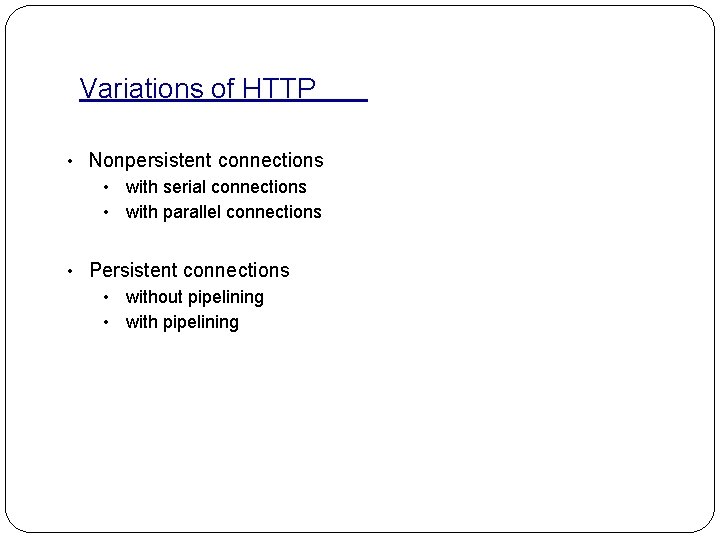
Variations of HTTP • Nonpersistent connections • with serial connections • with parallel connections • Persistent connections • without pipelining • with pipelining
Nonpersistent (HTTP /1. 0 default)
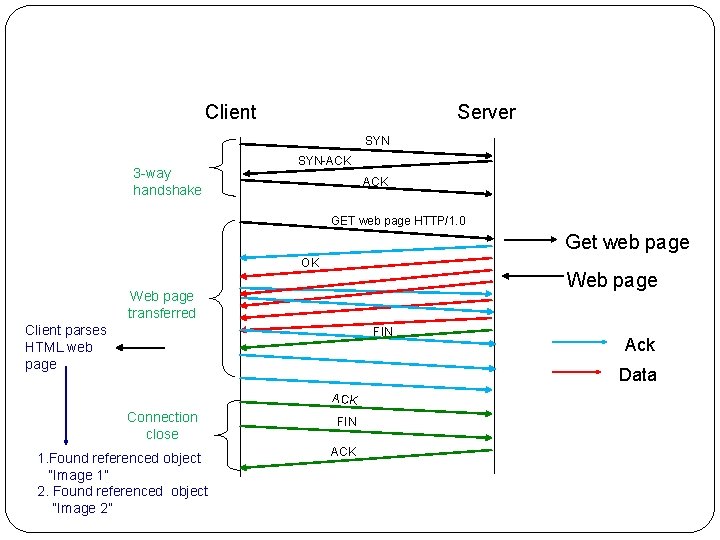
Client Server SYN 3 -way handshake SYN-ACK GET web page HTTP/1. 0 Get web page OK Web page transferred Client parses HTML web page FIN Ack Data ACK Connection close 1. Found referenced object “Image 1” 2. Found referenced object “Image 2” FIN ACK
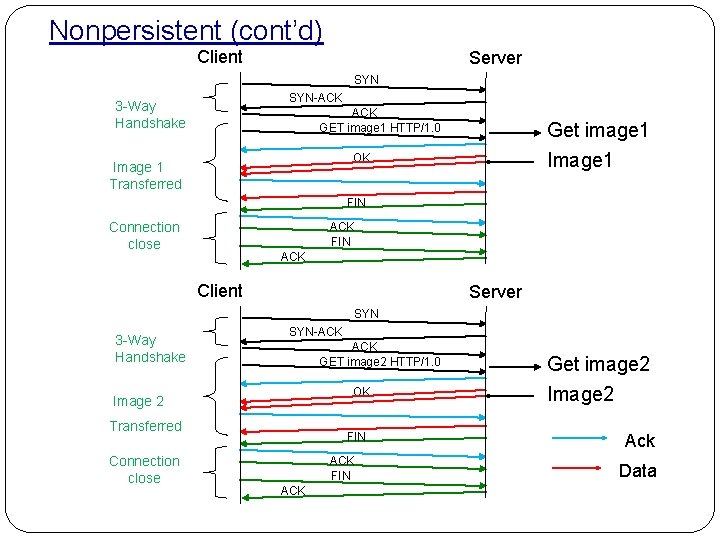
Nonpersistent (cont’d) Client Server SYN-ACK 3 -Way Handshake ACK GET image 1 HTTP/1. 0 Get image 1 Image 1 OK Image 1 Transferred FIN Connection close ACK FIN ACK Client Server SYN 3 -Way Handshake SYN-ACK GET image 2 HTTP/1. 0 OK Image 2 Transferred Connection close FIN ACK Get image 2 Image 2 Ack Data
Key points Ø Connection does not persist for other objects Ø Connections are sequential
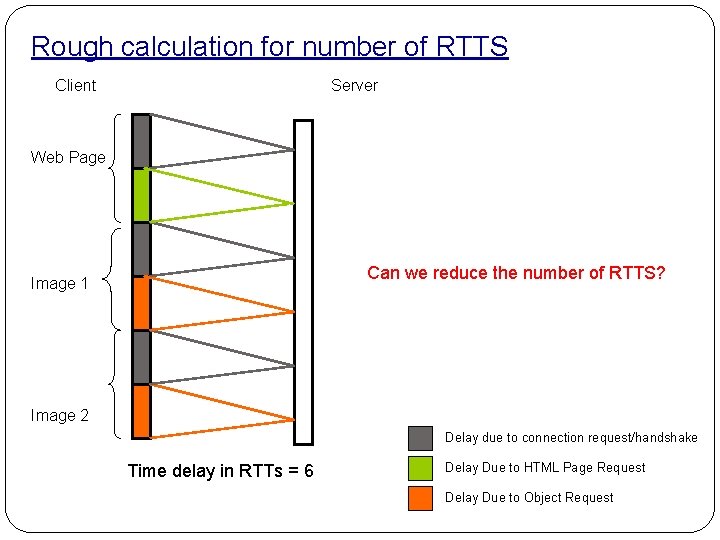
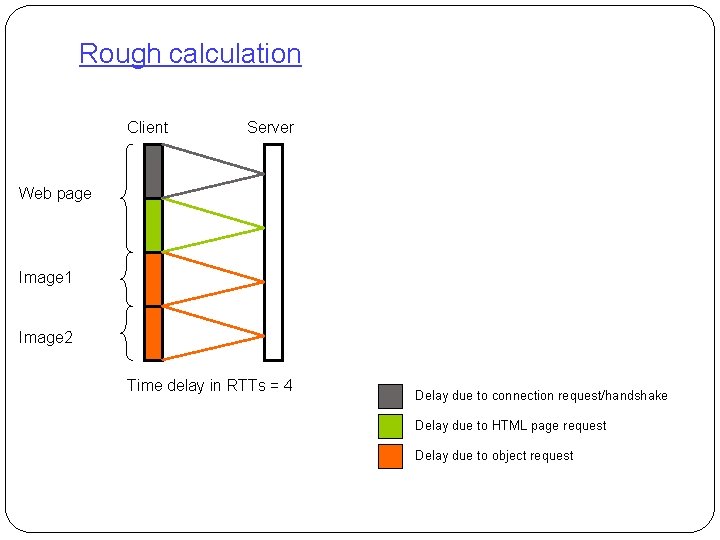
Rough calculation for number of RTTS Client Server Web Page Can we reduce the number of RTTS? Image 1 Image 2 Delay due to connection request/handshake Time delay in RTTs = 6 Delay Due to HTML Page Request Delay Due to Object Request
Nonpersistent with parallel connections ( browser dependent)
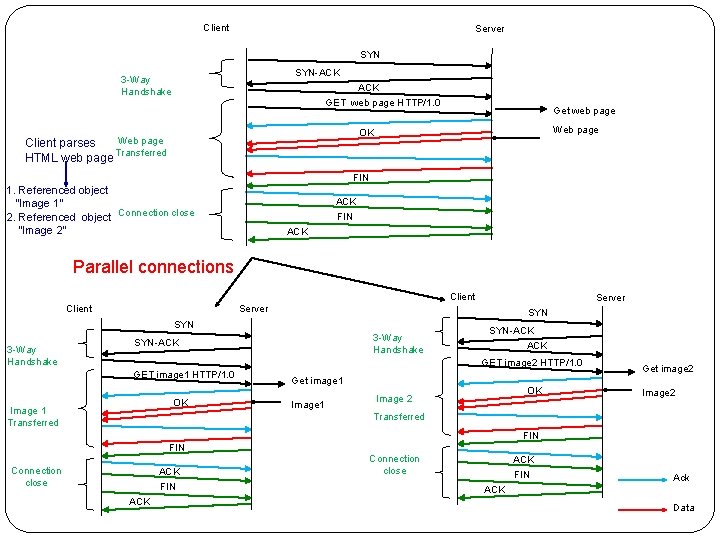
Client Server SYN-ACK 3 -Way Handshake ACK GET web page HTTP/1. 0 Get web page Web page OK Web page Client parses Transferred HTML web page FIN 1. Referenced object “Image 1” 2. Referenced object Connection close “Image 2” ACK FIN ACK Parallel connections Client SYN 3 -Way Handshake Server 3 -Way Handshake SYN-ACK ACK GET image 2 HTTP/1. 0 GET image 1 HTTP/1. 0 OK Image 1 Transferred Get image 1 Image 1 OK Image 2 Get image 2 Image 2 Transferred FIN Connection close ACK FIN ACK Connection close ACK FIN Ack ACK Data
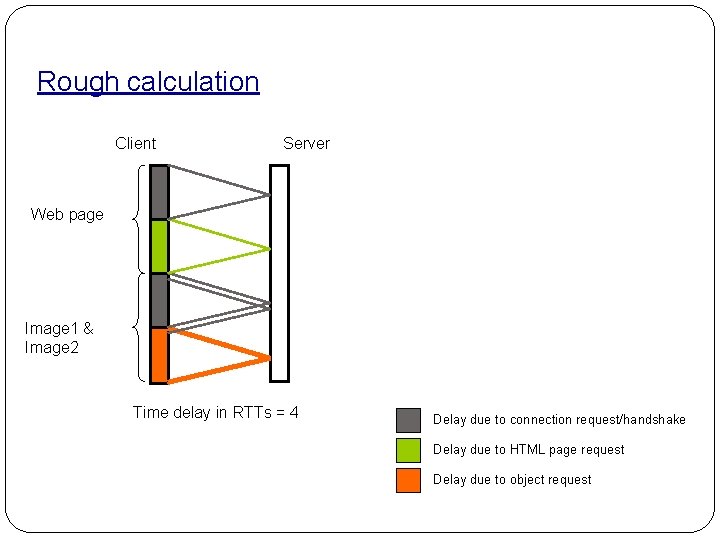
Rough calculation Client Server Web page Image 1 & Image 2 Time delay in RTTs = 4 Delay due to connection request/handshake Delay due to HTML page request Delay due to object request
Disadvantages: • Overhead of multiple TCP connections. • A busy server could end up with lots of connections in the ‘TIME- WAIT’ state • Rarely does each connection get past the ‘slow-start’ region • Failure to use the full end-to-end available bandwidth • Extra time opening connections increases user-perceived latency
Persistent without pipelining
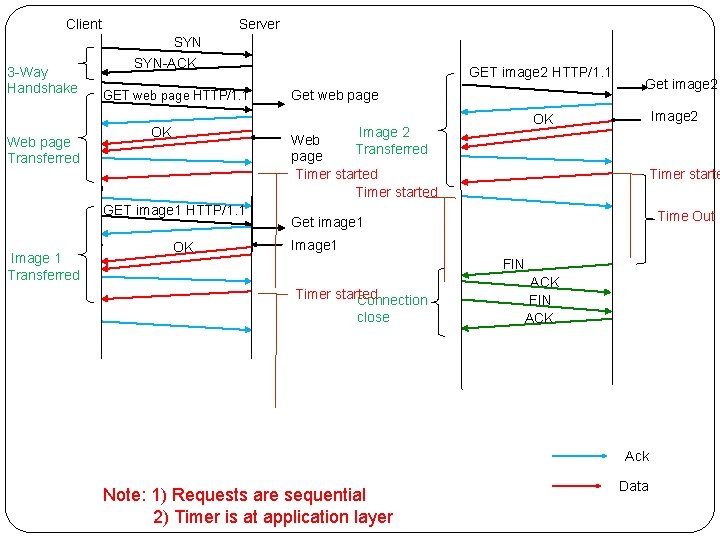
Client 3 -Way Handshake Web page Transferred Server SYN-ACK GET web page HTTP/1. 1 Get web page OK Get image 2 Image 2 OK Image 2 Web Transferred page Timer started OK GET image 1 HTTP/1. 1 Image 1 Transferred GET image 2 HTTP/1. 1 Timer starte Time Out Get image 1 Image 1 FIN Timer started Connection close ACK FIN ACK Ack Note: 1) Requests are sequential 2) Timer is at application layer Data
Rough calculation Client Server Web page Image 1 Image 2 Time delay in RTTs = 4 Delay due to connection request/handshake Delay due to HTML page request Delay due to object request
Persistent with pipelining
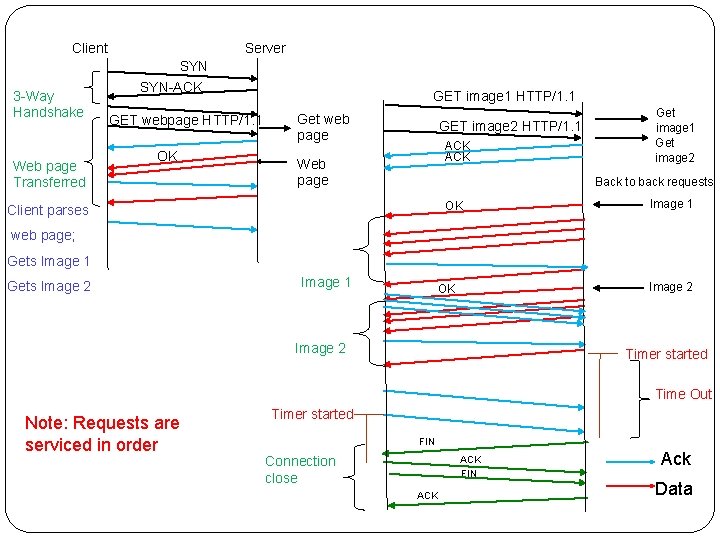
Client 3 -Way Handshake Web page Transferred Server SYN-ACK GET webpage HTTP/1. 1 OK GET image 1 HTTP/1. 1 Get web page GET image 2 HTTP/1. 1 ACK Web page Get image 1 Get image 2 Back to back requests OK Client parses Image 1 web page; Gets Image 1 Gets Image 2 Image 1 Image 2 OK Image 2 Timer started Time Out Note: Requests are serviced in order Timer started FIN Connection close ACK FIN ACK Ack Data
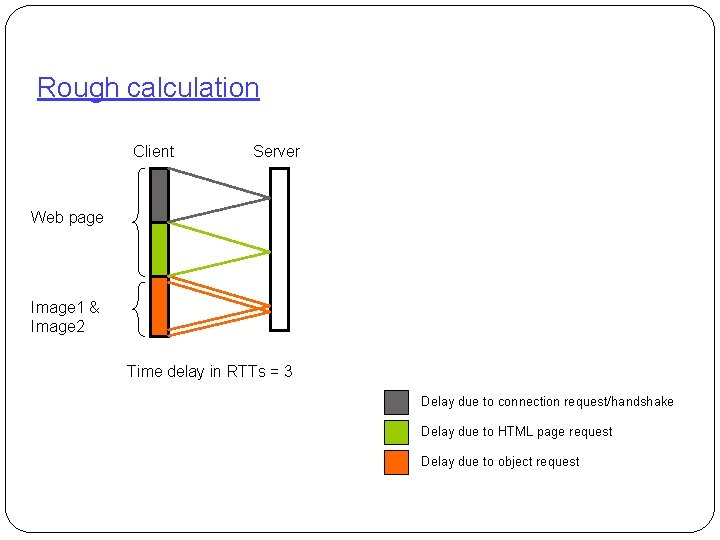
Rough calculation Client Server Web page 24 Image 1 & Image 2 Time delay in RTTs = 3 Delay due to connection request/handshake Delay due to HTML page request Delay due to object request
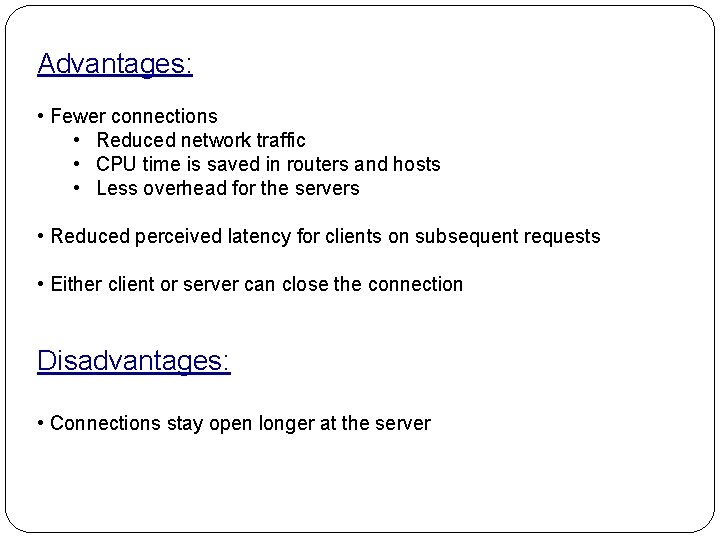
Advantages: • Fewer connections • Reduced network traffic • CPU time is saved in routers and hosts • Less overhead for the servers • Reduced perceived latency for clients on subsequent requests • Either client or server can close the connection Disadvantages: • Connections stay open longer at the server
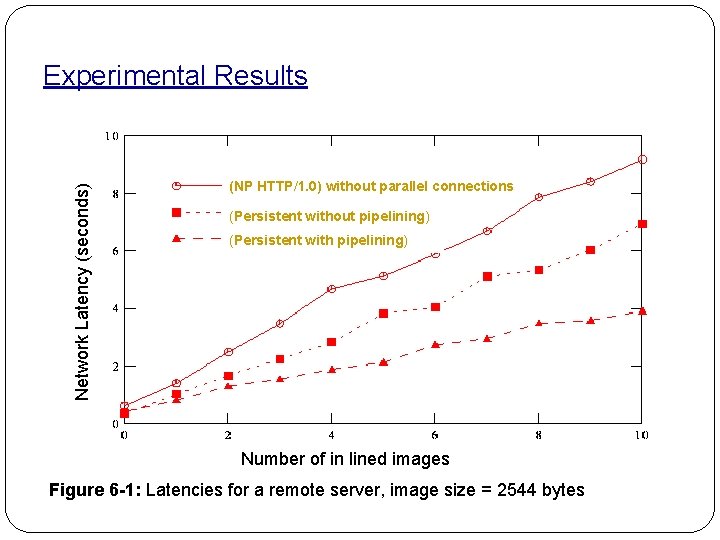
Network Latency (seconds) Experimental Results (NP HTTP/1. 0) without parallel connections (Persistent without pipelining) (Persistent with pipelining) Number of in lined images Figure 6 -1: Latencies for a remote server, image size = 2544 bytes
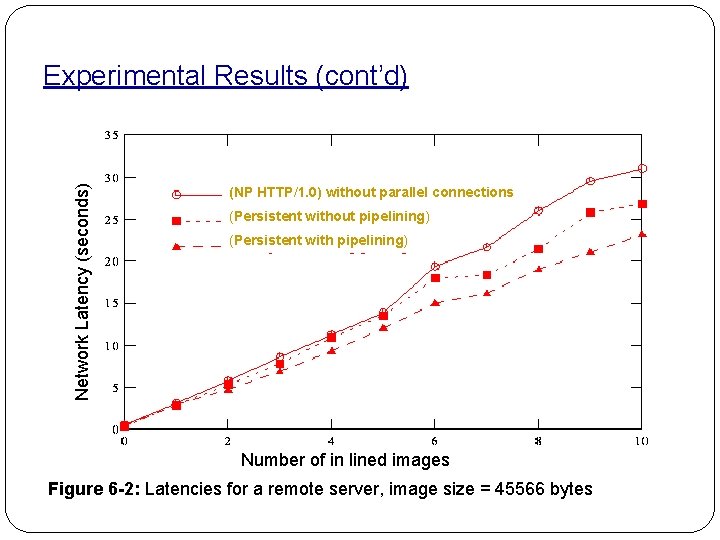
Network Latency (seconds) Experimental Results (cont’d) (NP HTTP/1. 0) without parallel connections (Persistent without pipelining) (Persistent with pipelining) Number of in lined images Figure 6 -2: Latencies for a remote server, image size = 45566 bytes
Questions? Thanks
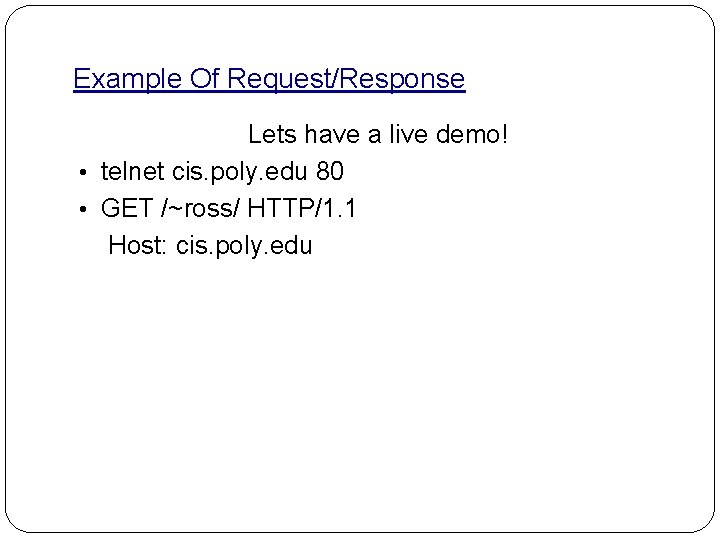
Example Of Request/Response Lets have a live demo! • telnet cis. poly. edu 80 • GET /~ross/ HTTP/1. 1 Host: cis. poly. edu