
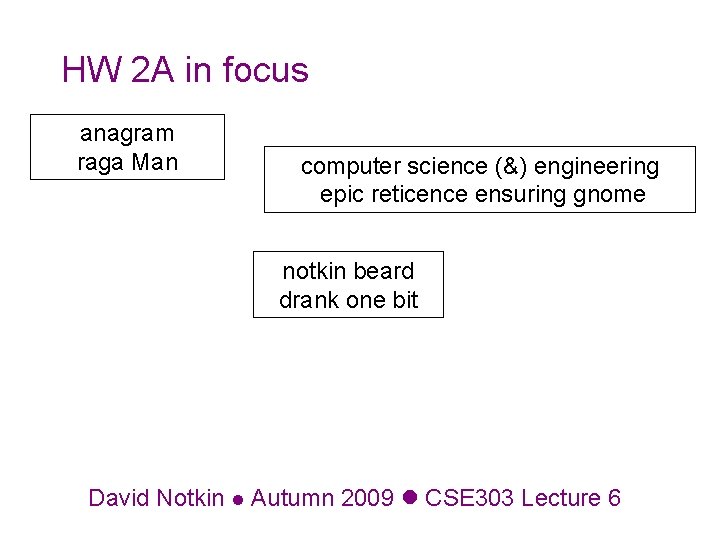
HW 2 A in focus anagram raga Man
![Example ed session [Wikipedia] a ed is the standard Unix text editor. This is](https://slidetodoc.com/presentation_image_h2/e55b3e45d2aa0fe89be779e7941d8189/image-5.jpg "Example ed session [Wikipedia] a ed is the standard Unix text editor. This is")
![What is a regular expression? • "[a-z. A-Z_-]+@(([a-z. A-Z_-])+. )+[a-z. A-Z]{2, 4}" • regular](https://slidetodoc.com/presentation_image_h2/e55b3e45d2aa0fe89be779e7941d8189/image-7.jpg "What is a regular expression? • \"[a-z. A-Z_-]+@(([a-z. A-Z_-])+. )+[a-z. A-Z]{2, 4}\" • regular")
![Character sets • [ ] group characters into a character set; will match any](https://slidetodoc.com/presentation_image_h2/e55b3e45d2aa0fe89be779e7941d8189/image-15.jpg "Character sets • [ ] group characters into a character set; will match any")
![Character ranges • Specify a range of characters with – "[a-z]" matches any lowercase](https://slidetodoc.com/presentation_image_h2/e55b3e45d2aa0fe89be779e7941d8189/image-16.jpg "Character ranges • Specify a range of characters with – \"[a-z]\" matches any lowercase")
- Slides: 26
HW 2 A in focus anagram raga Man computer science (&) engineering epic reticence ensuring gnome notkin beard drank one bit David Notkin Autumn 2009 CSE 303 Lecture 6
HW 2 A • Understanding vs. doing – this is not a straightforward barrier to overcome, and it doesn’t happen all at once • Breaking down solutions into parts is crucial – Edsger W. Dijkstra, ACM Turing Lecture 1972, “The Humble Programmer” • Some amount of “finding things on your own” is essential; perhaps I expected too much of this for this assignment – sed and regular expressions – loops – … • Performance – not the high priority – Linear vs. quadratic (or worse) complexity of the script
Editors • To write and change your programs you should be using an editor – what’s the alternative? • The most common editors on Unix are pico, emacs and vi – pico is simple, emacs is (arbitrarily) complex, and vi is still loved by many old-time Unix users • You don’t need to become an expert in these, but it’s worth an investment to become capable CSE 303 Au 09 3
ed/sed • But you didn’t mention sed on the previous slide? Isn’t it a “stream editor”? Indeed it is. • It’s closely related to ed, a line editor from the first days of Unix – ed let you interactively edit lines, changing parts of specific lines – referred to by number and/or by content – inserting and deleting lines, etc. CSE 303 Au 09 4
Example ed session [Wikipedia] a ed is the standard Unix text editor. This is line number two. . 2 i. %l ed is the standard Unix text editor. $ $ This is line number two. $ 3 s/two/three/ , l ed is the standard Unix text editor. $ $ This is line number three. $ w text 65 q The end result is a simple text file containing the following text: ed is the standard Unix text editor. This is line number three. CSE 303 Au 09 5
sed: non-interactive ed • But sometimes you wanted to use ed-like features – in particular regular expression matching – noninteractively • That’s what sed is for – using ed-like commands on a string to do transformations that are hard or impossible to do with tr, etc. • A core feature is the use of regular expressions – these are powerful and found in other Unix tools, most noticeably grep CSE 303 Au 09 6
What is a regular expression? • "[a-z. A-Z_-]+@(([a-z. A-Z_-])+. )+[a-z. A-Z]{2, 4}" • regular expression: a description of a pattern of text – can test whether a string matches the expression's pattern – can use a regex to search/replace characters in a string – regular expressions are powerful but can be tough to read • the above regular expression matches basic email addresses
Regular expressions • Appear throughout computer science, in tools, in theory, in practice • Powerful enough to be very useful; other kinds of matching require more powerful languages than regular expressions, but they are more complex • Lots of variations, but all have the same “power” – that is, they can match the same patterns, although the expressions themselves may be more or less complicated CSE 303 Au 09 8
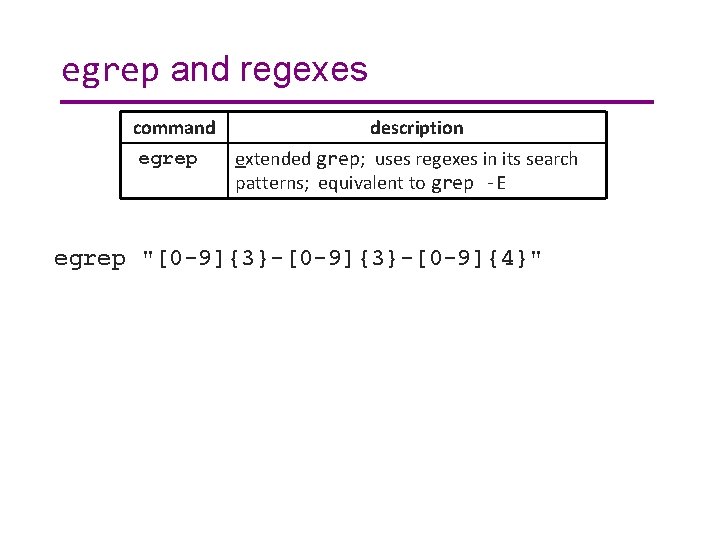
egrep and regexes command egrep description extended grep; uses regexes in its search patterns; equivalent to grep -E egrep "[0 -9]{3}-[0 -9]{4}"
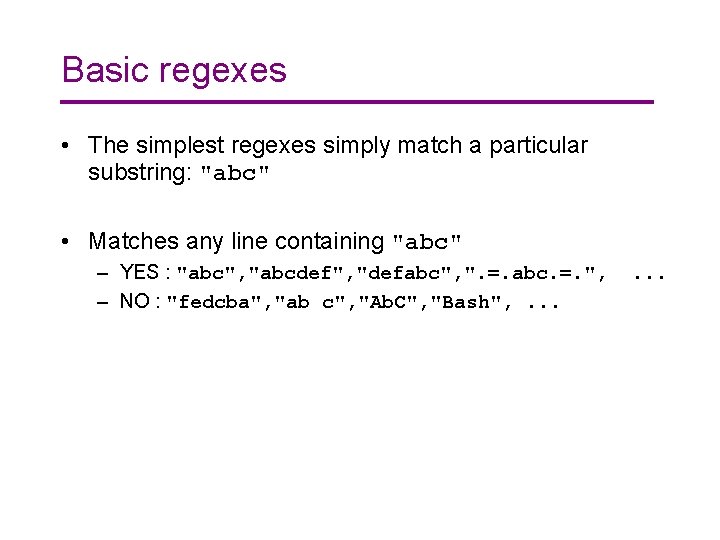
Basic regexes • The simplest regexes simply match a particular substring: "abc" • Matches any line containing "abc" – YES : "abc", "abcdef", "defabc", ". =. abc. =. ", – NO : "fedcba", "ab c", "Ab. C", "Bash", . . .
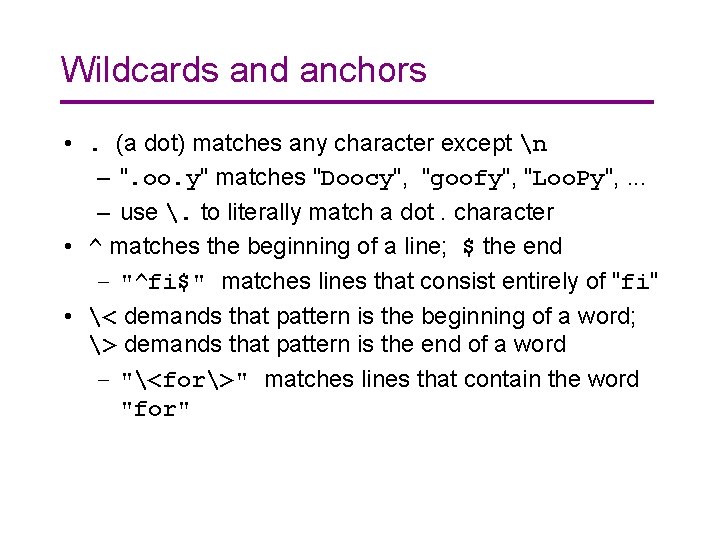
Wildcards and anchors • . (a dot) matches any character except n – ". oo. y" matches "Doocy", "goofy", "Loo. Py", . . . – use . to literally match a dot. character • ^ matches the beginning of a line; $ the end – "^fi$" matches lines that consist entirely of "fi" • < demands that pattern is the beginning of a word; > demands that pattern is the end of a word – "<for>" matches lines that contain the word "for"
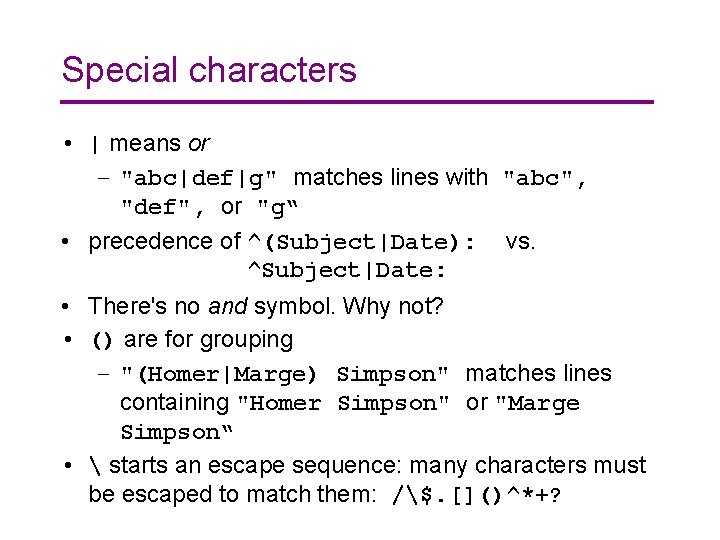
Special characters • | means or – "abc|def|g" matches lines with "abc", "def", or "g“ • precedence of ^(Subject|Date): vs. ^Subject|Date: • There's no and symbol. Why not? • () are for grouping – "(Homer|Marge) Simpson" matches lines containing "Homer Simpson" or "Marge Simpson“ • starts an escape sequence: many characters must be escaped to match them: /$. []()^*+?
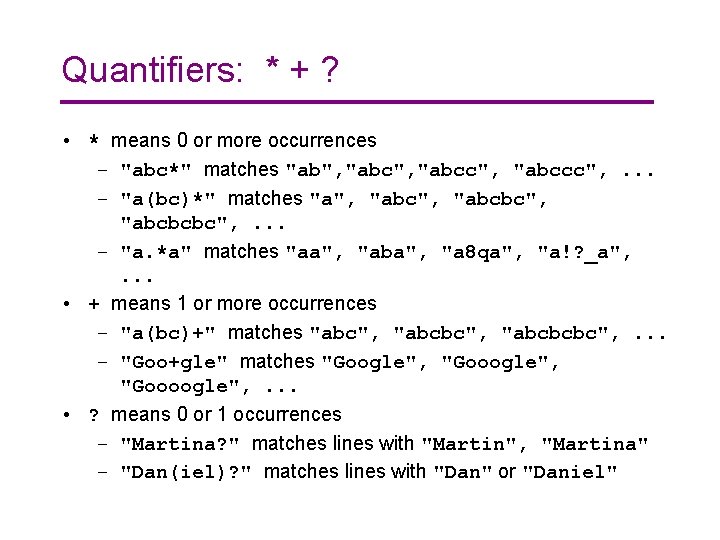
Quantifiers: * + ? • * means 0 or more occurrences – "abc*" matches "ab", "abcc", "abccc", . . . – "a(bc)*" matches "a", "abcbc", "abcbcbc", . . . – "a. *a" matches "aa", "aba", "a 8 qa", "a!? _a", . . . • + means 1 or more occurrences – "a(bc)+" matches "abc", "abcbcbc", . . . – "Goo+gle" matches "Google", "Goooogle", . . . • ? means 0 or 1 occurrences – "Martina? " matches lines with "Martin", "Martina" – "Dan(iel)? " matches lines with "Dan" or "Daniel"
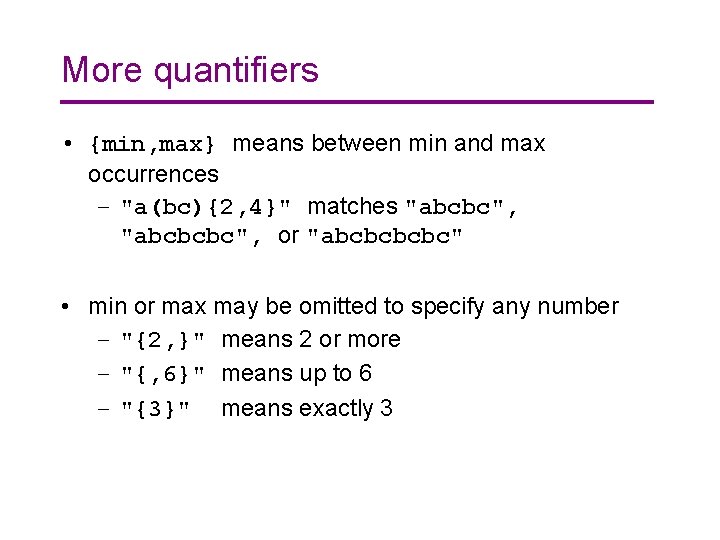
More quantifiers • {min, max} means between min and max occurrences – "a(bc){2, 4}" matches "abcbc", "abcbcbc", or "abcbc" • min or max may be omitted to specify any number – "{2, }" means 2 or more – "{, 6}" means up to 6 – "{3}" means exactly 3
Character sets • [ ] group characters into a character set; will match any single character from the set – "[bcd]art" matches strings containing "bart", "cart", and "dart" – equivalent to "(b|c|d)art"
Character ranges • Specify a range of characters with – "[a-z]" matches any lowercase letter – "[a-z. A-Z 0 -9]" matches any lower- or uppercase letter or digit • an initial ^ inside a character set negates it – "[^abcd]" matches any character other than a, b, c, d • inside a character set, - must be escaped to be matched – "[+-]? [0 -9]+" matches optional + or -, followed by at least one digit
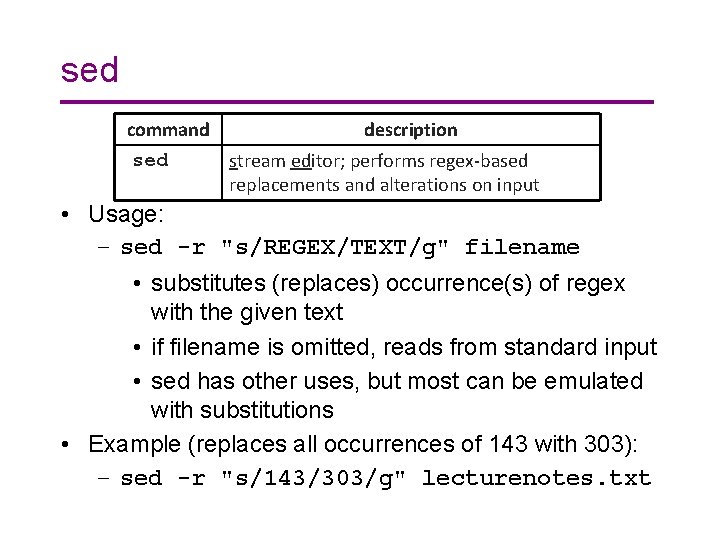
sed command sed description stream editor; performs regex-based replacements and alterations on input • Usage: – sed -r "s/REGEX/TEXT/g" filename • substitutes (replaces) occurrence(s) of regex with the given text • if filename is omitted, reads from standard input • sed has other uses, but most can be emulated with substitutions • Example (replaces all occurrences of 143 with 303): – sed -r "s/143/303/g" lecturenotes. txt
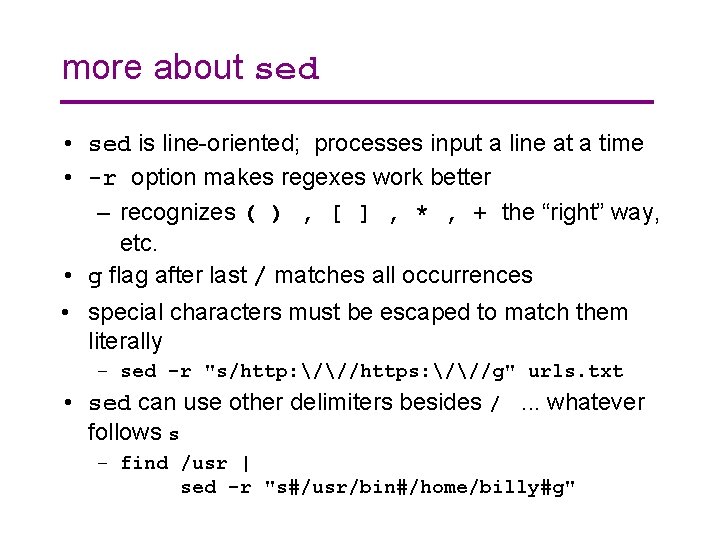
more about sed • sed is line-oriented; processes input a line at a time • -r option makes regexes work better – recognizes ( ) , [ ] , * , + the “right” way, etc. • g flag after last / matches all occurrences • special characters must be escaped to match them literally – sed -r "s/http: ///https: ///g" urls. txt • sed can use other delimiters besides /. . . whatever follows s – find /usr | sed -r "s#/usr/bin#/home/billy#g"
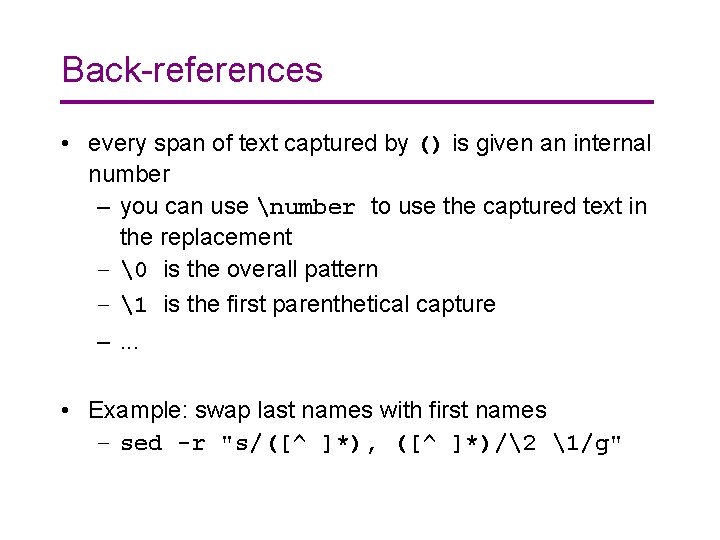
Back-references • every span of text captured by () is given an internal number – you can use number to use the captured text in the replacement – is the overall pattern – 1 is the first parenthetical capture –. . . • Example: swap last names with first names – sed -r "s/([^ ]*), ([^ ]*)/2 1/g"
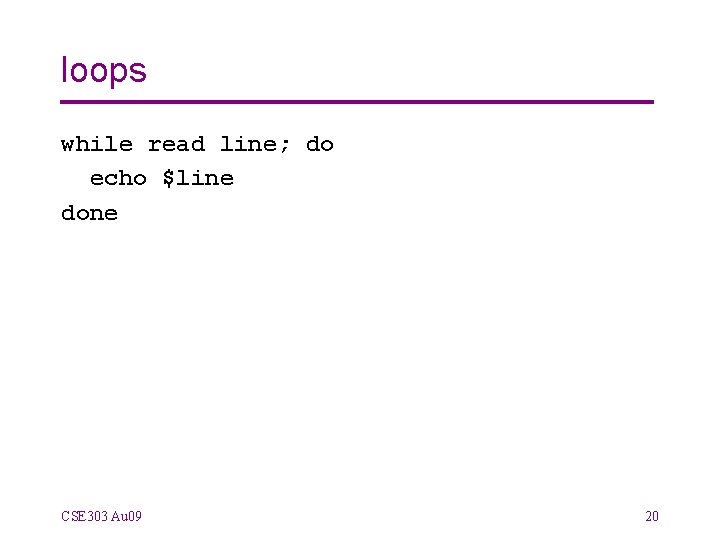
loops while read line; do echo $line done CSE 303 Au 09 20
Debugging • “Debugging is important, especially since the shell is so sensitive to details. I recommend two things: (a) trying your commands individually in the commandline as you're trying to build your shell scripts; and (b) assigning and echoing ‘unnecessary’ variables in your scripts that can be used to help see what's happening step-by-step. ” • When things don’t work, what do you do? CSE 303 Au 09 21
Performance • I'm not worried about performance (within a little bit of reason) on 2 A. Bill Wulf, who served as president of the National Academy of Engineering for over a decade, once said something like: “More mistakes are made by premature optimization than for any other reason including sheer ignorance. ” – OK, maybe it doesn’t work right, but at least it’s really fast. – Well, if it doesn’t have to work right, I can make it even faster! CSE 303 Au 09 22
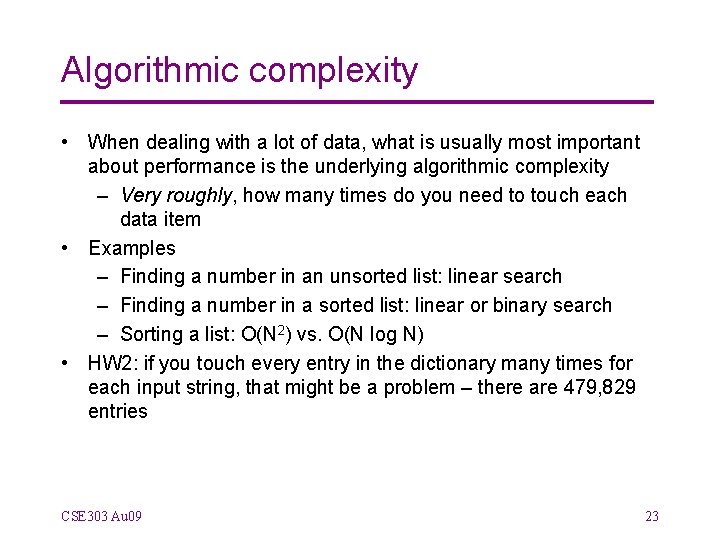
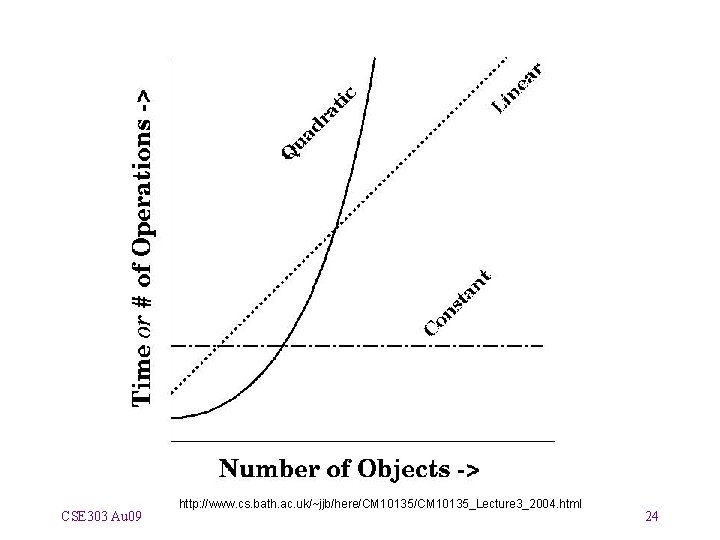
Algorithmic complexity • When dealing with a lot of data, what is usually most important about performance is the underlying algorithmic complexity – Very roughly, how many times do you need to touch each data item • Examples – Finding a number in an unsorted list: linear search – Finding a number in a sorted list: linear or binary search – Sorting a list: O(N 2) vs. O(N log N) • HW 2: if you touch every entry in the dictionary many times for each input string, that might be a problem – there are 479, 829 entries CSE 303 Au 09 23
CSE 303 Au 09 http: //www. cs. bath. ac. uk/~jjb/here/CM 10135_Lecture 3_2004. html 24
Wednesday • I’d like to spend about 15 minutes having about three students present their solution to 2 A to the class • I’ll pick some varying approaches • Please send me email if you are willing to present your solution CSE 303 Au 09 25
Questions? CSE 303 Au 09 26