
Huntington Beach High School Athletic Clearance com Help

Huntington Beach High School Athletic. Clearance. com Help Guide
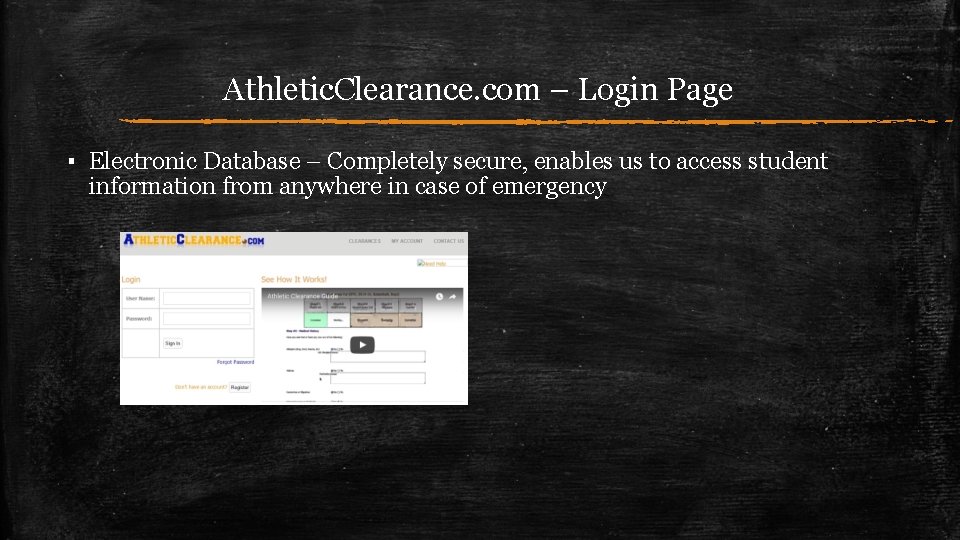
Athletic. Clearance. com – Login Page ▪ Electronic Database – Completely secure, enables us to access student information from anywhere in case of emergency
Athletic. Clearance. com – User Account For Returning Users: ▪ Login to your existing account ▪ If you have forgotten your password, click on “Forgot Password” to reset it ▪ If you don’t remember your login, you will need to create a new one and fill it out all over again For New Users: ▪ Register for an account ▪ Use your email & select password – WRITE THIS DOWN AND SAVE IT!
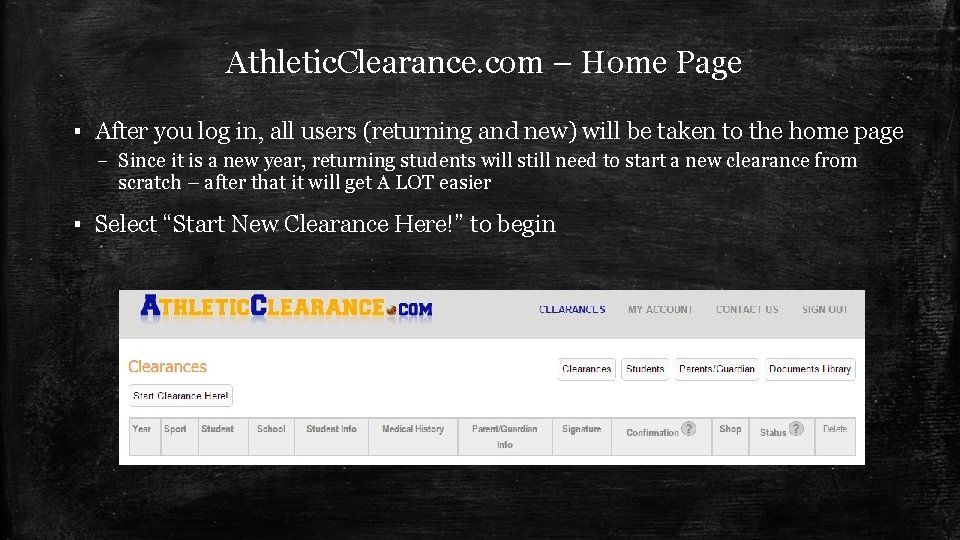
Athletic. Clearance. com – Home Page ▪ After you log in, all users (returning and new) will be taken to the home page – Since it is a new year, returning students will still need to start a new clearance from scratch – after that it will get A LOT easier ▪ Select “Start New Clearance Here!” to begin
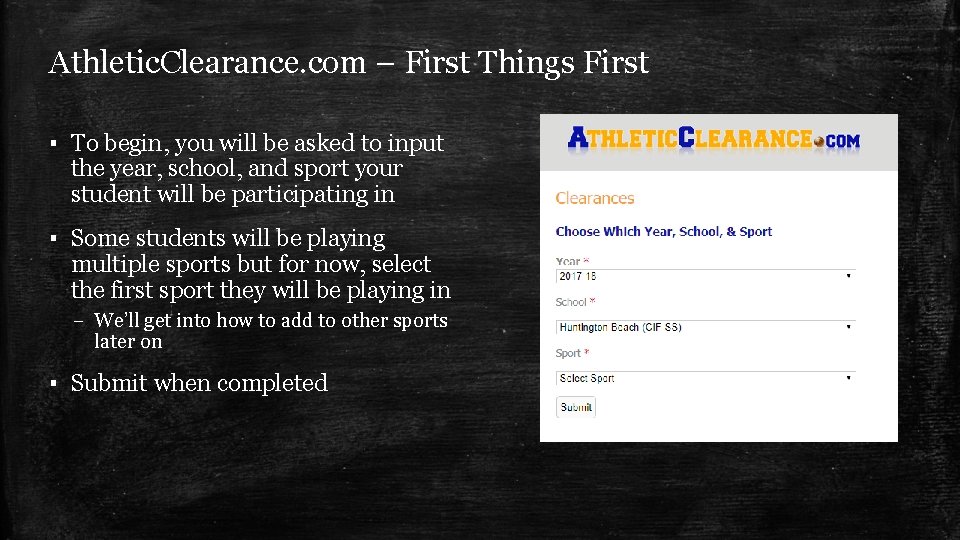
Athletic. Clearance. com – First Things First ▪ To begin, you will be asked to input the year, school, and sport your student will be participating in ▪ Some students will be playing multiple sports but for now, select the first sport they will be playing in – We’ll get into how to add to other sports later on ▪ Submit when completed
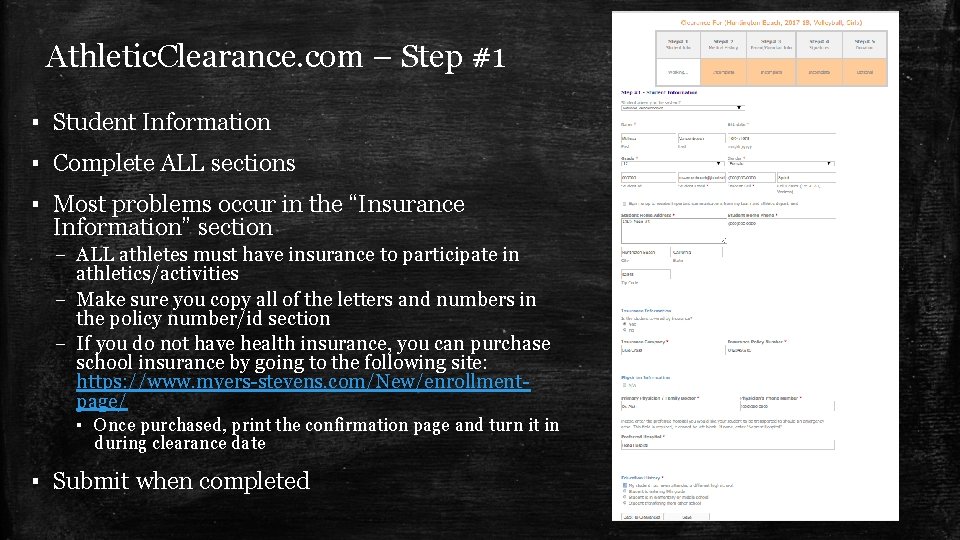
Athletic. Clearance. com – Step #1 ▪ Student Information ▪ Complete ALL sections ▪ Most problems occur in the “Insurance Information” section – ALL athletes must have insurance to participate in athletics/activities – Make sure you copy all of the letters and numbers in the policy number/id section – If you do not have health insurance, you can purchase school insurance by going to the following site: https: //www. myers-stevens. com/New/enrollmentpage/ ▪ Once purchased, print the confirmation page and turn it in during clearance date ▪ Submit when completed
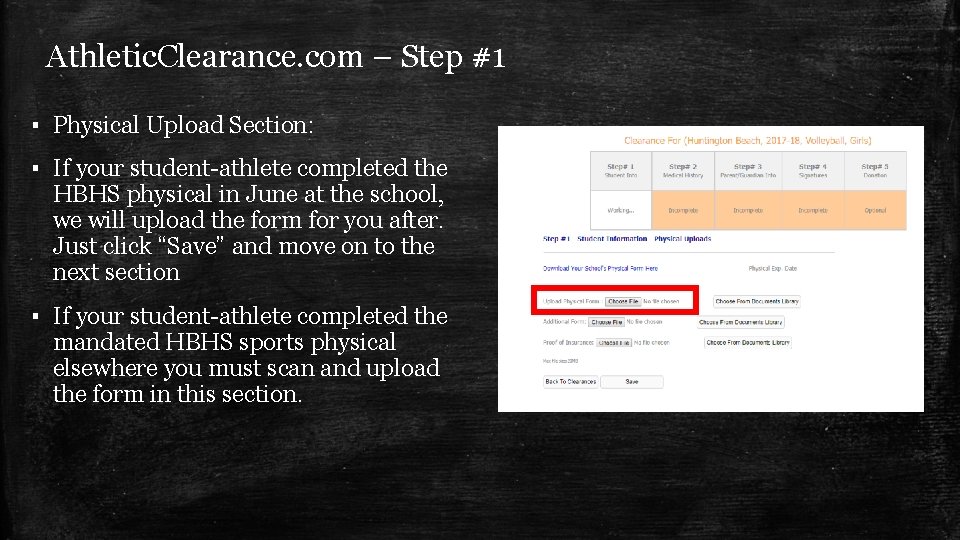
Athletic. Clearance. com – Step #1 ▪ Physical Upload Section: ▪ If your student-athlete completed the HBHS physical in June at the school, we will upload the form for you after. Just click “Save” and move on to the next section ▪ If your student-athlete completed the mandated HBHS sports physical elsewhere you must scan and upload the form in this section.
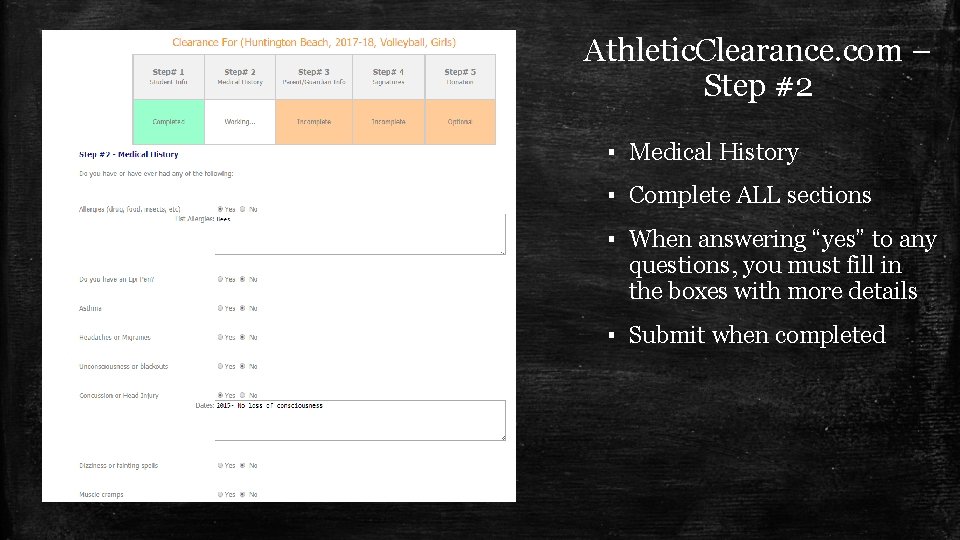
Athletic. Clearance. com – Step #2 ▪ Medical History ▪ Complete ALL sections ▪ When answering “yes” to any questions, you must fill in the boxes with more details ▪ Submit when completed
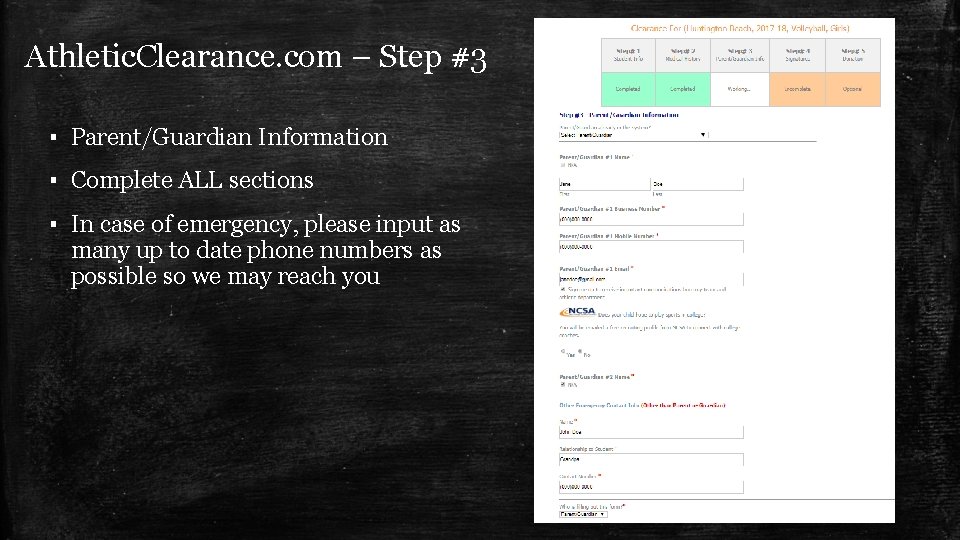
Athletic. Clearance. com – Step #3 ▪ Parent/Guardian Information ▪ Complete ALL sections ▪ In case of emergency, please input as many up to date phone numbers as possible so we may reach you
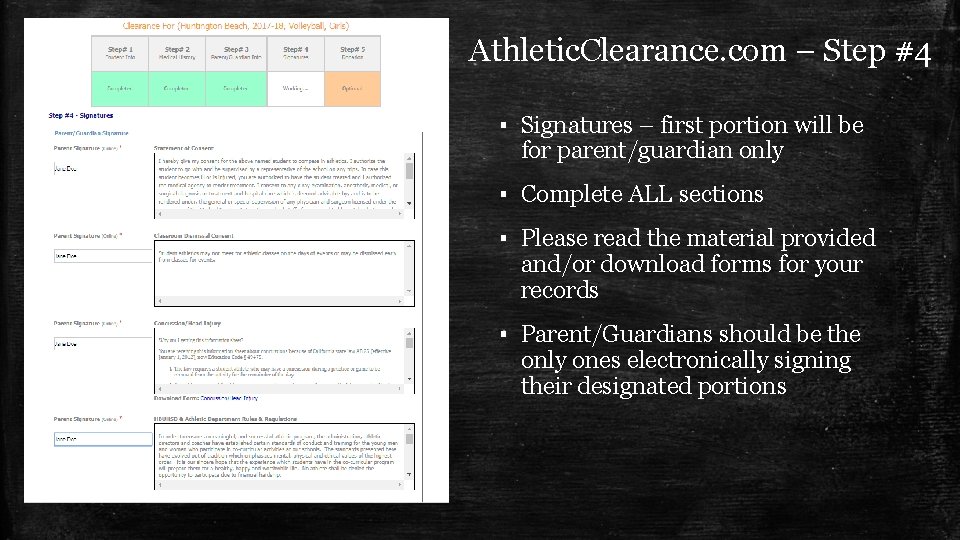
Athletic. Clearance. com – Step #4 ▪ Signatures – first portion will be for parent/guardian only ▪ Complete ALL sections ▪ Please read the material provided and/or download forms for your records ▪ Parent/Guardians should be the only ones electronically signing their designated portions
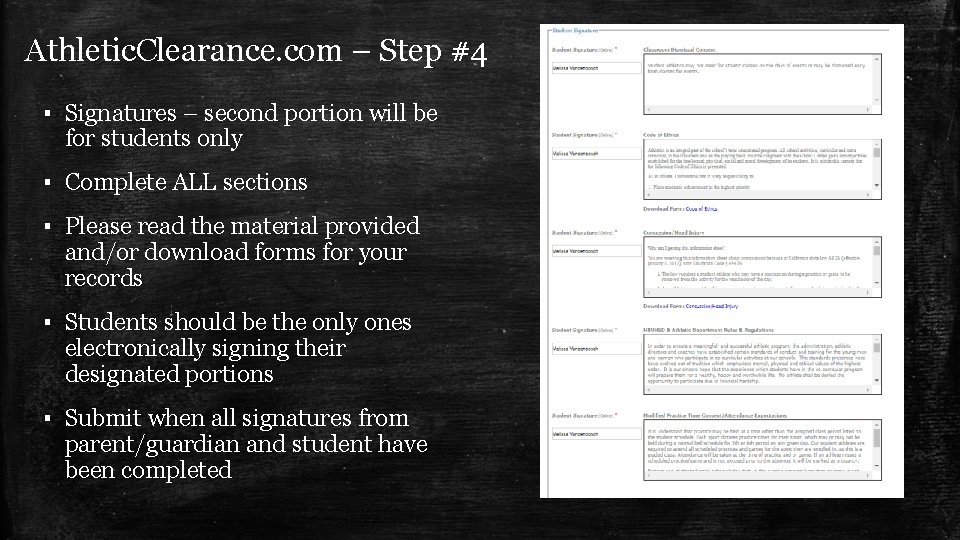
Athletic. Clearance. com – Step #4 ▪ Signatures – second portion will be for students only ▪ Complete ALL sections ▪ Please read the material provided and/or download forms for your records ▪ Students should be the only ones electronically signing their designated portions ▪ Submit when all signatures from parent/guardian and student have been completed
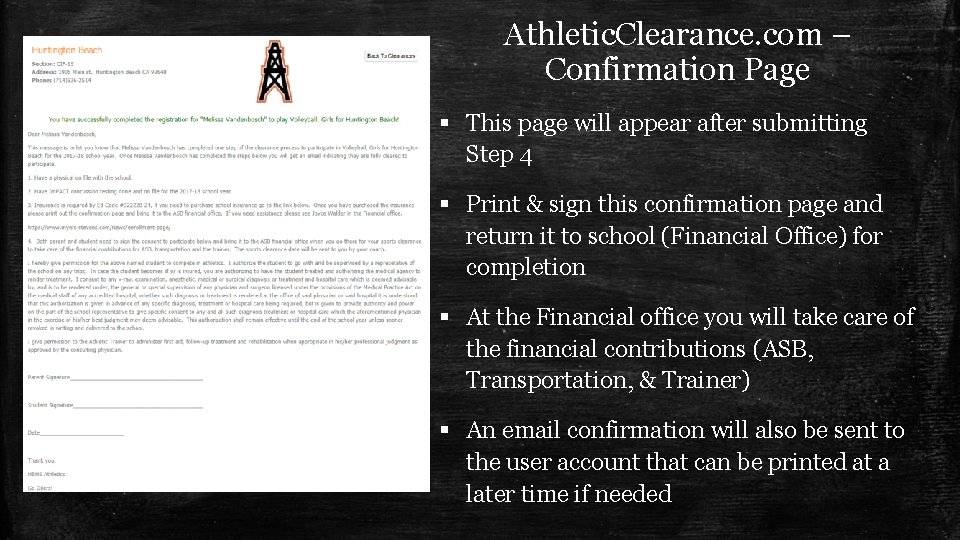
Athletic. Clearance. com – Confirmation Page § This page will appear after submitting Step 4 § Print & sign this confirmation page and return it to school (Financial Office) for completion § At the Financial office you will take care of the financial contributions (ASB, Transportation, & Trainer) § An email confirmation will also be sent to the user account that can be printed at a later time if needed
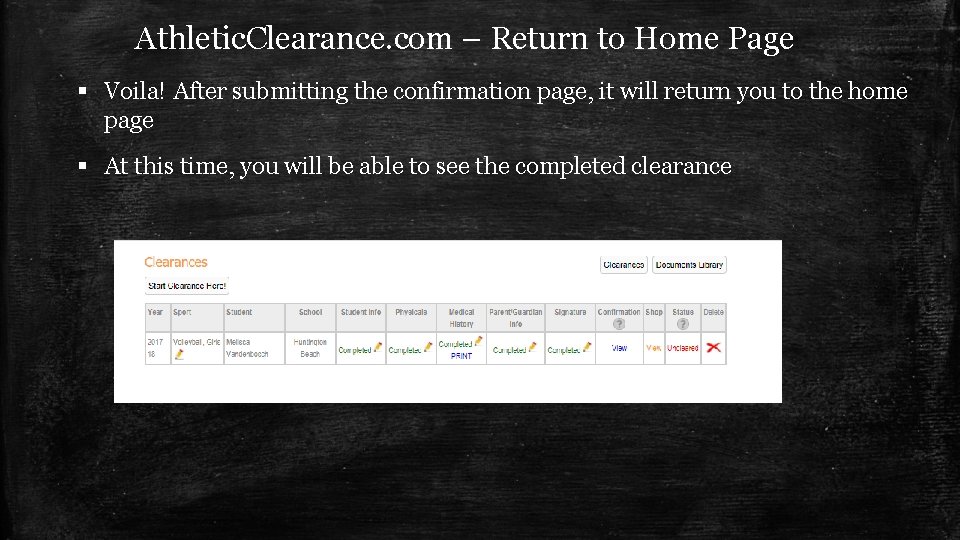
Athletic. Clearance. com – Return to Home Page § Voila! After submitting the confirmation page, it will return you to the home page § At this time, you will be able to see the completed clearance
Athletic. Clearance. com – Finishing Tips § Keep your user email and password in a safe place! § After completing the first sport clearance, all additional ones should be a easy § Yes, you can additional sports at a later time just as easily § Insider tip: If you want to add another sport at a later time, from the home page, follow the “Confirmation” column and select “View” from a sport from the CURRENT YEAR – this will take you back to the final confirmation page with the boxes you can select on the bottom. Mark any sport you would like to add, mark the acknowledge box, and submit! This will create complete files in all added sports. § Complete Athletic. Clearance. com ASAP – we input physicals, Im. PACT, GPA, etc. on it and we cannot do so until this is completed

Questions? Contact Athletic Director, Melissa Vandenbosch Phone: (714) 536 -2514 ext 4275 Email: mvandenbosch@hbuhsd. edu
- Slides: 15