
http www rproject org R is a language



- Slides: 39
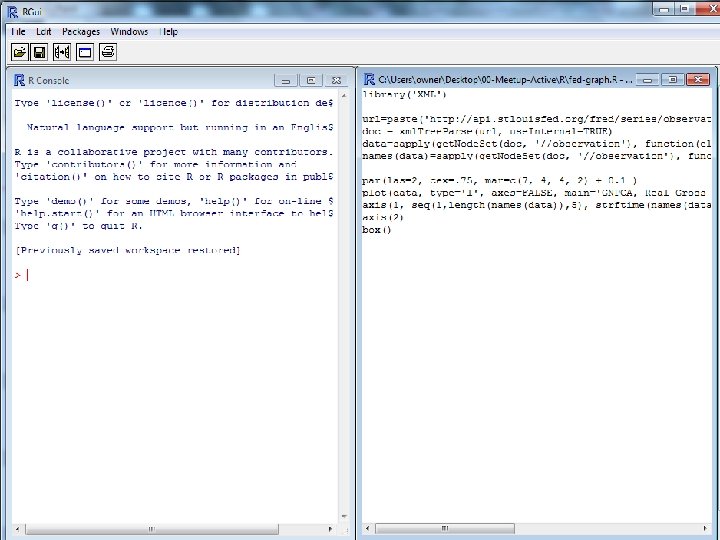
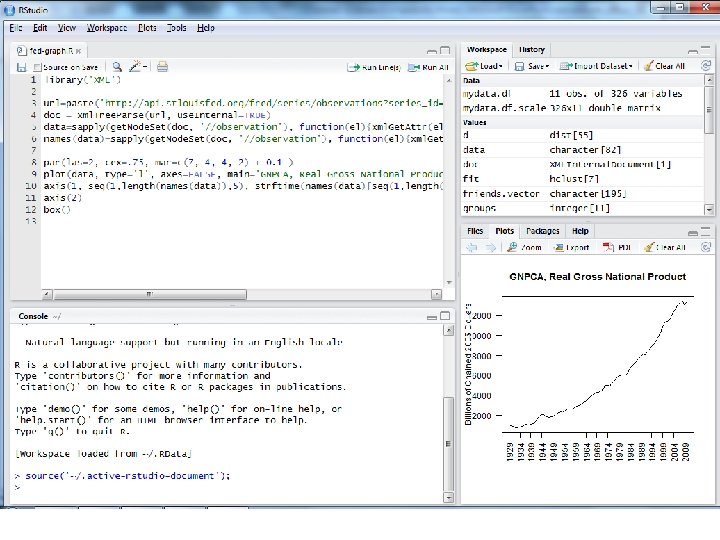
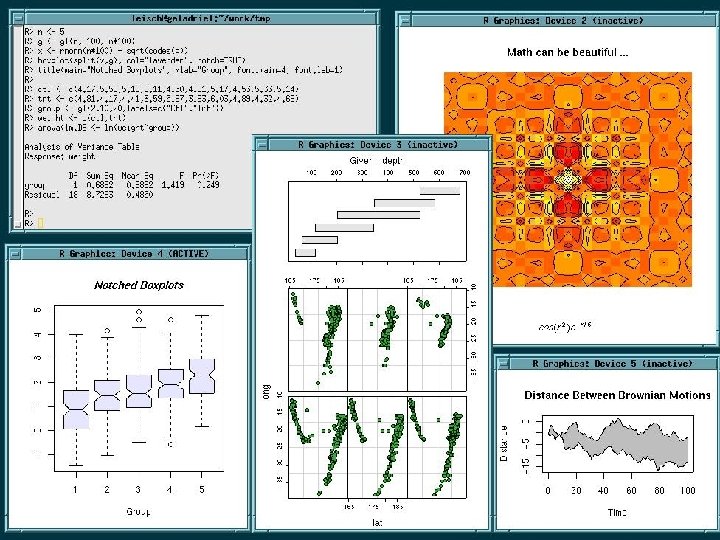
http: //www. r-project. org/ • R is a language and environment for statistical computing and graphics.
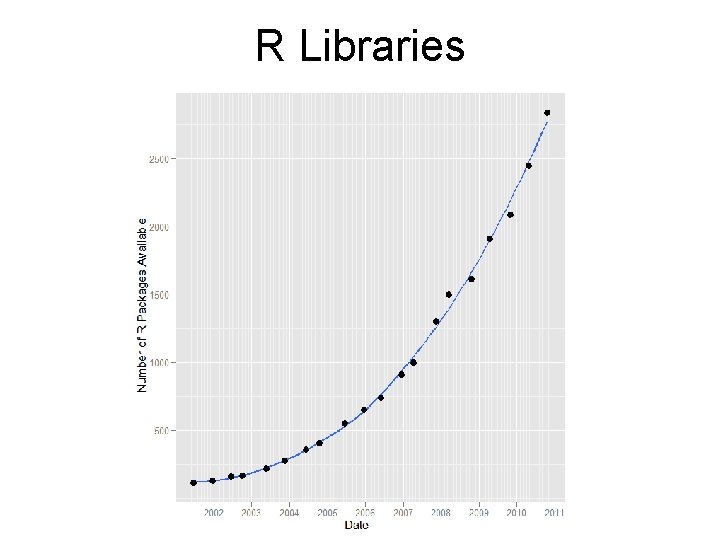
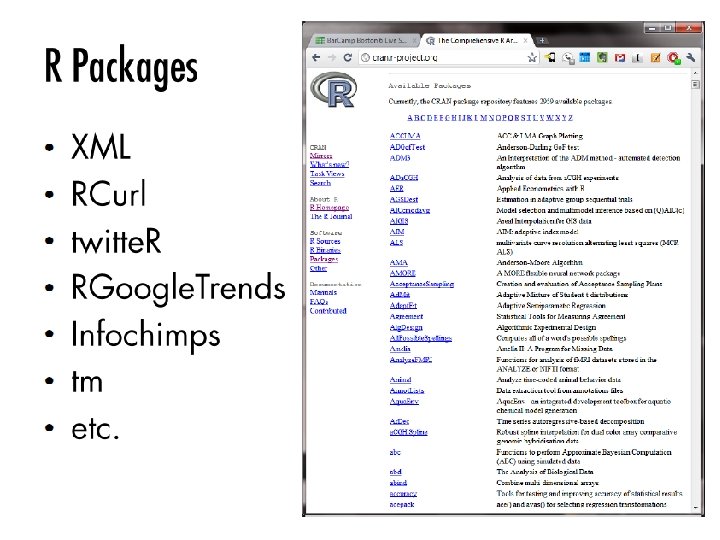
R Libraries
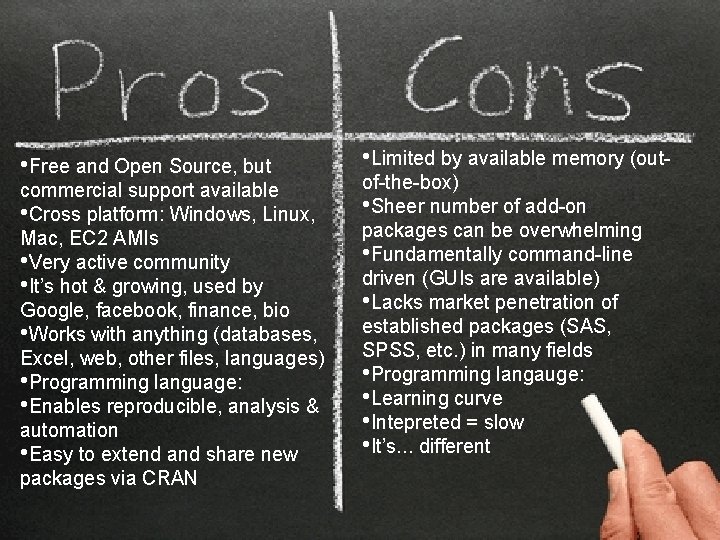
• Free and Open Source, but commercial support available • Cross platform: Windows, Linux, Mac, EC 2 AMIs • Very active community • It’s hot & growing, used by Google, facebook, finance, bio • Works with anything (databases, Excel, web, other files, languages) • Programming language: • Enables reproducible, analysis & automation • Easy to extend and share new packages via CRAN • Limited by available memory (outof-the-box) • Sheer number of add-on packages can be overwhelming • Fundamentally command-line driven (GUIs are available) • Lacks market penetration of established packages (SAS, SPSS, etc. ) in many fields • Programming langauge: • Learning curve • Intepreted = slow • It’s. . . different
Real world example Let’s monitor Twitter to try to measure sentiment about various airlines
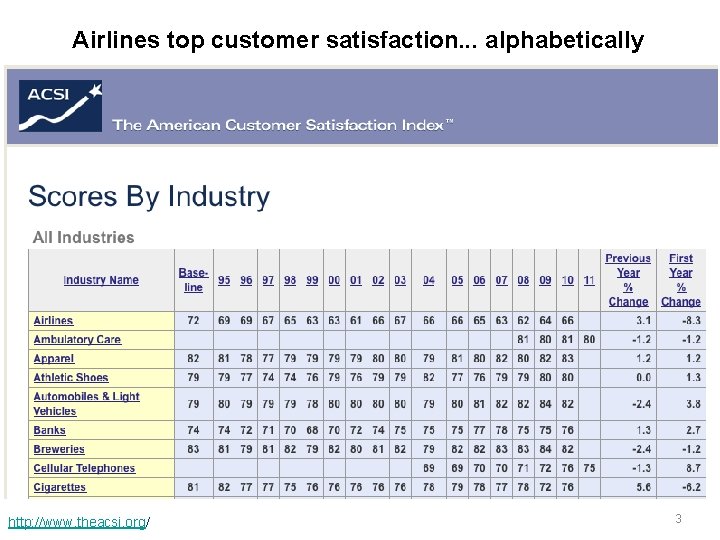
Airlines top customer satisfaction. . . alphabetically http: //www. theacsi. org/ 3
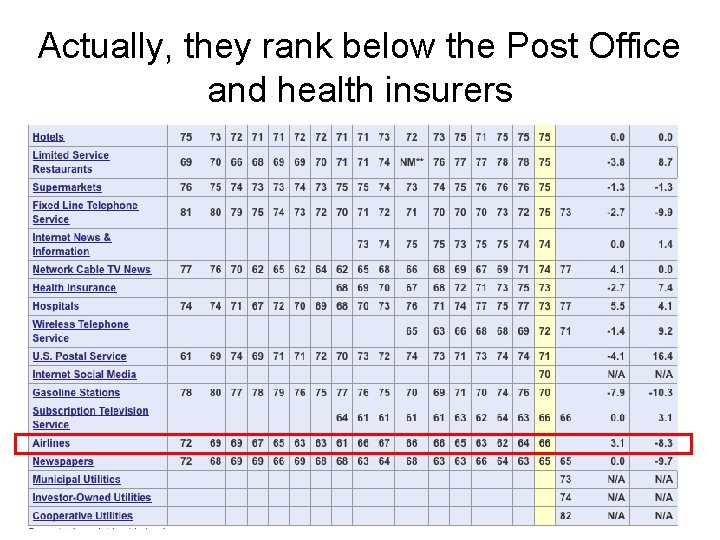
Actually, they rank below the Post Office and health insurers 4
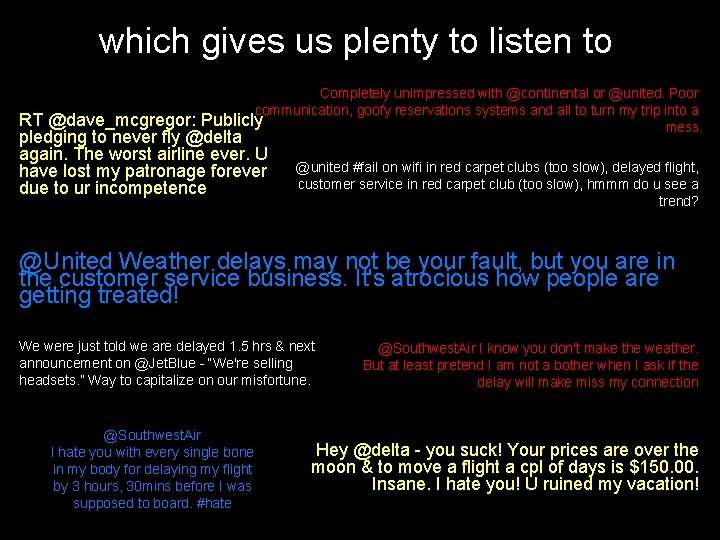
which gives us plenty to listen to Completely unimpressed with @continental or @united. Poor communication, goofy reservations systems and all to turn my trip into a RT @dave_mcgregor: Publicly mess. pledging to never fly @delta again. The worst airline ever. U have lost my patronage forever due to ur incompetence @united #fail on wifi in red carpet clubs (too slow), delayed flight, customer service in red carpet club (too slow), hmmm do u see a trend? @United Weather delays may not be your fault, but you are in the customer service business. It's atrocious how people are getting treated! We were just told we are delayed 1. 5 hrs & next announcement on @Jet. Blue - “We're selling headsets. ” Way to capitalize on our misfortune. @Southwest. Air I hate you with every single bone in my body for delaying my flight by 3 hours, 30 mins before I was supposed to board. #hate @Southwest. Air I know you don't make the weather. But at least pretend I am not a bother when I ask if the delay will make miss my connection Hey @delta - you suck! Your prices are over the moon & to move a flight a cpl of days is $150. 00. Insane. I hate you! U ruined my vacation!
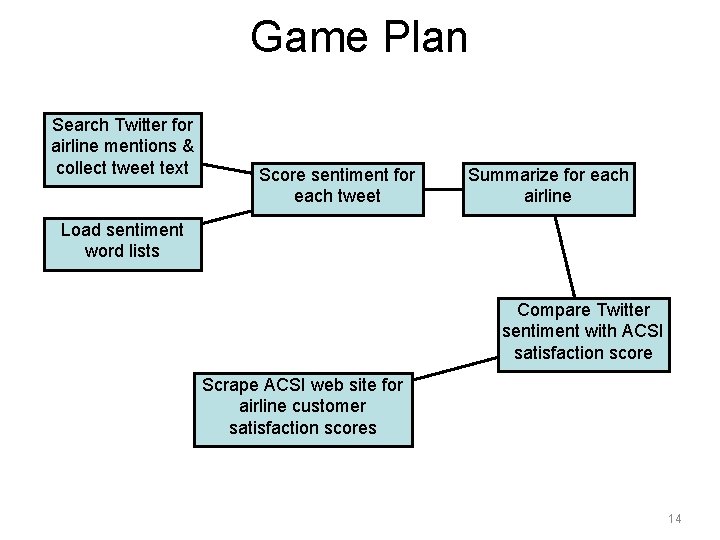
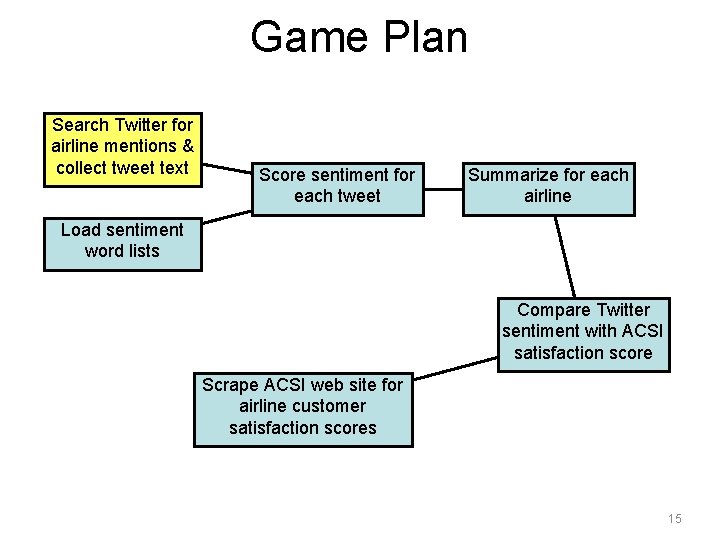
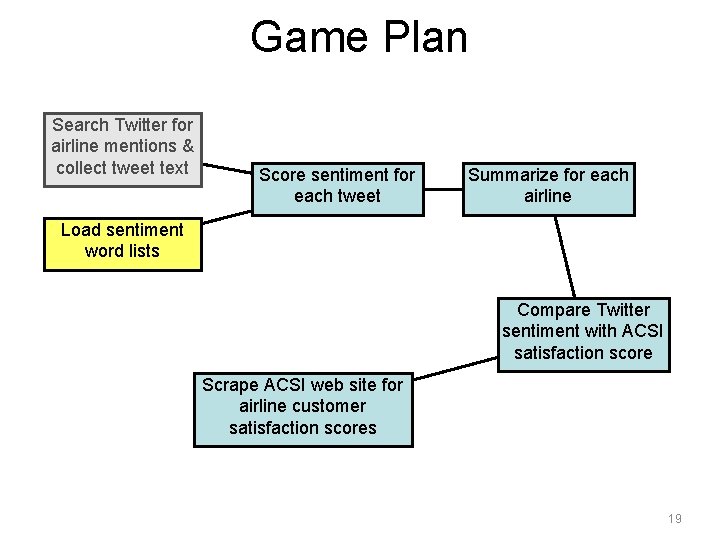
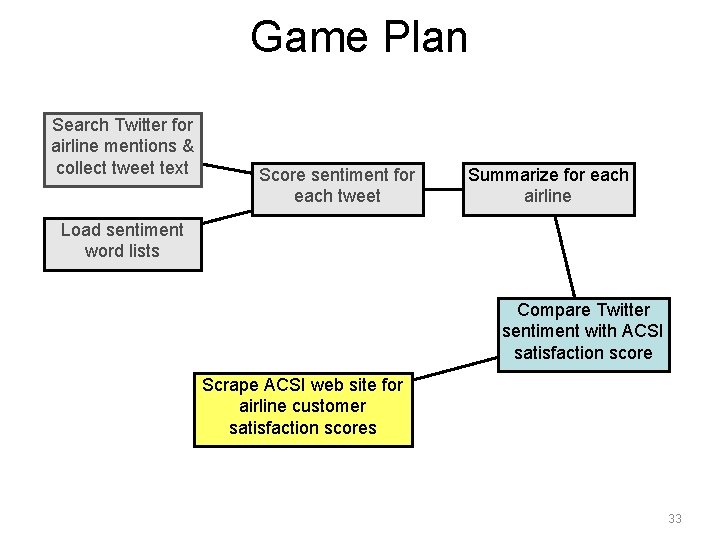
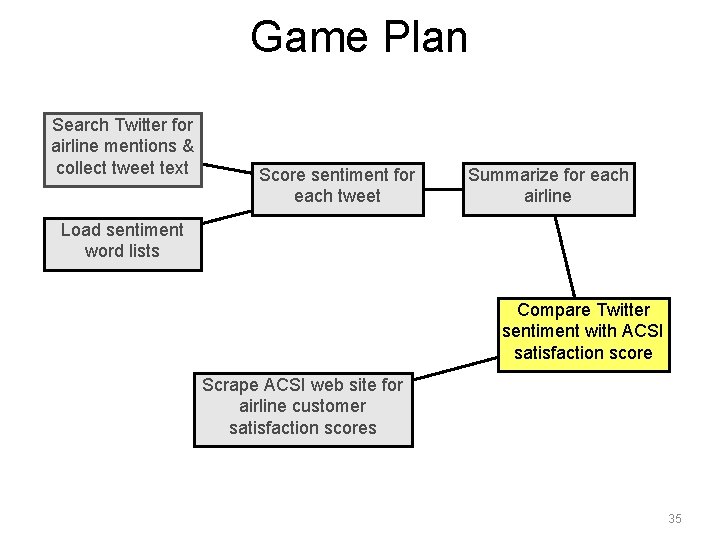
Game Plan Search Twitter for airline mentions & collect tweet text Score sentiment for each tweet Summarize for each airline Load sentiment word lists Compare Twitter sentiment with ACSI satisfaction score Scrape ACSI web site for airline customer satisfaction scores 14
Game Plan Search Twitter for airline mentions & collect tweet text Score sentiment for each tweet Summarize for each airline Load sentiment word lists Compare Twitter sentiment with ACSI satisfaction score Scrape ACSI web site for airline customer satisfaction scores 15
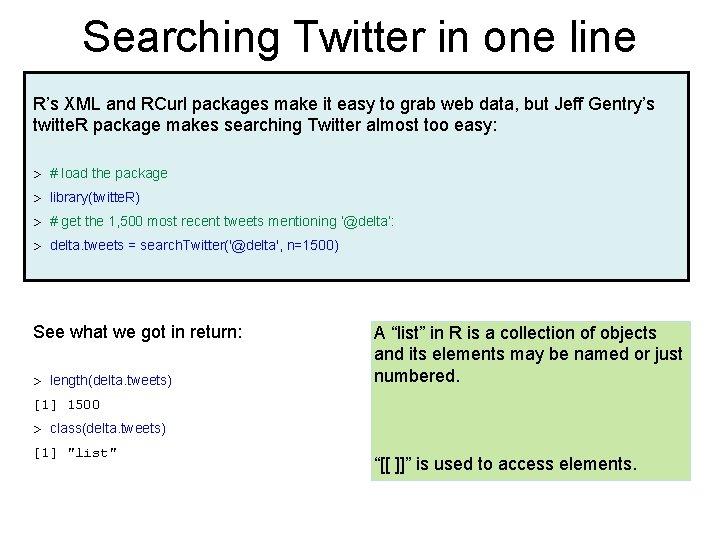
Searching Twitter in one line R’s XML and RCurl packages make it easy to grab web data, but Jeff Gentry’s twitte. R package makes searching Twitter almost too easy: > # load the package > library(twitte. R) > # get the 1, 500 most recent tweets mentioning ‘@delta’: > delta. tweets = search. Twitter('@delta', n=1500) See what we got in return: > length(delta. tweets) A “list” in R is a collection of objects and its elements may be named or just numbered. [1] 1500 > class(delta. tweets) [1] "list" “[[ ]]” is used to access elements.
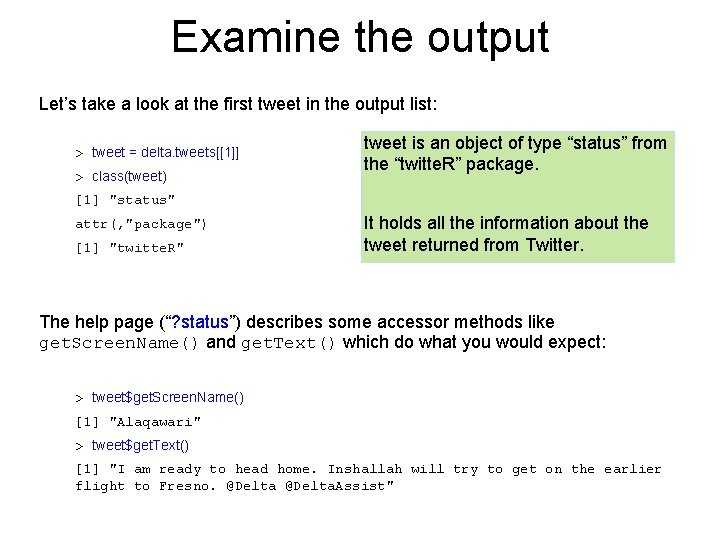
Examine the output Let’s take a look at the first tweet in the output list: > tweet = delta. tweets[[1]] > class(tweet) tweet is an object of type “status” from the “twitte. R” package. [1] "status" attr(, "package") [1] "twitte. R" It holds all the information about the tweet returned from Twitter. The help page (“? status”) describes some accessor methods like get. Screen. Name() and get. Text() which do what you would expect: > tweet$get. Screen. Name() [1] "Alaqawari" > tweet$get. Text() [1] "I am ready to head home. Inshallah will try to get on the earlier flight to Fresno. @Delta. Assist"
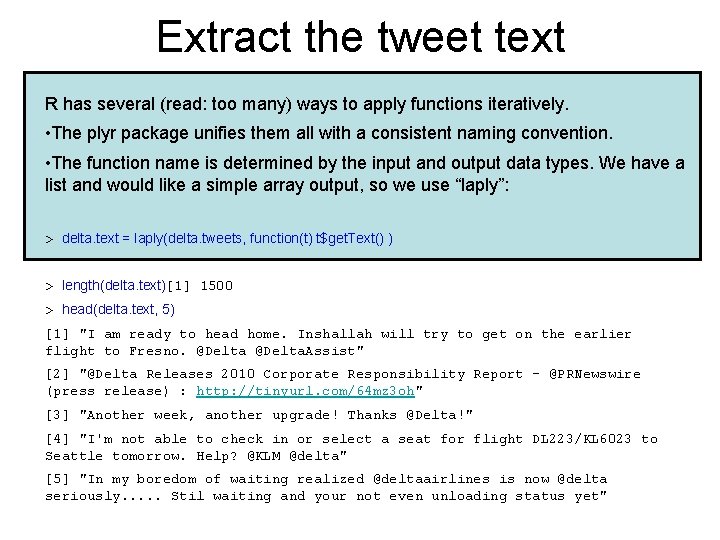
Extract the tweet text R has several (read: too many) ways to apply functions iteratively. • The plyr package unifies them all with a consistent naming convention. • The function name is determined by the input and output data types. We have a list and would like a simple array output, so we use “laply”: > delta. text = laply(delta. tweets, function(t) t$get. Text() ) > length(delta. text)[1] 1500 > head(delta. text, 5) [1] "I am ready to head home. Inshallah will try to get on the earlier flight to Fresno. @Delta. Assist" [2] "@Delta Releases 2010 Corporate Responsibility Report - @PRNewswire (press release) : http: //tinyurl. com/64 mz 3 oh" [3] "Another week, another upgrade! Thanks @Delta!" [4] "I'm not able to check in or select a seat for flight DL 223/KL 6023 to Seattle tomorrow. Help? @KLM @delta" [5] "In my boredom of waiting realized @deltaairlines is now @delta seriously. . . Stil waiting and your not even unloading status yet"
Game Plan Search Twitter for airline mentions & collect tweet text Score sentiment for each tweet Summarize for each airline Load sentiment word lists Compare Twitter sentiment with ACSI satisfaction score Scrape ACSI web site for airline customer satisfaction scores 19
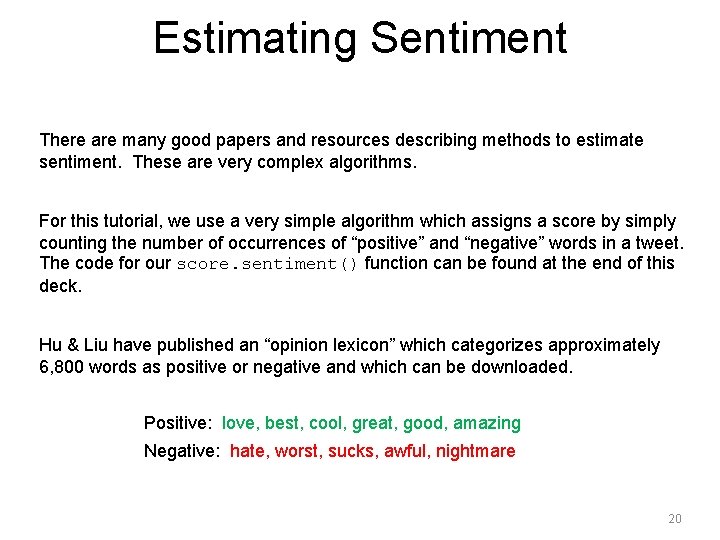
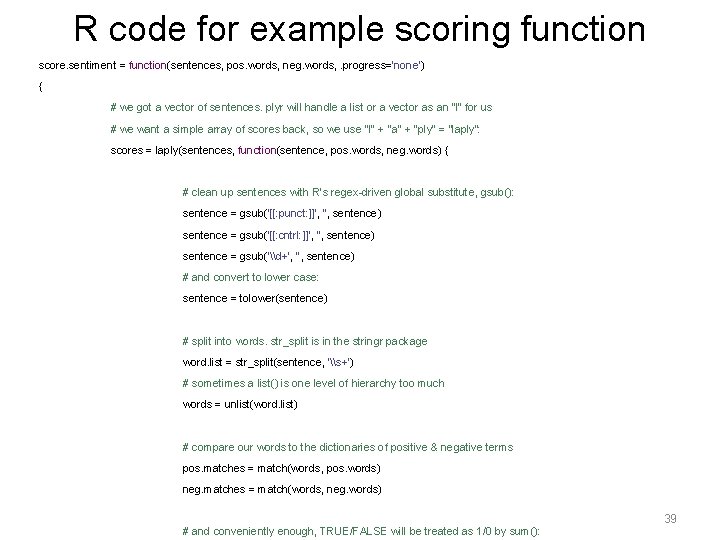
Estimating Sentiment There are many good papers and resources describing methods to estimate sentiment. These are very complex algorithms. For this tutorial, we use a very simple algorithm which assigns a score by simply counting the number of occurrences of “positive” and “negative” words in a tweet. The code for our score. sentiment() function can be found at the end of this deck. Hu & Liu have published an “opinion lexicon” which categorizes approximately 6, 800 words as positive or negative and which can be downloaded. Positive: love, best, cool, great, good, amazing Negative: hate, worst, sucks, awful, nightmare 20
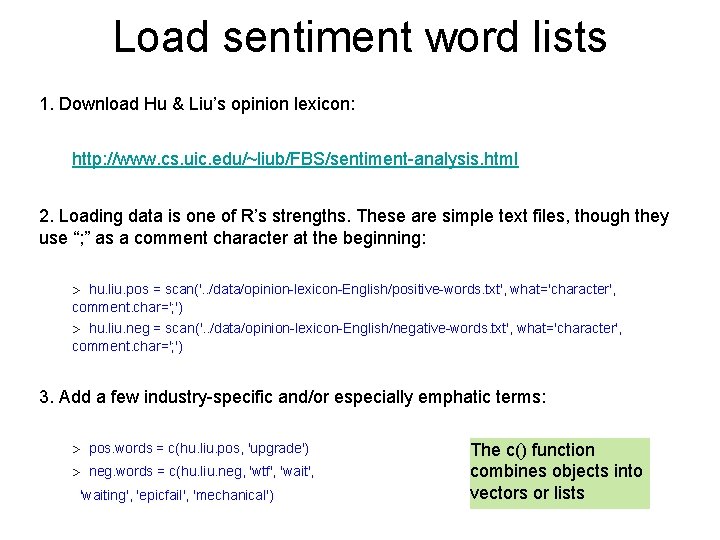
Load sentiment word lists 1. Download Hu & Liu’s opinion lexicon: http: //www. cs. uic. edu/~liub/FBS/sentiment-analysis. html 2. Loading data is one of R’s strengths. These are simple text files, though they use “; ” as a comment character at the beginning: > hu. liu. pos = scan('. . /data/opinion-lexicon-English/positive-words. txt', what='character', comment. char='; ') > hu. liu. neg = scan('. . /data/opinion-lexicon-English/negative-words. txt', what='character', comment. char='; ') 3. Add a few industry-specific and/or especially emphatic terms: > pos. words = c(hu. liu. pos, 'upgrade') > neg. words = c(hu. liu. neg, 'wtf', 'waiting', 'epicfail', 'mechanical') The c() function combines objects into vectors or lists
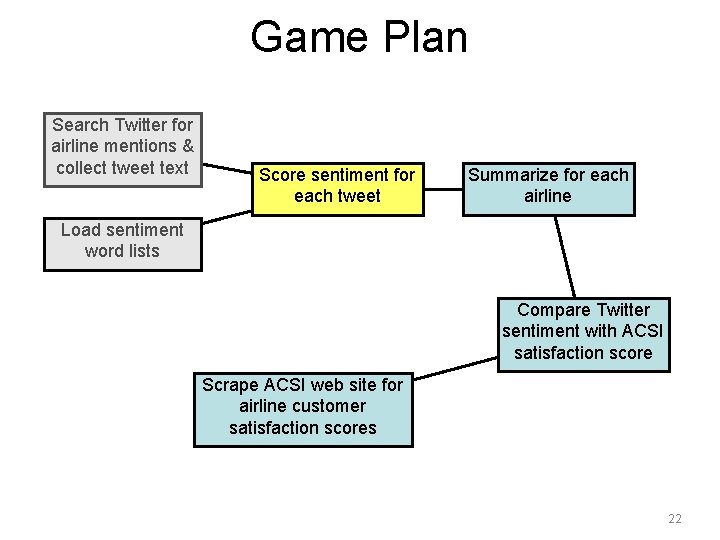
Game Plan Search Twitter for airline mentions & collect tweet text Score sentiment for each tweet Summarize for each airline Load sentiment word lists Compare Twitter sentiment with ACSI satisfaction score Scrape ACSI web site for airline customer satisfaction scores 22
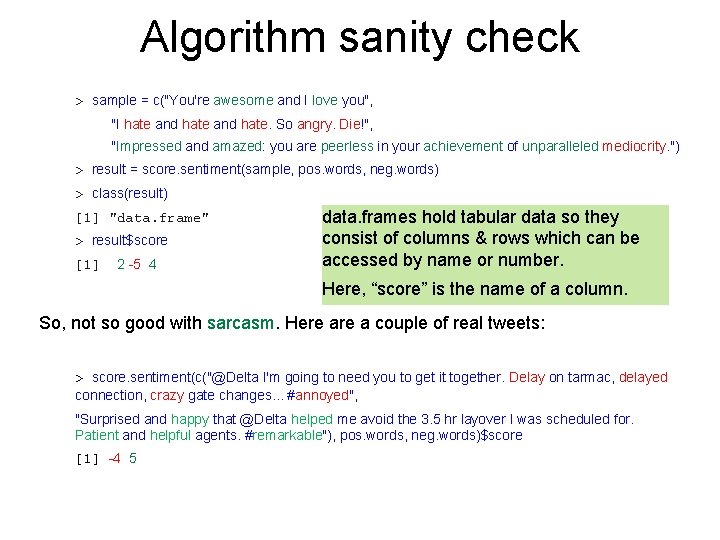
Algorithm sanity check > sample = c("You're awesome and I love you", "I hate and hate. So angry. Die!", "Impressed and amazed: you are peerless in your achievement of unparalleled mediocrity. ") > result = score. sentiment(sample, pos. words, neg. words) > class(result) [1] "data. frame" > result$score [1] 2 -5 4 data. frames hold tabular data so they consist of columns & rows which can be accessed by name or number. Here, “score” is the name of a column. So, not so good with sarcasm. Here a couple of real tweets: > score. sentiment(c("@Delta I'm going to need you to get it together. Delay on tarmac, delayed connection, crazy gate changes. . . #annoyed", "Surprised and happy that @Delta helped me avoid the 3. 5 hr layover I was scheduled for. Patient and helpful agents. #remarkable"), pos. words, neg. words)$score [1] -4 5
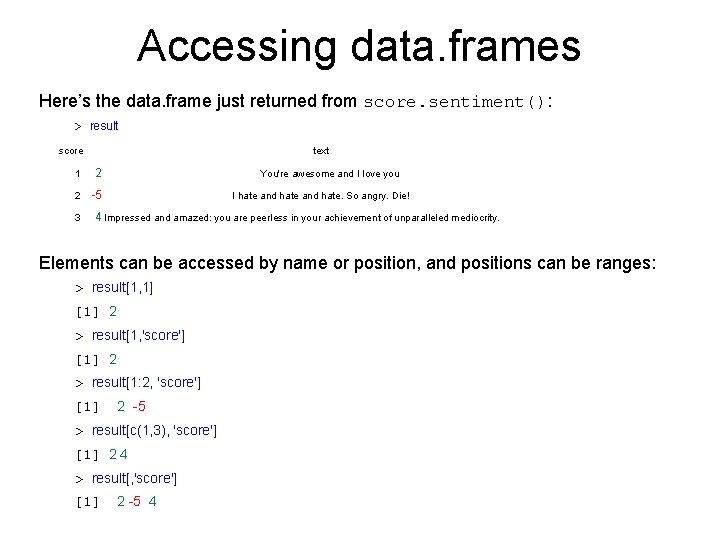
Accessing data. frames Here’s the data. frame just returned from score. sentiment(): > result score text 1 2 You're awesome and I love you 2 -5 I hate and hate. So angry. Die! 3 4 Impressed and amazed: you are peerless in your achievement of unparalleled mediocrity. Elements can be accessed by name or position, and positions can be ranges: > result[1, 1] [1] 2 > result[1, 'score'] [1] 2 > result[1: 2, 'score'] [1] 2 -5 > result[c(1, 3), 'score'] [1] 2 4 > result[, 'score'] [1] 2 -5 4
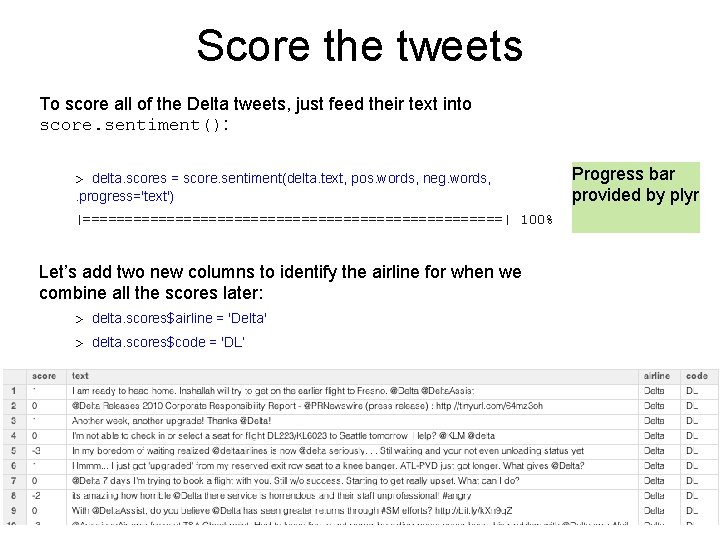
Score the tweets To score all of the Delta tweets, just feed their text into score. sentiment(): > delta. scores = score. sentiment(delta. text, pos. words, neg. words, . progress='text') |=========================| 100% Let’s add two new columns to identify the airline for when we combine all the scores later: > delta. scores$airline = 'Delta' > delta. scores$code = 'DL’ Progress bar provided by plyr
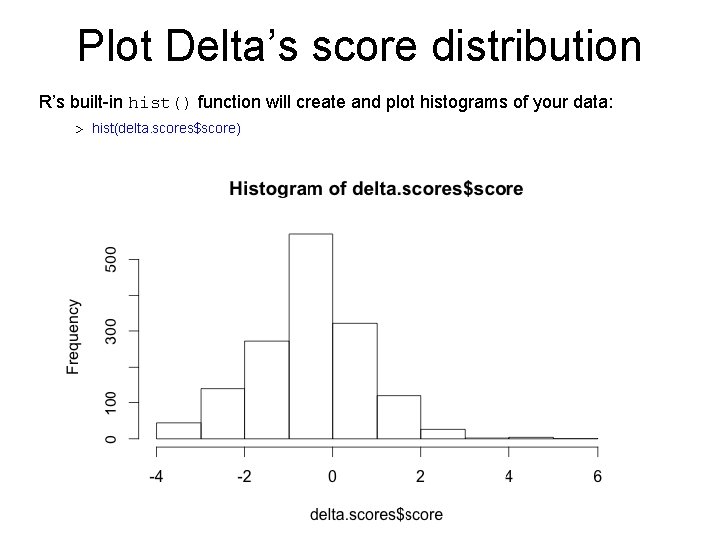
Plot Delta’s score distribution R’s built-in hist() function will create and plot histograms of your data: > hist(delta. scores$score)
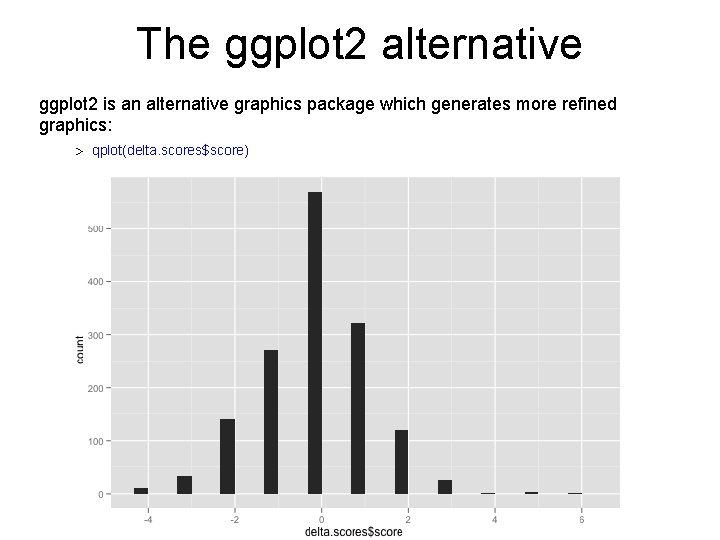
The ggplot 2 alternative ggplot 2 is an alternative graphics package which generates more refined graphics: > qplot(delta. scores$score)
Lather. Rinse. Repeat To see how the other airlines fare, collect & score tweets for other airlines. Then combine all the results into a single “all. scores” data. frame: > all. scores = rbind( american. scores, continental. scores, delta. scores, jetblue. scores, southwest. scores, united. scores, us. scores ) rbind() combines rows from data. frames, arrays, and matrices
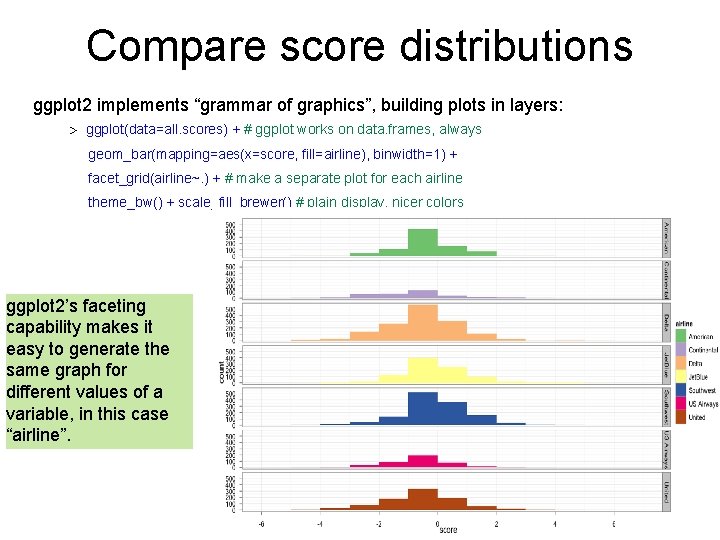
Compare score distributions ggplot 2 implements “grammar of graphics”, building plots in layers: > ggplot(data=all. scores) + # ggplot works on data. frames, always geom_bar(mapping=aes(x=score, fill=airline), binwidth=1) + facet_grid(airline~. ) + # make a separate plot for each airline theme_bw() + scale_fill_brewer() # plain display, nicer colors ggplot 2’s faceting capability makes it easy to generate the same graph for different values of a variable, in this case “airline”.
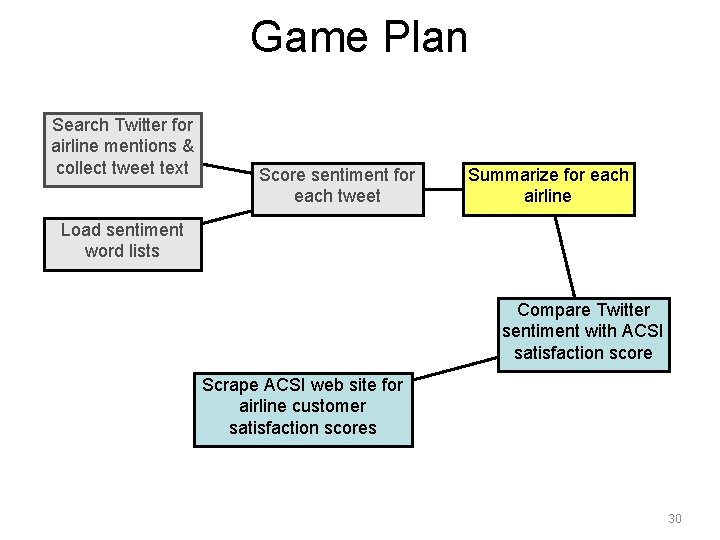
Game Plan Search Twitter for airline mentions & collect tweet text Score sentiment for each tweet Summarize for each airline Load sentiment word lists Compare Twitter sentiment with ACSI satisfaction score Scrape ACSI web site for airline customer satisfaction scores 30
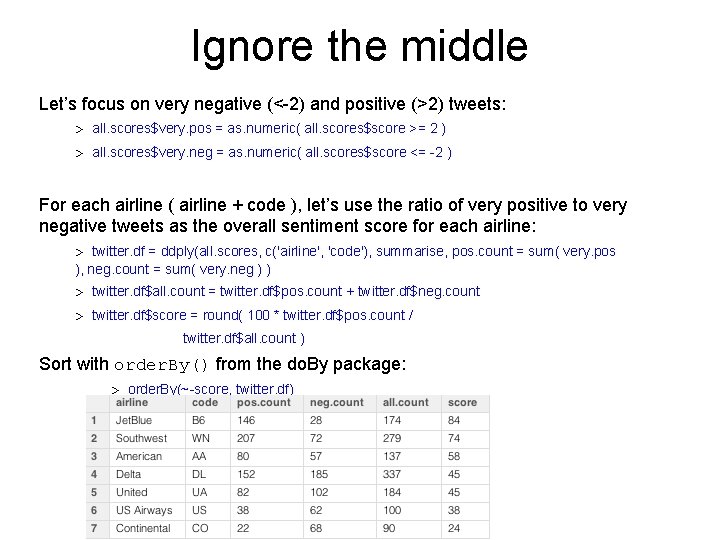
Ignore the middle Let’s focus on very negative (<-2) and positive (>2) tweets: > all. scores$very. pos = as. numeric( all. scores$score >= 2 ) > all. scores$very. neg = as. numeric( all. scores$score <= -2 ) For each airline ( airline + code ), let’s use the ratio of very positive to very negative tweets as the overall sentiment score for each airline: > twitter. df = ddply(all. scores, c('airline', 'code'), summarise, pos. count = sum( very. pos ), neg. count = sum( very. neg ) ) > twitter. df$all. count = twitter. df$pos. count + twitter. df$neg. count > twitter. df$score = round( 100 * twitter. df$pos. count / twitter. df$all. count ) Sort with order. By() from the do. By package: > order. By(~-score, twitter. df)
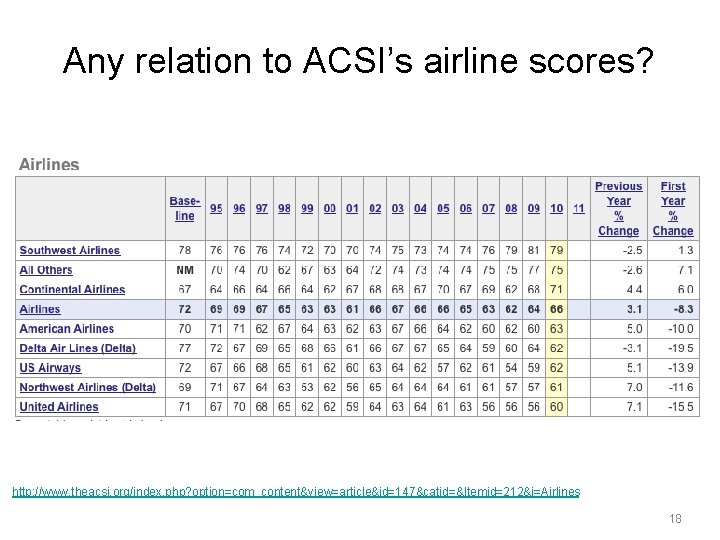
Any relation to ACSI’s airline scores? http: //www. theacsi. org/index. php? option=com_content&view=article&id=147&catid=&Itemid=212&i=Airlines 18
Game Plan Search Twitter for airline mentions & collect tweet text Score sentiment for each tweet Summarize for each airline Load sentiment word lists Compare Twitter sentiment with ACSI satisfaction score Scrape ACSI web site for airline customer satisfaction scores 33
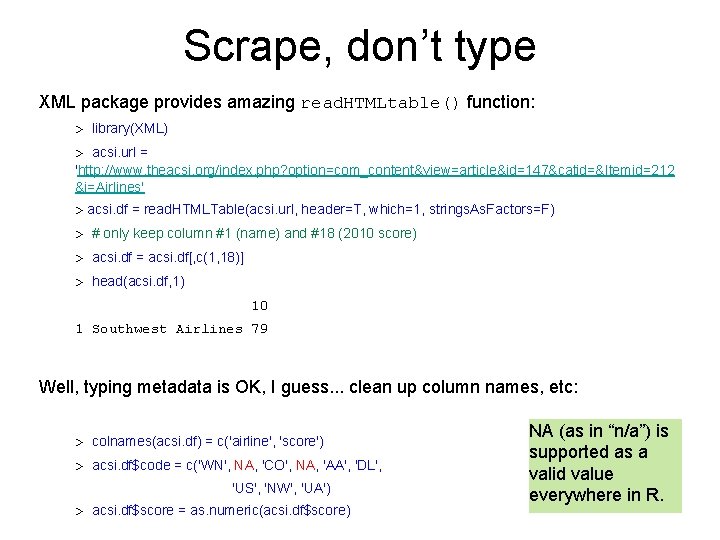
Scrape, don’t type XML package provides amazing read. HTMLtable() function: > library(XML) > acsi. url = 'http: //www. theacsi. org/index. php? option=com_content&view=article&id=147&catid=&Itemid=212 &i=Airlines' > acsi. df = read. HTMLTable(acsi. url, header=T, which=1, strings. As. Factors=F) > # only keep column #1 (name) and #18 (2010 score) > acsi. df = acsi. df[, c(1, 18)] > head(acsi. df, 1) 10 1 Southwest Airlines 79 Well, typing metadata is OK, I guess. . . clean up column names, etc: > colnames(acsi. df) = c('airline', 'score') > acsi. df$code = c('WN', NA, 'CO', NA, 'AA', 'DL', 'US', 'NW', 'UA') > acsi. df$score = as. numeric(acsi. df$score) NA (as in “n/a”) is supported as a valid value everywhere in R.
Game Plan Search Twitter for airline mentions & collect tweet text Score sentiment for each tweet Summarize for each airline Load sentiment word lists Compare Twitter sentiment with ACSI satisfaction score Scrape ACSI web site for airline customer satisfaction scores 35
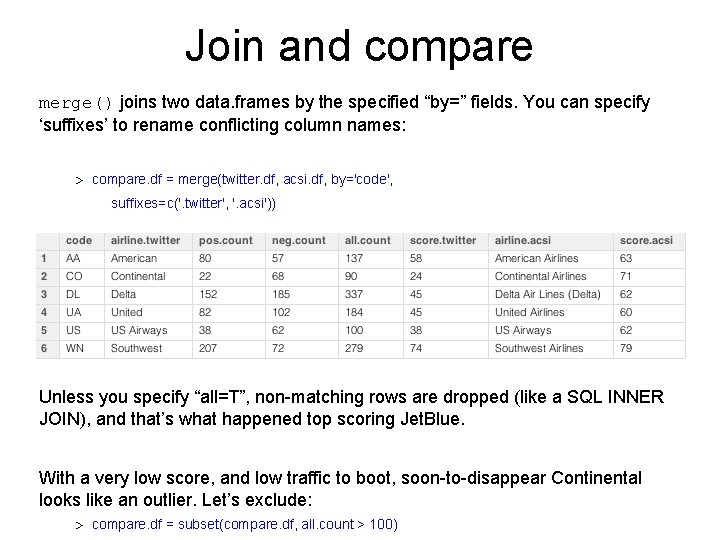
Join and compare merge() joins two data. frames by the specified “by=” fields. You can specify ‘suffixes’ to rename conflicting column names: > compare. df = merge(twitter. df, acsi. df, by='code', suffixes=c('. twitter', '. acsi')) Unless you specify “all=T”, non-matching rows are dropped (like a SQL INNER JOIN), and that’s what happened top scoring Jet. Blue. With a very low score, and low traffic to boot, soon-to-disappear Continental looks like an outlier. Let’s exclude: > compare. df = subset(compare. df, all. count > 100)
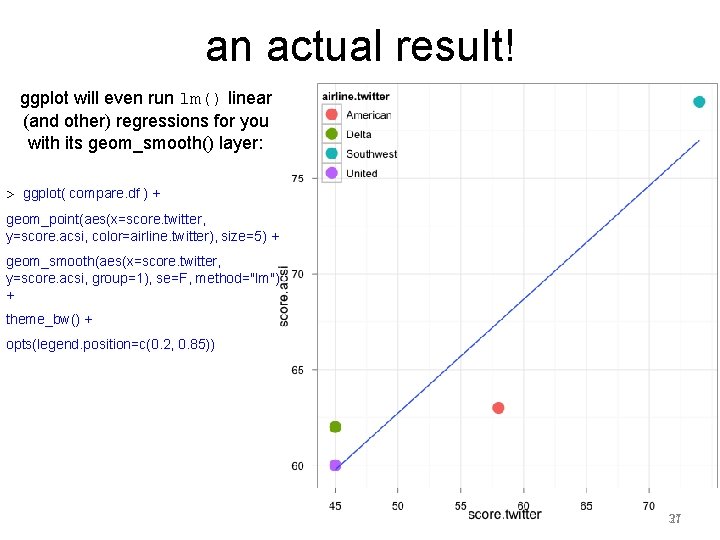
an actual result! ggplot will even run lm() linear (and other) regressions for you with its geom_smooth() layer: > ggplot( compare. df ) + geom_point(aes(x=score. twitter, y=score. acsi, color=airline. twitter), size=5) + geom_smooth(aes(x=score. twitter, y=score. acsi, group=1), se=F, method="lm") + theme_bw() + opts(legend. position=c(0. 2, 0. 85)) 21 37
http: //www. despair. com/cudi. html
R code for example scoring function score. sentiment = function(sentences, pos. words, neg. words, . progress='none') { # we got a vector of sentences. plyr will handle a list or a vector as an "l" for us # we want a simple array of scores back, so we use "l" + "a" + "ply" = “laply”: scores = laply(sentences, function(sentence, pos. words, neg. words) { # clean up sentences with R's regex-driven global substitute, gsub(): sentence = gsub('[[: punct: ]]', '', sentence) sentence = gsub('[[: cntrl: ]]', '', sentence) sentence = gsub('\d+', '', sentence) # and convert to lower case: sentence = tolower(sentence) # split into words. str_split is in the stringr package word. list = str_split(sentence, '\s+') # sometimes a list() is one level of hierarchy too much words = unlist(word. list) # compare our words to the dictionaries of positive & negative terms pos. matches = match(words, pos. words) neg. matches = match(words, neg. words) # and conveniently enough, TRUE/FALSE will be treated as 1/0 by sum(): 39