
HTML Level II Cyber Advantage Session II Chapter
HTML Level II (Cyber. Advantage) Session II Chapter 15 – How to Use Java. Script and j. Query to Enhance your Web Page www. profburnett. com
Class Outline �Intro to Java. Script �Object Technology �Document Object Model (DOM) �Java. Script Frameworks �Introduction to j. Query �j. Query Syntax �j. Query Selectors �j. Query Events 12/20/2021 Copyright © Carl M. Burnett �j. Query Effects �j. Query HTML �j. Query Traversing �j. Query AJAX �j. Query Misc 2
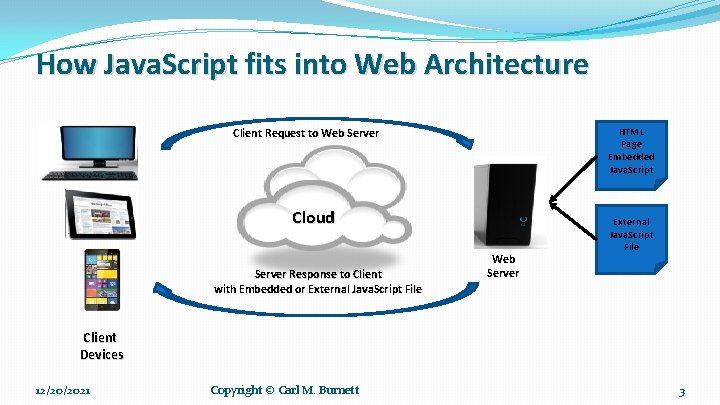
How Java. Script fits into Web Architecture HTML Page Embedded Java. Script Client Request to Web Server Cloud Server Response to Client with Embedded or External Java. Script File Web Server External Java. Script File Client Devices 12/20/2021 Copyright © Carl M. Burnett 3
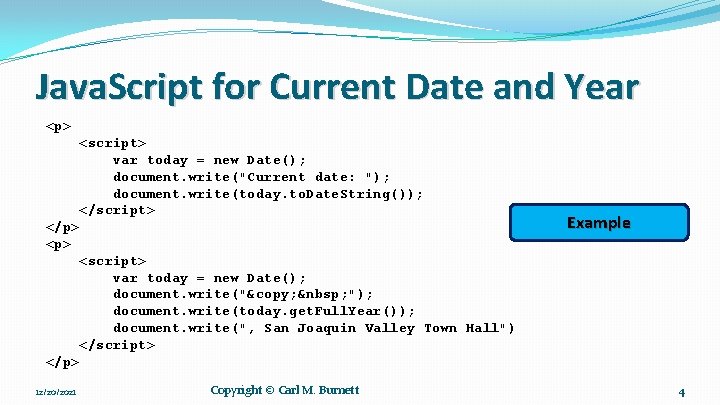
Java. Script for Current Date and Year <p> <script> var today = new Date(); document. write("Current date: "); document. write(today. to. Date. String()); </script> </p> <p> Example <script> var today = new Date(); document. write("© "); document. write(today. get. Full. Year()); document. write(", San Joaquin Valley Town Hall") </script> </p> 12/20/2021 Copyright © Carl M. Burnett 4
Object Oriented Programming Concepts �Class �Objects �Inheritance �Data Encapsulation �Metadata �Polymorphism
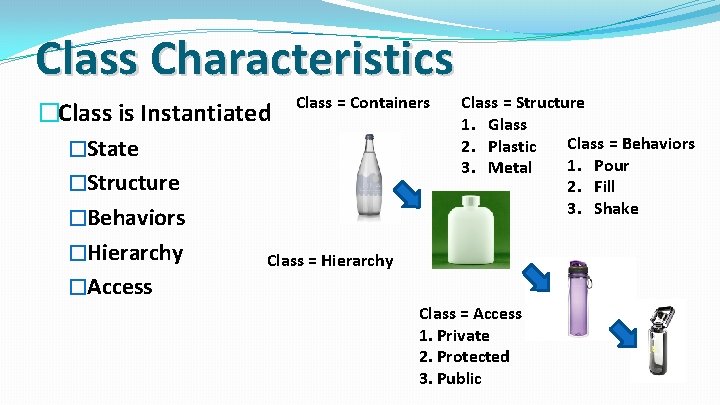
Class Characteristics �Class is Instantiated Class = Containers �State �Structure �Behaviors �Hierarchy Class = Hierarchy �Access Class = Structure 1. Glass Class = Behaviors 2. Plastic 1. Pour 3. Metal 2. Fill 3. Shake Class = Access 1. Private 2. Protected 3. Public
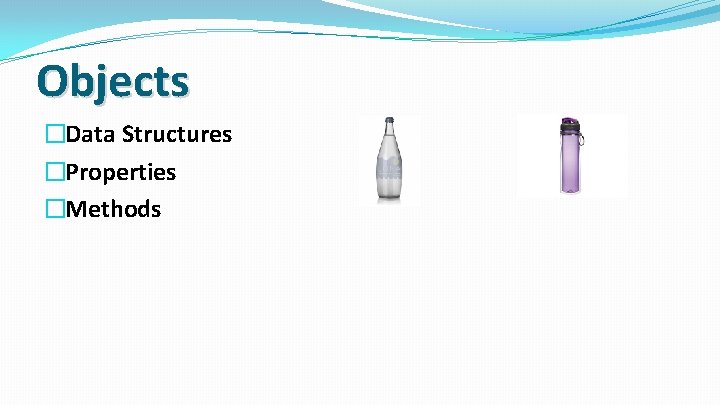
Objects �Data Structures �Properties �Methods
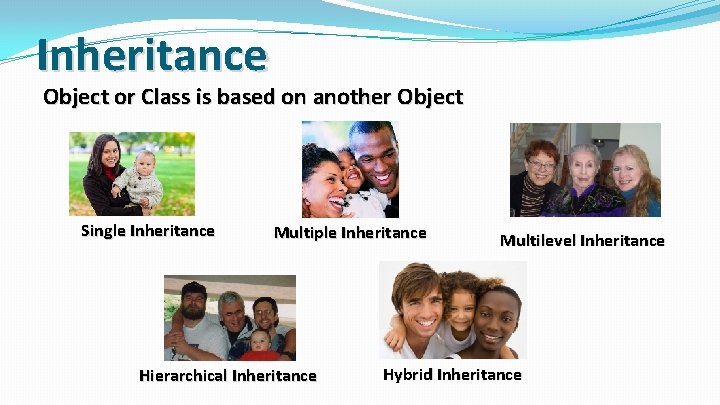
Inheritance Object or Class is based on another Object Single Inheritance Multiple Inheritance Hierarchical Inheritance Multilevel Inheritance Hybrid Inheritance
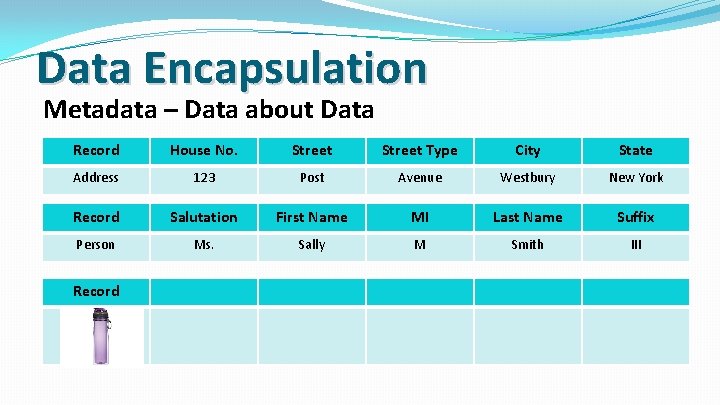
Data Encapsulation Metadata – Data about Data Record House No. Street Type City State Address 123 Post Avenue Westbury New York Record Salutation First Name MI Last Name Suffix Person Ms. Sally M Smith III Record
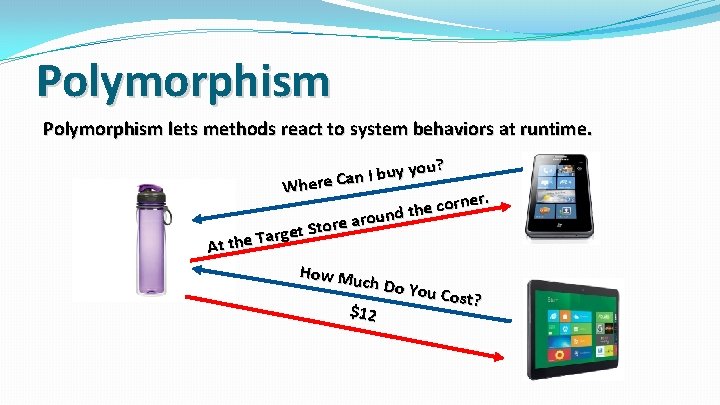
Polymorphism lets methods react to system behaviors at runtime. you? y u b I n a Where C ner. r o c e h und t o r a e r get Sto r a T e h At t How Mu ch $12 Do You Cost?
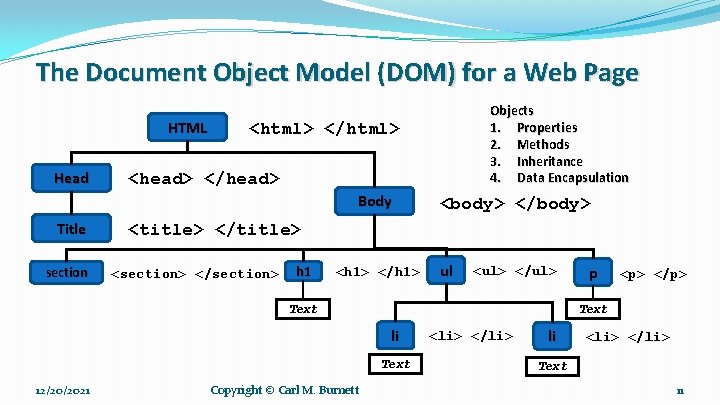
The Document Object Model (DOM) for a Web Page HTML Head <html> </html> <head> </head> Body Title section Objects 1. Properties 2. Methods 3. Inheritance 4. Data Encapsulation <body> </body> <title> </title> <section> </section> h 1 <h 1> </h 1> ul <ul> </ul> li Text Copyright © Carl M. Burnett <p> </p> Text 12/20/2021 p <li> </li> li <li> </li> Text 11
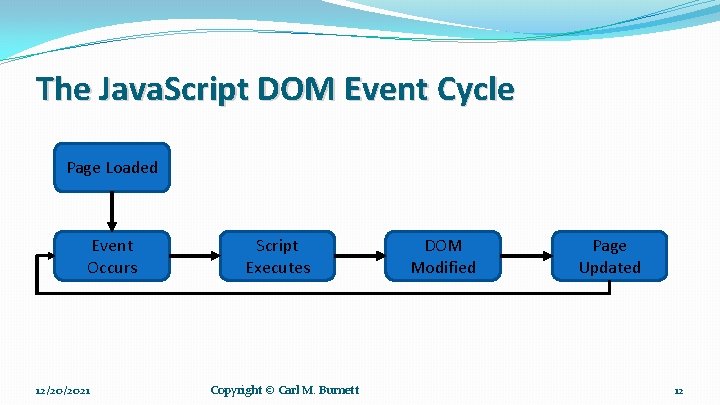
The Java. Script DOM Event Cycle Page Loaded Event Occurs 12/20/2021 Script Executes Copyright © Carl M. Burnett DOM Modified Page Updated 12
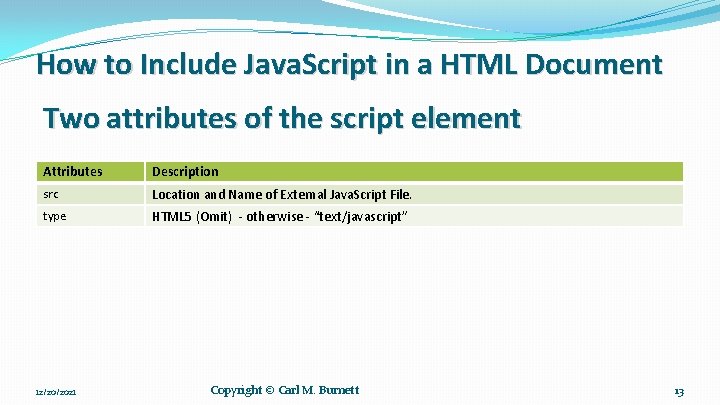
How to Include Java. Script in a HTML Document Two attributes of the script element Attributes Description src Location and Name of External Java. Script File. type HTML 5 (Omit) - otherwise - “text/javascript” 12/20/2021 Copyright © Carl M. Burnett 13
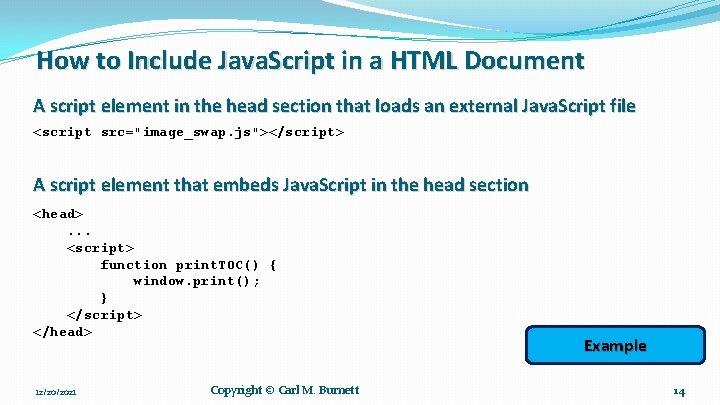
How to Include Java. Script in a HTML Document A script element in the head section that loads an external Java. Script file <script src="image_swap. js"></script> A script element that embeds Java. Script in the head section <head>. . . <script> function print. TOC() { window. print(); } </script> </head> 12/20/2021 Copyright © Carl M. Burnett Example 14
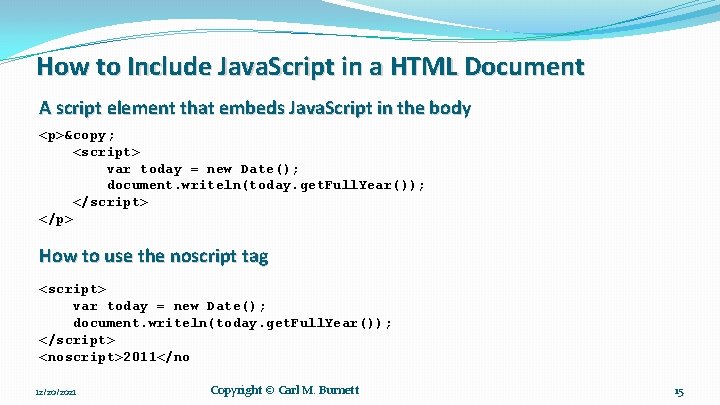
How to Include Java. Script in a HTML Document A script element that embeds Java. Script in the body <p>© <script> var today = new Date(); document. writeln(today. get. Full. Year()); </script> </p> How to use the noscript tag <script> var today = new Date(); document. writeln(today. get. Full. Year()); </script> <noscript>2011</no 12/20/2021 Copyright © Carl M. Burnett 15
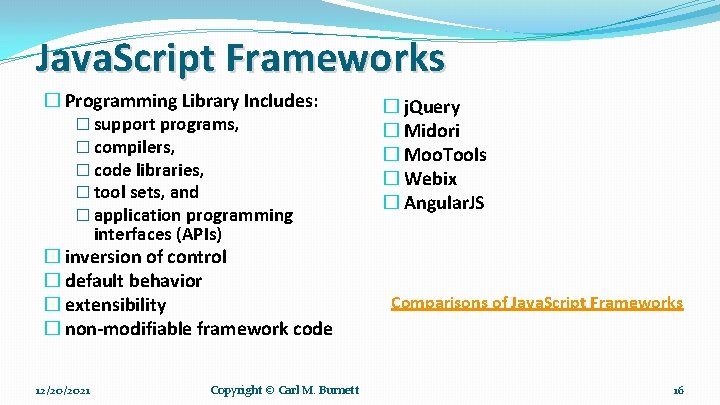
Java. Script Frameworks � Programming Library Includes: � support programs, � compilers, � code libraries, � tool sets, and � application programming interfaces (APIs) � inversion of control � default behavior � extensibility � non-modifiable framework code 12/20/2021 Copyright © Carl M. Burnett � j. Query � Midori � Moo. Tools � Webix � Angular. JS Comparisons of Java. Script Frameworks 16
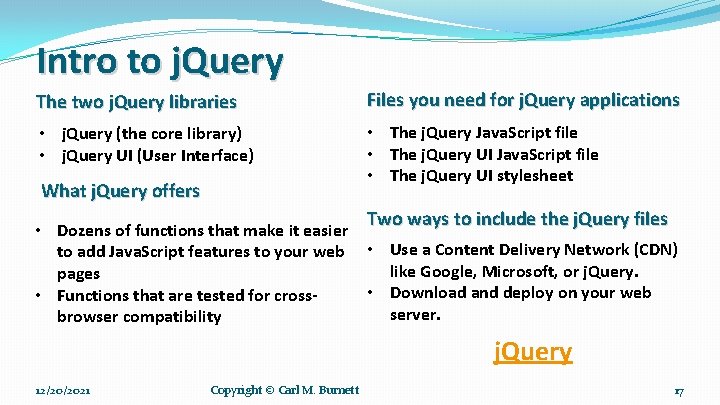
Intro to j. Query The two j. Query libraries Files you need for j. Query applications • j. Query (the core library) • j. Query UI (User Interface) • The j. Query Java. Script file • The j. Query UI stylesheet What j. Query offers • Dozens of functions that make it easier to add Java. Script features to your web pages • Functions that are tested for crossbrowser compatibility Two ways to include the j. Query files • Use a Content Delivery Network (CDN) like Google, Microsoft, or j. Query. • Download and deploy on your web server. j. Query 12/20/2021 Copyright © Carl M. Burnett 17
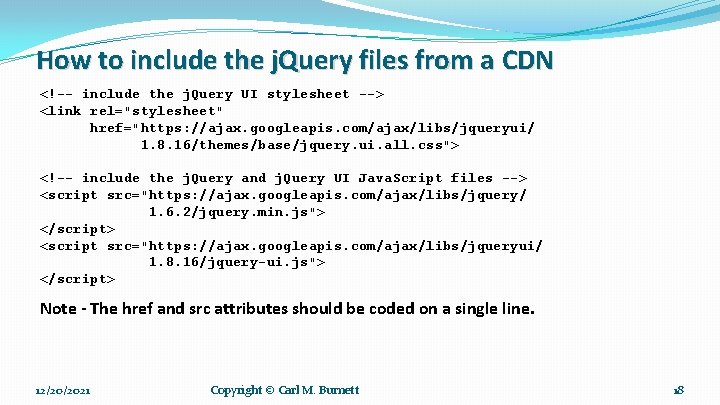
How to include the j. Query files from a CDN <!-- include the j. Query UI stylesheet --> <link rel="stylesheet" href="https: //ajax. googleapis. com/ajax/libs/jqueryui/ 1. 8. 16/themes/base/jquery. ui. all. css"> <!-- include the j. Query and j. Query UI Java. Script files --> <script src="https: //ajax. googleapis. com/ajax/libs/jquery/ 1. 6. 2/jquery. min. js"> </script> <script src="https: //ajax. googleapis. com/ajax/libs/jqueryui/ 1. 8. 16/jquery-ui. js"> </script> Note - The href and src attributes should be coded on a single line. 12/20/2021 Copyright © Carl M. Burnett 18
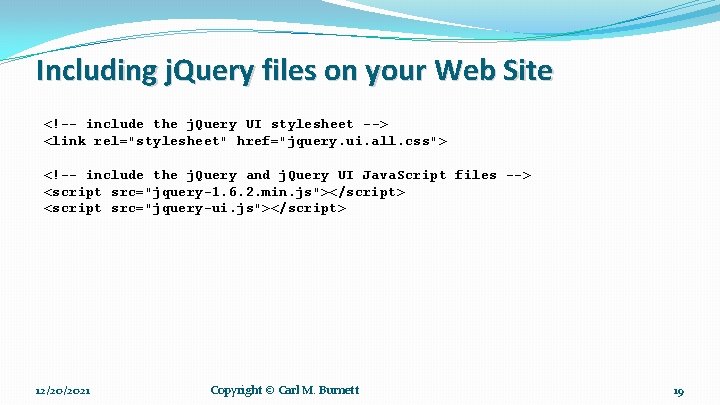
Including j. Query files on your Web Site <!-- include the j. Query UI stylesheet --> <link rel="stylesheet" href="jquery. ui. all. css"> <!-- include the j. Query and j. Query UI Java. Script files --> <script src="jquery-1. 6. 2. min. js"></script> <script src="jquery-ui. js"></script> 12/20/2021 Copyright © Carl M. Burnett 19
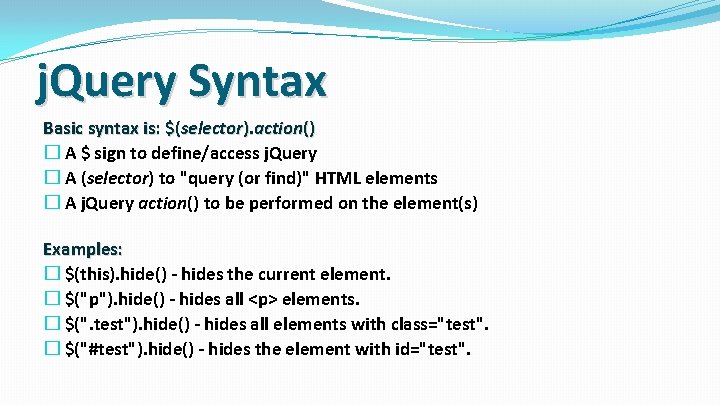
j. Query Syntax Basic syntax is: $(selector). action() � A $ sign to define/access j. Query � A (selector) to "query (or find)" HTML elements � A j. Query action() to be performed on the element(s) Examples: � $(this). hide() - hides the current element. � $("p"). hide() - hides all <p> elements. � $(". test"). hide() - hides all elements with class="test". � $("#test"). hide() - hides the element with id="test".
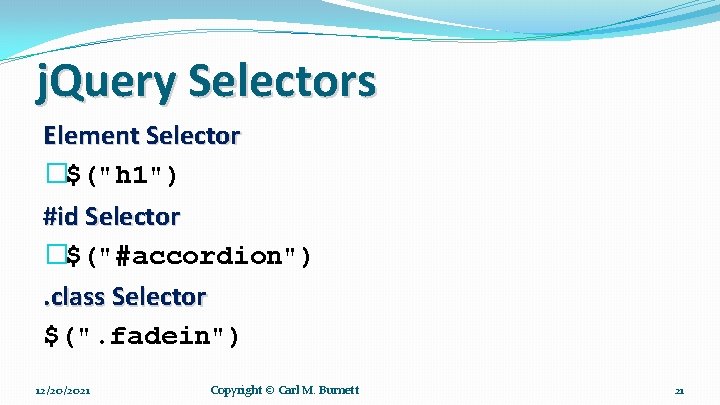
j. Query Selectors Element Selector �$("h 1") #id Selector �$("#accordion"). class Selector $(". fadein") 12/20/2021 Copyright © Carl M. Burnett 21
Session 2 – Selector Exercises �Exercise 1 �Exercise 2 �Exercise 3 �Exercise 4 �Exercise 5 �Exercise 6
j. Query Events Examples: �moving a mouse over an element �selecting a radio button �clicking on an element
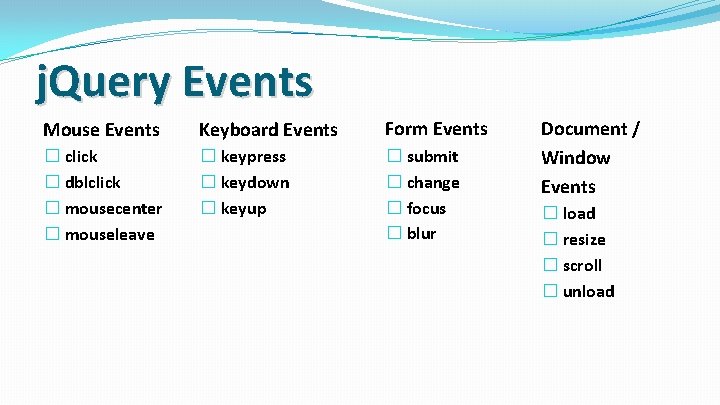
j. Query Events Mouse Events Keyboard Events Form Events � click � dblclick � mousecenter � mouseleave � keypress � keydown � keyup � submit � change � focus � blur Document / Window Events � load � resize � scroll � unload
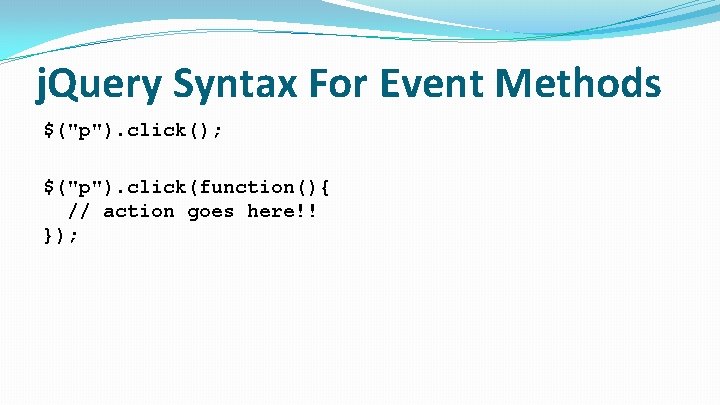
j. Query Syntax For Event Methods $("p"). click(); $("p"). click(function(){ // action goes here!! });
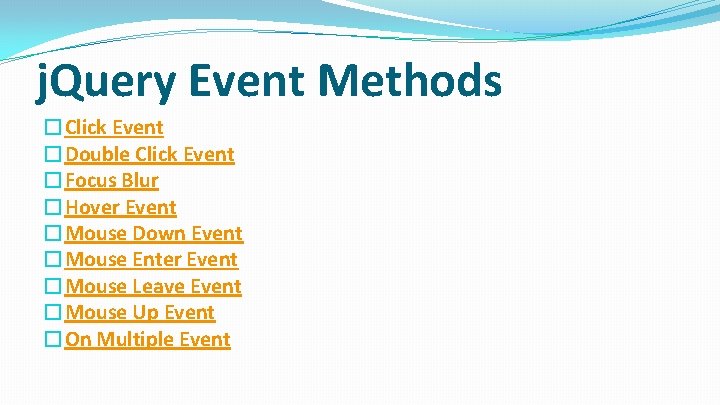
j. Query Event Methods �Click Event �Double Click Event �Focus Blur �Hover Event �Mouse Down Event �Mouse Enter Event �Mouse Leave Event �Mouse Up Event �On Multiple Event
Session 2 – Event Exercises �Exercise 1 �Exercise 2 �Exercise 3 �Exercise 4 �Exercise 5
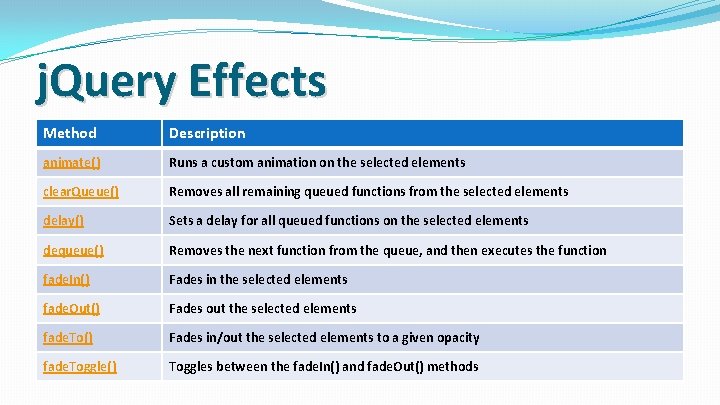
j. Query Effects Method Description animate() Runs a custom animation on the selected elements clear. Queue() Removes all remaining queued functions from the selected elements delay() Sets a delay for all queued functions on the selected elements dequeue() Removes the next function from the queue, and then executes the function fade. In() Fades in the selected elements fade. Out() Fades out the selected elements fade. To() Fades in/out the selected elements to a given opacity fade. Toggle() Toggles between the fade. In() and fade. Out() methods
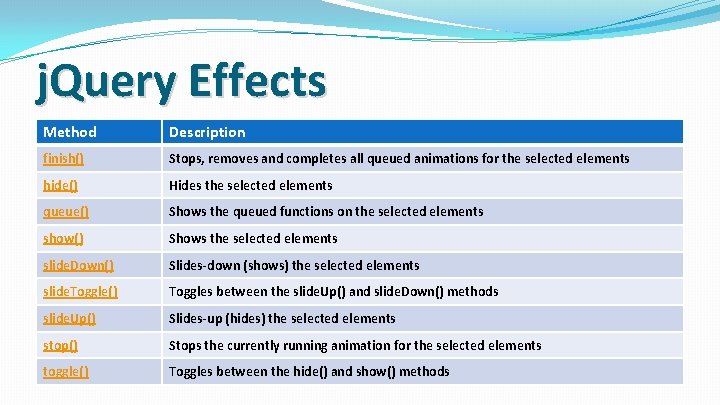
j. Query Effects Method Description finish() Stops, removes and completes all queued animations for the selected elements hide() Hides the selected elements queue() Shows the queued functions on the selected elements show() Shows the selected elements slide. Down() Slides-down (shows) the selected elements slide. Toggle() Toggles between the slide. Up() and slide. Down() methods slide. Up() Slides-up (hides) the selected elements stop() Stops the currently running animation for the selected elements toggle() Toggles between the hide() and show() methods
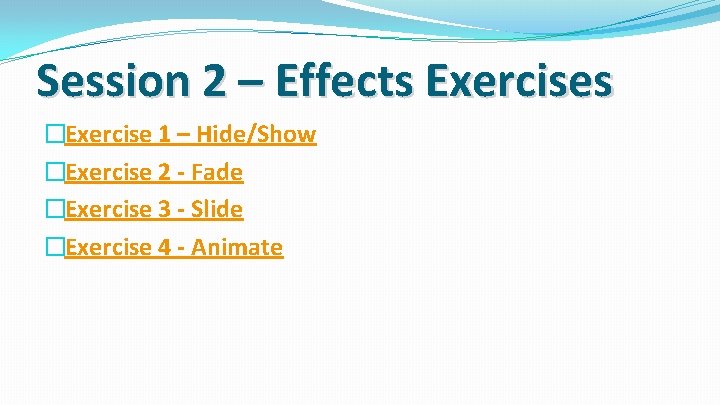
Session 2 – Effects Exercises �Exercise 1 – Hide/Show �Exercise 2 - Fade �Exercise 3 - Slide �Exercise 4 - Animate
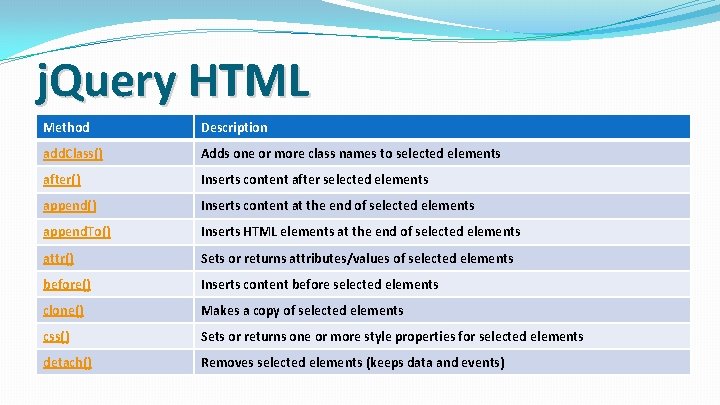
j. Query HTML Method Description add. Class() Adds one or more class names to selected elements after() Inserts content after selected elements append() Inserts content at the end of selected elements append. To() Inserts HTML elements at the end of selected elements attr() Sets or returns attributes/values of selected elements before() Inserts content before selected elements clone() Makes a copy of selected elements css() Sets or returns one or more style properties for selected elements detach() Removes selected elements (keeps data and events)
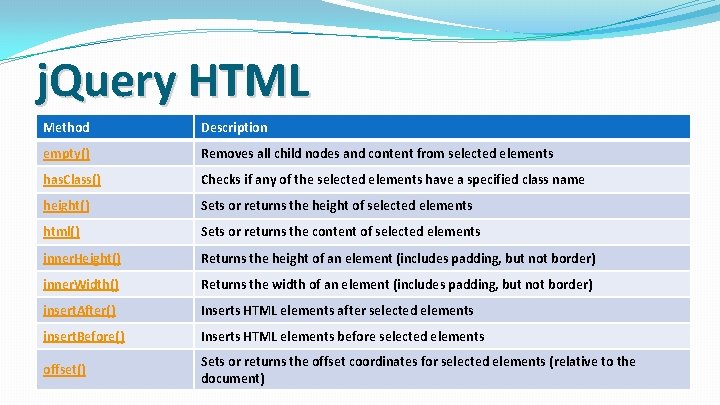
j. Query HTML Method Description empty() Removes all child nodes and content from selected elements has. Class() Checks if any of the selected elements have a specified class name height() Sets or returns the height of selected elements html() Sets or returns the content of selected elements inner. Height() Returns the height of an element (includes padding, but not border) inner. Width() Returns the width of an element (includes padding, but not border) insert. After() Inserts HTML elements after selected elements insert. Before() Inserts HTML elements before selected elements offset() Sets or returns the offset coordinates for selected elements (relative to the document)
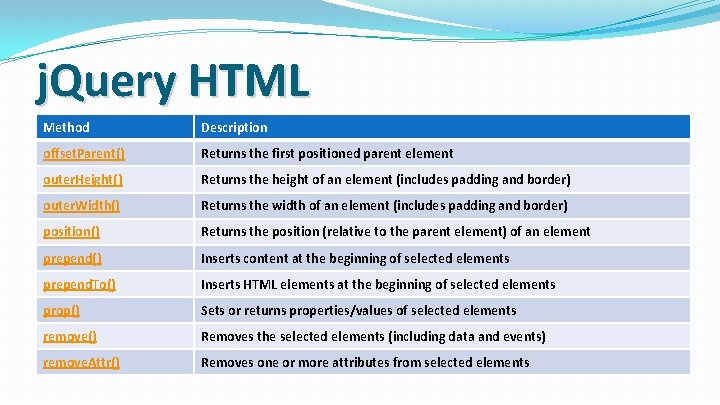
j. Query HTML Method Description offset. Parent() Returns the first positioned parent element outer. Height() Returns the height of an element (includes padding and border) outer. Width() Returns the width of an element (includes padding and border) position() Returns the position (relative to the parent element) of an element prepend() Inserts content at the beginning of selected elements prepend. To() Inserts HTML elements at the beginning of selected elements prop() Sets or returns properties/values of selected elements remove() Removes the selected elements (including data and events) remove. Attr() Removes one or more attributes from selected elements
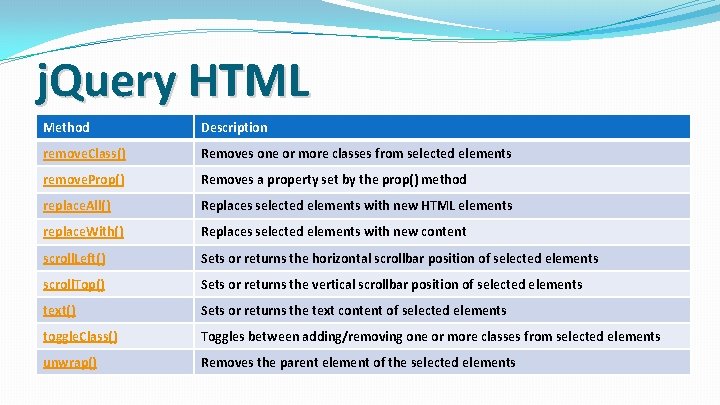
j. Query HTML Method Description remove. Class() Removes one or more classes from selected elements remove. Prop() Removes a property set by the prop() method replace. All() Replaces selected elements with new HTML elements replace. With() Replaces selected elements with new content scroll. Left() Sets or returns the horizontal scrollbar position of selected elements scroll. Top() Sets or returns the vertical scrollbar position of selected elements text() Sets or returns the text content of selected elements toggle. Class() Toggles between adding/removing one or more classes from selected elements unwrap() Removes the parent element of the selected elements
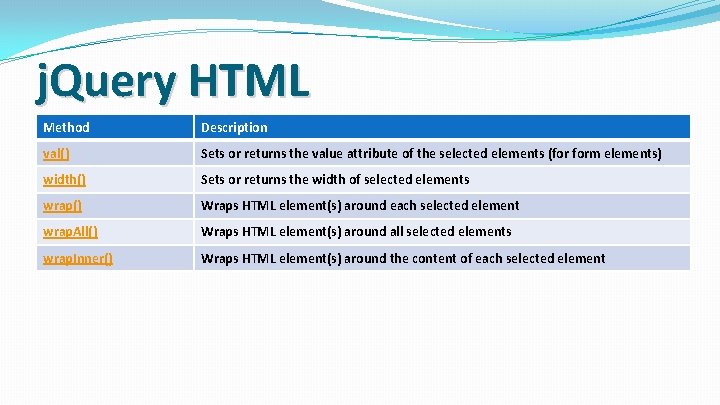
j. Query HTML Method Description val() Sets or returns the value attribute of the selected elements (for form elements) width() Sets or returns the width of selected elements wrap() Wraps HTML element(s) around each selected element wrap. All() Wraps HTML element(s) around all selected elements wrap. Inner() Wraps HTML element(s) around the content of each selected element
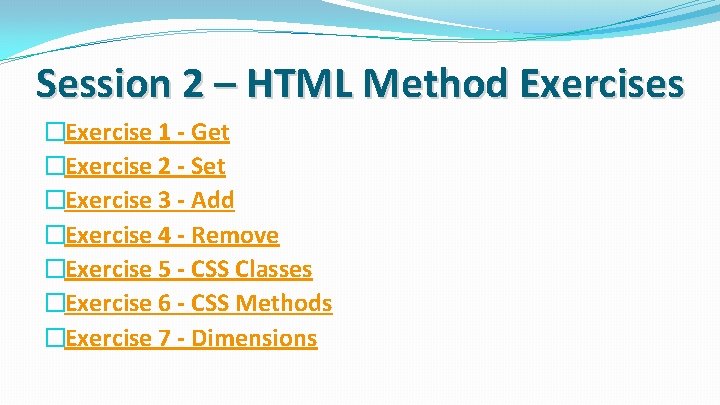
Session 2 – HTML Method Exercises �Exercise 1 - Get �Exercise 2 - Set �Exercise 3 - Add �Exercise 4 - Remove �Exercise 5 - CSS Classes �Exercise 6 - CSS Methods �Exercise 7 - Dimensions
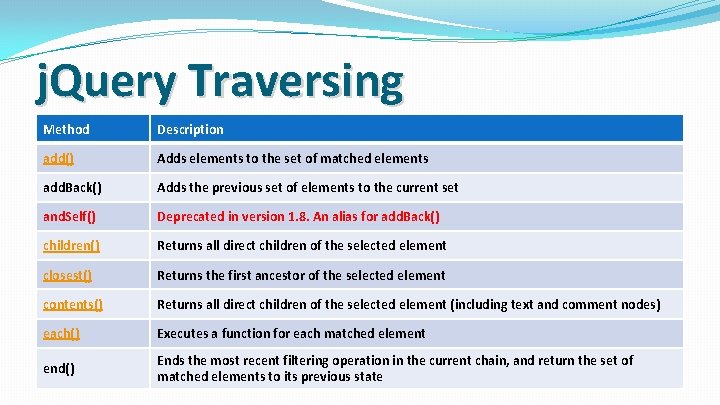
j. Query Traversing Method Description add() Adds elements to the set of matched elements add. Back() Adds the previous set of elements to the current set and. Self() Deprecated in version 1. 8. An alias for add. Back() children() Returns all direct children of the selected element closest() Returns the first ancestor of the selected element contents() Returns all direct children of the selected element (including text and comment nodes) each() Executes a function for each matched element end() Ends the most recent filtering operation in the current chain, and return the set of matched elements to its previous state
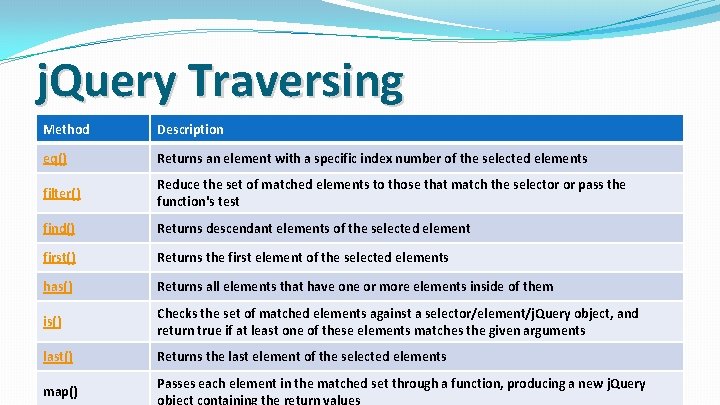
j. Query Traversing Method Description eq() Returns an element with a specific index number of the selected elements filter() Reduce the set of matched elements to those that match the selector or pass the function's test find() Returns descendant elements of the selected element first() Returns the first element of the selected elements has() Returns all elements that have one or more elements inside of them is() Checks the set of matched elements against a selector/element/j. Query object, and return true if at least one of these elements matches the given arguments last() Returns the last element of the selected elements map() Passes each element in the matched set through a function, producing a new j. Query object containing the return values
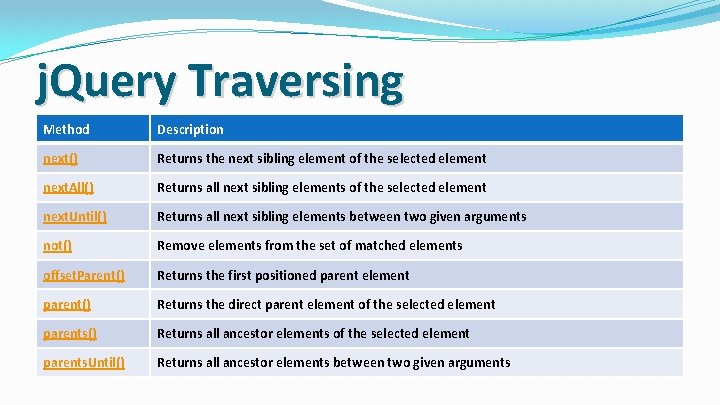
j. Query Traversing Method Description next() Returns the next sibling element of the selected element next. All() Returns all next sibling elements of the selected element next. Until() Returns all next sibling elements between two given arguments not() Remove elements from the set of matched elements offset. Parent() Returns the first positioned parent element parent() Returns the direct parent element of the selected element parents() Returns all ancestor elements of the selected element parents. Until() Returns all ancestor elements between two given arguments
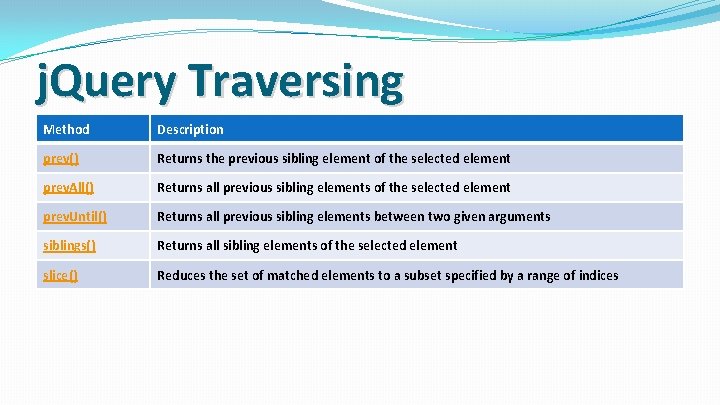
j. Query Traversing Method Description prev() Returns the previous sibling element of the selected element prev. All() Returns all previous sibling elements of the selected element prev. Until() Returns all previous sibling elements between two given arguments siblings() Returns all sibling elements of the selected element slice() Reduces the set of matched elements to a subset specified by a range of indices
Session 2 – Traversing Exercises �Exercise 1 - Ancestors �Exercise 2 - Descendants �Exercise 3 - Siblings �Exercise 4 - Filtering
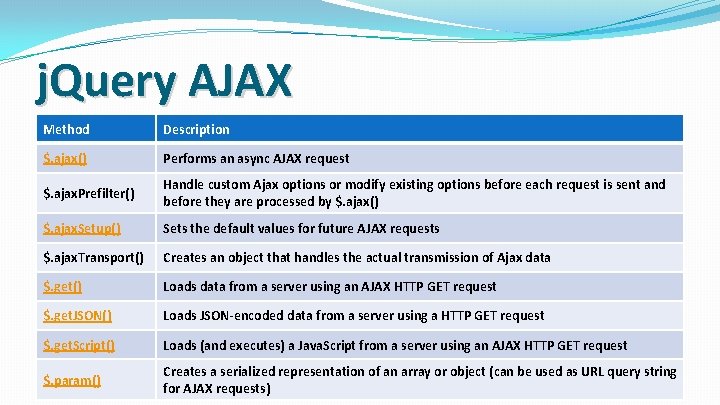
j. Query AJAX Method Description $. ajax() Performs an async AJAX request $. ajax. Prefilter() Handle custom Ajax options or modify existing options before each request is sent and before they are processed by $. ajax() $. ajax. Setup() Sets the default values for future AJAX requests $. ajax. Transport() Creates an object that handles the actual transmission of Ajax data $. get() Loads data from a server using an AJAX HTTP GET request $. get. JSON() Loads JSON-encoded data from a server using a HTTP GET request $. get. Script() Loads (and executes) a Java. Script from a server using an AJAX HTTP GET request $. param() Creates a serialized representation of an array or object (can be used as URL query string for AJAX requests)
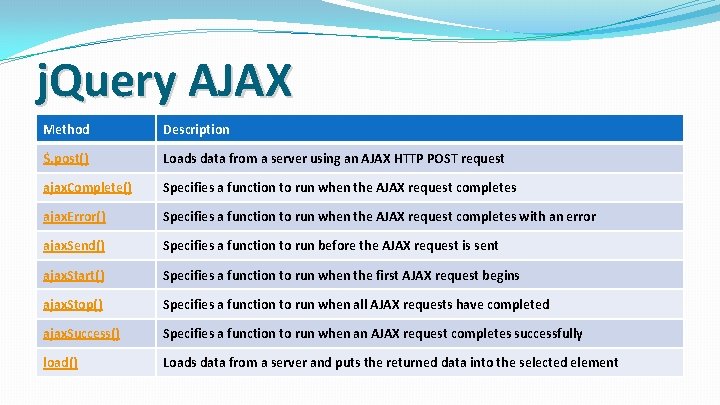
j. Query AJAX Method Description $. post() Loads data from a server using an AJAX HTTP POST request ajax. Complete() Specifies a function to run when the AJAX request completes ajax. Error() Specifies a function to run when the AJAX request completes with an error ajax. Send() Specifies a function to run before the AJAX request is sent ajax. Start() Specifies a function to run when the first AJAX request begins ajax. Stop() Specifies a function to run when all AJAX requests have completed ajax. Success() Specifies a function to run when an AJAX request completes successfully load() Loads data from a server and puts the returned data into the selected element
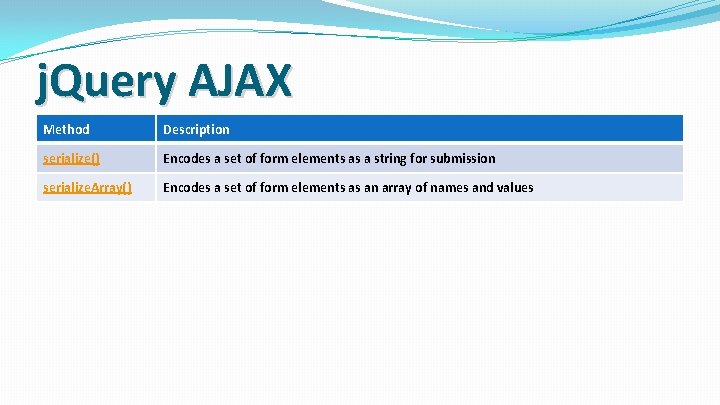
j. Query AJAX Method Description serialize() Encodes a set of form elements as a string for submission serialize. Array() Encodes a set of form elements as an array of names and values
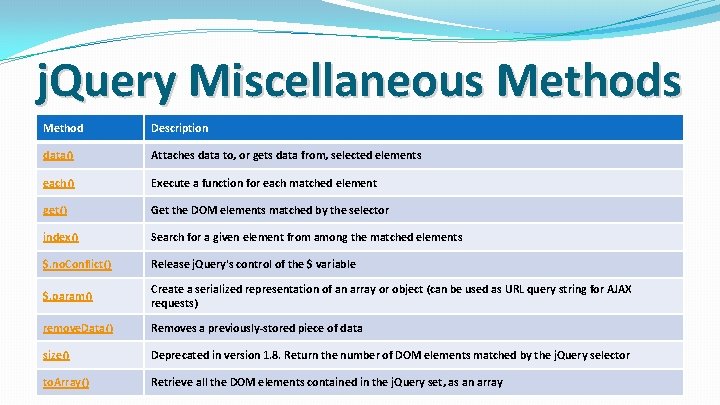
j. Query Miscellaneous Method Description data() Attaches data to, or gets data from, selected elements each() Execute a function for each matched element get() Get the DOM elements matched by the selector index() Search for a given element from among the matched elements $. no. Conflict() Release j. Query's control of the $ variable $. param() Create a serialized representation of an array or object (can be used as URL query string for AJAX requests) remove. Data() Removes a previously-stored piece of data size() Deprecated in version 1. 8. Return the number of DOM elements matched by the j. Query selector to. Array() Retrieve all the DOM elements contained in the j. Query set, as an array
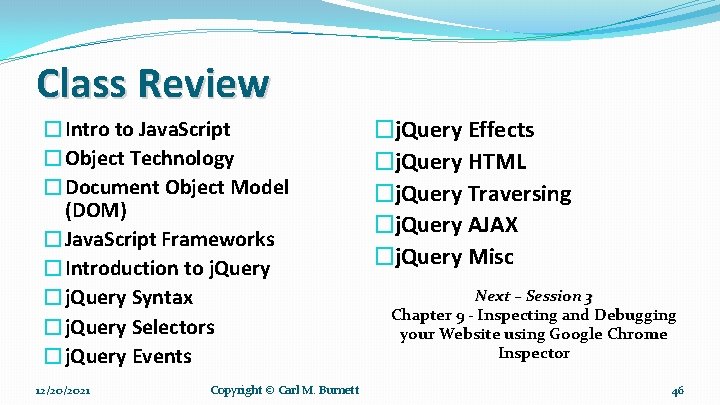
Class Review �Intro to Java. Script �Object Technology �Document Object Model (DOM) �Java. Script Frameworks �Introduction to j. Query �j. Query Syntax �j. Query Selectors �j. Query Events 12/20/2021 Copyright © Carl M. Burnett �j. Query Effects �j. Query HTML �j. Query Traversing �j. Query AJAX �j. Query Misc Next – Session 3 Chapter 9 - Inspecting and Debugging your Website using Google Chrome Inspector 46
- Slides: 46