
HTML Format Emails Version 21 repver 17640 Ori

- Slides: 19
HTML Format Emails Version 21 rep_ver #17640 Ori Miller, Aleph Support Manager
Agenda Intro Confi duct Exam ion gurat io ple 2 n
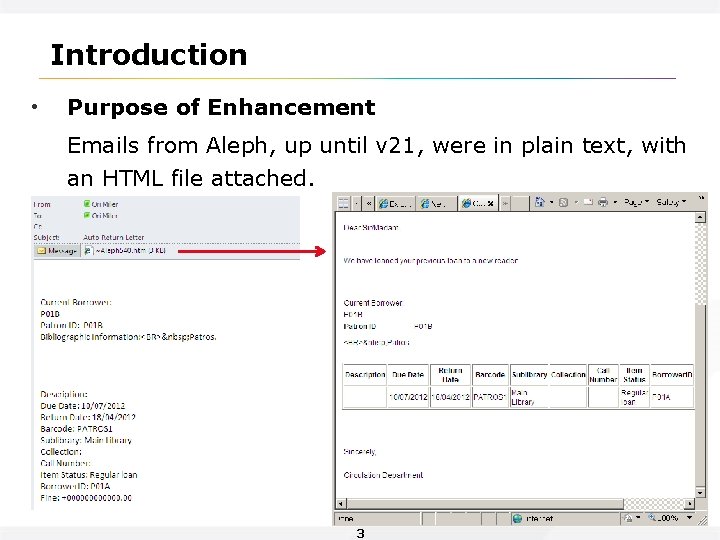
Introduction • Purpose of Enhancement Emails from Aleph, up until v 21, were in plain text, with an HTML file attached. 3
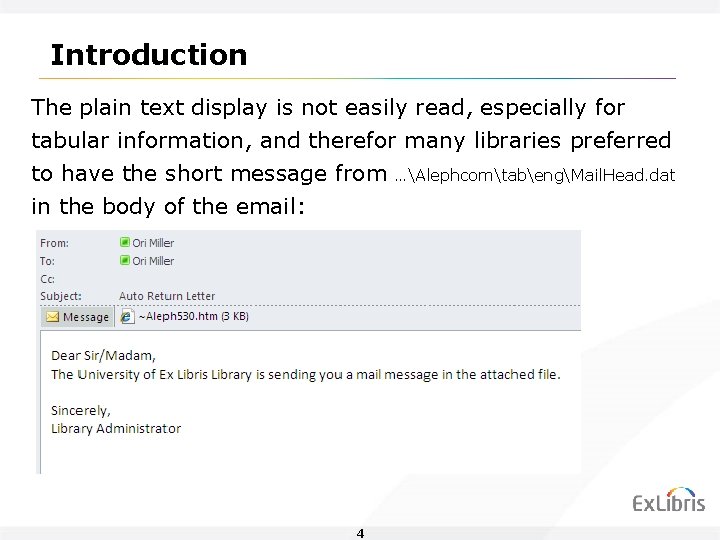
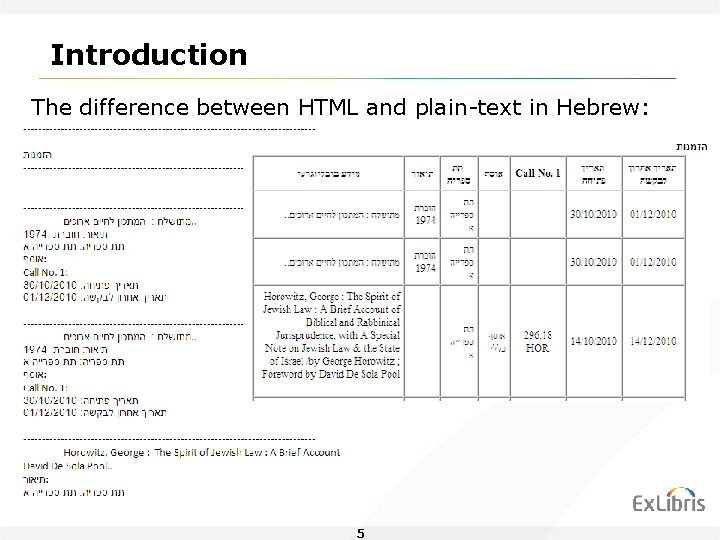
Introduction The plain text display is not easily read, especially for tabular information, and therefor many libraries preferred to have the short message from in the body of the email: 4 …AlephcomtabengMail. Head. dat
Introduction The difference between HTML and plain-text in Hebrew: 5
Introduction Up until a few years ago, there were patrons who used a non HTML friendly email reader. Nowadays, it seems like all patrons use modern Outlook / Gmail / Yahoo etc. and are accustomed to receiving rich text emails. Besides the fact that plain text wasn’t accepted by the patrons, it was also difficult for the system librarian to work on the letters formatting (XSL files), while checking if they look well in both HTML and plain-text formats. 6
Agenda Intro ducti on Conf igura tion Exam ple 7
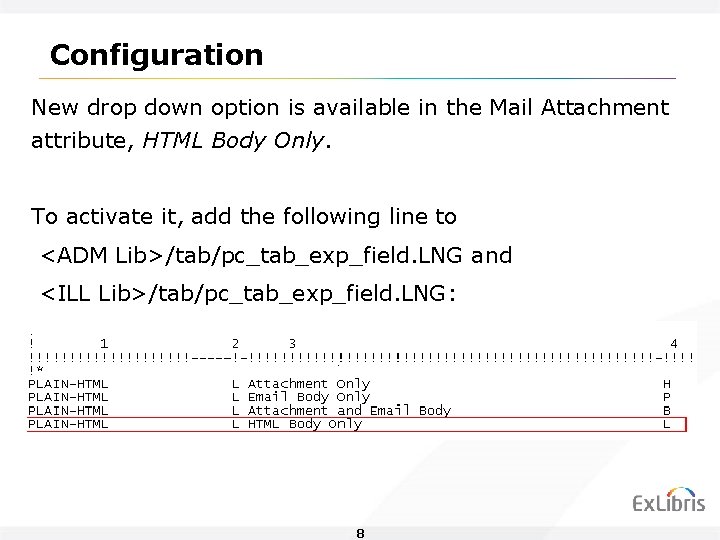
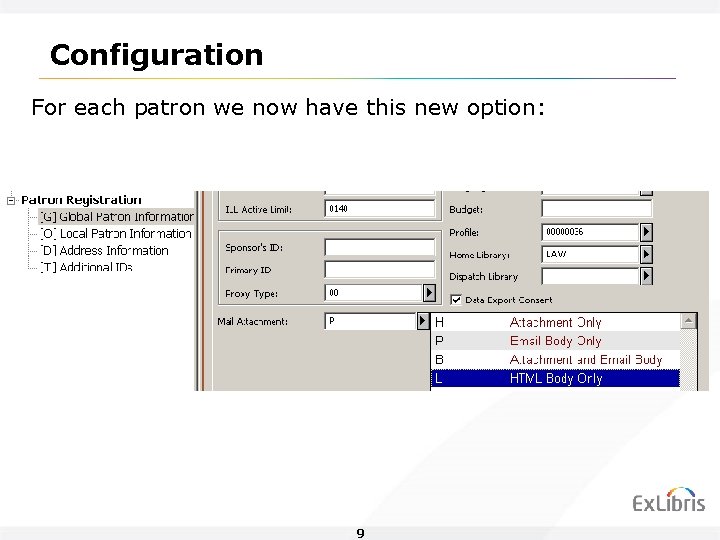
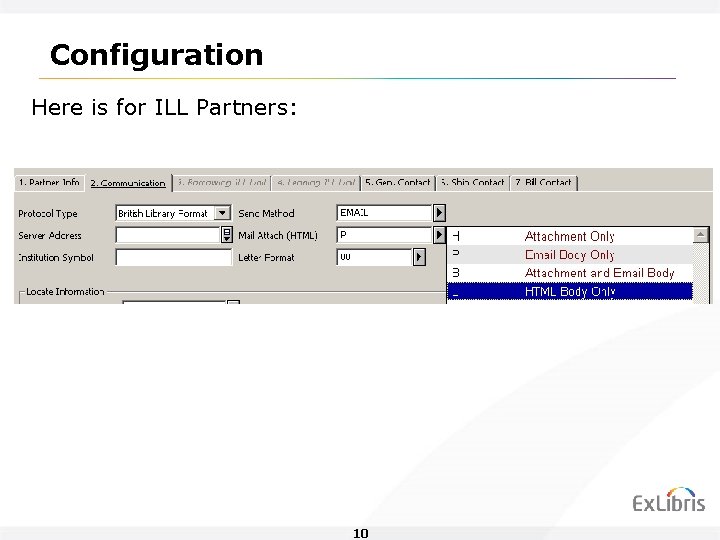
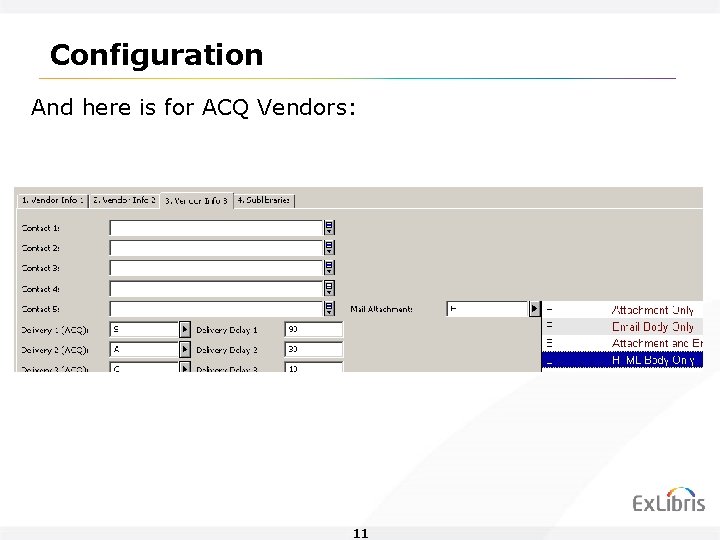
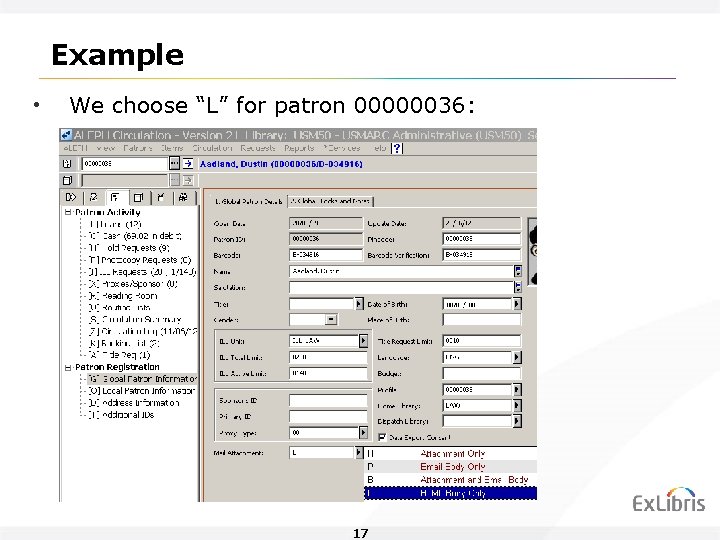
Configuration New drop down option is available in the Mail Attachment attribute, HTML Body Only. To activate it, add the following line to <ADM Lib>/tab/pc_tab_exp_field. LNG and <ILL Lib>/tab/pc_tab_exp_field. LNG: 8
Configuration For each patron we now have this new option: 9
Configuration Here is for ILL Partners: 10
Configuration And here is for ACQ Vendors: 11
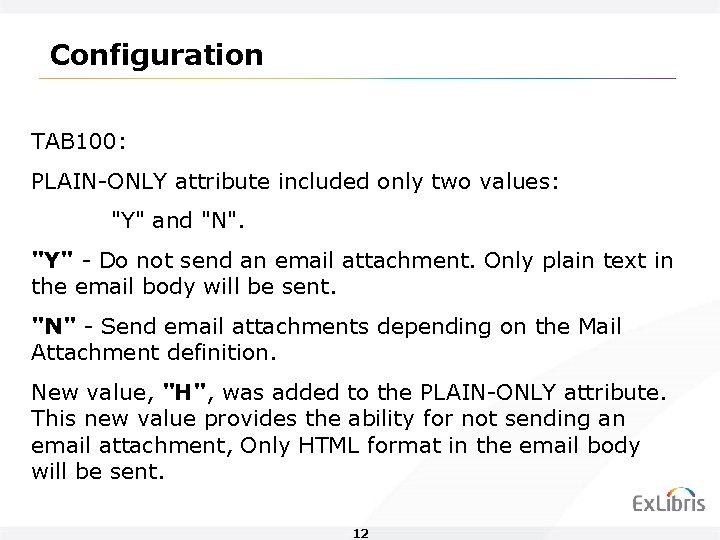
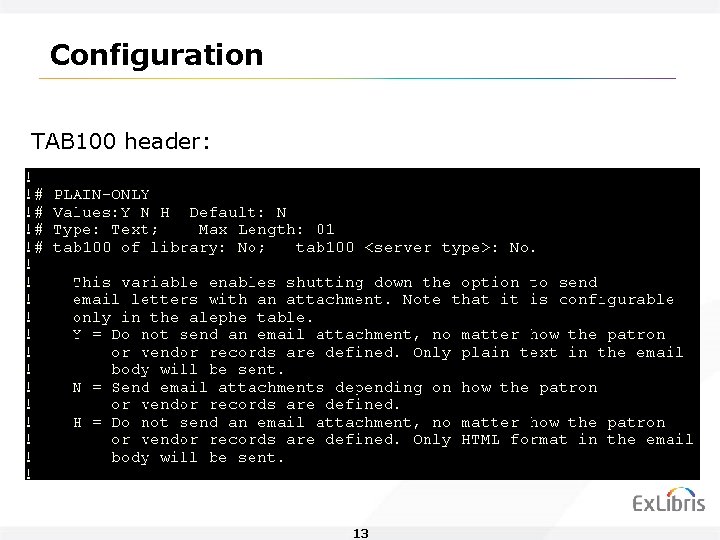
Configuration TAB 100: PLAIN-ONLY attribute included only two values: "Y" and "N". "Y" - Do not send an email attachment. Only plain text in the email body will be sent. "N" - Send email attachments depending on the Mail Attachment definition. New value, "H", was added to the PLAIN-ONLY attribute. This new value provides the ability for not sending an email attachment, Only HTML format in the email body will be sent. 12
Configuration TAB 100 header: 13
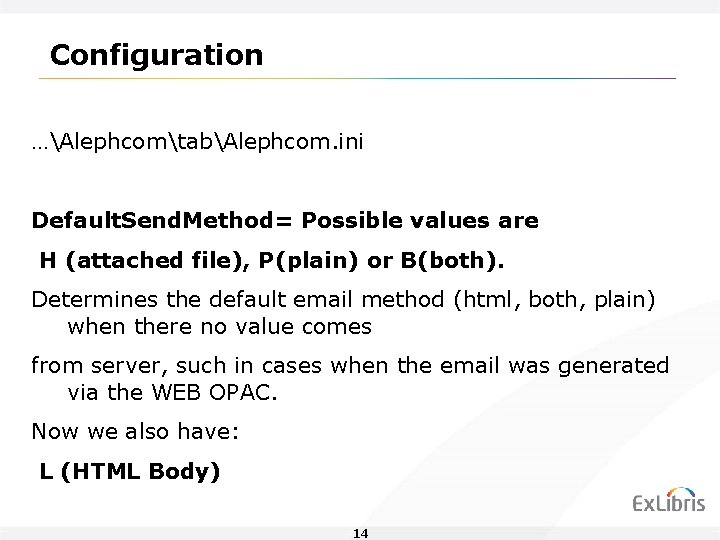
Configuration …AlephcomtabAlephcom. ini Default. Send. Method= Possible values are H (attached file), P(plain) or B(both). Determines the default email method (html, both, plain) when there no value comes from server, such in cases when the email was generated via the WEB OPAC. Now we also have: L (HTML Body) 14
Configuration • The library might want to change z 303_plain_html to “L” for all Patrons (using PLIF), and then, upon specific requests change back to “B”. • Another option: Change to “L” for new students from now and on. 15
Agenda Intro ducti on Confi gurat ion Exam ple 16
Example • We choose “L” for patron 00000036: 17
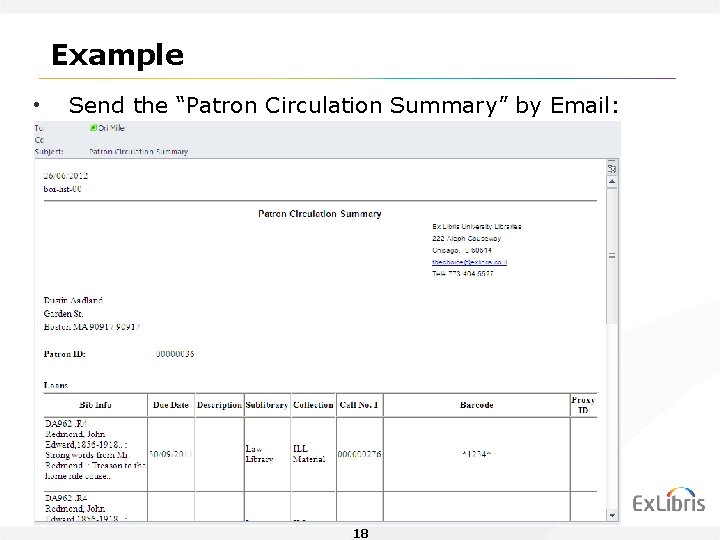
Example • Send the “Patron Circulation Summary” by Email: • And we get: 18
Thank You! Ori. M@exlibrisgroup. com